mirror of
https://github.com/huggingface/diffusers.git
synced 2025-12-07 04:54:47 +08:00
Compare commits
330 Commits
token-drop
...
fix-mirror
| Author | SHA1 | Date | |
|---|---|---|---|

|
bae4e5f8af | ||
|
|
7f51f286a5 | ||
|
|
829f6defa4 | ||
|
|
24bdf4b215 | ||
|
|
95e0c3757d | ||
|
|
6cf0be5d3d | ||
|
|
ec068f9b5b | ||
|
|
0240d4191a | ||
|
|
04717fd861 | ||
|
|
6fd458e99d | ||
|
|
1066fe4cbc | ||
|
|
d38f69ea25 | ||
|
|
0a1c13af79 | ||
|
|
0028c34432 | ||
|
|
d457beed92 | ||
|
|
1d9a6a81b9 | ||
|
|
4e0984db6c | ||
|
|
83bc6c94ea | ||
|
|
0d68ddf327 | ||
|
|
7d887118b9 | ||
|
|
b63c956860 | ||
|
|
716b2062bf | ||
|
|
5fd6825d25 | ||
|
|
e0fae6fd73 | ||
|
|
ec1aded12e | ||
|
|
151a56b80e | ||
|
|
a3faf3f260 | ||
|
|
867a2b0cf9 | ||
|
|
98730c5dd7 | ||
|
|
7ebd359446 | ||
|
|
d3881f35b7 | ||
|
|
48207d6689 | ||
|
|
2f6f426f66 | ||
|
|
a0542c1917 | ||
|
|
a8ad6664c2 | ||
|
|
14f7b545bd | ||
|
|
07cd20041c | ||
|
|
6ddbf6222c | ||
|
|
3ff39e8e86 | ||
|
|
6be43bd855 | ||
|
|
dc89434bdc | ||
|
|
4d633bfe9a | ||
|
|
174cf868ea | ||
|
|
413604405f | ||
|
|
bc108e1533 | ||
|
|
86555c9f59 | ||
|
|
983dec3bf7 | ||
|
|
f9fa8a868c | ||
|
|
05be622b1c | ||
|
|
352d96eb82 | ||
|
|
3511a9623f | ||
|
|
42cae93b94 | ||
|
|
a2ecce26bc | ||
|
|
9e00b727ad | ||
|
|
f7a4626f4b | ||
|
|
f4a44b7707 | ||
|
|
3bc3b48c10 | ||
|
|
581d8aacf7 | ||
|
|
ba1bfac20b | ||
|
|
5edd0b34fa | ||
|
|
3a28e36aa1 | ||
|
|
3393c01c9d | ||
|
|
1fa8dbc63a | ||
|
|
0ab6dc0f23 | ||
|
|
b2030a249c | ||
|
|
67bef2027c | ||
|
|
aa676c641f | ||
|
|
e6df8edadc | ||
|
|
80cfaebaa1 | ||
|
|
ba82414106 | ||
|
|
fe5f035f79 | ||
|
|
b3d10d6d65 | ||
|
|
b82f9f5666 | ||
|
|
6a5ba1b719 | ||
|
|
4d40c9140c | ||
|
|
0ab63ff647 | ||
|
|
db33af065b | ||
|
|
1096f88e2b | ||
|
|
cef4a51223 | ||
|
|
edf5ba6a17 | ||
|
|
9941f1f61b | ||
|
|
46a9db0336 | ||
|
|
370146e4e0 | ||
|
|
5cd45c24bf | ||
|
|
67b3fe0aae | ||
|
|
baab065679 | ||
|
|
509741aea7 | ||
|
|
e1df77ee1e | ||
|
|
fdb1baa05c | ||
|
|
6529ee67ec | ||
|
|
df2bc5ef28 | ||
|
|
a7bf77fc28 | ||
|
|
0f0defdb65 | ||
|
|
19df9f3ec0 | ||
|
|
d6ca120987 | ||
|
|
fb7ae0184f | ||
|
|
70f8d4b488 | ||
|
|
6c60e430ee | ||
|
|
1221b28eac | ||
|
|
746f603b20 | ||
|
|
2afea72d29 | ||
|
|
0f111ab794 | ||
|
|
4dd7aaa06f | ||
|
|
d27e996ccd | ||
|
|
72780ff5b1 | ||
|
|
69fdb8720f | ||
|
|
b2140a895b | ||
|
|
e0e8c58f64 | ||
|
|
cbea5d1725 | ||
|
|
a1245c2c61 | ||
|
|
cdda94f412 | ||
|
|
5b830aa356 | ||
|
|
9e7bae9881 | ||
|
|
b41ce1e090 | ||
|
|
95d3748453 | ||
|
|
44aa9e566d | ||
|
|
fdb05f54ef | ||
|
|
98ba18ba55 | ||
|
|
5bb38586a9 | ||
|
|
ec9e88139a | ||
|
|
e4f8dca9a0 | ||
|
|
0267c5233a | ||
|
|
be4afa0bb4 | ||
|
|
04f4bd54ea | ||
|
|
82be58c512 | ||
|
|
6695635696 | ||
|
|
b934215d4c | ||
|
|
5ed3abd371 | ||
|
|
1087a510b5 | ||
|
|
305f2b4498 | ||
|
|
cb0f3b49cb | ||
|
|
caf9e985df | ||
|
|
c1c42698c9 | ||
|
|
75aab34675 | ||
|
|
35358a2dec | ||
|
|
818f760732 | ||
|
|
f29b93488d | ||
|
|
d50baf0c63 | ||
|
|
c2217142bd | ||
|
|
8edaf3b79c | ||
|
|
23e091564f | ||
|
|
0d23645bd1 | ||
|
|
7fa3e5b0f6 | ||
|
|
49b959b540 | ||
|
|
58237364b1 | ||
|
|
3e35628873 | ||
|
|
6a479588db | ||
|
|
fa489eaed6 | ||
|
|
0d7c479023 | ||
|
|
ce97d7e19b | ||
|
|
44ba90caff | ||
|
|
3c85a57297 | ||
|
|
03ca11318e | ||
|
|
3ffa7b46e5 | ||
|
|
c1b2a89e34 | ||
|
|
435d37ce5a | ||
|
|
5915c2985d | ||
|
|
21a7ff12a7 | ||
|
|
8909ab4b19 | ||
|
|
c1edb03c37 | ||
|
|
0d08370263 | ||
|
|
b8ccb46259 | ||
|
|
725ead2f5e | ||
|
|
26a7851e1e | ||
|
|
3fd31eef51 | ||
|
|
b02e2113ff | ||
|
|
21f023ec1a | ||
|
|
31d9f9ea77 | ||
|
|
f53352f750 | ||
|
|
83ae24ce2d | ||
|
|
8af793b2d4 | ||
|
|
eb96ff0d59 | ||
|
|
a38dd79512 | ||
|
|
b1c5817a89 | ||
|
|
235d34cf56 | ||
|
|
5029673987 | ||
|
|
56bd7e67c2 | ||
|
|
9d16daaf64 | ||
|
|
8e4ca1b6b2 | ||
|
|
0d2d424fbe | ||
|
|
e24e54fdfa | ||
|
|
ebc99a77aa | ||
|
|
fa750a15bd | ||
|
|
181688012a | ||
|
|
142f353e1c | ||
|
|
b833d0fc80 | ||
|
|
e963621649 | ||
|
|
39215aa30e | ||
|
|
9ef43f38d4 | ||
|
|
88018fcf20 | ||
|
|
7404f1e9dc | ||
|
|
5a69227863 | ||
|
|
fc9fecc217 | ||
|
|
065f251766 | ||
|
|
21c747fa0f | ||
|
|
09129842e7 | ||
|
|
33b363edfa | ||
|
|
a9dd86029e | ||
|
|
9100652494 | ||
|
|
d1e3f489e9 | ||
|
|
ae05050db9 | ||
|
|
db969cc16d | ||
|
|
3cfe187dc7 | ||
|
|
90250d9e48 | ||
|
|
e5674015f3 | ||
|
|
b5c8b555d7 | ||
|
|
e23c27e905 | ||
|
|
7635d3d37f | ||
|
|
9132ce7c58 | ||
|
|
30c977d1f5 | ||
|
|
f0fa17dd8e | ||
|
|
c726d02beb | ||
|
|
a68503f221 | ||
|
|
9d50f7eec1 | ||
|
|
fda1531d8a | ||
|
|
cf6e0407e0 | ||
|
|
1c000d46e1 | ||
|
|
08bf754507 | ||
|
|
2f23437618 | ||
|
|
2523390c26 | ||
|
|
279de3c3ff | ||
|
|
8e14535708 | ||
|
|
0bee4d336b | ||
|
|
42f25d601a | ||
|
|
33c5d125cb | ||
|
|
aa1f00fd01 | ||
|
|
d95b993427 | ||
|
|
1d480298c1 | ||
|
|
b2323aa2b7 | ||
|
|
37e9d695af | ||
|
|
a402431de0 | ||
|
|
b99b1617cf | ||
|
|
3e4a6bd2d4 | ||
|
|
c827e94da0 | ||
|
|
44f6b859bf | ||
|
|
ac7ff7d4a3 | ||
|
|
a0cf607667 | ||
|
|
a341b536a8 | ||
|
|
8e46d97cd8 | ||
|
|
7e808e768a | ||
|
|
7e39516627 | ||
|
|
56a76082ed | ||
|
|
6133d98ff7 | ||
|
|
1c60e094de | ||
|
|
71f49a5d2a | ||
|
|
35db2fdea9 | ||
|
|
ad55ce6100 | ||
|
|
a9a5b14f35 | ||
|
|
aa19025989 | ||
|
|
19ab04ff56 | ||
|
|
4a34307702 | ||
|
|
8e963d1c2a | ||
|
|
2b04ec2ff7 | ||
|
|
000fa82a1e | ||
|
|
5d83f50c23 | ||
|
|
5d21d4a204 | ||
|
|
73ba81090e | ||
|
|
7956c36aaa | ||
|
|
5266ab7935 | ||
|
|
7f724a930e | ||
|
|
9bef9f4be7 | ||
|
|
7aa4514260 | ||
|
|
c2e87869be | ||
|
|
ca61287daa | ||
|
|
f0c81562a4 | ||
|
|
9d20ed37a2 | ||
|
|
bda1d4faf8 | ||
|
|
77103d71ca | ||
|
|
0302446819 | ||
|
|
4d39b7483d | ||
|
|
fac761694a | ||
|
|
34c90dbb31 | ||
|
|
e49c04d5d6 | ||
|
|
f238cb0736 | ||
|
|
d78acdedc1 | ||
|
|
6df103deba | ||
|
|
73f28708be | ||
|
|
0cbc78f04c | ||
|
|
0cc5630945 | ||
|
|
0b8e29289d | ||
|
|
ab38ddf64f | ||
|
|
ead82fedea | ||
|
|
45b42d1203 | ||
|
|
5199ee4f7b | ||
|
|
544710ef0f | ||
|
|
443aa14e41 | ||
|
|
288632adf6 | ||
|
|
5ce79cbded | ||
|
|
d52f3e30f8 | ||
|
|
699dfb084c | ||
|
|
484c8ef399 | ||
|
|
0dd0528851 | ||
|
|
1cd4732e7f | ||
|
|
a51b6cc86a | ||
|
|
3bce0f3da1 | ||
|
|
9a34953823 | ||
|
|
e29f16cfaa | ||
|
|
f7dfcfd971 | ||
|
|
3c67864c5a | ||
|
|
363699044e | ||
|
|
9613576191 | ||
|
|
e4356d6488 | ||
|
|
82441460ef | ||
|
|
3e1097cb63 | ||
|
|
78990dd960 | ||
|
|
405a1facd2 | ||
|
|
3028089e5e | ||
|
|
b536f39818 | ||
|
|
e25e525fde | ||
|
|
de9adb907c | ||
|
|
bf861e65dc | ||
|
|
4da810b943 | ||
|
|
161c6e14b6 | ||
|
|
a6c9015c4e | ||
|
|
e6a5f99e5c | ||
|
|
80ff4ba63e | ||
|
|
b09a2aa308 | ||
|
|
63b6846849 | ||
|
|
139f707e6e | ||
|
|
e4546fd5bb | ||
|
|
d44e31aec2 | ||
|
|
ce9825b56b | ||
|
|
85f9d92883 | ||
|
|
916d9812a8 | ||
|
|
e6a8492242 | ||
|
|
ad0308b3f1 | ||
|
|
e97a633b63 | ||
|
|
01ac37b331 | ||
|
|
6a05b274cc | ||
|
|
98d46a3f08 |
3
.github/workflows/benchmark.yml
vendored
3
.github/workflows/benchmark.yml
vendored
@@ -31,7 +31,6 @@ jobs:
|
||||
nvidia-smi
|
||||
- name: Install dependencies
|
||||
run: |
|
||||
apt-get update && apt-get install libsndfile1-dev libgl1 -y
|
||||
python -m venv /opt/venv && export PATH="/opt/venv/bin:$PATH"
|
||||
python -m uv pip install -e [quality,test]
|
||||
python -m uv pip install pandas peft
|
||||
@@ -40,7 +39,7 @@ jobs:
|
||||
python utils/print_env.py
|
||||
- name: Diffusers Benchmarking
|
||||
env:
|
||||
HUGGING_FACE_HUB_TOKEN: ${{ secrets.DIFFUSERS_BOT_TOKEN }}
|
||||
HF_TOKEN: ${{ secrets.DIFFUSERS_BOT_TOKEN }}
|
||||
BASE_PATH: benchmark_outputs
|
||||
run: |
|
||||
export TOTAL_GPU_MEMORY=$(python -c "import torch; print(torch.cuda.get_device_properties(0).total_memory / (1024**3))")
|
||||
|
||||
40
.github/workflows/build_docker_images.yml
vendored
40
.github/workflows/build_docker_images.yml
vendored
@@ -20,22 +20,22 @@ env:
|
||||
|
||||
jobs:
|
||||
test-build-docker-images:
|
||||
runs-on: ubuntu-latest
|
||||
runs-on: [ self-hosted, intel-cpu, 8-cpu, ci ]
|
||||
if: github.event_name == 'pull_request'
|
||||
steps:
|
||||
- name: Set up Docker Buildx
|
||||
uses: docker/setup-buildx-action@v1
|
||||
|
||||
|
||||
- name: Check out code
|
||||
uses: actions/checkout@v3
|
||||
|
||||
|
||||
- name: Find Changed Dockerfiles
|
||||
id: file_changes
|
||||
uses: jitterbit/get-changed-files@v1
|
||||
with:
|
||||
format: 'space-delimited'
|
||||
token: ${{ secrets.GITHUB_TOKEN }}
|
||||
|
||||
|
||||
- name: Build Changed Docker Images
|
||||
run: |
|
||||
CHANGED_FILES="${{ steps.file_changes.outputs.all }}"
|
||||
@@ -50,9 +50,9 @@ jobs:
|
||||
if: steps.file_changes.outputs.all != ''
|
||||
|
||||
build-and-push-docker-images:
|
||||
runs-on: ubuntu-latest
|
||||
runs-on: [ self-hosted, intel-cpu, 8-cpu, ci ]
|
||||
if: github.event_name != 'pull_request'
|
||||
|
||||
|
||||
permissions:
|
||||
contents: read
|
||||
packages: write
|
||||
@@ -69,17 +69,18 @@ jobs:
|
||||
- diffusers-flax-tpu
|
||||
- diffusers-onnxruntime-cpu
|
||||
- diffusers-onnxruntime-cuda
|
||||
- diffusers-doc-builder
|
||||
|
||||
steps:
|
||||
- name: Checkout repository
|
||||
uses: actions/checkout@v3
|
||||
|
||||
- name: Set up Docker Buildx
|
||||
uses: docker/setup-buildx-action@v1
|
||||
- name: Login to Docker Hub
|
||||
uses: docker/login-action@v2
|
||||
with:
|
||||
username: ${{ env.REGISTRY }}
|
||||
password: ${{ secrets.DOCKERHUB_TOKEN }}
|
||||
|
||||
- name: Build and push
|
||||
uses: docker/build-push-action@v3
|
||||
with:
|
||||
@@ -90,24 +91,11 @@ jobs:
|
||||
|
||||
- name: Post to a Slack channel
|
||||
id: slack
|
||||
uses: slackapi/slack-github-action@6c661ce58804a1a20f6dc5fbee7f0381b469e001
|
||||
uses: huggingface/hf-workflows/.github/actions/post-slack@main
|
||||
with:
|
||||
# Slack channel id, channel name, or user id to post message.
|
||||
# See also: https://api.slack.com/methods/chat.postMessage#channels
|
||||
channel-id: ${{ env.CI_SLACK_CHANNEL }}
|
||||
# For posting a rich message using Block Kit
|
||||
payload: |
|
||||
{
|
||||
"text": "${{ matrix.image-name }} Docker Image build result: ${{ job.status }}\n${{ github.event.head_commit.url }}",
|
||||
"blocks": [
|
||||
{
|
||||
"type": "section",
|
||||
"text": {
|
||||
"type": "mrkdwn",
|
||||
"text": "${{ matrix.image-name }} Docker Image build result: ${{ job.status }}\n${{ github.event.head_commit.url }}"
|
||||
}
|
||||
}
|
||||
]
|
||||
}
|
||||
env:
|
||||
SLACK_BOT_TOKEN: ${{ secrets.SLACK_CIFEEDBACK_BOT_TOKEN }}
|
||||
slack_channel: ${{ env.CI_SLACK_CHANNEL }}
|
||||
title: "🤗 Results of the ${{ matrix.image-name }} Docker Image build"
|
||||
status: ${{ job.status }}
|
||||
slack_token: ${{ secrets.SLACK_CIFEEDBACK_BOT_TOKEN }}
|
||||
2
.github/workflows/build_documentation.yml
vendored
2
.github/workflows/build_documentation.yml
vendored
@@ -21,7 +21,7 @@ jobs:
|
||||
package: diffusers
|
||||
notebook_folder: diffusers_doc
|
||||
languages: en ko zh ja pt
|
||||
|
||||
custom_container: diffusers/diffusers-doc-builder
|
||||
secrets:
|
||||
token: ${{ secrets.HUGGINGFACE_PUSH }}
|
||||
hf_token: ${{ secrets.HF_DOC_BUILD_PUSH }}
|
||||
|
||||
1
.github/workflows/build_pr_documentation.yml
vendored
1
.github/workflows/build_pr_documentation.yml
vendored
@@ -20,3 +20,4 @@ jobs:
|
||||
install_libgl1: true
|
||||
package: diffusers
|
||||
languages: en ko zh ja pt
|
||||
custom_container: diffusers/diffusers-doc-builder
|
||||
|
||||
89
.github/workflows/mirror_community_pipeline.yml
vendored
Normal file
89
.github/workflows/mirror_community_pipeline.yml
vendored
Normal file
@@ -0,0 +1,89 @@
|
||||
name: Mirror Community Pipeline
|
||||
|
||||
on:
|
||||
# Push changes on the main branch
|
||||
push:
|
||||
branches:
|
||||
- main
|
||||
paths:
|
||||
- 'examples/community/**.py'
|
||||
|
||||
# And on tag creation (e.g. `v0.28.1`)
|
||||
tags:
|
||||
- '*'
|
||||
|
||||
# Manual trigger with ref input
|
||||
workflow_dispatch:
|
||||
inputs:
|
||||
ref:
|
||||
description: "Either 'main' or a tag ref"
|
||||
required: true
|
||||
default: 'main'
|
||||
|
||||
jobs:
|
||||
mirror_community_pipeline:
|
||||
runs-on: ubuntu-latest
|
||||
steps:
|
||||
# Checkout to correct ref
|
||||
# If workflow dispatch
|
||||
# If ref is 'main', set:
|
||||
# CHECKOUT_REF=refs/heads/main
|
||||
# PATH_IN_REPO=main
|
||||
# Else it must be a tag. Set:
|
||||
# CHECKOUT_REF=refs/tags/{tag}
|
||||
# PATH_IN_REPO={tag}
|
||||
# If not workflow dispatch
|
||||
# If ref is 'refs/heads/main' => set 'main'
|
||||
# Else it must be a tag => set {tag}
|
||||
- name: Set checkout_ref and path_in_repo
|
||||
run: |
|
||||
if [ "${{ github.event_name }}" == "workflow_dispatch" ]; then
|
||||
if [ -z "${{ github.event.inputs.ref }}" ]; then
|
||||
echo "Error: Missing ref input"
|
||||
exit 1
|
||||
elif [ "${{ github.event.inputs.ref }}" == "main" ]; then
|
||||
echo "CHECKOUT_REF=refs/heads/main" >> $GITHUB_ENV
|
||||
echo "PATH_IN_REPO=main" >> $GITHUB_ENV
|
||||
else
|
||||
echo "CHECKOUT_REF=refs/tags/${{ github.event.inputs.ref }}" >> $GITHUB_ENV
|
||||
echo "PATH_IN_REPO=${{ github.event.inputs.ref }}" >> $GITHUB_ENV
|
||||
fi
|
||||
elif [ "${{ github.ref }}" == "refs/heads/main" ]; then
|
||||
echo "CHECKOUT_REF=${{ github.ref }}" >> $GITHUB_ENV
|
||||
echo "PATH_IN_REPO=main" >> $GITHUB_ENV
|
||||
else
|
||||
# e.g. refs/tags/v0.28.1 -> v0.28.1
|
||||
echo "CHECKOUT_REF=${{ github.ref }}" >> $GITHUB_ENV
|
||||
echo "PATH_IN_REPO=$(echo ${{ github.ref }} | sed 's/^refs\/tags\///')" >> $GITHUB_ENV
|
||||
fi
|
||||
- name: Print env vars
|
||||
run: |
|
||||
echo "CHECKOUT_REF: ${{ env.CHECKOUT_REF }}"
|
||||
echo "PATH_IN_REPO: ${{ env.PATH_IN_REPO }}"
|
||||
- uses: actions/checkout@v3
|
||||
with:
|
||||
ref: ${{ env.CHECKOUT_REF }}
|
||||
|
||||
# Setup + install dependencies
|
||||
- name: Set up Python
|
||||
uses: actions/setup-python@v4
|
||||
with:
|
||||
python-version: "3.10"
|
||||
- name: Install dependencies
|
||||
run: |
|
||||
python -m pip install --upgrade pip
|
||||
pip install --upgrade huggingface_hub
|
||||
|
||||
# Check secret is set
|
||||
- name: whoami
|
||||
run: huggingface-cli whoami
|
||||
env:
|
||||
HF_TOKEN: ${{ secrets.HF_TOKEN_MIRROR_COMMUNITY_PIPELINES }}
|
||||
|
||||
# Push to HF! (under subfolder based on checkout ref)
|
||||
# https://huggingface.co/datasets/diffusers/community-pipelines-mirror
|
||||
- name: Mirror community pipeline to HF
|
||||
run: huggingface-cli upload diffusers/community-pipelines-mirror ./examples/community ${PATH_IN_REPO} --repo-type dataset
|
||||
env:
|
||||
PATH_IN_REPO: ${{ env.PATH_IN_REPO }}
|
||||
HF_TOKEN: ${{ secrets.HF_TOKEN_MIRROR_COMMUNITY_PIPELINES }}
|
||||
378
.github/workflows/nightly_tests.yml
vendored
378
.github/workflows/nightly_tests.yml
vendored
@@ -1,6 +1,7 @@
|
||||
name: Nightly tests on main
|
||||
name: Nightly and release tests on main/release branch
|
||||
|
||||
on:
|
||||
workflow_dispatch:
|
||||
schedule:
|
||||
- cron: "0 0 * * *" # every day at midnight
|
||||
|
||||
@@ -12,121 +13,348 @@ env:
|
||||
PYTEST_TIMEOUT: 600
|
||||
RUN_SLOW: yes
|
||||
RUN_NIGHTLY: yes
|
||||
PIPELINE_USAGE_CUTOFF: 5000
|
||||
SLACK_API_TOKEN: ${{ secrets.SLACK_CIFEEDBACK_BOT_TOKEN }}
|
||||
|
||||
jobs:
|
||||
run_nightly_tests:
|
||||
strategy:
|
||||
fail-fast: false
|
||||
matrix:
|
||||
config:
|
||||
- name: Nightly PyTorch CUDA tests on Ubuntu
|
||||
framework: pytorch
|
||||
runner: docker-gpu
|
||||
image: diffusers/diffusers-pytorch-cuda
|
||||
report: torch_cuda
|
||||
- name: Nightly Flax TPU tests on Ubuntu
|
||||
framework: flax
|
||||
runner: docker-tpu
|
||||
image: diffusers/diffusers-flax-tpu
|
||||
report: flax_tpu
|
||||
- name: Nightly ONNXRuntime CUDA tests on Ubuntu
|
||||
framework: onnxruntime
|
||||
runner: docker-gpu
|
||||
image: diffusers/diffusers-onnxruntime-cuda
|
||||
report: onnx_cuda
|
||||
|
||||
name: ${{ matrix.config.name }}
|
||||
|
||||
runs-on: ${{ matrix.config.runner }}
|
||||
|
||||
container:
|
||||
image: ${{ matrix.config.image }}
|
||||
options: --shm-size "16gb" --ipc host -v /mnt/hf_cache:/mnt/cache/ ${{ matrix.config.runner == 'docker-tpu' && '--privileged' || '--gpus 0'}}
|
||||
|
||||
defaults:
|
||||
run:
|
||||
shell: bash
|
||||
|
||||
setup_torch_cuda_pipeline_matrix:
|
||||
name: Setup Torch Pipelines Matrix
|
||||
runs-on: diffusers/diffusers-pytorch-cpu
|
||||
outputs:
|
||||
pipeline_test_matrix: ${{ steps.fetch_pipeline_matrix.outputs.pipeline_test_matrix }}
|
||||
steps:
|
||||
- name: Checkout diffusers
|
||||
uses: actions/checkout@v3
|
||||
with:
|
||||
fetch-depth: 2
|
||||
|
||||
- name: NVIDIA-SMI
|
||||
if: ${{ matrix.config.runner == 'docker-gpu' }}
|
||||
- name: Set up Python
|
||||
uses: actions/setup-python@v4
|
||||
with:
|
||||
python-version: "3.8"
|
||||
- name: Install dependencies
|
||||
run: |
|
||||
nvidia-smi
|
||||
pip install -e .
|
||||
pip install huggingface_hub
|
||||
- name: Fetch Pipeline Matrix
|
||||
id: fetch_pipeline_matrix
|
||||
run: |
|
||||
matrix=$(python utils/fetch_torch_cuda_pipeline_test_matrix.py)
|
||||
echo $matrix
|
||||
echo "pipeline_test_matrix=$matrix" >> $GITHUB_OUTPUT
|
||||
|
||||
- name: Pipeline Tests Artifacts
|
||||
if: ${{ always() }}
|
||||
uses: actions/upload-artifact@v2
|
||||
with:
|
||||
name: test-pipelines.json
|
||||
path: reports
|
||||
|
||||
run_nightly_tests_for_torch_pipelines:
|
||||
name: Torch Pipelines CUDA Nightly Tests
|
||||
needs: setup_torch_cuda_pipeline_matrix
|
||||
strategy:
|
||||
fail-fast: false
|
||||
matrix:
|
||||
module: ${{ fromJson(needs.setup_torch_cuda_pipeline_matrix.outputs.pipeline_test_matrix) }}
|
||||
runs-on: [single-gpu, nvidia-gpu, t4, ci]
|
||||
container:
|
||||
image: diffusers/diffusers-pytorch-cuda
|
||||
options: --shm-size "16gb" --ipc host -v /mnt/cache/.cache/huggingface/diffusers:/mnt/cache/ --gpus 0
|
||||
steps:
|
||||
- name: Checkout diffusers
|
||||
uses: actions/checkout@v3
|
||||
with:
|
||||
fetch-depth: 2
|
||||
- name: NVIDIA-SMI
|
||||
run: nvidia-smi
|
||||
|
||||
- name: Install dependencies
|
||||
run: |
|
||||
python -m venv /opt/venv && export PATH="/opt/venv/bin:$PATH"
|
||||
python -m uv pip install -e [quality,test]
|
||||
python -m uv pip install -U transformers@git+https://github.com/huggingface/transformers
|
||||
python -m uv pip install accelerate@git+https://github.com/huggingface/accelerate
|
||||
python -m uv pip install accelerate@git+https://github.com/huggingface/accelerate.git
|
||||
python -m uv pip install pytest-reportlog
|
||||
|
||||
- name: Environment
|
||||
run: |
|
||||
python utils/print_env.py
|
||||
|
||||
- name: Run nightly PyTorch CUDA tests
|
||||
if: ${{ matrix.config.framework == 'pytorch' }}
|
||||
- name: Nightly PyTorch CUDA checkpoint (pipelines) tests
|
||||
env:
|
||||
HUGGING_FACE_HUB_TOKEN: ${{ secrets.HUGGING_FACE_HUB_TOKEN }}
|
||||
HF_TOKEN: ${{ secrets.HF_TOKEN }}
|
||||
# https://pytorch.org/docs/stable/notes/randomness.html#avoiding-nondeterministic-algorithms
|
||||
CUBLAS_WORKSPACE_CONFIG: :16:8
|
||||
run: |
|
||||
python -m venv /opt/venv && export PATH="/opt/venv/bin:$PATH"
|
||||
python -m pytest -n 1 --max-worker-restart=0 --dist=loadfile \
|
||||
-s -v -k "not Flax and not Onnx" \
|
||||
--make-reports=tests_${{ matrix.config.report }} \
|
||||
--report-log=${{ matrix.config.report }}.log \
|
||||
tests/
|
||||
|
||||
- name: Run nightly Flax TPU tests
|
||||
if: ${{ matrix.config.framework == 'flax' }}
|
||||
env:
|
||||
HUGGING_FACE_HUB_TOKEN: ${{ secrets.HUGGING_FACE_HUB_TOKEN }}
|
||||
run: |
|
||||
python -m venv /opt/venv && export PATH="/opt/venv/bin:$PATH"
|
||||
python -m pytest -n 0 \
|
||||
-s -v -k "Flax" \
|
||||
--make-reports=tests_${{ matrix.config.report }} \
|
||||
--report-log=${{ matrix.config.report }}.log \
|
||||
tests/
|
||||
|
||||
- name: Run nightly ONNXRuntime CUDA tests
|
||||
if: ${{ matrix.config.framework == 'onnxruntime' }}
|
||||
env:
|
||||
HUGGING_FACE_HUB_TOKEN: ${{ secrets.HUGGING_FACE_HUB_TOKEN }}
|
||||
run: |
|
||||
python -m venv /opt/venv && export PATH="/opt/venv/bin:$PATH"
|
||||
python -m pytest -n 1 --max-worker-restart=0 --dist=loadfile \
|
||||
-s -v -k "Onnx" \
|
||||
--make-reports=tests_${{ matrix.config.report }} \
|
||||
--report-log=${{ matrix.config.report }}.log \
|
||||
tests/
|
||||
--make-reports=tests_pipeline_${{ matrix.module }}_cuda \
|
||||
--report-log=tests_pipeline_${{ matrix.module }}_cuda.log \
|
||||
tests/pipelines/${{ matrix.module }}
|
||||
|
||||
- name: Failure short reports
|
||||
if: ${{ failure() }}
|
||||
run: cat reports/tests_${{ matrix.config.report }}_failures_short.txt
|
||||
run: |
|
||||
cat reports/tests_pipeline_${{ matrix.module }}_cuda_stats.txt
|
||||
cat reports/tests_pipeline_${{ matrix.module }}_cuda_failures_short.txt
|
||||
|
||||
- name: Test suite reports artifacts
|
||||
if: ${{ always() }}
|
||||
uses: actions/upload-artifact@v2
|
||||
with:
|
||||
name: ${{ matrix.config.report }}_test_reports
|
||||
name: pipeline_${{ matrix.module }}_test_reports
|
||||
path: reports
|
||||
|
||||
|
||||
- name: Generate Report and Notify Channel
|
||||
if: always()
|
||||
run: |
|
||||
pip install slack_sdk tabulate
|
||||
python scripts/log_reports.py >> $GITHUB_STEP_SUMMARY
|
||||
|
||||
run_nightly_tests_for_other_torch_modules:
|
||||
name: Torch Non-Pipelines CUDA Nightly Tests
|
||||
runs-on: [single-gpu, nvidia-gpu, t4, ci]
|
||||
container:
|
||||
image: diffusers/diffusers-pytorch-cuda
|
||||
options: --shm-size "16gb" --ipc host -v /mnt/hf_cache:/mnt/cache/ --gpus 0
|
||||
defaults:
|
||||
run:
|
||||
shell: bash
|
||||
strategy:
|
||||
matrix:
|
||||
module: [models, schedulers, others, examples]
|
||||
steps:
|
||||
- name: Checkout diffusers
|
||||
uses: actions/checkout@v3
|
||||
with:
|
||||
fetch-depth: 2
|
||||
|
||||
- name: Install dependencies
|
||||
run: |
|
||||
python -m venv /opt/venv && export PATH="/opt/venv/bin:$PATH"
|
||||
python -m uv pip install -e [quality,test]
|
||||
python -m uv pip install accelerate@git+https://github.com/huggingface/accelerate.git
|
||||
python -m uv pip install pytest-reportlog
|
||||
|
||||
- name: Environment
|
||||
run: python utils/print_env.py
|
||||
|
||||
- name: Run nightly PyTorch CUDA tests for non-pipeline modules
|
||||
if: ${{ matrix.module != 'examples'}}
|
||||
env:
|
||||
HF_TOKEN: ${{ secrets.HF_TOKEN }}
|
||||
# https://pytorch.org/docs/stable/notes/randomness.html#avoiding-nondeterministic-algorithms
|
||||
CUBLAS_WORKSPACE_CONFIG: :16:8
|
||||
run: |
|
||||
python -m pytest -n 1 --max-worker-restart=0 --dist=loadfile \
|
||||
-s -v -k "not Flax and not Onnx" \
|
||||
--make-reports=tests_torch_${{ matrix.module }}_cuda \
|
||||
--report-log=tests_torch_${{ matrix.module }}_cuda.log \
|
||||
tests/${{ matrix.module }}
|
||||
|
||||
- name: Run nightly example tests with Torch
|
||||
if: ${{ matrix.module == 'examples' }}
|
||||
env:
|
||||
HF_TOKEN: ${{ secrets.HF_TOKEN }}
|
||||
# https://pytorch.org/docs/stable/notes/randomness.html#avoiding-nondeterministic-algorithms
|
||||
CUBLAS_WORKSPACE_CONFIG: :16:8
|
||||
run: |
|
||||
python -m uv pip install peft@git+https://github.com/huggingface/peft.git
|
||||
python -m pytest -n 1 --max-worker-restart=0 --dist=loadfile \
|
||||
-s -v --make-reports=examples_torch_cuda \
|
||||
--report-log=examples_torch_cuda.log \
|
||||
examples/
|
||||
|
||||
- name: Failure short reports
|
||||
if: ${{ failure() }}
|
||||
run: |
|
||||
cat reports/tests_torch_${{ matrix.module }}_cuda_stats.txt
|
||||
cat reports/tests_torch_${{ matrix.module }}_cuda_failures_short.txt
|
||||
|
||||
- name: Test suite reports artifacts
|
||||
if: ${{ always() }}
|
||||
uses: actions/upload-artifact@v2
|
||||
with:
|
||||
name: torch_${{ matrix.module }}_cuda_test_reports
|
||||
path: reports
|
||||
|
||||
- name: Generate Report and Notify Channel
|
||||
if: always()
|
||||
run: |
|
||||
pip install slack_sdk tabulate
|
||||
python scripts/log_reports.py >> $GITHUB_STEP_SUMMARY
|
||||
|
||||
run_lora_nightly_tests:
|
||||
name: Nightly LoRA Tests with PEFT and TORCH
|
||||
runs-on: [single-gpu, nvidia-gpu, t4, ci]
|
||||
container:
|
||||
image: diffusers/diffusers-pytorch-cuda
|
||||
options: --shm-size "16gb" --ipc host -v /mnt/hf_cache:/mnt/cache/ --gpus 0
|
||||
defaults:
|
||||
run:
|
||||
shell: bash
|
||||
steps:
|
||||
- name: Checkout diffusers
|
||||
uses: actions/checkout@v3
|
||||
with:
|
||||
fetch-depth: 2
|
||||
|
||||
- name: Install dependencies
|
||||
run: |
|
||||
python -m venv /opt/venv && export PATH="/opt/venv/bin:$PATH"
|
||||
python -m uv pip install -e [quality,test]
|
||||
python -m uv pip install accelerate@git+https://github.com/huggingface/accelerate.git
|
||||
python -m uv pip install peft@git+https://github.com/huggingface/peft.git
|
||||
python -m uv pip install pytest-reportlog
|
||||
|
||||
- name: Environment
|
||||
run: python utils/print_env.py
|
||||
|
||||
- name: Run nightly LoRA tests with PEFT and Torch
|
||||
env:
|
||||
HF_TOKEN: ${{ secrets.HF_TOKEN }}
|
||||
# https://pytorch.org/docs/stable/notes/randomness.html#avoiding-nondeterministic-algorithms
|
||||
CUBLAS_WORKSPACE_CONFIG: :16:8
|
||||
run: |
|
||||
python -m pytest -n 1 --max-worker-restart=0 --dist=loadfile \
|
||||
-s -v -k "not Flax and not Onnx" \
|
||||
--make-reports=tests_torch_lora_cuda \
|
||||
--report-log=tests_torch_lora_cuda.log \
|
||||
tests/lora
|
||||
|
||||
- name: Failure short reports
|
||||
if: ${{ failure() }}
|
||||
run: |
|
||||
cat reports/tests_torch_lora_cuda_stats.txt
|
||||
cat reports/tests_torch_lora_cuda_failures_short.txt
|
||||
|
||||
- name: Test suite reports artifacts
|
||||
if: ${{ always() }}
|
||||
uses: actions/upload-artifact@v2
|
||||
with:
|
||||
name: torch_lora_cuda_test_reports
|
||||
path: reports
|
||||
|
||||
- name: Generate Report and Notify Channel
|
||||
if: always()
|
||||
run: |
|
||||
pip install slack_sdk tabulate
|
||||
python scripts/log_reports.py >> $GITHUB_STEP_SUMMARY
|
||||
|
||||
run_flax_tpu_tests:
|
||||
name: Nightly Flax TPU Tests
|
||||
runs-on: docker-tpu
|
||||
if: github.event_name == 'schedule'
|
||||
|
||||
container:
|
||||
image: diffusers/diffusers-flax-tpu
|
||||
options: --shm-size "16gb" --ipc host -v /mnt/hf_cache:/mnt/cache/ --privileged
|
||||
defaults:
|
||||
run:
|
||||
shell: bash
|
||||
steps:
|
||||
- name: Checkout diffusers
|
||||
uses: actions/checkout@v3
|
||||
with:
|
||||
fetch-depth: 2
|
||||
|
||||
- name: Install dependencies
|
||||
run: |
|
||||
python -m venv /opt/venv && export PATH="/opt/venv/bin:$PATH"
|
||||
python -m uv pip install -e [quality,test]
|
||||
python -m uv pip install accelerate@git+https://github.com/huggingface/accelerate.git
|
||||
python -m uv pip install pytest-reportlog
|
||||
|
||||
- name: Environment
|
||||
run: python utils/print_env.py
|
||||
|
||||
- name: Run nightly Flax TPU tests
|
||||
env:
|
||||
HF_TOKEN: ${{ secrets.HF_TOKEN }}
|
||||
run: |
|
||||
python -m pytest -n 0 \
|
||||
-s -v -k "Flax" \
|
||||
--make-reports=tests_flax_tpu \
|
||||
--report-log=tests_flax_tpu.log \
|
||||
tests/
|
||||
|
||||
- name: Failure short reports
|
||||
if: ${{ failure() }}
|
||||
run: |
|
||||
cat reports/tests_flax_tpu_stats.txt
|
||||
cat reports/tests_flax_tpu_failures_short.txt
|
||||
|
||||
- name: Test suite reports artifacts
|
||||
if: ${{ always() }}
|
||||
uses: actions/upload-artifact@v2
|
||||
with:
|
||||
name: flax_tpu_test_reports
|
||||
path: reports
|
||||
|
||||
- name: Generate Report and Notify Channel
|
||||
if: always()
|
||||
run: |
|
||||
pip install slack_sdk tabulate
|
||||
python scripts/log_reports.py >> $GITHUB_STEP_SUMMARY
|
||||
|
||||
run_nightly_onnx_tests:
|
||||
name: Nightly ONNXRuntime CUDA tests on Ubuntu
|
||||
runs-on: [single-gpu, nvidia-gpu, t4, ci]
|
||||
container:
|
||||
image: diffusers/diffusers-onnxruntime-cuda
|
||||
options: --gpus 0 --shm-size "16gb" --ipc host -v /mnt/hf_cache:/mnt/cache/
|
||||
|
||||
steps:
|
||||
- name: Checkout diffusers
|
||||
uses: actions/checkout@v3
|
||||
with:
|
||||
fetch-depth: 2
|
||||
|
||||
- name: NVIDIA-SMI
|
||||
run: nvidia-smi
|
||||
|
||||
- name: Install dependencies
|
||||
run: |
|
||||
python -m venv /opt/venv && export PATH="/opt/venv/bin:$PATH"
|
||||
python -m uv pip install -e [quality,test]
|
||||
python -m uv pip install accelerate@git+https://github.com/huggingface/accelerate.git
|
||||
python -m uv pip install pytest-reportlog
|
||||
|
||||
- name: Environment
|
||||
run: python utils/print_env.py
|
||||
|
||||
- name: Run nightly ONNXRuntime CUDA tests
|
||||
env:
|
||||
HF_TOKEN: ${{ secrets.HF_TOKEN }}
|
||||
run: |
|
||||
python -m pytest -n 1 --max-worker-restart=0 --dist=loadfile \
|
||||
-s -v -k "Onnx" \
|
||||
--make-reports=tests_onnx_cuda \
|
||||
--report-log=tests_onnx_cuda.log \
|
||||
tests/
|
||||
|
||||
- name: Failure short reports
|
||||
if: ${{ failure() }}
|
||||
run: |
|
||||
cat reports/tests_onnx_cuda_stats.txt
|
||||
cat reports/tests_onnx_cuda_failures_short.txt
|
||||
|
||||
- name: Test suite reports artifacts
|
||||
if: ${{ always() }}
|
||||
uses: actions/upload-artifact@v2
|
||||
with:
|
||||
name: ${{ matrix.config.report }}_test_reports
|
||||
path: reports
|
||||
|
||||
- name: Generate Report and Notify Channel
|
||||
if: always()
|
||||
run: |
|
||||
pip install slack_sdk tabulate
|
||||
python scripts/log_reports.py >> $GITHUB_STEP_SUMMARY
|
||||
|
||||
run_nightly_tests_apple_m1:
|
||||
name: Nightly PyTorch MPS tests on MacOS
|
||||
runs-on: [ self-hosted, apple-m1 ]
|
||||
if: github.event_name == 'schedule'
|
||||
|
||||
steps:
|
||||
- name: Checkout diffusers
|
||||
@@ -162,7 +390,7 @@ jobs:
|
||||
shell: arch -arch arm64 bash {0}
|
||||
env:
|
||||
HF_HOME: /System/Volumes/Data/mnt/cache
|
||||
HUGGING_FACE_HUB_TOKEN: ${{ secrets.HUGGING_FACE_HUB_TOKEN }}
|
||||
HF_TOKEN: ${{ secrets.HF_TOKEN }}
|
||||
run: |
|
||||
${CONDA_RUN} python -m pytest -n 1 -s -v --make-reports=tests_torch_mps \
|
||||
--report-log=tests_torch_mps.log \
|
||||
|
||||
9
.github/workflows/pr_test_fetcher.yml
vendored
9
.github/workflows/pr_test_fetcher.yml
vendored
@@ -15,7 +15,7 @@ concurrency:
|
||||
jobs:
|
||||
setup_pr_tests:
|
||||
name: Setup PR Tests
|
||||
runs-on: docker-cpu
|
||||
runs-on: [ self-hosted, intel-cpu, 8-cpu, ci ]
|
||||
container:
|
||||
image: diffusers/diffusers-pytorch-cpu
|
||||
options: --shm-size "16gb" --ipc host -v /mnt/hf_cache:/mnt/cache/
|
||||
@@ -32,7 +32,6 @@ jobs:
|
||||
fetch-depth: 0
|
||||
- name: Install dependencies
|
||||
run: |
|
||||
apt-get update && apt-get install libsndfile1-dev libgl1 -y
|
||||
python -m venv /opt/venv && export PATH="/opt/venv/bin:$PATH"
|
||||
python -m uv pip install -e [quality,test]
|
||||
- name: Environment
|
||||
@@ -74,7 +73,7 @@ jobs:
|
||||
max-parallel: 2
|
||||
matrix:
|
||||
modules: ${{ fromJson(needs.setup_pr_tests.outputs.matrix) }}
|
||||
runs-on: docker-cpu
|
||||
runs-on: [ self-hosted, intel-cpu, 8-cpu, ci ]
|
||||
container:
|
||||
image: diffusers/diffusers-pytorch-cpu
|
||||
options: --shm-size "16gb" --ipc host -v /mnt/hf_cache:/mnt/cache/
|
||||
@@ -89,7 +88,6 @@ jobs:
|
||||
|
||||
- name: Install dependencies
|
||||
run: |
|
||||
apt-get update && apt-get install libsndfile1-dev libgl1 -y
|
||||
python -m venv /opt/venv && export PATH="/opt/venv/bin:$PATH"
|
||||
python -m pip install -e [quality,test]
|
||||
python -m pip install accelerate
|
||||
@@ -125,7 +123,7 @@ jobs:
|
||||
config:
|
||||
- name: Hub tests for models, schedulers, and pipelines
|
||||
framework: hub_tests_pytorch
|
||||
runner: docker-cpu
|
||||
runner: [ self-hosted, intel-cpu, 8-cpu, ci ]
|
||||
image: diffusers/diffusers-pytorch-cpu
|
||||
report: torch_hub
|
||||
|
||||
@@ -147,7 +145,6 @@ jobs:
|
||||
|
||||
- name: Install dependencies
|
||||
run: |
|
||||
apt-get update && apt-get install libsndfile1-dev libgl1 -y
|
||||
python -m venv /opt/venv && export PATH="/opt/venv/bin:$PATH"
|
||||
python -m pip install -e [quality,test]
|
||||
|
||||
|
||||
39
.github/workflows/pr_test_peft_backend.yml
vendored
39
.github/workflows/pr_test_peft_backend.yml
vendored
@@ -32,9 +32,11 @@ jobs:
|
||||
python -m pip install --upgrade pip
|
||||
pip install .[quality]
|
||||
- name: Check quality
|
||||
run: make quality
|
||||
- name: Check if failure
|
||||
if: ${{ failure() }}
|
||||
run: |
|
||||
ruff check examples tests src utils scripts
|
||||
ruff format examples tests src utils scripts --check
|
||||
echo "Quality check failed. Please ensure the right dependency versions are installed with 'pip install -e .[quality]' and run 'make style && make quality'" >> $GITHUB_STEP_SUMMARY
|
||||
|
||||
check_repository_consistency:
|
||||
needs: check_code_quality
|
||||
@@ -49,11 +51,15 @@ jobs:
|
||||
run: |
|
||||
python -m pip install --upgrade pip
|
||||
pip install .[quality]
|
||||
- name: Check quality
|
||||
- name: Check repo consistency
|
||||
run: |
|
||||
python utils/check_copies.py
|
||||
python utils/check_dummies.py
|
||||
make deps_table_check_updated
|
||||
- name: Check if failure
|
||||
if: ${{ failure() }}
|
||||
run: |
|
||||
echo "Repo consistency check failed. Please ensure the right dependency versions are installed with 'pip install -e .[quality]' and run 'make fix-copies'" >> $GITHUB_STEP_SUMMARY
|
||||
|
||||
run_fast_tests:
|
||||
needs: [check_code_quality, check_repository_consistency]
|
||||
@@ -65,7 +71,7 @@ jobs:
|
||||
|
||||
name: LoRA - ${{ matrix.lib-versions }}
|
||||
|
||||
runs-on: docker-cpu
|
||||
runs-on: [ self-hosted, intel-cpu, 8-cpu, ci ]
|
||||
|
||||
container:
|
||||
image: diffusers/diffusers-pytorch-cpu
|
||||
@@ -83,11 +89,10 @@ jobs:
|
||||
|
||||
- name: Install dependencies
|
||||
run: |
|
||||
apt-get update && apt-get install libsndfile1-dev libgl1 -y
|
||||
python -m venv /opt/venv && export PATH="/opt/venv/bin:$PATH"
|
||||
python -m uv pip install -e [quality,test]
|
||||
if [ "${{ matrix.lib-versions }}" == "main" ]; then
|
||||
python -m uv pip install -U peft@git+https://github.com/huggingface/peft.git
|
||||
python -m pip install -U peft@git+https://github.com/huggingface/peft.git
|
||||
python -m uv pip install -U transformers@git+https://github.com/huggingface/transformers.git
|
||||
python -m uv pip install -U accelerate@git+https://github.com/huggingface/accelerate.git
|
||||
else
|
||||
@@ -102,7 +107,25 @@ jobs:
|
||||
- name: Run fast PyTorch LoRA CPU tests with PEFT backend
|
||||
run: |
|
||||
python -m venv /opt/venv && export PATH="/opt/venv/bin:$PATH"
|
||||
python -m pytest -n 1 --max-worker-restart=0 --dist=loadfile \
|
||||
python -m pytest -n 4 --max-worker-restart=0 --dist=loadfile \
|
||||
-s -v \
|
||||
--make-reports=tests_${{ matrix.config.report }} \
|
||||
tests/lora/test_lora_layers_peft.py
|
||||
tests/lora/
|
||||
python -m pytest -n 4 --max-worker-restart=0 --dist=loadfile \
|
||||
-s -v \
|
||||
--make-reports=tests_models_lora_${{ matrix.config.report }} \
|
||||
tests/models/ -k "lora"
|
||||
|
||||
|
||||
- name: Failure short reports
|
||||
if: ${{ failure() }}
|
||||
run: |
|
||||
cat reports/tests_${{ matrix.config.report }}_failures_short.txt
|
||||
cat reports/tests_models_lora_${{ matrix.config.report }}_failures_short.txt
|
||||
|
||||
- name: Test suite reports artifacts
|
||||
if: ${{ always() }}
|
||||
uses: actions/upload-artifact@v2
|
||||
with:
|
||||
name: pr_${{ matrix.config.report }}_test_reports
|
||||
path: reports
|
||||
34
.github/workflows/pr_tests.yml
vendored
34
.github/workflows/pr_tests.yml
vendored
@@ -40,9 +40,11 @@ jobs:
|
||||
python -m pip install --upgrade pip
|
||||
pip install .[quality]
|
||||
- name: Check quality
|
||||
run: make quality
|
||||
- name: Check if failure
|
||||
if: ${{ failure() }}
|
||||
run: |
|
||||
ruff check examples tests src utils scripts
|
||||
ruff format examples tests src utils scripts --check
|
||||
echo "Quality check failed. Please ensure the right dependency versions are installed with 'pip install -e .[quality]' and run 'make style && make quality'" >> $GITHUB_STEP_SUMMARY
|
||||
|
||||
check_repository_consistency:
|
||||
needs: check_code_quality
|
||||
@@ -57,11 +59,15 @@ jobs:
|
||||
run: |
|
||||
python -m pip install --upgrade pip
|
||||
pip install .[quality]
|
||||
- name: Check quality
|
||||
- name: Check repo consistency
|
||||
run: |
|
||||
python utils/check_copies.py
|
||||
python utils/check_dummies.py
|
||||
make deps_table_check_updated
|
||||
- name: Check if failure
|
||||
if: ${{ failure() }}
|
||||
run: |
|
||||
echo "Repo consistency check failed. Please ensure the right dependency versions are installed with 'pip install -e .[quality]' and run 'make fix-copies'" >> $GITHUB_STEP_SUMMARY
|
||||
|
||||
run_fast_tests:
|
||||
needs: [check_code_quality, check_repository_consistency]
|
||||
@@ -71,22 +77,22 @@ jobs:
|
||||
config:
|
||||
- name: Fast PyTorch Pipeline CPU tests
|
||||
framework: pytorch_pipelines
|
||||
runner: docker-cpu
|
||||
runner: [ self-hosted, intel-cpu, 32-cpu, 256-ram, ci ]
|
||||
image: diffusers/diffusers-pytorch-cpu
|
||||
report: torch_cpu_pipelines
|
||||
- name: Fast PyTorch Models & Schedulers CPU tests
|
||||
framework: pytorch_models
|
||||
runner: docker-cpu
|
||||
runner: [ self-hosted, intel-cpu, 8-cpu, ci ]
|
||||
image: diffusers/diffusers-pytorch-cpu
|
||||
report: torch_cpu_models_schedulers
|
||||
- name: Fast Flax CPU tests
|
||||
framework: flax
|
||||
runner: docker-cpu
|
||||
runner: [ self-hosted, intel-cpu, 8-cpu, ci ]
|
||||
image: diffusers/diffusers-flax-cpu
|
||||
report: flax_cpu
|
||||
- name: PyTorch Example CPU tests
|
||||
framework: pytorch_examples
|
||||
runner: docker-cpu
|
||||
runner: [ self-hosted, intel-cpu, 8-cpu, ci ]
|
||||
image: diffusers/diffusers-pytorch-cpu
|
||||
report: torch_example_cpu
|
||||
|
||||
@@ -110,7 +116,6 @@ jobs:
|
||||
|
||||
- name: Install dependencies
|
||||
run: |
|
||||
apt-get update && apt-get install libsndfile1-dev libgl1 -y
|
||||
python -m venv /opt/venv && export PATH="/opt/venv/bin:$PATH"
|
||||
python -m uv pip install -e [quality,test]
|
||||
python -m uv pip install accelerate
|
||||
@@ -124,7 +129,7 @@ jobs:
|
||||
if: ${{ matrix.config.framework == 'pytorch_pipelines' }}
|
||||
run: |
|
||||
python -m venv /opt/venv && export PATH="/opt/venv/bin:$PATH"
|
||||
python -m pytest -n 2 --max-worker-restart=0 --dist=loadfile \
|
||||
python -m pytest -n 8 --max-worker-restart=0 --dist=loadfile \
|
||||
-s -v -k "not Flax and not Onnx" \
|
||||
--make-reports=tests_${{ matrix.config.report }} \
|
||||
tests/pipelines
|
||||
@@ -133,7 +138,7 @@ jobs:
|
||||
if: ${{ matrix.config.framework == 'pytorch_models' }}
|
||||
run: |
|
||||
python -m venv /opt/venv && export PATH="/opt/venv/bin:$PATH"
|
||||
python -m pytest -n 2 --max-worker-restart=0 --dist=loadfile \
|
||||
python -m pytest -n 4 --max-worker-restart=0 --dist=loadfile \
|
||||
-s -v -k "not Flax and not Onnx and not Dependency" \
|
||||
--make-reports=tests_${{ matrix.config.report }} \
|
||||
tests/models tests/schedulers tests/others
|
||||
@@ -142,7 +147,7 @@ jobs:
|
||||
if: ${{ matrix.config.framework == 'flax' }}
|
||||
run: |
|
||||
python -m venv /opt/venv && export PATH="/opt/venv/bin:$PATH"
|
||||
python -m pytest -n 2 --max-worker-restart=0 --dist=loadfile \
|
||||
python -m pytest -n 4 --max-worker-restart=0 --dist=loadfile \
|
||||
-s -v -k "Flax" \
|
||||
--make-reports=tests_${{ matrix.config.report }} \
|
||||
tests
|
||||
@@ -151,8 +156,8 @@ jobs:
|
||||
if: ${{ matrix.config.framework == 'pytorch_examples' }}
|
||||
run: |
|
||||
python -m venv /opt/venv && export PATH="/opt/venv/bin:$PATH"
|
||||
python -m uv pip install peft
|
||||
python -m pytest -n 2 --max-worker-restart=0 --dist=loadfile \
|
||||
python -m uv pip install peft timm
|
||||
python -m pytest -n 4 --max-worker-restart=0 --dist=loadfile \
|
||||
--make-reports=tests_${{ matrix.config.report }} \
|
||||
examples
|
||||
|
||||
@@ -175,7 +180,7 @@ jobs:
|
||||
config:
|
||||
- name: Hub tests for models, schedulers, and pipelines
|
||||
framework: hub_tests_pytorch
|
||||
runner: docker-cpu
|
||||
runner: [ self-hosted, intel-cpu, 8-cpu, ci ]
|
||||
image: diffusers/diffusers-pytorch-cpu
|
||||
report: torch_hub
|
||||
|
||||
@@ -199,7 +204,6 @@ jobs:
|
||||
|
||||
- name: Install dependencies
|
||||
run: |
|
||||
apt-get update && apt-get install libsndfile1-dev libgl1 -y
|
||||
python -m venv /opt/venv && export PATH="/opt/venv/bin:$PATH"
|
||||
python -m uv pip install -e [quality,test]
|
||||
|
||||
|
||||
73
.github/workflows/push_tests.yml
vendored
73
.github/workflows/push_tests.yml
vendored
@@ -21,10 +21,9 @@ env:
|
||||
jobs:
|
||||
setup_torch_cuda_pipeline_matrix:
|
||||
name: Setup Torch Pipelines CUDA Slow Tests Matrix
|
||||
runs-on: [single-gpu, nvidia-gpu, t4, ci]
|
||||
runs-on: [ self-hosted, intel-cpu, 8-cpu, ci ]
|
||||
container:
|
||||
image: diffusers/diffusers-pytorch-cpu # this is a CPU image, but we need it to fetch the matrix
|
||||
options: --shm-size "16gb" --ipc host
|
||||
image: diffusers/diffusers-pytorch-cpu
|
||||
outputs:
|
||||
pipeline_test_matrix: ${{ steps.fetch_pipeline_matrix.outputs.pipeline_test_matrix }}
|
||||
steps:
|
||||
@@ -34,22 +33,17 @@ jobs:
|
||||
fetch-depth: 2
|
||||
- name: Install dependencies
|
||||
run: |
|
||||
apt-get update && apt-get install libsndfile1-dev libgl1 -y
|
||||
python -m venv /opt/venv && export PATH="/opt/venv/bin:$PATH"
|
||||
python -m uv pip install -e [quality,test]
|
||||
python -m uv pip install accelerate@git+https://github.com/huggingface/accelerate.git
|
||||
|
||||
- name: Environment
|
||||
run: |
|
||||
python utils/print_env.py
|
||||
|
||||
- name: Fetch Pipeline Matrix
|
||||
id: fetch_pipeline_matrix
|
||||
run: |
|
||||
matrix=$(python utils/fetch_torch_cuda_pipeline_test_matrix.py)
|
||||
echo $matrix
|
||||
echo "pipeline_test_matrix=$matrix" >> $GITHUB_OUTPUT
|
||||
|
||||
- name: Pipeline Tests Artifacts
|
||||
if: ${{ always() }}
|
||||
uses: actions/upload-artifact@v2
|
||||
@@ -62,12 +56,13 @@ jobs:
|
||||
needs: setup_torch_cuda_pipeline_matrix
|
||||
strategy:
|
||||
fail-fast: false
|
||||
max-parallel: 8
|
||||
matrix:
|
||||
module: ${{ fromJson(needs.setup_torch_cuda_pipeline_matrix.outputs.pipeline_test_matrix) }}
|
||||
runs-on: [single-gpu, nvidia-gpu, t4, ci]
|
||||
container:
|
||||
image: diffusers/diffusers-pytorch-cuda
|
||||
options: --shm-size "16gb" --ipc host -v /mnt/hf_cache:/mnt/cache/ --gpus 0
|
||||
options: --shm-size "16gb" --ipc host -v /mnt/cache/.cache/huggingface/diffusers:/mnt/cache/ --gpus 0
|
||||
steps:
|
||||
- name: Checkout diffusers
|
||||
uses: actions/checkout@v3
|
||||
@@ -78,7 +73,6 @@ jobs:
|
||||
nvidia-smi
|
||||
- name: Install dependencies
|
||||
run: |
|
||||
apt-get update && apt-get install libsndfile1-dev libgl1 -y
|
||||
python -m venv /opt/venv && export PATH="/opt/venv/bin:$PATH"
|
||||
python -m uv pip install -e [quality,test]
|
||||
python -m uv pip install accelerate@git+https://github.com/huggingface/accelerate.git
|
||||
@@ -87,7 +81,7 @@ jobs:
|
||||
python utils/print_env.py
|
||||
- name: Slow PyTorch CUDA checkpoint tests on Ubuntu
|
||||
env:
|
||||
HUGGING_FACE_HUB_TOKEN: ${{ secrets.HUGGING_FACE_HUB_TOKEN }}
|
||||
HF_TOKEN: ${{ secrets.HF_TOKEN }}
|
||||
# https://pytorch.org/docs/stable/notes/randomness.html#avoiding-nondeterministic-algorithms
|
||||
CUBLAS_WORKSPACE_CONFIG: :16:8
|
||||
run: |
|
||||
@@ -100,7 +94,6 @@ jobs:
|
||||
run: |
|
||||
cat reports/tests_pipeline_${{ matrix.module }}_cuda_stats.txt
|
||||
cat reports/tests_pipeline_${{ matrix.module }}_cuda_failures_short.txt
|
||||
|
||||
- name: Test suite reports artifacts
|
||||
if: ${{ always() }}
|
||||
uses: actions/upload-artifact@v2
|
||||
@@ -110,16 +103,16 @@ jobs:
|
||||
|
||||
torch_cuda_tests:
|
||||
name: Torch CUDA Tests
|
||||
runs-on: docker-gpu
|
||||
runs-on: [single-gpu, nvidia-gpu, t4, ci]
|
||||
container:
|
||||
image: diffusers/diffusers-pytorch-cuda
|
||||
options: --shm-size "16gb" --ipc host -v /mnt/hf_cache:/mnt/cache/ --gpus 0
|
||||
options: --shm-size "16gb" --ipc host -v /mnt/cache/.cache/huggingface/diffusers:/mnt/cache/ --gpus 0
|
||||
defaults:
|
||||
run:
|
||||
shell: bash
|
||||
strategy:
|
||||
matrix:
|
||||
module: [models, schedulers, lora, others]
|
||||
module: [models, schedulers, lora, others, single_file]
|
||||
steps:
|
||||
- name: Checkout diffusers
|
||||
uses: actions/checkout@v3
|
||||
@@ -128,7 +121,6 @@ jobs:
|
||||
|
||||
- name: Install dependencies
|
||||
run: |
|
||||
apt-get update && apt-get install libsndfile1-dev libgl1 -y
|
||||
python -m venv /opt/venv && export PATH="/opt/venv/bin:$PATH"
|
||||
python -m uv pip install -e [quality,test]
|
||||
python -m uv pip install accelerate@git+https://github.com/huggingface/accelerate.git
|
||||
@@ -139,7 +131,7 @@ jobs:
|
||||
|
||||
- name: Run slow PyTorch CUDA tests
|
||||
env:
|
||||
HUGGING_FACE_HUB_TOKEN: ${{ secrets.HUGGING_FACE_HUB_TOKEN }}
|
||||
HF_TOKEN: ${{ secrets.HF_TOKEN }}
|
||||
# https://pytorch.org/docs/stable/notes/randomness.html#avoiding-nondeterministic-algorithms
|
||||
CUBLAS_WORKSPACE_CONFIG: :16:8
|
||||
run: |
|
||||
@@ -163,10 +155,10 @@ jobs:
|
||||
|
||||
peft_cuda_tests:
|
||||
name: PEFT CUDA Tests
|
||||
runs-on: docker-gpu
|
||||
runs-on: [single-gpu, nvidia-gpu, t4, ci]
|
||||
container:
|
||||
image: diffusers/diffusers-pytorch-cuda
|
||||
options: --shm-size "16gb" --ipc host -v /mnt/hf_cache:/mnt/cache/ --gpus 0
|
||||
options: --shm-size "16gb" --ipc host -v /mnt/cache/.cache/huggingface/diffusers:/mnt/cache/ --gpus 0
|
||||
defaults:
|
||||
run:
|
||||
shell: bash
|
||||
@@ -178,11 +170,10 @@ jobs:
|
||||
|
||||
- name: Install dependencies
|
||||
run: |
|
||||
apt-get update && apt-get install libsndfile1-dev libgl1 -y
|
||||
python -m venv /opt/venv && export PATH="/opt/venv/bin:$PATH"
|
||||
python -m uv pip install -e [quality,test]
|
||||
python -m uv pip install accelerate@git+https://github.com/huggingface/accelerate.git
|
||||
python -m uv pip install peft@git+https://github.com/huggingface/peft.git
|
||||
python -m pip install -U peft@git+https://github.com/huggingface/peft.git
|
||||
|
||||
- name: Environment
|
||||
run: |
|
||||
@@ -190,7 +181,7 @@ jobs:
|
||||
|
||||
- name: Run slow PEFT CUDA tests
|
||||
env:
|
||||
HUGGING_FACE_HUB_TOKEN: ${{ secrets.HUGGING_FACE_HUB_TOKEN }}
|
||||
HF_TOKEN: ${{ secrets.HF_TOKEN }}
|
||||
# https://pytorch.org/docs/stable/notes/randomness.html#avoiding-nondeterministic-algorithms
|
||||
CUBLAS_WORKSPACE_CONFIG: :16:8
|
||||
run: |
|
||||
@@ -198,12 +189,17 @@ jobs:
|
||||
-s -v -k "not Flax and not Onnx and not PEFTLoRALoading" \
|
||||
--make-reports=tests_peft_cuda \
|
||||
tests/lora/
|
||||
python -m pytest -n 1 --max-worker-restart=0 --dist=loadfile \
|
||||
-s -v -k "lora and not Flax and not Onnx and not PEFTLoRALoading" \
|
||||
--make-reports=tests_peft_cuda_models_lora \
|
||||
tests/models/
|
||||
|
||||
- name: Failure short reports
|
||||
if: ${{ failure() }}
|
||||
run: |
|
||||
cat reports/tests_peft_cuda_stats.txt
|
||||
cat reports/tests_peft_cuda_failures_short.txt
|
||||
cat reports/tests_peft_cuda_models_lora_failures_short.txt
|
||||
|
||||
- name: Test suite reports artifacts
|
||||
if: ${{ always() }}
|
||||
@@ -217,7 +213,7 @@ jobs:
|
||||
runs-on: docker-tpu
|
||||
container:
|
||||
image: diffusers/diffusers-flax-tpu
|
||||
options: --shm-size "16gb" --ipc host -v /mnt/hf_cache:/mnt/cache/ --privileged
|
||||
options: --shm-size "16gb" --ipc host -v /mnt/cache/.cache/huggingface:/mnt/cache/ --privileged
|
||||
defaults:
|
||||
run:
|
||||
shell: bash
|
||||
@@ -229,7 +225,6 @@ jobs:
|
||||
|
||||
- name: Install dependencies
|
||||
run: |
|
||||
apt-get update && apt-get install libsndfile1-dev libgl1 -y
|
||||
python -m venv /opt/venv && export PATH="/opt/venv/bin:$PATH"
|
||||
python -m uv pip install -e [quality,test]
|
||||
python -m uv pip install accelerate@git+https://github.com/huggingface/accelerate.git
|
||||
@@ -240,7 +235,7 @@ jobs:
|
||||
|
||||
- name: Run slow Flax TPU tests
|
||||
env:
|
||||
HUGGING_FACE_HUB_TOKEN: ${{ secrets.HUGGING_FACE_HUB_TOKEN }}
|
||||
HF_TOKEN: ${{ secrets.HF_TOKEN }}
|
||||
run: |
|
||||
python -m pytest -n 0 \
|
||||
-s -v -k "Flax" \
|
||||
@@ -262,10 +257,10 @@ jobs:
|
||||
|
||||
onnx_cuda_tests:
|
||||
name: ONNX CUDA Tests
|
||||
runs-on: docker-gpu
|
||||
runs-on: [single-gpu, nvidia-gpu, t4, ci]
|
||||
container:
|
||||
image: diffusers/diffusers-onnxruntime-cuda
|
||||
options: --shm-size "16gb" --ipc host -v /mnt/hf_cache:/mnt/cache/ --gpus 0
|
||||
options: --shm-size "16gb" --ipc host -v /mnt/cache/.cache/huggingface:/mnt/cache/ --gpus 0
|
||||
defaults:
|
||||
run:
|
||||
shell: bash
|
||||
@@ -277,7 +272,6 @@ jobs:
|
||||
|
||||
- name: Install dependencies
|
||||
run: |
|
||||
apt-get update && apt-get install libsndfile1-dev libgl1 -y
|
||||
python -m venv /opt/venv && export PATH="/opt/venv/bin:$PATH"
|
||||
python -m uv pip install -e [quality,test]
|
||||
python -m uv pip install accelerate@git+https://github.com/huggingface/accelerate.git
|
||||
@@ -288,7 +282,7 @@ jobs:
|
||||
|
||||
- name: Run slow ONNXRuntime CUDA tests
|
||||
env:
|
||||
HUGGING_FACE_HUB_TOKEN: ${{ secrets.HUGGING_FACE_HUB_TOKEN }}
|
||||
HF_TOKEN: ${{ secrets.HF_TOKEN }}
|
||||
run: |
|
||||
python -m pytest -n 1 --max-worker-restart=0 --dist=loadfile \
|
||||
-s -v -k "Onnx" \
|
||||
@@ -311,11 +305,11 @@ jobs:
|
||||
run_torch_compile_tests:
|
||||
name: PyTorch Compile CUDA tests
|
||||
|
||||
runs-on: docker-gpu
|
||||
runs-on: [single-gpu, nvidia-gpu, t4, ci]
|
||||
|
||||
container:
|
||||
image: diffusers/diffusers-pytorch-compile-cuda
|
||||
options: --gpus 0 --shm-size "16gb" --ipc host -v /mnt/hf_cache:/mnt/cache/
|
||||
options: --gpus 0 --shm-size "16gb" --ipc host -v /mnt/cache/.cache/huggingface:/mnt/cache/
|
||||
|
||||
steps:
|
||||
- name: Checkout diffusers
|
||||
@@ -335,7 +329,7 @@ jobs:
|
||||
python utils/print_env.py
|
||||
- name: Run example tests on GPU
|
||||
env:
|
||||
HUGGING_FACE_HUB_TOKEN: ${{ secrets.HUGGING_FACE_HUB_TOKEN }}
|
||||
HF_TOKEN: ${{ secrets.HF_TOKEN }}
|
||||
run: |
|
||||
python -m pytest -n 1 --max-worker-restart=0 --dist=loadfile -s -v -k "compile" --make-reports=tests_torch_compile_cuda tests/
|
||||
- name: Failure short reports
|
||||
@@ -352,11 +346,11 @@ jobs:
|
||||
run_xformers_tests:
|
||||
name: PyTorch xformers CUDA tests
|
||||
|
||||
runs-on: docker-gpu
|
||||
runs-on: [single-gpu, nvidia-gpu, t4, ci]
|
||||
|
||||
container:
|
||||
image: diffusers/diffusers-pytorch-xformers-cuda
|
||||
options: --gpus 0 --shm-size "16gb" --ipc host -v /mnt/hf_cache:/mnt/cache/
|
||||
options: --gpus 0 --shm-size "16gb" --ipc host -v /mnt/cache/.cache/huggingface:/mnt/cache/
|
||||
|
||||
steps:
|
||||
- name: Checkout diffusers
|
||||
@@ -376,7 +370,7 @@ jobs:
|
||||
python utils/print_env.py
|
||||
- name: Run example tests on GPU
|
||||
env:
|
||||
HUGGING_FACE_HUB_TOKEN: ${{ secrets.HUGGING_FACE_HUB_TOKEN }}
|
||||
HF_TOKEN: ${{ secrets.HF_TOKEN }}
|
||||
run: |
|
||||
python -m pytest -n 1 --max-worker-restart=0 --dist=loadfile -s -v -k "xformers" --make-reports=tests_torch_xformers_cuda tests/
|
||||
- name: Failure short reports
|
||||
@@ -393,11 +387,11 @@ jobs:
|
||||
run_examples_tests:
|
||||
name: Examples PyTorch CUDA tests on Ubuntu
|
||||
|
||||
runs-on: docker-gpu
|
||||
runs-on: [single-gpu, nvidia-gpu, t4, ci]
|
||||
|
||||
container:
|
||||
image: diffusers/diffusers-pytorch-cuda
|
||||
options: --gpus 0 --shm-size "16gb" --ipc host -v /mnt/hf_cache:/mnt/cache/
|
||||
options: --gpus 0 --shm-size "16gb" --ipc host -v /mnt/cache/.cache/huggingface:/mnt/cache/
|
||||
|
||||
steps:
|
||||
- name: Checkout diffusers
|
||||
@@ -421,9 +415,10 @@ jobs:
|
||||
|
||||
- name: Run example tests on GPU
|
||||
env:
|
||||
HUGGING_FACE_HUB_TOKEN: ${{ secrets.HUGGING_FACE_HUB_TOKEN }}
|
||||
HF_TOKEN: ${{ secrets.HF_TOKEN }}
|
||||
run: |
|
||||
python -m venv /opt/venv && export PATH="/opt/venv/bin:$PATH"
|
||||
python -m uv pip install timm
|
||||
python -m pytest -n 1 --max-worker-restart=0 --dist=loadfile -s -v --make-reports=examples_torch_cuda examples/
|
||||
|
||||
- name: Failure short reports
|
||||
@@ -437,4 +432,4 @@ jobs:
|
||||
uses: actions/upload-artifact@v2
|
||||
with:
|
||||
name: examples_test_reports
|
||||
path: reports
|
||||
path: reports
|
||||
|
||||
19
.github/workflows/push_tests_fast.yml
vendored
19
.github/workflows/push_tests_fast.yml
vendored
@@ -29,22 +29,22 @@ jobs:
|
||||
config:
|
||||
- name: Fast PyTorch CPU tests on Ubuntu
|
||||
framework: pytorch
|
||||
runner: docker-cpu
|
||||
runner: [ self-hosted, intel-cpu, 8-cpu, ci ]
|
||||
image: diffusers/diffusers-pytorch-cpu
|
||||
report: torch_cpu
|
||||
- name: Fast Flax CPU tests on Ubuntu
|
||||
framework: flax
|
||||
runner: docker-cpu
|
||||
runner: [ self-hosted, intel-cpu, 8-cpu, ci ]
|
||||
image: diffusers/diffusers-flax-cpu
|
||||
report: flax_cpu
|
||||
- name: Fast ONNXRuntime CPU tests on Ubuntu
|
||||
framework: onnxruntime
|
||||
runner: docker-cpu
|
||||
runner: [ self-hosted, intel-cpu, 8-cpu, ci ]
|
||||
image: diffusers/diffusers-onnxruntime-cpu
|
||||
report: onnx_cpu
|
||||
- name: PyTorch Example CPU tests on Ubuntu
|
||||
framework: pytorch_examples
|
||||
runner: docker-cpu
|
||||
runner: [ self-hosted, intel-cpu, 8-cpu, ci ]
|
||||
image: diffusers/diffusers-pytorch-cpu
|
||||
report: torch_example_cpu
|
||||
|
||||
@@ -68,7 +68,6 @@ jobs:
|
||||
|
||||
- name: Install dependencies
|
||||
run: |
|
||||
apt-get update && apt-get install libsndfile1-dev libgl1 -y
|
||||
python -m venv /opt/venv && export PATH="/opt/venv/bin:$PATH"
|
||||
python -m uv pip install -e [quality,test]
|
||||
|
||||
@@ -81,7 +80,7 @@ jobs:
|
||||
if: ${{ matrix.config.framework == 'pytorch' }}
|
||||
run: |
|
||||
python -m venv /opt/venv && export PATH="/opt/venv/bin:$PATH"
|
||||
python -m pytest -n 2 --max-worker-restart=0 --dist=loadfile \
|
||||
python -m pytest -n 4 --max-worker-restart=0 --dist=loadfile \
|
||||
-s -v -k "not Flax and not Onnx" \
|
||||
--make-reports=tests_${{ matrix.config.report }} \
|
||||
tests/
|
||||
@@ -90,7 +89,7 @@ jobs:
|
||||
if: ${{ matrix.config.framework == 'flax' }}
|
||||
run: |
|
||||
python -m venv /opt/venv && export PATH="/opt/venv/bin:$PATH"
|
||||
python -m pytest -n 2 --max-worker-restart=0 --dist=loadfile \
|
||||
python -m pytest -n 4 --max-worker-restart=0 --dist=loadfile \
|
||||
-s -v -k "Flax" \
|
||||
--make-reports=tests_${{ matrix.config.report }} \
|
||||
tests/
|
||||
@@ -99,7 +98,7 @@ jobs:
|
||||
if: ${{ matrix.config.framework == 'onnxruntime' }}
|
||||
run: |
|
||||
python -m venv /opt/venv && export PATH="/opt/venv/bin:$PATH"
|
||||
python -m pytest -n 2 --max-worker-restart=0 --dist=loadfile \
|
||||
python -m pytest -n 4 --max-worker-restart=0 --dist=loadfile \
|
||||
-s -v -k "Onnx" \
|
||||
--make-reports=tests_${{ matrix.config.report }} \
|
||||
tests/
|
||||
@@ -108,8 +107,8 @@ jobs:
|
||||
if: ${{ matrix.config.framework == 'pytorch_examples' }}
|
||||
run: |
|
||||
python -m venv /opt/venv && export PATH="/opt/venv/bin:$PATH"
|
||||
python -m uv pip install peft
|
||||
python -m pytest -n 2 --max-worker-restart=0 --dist=loadfile \
|
||||
python -m uv pip install peft timm
|
||||
python -m pytest -n 4 --max-worker-restart=0 --dist=loadfile \
|
||||
--make-reports=tests_${{ matrix.config.report }} \
|
||||
examples
|
||||
|
||||
|
||||
4
.github/workflows/push_tests_mps.yml
vendored
4
.github/workflows/push_tests_mps.yml
vendored
@@ -23,7 +23,7 @@ concurrency:
|
||||
jobs:
|
||||
run_fast_tests_apple_m1:
|
||||
name: Fast PyTorch MPS tests on MacOS
|
||||
runs-on: [ self-hosted, apple-m1 ]
|
||||
runs-on: macos-13-xlarge
|
||||
|
||||
steps:
|
||||
- name: Checkout diffusers
|
||||
@@ -59,7 +59,7 @@ jobs:
|
||||
shell: arch -arch arm64 bash {0}
|
||||
env:
|
||||
HF_HOME: /System/Volumes/Data/mnt/cache
|
||||
HUGGING_FACE_HUB_TOKEN: ${{ secrets.HUGGING_FACE_HUB_TOKEN }}
|
||||
HF_TOKEN: ${{ secrets.HF_TOKEN }}
|
||||
run: |
|
||||
${CONDA_RUN} python -m pytest -n 0 -s -v --make-reports=tests_torch_mps tests/
|
||||
|
||||
|
||||
73
.github/workflows/run_tests_from_a_pr.yml
vendored
Normal file
73
.github/workflows/run_tests_from_a_pr.yml
vendored
Normal file
@@ -0,0 +1,73 @@
|
||||
name: Check running SLOW tests from a PR (only GPU)
|
||||
|
||||
on:
|
||||
workflow_dispatch:
|
||||
inputs:
|
||||
docker_image:
|
||||
default: 'diffusers/diffusers-pytorch-cuda'
|
||||
description: 'Name of the Docker image'
|
||||
required: true
|
||||
branch:
|
||||
description: 'PR Branch to test on'
|
||||
required: true
|
||||
test:
|
||||
description: 'Tests to run (e.g.: `tests/models`).'
|
||||
required: true
|
||||
|
||||
env:
|
||||
DIFFUSERS_IS_CI: yes
|
||||
IS_GITHUB_CI: "1"
|
||||
HF_HOME: /mnt/cache
|
||||
OMP_NUM_THREADS: 8
|
||||
MKL_NUM_THREADS: 8
|
||||
PYTEST_TIMEOUT: 600
|
||||
RUN_SLOW: yes
|
||||
|
||||
jobs:
|
||||
run_tests:
|
||||
name: "Run a test on our runner from a PR"
|
||||
runs-on: [single-gpu, nvidia-gpu, t4, ci]
|
||||
container:
|
||||
image: ${{ github.event.inputs.docker_image }}
|
||||
options: --gpus 0 --privileged --ipc host -v /mnt/cache/.cache/huggingface:/mnt/cache/
|
||||
|
||||
steps:
|
||||
- name: Validate test files input
|
||||
id: validate_test_files
|
||||
env:
|
||||
PY_TEST: ${{ github.event.inputs.test }}
|
||||
run: |
|
||||
if [[ ! "$PY_TEST" =~ ^tests/ ]]; then
|
||||
echo "Error: The input string must start with 'tests/'."
|
||||
exit 1
|
||||
fi
|
||||
|
||||
if [[ ! "$PY_TEST" =~ ^tests/(models|pipelines) ]]; then
|
||||
echo "Error: The input string must contain either 'models' or 'pipelines' after 'tests/'."
|
||||
exit 1
|
||||
fi
|
||||
|
||||
if [[ "$PY_TEST" == *";"* ]]; then
|
||||
echo "Error: The input string must not contain ';'."
|
||||
exit 1
|
||||
fi
|
||||
echo "$PY_TEST"
|
||||
|
||||
- name: Checkout PR branch
|
||||
uses: actions/checkout@v4
|
||||
with:
|
||||
ref: ${{ github.event.inputs.branch }}
|
||||
repository: ${{ github.event.pull_request.head.repo.full_name }}
|
||||
|
||||
|
||||
- name: Install pytest
|
||||
run: |
|
||||
python -m venv /opt/venv && export PATH="/opt/venv/bin:$PATH"
|
||||
python -m uv pip install -e [quality,test]
|
||||
python -m uv pip install peft
|
||||
|
||||
- name: Run tests
|
||||
env:
|
||||
PY_TEST: ${{ github.event.inputs.test }}
|
||||
run: |
|
||||
pytest "$PY_TEST"
|
||||
46
.github/workflows/ssh-runner.yml
vendored
Normal file
46
.github/workflows/ssh-runner.yml
vendored
Normal file
@@ -0,0 +1,46 @@
|
||||
name: SSH into runners
|
||||
|
||||
on:
|
||||
workflow_dispatch:
|
||||
inputs:
|
||||
runner_type:
|
||||
description: 'Type of runner to test (a10 or t4)'
|
||||
required: true
|
||||
docker_image:
|
||||
description: 'Name of the Docker image'
|
||||
required: true
|
||||
|
||||
env:
|
||||
IS_GITHUB_CI: "1"
|
||||
HF_HUB_READ_TOKEN: ${{ secrets.HF_HUB_READ_TOKEN }}
|
||||
HF_HOME: /mnt/cache
|
||||
DIFFUSERS_IS_CI: yes
|
||||
OMP_NUM_THREADS: 8
|
||||
MKL_NUM_THREADS: 8
|
||||
RUN_SLOW: yes
|
||||
|
||||
jobs:
|
||||
ssh_runner:
|
||||
name: "SSH"
|
||||
runs-on: [single-gpu, nvidia-gpu, "${{ github.event.inputs.runner_type }}", ci]
|
||||
container:
|
||||
image: ${{ github.event.inputs.docker_image }}
|
||||
options: --shm-size "16gb" --ipc host -v /mnt/cache/.cache/huggingface/diffusers:/mnt/cache/ --gpus 0 --privileged
|
||||
|
||||
steps:
|
||||
- name: Checkout diffusers
|
||||
uses: actions/checkout@v3
|
||||
with:
|
||||
fetch-depth: 2
|
||||
|
||||
- name: NVIDIA-SMI
|
||||
run: |
|
||||
nvidia-smi
|
||||
|
||||
- name: Tailscale # In order to be able to SSH when a test fails
|
||||
uses: huggingface/tailscale-action@main
|
||||
with:
|
||||
authkey: ${{ secrets.TAILSCALE_SSH_AUTHKEY }}
|
||||
slackChannel: ${{ secrets.SLACK_CIFEEDBACK_CHANNEL }}
|
||||
slackToken: ${{ secrets.SLACK_CIFEEDBACK_BOT_TOKEN }}
|
||||
waitForSSH: true
|
||||
15
.github/workflows/trufflehog.yml
vendored
Normal file
15
.github/workflows/trufflehog.yml
vendored
Normal file
@@ -0,0 +1,15 @@
|
||||
on:
|
||||
push:
|
||||
|
||||
name: Secret Leaks
|
||||
|
||||
jobs:
|
||||
trufflehog:
|
||||
runs-on: ubuntu-latest
|
||||
steps:
|
||||
- name: Checkout code
|
||||
uses: actions/checkout@v4
|
||||
with:
|
||||
fetch-depth: 0
|
||||
- name: Secret Scanning
|
||||
uses: trufflesecurity/trufflehog@main
|
||||
30
.github/workflows/update_metadata.yml
vendored
Normal file
30
.github/workflows/update_metadata.yml
vendored
Normal file
@@ -0,0 +1,30 @@
|
||||
name: Update Diffusers metadata
|
||||
|
||||
on:
|
||||
workflow_dispatch:
|
||||
push:
|
||||
branches:
|
||||
- main
|
||||
- update_diffusers_metadata*
|
||||
|
||||
jobs:
|
||||
update_metadata:
|
||||
runs-on: ubuntu-22.04
|
||||
defaults:
|
||||
run:
|
||||
shell: bash -l {0}
|
||||
|
||||
steps:
|
||||
- uses: actions/checkout@v3
|
||||
|
||||
- name: Setup environment
|
||||
run: |
|
||||
pip install --upgrade pip
|
||||
pip install datasets pandas
|
||||
pip install .[torch]
|
||||
|
||||
- name: Update metadata
|
||||
env:
|
||||
HF_TOKEN: ${{ secrets.SAYAK_HF_TOKEN }}
|
||||
run: |
|
||||
python utils/update_metadata.py --commit_sha ${{ github.sha }}
|
||||
10
CITATION.cff
10
CITATION.cff
@@ -19,6 +19,16 @@ authors:
|
||||
family-names: Rasul
|
||||
- given-names: Mishig
|
||||
family-names: Davaadorj
|
||||
- given-names: Dhruv
|
||||
family-names: Nair
|
||||
- given-names: Sayak
|
||||
family-names: Paul
|
||||
- given-names: Steven
|
||||
family-names: Liu
|
||||
- given-names: William
|
||||
family-names: Berman
|
||||
- given-names: Yiyi
|
||||
family-names: Xu
|
||||
- given-names: Thomas
|
||||
family-names: Wolf
|
||||
repository-code: 'https://github.com/huggingface/diffusers'
|
||||
|
||||
@@ -355,7 +355,7 @@ You will need basic `git` proficiency to be able to contribute to
|
||||
manual. Type `git --help` in a shell and enjoy. If you prefer books, [Pro
|
||||
Git](https://git-scm.com/book/en/v2) is a very good reference.
|
||||
|
||||
Follow these steps to start contributing ([supported Python versions](https://github.com/huggingface/diffusers/blob/main/setup.py#L265)):
|
||||
Follow these steps to start contributing ([supported Python versions](https://github.com/huggingface/diffusers/blob/42f25d601a910dceadaee6c44345896b4cfa9928/setup.py#L270)):
|
||||
|
||||
1. Fork the [repository](https://github.com/huggingface/diffusers) by
|
||||
clicking on the 'Fork' button on the repository's page. This creates a copy of the code
|
||||
|
||||
2
Makefile
2
Makefile
@@ -42,6 +42,7 @@ repo-consistency:
|
||||
quality:
|
||||
ruff check $(check_dirs) setup.py
|
||||
ruff format --check $(check_dirs) setup.py
|
||||
doc-builder style src/diffusers docs/source --max_len 119 --check_only
|
||||
python utils/check_doc_toc.py
|
||||
|
||||
# Format source code automatically and check is there are any problems left that need manual fixing
|
||||
@@ -55,6 +56,7 @@ extra_style_checks:
|
||||
style:
|
||||
ruff check $(check_dirs) setup.py --fix
|
||||
ruff format $(check_dirs) setup.py
|
||||
doc-builder style src/diffusers docs/source --max_len 119
|
||||
${MAKE} autogenerate_code
|
||||
${MAKE} extra_style_checks
|
||||
|
||||
|
||||
@@ -77,7 +77,7 @@ Please refer to the [How to use Stable Diffusion in Apple Silicon](https://huggi
|
||||
|
||||
## Quickstart
|
||||
|
||||
Generating outputs is super easy with 🤗 Diffusers. To generate an image from text, use the `from_pretrained` method to load any pretrained diffusion model (browse the [Hub](https://huggingface.co/models?library=diffusers&sort=downloads) for 22000+ checkpoints):
|
||||
Generating outputs is super easy with 🤗 Diffusers. To generate an image from text, use the `from_pretrained` method to load any pretrained diffusion model (browse the [Hub](https://huggingface.co/models?library=diffusers&sort=downloads) for 25.000+ checkpoints):
|
||||
|
||||
```python
|
||||
from diffusers import DiffusionPipeline
|
||||
@@ -219,7 +219,7 @@ Also, say 👋 in our public Discord channel <a href="https://discord.gg/G7tWnz9
|
||||
- https://github.com/deep-floyd/IF
|
||||
- https://github.com/bentoml/BentoML
|
||||
- https://github.com/bmaltais/kohya_ss
|
||||
- +9000 other amazing GitHub repositories 💪
|
||||
- +11.000 other amazing GitHub repositories 💪
|
||||
|
||||
Thank you for using us ❤️.
|
||||
|
||||
@@ -238,7 +238,7 @@ We also want to thank @heejkoo for the very helpful overview of papers, code and
|
||||
|
||||
```bibtex
|
||||
@misc{von-platen-etal-2022-diffusers,
|
||||
author = {Patrick von Platen and Suraj Patil and Anton Lozhkov and Pedro Cuenca and Nathan Lambert and Kashif Rasul and Mishig Davaadorj and Thomas Wolf},
|
||||
author = {Patrick von Platen and Suraj Patil and Anton Lozhkov and Pedro Cuenca and Nathan Lambert and Kashif Rasul and Mishig Davaadorj and Dhruv Nair and Sayak Paul and William Berman and Yiyi Xu and Steven Liu and Thomas Wolf},
|
||||
title = {Diffusers: State-of-the-art diffusion models},
|
||||
year = {2022},
|
||||
publisher = {GitHub},
|
||||
|
||||
52
docker/diffusers-doc-builder/Dockerfile
Normal file
52
docker/diffusers-doc-builder/Dockerfile
Normal file
@@ -0,0 +1,52 @@
|
||||
FROM ubuntu:20.04
|
||||
LABEL maintainer="Hugging Face"
|
||||
LABEL repository="diffusers"
|
||||
|
||||
ENV DEBIAN_FRONTEND=noninteractive
|
||||
|
||||
RUN apt-get -y update \
|
||||
&& apt-get install -y software-properties-common \
|
||||
&& add-apt-repository ppa:deadsnakes/ppa
|
||||
|
||||
RUN apt install -y bash \
|
||||
build-essential \
|
||||
git \
|
||||
git-lfs \
|
||||
curl \
|
||||
ca-certificates \
|
||||
libsndfile1-dev \
|
||||
python3.10 \
|
||||
python3-pip \
|
||||
libgl1 \
|
||||
zip \
|
||||
wget \
|
||||
python3.10-venv && \
|
||||
rm -rf /var/lib/apt/lists
|
||||
|
||||
# make sure to use venv
|
||||
RUN python3.10 -m venv /opt/venv
|
||||
ENV PATH="/opt/venv/bin:$PATH"
|
||||
|
||||
# pre-install the heavy dependencies (these can later be overridden by the deps from setup.py)
|
||||
RUN python3.10 -m pip install --no-cache-dir --upgrade pip uv==0.1.11 && \
|
||||
python3.10 -m uv pip install --no-cache-dir \
|
||||
torch \
|
||||
torchvision \
|
||||
torchaudio \
|
||||
invisible_watermark \
|
||||
--extra-index-url https://download.pytorch.org/whl/cpu && \
|
||||
python3.10 -m uv pip install --no-cache-dir \
|
||||
accelerate \
|
||||
datasets \
|
||||
hf-doc-builder \
|
||||
huggingface-hub \
|
||||
Jinja2 \
|
||||
librosa \
|
||||
numpy \
|
||||
scipy \
|
||||
tensorboard \
|
||||
transformers \
|
||||
matplotlib \
|
||||
setuptools==69.5.1
|
||||
|
||||
CMD ["/bin/bash"]
|
||||
@@ -4,21 +4,25 @@ LABEL repository="diffusers"
|
||||
|
||||
ENV DEBIAN_FRONTEND=noninteractive
|
||||
|
||||
RUN apt update && \
|
||||
apt install -y bash \
|
||||
build-essential \
|
||||
git \
|
||||
git-lfs \
|
||||
curl \
|
||||
ca-certificates \
|
||||
libsndfile1-dev \
|
||||
python3.8 \
|
||||
python3-pip \
|
||||
python3.8-venv && \
|
||||
RUN apt-get -y update \
|
||||
&& apt-get install -y software-properties-common \
|
||||
&& add-apt-repository ppa:deadsnakes/ppa
|
||||
|
||||
RUN apt install -y bash \
|
||||
build-essential \
|
||||
git \
|
||||
git-lfs \
|
||||
curl \
|
||||
ca-certificates \
|
||||
libsndfile1-dev \
|
||||
libgl1 \
|
||||
python3.10 \
|
||||
python3-pip \
|
||||
python3.10-venv && \
|
||||
rm -rf /var/lib/apt/lists
|
||||
|
||||
# make sure to use venv
|
||||
RUN python3 -m venv /opt/venv
|
||||
RUN python3.10 -m venv /opt/venv
|
||||
ENV PATH="/opt/venv/bin:$PATH"
|
||||
|
||||
# pre-install the heavy dependencies (these can later be overridden by the deps from setup.py)
|
||||
|
||||
@@ -4,21 +4,25 @@ LABEL repository="diffusers"
|
||||
|
||||
ENV DEBIAN_FRONTEND=noninteractive
|
||||
|
||||
RUN apt update && \
|
||||
apt install -y bash \
|
||||
RUN apt-get -y update \
|
||||
&& apt-get install -y software-properties-common \
|
||||
&& add-apt-repository ppa:deadsnakes/ppa
|
||||
|
||||
RUN apt install -y bash \
|
||||
build-essential \
|
||||
git \
|
||||
git-lfs \
|
||||
curl \
|
||||
ca-certificates \
|
||||
libsndfile1-dev \
|
||||
python3.8 \
|
||||
libgl1 \
|
||||
python3.10 \
|
||||
python3-pip \
|
||||
python3.8-venv && \
|
||||
python3.10-venv && \
|
||||
rm -rf /var/lib/apt/lists
|
||||
|
||||
# make sure to use venv
|
||||
RUN python3 -m venv /opt/venv
|
||||
RUN python3.10 -m venv /opt/venv
|
||||
ENV PATH="/opt/venv/bin:$PATH"
|
||||
|
||||
# pre-install the heavy dependencies (these can later be overridden by the deps from setup.py)
|
||||
|
||||
@@ -4,21 +4,25 @@ LABEL repository="diffusers"
|
||||
|
||||
ENV DEBIAN_FRONTEND=noninteractive
|
||||
|
||||
RUN apt update && \
|
||||
apt install -y bash \
|
||||
RUN apt-get -y update \
|
||||
&& apt-get install -y software-properties-common \
|
||||
&& add-apt-repository ppa:deadsnakes/ppa
|
||||
|
||||
RUN apt install -y bash \
|
||||
build-essential \
|
||||
git \
|
||||
git-lfs \
|
||||
curl \
|
||||
ca-certificates \
|
||||
libsndfile1-dev \
|
||||
python3.8 \
|
||||
libgl1 \
|
||||
python3.10 \
|
||||
python3-pip \
|
||||
python3.8-venv && \
|
||||
python3.10-venv && \
|
||||
rm -rf /var/lib/apt/lists
|
||||
|
||||
# make sure to use venv
|
||||
RUN python3 -m venv /opt/venv
|
||||
RUN python3.10 -m venv /opt/venv
|
||||
ENV PATH="/opt/venv/bin:$PATH"
|
||||
|
||||
# pre-install the heavy dependencies (these can later be overridden by the deps from setup.py)
|
||||
|
||||
@@ -4,32 +4,36 @@ LABEL repository="diffusers"
|
||||
|
||||
ENV DEBIAN_FRONTEND=noninteractive
|
||||
|
||||
RUN apt update && \
|
||||
apt install -y bash \
|
||||
RUN apt-get -y update \
|
||||
&& apt-get install -y software-properties-common \
|
||||
&& add-apt-repository ppa:deadsnakes/ppa
|
||||
|
||||
RUN apt install -y bash \
|
||||
build-essential \
|
||||
git \
|
||||
git-lfs \
|
||||
curl \
|
||||
ca-certificates \
|
||||
libsndfile1-dev \
|
||||
python3.8 \
|
||||
libgl1 \
|
||||
python3.10 \
|
||||
python3-pip \
|
||||
python3.8-venv && \
|
||||
python3.10-venv && \
|
||||
rm -rf /var/lib/apt/lists
|
||||
|
||||
# make sure to use venv
|
||||
RUN python3 -m venv /opt/venv
|
||||
RUN python3.10 -m venv /opt/venv
|
||||
ENV PATH="/opt/venv/bin:$PATH"
|
||||
|
||||
# pre-install the heavy dependencies (these can later be overridden by the deps from setup.py)
|
||||
RUN python3 -m pip install --no-cache-dir --upgrade pip uv==0.1.11 && \
|
||||
python3 -m uv pip install --no-cache-dir \
|
||||
RUN python3.10 -m pip install --no-cache-dir --upgrade pip uv==0.1.11 && \
|
||||
python3.10 -m uv pip install --no-cache-dir \
|
||||
torch \
|
||||
torchvision \
|
||||
torchaudio \
|
||||
"onnxruntime-gpu>=1.13.1" \
|
||||
--extra-index-url https://download.pytorch.org/whl/cu117 && \
|
||||
python3 -m uv pip install --no-cache-dir \
|
||||
python3.10 -m uv pip install --no-cache-dir \
|
||||
accelerate \
|
||||
datasets \
|
||||
hf-doc-builder \
|
||||
|
||||
@@ -4,8 +4,11 @@ LABEL repository="diffusers"
|
||||
|
||||
ENV DEBIAN_FRONTEND=noninteractive
|
||||
|
||||
RUN apt update && \
|
||||
apt install -y bash \
|
||||
RUN apt-get -y update \
|
||||
&& apt-get install -y software-properties-common \
|
||||
&& add-apt-repository ppa:deadsnakes/ppa
|
||||
|
||||
RUN apt install -y bash \
|
||||
build-essential \
|
||||
git \
|
||||
git-lfs \
|
||||
@@ -13,24 +16,23 @@ RUN apt update && \
|
||||
ca-certificates \
|
||||
libsndfile1-dev \
|
||||
libgl1 \
|
||||
python3.9 \
|
||||
python3.9-dev \
|
||||
python3.10 \
|
||||
python3-pip \
|
||||
python3.9-venv && \
|
||||
python3.10-venv && \
|
||||
rm -rf /var/lib/apt/lists
|
||||
|
||||
# make sure to use venv
|
||||
RUN python3.9 -m venv /opt/venv
|
||||
RUN python3.10 -m venv /opt/venv
|
||||
ENV PATH="/opt/venv/bin:$PATH"
|
||||
|
||||
# pre-install the heavy dependencies (these can later be overridden by the deps from setup.py)
|
||||
RUN python3.9 -m pip install --no-cache-dir --upgrade pip uv==0.1.11 && \
|
||||
python3.9 -m uv pip install --no-cache-dir \
|
||||
RUN python3.10 -m pip install --no-cache-dir --upgrade pip uv==0.1.11 && \
|
||||
python3.10 -m uv pip install --no-cache-dir \
|
||||
torch \
|
||||
torchvision \
|
||||
torchaudio \
|
||||
invisible_watermark && \
|
||||
python3.9 -m pip install --no-cache-dir \
|
||||
python3.10 -m pip install --no-cache-dir \
|
||||
accelerate \
|
||||
datasets \
|
||||
hf-doc-builder \
|
||||
|
||||
@@ -4,33 +4,36 @@ LABEL repository="diffusers"
|
||||
|
||||
ENV DEBIAN_FRONTEND=noninteractive
|
||||
|
||||
RUN apt update && \
|
||||
apt install -y bash \
|
||||
RUN apt-get -y update \
|
||||
&& apt-get install -y software-properties-common \
|
||||
&& add-apt-repository ppa:deadsnakes/ppa
|
||||
|
||||
RUN apt install -y bash \
|
||||
build-essential \
|
||||
git \
|
||||
git-lfs \
|
||||
curl \
|
||||
ca-certificates \
|
||||
libsndfile1-dev \
|
||||
python3.8 \
|
||||
python3.10 \
|
||||
python3-pip \
|
||||
libgl1 \
|
||||
python3.8-venv && \
|
||||
python3.10-venv && \
|
||||
rm -rf /var/lib/apt/lists
|
||||
|
||||
# make sure to use venv
|
||||
RUN python3 -m venv /opt/venv
|
||||
RUN python3.10 -m venv /opt/venv
|
||||
ENV PATH="/opt/venv/bin:$PATH"
|
||||
|
||||
# pre-install the heavy dependencies (these can later be overridden by the deps from setup.py)
|
||||
RUN python3 -m pip install --no-cache-dir --upgrade pip uv==0.1.11 && \
|
||||
python3 -m uv pip install --no-cache-dir \
|
||||
RUN python3.10 -m pip install --no-cache-dir --upgrade pip uv==0.1.11 && \
|
||||
python3.10 -m uv pip install --no-cache-dir \
|
||||
torch \
|
||||
torchvision \
|
||||
torchaudio \
|
||||
invisible_watermark \
|
||||
--extra-index-url https://download.pytorch.org/whl/cpu && \
|
||||
python3 -m uv pip install --no-cache-dir \
|
||||
python3.10 -m uv pip install --no-cache-dir \
|
||||
accelerate \
|
||||
datasets \
|
||||
hf-doc-builder \
|
||||
|
||||
@@ -4,8 +4,11 @@ LABEL repository="diffusers"
|
||||
|
||||
ENV DEBIAN_FRONTEND=noninteractive
|
||||
|
||||
RUN apt update && \
|
||||
apt install -y bash \
|
||||
RUN apt-get -y update \
|
||||
&& apt-get install -y software-properties-common \
|
||||
&& add-apt-repository ppa:deadsnakes/ppa
|
||||
|
||||
RUN apt install -y bash \
|
||||
build-essential \
|
||||
git \
|
||||
git-lfs \
|
||||
@@ -13,23 +16,23 @@ RUN apt update && \
|
||||
ca-certificates \
|
||||
libsndfile1-dev \
|
||||
libgl1 \
|
||||
python3.8 \
|
||||
python3.10 \
|
||||
python3-pip \
|
||||
python3.8-venv && \
|
||||
python3.10-venv && \
|
||||
rm -rf /var/lib/apt/lists
|
||||
|
||||
# make sure to use venv
|
||||
RUN python3 -m venv /opt/venv
|
||||
RUN python3.10 -m venv /opt/venv
|
||||
ENV PATH="/opt/venv/bin:$PATH"
|
||||
|
||||
# pre-install the heavy dependencies (these can later be overridden by the deps from setup.py)
|
||||
RUN python3 -m pip install --no-cache-dir --upgrade pip uv==0.1.11 && \
|
||||
python3 -m uv pip install --no-cache-dir \
|
||||
RUN python3.10 -m pip install --no-cache-dir --upgrade pip uv==0.1.11 && \
|
||||
python3.10 -m uv pip install --no-cache-dir \
|
||||
torch \
|
||||
torchvision \
|
||||
torchaudio \
|
||||
invisible_watermark && \
|
||||
python3 -m pip install --no-cache-dir \
|
||||
python3.10 -m pip install --no-cache-dir \
|
||||
accelerate \
|
||||
datasets \
|
||||
hf-doc-builder \
|
||||
|
||||
@@ -4,8 +4,11 @@ LABEL repository="diffusers"
|
||||
|
||||
ENV DEBIAN_FRONTEND=noninteractive
|
||||
|
||||
RUN apt update && \
|
||||
apt install -y bash \
|
||||
RUN apt-get -y update \
|
||||
&& apt-get install -y software-properties-common \
|
||||
&& add-apt-repository ppa:deadsnakes/ppa
|
||||
|
||||
RUN apt install -y bash \
|
||||
build-essential \
|
||||
git \
|
||||
git-lfs \
|
||||
@@ -13,23 +16,23 @@ RUN apt update && \
|
||||
ca-certificates \
|
||||
libsndfile1-dev \
|
||||
libgl1 \
|
||||
python3.8 \
|
||||
python3.10 \
|
||||
python3-pip \
|
||||
python3.8-venv && \
|
||||
python3.10-venv && \
|
||||
rm -rf /var/lib/apt/lists
|
||||
|
||||
# make sure to use venv
|
||||
RUN python3 -m venv /opt/venv
|
||||
RUN python3.10 -m venv /opt/venv
|
||||
ENV PATH="/opt/venv/bin:$PATH"
|
||||
|
||||
# pre-install the heavy dependencies (these can later be overridden by the deps from setup.py)
|
||||
RUN python3 -m pip install --no-cache-dir --upgrade pip uv==0.1.11 && \
|
||||
python3 -m pip install --no-cache-dir \
|
||||
RUN python3.10 -m pip install --no-cache-dir --upgrade pip uv==0.1.11 && \
|
||||
python3.10 -m pip install --no-cache-dir \
|
||||
torch \
|
||||
torchvision \
|
||||
torchaudio \
|
||||
invisible_watermark && \
|
||||
python3 -m uv pip install --no-cache-dir \
|
||||
python3.10 -m uv pip install --no-cache-dir \
|
||||
accelerate \
|
||||
datasets \
|
||||
hf-doc-builder \
|
||||
|
||||
@@ -242,10 +242,10 @@ Here's an example of a tuple return, comprising several objects:
|
||||
|
||||
```
|
||||
Returns:
|
||||
`tuple(torch.FloatTensor)` comprising various elements depending on the configuration ([`BertConfig`]) and inputs:
|
||||
- ** loss** (*optional*, returned when `masked_lm_labels` is provided) `torch.FloatTensor` of shape `(1,)` --
|
||||
`tuple(torch.Tensor)` comprising various elements depending on the configuration ([`BertConfig`]) and inputs:
|
||||
- ** loss** (*optional*, returned when `masked_lm_labels` is provided) `torch.Tensor` of shape `(1,)` --
|
||||
Total loss is the sum of the masked language modeling loss and the next sequence prediction (classification) loss.
|
||||
- **prediction_scores** (`torch.FloatTensor` of shape `(batch_size, sequence_length, config.vocab_size)`) --
|
||||
- **prediction_scores** (`torch.Tensor` of shape `(batch_size, sequence_length, config.vocab_size)`) --
|
||||
Prediction scores of the language modeling head (scores for each vocabulary token before SoftMax).
|
||||
```
|
||||
|
||||
|
||||
@@ -23,154 +23,140 @@
|
||||
title: Accelerate inference of text-to-image diffusion models
|
||||
title: Tutorials
|
||||
- sections:
|
||||
- sections:
|
||||
- local: using-diffusers/loading_overview
|
||||
title: Overview
|
||||
- local: using-diffusers/loading
|
||||
title: Load pipelines, models, and schedulers
|
||||
- local: using-diffusers/schedulers
|
||||
title: Load and compare different schedulers
|
||||
- local: using-diffusers/custom_pipeline_overview
|
||||
title: Load community pipelines and components
|
||||
- local: using-diffusers/using_safetensors
|
||||
title: Load safetensors
|
||||
- local: using-diffusers/other-formats
|
||||
title: Load different Stable Diffusion formats
|
||||
- local: using-diffusers/loading_adapters
|
||||
title: Load adapters
|
||||
- local: using-diffusers/push_to_hub
|
||||
title: Push files to the Hub
|
||||
title: Loading & Hub
|
||||
- sections:
|
||||
- local: using-diffusers/pipeline_overview
|
||||
title: Overview
|
||||
- local: using-diffusers/unconditional_image_generation
|
||||
title: Unconditional image generation
|
||||
- local: using-diffusers/conditional_image_generation
|
||||
title: Text-to-image
|
||||
- local: using-diffusers/img2img
|
||||
title: Image-to-image
|
||||
- local: using-diffusers/inpaint
|
||||
title: Inpainting
|
||||
- local: using-diffusers/text-img2vid
|
||||
title: Text or image-to-video
|
||||
- local: using-diffusers/depth2img
|
||||
title: Depth-to-image
|
||||
title: Tasks
|
||||
- sections:
|
||||
- local: using-diffusers/textual_inversion_inference
|
||||
title: Textual inversion
|
||||
- local: using-diffusers/ip_adapter
|
||||
title: IP-Adapter
|
||||
- local: using-diffusers/merge_loras
|
||||
title: Merge LoRAs
|
||||
- local: training/distributed_inference
|
||||
title: Distributed inference with multiple GPUs
|
||||
- local: using-diffusers/reusing_seeds
|
||||
title: Improve image quality with deterministic generation
|
||||
- local: using-diffusers/control_brightness
|
||||
title: Control image brightness
|
||||
- local: using-diffusers/weighted_prompts
|
||||
title: Prompt weighting
|
||||
- local: using-diffusers/freeu
|
||||
title: Improve generation quality with FreeU
|
||||
title: Techniques
|
||||
- sections:
|
||||
- local: using-diffusers/pipeline_overview
|
||||
title: Overview
|
||||
- local: using-diffusers/sdxl
|
||||
title: Stable Diffusion XL
|
||||
- local: using-diffusers/sdxl_turbo
|
||||
title: SDXL Turbo
|
||||
- local: using-diffusers/kandinsky
|
||||
title: Kandinsky
|
||||
- local: using-diffusers/controlnet
|
||||
title: ControlNet
|
||||
- local: using-diffusers/shap-e
|
||||
title: Shap-E
|
||||
- local: using-diffusers/diffedit
|
||||
title: DiffEdit
|
||||
- local: using-diffusers/distilled_sd
|
||||
title: Distilled Stable Diffusion inference
|
||||
- local: using-diffusers/callback
|
||||
title: Pipeline callbacks
|
||||
- local: using-diffusers/reproducibility
|
||||
title: Create reproducible pipelines
|
||||
- local: using-diffusers/custom_pipeline_examples
|
||||
title: Community pipelines
|
||||
- local: using-diffusers/contribute_pipeline
|
||||
title: Contribute a community pipeline
|
||||
- local: using-diffusers/inference_with_lcm_lora
|
||||
title: Latent Consistency Model-LoRA
|
||||
- local: using-diffusers/inference_with_lcm
|
||||
title: Latent Consistency Model
|
||||
- local: using-diffusers/inference_with_tcd_lora
|
||||
title: Trajectory Consistency Distillation-LoRA
|
||||
- local: using-diffusers/svd
|
||||
title: Stable Video Diffusion
|
||||
title: Specific pipeline examples
|
||||
- sections:
|
||||
- local: training/overview
|
||||
title: Overview
|
||||
- local: training/create_dataset
|
||||
title: Create a dataset for training
|
||||
- local: training/adapt_a_model
|
||||
title: Adapt a model to a new task
|
||||
- sections:
|
||||
- local: training/unconditional_training
|
||||
title: Unconditional image generation
|
||||
- local: training/text2image
|
||||
title: Text-to-image
|
||||
- local: training/sdxl
|
||||
title: Stable Diffusion XL
|
||||
- local: training/kandinsky
|
||||
title: Kandinsky 2.2
|
||||
- local: training/wuerstchen
|
||||
title: Wuerstchen
|
||||
- local: training/controlnet
|
||||
title: ControlNet
|
||||
- local: training/t2i_adapters
|
||||
title: T2I-Adapters
|
||||
- local: training/instructpix2pix
|
||||
title: InstructPix2Pix
|
||||
title: Models
|
||||
- sections:
|
||||
- local: training/text_inversion
|
||||
title: Textual Inversion
|
||||
- local: training/dreambooth
|
||||
title: DreamBooth
|
||||
- local: training/lora
|
||||
title: LoRA
|
||||
- local: training/custom_diffusion
|
||||
title: Custom Diffusion
|
||||
- local: training/lcm_distill
|
||||
title: Latent Consistency Distillation
|
||||
- local: training/ddpo
|
||||
title: Reinforcement learning training with DDPO
|
||||
title: Methods
|
||||
title: Training
|
||||
- sections:
|
||||
- local: using-diffusers/other-modalities
|
||||
title: Other Modalities
|
||||
title: Taking Diffusers Beyond Images
|
||||
title: Using Diffusers
|
||||
- local: using-diffusers/loading
|
||||
title: Load pipelines
|
||||
- local: using-diffusers/custom_pipeline_overview
|
||||
title: Load community pipelines and components
|
||||
- local: using-diffusers/schedulers
|
||||
title: Load schedulers and models
|
||||
- local: using-diffusers/other-formats
|
||||
title: Model files and layouts
|
||||
- local: using-diffusers/loading_adapters
|
||||
title: Load adapters
|
||||
- local: using-diffusers/push_to_hub
|
||||
title: Push files to the Hub
|
||||
title: Load pipelines and adapters
|
||||
- sections:
|
||||
- local: optimization/opt_overview
|
||||
- local: using-diffusers/unconditional_image_generation
|
||||
title: Unconditional image generation
|
||||
- local: using-diffusers/conditional_image_generation
|
||||
title: Text-to-image
|
||||
- local: using-diffusers/img2img
|
||||
title: Image-to-image
|
||||
- local: using-diffusers/inpaint
|
||||
title: Inpainting
|
||||
- local: using-diffusers/text-img2vid
|
||||
title: Text or image-to-video
|
||||
- local: using-diffusers/depth2img
|
||||
title: Depth-to-image
|
||||
title: Generative tasks
|
||||
- sections:
|
||||
- local: using-diffusers/overview_techniques
|
||||
title: Overview
|
||||
- sections:
|
||||
- local: optimization/fp16
|
||||
title: Speed up inference
|
||||
- local: optimization/memory
|
||||
title: Reduce memory usage
|
||||
- local: optimization/torch2.0
|
||||
title: PyTorch 2.0
|
||||
- local: optimization/xformers
|
||||
title: xFormers
|
||||
- local: optimization/tome
|
||||
title: Token merging
|
||||
- local: optimization/deepcache
|
||||
title: DeepCache
|
||||
title: General optimizations
|
||||
- local: training/distributed_inference
|
||||
title: Distributed inference with multiple GPUs
|
||||
- local: using-diffusers/merge_loras
|
||||
title: Merge LoRAs
|
||||
- local: using-diffusers/scheduler_features
|
||||
title: Scheduler features
|
||||
- local: using-diffusers/callback
|
||||
title: Pipeline callbacks
|
||||
- local: using-diffusers/reusing_seeds
|
||||
title: Reproducible pipelines
|
||||
- local: using-diffusers/image_quality
|
||||
title: Controlling image quality
|
||||
- local: using-diffusers/weighted_prompts
|
||||
title: Prompt techniques
|
||||
title: Inference techniques
|
||||
- sections:
|
||||
- local: advanced_inference/outpaint
|
||||
title: Outpainting
|
||||
title: Advanced inference
|
||||
- sections:
|
||||
- local: using-diffusers/sdxl
|
||||
title: Stable Diffusion XL
|
||||
- local: using-diffusers/sdxl_turbo
|
||||
title: SDXL Turbo
|
||||
- local: using-diffusers/kandinsky
|
||||
title: Kandinsky
|
||||
- local: using-diffusers/ip_adapter
|
||||
title: IP-Adapter
|
||||
- local: using-diffusers/controlnet
|
||||
title: ControlNet
|
||||
- local: using-diffusers/t2i_adapter
|
||||
title: T2I-Adapter
|
||||
- local: using-diffusers/inference_with_lcm
|
||||
title: Latent Consistency Model
|
||||
- local: using-diffusers/textual_inversion_inference
|
||||
title: Textual inversion
|
||||
- local: using-diffusers/shap-e
|
||||
title: Shap-E
|
||||
- local: using-diffusers/diffedit
|
||||
title: DiffEdit
|
||||
- local: using-diffusers/inference_with_tcd_lora
|
||||
title: Trajectory Consistency Distillation-LoRA
|
||||
- local: using-diffusers/svd
|
||||
title: Stable Video Diffusion
|
||||
- local: using-diffusers/marigold_usage
|
||||
title: Marigold Computer Vision
|
||||
title: Specific pipeline examples
|
||||
- sections:
|
||||
- local: training/overview
|
||||
title: Overview
|
||||
- local: training/create_dataset
|
||||
title: Create a dataset for training
|
||||
- local: training/adapt_a_model
|
||||
title: Adapt a model to a new task
|
||||
- isExpanded: false
|
||||
sections:
|
||||
- local: training/unconditional_training
|
||||
title: Unconditional image generation
|
||||
- local: training/text2image
|
||||
title: Text-to-image
|
||||
- local: training/sdxl
|
||||
title: Stable Diffusion XL
|
||||
- local: training/kandinsky
|
||||
title: Kandinsky 2.2
|
||||
- local: training/wuerstchen
|
||||
title: Wuerstchen
|
||||
- local: training/controlnet
|
||||
title: ControlNet
|
||||
- local: training/t2i_adapters
|
||||
title: T2I-Adapters
|
||||
- local: training/instructpix2pix
|
||||
title: InstructPix2Pix
|
||||
title: Models
|
||||
- isExpanded: false
|
||||
sections:
|
||||
- local: training/text_inversion
|
||||
title: Textual Inversion
|
||||
- local: training/dreambooth
|
||||
title: DreamBooth
|
||||
- local: training/lora
|
||||
title: LoRA
|
||||
- local: training/custom_diffusion
|
||||
title: Custom Diffusion
|
||||
- local: training/lcm_distill
|
||||
title: Latent Consistency Distillation
|
||||
- local: training/ddpo
|
||||
title: Reinforcement learning training with DDPO
|
||||
title: Methods
|
||||
title: Training
|
||||
- sections:
|
||||
- local: optimization/fp16
|
||||
title: Speed up inference
|
||||
- local: optimization/memory
|
||||
title: Reduce memory usage
|
||||
- local: optimization/torch2.0
|
||||
title: PyTorch 2.0
|
||||
- local: optimization/xformers
|
||||
title: xFormers
|
||||
- local: optimization/tome
|
||||
title: Token merging
|
||||
- local: optimization/deepcache
|
||||
title: DeepCache
|
||||
- local: optimization/tgate
|
||||
title: TGATE
|
||||
- sections:
|
||||
- local: using-diffusers/stable_diffusion_jax_how_to
|
||||
title: JAX/Flax
|
||||
@@ -180,14 +166,14 @@
|
||||
title: OpenVINO
|
||||
- local: optimization/coreml
|
||||
title: Core ML
|
||||
title: Optimized model types
|
||||
title: Optimized model formats
|
||||
- sections:
|
||||
- local: optimization/mps
|
||||
title: Metal Performance Shaders (MPS)
|
||||
- local: optimization/habana
|
||||
title: Habana Gaudi
|
||||
title: Optimized hardware
|
||||
title: Optimization
|
||||
title: Accelerate inference and reduce memory
|
||||
- sections:
|
||||
- local: conceptual/philosophy
|
||||
title: Philosophy
|
||||
@@ -201,7 +187,8 @@
|
||||
title: Evaluating Diffusion Models
|
||||
title: Conceptual Guides
|
||||
- sections:
|
||||
- sections:
|
||||
- isExpanded: false
|
||||
sections:
|
||||
- local: api/configuration
|
||||
title: Configuration
|
||||
- local: api/logging
|
||||
@@ -209,7 +196,8 @@
|
||||
- local: api/outputs
|
||||
title: Outputs
|
||||
title: Main Classes
|
||||
- sections:
|
||||
- isExpanded: false
|
||||
sections:
|
||||
- local: api/loaders/ip_adapter
|
||||
title: IP-Adapter
|
||||
- local: api/loaders/lora
|
||||
@@ -223,7 +211,8 @@
|
||||
- local: api/loaders/peft
|
||||
title: PEFT
|
||||
title: Loaders
|
||||
- sections:
|
||||
- isExpanded: false
|
||||
sections:
|
||||
- local: api/models/overview
|
||||
title: Overview
|
||||
- local: api/models/unet
|
||||
@@ -249,15 +238,24 @@
|
||||
- local: api/models/consistency_decoder_vae
|
||||
title: ConsistencyDecoderVAE
|
||||
- local: api/models/transformer2d
|
||||
title: Transformer2D
|
||||
title: Transformer2DModel
|
||||
- local: api/models/pixart_transformer2d
|
||||
title: PixArtTransformer2DModel
|
||||
- local: api/models/dit_transformer2d
|
||||
title: DiTTransformer2DModel
|
||||
- local: api/models/hunyuan_transformer2d
|
||||
title: HunyuanDiT2DModel
|
||||
- local: api/models/transformer_temporal
|
||||
title: Transformer Temporal
|
||||
title: TransformerTemporalModel
|
||||
- local: api/models/sd3_transformer2d
|
||||
title: SD3Transformer2DModel
|
||||
- local: api/models/prior_transformer
|
||||
title: Prior Transformer
|
||||
title: PriorTransformer
|
||||
- local: api/models/controlnet
|
||||
title: ControlNet
|
||||
title: ControlNetModel
|
||||
title: Models
|
||||
- sections:
|
||||
- isExpanded: false
|
||||
sections:
|
||||
- local: api/pipelines/overview
|
||||
title: Overview
|
||||
- local: api/pipelines/amused
|
||||
@@ -280,6 +278,10 @@
|
||||
title: ControlNet
|
||||
- local: api/pipelines/controlnet_sdxl
|
||||
title: ControlNet with Stable Diffusion XL
|
||||
- local: api/pipelines/controlnetxs
|
||||
title: ControlNet-XS
|
||||
- local: api/pipelines/controlnetxs_sdxl
|
||||
title: ControlNet-XS with Stable Diffusion XL
|
||||
- local: api/pipelines/dance_diffusion
|
||||
title: Dance Diffusion
|
||||
- local: api/pipelines/ddim
|
||||
@@ -292,6 +294,8 @@
|
||||
title: DiffEdit
|
||||
- local: api/pipelines/dit
|
||||
title: DiT
|
||||
- local: api/pipelines/hunyuandit
|
||||
title: Hunyuan-DiT
|
||||
- local: api/pipelines/i2vgenxl
|
||||
title: I2VGen-XL
|
||||
- local: api/pipelines/pix2pix
|
||||
@@ -308,6 +312,8 @@
|
||||
title: Latent Diffusion
|
||||
- local: api/pipelines/ledits_pp
|
||||
title: LEDITS++
|
||||
- local: api/pipelines/marigold
|
||||
title: Marigold
|
||||
- local: api/pipelines/panorama
|
||||
title: MultiDiffusion
|
||||
- local: api/pipelines/musicldm
|
||||
@@ -318,6 +324,8 @@
|
||||
title: Personalized Image Animator (PIA)
|
||||
- local: api/pipelines/pixart
|
||||
title: PixArt-α
|
||||
- local: api/pipelines/pixart_sigma
|
||||
title: PixArt-Σ
|
||||
- local: api/pipelines/self_attention_guidance
|
||||
title: Self-Attention Guidance
|
||||
- local: api/pipelines/semantic_stable_diffusion
|
||||
@@ -345,6 +353,8 @@
|
||||
title: Safe Stable Diffusion
|
||||
- local: api/pipelines/stable_diffusion/stable_diffusion_2
|
||||
title: Stable Diffusion 2
|
||||
- local: api/pipelines/stable_diffusion/stable_diffusion_3
|
||||
title: Stable Diffusion 3
|
||||
- local: api/pipelines/stable_diffusion/stable_diffusion_xl
|
||||
title: Stable Diffusion XL
|
||||
- local: api/pipelines/stable_diffusion/sdxl_turbo
|
||||
@@ -358,7 +368,7 @@
|
||||
- local: api/pipelines/stable_diffusion/ldm3d_diffusion
|
||||
title: LDM3D Text-to-(RGB, Depth), Text-to-(RGB-pano, Depth-pano), LDM3D Upscaler
|
||||
- local: api/pipelines/stable_diffusion/adapter
|
||||
title: Stable Diffusion T2I-Adapter
|
||||
title: T2I-Adapter
|
||||
- local: api/pipelines/stable_diffusion/gligen
|
||||
title: GLIGEN (Grounded Language-to-Image Generation)
|
||||
title: Stable Diffusion
|
||||
@@ -377,7 +387,8 @@
|
||||
- local: api/pipelines/wuerstchen
|
||||
title: Wuerstchen
|
||||
title: Pipelines
|
||||
- sections:
|
||||
- isExpanded: false
|
||||
sections:
|
||||
- local: api/schedulers/overview
|
||||
title: Overview
|
||||
- local: api/schedulers/cm_stochastic_iterative
|
||||
@@ -408,6 +419,8 @@
|
||||
title: EulerAncestralDiscreteScheduler
|
||||
- local: api/schedulers/euler
|
||||
title: EulerDiscreteScheduler
|
||||
- local: api/schedulers/flow_match_euler_discrete
|
||||
title: FlowMatchEulerDiscreteScheduler
|
||||
- local: api/schedulers/heun
|
||||
title: HeunDiscreteScheduler
|
||||
- local: api/schedulers/ipndm
|
||||
@@ -437,7 +450,8 @@
|
||||
- local: api/schedulers/vq_diffusion
|
||||
title: VQDiffusionScheduler
|
||||
title: Schedulers
|
||||
- sections:
|
||||
- isExpanded: false
|
||||
sections:
|
||||
- local: api/internal_classes_overview
|
||||
title: Overview
|
||||
- local: api/attnprocessor
|
||||
@@ -450,5 +464,7 @@
|
||||
title: Utilities
|
||||
- local: api/image_processor
|
||||
title: VAE Image Processor
|
||||
- local: api/video_processor
|
||||
title: Video Processor
|
||||
title: Internal classes
|
||||
title: API
|
||||
|
||||
231
docs/source/en/advanced_inference/outpaint.md
Normal file
231
docs/source/en/advanced_inference/outpaint.md
Normal file
@@ -0,0 +1,231 @@
|
||||
<!--Copyright 2024 The HuggingFace Team. All rights reserved.
|
||||
|
||||
Licensed under the Apache License, Version 2.0 (the "License"); you may not use this file except in compliance with
|
||||
the License. You may obtain a copy of the License at
|
||||
|
||||
http://www.apache.org/licenses/LICENSE-2.0
|
||||
|
||||
Unless required by applicable law or agreed to in writing, software distributed under the License is distributed on
|
||||
an "AS IS" BASIS, WITHOUT WARRANTIES OR CONDITIONS OF ANY KIND, either express or implied. See the License for the
|
||||
specific language governing permissions and limitations under the License.
|
||||
-->
|
||||
|
||||
# Outpainting
|
||||
|
||||
Outpainting extends an image beyond its original boundaries, allowing you to add, replace, or modify visual elements in an image while preserving the original image. Like [inpainting](../using-diffusers/inpaint), you want to fill the white area (in this case, the area outside of the original image) with new visual elements while keeping the original image (represented by a mask of black pixels). There are a couple of ways to outpaint, such as with a [ControlNet](https://hf.co/blog/OzzyGT/outpainting-controlnet) or with [Differential Diffusion](https://hf.co/blog/OzzyGT/outpainting-differential-diffusion).
|
||||
|
||||
This guide will show you how to outpaint with an inpainting model, ControlNet, and a ZoeDepth estimator.
|
||||
|
||||
Before you begin, make sure you have the [controlnet_aux](https://github.com/huggingface/controlnet_aux) library installed so you can use the ZoeDepth estimator.
|
||||
|
||||
```py
|
||||
!pip install -q controlnet_aux
|
||||
```
|
||||
|
||||
## Image preparation
|
||||
|
||||
Start by picking an image to outpaint with and remove the background with a Space like [BRIA-RMBG-1.4](https://hf.co/spaces/briaai/BRIA-RMBG-1.4).
|
||||
|
||||
<iframe
|
||||
src="https://briaai-bria-rmbg-1-4.hf.space"
|
||||
frameborder="0"
|
||||
width="850"
|
||||
height="450"
|
||||
></iframe>
|
||||
|
||||
For example, remove the background from this image of a pair of shoes.
|
||||
|
||||
<div class="flex flex-row gap-4">
|
||||
<div class="flex-1">
|
||||
<img class="rounded-xl" src="https://huggingface.co/datasets/stevhliu/testing-images/resolve/main/original-jordan.png"/>
|
||||
<figcaption class="mt-2 text-center text-sm text-gray-500">original image</figcaption>
|
||||
</div>
|
||||
<div class="flex-1">
|
||||
<img class="rounded-xl" src="https://huggingface.co/datasets/stevhliu/testing-images/resolve/main/no-background-jordan.png"/>
|
||||
<figcaption class="mt-2 text-center text-sm text-gray-500">background removed</figcaption>
|
||||
</div>
|
||||
</div>
|
||||
|
||||
[Stable Diffusion XL (SDXL)](../using-diffusers/sdxl) models work best with 1024x1024 images, but you can resize the image to any size as long as your hardware has enough memory to support it. The transparent background in the image should also be replaced with a white background. Create a function (like the one below) that scales and pastes the image onto a white background.
|
||||
|
||||
```py
|
||||
import random
|
||||
|
||||
import requests
|
||||
import torch
|
||||
from controlnet_aux import ZoeDetector
|
||||
from PIL import Image, ImageOps
|
||||
|
||||
from diffusers import (
|
||||
AutoencoderKL,
|
||||
ControlNetModel,
|
||||
StableDiffusionXLControlNetPipeline,
|
||||
StableDiffusionXLInpaintPipeline,
|
||||
)
|
||||
|
||||
def scale_and_paste(original_image):
|
||||
aspect_ratio = original_image.width / original_image.height
|
||||
|
||||
if original_image.width > original_image.height:
|
||||
new_width = 1024
|
||||
new_height = round(new_width / aspect_ratio)
|
||||
else:
|
||||
new_height = 1024
|
||||
new_width = round(new_height * aspect_ratio)
|
||||
|
||||
resized_original = original_image.resize((new_width, new_height), Image.LANCZOS)
|
||||
white_background = Image.new("RGBA", (1024, 1024), "white")
|
||||
x = (1024 - new_width) // 2
|
||||
y = (1024 - new_height) // 2
|
||||
white_background.paste(resized_original, (x, y), resized_original)
|
||||
|
||||
return resized_original, white_background
|
||||
|
||||
original_image = Image.open(
|
||||
requests.get(
|
||||
"https://huggingface.co/datasets/stevhliu/testing-images/resolve/main/no-background-jordan.png",
|
||||
stream=True,
|
||||
).raw
|
||||
).convert("RGBA")
|
||||
resized_img, white_bg_image = scale_and_paste(original_image)
|
||||
```
|
||||
|
||||
To avoid adding unwanted extra details, use the ZoeDepth estimator to provide additional guidance during generation and to ensure the shoes remain consistent with the original image.
|
||||
|
||||
```py
|
||||
zoe = ZoeDetector.from_pretrained("lllyasviel/Annotators")
|
||||
image_zoe = zoe(white_bg_image, detect_resolution=512, image_resolution=1024)
|
||||
image_zoe
|
||||
```
|
||||
|
||||
<div class="flex justify-center">
|
||||
<img src="https://huggingface.co/datasets/stevhliu/testing-images/resolve/main/zoedepth-jordan.png"/>
|
||||
</div>
|
||||
|
||||
## Outpaint
|
||||
|
||||
Once your image is ready, you can generate content in the white area around the shoes with [controlnet-inpaint-dreamer-sdxl](https://hf.co/destitech/controlnet-inpaint-dreamer-sdxl), a SDXL ControlNet trained for inpainting.
|
||||
|
||||
Load the inpainting ControlNet, ZoeDepth model, VAE and pass them to the [`StableDiffusionXLControlNetPipeline`]. Then you can create an optional `generate_image` function (for convenience) to outpaint an initial image.
|
||||
|
||||
```py
|
||||
controlnets = [
|
||||
ControlNetModel.from_pretrained(
|
||||
"destitech/controlnet-inpaint-dreamer-sdxl", torch_dtype=torch.float16, variant="fp16"
|
||||
),
|
||||
ControlNetModel.from_pretrained(
|
||||
"diffusers/controlnet-zoe-depth-sdxl-1.0", torch_dtype=torch.float16
|
||||
),
|
||||
]
|
||||
vae = AutoencoderKL.from_pretrained("madebyollin/sdxl-vae-fp16-fix", torch_dtype=torch.float16).to("cuda")
|
||||
pipeline = StableDiffusionXLControlNetPipeline.from_pretrained(
|
||||
"SG161222/RealVisXL_V4.0", torch_dtype=torch.float16, variant="fp16", controlnet=controlnets, vae=vae
|
||||
).to("cuda")
|
||||
|
||||
def generate_image(prompt, negative_prompt, inpaint_image, zoe_image, seed: int = None):
|
||||
if seed is None:
|
||||
seed = random.randint(0, 2**32 - 1)
|
||||
|
||||
generator = torch.Generator(device="cpu").manual_seed(seed)
|
||||
|
||||
image = pipeline(
|
||||
prompt,
|
||||
negative_prompt=negative_prompt,
|
||||
image=[inpaint_image, zoe_image],
|
||||
guidance_scale=6.5,
|
||||
num_inference_steps=25,
|
||||
generator=generator,
|
||||
controlnet_conditioning_scale=[0.5, 0.8],
|
||||
control_guidance_end=[0.9, 0.6],
|
||||
).images[0]
|
||||
|
||||
return image
|
||||
|
||||
prompt = "nike air jordans on a basketball court"
|
||||
negative_prompt = ""
|
||||
|
||||
temp_image = generate_image(prompt, negative_prompt, white_bg_image, image_zoe, 908097)
|
||||
```
|
||||
|
||||
Paste the original image over the initial outpainted image. You'll improve the outpainted background in a later step.
|
||||
|
||||
```py
|
||||
x = (1024 - resized_img.width) // 2
|
||||
y = (1024 - resized_img.height) // 2
|
||||
temp_image.paste(resized_img, (x, y), resized_img)
|
||||
temp_image
|
||||
```
|
||||
|
||||
<div class="flex justify-center">
|
||||
<img src="https://huggingface.co/datasets/stevhliu/testing-images/resolve/main/initial-outpaint.png"/>
|
||||
</div>
|
||||
|
||||
> [!TIP]
|
||||
> Now is a good time to free up some memory if you're running low!
|
||||
>
|
||||
> ```py
|
||||
> pipeline=None
|
||||
> torch.cuda.empty_cache()
|
||||
> ```
|
||||
|
||||
Now that you have an initial outpainted image, load the [`StableDiffusionXLInpaintPipeline`] with the [RealVisXL](https://hf.co/SG161222/RealVisXL_V4.0) model to generate the final outpainted image with better quality.
|
||||
|
||||
```py
|
||||
pipeline = StableDiffusionXLInpaintPipeline.from_pretrained(
|
||||
"OzzyGT/RealVisXL_V4.0_inpainting",
|
||||
torch_dtype=torch.float16,
|
||||
variant="fp16",
|
||||
vae=vae,
|
||||
).to("cuda")
|
||||
```
|
||||
|
||||
Prepare a mask for the final outpainted image. To create a more natural transition between the original image and the outpainted background, blur the mask to help it blend better.
|
||||
|
||||
```py
|
||||
mask = Image.new("L", temp_image.size)
|
||||
mask.paste(resized_img.split()[3], (x, y))
|
||||
mask = ImageOps.invert(mask)
|
||||
final_mask = mask.point(lambda p: p > 128 and 255)
|
||||
mask_blurred = pipeline.mask_processor.blur(final_mask, blur_factor=20)
|
||||
mask_blurred
|
||||
```
|
||||
|
||||
<div class="flex justify-center">
|
||||
<img src="https://huggingface.co/datasets/stevhliu/testing-images/resolve/main/blurred-mask.png"/>
|
||||
</div>
|
||||
|
||||
Create a better prompt and pass it to the `generate_outpaint` function to generate the final outpainted image. Again, paste the original image over the final outpainted background.
|
||||
|
||||
```py
|
||||
def generate_outpaint(prompt, negative_prompt, image, mask, seed: int = None):
|
||||
if seed is None:
|
||||
seed = random.randint(0, 2**32 - 1)
|
||||
|
||||
generator = torch.Generator(device="cpu").manual_seed(seed)
|
||||
|
||||
image = pipeline(
|
||||
prompt,
|
||||
negative_prompt=negative_prompt,
|
||||
image=image,
|
||||
mask_image=mask,
|
||||
guidance_scale=10.0,
|
||||
strength=0.8,
|
||||
num_inference_steps=30,
|
||||
generator=generator,
|
||||
).images[0]
|
||||
|
||||
return image
|
||||
|
||||
prompt = "high quality photo of nike air jordans on a basketball court, highly detailed"
|
||||
negative_prompt = ""
|
||||
|
||||
final_image = generate_outpaint(prompt, negative_prompt, temp_image, mask_blurred, 7688778)
|
||||
x = (1024 - resized_img.width) // 2
|
||||
y = (1024 - resized_img.height) // 2
|
||||
final_image.paste(resized_img, (x, y), resized_img)
|
||||
final_image
|
||||
```
|
||||
|
||||
<div class="flex justify-center">
|
||||
<img src="https://huggingface.co/datasets/stevhliu/testing-images/resolve/main/final-outpaint.png"/>
|
||||
</div>
|
||||
@@ -55,3 +55,6 @@ An attention processor is a class for applying different types of attention mech
|
||||
|
||||
## XFormersAttnProcessor
|
||||
[[autodoc]] models.attention_processor.XFormersAttnProcessor
|
||||
|
||||
## AttnProcessorNPU
|
||||
[[autodoc]] models.attention_processor.AttnProcessorNPU
|
||||
|
||||
@@ -25,3 +25,11 @@ All pipelines with [`VaeImageProcessor`] accept PIL Image, PyTorch tensor, or Nu
|
||||
The [`VaeImageProcessorLDM3D`] accepts RGB and depth inputs and returns RGB and depth outputs.
|
||||
|
||||
[[autodoc]] image_processor.VaeImageProcessorLDM3D
|
||||
|
||||
## PixArtImageProcessor
|
||||
|
||||
[[autodoc]] image_processor.PixArtImageProcessor
|
||||
|
||||
## IPAdapterMaskProcessor
|
||||
|
||||
[[autodoc]] image_processor.IPAdapterMaskProcessor
|
||||
|
||||
@@ -12,26 +12,48 @@ specific language governing permissions and limitations under the License.
|
||||
|
||||
# Single files
|
||||
|
||||
Diffusers supports loading pretrained pipeline (or model) weights stored in a single file, such as a `ckpt` or `safetensors` file. These single file types are typically produced from community trained models. There are three classes for loading single file weights:
|
||||
The [`~loaders.FromSingleFileMixin.from_single_file`] method allows you to load:
|
||||
|
||||
- [`FromSingleFileMixin`] supports loading pretrained pipeline weights stored in a single file, which can either be a `ckpt` or `safetensors` file.
|
||||
- [`FromOriginalVAEMixin`] supports loading a pretrained [`AutoencoderKL`] from pretrained ControlNet weights stored in a single file, which can either be a `ckpt` or `safetensors` file.
|
||||
- [`FromOriginalControlnetMixin`] supports loading pretrained ControlNet weights stored in a single file, which can either be a `ckpt` or `safetensors` file.
|
||||
* a model stored in a single file, which is useful if you're working with models from the diffusion ecosystem, like Automatic1111, and commonly rely on a single-file layout to store and share models
|
||||
* a model stored in their originally distributed layout, which is useful if you're working with models finetuned with other services, and want to load it directly into Diffusers model objects and pipelines
|
||||
|
||||
<Tip>
|
||||
> [!TIP]
|
||||
> Read the [Model files and layouts](../../using-diffusers/other-formats) guide to learn more about the Diffusers-multifolder layout versus the single-file layout, and how to load models stored in these different layouts.
|
||||
|
||||
To learn more about how to load single file weights, see the [Load different Stable Diffusion formats](../../using-diffusers/other-formats) loading guide.
|
||||
## Supported pipelines
|
||||
|
||||
</Tip>
|
||||
- [`StableDiffusionPipeline`]
|
||||
- [`StableDiffusionImg2ImgPipeline`]
|
||||
- [`StableDiffusionInpaintPipeline`]
|
||||
- [`StableDiffusionControlNetPipeline`]
|
||||
- [`StableDiffusionControlNetImg2ImgPipeline`]
|
||||
- [`StableDiffusionControlNetInpaintPipeline`]
|
||||
- [`StableDiffusionUpscalePipeline`]
|
||||
- [`StableDiffusionXLPipeline`]
|
||||
- [`StableDiffusionXLImg2ImgPipeline`]
|
||||
- [`StableDiffusionXLInpaintPipeline`]
|
||||
- [`StableDiffusionXLInstructPix2PixPipeline`]
|
||||
- [`StableDiffusionXLControlNetPipeline`]
|
||||
- [`StableDiffusionXLKDiffusionPipeline`]
|
||||
- [`LatentConsistencyModelPipeline`]
|
||||
- [`LatentConsistencyModelImg2ImgPipeline`]
|
||||
- [`StableDiffusionControlNetXSPipeline`]
|
||||
- [`StableDiffusionXLControlNetXSPipeline`]
|
||||
- [`LEditsPPPipelineStableDiffusion`]
|
||||
- [`LEditsPPPipelineStableDiffusionXL`]
|
||||
- [`PIAPipeline`]
|
||||
|
||||
## Supported models
|
||||
|
||||
- [`UNet2DConditionModel`]
|
||||
- [`StableCascadeUNet`]
|
||||
- [`AutoencoderKL`]
|
||||
- [`ControlNetModel`]
|
||||
|
||||
## FromSingleFileMixin
|
||||
|
||||
[[autodoc]] loaders.single_file.FromSingleFileMixin
|
||||
|
||||
## FromOriginalVAEMixin
|
||||
## FromOriginalModelMixin
|
||||
|
||||
[[autodoc]] loaders.autoencoder.FromOriginalVAEMixin
|
||||
|
||||
## FromOriginalControlnetMixin
|
||||
|
||||
[[autodoc]] loaders.controlnet.FromOriginalControlNetMixin
|
||||
[[autodoc]] loaders.single_file_model.FromOriginalModelMixin
|
||||
|
||||
@@ -10,7 +10,7 @@ an "AS IS" BASIS, WITHOUT WARRANTIES OR CONDITIONS OF ANY KIND, either express o
|
||||
specific language governing permissions and limitations under the License.
|
||||
-->
|
||||
|
||||
# ControlNet
|
||||
# ControlNetModel
|
||||
|
||||
The ControlNet model was introduced in [Adding Conditional Control to Text-to-Image Diffusion Models](https://huggingface.co/papers/2302.05543) by Lvmin Zhang, Anyi Rao, Maneesh Agrawala. It provides a greater degree of control over text-to-image generation by conditioning the model on additional inputs such as edge maps, depth maps, segmentation maps, and keypoints for pose detection.
|
||||
|
||||
|
||||
19
docs/source/en/api/models/dit_transformer2d.md
Normal file
19
docs/source/en/api/models/dit_transformer2d.md
Normal file
@@ -0,0 +1,19 @@
|
||||
<!--Copyright 2024 The HuggingFace Team. All rights reserved.
|
||||
|
||||
Licensed under the Apache License, Version 2.0 (the "License"); you may not use this file except in compliance with
|
||||
the License. You may obtain a copy of the License at
|
||||
|
||||
http://www.apache.org/licenses/LICENSE-2.0
|
||||
|
||||
Unless required by applicable law or agreed to in writing, software distributed under the License is distributed on
|
||||
an "AS IS" BASIS, WITHOUT WARRANTIES OR CONDITIONS OF ANY KIND, either express or implied. See the License for the
|
||||
specific language governing permissions and limitations under the License.
|
||||
-->
|
||||
|
||||
# DiTTransformer2DModel
|
||||
|
||||
A Transformer model for image-like data from [DiT](https://huggingface.co/papers/2212.09748).
|
||||
|
||||
## DiTTransformer2DModel
|
||||
|
||||
[[autodoc]] DiTTransformer2DModel
|
||||
20
docs/source/en/api/models/hunyuan_transformer2d.md
Normal file
20
docs/source/en/api/models/hunyuan_transformer2d.md
Normal file
@@ -0,0 +1,20 @@
|
||||
<!--Copyright 2024 The HuggingFace Team. All rights reserved.
|
||||
|
||||
Licensed under the Apache License, Version 2.0 (the "License"); you may not use this file except in compliance with
|
||||
the License. You may obtain a copy of the License at
|
||||
|
||||
http://www.apache.org/licenses/LICENSE-2.0
|
||||
|
||||
Unless required by applicable law or agreed to in writing, software distributed under the License is distributed on
|
||||
an "AS IS" BASIS, WITHOUT WARRANTIES OR CONDITIONS OF ANY KIND, either express or implied. See the License for the
|
||||
specific language governing permissions and limitations under the License.
|
||||
-->
|
||||
|
||||
# HunyuanDiT2DModel
|
||||
|
||||
A Diffusion Transformer model for 2D data from [Hunyuan-DiT](https://github.com/Tencent/HunyuanDiT).
|
||||
|
||||
## HunyuanDiT2DModel
|
||||
|
||||
[[autodoc]] HunyuanDiT2DModel
|
||||
|
||||
19
docs/source/en/api/models/pixart_transformer2d.md
Normal file
19
docs/source/en/api/models/pixart_transformer2d.md
Normal file
@@ -0,0 +1,19 @@
|
||||
<!--Copyright 2024 The HuggingFace Team. All rights reserved.
|
||||
|
||||
Licensed under the Apache License, Version 2.0 (the "License"); you may not use this file except in compliance with
|
||||
the License. You may obtain a copy of the License at
|
||||
|
||||
http://www.apache.org/licenses/LICENSE-2.0
|
||||
|
||||
Unless required by applicable law or agreed to in writing, software distributed under the License is distributed on
|
||||
an "AS IS" BASIS, WITHOUT WARRANTIES OR CONDITIONS OF ANY KIND, either express or implied. See the License for the
|
||||
specific language governing permissions and limitations under the License.
|
||||
-->
|
||||
|
||||
# PixArtTransformer2DModel
|
||||
|
||||
A Transformer model for image-like data from [PixArt-Alpha](https://huggingface.co/papers/2310.00426) and [PixArt-Sigma](https://huggingface.co/papers/2403.04692).
|
||||
|
||||
## PixArtTransformer2DModel
|
||||
|
||||
[[autodoc]] PixArtTransformer2DModel
|
||||
@@ -10,7 +10,7 @@ an "AS IS" BASIS, WITHOUT WARRANTIES OR CONDITIONS OF ANY KIND, either express o
|
||||
specific language governing permissions and limitations under the License.
|
||||
-->
|
||||
|
||||
# Prior Transformer
|
||||
# PriorTransformer
|
||||
|
||||
The Prior Transformer was originally introduced in [Hierarchical Text-Conditional Image Generation with CLIP Latents](https://huggingface.co/papers/2204.06125) by Ramesh et al. It is used to predict CLIP image embeddings from CLIP text embeddings; image embeddings are predicted through a denoising diffusion process.
|
||||
|
||||
|
||||
19
docs/source/en/api/models/sd3_transformer2d.md
Normal file
19
docs/source/en/api/models/sd3_transformer2d.md
Normal file
@@ -0,0 +1,19 @@
|
||||
<!--Copyright 2024 The HuggingFace Team. All rights reserved.
|
||||
|
||||
Licensed under the Apache License, Version 2.0 (the "License"); you may not use this file except in compliance with
|
||||
the License. You may obtain a copy of the License at
|
||||
|
||||
http://www.apache.org/licenses/LICENSE-2.0
|
||||
|
||||
Unless required by applicable law or agreed to in writing, software distributed under the License is distributed on
|
||||
an "AS IS" BASIS, WITHOUT WARRANTIES OR CONDITIONS OF ANY KIND, either express or implied. See the License for the
|
||||
specific language governing permissions and limitations under the License.
|
||||
-->
|
||||
|
||||
# SD3 Transformer Model
|
||||
|
||||
The Transformer model introduced in [Stable Diffusion 3](https://hf.co/papers/2403.03206). Its novelty lies in the MMDiT transformer block.
|
||||
|
||||
## SD3Transformer2DModel
|
||||
|
||||
[[autodoc]] SD3Transformer2DModel
|
||||
@@ -10,7 +10,7 @@ an "AS IS" BASIS, WITHOUT WARRANTIES OR CONDITIONS OF ANY KIND, either express o
|
||||
specific language governing permissions and limitations under the License.
|
||||
-->
|
||||
|
||||
# Transformer2D
|
||||
# Transformer2DModel
|
||||
|
||||
A Transformer model for image-like data from [CompVis](https://huggingface.co/CompVis) that is based on the [Vision Transformer](https://huggingface.co/papers/2010.11929) introduced by Dosovitskiy et al. The [`Transformer2DModel`] accepts discrete (classes of vector embeddings) or continuous (actual embeddings) inputs.
|
||||
|
||||
|
||||
@@ -10,7 +10,7 @@ an "AS IS" BASIS, WITHOUT WARRANTIES OR CONDITIONS OF ANY KIND, either express o
|
||||
specific language governing permissions and limitations under the License.
|
||||
-->
|
||||
|
||||
# Transformer Temporal
|
||||
# TransformerTemporalModel
|
||||
|
||||
A Transformer model for video-like data.
|
||||
|
||||
|
||||
@@ -24,4 +24,4 @@ The abstract from the paper is:
|
||||
|
||||
## VQEncoderOutput
|
||||
|
||||
[[autodoc]] models.vq_model.VQEncoderOutput
|
||||
[[autodoc]] models.autoencoders.vq_model.VQEncoderOutput
|
||||
|
||||
@@ -16,7 +16,7 @@ aMUSEd was introduced in [aMUSEd: An Open MUSE Reproduction](https://huggingface
|
||||
|
||||
Amused is a lightweight text to image model based off of the [MUSE](https://arxiv.org/abs/2301.00704) architecture. Amused is particularly useful in applications that require a lightweight and fast model such as generating many images quickly at once.
|
||||
|
||||
Amused is a vqvae token based transformer that can generate an image in fewer forward passes than many diffusion models. In contrast with muse, it uses the smaller text encoder CLIP-L/14 instead of t5-xxl. Due to its small parameter count and few forward pass generation process, amused can generate many images quickly. This benefit is seen particularly at larger batch sizes.
|
||||
Amused is a vqvae token based transformer that can generate an image in fewer forward passes than many diffusion models. In contrast with muse, it uses the smaller text encoder CLIP-L/14 instead of t5-xxl. Due to its small parameter count and few forward pass generation process, amused can generate many images quickly. This benefit is seen particularly at larger batch sizes.
|
||||
|
||||
The abstract from the paper is:
|
||||
|
||||
|
||||
@@ -101,6 +101,53 @@ AnimateDiff tends to work better with finetuned Stable Diffusion models. If you
|
||||
|
||||
</Tip>
|
||||
|
||||
### AnimateDiffSDXLPipeline
|
||||
|
||||
AnimateDiff can also be used with SDXL models. This is currently an experimental feature as only a beta release of the motion adapter checkpoint is available.
|
||||
|
||||
```python
|
||||
import torch
|
||||
from diffusers.models import MotionAdapter
|
||||
from diffusers import AnimateDiffSDXLPipeline, DDIMScheduler
|
||||
from diffusers.utils import export_to_gif
|
||||
|
||||
adapter = MotionAdapter.from_pretrained("guoyww/animatediff-motion-adapter-sdxl-beta", torch_dtype=torch.float16)
|
||||
|
||||
model_id = "stabilityai/stable-diffusion-xl-base-1.0"
|
||||
scheduler = DDIMScheduler.from_pretrained(
|
||||
model_id,
|
||||
subfolder="scheduler",
|
||||
clip_sample=False,
|
||||
timestep_spacing="linspace",
|
||||
beta_schedule="linear",
|
||||
steps_offset=1,
|
||||
)
|
||||
pipe = AnimateDiffSDXLPipeline.from_pretrained(
|
||||
model_id,
|
||||
motion_adapter=adapter,
|
||||
scheduler=scheduler,
|
||||
torch_dtype=torch.float16,
|
||||
variant="fp16",
|
||||
).to("cuda")
|
||||
|
||||
# enable memory savings
|
||||
pipe.enable_vae_slicing()
|
||||
pipe.enable_vae_tiling()
|
||||
|
||||
output = pipe(
|
||||
prompt="a panda surfing in the ocean, realistic, high quality",
|
||||
negative_prompt="low quality, worst quality",
|
||||
num_inference_steps=20,
|
||||
guidance_scale=8,
|
||||
width=1024,
|
||||
height=1024,
|
||||
num_frames=16,
|
||||
)
|
||||
|
||||
frames = output.frames[0]
|
||||
export_to_gif(frames, "animation.gif")
|
||||
```
|
||||
|
||||
### AnimateDiffVideoToVideoPipeline
|
||||
|
||||
AnimateDiff can also be used to generate visually similar videos or enable style/character/background or other edits starting from an initial video, allowing you to seamlessly explore creative possibilities.
|
||||
@@ -118,7 +165,7 @@ from PIL import Image
|
||||
adapter = MotionAdapter.from_pretrained("guoyww/animatediff-motion-adapter-v1-5-2", torch_dtype=torch.float16)
|
||||
# load SD 1.5 based finetuned model
|
||||
model_id = "SG161222/Realistic_Vision_V5.1_noVAE"
|
||||
pipe = AnimateDiffVideoToVideoPipeline.from_pretrained(model_id, motion_adapter=adapter, torch_dtype=torch.float16).to("cuda")
|
||||
pipe = AnimateDiffVideoToVideoPipeline.from_pretrained(model_id, motion_adapter=adapter, torch_dtype=torch.float16)
|
||||
scheduler = DDIMScheduler.from_pretrained(
|
||||
model_id,
|
||||
subfolder="scheduler",
|
||||
@@ -408,6 +455,29 @@ Make sure to check out the Schedulers [guide](../../using-diffusers/schedulers)
|
||||
|
||||
</Tip>
|
||||
|
||||
<table>
|
||||
<tr>
|
||||
<th align=center>Without FreeInit enabled</th>
|
||||
<th align=center>With FreeInit enabled</th>
|
||||
</tr>
|
||||
<tr>
|
||||
<td align=center>
|
||||
panda playing a guitar
|
||||
<br />
|
||||
<img src="https://huggingface.co/datasets/huggingface/documentation-images/resolve/main/diffusers/animatediff-no-freeinit.gif"
|
||||
alt="panda playing a guitar"
|
||||
style="width: 300px;" />
|
||||
</td>
|
||||
<td align=center>
|
||||
panda playing a guitar
|
||||
<br/>
|
||||
<img src="https://huggingface.co/datasets/huggingface/documentation-images/resolve/main/diffusers/animatediff-freeinit.gif"
|
||||
alt="panda playing a guitar"
|
||||
style="width: 300px;" />
|
||||
</td>
|
||||
</tr>
|
||||
</table>
|
||||
|
||||
## Using AnimateLCM
|
||||
|
||||
[AnimateLCM](https://animatelcm.github.io/) is a motion module checkpoint and an [LCM LoRA](https://huggingface.co/docs/diffusers/using-diffusers/inference_with_lcm_lora) that have been created using a consistency learning strategy that decouples the distillation of the image generation priors and the motion generation priors.
|
||||
@@ -499,6 +569,12 @@ export_to_gif(frames, "animatelcm-motion-lora.gif")
|
||||
- all
|
||||
- __call__
|
||||
|
||||
## AnimateDiffSDXLPipeline
|
||||
|
||||
[[autodoc]] AnimateDiffSDXLPipeline
|
||||
- all
|
||||
- __call__
|
||||
|
||||
## AnimateDiffVideoToVideoPipeline
|
||||
|
||||
[[autodoc]] AnimateDiffVideoToVideoPipeline
|
||||
|
||||
@@ -20,7 +20,8 @@ The abstract of the paper is the following:
|
||||
|
||||
*Although audio generation shares commonalities across different types of audio, such as speech, music, and sound effects, designing models for each type requires careful consideration of specific objectives and biases that can significantly differ from those of other types. To bring us closer to a unified perspective of audio generation, this paper proposes a framework that utilizes the same learning method for speech, music, and sound effect generation. Our framework introduces a general representation of audio, called "language of audio" (LOA). Any audio can be translated into LOA based on AudioMAE, a self-supervised pre-trained representation learning model. In the generation process, we translate any modalities into LOA by using a GPT-2 model, and we perform self-supervised audio generation learning with a latent diffusion model conditioned on LOA. The proposed framework naturally brings advantages such as in-context learning abilities and reusable self-supervised pretrained AudioMAE and latent diffusion models. Experiments on the major benchmarks of text-to-audio, text-to-music, and text-to-speech demonstrate state-of-the-art or competitive performance against previous approaches. Our code, pretrained model, and demo are available at [this https URL](https://audioldm.github.io/audioldm2).*
|
||||
|
||||
This pipeline was contributed by [sanchit-gandhi](https://huggingface.co/sanchit-gandhi). The original codebase can be found at [haoheliu/audioldm2](https://github.com/haoheliu/audioldm2).
|
||||
This pipeline was contributed by [sanchit-gandhi](https://huggingface.co/sanchit-gandhi) and [Nguyễn Công Tú Anh](https://github.com/tuanh123789). The original codebase can be
|
||||
found at [haoheliu/audioldm2](https://github.com/haoheliu/audioldm2).
|
||||
|
||||
## Tips
|
||||
|
||||
@@ -36,6 +37,8 @@ See table below for details on the three checkpoints:
|
||||
| [audioldm2](https://huggingface.co/cvssp/audioldm2) | Text-to-audio | 350M | 1.1B | 1150k |
|
||||
| [audioldm2-large](https://huggingface.co/cvssp/audioldm2-large) | Text-to-audio | 750M | 1.5B | 1150k |
|
||||
| [audioldm2-music](https://huggingface.co/cvssp/audioldm2-music) | Text-to-music | 350M | 1.1B | 665k |
|
||||
| [audioldm2-gigaspeech](https://huggingface.co/anhnct/audioldm2_gigaspeech) | Text-to-speech | 350M | 1.1B |10k |
|
||||
| [audioldm2-ljspeech](https://huggingface.co/anhnct/audioldm2_ljspeech) | Text-to-speech | 350M | 1.1B | |
|
||||
|
||||
### Constructing a prompt
|
||||
|
||||
@@ -53,7 +56,7 @@ See table below for details on the three checkpoints:
|
||||
* The quality of the generated waveforms can vary significantly based on the seed. Try generating with different seeds until you find a satisfactory generation.
|
||||
* Multiple waveforms can be generated in one go: set `num_waveforms_per_prompt` to a value greater than 1. Automatic scoring will be performed between the generated waveforms and prompt text, and the audios ranked from best to worst accordingly.
|
||||
|
||||
The following example demonstrates how to construct good music generation using the aforementioned tips: [example](https://huggingface.co/docs/diffusers/main/en/api/pipelines/audioldm2#diffusers.AudioLDM2Pipeline.__call__.example).
|
||||
The following example demonstrates how to construct good music and speech generation using the aforementioned tips: [example](https://huggingface.co/docs/diffusers/main/en/api/pipelines/audioldm2#diffusers.AudioLDM2Pipeline.__call__.example).
|
||||
|
||||
<Tip>
|
||||
|
||||
|
||||
@@ -12,42 +12,10 @@ specific language governing permissions and limitations under the License.
|
||||
|
||||
# AutoPipeline
|
||||
|
||||
`AutoPipeline` is designed to:
|
||||
|
||||
1. make it easy for you to load a checkpoint for a task without knowing the specific pipeline class to use
|
||||
2. use multiple pipelines in your workflow
|
||||
|
||||
Based on the task, the `AutoPipeline` class automatically retrieves the relevant pipeline given the name or path to the pretrained weights with the `from_pretrained()` method.
|
||||
|
||||
To seamlessly switch between tasks with the same checkpoint without reallocating additional memory, use the `from_pipe()` method to transfer the components from the original pipeline to the new one.
|
||||
|
||||
```py
|
||||
from diffusers import AutoPipelineForText2Image
|
||||
import torch
|
||||
|
||||
pipeline = AutoPipelineForText2Image.from_pretrained(
|
||||
"runwayml/stable-diffusion-v1-5", torch_dtype=torch.float16, use_safetensors=True
|
||||
).to("cuda")
|
||||
prompt = "Astronaut in a jungle, cold color palette, muted colors, detailed, 8k"
|
||||
|
||||
image = pipeline(prompt, num_inference_steps=25).images[0]
|
||||
```
|
||||
|
||||
<Tip>
|
||||
|
||||
Check out the [AutoPipeline](../../tutorials/autopipeline) tutorial to learn how to use this API!
|
||||
|
||||
</Tip>
|
||||
|
||||
`AutoPipeline` supports text-to-image, image-to-image, and inpainting for the following diffusion models:
|
||||
|
||||
- [Stable Diffusion](./stable_diffusion/overview)
|
||||
- [ControlNet](./controlnet)
|
||||
- [Stable Diffusion XL (SDXL)](./stable_diffusion/stable_diffusion_xl)
|
||||
- [DeepFloyd IF](./deepfloyd_if)
|
||||
- [Kandinsky 2.1](./kandinsky)
|
||||
- [Kandinsky 2.2](./kandinsky_v22)
|
||||
The `AutoPipeline` is designed to make it easy to load a checkpoint for a task without needing to know the specific pipeline class. Based on the task, the `AutoPipeline` automatically retrieves the correct pipeline class from the checkpoint `model_index.json` file.
|
||||
|
||||
> [!TIP]
|
||||
> Check out the [AutoPipeline](../../tutorials/autopipeline) tutorial to learn how to use this API!
|
||||
|
||||
## AutoPipelineForText2Image
|
||||
|
||||
|
||||
@@ -1,3 +1,15 @@
|
||||
<!--Copyright 2023 The HuggingFace Team. All rights reserved.
|
||||
|
||||
Licensed under the Apache License, Version 2.0 (the "License"); you may not use this file except in compliance with
|
||||
the License. You may obtain a copy of the License at
|
||||
|
||||
http://www.apache.org/licenses/LICENSE-2.0
|
||||
|
||||
Unless required by applicable law or agreed to in writing, software distributed under the License is distributed on
|
||||
an "AS IS" BASIS, WITHOUT WARRANTIES OR CONDITIONS OF ANY KIND, either express or implied. See the License for the
|
||||
specific language governing permissions and limitations under the License.
|
||||
-->
|
||||
|
||||
# ControlNet-XS
|
||||
|
||||
ControlNet-XS was introduced in [ControlNet-XS](https://vislearn.github.io/ControlNet-XS/) by Denis Zavadski and Carsten Rother. It is based on the observation that the control model in the [original ControlNet](https://huggingface.co/papers/2302.05543) can be made much smaller and still produce good results.
|
||||
@@ -12,5 +24,16 @@ Here's the overview from the [project page](https://vislearn.github.io/ControlNe
|
||||
|
||||
This model was contributed by [UmerHA](https://twitter.com/UmerHAdil). ❤️
|
||||
|
||||
<Tip>
|
||||
|
||||
> 🧠 Make sure to check out the Schedulers [guide](https://huggingface.co/docs/diffusers/main/en/using-diffusers/schedulers) to learn how to explore the tradeoff between scheduler speed and quality, and see the [reuse components across pipelines](https://huggingface.co/docs/diffusers/main/en/using-diffusers/loading#reuse-components-across-pipelines) section to learn how to efficiently load the same components into multiple pipelines.
|
||||
Make sure to check out the Schedulers [guide](../../using-diffusers/schedulers) to learn how to explore the tradeoff between scheduler speed and quality, and see the [reuse components across pipelines](../../using-diffusers/loading#reuse-components-across-pipelines) section to learn how to efficiently load the same components into multiple pipelines.
|
||||
|
||||
</Tip>
|
||||
|
||||
## StableDiffusionControlNetXSPipeline
|
||||
[[autodoc]] StableDiffusionControlNetXSPipeline
|
||||
- all
|
||||
- __call__
|
||||
|
||||
## StableDiffusionPipelineOutput
|
||||
[[autodoc]] pipelines.stable_diffusion.StableDiffusionPipelineOutput
|
||||
@@ -1,3 +1,15 @@
|
||||
<!--Copyright 2023 The HuggingFace Team. All rights reserved.
|
||||
|
||||
Licensed under the Apache License, Version 2.0 (the "License"); you may not use this file except in compliance with
|
||||
the License. You may obtain a copy of the License at
|
||||
|
||||
http://www.apache.org/licenses/LICENSE-2.0
|
||||
|
||||
Unless required by applicable law or agreed to in writing, software distributed under the License is distributed on
|
||||
an "AS IS" BASIS, WITHOUT WARRANTIES OR CONDITIONS OF ANY KIND, either express or implied. See the License for the
|
||||
specific language governing permissions and limitations under the License.
|
||||
-->
|
||||
|
||||
# ControlNet-XS with Stable Diffusion XL
|
||||
|
||||
ControlNet-XS was introduced in [ControlNet-XS](https://vislearn.github.io/ControlNet-XS/) by Denis Zavadski and Carsten Rother. It is based on the observation that the control model in the [original ControlNet](https://huggingface.co/papers/2302.05543) can be made much smaller and still produce good results.
|
||||
@@ -12,4 +24,22 @@ Here's the overview from the [project page](https://vislearn.github.io/ControlNe
|
||||
|
||||
This model was contributed by [UmerHA](https://twitter.com/UmerHAdil). ❤️
|
||||
|
||||
> 🧠 Make sure to check out the Schedulers [guide](https://huggingface.co/docs/diffusers/main/en/using-diffusers/schedulers) to learn how to explore the tradeoff between scheduler speed and quality, and see the [reuse components across pipelines](https://huggingface.co/docs/diffusers/main/en/using-diffusers/loading#reuse-components-across-pipelines) section to learn how to efficiently load the same components into multiple pipelines.
|
||||
<Tip warning={true}>
|
||||
|
||||
🧪 Many of the SDXL ControlNet checkpoints are experimental, and there is a lot of room for improvement. Feel free to open an [Issue](https://github.com/huggingface/diffusers/issues/new/choose) and leave us feedback on how we can improve!
|
||||
|
||||
</Tip>
|
||||
|
||||
<Tip>
|
||||
|
||||
Make sure to check out the Schedulers [guide](../../using-diffusers/schedulers) to learn how to explore the tradeoff between scheduler speed and quality, and see the [reuse components across pipelines](../../using-diffusers/loading#reuse-components-across-pipelines) section to learn how to efficiently load the same components into multiple pipelines.
|
||||
|
||||
</Tip>
|
||||
|
||||
## StableDiffusionXLControlNetXSPipeline
|
||||
[[autodoc]] StableDiffusionXLControlNetXSPipeline
|
||||
- all
|
||||
- __call__
|
||||
|
||||
## StableDiffusionPipelineOutput
|
||||
[[autodoc]] pipelines.stable_diffusion.StableDiffusionPipelineOutput
|
||||
95
docs/source/en/api/pipelines/hunyuandit.md
Normal file
95
docs/source/en/api/pipelines/hunyuandit.md
Normal file
@@ -0,0 +1,95 @@
|
||||
<!--Copyright 2024 The HuggingFace Team. All rights reserved.
|
||||
|
||||
Licensed under the Apache License, Version 2.0 (the "License"); you may not use this file except in compliance with
|
||||
the License. You may obtain a copy of the License at
|
||||
|
||||
http://www.apache.org/licenses/LICENSE-2.0
|
||||
|
||||
Unless required by applicable law or agreed to in writing, software distributed under the License is distributed on
|
||||
an "AS IS" BASIS, WITHOUT WARRANTIES OR CONDITIONS OF ANY KIND, either express or implied. See the License for the
|
||||
specific language governing permissions and limitations under the License.
|
||||
-->
|
||||
|
||||
# Hunyuan-DiT
|
||||

|
||||
|
||||
[Hunyuan-DiT : A Powerful Multi-Resolution Diffusion Transformer with Fine-Grained Chinese Understanding](https://arxiv.org/abs/2405.08748) from Tencent Hunyuan.
|
||||
|
||||
The abstract from the paper is:
|
||||
|
||||
*We present Hunyuan-DiT, a text-to-image diffusion transformer with fine-grained understanding of both English and Chinese. To construct Hunyuan-DiT, we carefully design the transformer structure, text encoder, and positional encoding. We also build from scratch a whole data pipeline to update and evaluate data for iterative model optimization. For fine-grained language understanding, we train a Multimodal Large Language Model to refine the captions of the images. Finally, Hunyuan-DiT can perform multi-turn multimodal dialogue with users, generating and refining images according to the context. Through our holistic human evaluation protocol with more than 50 professional human evaluators, Hunyuan-DiT sets a new state-of-the-art in Chinese-to-image generation compared with other open-source models.*
|
||||
|
||||
|
||||
You can find the original codebase at [Tencent/HunyuanDiT](https://github.com/Tencent/HunyuanDiT) and all the available checkpoints at [Tencent-Hunyuan](https://huggingface.co/Tencent-Hunyuan/HunyuanDiT).
|
||||
|
||||
**Highlights**: HunyuanDiT supports Chinese/English-to-image, multi-resolution generation.
|
||||
|
||||
HunyuanDiT has the following components:
|
||||
* It uses a diffusion transformer as the backbone
|
||||
* It combines two text encoders, a bilingual CLIP and a multilingual T5 encoder
|
||||
|
||||
<Tip>
|
||||
|
||||
Make sure to check out the Schedulers [guide](../../using-diffusers/schedulers.md) to learn how to explore the tradeoff between scheduler speed and quality, and see the [reuse components across pipelines](../../using-diffusers/loading.md#reuse-a-pipeline) section to learn how to efficiently load the same components into multiple pipelines.
|
||||
|
||||
</Tip>
|
||||
|
||||
## Optimization
|
||||
|
||||
You can optimize the pipeline's runtime and memory consumption with torch.compile and feed-forward chunking. To learn about other optimization methods, check out the [Speed up inference](../../optimization/fp16) and [Reduce memory usage](../../optimization/memory) guides.
|
||||
|
||||
### Inference
|
||||
|
||||
Use [`torch.compile`](https://huggingface.co/docs/diffusers/main/en/tutorials/fast_diffusion#torchcompile) to reduce the inference latency.
|
||||
|
||||
First, load the pipeline:
|
||||
|
||||
```python
|
||||
from diffusers import HunyuanDiTPipeline
|
||||
import torch
|
||||
|
||||
pipeline = HunyuanDiTPipeline.from_pretrained(
|
||||
"Tencent-Hunyuan/HunyuanDiT-Diffusers", torch_dtype=torch.float16
|
||||
).to("cuda")
|
||||
```
|
||||
|
||||
Then change the memory layout of the pipelines `transformer` and `vae` components to `torch.channels-last`:
|
||||
|
||||
```python
|
||||
pipeline.transformer.to(memory_format=torch.channels_last)
|
||||
pipeline.vae.to(memory_format=torch.channels_last)
|
||||
```
|
||||
|
||||
Finally, compile the components and run inference:
|
||||
|
||||
```python
|
||||
pipeline.transformer = torch.compile(pipeline.transformer, mode="max-autotune", fullgraph=True)
|
||||
pipeline.vae.decode = torch.compile(pipeline.vae.decode, mode="max-autotune", fullgraph=True)
|
||||
|
||||
image = pipeline(prompt="一个宇航员在骑马").images[0]
|
||||
```
|
||||
|
||||
The [benchmark](https://gist.github.com/sayakpaul/29d3a14905cfcbf611fe71ebd22e9b23) results on a 80GB A100 machine are:
|
||||
|
||||
```bash
|
||||
With torch.compile(): Average inference time: 12.470 seconds.
|
||||
Without torch.compile(): Average inference time: 20.570 seconds.
|
||||
```
|
||||
|
||||
### Memory optimization
|
||||
|
||||
By loading the T5 text encoder in 8 bits, you can run the pipeline in just under 6 GBs of GPU VRAM. Refer to [this script](https://gist.github.com/sayakpaul/3154605f6af05b98a41081aaba5ca43e) for details.
|
||||
|
||||
Furthermore, you can use the [`~HunyuanDiT2DModel.enable_forward_chunking`] method to reduce memory usage. Feed-forward chunking runs the feed-forward layers in a transformer block in a loop instead of all at once. This gives you a trade-off between memory consumption and inference runtime.
|
||||
|
||||
```diff
|
||||
+ pipeline.transformer.enable_forward_chunking(chunk_size=1, dim=1)
|
||||
```
|
||||
|
||||
|
||||
## HunyuanDiTPipeline
|
||||
|
||||
[[autodoc]] HunyuanDiTPipeline
|
||||
- all
|
||||
- __call__
|
||||
|
||||
@@ -47,6 +47,7 @@ Sample output with I2VGenXL:
|
||||
* Unlike SVD, it additionally accepts text prompts as inputs.
|
||||
* It can generate higher resolution videos.
|
||||
* When using the [`DDIMScheduler`] (which is default for this pipeline), less than 50 steps for inference leads to bad results.
|
||||
* This implementation is 1-stage variant of I2VGenXL. The main figure in the [I2VGen-XL](https://arxiv.org/abs/2311.04145) paper shows a 2-stage variant, however, 1-stage variant works well. See [this discussion](https://github.com/huggingface/diffusers/discussions/7952) for more details.
|
||||
|
||||
## I2VGenXLPipeline
|
||||
[[autodoc]] I2VGenXLPipeline
|
||||
|
||||
@@ -11,12 +11,12 @@ specific language governing permissions and limitations under the License.
|
||||
|
||||
Kandinsky 3 is created by [Vladimir Arkhipkin](https://github.com/oriBetelgeuse),[Anastasia Maltseva](https://github.com/NastyaMittseva),[Igor Pavlov](https://github.com/boomb0om),[Andrei Filatov](https://github.com/anvilarth),[Arseniy Shakhmatov](https://github.com/cene555),[Andrey Kuznetsov](https://github.com/kuznetsoffandrey),[Denis Dimitrov](https://github.com/denndimitrov), [Zein Shaheen](https://github.com/zeinsh)
|
||||
|
||||
The description from it's Github page:
|
||||
The description from it's Github page:
|
||||
|
||||
*Kandinsky 3.0 is an open-source text-to-image diffusion model built upon the Kandinsky2-x model family. In comparison to its predecessors, enhancements have been made to the text understanding and visual quality of the model, achieved by increasing the size of the text encoder and Diffusion U-Net models, respectively.*
|
||||
|
||||
Its architecture includes 3 main components:
|
||||
1. [FLAN-UL2](https://huggingface.co/google/flan-ul2), which is an encoder decoder model based on the T5 architecture.
|
||||
1. [FLAN-UL2](https://huggingface.co/google/flan-ul2), which is an encoder decoder model based on the T5 architecture.
|
||||
2. New U-Net architecture featuring BigGAN-deep blocks doubles depth while maintaining the same number of parameters.
|
||||
3. Sber-MoVQGAN is a decoder proven to have superior results in image restoration.
|
||||
|
||||
|
||||
@@ -25,11 +25,11 @@ You can find additional information about LEDITS++ on the [project page](https:/
|
||||
</Tip>
|
||||
|
||||
<Tip warning={true}>
|
||||
Due to some backward compatability issues with the current diffusers implementation of [`~schedulers.DPMSolverMultistepScheduler`] this implementation of LEdits++ can no longer guarantee perfect inversion.
|
||||
This issue is unlikely to have any noticeable effects on applied use-cases. However, we provide an alternative implementation that guarantees perfect inversion in a dedicated [GitHub repo](https://github.com/ml-research/ledits_pp).
|
||||
Due to some backward compatability issues with the current diffusers implementation of [`~schedulers.DPMSolverMultistepScheduler`] this implementation of LEdits++ can no longer guarantee perfect inversion.
|
||||
This issue is unlikely to have any noticeable effects on applied use-cases. However, we provide an alternative implementation that guarantees perfect inversion in a dedicated [GitHub repo](https://github.com/ml-research/ledits_pp).
|
||||
</Tip>
|
||||
|
||||
We provide two distinct pipelines based on different pre-trained models.
|
||||
We provide two distinct pipelines based on different pre-trained models.
|
||||
|
||||
## LEditsPPPipelineStableDiffusion
|
||||
[[autodoc]] pipelines.ledits_pp.LEditsPPPipelineStableDiffusion
|
||||
|
||||
76
docs/source/en/api/pipelines/marigold.md
Normal file
76
docs/source/en/api/pipelines/marigold.md
Normal file
@@ -0,0 +1,76 @@
|
||||
<!--Copyright 2024 Marigold authors and The HuggingFace Team. All rights reserved.
|
||||
|
||||
Licensed under the Apache License, Version 2.0 (the "License"); you may not use this file except in compliance with
|
||||
the License. You may obtain a copy of the License at
|
||||
|
||||
http://www.apache.org/licenses/LICENSE-2.0
|
||||
|
||||
Unless required by applicable law or agreed to in writing, software distributed under the License is distributed on
|
||||
an "AS IS" BASIS, WITHOUT WARRANTIES OR CONDITIONS OF ANY KIND, either express or implied. See the License for the
|
||||
specific language governing permissions and limitations under the License.
|
||||
-->
|
||||
|
||||
# Marigold Pipelines for Computer Vision Tasks
|
||||
|
||||
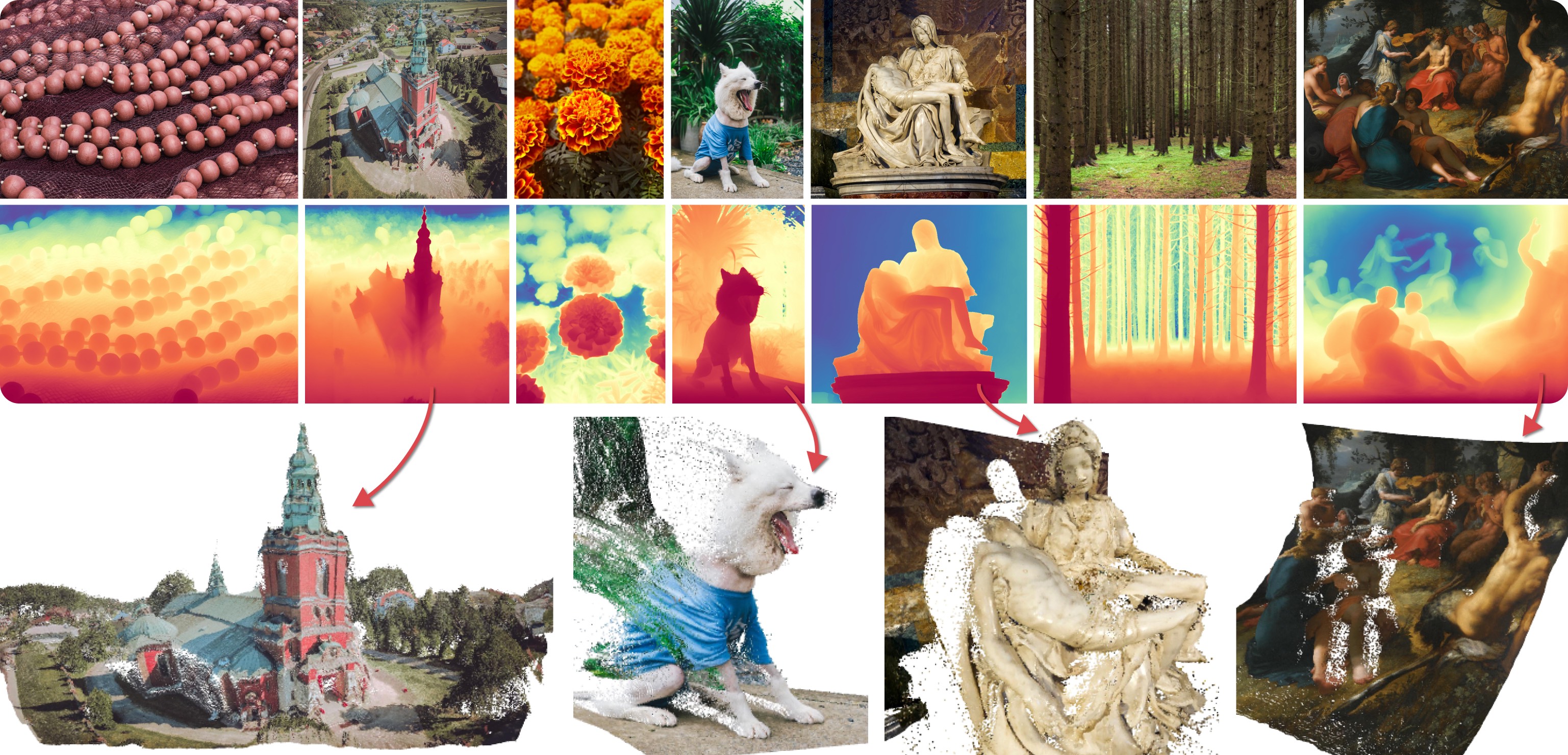
|
||||
|
||||
Marigold was proposed in [Repurposing Diffusion-Based Image Generators for Monocular Depth Estimation](https://huggingface.co/papers/2312.02145), a CVPR 2024 Oral paper by [Bingxin Ke](http://www.kebingxin.com/), [Anton Obukhov](https://www.obukhov.ai/), [Shengyu Huang](https://shengyuh.github.io/), [Nando Metzger](https://nandometzger.github.io/), [Rodrigo Caye Daudt](https://rcdaudt.github.io/), and [Konrad Schindler](https://scholar.google.com/citations?user=FZuNgqIAAAAJ&hl=en).
|
||||
The idea is to repurpose the rich generative prior of Text-to-Image Latent Diffusion Models (LDMs) for traditional computer vision tasks.
|
||||
Initially, this idea was explored to fine-tune Stable Diffusion for Monocular Depth Estimation, as shown in the teaser above.
|
||||
Later,
|
||||
- [Tianfu Wang](https://tianfwang.github.io/) trained the first Latent Consistency Model (LCM) of Marigold, which unlocked fast single-step inference;
|
||||
- [Kevin Qu](https://www.linkedin.com/in/kevin-qu-b3417621b/?locale=en_US) extended the approach to Surface Normals Estimation;
|
||||
- [Anton Obukhov](https://www.obukhov.ai/) contributed the pipelines and documentation into diffusers (enabled and supported by [YiYi Xu](https://yiyixuxu.github.io/) and [Sayak Paul](https://sayak.dev/)).
|
||||
|
||||
The abstract from the paper is:
|
||||
|
||||
*Monocular depth estimation is a fundamental computer vision task. Recovering 3D depth from a single image is geometrically ill-posed and requires scene understanding, so it is not surprising that the rise of deep learning has led to a breakthrough. The impressive progress of monocular depth estimators has mirrored the growth in model capacity, from relatively modest CNNs to large Transformer architectures. Still, monocular depth estimators tend to struggle when presented with images with unfamiliar content and layout, since their knowledge of the visual world is restricted by the data seen during training, and challenged by zero-shot generalization to new domains. This motivates us to explore whether the extensive priors captured in recent generative diffusion models can enable better, more generalizable depth estimation. We introduce Marigold, a method for affine-invariant monocular depth estimation that is derived from Stable Diffusion and retains its rich prior knowledge. The estimator can be fine-tuned in a couple of days on a single GPU using only synthetic training data. It delivers state-of-the-art performance across a wide range of datasets, including over 20% performance gains in specific cases. Project page: https://marigoldmonodepth.github.io.*
|
||||
|
||||
## Available Pipelines
|
||||
|
||||
Each pipeline supports one Computer Vision task, which takes an input RGB image as input and produces a *prediction* of the modality of interest, such as a depth map of the input image.
|
||||
Currently, the following tasks are implemented:
|
||||
|
||||
| Pipeline | Predicted Modalities | Demos |
|
||||
|---------------------------------------------------------------------------------------------------------------------------------------------|------------------------------------------------------------------------------------------------------------------|:--------------------------------------------------------------------------------------------------------------------------------------------------:|
|
||||
| [MarigoldDepthPipeline](https://github.com/huggingface/diffusers/blob/main/src/diffusers/pipelines/marigold/pipeline_marigold_depth.py) | [Depth](https://en.wikipedia.org/wiki/Depth_map), [Disparity](https://en.wikipedia.org/wiki/Binocular_disparity) | [Fast Demo (LCM)](https://huggingface.co/spaces/prs-eth/marigold-lcm), [Slow Original Demo (DDIM)](https://huggingface.co/spaces/prs-eth/marigold) |
|
||||
| [MarigoldNormalsPipeline](https://github.com/huggingface/diffusers/blob/main/src/diffusers/pipelines/marigold/pipeline_marigold_normals.py) | [Surface normals](https://en.wikipedia.org/wiki/Normal_mapping) | [Fast Demo (LCM)](https://huggingface.co/spaces/prs-eth/marigold-normals-lcm) |
|
||||
|
||||
|
||||
## Available Checkpoints
|
||||
|
||||
The original checkpoints can be found under the [PRS-ETH](https://huggingface.co/prs-eth/) Hugging Face organization.
|
||||
|
||||
<Tip>
|
||||
|
||||
Make sure to check out the Schedulers [guide](../../using-diffusers/schedulers) to learn how to explore the tradeoff between scheduler speed and quality, and see the [reuse components across pipelines](../../using-diffusers/loading#reuse-components-across-pipelines) section to learn how to efficiently load the same components into multiple pipelines. Also, to know more about reducing the memory usage of this pipeline, refer to the ["Reduce memory usage"] section [here](../../using-diffusers/svd#reduce-memory-usage).
|
||||
|
||||
</Tip>
|
||||
|
||||
<Tip warning={true}>
|
||||
|
||||
Marigold pipelines were designed and tested only with `DDIMScheduler` and `LCMScheduler`.
|
||||
Depending on the scheduler, the number of inference steps required to get reliable predictions varies, and there is no universal value that works best across schedulers.
|
||||
Because of that, the default value of `num_inference_steps` in the `__call__` method of the pipeline is set to `None` (see the API reference).
|
||||
Unless set explicitly, its value will be taken from the checkpoint configuration `model_index.json`.
|
||||
This is done to ensure high-quality predictions when calling the pipeline with just the `image` argument.
|
||||
|
||||
</Tip>
|
||||
|
||||
See also Marigold [usage examples](marigold_usage).
|
||||
|
||||
## MarigoldDepthPipeline
|
||||
[[autodoc]] MarigoldDepthPipeline
|
||||
- all
|
||||
- __call__
|
||||
|
||||
## MarigoldNormalsPipeline
|
||||
[[autodoc]] MarigoldNormalsPipeline
|
||||
- all
|
||||
- __call__
|
||||
|
||||
## MarigoldDepthOutput
|
||||
[[autodoc]] pipelines.marigold.pipeline_marigold_depth.MarigoldDepthOutput
|
||||
|
||||
## MarigoldNormalsOutput
|
||||
[[autodoc]] pipelines.marigold.pipeline_marigold_normals.MarigoldNormalsOutput
|
||||
@@ -97,6 +97,11 @@ The table below lists all the pipelines currently available in 🤗 Diffusers an
|
||||
- to
|
||||
- components
|
||||
|
||||
|
||||
[[autodoc]] pipelines.StableDiffusionMixin.enable_freeu
|
||||
|
||||
[[autodoc]] pipelines.StableDiffusionMixin.disable_freeu
|
||||
|
||||
## FlaxDiffusionPipeline
|
||||
|
||||
[[autodoc]] pipelines.pipeline_flax_utils.FlaxDiffusionPipeline
|
||||
|
||||
@@ -31,13 +31,13 @@ Some notes about this pipeline:
|
||||
|
||||
<Tip>
|
||||
|
||||
Make sure to check out the Schedulers [guide](../../using-diffusers/schedulers) to learn how to explore the tradeoff between scheduler speed and quality, and see the [reuse components across pipelines](../../using-diffusers/loading#reuse-components-across-pipelines) section to learn how to efficiently load the same components into multiple pipelines.
|
||||
Make sure to check out the Schedulers [guide](../../using-diffusers/schedulers.md) to learn how to explore the tradeoff between scheduler speed and quality, and see the [reuse components across pipelines](../../using-diffusers/loading.md#reuse-a-pipeline) section to learn how to efficiently load the same components into multiple pipelines.
|
||||
|
||||
</Tip>
|
||||
|
||||
## Inference with under 8GB GPU VRAM
|
||||
|
||||
Run the [`PixArtAlphaPipeline`] with under 8GB GPU VRAM by loading the text encoder in 8-bit precision. Let's walk through a full-fledged example.
|
||||
Run the [`PixArtAlphaPipeline`] with under 8GB GPU VRAM by loading the text encoder in 8-bit precision. Let's walk through a full-fledged example.
|
||||
|
||||
First, install the [bitsandbytes](https://github.com/TimDettmers/bitsandbytes) library:
|
||||
|
||||
@@ -75,10 +75,10 @@ with torch.no_grad():
|
||||
prompt_embeds, prompt_attention_mask, negative_embeds, negative_prompt_attention_mask = pipe.encode_prompt(prompt)
|
||||
```
|
||||
|
||||
Since text embeddings have been computed, remove the `text_encoder` and `pipe` from the memory, and free up som GPU VRAM:
|
||||
Since text embeddings have been computed, remove the `text_encoder` and `pipe` from the memory, and free up some GPU VRAM:
|
||||
|
||||
```python
|
||||
import gc
|
||||
import gc
|
||||
|
||||
def flush():
|
||||
gc.collect()
|
||||
@@ -99,7 +99,7 @@ pipe = PixArtAlphaPipeline.from_pretrained(
|
||||
).to("cuda")
|
||||
|
||||
latents = pipe(
|
||||
negative_prompt=None,
|
||||
negative_prompt=None,
|
||||
prompt_embeds=prompt_embeds,
|
||||
negative_prompt_embeds=negative_embeds,
|
||||
prompt_attention_mask=prompt_attention_mask,
|
||||
@@ -146,4 +146,3 @@ While loading the `text_encoder`, you set `load_in_8bit` to `True`. You could al
|
||||
[[autodoc]] PixArtAlphaPipeline
|
||||
- all
|
||||
- __call__
|
||||
|
||||
149
docs/source/en/api/pipelines/pixart_sigma.md
Normal file
149
docs/source/en/api/pipelines/pixart_sigma.md
Normal file
@@ -0,0 +1,149 @@
|
||||
<!--Copyright 2024 The HuggingFace Team. All rights reserved.
|
||||
|
||||
Licensed under the Apache License, Version 2.0 (the "License"); you may not use this file except in compliance with
|
||||
the License. You may obtain a copy of the License at
|
||||
|
||||
http://www.apache.org/licenses/LICENSE-2.0
|
||||
|
||||
Unless required by applicable law or agreed to in writing, software distributed under the License is distributed on
|
||||
an "AS IS" BASIS, WITHOUT WARRANTIES OR CONDITIONS OF ANY KIND, either express or implied. See the License for the
|
||||
specific language governing permissions and limitations under the License.
|
||||
-->
|
||||
|
||||
# PixArt-Σ
|
||||
|
||||

|
||||
|
||||
[PixArt-Σ: Weak-to-Strong Training of Diffusion Transformer for 4K Text-to-Image Generation](https://huggingface.co/papers/2403.04692) is Junsong Chen, Jincheng Yu, Chongjian Ge, Lewei Yao, Enze Xie, Yue Wu, Zhongdao Wang, James Kwok, Ping Luo, Huchuan Lu, and Zhenguo Li.
|
||||
|
||||
The abstract from the paper is:
|
||||
|
||||
*In this paper, we introduce PixArt-Σ, a Diffusion Transformer model (DiT) capable of directly generating images at 4K resolution. PixArt-Σ represents a significant advancement over its predecessor, PixArt-α, offering images of markedly higher fidelity and improved alignment with text prompts. A key feature of PixArt-Σ is its training efficiency. Leveraging the foundational pre-training of PixArt-α, it evolves from the ‘weaker’ baseline to a ‘stronger’ model via incorporating higher quality data, a process we term “weak-to-strong training”. The advancements in PixArt-Σ are twofold: (1) High-Quality Training Data: PixArt-Σ incorporates superior-quality image data, paired with more precise and detailed image captions. (2) Efficient Token Compression: we propose a novel attention module within the DiT framework that compresses both keys and values, significantly improving efficiency and facilitating ultra-high-resolution image generation. Thanks to these improvements, PixArt-Σ achieves superior image quality and user prompt adherence capabilities with significantly smaller model size (0.6B parameters) than existing text-to-image diffusion models, such as SDXL (2.6B parameters) and SD Cascade (5.1B parameters). Moreover, PixArt-Σ’s capability to generate 4K images supports the creation of high-resolution posters and wallpapers, efficiently bolstering the production of highquality visual content in industries such as film and gaming.*
|
||||
|
||||
You can find the original codebase at [PixArt-alpha/PixArt-sigma](https://github.com/PixArt-alpha/PixArt-sigma) and all the available checkpoints at [PixArt-alpha](https://huggingface.co/PixArt-alpha).
|
||||
|
||||
Some notes about this pipeline:
|
||||
|
||||
* It uses a Transformer backbone (instead of a UNet) for denoising. As such it has a similar architecture as [DiT](https://hf.co/docs/transformers/model_doc/dit).
|
||||
* It was trained using text conditions computed from T5. This aspect makes the pipeline better at following complex text prompts with intricate details.
|
||||
* It is good at producing high-resolution images at different aspect ratios. To get the best results, the authors recommend some size brackets which can be found [here](https://github.com/PixArt-alpha/PixArt-sigma/blob/master/diffusion/data/datasets/utils.py).
|
||||
* It rivals the quality of state-of-the-art text-to-image generation systems (as of this writing) such as PixArt-α, Stable Diffusion XL, Playground V2.0 and DALL-E 3, while being more efficient than them.
|
||||
* It shows the ability of generating super high resolution images, such as 2048px or even 4K.
|
||||
* It shows that text-to-image models can grow from a weak model to a stronger one through several improvements (VAEs, datasets, and so on.)
|
||||
|
||||
<Tip>
|
||||
|
||||
Make sure to check out the Schedulers [guide](../../using-diffusers/schedulers) to learn how to explore the tradeoff between scheduler speed and quality, and see the [reuse components across pipelines](../../using-diffusers/loading#reuse-a-pipeline) section to learn how to efficiently load the same components into multiple pipelines.
|
||||
|
||||
</Tip>
|
||||
|
||||
## Inference with under 8GB GPU VRAM
|
||||
|
||||
Run the [`PixArtSigmaPipeline`] with under 8GB GPU VRAM by loading the text encoder in 8-bit precision. Let's walk through a full-fledged example.
|
||||
|
||||
First, install the [bitsandbytes](https://github.com/TimDettmers/bitsandbytes) library:
|
||||
|
||||
```bash
|
||||
pip install -U bitsandbytes
|
||||
```
|
||||
|
||||
Then load the text encoder in 8-bit:
|
||||
|
||||
```python
|
||||
from transformers import T5EncoderModel
|
||||
from diffusers import PixArtSigmaPipeline
|
||||
import torch
|
||||
|
||||
text_encoder = T5EncoderModel.from_pretrained(
|
||||
"PixArt-alpha/PixArt-Sigma-XL-2-1024-MS",
|
||||
subfolder="text_encoder",
|
||||
load_in_8bit=True,
|
||||
device_map="auto",
|
||||
)
|
||||
pipe = PixArtSigmaPipeline.from_pretrained(
|
||||
"PixArt-alpha/PixArt-Sigma-XL-2-1024-MS",
|
||||
text_encoder=text_encoder,
|
||||
transformer=None,
|
||||
device_map="balanced"
|
||||
)
|
||||
```
|
||||
|
||||
Now, use the `pipe` to encode a prompt:
|
||||
|
||||
```python
|
||||
with torch.no_grad():
|
||||
prompt = "cute cat"
|
||||
prompt_embeds, prompt_attention_mask, negative_embeds, negative_prompt_attention_mask = pipe.encode_prompt(prompt)
|
||||
```
|
||||
|
||||
Since text embeddings have been computed, remove the `text_encoder` and `pipe` from the memory, and free up some GPU VRAM:
|
||||
|
||||
```python
|
||||
import gc
|
||||
|
||||
def flush():
|
||||
gc.collect()
|
||||
torch.cuda.empty_cache()
|
||||
|
||||
del text_encoder
|
||||
del pipe
|
||||
flush()
|
||||
```
|
||||
|
||||
Then compute the latents with the prompt embeddings as inputs:
|
||||
|
||||
```python
|
||||
pipe = PixArtSigmaPipeline.from_pretrained(
|
||||
"PixArt-alpha/PixArt-Sigma-XL-2-1024-MS",
|
||||
text_encoder=None,
|
||||
torch_dtype=torch.float16,
|
||||
).to("cuda")
|
||||
|
||||
latents = pipe(
|
||||
negative_prompt=None,
|
||||
prompt_embeds=prompt_embeds,
|
||||
negative_prompt_embeds=negative_embeds,
|
||||
prompt_attention_mask=prompt_attention_mask,
|
||||
negative_prompt_attention_mask=negative_prompt_attention_mask,
|
||||
num_images_per_prompt=1,
|
||||
output_type="latent",
|
||||
).images
|
||||
|
||||
del pipe.transformer
|
||||
flush()
|
||||
```
|
||||
|
||||
<Tip>
|
||||
|
||||
Notice that while initializing `pipe`, you're setting `text_encoder` to `None` so that it's not loaded.
|
||||
|
||||
</Tip>
|
||||
|
||||
Once the latents are computed, pass it off to the VAE to decode into a real image:
|
||||
|
||||
```python
|
||||
with torch.no_grad():
|
||||
image = pipe.vae.decode(latents / pipe.vae.config.scaling_factor, return_dict=False)[0]
|
||||
image = pipe.image_processor.postprocess(image, output_type="pil")[0]
|
||||
image.save("cat.png")
|
||||
```
|
||||
|
||||
By deleting components you aren't using and flushing the GPU VRAM, you should be able to run [`PixArtSigmaPipeline`] with under 8GB GPU VRAM.
|
||||
|
||||

|
||||
|
||||
If you want a report of your memory-usage, run this [script](https://gist.github.com/sayakpaul/3ae0f847001d342af27018a96f467e4e).
|
||||
|
||||
<Tip warning={true}>
|
||||
|
||||
Text embeddings computed in 8-bit can impact the quality of the generated images because of the information loss in the representation space caused by the reduced precision. It's recommended to compare the outputs with and without 8-bit.
|
||||
|
||||
</Tip>
|
||||
|
||||
While loading the `text_encoder`, you set `load_in_8bit` to `True`. You could also specify `load_in_4bit` to bring your memory requirements down even further to under 7GB.
|
||||
|
||||
## PixArtSigmaPipeline
|
||||
|
||||
[[autodoc]] PixArtSigmaPipeline
|
||||
- all
|
||||
- __call__
|
||||
@@ -10,9 +10,7 @@ an "AS IS" BASIS, WITHOUT WARRANTIES OR CONDITIONS OF ANY KIND, either express o
|
||||
specific language governing permissions and limitations under the License.
|
||||
-->
|
||||
|
||||
# Text-to-Image Generation with Adapter Conditioning
|
||||
|
||||
## Overview
|
||||
# T2I-Adapter
|
||||
|
||||
[T2I-Adapter: Learning Adapters to Dig out More Controllable Ability for Text-to-Image Diffusion Models](https://arxiv.org/abs/2302.08453) by Chong Mou, Xintao Wang, Liangbin Xie, Jian Zhang, Zhongang Qi, Ying Shan, Xiaohu Qie.
|
||||
|
||||
@@ -24,236 +22,26 @@ The abstract of the paper is the following:
|
||||
|
||||
This model was contributed by the community contributor [HimariO](https://github.com/HimariO) ❤️ .
|
||||
|
||||
## Available Pipelines:
|
||||
|
||||
| Pipeline | Tasks | Demo
|
||||
|---|---|:---:|
|
||||
| [StableDiffusionAdapterPipeline](https://github.com/huggingface/diffusers/blob/main/src/diffusers/pipelines/t2i_adapter/pipeline_stable_diffusion_adapter.py) | *Text-to-Image Generation with T2I-Adapter Conditioning* | -
|
||||
| [StableDiffusionXLAdapterPipeline](https://github.com/huggingface/diffusers/blob/main/src/diffusers/pipelines/t2i_adapter/pipeline_stable_diffusion_xl_adapter.py) | *Text-to-Image Generation with T2I-Adapter Conditioning on StableDiffusion-XL* | -
|
||||
|
||||
## Usage example with the base model of StableDiffusion-1.4/1.5
|
||||
|
||||
In the following we give a simple example of how to use a *T2I-Adapter* checkpoint with Diffusers for inference based on StableDiffusion-1.4/1.5.
|
||||
All adapters use the same pipeline.
|
||||
|
||||
1. Images are first converted into the appropriate *control image* format.
|
||||
2. The *control image* and *prompt* are passed to the [`StableDiffusionAdapterPipeline`].
|
||||
|
||||
Let's have a look at a simple example using the [Color Adapter](https://huggingface.co/TencentARC/t2iadapter_color_sd14v1).
|
||||
|
||||
```python
|
||||
from diffusers.utils import load_image, make_image_grid
|
||||
|
||||
image = load_image("https://huggingface.co/datasets/diffusers/docs-images/resolve/main/t2i-adapter/color_ref.png")
|
||||
```
|
||||
|
||||
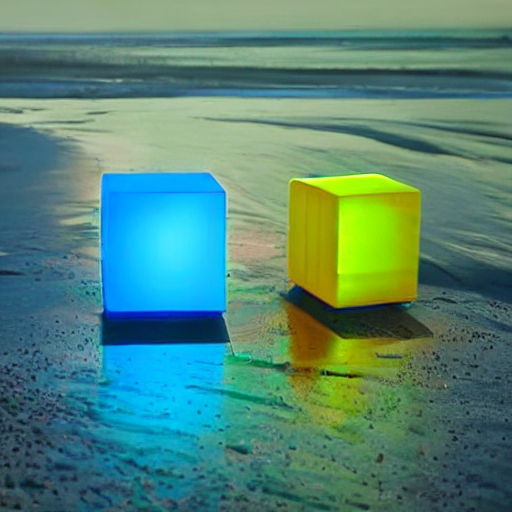
|
||||
|
||||
|
||||
Then we can create our color palette by simply resizing it to 8 by 8 pixels and then scaling it back to original size.
|
||||
|
||||
```python
|
||||
from PIL import Image
|
||||
|
||||
color_palette = image.resize((8, 8))
|
||||
color_palette = color_palette.resize((512, 512), resample=Image.Resampling.NEAREST)
|
||||
```
|
||||
|
||||
Let's take a look at the processed image.
|
||||
|
||||

|
||||
|
||||
|
||||
Next, create the adapter pipeline
|
||||
|
||||
```py
|
||||
import torch
|
||||
from diffusers import StableDiffusionAdapterPipeline, T2IAdapter
|
||||
|
||||
adapter = T2IAdapter.from_pretrained("TencentARC/t2iadapter_color_sd14v1", torch_dtype=torch.float16)
|
||||
pipe = StableDiffusionAdapterPipeline.from_pretrained(
|
||||
"CompVis/stable-diffusion-v1-4",
|
||||
adapter=adapter,
|
||||
torch_dtype=torch.float16,
|
||||
)
|
||||
pipe.to("cuda")
|
||||
```
|
||||
|
||||
Finally, pass the prompt and control image to the pipeline
|
||||
|
||||
```py
|
||||
# fix the random seed, so you will get the same result as the example
|
||||
generator = torch.Generator("cuda").manual_seed(7)
|
||||
|
||||
out_image = pipe(
|
||||
"At night, glowing cubes in front of the beach",
|
||||
image=color_palette,
|
||||
generator=generator,
|
||||
).images[0]
|
||||
make_image_grid([image, color_palette, out_image], rows=1, cols=3)
|
||||
```
|
||||
|
||||
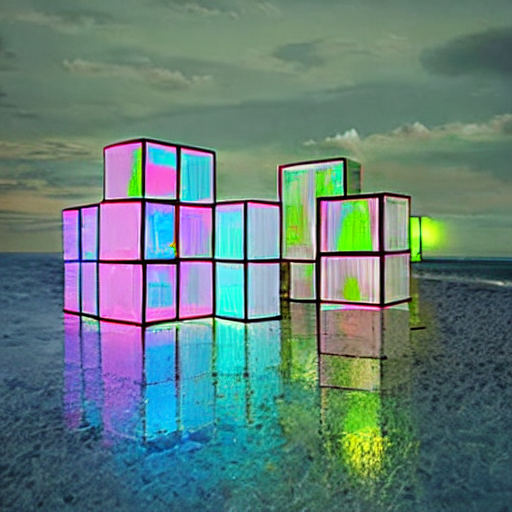
|
||||
|
||||
## Usage example with the base model of StableDiffusion-XL
|
||||
|
||||
In the following we give a simple example of how to use a *T2I-Adapter* checkpoint with Diffusers for inference based on StableDiffusion-XL.
|
||||
All adapters use the same pipeline.
|
||||
|
||||
1. Images are first downloaded into the appropriate *control image* format.
|
||||
2. The *control image* and *prompt* are passed to the [`StableDiffusionXLAdapterPipeline`].
|
||||
|
||||
Let's have a look at a simple example using the [Sketch Adapter](https://huggingface.co/Adapter/t2iadapter/tree/main/sketch_sdxl_1.0).
|
||||
|
||||
```python
|
||||
from diffusers.utils import load_image, make_image_grid
|
||||
|
||||
sketch_image = load_image("https://huggingface.co/Adapter/t2iadapter/resolve/main/sketch.png").convert("L")
|
||||
```
|
||||
|
||||
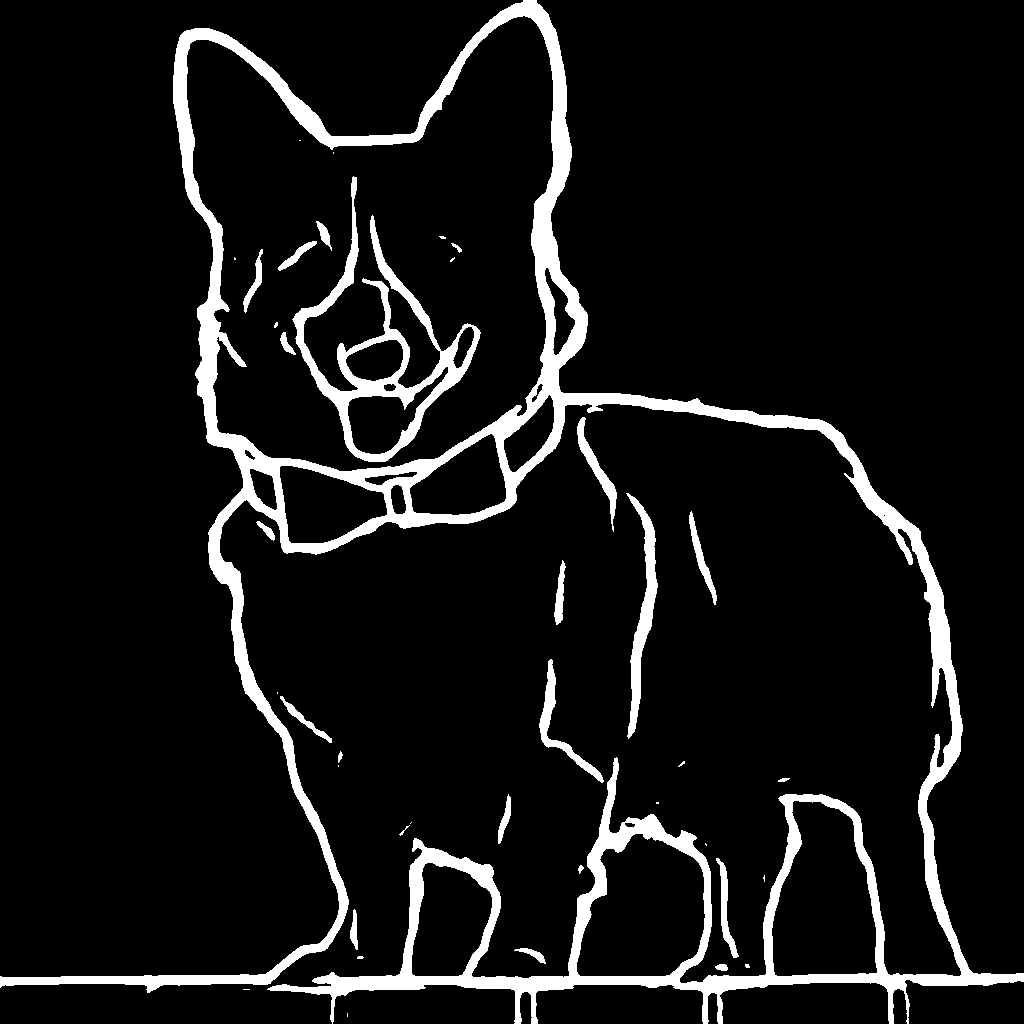
|
||||
|
||||
Then, create the adapter pipeline
|
||||
|
||||
```py
|
||||
import torch
|
||||
from diffusers import (
|
||||
T2IAdapter,
|
||||
StableDiffusionXLAdapterPipeline,
|
||||
DDPMScheduler
|
||||
)
|
||||
|
||||
model_id = "stabilityai/stable-diffusion-xl-base-1.0"
|
||||
adapter = T2IAdapter.from_pretrained("Adapter/t2iadapter", subfolder="sketch_sdxl_1.0", torch_dtype=torch.float16, adapter_type="full_adapter_xl")
|
||||
scheduler = DDPMScheduler.from_pretrained(model_id, subfolder="scheduler")
|
||||
|
||||
pipe = StableDiffusionXLAdapterPipeline.from_pretrained(
|
||||
model_id, adapter=adapter, safety_checker=None, torch_dtype=torch.float16, variant="fp16", scheduler=scheduler
|
||||
)
|
||||
|
||||
pipe.to("cuda")
|
||||
```
|
||||
|
||||
Finally, pass the prompt and control image to the pipeline
|
||||
|
||||
```py
|
||||
# fix the random seed, so you will get the same result as the example
|
||||
generator = torch.Generator().manual_seed(42)
|
||||
|
||||
sketch_image_out = pipe(
|
||||
prompt="a photo of a dog in real world, high quality",
|
||||
negative_prompt="extra digit, fewer digits, cropped, worst quality, low quality",
|
||||
image=sketch_image,
|
||||
generator=generator,
|
||||
guidance_scale=7.5
|
||||
).images[0]
|
||||
make_image_grid([sketch_image, sketch_image_out], rows=1, cols=2)
|
||||
```
|
||||
|
||||
|
||||
|
||||
## Available checkpoints
|
||||
|
||||
Non-diffusers checkpoints can be found under [TencentARC/T2I-Adapter](https://huggingface.co/TencentARC/T2I-Adapter/tree/main/models).
|
||||
|
||||
### T2I-Adapter with Stable Diffusion 1.4
|
||||
|
||||
| Model Name | Control Image Overview| Control Image Example | Generated Image Example |
|
||||
|---|---|---|---|
|
||||
|[TencentARC/t2iadapter_color_sd14v1](https://huggingface.co/TencentARC/t2iadapter_color_sd14v1)<br/> *Trained with spatial color palette* | An image with 8x8 color palette.|<a href="https://huggingface.co/datasets/diffusers/docs-images/resolve/main/t2i-adapter/color_sample_input.png"><img width="64" style="margin:0;padding:0;" src="https://huggingface.co/datasets/diffusers/docs-images/resolve/main/t2i-adapter/color_sample_input.png"/></a>|<a href="https://huggingface.co/datasets/diffusers/docs-images/resolve/main/t2i-adapter/color_sample_output.png"><img width="64" src="https://huggingface.co/datasets/diffusers/docs-images/resolve/main/t2i-adapter/color_sample_output.png"/></a>|
|
||||
|[TencentARC/t2iadapter_canny_sd14v1](https://huggingface.co/TencentARC/t2iadapter_canny_sd14v1)<br/> *Trained with canny edge detection* | A monochrome image with white edges on a black background.|<a href="https://huggingface.co/datasets/diffusers/docs-images/resolve/main/t2i-adapter/canny_sample_input.png"><img width="64" style="margin:0;padding:0;" src="https://huggingface.co/datasets/diffusers/docs-images/resolve/main/t2i-adapter/canny_sample_input.png"/></a>|<a href="https://huggingface.co/datasets/diffusers/docs-images/resolve/main/t2i-adapter/canny_sample_output.png"><img width="64" src="https://huggingface.co/datasets/diffusers/docs-images/resolve/main/t2i-adapter/canny_sample_output.png"/></a>|
|
||||
|[TencentARC/t2iadapter_sketch_sd14v1](https://huggingface.co/TencentARC/t2iadapter_sketch_sd14v1)<br/> *Trained with [PidiNet](https://github.com/zhuoinoulu/pidinet) edge detection* | A hand-drawn monochrome image with white outlines on a black background.|<a href="https://huggingface.co/datasets/diffusers/docs-images/resolve/main/t2i-adapter/sketch_sample_input.png"><img width="64" style="margin:0;padding:0;" src="https://huggingface.co/datasets/diffusers/docs-images/resolve/main/t2i-adapter/sketch_sample_input.png"/></a>|<a href="https://huggingface.co/datasets/diffusers/docs-images/resolve/main/t2i-adapter/sketch_sample_output.png"><img width="64" src="https://huggingface.co/datasets/diffusers/docs-images/resolve/main/t2i-adapter/sketch_sample_output.png"/></a>|
|
||||
|[TencentARC/t2iadapter_depth_sd14v1](https://huggingface.co/TencentARC/t2iadapter_depth_sd14v1)<br/> *Trained with Midas depth estimation* | A grayscale image with black representing deep areas and white representing shallow areas.|<a href="https://huggingface.co/datasets/diffusers/docs-images/resolve/main/t2i-adapter/depth_sample_input.png"><img width="64" src="https://huggingface.co/datasets/diffusers/docs-images/resolve/main/t2i-adapter/depth_sample_input.png"/></a>|<a href="https://huggingface.co/datasets/diffusers/docs-images/resolve/main/t2i-adapter/depth_sample_output.png"><img width="64" src="https://huggingface.co/datasets/diffusers/docs-images/resolve/main/t2i-adapter/depth_sample_output.png"/></a>|
|
||||
|[TencentARC/t2iadapter_openpose_sd14v1](https://huggingface.co/TencentARC/t2iadapter_openpose_sd14v1)<br/> *Trained with OpenPose bone image* | A [OpenPose bone](https://github.com/CMU-Perceptual-Computing-Lab/openpose) image.|<a href="https://huggingface.co/datasets/diffusers/docs-images/resolve/main/t2i-adapter/openpose_sample_input.png"><img width="64" src="https://huggingface.co/datasets/diffusers/docs-images/resolve/main/t2i-adapter/openpose_sample_input.png"/></a>|<a href="https://huggingface.co/datasets/diffusers/docs-images/resolve/main/t2i-adapter/openpose_sample_output.png"><img width="64" src="https://huggingface.co/datasets/diffusers/docs-images/resolve/main/t2i-adapter/openpose_sample_output.png"/></a>|
|
||||
|[TencentARC/t2iadapter_keypose_sd14v1](https://huggingface.co/TencentARC/t2iadapter_keypose_sd14v1)<br/> *Trained with mmpose skeleton image* | A [mmpose skeleton](https://github.com/open-mmlab/mmpose) image.|<a href="https://huggingface.co/datasets/diffusers/docs-images/resolve/main/t2i-adapter/keypose_sample_input.png"><img width="64" src="https://huggingface.co/datasets/diffusers/docs-images/resolve/main/t2i-adapter/keypose_sample_input.png"/></a>|<a href="https://huggingface.co/datasets/diffusers/docs-images/resolve/main/t2i-adapter/keypose_sample_output.png"><img width="64" src="https://huggingface.co/datasets/diffusers/docs-images/resolve/main/t2i-adapter/keypose_sample_output.png"/></a>|
|
||||
|[TencentARC/t2iadapter_seg_sd14v1](https://huggingface.co/TencentARC/t2iadapter_seg_sd14v1)<br/>*Trained with semantic segmentation* | An [custom](https://github.com/TencentARC/T2I-Adapter/discussions/25) segmentation protocol image.|<a href="https://huggingface.co/datasets/diffusers/docs-images/resolve/main/t2i-adapter/seg_sample_input.png"><img width="64" src="https://huggingface.co/datasets/diffusers/docs-images/resolve/main/t2i-adapter/seg_sample_input.png"/></a>|<a href="https://huggingface.co/datasets/diffusers/docs-images/resolve/main/t2i-adapter/seg_sample_output.png"><img width="64" src="https://huggingface.co/datasets/diffusers/docs-images/resolve/main/t2i-adapter/seg_sample_output.png"/></a> |
|
||||
|[TencentARC/t2iadapter_canny_sd15v2](https://huggingface.co/TencentARC/t2iadapter_canny_sd15v2)||
|
||||
|[TencentARC/t2iadapter_depth_sd15v2](https://huggingface.co/TencentARC/t2iadapter_depth_sd15v2)||
|
||||
|[TencentARC/t2iadapter_sketch_sd15v2](https://huggingface.co/TencentARC/t2iadapter_sketch_sd15v2)||
|
||||
|[TencentARC/t2iadapter_zoedepth_sd15v1](https://huggingface.co/TencentARC/t2iadapter_zoedepth_sd15v1)||
|
||||
|[Adapter/t2iadapter, subfolder='sketch_sdxl_1.0'](https://huggingface.co/Adapter/t2iadapter/tree/main/sketch_sdxl_1.0)||
|
||||
|[Adapter/t2iadapter, subfolder='canny_sdxl_1.0'](https://huggingface.co/Adapter/t2iadapter/tree/main/canny_sdxl_1.0)||
|
||||
|[Adapter/t2iadapter, subfolder='openpose_sdxl_1.0'](https://huggingface.co/Adapter/t2iadapter/tree/main/openpose_sdxl_1.0)||
|
||||
|
||||
## Combining multiple adapters
|
||||
|
||||
[`MultiAdapter`] can be used for applying multiple conditionings at once.
|
||||
|
||||
Here we use the keypose adapter for the character posture and the depth adapter for creating the scene.
|
||||
|
||||
```py
|
||||
from diffusers.utils import load_image, make_image_grid
|
||||
|
||||
cond_keypose = load_image(
|
||||
"https://huggingface.co/datasets/diffusers/docs-images/resolve/main/t2i-adapter/keypose_sample_input.png"
|
||||
)
|
||||
cond_depth = load_image(
|
||||
"https://huggingface.co/datasets/diffusers/docs-images/resolve/main/t2i-adapter/depth_sample_input.png"
|
||||
)
|
||||
cond = [cond_keypose, cond_depth]
|
||||
|
||||
prompt = ["A man walking in an office room with a nice view"]
|
||||
```
|
||||
|
||||
The two control images look as such:
|
||||
|
||||
|
||||
|
||||
|
||||
|
||||
`MultiAdapter` combines keypose and depth adapters.
|
||||
|
||||
`adapter_conditioning_scale` balances the relative influence of the different adapters.
|
||||
|
||||
```py
|
||||
import torch
|
||||
from diffusers import StableDiffusionAdapterPipeline, MultiAdapter, T2IAdapter
|
||||
|
||||
adapters = MultiAdapter(
|
||||
[
|
||||
T2IAdapter.from_pretrained("TencentARC/t2iadapter_keypose_sd14v1"),
|
||||
T2IAdapter.from_pretrained("TencentARC/t2iadapter_depth_sd14v1"),
|
||||
]
|
||||
)
|
||||
adapters = adapters.to(torch.float16)
|
||||
|
||||
pipe = StableDiffusionAdapterPipeline.from_pretrained(
|
||||
"CompVis/stable-diffusion-v1-4",
|
||||
torch_dtype=torch.float16,
|
||||
adapter=adapters,
|
||||
).to("cuda")
|
||||
|
||||
image = pipe(prompt, cond, adapter_conditioning_scale=[0.8, 0.8]).images[0]
|
||||
make_image_grid([cond_keypose, cond_depth, image], rows=1, cols=3)
|
||||
```
|
||||
|
||||

|
||||
|
||||
|
||||
## T2I-Adapter vs ControlNet
|
||||
|
||||
T2I-Adapter is similar to [ControlNet](https://huggingface.co/docs/diffusers/main/en/api/pipelines/controlnet).
|
||||
T2I-Adapter uses a smaller auxiliary network which is only run once for the entire diffusion process.
|
||||
However, T2I-Adapter performs slightly worse than ControlNet.
|
||||
|
||||
## StableDiffusionAdapterPipeline
|
||||
|
||||
[[autodoc]] StableDiffusionAdapterPipeline
|
||||
- all
|
||||
- __call__
|
||||
- enable_attention_slicing
|
||||
- disable_attention_slicing
|
||||
- enable_vae_slicing
|
||||
- disable_vae_slicing
|
||||
- enable_xformers_memory_efficient_attention
|
||||
- disable_xformers_memory_efficient_attention
|
||||
- all
|
||||
- __call__
|
||||
- enable_attention_slicing
|
||||
- disable_attention_slicing
|
||||
- enable_vae_slicing
|
||||
- disable_vae_slicing
|
||||
- enable_xformers_memory_efficient_attention
|
||||
- disable_xformers_memory_efficient_attention
|
||||
|
||||
## StableDiffusionXLAdapterPipeline
|
||||
|
||||
[[autodoc]] StableDiffusionXLAdapterPipeline
|
||||
- all
|
||||
- __call__
|
||||
- enable_attention_slicing
|
||||
- disable_attention_slicing
|
||||
- enable_vae_slicing
|
||||
- disable_vae_slicing
|
||||
- enable_xformers_memory_efficient_attention
|
||||
- disable_xformers_memory_efficient_attention
|
||||
- all
|
||||
- __call__
|
||||
- enable_attention_slicing
|
||||
- disable_attention_slicing
|
||||
- enable_vae_slicing
|
||||
- disable_vae_slicing
|
||||
- enable_xformers_memory_efficient_attention
|
||||
- disable_xformers_memory_efficient_attention
|
||||
|
||||
@@ -177,7 +177,7 @@ inpaint = StableDiffusionInpaintPipeline(**text2img.components)
|
||||
|
||||
The Stable Diffusion pipelines are automatically supported in [Gradio](https://github.com/gradio-app/gradio/), a library that makes creating beautiful and user-friendly machine learning apps on the web a breeze. First, make sure you have Gradio installed:
|
||||
|
||||
```
|
||||
```sh
|
||||
pip install -U gradio
|
||||
```
|
||||
|
||||
@@ -209,4 +209,4 @@ gr.Interface.from_pipeline(pipe).launch()
|
||||
```
|
||||
|
||||
By default, the web demo runs on a local server. If you'd like to share it with others, you can generate a temporary public
|
||||
link by setting `share=True` in `launch()`. Or, you can host your demo on [Hugging Face Spaces](https://huggingface.co/spaces)https://huggingface.co/spaces for a permanent link.
|
||||
link by setting `share=True` in `launch()`. Or, you can host your demo on [Hugging Face Spaces](https://huggingface.co/spaces)https://huggingface.co/spaces for a permanent link.
|
||||
@@ -0,0 +1,230 @@
|
||||
<!--Copyright 2024 The HuggingFace Team. All rights reserved.
|
||||
|
||||
Licensed under the Apache License, Version 2.0 (the "License"); you may not use this file except in compliance with
|
||||
the License. You may obtain a copy of the License at
|
||||
|
||||
http://www.apache.org/licenses/LICENSE-2.0
|
||||
|
||||
Unless required by applicable law or agreed to in writing, software distributed under the License is distributed on
|
||||
an "AS IS" BASIS, WITHOUT WARRANTIES OR CONDITIONS OF ANY KIND, either express or implied. See the License for the
|
||||
specific language governing permissions and limitations under the License.
|
||||
-->
|
||||
|
||||
# Stable Diffusion 3
|
||||
|
||||
Stable Diffusion 3 (SD3) was proposed in [Scaling Rectified Flow Transformers for High-Resolution Image Synthesis](https://arxiv.org/pdf/2403.03206.pdf) by Patrick Esser, Sumith Kulal, Andreas Blattmann, Rahim Entezari, Jonas Muller, Harry Saini, Yam Levi, Dominik Lorenz, Axel Sauer, Frederic Boesel, Dustin Podell, Tim Dockhorn, Zion English, Kyle Lacey, Alex Goodwin, Yannik Marek, and Robin Rombach.
|
||||
|
||||
The abstract from the paper is:
|
||||
|
||||
*Diffusion models create data from noise by inverting the forward paths of data towards noise and have emerged as a powerful generative modeling technique for high-dimensional, perceptual data such as images and videos. Rectified flow is a recent generative model formulation that connects data and noise in a straight line. Despite its better theoretical properties and conceptual simplicity, it is not yet decisively established as standard practice. In this work, we improve existing noise sampling techniques for training rectified flow models by biasing them towards perceptually relevant scales. Through a large-scale study, we demonstrate the superior performance of this approach compared to established diffusion formulations for high-resolution text-to-image synthesis. Additionally, we present a novel transformer-based architecture for text-to-image generation that uses separate weights for the two modalities and enables a bidirectional flow of information between image and text tokens, improving text comprehension typography, and human preference ratings. We demonstrate that this architecture follows predictable scaling trends and correlates lower validation loss to improved text-to-image synthesis as measured by various metrics and human evaluations.*
|
||||
|
||||
|
||||
## Usage Example
|
||||
|
||||
_As the model is gated, before using it with diffusers you first need to go to the [Stable Diffusion 3 Medium Hugging Face page](https://huggingface.co/stabilityai/stable-diffusion-3-medium-diffusers), fill in the form and accept the gate. Once you are in, you need to login so that your system knows you’ve accepted the gate._
|
||||
|
||||
Use the command below to log in:
|
||||
|
||||
```bash
|
||||
huggingface-cli login
|
||||
```
|
||||
|
||||
<Tip>
|
||||
|
||||
The SD3 pipeline uses three text encoders to generate an image. Model offloading is necessary in order for it to run on most commodity hardware. Please use the `torch.float16` data type for additional memory savings.
|
||||
|
||||
</Tip>
|
||||
|
||||
|
||||
```python
|
||||
import torch
|
||||
from diffusers import StableDiffusion3Pipeline
|
||||
|
||||
pipe = StableDiffusion3Pipeline.from_pretrained("stabilityai/stable-diffusion-3-medium-diffusers", torch_dtype=torch.float16)
|
||||
pipe.to("cuda")
|
||||
|
||||
image = pipe(
|
||||
prompt="a photo of a cat holding a sign that says hello world",
|
||||
negative_prompt="",
|
||||
num_inference_steps=28,
|
||||
height=1024,
|
||||
width=1024,
|
||||
guidance_scale=7.0,
|
||||
).images[0]
|
||||
|
||||
image.save("sd3_hello_world.png")
|
||||
```
|
||||
|
||||
## Memory Optimisations for SD3
|
||||
|
||||
SD3 uses three text encoders, one if which is the very large T5-XXL model. This makes it challenging to run the model on GPUs with less than 24GB of VRAM, even when using `fp16` precision. The following section outlines a few memory optimizations in Diffusers that make it easier to run SD3 on low resource hardware.
|
||||
|
||||
### Running Inference with Model Offloading
|
||||
|
||||
The most basic memory optimization available in Diffusers allows you to offload the components of the model to CPU during inference in order to save memory, while seeing a slight increase in inference latency. Model offloading will only move a model component onto the GPU when it needs to be executed, while keeping the remaining components on the CPU.
|
||||
|
||||
```python
|
||||
import torch
|
||||
from diffusers import StableDiffusion3Pipeline
|
||||
|
||||
pipe = StableDiffusion3Pipeline.from_pretrained("stabilityai/stable-diffusion-3-medium-diffusers", torch_dtype=torch.float16)
|
||||
pipe.enable_model_cpu_offload()
|
||||
|
||||
image = pipe(
|
||||
prompt="a photo of a cat holding a sign that says hello world",
|
||||
negative_prompt="",
|
||||
num_inference_steps=28,
|
||||
height=1024,
|
||||
width=1024,
|
||||
guidance_scale=7.0,
|
||||
).images[0]
|
||||
|
||||
image.save("sd3_hello_world.png")
|
||||
```
|
||||
|
||||
### Dropping the T5 Text Encoder during Inference
|
||||
|
||||
Removing the memory-intensive 4.7B parameter T5-XXL text encoder during inference can significantly decrease the memory requirements for SD3 with only a slight loss in performance.
|
||||
|
||||
```python
|
||||
import torch
|
||||
from diffusers import StableDiffusion3Pipeline
|
||||
|
||||
pipe = StableDiffusion3Pipeline.from_pretrained(
|
||||
"stabilityai/stable-diffusion-3-medium-diffusers",
|
||||
text_encoder_3=None,
|
||||
tokenizer_3=None,
|
||||
torch_dtype=torch.float16
|
||||
)
|
||||
pipe.to("cuda")
|
||||
|
||||
image = pipe(
|
||||
prompt="a photo of a cat holding a sign that says hello world",
|
||||
negative_prompt="",
|
||||
num_inference_steps=28,
|
||||
height=1024,
|
||||
width=1024,
|
||||
guidance_scale=7.0,
|
||||
).images[0]
|
||||
|
||||
image.save("sd3_hello_world-no-T5.png")
|
||||
```
|
||||
|
||||
### Using a Quantized Version of the T5 Text Encoder
|
||||
|
||||
We can leverage the `bitsandbytes` library to load and quantize the T5-XXL text encoder to 8-bit precision. This allows you to keep using all three text encoders while only slightly impacting performance.
|
||||
|
||||
First install the `bitsandbytes` library.
|
||||
|
||||
```shell
|
||||
pip install bitsandbytes
|
||||
```
|
||||
|
||||
Then load the T5-XXL model using the `BitsAndBytesConfig`.
|
||||
|
||||
```python
|
||||
import torch
|
||||
from diffusers import StableDiffusion3Pipeline
|
||||
from transformers import T5EncoderModel, BitsAndBytesConfig
|
||||
|
||||
quantization_config = BitsAndBytesConfig(load_in_8bit=True)
|
||||
|
||||
model_id = "stabilityai/stable-diffusion-3-medium-diffusers"
|
||||
text_encoder = T5EncoderModel.from_pretrained(
|
||||
model_id,
|
||||
subfolder="text_encoder_3",
|
||||
quantization_config=quantization_config,
|
||||
)
|
||||
pipe = StableDiffusion3Pipeline.from_pretrained(
|
||||
model_id,
|
||||
text_encoder_3=text_encoder,
|
||||
device_map="balanced",
|
||||
torch_dtype=torch.float16
|
||||
)
|
||||
|
||||
image = pipe(
|
||||
prompt="a photo of a cat holding a sign that says hello world",
|
||||
negative_prompt="",
|
||||
num_inference_steps=28,
|
||||
height=1024,
|
||||
width=1024,
|
||||
guidance_scale=7.0,
|
||||
).images[0]
|
||||
|
||||
image.save("sd3_hello_world-8bit-T5.png")
|
||||
```
|
||||
|
||||
You can find the end-to-end script [here](https://gist.github.com/sayakpaul/82acb5976509851f2db1a83456e504f1).
|
||||
|
||||
## Performance Optimizations for SD3
|
||||
|
||||
### Using Torch Compile to Speed Up Inference
|
||||
|
||||
Using compiled components in the SD3 pipeline can speed up inference by as much as 4X. The following code snippet demonstrates how to compile the Transformer and VAE components of the SD3 pipeline.
|
||||
|
||||
```python
|
||||
import torch
|
||||
from diffusers import StableDiffusion3Pipeline
|
||||
|
||||
torch.set_float32_matmul_precision("high")
|
||||
|
||||
torch._inductor.config.conv_1x1_as_mm = True
|
||||
torch._inductor.config.coordinate_descent_tuning = True
|
||||
torch._inductor.config.epilogue_fusion = False
|
||||
torch._inductor.config.coordinate_descent_check_all_directions = True
|
||||
|
||||
pipe = StableDiffusion3Pipeline.from_pretrained(
|
||||
"stabilityai/stable-diffusion-3-medium-diffusers",
|
||||
torch_dtype=torch.float16
|
||||
).to("cuda")
|
||||
pipe.set_progress_bar_config(disable=True)
|
||||
|
||||
pipe.transformer.to(memory_format=torch.channels_last)
|
||||
pipe.vae.to(memory_format=torch.channels_last)
|
||||
|
||||
pipe.transformer = torch.compile(pipe.transformer, mode="max-autotune", fullgraph=True)
|
||||
pipe.vae.decode = torch.compile(pipe.vae.decode, mode="max-autotune", fullgraph=True)
|
||||
|
||||
# Warm Up
|
||||
prompt = "a photo of a cat holding a sign that says hello world"
|
||||
for _ in range(3):
|
||||
_ = pipe(prompt=prompt, generator=torch.manual_seed(1))
|
||||
|
||||
# Run Inference
|
||||
image = pipe(prompt=prompt, generator=torch.manual_seed(1)).images[0]
|
||||
image.save("sd3_hello_world.png")
|
||||
```
|
||||
|
||||
Check out the full script [here](https://gist.github.com/sayakpaul/508d89d7aad4f454900813da5d42ca97).
|
||||
|
||||
## Loading the original checkpoints via `from_single_file`
|
||||
|
||||
The `SD3Transformer2DModel` and `StableDiffusion3Pipeline` classes support loading the original checkpoints via the `from_single_file` method. This method allows you to load the original checkpoint files that were used to train the models.
|
||||
|
||||
## Loading the original checkpoints for the `SD3Transformer2DModel`
|
||||
|
||||
```python
|
||||
from diffusers import SD3Transformer2DModel
|
||||
|
||||
model = SD3Transformer2DModel.from_single_file("https://huggingface.co/stabilityai/stable-diffusion-3-medium/blob/main/sd3_medium.safetensors")
|
||||
```
|
||||
|
||||
## Loading the single checkpoint for the `StableDiffusion3Pipeline`
|
||||
|
||||
```python
|
||||
from diffusers import StableDiffusion3Pipeline
|
||||
from transformers import T5EncoderModel
|
||||
|
||||
text_encoder_3 = T5EncoderModel.from_pretrained("stabilityai/stable-diffusion-3-medium-diffusers", subfolder="text_encoder_3", torch_dtype=torch.float16)
|
||||
pipe = StableDiffusion3Pipeline.from_single_file("https://huggingface.co/stabilityai/stable-diffusion-3-medium/blob/main/sd3_medium_incl_clips.safetensors", torch_dtype=torch.float16, text_encoder_3=text_encoder_3)
|
||||
```
|
||||
|
||||
<Tip>
|
||||
`from_single_file` support for the `fp8` version of the checkpoints is coming soon. Watch this space.
|
||||
</Tip>
|
||||
|
||||
## StableDiffusion3Pipeline
|
||||
|
||||
[[autodoc]] StableDiffusion3Pipeline
|
||||
- all
|
||||
- __call__
|
||||
@@ -12,7 +12,7 @@ specific language governing permissions and limitations under the License.
|
||||
|
||||
# EDMDPMSolverMultistepScheduler
|
||||
|
||||
`EDMDPMSolverMultistepScheduler` is a [Karras formulation](https://huggingface.co/papers/2206.00364) of `DPMSolverMultistep`, a multistep scheduler from [DPM-Solver: A Fast ODE Solver for Diffusion Probabilistic Model Sampling in Around 10 Steps](https://huggingface.co/papers/2206.00927) and [DPM-Solver++: Fast Solver for Guided Sampling of Diffusion Probabilistic Models](https://huggingface.co/papers/2211.01095) by Cheng Lu, Yuhao Zhou, Fan Bao, Jianfei Chen, Chongxuan Li, and Jun Zhu.
|
||||
`EDMDPMSolverMultistepScheduler` is a [Karras formulation](https://huggingface.co/papers/2206.00364) of `DPMSolverMultistepScheduler`, a multistep scheduler from [DPM-Solver: A Fast ODE Solver for Diffusion Probabilistic Model Sampling in Around 10 Steps](https://huggingface.co/papers/2206.00927) and [DPM-Solver++: Fast Solver for Guided Sampling of Diffusion Probabilistic Models](https://huggingface.co/papers/2211.01095) by Cheng Lu, Yuhao Zhou, Fan Bao, Jianfei Chen, Chongxuan Li, and Jun Zhu.
|
||||
|
||||
DPMSolver (and the improved version DPMSolver++) is a fast dedicated high-order solver for diffusion ODEs with convergence order guarantee. Empirically, DPMSolver sampling with only 20 steps can generate high-quality
|
||||
samples, and it can generate quite good samples even in 10 steps.
|
||||
|
||||
18
docs/source/en/api/schedulers/flow_match_euler_discrete.md
Normal file
18
docs/source/en/api/schedulers/flow_match_euler_discrete.md
Normal file
@@ -0,0 +1,18 @@
|
||||
<!--Copyright 2024 The HuggingFace Team. All rights reserved.
|
||||
|
||||
Licensed under the Apache License, Version 2.0 (the "License"); you may not use this file except in compliance with
|
||||
the License. You may obtain a copy of the License at
|
||||
|
||||
http://www.apache.org/licenses/LICENSE-2.0
|
||||
|
||||
Unless required by applicable law or agreed to in writing, software distributed under the License is distributed on
|
||||
an "AS IS" BASIS, WITHOUT WARRANTIES OR CONDITIONS OF ANY KIND, either express or implied. See the License for the
|
||||
specific language governing permissions and limitations under the License.
|
||||
-->
|
||||
|
||||
# FlowMatchEulerDiscreteScheduler
|
||||
|
||||
`FlowMatchEulerDiscreteScheduler` is based on the flow-matching sampling introduced in [Stable Diffusion 3](https://arxiv.org/abs/2403.03206).
|
||||
|
||||
## FlowMatchEulerDiscreteScheduler
|
||||
[[autodoc]] FlowMatchEulerDiscreteScheduler
|
||||
@@ -12,7 +12,7 @@ specific language governing permissions and limitations under the License.
|
||||
|
||||
# DPMSolverMultistepScheduler
|
||||
|
||||
`DPMSolverMultistep` is a multistep scheduler from [DPM-Solver: A Fast ODE Solver for Diffusion Probabilistic Model Sampling in Around 10 Steps](https://huggingface.co/papers/2206.00927) and [DPM-Solver++: Fast Solver for Guided Sampling of Diffusion Probabilistic Models](https://huggingface.co/papers/2211.01095) by Cheng Lu, Yuhao Zhou, Fan Bao, Jianfei Chen, Chongxuan Li, and Jun Zhu.
|
||||
`DPMSolverMultistepScheduler` is a multistep scheduler from [DPM-Solver: A Fast ODE Solver for Diffusion Probabilistic Model Sampling in Around 10 Steps](https://huggingface.co/papers/2206.00927) and [DPM-Solver++: Fast Solver for Guided Sampling of Diffusion Probabilistic Models](https://huggingface.co/papers/2211.01095) by Cheng Lu, Yuhao Zhou, Fan Bao, Jianfei Chen, Chongxuan Li, and Jun Zhu.
|
||||
|
||||
DPMSolver (and the improved version DPMSolver++) is a fast dedicated high-order solver for diffusion ODEs with convergence order guarantee. Empirically, DPMSolver sampling with only 20 steps can generate high-quality
|
||||
samples, and it can generate quite good samples even in 10 steps.
|
||||
|
||||
@@ -37,3 +37,7 @@ Utility and helper functions for working with 🤗 Diffusers.
|
||||
## make_image_grid
|
||||
|
||||
[[autodoc]] utils.make_image_grid
|
||||
|
||||
## randn_tensor
|
||||
|
||||
[[autodoc]] utils.torch_utils.randn_tensor
|
||||
|
||||
21
docs/source/en/api/video_processor.md
Normal file
21
docs/source/en/api/video_processor.md
Normal file
@@ -0,0 +1,21 @@
|
||||
<!--Copyright 2024 The HuggingFace Team. All rights reserved.
|
||||
|
||||
Licensed under the Apache License, Version 2.0 (the "License"); you may not use this file except in compliance with
|
||||
the License. You may obtain a copy of the License at
|
||||
|
||||
http://www.apache.org/licenses/LICENSE-2.0
|
||||
|
||||
Unless required by applicable law or agreed to in writing, software distributed under the License is distributed on
|
||||
an "AS IS" BASIS, WITHOUT WARRANTIES OR CONDITIONS OF ANY KIND, either express or implied. See the License for the
|
||||
specific language governing permissions and limitations under the License.
|
||||
-->
|
||||
|
||||
# Video Processor
|
||||
|
||||
The [`VideoProcessor`] provides a unified API for video pipelines to prepare inputs for VAE encoding and post-processing outputs once they're decoded. The class inherits [`VaeImageProcessor`] so it includes transformations such as resizing, normalization, and conversion between PIL Image, PyTorch, and NumPy arrays.
|
||||
|
||||
## VideoProcessor
|
||||
|
||||
[[autodoc]] video_processor.VideoProcessor.preprocess_video
|
||||
|
||||
[[autodoc]] video_processor.VideoProcessor.postprocess_video
|
||||
@@ -198,38 +198,81 @@ Anything displayed on [the official Diffusers doc page](https://huggingface.co/d
|
||||
|
||||
Please have a look at [this page](https://github.com/huggingface/diffusers/tree/main/docs) on how to verify changes made to the documentation locally.
|
||||
|
||||
|
||||
### 6. Contribute a community pipeline
|
||||
|
||||
[Pipelines](https://huggingface.co/docs/diffusers/api/pipelines/overview) are usually the first point of contact between the Diffusers library and the user.
|
||||
Pipelines are examples of how to use Diffusers [models](https://huggingface.co/docs/diffusers/api/models/overview) and [schedulers](https://huggingface.co/docs/diffusers/api/schedulers/overview).
|
||||
We support two types of pipelines:
|
||||
> [!TIP]
|
||||
> Read the [Community pipelines](../using-diffusers/custom_pipeline_overview#community-pipelines) guide to learn more about the difference between a GitHub and Hugging Face Hub community pipeline. If you're interested in why we have community pipelines, take a look at GitHub Issue [#841](https://github.com/huggingface/diffusers/issues/841) (basically, we can't maintain all the possible ways diffusion models can be used for inference but we also don't want to prevent the community from building them).
|
||||
|
||||
- Official Pipelines
|
||||
- Community Pipelines
|
||||
Contributing a community pipeline is a great way to share your creativity and work with the community. It lets you build on top of the [`DiffusionPipeline`] so that anyone can load and use it by setting the `custom_pipeline` parameter. This section will walk you through how to create a simple pipeline where the UNet only does a single forward pass and calls the scheduler once (a "one-step" pipeline).
|
||||
|
||||
Both official and community pipelines follow the same design and consist of the same type of components.
|
||||
1. Create a one_step_unet.py file for your community pipeline. This file can contain whatever package you want to use as long as it's installed by the user. Make sure you only have one pipeline class that inherits from [`DiffusionPipeline`] to load model weights and the scheduler configuration from the Hub. Add a UNet and scheduler to the `__init__` function.
|
||||
|
||||
Official pipelines are tested and maintained by the core maintainers of Diffusers. Their code
|
||||
resides in [src/diffusers/pipelines](https://github.com/huggingface/diffusers/tree/main/src/diffusers/pipelines).
|
||||
In contrast, community pipelines are contributed and maintained purely by the **community** and are **not** tested.
|
||||
They reside in [examples/community](https://github.com/huggingface/diffusers/tree/main/examples/community) and while they can be accessed via the [PyPI diffusers package](https://pypi.org/project/diffusers/), their code is not part of the PyPI distribution.
|
||||
You should also add the `register_modules` function to ensure your pipeline and its components can be saved with [`~DiffusionPipeline.save_pretrained`].
|
||||
|
||||
The reason for the distinction is that the core maintainers of the Diffusers library cannot maintain and test all
|
||||
possible ways diffusion models can be used for inference, but some of them may be of interest to the community.
|
||||
Officially released diffusion pipelines,
|
||||
such as Stable Diffusion are added to the core src/diffusers/pipelines package which ensures
|
||||
high quality of maintenance, no backward-breaking code changes, and testing.
|
||||
More bleeding edge pipelines should be added as community pipelines. If usage for a community pipeline is high, the pipeline can be moved to the official pipelines upon request from the community. This is one of the ways we strive to be a community-driven library.
|
||||
```py
|
||||
from diffusers import DiffusionPipeline
|
||||
import torch
|
||||
|
||||
To add a community pipeline, one should add a <name-of-the-community>.py file to [examples/community](https://github.com/huggingface/diffusers/tree/main/examples/community) and adapt the [examples/community/README.md](https://github.com/huggingface/diffusers/tree/main/examples/community/README.md) to include an example of the new pipeline.
|
||||
class UnetSchedulerOneForwardPipeline(DiffusionPipeline):
|
||||
def __init__(self, unet, scheduler):
|
||||
super().__init__()
|
||||
|
||||
An example can be seen [here](https://github.com/huggingface/diffusers/pull/2400).
|
||||
self.register_modules(unet=unet, scheduler=scheduler)
|
||||
```
|
||||
|
||||
Community pipeline PRs are only checked at a superficial level and ideally they should be maintained by their original authors.
|
||||
1. In the forward pass (which we recommend defining as `__call__`), you can add any feature you'd like. For the "one-step" pipeline, create a random image and call the UNet and scheduler once by setting `timestep=1`.
|
||||
|
||||
Contributing a community pipeline is a great way to understand how Diffusers models and schedulers work. Having contributed a community pipeline is usually the first stepping stone to contributing an official pipeline to the
|
||||
core package.
|
||||
```py
|
||||
from diffusers import DiffusionPipeline
|
||||
import torch
|
||||
|
||||
class UnetSchedulerOneForwardPipeline(DiffusionPipeline):
|
||||
def __init__(self, unet, scheduler):
|
||||
super().__init__()
|
||||
|
||||
self.register_modules(unet=unet, scheduler=scheduler)
|
||||
|
||||
def __call__(self):
|
||||
image = torch.randn(
|
||||
(1, self.unet.config.in_channels, self.unet.config.sample_size, self.unet.config.sample_size),
|
||||
)
|
||||
timestep = 1
|
||||
|
||||
model_output = self.unet(image, timestep).sample
|
||||
scheduler_output = self.scheduler.step(model_output, timestep, image).prev_sample
|
||||
|
||||
return scheduler_output
|
||||
```
|
||||
|
||||
Now you can run the pipeline by passing a UNet and scheduler to it or load pretrained weights if the pipeline structure is identical.
|
||||
|
||||
```py
|
||||
from diffusers import DDPMScheduler, UNet2DModel
|
||||
|
||||
scheduler = DDPMScheduler()
|
||||
unet = UNet2DModel()
|
||||
|
||||
pipeline = UnetSchedulerOneForwardPipeline(unet=unet, scheduler=scheduler)
|
||||
output = pipeline()
|
||||
# load pretrained weights
|
||||
pipeline = UnetSchedulerOneForwardPipeline.from_pretrained("google/ddpm-cifar10-32", use_safetensors=True)
|
||||
output = pipeline()
|
||||
```
|
||||
|
||||
You can either share your pipeline as a GitHub community pipeline or Hub community pipeline.
|
||||
|
||||
<hfoptions id="pipeline type">
|
||||
<hfoption id="GitHub pipeline">
|
||||
|
||||
Share your GitHub pipeline by opening a pull request on the Diffusers [repository](https://github.com/huggingface/diffusers) and add the one_step_unet.py file to the [examples/community](https://github.com/huggingface/diffusers/tree/main/examples/community) subfolder.
|
||||
|
||||
</hfoption>
|
||||
<hfoption id="Hub pipeline">
|
||||
|
||||
Share your Hub pipeline by creating a model repository on the Hub and uploading the one_step_unet.py file to it.
|
||||
|
||||
</hfoption>
|
||||
</hfoptions>
|
||||
|
||||
### 7. Contribute to training examples
|
||||
|
||||
|
||||
@@ -70,7 +70,7 @@ The following design principles are followed:
|
||||
- Pipelines should be used **only** for inference.
|
||||
- Pipelines should be very readable, self-explanatory, and easy to tweak.
|
||||
- Pipelines should be designed to build on top of each other and be easy to integrate into higher-level APIs.
|
||||
- Pipelines are **not** intended to be feature-complete user interfaces. For future complete user interfaces one should rather have a look at [InvokeAI](https://github.com/invoke-ai/InvokeAI), [Diffuzers](https://github.com/abhishekkrthakur/diffuzers), and [lama-cleaner](https://github.com/Sanster/lama-cleaner).
|
||||
- Pipelines are **not** intended to be feature-complete user interfaces. For feature-complete user interfaces one should rather have a look at [InvokeAI](https://github.com/invoke-ai/InvokeAI), [Diffuzers](https://github.com/abhishekkrthakur/diffuzers), and [lama-cleaner](https://github.com/Sanster/lama-cleaner).
|
||||
- Every pipeline should have one and only one way to run it via a `__call__` method. The naming of the `__call__` arguments should be shared across all pipelines.
|
||||
- Pipelines should be named after the task they are intended to solve.
|
||||
- In almost all cases, novel diffusion pipelines shall be implemented in a new pipeline folder/file.
|
||||
|
||||
@@ -112,7 +112,7 @@ pip install -e ".[flax]"
|
||||
|
||||
These commands will link the folder you cloned the repository to and your Python library paths.
|
||||
Python will now look inside the folder you cloned to in addition to the normal library paths.
|
||||
For example, if your Python packages are typically installed in `~/anaconda3/envs/main/lib/python3.8/site-packages/`, Python will also search the `~/diffusers/` folder you cloned to.
|
||||
For example, if your Python packages are typically installed in `~/anaconda3/envs/main/lib/python3.10/site-packages/`, Python will also search the `~/diffusers/` folder you cloned to.
|
||||
|
||||
<Tip warning={true}>
|
||||
|
||||
|
||||
@@ -36,7 +36,7 @@ Then load and enable the [`DeepCacheSDHelper`](https://github.com/horseee/DeepCa
|
||||
image = pipe("a photo of an astronaut on a moon").images[0]
|
||||
```
|
||||
|
||||
The `set_params` method accepts two arguments: `cache_interval` and `cache_branch_id`. `cache_interval` means the frequency of feature caching, specified as the number of steps between each cache operation. `cache_branch_id` identifies which branch of the network (ordered from the shallowest to the deepest layer) is responsible for executing the caching processes.
|
||||
The `set_params` method accepts two arguments: `cache_interval` and `cache_branch_id`. `cache_interval` means the frequency of feature caching, specified as the number of steps between each cache operation. `cache_branch_id` identifies which branch of the network (ordered from the shallowest to the deepest layer) is responsible for executing the caching processes.
|
||||
Opting for a lower `cache_branch_id` or a larger `cache_interval` can lead to faster inference speed at the expense of reduced image quality (ablation experiments of these two hyperparameters can be found in the [paper](https://arxiv.org/abs/2312.00858)). Once those arguments are set, use the `enable` or `disable` methods to activate or deactivate the `DeepCacheSDHelper`.
|
||||
|
||||
<div class="flex justify-center">
|
||||
|
||||
@@ -12,27 +12,23 @@ specific language governing permissions and limitations under the License.
|
||||
|
||||
# Speed up inference
|
||||
|
||||
There are several ways to optimize 🤗 Diffusers for inference speed. As a general rule of thumb, we recommend using either [xFormers](xformers) or `torch.nn.functional.scaled_dot_product_attention` in PyTorch 2.0 for their memory-efficient attention.
|
||||
There are several ways to optimize Diffusers for inference speed, such as reducing the computational burden by lowering the data precision or using a lightweight distilled model. There are also memory-efficient attention implementations, [xFormers](xformers) and [scaled dot product attention](https://pytorch.org/docs/stable/generated/torch.nn.functional.scaled_dot_product_attention.html) in PyTorch 2.0, that reduce memory usage which also indirectly speeds up inference. Different speed optimizations can be stacked together to get the fastest inference times.
|
||||
|
||||
<Tip>
|
||||
> [!TIP]
|
||||
> Optimizing for inference speed or reduced memory usage can lead to improved performance in the other category, so you should try to optimize for both whenever you can. This guide focuses on inference speed, but you can learn more about lowering memory usage in the [Reduce memory usage](memory) guide.
|
||||
|
||||
In many cases, optimizing for speed or memory leads to improved performance in the other, so you should try to optimize for both whenever you can. This guide focuses on inference speed, but you can learn more about preserving memory in the [Reduce memory usage](memory) guide.
|
||||
The inference times below are obtained from generating a single 512x512 image from the prompt "a photo of an astronaut riding a horse on mars" with 50 DDIM steps on a NVIDIA A100.
|
||||
|
||||
</Tip>
|
||||
| setup | latency | speed-up |
|
||||
|----------|---------|----------|
|
||||
| baseline | 5.27s | x1 |
|
||||
| tf32 | 4.14s | x1.27 |
|
||||
| fp16 | 3.51s | x1.50 |
|
||||
| combined | 3.41s | x1.54 |
|
||||
|
||||
The results below are obtained from generating a single 512x512 image from the prompt `a photo of an astronaut riding a horse on mars` with 50 DDIM steps on a Nvidia Titan RTX, demonstrating the speed-up you can expect.
|
||||
## TensorFloat-32
|
||||
|
||||
| | latency | speed-up |
|
||||
| ---------------- | ------- | ------- |
|
||||
| original | 9.50s | x1 |
|
||||
| fp16 | 3.61s | x2.63 |
|
||||
| channels last | 3.30s | x2.88 |
|
||||
| traced UNet | 3.21s | x2.96 |
|
||||
| memory efficient attention | 2.63s | x3.61 |
|
||||
|
||||
## Use TensorFloat-32
|
||||
|
||||
On Ampere and later CUDA devices, matrix multiplications and convolutions can use the [TensorFloat-32 (TF32)](https://blogs.nvidia.com/blog/2020/05/14/tensorfloat-32-precision-format/) mode for faster, but slightly less accurate computations. By default, PyTorch enables TF32 mode for convolutions but not matrix multiplications. Unless your network requires full float32 precision, we recommend enabling TF32 for matrix multiplications. It can significantly speeds up computations with typically negligible loss in numerical accuracy.
|
||||
On Ampere and later CUDA devices, matrix multiplications and convolutions can use the [TensorFloat-32 (tf32)](https://blogs.nvidia.com/blog/2020/05/14/tensorfloat-32-precision-format/) mode for faster, but slightly less accurate computations. By default, PyTorch enables tf32 mode for convolutions but not matrix multiplications. Unless your network requires full float32 precision, we recommend enabling tf32 for matrix multiplications. It can significantly speed up computations with typically negligible loss in numerical accuracy.
|
||||
|
||||
```python
|
||||
import torch
|
||||
@@ -40,11 +36,11 @@ import torch
|
||||
torch.backends.cuda.matmul.allow_tf32 = True
|
||||
```
|
||||
|
||||
You can learn more about TF32 in the [Mixed precision training](https://huggingface.co/docs/transformers/en/perf_train_gpu_one#tf32) guide.
|
||||
Learn more about tf32 in the [Mixed precision training](https://huggingface.co/docs/transformers/en/perf_train_gpu_one#tf32) guide.
|
||||
|
||||
## Half-precision weights
|
||||
|
||||
To save GPU memory and get more speed, try loading and running the model weights directly in half-precision or float16:
|
||||
To save GPU memory and get more speed, set `torch_dtype=torch.float16` to load and run the model weights directly with half-precision weights.
|
||||
|
||||
```Python
|
||||
import torch
|
||||
@@ -56,19 +52,76 @@ pipe = DiffusionPipeline.from_pretrained(
|
||||
use_safetensors=True,
|
||||
)
|
||||
pipe = pipe.to("cuda")
|
||||
|
||||
prompt = "a photo of an astronaut riding a horse on mars"
|
||||
image = pipe(prompt).images[0]
|
||||
```
|
||||
|
||||
<Tip warning={true}>
|
||||
|
||||
Don't use [`torch.autocast`](https://pytorch.org/docs/stable/amp.html#torch.autocast) in any of the pipelines as it can lead to black images and is always slower than pure float16 precision.
|
||||
|
||||
</Tip>
|
||||
> [!WARNING]
|
||||
> Don't use [torch.autocast](https://pytorch.org/docs/stable/amp.html#torch.autocast) in any of the pipelines as it can lead to black images and is always slower than pure float16 precision.
|
||||
|
||||
## Distilled model
|
||||
|
||||
You could also use a distilled Stable Diffusion model and autoencoder to speed up inference. During distillation, many of the UNet's residual and attention blocks are shed to reduce the model size. The distilled model is faster and uses less memory while generating images of comparable quality to the full Stable Diffusion model.
|
||||
You could also use a distilled Stable Diffusion model and autoencoder to speed up inference. During distillation, many of the UNet's residual and attention blocks are shed to reduce the model size by 51% and improve latency on CPU/GPU by 43%. The distilled model is faster and uses less memory while generating images of comparable quality to the full Stable Diffusion model.
|
||||
|
||||
Learn more about in the [Distilled Stable Diffusion inference](../using-diffusers/distilled_sd) guide!
|
||||
> [!TIP]
|
||||
> Read the [Open-sourcing Knowledge Distillation Code and Weights of SD-Small and SD-Tiny](https://huggingface.co/blog/sd_distillation) blog post to learn more about how knowledge distillation training works to produce a faster, smaller, and cheaper generative model.
|
||||
|
||||
The inference times below are obtained from generating 4 images from the prompt "a photo of an astronaut riding a horse on mars" with 25 PNDM steps on a NVIDIA A100. Each generation is repeated 3 times with the distilled Stable Diffusion v1.4 model by [Nota AI](https://hf.co/nota-ai).
|
||||
|
||||
| setup | latency | speed-up |
|
||||
|------------------------------|---------|----------|
|
||||
| baseline | 6.37s | x1 |
|
||||
| distilled | 4.18s | x1.52 |
|
||||
| distilled + tiny autoencoder | 3.83s | x1.66 |
|
||||
|
||||
Let's load the distilled Stable Diffusion model and compare it against the original Stable Diffusion model.
|
||||
|
||||
```py
|
||||
from diffusers import StableDiffusionPipeline
|
||||
import torch
|
||||
|
||||
distilled = StableDiffusionPipeline.from_pretrained(
|
||||
"nota-ai/bk-sdm-small", torch_dtype=torch.float16, use_safetensors=True,
|
||||
).to("cuda")
|
||||
prompt = "a golden vase with different flowers"
|
||||
generator = torch.manual_seed(2023)
|
||||
image = distilled("a golden vase with different flowers", num_inference_steps=25, generator=generator).images[0]
|
||||
image
|
||||
```
|
||||
|
||||
<div class="flex gap-4">
|
||||
<div>
|
||||
<img class="rounded-xl" src="https://huggingface.co/datasets/huggingface/documentation-images/resolve/main/diffusers/original_sd.png"/>
|
||||
<figcaption class="mt-2 text-center text-sm text-gray-500">original Stable Diffusion</figcaption>
|
||||
</div>
|
||||
<div>
|
||||
<img class="rounded-xl" src="https://huggingface.co/datasets/huggingface/documentation-images/resolve/main/diffusers/distilled_sd.png"/>
|
||||
<figcaption class="mt-2 text-center text-sm text-gray-500">distilled Stable Diffusion</figcaption>
|
||||
</div>
|
||||
</div>
|
||||
|
||||
### Tiny AutoEncoder
|
||||
|
||||
To speed inference up even more, replace the autoencoder with a [distilled version](https://huggingface.co/sayakpaul/taesdxl-diffusers) of it.
|
||||
|
||||
```py
|
||||
import torch
|
||||
from diffusers import AutoencoderTiny, StableDiffusionPipeline
|
||||
|
||||
distilled = StableDiffusionPipeline.from_pretrained(
|
||||
"nota-ai/bk-sdm-small", torch_dtype=torch.float16, use_safetensors=True,
|
||||
).to("cuda")
|
||||
distilled.vae = AutoencoderTiny.from_pretrained(
|
||||
"sayakpaul/taesd-diffusers", torch_dtype=torch.float16, use_safetensors=True,
|
||||
).to("cuda")
|
||||
|
||||
prompt = "a golden vase with different flowers"
|
||||
generator = torch.manual_seed(2023)
|
||||
image = distilled("a golden vase with different flowers", num_inference_steps=25, generator=generator).images[0]
|
||||
image
|
||||
```
|
||||
|
||||
<div class="flex justify-center">
|
||||
<div>
|
||||
<img class="rounded-xl" src="https://huggingface.co/datasets/huggingface/documentation-images/resolve/main/diffusers/distilled_sd_vae.png" />
|
||||
<figcaption class="mt-2 text-center text-sm text-gray-500">distilled Stable Diffusion + Tiny AutoEncoder</figcaption>
|
||||
</div>
|
||||
</div>
|
||||
|
||||
@@ -261,7 +261,7 @@ from dataclasses import dataclass
|
||||
|
||||
@dataclass
|
||||
class UNet2DConditionOutput:
|
||||
sample: torch.FloatTensor
|
||||
sample: torch.Tensor
|
||||
|
||||
|
||||
pipe = StableDiffusionPipeline.from_pretrained(
|
||||
|
||||
@@ -1,17 +0,0 @@
|
||||
<!--Copyright 2024 The HuggingFace Team. All rights reserved.
|
||||
|
||||
Licensed under the Apache License, Version 2.0 (the "License"); you may not use this file except in compliance with
|
||||
the License. You may obtain a copy of the License at
|
||||
|
||||
http://www.apache.org/licenses/LICENSE-2.0
|
||||
|
||||
Unless required by applicable law or agreed to in writing, software distributed under the License is distributed on
|
||||
an "AS IS" BASIS, WITHOUT WARRANTIES OR CONDITIONS OF ANY KIND, either express or implied. See the License for the
|
||||
specific language governing permissions and limitations under the License.
|
||||
-->
|
||||
|
||||
# Overview
|
||||
|
||||
Generating high-quality outputs is computationally intensive, especially during each iterative step where you go from a noisy output to a less noisy output. One of 🤗 Diffuser's goals is to make this technology widely accessible to everyone, which includes enabling fast inference on consumer and specialized hardware.
|
||||
|
||||
This section will cover tips and tricks - like half-precision weights and sliced attention - for optimizing inference speed and reducing memory-consumption. You'll also learn how to speed up your PyTorch code with [`torch.compile`](https://pytorch.org/tutorials/intermediate/torch_compile_tutorial.html) or [ONNX Runtime](https://onnxruntime.ai/docs/), and enable memory-efficient attention with [xFormers](https://facebookresearch.github.io/xformers/). There are also guides for running inference on specific hardware like Apple Silicon, and Intel or Habana processors.
|
||||
182
docs/source/en/optimization/tgate.md
Normal file
182
docs/source/en/optimization/tgate.md
Normal file
@@ -0,0 +1,182 @@
|
||||
# T-GATE
|
||||
|
||||
[T-GATE](https://github.com/HaozheLiu-ST/T-GATE/tree/main) accelerates inference for [Stable Diffusion](../api/pipelines/stable_diffusion/overview), [PixArt](../api/pipelines/pixart), and [Latency Consistency Model](../api/pipelines/latent_consistency_models.md) pipelines by skipping the cross-attention calculation once it converges. This method doesn't require any additional training and it can speed up inference from 10-50%. T-GATE is also compatible with other optimization methods like [DeepCache](./deepcache).
|
||||
|
||||
Before you begin, make sure you install T-GATE.
|
||||
|
||||
```bash
|
||||
pip install tgate
|
||||
pip install -U torch diffusers transformers accelerate DeepCache
|
||||
```
|
||||
|
||||
|
||||
To use T-GATE with a pipeline, you need to use its corresponding loader.
|
||||
|
||||
| Pipeline | T-GATE Loader |
|
||||
|---|---|
|
||||
| PixArt | TgatePixArtLoader |
|
||||
| Stable Diffusion XL | TgateSDXLLoader |
|
||||
| Stable Diffusion XL + DeepCache | TgateSDXLDeepCacheLoader |
|
||||
| Stable Diffusion | TgateSDLoader |
|
||||
| Stable Diffusion + DeepCache | TgateSDDeepCacheLoader |
|
||||
|
||||
Next, create a `TgateLoader` with a pipeline, the gate step (the time step to stop calculating the cross attention), and the number of inference steps. Then call the `tgate` method on the pipeline with a prompt, gate step, and the number of inference steps.
|
||||
|
||||
Let's see how to enable this for several different pipelines.
|
||||
|
||||
<hfoptions id="pipelines">
|
||||
<hfoption id="PixArt">
|
||||
|
||||
Accelerate `PixArtAlphaPipeline` with T-GATE:
|
||||
|
||||
```py
|
||||
import torch
|
||||
from diffusers import PixArtAlphaPipeline
|
||||
from tgate import TgatePixArtLoader
|
||||
|
||||
pipe = PixArtAlphaPipeline.from_pretrained("PixArt-alpha/PixArt-XL-2-1024-MS", torch_dtype=torch.float16)
|
||||
|
||||
gate_step = 8
|
||||
inference_step = 25
|
||||
pipe = TgatePixArtLoader(
|
||||
pipe,
|
||||
gate_step=gate_step,
|
||||
num_inference_steps=inference_step,
|
||||
).to("cuda")
|
||||
|
||||
image = pipe.tgate(
|
||||
"An alpaca made of colorful building blocks, cyberpunk.",
|
||||
gate_step=gate_step,
|
||||
num_inference_steps=inference_step,
|
||||
).images[0]
|
||||
```
|
||||
</hfoption>
|
||||
<hfoption id="Stable Diffusion XL">
|
||||
|
||||
Accelerate `StableDiffusionXLPipeline` with T-GATE:
|
||||
|
||||
```py
|
||||
import torch
|
||||
from diffusers import StableDiffusionXLPipeline
|
||||
from diffusers import DPMSolverMultistepScheduler
|
||||
from tgate import TgateSDXLLoader
|
||||
|
||||
pipe = StableDiffusionXLPipeline.from_pretrained(
|
||||
"stabilityai/stable-diffusion-xl-base-1.0",
|
||||
torch_dtype=torch.float16,
|
||||
variant="fp16",
|
||||
use_safetensors=True,
|
||||
)
|
||||
pipe.scheduler = DPMSolverMultistepScheduler.from_config(pipe.scheduler.config)
|
||||
|
||||
gate_step = 10
|
||||
inference_step = 25
|
||||
pipe = TgateSDXLLoader(
|
||||
pipe,
|
||||
gate_step=gate_step,
|
||||
num_inference_steps=inference_step,
|
||||
).to("cuda")
|
||||
|
||||
image = pipe.tgate(
|
||||
"Astronaut in a jungle, cold color palette, muted colors, detailed, 8k.",
|
||||
gate_step=gate_step,
|
||||
num_inference_steps=inference_step
|
||||
).images[0]
|
||||
```
|
||||
</hfoption>
|
||||
<hfoption id="StableDiffusionXL with DeepCache">
|
||||
|
||||
Accelerate `StableDiffusionXLPipeline` with [DeepCache](https://github.com/horseee/DeepCache) and T-GATE:
|
||||
|
||||
```py
|
||||
import torch
|
||||
from diffusers import StableDiffusionXLPipeline
|
||||
from diffusers import DPMSolverMultistepScheduler
|
||||
from tgate import TgateSDXLDeepCacheLoader
|
||||
|
||||
pipe = StableDiffusionXLPipeline.from_pretrained(
|
||||
"stabilityai/stable-diffusion-xl-base-1.0",
|
||||
torch_dtype=torch.float16,
|
||||
variant="fp16",
|
||||
use_safetensors=True,
|
||||
)
|
||||
pipe.scheduler = DPMSolverMultistepScheduler.from_config(pipe.scheduler.config)
|
||||
|
||||
gate_step = 10
|
||||
inference_step = 25
|
||||
pipe = TgateSDXLDeepCacheLoader(
|
||||
pipe,
|
||||
cache_interval=3,
|
||||
cache_branch_id=0,
|
||||
).to("cuda")
|
||||
|
||||
image = pipe.tgate(
|
||||
"Astronaut in a jungle, cold color palette, muted colors, detailed, 8k.",
|
||||
gate_step=gate_step,
|
||||
num_inference_steps=inference_step
|
||||
).images[0]
|
||||
```
|
||||
</hfoption>
|
||||
<hfoption id="Latent Consistency Model">
|
||||
|
||||
Accelerate `latent-consistency/lcm-sdxl` with T-GATE:
|
||||
|
||||
```py
|
||||
import torch
|
||||
from diffusers import StableDiffusionXLPipeline
|
||||
from diffusers import UNet2DConditionModel, LCMScheduler
|
||||
from diffusers import DPMSolverMultistepScheduler
|
||||
from tgate import TgateSDXLLoader
|
||||
|
||||
unet = UNet2DConditionModel.from_pretrained(
|
||||
"latent-consistency/lcm-sdxl",
|
||||
torch_dtype=torch.float16,
|
||||
variant="fp16",
|
||||
)
|
||||
pipe = StableDiffusionXLPipeline.from_pretrained(
|
||||
"stabilityai/stable-diffusion-xl-base-1.0",
|
||||
unet=unet,
|
||||
torch_dtype=torch.float16,
|
||||
variant="fp16",
|
||||
)
|
||||
pipe.scheduler = LCMScheduler.from_config(pipe.scheduler.config)
|
||||
|
||||
gate_step = 1
|
||||
inference_step = 4
|
||||
pipe = TgateSDXLLoader(
|
||||
pipe,
|
||||
gate_step=gate_step,
|
||||
num_inference_steps=inference_step,
|
||||
lcm=True
|
||||
).to("cuda")
|
||||
|
||||
image = pipe.tgate(
|
||||
"Astronaut in a jungle, cold color palette, muted colors, detailed, 8k.",
|
||||
gate_step=gate_step,
|
||||
num_inference_steps=inference_step
|
||||
).images[0]
|
||||
```
|
||||
</hfoption>
|
||||
</hfoptions>
|
||||
|
||||
T-GATE also supports [`StableDiffusionPipeline`] and [PixArt-alpha/PixArt-LCM-XL-2-1024-MS](https://hf.co/PixArt-alpha/PixArt-LCM-XL-2-1024-MS).
|
||||
|
||||
## Benchmarks
|
||||
| Model | MACs | Param | Latency | Zero-shot 10K-FID on MS-COCO |
|
||||
|-----------------------|----------|-----------|---------|---------------------------|
|
||||
| SD-1.5 | 16.938T | 859.520M | 7.032s | 23.927 |
|
||||
| SD-1.5 w/ T-GATE | 9.875T | 815.557M | 4.313s | 20.789 |
|
||||
| SD-2.1 | 38.041T | 865.785M | 16.121s | 22.609 |
|
||||
| SD-2.1 w/ T-GATE | 22.208T | 815.433 M | 9.878s | 19.940 |
|
||||
| SD-XL | 149.438T | 2.570B | 53.187s | 24.628 |
|
||||
| SD-XL w/ T-GATE | 84.438T | 2.024B | 27.932s | 22.738 |
|
||||
| Pixart-Alpha | 107.031T | 611.350M | 61.502s | 38.669 |
|
||||
| Pixart-Alpha w/ T-GATE | 65.318T | 462.585M | 37.867s | 35.825 |
|
||||
| DeepCache (SD-XL) | 57.888T | - | 19.931s | 23.755 |
|
||||
| DeepCache w/ T-GATE | 43.868T | - | 14.666s | 23.999 |
|
||||
| LCM (SD-XL) | 11.955T | 2.570B | 3.805s | 25.044 |
|
||||
| LCM w/ T-GATE | 11.171T | 2.024B | 3.533s | 25.028 |
|
||||
| LCM (Pixart-Alpha) | 8.563T | 611.350M | 4.733s | 36.086 |
|
||||
| LCM w/ T-GATE | 7.623T | 462.585M | 4.543s | 37.048 |
|
||||
|
||||
The latency is tested on an NVIDIA 1080TI, MACs and Params are calculated with [calflops](https://github.com/MrYxJ/calculate-flops.pytorch), and the FID is calculated with [PytorchFID](https://github.com/mseitzer/pytorch-fid).
|
||||
@@ -49,7 +49,7 @@ One of the simplest ways to speed up inference is to place the pipeline on a GPU
|
||||
pipeline = pipeline.to("cuda")
|
||||
```
|
||||
|
||||
To make sure you can use the same image and improve on it, use a [`Generator`](https://pytorch.org/docs/stable/generated/torch.Generator.html) and set a seed for [reproducibility](./using-diffusers/reproducibility):
|
||||
To make sure you can use the same image and improve on it, use a [`Generator`](https://pytorch.org/docs/stable/generated/torch.Generator.html) and set a seed for [reproducibility](./using-diffusers/reusing_seeds):
|
||||
|
||||
```python
|
||||
import torch
|
||||
|
||||
@@ -88,7 +88,7 @@ accelerate config default
|
||||
|
||||
Or if your environment doesn't support an interactive shell, like a notebook, you can use:
|
||||
|
||||
```bash
|
||||
```py
|
||||
from accelerate.utils import write_basic_config
|
||||
|
||||
write_basic_config()
|
||||
|
||||
@@ -54,7 +54,7 @@ accelerate config default
|
||||
|
||||
Or if your environment doesn't support an interactive shell, like a notebook, you can use:
|
||||
|
||||
```bash
|
||||
```py
|
||||
from accelerate.utils import write_basic_config
|
||||
|
||||
write_basic_config()
|
||||
@@ -84,7 +84,7 @@ Many of the basic parameters are described in the [DreamBooth](dreambooth#script
|
||||
- `--freeze_model`: freezes the key and value parameters in the cross-attention layer; the default is `crossattn_kv`, but you can set it to `crossattn` to train all the parameters in the cross-attention layer
|
||||
- `--concepts_list`: to learn multiple concepts, provide a path to a JSON file containing the concepts
|
||||
- `--modifier_token`: a special word used to represent the learned concept
|
||||
- `--initializer_token`:
|
||||
- `--initializer_token`: a special word used to initialize the embeddings of the `modifier_token`
|
||||
|
||||
### Prior preservation loss
|
||||
|
||||
|
||||
@@ -52,6 +52,76 @@ To learn more, take a look at the [Distributed Inference with 🤗 Accelerate](h
|
||||
|
||||
</Tip>
|
||||
|
||||
### Device placement
|
||||
|
||||
> [!WARNING]
|
||||
> This feature is experimental and its APIs might change in the future.
|
||||
|
||||
With Accelerate, you can use the `device_map` to determine how to distribute the models of a pipeline across multiple devices. This is useful in situations where you have more than one GPU.
|
||||
|
||||
For example, if you have two 8GB GPUs, then using [`~DiffusionPipeline.enable_model_cpu_offload`] may not work so well because:
|
||||
|
||||
* it only works on a single GPU
|
||||
* a single model might not fit on a single GPU ([`~DiffusionPipeline.enable_sequential_cpu_offload`] might work but it will be extremely slow and it is also limited to a single GPU)
|
||||
|
||||
To make use of both GPUs, you can use the "balanced" device placement strategy which splits the models across all available GPUs.
|
||||
|
||||
> [!WARNING]
|
||||
> Only the "balanced" strategy is supported at the moment, and we plan to support additional mapping strategies in the future.
|
||||
|
||||
```diff
|
||||
from diffusers import DiffusionPipeline
|
||||
import torch
|
||||
|
||||
pipeline = DiffusionPipeline.from_pretrained(
|
||||
- "runwayml/stable-diffusion-v1-5", torch_dtype=torch.float16, use_safetensors=True,
|
||||
+ "runwayml/stable-diffusion-v1-5", torch_dtype=torch.float16, use_safetensors=True, device_map="balanced"
|
||||
)
|
||||
image = pipeline("a dog").images[0]
|
||||
image
|
||||
```
|
||||
|
||||
You can also pass a dictionary to enforce the maximum GPU memory that can be used on each device:
|
||||
|
||||
```diff
|
||||
from diffusers import DiffusionPipeline
|
||||
import torch
|
||||
|
||||
max_memory = {0:"1GB", 1:"1GB"}
|
||||
pipeline = DiffusionPipeline.from_pretrained(
|
||||
"runwayml/stable-diffusion-v1-5",
|
||||
torch_dtype=torch.float16,
|
||||
use_safetensors=True,
|
||||
device_map="balanced",
|
||||
+ max_memory=max_memory
|
||||
)
|
||||
image = pipeline("a dog").images[0]
|
||||
image
|
||||
```
|
||||
|
||||
If a device is not present in `max_memory`, then it will be completely ignored and will not participate in the device placement.
|
||||
|
||||
By default, Diffusers uses the maximum memory of all devices. If the models don't fit on the GPUs, they are offloaded to the CPU. If the CPU doesn't have enough memory, then you might see an error. In that case, you could defer to using [`~DiffusionPipeline.enable_sequential_cpu_offload`] and [`~DiffusionPipeline.enable_model_cpu_offload`].
|
||||
|
||||
Call [`~DiffusionPipeline.reset_device_map`] to reset the `device_map` of a pipeline. This is also necessary if you want to use methods like `to()`, [`~DiffusionPipeline.enable_sequential_cpu_offload`], and [`~DiffusionPipeline.enable_model_cpu_offload`] on a pipeline that was device-mapped.
|
||||
|
||||
```py
|
||||
pipeline.reset_device_map()
|
||||
```
|
||||
|
||||
Once a pipeline has been device-mapped, you can also access its device map via `hf_device_map`:
|
||||
|
||||
```py
|
||||
print(pipeline.hf_device_map)
|
||||
```
|
||||
|
||||
An example device map would look like so:
|
||||
|
||||
|
||||
```bash
|
||||
{'unet': 1, 'vae': 1, 'safety_checker': 0, 'text_encoder': 0}
|
||||
```
|
||||
|
||||
## PyTorch Distributed
|
||||
|
||||
PyTorch supports [`DistributedDataParallel`](https://pytorch.org/docs/stable/generated/torch.nn.parallel.DistributedDataParallel.html) which enables data parallelism.
|
||||
|
||||
@@ -67,7 +67,7 @@ accelerate config default
|
||||
|
||||
Or if your environment doesn't support an interactive shell, like a notebook, you can use:
|
||||
|
||||
```bash
|
||||
```py
|
||||
from accelerate.utils import write_basic_config
|
||||
|
||||
write_basic_config()
|
||||
@@ -180,7 +180,7 @@ elif args.pretrained_model_name_or_path:
|
||||
revision=args.revision,
|
||||
use_fast=False,
|
||||
)
|
||||
|
||||
|
||||
# Load scheduler and models
|
||||
noise_scheduler = DDPMScheduler.from_pretrained(args.pretrained_model_name_or_path, subfolder="scheduler")
|
||||
text_encoder = text_encoder_cls.from_pretrained(
|
||||
@@ -440,6 +440,198 @@ Stable Diffusion XL (SDXL) is a powerful text-to-image model that generates high
|
||||
|
||||
The SDXL training script is discussed in more detail in the [SDXL training](sdxl) guide.
|
||||
|
||||
## DeepFloyd IF
|
||||
|
||||
DeepFloyd IF is a cascading pixel diffusion model with three stages. The first stage generates a base image and the second and third stages progressively upscales the base image into a high-resolution 1024x1024 image. Use the [train_dreambooth_lora.py](https://github.com/huggingface/diffusers/blob/main/examples/dreambooth/train_dreambooth_lora.py) or [train_dreambooth.py](https://github.com/huggingface/diffusers/blob/main/examples/dreambooth/train_dreambooth.py) scripts to train a DeepFloyd IF model with LoRA or the full model.
|
||||
|
||||
DeepFloyd IF uses predicted variance, but the Diffusers training scripts uses predicted error so the trained DeepFloyd IF models are switched to a fixed variance schedule. The training scripts will update the scheduler config of the fully trained model for you. However, when you load the saved LoRA weights you must also update the pipeline's scheduler config.
|
||||
|
||||
```py
|
||||
from diffusers import DiffusionPipeline
|
||||
|
||||
pipe = DiffusionPipeline.from_pretrained("DeepFloyd/IF-I-XL-v1.0", use_safetensors=True)
|
||||
|
||||
pipe.load_lora_weights("<lora weights path>")
|
||||
|
||||
# Update scheduler config to fixed variance schedule
|
||||
pipe.scheduler = pipe.scheduler.__class__.from_config(pipe.scheduler.config, variance_type="fixed_small")
|
||||
```
|
||||
|
||||
The stage 2 model requires additional validation images to upscale. You can download and use a downsized version of the training images for this.
|
||||
|
||||
```py
|
||||
from huggingface_hub import snapshot_download
|
||||
|
||||
local_dir = "./dog_downsized"
|
||||
snapshot_download(
|
||||
"diffusers/dog-example-downsized",
|
||||
local_dir=local_dir,
|
||||
repo_type="dataset",
|
||||
ignore_patterns=".gitattributes",
|
||||
)
|
||||
```
|
||||
|
||||
The code samples below provide a brief overview of how to train a DeepFloyd IF model with a combination of DreamBooth and LoRA. Some important parameters to note are:
|
||||
|
||||
* `--resolution=64`, a much smaller resolution is required because DeepFloyd IF is a pixel diffusion model and to work on uncompressed pixels, the input images must be smaller
|
||||
* `--pre_compute_text_embeddings`, compute the text embeddings ahead of time to save memory because the [`~transformers.T5Model`] can take up a lot of memory
|
||||
* `--tokenizer_max_length=77`, you can use a longer default text length with T5 as the text encoder but the default model encoding procedure uses a shorter text length
|
||||
* `--text_encoder_use_attention_mask`, to pass the attention mask to the text encoder
|
||||
|
||||
<hfoptions id="IF-DreamBooth">
|
||||
<hfoption id="Stage 1 LoRA DreamBooth">
|
||||
|
||||
Training stage 1 of DeepFloyd IF with LoRA and DreamBooth requires ~28GB of memory.
|
||||
|
||||
```bash
|
||||
export MODEL_NAME="DeepFloyd/IF-I-XL-v1.0"
|
||||
export INSTANCE_DIR="dog"
|
||||
export OUTPUT_DIR="dreambooth_dog_lora"
|
||||
|
||||
accelerate launch train_dreambooth_lora.py \
|
||||
--report_to wandb \
|
||||
--pretrained_model_name_or_path=$MODEL_NAME \
|
||||
--instance_data_dir=$INSTANCE_DIR \
|
||||
--output_dir=$OUTPUT_DIR \
|
||||
--instance_prompt="a sks dog" \
|
||||
--resolution=64 \
|
||||
--train_batch_size=4 \
|
||||
--gradient_accumulation_steps=1 \
|
||||
--learning_rate=5e-6 \
|
||||
--scale_lr \
|
||||
--max_train_steps=1200 \
|
||||
--validation_prompt="a sks dog" \
|
||||
--validation_epochs=25 \
|
||||
--checkpointing_steps=100 \
|
||||
--pre_compute_text_embeddings \
|
||||
--tokenizer_max_length=77 \
|
||||
--text_encoder_use_attention_mask
|
||||
```
|
||||
|
||||
</hfoption>
|
||||
<hfoption id="Stage 2 LoRA DreamBooth">
|
||||
|
||||
For stage 2 of DeepFloyd IF with LoRA and DreamBooth, pay attention to these parameters:
|
||||
|
||||
* `--validation_images`, the images to upscale during validation
|
||||
* `--class_labels_conditioning=timesteps`, to additionally conditional the UNet as needed in stage 2
|
||||
* `--learning_rate=1e-6`, a lower learning rate is used compared to stage 1
|
||||
* `--resolution=256`, the expected resolution for the upscaler
|
||||
|
||||
```bash
|
||||
export MODEL_NAME="DeepFloyd/IF-II-L-v1.0"
|
||||
export INSTANCE_DIR="dog"
|
||||
export OUTPUT_DIR="dreambooth_dog_upscale"
|
||||
export VALIDATION_IMAGES="dog_downsized/image_1.png dog_downsized/image_2.png dog_downsized/image_3.png dog_downsized/image_4.png"
|
||||
|
||||
python train_dreambooth_lora.py \
|
||||
--report_to wandb \
|
||||
--pretrained_model_name_or_path=$MODEL_NAME \
|
||||
--instance_data_dir=$INSTANCE_DIR \
|
||||
--output_dir=$OUTPUT_DIR \
|
||||
--instance_prompt="a sks dog" \
|
||||
--resolution=256 \
|
||||
--train_batch_size=4 \
|
||||
--gradient_accumulation_steps=1 \
|
||||
--learning_rate=1e-6 \
|
||||
--max_train_steps=2000 \
|
||||
--validation_prompt="a sks dog" \
|
||||
--validation_epochs=100 \
|
||||
--checkpointing_steps=500 \
|
||||
--pre_compute_text_embeddings \
|
||||
--tokenizer_max_length=77 \
|
||||
--text_encoder_use_attention_mask \
|
||||
--validation_images $VALIDATION_IMAGES \
|
||||
--class_labels_conditioning=timesteps
|
||||
```
|
||||
|
||||
</hfoption>
|
||||
<hfoption id="Stage 1 DreamBooth">
|
||||
|
||||
For stage 1 of DeepFloyd IF with DreamBooth, pay attention to these parameters:
|
||||
|
||||
* `--skip_save_text_encoder`, to skip saving the full T5 text encoder with the finetuned model
|
||||
* `--use_8bit_adam`, to use 8-bit Adam optimizer to save memory due to the size of the optimizer state when training the full model
|
||||
* `--learning_rate=1e-7`, a really low learning rate should be used for full model training otherwise the model quality is degraded (you can use a higher learning rate with a larger batch size)
|
||||
|
||||
Training with 8-bit Adam and a batch size of 4, the full model can be trained with ~48GB of memory.
|
||||
|
||||
```bash
|
||||
export MODEL_NAME="DeepFloyd/IF-I-XL-v1.0"
|
||||
export INSTANCE_DIR="dog"
|
||||
export OUTPUT_DIR="dreambooth_if"
|
||||
|
||||
accelerate launch train_dreambooth.py \
|
||||
--pretrained_model_name_or_path=$MODEL_NAME \
|
||||
--instance_data_dir=$INSTANCE_DIR \
|
||||
--output_dir=$OUTPUT_DIR \
|
||||
--instance_prompt="a photo of sks dog" \
|
||||
--resolution=64 \
|
||||
--train_batch_size=4 \
|
||||
--gradient_accumulation_steps=1 \
|
||||
--learning_rate=1e-7 \
|
||||
--max_train_steps=150 \
|
||||
--validation_prompt "a photo of sks dog" \
|
||||
--validation_steps 25 \
|
||||
--text_encoder_use_attention_mask \
|
||||
--tokenizer_max_length 77 \
|
||||
--pre_compute_text_embeddings \
|
||||
--use_8bit_adam \
|
||||
--set_grads_to_none \
|
||||
--skip_save_text_encoder \
|
||||
--push_to_hub
|
||||
```
|
||||
|
||||
</hfoption>
|
||||
<hfoption id="Stage 2 DreamBooth">
|
||||
|
||||
For stage 2 of DeepFloyd IF with DreamBooth, pay attention to these parameters:
|
||||
|
||||
* `--learning_rate=5e-6`, use a lower learning rate with a smaller effective batch size
|
||||
* `--resolution=256`, the expected resolution for the upscaler
|
||||
* `--train_batch_size=2` and `--gradient_accumulation_steps=6`, to effectively train on images wiht faces requires larger batch sizes
|
||||
|
||||
```bash
|
||||
export MODEL_NAME="DeepFloyd/IF-II-L-v1.0"
|
||||
export INSTANCE_DIR="dog"
|
||||
export OUTPUT_DIR="dreambooth_dog_upscale"
|
||||
export VALIDATION_IMAGES="dog_downsized/image_1.png dog_downsized/image_2.png dog_downsized/image_3.png dog_downsized/image_4.png"
|
||||
|
||||
accelerate launch train_dreambooth.py \
|
||||
--report_to wandb \
|
||||
--pretrained_model_name_or_path=$MODEL_NAME \
|
||||
--instance_data_dir=$INSTANCE_DIR \
|
||||
--output_dir=$OUTPUT_DIR \
|
||||
--instance_prompt="a sks dog" \
|
||||
--resolution=256 \
|
||||
--train_batch_size=2 \
|
||||
--gradient_accumulation_steps=6 \
|
||||
--learning_rate=5e-6 \
|
||||
--max_train_steps=2000 \
|
||||
--validation_prompt="a sks dog" \
|
||||
--validation_steps=150 \
|
||||
--checkpointing_steps=500 \
|
||||
--pre_compute_text_embeddings \
|
||||
--tokenizer_max_length=77 \
|
||||
--text_encoder_use_attention_mask \
|
||||
--validation_images $VALIDATION_IMAGES \
|
||||
--class_labels_conditioning timesteps \
|
||||
--push_to_hub
|
||||
```
|
||||
|
||||
</hfoption>
|
||||
</hfoptions>
|
||||
|
||||
### Training tips
|
||||
|
||||
Training the DeepFloyd IF model can be challenging, but here are some tips that we've found helpful:
|
||||
|
||||
- LoRA is sufficient for training the stage 1 model because the model's low resolution makes representing finer details difficult regardless.
|
||||
- For common or simple objects, you don't necessarily need to finetune the upscaler. Make sure the prompt passed to the upscaler is adjusted to remove the new token from the instance prompt. For example, if your stage 1 prompt is "a sks dog" then your stage 2 prompt should be "a dog".
|
||||
- For finer details like faces, fully training the stage 2 upscaler is better than training the stage 2 model with LoRA. It also helps to use lower learning rates with larger batch sizes.
|
||||
- Lower learning rates should be used to train the stage 2 model.
|
||||
- The [`DDPMScheduler`] works better than the DPMSolver used in the training scripts.
|
||||
|
||||
## Next steps
|
||||
|
||||
Congratulations on training your DreamBooth model! To learn more about how to use your new model, the following guide may be helpful:
|
||||
|
||||
@@ -51,7 +51,7 @@ accelerate config default
|
||||
|
||||
Or if your environment doesn't support an interactive shell, like a notebook, you can use:
|
||||
|
||||
```bash
|
||||
```py
|
||||
from accelerate.utils import write_basic_config
|
||||
|
||||
write_basic_config()
|
||||
@@ -89,7 +89,7 @@ The dataset preprocessing code and training loop are found in the [`main()`](htt
|
||||
|
||||
As with the script parameters, a walkthrough of the training script is provided in the [Text-to-image](text2image#training-script) training guide. Instead, this guide takes a look at the InstructPix2Pix relevant parts of the script.
|
||||
|
||||
The script begins by modifing the [number of input channels](https://github.com/huggingface/diffusers/blob/64603389da01082055a901f2883c4810d1144edb/examples/instruct_pix2pix/train_instruct_pix2pix.py#L445) in the first convolutional layer of the UNet to account for InstructPix2Pix's additional conditioning image:
|
||||
The script begins by modifying the [number of input channels](https://github.com/huggingface/diffusers/blob/64603389da01082055a901f2883c4810d1144edb/examples/instruct_pix2pix/train_instruct_pix2pix.py#L445) in the first convolutional layer of the UNet to account for InstructPix2Pix's additional conditioning image:
|
||||
|
||||
```py
|
||||
in_channels = 8
|
||||
|
||||
@@ -59,7 +59,7 @@ accelerate config default
|
||||
|
||||
Or if your environment doesn't support an interactive shell, like a notebook, you can use:
|
||||
|
||||
```bash
|
||||
```py
|
||||
from accelerate.utils import write_basic_config
|
||||
|
||||
write_basic_config()
|
||||
@@ -205,7 +205,7 @@ model_pred = unet(noisy_latents, timesteps, None, added_cond_kwargs=added_cond_k
|
||||
|
||||
Once you’ve made all your changes or you’re okay with the default configuration, you’re ready to launch the training script! 🚀
|
||||
|
||||
You'll train on the [Pokémon BLIP captions](https://huggingface.co/datasets/lambdalabs/pokemon-blip-captions) dataset to generate your own Pokémon, but you can also create and train on your own dataset by following the [Create a dataset for training](create_dataset) guide. Set the environment variable `DATASET_NAME` to the name of the dataset on the Hub or if you're training on your own files, set the environment variable `TRAIN_DIR` to a path to your dataset.
|
||||
You'll train on the [Naruto BLIP captions](https://huggingface.co/datasets/lambdalabs/naruto-blip-captions) dataset to generate your own Naruto characters, but you can also create and train on your own dataset by following the [Create a dataset for training](create_dataset) guide. Set the environment variable `DATASET_NAME` to the name of the dataset on the Hub or if you're training on your own files, set the environment variable `TRAIN_DIR` to a path to your dataset.
|
||||
|
||||
If you’re training on more than one GPU, add the `--multi_gpu` parameter to the `accelerate launch` command.
|
||||
|
||||
@@ -219,7 +219,7 @@ To monitor training progress with Weights & Biases, add the `--report_to=wandb`
|
||||
<hfoption id="prior model">
|
||||
|
||||
```bash
|
||||
export DATASET_NAME="lambdalabs/pokemon-blip-captions"
|
||||
export DATASET_NAME="lambdalabs/naruto-blip-captions"
|
||||
|
||||
accelerate launch --mixed_precision="fp16" train_text_to_image_prior.py \
|
||||
--dataset_name=$DATASET_NAME \
|
||||
@@ -232,17 +232,17 @@ accelerate launch --mixed_precision="fp16" train_text_to_image_prior.py \
|
||||
--checkpoints_total_limit=3 \
|
||||
--lr_scheduler="constant" \
|
||||
--lr_warmup_steps=0 \
|
||||
--validation_prompts="A robot pokemon, 4k photo" \
|
||||
--validation_prompts="A robot naruto, 4k photo" \
|
||||
--report_to="wandb" \
|
||||
--push_to_hub \
|
||||
--output_dir="kandi2-prior-pokemon-model"
|
||||
--output_dir="kandi2-prior-naruto-model"
|
||||
```
|
||||
|
||||
</hfoption>
|
||||
<hfoption id="decoder model">
|
||||
|
||||
```bash
|
||||
export DATASET_NAME="lambdalabs/pokemon-blip-captions"
|
||||
export DATASET_NAME="lambdalabs/naruto-blip-captions"
|
||||
|
||||
accelerate launch --mixed_precision="fp16" train_text_to_image_decoder.py \
|
||||
--dataset_name=$DATASET_NAME \
|
||||
@@ -256,10 +256,10 @@ accelerate launch --mixed_precision="fp16" train_text_to_image_decoder.py \
|
||||
--checkpoints_total_limit=3 \
|
||||
--lr_scheduler="constant" \
|
||||
--lr_warmup_steps=0 \
|
||||
--validation_prompts="A robot pokemon, 4k photo" \
|
||||
--validation_prompts="A robot naruto, 4k photo" \
|
||||
--report_to="wandb" \
|
||||
--push_to_hub \
|
||||
--output_dir="kandi2-decoder-pokemon-model"
|
||||
--output_dir="kandi2-decoder-naruto-model"
|
||||
```
|
||||
|
||||
</hfoption>
|
||||
@@ -279,7 +279,7 @@ prior_components = {"prior_" + k: v for k,v in prior_pipeline.components.items()
|
||||
pipeline = AutoPipelineForText2Image.from_pretrained("kandinsky-community/kandinsky-2-2-decoder", **prior_components, torch_dtype=torch.float16)
|
||||
|
||||
pipe.enable_model_cpu_offload()
|
||||
prompt="A robot pokemon, 4k photo"
|
||||
prompt="A robot naruto, 4k photo"
|
||||
image = pipeline(prompt=prompt, negative_prompt=negative_prompt).images[0]
|
||||
```
|
||||
|
||||
@@ -299,7 +299,7 @@ import torch
|
||||
pipeline = AutoPipelineForText2Image.from_pretrained("path/to/saved/model", torch_dtype=torch.float16)
|
||||
pipeline.enable_model_cpu_offload()
|
||||
|
||||
prompt="A robot pokemon, 4k photo"
|
||||
prompt="A robot naruto, 4k photo"
|
||||
image = pipeline(prompt=prompt).images[0]
|
||||
```
|
||||
|
||||
@@ -313,7 +313,7 @@ unet = UNet2DConditionModel.from_pretrained("path/to/saved/model" + "/checkpoint
|
||||
pipeline = AutoPipelineForText2Image.from_pretrained("kandinsky-community/kandinsky-2-2-decoder", unet=unet, torch_dtype=torch.float16)
|
||||
pipeline.enable_model_cpu_offload()
|
||||
|
||||
image = pipeline(prompt="A robot pokemon, 4k photo").images[0]
|
||||
image = pipeline(prompt="A robot naruto, 4k photo").images[0]
|
||||
```
|
||||
|
||||
</hfoption>
|
||||
|
||||
@@ -53,7 +53,7 @@ accelerate config default
|
||||
|
||||
Or if your environment doesn't support an interactive shell, like a notebook, you can use:
|
||||
|
||||
```bash
|
||||
```py
|
||||
from accelerate.utils import write_basic_config
|
||||
|
||||
write_basic_config()
|
||||
@@ -252,4 +252,4 @@ The SDXL training script is discussed in more detail in the [SDXL training](sdxl
|
||||
Congratulations on distilling a LCM model! To learn more about LCM, the following may be helpful:
|
||||
|
||||
- Learn how to use [LCMs for inference](../using-diffusers/lcm) for text-to-image, image-to-image, and with LoRA checkpoints.
|
||||
- Read the [SDXL in 4 steps with Latent Consistency LoRAs](https://huggingface.co/blog/lcm_lora) blog post to learn more about SDXL LCM-LoRA's for super fast inference, quality comparisons, benchmarks, and more.
|
||||
- Read the [SDXL in 4 steps with Latent Consistency LoRAs](https://huggingface.co/blog/lcm_lora) blog post to learn more about SDXL LCM-LoRA's for super fast inference, quality comparisons, benchmarks, and more.
|
||||
|
||||
@@ -170,7 +170,7 @@ Aside from setting up the LoRA layers, the training script is more or less the s
|
||||
|
||||
Once you've made all your changes or you're okay with the default configuration, you're ready to launch the training script! 🚀
|
||||
|
||||
Let's train on the [Pokémon BLIP captions](https://huggingface.co/datasets/lambdalabs/pokemon-blip-captions) dataset to generate our own Pokémon. Set the environment variables `MODEL_NAME` and `DATASET_NAME` to the model and dataset respectively. You should also specify where to save the model in `OUTPUT_DIR`, and the name of the model to save to on the Hub with `HUB_MODEL_ID`. The script creates and saves the following files to your repository:
|
||||
Let's train on the [Naruto BLIP captions](https://huggingface.co/datasets/lambdalabs/naruto-blip-captions) dataset to generate your own Naruto characters. Set the environment variables `MODEL_NAME` and `DATASET_NAME` to the model and dataset respectively. You should also specify where to save the model in `OUTPUT_DIR`, and the name of the model to save to on the Hub with `HUB_MODEL_ID`. The script creates and saves the following files to your repository:
|
||||
|
||||
- saved model checkpoints
|
||||
- `pytorch_lora_weights.safetensors` (the trained LoRA weights)
|
||||
@@ -185,9 +185,9 @@ A full training run takes ~5 hours on a 2080 Ti GPU with 11GB of VRAM.
|
||||
|
||||
```bash
|
||||
export MODEL_NAME="runwayml/stable-diffusion-v1-5"
|
||||
export OUTPUT_DIR="/sddata/finetune/lora/pokemon"
|
||||
export HUB_MODEL_ID="pokemon-lora"
|
||||
export DATASET_NAME="lambdalabs/pokemon-blip-captions"
|
||||
export OUTPUT_DIR="/sddata/finetune/lora/naruto"
|
||||
export HUB_MODEL_ID="naruto-lora"
|
||||
export DATASET_NAME="lambdalabs/naruto-blip-captions"
|
||||
|
||||
accelerate launch --mixed_precision="fp16" train_text_to_image_lora.py \
|
||||
--pretrained_model_name_or_path=$MODEL_NAME \
|
||||
@@ -208,7 +208,7 @@ accelerate launch --mixed_precision="fp16" train_text_to_image_lora.py \
|
||||
--hub_model_id=${HUB_MODEL_ID} \
|
||||
--report_to=wandb \
|
||||
--checkpointing_steps=500 \
|
||||
--validation_prompt="A pokemon with blue eyes." \
|
||||
--validation_prompt="A naruto with blue eyes." \
|
||||
--seed=1337
|
||||
```
|
||||
|
||||
@@ -220,7 +220,7 @@ import torch
|
||||
|
||||
pipeline = AutoPipelineForText2Image.from_pretrained("runwayml/stable-diffusion-v1-5", torch_dtype=torch.float16).to("cuda")
|
||||
pipeline.load_lora_weights("path/to/lora/model", weight_name="pytorch_lora_weights.safetensors")
|
||||
image = pipeline("A pokemon with blue eyes").images[0]
|
||||
image = pipeline("A naruto with blue eyes").images[0]
|
||||
```
|
||||
|
||||
## Next steps
|
||||
|
||||
@@ -59,7 +59,7 @@ accelerate config default
|
||||
|
||||
Or if your environment doesn't support an interactive shell, like a notebook, you can use:
|
||||
|
||||
```bash
|
||||
```py
|
||||
from accelerate.utils import write_basic_config
|
||||
|
||||
write_basic_config()
|
||||
@@ -176,7 +176,7 @@ If you want to learn more about how the training loop works, check out the [Unde
|
||||
|
||||
Once you’ve made all your changes or you’re okay with the default configuration, you’re ready to launch the training script! 🚀
|
||||
|
||||
Let’s train on the [Pokémon BLIP captions](https://huggingface.co/datasets/lambdalabs/pokemon-blip-captions) dataset to generate your own Pokémon. Set the environment variables `MODEL_NAME` and `DATASET_NAME` to the model and the dataset (either from the Hub or a local path). You should also specify a VAE other than the SDXL VAE (either from the Hub or a local path) with `VAE_NAME` to avoid numerical instabilities.
|
||||
Let’s train on the [Naruto BLIP captions](https://huggingface.co/datasets/lambdalabs/naruto-blip-captions) dataset to generate your own Naruto characters. Set the environment variables `MODEL_NAME` and `DATASET_NAME` to the model and the dataset (either from the Hub or a local path). You should also specify a VAE other than the SDXL VAE (either from the Hub or a local path) with `VAE_NAME` to avoid numerical instabilities.
|
||||
|
||||
<Tip>
|
||||
|
||||
@@ -187,7 +187,7 @@ To monitor training progress with Weights & Biases, add the `--report_to=wandb`
|
||||
```bash
|
||||
export MODEL_NAME="stabilityai/stable-diffusion-xl-base-1.0"
|
||||
export VAE_NAME="madebyollin/sdxl-vae-fp16-fix"
|
||||
export DATASET_NAME="lambdalabs/pokemon-blip-captions"
|
||||
export DATASET_NAME="lambdalabs/naruto-blip-captions"
|
||||
|
||||
accelerate launch train_text_to_image_sdxl.py \
|
||||
--pretrained_model_name_or_path=$MODEL_NAME \
|
||||
@@ -211,7 +211,7 @@ accelerate launch train_text_to_image_sdxl.py \
|
||||
--validation_prompt="a cute Sundar Pichai creature" \
|
||||
--validation_epochs 5 \
|
||||
--checkpointing_steps=5000 \
|
||||
--output_dir="sdxl-pokemon-model" \
|
||||
--output_dir="sdxl-naruto-model" \
|
||||
--push_to_hub
|
||||
```
|
||||
|
||||
@@ -226,9 +226,9 @@ import torch
|
||||
|
||||
pipeline = DiffusionPipeline.from_pretrained("path/to/your/model", torch_dtype=torch.float16).to("cuda")
|
||||
|
||||
prompt = "A pokemon with green eyes and red legs."
|
||||
prompt = "A naruto with green eyes and red legs."
|
||||
image = pipeline(prompt, num_inference_steps=30, guidance_scale=7.5).images[0]
|
||||
image.save("pokemon.png")
|
||||
image.save("naruto.png")
|
||||
```
|
||||
|
||||
</hfoption>
|
||||
@@ -244,11 +244,11 @@ import torch_xla.core.xla_model as xm
|
||||
device = xm.xla_device()
|
||||
pipeline = DiffusionPipeline.from_pretrained("stabilityai/stable-diffusion-xl-base-1.0").to(device)
|
||||
|
||||
prompt = "A pokemon with green eyes and red legs."
|
||||
prompt = "A naruto with green eyes and red legs."
|
||||
start = time()
|
||||
image = pipeline(prompt, num_inference_steps=inference_steps).images[0]
|
||||
print(f'Compilation time is {time()-start} sec')
|
||||
image.save("pokemon.png")
|
||||
image.save("naruto.png")
|
||||
|
||||
start = time()
|
||||
image = pipeline(prompt, num_inference_steps=inference_steps).images[0]
|
||||
|
||||
@@ -53,7 +53,7 @@ accelerate config default
|
||||
|
||||
Or if your environment doesn't support an interactive shell, like a notebook, you can use:
|
||||
|
||||
```bash
|
||||
```py
|
||||
from accelerate.utils import write_basic_config
|
||||
|
||||
write_basic_config()
|
||||
|
||||
@@ -69,7 +69,7 @@ accelerate config default
|
||||
|
||||
Or if your environment doesn't support an interactive shell, like a notebook, you can use:
|
||||
|
||||
```bash
|
||||
```py
|
||||
from accelerate.utils import write_basic_config
|
||||
|
||||
write_basic_config()
|
||||
@@ -158,7 +158,7 @@ Once you've made all your changes or you're okay with the default configuration,
|
||||
<hfoptions id="training-inference">
|
||||
<hfoption id="PyTorch">
|
||||
|
||||
Let's train on the [Pokémon BLIP captions](https://huggingface.co/datasets/lambdalabs/pokemon-blip-captions) dataset to generate your own Pokémon. Set the environment variables `MODEL_NAME` and `dataset_name` to the model and the dataset (either from the Hub or a local path). If you're training on more than one GPU, add the `--multi_gpu` parameter to the `accelerate launch` command.
|
||||
Let's train on the [Naruto BLIP captions](https://huggingface.co/datasets/lambdalabs/naruto-blip-captions) dataset to generate your own Naruto characters. Set the environment variables `MODEL_NAME` and `dataset_name` to the model and the dataset (either from the Hub or a local path). If you're training on more than one GPU, add the `--multi_gpu` parameter to the `accelerate launch` command.
|
||||
|
||||
<Tip>
|
||||
|
||||
@@ -168,7 +168,7 @@ To train on a local dataset, set the `TRAIN_DIR` and `OUTPUT_DIR` environment va
|
||||
|
||||
```bash
|
||||
export MODEL_NAME="runwayml/stable-diffusion-v1-5"
|
||||
export dataset_name="lambdalabs/pokemon-blip-captions"
|
||||
export dataset_name="lambdalabs/naruto-blip-captions"
|
||||
|
||||
accelerate launch --mixed_precision="fp16" train_text_to_image.py \
|
||||
--pretrained_model_name_or_path=$MODEL_NAME \
|
||||
@@ -183,7 +183,7 @@ accelerate launch --mixed_precision="fp16" train_text_to_image.py \
|
||||
--max_grad_norm=1 \
|
||||
--enable_xformers_memory_efficient_attention
|
||||
--lr_scheduler="constant" --lr_warmup_steps=0 \
|
||||
--output_dir="sd-pokemon-model" \
|
||||
--output_dir="sd-naruto-model" \
|
||||
--push_to_hub
|
||||
```
|
||||
|
||||
@@ -202,7 +202,7 @@ To train on a local dataset, set the `TRAIN_DIR` and `OUTPUT_DIR` environment va
|
||||
|
||||
```bash
|
||||
export MODEL_NAME="runwayml/stable-diffusion-v1-5"
|
||||
export dataset_name="lambdalabs/pokemon-blip-captions"
|
||||
export dataset_name="lambdalabs/naruto-blip-captions"
|
||||
|
||||
python train_text_to_image_flax.py \
|
||||
--pretrained_model_name_or_path=$MODEL_NAME \
|
||||
@@ -212,7 +212,7 @@ python train_text_to_image_flax.py \
|
||||
--max_train_steps=15000 \
|
||||
--learning_rate=1e-05 \
|
||||
--max_grad_norm=1 \
|
||||
--output_dir="sd-pokemon-model" \
|
||||
--output_dir="sd-naruto-model" \
|
||||
--push_to_hub
|
||||
```
|
||||
|
||||
@@ -231,7 +231,7 @@ import torch
|
||||
pipeline = StableDiffusionPipeline.from_pretrained("path/to/saved_model", torch_dtype=torch.float16, use_safetensors=True).to("cuda")
|
||||
|
||||
image = pipeline(prompt="yoda").images[0]
|
||||
image.save("yoda-pokemon.png")
|
||||
image.save("yoda-naruto.png")
|
||||
```
|
||||
|
||||
</hfoption>
|
||||
@@ -246,7 +246,7 @@ from diffusers import FlaxStableDiffusionPipeline
|
||||
|
||||
pipeline, params = FlaxStableDiffusionPipeline.from_pretrained("path/to/saved_model", dtype=jax.numpy.bfloat16)
|
||||
|
||||
prompt = "yoda pokemon"
|
||||
prompt = "yoda naruto"
|
||||
prng_seed = jax.random.PRNGKey(0)
|
||||
num_inference_steps = 50
|
||||
|
||||
@@ -261,7 +261,7 @@ prompt_ids = shard(prompt_ids)
|
||||
|
||||
images = pipeline(prompt_ids, params, prng_seed, num_inference_steps, jit=True).images
|
||||
images = pipeline.numpy_to_pil(np.asarray(images.reshape((num_samples,) + images.shape[-3:])))
|
||||
image.save("yoda-pokemon.png")
|
||||
image.save("yoda-naruto.png")
|
||||
```
|
||||
|
||||
</hfoption>
|
||||
|
||||
@@ -67,7 +67,7 @@ accelerate config default
|
||||
|
||||
Or if your environment doesn't support an interactive shell, like a notebook, you can use:
|
||||
|
||||
```bash
|
||||
```py
|
||||
from accelerate.utils import write_basic_config
|
||||
|
||||
write_basic_config()
|
||||
|
||||
@@ -51,7 +51,7 @@ accelerate config default
|
||||
|
||||
Or if your environment doesn't support an interactive shell like a notebook, you can use:
|
||||
|
||||
```bash
|
||||
```py
|
||||
from accelerate.utils import write_basic_config
|
||||
|
||||
write_basic_config()
|
||||
|
||||
@@ -53,7 +53,7 @@ accelerate config default
|
||||
|
||||
Or if your environment doesn't support an interactive shell, like a notebook, you can use:
|
||||
|
||||
```bash
|
||||
```py
|
||||
from accelerate.utils import write_basic_config
|
||||
|
||||
write_basic_config()
|
||||
@@ -131,7 +131,7 @@ If you want to learn more about how the training loop works, check out the [Unde
|
||||
|
||||
Once you’ve made all your changes or you’re okay with the default configuration, you’re ready to launch the training script! 🚀
|
||||
|
||||
Set the `DATASET_NAME` environment variable to the dataset name from the Hub. This guide uses the [Pokémon BLIP captions](https://huggingface.co/datasets/lambdalabs/pokemon-blip-captions) dataset, but you can create and train on your own datasets as well (see the [Create a dataset for training](create_dataset) guide).
|
||||
Set the `DATASET_NAME` environment variable to the dataset name from the Hub. This guide uses the [Naruto BLIP captions](https://huggingface.co/datasets/lambdalabs/naruto-blip-captions) dataset, but you can create and train on your own datasets as well (see the [Create a dataset for training](create_dataset) guide).
|
||||
|
||||
<Tip>
|
||||
|
||||
@@ -140,7 +140,7 @@ To monitor training progress with Weights & Biases, add the `--report_to=wandb`
|
||||
</Tip>
|
||||
|
||||
```bash
|
||||
export DATASET_NAME="lambdalabs/pokemon-blip-captions"
|
||||
export DATASET_NAME="lambdalabs/naruto-blip-captions"
|
||||
|
||||
accelerate launch train_text_to_image_prior.py \
|
||||
--mixed_precision="fp16" \
|
||||
@@ -156,10 +156,10 @@ accelerate launch train_text_to_image_prior.py \
|
||||
--checkpoints_total_limit=3 \
|
||||
--lr_scheduler="constant" \
|
||||
--lr_warmup_steps=0 \
|
||||
--validation_prompts="A robot pokemon, 4k photo" \
|
||||
--validation_prompts="A robot naruto, 4k photo" \
|
||||
--report_to="wandb" \
|
||||
--push_to_hub \
|
||||
--output_dir="wuerstchen-prior-pokemon-model"
|
||||
--output_dir="wuerstchen-prior-naruto-model"
|
||||
```
|
||||
|
||||
Once training is complete, you can use your newly trained model for inference!
|
||||
@@ -171,9 +171,9 @@ from diffusers.pipelines.wuerstchen import DEFAULT_STAGE_C_TIMESTEPS
|
||||
|
||||
pipeline = AutoPipelineForText2Image.from_pretrained("path/to/saved/model", torch_dtype=torch.float16).to("cuda")
|
||||
|
||||
caption = "A cute bird pokemon holding a shield"
|
||||
caption = "A cute bird naruto holding a shield"
|
||||
images = pipeline(
|
||||
caption,
|
||||
caption,
|
||||
width=1024,
|
||||
height=1536,
|
||||
prior_timesteps=DEFAULT_STAGE_C_TIMESTEPS,
|
||||
|
||||
@@ -12,75 +12,74 @@ specific language governing permissions and limitations under the License.
|
||||
|
||||
# AutoPipeline
|
||||
|
||||
🤗 Diffusers is able to complete many different tasks, and you can often reuse the same pretrained weights for multiple tasks such as text-to-image, image-to-image, and inpainting. If you're new to the library and diffusion models though, it may be difficult to know which pipeline to use for a task. For example, if you're using the [runwayml/stable-diffusion-v1-5](https://huggingface.co/runwayml/stable-diffusion-v1-5) checkpoint for text-to-image, you might not know that you could also use it for image-to-image and inpainting by loading the checkpoint with the [`StableDiffusionImg2ImgPipeline`] and [`StableDiffusionInpaintPipeline`] classes respectively.
|
||||
Diffusers provides many pipelines for basic tasks like generating images, videos, audio, and inpainting. On top of these, there are specialized pipelines for adapters and features like upscaling, super-resolution, and more. Different pipeline classes can even use the same checkpoint because they share the same pretrained model! With so many different pipelines, it can be overwhelming to know which pipeline class to use.
|
||||
|
||||
The `AutoPipeline` class is designed to simplify the variety of pipelines in 🤗 Diffusers. It is a generic, *task-first* pipeline that lets you focus on the task. The `AutoPipeline` automatically detects the correct pipeline class to use, which makes it easier to load a checkpoint for a task without knowing the specific pipeline class name.
|
||||
The [AutoPipeline](../api/pipelines/auto_pipeline) class is designed to simplify the variety of pipelines in Diffusers. It is a generic *task-first* pipeline that lets you focus on a task ([`AutoPipelineForText2Image`], [`AutoPipelineForImage2Image`], and [`AutoPipelineForInpainting`]) without needing to know the specific pipeline class. The [AutoPipeline](../api/pipelines/auto_pipeline) automatically detects the correct pipeline class to use.
|
||||
|
||||
<Tip>
|
||||
For example, let's use the [dreamlike-art/dreamlike-photoreal-2.0](https://hf.co/dreamlike-art/dreamlike-photoreal-2.0) checkpoint.
|
||||
|
||||
Take a look at the [AutoPipeline](../api/pipelines/auto_pipeline) reference to see which tasks are supported. Currently, it supports text-to-image, image-to-image, and inpainting.
|
||||
Under the hood, [AutoPipeline](../api/pipelines/auto_pipeline):
|
||||
|
||||
</Tip>
|
||||
1. Detects a `"stable-diffusion"` class from the [model_index.json](https://hf.co/dreamlike-art/dreamlike-photoreal-2.0/blob/main/model_index.json) file.
|
||||
2. Depending on the task you're interested in, it loads the [`StableDiffusionPipeline`], [`StableDiffusionImg2ImgPipeline`], or [`StableDiffusionInpaintPipeline`]. Any parameter (`strength`, `num_inference_steps`, etc.) you would pass to these specific pipelines can also be passed to the [AutoPipeline](../api/pipelines/auto_pipeline).
|
||||
|
||||
This tutorial shows you how to use an `AutoPipeline` to automatically infer the pipeline class to load for a specific task, given the pretrained weights.
|
||||
|
||||
## Choose an AutoPipeline for your task
|
||||
|
||||
Start by picking a checkpoint. For example, if you're interested in text-to-image with the [runwayml/stable-diffusion-v1-5](https://huggingface.co/runwayml/stable-diffusion-v1-5) checkpoint, use [`AutoPipelineForText2Image`]:
|
||||
<hfoptions id="autopipeline">
|
||||
<hfoption id="text-to-image">
|
||||
|
||||
```py
|
||||
from diffusers import AutoPipelineForText2Image
|
||||
import torch
|
||||
|
||||
pipeline = AutoPipelineForText2Image.from_pretrained(
|
||||
"runwayml/stable-diffusion-v1-5", torch_dtype=torch.float16, use_safetensors=True
|
||||
pipe_txt2img = AutoPipelineForText2Image.from_pretrained(
|
||||
"dreamlike-art/dreamlike-photoreal-2.0", torch_dtype=torch.float16, use_safetensors=True
|
||||
).to("cuda")
|
||||
prompt = "peasant and dragon combat, wood cutting style, viking era, bevel with rune"
|
||||
|
||||
image = pipeline(prompt, num_inference_steps=25).images[0]
|
||||
prompt = "cinematic photo of Godzilla eating sushi with a cat in a izakaya, 35mm photograph, film, professional, 4k, highly detailed"
|
||||
generator = torch.Generator(device="cpu").manual_seed(37)
|
||||
image = pipe_txt2img(prompt, generator=generator).images[0]
|
||||
image
|
||||
```
|
||||
|
||||
<div class="flex justify-center">
|
||||
<img src="https://huggingface.co/datasets/huggingface/documentation-images/resolve/main/diffusers/autopipeline-text2img.png" alt="generated image of peasant fighting dragon in wood cutting style"/>
|
||||
<img src="https://huggingface.co/datasets/huggingface/documentation-images/resolve/main/diffusers/autopipeline-text2img.png"/>
|
||||
</div>
|
||||
|
||||
Under the hood, [`AutoPipelineForText2Image`]:
|
||||
|
||||
1. automatically detects a `"stable-diffusion"` class from the [`model_index.json`](https://huggingface.co/runwayml/stable-diffusion-v1-5/blob/main/model_index.json) file
|
||||
2. loads the corresponding text-to-image [`StableDiffusionPipeline`] based on the `"stable-diffusion"` class name
|
||||
|
||||
Likewise, for image-to-image, [`AutoPipelineForImage2Image`] detects a `"stable-diffusion"` checkpoint from the `model_index.json` file and it'll load the corresponding [`StableDiffusionImg2ImgPipeline`] behind the scenes. You can also pass any additional arguments specific to the pipeline class such as `strength`, which determines the amount of noise or variation added to an input image:
|
||||
</hfoption>
|
||||
<hfoption id="image-to-image">
|
||||
|
||||
```py
|
||||
from diffusers import AutoPipelineForImage2Image
|
||||
from diffusers.utils import load_image
|
||||
import torch
|
||||
import requests
|
||||
from PIL import Image
|
||||
from io import BytesIO
|
||||
|
||||
pipeline = AutoPipelineForImage2Image.from_pretrained(
|
||||
"runwayml/stable-diffusion-v1-5",
|
||||
torch_dtype=torch.float16,
|
||||
use_safetensors=True,
|
||||
pipe_img2img = AutoPipelineForImage2Image.from_pretrained(
|
||||
"dreamlike-art/dreamlike-photoreal-2.0", torch_dtype=torch.float16, use_safetensors=True
|
||||
).to("cuda")
|
||||
prompt = "a portrait of a dog wearing a pearl earring"
|
||||
|
||||
url = "https://upload.wikimedia.org/wikipedia/commons/thumb/0/0f/1665_Girl_with_a_Pearl_Earring.jpg/800px-1665_Girl_with_a_Pearl_Earring.jpg"
|
||||
init_image = load_image("https://huggingface.co/datasets/huggingface/documentation-images/resolve/main/diffusers/autopipeline-text2img.png")
|
||||
|
||||
response = requests.get(url)
|
||||
image = Image.open(BytesIO(response.content)).convert("RGB")
|
||||
image.thumbnail((768, 768))
|
||||
|
||||
image = pipeline(prompt, image, num_inference_steps=200, strength=0.75, guidance_scale=10.5).images[0]
|
||||
prompt = "cinematic photo of Godzilla eating burgers with a cat in a fast food restaurant, 35mm photograph, film, professional, 4k, highly detailed"
|
||||
generator = torch.Generator(device="cpu").manual_seed(53)
|
||||
image = pipe_img2img(prompt, image=init_image, generator=generator).images[0]
|
||||
image
|
||||
```
|
||||
|
||||
Notice how the [dreamlike-art/dreamlike-photoreal-2.0](https://hf.co/dreamlike-art/dreamlike-photoreal-2.0) checkpoint is used for both text-to-image and image-to-image tasks? To save memory and avoid loading the checkpoint twice, use the [`~DiffusionPipeline.from_pipe`] method.
|
||||
|
||||
```py
|
||||
pipe_img2img = AutoPipelineForImage2Image.from_pipe(pipe_txt2img).to("cuda")
|
||||
image = pipeline(prompt, image=init_image, generator=generator).images[0]
|
||||
image
|
||||
```
|
||||
|
||||
You can learn more about the [`~DiffusionPipeline.from_pipe`] method in the [Reuse a pipeline](../using-diffusers/loading#reuse-a-pipeline) guide.
|
||||
|
||||
<div class="flex justify-center">
|
||||
<img src="https://huggingface.co/datasets/huggingface/documentation-images/resolve/main/diffusers/autopipeline-img2img.png" alt="generated image of a vermeer portrait of a dog wearing a pearl earring"/>
|
||||
<img src="https://huggingface.co/datasets/huggingface/documentation-images/resolve/main/diffusers/autopipeline-img2img.png"/>
|
||||
</div>
|
||||
|
||||
And if you want to do inpainting, then [`AutoPipelineForInpainting`] loads the underlying [`StableDiffusionInpaintPipeline`] class in the same way:
|
||||
</hfoption>
|
||||
<hfoption id="inpainting">
|
||||
|
||||
```py
|
||||
from diffusers import AutoPipelineForInpainting
|
||||
@@ -91,22 +90,27 @@ pipeline = AutoPipelineForInpainting.from_pretrained(
|
||||
"stabilityai/stable-diffusion-xl-base-1.0", torch_dtype=torch.float16, use_safetensors=True
|
||||
).to("cuda")
|
||||
|
||||
img_url = "https://raw.githubusercontent.com/CompVis/latent-diffusion/main/data/inpainting_examples/overture-creations-5sI6fQgYIuo.png"
|
||||
mask_url = "https://raw.githubusercontent.com/CompVis/latent-diffusion/main/data/inpainting_examples/overture-creations-5sI6fQgYIuo_mask.png"
|
||||
init_image = load_image("https://huggingface.co/datasets/huggingface/documentation-images/resolve/main/diffusers/autopipeline-img2img.png")
|
||||
mask_image = load_image("https://huggingface.co/datasets/huggingface/documentation-images/resolve/main/diffusers/autopipeline-mask.png")
|
||||
|
||||
init_image = load_image(img_url).convert("RGB")
|
||||
mask_image = load_image(mask_url).convert("RGB")
|
||||
|
||||
prompt = "A majestic tiger sitting on a bench"
|
||||
image = pipeline(prompt, image=init_image, mask_image=mask_image, num_inference_steps=50, strength=0.80).images[0]
|
||||
prompt = "cinematic photo of a owl, 35mm photograph, film, professional, 4k, highly detailed"
|
||||
generator = torch.Generator(device="cpu").manual_seed(38)
|
||||
image = pipeline(prompt, image=init_image, mask_image=mask_image, generator=generator, strength=0.4).images[0]
|
||||
image
|
||||
```
|
||||
|
||||
<div class="flex justify-center">
|
||||
<img src="https://huggingface.co/datasets/huggingface/documentation-images/resolve/main/diffusers/autopipeline-inpaint.png" alt="generated image of a tiger sitting on a bench"/>
|
||||
<img src="https://huggingface.co/datasets/huggingface/documentation-images/resolve/main/diffusers/autopipeline-inpaint.png"/>
|
||||
</div>
|
||||
|
||||
If you try to load an unsupported checkpoint, it'll throw an error:
|
||||
</hfoption>
|
||||
</hfoptions>
|
||||
|
||||
## Unsupported checkpoints
|
||||
|
||||
The [AutoPipeline](../api/pipelines/auto_pipeline) supports [Stable Diffusion](../api/pipelines/stable_diffusion/overview), [Stable Diffusion XL](../api/pipelines/stable_diffusion/stable_diffusion_xl), [ControlNet](../api/pipelines/controlnet), [Kandinsky 2.1](../api/pipelines/kandinsky.md), [Kandinsky 2.2](../api/pipelines/kandinsky_v22), and [DeepFloyd IF](../api/pipelines/deepfloyd_if) checkpoints.
|
||||
|
||||
If you try to load an unsupported checkpoint, you'll get an error.
|
||||
|
||||
```py
|
||||
from diffusers import AutoPipelineForImage2Image
|
||||
@@ -117,54 +121,3 @@ pipeline = AutoPipelineForImage2Image.from_pretrained(
|
||||
)
|
||||
"ValueError: AutoPipeline can't find a pipeline linked to ShapEImg2ImgPipeline for None"
|
||||
```
|
||||
|
||||
## Use multiple pipelines
|
||||
|
||||
For some workflows or if you're loading many pipelines, it is more memory-efficient to reuse the same components from a checkpoint instead of reloading them which would unnecessarily consume additional memory. For example, if you're using a checkpoint for text-to-image and you want to use it again for image-to-image, use the [`~AutoPipelineForImage2Image.from_pipe`] method. This method creates a new pipeline from the components of a previously loaded pipeline at no additional memory cost.
|
||||
|
||||
The [`~AutoPipelineForImage2Image.from_pipe`] method detects the original pipeline class and maps it to the new pipeline class corresponding to the task you want to do. For example, if you load a `"stable-diffusion"` class pipeline for text-to-image:
|
||||
|
||||
```py
|
||||
from diffusers import AutoPipelineForText2Image, AutoPipelineForImage2Image
|
||||
import torch
|
||||
|
||||
pipeline_text2img = AutoPipelineForText2Image.from_pretrained(
|
||||
"runwayml/stable-diffusion-v1-5", torch_dtype=torch.float16, use_safetensors=True
|
||||
)
|
||||
print(type(pipeline_text2img))
|
||||
"<class 'diffusers.pipelines.stable_diffusion.pipeline_stable_diffusion.StableDiffusionPipeline'>"
|
||||
```
|
||||
|
||||
Then [`~AutoPipelineForImage2Image.from_pipe`] maps the original `"stable-diffusion"` pipeline class to [`StableDiffusionImg2ImgPipeline`]:
|
||||
|
||||
```py
|
||||
pipeline_img2img = AutoPipelineForImage2Image.from_pipe(pipeline_text2img)
|
||||
print(type(pipeline_img2img))
|
||||
"<class 'diffusers.pipelines.stable_diffusion.pipeline_stable_diffusion_img2img.StableDiffusionImg2ImgPipeline'>"
|
||||
```
|
||||
|
||||
If you passed an optional argument - like disabling the safety checker - to the original pipeline, this argument is also passed on to the new pipeline:
|
||||
|
||||
```py
|
||||
from diffusers import AutoPipelineForText2Image, AutoPipelineForImage2Image
|
||||
import torch
|
||||
|
||||
pipeline_text2img = AutoPipelineForText2Image.from_pretrained(
|
||||
"runwayml/stable-diffusion-v1-5",
|
||||
torch_dtype=torch.float16,
|
||||
use_safetensors=True,
|
||||
requires_safety_checker=False,
|
||||
).to("cuda")
|
||||
|
||||
pipeline_img2img = AutoPipelineForImage2Image.from_pipe(pipeline_text2img)
|
||||
print(pipeline_img2img.config.requires_safety_checker)
|
||||
"False"
|
||||
```
|
||||
|
||||
You can overwrite any of the arguments and even configuration from the original pipeline if you want to change the behavior of the new pipeline. For example, to turn the safety checker back on and add the `strength` argument:
|
||||
|
||||
```py
|
||||
pipeline_img2img = AutoPipelineForImage2Image.from_pipe(pipeline_text2img, requires_safety_checker=True, strength=0.3)
|
||||
print(pipeline_img2img.config.requires_safety_checker)
|
||||
"True"
|
||||
```
|
||||
|
||||
@@ -260,7 +260,7 @@ Then, you'll need a way to evaluate the model. For evaluation, you can use the [
|
||||
... # The default pipeline output type is `List[PIL.Image]`
|
||||
... images = pipeline(
|
||||
... batch_size=config.eval_batch_size,
|
||||
... generator=torch.manual_seed(config.seed),
|
||||
... generator=torch.Generator(device='cpu').manual_seed(config.seed), # Use a separate torch generator to avoid rewinding the random state of the main training loop
|
||||
... ).images
|
||||
|
||||
... # Make a grid out of the images
|
||||
|
||||
@@ -45,7 +45,7 @@ Make sure to include the token `toy_face` in the prompt and then you can perform
|
||||
```python
|
||||
prompt = "toy_face of a hacker with a hoodie"
|
||||
|
||||
lora_scale= 0.9
|
||||
lora_scale = 0.9
|
||||
image = pipe(
|
||||
prompt, num_inference_steps=30, cross_attention_kwargs={"scale": lora_scale}, generator=torch.manual_seed(0)
|
||||
).images[0]
|
||||
@@ -114,7 +114,7 @@ To return to only using one adapter, use the [`~diffusers.loaders.UNet2DConditio
|
||||
pipe.set_adapters("toy")
|
||||
|
||||
prompt = "toy_face of a hacker with a hoodie"
|
||||
lora_scale= 0.9
|
||||
lora_scale = 0.9
|
||||
image = pipe(
|
||||
prompt, num_inference_steps=30, cross_attention_kwargs={"scale": lora_scale}, generator=torch.manual_seed(0)
|
||||
).images[0]
|
||||
@@ -127,11 +127,68 @@ Or to disable all adapters entirely, use the [`~diffusers.loaders.UNet2DConditio
|
||||
pipe.disable_lora()
|
||||
|
||||
prompt = "toy_face of a hacker with a hoodie"
|
||||
lora_scale= 0.9
|
||||
image = pipe(prompt, num_inference_steps=30, generator=torch.manual_seed(0)).images[0]
|
||||
image
|
||||
```
|
||||
|
||||
|
||||
|
||||
### Customize adapters strength
|
||||
For even more customization, you can control how strongly the adapter affects each part of the pipeline. For this, pass a dictionary with the control strengths (called "scales") to [`~diffusers.loaders.UNet2DConditionLoadersMixin.set_adapters`].
|
||||
|
||||
For example, here's how you can turn on the adapter for the `down` parts, but turn it off for the `mid` and `up` parts:
|
||||
```python
|
||||
pipe.enable_lora() # enable lora again, after we disabled it above
|
||||
prompt = "toy_face of a hacker with a hoodie, pixel art"
|
||||
adapter_weight_scales = { "unet": { "down": 1, "mid": 0, "up": 0} }
|
||||
pipe.set_adapters("pixel", adapter_weight_scales)
|
||||
image = pipe(prompt, num_inference_steps=30, generator=torch.manual_seed(0)).images[0]
|
||||
image
|
||||
```
|
||||
|
||||
|
||||
|
||||
Let's see how turning off the `down` part and turning on the `mid` and `up` part respectively changes the image.
|
||||
```python
|
||||
adapter_weight_scales = { "unet": { "down": 0, "mid": 1, "up": 0} }
|
||||
pipe.set_adapters("pixel", adapter_weight_scales)
|
||||
image = pipe(prompt, num_inference_steps=30, generator=torch.manual_seed(0)).images[0]
|
||||
image
|
||||
```
|
||||
|
||||
|
||||
|
||||
```python
|
||||
adapter_weight_scales = { "unet": { "down": 0, "mid": 0, "up": 1} }
|
||||
pipe.set_adapters("pixel", adapter_weight_scales)
|
||||
image = pipe(prompt, num_inference_steps=30, generator=torch.manual_seed(0)).images[0]
|
||||
image
|
||||
```
|
||||
|
||||
|
||||
|
||||
Looks cool!
|
||||
|
||||
This is a really powerful feature. You can use it to control the adapter strengths down to per-transformer level. And you can even use it for multiple adapters.
|
||||
```python
|
||||
adapter_weight_scales_toy = 0.5
|
||||
adapter_weight_scales_pixel = {
|
||||
"unet": {
|
||||
"down": 0.9, # all transformers in the down-part will use scale 0.9
|
||||
# "mid" # because, in this example, "mid" is not given, all transformers in the mid part will use the default scale 1.0
|
||||
"up": {
|
||||
"block_0": 0.6, # all 3 transformers in the 0th block in the up-part will use scale 0.6
|
||||
"block_1": [0.4, 0.8, 1.0], # the 3 transformers in the 1st block in the up-part will use scales 0.4, 0.8 and 1.0 respectively
|
||||
}
|
||||
}
|
||||
}
|
||||
pipe.set_adapters(["toy", "pixel"], [adapter_weight_scales_toy, adapter_weight_scales_pixel])
|
||||
image = pipe(prompt, num_inference_steps=30, generator=torch.manual_seed(0)).images[0]
|
||||
image
|
||||
```
|
||||
|
||||
|
||||
|
||||
## Manage active adapters
|
||||
|
||||
You have attached multiple adapters in this tutorial, and if you're feeling a bit lost on what adapters have been attached to the pipeline's components, use the [`~diffusers.loaders.LoraLoaderMixin.get_active_adapters`] method to check the list of active adapters:
|
||||
|
||||
@@ -19,13 +19,74 @@ The denoising loop of a pipeline can be modified with custom defined functions u
|
||||
|
||||
This guide will demonstrate how callbacks work by a few features you can implement with them.
|
||||
|
||||
## Official callbacks
|
||||
|
||||
We provide a list of callbacks you can plug into an existing pipeline and modify the denoising loop. This is the current list of official callbacks:
|
||||
|
||||
- `SDCFGCutoffCallback`: Disables the CFG after a certain number of steps for all SD 1.5 pipelines, including text-to-image, image-to-image, inpaint, and controlnet.
|
||||
- `SDXLCFGCutoffCallback`: Disables the CFG after a certain number of steps for all SDXL pipelines, including text-to-image, image-to-image, inpaint, and controlnet.
|
||||
- `IPAdapterScaleCutoffCallback`: Disables the IP Adapter after a certain number of steps for all pipelines supporting IP-Adapter.
|
||||
|
||||
> [!TIP]
|
||||
> If you want to add a new official callback, feel free to open a [feature request](https://github.com/huggingface/diffusers/issues/new/choose) or [submit a PR](https://huggingface.co/docs/diffusers/main/en/conceptual/contribution#how-to-open-a-pr).
|
||||
|
||||
To set up a callback, you need to specify the number of denoising steps after which the callback comes into effect. You can do so by using either one of these two arguments
|
||||
|
||||
- `cutoff_step_ratio`: Float number with the ratio of the steps.
|
||||
- `cutoff_step_index`: Integer number with the exact number of the step.
|
||||
|
||||
```python
|
||||
import torch
|
||||
|
||||
from diffusers import DPMSolverMultistepScheduler, StableDiffusionXLPipeline
|
||||
from diffusers.callbacks import SDXLCFGCutoffCallback
|
||||
|
||||
|
||||
callback = SDXLCFGCutoffCallback(cutoff_step_ratio=0.4)
|
||||
# can also be used with cutoff_step_index
|
||||
# callback = SDXLCFGCutoffCallback(cutoff_step_ratio=None, cutoff_step_index=10)
|
||||
|
||||
pipeline = StableDiffusionXLPipeline.from_pretrained(
|
||||
"stabilityai/stable-diffusion-xl-base-1.0",
|
||||
torch_dtype=torch.float16,
|
||||
variant="fp16",
|
||||
).to("cuda")
|
||||
pipeline.scheduler = DPMSolverMultistepScheduler.from_config(pipeline.scheduler.config, use_karras_sigmas=True)
|
||||
|
||||
prompt = "a sports car at the road, best quality, high quality, high detail, 8k resolution"
|
||||
|
||||
generator = torch.Generator(device="cpu").manual_seed(2628670641)
|
||||
|
||||
out = pipeline(
|
||||
prompt=prompt,
|
||||
negative_prompt="",
|
||||
guidance_scale=6.5,
|
||||
num_inference_steps=25,
|
||||
generator=generator,
|
||||
callback_on_step_end=callback,
|
||||
)
|
||||
|
||||
out.images[0].save("official_callback.png")
|
||||
```
|
||||
|
||||
<div class="flex gap-4">
|
||||
<div>
|
||||
<img class="rounded-xl" src="https://huggingface.co/datasets/huggingface/documentation-images/resolve/main/diffusers/without_cfg_callback.png" alt="generated image of a sports car at the road" />
|
||||
<figcaption class="mt-2 text-center text-sm text-gray-500">without SDXLCFGCutoffCallback</figcaption>
|
||||
</div>
|
||||
<div>
|
||||
<img class="rounded-xl" src="https://huggingface.co/datasets/huggingface/documentation-images/resolve/main/diffusers/with_cfg_callback.png" alt="generated image of a a sports car at the road with cfg callback" />
|
||||
<figcaption class="mt-2 text-center text-sm text-gray-500">with SDXLCFGCutoffCallback</figcaption>
|
||||
</div>
|
||||
</div>
|
||||
|
||||
## Dynamic classifier-free guidance
|
||||
|
||||
Dynamic classifier-free guidance (CFG) is a feature that allows you to disable CFG after a certain number of inference steps which can help you save compute with minimal cost to performance. The callback function for this should have the following arguments:
|
||||
|
||||
* `pipeline` (or the pipeline instance) provides access to important properties such as `num_timesteps` and `guidance_scale`. You can modify these properties by updating the underlying attributes. For this example, you'll disable CFG by setting `pipeline._guidance_scale=0.0`.
|
||||
* `step_index` and `timestep` tell you where you are in the denoising loop. Use `step_index` to turn off CFG after reaching 40% of `num_timesteps`.
|
||||
* `callback_kwargs` is a dict that contains tensor variables you can modify during the denoising loop. It only includes variables specified in the `callback_on_step_end_tensor_inputs` argument, which is passed to the pipeline's `__call__` method. Different pipelines may use different sets of variables, so please check a pipeline's `_callback_tensor_inputs` attribute for the list of variables you can modify. Some common variables include `latents` and `prompt_embeds`. For this function, change the batch size of `prompt_embeds` after setting `guidance_scale=0.0` in order for it to work properly.
|
||||
- `pipeline` (or the pipeline instance) provides access to important properties such as `num_timesteps` and `guidance_scale`. You can modify these properties by updating the underlying attributes. For this example, you'll disable CFG by setting `pipeline._guidance_scale=0.0`.
|
||||
- `step_index` and `timestep` tell you where you are in the denoising loop. Use `step_index` to turn off CFG after reaching 40% of `num_timesteps`.
|
||||
- `callback_kwargs` is a dict that contains tensor variables you can modify during the denoising loop. It only includes variables specified in the `callback_on_step_end_tensor_inputs` argument, which is passed to the pipeline's `__call__` method. Different pipelines may use different sets of variables, so please check a pipeline's `_callback_tensor_inputs` attribute for the list of variables you can modify. Some common variables include `latents` and `prompt_embeds`. For this function, change the batch size of `prompt_embeds` after setting `guidance_scale=0.0` in order for it to work properly.
|
||||
|
||||
Your callback function should look something like this:
|
||||
|
||||
@@ -127,7 +188,7 @@ def latents_to_rgb(latents):
|
||||
```py
|
||||
def decode_tensors(pipe, step, timestep, callback_kwargs):
|
||||
latents = callback_kwargs["latents"]
|
||||
|
||||
|
||||
image = latents_to_rgb(latents)
|
||||
image.save(f"{step}.png")
|
||||
|
||||
@@ -148,9 +209,9 @@ pipeline = AutoPipelineForText2Image.from_pretrained(
|
||||
use_safetensors=True
|
||||
).to("cuda")
|
||||
|
||||
image = pipe(
|
||||
prompt = "A croissant shaped like a cute bear."
|
||||
negative_prompt = "Deformed, ugly, bad anatomy"
|
||||
image = pipeline(
|
||||
prompt="A croissant shaped like a cute bear.",
|
||||
negative_prompt="Deformed, ugly, bad anatomy",
|
||||
callback_on_step_end=decode_tensors,
|
||||
callback_on_step_end_tensor_inputs=["latents"],
|
||||
).images[0]
|
||||
|
||||
@@ -1,184 +0,0 @@
|
||||
<!--Copyright 2024 The HuggingFace Team. All rights reserved.
|
||||
|
||||
Licensed under the Apache License, Version 2.0 (the "License"); you may not use this file except in compliance with
|
||||
the License. You may obtain a copy of the License at
|
||||
|
||||
http://www.apache.org/licenses/LICENSE-2.0
|
||||
|
||||
Unless required by applicable law or agreed to in writing, software distributed under the License is distributed on
|
||||
an "AS IS" BASIS, WITHOUT WARRANTIES OR CONDITIONS OF ANY KIND, either express or implied. See the License for the
|
||||
specific language governing permissions and limitations under the License.
|
||||
-->
|
||||
|
||||
# Contribute a community pipeline
|
||||
|
||||
<Tip>
|
||||
|
||||
💡 Take a look at GitHub Issue [#841](https://github.com/huggingface/diffusers/issues/841) for more context about why we're adding community pipelines to help everyone easily share their work without being slowed down.
|
||||
|
||||
</Tip>
|
||||
|
||||
Community pipelines allow you to add any additional features you'd like on top of the [`DiffusionPipeline`]. The main benefit of building on top of the `DiffusionPipeline` is anyone can load and use your pipeline by only adding one more argument, making it super easy for the community to access.
|
||||
|
||||
This guide will show you how to create a community pipeline and explain how they work. To keep things simple, you'll create a "one-step" pipeline where the `UNet` does a single forward pass and calls the scheduler once.
|
||||
|
||||
## Initialize the pipeline
|
||||
|
||||
You should start by creating a `one_step_unet.py` file for your community pipeline. In this file, create a pipeline class that inherits from the [`DiffusionPipeline`] to be able to load model weights and the scheduler configuration from the Hub. The one-step pipeline needs a `UNet` and a scheduler, so you'll need to add these as arguments to the `__init__` function:
|
||||
|
||||
```python
|
||||
from diffusers import DiffusionPipeline
|
||||
import torch
|
||||
|
||||
class UnetSchedulerOneForwardPipeline(DiffusionPipeline):
|
||||
def __init__(self, unet, scheduler):
|
||||
super().__init__()
|
||||
```
|
||||
|
||||
To ensure your pipeline and its components (`unet` and `scheduler`) can be saved with [`~DiffusionPipeline.save_pretrained`], add them to the `register_modules` function:
|
||||
|
||||
```diff
|
||||
from diffusers import DiffusionPipeline
|
||||
import torch
|
||||
|
||||
class UnetSchedulerOneForwardPipeline(DiffusionPipeline):
|
||||
def __init__(self, unet, scheduler):
|
||||
super().__init__()
|
||||
|
||||
+ self.register_modules(unet=unet, scheduler=scheduler)
|
||||
```
|
||||
|
||||
Cool, the `__init__` step is done and you can move to the forward pass now! 🔥
|
||||
|
||||
## Define the forward pass
|
||||
|
||||
In the forward pass, which we recommend defining as `__call__`, you have complete creative freedom to add whatever feature you'd like. For our amazing one-step pipeline, create a random image and only call the `unet` and `scheduler` once by setting `timestep=1`:
|
||||
|
||||
```diff
|
||||
from diffusers import DiffusionPipeline
|
||||
import torch
|
||||
|
||||
class UnetSchedulerOneForwardPipeline(DiffusionPipeline):
|
||||
def __init__(self, unet, scheduler):
|
||||
super().__init__()
|
||||
|
||||
self.register_modules(unet=unet, scheduler=scheduler)
|
||||
|
||||
+ def __call__(self):
|
||||
+ image = torch.randn(
|
||||
+ (1, self.unet.config.in_channels, self.unet.config.sample_size, self.unet.config.sample_size),
|
||||
+ )
|
||||
+ timestep = 1
|
||||
|
||||
+ model_output = self.unet(image, timestep).sample
|
||||
+ scheduler_output = self.scheduler.step(model_output, timestep, image).prev_sample
|
||||
|
||||
+ return scheduler_output
|
||||
```
|
||||
|
||||
That's it! 🚀 You can now run this pipeline by passing a `unet` and `scheduler` to it:
|
||||
|
||||
```python
|
||||
from diffusers import DDPMScheduler, UNet2DModel
|
||||
|
||||
scheduler = DDPMScheduler()
|
||||
unet = UNet2DModel()
|
||||
|
||||
pipeline = UnetSchedulerOneForwardPipeline(unet=unet, scheduler=scheduler)
|
||||
|
||||
output = pipeline()
|
||||
```
|
||||
|
||||
But what's even better is you can load pre-existing weights into the pipeline if the pipeline structure is identical. For example, you can load the [`google/ddpm-cifar10-32`](https://huggingface.co/google/ddpm-cifar10-32) weights into the one-step pipeline:
|
||||
|
||||
```python
|
||||
pipeline = UnetSchedulerOneForwardPipeline.from_pretrained("google/ddpm-cifar10-32", use_safetensors=True)
|
||||
|
||||
output = pipeline()
|
||||
```
|
||||
|
||||
## Share your pipeline
|
||||
|
||||
Open a Pull Request on the 🧨 Diffusers [repository](https://github.com/huggingface/diffusers) to add your awesome pipeline in `one_step_unet.py` to the [examples/community](https://github.com/huggingface/diffusers/tree/main/examples/community) subfolder.
|
||||
|
||||
Once it is merged, anyone with `diffusers >= 0.4.0` installed can use this pipeline magically 🪄 by specifying it in the `custom_pipeline` argument:
|
||||
|
||||
```python
|
||||
from diffusers import DiffusionPipeline
|
||||
|
||||
pipe = DiffusionPipeline.from_pretrained(
|
||||
"google/ddpm-cifar10-32", custom_pipeline="one_step_unet", use_safetensors=True
|
||||
)
|
||||
pipe()
|
||||
```
|
||||
|
||||
Another way to share your community pipeline is to upload the `one_step_unet.py` file directly to your preferred [model repository](https://huggingface.co/docs/hub/models-uploading) on the Hub. Instead of specifying the `one_step_unet.py` file, pass the model repository id to the `custom_pipeline` argument:
|
||||
|
||||
```python
|
||||
from diffusers import DiffusionPipeline
|
||||
|
||||
pipeline = DiffusionPipeline.from_pretrained(
|
||||
"google/ddpm-cifar10-32", custom_pipeline="stevhliu/one_step_unet", use_safetensors=True
|
||||
)
|
||||
```
|
||||
|
||||
Take a look at the following table to compare the two sharing workflows to help you decide the best option for you:
|
||||
|
||||
| | GitHub community pipeline | HF Hub community pipeline |
|
||||
|----------------|------------------------------------------------------------------------------------------------------------------|-------------------------------------------------------------------------------------------|
|
||||
| usage | same | same |
|
||||
| review process | open a Pull Request on GitHub and undergo a review process from the Diffusers team before merging; may be slower | upload directly to a Hub repository without any review; this is the fastest workflow |
|
||||
| visibility | included in the official Diffusers repository and documentation | included on your HF Hub profile and relies on your own usage/promotion to gain visibility |
|
||||
|
||||
<Tip>
|
||||
|
||||
💡 You can use whatever package you want in your community pipeline file - as long as the user has it installed, everything will work fine. Make sure you have one and only one pipeline class that inherits from `DiffusionPipeline` because this is automatically detected.
|
||||
|
||||
</Tip>
|
||||
|
||||
## How do community pipelines work?
|
||||
|
||||
A community pipeline is a class that inherits from [`DiffusionPipeline`] which means:
|
||||
|
||||
- It can be loaded with the [`custom_pipeline`] argument.
|
||||
- The model weights and scheduler configuration are loaded from [`pretrained_model_name_or_path`].
|
||||
- The code that implements a feature in the community pipeline is defined in a `pipeline.py` file.
|
||||
|
||||
Sometimes you can't load all the pipeline components weights from an official repository. In this case, the other components should be passed directly to the pipeline:
|
||||
|
||||
```python
|
||||
from diffusers import DiffusionPipeline
|
||||
from transformers import CLIPImageProcessor, CLIPModel
|
||||
|
||||
model_id = "CompVis/stable-diffusion-v1-4"
|
||||
clip_model_id = "laion/CLIP-ViT-B-32-laion2B-s34B-b79K"
|
||||
|
||||
feature_extractor = CLIPImageProcessor.from_pretrained(clip_model_id)
|
||||
clip_model = CLIPModel.from_pretrained(clip_model_id, torch_dtype=torch.float16)
|
||||
|
||||
pipeline = DiffusionPipeline.from_pretrained(
|
||||
model_id,
|
||||
custom_pipeline="clip_guided_stable_diffusion",
|
||||
clip_model=clip_model,
|
||||
feature_extractor=feature_extractor,
|
||||
scheduler=scheduler,
|
||||
torch_dtype=torch.float16,
|
||||
use_safetensors=True,
|
||||
)
|
||||
```
|
||||
|
||||
The magic behind community pipelines is contained in the following code. It allows the community pipeline to be loaded from GitHub or the Hub, and it'll be available to all 🧨 Diffusers packages.
|
||||
|
||||
```python
|
||||
# 2. Load the pipeline class, if using custom module then load it from the Hub
|
||||
# if we load from explicit class, let's use it
|
||||
if custom_pipeline is not None:
|
||||
pipeline_class = get_class_from_dynamic_module(
|
||||
custom_pipeline, module_file=CUSTOM_PIPELINE_FILE_NAME, cache_dir=custom_pipeline
|
||||
)
|
||||
elif cls != DiffusionPipeline:
|
||||
pipeline_class = cls
|
||||
else:
|
||||
diffusers_module = importlib.import_module(cls.__module__.split(".")[0])
|
||||
pipeline_class = getattr(diffusers_module, config_dict["_class_name"])
|
||||
```
|
||||
@@ -1,58 +0,0 @@
|
||||
<!--Copyright 2024 The HuggingFace Team. All rights reserved.
|
||||
|
||||
Licensed under the Apache License, Version 2.0 (the "License"); you may not use this file except in compliance with
|
||||
the License. You may obtain a copy of the License at
|
||||
|
||||
http://www.apache.org/licenses/LICENSE-2.0
|
||||
|
||||
Unless required by applicable law or agreed to in writing, software distributed under the License is distributed on
|
||||
an "AS IS" BASIS, WITHOUT WARRANTIES OR CONDITIONS OF ANY KIND, either express or implied. See the License for the
|
||||
specific language governing permissions and limitations under the License.
|
||||
-->
|
||||
|
||||
# Control image brightness
|
||||
|
||||
The Stable Diffusion pipeline is mediocre at generating images that are either very bright or dark as explained in the [Common Diffusion Noise Schedules and Sample Steps are Flawed](https://huggingface.co/papers/2305.08891) paper. The solutions proposed in the paper are currently implemented in the [`DDIMScheduler`] which you can use to improve the lighting in your images.
|
||||
|
||||
<Tip>
|
||||
|
||||
💡 Take a look at the paper linked above for more details about the proposed solutions!
|
||||
|
||||
</Tip>
|
||||
|
||||
One of the solutions is to train a model with *v prediction* and *v loss*. Add the following flag to the [`train_text_to_image.py`](https://github.com/huggingface/diffusers/blob/main/examples/text_to_image/train_text_to_image.py) or [`train_text_to_image_lora.py`](https://github.com/huggingface/diffusers/blob/main/examples/text_to_image/train_text_to_image_lora.py) scripts to enable `v_prediction`:
|
||||
|
||||
```bash
|
||||
--prediction_type="v_prediction"
|
||||
```
|
||||
|
||||
For example, let's use the [`ptx0/pseudo-journey-v2`](https://huggingface.co/ptx0/pseudo-journey-v2) checkpoint which has been finetuned with `v_prediction`.
|
||||
|
||||
Next, configure the following parameters in the [`DDIMScheduler`]:
|
||||
|
||||
1. `rescale_betas_zero_snr=True`, rescales the noise schedule to zero terminal signal-to-noise ratio (SNR)
|
||||
2. `timestep_spacing="trailing"`, starts sampling from the last timestep
|
||||
|
||||
```py
|
||||
from diffusers import DiffusionPipeline, DDIMScheduler
|
||||
|
||||
pipeline = DiffusionPipeline.from_pretrained("ptx0/pseudo-journey-v2", use_safetensors=True)
|
||||
|
||||
# switch the scheduler in the pipeline to use the DDIMScheduler
|
||||
pipeline.scheduler = DDIMScheduler.from_config(
|
||||
pipeline.scheduler.config, rescale_betas_zero_snr=True, timestep_spacing="trailing"
|
||||
)
|
||||
pipeline.to("cuda")
|
||||
```
|
||||
|
||||
Finally, in your call to the pipeline, set `guidance_rescale` to prevent overexposure:
|
||||
|
||||
```py
|
||||
prompt = "A lion in galaxies, spirals, nebulae, stars, smoke, iridescent, intricate detail, octane render, 8k"
|
||||
image = pipeline(prompt, guidance_rescale=0.7).images[0]
|
||||
image
|
||||
```
|
||||
|
||||
<div class="flex justify-center">
|
||||
<img src="https://huggingface.co/datasets/huggingface/documentation-images/resolve/main/diffusers/zero_snr.png"/>
|
||||
</div>
|
||||
@@ -1,119 +0,0 @@
|
||||
<!--Copyright 2024 The HuggingFace Team. All rights reserved.
|
||||
|
||||
Licensed under the Apache License, Version 2.0 (the "License"); you may not use this file except in compliance with
|
||||
the License. You may obtain a copy of the License at
|
||||
|
||||
http://www.apache.org/licenses/LICENSE-2.0
|
||||
|
||||
Unless required by applicable law or agreed to in writing, software distributed under the License is distributed on
|
||||
an "AS IS" BASIS, WITHOUT WARRANTIES OR CONDITIONS OF ANY KIND, either express or implied. See the License for the
|
||||
specific language governing permissions and limitations under the License.
|
||||
-->
|
||||
|
||||
# Community pipelines
|
||||
|
||||
[[open-in-colab]]
|
||||
|
||||
<Tip>
|
||||
|
||||
For more context about the design choices behind community pipelines, please have a look at [this issue](https://github.com/huggingface/diffusers/issues/841).
|
||||
|
||||
</Tip>
|
||||
|
||||
Community pipelines allow you to get creative and build your own unique pipelines to share with the community. You can find all community pipelines in the [diffusers/examples/community](https://github.com/huggingface/diffusers/tree/main/examples/community) folder along with inference and training examples for how to use them. This guide showcases some of the community pipelines and hopefully it'll inspire you to create your own (feel free to open a PR with your own pipeline and we will merge it!).
|
||||
|
||||
To load a community pipeline, use the `custom_pipeline` argument in [`DiffusionPipeline`] to specify one of the files in [diffusers/examples/community](https://github.com/huggingface/diffusers/tree/main/examples/community):
|
||||
|
||||
```py
|
||||
from diffusers import DiffusionPipeline
|
||||
|
||||
pipe = DiffusionPipeline.from_pretrained(
|
||||
"CompVis/stable-diffusion-v1-4", custom_pipeline="filename_in_the_community_folder", use_safetensors=True
|
||||
)
|
||||
```
|
||||
|
||||
If a community pipeline doesn't work as expected, please open a GitHub issue and mention the author.
|
||||
|
||||
You can learn more about community pipelines in the how to [load community pipelines](custom_pipeline_overview) and how to [contribute a community pipeline](contribute_pipeline) guides.
|
||||
|
||||
## Multilingual Stable Diffusion
|
||||
|
||||
The multilingual Stable Diffusion pipeline uses a pretrained [XLM-RoBERTa](https://huggingface.co/papluca/xlm-roberta-base-language-detection) to identify a language and the [mBART-large-50](https://huggingface.co/facebook/mbart-large-50-many-to-one-mmt) model to handle the translation. This allows you to generate images from text in 20 languages.
|
||||
|
||||
```py
|
||||
import torch
|
||||
from diffusers import DiffusionPipeline
|
||||
from diffusers.utils import make_image_grid
|
||||
from transformers import (
|
||||
pipeline,
|
||||
MBart50TokenizerFast,
|
||||
MBartForConditionalGeneration,
|
||||
)
|
||||
|
||||
device = "cuda" if torch.cuda.is_available() else "cpu"
|
||||
device_dict = {"cuda": 0, "cpu": -1}
|
||||
|
||||
# add language detection pipeline
|
||||
language_detection_model_ckpt = "papluca/xlm-roberta-base-language-detection"
|
||||
language_detection_pipeline = pipeline("text-classification",
|
||||
model=language_detection_model_ckpt,
|
||||
device=device_dict[device])
|
||||
|
||||
# add model for language translation
|
||||
translation_tokenizer = MBart50TokenizerFast.from_pretrained("facebook/mbart-large-50-many-to-one-mmt")
|
||||
translation_model = MBartForConditionalGeneration.from_pretrained("facebook/mbart-large-50-many-to-one-mmt").to(device)
|
||||
|
||||
diffuser_pipeline = DiffusionPipeline.from_pretrained(
|
||||
"CompVis/stable-diffusion-v1-4",
|
||||
custom_pipeline="multilingual_stable_diffusion",
|
||||
detection_pipeline=language_detection_pipeline,
|
||||
translation_model=translation_model,
|
||||
translation_tokenizer=translation_tokenizer,
|
||||
torch_dtype=torch.float16,
|
||||
)
|
||||
|
||||
diffuser_pipeline.enable_attention_slicing()
|
||||
diffuser_pipeline = diffuser_pipeline.to(device)
|
||||
|
||||
prompt = ["a photograph of an astronaut riding a horse",
|
||||
"Una casa en la playa",
|
||||
"Ein Hund, der Orange isst",
|
||||
"Un restaurant parisien"]
|
||||
|
||||
images = diffuser_pipeline(prompt).images
|
||||
make_image_grid(images, rows=2, cols=2)
|
||||
```
|
||||
|
||||
<div class="flex justify-center">
|
||||
<img src="https://user-images.githubusercontent.com/4313860/198328706-295824a4-9856-4ce5-8e66-278ceb42fd29.png"/>
|
||||
</div>
|
||||
|
||||
## MagicMix
|
||||
|
||||
[MagicMix](https://huggingface.co/papers/2210.16056) is a pipeline that can mix an image and text prompt to generate a new image that preserves the image structure. The `mix_factor` determines how much influence the prompt has on the layout generation, `kmin` controls the number of steps during the content generation process, and `kmax` determines how much information is kept in the layout of the original image.
|
||||
|
||||
```py
|
||||
from diffusers import DiffusionPipeline, DDIMScheduler
|
||||
from diffusers.utils import load_image, make_image_grid
|
||||
|
||||
pipeline = DiffusionPipeline.from_pretrained(
|
||||
"CompVis/stable-diffusion-v1-4",
|
||||
custom_pipeline="magic_mix",
|
||||
scheduler=DDIMScheduler.from_pretrained("CompVis/stable-diffusion-v1-4", subfolder="scheduler"),
|
||||
).to('cuda')
|
||||
|
||||
img = load_image("https://user-images.githubusercontent.com/59410571/209578593-141467c7-d831-4792-8b9a-b17dc5e47816.jpg")
|
||||
mix_img = pipeline(img, prompt="bed", kmin=0.3, kmax=0.5, mix_factor=0.5)
|
||||
make_image_grid([img, mix_img], rows=1, cols=2)
|
||||
```
|
||||
|
||||
<div class="flex gap-4">
|
||||
<div>
|
||||
<img class="rounded-xl" src="https://user-images.githubusercontent.com/59410571/209578593-141467c7-d831-4792-8b9a-b17dc5e47816.jpg" />
|
||||
<figcaption class="mt-2 text-center text-sm text-gray-500">original image</figcaption>
|
||||
</div>
|
||||
<div>
|
||||
<img class="rounded-xl" src="https://user-images.githubusercontent.com/59410571/209578602-70f323fa-05b7-4dd6-b055-e40683e37914.jpg" />
|
||||
<figcaption class="mt-2 text-center text-sm text-gray-500">image and text prompt mix</figcaption>
|
||||
</div>
|
||||
</div>
|
||||
@@ -16,17 +16,27 @@ specific language governing permissions and limitations under the License.
|
||||
|
||||
## Community pipelines
|
||||
|
||||
Community pipelines are any [`DiffusionPipeline`] class that are different from the original implementation as specified in their paper (for example, the [`StableDiffusionControlNetPipeline`] corresponds to the [Text-to-Image Generation with ControlNet Conditioning](https://arxiv.org/abs/2302.05543) paper). They provide additional functionality or extend the original implementation of a pipeline.
|
||||
> [!TIP] Take a look at GitHub Issue [#841](https://github.com/huggingface/diffusers/issues/841) for more context about why we're adding community pipelines to help everyone easily share their work without being slowed down.
|
||||
|
||||
There are many cool community pipelines like [Speech to Image](https://github.com/huggingface/diffusers/tree/main/examples/community#speech-to-image) or [Composable Stable Diffusion](https://github.com/huggingface/diffusers/tree/main/examples/community#composable-stable-diffusion), and you can find all the official community pipelines [here](https://github.com/huggingface/diffusers/tree/main/examples/community).
|
||||
Community pipelines are any [`DiffusionPipeline`] class that are different from the original paper implementation (for example, the [`StableDiffusionControlNetPipeline`] corresponds to the [Text-to-Image Generation with ControlNet Conditioning](https://arxiv.org/abs/2302.05543) paper). They provide additional functionality or extend the original implementation of a pipeline.
|
||||
|
||||
To load any community pipeline on the Hub, pass the repository id of the community pipeline to the `custom_pipeline` argument and the model repository where you'd like to load the pipeline weights and components from. For example, the example below loads a dummy pipeline from [`hf-internal-testing/diffusers-dummy-pipeline`](https://huggingface.co/hf-internal-testing/diffusers-dummy-pipeline/blob/main/pipeline.py) and the pipeline weights and components from [`google/ddpm-cifar10-32`](https://huggingface.co/google/ddpm-cifar10-32):
|
||||
There are many cool community pipelines like [Marigold Depth Estimation](https://github.com/huggingface/diffusers/tree/main/examples/community#marigold-depth-estimation) or [InstantID](https://github.com/huggingface/diffusers/tree/main/examples/community#instantid-pipeline), and you can find all the official community pipelines [here](https://github.com/huggingface/diffusers/tree/main/examples/community).
|
||||
|
||||
<Tip warning={true}>
|
||||
There are two types of community pipelines, those stored on the Hugging Face Hub and those stored on Diffusers GitHub repository. Hub pipelines are completely customizable (scheduler, models, pipeline code, etc.) while Diffusers GitHub pipelines are only limited to custom pipeline code.
|
||||
|
||||
🔒 By loading a community pipeline from the Hugging Face Hub, you are trusting that the code you are loading is safe. Make sure to inspect the code online before loading and running it automatically!
|
||||
| | GitHub community pipeline | HF Hub community pipeline |
|
||||
|----------------|------------------------------------------------------------------------------------------------------------------|-------------------------------------------------------------------------------------------|
|
||||
| usage | same | same |
|
||||
| review process | open a Pull Request on GitHub and undergo a review process from the Diffusers team before merging; may be slower | upload directly to a Hub repository without any review; this is the fastest workflow |
|
||||
| visibility | included in the official Diffusers repository and documentation | included on your HF Hub profile and relies on your own usage/promotion to gain visibility |
|
||||
|
||||
</Tip>
|
||||
<hfoptions id="community">
|
||||
<hfoption id="Hub pipelines">
|
||||
|
||||
To load a Hugging Face Hub community pipeline, pass the repository id of the community pipeline to the `custom_pipeline` argument and the model repository where you'd like to load the pipeline weights and components from. For example, the example below loads a dummy pipeline from [hf-internal-testing/diffusers-dummy-pipeline](https://huggingface.co/hf-internal-testing/diffusers-dummy-pipeline/blob/main/pipeline.py) and the pipeline weights and components from [google/ddpm-cifar10-32](https://huggingface.co/google/ddpm-cifar10-32):
|
||||
|
||||
> [!WARNING]
|
||||
> By loading a community pipeline from the Hugging Face Hub, you are trusting that the code you are loading is safe. Make sure to inspect the code online before loading and running it automatically!
|
||||
|
||||
```py
|
||||
from diffusers import DiffusionPipeline
|
||||
@@ -36,7 +46,10 @@ pipeline = DiffusionPipeline.from_pretrained(
|
||||
)
|
||||
```
|
||||
|
||||
Loading an official community pipeline is similar, but you can mix loading weights from an official repository id and pass pipeline components directly. The example below loads the community [CLIP Guided Stable Diffusion](https://github.com/huggingface/diffusers/tree/main/examples/community#clip-guided-stable-diffusion) pipeline, and you can pass the CLIP model components directly to it:
|
||||
</hfoption>
|
||||
<hfoption id="GitHub pipelines">
|
||||
|
||||
To load a GitHub community pipeline, pass the repository id of the community pipeline to the `custom_pipeline` argument and the model repository where you you'd like to load the pipeline weights and components from. You can also load model components directly. The example below loads the community [CLIP Guided Stable Diffusion](https://github.com/huggingface/diffusers/tree/main/examples/community#clip-guided-stable-diffusion) pipeline and the CLIP model components.
|
||||
|
||||
```py
|
||||
from diffusers import DiffusionPipeline
|
||||
@@ -56,9 +69,12 @@ pipeline = DiffusionPipeline.from_pretrained(
|
||||
)
|
||||
```
|
||||
|
||||
</hfoption>
|
||||
</hfoptions>
|
||||
|
||||
### Load from a local file
|
||||
|
||||
Community pipelines can also be loaded from a local file if you pass a file path instead. The path to the passed directory must contain a `pipeline.py` file that contains the pipeline class in order to successfully load it.
|
||||
Community pipelines can also be loaded from a local file if you pass a file path instead. The path to the passed directory must contain a pipeline.py file that contains the pipeline class.
|
||||
|
||||
```py
|
||||
pipeline = DiffusionPipeline.from_pretrained(
|
||||
@@ -77,7 +93,7 @@ By default, community pipelines are loaded from the latest stable version of Dif
|
||||
<hfoptions id="version">
|
||||
<hfoption id="main">
|
||||
|
||||
For example, to load from the `main` branch:
|
||||
For example, to load from the main branch:
|
||||
|
||||
```py
|
||||
pipeline = DiffusionPipeline.from_pretrained(
|
||||
@@ -93,7 +109,7 @@ pipeline = DiffusionPipeline.from_pretrained(
|
||||
</hfoption>
|
||||
<hfoption id="older version">
|
||||
|
||||
For example, to load from a previous version of Diffusers like `v0.25.0`:
|
||||
For example, to load from a previous version of Diffusers like v0.25.0:
|
||||
|
||||
```py
|
||||
pipeline = DiffusionPipeline.from_pretrained(
|
||||
@@ -109,8 +125,140 @@ pipeline = DiffusionPipeline.from_pretrained(
|
||||
</hfoption>
|
||||
</hfoptions>
|
||||
|
||||
### Load with from_pipe
|
||||
|
||||
For more information about community pipelines, take a look at the [Community pipelines](custom_pipeline_examples) guide for how to use them and if you're interested in adding a community pipeline check out the [How to contribute a community pipeline](contribute_pipeline) guide!
|
||||
Community pipelines can also be loaded with the [`~DiffusionPipeline.from_pipe`] method which allows you to load and reuse multiple pipelines without any additional memory overhead (learn more in the [Reuse a pipeline](./loading#reuse-a-pipeline) guide). The memory requirement is determined by the largest single pipeline loaded.
|
||||
|
||||
For example, let's load a community pipeline that supports [long prompts with weighting](https://github.com/huggingface/diffusers/tree/main/examples/community#long-prompt-weighting-stable-diffusion) from a Stable Diffusion pipeline.
|
||||
|
||||
```py
|
||||
import torch
|
||||
from diffusers import DiffusionPipeline
|
||||
|
||||
pipe_sd = DiffusionPipeline.from_pretrained("emilianJR/CyberRealistic_V3", torch_dtype=torch.float16)
|
||||
pipe_sd.to("cuda")
|
||||
# load long prompt weighting pipeline
|
||||
pipe_lpw = DiffusionPipeline.from_pipe(
|
||||
pipe_sd,
|
||||
custom_pipeline="lpw_stable_diffusion",
|
||||
).to("cuda")
|
||||
|
||||
prompt = "cat, hiding in the leaves, ((rain)), zazie rainyday, beautiful eyes, macro shot, colorful details, natural lighting, amazing composition, subsurface scattering, amazing textures, filmic, soft light, ultra-detailed eyes, intricate details, detailed texture, light source contrast, dramatic shadows, cinematic light, depth of field, film grain, noise, dark background, hyperrealistic dslr film still, dim volumetric cinematic lighting"
|
||||
neg_prompt = "(deformed iris, deformed pupils, semi-realistic, cgi, 3d, render, sketch, cartoon, drawing, anime, mutated hands and fingers:1.4), (deformed, distorted, disfigured:1.3), poorly drawn, bad anatomy, wrong anatomy, extra limb, missing limb, floating limbs, disconnected limbs, mutation, mutated, ugly, disgusting, amputation"
|
||||
generator = torch.Generator(device="cpu").manual_seed(20)
|
||||
out_lpw = pipe_lpw(
|
||||
prompt,
|
||||
negative_prompt=neg_prompt,
|
||||
width=512,
|
||||
height=512,
|
||||
max_embeddings_multiples=3,
|
||||
num_inference_steps=50,
|
||||
generator=generator,
|
||||
).images[0]
|
||||
out_lpw
|
||||
```
|
||||
|
||||
<div class="flex gap-4">
|
||||
<div>
|
||||
<img class="rounded-xl" src="https://huggingface.co/datasets/huggingface/documentation-images/resolve/main/diffusers/from_pipe_lpw.png" />
|
||||
<figcaption class="mt-2 text-center text-sm text-gray-500">Stable Diffusion with long prompt weighting</figcaption>
|
||||
</div>
|
||||
<div>
|
||||
<img class="rounded-xl" src="https://huggingface.co/datasets/huggingface/documentation-images/resolve/main/diffusers/from_pipe_non_lpw.png" />
|
||||
<figcaption class="mt-2 text-center text-sm text-gray-500">Stable Diffusion</figcaption>
|
||||
</div>
|
||||
</div>
|
||||
|
||||
## Example community pipelines
|
||||
|
||||
Community pipelines are a really fun and creative way to extend the capabilities of the original pipeline with new and unique features. You can find all community pipelines in the [diffusers/examples/community](https://github.com/huggingface/diffusers/tree/main/examples/community) folder with inference and training examples for how to use them.
|
||||
|
||||
This section showcases a couple of the community pipelines and hopefully it'll inspire you to create your own (feel free to open a PR for your community pipeline and ping us for a review)!
|
||||
|
||||
> [!TIP]
|
||||
> The [`~DiffusionPipeline.from_pipe`] method is particularly useful for loading community pipelines because many of them don't have pretrained weights and add a feature on top of an existing pipeline like Stable Diffusion or Stable Diffusion XL. You can learn more about the [`~DiffusionPipeline.from_pipe`] method in the [Load with from_pipe](custom_pipeline_overview#load-with-from_pipe) section.
|
||||
|
||||
<hfoptions id="community">
|
||||
<hfoption id="Marigold">
|
||||
|
||||
[Marigold](https://marigoldmonodepth.github.io/) is a depth estimation diffusion pipeline that uses the rich existing and inherent visual knowledge in diffusion models. It takes an input image and denoises and decodes it into a depth map. Marigold performs well even on images it hasn't seen before.
|
||||
|
||||
```py
|
||||
import torch
|
||||
from PIL import Image
|
||||
from diffusers import DiffusionPipeline
|
||||
from diffusers.utils import load_image
|
||||
|
||||
pipeline = DiffusionPipeline.from_pretrained(
|
||||
"prs-eth/marigold-lcm-v1-0",
|
||||
custom_pipeline="marigold_depth_estimation",
|
||||
torch_dtype=torch.float16,
|
||||
variant="fp16",
|
||||
)
|
||||
|
||||
pipeline.to("cuda")
|
||||
image = load_image("https://huggingface.co/datasets/huggingface/documentation-images/resolve/main/diffusers/community-marigold.png")
|
||||
output = pipeline(
|
||||
image,
|
||||
denoising_steps=4,
|
||||
ensemble_size=5,
|
||||
processing_res=768,
|
||||
match_input_res=True,
|
||||
batch_size=0,
|
||||
seed=33,
|
||||
color_map="Spectral",
|
||||
show_progress_bar=True,
|
||||
)
|
||||
depth_colored: Image.Image = output.depth_colored
|
||||
depth_colored.save("./depth_colored.png")
|
||||
```
|
||||
|
||||
<div class="flex flex-row gap-4">
|
||||
<div class="flex-1">
|
||||
<img class="rounded-xl" src="https://huggingface.co/datasets/huggingface/documentation-images/resolve/main/diffusers/community-marigold.png"/>
|
||||
<figcaption class="mt-2 text-center text-sm text-gray-500">original image</figcaption>
|
||||
</div>
|
||||
<div class="flex-1">
|
||||
<img class="rounded-xl" src="https://huggingface.co/datasets/huggingface/documentation-images/resolve/main/diffusers/marigold-depth.png"/>
|
||||
<figcaption class="mt-2 text-center text-sm text-gray-500">colorized depth image</figcaption>
|
||||
</div>
|
||||
</div>
|
||||
|
||||
</hfoption>
|
||||
<hfoption id="HD-Painter">
|
||||
|
||||
[HD-Painter](https://hf.co/papers/2312.14091) is a high-resolution inpainting pipeline. It introduces a *Prompt-Aware Introverted Attention (PAIntA)* layer to better align a prompt with the area to be inpainted, and *Reweighting Attention Score Guidance (RASG)* to keep the latents more prompt-aligned and within their trained domain to generate realistc images.
|
||||
|
||||
```py
|
||||
import torch
|
||||
from diffusers import DiffusionPipeline, DDIMScheduler
|
||||
from diffusers.utils import load_image
|
||||
|
||||
pipeline = DiffusionPipeline.from_pretrained(
|
||||
"Lykon/dreamshaper-8-inpainting",
|
||||
custom_pipeline="hd_painter"
|
||||
)
|
||||
pipeline.scheduler = DDIMScheduler.from_config(pipeline.scheduler.config)
|
||||
init_image = load_image("https://huggingface.co/datasets/huggingface/documentation-images/resolve/main/diffusers/hd-painter.jpg")
|
||||
mask_image = load_image("https://huggingface.co/datasets/huggingface/documentation-images/resolve/main/diffusers/hd-painter-mask.png")
|
||||
prompt = "football"
|
||||
image = pipeline(prompt, init_image, mask_image, use_rasg=True, use_painta=True, generator=torch.manual_seed(0)).images[0]
|
||||
image
|
||||
```
|
||||
|
||||
<div class="flex flex-row gap-4">
|
||||
<div class="flex-1">
|
||||
<img class="rounded-xl" src="https://huggingface.co/datasets/huggingface/documentation-images/resolve/main/diffusers/hd-painter.jpg"/>
|
||||
<figcaption class="mt-2 text-center text-sm text-gray-500">original image</figcaption>
|
||||
</div>
|
||||
<div class="flex-1">
|
||||
<img class="rounded-xl" src="https://huggingface.co/datasets/huggingface/documentation-images/resolve/main/diffusers/hd-painter-output.png"/>
|
||||
<figcaption class="mt-2 text-center text-sm text-gray-500">generated image</figcaption>
|
||||
</div>
|
||||
</div>
|
||||
|
||||
</hfoption>
|
||||
</hfoptions>
|
||||
|
||||
## Community components
|
||||
|
||||
@@ -118,7 +266,7 @@ Community components allow users to build pipelines that may have customized com
|
||||
|
||||
This section shows how users should use community components to build a community pipeline.
|
||||
|
||||
You'll use the [showlab/show-1-base](https://huggingface.co/showlab/show-1-base) pipeline checkpoint as an example. So, let's start loading the components:
|
||||
You'll use the [showlab/show-1-base](https://huggingface.co/showlab/show-1-base) pipeline checkpoint as an example.
|
||||
|
||||
1. Import and load the text encoder from Transformers:
|
||||
|
||||
@@ -152,17 +300,17 @@ In steps 4 and 5, the custom [UNet](https://github.com/showlab/Show-1/blob/main/
|
||||
|
||||
</Tip>
|
||||
|
||||
4. Now you'll load a [custom UNet](https://github.com/showlab/Show-1/blob/main/showone/models/unet_3d_condition.py), which in this example, has already been implemented in the `showone_unet_3d_condition.py` [script](https://huggingface.co/sayakpaul/show-1-base-with-code/blob/main/unet/showone_unet_3d_condition.py) for your convenience. You'll notice the `UNet3DConditionModel` class name is changed to `ShowOneUNet3DConditionModel` because [`UNet3DConditionModel`] already exists in Diffusers. Any components needed for the `ShowOneUNet3DConditionModel` class should be placed in the `showone_unet_3d_condition.py` script.
|
||||
4. Now you'll load a [custom UNet](https://github.com/showlab/Show-1/blob/main/showone/models/unet_3d_condition.py), which in this example, has already been implemented in [showone_unet_3d_condition.py](https://huggingface.co/sayakpaul/show-1-base-with-code/blob/main/unet/showone_unet_3d_condition.py) for your convenience. You'll notice the [`UNet3DConditionModel`] class name is changed to `ShowOneUNet3DConditionModel` because [`UNet3DConditionModel`] already exists in Diffusers. Any components needed for the `ShowOneUNet3DConditionModel` class should be placed in showone_unet_3d_condition.py.
|
||||
|
||||
Once this is done, you can initialize the UNet:
|
||||
Once this is done, you can initialize the UNet:
|
||||
|
||||
```python
|
||||
from showone_unet_3d_condition import ShowOneUNet3DConditionModel
|
||||
```python
|
||||
from showone_unet_3d_condition import ShowOneUNet3DConditionModel
|
||||
|
||||
unet = ShowOneUNet3DConditionModel.from_pretrained(pipe_id, subfolder="unet")
|
||||
```
|
||||
unet = ShowOneUNet3DConditionModel.from_pretrained(pipe_id, subfolder="unet")
|
||||
```
|
||||
|
||||
5. Finally, you'll load the custom pipeline code. For this example, it has already been created for you in the `pipeline_t2v_base_pixel.py` [script](https://huggingface.co/sayakpaul/show-1-base-with-code/blob/main/pipeline_t2v_base_pixel.py). This script contains a custom `TextToVideoIFPipeline` class for generating videos from text. Just like the custom UNet, any code needed for the custom pipeline to work should go in the `pipeline_t2v_base_pixel.py` script.
|
||||
5. Finally, you'll load the custom pipeline code. For this example, it has already been created for you in [pipeline_t2v_base_pixel.py](https://huggingface.co/sayakpaul/show-1-base-with-code/blob/main/pipeline_t2v_base_pixel.py). This script contains a custom `TextToVideoIFPipeline` class for generating videos from text. Just like the custom UNet, any code needed for the custom pipeline to work should go in pipeline_t2v_base_pixel.py.
|
||||
|
||||
Once everything is in place, you can initialize the `TextToVideoIFPipeline` with the `ShowOneUNet3DConditionModel`:
|
||||
|
||||
@@ -187,13 +335,16 @@ Push the pipeline to the Hub to share with the community!
|
||||
pipeline.push_to_hub("custom-t2v-pipeline")
|
||||
```
|
||||
|
||||
After the pipeline is successfully pushed, you need a couple of changes:
|
||||
After the pipeline is successfully pushed, you need to make a few changes:
|
||||
|
||||
1. Change the `_class_name` attribute in [`model_index.json`](https://huggingface.co/sayakpaul/show-1-base-with-code/blob/main/model_index.json#L2) to `"pipeline_t2v_base_pixel"` and `"TextToVideoIFPipeline"`.
|
||||
2. Upload `showone_unet_3d_condition.py` to the `unet` [directory](https://huggingface.co/sayakpaul/show-1-base-with-code/blob/main/unet/showone_unet_3d_condition.py).
|
||||
3. Upload `pipeline_t2v_base_pixel.py` to the pipeline base [directory](https://huggingface.co/sayakpaul/show-1-base-with-code/blob/main/unet/showone_unet_3d_condition.py).
|
||||
1. Change the `_class_name` attribute in [model_index.json](https://huggingface.co/sayakpaul/show-1-base-with-code/blob/main/model_index.json#L2) to `"pipeline_t2v_base_pixel"` and `"TextToVideoIFPipeline"`.
|
||||
2. Upload `showone_unet_3d_condition.py` to the [unet](https://huggingface.co/sayakpaul/show-1-base-with-code/blob/main/unet/showone_unet_3d_condition.py) subfolder.
|
||||
3. Upload `pipeline_t2v_base_pixel.py` to the pipeline [repository](https://huggingface.co/sayakpaul/show-1-base-with-code/tree/main).
|
||||
|
||||
To run inference, simply add the `trust_remote_code` argument while initializing the pipeline to handle all the "magic" behind the scenes.
|
||||
To run inference, add the `trust_remote_code` argument while initializing the pipeline to handle all the "magic" behind the scenes.
|
||||
|
||||
> [!WARNING]
|
||||
> As an additional precaution with `trust_remote_code=True`, we strongly encourage you to pass a commit hash to the `revision` parameter in [`~DiffusionPipeline.from_pretrained`] to make sure the code hasn't been updated with some malicious new lines of code (unless you fully trust the model owners).
|
||||
|
||||
```python
|
||||
from diffusers import DiffusionPipeline
|
||||
@@ -221,10 +372,9 @@ video_frames = pipeline(
|
||||
).frames
|
||||
```
|
||||
|
||||
As an additional reference example, you can refer to the repository structure of [stabilityai/japanese-stable-diffusion-xl](https://huggingface.co/stabilityai/japanese-stable-diffusion-xl/), that makes use of the `trust_remote_code` feature:
|
||||
As an additional reference, take a look at the repository structure of [stabilityai/japanese-stable-diffusion-xl](https://huggingface.co/stabilityai/japanese-stable-diffusion-xl/) which also uses the `trust_remote_code` feature.
|
||||
|
||||
```python
|
||||
|
||||
from diffusers import DiffusionPipeline
|
||||
import torch
|
||||
|
||||
@@ -232,12 +382,4 @@ pipeline = DiffusionPipeline.from_pretrained(
|
||||
"stabilityai/japanese-stable-diffusion-xl", trust_remote_code=True
|
||||
)
|
||||
pipeline.to("cuda")
|
||||
|
||||
# if using torch < 2.0
|
||||
# pipeline.enable_xformers_memory_efficient_attention()
|
||||
|
||||
prompt = "柴犬、カラフルアート"
|
||||
|
||||
image = pipeline(prompt=prompt).images[0]
|
||||
|
||||
```
|
||||
```
|
||||
|
||||
@@ -1,133 +0,0 @@
|
||||
<!--Copyright 2024 The HuggingFace Team. All rights reserved.
|
||||
|
||||
Licensed under the Apache License, Version 2.0 (the "License"); you may not use this file except in compliance with
|
||||
the License. You may obtain a copy of the License at
|
||||
|
||||
http://www.apache.org/licenses/LICENSE-2.0
|
||||
|
||||
Unless required by applicable law or agreed to in writing, software distributed under the License is distributed on
|
||||
an "AS IS" BASIS, WITHOUT WARRANTIES OR CONDITIONS OF ANY KIND, either express or implied. See the License for the
|
||||
specific language governing permissions and limitations under the License.
|
||||
-->
|
||||
|
||||
# Distilled Stable Diffusion inference
|
||||
|
||||
[[open-in-colab]]
|
||||
|
||||
Stable Diffusion inference can be a computationally intensive process because it must iteratively denoise the latents to generate an image. To reduce the computational burden, you can use a *distilled* version of the Stable Diffusion model from [Nota AI](https://huggingface.co/nota-ai). The distilled version of their Stable Diffusion model eliminates some of the residual and attention blocks from the UNet, reducing the model size by 51% and improving latency on CPU/GPU by 43%.
|
||||
|
||||
<Tip>
|
||||
|
||||
Read this [blog post](https://huggingface.co/blog/sd_distillation) to learn more about how knowledge distillation training works to produce a faster, smaller, and cheaper generative model.
|
||||
|
||||
</Tip>
|
||||
|
||||
Let's load the distilled Stable Diffusion model and compare it against the original Stable Diffusion model:
|
||||
|
||||
```py
|
||||
from diffusers import StableDiffusionPipeline
|
||||
import torch
|
||||
|
||||
distilled = StableDiffusionPipeline.from_pretrained(
|
||||
"nota-ai/bk-sdm-small", torch_dtype=torch.float16, use_safetensors=True,
|
||||
).to("cuda")
|
||||
|
||||
original = StableDiffusionPipeline.from_pretrained(
|
||||
"CompVis/stable-diffusion-v1-4", torch_dtype=torch.float16, use_safetensors=True,
|
||||
).to("cuda")
|
||||
```
|
||||
|
||||
Given a prompt, get the inference time for the original model:
|
||||
|
||||
```py
|
||||
import time
|
||||
|
||||
seed = 2023
|
||||
generator = torch.manual_seed(seed)
|
||||
|
||||
NUM_ITERS_TO_RUN = 3
|
||||
NUM_INFERENCE_STEPS = 25
|
||||
NUM_IMAGES_PER_PROMPT = 4
|
||||
|
||||
prompt = "a golden vase with different flowers"
|
||||
|
||||
start = time.time_ns()
|
||||
for _ in range(NUM_ITERS_TO_RUN):
|
||||
images = original(
|
||||
prompt,
|
||||
num_inference_steps=NUM_INFERENCE_STEPS,
|
||||
generator=generator,
|
||||
num_images_per_prompt=NUM_IMAGES_PER_PROMPT
|
||||
).images
|
||||
end = time.time_ns()
|
||||
original_sd = f"{(end - start) / 1e6:.1f}"
|
||||
|
||||
print(f"Execution time -- {original_sd} ms\n")
|
||||
"Execution time -- 45781.5 ms"
|
||||
```
|
||||
|
||||
Time the distilled model inference:
|
||||
|
||||
```py
|
||||
start = time.time_ns()
|
||||
for _ in range(NUM_ITERS_TO_RUN):
|
||||
images = distilled(
|
||||
prompt,
|
||||
num_inference_steps=NUM_INFERENCE_STEPS,
|
||||
generator=generator,
|
||||
num_images_per_prompt=NUM_IMAGES_PER_PROMPT
|
||||
).images
|
||||
end = time.time_ns()
|
||||
|
||||
distilled_sd = f"{(end - start) / 1e6:.1f}"
|
||||
print(f"Execution time -- {distilled_sd} ms\n")
|
||||
"Execution time -- 29884.2 ms"
|
||||
```
|
||||
|
||||
<div class="flex gap-4">
|
||||
<div>
|
||||
<img class="rounded-xl" src="https://huggingface.co/datasets/huggingface/documentation-images/resolve/main/diffusers/original_sd.png"/>
|
||||
<figcaption class="mt-2 text-center text-sm text-gray-500">original Stable Diffusion (45781.5 ms)</figcaption>
|
||||
</div>
|
||||
<div>
|
||||
<img class="rounded-xl" src="https://huggingface.co/datasets/huggingface/documentation-images/resolve/main/diffusers/distilled_sd.png"/>
|
||||
<figcaption class="mt-2 text-center text-sm text-gray-500">distilled Stable Diffusion (29884.2 ms)</figcaption>
|
||||
</div>
|
||||
</div>
|
||||
|
||||
## Tiny AutoEncoder
|
||||
|
||||
To speed inference up even more, use a tiny distilled version of the [Stable Diffusion VAE](https://huggingface.co/sayakpaul/taesdxl-diffusers) to denoise the latents into images. Replace the VAE in the distilled Stable Diffusion model with the tiny VAE:
|
||||
|
||||
```py
|
||||
from diffusers import AutoencoderTiny
|
||||
|
||||
distilled.vae = AutoencoderTiny.from_pretrained(
|
||||
"sayakpaul/taesd-diffusers", torch_dtype=torch.float16, use_safetensors=True,
|
||||
).to("cuda")
|
||||
```
|
||||
|
||||
Time the distilled model and distilled VAE inference:
|
||||
|
||||
```py
|
||||
start = time.time_ns()
|
||||
for _ in range(NUM_ITERS_TO_RUN):
|
||||
images = distilled(
|
||||
prompt,
|
||||
num_inference_steps=NUM_INFERENCE_STEPS,
|
||||
generator=generator,
|
||||
num_images_per_prompt=NUM_IMAGES_PER_PROMPT
|
||||
).images
|
||||
end = time.time_ns()
|
||||
|
||||
distilled_tiny_sd = f"{(end - start) / 1e6:.1f}"
|
||||
print(f"Execution time -- {distilled_tiny_sd} ms\n")
|
||||
"Execution time -- 27165.7 ms"
|
||||
```
|
||||
|
||||
<div class="flex justify-center">
|
||||
<div>
|
||||
<img class="rounded-xl" src="https://huggingface.co/datasets/huggingface/documentation-images/resolve/main/diffusers/distilled_sd_vae.png" />
|
||||
<figcaption class="mt-2 text-center text-sm text-gray-500">distilled Stable Diffusion + Tiny AutoEncoder (27165.7 ms)</figcaption>
|
||||
</div>
|
||||
</div>
|
||||
@@ -1,135 +0,0 @@
|
||||
<!--Copyright 2024 The HuggingFace Team. All rights reserved.
|
||||
|
||||
Licensed under the Apache License, Version 2.0 (the "License"); you may not use this file except in compliance with
|
||||
the License. You may obtain a copy of the License at
|
||||
|
||||
http://www.apache.org/licenses/LICENSE-2.0
|
||||
|
||||
Unless required by applicable law or agreed to in writing, software distributed under the License is distributed on
|
||||
an "AS IS" BASIS, WITHOUT WARRANTIES OR CONDITIONS OF ANY KIND, either express or implied. See the License for the
|
||||
specific language governing permissions and limitations under the License.
|
||||
-->
|
||||
|
||||
# Improve generation quality with FreeU
|
||||
|
||||
[[open-in-colab]]
|
||||
|
||||
The UNet is responsible for denoising during the reverse diffusion process, and there are two distinct features in its architecture:
|
||||
|
||||
1. Backbone features primarily contribute to the denoising process
|
||||
2. Skip features mainly introduce high-frequency features into the decoder module and can make the network overlook the semantics in the backbone features
|
||||
|
||||
However, the skip connection can sometimes introduce unnatural image details. [FreeU](https://hf.co/papers/2309.11497) is a technique for improving image quality by rebalancing the contributions from the UNet’s skip connections and backbone feature maps.
|
||||
|
||||
FreeU is applied during inference and it does not require any additional training. The technique works for different tasks such as text-to-image, image-to-image, and text-to-video.
|
||||
|
||||
In this guide, you will apply FreeU to the [`StableDiffusionPipeline`], [`StableDiffusionXLPipeline`], and [`TextToVideoSDPipeline`]. You need to install Diffusers from source to run the examples below.
|
||||
|
||||
## StableDiffusionPipeline
|
||||
|
||||
Load the pipeline:
|
||||
|
||||
```py
|
||||
from diffusers import DiffusionPipeline
|
||||
import torch
|
||||
|
||||
pipeline = DiffusionPipeline.from_pretrained(
|
||||
"runwayml/stable-diffusion-v1-5", torch_dtype=torch.float16, safety_checker=None
|
||||
).to("cuda")
|
||||
```
|
||||
|
||||
Then enable the FreeU mechanism with the FreeU-specific hyperparameters. These values are scaling factors for the backbone and skip features.
|
||||
|
||||
```py
|
||||
pipeline.enable_freeu(s1=0.9, s2=0.2, b1=1.2, b2=1.4)
|
||||
```
|
||||
|
||||
The values above are from the official FreeU [code repository](https://github.com/ChenyangSi/FreeU) where you can also find [reference hyperparameters](https://github.com/ChenyangSi/FreeU#range-for-more-parameters) for different models.
|
||||
|
||||
<Tip>
|
||||
|
||||
Disable the FreeU mechanism by calling `disable_freeu()` on a pipeline.
|
||||
|
||||
</Tip>
|
||||
|
||||
And then run inference:
|
||||
|
||||
```py
|
||||
prompt = "A squirrel eating a burger"
|
||||
seed = 2023
|
||||
image = pipeline(prompt, generator=torch.manual_seed(seed)).images[0]
|
||||
image
|
||||
```
|
||||
|
||||
The figure below compares non-FreeU and FreeU results respectively for the same hyperparameters used above (`prompt` and `seed`):
|
||||
|
||||
|
||||
|
||||
|
||||
Let's see how Stable Diffusion 2 results are impacted:
|
||||
|
||||
```py
|
||||
from diffusers import DiffusionPipeline
|
||||
import torch
|
||||
|
||||
pipeline = DiffusionPipeline.from_pretrained(
|
||||
"stabilityai/stable-diffusion-2-1", torch_dtype=torch.float16, safety_checker=None
|
||||
).to("cuda")
|
||||
|
||||
prompt = "A squirrel eating a burger"
|
||||
seed = 2023
|
||||
|
||||
pipeline.enable_freeu(s1=0.9, s2=0.2, b1=1.1, b2=1.2)
|
||||
image = pipeline(prompt, generator=torch.manual_seed(seed)).images[0]
|
||||
image
|
||||
```
|
||||
|
||||
|
||||
|
||||
## Stable Diffusion XL
|
||||
|
||||
Finally, let's take a look at how FreeU affects Stable Diffusion XL results:
|
||||
|
||||
```py
|
||||
from diffusers import DiffusionPipeline
|
||||
import torch
|
||||
|
||||
pipeline = DiffusionPipeline.from_pretrained(
|
||||
"stabilityai/stable-diffusion-xl-base-1.0", torch_dtype=torch.float16,
|
||||
).to("cuda")
|
||||
|
||||
prompt = "A squirrel eating a burger"
|
||||
seed = 2023
|
||||
|
||||
# Comes from
|
||||
# https://wandb.ai/nasirk24/UNET-FreeU-SDXL/reports/FreeU-SDXL-Optimal-Parameters--Vmlldzo1NDg4NTUw
|
||||
pipeline.enable_freeu(s1=0.6, s2=0.4, b1=1.1, b2=1.2)
|
||||
image = pipeline(prompt, generator=torch.manual_seed(seed)).images[0]
|
||||
image
|
||||
```
|
||||
|
||||
|
||||
|
||||
## Text-to-video generation
|
||||
|
||||
FreeU can also be used to improve video quality:
|
||||
|
||||
```python
|
||||
from diffusers import DiffusionPipeline
|
||||
from diffusers.utils import export_to_video
|
||||
import torch
|
||||
|
||||
model_id = "cerspense/zeroscope_v2_576w"
|
||||
pipe = DiffusionPipeline.from_pretrained(model_id, torch_dtype=torch.float16).to("cuda")
|
||||
|
||||
prompt = "an astronaut riding a horse on mars"
|
||||
seed = 2023
|
||||
|
||||
# The values come from
|
||||
# https://github.com/lyn-rgb/FreeU_Diffusers#video-pipelines
|
||||
pipe.enable_freeu(b1=1.2, b2=1.4, s1=0.9, s2=0.2)
|
||||
video_frames = pipe(prompt, height=320, width=576, num_frames=30, generator=torch.manual_seed(seed)).frames[0]
|
||||
export_to_video(video_frames, "astronaut_rides_horse.mp4")
|
||||
```
|
||||
|
||||
Thanks to [kadirnar](https://github.com/kadirnar/) for helping to integrate the feature, and to [justindujardin](https://github.com/justindujardin) for the helpful discussions.
|
||||
146
docs/source/en/using-diffusers/image_quality.md
Normal file
146
docs/source/en/using-diffusers/image_quality.md
Normal file
@@ -0,0 +1,146 @@
|
||||
<!--Copyright 2024 The HuggingFace Team. All rights reserved.
|
||||
|
||||
Licensed under the Apache License, Version 2.0 (the "License"); you may not use this file except in compliance with
|
||||
the License. You may obtain a copy of the License at
|
||||
|
||||
http://www.apache.org/licenses/LICENSE-2.0
|
||||
|
||||
Unless required by applicable law or agreed to in writing, software distributed under the License is distributed on
|
||||
an "AS IS" BASIS, WITHOUT WARRANTIES OR CONDITIONS OF ANY KIND, either express or implied. See the License for the
|
||||
specific language governing permissions and limitations under the License.
|
||||
-->
|
||||
|
||||
# Controlling image quality
|
||||
|
||||
The components of a diffusion model, like the UNet and scheduler, can be optimized to improve the quality of generated images leading to better details. These techniques are especially useful if you don't have the resources to simply use a larger model for inference. You can enable these techniques during inference without any additional training.
|
||||
|
||||
This guide will show you how to turn these techniques on in your pipeline and how to configure them to improve the quality of your generated images.
|
||||
|
||||
## Details
|
||||
|
||||
[FreeU](https://hf.co/papers/2309.11497) improves image details by rebalancing the UNet's backbone and skip connection weights. The skip connections can cause the model to overlook some of the backbone semantics which may lead to unnatural image details in the generated image. This technique does not require any additional training and can be applied on the fly during inference for tasks like image-to-image and text-to-video.
|
||||
|
||||
Use the [`~pipelines.StableDiffusionMixin.enable_freeu`] method on your pipeline and configure the scaling factors for the backbone (`b1` and `b2`) and skip connections (`s1` and `s2`). The number after each scaling factor corresponds to the stage in the UNet where the factor is applied. Take a look at the [FreeU](https://github.com/ChenyangSi/FreeU#parameters) repository for reference hyperparameters for different models.
|
||||
|
||||
<hfoptions id="freeu">
|
||||
<hfoption id="Stable Diffusion v1-5">
|
||||
|
||||
```py
|
||||
import torch
|
||||
from diffusers import DiffusionPipeline
|
||||
|
||||
pipeline = DiffusionPipeline.from_pretrained(
|
||||
"runwayml/stable-diffusion-v1-5", torch_dtype=torch.float16, safety_checker=None
|
||||
).to("cuda")
|
||||
pipeline.enable_freeu(s1=0.9, s2=0.2, b1=1.5, b2=1.6)
|
||||
generator = torch.Generator(device="cpu").manual_seed(33)
|
||||
prompt = ""
|
||||
image = pipeline(prompt, generator=generator).images[0]
|
||||
image
|
||||
```
|
||||
|
||||
<div class="flex gap-4">
|
||||
<div>
|
||||
<img class="rounded-xl" src="https://huggingface.co/datasets/huggingface/documentation-images/resolve/main/diffusers/sdv15-no-freeu.png"/>
|
||||
<figcaption class="mt-2 text-center text-sm text-gray-500">FreeU disabled</figcaption>
|
||||
</div>
|
||||
<div>
|
||||
<img class="rounded-xl" src="https://huggingface.co/datasets/huggingface/documentation-images/resolve/main/diffusers/sdv15-freeu.png"/>
|
||||
<figcaption class="mt-2 text-center text-sm text-gray-500">FreeU enabled</figcaption>
|
||||
</div>
|
||||
</div>
|
||||
|
||||
</hfoption>
|
||||
<hfoption id="Stable Diffusion v2-1">
|
||||
|
||||
```py
|
||||
import torch
|
||||
from diffusers import DiffusionPipeline
|
||||
|
||||
pipeline = DiffusionPipeline.from_pretrained(
|
||||
"stabilityai/stable-diffusion-2-1", torch_dtype=torch.float16, safety_checker=None
|
||||
).to("cuda")
|
||||
pipeline.enable_freeu(s1=0.9, s2=0.2, b1=1.4, b2=1.6)
|
||||
generator = torch.Generator(device="cpu").manual_seed(80)
|
||||
prompt = "A squirrel eating a burger"
|
||||
image = pipeline(prompt, generator=generator).images[0]
|
||||
image
|
||||
```
|
||||
|
||||
<div class="flex gap-4">
|
||||
<div>
|
||||
<img class="rounded-xl" src="https://huggingface.co/datasets/huggingface/documentation-images/resolve/main/diffusers/sdv21-no-freeu.png"/>
|
||||
<figcaption class="mt-2 text-center text-sm text-gray-500">FreeU disabled</figcaption>
|
||||
</div>
|
||||
<div>
|
||||
<img class="rounded-xl" src="https://huggingface.co/datasets/huggingface/documentation-images/resolve/main/diffusers/sdv21-freeu.png"/>
|
||||
<figcaption class="mt-2 text-center text-sm text-gray-500">FreeU enabled</figcaption>
|
||||
</div>
|
||||
</div>
|
||||
|
||||
</hfoption>
|
||||
<hfoption id="Stable Diffusion XL">
|
||||
|
||||
```py
|
||||
import torch
|
||||
from diffusers import DiffusionPipeline
|
||||
|
||||
pipeline = DiffusionPipeline.from_pretrained(
|
||||
"stabilityai/stable-diffusion-xl-base-1.0", torch_dtype=torch.float16,
|
||||
).to("cuda")
|
||||
pipeline.enable_freeu(s1=0.9, s2=0.2, b1=1.3, b2=1.4)
|
||||
generator = torch.Generator(device="cpu").manual_seed(13)
|
||||
prompt = "A squirrel eating a burger"
|
||||
image = pipeline(prompt, generator=generator).images[0]
|
||||
image
|
||||
```
|
||||
|
||||
<div class="flex gap-4">
|
||||
<div>
|
||||
<img class="rounded-xl" src="https://huggingface.co/datasets/huggingface/documentation-images/resolve/main/diffusers/sdxl-no-freeu.png"/>
|
||||
<figcaption class="mt-2 text-center text-sm text-gray-500">FreeU disabled</figcaption>
|
||||
</div>
|
||||
<div>
|
||||
<img class="rounded-xl" src="https://huggingface.co/datasets/huggingface/documentation-images/resolve/main/diffusers/sdxl-freeu.png"/>
|
||||
<figcaption class="mt-2 text-center text-sm text-gray-500">FreeU enabled</figcaption>
|
||||
</div>
|
||||
</div>
|
||||
|
||||
</hfoption>
|
||||
<hfoption id="Zeroscope">
|
||||
|
||||
```py
|
||||
import torch
|
||||
from diffusers import DiffusionPipeline
|
||||
from diffusers.utils import export_to_video
|
||||
|
||||
pipeline = DiffusionPipeline.from_pretrained(
|
||||
"damo-vilab/text-to-video-ms-1.7b", torch_dtype=torch.float16
|
||||
).to("cuda")
|
||||
# values come from https://github.com/lyn-rgb/FreeU_Diffusers#video-pipelines
|
||||
pipeline.enable_freeu(b1=1.2, b2=1.4, s1=0.9, s2=0.2)
|
||||
prompt = "Confident teddy bear surfer rides the wave in the tropics"
|
||||
generator = torch.Generator(device="cpu").manual_seed(47)
|
||||
video_frames = pipeline(prompt, generator=generator).frames[0]
|
||||
export_to_video(video_frames, "teddy_bear.mp4", fps=10)
|
||||
```
|
||||
|
||||
<div class="flex gap-4">
|
||||
<div>
|
||||
<img class="rounded-xl" src="https://huggingface.co/datasets/huggingface/documentation-images/resolve/main/diffusers/video-no-freeu.gif"/>
|
||||
<figcaption class="mt-2 text-center text-sm text-gray-500">FreeU disabled</figcaption>
|
||||
</div>
|
||||
<div>
|
||||
<img class="rounded-xl" src="https://huggingface.co/datasets/huggingface/documentation-images/resolve/main/diffusers/video-freeu.gif"/>
|
||||
<figcaption class="mt-2 text-center text-sm text-gray-500">FreeU enabled</figcaption>
|
||||
</div>
|
||||
</div>
|
||||
|
||||
</hfoption>
|
||||
</hfoptions>
|
||||
|
||||
Call the [`pipelines.StableDiffusionMixin.disable_freeu`] method to disable FreeU.
|
||||
|
||||
```py
|
||||
pipeline.disable_freeu()
|
||||
```
|
||||
Some files were not shown because too many files have changed in this diff Show More
Reference in New Issue
Block a user