mirror of
https://github.com/huggingface/diffusers.git
synced 2025-12-11 15:04:45 +08:00
Compare commits
15 Commits
single-fil
...
fix/single
| Author | SHA1 | Date | |
|---|---|---|---|

|
ed91e8b3e6 | ||
|
|
a77e426877 | ||
|
|
c0a0ef5deb | ||
|
|
9e35a12587 | ||
|
|
49b0b516ea | ||
|
|
52ba8061d3 | ||
|
|
2be231cce5 | ||
|
|
4b315f16a8 | ||
|
|
29e6b873c4 | ||
|
|
6d3e82c9cd | ||
|
|
1f358e1331 | ||
|
|
c1d0e091af | ||
|
|
9d90d60753 | ||
|
|
a4e00abb68 | ||
|
|
ce4f4f4545 |
44
.github/workflows/build_docker_images.yml
vendored
44
.github/workflows/build_docker_images.yml
vendored
@@ -1,58 +1,22 @@
|
||||
name: Test, build, and push Docker images
|
||||
name: Build Docker images (nightly)
|
||||
|
||||
on:
|
||||
pull_request: # During PRs, we just check if the changes Dockerfiles can be successfully built
|
||||
branches:
|
||||
- main
|
||||
paths:
|
||||
- "docker/**"
|
||||
workflow_dispatch:
|
||||
schedule:
|
||||
- cron: "0 0 * * *" # every day at midnight
|
||||
|
||||
concurrency:
|
||||
group: ${{ github.workflow }}-${{ github.head_ref || github.run_id }}
|
||||
cancel-in-progress: true
|
||||
group: docker-image-builds
|
||||
cancel-in-progress: false
|
||||
|
||||
env:
|
||||
REGISTRY: diffusers
|
||||
CI_SLACK_CHANNEL: ${{ secrets.CI_DOCKER_CHANNEL }}
|
||||
|
||||
jobs:
|
||||
test-build-docker-images:
|
||||
build-docker-images:
|
||||
runs-on: ubuntu-latest
|
||||
if: github.event_name == 'pull_request'
|
||||
steps:
|
||||
- name: Set up Docker Buildx
|
||||
uses: docker/setup-buildx-action@v1
|
||||
|
||||
- name: Check out code
|
||||
uses: actions/checkout@v3
|
||||
|
||||
- name: Find Changed Dockerfiles
|
||||
id: file_changes
|
||||
uses: jitterbit/get-changed-files@v1
|
||||
with:
|
||||
format: 'space-delimited'
|
||||
token: ${{ secrets.GITHUB_TOKEN }}
|
||||
|
||||
- name: Build Changed Docker Images
|
||||
run: |
|
||||
CHANGED_FILES="${{ steps.file_changes.outputs.all }}"
|
||||
for FILE in $CHANGED_FILES; do
|
||||
if [[ "$FILE" == docker/*Dockerfile ]]; then
|
||||
DOCKER_PATH="${FILE%/Dockerfile}"
|
||||
DOCKER_TAG=$(basename "$DOCKER_PATH")
|
||||
echo "Building Docker image for $DOCKER_TAG"
|
||||
docker build -t "$DOCKER_TAG" "$DOCKER_PATH"
|
||||
fi
|
||||
done
|
||||
if: steps.file_changes.outputs.all != ''
|
||||
|
||||
build-and-push-docker-images:
|
||||
runs-on: ubuntu-latest
|
||||
if: github.event_name != 'pull_request'
|
||||
|
||||
permissions:
|
||||
contents: read
|
||||
packages: write
|
||||
|
||||
@@ -40,6 +40,6 @@ RUN python3 -m pip install --no-cache-dir --upgrade pip uv==0.1.11 && \
|
||||
numpy \
|
||||
scipy \
|
||||
tensorboard \
|
||||
transformers matplotlib
|
||||
transformers
|
||||
|
||||
CMD ["/bin/bash"]
|
||||
|
||||
@@ -18,7 +18,7 @@
|
||||
- local: tutorials/basic_training
|
||||
title: Train a diffusion model
|
||||
- local: tutorials/using_peft_for_inference
|
||||
title: Load LoRAs for inference
|
||||
title: Inference with PEFT
|
||||
- local: tutorials/fast_diffusion
|
||||
title: Accelerate inference of text-to-image diffusion models
|
||||
title: Tutorials
|
||||
@@ -62,8 +62,6 @@
|
||||
title: Textual inversion
|
||||
- local: using-diffusers/ip_adapter
|
||||
title: IP-Adapter
|
||||
- local: using-diffusers/merge_loras
|
||||
title: Merge LoRAs
|
||||
- local: training/distributed_inference
|
||||
title: Distributed inference with multiple GPUs
|
||||
- local: using-diffusers/reusing_seeds
|
||||
|
||||
@@ -23,7 +23,3 @@ Learn how to load an IP-Adapter checkpoint and image in the IP-Adapter [loading]
|
||||
## IPAdapterMixin
|
||||
|
||||
[[autodoc]] loaders.ip_adapter.IPAdapterMixin
|
||||
|
||||
## IPAdapterMaskProcessor
|
||||
|
||||
[[autodoc]] image_processor.IPAdapterMaskProcessor
|
||||
@@ -14,17 +14,19 @@ specific language governing permissions and limitations under the License.
|
||||
|
||||
# Load LoRAs for inference
|
||||
|
||||
There are many adapter types (with [LoRAs](https://huggingface.co/docs/peft/conceptual_guides/adapter#low-rank-adaptation-lora) being the most popular) trained in different styles to achieve different effects. You can even combine multiple adapters to create new and unique images.
|
||||
There are many adapters (with LoRAs being the most common type) trained in different styles to achieve different effects. You can even combine multiple adapters to create new and unique images. With the 🤗 [PEFT](https://huggingface.co/docs/peft/index) integration in 🤗 Diffusers, it is really easy to load and manage adapters for inference. In this guide, you'll learn how to use different adapters with [Stable Diffusion XL (SDXL)](../api/pipelines/stable_diffusion/stable_diffusion_xl) for inference.
|
||||
|
||||
In this tutorial, you'll learn how to easily load and manage adapters for inference with the 🤗 [PEFT](https://huggingface.co/docs/peft/index) integration in 🤗 Diffusers. You'll use LoRA as the main adapter technique, so you'll see the terms LoRA and adapter used interchangeably.
|
||||
Throughout this guide, you'll use LoRA as the main adapter technique, so we'll use the terms LoRA and adapter interchangeably. You should have some familiarity with LoRA, and if you don't, we welcome you to check out the [LoRA guide](https://huggingface.co/docs/peft/conceptual_guides/lora).
|
||||
|
||||
Let's first install all the required libraries.
|
||||
|
||||
```bash
|
||||
!pip install -q transformers accelerate peft diffusers
|
||||
!pip install -q transformers accelerate
|
||||
!pip install peft
|
||||
!pip install diffusers
|
||||
```
|
||||
|
||||
Now, load a pipeline with a [Stable Diffusion XL (SDXL)](../api/pipelines/stable_diffusion/stable_diffusion_xl) checkpoint:
|
||||
Now, let's load a pipeline with a SDXL checkpoint:
|
||||
|
||||
```python
|
||||
from diffusers import DiffusionPipeline
|
||||
@@ -34,13 +36,16 @@ pipe_id = "stabilityai/stable-diffusion-xl-base-1.0"
|
||||
pipe = DiffusionPipeline.from_pretrained(pipe_id, torch_dtype=torch.float16).to("cuda")
|
||||
```
|
||||
|
||||
Next, load a [CiroN2022/toy-face](https://huggingface.co/CiroN2022/toy-face) adapter with the [`~diffusers.loaders.StableDiffusionXLLoraLoaderMixin.load_lora_weights`] method. With the 🤗 PEFT integration, you can assign a specific `adapter_name` to the checkpoint, which let's you easily switch between different LoRA checkpoints. Let's call this adapter `"toy"`.
|
||||
|
||||
Next, load a LoRA checkpoint with the [`~diffusers.loaders.StableDiffusionXLLoraLoaderMixin.load_lora_weights`] method.
|
||||
|
||||
With the 🤗 PEFT integration, you can assign a specific `adapter_name` to the checkpoint, which let's you easily switch between different LoRA checkpoints. Let's call this adapter `"toy"`.
|
||||
|
||||
```python
|
||||
pipe.load_lora_weights("CiroN2022/toy-face", weight_name="toy_face_sdxl.safetensors", adapter_name="toy")
|
||||
```
|
||||
|
||||
Make sure to include the token `toy_face` in the prompt and then you can perform inference:
|
||||
And then perform inference:
|
||||
|
||||
```python
|
||||
prompt = "toy_face of a hacker with a hoodie"
|
||||
@@ -54,16 +59,17 @@ image
|
||||
|
||||

|
||||
|
||||
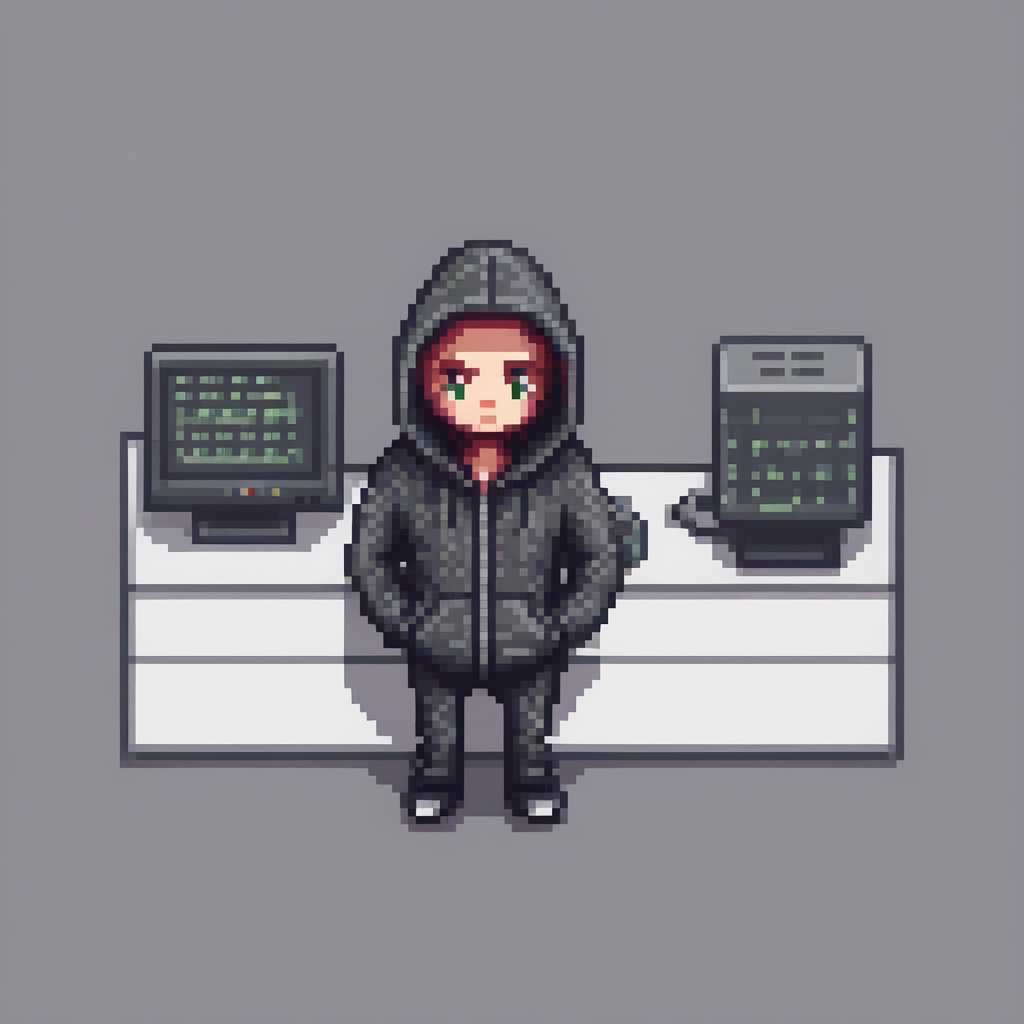
With the `adapter_name` parameter, it is really easy to use another adapter for inference! Load the [nerijs/pixel-art-xl](https://huggingface.co/nerijs/pixel-art-xl) adapter that has been fine-tuned to generate pixel art images and call it `"pixel"`.
|
||||
|
||||
The pipeline automatically sets the first loaded adapter (`"toy"`) as the active adapter, but you can activate the `"pixel"` adapter with the [`~diffusers.loaders.UNet2DConditionLoadersMixin.set_adapters`] method:
|
||||
With the `adapter_name` parameter, it is really easy to use another adapter for inference! Load the [nerijs/pixel-art-xl](https://huggingface.co/nerijs/pixel-art-xl) adapter that has been fine-tuned to generate pixel art images, and let's call it `"pixel"`.
|
||||
|
||||
The pipeline automatically sets the first loaded adapter (`"toy"`) as the active adapter. But you can activate the `"pixel"` adapter with the [`~diffusers.loaders.UNet2DConditionLoadersMixin.set_adapters`] method as shown below:
|
||||
|
||||
```python
|
||||
pipe.load_lora_weights("nerijs/pixel-art-xl", weight_name="pixel-art-xl.safetensors", adapter_name="pixel")
|
||||
pipe.set_adapters("pixel")
|
||||
```
|
||||
|
||||
Make sure you include the token `pixel art` in your prompt to generate a pixel art image:
|
||||
Let's now generate an image with the second adapter and check the result:
|
||||
|
||||
```python
|
||||
prompt = "a hacker with a hoodie, pixel art"
|
||||
@@ -75,25 +81,29 @@ image
|
||||
|
||||
|
||||
|
||||
## Merge adapters
|
||||
## Combine multiple adapters
|
||||
|
||||
You can also merge different adapter checkpoints for inference to blend their styles together.
|
||||
You can also perform multi-adapter inference where you combine different adapter checkpoints for inference.
|
||||
|
||||
Once again, use the [`~diffusers.loaders.UNet2DConditionLoadersMixin.set_adapters`] method to activate the `pixel` and `toy` adapters and specify the weights for how they should be merged.
|
||||
Once again, use the [`~diffusers.loaders.UNet2DConditionLoadersMixin.set_adapters`] method to activate two LoRA checkpoints and specify the weight for how the checkpoints should be combined.
|
||||
|
||||
```python
|
||||
pipe.set_adapters(["pixel", "toy"], adapter_weights=[0.5, 1.0])
|
||||
```
|
||||
|
||||
Now that we have set these two adapters, let's generate an image from the combined adapters!
|
||||
|
||||
<Tip>
|
||||
|
||||
LoRA checkpoints in the diffusion community are almost always obtained with [DreamBooth](https://huggingface.co/docs/diffusers/main/en/training/dreambooth). DreamBooth training often relies on "trigger" words in the input text prompts in order for the generation results to look as expected. When you combine multiple LoRA checkpoints, it's important to ensure the trigger words for the corresponding LoRA checkpoints are present in the input text prompts.
|
||||
|
||||
</Tip>
|
||||
|
||||
Remember to use the trigger words for [CiroN2022/toy-face](https://hf.co/CiroN2022/toy-face) and [nerijs/pixel-art-xl](https://hf.co/nerijs/pixel-art-xl) (these are found in their repositories) in the prompt to generate an image.
|
||||
The trigger words for [CiroN2022/toy-face](https://hf.co/CiroN2022/toy-face) and [nerijs/pixel-art-xl](https://hf.co/nerijs/pixel-art-xl) are found in their repositories.
|
||||
|
||||
|
||||
```python
|
||||
# Notice how the prompt is constructed.
|
||||
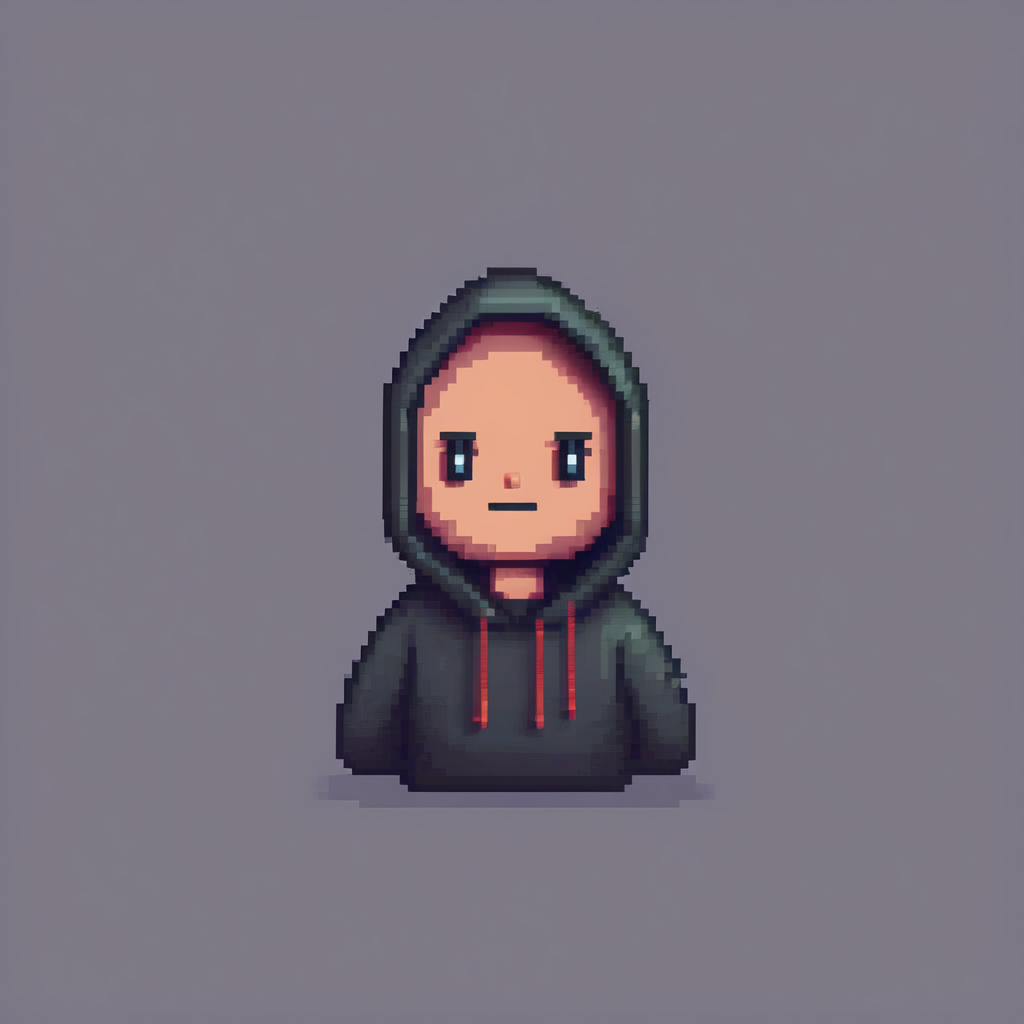
prompt = "toy_face of a hacker with a hoodie, pixel art"
|
||||
image = pipe(
|
||||
prompt, num_inference_steps=30, cross_attention_kwargs={"scale": 1.0}, generator=torch.manual_seed(0)
|
||||
@@ -103,16 +113,15 @@ image
|
||||
|
||||
|
||||
|
||||
Impressive! As you can see, the model generated an image that mixed the characteristics of both adapters.
|
||||
Impressive! As you can see, the model was able to generate an image that mixes the characteristics of both adapters.
|
||||
|
||||
> [!TIP]
|
||||
> Through its PEFT integration, Diffusers also offers more efficient merging methods which you can learn about in the [Merge LoRAs](../using-diffusers/merge_loras) guide!
|
||||
|
||||
To return to only using one adapter, use the [`~diffusers.loaders.UNet2DConditionLoadersMixin.set_adapters`] method to activate the `"toy"` adapter:
|
||||
If you want to go back to using only one adapter, use the [`~diffusers.loaders.UNet2DConditionLoadersMixin.set_adapters`] method to activate the `"toy"` adapter:
|
||||
|
||||
```python
|
||||
# First, set the adapter.
|
||||
pipe.set_adapters("toy")
|
||||
|
||||
# Then, run inference.
|
||||
prompt = "toy_face of a hacker with a hoodie"
|
||||
lora_scale= 0.9
|
||||
image = pipe(
|
||||
@@ -121,7 +130,11 @@ image = pipe(
|
||||
image
|
||||
```
|
||||
|
||||
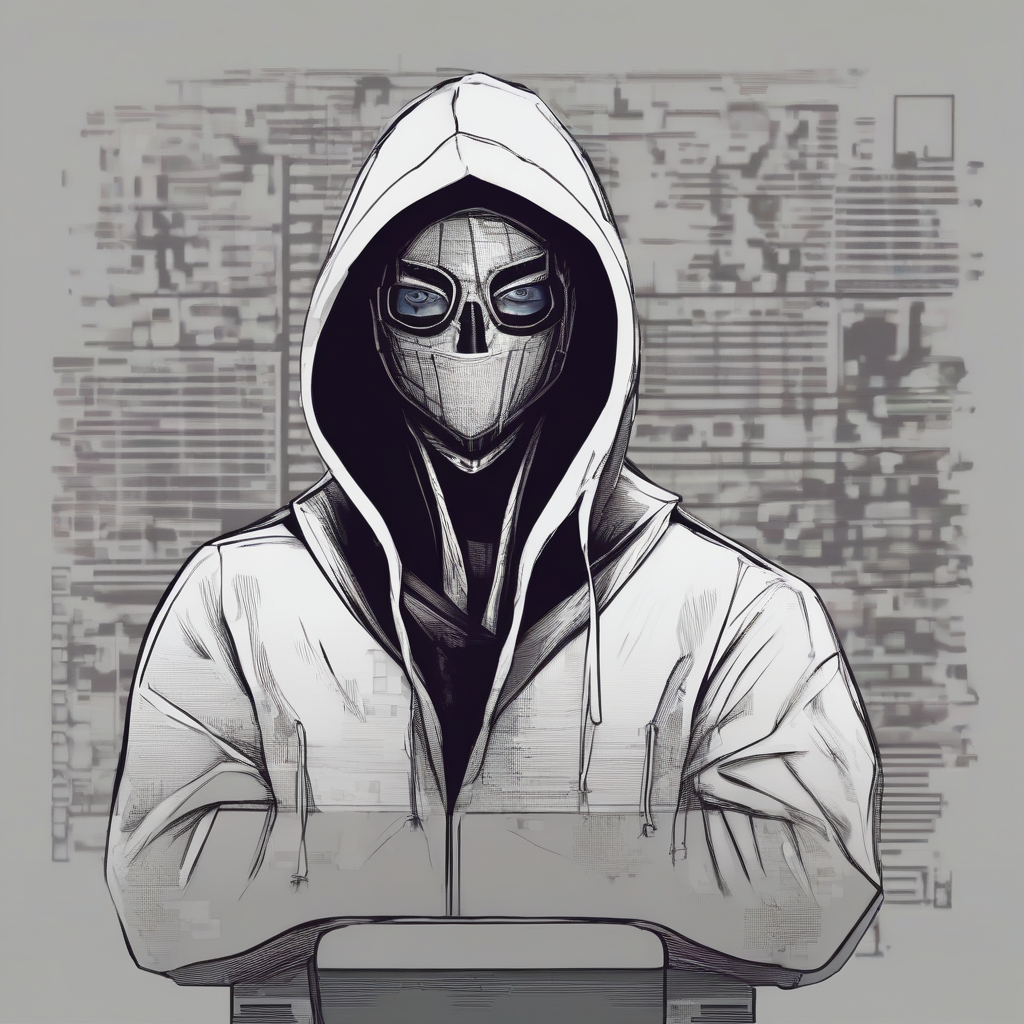
Or to disable all adapters entirely, use the [`~diffusers.loaders.UNet2DConditionLoadersMixin.disable_lora`] method to return the base model.
|
||||

|
||||
|
||||
|
||||
If you want to switch to only the base model, disable all LoRAs with the [`~diffusers.loaders.UNet2DConditionLoadersMixin.disable_lora`] method.
|
||||
|
||||
|
||||
```python
|
||||
pipe.disable_lora()
|
||||
@@ -132,9 +145,11 @@ image = pipe(prompt, num_inference_steps=30, generator=torch.manual_seed(0)).ima
|
||||
image
|
||||
```
|
||||
|
||||
## Manage active adapters
|
||||
|
||||
|
||||
You have attached multiple adapters in this tutorial, and if you're feeling a bit lost on what adapters have been attached to the pipeline's components, use the [`~diffusers.loaders.LoraLoaderMixin.get_active_adapters`] method to check the list of active adapters:
|
||||
## Monitoring active adapters
|
||||
|
||||
You have attached multiple adapters in this tutorial, and if you're feeling a bit lost on what adapters have been attached to the pipeline's components, you can easily check the list of active adapters using the [`~diffusers.loaders.LoraLoaderMixin.get_active_adapters`] method:
|
||||
|
||||
```py
|
||||
active_adapters = pipe.get_active_adapters()
|
||||
@@ -149,3 +164,78 @@ list_adapters_component_wise = pipe.get_list_adapters()
|
||||
list_adapters_component_wise
|
||||
{"text_encoder": ["toy", "pixel"], "unet": ["toy", "pixel"], "text_encoder_2": ["toy", "pixel"]}
|
||||
```
|
||||
|
||||
## Compatibility with `torch.compile`
|
||||
|
||||
If you want to compile your model with `torch.compile` make sure to first fuse the LoRA weights into the base model and unload them.
|
||||
|
||||
```diff
|
||||
pipe.load_lora_weights("nerijs/pixel-art-xl", weight_name="pixel-art-xl.safetensors", adapter_name="pixel")
|
||||
pipe.load_lora_weights("CiroN2022/toy-face", weight_name="toy_face_sdxl.safetensors", adapter_name="toy")
|
||||
|
||||
pipe.set_adapters(["pixel", "toy"], adapter_weights=[0.5, 1.0])
|
||||
# Fuses the LoRAs into the Unet
|
||||
pipe.fuse_lora()
|
||||
pipe.unload_lora_weights()
|
||||
|
||||
+ pipe.unet.to(memory_format=torch.channels_last)
|
||||
+ pipe.unet = torch.compile(pipe.unet, mode="reduce-overhead", fullgraph=True)
|
||||
|
||||
prompt = "toy_face of a hacker with a hoodie, pixel art"
|
||||
image = pipe(prompt, num_inference_steps=30, generator=torch.manual_seed(0)).images[0]
|
||||
```
|
||||
|
||||
> [!TIP]
|
||||
> You can refer to the `torch.compile()` section [here](https://huggingface.co/docs/diffusers/main/en/optimization/torch2.0#torchcompile) and [here](https://huggingface.co/docs/diffusers/main/en/tutorials/fast_diffusion#torchcompile) for more elaborate examples.
|
||||
|
||||
## Fusing adapters into the model
|
||||
|
||||
You can use PEFT to easily fuse/unfuse multiple adapters directly into the model weights (both UNet and text encoder) using the [`~diffusers.loaders.LoraLoaderMixin.fuse_lora`] method, which can lead to a speed-up in inference and lower VRAM usage.
|
||||
|
||||
```py
|
||||
pipe.load_lora_weights("nerijs/pixel-art-xl", weight_name="pixel-art-xl.safetensors", adapter_name="pixel")
|
||||
pipe.load_lora_weights("CiroN2022/toy-face", weight_name="toy_face_sdxl.safetensors", adapter_name="toy")
|
||||
|
||||
pipe.set_adapters(["pixel", "toy"], adapter_weights=[0.5, 1.0])
|
||||
# Fuses the LoRAs into the Unet
|
||||
pipe.fuse_lora()
|
||||
|
||||
prompt = "toy_face of a hacker with a hoodie, pixel art"
|
||||
image = pipe(prompt, num_inference_steps=30, generator=torch.manual_seed(0)).images[0]
|
||||
|
||||
# Gets the Unet back to the original state
|
||||
pipe.unfuse_lora()
|
||||
```
|
||||
|
||||
You can also fuse some adapters using `adapter_names` for faster generation:
|
||||
|
||||
```py
|
||||
pipe.load_lora_weights("nerijs/pixel-art-xl", weight_name="pixel-art-xl.safetensors", adapter_name="pixel")
|
||||
pipe.load_lora_weights("CiroN2022/toy-face", weight_name="toy_face_sdxl.safetensors", adapter_name="toy")
|
||||
|
||||
pipe.set_adapters(["pixel"], adapter_weights=[0.5, 1.0])
|
||||
# Fuses the LoRAs into the Unet
|
||||
pipe.fuse_lora(adapter_names=["pixel"])
|
||||
|
||||
prompt = "a hacker with a hoodie, pixel art"
|
||||
image = pipe(prompt, num_inference_steps=30, generator=torch.manual_seed(0)).images[0]
|
||||
|
||||
# Gets the Unet back to the original state
|
||||
pipe.unfuse_lora()
|
||||
|
||||
# Fuse all adapters
|
||||
pipe.fuse_lora(adapter_names=["pixel", "toy"])
|
||||
|
||||
prompt = "toy_face of a hacker with a hoodie, pixel art"
|
||||
image = pipe(prompt, num_inference_steps=30, generator=torch.manual_seed(0)).images[0]
|
||||
```
|
||||
|
||||
## Saving a pipeline after fusing the adapters
|
||||
|
||||
To properly save a pipeline after it's been loaded with the adapters, it should be serialized like so:
|
||||
|
||||
```python
|
||||
pipe.fuse_lora(lora_scale=1.0)
|
||||
pipe.unload_lora_weights()
|
||||
pipe.save_pretrained("path-to-pipeline")
|
||||
```
|
||||
|
||||
@@ -12,18 +12,13 @@ specific language governing permissions and limitations under the License.
|
||||
|
||||
# Pipeline callbacks
|
||||
|
||||
The denoising loop of a pipeline can be modified with custom defined functions using the `callback_on_step_end` parameter. The callback function is executed at the end of each step, and modifies the pipeline attributes and variables for the next step. This is really useful for *dynamically* adjusting certain pipeline attributes or modifying tensor variables. This versatility allows for interesting use-cases such as changing the prompt embeddings at each timestep, assigning different weights to the prompt embeddings, and editing the guidance scale. With callbacks, you can implement new features without modifying the underlying code!
|
||||
The denoising loop of a pipeline can be modified with custom defined functions using the `callback_on_step_end` parameter. This can be really useful for *dynamically* adjusting certain pipeline attributes, or modifying tensor variables. The flexibility of callbacks opens up some interesting use-cases such as changing the prompt embeddings at each timestep, assigning different weights to the prompt embeddings, and editing the guidance scale.
|
||||
|
||||
> [!TIP]
|
||||
> 🤗 Diffusers currently only supports `callback_on_step_end`, but feel free to open a [feature request](https://github.com/huggingface/diffusers/issues/new/choose) if you have a cool use-case and require a callback function with a different execution point!
|
||||
This guide will show you how to use the `callback_on_step_end` parameter to disable classifier-free guidance (CFG) after 40% of the inference steps to save compute with minimal cost to performance.
|
||||
|
||||
This guide will demonstrate how callbacks work by a few features you can implement with them.
|
||||
The callback function should have the following arguments:
|
||||
|
||||
## Dynamic classifier-free guidance
|
||||
|
||||
Dynamic classifier-free guidance (CFG) is a feature that allows you to disable CFG after a certain number of inference steps which can help you save compute with minimal cost to performance. The callback function for this should have the following arguments:
|
||||
|
||||
* `pipeline` (or the pipeline instance) provides access to important properties such as `num_timesteps` and `guidance_scale`. You can modify these properties by updating the underlying attributes. For this example, you'll disable CFG by setting `pipeline._guidance_scale=0.0`.
|
||||
* `pipe` (or the pipeline instance) provides access to useful properties such as `num_timesteps` and `guidance_scale`. You can modify these properties by updating the underlying attributes. For this example, you'll disable CFG by setting `pipe._guidance_scale=0.0`.
|
||||
* `step_index` and `timestep` tell you where you are in the denoising loop. Use `step_index` to turn off CFG after reaching 40% of `num_timesteps`.
|
||||
* `callback_kwargs` is a dict that contains tensor variables you can modify during the denoising loop. It only includes variables specified in the `callback_on_step_end_tensor_inputs` argument, which is passed to the pipeline's `__call__` method. Different pipelines may use different sets of variables, so please check a pipeline's `_callback_tensor_inputs` attribute for the list of variables you can modify. Some common variables include `latents` and `prompt_embeds`. For this function, change the batch size of `prompt_embeds` after setting `guidance_scale=0.0` in order for it to work properly.
|
||||
|
||||
@@ -32,12 +27,12 @@ Your callback function should look something like this:
|
||||
```python
|
||||
def callback_dynamic_cfg(pipe, step_index, timestep, callback_kwargs):
|
||||
# adjust the batch_size of prompt_embeds according to guidance_scale
|
||||
if step_index == int(pipeline.num_timesteps * 0.4):
|
||||
if step_index == int(pipe.num_timesteps * 0.4):
|
||||
prompt_embeds = callback_kwargs["prompt_embeds"]
|
||||
prompt_embeds = prompt_embeds.chunk(2)[-1]
|
||||
|
||||
# update guidance_scale and prompt_embeds
|
||||
pipeline._guidance_scale = 0.0
|
||||
pipe._guidance_scale = 0.0
|
||||
callback_kwargs["prompt_embeds"] = prompt_embeds
|
||||
return callback_kwargs
|
||||
```
|
||||
@@ -48,134 +43,58 @@ Now, you can pass the callback function to the `callback_on_step_end` parameter
|
||||
import torch
|
||||
from diffusers import StableDiffusionPipeline
|
||||
|
||||
pipeline = StableDiffusionPipeline.from_pretrained("runwayml/stable-diffusion-v1-5", torch_dtype=torch.float16)
|
||||
pipeline = pipeline.to("cuda")
|
||||
pipe = StableDiffusionPipeline.from_pretrained("runwayml/stable-diffusion-v1-5", torch_dtype=torch.float16)
|
||||
pipe = pipe.to("cuda")
|
||||
|
||||
prompt = "a photo of an astronaut riding a horse on mars"
|
||||
|
||||
generator = torch.Generator(device="cuda").manual_seed(1)
|
||||
out = pipeline(
|
||||
prompt,
|
||||
generator=generator,
|
||||
callback_on_step_end=callback_dynamic_cfg,
|
||||
callback_on_step_end_tensor_inputs=['prompt_embeds']
|
||||
)
|
||||
out = pipe(prompt, generator=generator, callback_on_step_end=callback_dynamic_cfg, callback_on_step_end_tensor_inputs=['prompt_embeds'])
|
||||
|
||||
out.images[0].save("out_custom_cfg.png")
|
||||
```
|
||||
|
||||
The callback function is executed at the end of each denoising step, and modifies the pipeline attributes and tensor variables for the next denoising step.
|
||||
|
||||
With callbacks, you can implement features such as dynamic CFG without having to modify the underlying code at all!
|
||||
|
||||
<Tip>
|
||||
|
||||
🤗 Diffusers currently only supports `callback_on_step_end`, but feel free to open a [feature request](https://github.com/huggingface/diffusers/issues/new/choose) if you have a cool use-case and require a callback function with a different execution point!
|
||||
|
||||
</Tip>
|
||||
|
||||
## Interrupt the diffusion process
|
||||
|
||||
> [!TIP]
|
||||
> The interruption callback is supported for text-to-image, image-to-image, and inpainting for the [StableDiffusionPipeline](../api/pipelines/stable_diffusion/overview) and [StableDiffusionXLPipeline](../api/pipelines/stable_diffusion/stable_diffusion_xl).
|
||||
Interrupting the diffusion process is particularly useful when building UIs that work with Diffusers because it allows users to stop the generation process if they're unhappy with the intermediate results. You can incorporate this into your pipeline with a callback.
|
||||
|
||||
Stopping the diffusion process early is useful when building UIs that work with Diffusers because it allows users to stop the generation process if they're unhappy with the intermediate results. You can incorporate this into your pipeline with a callback.
|
||||
<Tip>
|
||||
|
||||
This callback function should take the following arguments: `pipeline`, `i`, `t`, and `callback_kwargs` (this must be returned). Set the pipeline's `_interrupt` attribute to `True` to stop the diffusion process after a certain number of steps. You are also free to implement your own custom stopping logic inside the callback.
|
||||
The interruption callback is supported for text-to-image, image-to-image, and inpainting for the [StableDiffusionPipeline](../api/pipelines/stable_diffusion/overview) and [StableDiffusionXLPipeline](../api/pipelines/stable_diffusion/stable_diffusion_xl).
|
||||
|
||||
</Tip>
|
||||
|
||||
This callback function should take the following arguments: `pipe`, `i`, `t`, and `callback_kwargs` (this must be returned). Set the pipeline's `_interrupt` attribute to `True` to stop the diffusion process after a certain number of steps. You are also free to implement your own custom stopping logic inside the callback.
|
||||
|
||||
In this example, the diffusion process is stopped after 10 steps even though `num_inference_steps` is set to 50.
|
||||
|
||||
```python
|
||||
from diffusers import StableDiffusionPipeline
|
||||
|
||||
pipeline = StableDiffusionPipeline.from_pretrained("runwayml/stable-diffusion-v1-5")
|
||||
pipeline.enable_model_cpu_offload()
|
||||
pipe = StableDiffusionPipeline.from_pretrained("runwayml/stable-diffusion-v1-5")
|
||||
pipe.enable_model_cpu_offload()
|
||||
num_inference_steps = 50
|
||||
|
||||
def interrupt_callback(pipeline, i, t, callback_kwargs):
|
||||
def interrupt_callback(pipe, i, t, callback_kwargs):
|
||||
stop_idx = 10
|
||||
if i == stop_idx:
|
||||
pipeline._interrupt = True
|
||||
pipe._interrupt = True
|
||||
|
||||
return callback_kwargs
|
||||
|
||||
pipeline(
|
||||
pipe(
|
||||
"A photo of a cat",
|
||||
num_inference_steps=num_inference_steps,
|
||||
callback_on_step_end=interrupt_callback,
|
||||
)
|
||||
```
|
||||
|
||||
## Display image after each generation step
|
||||
|
||||
> [!TIP]
|
||||
> This tip was contributed by [asomoza](https://github.com/asomoza).
|
||||
|
||||
Display an image after each generation step by accessing and converting the latents after each step into an image. The latent space is compressed to 128x128, so the images are also 128x128 which is useful for a quick preview.
|
||||
|
||||
1. Use the function below to convert the SDXL latents (4 channels) to RGB tensors (3 channels) as explained in the [Explaining the SDXL latent space](https://huggingface.co/blog/TimothyAlexisVass/explaining-the-sdxl-latent-space) blog post.
|
||||
|
||||
```py
|
||||
def latents_to_rgb(latents):
|
||||
weights = (
|
||||
(60, -60, 25, -70),
|
||||
(60, -5, 15, -50),
|
||||
(60, 10, -5, -35)
|
||||
)
|
||||
|
||||
weights_tensor = torch.t(torch.tensor(weights, dtype=latents.dtype).to(latents.device))
|
||||
biases_tensor = torch.tensor((150, 140, 130), dtype=latents.dtype).to(latents.device)
|
||||
rgb_tensor = torch.einsum("...lxy,lr -> ...rxy", latents, weights_tensor) + biases_tensor.unsqueeze(-1).unsqueeze(-1)
|
||||
image_array = rgb_tensor.clamp(0, 255)[0].byte().cpu().numpy()
|
||||
image_array = image_array.transpose(1, 2, 0)
|
||||
|
||||
return Image.fromarray(image_array)
|
||||
```
|
||||
|
||||
2. Create a function to decode and save the latents into an image.
|
||||
|
||||
```py
|
||||
def decode_tensors(pipe, step, timestep, callback_kwargs):
|
||||
latents = callback_kwargs["latents"]
|
||||
|
||||
image = latents_to_rgb(latents)
|
||||
image.save(f"{step}.png")
|
||||
|
||||
return callback_kwargs
|
||||
```
|
||||
|
||||
3. Pass the `decode_tensors` function to the `callback_on_step_end` parameter to decode the tensors after each step. You also need to specify what you want to modify in the `callback_on_step_end_tensor_inputs` parameter, which in this case are the latents.
|
||||
|
||||
```py
|
||||
from diffusers import AutoPipelineForText2Image
|
||||
import torch
|
||||
from PIL import Image
|
||||
|
||||
pipeline = AutoPipelineForText2Image.from_pretrained(
|
||||
"stabilityai/stable-diffusion-xl-base-1.0",
|
||||
torch_dtype=torch.float16,
|
||||
variant="fp16",
|
||||
use_safetensors=True
|
||||
).to("cuda")
|
||||
|
||||
image = pipe(
|
||||
prompt = "A croissant shaped like a cute bear."
|
||||
negative_prompt = "Deformed, ugly, bad anatomy"
|
||||
callback_on_step_end=decode_tensors,
|
||||
callback_on_step_end_tensor_inputs=["latents"],
|
||||
).images[0]
|
||||
```
|
||||
|
||||
<div class="flex gap-4 justify-center">
|
||||
<div>
|
||||
<img class="rounded-xl" src="https://huggingface.co/datasets/huggingface/documentation-images/resolve/main/diffusers/tips_step_0.png"/>
|
||||
<figcaption class="mt-2 text-center text-sm text-gray-500">step 0</figcaption>
|
||||
</div>
|
||||
<div>
|
||||
<img class="rounded-xl" src="https://huggingface.co/datasets/huggingface/documentation-images/resolve/main/diffusers/tips_step_19.png"/>
|
||||
<figcaption class="mt-2 text-center text-sm text-gray-500">step 19
|
||||
</figcaption>
|
||||
</div>
|
||||
<div>
|
||||
<img class="rounded-xl" src="https://huggingface.co/datasets/huggingface/documentation-images/resolve/main/diffusers/tips_step_29.png"/>
|
||||
<figcaption class="mt-2 text-center text-sm text-gray-500">step 29</figcaption>
|
||||
</div>
|
||||
<div>
|
||||
<img class="rounded-xl" src="https://huggingface.co/datasets/huggingface/documentation-images/resolve/main/diffusers/tips_step_39.png"/>
|
||||
<figcaption class="mt-2 text-center text-sm text-gray-500">step 39</figcaption>
|
||||
</div>
|
||||
<div>
|
||||
<img class="rounded-xl" src="https://huggingface.co/datasets/huggingface/documentation-images/resolve/main/diffusers/tips_step_49.png"/>
|
||||
<figcaption class="mt-2 text-center text-sm text-gray-500">step 49</figcaption>
|
||||
</div>
|
||||
</div>
|
||||
|
||||
@@ -429,27 +429,6 @@ image = pipe(
|
||||
make_image_grid([original_image, canny_image, image], rows=1, cols=3)
|
||||
```
|
||||
|
||||
<Tip>
|
||||
|
||||
You can use a refiner model with `StableDiffusionXLControlNetPipeline` to improve image quality, just like you can with a regular `StableDiffusionXLPipeline`.
|
||||
See the [Refine image quality](./sdxl#refine-image-quality) section to learn how to use the refiner model.
|
||||
Make sure to use `StableDiffusionXLControlNetPipeline` and pass `image` and `controlnet_conditioning_scale`.
|
||||
|
||||
```py
|
||||
base = StableDiffusionXLControlNetPipeline(...)
|
||||
image = base(
|
||||
prompt=prompt,
|
||||
controlnet_conditioning_scale=0.5,
|
||||
image=canny_image,
|
||||
num_inference_steps=40,
|
||||
denoising_end=0.8,
|
||||
output_type="latent",
|
||||
).images
|
||||
# rest exactly as with StableDiffusionXLPipeline
|
||||
```
|
||||
|
||||
</Tip>
|
||||
|
||||
## MultiControlNet
|
||||
|
||||
<Tip>
|
||||
|
||||
@@ -25,9 +25,6 @@ Let's take a look at how to use IP-Adapter's image prompting capabilities with t
|
||||
|
||||
In all the following examples, you'll see the [`~loaders.IPAdapterMixin.set_ip_adapter_scale`] method. This method controls the amount of text or image conditioning to apply to the model. A value of `1.0` means the model is only conditioned on the image prompt. Lowering this value encourages the model to produce more diverse images, but they may not be as aligned with the image prompt. Typically, a value of `0.5` achieves a good balance between the two prompt types and produces good results.
|
||||
|
||||
> [!TIP]
|
||||
> In the examples below, try adding `low_cpu_mem_usage=True` to the [`~loaders.IPAdapterMixin.load_ip_adapter`] method to speed up the loading time.
|
||||
|
||||
<hfoptions id="tasks">
|
||||
<hfoption id="Text-to-image">
|
||||
|
||||
@@ -234,21 +231,10 @@ export_to_gif(frames, "gummy_bear.gif")
|
||||
</hfoption>
|
||||
</hfoptions>
|
||||
|
||||
## Configure parameters
|
||||
|
||||
There are a couple of IP-Adapter parameters that are useful to know about and can help you with your image generation tasks. These parameters can make your workflow more efficient or give you more control over image generation.
|
||||
|
||||
### Image embeddings
|
||||
|
||||
IP-Adapter enabled pipelines provide the `ip_adapter_image_embeds` parameter to accept precomputed image embeddings. This is particularly useful in scenarios where you need to run the IP-Adapter pipeline multiple times because you have more than one image. For example, [multi IP-Adapter](#multi-ip-adapter) is a specific use case where you provide multiple styling images to generate a specific image in a specific style. Loading and encoding multiple images each time you use the pipeline would be inefficient. Instead, you can precompute and save the image embeddings to disk (which can save a lot of space if you're using high-quality images) and load them when you need them.
|
||||
|
||||
> [!TIP]
|
||||
> This parameter also gives you the flexibility to load embeddings from other sources. For example, ComfyUI image embeddings for IP-Adapters are compatible with Diffusers and should work ouf-of-the-box!
|
||||
> While calling `load_ip_adapter()`, pass `low_cpu_mem_usage=True` to speed up the loading time.
|
||||
|
||||
Call the [`~StableDiffusionPipeline.prepare_ip_adapter_image_embeds`] method to encode and generate the image embeddings. Then you can save them to disk with `torch.save`.
|
||||
|
||||
> [!TIP]
|
||||
> If you're using IP-Adapter with `ip_adapter_image_embedding` instead of `ip_adapter_image`', you can set `load_ip_adapter(image_encoder_folder=None,...)` because you don't need to load an encoder to generate the image embeddings.
|
||||
All the pipelines supporting IP-Adapter accept a `ip_adapter_image_embeds` argument. If you need to run the IP-Adapter multiple times with the same image, you can encode the image once and save the embedding to the disk.
|
||||
|
||||
```py
|
||||
image_embeds = pipeline.prepare_ip_adapter_image_embeds(
|
||||
@@ -262,7 +248,10 @@ image_embeds = pipeline.prepare_ip_adapter_image_embeds(
|
||||
torch.save(image_embeds, "image_embeds.ipadpt")
|
||||
```
|
||||
|
||||
Now load the image embeddings by passing them to the `ip_adapter_image_embeds` parameter.
|
||||
Load the image embedding and pass it to the pipeline as `ip_adapter_image_embeds`
|
||||
|
||||
> [!TIP]
|
||||
> ComfyUI image embeddings for IP-Adapters are fully compatible in Diffusers and should work out-of-box.
|
||||
|
||||
```py
|
||||
image_embeds = torch.load("image_embeds.ipadpt")
|
||||
@@ -275,86 +264,8 @@ images = pipeline(
|
||||
).images
|
||||
```
|
||||
|
||||
### IP-Adapter masking
|
||||
|
||||
Binary masks specify which portion of the output image should be assigned to an IP-Adapter. This is useful for composing more than one IP-Adapter image. For each input IP-Adapter image, you must provide a binary mask an an IP-Adapter.
|
||||
|
||||
To start, preprocess the input IP-Adapter images with the [`~image_processor.IPAdapterMaskProcessor.preprocess()`] to generate their masks. For optimal results, provide the output height and width to [`~image_processor.IPAdapterMaskProcessor.preprocess()`]. This ensures masks with different aspect ratios are appropriately stretched. If the input masks already match the aspect ratio of the generated image, you don't have to set the `height` and `width`.
|
||||
|
||||
```py
|
||||
from diffusers.image_processor import IPAdapterMaskProcessor
|
||||
|
||||
mask1 = load_image("https://huggingface.co/datasets/huggingface/documentation-images/resolve/main/diffusers/ip_mask_mask1.png")
|
||||
mask2 = load_image("https://huggingface.co/datasets/huggingface/documentation-images/resolve/main/diffusers/ip_mask_mask2.png")
|
||||
|
||||
output_height = 1024
|
||||
output_width = 1024
|
||||
|
||||
processor = IPAdapterMaskProcessor()
|
||||
masks = processor.preprocess([mask1, mask2], height=output_height, width=output_width)
|
||||
```
|
||||
|
||||
<div class="flex flex-row gap-4">
|
||||
<div class="flex-1">
|
||||
<img class="rounded-xl" src="https://huggingface.co/datasets/YiYiXu/testing-images/resolve/main/ip_mask_mask1.png"/>
|
||||
<figcaption class="mt-2 text-center text-sm text-gray-500">mask one</figcaption>
|
||||
</div>
|
||||
<div class="flex-1">
|
||||
<img class="rounded-xl" src="https://huggingface.co/datasets/YiYiXu/testing-images/resolve/main/ip_mask_mask2.png"/>
|
||||
<figcaption class="mt-2 text-center text-sm text-gray-500">mask two</figcaption>
|
||||
</div>
|
||||
</div>
|
||||
|
||||
When there is more than one input IP-Adapter image, load them as a list to ensure each image is assigned to a different IP-Adapter. Each of the input IP-Adapter images here correspond to the masks generated above.
|
||||
|
||||
```py
|
||||
face_image1 = load_image("https://huggingface.co/datasets/huggingface/documentation-images/resolve/main/diffusers/ip_mask_girl1.png")
|
||||
face_image2 = load_image("https://huggingface.co/datasets/huggingface/documentation-images/resolve/main/diffusers/ip_mask_girl2.png")
|
||||
|
||||
ip_images = [[face_image1], [face_image2]]
|
||||
```
|
||||
|
||||
<div class="flex flex-row gap-4">
|
||||
<div class="flex-1">
|
||||
<img class="rounded-xl" src="https://huggingface.co/datasets/YiYiXu/testing-images/resolve/main/ip_mask_girl1.png"/>
|
||||
<figcaption class="mt-2 text-center text-sm text-gray-500">IP-Adapter image one</figcaption>
|
||||
</div>
|
||||
<div class="flex-1">
|
||||
<img class="rounded-xl" src="https://huggingface.co/datasets/YiYiXu/testing-images/resolve/main/ip_mask_girl2.png"/>
|
||||
<figcaption class="mt-2 text-center text-sm text-gray-500">IP-Adapter image two</figcaption>
|
||||
</div>
|
||||
</div>
|
||||
|
||||
Now pass the preprocessed masks to `cross_attention_kwargs` in the pipeline call.
|
||||
|
||||
```py
|
||||
pipeline.load_ip_adapter("h94/IP-Adapter", subfolder="sdxl_models", weight_name=["ip-adapter-plus-face_sdxl_vit-h.safetensors"] * 2)
|
||||
pipeline.set_ip_adapter_scale([0.7] * 2)
|
||||
generator = torch.Generator(device="cpu").manual_seed(0)
|
||||
num_images = 1
|
||||
|
||||
image = pipeline(
|
||||
prompt="2 girls",
|
||||
ip_adapter_image=ip_images,
|
||||
negative_prompt="monochrome, lowres, bad anatomy, worst quality, low quality",
|
||||
num_inference_steps=20,
|
||||
num_images_per_prompt=num_images,
|
||||
generator=generator,
|
||||
cross_attention_kwargs={"ip_adapter_masks": masks}
|
||||
).images[0]
|
||||
image
|
||||
```
|
||||
|
||||
<div class="flex flex-row gap-4">
|
||||
<div class="flex-1">
|
||||
<img class="rounded-xl" src="https://huggingface.co/datasets/huggingface/documentation-images/resolve/main/diffusers/ip_adapter_attention_mask_result_seed_0.png"/>
|
||||
<figcaption class="mt-2 text-center text-sm text-gray-500">IP-Adapter masking applied</figcaption>
|
||||
</div>
|
||||
<div class="flex-1">
|
||||
<img class="rounded-xl" src="https://huggingface.co/datasets/huggingface/documentation-images/resolve/main/diffusers/ip_adapter_no_attention_mask_result_seed_0.png"/>
|
||||
<figcaption class="mt-2 text-center text-sm text-gray-500">no IP-Adapter masking applied</figcaption>
|
||||
</div>
|
||||
</div>
|
||||
> [!TIP]
|
||||
> If you use IP-Adapter with `ip_adapter_image_embedding` instead of `ip_adapter_image`, you can choose not to load an image encoder by passing `image_encoder_folder=None` to `load_ip_adapter()`.
|
||||
|
||||
## Specific use cases
|
||||
|
||||
@@ -368,7 +279,6 @@ Generating accurate faces is challenging because they are complex and nuanced. D
|
||||
* [ip-adapter-plus-face_sd15.safetensors](https://huggingface.co/h94/IP-Adapter/blob/main/models/ip-adapter-plus-face_sd15.safetensors) uses patch embeddings and is conditioned with images of cropped faces
|
||||
|
||||
> [!TIP]
|
||||
>
|
||||
> [IP-Adapter-FaceID](https://huggingface.co/h94/IP-Adapter-FaceID) is a face-specific IP-Adapter trained with face ID embeddings instead of CLIP image embeddings, allowing you to generate more consistent faces in different contexts and styles. Try out this popular [community pipeline](https://github.com/huggingface/diffusers/tree/main/examples/community#ip-adapter-face-id) and see how it compares to the other face IP-Adapters.
|
||||
|
||||
For face models, use the [h94/IP-Adapter](https://huggingface.co/h94/IP-Adapter) checkpoint. It is also recommended to use [`DDIMScheduler`] or [`EulerDiscreteScheduler`] for face models.
|
||||
@@ -592,3 +502,82 @@ image
|
||||
<div class="flex justify-center">
|
||||
<img src="https://huggingface.co/datasets/YiYiXu/testing-images/resolve/main/ipa-controlnet-out.png" />
|
||||
</div>
|
||||
|
||||
### IP-Adapter masking
|
||||
|
||||
Binary masks can be used to specify which portion of the output image should be assigned to an IP-Adapter.
|
||||
For each input IP-Adapter image, a binary mask and an IP-Adapter must be provided.
|
||||
|
||||
Before passing the masks to the pipeline, it's essential to preprocess them using [`IPAdapterMaskProcessor.preprocess()`].
|
||||
|
||||
> [!TIP]
|
||||
> For optimal results, provide the output height and width to [`IPAdapterMaskProcessor.preprocess()`]. This ensures that masks with differing aspect ratios are appropriately stretched. If the input masks already match the aspect ratio of the generated image, specifying height and width can be omitted.
|
||||
|
||||
Here an example with two masks:
|
||||
|
||||
```py
|
||||
from diffusers.image_processor import IPAdapterMaskProcessor
|
||||
|
||||
mask1 = load_image("https://huggingface.co/datasets/YiYiXu/testing-images/resolve/main/ip_mask_mask1.png")
|
||||
mask2 = load_image("https://huggingface.co/datasets/YiYiXu/testing-images/resolve/main/ip_mask_mask2.png")
|
||||
|
||||
output_height = 1024
|
||||
output_width = 1024
|
||||
|
||||
processor = IPAdapterMaskProcessor()
|
||||
masks = processor.preprocess([mask1, mask2], height=output_height, width=output_width)
|
||||
```
|
||||
|
||||
<div class="flex flex-row gap-4">
|
||||
<div class="flex-1">
|
||||
<img class="rounded-xl" src="https://huggingface.co/datasets/YiYiXu/testing-images/resolve/main/ip_mask_mask1.png"/>
|
||||
<figcaption class="mt-2 text-center text-sm text-gray-500">mask one</figcaption>
|
||||
</div>
|
||||
<div class="flex-1">
|
||||
<img class="rounded-xl" src="https://huggingface.co/datasets/YiYiXu/testing-images/resolve/main/ip_mask_mask2.png"/>
|
||||
<figcaption class="mt-2 text-center text-sm text-gray-500">mask two</figcaption>
|
||||
</div>
|
||||
</div>
|
||||
|
||||
If you have more than one IP-Adapter image, load them into a list, ensuring each image is assigned to a different IP-Adapter.
|
||||
|
||||
```py
|
||||
face_image1 = load_image("https://huggingface.co/datasets/YiYiXu/testing-images/resolve/main/ip_mask_girl1.png")
|
||||
face_image2 = load_image("https://huggingface.co/datasets/YiYiXu/testing-images/resolve/main/ip_mask_girl2.png")
|
||||
|
||||
ip_images = [[face_image1], [face_image2]]
|
||||
```
|
||||
|
||||
<div class="flex flex-row gap-4">
|
||||
<div class="flex-1">
|
||||
<img class="rounded-xl" src="https://huggingface.co/datasets/YiYiXu/testing-images/resolve/main/ip_mask_girl1.png"/>
|
||||
<figcaption class="mt-2 text-center text-sm text-gray-500">ip adapter image one</figcaption>
|
||||
</div>
|
||||
<div class="flex-1">
|
||||
<img class="rounded-xl" src="https://huggingface.co/datasets/YiYiXu/testing-images/resolve/main/ip_mask_girl2.png"/>
|
||||
<figcaption class="mt-2 text-center text-sm text-gray-500">ip adapter image two</figcaption>
|
||||
</div>
|
||||
</div>
|
||||
|
||||
Pass preprocessed masks to the pipeline using `cross_attention_kwargs` as shown below:
|
||||
|
||||
```py
|
||||
pipeline.load_ip_adapter("h94/IP-Adapter", subfolder="sdxl_models", weight_name=["ip-adapter-plus-face_sdxl_vit-h.safetensors"] * 2)
|
||||
pipeline.set_ip_adapter_scale([0.7] * 2)
|
||||
generator = torch.Generator(device="cpu").manual_seed(0)
|
||||
num_images = 1
|
||||
|
||||
image = pipeline(
|
||||
prompt="2 girls",
|
||||
ip_adapter_image=ip_images,
|
||||
negative_prompt="monochrome, lowres, bad anatomy, worst quality, low quality",
|
||||
num_inference_steps=20, num_images_per_prompt=num_images,
|
||||
generator=generator, cross_attention_kwargs={"ip_adapter_masks": masks}
|
||||
).images[0]
|
||||
image
|
||||
```
|
||||
|
||||
<div class="flex justify-center">
|
||||
<img src="https://huggingface.co/datasets/huggingface/documentation-images/resolve/main/diffusers/ip_adapter_attention_mask_result_seed_0.png" />
|
||||
<figcaption class="mt-2 text-center text-sm text-gray-500">output image</figcaption>
|
||||
</div>
|
||||
|
||||
@@ -103,7 +103,7 @@ image
|
||||
|
||||
<Tip>
|
||||
|
||||
LoRA is a very general training technique that can be used with other training methods. For example, it is common to train a model with DreamBooth and LoRA. It is also increasingly common to load and merge multiple LoRAs to create new and unique images. You can learn more about it in the in-depth [Merge LoRAs](merge_loras) guide since merging is outside the scope of this loading guide.
|
||||
LoRA is a very general training technique that can be used with other training methods. For example, it is common to train a model with DreamBooth and LoRA.
|
||||
|
||||
</Tip>
|
||||
|
||||
@@ -165,14 +165,101 @@ To unload the LoRA weights, use the [`~loaders.LoraLoaderMixin.unload_lora_weigh
|
||||
pipeline.unload_lora_weights()
|
||||
```
|
||||
|
||||
### Load multiple LoRAs
|
||||
|
||||
It can be fun to use multiple LoRAs together to create something entirely new and unique. The [`~loaders.LoraLoaderMixin.fuse_lora`] method allows you to fuse the LoRA weights with the original weights of the underlying model.
|
||||
|
||||
<Tip>
|
||||
|
||||
Fusing the weights can lead to a speedup in inference latency because you don't need to separately load the base model and LoRA! You can save your fused pipeline with [`~DiffusionPipeline.save_pretrained`] to avoid loading and fusing the weights every time you want to use the model.
|
||||
|
||||
</Tip>
|
||||
|
||||
Load an initial model:
|
||||
|
||||
```py
|
||||
from diffusers import StableDiffusionXLPipeline, AutoencoderKL
|
||||
import torch
|
||||
|
||||
vae = AutoencoderKL.from_pretrained("madebyollin/sdxl-vae-fp16-fix", torch_dtype=torch.float16)
|
||||
pipeline = StableDiffusionXLPipeline.from_pretrained(
|
||||
"stabilityai/stable-diffusion-xl-base-1.0",
|
||||
vae=vae,
|
||||
torch_dtype=torch.float16,
|
||||
).to("cuda")
|
||||
```
|
||||
|
||||
Next, load the LoRA checkpoint and fuse it with the original weights. The `lora_scale` parameter controls how much to scale the output by with the LoRA weights. It is important to make the `lora_scale` adjustments in the [`~loaders.LoraLoaderMixin.fuse_lora`] method because it won't work if you try to pass `scale` to the `cross_attention_kwargs` in the pipeline.
|
||||
|
||||
If you need to reset the original model weights for any reason (use a different `lora_scale`), you should use the [`~loaders.LoraLoaderMixin.unfuse_lora`] method.
|
||||
|
||||
```py
|
||||
pipeline.load_lora_weights("ostris/ikea-instructions-lora-sdxl")
|
||||
pipeline.fuse_lora(lora_scale=0.7)
|
||||
|
||||
# to unfuse the LoRA weights
|
||||
pipeline.unfuse_lora()
|
||||
```
|
||||
|
||||
Then fuse this pipeline with the next set of LoRA weights:
|
||||
|
||||
```py
|
||||
pipeline.load_lora_weights("ostris/super-cereal-sdxl-lora")
|
||||
pipeline.fuse_lora(lora_scale=0.7)
|
||||
```
|
||||
|
||||
<Tip warning={true}>
|
||||
|
||||
You can't unfuse multiple LoRA checkpoints, so if you need to reset the model to its original weights, you'll need to reload it.
|
||||
|
||||
</Tip>
|
||||
|
||||
Now you can generate an image that uses the weights from both LoRAs:
|
||||
|
||||
```py
|
||||
prompt = "A cute brown bear eating a slice of pizza, stunning color scheme, masterpiece, illustration"
|
||||
image = pipeline(prompt).images[0]
|
||||
image
|
||||
```
|
||||
|
||||
### 🤗 PEFT
|
||||
|
||||
<Tip>
|
||||
|
||||
Read the [Inference with 🤗 PEFT](../tutorials/using_peft_for_inference) tutorial to learn more about its integration with 🤗 Diffusers and how you can easily work with and juggle multiple adapters. You'll need to install 🤗 Diffusers and PEFT from source to run the example in this section.
|
||||
|
||||
</Tip>
|
||||
|
||||
Another way you can load and use multiple LoRAs is to specify the `adapter_name` parameter in [`~loaders.LoraLoaderMixin.load_lora_weights`]. This method takes advantage of the 🤗 PEFT integration. For example, load and name both LoRA weights:
|
||||
|
||||
```py
|
||||
from diffusers import DiffusionPipeline
|
||||
import torch
|
||||
|
||||
pipeline = DiffusionPipeline.from_pretrained("stabilityai/stable-diffusion-xl-base-1.0", torch_dtype=torch.float16).to("cuda")
|
||||
pipeline.load_lora_weights("ostris/ikea-instructions-lora-sdxl", weight_name="ikea_instructions_xl_v1_5.safetensors", adapter_name="ikea")
|
||||
pipeline.load_lora_weights("ostris/super-cereal-sdxl-lora", weight_name="cereal_box_sdxl_v1.safetensors", adapter_name="cereal")
|
||||
```
|
||||
|
||||
Now use the [`~loaders.UNet2DConditionLoadersMixin.set_adapters`] to activate both LoRAs, and you can configure how much weight each LoRA should have on the output:
|
||||
|
||||
```py
|
||||
pipeline.set_adapters(["ikea", "cereal"], adapter_weights=[0.7, 0.5])
|
||||
```
|
||||
|
||||
Then, generate an image:
|
||||
|
||||
```py
|
||||
prompt = "A cute brown bear eating a slice of pizza, stunning color scheme, masterpiece, illustration"
|
||||
image = pipeline(prompt, num_inference_steps=30, cross_attention_kwargs={"scale": 1.0}).images[0]
|
||||
image
|
||||
```
|
||||
|
||||
### Kohya and TheLastBen
|
||||
|
||||
Other popular LoRA trainers from the community include those by [Kohya](https://github.com/kohya-ss/sd-scripts/) and [TheLastBen](https://github.com/TheLastBen/fast-stable-diffusion). These trainers create different LoRA checkpoints than those trained by 🤗 Diffusers, but they can still be loaded in the same way.
|
||||
|
||||
<hfoptions id="other-trainers">
|
||||
<hfoption id="Kohya">
|
||||
|
||||
To load a Kohya LoRA, let's download the [Blueprintify SD XL 1.0](https://civitai.com/models/150986/blueprintify-sd-xl-10) checkpoint from [Civitai](https://civitai.com/) as an example:
|
||||
Let's download the [Blueprintify SD XL 1.0](https://civitai.com/models/150986/blueprintify-sd-xl-10) checkpoint from [Civitai](https://civitai.com/):
|
||||
|
||||
```sh
|
||||
!wget https://civitai.com/api/download/models/168776 -O blueprintify-sd-xl-10.safetensors
|
||||
@@ -206,9 +293,6 @@ Some limitations of using Kohya LoRAs with 🤗 Diffusers include:
|
||||
|
||||
</Tip>
|
||||
|
||||
</hfoption>
|
||||
<hfoption id="TheLastBen">
|
||||
|
||||
Loading a checkpoint from TheLastBen is very similar. For example, to load the [TheLastBen/William_Eggleston_Style_SDXL](https://huggingface.co/TheLastBen/William_Eggleston_Style_SDXL) checkpoint:
|
||||
|
||||
```py
|
||||
@@ -224,9 +308,6 @@ image = pipeline(prompt=prompt).images[0]
|
||||
image
|
||||
```
|
||||
|
||||
</hfoption>
|
||||
</hfoptions>
|
||||
|
||||
## IP-Adapter
|
||||
|
||||
[IP-Adapter](https://ip-adapter.github.io/) is a lightweight adapter that enables image prompting for any diffusion model. This adapter works by decoupling the cross-attention layers of the image and text features. All the other model components are frozen and only the embedded image features in the UNet are trained. As a result, IP-Adapter files are typically only ~100MBs.
|
||||
|
||||
@@ -1,266 +0,0 @@
|
||||
<!--Copyright 2024 The HuggingFace Team. All rights reserved.
|
||||
|
||||
Licensed under the Apache License, Version 2.0 (the "License"); you may not use this file except in compliance with
|
||||
the License. You may obtain a copy of the License at
|
||||
|
||||
http://www.apache.org/licenses/LICENSE-2.0
|
||||
|
||||
Unless required by applicable law or agreed to in writing, software distributed under the License is distributed on
|
||||
an "AS IS" BASIS, WITHOUT WARRANTIES OR CONDITIONS OF ANY KIND, either express or implied. See the License for the
|
||||
specific language governing permissions and limitations under the License.
|
||||
-->
|
||||
|
||||
# Merge LoRAs
|
||||
|
||||
It can be fun and creative to use multiple [LoRAs]((https://huggingface.co/docs/peft/conceptual_guides/adapter#low-rank-adaptation-lora)) together to generate something entirely new and unique. This works by merging multiple LoRA weights together to produce images that are a blend of different styles. Diffusers provides a few methods to merge LoRAs depending on *how* you want to merge their weights, which can affect image quality.
|
||||
|
||||
This guide will show you how to merge LoRAs using the [`~loaders.UNet2DConditionLoadersMixin.set_adapters`] and [`~peft.LoraModel.add_weighted_adapter`] methods. To improve inference speed and reduce memory-usage of merged LoRAs, you'll also see how to use the [`~loaders.LoraLoaderMixin.fuse_lora`] method to fuse the LoRA weights with the original weights of the underlying model.
|
||||
|
||||
For this guide, load a Stable Diffusion XL (SDXL) checkpoint and the [KappaNeuro/studio-ghibli-style]() and [Norod78/sdxl-chalkboarddrawing-lora]() LoRAs with the [`~loaders.LoraLoaderMixin.load_lora_weights`] method. You'll need to assign each LoRA an `adapter_name` to combine them later.
|
||||
|
||||
```py
|
||||
from diffusers import DiffusionPipeline
|
||||
import torch
|
||||
|
||||
pipeline = DiffusionPipeline.from_pretrained("stabilityai/stable-diffusion-xl-base-1.0", torch_dtype=torch.float16).to("cuda")
|
||||
pipeline.load_lora_weights("ostris/ikea-instructions-lora-sdxl", weight_name="ikea_instructions_xl_v1_5.safetensors", adapter_name="ikea")
|
||||
pipeline.load_lora_weights("lordjia/by-feng-zikai", weight_name="fengzikai_v1.0_XL.safetensors", adapter_name="feng")
|
||||
```
|
||||
|
||||
## set_adapters
|
||||
|
||||
The [`~loaders.UNet2DConditionLoadersMixin.set_adapters`] method merges LoRA adapters by concatenating their weighted matrices. Use the adapter name to specify which LoRAs to merge, and the `adapter_weights` parameter to control the scaling for each LoRA. For example, if `adapter_weights=[0.5, 0.5]`, then the merged LoRA output is an average of both LoRAs. Try adjusting the adapter weights to see how it affects the generated image!
|
||||
|
||||
```py
|
||||
pipeline.set_adapters(["ikea", "feng"], adapter_weights=[0.7, 0.8])
|
||||
|
||||
generator = torch.manual_seed(0)
|
||||
prompt = "A bowl of ramen shaped like a cute kawaii bear, by Feng Zikai"
|
||||
image = pipeline(prompt, generator=generator, cross_attention_kwargs={"scale": 1.0}).images[0]
|
||||
image
|
||||
```
|
||||
|
||||
<div class="flex justify-center">
|
||||
<img src="https://huggingface.co/datasets/huggingface/documentation-images/resolve/main/diffusers/lora_merge_set_adapters.png"/>
|
||||
</div>
|
||||
|
||||
## add_weighted_adapter
|
||||
|
||||
> [!WARNING]
|
||||
> This is an experimental method that adds PEFTs [`~peft.LoraModel.add_weighted_adapter`] method to Diffusers to enable more efficient merging methods. Check out this [issue](https://github.com/huggingface/diffusers/issues/6892) if you're interested in learning more about the motivation and design behind this integration.
|
||||
|
||||
The [`~peft.LoraModel.add_weighted_adapter`] method provides access to more efficient merging method such as [TIES and DARE](https://huggingface.co/docs/peft/developer_guides/model_merging). To use these merging methods, make sure you have the latest stable version of Diffusers and PEFT installed.
|
||||
|
||||
```bash
|
||||
pip install -U diffusers peft
|
||||
```
|
||||
|
||||
There are three steps to merge LoRAs with the [`~peft.LoraModel.add_weighted_adapter`] method:
|
||||
|
||||
1. Create a [`~peft.PeftModel`] from the underlying model and LoRA checkpoint.
|
||||
2. Load a base UNet model and the LoRA adapters.
|
||||
3. Merge the adapters using the [`~peft.LoraModel.add_weighted_adapter`] method and the merging method of your choice.
|
||||
|
||||
Let's dive deeper into what these steps entail.
|
||||
|
||||
1. Load a UNet that corresponds to the UNet in the LoRA checkpoint. In this case, both LoRAs use the SDXL UNet as their base model.
|
||||
|
||||
```python
|
||||
from diffusers import UNet2DConditionModel
|
||||
import torch
|
||||
|
||||
unet = UNet2DConditionModel.from_pretrained(
|
||||
"stabilityai/stable-diffusion-xl-base-1.0",
|
||||
torch_dtype=torch.float16,
|
||||
use_safetensors=True,
|
||||
variant="fp16",
|
||||
subfolder="unet",
|
||||
).to("cuda")
|
||||
```
|
||||
|
||||
Load the SDXL pipeline and the LoRA checkpoints, starting with the [ostris/ikea-instructions-lora-sdxl](https://huggingface.co/ostris/ikea-instructions-lora-sdxl) LoRA.
|
||||
|
||||
```python
|
||||
from diffusers import DiffusionPipeline
|
||||
|
||||
pipeline = DiffusionPipeline.from_pretrained(
|
||||
"stabilityai/stable-diffusion-xl-base-1.0",
|
||||
variant="fp16",
|
||||
torch_dtype=torch.float16,
|
||||
unet=unet
|
||||
).to("cuda")
|
||||
pipeline.load_lora_weights("ostris/ikea-instructions-lora-sdxl", weight_name="ikea_instructions_xl_v1_5.safetensors", adapter_name="ikea")
|
||||
```
|
||||
|
||||
Now you'll create a [`~peft.PeftModel`] from the loaded LoRA checkpoint by combining the SDXL UNet and the LoRA UNet from the pipeline.
|
||||
|
||||
```python
|
||||
from peft import get_peft_model, LoraConfig
|
||||
import copy
|
||||
|
||||
sdxl_unet = copy.deepcopy(unet)
|
||||
ikea_peft_model = get_peft_model(
|
||||
sdxl_unet,
|
||||
pipeline.unet.peft_config["ikea"],
|
||||
adapter_name="ikea"
|
||||
)
|
||||
|
||||
original_state_dict = {f"base_model.model.{k}": v for k, v in pipeline.unet.state_dict().items()}
|
||||
ikea_peft_model.load_state_dict(original_state_dict, strict=True)
|
||||
```
|
||||
|
||||
> [!TIP]
|
||||
> You can optionally push the ikea_peft_model to the Hub by calling `ikea_peft_model.push_to_hub("ikea_peft_model", token=TOKEN)`.
|
||||
|
||||
Repeat this process to create a [`~peft.PeftModel`] from the [lordjia/by-feng-zikai](https://huggingface.co/lordjia/by-feng-zikai) LoRA.
|
||||
|
||||
```python
|
||||
pipeline.delete_adapters("ikea")
|
||||
sdxl_unet.delete_adapters("ikea")
|
||||
|
||||
pipeline.load_lora_weights("lordjia/by-feng-zikai", weight_name="fengzikai_v1.0_XL.safetensors", adapter_name="feng")
|
||||
pipeline.set_adapters(adapter_names="feng")
|
||||
|
||||
feng_peft_model = get_peft_model(
|
||||
sdxl_unet,
|
||||
pipeline.unet.peft_config["feng"],
|
||||
adapter_name="feng"
|
||||
)
|
||||
|
||||
original_state_dict = {f"base_model.model.{k}": v for k, v in pipe.unet.state_dict().items()}
|
||||
feng_peft_model.load_state_dict(original_state_dict, strict=True)
|
||||
```
|
||||
|
||||
2. Load a base UNet model and then load the adapters onto it.
|
||||
|
||||
```python
|
||||
from peft import PeftModel
|
||||
|
||||
base_unet = UNet2DConditionModel.from_pretrained(
|
||||
"stabilityai/stable-diffusion-xl-base-1.0",
|
||||
torch_dtype=torch.float16,
|
||||
use_safetensors=True,
|
||||
variant="fp16",
|
||||
subfolder="unet",
|
||||
).to("cuda")
|
||||
|
||||
model = PeftModel.from_pretrained(base_unet, "stevhliu/ikea_peft_model", use_safetensors=True, subfolder="ikea", adapter_name="ikea")
|
||||
model.load_adapter("stevhliu/feng_peft_model", use_safetensors=True, subfolder="feng", adapter_name="feng")
|
||||
```
|
||||
|
||||
3. Merge the adapters using the [`~peft.LoraModel.add_weighted_adapter`] method and the merging method of your choice (learn more about other merging methods in this [blog post](https://huggingface.co/blog/peft_merging)). For this example, let's use the `"dare_linear"` method to merge the LoRAs.
|
||||
|
||||
> [!WARNING]
|
||||
> Keep in mind the LoRAs need to have the same rank to be merged!
|
||||
|
||||
```python
|
||||
model.add_weighted_adapter(
|
||||
adapters=["ikea", "feng"],
|
||||
weights=[1.0, 1.0],
|
||||
combination_type="dare_linear",
|
||||
adapter_name="ikea-feng"
|
||||
)
|
||||
model.set_adapters("ikea-feng")
|
||||
```
|
||||
|
||||
Now you can generate an image with the merged LoRA.
|
||||
|
||||
```python
|
||||
model = model.to(dtype=torch.float16, device="cuda")
|
||||
|
||||
pipeline = DiffusionPipeline.from_pretrained(
|
||||
"stabilityai/stable-diffusion-xl-base-1.0", unet=model, variant="fp16", torch_dtype=torch.float16,
|
||||
).to("cuda")
|
||||
|
||||
image = pipeline("A bowl of ramen shaped like a cute kawaii bear, by Feng Zikai", generator=torch.manual_seed(0)).images[0]
|
||||
image
|
||||
```
|
||||
|
||||
<div class="flex justify-center">
|
||||
<img src="https://huggingface.co/datasets/huggingface/documentation-images/resolve/main/diffusers/ikea-feng-dare-linear.png"/>
|
||||
</div>
|
||||
|
||||
## fuse_lora
|
||||
|
||||
Both the [`~loaders.UNet2DConditionLoadersMixin.set_adapters`] and [`~peft.LoraModel.add_weighted_adapter`] methods require loading the base model and the LoRA adapters separately which incurs some overhead. The [`~loaders.LoraLoaderMixin.fuse_lora`] method allows you to fuse the LoRA weights directly with the original weights of the underlying model. This way, you're only loading the model once which can increase inference and lower memory-usage.
|
||||
|
||||
You can use PEFT to easily fuse/unfuse multiple adapters directly into the model weights (both UNet and text encoder) using the [`~loaders.LoraLoaderMixin.fuse_lora`] method, which can lead to a speed-up in inference and lower VRAM usage.
|
||||
|
||||
For example, if you have a base model and adapters loaded and set as active with the following adapter weights:
|
||||
|
||||
```py
|
||||
from diffusers import DiffusionPipeline
|
||||
import torch
|
||||
|
||||
pipeline = DiffusionPipeline.from_pretrained("stabilityai/stable-diffusion-xl-base-1.0", torch_dtype=torch.float16).to("cuda")
|
||||
pipeline.load_lora_weights("ostris/ikea-instructions-lora-sdxl", weight_name="ikea_instructions_xl_v1_5.safetensors", adapter_name="ikea")
|
||||
pipeline.load_lora_weights("lordjia/by-feng-zikai", weight_name="fengzikai_v1.0_XL.safetensors", adapter_name="feng")
|
||||
|
||||
pipeline.set_adapters(["ikea", "feng"], adapter_weights=[0.7, 0.8])
|
||||
```
|
||||
|
||||
Fuse these LoRAs into the UNet with the [`~loaders.LoraLoaderMixin.fuse_lora`] method. The `lora_scale` parameter controls how much to scale the output by with the LoRA weights. It is important to make the `lora_scale` adjustments in the [`~loaders.LoraLoaderMixin.fuse_lora`] method because it won’t work if you try to pass `scale` to the `cross_attention_kwargs` in the pipeline.
|
||||
|
||||
```py
|
||||
pipeline.fuse_lora(adapter_names=["ikea", "feng"], lora_scale=1.0)
|
||||
```
|
||||
|
||||
Then you should use [`~loaders.LoraLoaderMixin.unload_lora_weights`] to unload the LoRA weights since they've already been fused with the underlying base model. Finally, call [`~DiffusionPipeline.save_pretrained`] to save the fused pipeline locally or you could call [`~DiffusionPipeline.push_to_hub`] to push the fused pipeline to the Hub.
|
||||
|
||||
```py
|
||||
pipeline.unload_lora_weights()
|
||||
# save locally
|
||||
pipeline.save_pretrained("path/to/fused-pipeline")
|
||||
# save to the Hub
|
||||
pipeline.push_to_hub("fused-ikea-feng")
|
||||
```
|
||||
|
||||
Now you can quickly load the fused pipeline and use it for inference without needing to separately load the LoRA adapters.
|
||||
|
||||
```py
|
||||
pipeline = DiffusionPipeline.from_pretrained(
|
||||
"username/fused-ikea-feng", torch_dtype=torch.float16,
|
||||
).to("cuda")
|
||||
|
||||
image = pipeline("A bowl of ramen shaped like a cute kawaii bear, by Feng Zikai", generator=torch.manual_seed(0)).images[0]
|
||||
image
|
||||
```
|
||||
|
||||
You can call [`~loaders.LoraLoaderMixin.unfuse_lora`] to restore the original model's weights (for example, if you want to use a different `lora_scale` value). However, this only works if you've only fused one LoRA adapter to the original model. If you've fused multiple LoRAs, you'll need to reload the model.
|
||||
|
||||
```py
|
||||
pipeline.unfuse_lora()
|
||||
```
|
||||
|
||||
### torch.compile
|
||||
|
||||
[torch.compile](../optimization/torch2.0#torchcompile) can speed up your pipeline even more, but the LoRA weights must be fused first and then unloaded. Typically, the UNet is compiled because it is such a computationally intensive component of the pipeline.
|
||||
|
||||
```py
|
||||
from diffusers import DiffusionPipeline
|
||||
import torch
|
||||
|
||||
# load base model and LoRAs
|
||||
pipeline = DiffusionPipeline.from_pretrained("stabilityai/stable-diffusion-xl-base-1.0", torch_dtype=torch.float16).to("cuda")
|
||||
pipeline.load_lora_weights("ostris/ikea-instructions-lora-sdxl", weight_name="ikea_instructions_xl_v1_5.safetensors", adapter_name="ikea")
|
||||
pipeline.load_lora_weights("lordjia/by-feng-zikai", weight_name="fengzikai_v1.0_XL.safetensors", adapter_name="feng")
|
||||
|
||||
# activate both LoRAs and set adapter weights
|
||||
pipeline.set_adapters(["ikea", "feng"], adapter_weights=[0.7, 0.8])
|
||||
|
||||
# fuse LoRAs and unload weights
|
||||
pipeline.fuse_lora(adapter_names=["ikea", "feng"], lora_scale=1.0)
|
||||
pipeline.unload_lora_weights()
|
||||
|
||||
# torch.compile
|
||||
pipeline.unet.to(memory_format=torch.channels_last)
|
||||
pipeline.unet = torch.compile(pipeline.unet, mode="reduce-overhead", fullgraph=True)
|
||||
|
||||
image = pipeline("A bowl of ramen shaped like a cute kawaii bear, by Feng Zikai", generator=torch.manual_seed(0)).images[0]
|
||||
```
|
||||
|
||||
Learn more about torch.compile in the [Accelerate inference of text-to-image diffusion models](../tutorials/fast_diffusion#torchcompile) guide.
|
||||
|
||||
## Next steps
|
||||
|
||||
For more conceptual details about how each merging method works, take a look at the [🤗 PEFT welcomes new merging methods](https://huggingface.co/blog/peft_merging#concatenation-cat) blog post!
|
||||
@@ -273,6 +273,7 @@ Lastly, convert the image to a `PIL.Image` to see your generated image!
|
||||
```py
|
||||
>>> image = (image / 2 + 0.5).clamp(0, 1).squeeze()
|
||||
>>> image = (image.permute(1, 2, 0) * 255).to(torch.uint8).cpu().numpy()
|
||||
>>> image = (image * 255).round().astype("uint8")
|
||||
>>> image = Image.fromarray(image)
|
||||
>>> image
|
||||
```
|
||||
|
||||
@@ -105,7 +105,7 @@ pipeline_output = pipe(
|
||||
# processing_res=768, # (optional) Maximum resolution of processing. If set to 0: will not resize at all. Defaults to 768.
|
||||
# match_input_res=True, # (optional) Resize depth prediction to match input resolution.
|
||||
# batch_size=0, # (optional) Inference batch size, no bigger than `num_ensemble`. If set to 0, the script will automatically decide the proper batch size. Defaults to 0.
|
||||
# color_map="Spectral", # (optional) Colormap used to colorize the depth map. Defaults to "Spectral". Set to `None` to skip colormap generation.
|
||||
# color_map="Spectral", # (optional) Colormap used to colorize the depth map. Defaults to "Spectral".
|
||||
# show_progress_bar=True, # (optional) If true, will show progress bars of the inference progress.
|
||||
)
|
||||
|
||||
@@ -3414,13 +3414,15 @@ pipeline(prompt, uncond, inverted_latent, guidance_scale=7.5, num_inference_step
|
||||
|
||||
### Rerender A Video
|
||||
|
||||
This is the Diffusers implementation of zero-shot video-to-video translation pipeline [Rerender A Video](https://github.com/williamyang1991/Rerender_A_Video) (without Ebsynth postprocessing). To run the code, please install gmflow. Then modify the path in `gmflow_dir`. After that, you can run the pipeline with:
|
||||
This is the Diffusers implementation of zero-shot video-to-video translation pipeline [Rerender A Video](https://github.com/williamyang1991/Rerender_A_Video) (without Ebsynth postprocessing). To run the code, please install gmflow. Then modify the path in `examples/community/rerender_a_video.py`:
|
||||
|
||||
```py
|
||||
import sys
|
||||
gmflow_dir = "/path/to/gmflow"
|
||||
sys.path.insert(0, gmflow_dir)
|
||||
```
|
||||
|
||||
After that, you can run the pipeline with:
|
||||
|
||||
```py
|
||||
from diffusers import ControlNetModel, AutoencoderKL, DDIMScheduler
|
||||
from diffusers.utils import export_to_video
|
||||
import numpy as np
|
||||
|
||||
@@ -50,14 +50,14 @@ class MarigoldDepthOutput(BaseOutput):
|
||||
Args:
|
||||
depth_np (`np.ndarray`):
|
||||
Predicted depth map, with depth values in the range of [0, 1].
|
||||
depth_colored (`None` or `PIL.Image.Image`):
|
||||
depth_colored (`PIL.Image.Image`):
|
||||
Colorized depth map, with the shape of [3, H, W] and values in [0, 1].
|
||||
uncertainty (`None` or `np.ndarray`):
|
||||
Uncalibrated uncertainty(MAD, median absolute deviation) coming from ensembling.
|
||||
"""
|
||||
|
||||
depth_np: np.ndarray
|
||||
depth_colored: Union[None, Image.Image]
|
||||
depth_colored: Image.Image
|
||||
uncertainty: Union[None, np.ndarray]
|
||||
|
||||
|
||||
@@ -139,15 +139,14 @@ class MarigoldPipeline(DiffusionPipeline):
|
||||
If set to 0, the script will automatically decide the proper batch size.
|
||||
show_progress_bar (`bool`, *optional*, defaults to `True`):
|
||||
Display a progress bar of diffusion denoising.
|
||||
color_map (`str`, *optional*, defaults to `"Spectral"`, pass `None` to skip colorized depth map generation):
|
||||
color_map (`str`, *optional*, defaults to `"Spectral"`):
|
||||
Colormap used to colorize the depth map.
|
||||
ensemble_kwargs (`dict`, *optional*, defaults to `None`):
|
||||
Arguments for detailed ensembling settings.
|
||||
Returns:
|
||||
`MarigoldDepthOutput`: Output class for Marigold monocular depth prediction pipeline, including:
|
||||
- **depth_np** (`np.ndarray`) Predicted depth map, with depth values in the range of [0, 1]
|
||||
- **depth_colored** (`None` or `PIL.Image.Image`) Colorized depth map, with the shape of [3, H, W] and
|
||||
values in [0, 1]. None if `color_map` is `None`
|
||||
- **depth_colored** (`PIL.Image.Image`) Colorized depth map, with the shape of [3, H, W] and values in [0, 1]
|
||||
- **uncertainty** (`None` or `np.ndarray`) Uncalibrated uncertainty(MAD, median absolute deviation)
|
||||
coming from ensembling. None if `ensemble_size = 1`
|
||||
"""
|
||||
@@ -234,15 +233,12 @@ class MarigoldPipeline(DiffusionPipeline):
|
||||
depth_pred = depth_pred.clip(0, 1)
|
||||
|
||||
# Colorize
|
||||
if color_map is not None:
|
||||
depth_colored = self.colorize_depth_maps(
|
||||
depth_pred, 0, 1, cmap=color_map
|
||||
).squeeze() # [3, H, W], value in (0, 1)
|
||||
depth_colored = (depth_colored * 255).astype(np.uint8)
|
||||
depth_colored_hwc = self.chw2hwc(depth_colored)
|
||||
depth_colored_img = Image.fromarray(depth_colored_hwc)
|
||||
else:
|
||||
depth_colored_img = None
|
||||
depth_colored = self.colorize_depth_maps(
|
||||
depth_pred, 0, 1, cmap=color_map
|
||||
).squeeze() # [3, H, W], value in (0, 1)
|
||||
depth_colored = (depth_colored * 255).astype(np.uint8)
|
||||
depth_colored_hwc = self.chw2hwc(depth_colored)
|
||||
depth_colored_img = Image.fromarray(depth_colored_hwc)
|
||||
return MarigoldDepthOutput(
|
||||
depth_np=depth_pred,
|
||||
depth_colored=depth_colored_img,
|
||||
|
||||
@@ -13,6 +13,7 @@
|
||||
# limitations under the License.
|
||||
|
||||
import inspect
|
||||
from dataclasses import dataclass
|
||||
from typing import Any, Callable, Dict, List, Optional, Tuple, Union
|
||||
|
||||
import numpy as np
|
||||
@@ -26,7 +27,6 @@ from diffusers.loaders import IPAdapterMixin, LoraLoaderMixin, TextualInversionL
|
||||
from diffusers.models import AutoencoderKL, ControlNetModel, ImageProjection, UNet2DConditionModel, UNetMotionModel
|
||||
from diffusers.models.lora import adjust_lora_scale_text_encoder
|
||||
from diffusers.models.unets.unet_motion_model import MotionAdapter
|
||||
from diffusers.pipelines.animatediff.pipeline_output import AnimateDiffPipelineOutput
|
||||
from diffusers.pipelines.controlnet.multicontrolnet import MultiControlNetModel
|
||||
from diffusers.pipelines.pipeline_utils import DiffusionPipeline, StableDiffusionMixin
|
||||
from diffusers.schedulers import (
|
||||
@@ -37,7 +37,7 @@ from diffusers.schedulers import (
|
||||
LMSDiscreteScheduler,
|
||||
PNDMScheduler,
|
||||
)
|
||||
from diffusers.utils import USE_PEFT_BACKEND, deprecate, logging, scale_lora_layers, unscale_lora_layers
|
||||
from diffusers.utils import USE_PEFT_BACKEND, BaseOutput, deprecate, logging, scale_lora_layers, unscale_lora_layers
|
||||
from diffusers.utils.torch_utils import is_compiled_module, randn_tensor
|
||||
|
||||
|
||||
@@ -91,8 +91,10 @@ EXAMPLE_DOC_STRING = """
|
||||
"""
|
||||
|
||||
|
||||
# Copied from diffusers.pipelines.animatediff.pipeline_animatediff.tensor2vid
|
||||
def tensor2vid(video: torch.Tensor, processor, output_type="np"):
|
||||
# Based on:
|
||||
# https://github.com/modelscope/modelscope/blob/1509fdb973e5871f37148a4b5e5964cafd43e64d/modelscope/pipelines/multi_modal/text_to_video_synthesis_pipeline.py#L78
|
||||
|
||||
batch_size, channels, num_frames, height, width = video.shape
|
||||
outputs = []
|
||||
for batch_idx in range(batch_size):
|
||||
@@ -101,18 +103,14 @@ def tensor2vid(video: torch.Tensor, processor, output_type="np"):
|
||||
|
||||
outputs.append(batch_output)
|
||||
|
||||
if output_type == "np":
|
||||
outputs = np.stack(outputs)
|
||||
|
||||
elif output_type == "pt":
|
||||
outputs = torch.stack(outputs)
|
||||
|
||||
elif not output_type == "pil":
|
||||
raise ValueError(f"{output_type} does not exist. Please choose one of ['np', 'pt', 'pil']")
|
||||
|
||||
return outputs
|
||||
|
||||
|
||||
@dataclass
|
||||
class AnimateDiffControlNetPipelineOutput(BaseOutput):
|
||||
frames: Union[torch.Tensor, np.ndarray]
|
||||
|
||||
|
||||
class AnimateDiffControlNetPipeline(
|
||||
DiffusionPipeline, StableDiffusionMixin, TextualInversionLoaderMixin, IPAdapterMixin, LoraLoaderMixin
|
||||
):
|
||||
@@ -845,8 +843,8 @@ class AnimateDiffControlNetPipeline(
|
||||
Examples:
|
||||
|
||||
Returns:
|
||||
[`~pipelines.animatediff.pipeline_output.AnimateDiffPipelineOutput`] or `tuple`:
|
||||
If `return_dict` is `True`, [`~pipelines.animatediff.pipeline_output.AnimateDiffPipelineOutput`] is
|
||||
[`~pipelines.text_to_video_synthesis.TextToVideoSDPipelineOutput`] or `tuple`:
|
||||
If `return_dict` is `True`, [`~pipelines.text_to_video_synthesis.TextToVideoSDPipelineOutput`] is
|
||||
returned, otherwise a `tuple` is returned where the first element is a list with the generated frames.
|
||||
"""
|
||||
|
||||
@@ -1022,7 +1020,7 @@ class AnimateDiffControlNetPipeline(
|
||||
]
|
||||
controlnet_keep.append(keeps[0] if isinstance(controlnet, ControlNetModel) else keeps)
|
||||
|
||||
# 8. Denoising loop
|
||||
# Denoising loop
|
||||
num_warmup_steps = len(timesteps) - num_inference_steps * self.scheduler.order
|
||||
with self.progress_bar(total=num_inference_steps) as progress_bar:
|
||||
for i, t in enumerate(timesteps):
|
||||
@@ -1098,17 +1096,21 @@ class AnimateDiffControlNetPipeline(
|
||||
if callback is not None and i % callback_steps == 0:
|
||||
callback(i, t, latents)
|
||||
|
||||
# 9. Post processing
|
||||
if output_type == "latent":
|
||||
video = latents
|
||||
return AnimateDiffControlNetPipelineOutput(frames=latents)
|
||||
|
||||
# Post-processing
|
||||
video_tensor = self.decode_latents(latents)
|
||||
|
||||
if output_type == "pt":
|
||||
video = video_tensor
|
||||
else:
|
||||
video_tensor = self.decode_latents(latents)
|
||||
video = tensor2vid(video_tensor, self.image_processor, output_type=output_type)
|
||||
|
||||
# 10. Offload all models
|
||||
# Offload all models
|
||||
self.maybe_free_model_hooks()
|
||||
|
||||
if not return_dict:
|
||||
return (video,)
|
||||
|
||||
return AnimateDiffPipelineOutput(frames=video)
|
||||
return AnimateDiffControlNetPipelineOutput(frames=video)
|
||||
|
||||
@@ -158,8 +158,10 @@ def slerp(
|
||||
return v2
|
||||
|
||||
|
||||
# Copied from diffusers.pipelines.animatediff.pipeline_animatediff.tensor2vid
|
||||
def tensor2vid(video: torch.Tensor, processor, output_type="np"):
|
||||
# Based on:
|
||||
# https://github.com/modelscope/modelscope/blob/1509fdb973e5871f37148a4b5e5964cafd43e64d/modelscope/pipelines/multi_modal/text_to_video_synthesis_pipeline.py#L78
|
||||
|
||||
batch_size, channels, num_frames, height, width = video.shape
|
||||
outputs = []
|
||||
for batch_idx in range(batch_size):
|
||||
@@ -168,15 +170,6 @@ def tensor2vid(video: torch.Tensor, processor, output_type="np"):
|
||||
|
||||
outputs.append(batch_output)
|
||||
|
||||
if output_type == "np":
|
||||
outputs = np.stack(outputs)
|
||||
|
||||
elif output_type == "pt":
|
||||
outputs = torch.stack(outputs)
|
||||
|
||||
elif not output_type == "pil":
|
||||
raise ValueError(f"{output_type} does not exist. Please choose one of ['np', 'pt', 'pil']")
|
||||
|
||||
return outputs
|
||||
|
||||
|
||||
@@ -833,8 +826,8 @@ class AnimateDiffImgToVideoPipeline(
|
||||
Examples:
|
||||
|
||||
Returns:
|
||||
[`~pipelines.animatediff.pipeline_output.AnimateDiffPipelineOutput`] or `tuple`:
|
||||
If `return_dict` is `True`, [`~pipelines.animatediff.pipeline_output.AnimateDiffPipelineOutput`] is
|
||||
[`AnimateDiffPipelineOutput`] or `tuple`:
|
||||
If `return_dict` is `True`, [`AnimateDiffPipelineOutput`] is
|
||||
returned, otherwise a `tuple` is returned where the first element is a list with the generated frames.
|
||||
"""
|
||||
# 0. Default height and width to unet
|
||||
@@ -965,10 +958,11 @@ class AnimateDiffImgToVideoPipeline(
|
||||
return AnimateDiffPipelineOutput(frames=latents)
|
||||
|
||||
# 10. Post-processing
|
||||
if output_type == "latent":
|
||||
video = latents
|
||||
video_tensor = self.decode_latents(latents)
|
||||
|
||||
if output_type == "pt":
|
||||
video = video_tensor
|
||||
else:
|
||||
video_tensor = self.decode_latents(latents)
|
||||
video = tensor2vid(video_tensor, self.image_processor, output_type=output_type)
|
||||
|
||||
# 11. Offload all models
|
||||
|
||||
@@ -12,6 +12,7 @@
|
||||
# See the License for the specific language governing permissions and
|
||||
# limitations under the License.
|
||||
|
||||
import sys
|
||||
from dataclasses import dataclass
|
||||
from typing import Any, Callable, Dict, List, Optional, Tuple, Union
|
||||
|
||||
@@ -20,7 +21,6 @@ import PIL.Image
|
||||
import torch
|
||||
import torch.nn.functional as F
|
||||
import torchvision.transforms as T
|
||||
from gmflow.gmflow import GMFlow
|
||||
from transformers import CLIPImageProcessor, CLIPTextModel, CLIPTokenizer
|
||||
|
||||
from diffusers.image_processor import VaeImageProcessor
|
||||
@@ -34,6 +34,13 @@ from diffusers.utils import BaseOutput, deprecate, logging
|
||||
from diffusers.utils.torch_utils import is_compiled_module, randn_tensor
|
||||
|
||||
|
||||
gmflow_dir = "/path/to/gmflow"
|
||||
sys.path.insert(0, gmflow_dir)
|
||||
from gmflow.gmflow import GMFlow # noqa: E402
|
||||
|
||||
from utils.utils import InputPadder # noqa: E402
|
||||
|
||||
|
||||
logger = logging.get_logger(__name__) # pylint: disable=invalid-name
|
||||
|
||||
|
||||
@@ -112,11 +119,11 @@ def forward_backward_consistency_check(fwd_flow, bwd_flow, alpha=0.01, beta=0.5)
|
||||
|
||||
|
||||
@torch.no_grad()
|
||||
def get_warped_and_mask(flow_model, image1, image2, image3=None, pixel_consistency=False, device=None):
|
||||
def get_warped_and_mask(flow_model, image1, image2, image3=None, pixel_consistency=False):
|
||||
if image3 is None:
|
||||
image3 = image1
|
||||
padder = InputPadder(image1.shape, padding_factor=8)
|
||||
image1, image2 = padder.pad(image1[None].to(device), image2[None].to(device))
|
||||
image1, image2 = padder.pad(image1[None].cuda(), image2[None].cuda())
|
||||
results_dict = flow_model(
|
||||
image1, image2, attn_splits_list=[2], corr_radius_list=[-1], prop_radius_list=[-1], pred_bidir_flow=True
|
||||
)
|
||||
@@ -300,7 +307,6 @@ class RerenderAVideoPipeline(StableDiffusionControlNetImg2ImgPipeline):
|
||||
feature_extractor: CLIPImageProcessor,
|
||||
image_encoder=None,
|
||||
requires_safety_checker: bool = True,
|
||||
device=None,
|
||||
):
|
||||
super().__init__(
|
||||
vae,
|
||||
@@ -314,7 +320,6 @@ class RerenderAVideoPipeline(StableDiffusionControlNetImg2ImgPipeline):
|
||||
image_encoder,
|
||||
requires_safety_checker,
|
||||
)
|
||||
self.to(device)
|
||||
|
||||
if safety_checker is None and requires_safety_checker:
|
||||
logger.warning(
|
||||
@@ -369,7 +374,7 @@ class RerenderAVideoPipeline(StableDiffusionControlNetImg2ImgPipeline):
|
||||
attention_type="swin",
|
||||
ffn_dim_expansion=4,
|
||||
num_transformer_layers=6,
|
||||
).to(self.device)
|
||||
).to("cuda")
|
||||
|
||||
checkpoint = torch.utils.model_zoo.load_url(
|
||||
"https://huggingface.co/Anonymous-sub/Rerender/resolve/main/models/gmflow_sintel-0c07dcb3.pth",
|
||||
@@ -923,13 +928,13 @@ class RerenderAVideoPipeline(StableDiffusionControlNetImg2ImgPipeline):
|
||||
prev_image = self.image_processor.preprocess(prev_image).to(dtype=torch.float32)
|
||||
|
||||
warped_0, bwd_occ_0, bwd_flow_0 = get_warped_and_mask(
|
||||
self.flow_model, first_image, image[0], first_result, False, self.device
|
||||
self.flow_model, first_image, image[0], first_result, False
|
||||
)
|
||||
blend_mask_0 = blur(F.max_pool2d(bwd_occ_0, kernel_size=9, stride=1, padding=4))
|
||||
blend_mask_0 = torch.clamp(blend_mask_0 + bwd_occ_0, 0, 1)
|
||||
|
||||
warped_pre, bwd_occ_pre, bwd_flow_pre = get_warped_and_mask(
|
||||
self.flow_model, prev_image[0], image[0], prev_result, False, self.device
|
||||
self.flow_model, prev_image[0], image[0], prev_result, False
|
||||
)
|
||||
blend_mask_pre = blur(F.max_pool2d(bwd_occ_pre, kernel_size=9, stride=1, padding=4))
|
||||
blend_mask_pre = torch.clamp(blend_mask_pre + bwd_occ_pre, 0, 1)
|
||||
@@ -1171,24 +1176,3 @@ class RerenderAVideoPipeline(StableDiffusionControlNetImg2ImgPipeline):
|
||||
return output_frames
|
||||
|
||||
return TextToVideoSDPipelineOutput(frames=output_frames)
|
||||
|
||||
|
||||
class InputPadder:
|
||||
"""Pads images such that dimensions are divisible by 8"""
|
||||
|
||||
def __init__(self, dims, mode="sintel", padding_factor=8):
|
||||
self.ht, self.wd = dims[-2:]
|
||||
pad_ht = (((self.ht // padding_factor) + 1) * padding_factor - self.ht) % padding_factor
|
||||
pad_wd = (((self.wd // padding_factor) + 1) * padding_factor - self.wd) % padding_factor
|
||||
if mode == "sintel":
|
||||
self._pad = [pad_wd // 2, pad_wd - pad_wd // 2, pad_ht // 2, pad_ht - pad_ht // 2]
|
||||
else:
|
||||
self._pad = [pad_wd // 2, pad_wd - pad_wd // 2, 0, pad_ht]
|
||||
|
||||
def pad(self, *inputs):
|
||||
return [F.pad(x, self._pad, mode="replicate") for x in inputs]
|
||||
|
||||
def unpad(self, x):
|
||||
ht, wd = x.shape[-2:]
|
||||
c = [self._pad[2], ht - self._pad[3], self._pad[0], wd - self._pad[1]]
|
||||
return x[..., c[0] : c[1], c[2] : c[3]]
|
||||
|
||||
@@ -114,7 +114,7 @@ def save_model_card(
|
||||
)
|
||||
|
||||
model_description = f"""
|
||||
# {'SDXL' if 'playground' not in base_model else 'Playground'} LoRA DreamBooth - {repo_id}
|
||||
# {'SDXL' if 'playgroundai' not in base_model else 'Playground'} LoRA DreamBooth - {repo_id}
|
||||
|
||||
<Gallery />
|
||||
|
||||
@@ -139,7 +139,7 @@ Weights for this model are available in Safetensors format.
|
||||
[Download]({repo_id}/tree/main) them in the Files & versions tab.
|
||||
|
||||
"""
|
||||
if "playground" in base_model:
|
||||
if "playgroundai" in args.pretrained_model_name_or_path:
|
||||
model_description += """\n
|
||||
## License
|
||||
|
||||
@@ -148,7 +148,7 @@ Please adhere to the licensing terms as described [here](https://huggingface.co/
|
||||
model_card = load_or_create_model_card(
|
||||
repo_id_or_path=repo_id,
|
||||
from_training=True,
|
||||
license="openrail++" if "playground" not in base_model else "playground-v2dot5-community",
|
||||
license="openrail++" if "playgroundai" not in base_model else "playground-v2dot5-community",
|
||||
base_model=base_model,
|
||||
prompt=instance_prompt,
|
||||
model_description=model_description,
|
||||
@@ -162,7 +162,7 @@ Please adhere to the licensing terms as described [here](https://huggingface.co/
|
||||
"lora" if not use_dora else "dora",
|
||||
"template:sd-lora",
|
||||
]
|
||||
if "playground" in base_model:
|
||||
if "playgroundai" in base_model:
|
||||
tags.extend(["playground", "playground-diffusers"])
|
||||
else:
|
||||
tags.extend(["stable-diffusion-xl", "stable-diffusion-xl-diffusers"])
|
||||
@@ -206,7 +206,7 @@ def log_validation(
|
||||
# Currently the context determination is a bit hand-wavy. We can improve it in the future if there's a better
|
||||
# way to condition it. Reference: https://github.com/huggingface/diffusers/pull/7126#issuecomment-1968523051
|
||||
inference_ctx = (
|
||||
contextlib.nullcontext() if "playground" in args.pretrained_model_name_or_path else torch.cuda.amp.autocast()
|
||||
contextlib.nullcontext() if "playgroundai" in args.pretrained_model_name_or_path else torch.cuda.amp.autocast()
|
||||
)
|
||||
|
||||
with inference_ctx:
|
||||
@@ -877,8 +877,6 @@ def collate_fn(examples, with_prior_preservation=False):
|
||||
if with_prior_preservation:
|
||||
pixel_values += [example["class_images"] for example in examples]
|
||||
prompts += [example["class_prompt"] for example in examples]
|
||||
original_sizes += [example["original_size"] for example in examples]
|
||||
crop_top_lefts += [example["crop_top_left"] for example in examples]
|
||||
|
||||
pixel_values = torch.stack(pixel_values)
|
||||
pixel_values = pixel_values.to(memory_format=torch.contiguous_format).float()
|
||||
@@ -1509,7 +1507,7 @@ def main(args):
|
||||
if accelerator.is_main_process:
|
||||
tracker_name = (
|
||||
"dreambooth-lora-sd-xl"
|
||||
if "playground" not in args.pretrained_model_name_or_path
|
||||
if "playgroundai" not in args.pretrained_model_name_or_path
|
||||
else "dreambooth-lora-playground"
|
||||
)
|
||||
accelerator.init_trackers(tracker_name, config=vars(args))
|
||||
|
||||
@@ -215,7 +215,7 @@ class IPAdapterMixin:
|
||||
else:
|
||||
logger.warning(
|
||||
"image_encoder is not loaded since `image_encoder_folder=None` passed. You will not be able to use `ip_adapter_image` when calling the pipeline with IP-Adapter."
|
||||
"Use `ip_adapter_image_embeds` to pass pre-generated image embedding instead."
|
||||
"Use `ip_adapter_image_embedding` to pass pre-geneated image embedding instead."
|
||||
)
|
||||
|
||||
# create feature extractor if it has not been registered to the pipeline yet
|
||||
|
||||
@@ -56,8 +56,6 @@ def build_sub_model_components(
|
||||
|
||||
if component_name == "unet":
|
||||
num_in_channels = kwargs.pop("num_in_channels", None)
|
||||
upcast_attention = kwargs.pop("upcast_attention", None)
|
||||
|
||||
unet_components = create_diffusers_unet_model_from_ldm(
|
||||
pipeline_class_name,
|
||||
original_config,
|
||||
@@ -66,7 +64,6 @@ def build_sub_model_components(
|
||||
image_size=image_size,
|
||||
torch_dtype=torch_dtype,
|
||||
model_type=model_type,
|
||||
upcast_attention=upcast_attention,
|
||||
)
|
||||
return unet_components
|
||||
|
||||
@@ -192,30 +189,6 @@ class FromSingleFileMixin:
|
||||
revision (`str`, *optional*, defaults to `"main"`):
|
||||
The specific model version to use. It can be a branch name, a tag name, a commit id, or any identifier
|
||||
allowed by Git.
|
||||
original_config_file (`str`, *optional*):
|
||||
The path to the original config file that was used to train the model. If not provided, the config file
|
||||
will be inferred from the checkpoint file.
|
||||
model_type (`str`, *optional*):
|
||||
The type of model to load. If not provided, the model type will be inferred from the checkpoint file.
|
||||
image_size (`int`, *optional*):
|
||||
The size of the image output. It's used to configure the `sample_size` parameter of the UNet and VAE model.
|
||||
load_safety_checker (`bool`, *optional*, defaults to `False`):
|
||||
Whether to load the safety checker model or not. By default, the safety checker is not loaded unless a `safety_checker` component is passed to the `kwargs`.
|
||||
num_in_channels (`int`, *optional*):
|
||||
Specify the number of input channels for the UNet model. Read more about how to configure UNet model with this parameter
|
||||
[here](https://huggingface.co/docs/diffusers/training/adapt_a_model#configure-unet2dconditionmodel-parameters).
|
||||
scaling_factor (`float`, *optional*):
|
||||
The scaling factor to use for the VAE model. If not provided, it is inferred from the config file first.
|
||||
If the scaling factor is not found in the config file, the default value 0.18215 is used.
|
||||
scheduler_type (`str`, *optional*):
|
||||
The type of scheduler to load. If not provided, the scheduler type will be inferred from the checkpoint file.
|
||||
prediction_type (`str`, *optional*):
|
||||
The type of prediction to load. If not provided, the prediction type will be inferred from the checkpoint file.
|
||||
kwargs (remaining dictionary of keyword arguments, *optional*):
|
||||
Can be used to overwrite load and saveable variables (the pipeline components of the specific pipeline
|
||||
class). The overwritten components are passed directly to the pipelines `__init__` method. See example
|
||||
below for more information.
|
||||
|
||||
Examples:
|
||||
|
||||
```py
|
||||
@@ -303,9 +276,7 @@ class FromSingleFileMixin:
|
||||
continue
|
||||
init_kwargs.update(components)
|
||||
|
||||
additional_components = set_additional_components(
|
||||
class_name, original_config, checkpoint=checkpoint, model_type=model_type
|
||||
)
|
||||
additional_components = set_additional_components(class_name, original_config, model_type=model_type)
|
||||
if additional_components:
|
||||
init_kwargs.update(additional_components)
|
||||
|
||||
|
||||
@@ -307,7 +307,7 @@ def fetch_original_config(pipeline_class_name, checkpoint, original_config_file=
|
||||
return original_config
|
||||
|
||||
|
||||
def infer_model_type(original_config, checkpoint, model_type=None):
|
||||
def infer_model_type(original_config, checkpoint=None, model_type=None):
|
||||
if model_type is not None:
|
||||
return model_type
|
||||
|
||||
@@ -462,8 +462,8 @@ def create_unet_diffusers_config(original_config, image_size: int):
|
||||
config = {
|
||||
"sample_size": image_size // vae_scale_factor,
|
||||
"in_channels": unet_params["in_channels"],
|
||||
"down_block_types": down_block_types,
|
||||
"block_out_channels": block_out_channels,
|
||||
"down_block_types": tuple(down_block_types),
|
||||
"block_out_channels": tuple(block_out_channels),
|
||||
"layers_per_block": unet_params["num_res_blocks"],
|
||||
"cross_attention_dim": context_dim,
|
||||
"attention_head_dim": head_dim,
|
||||
@@ -482,7 +482,7 @@ def create_unet_diffusers_config(original_config, image_size: int):
|
||||
config["num_class_embeds"] = unet_params["num_classes"]
|
||||
|
||||
config["out_channels"] = unet_params["out_channels"]
|
||||
config["up_block_types"] = up_block_types
|
||||
config["up_block_types"] = tuple(up_block_types)
|
||||
|
||||
return config
|
||||
|
||||
@@ -530,9 +530,9 @@ def create_vae_diffusers_config(original_config, image_size, scaling_factor=None
|
||||
"sample_size": image_size,
|
||||
"in_channels": vae_params["in_channels"],
|
||||
"out_channels": vae_params["out_ch"],
|
||||
"down_block_types": down_block_types,
|
||||
"up_block_types": up_block_types,
|
||||
"block_out_channels": block_out_channels,
|
||||
"down_block_types": tuple(down_block_types),
|
||||
"up_block_types": tuple(up_block_types),
|
||||
"block_out_channels": tuple(block_out_channels),
|
||||
"latent_channels": vae_params["z_channels"],
|
||||
"layers_per_block": vae_params["num_res_blocks"],
|
||||
"scaling_factor": scaling_factor,
|
||||
@@ -1176,7 +1176,7 @@ def create_diffusers_unet_model_from_ldm(
|
||||
original_config,
|
||||
checkpoint,
|
||||
num_in_channels=None,
|
||||
upcast_attention=None,
|
||||
upcast_attention=False,
|
||||
extract_ema=False,
|
||||
image_size=None,
|
||||
torch_dtype=None,
|
||||
@@ -1204,8 +1204,7 @@ def create_diffusers_unet_model_from_ldm(
|
||||
)
|
||||
unet_config = create_unet_diffusers_config(original_config, image_size=image_size)
|
||||
unet_config["in_channels"] = num_in_channels
|
||||
if upcast_attention is not None:
|
||||
unet_config["upcast_attention"] = upcast_attention
|
||||
unet_config["upcast_attention"] = upcast_attention
|
||||
|
||||
diffusers_format_unet_checkpoint = convert_ldm_unet_checkpoint(checkpoint, unet_config, extract_ema=extract_ema)
|
||||
ctx = init_empty_weights if is_accelerate_available() else nullcontext
|
||||
|
||||
@@ -143,7 +143,7 @@ class BasicTransformerBlock(nn.Module):
|
||||
double_self_attention: bool = False,
|
||||
upcast_attention: bool = False,
|
||||
norm_elementwise_affine: bool = True,
|
||||
norm_type: str = "layer_norm", # 'layer_norm', 'ada_norm', 'ada_norm_zero', 'ada_norm_single', 'ada_norm_continuous', 'layer_norm_i2vgen'
|
||||
norm_type: str = "layer_norm", # 'layer_norm', 'ada_norm', 'ada_norm_zero', 'ada_norm_single', 'layer_norm_i2vgen'
|
||||
norm_eps: float = 1e-5,
|
||||
final_dropout: bool = False,
|
||||
attention_type: str = "default",
|
||||
|
||||
@@ -124,7 +124,9 @@ def load_state_dict(checkpoint_file: Union[str, os.PathLike], variant: Optional[
|
||||
) from e
|
||||
except (UnicodeDecodeError, ValueError):
|
||||
raise OSError(
|
||||
f"Unable to load weights from checkpoint file for '{checkpoint_file}' " f"at '{checkpoint_file}'. "
|
||||
f"Unable to load weights from checkpoint file for '{checkpoint_file}' "
|
||||
f"at '{checkpoint_file}'. "
|
||||
"If you tried to load a PyTorch model from a TF 2.0 checkpoint, please set from_tf=True."
|
||||
)
|
||||
|
||||
|
||||
|
||||
@@ -92,7 +92,7 @@ class Transformer2DModel(ModelMixin, ConfigMixin):
|
||||
only_cross_attention: bool = False,
|
||||
double_self_attention: bool = False,
|
||||
upcast_attention: bool = False,
|
||||
norm_type: str = "layer_norm", # 'layer_norm', 'ada_norm', 'ada_norm_zero', 'ada_norm_single', 'ada_norm_continuous', 'layer_norm_i2vgen'
|
||||
norm_type: str = "layer_norm",
|
||||
norm_elementwise_affine: bool = True,
|
||||
norm_eps: float = 1e-5,
|
||||
attention_type: str = "default",
|
||||
@@ -100,16 +100,6 @@ class Transformer2DModel(ModelMixin, ConfigMixin):
|
||||
interpolation_scale: float = None,
|
||||
):
|
||||
super().__init__()
|
||||
if patch_size is not None:
|
||||
if norm_type not in ["ada_norm", "ada_norm_zero", "ada_norm_single"]:
|
||||
raise NotImplementedError(
|
||||
f"Forward pass is not implemented when `patch_size` is not None and `norm_type` is '{norm_type}'."
|
||||
)
|
||||
elif norm_type in ["ada_norm", "ada_norm_zero"] and num_embeds_ada_norm is None:
|
||||
raise ValueError(
|
||||
f"When using a `patch_size` and this `norm_type` ({norm_type}), `num_embeds_ada_norm` cannot be None."
|
||||
)
|
||||
|
||||
self.use_linear_projection = use_linear_projection
|
||||
self.num_attention_heads = num_attention_heads
|
||||
self.attention_head_dim = attention_head_dim
|
||||
|
||||
@@ -75,8 +75,6 @@ class FlaxUNet2DConditionModel(nn.Module, FlaxModelMixin, ConfigMixin):
|
||||
The tuple of downsample blocks to use.
|
||||
up_block_types (`Tuple[str]`, *optional*, defaults to `("FlaxUpBlock2D", "FlaxCrossAttnUpBlock2D", "FlaxCrossAttnUpBlock2D", "FlaxCrossAttnUpBlock2D")`):
|
||||
The tuple of upsample blocks to use.
|
||||
mid_block_type (`str`, *optional*, defaults to `"UNetMidBlock2DCrossAttn"`):
|
||||
Block type for middle of UNet, it can be one of `UNetMidBlock2DCrossAttn`. If `None`, the mid block layer is skipped.
|
||||
block_out_channels (`Tuple[int]`, *optional*, defaults to `(320, 640, 1280, 1280)`):
|
||||
The tuple of output channels for each block.
|
||||
layers_per_block (`int`, *optional*, defaults to 2):
|
||||
@@ -109,7 +107,6 @@ class FlaxUNet2DConditionModel(nn.Module, FlaxModelMixin, ConfigMixin):
|
||||
"DownBlock2D",
|
||||
)
|
||||
up_block_types: Tuple[str, ...] = ("UpBlock2D", "CrossAttnUpBlock2D", "CrossAttnUpBlock2D", "CrossAttnUpBlock2D")
|
||||
mid_block_type: Optional[str] = "UNetMidBlock2DCrossAttn"
|
||||
only_cross_attention: Union[bool, Tuple[bool]] = False
|
||||
block_out_channels: Tuple[int, ...] = (320, 640, 1280, 1280)
|
||||
layers_per_block: int = 2
|
||||
@@ -255,21 +252,16 @@ class FlaxUNet2DConditionModel(nn.Module, FlaxModelMixin, ConfigMixin):
|
||||
self.down_blocks = down_blocks
|
||||
|
||||
# mid
|
||||
if self.config.mid_block_type == "UNetMidBlock2DCrossAttn":
|
||||
self.mid_block = FlaxUNetMidBlock2DCrossAttn(
|
||||
in_channels=block_out_channels[-1],
|
||||
dropout=self.dropout,
|
||||
num_attention_heads=num_attention_heads[-1],
|
||||
transformer_layers_per_block=transformer_layers_per_block[-1],
|
||||
use_linear_projection=self.use_linear_projection,
|
||||
use_memory_efficient_attention=self.use_memory_efficient_attention,
|
||||
split_head_dim=self.split_head_dim,
|
||||
dtype=self.dtype,
|
||||
)
|
||||
elif self.config.mid_block_type is None:
|
||||
self.mid_block = None
|
||||
else:
|
||||
raise ValueError(f"Unexpected mid_block_type {self.config.mid_block_type}")
|
||||
self.mid_block = FlaxUNetMidBlock2DCrossAttn(
|
||||
in_channels=block_out_channels[-1],
|
||||
dropout=self.dropout,
|
||||
num_attention_heads=num_attention_heads[-1],
|
||||
transformer_layers_per_block=transformer_layers_per_block[-1],
|
||||
use_linear_projection=self.use_linear_projection,
|
||||
use_memory_efficient_attention=self.use_memory_efficient_attention,
|
||||
split_head_dim=self.split_head_dim,
|
||||
dtype=self.dtype,
|
||||
)
|
||||
|
||||
# up
|
||||
up_blocks = []
|
||||
@@ -420,8 +412,7 @@ class FlaxUNet2DConditionModel(nn.Module, FlaxModelMixin, ConfigMixin):
|
||||
down_block_res_samples = new_down_block_res_samples
|
||||
|
||||
# 4. mid
|
||||
if self.mid_block is not None:
|
||||
sample = self.mid_block(sample, t_emb, encoder_hidden_states, deterministic=not train)
|
||||
sample = self.mid_block(sample, t_emb, encoder_hidden_states, deterministic=not train)
|
||||
|
||||
if mid_block_additional_residual is not None:
|
||||
sample += mid_block_additional_residual
|
||||
|
||||
@@ -90,7 +90,7 @@ class UNetSpatioTemporalConditionModel(ModelMixin, ConfigMixin, UNet2DConditionL
|
||||
layers_per_block: Union[int, Tuple[int]] = 2,
|
||||
cross_attention_dim: Union[int, Tuple[int]] = 1024,
|
||||
transformer_layers_per_block: Union[int, Tuple[int], Tuple[Tuple]] = 1,
|
||||
num_attention_heads: Union[int, Tuple[int]] = (5, 10, 20, 20),
|
||||
num_attention_heads: Union[int, Tuple[int]] = (5, 10, 10, 20),
|
||||
num_frames: int = 25,
|
||||
):
|
||||
super().__init__()
|
||||
|
||||
@@ -11,7 +11,6 @@ from ..utils import (
|
||||
is_note_seq_available,
|
||||
is_onnx_available,
|
||||
is_torch_available,
|
||||
is_torch_npu_available,
|
||||
is_transformers_available,
|
||||
)
|
||||
|
||||
|
||||
@@ -81,7 +81,7 @@ def tensor2vid(video: torch.Tensor, processor: "VaeImageProcessor", output_type:
|
||||
outputs = torch.stack(outputs)
|
||||
|
||||
elif not output_type == "pil":
|
||||
raise ValueError(f"{output_type} does not exist. Please choose one of ['np', 'pt', 'pil']")
|
||||
raise ValueError(f"{output_type} does not exist. Please choose one of ['np', 'pt', 'pil]")
|
||||
|
||||
return outputs
|
||||
|
||||
@@ -668,8 +668,8 @@ class AnimateDiffPipeline(
|
||||
Examples:
|
||||
|
||||
Returns:
|
||||
[`~pipelines.animatediff.pipeline_output.AnimateDiffPipelineOutput`] or `tuple`:
|
||||
If `return_dict` is `True`, [`~pipelines.animatediff.pipeline_output.AnimateDiffPipelineOutput`] is
|
||||
[`~pipelines.text_to_video_synthesis.TextToVideoSDPipelineOutput`] or `tuple`:
|
||||
If `return_dict` is `True`, [`~pipelines.text_to_video_synthesis.TextToVideoSDPipelineOutput`] is
|
||||
returned, otherwise a `tuple` is returned where the first element is a list with the generated frames.
|
||||
"""
|
||||
|
||||
@@ -790,8 +790,6 @@ class AnimateDiffPipeline(
|
||||
|
||||
self._num_timesteps = len(timesteps)
|
||||
num_warmup_steps = len(timesteps) - num_inference_steps * self.scheduler.order
|
||||
|
||||
# 8. Denoising loop
|
||||
with self.progress_bar(total=num_inference_steps) as progress_bar:
|
||||
for i, t in enumerate(timesteps):
|
||||
# expand the latents if we are doing classifier free guidance
|
||||
@@ -831,14 +829,13 @@ class AnimateDiffPipeline(
|
||||
if callback is not None and i % callback_steps == 0:
|
||||
callback(i, t, latents)
|
||||
|
||||
# 9. Post processing
|
||||
if output_type == "latent":
|
||||
video = latents
|
||||
else:
|
||||
video_tensor = self.decode_latents(latents)
|
||||
video = tensor2vid(video_tensor, self.image_processor, output_type=output_type)
|
||||
return AnimateDiffPipelineOutput(frames=latents)
|
||||
|
||||
# 10. Offload all models
|
||||
video_tensor = self.decode_latents(latents)
|
||||
video = tensor2vid(video_tensor, self.image_processor, output_type=output_type)
|
||||
|
||||
# 9. Offload all models
|
||||
self.maybe_free_model_hooks()
|
||||
|
||||
if not return_dict:
|
||||
|
||||
@@ -100,7 +100,7 @@ def tensor2vid(video: torch.Tensor, processor, output_type="np"):
|
||||
outputs = torch.stack(outputs)
|
||||
|
||||
elif not output_type == "pil":
|
||||
raise ValueError(f"{output_type} does not exist. Please choose one of ['np', 'pt', 'pil']")
|
||||
raise ValueError(f"{output_type} does not exist. Please choose one of ['np', 'pt', 'pil]")
|
||||
|
||||
return outputs
|
||||
|
||||
@@ -828,8 +828,8 @@ class AnimateDiffVideoToVideoPipeline(
|
||||
Examples:
|
||||
|
||||
Returns:
|
||||
[`pipelines.animatediff.pipeline_output.AnimateDiffPipelineOutput`] or `tuple`:
|
||||
If `return_dict` is `True`, [`pipelines.animatediff.pipeline_output.AnimateDiffPipelineOutput`] is
|
||||
[`AnimateDiffPipelineOutput`] or `tuple`:
|
||||
If `return_dict` is `True`, [`AnimateDiffPipelineOutput`] is
|
||||
returned, otherwise a `tuple` is returned where the first element is a list with the generated frames.
|
||||
"""
|
||||
|
||||
@@ -942,7 +942,6 @@ class AnimateDiffVideoToVideoPipeline(
|
||||
|
||||
self._num_timesteps = len(timesteps)
|
||||
num_warmup_steps = len(timesteps) - num_inference_steps * self.scheduler.order
|
||||
|
||||
# 8. Denoising loop
|
||||
with self.progress_bar(total=num_inference_steps) as progress_bar:
|
||||
for i, t in enumerate(timesteps):
|
||||
@@ -981,11 +980,15 @@ class AnimateDiffVideoToVideoPipeline(
|
||||
if i == len(timesteps) - 1 or ((i + 1) > num_warmup_steps and (i + 1) % self.scheduler.order == 0):
|
||||
progress_bar.update()
|
||||
|
||||
# 9. Post-processing
|
||||
if output_type == "latent":
|
||||
video = latents
|
||||
return AnimateDiffPipelineOutput(frames=latents)
|
||||
|
||||
# 9. Post-processing
|
||||
video_tensor = self.decode_latents(latents)
|
||||
|
||||
if output_type == "pt":
|
||||
video = video_tensor
|
||||
else:
|
||||
video_tensor = self.decode_latents(latents)
|
||||
video = tensor2vid(video_tensor, self.image_processor, output_type=output_type)
|
||||
|
||||
# 10. Offload all models
|
||||
|
||||
@@ -916,10 +916,6 @@ class StableDiffusionXLControlNetPipeline(
|
||||
def cross_attention_kwargs(self):
|
||||
return self._cross_attention_kwargs
|
||||
|
||||
@property
|
||||
def denoising_end(self):
|
||||
return self._denoising_end
|
||||
|
||||
@property
|
||||
def num_timesteps(self):
|
||||
return self._num_timesteps
|
||||
@@ -934,7 +930,6 @@ class StableDiffusionXLControlNetPipeline(
|
||||
height: Optional[int] = None,
|
||||
width: Optional[int] = None,
|
||||
num_inference_steps: int = 50,
|
||||
denoising_end: Optional[float] = None,
|
||||
guidance_scale: float = 5.0,
|
||||
negative_prompt: Optional[Union[str, List[str]]] = None,
|
||||
negative_prompt_2: Optional[Union[str, List[str]]] = None,
|
||||
@@ -994,13 +989,6 @@ class StableDiffusionXLControlNetPipeline(
|
||||
num_inference_steps (`int`, *optional*, defaults to 50):
|
||||
The number of denoising steps. More denoising steps usually lead to a higher quality image at the
|
||||
expense of slower inference.
|
||||
denoising_end (`float`, *optional*):
|
||||
When specified, determines the fraction (between 0.0 and 1.0) of the total denoising process to be
|
||||
completed before it is intentionally prematurely terminated. As a result, the returned sample will
|
||||
still retain a substantial amount of noise as determined by the discrete timesteps selected by the
|
||||
scheduler. The denoising_end parameter should ideally be utilized when this pipeline forms a part of a
|
||||
"Mixture of Denoisers" multi-pipeline setup, as elaborated in [**Refining the Image
|
||||
Output**](https://huggingface.co/docs/diffusers/api/pipelines/stable_diffusion/stable_diffusion_xl#refining-the-image-output)
|
||||
guidance_scale (`float`, *optional*, defaults to 5.0):
|
||||
A higher guidance scale value encourages the model to generate images closely linked to the text
|
||||
`prompt` at the expense of lower image quality. Guidance scale is enabled when `guidance_scale > 1`.
|
||||
@@ -1163,7 +1151,6 @@ class StableDiffusionXLControlNetPipeline(
|
||||
self._guidance_scale = guidance_scale
|
||||
self._clip_skip = clip_skip
|
||||
self._cross_attention_kwargs = cross_attention_kwargs
|
||||
self._denoising_end = denoising_end
|
||||
|
||||
# 2. Define call parameters
|
||||
if prompt is not None and isinstance(prompt, str):
|
||||
@@ -1338,23 +1325,6 @@ class StableDiffusionXLControlNetPipeline(
|
||||
|
||||
# 8. Denoising loop
|
||||
num_warmup_steps = len(timesteps) - num_inference_steps * self.scheduler.order
|
||||
|
||||
# 8.1 Apply denoising_end
|
||||
if (
|
||||
self.denoising_end is not None
|
||||
and isinstance(self.denoising_end, float)
|
||||
and self.denoising_end > 0
|
||||
and self.denoising_end < 1
|
||||
):
|
||||
discrete_timestep_cutoff = int(
|
||||
round(
|
||||
self.scheduler.config.num_train_timesteps
|
||||
- (self.denoising_end * self.scheduler.config.num_train_timesteps)
|
||||
)
|
||||
)
|
||||
num_inference_steps = len(list(filter(lambda ts: ts >= discrete_timestep_cutoff, timesteps)))
|
||||
timesteps = timesteps[:num_inference_steps]
|
||||
|
||||
is_unet_compiled = is_compiled_module(self.unet)
|
||||
is_controlnet_compiled = is_compiled_module(self.controlnet)
|
||||
is_torch_higher_equal_2_1 = is_torch_version(">=", "2.1")
|
||||
@@ -1460,22 +1430,7 @@ class StableDiffusionXLControlNetPipeline(
|
||||
self.upcast_vae()
|
||||
latents = latents.to(next(iter(self.vae.post_quant_conv.parameters())).dtype)
|
||||
|
||||
# unscale/denormalize the latents
|
||||
# denormalize with the mean and std if available and not None
|
||||
has_latents_mean = hasattr(self.vae.config, "latents_mean") and self.vae.config.latents_mean is not None
|
||||
has_latents_std = hasattr(self.vae.config, "latents_std") and self.vae.config.latents_std is not None
|
||||
if has_latents_mean and has_latents_std:
|
||||
latents_mean = (
|
||||
torch.tensor(self.vae.config.latents_mean).view(1, 4, 1, 1).to(latents.device, latents.dtype)
|
||||
)
|
||||
latents_std = (
|
||||
torch.tensor(self.vae.config.latents_std).view(1, 4, 1, 1).to(latents.device, latents.dtype)
|
||||
)
|
||||
latents = latents * latents_std / self.vae.config.scaling_factor + latents_mean
|
||||
else:
|
||||
latents = latents / self.vae.config.scaling_factor
|
||||
|
||||
image = self.vae.decode(latents, return_dict=False)[0]
|
||||
image = self.vae.decode(latents / self.vae.config.scaling_factor, return_dict=False)[0]
|
||||
|
||||
# cast back to fp16 if needed
|
||||
if needs_upcasting:
|
||||
|
||||
@@ -1587,22 +1587,7 @@ class StableDiffusionXLControlNetImg2ImgPipeline(
|
||||
self.upcast_vae()
|
||||
latents = latents.to(next(iter(self.vae.post_quant_conv.parameters())).dtype)
|
||||
|
||||
# unscale/denormalize the latents
|
||||
# denormalize with the mean and std if available and not None
|
||||
has_latents_mean = hasattr(self.vae.config, "latents_mean") and self.vae.config.latents_mean is not None
|
||||
has_latents_std = hasattr(self.vae.config, "latents_std") and self.vae.config.latents_std is not None
|
||||
if has_latents_mean and has_latents_std:
|
||||
latents_mean = (
|
||||
torch.tensor(self.vae.config.latents_mean).view(1, 4, 1, 1).to(latents.device, latents.dtype)
|
||||
)
|
||||
latents_std = (
|
||||
torch.tensor(self.vae.config.latents_std).view(1, 4, 1, 1).to(latents.device, latents.dtype)
|
||||
)
|
||||
latents = latents * latents_std / self.vae.config.scaling_factor + latents_mean
|
||||
else:
|
||||
latents = latents / self.vae.config.scaling_factor
|
||||
|
||||
image = self.vae.decode(latents, return_dict=False)[0]
|
||||
image = self.vae.decode(latents / self.vae.config.scaling_factor, return_dict=False)[0]
|
||||
|
||||
# cast back to fp16 if needed
|
||||
if needs_upcasting:
|
||||
|
||||
@@ -83,7 +83,7 @@ def tensor2vid(video: torch.Tensor, processor: "VaeImageProcessor", output_type:
|
||||
outputs = torch.stack(outputs)
|
||||
|
||||
elif not output_type == "pil":
|
||||
raise ValueError(f"{output_type} does not exist. Please choose one of ['np', 'pt', 'pil']")
|
||||
raise ValueError(f"{output_type} does not exist. Please choose one of ['np', 'pt', 'pil]")
|
||||
|
||||
return outputs
|
||||
|
||||
@@ -726,14 +726,13 @@ class I2VGenXLPipeline(
|
||||
if i == len(timesteps) - 1 or ((i + 1) > num_warmup_steps and (i + 1) % self.scheduler.order == 0):
|
||||
progress_bar.update()
|
||||
|
||||
# 8. Post processing
|
||||
if output_type == "latent":
|
||||
video = latents
|
||||
else:
|
||||
video_tensor = self.decode_latents(latents, decode_chunk_size=decode_chunk_size)
|
||||
video = tensor2vid(video_tensor, self.image_processor, output_type=output_type)
|
||||
return I2VGenXLPipelineOutput(frames=latents)
|
||||
|
||||
# 9. Offload all models
|
||||
video_tensor = self.decode_latents(latents, decode_chunk_size=decode_chunk_size)
|
||||
video = tensor2vid(video_tensor, self.image_processor, output_type=output_type)
|
||||
|
||||
# Offload all models
|
||||
self.maybe_free_model_hooks()
|
||||
|
||||
if not return_dict:
|
||||
|
||||
@@ -107,7 +107,7 @@ def tensor2vid(video: torch.Tensor, processor: "VaeImageProcessor", output_type:
|
||||
outputs = torch.stack(outputs)
|
||||
|
||||
elif not output_type == "pil":
|
||||
raise ValueError(f"{output_type} does not exist. Please choose one of ['np', 'pt', 'pil']")
|
||||
raise ValueError(f"{output_type} does not exist. Please choose one of ['np', 'pt', 'pil]")
|
||||
|
||||
return outputs
|
||||
|
||||
@@ -860,8 +860,8 @@ class PIAPipeline(
|
||||
Examples:
|
||||
|
||||
Returns:
|
||||
[`~pipelines.pia.pipeline_pia.PIAPipelineOutput`] or `tuple`:
|
||||
If `return_dict` is `True`, [`~pipelines.pia.pipeline_pia.PIAPipelineOutput`] is
|
||||
[`~pipelines.text_to_video_synthesis.TextToVideoSDPipelineOutput`] or `tuple`:
|
||||
If `return_dict` is `True`, [`~pipelines.text_to_video_synthesis.TextToVideoSDPipelineOutput`] is
|
||||
returned, otherwise a `tuple` is returned where the first element is a list with the generated frames.
|
||||
"""
|
||||
# 0. Default height and width to unet
|
||||
@@ -1018,14 +1018,13 @@ class PIAPipeline(
|
||||
if i == len(timesteps) - 1 or ((i + 1) > num_warmup_steps and (i + 1) % self.scheduler.order == 0):
|
||||
progress_bar.update()
|
||||
|
||||
# 9. Post processing
|
||||
if output_type == "latent":
|
||||
video = latents
|
||||
else:
|
||||
video_tensor = self.decode_latents(latents)
|
||||
video = tensor2vid(video_tensor, self.image_processor, output_type=output_type)
|
||||
return PIAPipelineOutput(frames=latents)
|
||||
|
||||
# 10. Offload all models
|
||||
video_tensor = self.decode_latents(latents)
|
||||
video = tensor2vid(video_tensor, self.image_processor, output_type=output_type)
|
||||
|
||||
# 9. Offload all models
|
||||
self.maybe_free_model_hooks()
|
||||
|
||||
if not return_dict:
|
||||
|
||||
@@ -53,19 +53,12 @@ from ..utils import (
|
||||
deprecate,
|
||||
is_accelerate_available,
|
||||
is_accelerate_version,
|
||||
is_torch_npu_available,
|
||||
is_torch_version,
|
||||
logging,
|
||||
numpy_to_pil,
|
||||
)
|
||||
from ..utils.hub_utils import load_or_create_model_card, populate_model_card
|
||||
from ..utils.torch_utils import is_compiled_module
|
||||
|
||||
|
||||
if is_torch_npu_available():
|
||||
import torch_npu # noqa: F401
|
||||
|
||||
|
||||
from .pipeline_loading_utils import (
|
||||
ALL_IMPORTABLE_CLASSES,
|
||||
CONNECTED_PIPES_KEYS,
|
||||
|
||||
@@ -136,7 +136,6 @@ class SemanticStableDiffusionPipeline(DiffusionPipeline, StableDiffusionMixin):
|
||||
extra_step_kwargs["generator"] = generator
|
||||
return extra_step_kwargs
|
||||
|
||||
# Copied from diffusers.pipelines.stable_diffusion_k_diffusion.pipeline_stable_diffusion_k_diffusion.StableDiffusionKDiffusionPipeline.check_inputs
|
||||
def check_inputs(
|
||||
self,
|
||||
prompt,
|
||||
|
||||
@@ -19,7 +19,7 @@ from transformers import CLIPTextModel, CLIPTokenizer
|
||||
|
||||
from ...models import StableCascadeUNet
|
||||
from ...schedulers import DDPMWuerstchenScheduler
|
||||
from ...utils import is_torch_version, logging, replace_example_docstring
|
||||
from ...utils import logging, replace_example_docstring
|
||||
from ...utils.torch_utils import randn_tensor
|
||||
from ..pipeline_utils import DiffusionPipeline, ImagePipelineOutput
|
||||
from ..wuerstchen.modeling_paella_vq_model import PaellaVQModel
|
||||
@@ -361,8 +361,6 @@ class StableCascadeDecoderPipeline(DiffusionPipeline):
|
||||
device = self._execution_device
|
||||
dtype = self.decoder.dtype
|
||||
self._guidance_scale = guidance_scale
|
||||
if is_torch_version("<", "2.2.0") and dtype == torch.bfloat16:
|
||||
raise ValueError("`StableCascadeDecoderPipeline` requires torch>=2.2.0 when using `torch.bfloat16` dtype.")
|
||||
|
||||
# 1. Check inputs. Raise error if not correct
|
||||
self.check_inputs(
|
||||
|
||||
@@ -323,6 +323,8 @@ class StableDiffusionInstructPix2PixPipeline(
|
||||
batch_size = prompt_embeds.shape[0]
|
||||
|
||||
device = self._execution_device
|
||||
# check if scheduler is in sigmas space
|
||||
scheduler_is_in_sigma_space = hasattr(self.scheduler, "sigmas")
|
||||
|
||||
# 2. Encode input prompt
|
||||
prompt_embeds = self._encode_prompt(
|
||||
@@ -409,6 +411,15 @@ class StableDiffusionInstructPix2PixPipeline(
|
||||
return_dict=False,
|
||||
)[0]
|
||||
|
||||
# Hack:
|
||||
# For karras style schedulers the model does classifer free guidance using the
|
||||
# predicted_original_sample instead of the noise_pred. So we need to compute the
|
||||
# predicted_original_sample here if we are using a karras style scheduler.
|
||||
if scheduler_is_in_sigma_space:
|
||||
step_index = (self.scheduler.timesteps == t).nonzero()[0].item()
|
||||
sigma = self.scheduler.sigmas[step_index]
|
||||
noise_pred = latent_model_input - sigma * noise_pred
|
||||
|
||||
# perform guidance
|
||||
if self.do_classifier_free_guidance:
|
||||
noise_pred_text, noise_pred_image, noise_pred_uncond = noise_pred.chunk(3)
|
||||
@@ -418,6 +429,15 @@ class StableDiffusionInstructPix2PixPipeline(
|
||||
+ self.image_guidance_scale * (noise_pred_image - noise_pred_uncond)
|
||||
)
|
||||
|
||||
# Hack:
|
||||
# For karras style schedulers the model does classifer free guidance using the
|
||||
# predicted_original_sample instead of the noise_pred. But the scheduler.step function
|
||||
# expects the noise_pred and computes the predicted_original_sample internally. So we
|
||||
# need to overwrite the noise_pred here such that the value of the computed
|
||||
# predicted_original_sample is correct.
|
||||
if scheduler_is_in_sigma_space:
|
||||
noise_pred = (noise_pred - latents) / (-sigma)
|
||||
|
||||
# compute the previous noisy sample x_t -> x_t-1
|
||||
latents = self.scheduler.step(noise_pred, t, latents, **extra_step_kwargs, return_dict=False)[0]
|
||||
|
||||
|
||||
@@ -445,7 +445,6 @@ class StableDiffusionGLIGENTextImagePipeline(DiffusionPipeline, StableDiffusionM
|
||||
extra_step_kwargs["generator"] = generator
|
||||
return extra_step_kwargs
|
||||
|
||||
# Copied from diffusers.pipelines.stable_diffusion_k_diffusion.pipeline_stable_diffusion_k_diffusion.StableDiffusionKDiffusionPipeline.check_inputs
|
||||
def check_inputs(
|
||||
self,
|
||||
prompt,
|
||||
@@ -455,6 +454,8 @@ class StableDiffusionGLIGENTextImagePipeline(DiffusionPipeline, StableDiffusionM
|
||||
negative_prompt=None,
|
||||
prompt_embeds=None,
|
||||
negative_prompt_embeds=None,
|
||||
ip_adapter_image=None,
|
||||
ip_adapter_image_embeds=None,
|
||||
callback_on_step_end_tensor_inputs=None,
|
||||
):
|
||||
if height % 8 != 0 or width % 8 != 0:
|
||||
@@ -498,6 +499,11 @@ class StableDiffusionGLIGENTextImagePipeline(DiffusionPipeline, StableDiffusionM
|
||||
f" {negative_prompt_embeds.shape}."
|
||||
)
|
||||
|
||||
if ip_adapter_image is not None and ip_adapter_image_embeds is not None:
|
||||
raise ValueError(
|
||||
"Provide either `ip_adapter_image` or `ip_adapter_image_embeds`. Cannot leave both `ip_adapter_image` and `ip_adapter_image_embeds` defined."
|
||||
)
|
||||
|
||||
# Copied from diffusers.pipelines.stable_diffusion.pipeline_stable_diffusion.StableDiffusionPipeline.prepare_latents
|
||||
def prepare_latents(self, batch_size, num_channels_latents, height, width, dtype, device, generator, latents=None):
|
||||
shape = (batch_size, num_channels_latents, height // self.vae_scale_factor, width // self.vae_scale_factor)
|
||||
|
||||
@@ -361,7 +361,6 @@ class StableDiffusionPipelineSafe(DiffusionPipeline, StableDiffusionMixin, IPAda
|
||||
extra_step_kwargs["generator"] = generator
|
||||
return extra_step_kwargs
|
||||
|
||||
# Copied from diffusers.pipelines.stable_diffusion_k_diffusion.pipeline_stable_diffusion_k_diffusion.StableDiffusionKDiffusionPipeline.check_inputs
|
||||
def check_inputs(
|
||||
self,
|
||||
prompt,
|
||||
|
||||
@@ -446,7 +446,6 @@ class StableDiffusionSAGPipeline(DiffusionPipeline, StableDiffusionMixin, Textua
|
||||
extra_step_kwargs["generator"] = generator
|
||||
return extra_step_kwargs
|
||||
|
||||
# Copied from diffusers.pipelines.stable_diffusion_k_diffusion.pipeline_stable_diffusion_k_diffusion.StableDiffusionKDiffusionPipeline.check_inputs
|
||||
def check_inputs(
|
||||
self,
|
||||
prompt,
|
||||
|
||||
@@ -1404,28 +1404,14 @@ class StableDiffusionXLImg2ImgPipeline(
|
||||
self.upcast_vae()
|
||||
latents = latents.to(next(iter(self.vae.post_quant_conv.parameters())).dtype)
|
||||
|
||||
# unscale/denormalize the latents
|
||||
# denormalize with the mean and std if available and not None
|
||||
has_latents_mean = hasattr(self.vae.config, "latents_mean") and self.vae.config.latents_mean is not None
|
||||
has_latents_std = hasattr(self.vae.config, "latents_std") and self.vae.config.latents_std is not None
|
||||
if has_latents_mean and has_latents_std:
|
||||
latents_mean = (
|
||||
torch.tensor(self.vae.config.latents_mean).view(1, 4, 1, 1).to(latents.device, latents.dtype)
|
||||
)
|
||||
latents_std = (
|
||||
torch.tensor(self.vae.config.latents_std).view(1, 4, 1, 1).to(latents.device, latents.dtype)
|
||||
)
|
||||
latents = latents * latents_std / self.vae.config.scaling_factor + latents_mean
|
||||
else:
|
||||
latents = latents / self.vae.config.scaling_factor
|
||||
|
||||
image = self.vae.decode(latents, return_dict=False)[0]
|
||||
image = self.vae.decode(latents / self.vae.config.scaling_factor, return_dict=False)[0]
|
||||
|
||||
# cast back to fp16 if needed
|
||||
if needs_upcasting:
|
||||
self.vae.to(dtype=torch.float16)
|
||||
else:
|
||||
image = latents
|
||||
return StableDiffusionXLPipelineOutput(images=image)
|
||||
|
||||
# apply watermark if available
|
||||
if self.watermark is not None:
|
||||
|
||||
@@ -1771,22 +1771,7 @@ class StableDiffusionXLInpaintPipeline(
|
||||
self.upcast_vae()
|
||||
latents = latents.to(next(iter(self.vae.post_quant_conv.parameters())).dtype)
|
||||
|
||||
# unscale/denormalize the latents
|
||||
# denormalize with the mean and std if available and not None
|
||||
has_latents_mean = hasattr(self.vae.config, "latents_mean") and self.vae.config.latents_mean is not None
|
||||
has_latents_std = hasattr(self.vae.config, "latents_std") and self.vae.config.latents_std is not None
|
||||
if has_latents_mean and has_latents_std:
|
||||
latents_mean = (
|
||||
torch.tensor(self.vae.config.latents_mean).view(1, 4, 1, 1).to(latents.device, latents.dtype)
|
||||
)
|
||||
latents_std = (
|
||||
torch.tensor(self.vae.config.latents_std).view(1, 4, 1, 1).to(latents.device, latents.dtype)
|
||||
)
|
||||
latents = latents * latents_std / self.vae.config.scaling_factor + latents_mean
|
||||
else:
|
||||
latents = latents / self.vae.config.scaling_factor
|
||||
|
||||
image = self.vae.decode(latents, return_dict=False)[0]
|
||||
image = self.vae.decode(latents / self.vae.config.scaling_factor, return_dict=False)[0]
|
||||
|
||||
# cast back to fp16 if needed
|
||||
if needs_upcasting:
|
||||
|
||||
@@ -774,6 +774,8 @@ class StableDiffusionXLInstructPix2PixPipeline(
|
||||
# of the Imagen paper: https://arxiv.org/pdf/2205.11487.pdf . `guidance_scale = 1`
|
||||
# corresponds to doing no classifier free guidance.
|
||||
do_classifier_free_guidance = guidance_scale > 1.0 and image_guidance_scale >= 1.0
|
||||
# check if scheduler is in sigmas space
|
||||
scheduler_is_in_sigma_space = hasattr(self.scheduler, "sigmas")
|
||||
|
||||
# 3. Encode input prompt
|
||||
text_encoder_lora_scale = (
|
||||
@@ -904,6 +906,15 @@ class StableDiffusionXLInstructPix2PixPipeline(
|
||||
return_dict=False,
|
||||
)[0]
|
||||
|
||||
# Hack:
|
||||
# For karras style schedulers the model does classifer free guidance using the
|
||||
# predicted_original_sample instead of the noise_pred. So we need to compute the
|
||||
# predicted_original_sample here if we are using a karras style scheduler.
|
||||
if scheduler_is_in_sigma_space:
|
||||
step_index = (self.scheduler.timesteps == t).nonzero()[0].item()
|
||||
sigma = self.scheduler.sigmas[step_index]
|
||||
noise_pred = latent_model_input - sigma * noise_pred
|
||||
|
||||
# perform guidance
|
||||
if do_classifier_free_guidance:
|
||||
noise_pred_text, noise_pred_image, noise_pred_uncond = noise_pred.chunk(3)
|
||||
@@ -917,6 +928,15 @@ class StableDiffusionXLInstructPix2PixPipeline(
|
||||
# Based on 3.4. in https://arxiv.org/pdf/2305.08891.pdf
|
||||
noise_pred = rescale_noise_cfg(noise_pred, noise_pred_text, guidance_rescale=guidance_rescale)
|
||||
|
||||
# Hack:
|
||||
# For karras style schedulers the model does classifer free guidance using the
|
||||
# predicted_original_sample instead of the noise_pred. But the scheduler.step function
|
||||
# expects the noise_pred and computes the predicted_original_sample internally. So we
|
||||
# need to overwrite the noise_pred here such that the value of the computed
|
||||
# predicted_original_sample is correct.
|
||||
if scheduler_is_in_sigma_space:
|
||||
noise_pred = (noise_pred - latents) / (-sigma)
|
||||
|
||||
# compute the previous noisy sample x_t -> x_t-1
|
||||
latents = self.scheduler.step(noise_pred, t, latents, **extra_step_kwargs, return_dict=False)[0]
|
||||
|
||||
@@ -938,28 +958,14 @@ class StableDiffusionXLInstructPix2PixPipeline(
|
||||
self.upcast_vae()
|
||||
latents = latents.to(next(iter(self.vae.post_quant_conv.parameters())).dtype)
|
||||
|
||||
# unscale/denormalize the latents
|
||||
# denormalize with the mean and std if available and not None
|
||||
has_latents_mean = hasattr(self.vae.config, "latents_mean") and self.vae.config.latents_mean is not None
|
||||
has_latents_std = hasattr(self.vae.config, "latents_std") and self.vae.config.latents_std is not None
|
||||
if has_latents_mean and has_latents_std:
|
||||
latents_mean = (
|
||||
torch.tensor(self.vae.config.latents_mean).view(1, 4, 1, 1).to(latents.device, latents.dtype)
|
||||
)
|
||||
latents_std = (
|
||||
torch.tensor(self.vae.config.latents_std).view(1, 4, 1, 1).to(latents.device, latents.dtype)
|
||||
)
|
||||
latents = latents * latents_std / self.vae.config.scaling_factor + latents_mean
|
||||
else:
|
||||
latents = latents / self.vae.config.scaling_factor
|
||||
|
||||
image = self.vae.decode(latents, return_dict=False)[0]
|
||||
image = self.vae.decode(latents / self.vae.config.scaling_factor, return_dict=False)[0]
|
||||
|
||||
# cast back to fp16 if needed
|
||||
if needs_upcasting:
|
||||
self.vae.to(dtype=torch.float16)
|
||||
else:
|
||||
return StableDiffusionXLPipelineOutput(images=latents)
|
||||
image = latents
|
||||
return StableDiffusionXLPipelineOutput(images=image)
|
||||
|
||||
# apply watermark if available
|
||||
if self.watermark is not None:
|
||||
|
||||
@@ -74,7 +74,7 @@ def tensor2vid(video: torch.Tensor, processor: VaeImageProcessor, output_type: s
|
||||
outputs = torch.stack(outputs)
|
||||
|
||||
elif not output_type == "pil":
|
||||
raise ValueError(f"{output_type} does not exist. Please choose one of ['np', 'pt', 'pil']")
|
||||
raise ValueError(f"{output_type} does not exist. Please choose one of ['np', 'pt', 'pil]")
|
||||
|
||||
return outputs
|
||||
|
||||
|
||||
@@ -76,7 +76,7 @@ def tensor2vid(video: torch.Tensor, processor: "VaeImageProcessor", output_type:
|
||||
outputs = torch.stack(outputs)
|
||||
|
||||
elif not output_type == "pil":
|
||||
raise ValueError(f"{output_type} does not exist. Please choose one of ['np', 'pt', 'pil']")
|
||||
raise ValueError(f"{output_type} does not exist. Please choose one of ['np', 'pt', 'pil]")
|
||||
|
||||
return outputs
|
||||
|
||||
@@ -374,7 +374,6 @@ class TextToVideoSDPipeline(DiffusionPipeline, StableDiffusionMixin, TextualInve
|
||||
extra_step_kwargs["generator"] = generator
|
||||
return extra_step_kwargs
|
||||
|
||||
# Copied from diffusers.pipelines.stable_diffusion_k_diffusion.pipeline_stable_diffusion_k_diffusion.StableDiffusionKDiffusionPipeline.check_inputs
|
||||
def check_inputs(
|
||||
self,
|
||||
prompt,
|
||||
@@ -647,14 +646,13 @@ class TextToVideoSDPipeline(DiffusionPipeline, StableDiffusionMixin, TextualInve
|
||||
step_idx = i // getattr(self.scheduler, "order", 1)
|
||||
callback(step_idx, t, latents)
|
||||
|
||||
# 8. Post processing
|
||||
if output_type == "latent":
|
||||
video = latents
|
||||
else:
|
||||
video_tensor = self.decode_latents(latents)
|
||||
video = tensor2vid(video_tensor, self.image_processor, output_type)
|
||||
return TextToVideoSDPipelineOutput(frames=latents)
|
||||
|
||||
# 9. Offload all models
|
||||
video_tensor = self.decode_latents(latents)
|
||||
video = tensor2vid(video_tensor, self.image_processor, output_type)
|
||||
|
||||
# Offload all models
|
||||
self.maybe_free_model_hooks()
|
||||
|
||||
if not return_dict:
|
||||
|
||||
@@ -111,7 +111,7 @@ def tensor2vid(video: torch.Tensor, processor: "VaeImageProcessor", output_type:
|
||||
outputs = torch.stack(outputs)
|
||||
|
||||
elif not output_type == "pil":
|
||||
raise ValueError(f"{output_type} does not exist. Please choose one of ['np', 'pt', 'pil']")
|
||||
raise ValueError(f"{output_type} does not exist. Please choose one of ['np', 'pt', 'pil]")
|
||||
|
||||
return outputs
|
||||
|
||||
@@ -694,13 +694,13 @@ class VideoToVideoSDPipeline(DiffusionPipeline, StableDiffusionMixin, TextualInv
|
||||
timesteps, num_inference_steps = self.get_timesteps(num_inference_steps, strength, device)
|
||||
latent_timestep = timesteps[:1].repeat(batch_size * num_images_per_prompt)
|
||||
|
||||
# 6. Prepare latent variables
|
||||
# 5. Prepare latent variables
|
||||
latents = self.prepare_latents(video, latent_timestep, batch_size, prompt_embeds.dtype, device, generator)
|
||||
|
||||
# 7. Prepare extra step kwargs. TODO: Logic should ideally just be moved out of the pipeline
|
||||
# 6. Prepare extra step kwargs. TODO: Logic should ideally just be moved out of the pipeline
|
||||
extra_step_kwargs = self.prepare_extra_step_kwargs(generator, eta)
|
||||
|
||||
# 8. Denoising loop
|
||||
# 7. Denoising loop
|
||||
num_warmup_steps = len(timesteps) - num_inference_steps * self.scheduler.order
|
||||
with self.progress_bar(total=num_inference_steps) as progress_bar:
|
||||
for i, t in enumerate(timesteps):
|
||||
@@ -740,18 +740,20 @@ class VideoToVideoSDPipeline(DiffusionPipeline, StableDiffusionMixin, TextualInv
|
||||
step_idx = i // getattr(self.scheduler, "order", 1)
|
||||
callback(step_idx, t, latents)
|
||||
|
||||
if output_type == "latent":
|
||||
return TextToVideoSDPipelineOutput(frames=latents)
|
||||
|
||||
# manually for max memory savings
|
||||
if hasattr(self, "final_offload_hook") and self.final_offload_hook is not None:
|
||||
self.unet.to("cpu")
|
||||
|
||||
# 9. Post processing
|
||||
if output_type == "latent":
|
||||
video = latents
|
||||
else:
|
||||
video_tensor = self.decode_latents(latents)
|
||||
video = tensor2vid(video_tensor, self.image_processor, output_type)
|
||||
return TextToVideoSDPipelineOutput(frames=latents)
|
||||
|
||||
# 10. Offload all models
|
||||
video_tensor = self.decode_latents(latents)
|
||||
video = tensor2vid(video_tensor, self.image_processor, output_type)
|
||||
|
||||
# Offload all models
|
||||
self.maybe_free_model_hooks()
|
||||
|
||||
if not return_dict:
|
||||
|
||||
@@ -447,7 +447,6 @@ class TextToVideoZeroPipeline(DiffusionPipeline, StableDiffusionMixin, TextualIn
|
||||
callback(step_idx, t, latents)
|
||||
return latents.clone().detach()
|
||||
|
||||
# Copied from diffusers.pipelines.stable_diffusion_k_diffusion.pipeline_stable_diffusion_k_diffusion.StableDiffusionKDiffusionPipeline.check_inputs
|
||||
def check_inputs(
|
||||
self,
|
||||
prompt,
|
||||
|
||||
@@ -85,9 +85,7 @@ class FlaxDDIMScheduler(FlaxSchedulerMixin, ConfigMixin):
|
||||
trained_betas (`jnp.ndarray`, optional):
|
||||
option to pass an array of betas directly to the constructor to bypass `beta_start`, `beta_end` etc.
|
||||
clip_sample (`bool`, default `True`):
|
||||
option to clip predicted sample between for numerical stability. The clip range is determined by `clip_sample_range`.
|
||||
clip_sample_range (`float`, default `1.0`):
|
||||
the maximum magnitude for sample clipping. Valid only when `clip_sample=True`.
|
||||
option to clip predicted sample between -1 and 1 for numerical stability.
|
||||
set_alpha_to_one (`bool`, default `True`):
|
||||
each diffusion step uses the value of alphas product at that step and at the previous one. For the final
|
||||
step there is no previous alpha. When this option is `True` the previous alpha product is fixed to `1`,
|
||||
@@ -119,8 +117,6 @@ class FlaxDDIMScheduler(FlaxSchedulerMixin, ConfigMixin):
|
||||
beta_end: float = 0.02,
|
||||
beta_schedule: str = "linear",
|
||||
trained_betas: Optional[jnp.ndarray] = None,
|
||||
clip_sample: bool = True,
|
||||
clip_sample_range: float = 1.0,
|
||||
set_alpha_to_one: bool = True,
|
||||
steps_offset: int = 0,
|
||||
prediction_type: str = "epsilon",
|
||||
@@ -271,12 +267,6 @@ class FlaxDDIMScheduler(FlaxSchedulerMixin, ConfigMixin):
|
||||
" `v_prediction`"
|
||||
)
|
||||
|
||||
# 4. Clip or threshold "predicted x_0"
|
||||
if self.config.clip_sample:
|
||||
pred_original_sample = pred_original_sample.clip(
|
||||
-self.config.clip_sample_range, self.config.clip_sample_range
|
||||
)
|
||||
|
||||
# 4. compute variance: "sigma_t(η)" -> see formula (16)
|
||||
# σ_t = sqrt((1 − α_t−1)/(1 − α_t)) * sqrt(1 − α_t/α_t−1)
|
||||
variance = self._get_variance(state, timestep, prev_timestep)
|
||||
|
||||
@@ -12,7 +12,6 @@ from .utils import (
|
||||
convert_state_dict_to_peft,
|
||||
deprecate,
|
||||
is_peft_available,
|
||||
is_torch_npu_available,
|
||||
is_torchvision_available,
|
||||
is_transformers_available,
|
||||
)
|
||||
@@ -27,9 +26,6 @@ if is_peft_available():
|
||||
if is_torchvision_available():
|
||||
from torchvision import transforms
|
||||
|
||||
if is_torch_npu_available():
|
||||
import torch_npu # noqa: F401
|
||||
|
||||
|
||||
def set_seed(seed: int):
|
||||
"""
|
||||
@@ -40,11 +36,8 @@ def set_seed(seed: int):
|
||||
random.seed(seed)
|
||||
np.random.seed(seed)
|
||||
torch.manual_seed(seed)
|
||||
if is_torch_npu_available():
|
||||
torch.npu.manual_seed_all(seed)
|
||||
else:
|
||||
torch.cuda.manual_seed_all(seed)
|
||||
# ^^ safe to call this function even if cuda is not available
|
||||
torch.cuda.manual_seed_all(seed)
|
||||
# ^^ safe to call this function even if cuda is not available
|
||||
|
||||
|
||||
def compute_snr(noise_scheduler, timesteps):
|
||||
|
||||
@@ -72,7 +72,6 @@ from .import_utils import (
|
||||
is_scipy_available,
|
||||
is_tensorboard_available,
|
||||
is_torch_available,
|
||||
is_torch_npu_available,
|
||||
is_torch_version,
|
||||
is_torch_xla_available,
|
||||
is_torchsde_available,
|
||||
|
||||
@@ -14,7 +14,6 @@
|
||||
"""
|
||||
Import utilities: Utilities related to imports and our lazy inits.
|
||||
"""
|
||||
|
||||
import importlib.util
|
||||
import operator as op
|
||||
import os
|
||||
@@ -73,15 +72,6 @@ if _torch_xla_available:
|
||||
except ImportError:
|
||||
_torch_xla_available = False
|
||||
|
||||
# check whether torch_npu is available
|
||||
_torch_npu_available = importlib.util.find_spec("torch_npu") is not None
|
||||
if _torch_npu_available:
|
||||
try:
|
||||
_torch_npu_version = importlib_metadata.version("torch_npu")
|
||||
logger.info(f"torch_npu version {_torch_npu_version} available.")
|
||||
except ImportError:
|
||||
_torch_npu_available = False
|
||||
|
||||
_jax_version = "N/A"
|
||||
_flax_version = "N/A"
|
||||
if USE_JAX in ENV_VARS_TRUE_AND_AUTO_VALUES:
|
||||
@@ -304,10 +294,6 @@ def is_torch_xla_available():
|
||||
return _torch_xla_available
|
||||
|
||||
|
||||
def is_torch_npu_available():
|
||||
return _torch_npu_available
|
||||
|
||||
|
||||
def is_flax_available():
|
||||
return _flax_available
|
||||
|
||||
|
||||
@@ -13,7 +13,6 @@
|
||||
# See the License for the specific language governing permissions and
|
||||
# limitations under the License.
|
||||
|
||||
import copy
|
||||
import gc
|
||||
import unittest
|
||||
|
||||
@@ -25,10 +24,8 @@ from diffusers import (
|
||||
AutoencoderKL,
|
||||
ControlNetModel,
|
||||
EulerDiscreteScheduler,
|
||||
HeunDiscreteScheduler,
|
||||
LCMScheduler,
|
||||
StableDiffusionXLControlNetPipeline,
|
||||
StableDiffusionXLImg2ImgPipeline,
|
||||
UNet2DConditionModel,
|
||||
)
|
||||
from diffusers.models.unets.unet_2d_blocks import UNetMidBlock2D
|
||||
@@ -367,110 +364,6 @@ class StableDiffusionXLControlNetPipelineFastTests(
|
||||
|
||||
assert np.abs(image_slice.flatten() - expected_slice).max() < 1e-2
|
||||
|
||||
# copied from test_stable_diffusion_xl.py:test_stable_diffusion_two_xl_mixture_of_denoiser_fast
|
||||
# with `StableDiffusionXLControlNetPipeline` instead of `StableDiffusionXLPipeline`
|
||||
def test_controlnet_sdxl_two_mixture_of_denoiser_fast(self):
|
||||
components = self.get_dummy_components()
|
||||
pipe_1 = StableDiffusionXLControlNetPipeline(**components).to(torch_device)
|
||||
pipe_1.unet.set_default_attn_processor()
|
||||
|
||||
components_without_controlnet = {k: v for k, v in components.items() if k != "controlnet"}
|
||||
pipe_2 = StableDiffusionXLImg2ImgPipeline(**components_without_controlnet).to(torch_device)
|
||||
pipe_2.unet.set_default_attn_processor()
|
||||
|
||||
def assert_run_mixture(
|
||||
num_steps,
|
||||
split,
|
||||
scheduler_cls_orig,
|
||||
expected_tss,
|
||||
num_train_timesteps=pipe_1.scheduler.config.num_train_timesteps,
|
||||
):
|
||||
inputs = self.get_dummy_inputs(torch_device)
|
||||
inputs["num_inference_steps"] = num_steps
|
||||
|
||||
class scheduler_cls(scheduler_cls_orig):
|
||||
pass
|
||||
|
||||
pipe_1.scheduler = scheduler_cls.from_config(pipe_1.scheduler.config)
|
||||
pipe_2.scheduler = scheduler_cls.from_config(pipe_2.scheduler.config)
|
||||
|
||||
# Let's retrieve the number of timesteps we want to use
|
||||
pipe_1.scheduler.set_timesteps(num_steps)
|
||||
expected_steps = pipe_1.scheduler.timesteps.tolist()
|
||||
|
||||
if pipe_1.scheduler.order == 2:
|
||||
expected_steps_1 = list(filter(lambda ts: ts >= split, expected_tss))
|
||||
expected_steps_2 = expected_steps_1[-1:] + list(filter(lambda ts: ts < split, expected_tss))
|
||||
expected_steps = expected_steps_1 + expected_steps_2
|
||||
else:
|
||||
expected_steps_1 = list(filter(lambda ts: ts >= split, expected_tss))
|
||||
expected_steps_2 = list(filter(lambda ts: ts < split, expected_tss))
|
||||
|
||||
# now we monkey patch step `done_steps`
|
||||
# list into the step function for testing
|
||||
done_steps = []
|
||||
old_step = copy.copy(scheduler_cls.step)
|
||||
|
||||
def new_step(self, *args, **kwargs):
|
||||
done_steps.append(args[1].cpu().item()) # args[1] is always the passed `t`
|
||||
return old_step(self, *args, **kwargs)
|
||||
|
||||
scheduler_cls.step = new_step
|
||||
|
||||
inputs_1 = {
|
||||
**inputs,
|
||||
**{
|
||||
"denoising_end": 1.0 - (split / num_train_timesteps),
|
||||
"output_type": "latent",
|
||||
},
|
||||
}
|
||||
latents = pipe_1(**inputs_1).images[0]
|
||||
|
||||
assert expected_steps_1 == done_steps, f"Failure with {scheduler_cls.__name__} and {num_steps} and {split}"
|
||||
|
||||
inputs_2 = {
|
||||
**inputs,
|
||||
**{
|
||||
"denoising_start": 1.0 - (split / num_train_timesteps),
|
||||
"image": latents,
|
||||
},
|
||||
}
|
||||
pipe_2(**inputs_2).images[0]
|
||||
|
||||
assert expected_steps_2 == done_steps[len(expected_steps_1) :]
|
||||
assert expected_steps == done_steps, f"Failure with {scheduler_cls.__name__} and {num_steps} and {split}"
|
||||
|
||||
steps = 10
|
||||
for split in [300, 700]:
|
||||
for scheduler_cls_timesteps in [
|
||||
(EulerDiscreteScheduler, [901, 801, 701, 601, 501, 401, 301, 201, 101, 1]),
|
||||
(
|
||||
HeunDiscreteScheduler,
|
||||
[
|
||||
901.0,
|
||||
801.0,
|
||||
801.0,
|
||||
701.0,
|
||||
701.0,
|
||||
601.0,
|
||||
601.0,
|
||||
501.0,
|
||||
501.0,
|
||||
401.0,
|
||||
401.0,
|
||||
301.0,
|
||||
301.0,
|
||||
201.0,
|
||||
201.0,
|
||||
101.0,
|
||||
101.0,
|
||||
1.0,
|
||||
1.0,
|
||||
],
|
||||
),
|
||||
]:
|
||||
assert_run_mixture(steps, split, scheduler_cls_timesteps[0], scheduler_cls_timesteps[1])
|
||||
|
||||
|
||||
class StableDiffusionXLMultiControlNetPipelineFastTests(
|
||||
PipelineTesterMixin, PipelineKarrasSchedulerTesterMixin, SDXLOptionalComponentsTesterMixin, unittest.TestCase
|
||||
|
||||
@@ -1088,8 +1088,6 @@ class StableDiffusionXLPipelineIntegrationTests(unittest.TestCase):
|
||||
for param_name, param_value in single_file_pipe.unet.config.items():
|
||||
if param_name in PARAMS_TO_IGNORE:
|
||||
continue
|
||||
if param_name == "upcast_attention" and pipe.unet.config[param_name] is None:
|
||||
pipe.unet.config[param_name] = False
|
||||
assert (
|
||||
pipe.unet.config[param_name] == param_value
|
||||
), f"{param_name} is differs between single file loading and pretrained loading"
|
||||
|
||||
@@ -838,11 +838,9 @@ class StableDiffusionXLImg2ImgIntegrationTests(unittest.TestCase):
|
||||
for param_name, param_value in single_file_pipe.unet.config.items():
|
||||
if param_name in PARAMS_TO_IGNORE:
|
||||
continue
|
||||
if param_name == "upcast_attention" and pipe.unet.config[param_name] is None:
|
||||
pipe.unet.config[param_name] = False
|
||||
assert (
|
||||
pipe.unet.config[param_name] == param_value
|
||||
), f"{param_name} is differs between single file loading and pretrained loading"
|
||||
), f"{param_name} differs between single file loading and pretrained loading"
|
||||
|
||||
for param_name, param_value in single_file_pipe.vae.config.items():
|
||||
if param_name in PARAMS_TO_IGNORE:
|
||||
|
||||
@@ -99,13 +99,14 @@ class SDFunctionTesterMixin:
|
||||
assert np.abs(output_2[0].flatten() - output_1[0].flatten()).max() < 1e-2
|
||||
|
||||
def test_vae_tiling(self):
|
||||
device = "cpu" # ensure determinism for the device-dependent torch.Generator
|
||||
components = self.get_dummy_components()
|
||||
|
||||
# make sure here that pndm scheduler skips prk
|
||||
if "safety_checker" in components:
|
||||
components["safety_checker"] = None
|
||||
pipe = self.pipeline_class(**components)
|
||||
pipe = pipe.to(torch_device)
|
||||
pipe = pipe.to(device)
|
||||
pipe.set_progress_bar_config(disable=None)
|
||||
|
||||
inputs = self.get_dummy_inputs(torch_device)
|
||||
@@ -125,7 +126,7 @@ class SDFunctionTesterMixin:
|
||||
# test that tiled decode works with various shapes
|
||||
shapes = [(1, 4, 73, 97), (1, 4, 97, 73), (1, 4, 49, 65), (1, 4, 65, 49)]
|
||||
for shape in shapes:
|
||||
zeros = torch.zeros(shape).to(torch_device)
|
||||
zeros = torch.zeros(shape).to(device)
|
||||
pipe.vae.decode(zeros)
|
||||
|
||||
def test_freeu_enabled(self):
|
||||
|
||||
Reference in New Issue
Block a user