mirror of
https://github.com/huggingface/diffusers.git
synced 2025-12-08 05:24:20 +08:00
Compare commits
56 Commits
rope-init-
...
single-fil
| Author | SHA1 | Date | |
|---|---|---|---|

|
971d0cd6e6 | ||
|
|
aa73072f1f | ||
|
|
e5d0a328d6 | ||
|
|
14a1b86fc7 | ||
|
|
2b443a5d62 | ||
|
|
d13b0d63c0 | ||
|
|
5d476f57c5 | ||
|
|
da18fbd54c | ||
|
|
ba06124e4a | ||
|
|
bb1b0fa1f9 | ||
|
|
8fcfb2a456 | ||
|
|
5440cbd34e | ||
|
|
b52119ae92 | ||
|
|
8336405e50 | ||
|
|
2171f77ac5 | ||
|
|
2454b98af4 | ||
|
|
37e3603c4a | ||
|
|
e2ead7cdcc | ||
|
|
48e36353d8 | ||
|
|
6dc6486565 | ||
|
|
1e8cf2763d | ||
|
|
6cf8d98ce1 | ||
|
|
45aa8bb187 | ||
|
|
5e1427a7da | ||
|
|
b9e2f886cd | ||
|
|
b19827f6b4 | ||
|
|
c002731d93 | ||
|
|
adf1f911f0 | ||
|
|
f28a8c257a | ||
|
|
2c6a6c97b3 | ||
|
|
a7361dccdc | ||
|
|
485b8bb000 | ||
|
|
d08ad65819 | ||
|
|
8cdcdd9e32 | ||
|
|
d269cc8a4e | ||
|
|
6dfa49963c | ||
|
|
5249a2666e | ||
|
|
55ac421f7b | ||
|
|
53051cf282 | ||
|
|
3000551729 | ||
|
|
249a9e48e8 | ||
|
|
2ee3215949 | ||
|
|
8ecf499d8b | ||
|
|
dcf320f293 | ||
|
|
8ba90aa706 | ||
|
|
9d49b45b19 | ||
|
|
81da2e1c95 | ||
|
|
24053832b5 | ||
|
|
f6f16a0c11 | ||
|
|
1c1ccaa03f | ||
|
|
007ad0e2aa | ||
|
|
0e6a8403f6 | ||
|
|
af6c0fb766 | ||
|
|
d8a16635f4 | ||
|
|
e417d02811 | ||
|
|
1d4d71875b |
2
.github/workflows/benchmark.yml
vendored
2
.github/workflows/benchmark.yml
vendored
@@ -50,7 +50,7 @@ jobs:
|
||||
|
||||
- name: Test suite reports artifacts
|
||||
if: ${{ always() }}
|
||||
uses: actions/upload-artifact@v2
|
||||
uses: actions/upload-artifact@v4
|
||||
with:
|
||||
name: benchmark_test_reports
|
||||
path: benchmarks/benchmark_outputs
|
||||
|
||||
34
.github/workflows/nightly_tests.yml
vendored
34
.github/workflows/nightly_tests.yml
vendored
@@ -43,7 +43,7 @@ jobs:
|
||||
|
||||
- name: Pipeline Tests Artifacts
|
||||
if: ${{ always() }}
|
||||
uses: actions/upload-artifact@v2
|
||||
uses: actions/upload-artifact@v4
|
||||
with:
|
||||
name: test-pipelines.json
|
||||
path: reports
|
||||
@@ -72,14 +72,14 @@ jobs:
|
||||
run: |
|
||||
python -m venv /opt/venv && export PATH="/opt/venv/bin:$PATH"
|
||||
python -m uv pip install -e [quality,test]
|
||||
python -m uv pip install accelerate@git+https://github.com/huggingface/accelerate.git
|
||||
pip uninstall accelerate -y && python -m uv pip install -U accelerate@git+https://github.com/huggingface/accelerate.git
|
||||
python -m uv pip install pytest-reportlog
|
||||
- name: Environment
|
||||
run: |
|
||||
python utils/print_env.py
|
||||
- name: Pipeline CUDA Test
|
||||
env:
|
||||
HF_TOKEN: ${{ secrets.HF_TOKEN }}
|
||||
HF_TOKEN: ${{ secrets.DIFFUSERS_HF_HUB_READ_TOKEN }}
|
||||
# https://pytorch.org/docs/stable/notes/randomness.html#avoiding-nondeterministic-algorithms
|
||||
CUBLAS_WORKSPACE_CONFIG: :16:8
|
||||
run: |
|
||||
@@ -95,7 +95,7 @@ jobs:
|
||||
cat reports/tests_pipeline_${{ matrix.module }}_cuda_failures_short.txt
|
||||
- name: Test suite reports artifacts
|
||||
if: ${{ always() }}
|
||||
uses: actions/upload-artifact@v2
|
||||
uses: actions/upload-artifact@v4
|
||||
with:
|
||||
name: pipeline_${{ matrix.module }}_test_reports
|
||||
path: reports
|
||||
@@ -130,8 +130,8 @@ jobs:
|
||||
run: |
|
||||
python -m venv /opt/venv && export PATH="/opt/venv/bin:$PATH"
|
||||
python -m uv pip install -e [quality,test]
|
||||
python -m uv pip install accelerate@git+https://github.com/huggingface/accelerate.git
|
||||
python -m uv pip install peft@git+https://github.com/huggingface/peft.git
|
||||
pip uninstall accelerate -y && python -m uv pip install -U accelerate@git+https://github.com/huggingface/accelerate.git
|
||||
python -m uv pip install pytest-reportlog
|
||||
- name: Environment
|
||||
run: python utils/print_env.py
|
||||
@@ -139,7 +139,7 @@ jobs:
|
||||
- name: Run nightly PyTorch CUDA tests for non-pipeline modules
|
||||
if: ${{ matrix.module != 'examples'}}
|
||||
env:
|
||||
HF_TOKEN: ${{ secrets.HF_TOKEN }}
|
||||
HF_TOKEN: ${{ secrets.DIFFUSERS_HF_HUB_READ_TOKEN }}
|
||||
# https://pytorch.org/docs/stable/notes/randomness.html#avoiding-nondeterministic-algorithms
|
||||
CUBLAS_WORKSPACE_CONFIG: :16:8
|
||||
run: |
|
||||
@@ -152,7 +152,7 @@ jobs:
|
||||
- name: Run nightly example tests with Torch
|
||||
if: ${{ matrix.module == 'examples' }}
|
||||
env:
|
||||
HF_TOKEN: ${{ secrets.HF_TOKEN }}
|
||||
HF_TOKEN: ${{ secrets.DIFFUSERS_HF_HUB_READ_TOKEN }}
|
||||
# https://pytorch.org/docs/stable/notes/randomness.html#avoiding-nondeterministic-algorithms
|
||||
CUBLAS_WORKSPACE_CONFIG: :16:8
|
||||
run: |
|
||||
@@ -169,7 +169,7 @@ jobs:
|
||||
|
||||
- name: Test suite reports artifacts
|
||||
if: ${{ always() }}
|
||||
uses: actions/upload-artifact@v2
|
||||
uses: actions/upload-artifact@v4
|
||||
with:
|
||||
name: torch_${{ matrix.module }}_cuda_test_reports
|
||||
path: reports
|
||||
@@ -201,7 +201,7 @@ jobs:
|
||||
run: |
|
||||
python -m venv /opt/venv && export PATH="/opt/venv/bin:$PATH"
|
||||
python -m uv pip install -e [quality,test]
|
||||
python -m uv pip install accelerate@git+https://github.com/huggingface/accelerate.git
|
||||
pip uninstall accelerate -y && python -m uv pip install -U accelerate@git+https://github.com/huggingface/accelerate.git
|
||||
python -m uv pip install pytest-reportlog
|
||||
|
||||
- name: Environment
|
||||
@@ -209,7 +209,7 @@ jobs:
|
||||
|
||||
- name: Run nightly Flax TPU tests
|
||||
env:
|
||||
HF_TOKEN: ${{ secrets.HF_TOKEN }}
|
||||
HF_TOKEN: ${{ secrets.DIFFUSERS_HF_HUB_READ_TOKEN }}
|
||||
run: |
|
||||
python -m pytest -n 0 \
|
||||
-s -v -k "Flax" \
|
||||
@@ -225,7 +225,7 @@ jobs:
|
||||
|
||||
- name: Test suite reports artifacts
|
||||
if: ${{ always() }}
|
||||
uses: actions/upload-artifact@v2
|
||||
uses: actions/upload-artifact@v4
|
||||
with:
|
||||
name: flax_tpu_test_reports
|
||||
path: reports
|
||||
@@ -257,14 +257,14 @@ jobs:
|
||||
run: |
|
||||
python -m venv /opt/venv && export PATH="/opt/venv/bin:$PATH"
|
||||
python -m uv pip install -e [quality,test]
|
||||
python -m uv pip install accelerate@git+https://github.com/huggingface/accelerate.git
|
||||
pip uninstall accelerate -y && python -m uv pip install -U accelerate@git+https://github.com/huggingface/accelerate.git
|
||||
python -m uv pip install pytest-reportlog
|
||||
- name: Environment
|
||||
run: python utils/print_env.py
|
||||
|
||||
- name: Run Nightly ONNXRuntime CUDA tests
|
||||
env:
|
||||
HF_TOKEN: ${{ secrets.HF_TOKEN }}
|
||||
HF_TOKEN: ${{ secrets.DIFFUSERS_HF_HUB_READ_TOKEN }}
|
||||
run: |
|
||||
python -m pytest -n 1 --max-worker-restart=0 --dist=loadfile \
|
||||
-s -v -k "Onnx" \
|
||||
@@ -280,9 +280,9 @@ jobs:
|
||||
|
||||
- name: Test suite reports artifacts
|
||||
if: ${{ always() }}
|
||||
uses: actions/upload-artifact@v2
|
||||
uses: actions/upload-artifact@v4
|
||||
with:
|
||||
name: ${{ matrix.config.report }}_test_reports
|
||||
name: tests_onnx_cuda_reports
|
||||
path: reports
|
||||
|
||||
- name: Generate Report and Notify Channel
|
||||
@@ -340,7 +340,7 @@ jobs:
|
||||
#
|
||||
# - name: Test suite reports artifacts
|
||||
# if: ${{ always() }}
|
||||
# uses: actions/upload-artifact@v2
|
||||
# uses: actions/upload-artifact@v4
|
||||
# with:
|
||||
# name: torch_mps_test_reports
|
||||
# path: reports
|
||||
@@ -396,7 +396,7 @@ jobs:
|
||||
#
|
||||
# - name: Test suite reports artifacts
|
||||
# if: ${{ always() }}
|
||||
# uses: actions/upload-artifact@v2
|
||||
# uses: actions/upload-artifact@v4
|
||||
# with:
|
||||
# name: torch_mps_test_reports
|
||||
# path: reports
|
||||
|
||||
2
.github/workflows/pr_test_fetcher.yml
vendored
2
.github/workflows/pr_test_fetcher.yml
vendored
@@ -171,7 +171,7 @@ jobs:
|
||||
|
||||
- name: Test suite reports artifacts
|
||||
if: ${{ always() }}
|
||||
uses: actions/upload-artifact@v2
|
||||
uses: actions/upload-artifact@v4
|
||||
with:
|
||||
name: pr_${{ matrix.config.report }}_test_reports
|
||||
path: reports
|
||||
|
||||
14
.github/workflows/pr_test_peft_backend.yml
vendored
14
.github/workflows/pr_test_peft_backend.yml
vendored
@@ -95,7 +95,7 @@ jobs:
|
||||
if [ "${{ matrix.lib-versions }}" == "main" ]; then
|
||||
python -m pip install -U peft@git+https://github.com/huggingface/peft.git
|
||||
python -m uv pip install -U transformers@git+https://github.com/huggingface/transformers.git
|
||||
python -m uv pip install -U accelerate@git+https://github.com/huggingface/accelerate.git
|
||||
pip uninstall accelerate -y && python -m uv pip install -U accelerate@git+https://github.com/huggingface/accelerate.git
|
||||
else
|
||||
python -m uv pip install -U peft transformers accelerate
|
||||
fi
|
||||
@@ -110,23 +110,23 @@ jobs:
|
||||
python -m venv /opt/venv && export PATH="/opt/venv/bin:$PATH"
|
||||
python -m pytest -n 4 --max-worker-restart=0 --dist=loadfile \
|
||||
-s -v \
|
||||
--make-reports=tests_${{ matrix.config.report }} \
|
||||
--make-reports=tests_${{ matrix.lib-versions }} \
|
||||
tests/lora/
|
||||
python -m pytest -n 4 --max-worker-restart=0 --dist=loadfile \
|
||||
-s -v \
|
||||
--make-reports=tests_models_lora_${{ matrix.config.report }} \
|
||||
--make-reports=tests_models_lora_${{ matrix.lib-versions }} \
|
||||
tests/models/ -k "lora"
|
||||
|
||||
|
||||
- name: Failure short reports
|
||||
if: ${{ failure() }}
|
||||
run: |
|
||||
cat reports/tests_${{ matrix.config.report }}_failures_short.txt
|
||||
cat reports/tests_models_lora_${{ matrix.config.report }}_failures_short.txt
|
||||
cat reports/tests_${{ matrix.lib-versions }}_failures_short.txt
|
||||
cat reports/tests_models_lora_${{ matrix.lib-versions }}_failures_short.txt
|
||||
|
||||
- name: Test suite reports artifacts
|
||||
if: ${{ always() }}
|
||||
uses: actions/upload-artifact@v2
|
||||
uses: actions/upload-artifact@v4
|
||||
with:
|
||||
name: pr_${{ matrix.config.report }}_test_reports
|
||||
name: pr_${{ matrix.lib-versions }}_test_reports
|
||||
path: reports
|
||||
|
||||
6
.github/workflows/pr_tests.yml
vendored
6
.github/workflows/pr_tests.yml
vendored
@@ -168,9 +168,9 @@ jobs:
|
||||
|
||||
- name: Test suite reports artifacts
|
||||
if: ${{ always() }}
|
||||
uses: actions/upload-artifact@v2
|
||||
uses: actions/upload-artifact@v4
|
||||
with:
|
||||
name: pr_${{ matrix.config.report }}_test_reports
|
||||
name: pr_${{ matrix.config.framework }}_${{ matrix.config.report }}_test_reports
|
||||
path: reports
|
||||
|
||||
run_staging_tests:
|
||||
@@ -229,7 +229,7 @@ jobs:
|
||||
|
||||
- name: Test suite reports artifacts
|
||||
if: ${{ always() }}
|
||||
uses: actions/upload-artifact@v2
|
||||
uses: actions/upload-artifact@v4
|
||||
with:
|
||||
name: pr_${{ matrix.config.report }}_test_reports
|
||||
path: reports
|
||||
|
||||
33
.github/workflows/push_tests.yml
vendored
33
.github/workflows/push_tests.yml
vendored
@@ -1,6 +1,7 @@
|
||||
name: Fast GPU Tests on main
|
||||
|
||||
on:
|
||||
workflow_dispatch:
|
||||
push:
|
||||
branches:
|
||||
- main
|
||||
@@ -45,7 +46,7 @@ jobs:
|
||||
echo "pipeline_test_matrix=$matrix" >> $GITHUB_OUTPUT
|
||||
- name: Pipeline Tests Artifacts
|
||||
if: ${{ always() }}
|
||||
uses: actions/upload-artifact@v2
|
||||
uses: actions/upload-artifact@v4
|
||||
with:
|
||||
name: test-pipelines.json
|
||||
path: reports
|
||||
@@ -75,7 +76,7 @@ jobs:
|
||||
run: |
|
||||
python -m venv /opt/venv && export PATH="/opt/venv/bin:$PATH"
|
||||
python -m uv pip install -e [quality,test]
|
||||
python -m uv pip install accelerate@git+https://github.com/huggingface/accelerate.git
|
||||
pip uninstall accelerate -y && python -m uv pip install -U accelerate@git+https://github.com/huggingface/accelerate.git
|
||||
- name: Environment
|
||||
run: |
|
||||
python utils/print_env.py
|
||||
@@ -96,7 +97,7 @@ jobs:
|
||||
cat reports/tests_pipeline_${{ matrix.module }}_cuda_failures_short.txt
|
||||
- name: Test suite reports artifacts
|
||||
if: ${{ always() }}
|
||||
uses: actions/upload-artifact@v2
|
||||
uses: actions/upload-artifact@v4
|
||||
with:
|
||||
name: pipeline_${{ matrix.module }}_test_reports
|
||||
path: reports
|
||||
@@ -126,8 +127,8 @@ jobs:
|
||||
run: |
|
||||
python -m venv /opt/venv && export PATH="/opt/venv/bin:$PATH"
|
||||
python -m uv pip install -e [quality,test]
|
||||
python -m uv pip install accelerate@git+https://github.com/huggingface/accelerate.git
|
||||
python -m uv pip install peft@git+https://github.com/huggingface/peft.git
|
||||
pip uninstall accelerate -y && python -m uv pip install -U accelerate@git+https://github.com/huggingface/accelerate.git
|
||||
|
||||
- name: Environment
|
||||
run: |
|
||||
@@ -141,20 +142,20 @@ jobs:
|
||||
run: |
|
||||
python -m pytest -n 1 --max-worker-restart=0 --dist=loadfile \
|
||||
-s -v -k "not Flax and not Onnx" \
|
||||
--make-reports=tests_torch_cuda \
|
||||
--make-reports=tests_torch_cuda_${{ matrix.module }} \
|
||||
tests/${{ matrix.module }}
|
||||
|
||||
- name: Failure short reports
|
||||
if: ${{ failure() }}
|
||||
run: |
|
||||
cat reports/tests_torch_cuda_stats.txt
|
||||
cat reports/tests_torch_cuda_failures_short.txt
|
||||
cat reports/tests_torch_cuda_${{ matrix.module }}_stats.txt
|
||||
cat reports/tests_torch_cuda_${{ matrix.module }}_failures_short.txt
|
||||
|
||||
- name: Test suite reports artifacts
|
||||
if: ${{ always() }}
|
||||
uses: actions/upload-artifact@v2
|
||||
uses: actions/upload-artifact@v4
|
||||
with:
|
||||
name: torch_cuda_test_reports
|
||||
name: torch_cuda_test_reports_${{ matrix.module }}
|
||||
path: reports
|
||||
|
||||
flax_tpu_tests:
|
||||
@@ -176,7 +177,7 @@ jobs:
|
||||
run: |
|
||||
python -m venv /opt/venv && export PATH="/opt/venv/bin:$PATH"
|
||||
python -m uv pip install -e [quality,test]
|
||||
python -m uv pip install accelerate@git+https://github.com/huggingface/accelerate.git
|
||||
pip uninstall accelerate -y && python -m uv pip install -U accelerate@git+https://github.com/huggingface/accelerate.git
|
||||
|
||||
- name: Environment
|
||||
run: |
|
||||
@@ -199,7 +200,7 @@ jobs:
|
||||
|
||||
- name: Test suite reports artifacts
|
||||
if: ${{ always() }}
|
||||
uses: actions/upload-artifact@v2
|
||||
uses: actions/upload-artifact@v4
|
||||
with:
|
||||
name: flax_tpu_test_reports
|
||||
path: reports
|
||||
@@ -224,7 +225,7 @@ jobs:
|
||||
run: |
|
||||
python -m venv /opt/venv && export PATH="/opt/venv/bin:$PATH"
|
||||
python -m uv pip install -e [quality,test]
|
||||
python -m uv pip install accelerate@git+https://github.com/huggingface/accelerate.git
|
||||
pip uninstall accelerate -y && python -m uv pip install -U accelerate@git+https://github.com/huggingface/accelerate.git
|
||||
|
||||
- name: Environment
|
||||
run: |
|
||||
@@ -247,7 +248,7 @@ jobs:
|
||||
|
||||
- name: Test suite reports artifacts
|
||||
if: ${{ always() }}
|
||||
uses: actions/upload-artifact@v2
|
||||
uses: actions/upload-artifact@v4
|
||||
with:
|
||||
name: onnx_cuda_test_reports
|
||||
path: reports
|
||||
@@ -290,7 +291,7 @@ jobs:
|
||||
|
||||
- name: Test suite reports artifacts
|
||||
if: ${{ always() }}
|
||||
uses: actions/upload-artifact@v2
|
||||
uses: actions/upload-artifact@v4
|
||||
with:
|
||||
name: torch_compile_test_reports
|
||||
path: reports
|
||||
@@ -332,7 +333,7 @@ jobs:
|
||||
|
||||
- name: Test suite reports artifacts
|
||||
if: ${{ always() }}
|
||||
uses: actions/upload-artifact@v2
|
||||
uses: actions/upload-artifact@v4
|
||||
with:
|
||||
name: torch_xformers_test_reports
|
||||
path: reports
|
||||
@@ -383,7 +384,7 @@ jobs:
|
||||
|
||||
- name: Test suite reports artifacts
|
||||
if: ${{ always() }}
|
||||
uses: actions/upload-artifact@v2
|
||||
uses: actions/upload-artifact@v4
|
||||
with:
|
||||
name: examples_test_reports
|
||||
path: reports
|
||||
|
||||
2
.github/workflows/push_tests_fast.yml
vendored
2
.github/workflows/push_tests_fast.yml
vendored
@@ -119,7 +119,7 @@ jobs:
|
||||
|
||||
- name: Test suite reports artifacts
|
||||
if: ${{ always() }}
|
||||
uses: actions/upload-artifact@v2
|
||||
uses: actions/upload-artifact@v4
|
||||
with:
|
||||
name: pr_${{ matrix.config.report }}_test_reports
|
||||
path: reports
|
||||
|
||||
2
.github/workflows/push_tests_mps.yml
vendored
2
.github/workflows/push_tests_mps.yml
vendored
@@ -69,7 +69,7 @@ jobs:
|
||||
|
||||
- name: Test suite reports artifacts
|
||||
if: ${{ always() }}
|
||||
uses: actions/upload-artifact@v2
|
||||
uses: actions/upload-artifact@v4
|
||||
with:
|
||||
name: pr_torch_mps_test_reports
|
||||
path: reports
|
||||
|
||||
32
.github/workflows/release_tests_fast.yml
vendored
32
.github/workflows/release_tests_fast.yml
vendored
@@ -45,7 +45,7 @@ jobs:
|
||||
echo "pipeline_test_matrix=$matrix" >> $GITHUB_OUTPUT
|
||||
- name: Pipeline Tests Artifacts
|
||||
if: ${{ always() }}
|
||||
uses: actions/upload-artifact@v2
|
||||
uses: actions/upload-artifact@v4
|
||||
with:
|
||||
name: test-pipelines.json
|
||||
path: reports
|
||||
@@ -75,7 +75,7 @@ jobs:
|
||||
run: |
|
||||
python -m venv /opt/venv && export PATH="/opt/venv/bin:$PATH"
|
||||
python -m uv pip install -e [quality,test]
|
||||
python -m uv pip install accelerate@git+https://github.com/huggingface/accelerate.git
|
||||
pip uninstall accelerate -y && python -m uv pip install -U accelerate@git+https://github.com/huggingface/accelerate.git
|
||||
- name: Environment
|
||||
run: |
|
||||
python utils/print_env.py
|
||||
@@ -96,7 +96,7 @@ jobs:
|
||||
cat reports/tests_pipeline_${{ matrix.module }}_cuda_failures_short.txt
|
||||
- name: Test suite reports artifacts
|
||||
if: ${{ always() }}
|
||||
uses: actions/upload-artifact@v2
|
||||
uses: actions/upload-artifact@v4
|
||||
with:
|
||||
name: pipeline_${{ matrix.module }}_test_reports
|
||||
path: reports
|
||||
@@ -126,8 +126,8 @@ jobs:
|
||||
run: |
|
||||
python -m venv /opt/venv && export PATH="/opt/venv/bin:$PATH"
|
||||
python -m uv pip install -e [quality,test]
|
||||
python -m uv pip install accelerate@git+https://github.com/huggingface/accelerate.git
|
||||
python -m uv pip install peft@git+https://github.com/huggingface/peft.git
|
||||
pip uninstall accelerate -y && python -m uv pip install -U accelerate@git+https://github.com/huggingface/accelerate.git
|
||||
|
||||
- name: Environment
|
||||
run: |
|
||||
@@ -141,20 +141,20 @@ jobs:
|
||||
run: |
|
||||
python -m pytest -n 1 --max-worker-restart=0 --dist=loadfile \
|
||||
-s -v -k "not Flax and not Onnx" \
|
||||
--make-reports=tests_torch_cuda \
|
||||
--make-reports=tests_torch_${{ matrix.module }}_cuda \
|
||||
tests/${{ matrix.module }}
|
||||
|
||||
- name: Failure short reports
|
||||
if: ${{ failure() }}
|
||||
run: |
|
||||
cat reports/tests_torch_cuda_stats.txt
|
||||
cat reports/tests_torch_cuda_failures_short.txt
|
||||
cat reports/tests_torch_${{ matrix.module }}_cuda_stats.txt
|
||||
cat reports/tests_torch_${{ matrix.module }}_cuda_failures_short.txt
|
||||
|
||||
- name: Test suite reports artifacts
|
||||
if: ${{ always() }}
|
||||
uses: actions/upload-artifact@v2
|
||||
uses: actions/upload-artifact@v4
|
||||
with:
|
||||
name: torch_cuda_test_reports
|
||||
name: torch_cuda_${{ matrix.module }}_test_reports
|
||||
path: reports
|
||||
|
||||
flax_tpu_tests:
|
||||
@@ -176,7 +176,7 @@ jobs:
|
||||
run: |
|
||||
python -m venv /opt/venv && export PATH="/opt/venv/bin:$PATH"
|
||||
python -m uv pip install -e [quality,test]
|
||||
python -m uv pip install accelerate@git+https://github.com/huggingface/accelerate.git
|
||||
pip uninstall accelerate -y && python -m uv pip install -U accelerate@git+https://github.com/huggingface/accelerate.git
|
||||
|
||||
- name: Environment
|
||||
run: |
|
||||
@@ -199,7 +199,7 @@ jobs:
|
||||
|
||||
- name: Test suite reports artifacts
|
||||
if: ${{ always() }}
|
||||
uses: actions/upload-artifact@v2
|
||||
uses: actions/upload-artifact@v4
|
||||
with:
|
||||
name: flax_tpu_test_reports
|
||||
path: reports
|
||||
@@ -224,7 +224,7 @@ jobs:
|
||||
run: |
|
||||
python -m venv /opt/venv && export PATH="/opt/venv/bin:$PATH"
|
||||
python -m uv pip install -e [quality,test]
|
||||
python -m uv pip install accelerate@git+https://github.com/huggingface/accelerate.git
|
||||
pip uninstall accelerate -y && python -m uv pip install -U accelerate@git+https://github.com/huggingface/accelerate.git
|
||||
|
||||
- name: Environment
|
||||
run: |
|
||||
@@ -247,7 +247,7 @@ jobs:
|
||||
|
||||
- name: Test suite reports artifacts
|
||||
if: ${{ always() }}
|
||||
uses: actions/upload-artifact@v2
|
||||
uses: actions/upload-artifact@v4
|
||||
with:
|
||||
name: onnx_cuda_test_reports
|
||||
path: reports
|
||||
@@ -290,7 +290,7 @@ jobs:
|
||||
|
||||
- name: Test suite reports artifacts
|
||||
if: ${{ always() }}
|
||||
uses: actions/upload-artifact@v2
|
||||
uses: actions/upload-artifact@v4
|
||||
with:
|
||||
name: torch_compile_test_reports
|
||||
path: reports
|
||||
@@ -332,7 +332,7 @@ jobs:
|
||||
|
||||
- name: Test suite reports artifacts
|
||||
if: ${{ always() }}
|
||||
uses: actions/upload-artifact@v2
|
||||
uses: actions/upload-artifact@v4
|
||||
with:
|
||||
name: torch_xformers_test_reports
|
||||
path: reports
|
||||
@@ -383,7 +383,7 @@ jobs:
|
||||
|
||||
- name: Test suite reports artifacts
|
||||
if: ${{ always() }}
|
||||
uses: actions/upload-artifact@v2
|
||||
uses: actions/upload-artifact@v4
|
||||
with:
|
||||
name: examples_test_reports
|
||||
path: reports
|
||||
|
||||
6
.github/workflows/ssh-runner.yml
vendored
6
.github/workflows/ssh-runner.yml
vendored
@@ -4,8 +4,12 @@ on:
|
||||
workflow_dispatch:
|
||||
inputs:
|
||||
runner_type:
|
||||
description: 'Type of runner to test (a10 or t4)'
|
||||
description: 'Type of runner to test (aws-g6-4xlarge-plus: a10 or aws-g4dn-2xlarge: t4)'
|
||||
type: choice
|
||||
required: true
|
||||
options:
|
||||
- aws-g6-4xlarge-plus
|
||||
- aws-g4dn-2xlarge
|
||||
docker_image:
|
||||
description: 'Name of the Docker image'
|
||||
required: true
|
||||
|
||||
3
.github/workflows/stale.yml
vendored
3
.github/workflows/stale.yml
vendored
@@ -9,6 +9,9 @@ jobs:
|
||||
name: Close Stale Issues
|
||||
if: github.repository == 'huggingface/diffusers'
|
||||
runs-on: ubuntu-latest
|
||||
permissions:
|
||||
issues: write
|
||||
pull-requests: write
|
||||
env:
|
||||
GITHUB_TOKEN: ${{ secrets.GITHUB_TOKEN }}
|
||||
steps:
|
||||
|
||||
@@ -65,7 +65,7 @@ Pipelines are designed to be easy to use (therefore do not follow [*Simple over
|
||||
The following design principles are followed:
|
||||
- Pipelines follow the single-file policy. All pipelines can be found in individual directories under src/diffusers/pipelines. One pipeline folder corresponds to one diffusion paper/project/release. Multiple pipeline files can be gathered in one pipeline folder, as it’s done for [`src/diffusers/pipelines/stable-diffusion`](https://github.com/huggingface/diffusers/tree/main/src/diffusers/pipelines/stable_diffusion). If pipelines share similar functionality, one can make use of the [# Copied from mechanism](https://github.com/huggingface/diffusers/blob/125d783076e5bd9785beb05367a2d2566843a271/src/diffusers/pipelines/stable_diffusion/pipeline_stable_diffusion_img2img.py#L251).
|
||||
- Pipelines all inherit from [`DiffusionPipeline`].
|
||||
- Every pipeline consists of different model and scheduler components, that are documented in the [`model_index.json` file](https://huggingface.co/runwayml/stable-diffusion-v1-5/blob/main/model_index.json), are accessible under the same name as attributes of the pipeline and can be shared between pipelines with [`DiffusionPipeline.components`](https://huggingface.co/docs/diffusers/main/en/api/diffusion_pipeline#diffusers.DiffusionPipeline.components) function.
|
||||
- Every pipeline consists of different model and scheduler components, that are documented in the [`model_index.json` file](https://huggingface.co/stable-diffusion-v1-5/stable-diffusion-v1-5/blob/main/model_index.json), are accessible under the same name as attributes of the pipeline and can be shared between pipelines with [`DiffusionPipeline.components`](https://huggingface.co/docs/diffusers/main/en/api/diffusion_pipeline#diffusers.DiffusionPipeline.components) function.
|
||||
- Every pipeline should be loadable via the [`DiffusionPipeline.from_pretrained`](https://huggingface.co/docs/diffusers/main/en/api/diffusion_pipeline#diffusers.DiffusionPipeline.from_pretrained) function.
|
||||
- Pipelines should be used **only** for inference.
|
||||
- Pipelines should be very readable, self-explanatory, and easy to tweak.
|
||||
|
||||
@@ -73,7 +73,7 @@ Generating outputs is super easy with 🤗 Diffusers. To generate an image from
|
||||
from diffusers import DiffusionPipeline
|
||||
import torch
|
||||
|
||||
pipeline = DiffusionPipeline.from_pretrained("runwayml/stable-diffusion-v1-5", torch_dtype=torch.float16)
|
||||
pipeline = DiffusionPipeline.from_pretrained("stable-diffusion-v1-5/stable-diffusion-v1-5", torch_dtype=torch.float16)
|
||||
pipeline.to("cuda")
|
||||
pipeline("An image of a squirrel in Picasso style").images[0]
|
||||
```
|
||||
@@ -144,7 +144,7 @@ Also, say 👋 in our public Discord channel <a href="https://discord.gg/G7tWnz9
|
||||
<tr style="border-top: 2px solid black">
|
||||
<td>Text-to-Image</td>
|
||||
<td><a href="https://huggingface.co/docs/diffusers/api/pipelines/stable_diffusion/text2img">Stable Diffusion Text-to-Image</a></td>
|
||||
<td><a href="https://huggingface.co/runwayml/stable-diffusion-v1-5"> runwayml/stable-diffusion-v1-5 </a></td>
|
||||
<td><a href="https://huggingface.co/stable-diffusion-v1-5/stable-diffusion-v1-5"> stable-diffusion-v1-5/stable-diffusion-v1-5 </a></td>
|
||||
</tr>
|
||||
<tr>
|
||||
<td>Text-to-Image</td>
|
||||
@@ -174,7 +174,7 @@ Also, say 👋 in our public Discord channel <a href="https://discord.gg/G7tWnz9
|
||||
<tr>
|
||||
<td>Text-guided Image-to-Image</td>
|
||||
<td><a href="https://huggingface.co/docs/diffusers/api/pipelines/stable_diffusion/img2img">Stable Diffusion Image-to-Image</a></td>
|
||||
<td><a href="https://huggingface.co/runwayml/stable-diffusion-v1-5"> runwayml/stable-diffusion-v1-5 </a></td>
|
||||
<td><a href="https://huggingface.co/stable-diffusion-v1-5/stable-diffusion-v1-5"> stable-diffusion-v1-5/stable-diffusion-v1-5 </a></td>
|
||||
</tr>
|
||||
<tr style="border-top: 2px solid black">
|
||||
<td>Text-guided Image Inpainting</td>
|
||||
|
||||
@@ -34,7 +34,7 @@ from utils import ( # noqa: E402
|
||||
|
||||
|
||||
RESOLUTION_MAPPING = {
|
||||
"runwayml/stable-diffusion-v1-5": (512, 512),
|
||||
"Lykon/DreamShaper": (512, 512),
|
||||
"lllyasviel/sd-controlnet-canny": (512, 512),
|
||||
"diffusers/controlnet-canny-sdxl-1.0": (1024, 1024),
|
||||
"TencentARC/t2iadapter_canny_sd14v1": (512, 512),
|
||||
@@ -268,7 +268,7 @@ class IPAdapterTextToImageBenchmark(TextToImageBenchmark):
|
||||
class ControlNetBenchmark(TextToImageBenchmark):
|
||||
pipeline_class = StableDiffusionControlNetPipeline
|
||||
aux_network_class = ControlNetModel
|
||||
root_ckpt = "runwayml/stable-diffusion-v1-5"
|
||||
root_ckpt = "Lykon/DreamShaper"
|
||||
|
||||
url = "https://huggingface.co/datasets/diffusers/docs-images/resolve/main/benchmarking/canny_image_condition.png"
|
||||
image = load_image(url).convert("RGB")
|
||||
@@ -311,7 +311,7 @@ class ControlNetSDXLBenchmark(ControlNetBenchmark):
|
||||
class T2IAdapterBenchmark(ControlNetBenchmark):
|
||||
pipeline_class = StableDiffusionAdapterPipeline
|
||||
aux_network_class = T2IAdapter
|
||||
root_ckpt = "CompVis/stable-diffusion-v1-4"
|
||||
root_ckpt = "Lykon/DreamShaper"
|
||||
|
||||
url = "https://huggingface.co/datasets/diffusers/docs-images/resolve/main/benchmarking/canny_for_adapter.png"
|
||||
image = load_image(url).convert("L")
|
||||
|
||||
@@ -7,7 +7,8 @@ from base_classes import IPAdapterTextToImageBenchmark # noqa: E402
|
||||
|
||||
|
||||
IP_ADAPTER_CKPTS = {
|
||||
"runwayml/stable-diffusion-v1-5": ("h94/IP-Adapter", "ip-adapter_sd15.bin"),
|
||||
# because original SD v1.5 has been taken down.
|
||||
"Lykon/DreamShaper": ("h94/IP-Adapter", "ip-adapter_sd15.bin"),
|
||||
"stabilityai/stable-diffusion-xl-base-1.0": ("h94/IP-Adapter", "ip-adapter_sdxl.bin"),
|
||||
}
|
||||
|
||||
@@ -17,7 +18,7 @@ if __name__ == "__main__":
|
||||
parser.add_argument(
|
||||
"--ckpt",
|
||||
type=str,
|
||||
default="runwayml/stable-diffusion-v1-5",
|
||||
default="rstabilityai/stable-diffusion-xl-base-1.0",
|
||||
choices=list(IP_ADAPTER_CKPTS.keys()),
|
||||
)
|
||||
parser.add_argument("--batch_size", type=int, default=1)
|
||||
|
||||
@@ -11,9 +11,9 @@ if __name__ == "__main__":
|
||||
parser.add_argument(
|
||||
"--ckpt",
|
||||
type=str,
|
||||
default="runwayml/stable-diffusion-v1-5",
|
||||
default="Lykon/DreamShaper",
|
||||
choices=[
|
||||
"runwayml/stable-diffusion-v1-5",
|
||||
"Lykon/DreamShaper",
|
||||
"stabilityai/stable-diffusion-2-1",
|
||||
"stabilityai/stable-diffusion-xl-refiner-1.0",
|
||||
"stabilityai/sdxl-turbo",
|
||||
|
||||
@@ -11,9 +11,9 @@ if __name__ == "__main__":
|
||||
parser.add_argument(
|
||||
"--ckpt",
|
||||
type=str,
|
||||
default="runwayml/stable-diffusion-v1-5",
|
||||
default="Lykon/DreamShaper",
|
||||
choices=[
|
||||
"runwayml/stable-diffusion-v1-5",
|
||||
"Lykon/DreamShaper",
|
||||
"stabilityai/stable-diffusion-2-1",
|
||||
"stabilityai/stable-diffusion-xl-base-1.0",
|
||||
],
|
||||
|
||||
@@ -7,7 +7,7 @@ from base_classes import TextToImageBenchmark, TurboTextToImageBenchmark # noqa
|
||||
|
||||
|
||||
ALL_T2I_CKPTS = [
|
||||
"runwayml/stable-diffusion-v1-5",
|
||||
"Lykon/DreamShaper",
|
||||
"segmind/SSD-1B",
|
||||
"stabilityai/stable-diffusion-xl-base-1.0",
|
||||
"kandinsky-community/kandinsky-2-2-decoder",
|
||||
@@ -21,7 +21,7 @@ if __name__ == "__main__":
|
||||
parser.add_argument(
|
||||
"--ckpt",
|
||||
type=str,
|
||||
default="runwayml/stable-diffusion-v1-5",
|
||||
default="Lykon/DreamShaper",
|
||||
choices=ALL_T2I_CKPTS,
|
||||
)
|
||||
parser.add_argument("--batch_size", type=int, default=1)
|
||||
|
||||
@@ -161,6 +161,8 @@
|
||||
title: DeepCache
|
||||
- local: optimization/tgate
|
||||
title: TGATE
|
||||
- local: optimization/xdit
|
||||
title: xDiT
|
||||
- sections:
|
||||
- local: using-diffusers/stable_diffusion_jax_how_to
|
||||
title: JAX/Flax
|
||||
|
||||
@@ -22,7 +22,6 @@ The [`~loaders.FromSingleFileMixin.from_single_file`] method allows you to load:
|
||||
|
||||
## Supported pipelines
|
||||
|
||||
- [`CogVideoXPipeline`]
|
||||
- [`StableDiffusionPipeline`]
|
||||
- [`StableDiffusionImg2ImgPipeline`]
|
||||
- [`StableDiffusionInpaintPipeline`]
|
||||
@@ -50,7 +49,6 @@ The [`~loaders.FromSingleFileMixin.from_single_file`] method allows you to load:
|
||||
- [`UNet2DConditionModel`]
|
||||
- [`StableCascadeUNet`]
|
||||
- [`AutoencoderKL`]
|
||||
- [`AutoencoderKLCogVideoX`]
|
||||
- [`ControlNetModel`]
|
||||
- [`SD3Transformer2DModel`]
|
||||
- [`FluxTransformer2DModel`]
|
||||
|
||||
@@ -29,7 +29,7 @@ from diffusers import StableDiffusionControlNetPipeline, ControlNetModel
|
||||
url = "https://huggingface.co/lllyasviel/ControlNet-v1-1/blob/main/control_v11p_sd15_canny.pth" # can also be a local path
|
||||
controlnet = ControlNetModel.from_single_file(url)
|
||||
|
||||
url = "https://huggingface.co/runwayml/stable-diffusion-v1-5/blob/main/v1-5-pruned.safetensors" # can also be a local path
|
||||
url = "https://huggingface.co/stable-diffusion-v1-5/stable-diffusion-v1-5/blob/main/v1-5-pruned.safetensors" # can also be a local path
|
||||
pipe = StableDiffusionControlNetPipeline.from_single_file(url, controlnet=controlnet)
|
||||
```
|
||||
|
||||
|
||||
@@ -29,6 +29,7 @@ The abstract of the paper is the following:
|
||||
| [AnimateDiffSparseControlNetPipeline](https://github.com/huggingface/diffusers/blob/main/src/diffusers/pipelines/animatediff/pipeline_animatediff_sparsectrl.py) | *Controlled Video-to-Video Generation with AnimateDiff using SparseCtrl* |
|
||||
| [AnimateDiffSDXLPipeline](https://github.com/huggingface/diffusers/blob/main/src/diffusers/pipelines/animatediff/pipeline_animatediff_sdxl.py) | *Video-to-Video Generation with AnimateDiff* |
|
||||
| [AnimateDiffVideoToVideoPipeline](https://github.com/huggingface/diffusers/blob/main/src/diffusers/pipelines/animatediff/pipeline_animatediff_video2video.py) | *Video-to-Video Generation with AnimateDiff* |
|
||||
| [AnimateDiffVideoToVideoControlNetPipeline](https://github.com/huggingface/diffusers/blob/main/src/diffusers/pipelines/animatediff/pipeline_animatediff_video2video_controlnet.py) | *Video-to-Video Generation with AnimateDiff using ControlNet* |
|
||||
|
||||
## Available checkpoints
|
||||
|
||||
@@ -518,6 +519,97 @@ Here are some sample outputs:
|
||||
</tr>
|
||||
</table>
|
||||
|
||||
|
||||
|
||||
### AnimateDiffVideoToVideoControlNetPipeline
|
||||
|
||||
AnimateDiff can be used together with ControlNets to enhance video-to-video generation by allowing for precise control over the output. ControlNet was introduced in [Adding Conditional Control to Text-to-Image Diffusion Models](https://huggingface.co/papers/2302.05543) by Lvmin Zhang, Anyi Rao, and Maneesh Agrawala, and allows you to condition Stable Diffusion with an additional control image to ensure that the spatial information is preserved throughout the video.
|
||||
|
||||
This pipeline allows you to condition your generation both on the original video and on a sequence of control images.
|
||||
|
||||
```python
|
||||
import torch
|
||||
from PIL import Image
|
||||
from tqdm.auto import tqdm
|
||||
|
||||
from controlnet_aux.processor import OpenposeDetector
|
||||
from diffusers import AnimateDiffVideoToVideoControlNetPipeline
|
||||
from diffusers.utils import export_to_gif, load_video
|
||||
from diffusers import AutoencoderKL, ControlNetModel, MotionAdapter, LCMScheduler
|
||||
|
||||
# Load the ControlNet
|
||||
controlnet = ControlNetModel.from_pretrained("lllyasviel/sd-controlnet-openpose", torch_dtype=torch.float16)
|
||||
# Load the motion adapter
|
||||
motion_adapter = MotionAdapter.from_pretrained("wangfuyun/AnimateLCM")
|
||||
# Load SD 1.5 based finetuned model
|
||||
vae = AutoencoderKL.from_pretrained("stabilityai/sd-vae-ft-mse", torch_dtype=torch.float16)
|
||||
pipe = AnimateDiffVideoToVideoControlNetPipeline.from_pretrained(
|
||||
"SG161222/Realistic_Vision_V5.1_noVAE",
|
||||
motion_adapter=motion_adapter,
|
||||
controlnet=controlnet,
|
||||
vae=vae,
|
||||
).to(device="cuda", dtype=torch.float16)
|
||||
|
||||
# Enable LCM to speed up inference
|
||||
pipe.scheduler = LCMScheduler.from_config(pipe.scheduler.config, beta_schedule="linear")
|
||||
pipe.load_lora_weights("wangfuyun/AnimateLCM", weight_name="AnimateLCM_sd15_t2v_lora.safetensors", adapter_name="lcm-lora")
|
||||
pipe.set_adapters(["lcm-lora"], [0.8])
|
||||
|
||||
video = load_video("https://huggingface.co/datasets/huggingface/documentation-images/resolve/main/diffusers/dance.gif")
|
||||
video = [frame.convert("RGB") for frame in video]
|
||||
|
||||
prompt = "astronaut in space, dancing"
|
||||
negative_prompt = "bad quality, worst quality, jpeg artifacts, ugly"
|
||||
|
||||
# Create controlnet preprocessor
|
||||
open_pose = OpenposeDetector.from_pretrained("lllyasviel/Annotators").to("cuda")
|
||||
|
||||
# Preprocess controlnet images
|
||||
conditioning_frames = []
|
||||
for frame in tqdm(video):
|
||||
conditioning_frames.append(open_pose(frame))
|
||||
|
||||
strength = 0.8
|
||||
with torch.inference_mode():
|
||||
video = pipe(
|
||||
video=video,
|
||||
prompt=prompt,
|
||||
negative_prompt=negative_prompt,
|
||||
num_inference_steps=10,
|
||||
guidance_scale=2.0,
|
||||
controlnet_conditioning_scale=0.75,
|
||||
conditioning_frames=conditioning_frames,
|
||||
strength=strength,
|
||||
generator=torch.Generator().manual_seed(42),
|
||||
).frames[0]
|
||||
|
||||
video = [frame.resize(conditioning_frames[0].size) for frame in video]
|
||||
export_to_gif(video, f"animatediff_vid2vid_controlnet.gif", fps=8)
|
||||
```
|
||||
|
||||
Here are some sample outputs:
|
||||
|
||||
<table align="center">
|
||||
<tr>
|
||||
<th align="center">Source Video</th>
|
||||
<th align="center">Output Video</th>
|
||||
</tr>
|
||||
<tr>
|
||||
<td align="center">
|
||||
anime girl, dancing
|
||||
<br />
|
||||
<img src="https://huggingface.co/datasets/huggingface/documentation-images/resolve/main/diffusers/dance.gif" alt="anime girl, dancing" />
|
||||
</td>
|
||||
<td align="center">
|
||||
astronaut in space, dancing
|
||||
<br/>
|
||||
<img src="https://huggingface.co/datasets/huggingface/documentation-images/resolve/main/diffusers/animatediff_vid2vid_controlnet.gif" alt="astronaut in space, dancing" />
|
||||
</td>
|
||||
</tr>
|
||||
</table>
|
||||
|
||||
**The lights and composition were transferred from the Source Video.**
|
||||
|
||||
## Using Motion LoRAs
|
||||
|
||||
Motion LoRAs are a collection of LoRAs that work with the `guoyww/animatediff-motion-adapter-v1-5-2` checkpoint. These LoRAs are responsible for adding specific types of motion to the animations.
|
||||
@@ -822,6 +914,89 @@ export_to_gif(frames, "animatelcm-motion-lora.gif")
|
||||
</tr>
|
||||
</table>
|
||||
|
||||
## Using FreeNoise
|
||||
|
||||
[FreeNoise: Tuning-Free Longer Video Diffusion via Noise Rescheduling](https://arxiv.org/abs/2310.15169) by Haonan Qiu, Menghan Xia, Yong Zhang, Yingqing He, Xintao Wang, Ying Shan, Ziwei Liu.
|
||||
|
||||
FreeNoise is a sampling mechanism that can generate longer videos with short-video generation models by employing noise-rescheduling, temporal attention over sliding windows, and weighted averaging of latent frames. It also can be used with multiple prompts to allow for interpolated video generations. More details are available in the paper.
|
||||
|
||||
The currently supported AnimateDiff pipelines that can be used with FreeNoise are:
|
||||
- [`AnimateDiffPipeline`]
|
||||
- [`AnimateDiffControlNetPipeline`]
|
||||
- [`AnimateDiffVideoToVideoPipeline`]
|
||||
- [`AnimateDiffVideoToVideoControlNetPipeline`]
|
||||
|
||||
In order to use FreeNoise, a single line needs to be added to the inference code after loading your pipelines.
|
||||
|
||||
```diff
|
||||
+ pipe.enable_free_noise()
|
||||
```
|
||||
|
||||
After this, either a single prompt could be used, or multiple prompts can be passed as a dictionary of integer-string pairs. The integer keys of the dictionary correspond to the frame index at which the influence of that prompt would be maximum. Each frame index should map to a single string prompt. The prompts for intermediate frame indices, that are not passed in the dictionary, are created by interpolating between the frame prompts that are passed. By default, simple linear interpolation is used. However, you can customize this behaviour with a callback to the `prompt_interpolation_callback` parameter when enabling FreeNoise.
|
||||
|
||||
Full example:
|
||||
|
||||
```python
|
||||
import torch
|
||||
from diffusers import AutoencoderKL, AnimateDiffPipeline, LCMScheduler, MotionAdapter
|
||||
from diffusers.utils import export_to_video, load_image
|
||||
|
||||
# Load pipeline
|
||||
dtype = torch.float16
|
||||
motion_adapter = MotionAdapter.from_pretrained("wangfuyun/AnimateLCM", torch_dtype=dtype)
|
||||
vae = AutoencoderKL.from_pretrained("stabilityai/sd-vae-ft-mse", torch_dtype=dtype)
|
||||
|
||||
pipe = AnimateDiffPipeline.from_pretrained("emilianJR/epiCRealism", motion_adapter=motion_adapter, vae=vae, torch_dtype=dtype)
|
||||
pipe.scheduler = LCMScheduler.from_config(pipe.scheduler.config, beta_schedule="linear")
|
||||
|
||||
pipe.load_lora_weights(
|
||||
"wangfuyun/AnimateLCM", weight_name="AnimateLCM_sd15_t2v_lora.safetensors", adapter_name="lcm_lora"
|
||||
)
|
||||
pipe.set_adapters(["lcm_lora"], [0.8])
|
||||
|
||||
# Enable FreeNoise for long prompt generation
|
||||
pipe.enable_free_noise(context_length=16, context_stride=4)
|
||||
pipe.to("cuda")
|
||||
|
||||
# Can be a single prompt, or a dictionary with frame timesteps
|
||||
prompt = {
|
||||
0: "A caterpillar on a leaf, high quality, photorealistic",
|
||||
40: "A caterpillar transforming into a cocoon, on a leaf, near flowers, photorealistic",
|
||||
80: "A cocoon on a leaf, flowers in the backgrond, photorealistic",
|
||||
120: "A cocoon maturing and a butterfly being born, flowers and leaves visible in the background, photorealistic",
|
||||
160: "A beautiful butterfly, vibrant colors, sitting on a leaf, flowers in the background, photorealistic",
|
||||
200: "A beautiful butterfly, flying away in a forest, photorealistic",
|
||||
240: "A cyberpunk butterfly, neon lights, glowing",
|
||||
}
|
||||
negative_prompt = "bad quality, worst quality, jpeg artifacts"
|
||||
|
||||
# Run inference
|
||||
output = pipe(
|
||||
prompt=prompt,
|
||||
negative_prompt=negative_prompt,
|
||||
num_frames=256,
|
||||
guidance_scale=2.5,
|
||||
num_inference_steps=10,
|
||||
generator=torch.Generator("cpu").manual_seed(0),
|
||||
)
|
||||
|
||||
# Save video
|
||||
frames = output.frames[0]
|
||||
export_to_video(frames, "output.mp4", fps=16)
|
||||
```
|
||||
|
||||
### FreeNoise memory savings
|
||||
|
||||
Since FreeNoise processes multiple frames together, there are parts in the modeling where the memory required exceeds that available on normal consumer GPUs. The main memory bottlenecks that we identified are spatial and temporal attention blocks, upsampling and downsampling blocks, resnet blocks and feed-forward layers. Since most of these blocks operate effectively only on the channel/embedding dimension, one can perform chunked inference across the batch dimensions. The batch dimension in AnimateDiff are either spatial (`[B x F, H x W, C]`) or temporal (`B x H x W, F, C`) in nature (note that it may seem counter-intuitive, but the batch dimension here are correct, because spatial blocks process across the `B x F` dimension while the temporal blocks process across the `B x H x W` dimension). We introduce a `SplitInferenceModule` that makes it easier to chunk across any dimension and perform inference. This saves a lot of memory but comes at the cost of requiring more time for inference.
|
||||
|
||||
```diff
|
||||
# Load pipeline and adapters
|
||||
# ...
|
||||
+ pipe.enable_free_noise_split_inference()
|
||||
+ pipe.unet.enable_forward_chunking(16)
|
||||
```
|
||||
|
||||
The call to `pipe.enable_free_noise_split_inference` method accepts two parameters: `spatial_split_size` (defaults to `256`) and `temporal_split_size` (defaults to `16`). These can be configured based on how much VRAM you have available. A lower split size results in lower memory usage but slower inference, whereas a larger split size results in faster inference at the cost of more memory.
|
||||
|
||||
## Using `from_single_file` with the MotionAdapter
|
||||
|
||||
@@ -866,6 +1041,12 @@ pipe = AnimateDiffPipeline.from_pretrained("emilianJR/epiCRealism", motion_adapt
|
||||
- all
|
||||
- __call__
|
||||
|
||||
## AnimateDiffVideoToVideoControlNetPipeline
|
||||
|
||||
[[autodoc]] AnimateDiffVideoToVideoControlNetPipeline
|
||||
- all
|
||||
- __call__
|
||||
|
||||
## AnimateDiffPipelineOutput
|
||||
|
||||
[[autodoc]] pipelines.animatediff.AnimateDiffPipelineOutput
|
||||
|
||||
@@ -29,9 +29,12 @@ Make sure to check out the Schedulers [guide](../../using-diffusers/schedulers.m
|
||||
|
||||
This pipeline was contributed by [zRzRzRzRzRzRzR](https://github.com/zRzRzRzRzRzRzR). The original codebase can be found [here](https://huggingface.co/THUDM). The original weights can be found under [hf.co/THUDM](https://huggingface.co/THUDM).
|
||||
|
||||
There are two models available that can be used with the CogVideoX pipeline:
|
||||
- [`THUDM/CogVideoX-2b`](https://huggingface.co/THUDM/CogVideoX-2b)
|
||||
- [`THUDM/CogVideoX-5b`](https://huggingface.co/THUDM/CogVideoX-5b)
|
||||
There are two models available that can be used with the text-to-video and video-to-video CogVideoX pipelines:
|
||||
- [`THUDM/CogVideoX-2b`](https://huggingface.co/THUDM/CogVideoX-2b): The recommended dtype for running this model is `fp16`.
|
||||
- [`THUDM/CogVideoX-5b`](https://huggingface.co/THUDM/CogVideoX-5b): The recommended dtype for running this model is `bf16`.
|
||||
|
||||
There is one model available that can be used with the image-to-video CogVideoX pipeline:
|
||||
- [`THUDM/CogVideoX-5b-I2V`](https://huggingface.co/THUDM/CogVideoX-5b-I2V): The recommended dtype for running this model is `bf16`.
|
||||
|
||||
## Inference
|
||||
|
||||
@@ -41,10 +44,15 @@ First, load the pipeline:
|
||||
|
||||
```python
|
||||
import torch
|
||||
from diffusers import CogVideoXPipeline
|
||||
from diffusers.utils import export_to_video
|
||||
from diffusers import CogVideoXPipeline, CogVideoXImageToVideoPipeline
|
||||
from diffusers.utils import export_to_video,load_image
|
||||
pipe = CogVideoXPipeline.from_pretrained("THUDM/CogVideoX-5b").to("cuda") # or "THUDM/CogVideoX-2b"
|
||||
```
|
||||
|
||||
pipe = CogVideoXPipeline.from_pretrained("THUDM/CogVideoX-2b").to("cuda")
|
||||
If you are using the image-to-video pipeline, load it as follows:
|
||||
|
||||
```python
|
||||
pipe = CogVideoXImageToVideoPipeline.from_pretrained("THUDM/CogVideoX-5b-I2V").to("cuda")
|
||||
```
|
||||
|
||||
Then change the memory layout of the pipelines `transformer` component to `torch.channels_last`:
|
||||
@@ -53,7 +61,7 @@ Then change the memory layout of the pipelines `transformer` component to `torch
|
||||
pipe.transformer.to(memory_format=torch.channels_last)
|
||||
```
|
||||
|
||||
Finally, compile the components and run inference:
|
||||
Compile the components and run inference:
|
||||
|
||||
```python
|
||||
pipe.transformer = torch.compile(pipeline.transformer, mode="max-autotune", fullgraph=True)
|
||||
@@ -63,7 +71,7 @@ prompt = "A panda, dressed in a small, red jacket and a tiny hat, sits on a wood
|
||||
video = pipe(prompt=prompt, guidance_scale=6, num_inference_steps=50).frames[0]
|
||||
```
|
||||
|
||||
The [benchmark](https://gist.github.com/a-r-r-o-w/5183d75e452a368fd17448fcc810bd3f) results on an 80GB A100 machine are:
|
||||
The [T2V benchmark](https://gist.github.com/a-r-r-o-w/5183d75e452a368fd17448fcc810bd3f) results on an 80GB A100 machine are:
|
||||
|
||||
```
|
||||
Without torch.compile(): Average inference time: 96.89 seconds.
|
||||
@@ -77,16 +85,39 @@ CogVideoX-2b requires about 19 GB of GPU memory to decode 49 frames (6 seconds o
|
||||
- `pipe.enable_model_cpu_offload()`:
|
||||
- Without enabling cpu offloading, memory usage is `33 GB`
|
||||
- With enabling cpu offloading, memory usage is `19 GB`
|
||||
- `pipe.enable_sequential_cpu_offload()`:
|
||||
- Similar to `enable_model_cpu_offload` but can significantly reduce memory usage at the cost of slow inference
|
||||
- When enabled, memory usage is under `4 GB`
|
||||
- `pipe.vae.enable_tiling()`:
|
||||
- With enabling cpu offloading and tiling, memory usage is `11 GB`
|
||||
- `pipe.vae.enable_slicing()`
|
||||
|
||||
### Quantized inference
|
||||
|
||||
[torchao](https://github.com/pytorch/ao) and [optimum-quanto](https://github.com/huggingface/optimum-quanto/) can be used to quantize the text encoder, transformer and VAE modules to lower the memory requirements. This makes it possible to run the model on a free-tier T4 Colab or lower VRAM GPUs!
|
||||
|
||||
It is also worth noting that torchao quantization is fully compatible with [torch.compile](/optimization/torch2.0#torchcompile), which allows for much faster inference speed. Additionally, models can be serialized and stored in a quantized datatype to save disk space with torchao. Find examples and benchmarks in the gists below.
|
||||
- [torchao](https://gist.github.com/a-r-r-o-w/4d9732d17412888c885480c6521a9897)
|
||||
- [quanto](https://gist.github.com/a-r-r-o-w/31be62828b00a9292821b85c1017effa)
|
||||
|
||||
## CogVideoXPipeline
|
||||
|
||||
[[autodoc]] CogVideoXPipeline
|
||||
- all
|
||||
- __call__
|
||||
|
||||
## CogVideoXImageToVideoPipeline
|
||||
|
||||
[[autodoc]] CogVideoXImageToVideoPipeline
|
||||
- all
|
||||
- __call__
|
||||
|
||||
## CogVideoXVideoToVideoPipeline
|
||||
|
||||
[[autodoc]] CogVideoXVideoToVideoPipeline
|
||||
- all
|
||||
- __call__
|
||||
|
||||
## CogVideoXPipelineOutput
|
||||
|
||||
[[autodoc]] pipelines.cogvideo.pipeline_cogvideox.CogVideoXPipelineOutput
|
||||
[[autodoc]] pipelines.cogvideo.pipeline_output.CogVideoXPipelineOutput
|
||||
|
||||
@@ -163,3 +163,28 @@ image.save("flux-fp8-dev.png")
|
||||
[[autodoc]] FluxPipeline
|
||||
- all
|
||||
- __call__
|
||||
|
||||
## FluxImg2ImgPipeline
|
||||
|
||||
[[autodoc]] FluxImg2ImgPipeline
|
||||
- all
|
||||
- __call__
|
||||
|
||||
## FluxInpaintPipeline
|
||||
|
||||
[[autodoc]] FluxInpaintPipeline
|
||||
- all
|
||||
- __call__
|
||||
|
||||
|
||||
## FluxControlNetInpaintPipeline
|
||||
|
||||
[[autodoc]] FluxControlNetInpaintPipeline
|
||||
- all
|
||||
- __call__
|
||||
|
||||
## FluxControlNetImg2ImgPipeline
|
||||
|
||||
[[autodoc]] FluxControlNetImg2ImgPipeline
|
||||
- all
|
||||
- __call__
|
||||
|
||||
@@ -105,3 +105,11 @@ image.save("kolors_ipa_sample.png")
|
||||
|
||||
- all
|
||||
- __call__
|
||||
|
||||
## KolorsImg2ImgPipeline
|
||||
|
||||
[[autodoc]] KolorsImg2ImgPipeline
|
||||
|
||||
- all
|
||||
- __call__
|
||||
|
||||
|
||||
@@ -19,7 +19,7 @@ The Stable Diffusion model can also be applied to inpainting which lets you edit
|
||||
It is recommended to use this pipeline with checkpoints that have been specifically fine-tuned for inpainting, such
|
||||
as [runwayml/stable-diffusion-inpainting](https://huggingface.co/runwayml/stable-diffusion-inpainting). Default
|
||||
text-to-image Stable Diffusion checkpoints, such as
|
||||
[runwayml/stable-diffusion-v1-5](https://huggingface.co/runwayml/stable-diffusion-v1-5) are also compatible but they might be less performant.
|
||||
[stable-diffusion-v1-5/stable-diffusion-v1-5](https://huggingface.co/stable-diffusion-v1-5/stable-diffusion-v1-5) are also compatible but they might be less performant.
|
||||
|
||||
<Tip>
|
||||
|
||||
|
||||
@@ -203,7 +203,7 @@ from diffusers import StableDiffusionImg2ImgPipeline
|
||||
import gradio as gr
|
||||
|
||||
|
||||
pipe = StableDiffusionImg2ImgPipeline.from_pretrained("runwayml/stable-diffusion-v1-5")
|
||||
pipe = StableDiffusionImg2ImgPipeline.from_pretrained("stable-diffusion-v1-5/stable-diffusion-v1-5")
|
||||
|
||||
gr.Interface.from_pipeline(pipe).launch()
|
||||
```
|
||||
|
||||
@@ -41,7 +41,7 @@ To generate a video from prompt, run the following Python code:
|
||||
import torch
|
||||
from diffusers import TextToVideoZeroPipeline
|
||||
|
||||
model_id = "runwayml/stable-diffusion-v1-5"
|
||||
model_id = "stable-diffusion-v1-5/stable-diffusion-v1-5"
|
||||
pipe = TextToVideoZeroPipeline.from_pretrained(model_id, torch_dtype=torch.float16).to("cuda")
|
||||
|
||||
prompt = "A panda is playing guitar on times square"
|
||||
@@ -63,7 +63,7 @@ import torch
|
||||
from diffusers import TextToVideoZeroPipeline
|
||||
import numpy as np
|
||||
|
||||
model_id = "runwayml/stable-diffusion-v1-5"
|
||||
model_id = "stable-diffusion-v1-5/stable-diffusion-v1-5"
|
||||
pipe = TextToVideoZeroPipeline.from_pretrained(model_id, torch_dtype=torch.float16).to("cuda")
|
||||
seed = 0
|
||||
video_length = 24 #24 ÷ 4fps = 6 seconds
|
||||
@@ -137,7 +137,7 @@ To generate a video from prompt with additional pose control
|
||||
from diffusers import StableDiffusionControlNetPipeline, ControlNetModel
|
||||
from diffusers.pipelines.text_to_video_synthesis.pipeline_text_to_video_zero import CrossFrameAttnProcessor
|
||||
|
||||
model_id = "runwayml/stable-diffusion-v1-5"
|
||||
model_id = "stable-diffusion-v1-5/stable-diffusion-v1-5"
|
||||
controlnet = ControlNetModel.from_pretrained("lllyasviel/sd-controlnet-openpose", torch_dtype=torch.float16)
|
||||
pipe = StableDiffusionControlNetPipeline.from_pretrained(
|
||||
model_id, controlnet=controlnet, torch_dtype=torch.float16
|
||||
|
||||
@@ -92,7 +92,7 @@ images = sd_pipeline(sample_prompts, num_images_per_prompt=1, generator=generato
|
||||
|
||||

|
||||
|
||||
We can also set `num_images_per_prompt` accordingly to compare different images for the same prompt. Running the same pipeline but with a different checkpoint ([v1-5](https://huggingface.co/runwayml/stable-diffusion-v1-5)), yields:
|
||||
We can also set `num_images_per_prompt` accordingly to compare different images for the same prompt. Running the same pipeline but with a different checkpoint ([v1-5](https://huggingface.co/stable-diffusion-v1-5/stable-diffusion-v1-5)), yields:
|
||||
|
||||

|
||||
|
||||
@@ -177,10 +177,10 @@ generator = torch.manual_seed(seed)
|
||||
images = sd_pipeline(prompts, num_images_per_prompt=1, generator=generator, output_type="np").images
|
||||
```
|
||||
|
||||
Then we load the [v1-5 checkpoint](https://huggingface.co/runwayml/stable-diffusion-v1-5) to generate images:
|
||||
Then we load the [v1-5 checkpoint](https://huggingface.co/stable-diffusion-v1-5/stable-diffusion-v1-5) to generate images:
|
||||
|
||||
```python
|
||||
model_ckpt_1_5 = "runwayml/stable-diffusion-v1-5"
|
||||
model_ckpt_1_5 = "stable-diffusion-v1-5/stable-diffusion-v1-5"
|
||||
sd_pipeline_1_5 = StableDiffusionPipeline.from_pretrained(model_ckpt_1_5, torch_dtype=weight_dtype).to(device)
|
||||
|
||||
images_1_5 = sd_pipeline_1_5(prompts, num_images_per_prompt=1, generator=generator, output_type="np").images
|
||||
@@ -198,7 +198,7 @@ print(f"CLIP Score with v-1-5: {sd_clip_score_1_5}")
|
||||
# CLIP Score with v-1-5: 36.2137
|
||||
```
|
||||
|
||||
It seems like the [v1-5](https://huggingface.co/runwayml/stable-diffusion-v1-5) checkpoint performs better than its predecessor. Note, however, that the number of prompts we used to compute the CLIP scores is quite low. For a more practical evaluation, this number should be way higher, and the prompts should be diverse.
|
||||
It seems like the [v1-5](https://huggingface.co/stable-diffusion-v1-5/stable-diffusion-v1-5) checkpoint performs better than its predecessor. Note, however, that the number of prompts we used to compute the CLIP scores is quite low. For a more practical evaluation, this number should be way higher, and the prompts should be diverse.
|
||||
|
||||
<Tip warning={true}>
|
||||
|
||||
|
||||
@@ -65,7 +65,7 @@ Pipelines are designed to be easy to use (therefore do not follow [*Simple over
|
||||
The following design principles are followed:
|
||||
- Pipelines follow the single-file policy. All pipelines can be found in individual directories under src/diffusers/pipelines. One pipeline folder corresponds to one diffusion paper/project/release. Multiple pipeline files can be gathered in one pipeline folder, as it’s done for [`src/diffusers/pipelines/stable-diffusion`](https://github.com/huggingface/diffusers/tree/main/src/diffusers/pipelines/stable_diffusion). If pipelines share similar functionality, one can make use of the [# Copied from mechanism](https://github.com/huggingface/diffusers/blob/125d783076e5bd9785beb05367a2d2566843a271/src/diffusers/pipelines/stable_diffusion/pipeline_stable_diffusion_img2img.py#L251).
|
||||
- Pipelines all inherit from [`DiffusionPipeline`].
|
||||
- Every pipeline consists of different model and scheduler components, that are documented in the [`model_index.json` file](https://huggingface.co/runwayml/stable-diffusion-v1-5/blob/main/model_index.json), are accessible under the same name as attributes of the pipeline and can be shared between pipelines with [`DiffusionPipeline.components`](https://huggingface.co/docs/diffusers/main/en/api/diffusion_pipeline#diffusers.DiffusionPipeline.components) function.
|
||||
- Every pipeline consists of different model and scheduler components, that are documented in the [`model_index.json` file](https://huggingface.co/stable-diffusion-v1-5/stable-diffusion-v1-5/blob/main/model_index.json), are accessible under the same name as attributes of the pipeline and can be shared between pipelines with [`DiffusionPipeline.components`](https://huggingface.co/docs/diffusers/main/en/api/diffusion_pipeline#diffusers.DiffusionPipeline.components) function.
|
||||
- Every pipeline should be loadable via the [`DiffusionPipeline.from_pretrained`](https://huggingface.co/docs/diffusers/main/en/api/diffusion_pipeline#diffusers.DiffusionPipeline.from_pretrained) function.
|
||||
- Pipelines should be used **only** for inference.
|
||||
- Pipelines should be very readable, self-explanatory, and easy to tweak.
|
||||
|
||||
@@ -102,10 +102,10 @@ Pass the path of the downloaded checkpoint with `-i` flag to the script. `--comp
|
||||
|
||||
The inference script assumes you're using the original version of the Stable Diffusion model, `CompVis/stable-diffusion-v1-4`. If you use another model, you *have* to specify its Hub id in the inference command line, using the `--model-version` option. This works for models already supported and custom models you trained or fine-tuned yourself.
|
||||
|
||||
For example, if you want to use [`runwayml/stable-diffusion-v1-5`](https://huggingface.co/runwayml/stable-diffusion-v1-5):
|
||||
For example, if you want to use [`stable-diffusion-v1-5/stable-diffusion-v1-5`](https://huggingface.co/stable-diffusion-v1-5/stable-diffusion-v1-5):
|
||||
|
||||
```shell
|
||||
python -m python_coreml_stable_diffusion.pipeline --prompt "a photo of an astronaut riding a horse on mars" --compute-unit ALL -o output --seed 93 -i models/coreml-stable-diffusion-v1-5_original_packages --model-version runwayml/stable-diffusion-v1-5
|
||||
python -m python_coreml_stable_diffusion.pipeline --prompt "a photo of an astronaut riding a horse on mars" --compute-unit ALL -o output --seed 93 -i models/coreml-stable-diffusion-v1-5_original_packages --model-version stable-diffusion-v1-5/stable-diffusion-v1-5
|
||||
```
|
||||
|
||||
## Core ML inference in Swift
|
||||
|
||||
@@ -23,7 +23,7 @@ Then load and enable the [`DeepCacheSDHelper`](https://github.com/horseee/DeepCa
|
||||
```diff
|
||||
import torch
|
||||
from diffusers import StableDiffusionPipeline
|
||||
pipe = StableDiffusionPipeline.from_pretrained('runwayml/stable-diffusion-v1-5', torch_dtype=torch.float16).to("cuda")
|
||||
pipe = StableDiffusionPipeline.from_pretrained('stable-diffusion-v1-5/stable-diffusion-v1-5', torch_dtype=torch.float16).to("cuda")
|
||||
|
||||
+ from DeepCache import DeepCacheSDHelper
|
||||
+ helper = DeepCacheSDHelper(pipe=pipe)
|
||||
|
||||
@@ -47,7 +47,7 @@ import torch
|
||||
from diffusers import DiffusionPipeline
|
||||
|
||||
pipe = DiffusionPipeline.from_pretrained(
|
||||
"runwayml/stable-diffusion-v1-5",
|
||||
"stable-diffusion-v1-5/stable-diffusion-v1-5",
|
||||
torch_dtype=torch.float16,
|
||||
use_safetensors=True,
|
||||
)
|
||||
|
||||
@@ -61,7 +61,7 @@ For more information, check out 🤗 Optimum Habana's [documentation](https://hu
|
||||
|
||||
We benchmarked Habana's first-generation Gaudi and Gaudi2 with the [Habana/stable-diffusion](https://huggingface.co/Habana/stable-diffusion) and [Habana/stable-diffusion-2](https://huggingface.co/Habana/stable-diffusion-2) Gaudi configurations (mixed precision bf16/fp32) to demonstrate their performance.
|
||||
|
||||
For [Stable Diffusion v1.5](https://huggingface.co/runwayml/stable-diffusion-v1-5) on 512x512 images:
|
||||
For [Stable Diffusion v1.5](https://huggingface.co/stable-diffusion-v1-5/stable-diffusion-v1-5) on 512x512 images:
|
||||
|
||||
| | Latency (batch size = 1) | Throughput |
|
||||
| ---------------------- |:------------------------:|:---------------------------:|
|
||||
|
||||
@@ -41,7 +41,7 @@ import torch
|
||||
from diffusers import StableDiffusionPipeline
|
||||
|
||||
pipe = StableDiffusionPipeline.from_pretrained(
|
||||
"runwayml/stable-diffusion-v1-5",
|
||||
"stable-diffusion-v1-5/stable-diffusion-v1-5",
|
||||
torch_dtype=torch.float16,
|
||||
use_safetensors=True,
|
||||
)
|
||||
@@ -66,7 +66,7 @@ import torch
|
||||
from diffusers import StableDiffusionPipeline, UniPCMultistepScheduler
|
||||
|
||||
pipe = StableDiffusionPipeline.from_pretrained(
|
||||
"runwayml/stable-diffusion-v1-5",
|
||||
"stable-diffusion-v1-5/stable-diffusion-v1-5",
|
||||
torch_dtype=torch.float16,
|
||||
use_safetensors=True,
|
||||
)
|
||||
@@ -92,7 +92,7 @@ import torch
|
||||
from diffusers import StableDiffusionPipeline
|
||||
|
||||
pipe = StableDiffusionPipeline.from_pretrained(
|
||||
"runwayml/stable-diffusion-v1-5",
|
||||
"stable-diffusion-v1-5/stable-diffusion-v1-5",
|
||||
torch_dtype=torch.float16,
|
||||
use_safetensors=True,
|
||||
)
|
||||
@@ -140,7 +140,7 @@ import torch
|
||||
from diffusers import StableDiffusionPipeline
|
||||
|
||||
pipe = StableDiffusionPipeline.from_pretrained(
|
||||
"runwayml/stable-diffusion-v1-5",
|
||||
"stable-diffusion-v1-5/stable-diffusion-v1-5",
|
||||
torch_dtype=torch.float16,
|
||||
use_safetensors=True,
|
||||
)
|
||||
@@ -201,7 +201,7 @@ def generate_inputs():
|
||||
|
||||
|
||||
pipe = StableDiffusionPipeline.from_pretrained(
|
||||
"runwayml/stable-diffusion-v1-5",
|
||||
"stable-diffusion-v1-5/stable-diffusion-v1-5",
|
||||
torch_dtype=torch.float16,
|
||||
use_safetensors=True,
|
||||
).to("cuda")
|
||||
@@ -265,7 +265,7 @@ class UNet2DConditionOutput:
|
||||
|
||||
|
||||
pipe = StableDiffusionPipeline.from_pretrained(
|
||||
"runwayml/stable-diffusion-v1-5",
|
||||
"stable-diffusion-v1-5/stable-diffusion-v1-5",
|
||||
torch_dtype=torch.float16,
|
||||
use_safetensors=True,
|
||||
).to("cuda")
|
||||
@@ -315,7 +315,7 @@ from diffusers import DiffusionPipeline
|
||||
import torch
|
||||
|
||||
pipe = DiffusionPipeline.from_pretrained(
|
||||
"runwayml/stable-diffusion-v1-5",
|
||||
"stable-diffusion-v1-5/stable-diffusion-v1-5",
|
||||
torch_dtype=torch.float16,
|
||||
use_safetensors=True,
|
||||
).to("cuda")
|
||||
|
||||
@@ -24,7 +24,7 @@ The `mps` backend uses PyTorch's `.to()` interface to move the Stable Diffusion
|
||||
```python
|
||||
from diffusers import DiffusionPipeline
|
||||
|
||||
pipe = DiffusionPipeline.from_pretrained("runwayml/stable-diffusion-v1-5")
|
||||
pipe = DiffusionPipeline.from_pretrained("stable-diffusion-v1-5/stable-diffusion-v1-5")
|
||||
pipe = pipe.to("mps")
|
||||
|
||||
# Recommended if your computer has < 64 GB of RAM
|
||||
@@ -46,7 +46,7 @@ If you're using **PyTorch 1.13**, you need to "prime" the pipeline with an addit
|
||||
```diff
|
||||
from diffusers import DiffusionPipeline
|
||||
|
||||
pipe = DiffusionPipeline.from_pretrained("runwayml/stable-diffusion-v1-5").to("mps")
|
||||
pipe = DiffusionPipeline.from_pretrained("stable-diffusion-v1-5/stable-diffusion-v1-5").to("mps")
|
||||
pipe.enable_attention_slicing()
|
||||
|
||||
prompt = "a photo of an astronaut riding a horse on mars"
|
||||
@@ -67,7 +67,7 @@ To prevent this from happening, we recommend *attention slicing* to reduce memor
|
||||
from diffusers import DiffusionPipeline
|
||||
import torch
|
||||
|
||||
pipeline = DiffusionPipeline.from_pretrained("runwayml/stable-diffusion-v1-5", torch_dtype=torch.float16, variant="fp16", use_safetensors=True).to("mps")
|
||||
pipeline = DiffusionPipeline.from_pretrained("stable-diffusion-v1-5/stable-diffusion-v1-5", torch_dtype=torch.float16, variant="fp16", use_safetensors=True).to("mps")
|
||||
pipeline.enable_attention_slicing()
|
||||
```
|
||||
|
||||
|
||||
@@ -27,7 +27,7 @@ To load and run inference, use the [`~optimum.onnxruntime.ORTStableDiffusionPipe
|
||||
```python
|
||||
from optimum.onnxruntime import ORTStableDiffusionPipeline
|
||||
|
||||
model_id = "runwayml/stable-diffusion-v1-5"
|
||||
model_id = "stable-diffusion-v1-5/stable-diffusion-v1-5"
|
||||
pipeline = ORTStableDiffusionPipeline.from_pretrained(model_id, export=True)
|
||||
prompt = "sailing ship in storm by Leonardo da Vinci"
|
||||
image = pipeline(prompt).images[0]
|
||||
@@ -44,7 +44,7 @@ To export the pipeline in the ONNX format offline and use it later for inference
|
||||
use the [`optimum-cli export`](https://huggingface.co/docs/optimum/main/en/exporters/onnx/usage_guides/export_a_model#exporting-a-model-to-onnx-using-the-cli) command:
|
||||
|
||||
```bash
|
||||
optimum-cli export onnx --model runwayml/stable-diffusion-v1-5 sd_v15_onnx/
|
||||
optimum-cli export onnx --model stable-diffusion-v1-5/stable-diffusion-v1-5 sd_v15_onnx/
|
||||
```
|
||||
|
||||
Then to perform inference (you don't have to specify `export=True` again):
|
||||
|
||||
@@ -29,7 +29,7 @@ To load and run inference, use the [`~optimum.intel.OVStableDiffusionPipeline`].
|
||||
```python
|
||||
from optimum.intel import OVStableDiffusionPipeline
|
||||
|
||||
model_id = "runwayml/stable-diffusion-v1-5"
|
||||
model_id = "stable-diffusion-v1-5/stable-diffusion-v1-5"
|
||||
pipeline = OVStableDiffusionPipeline.from_pretrained(model_id, export=True)
|
||||
prompt = "sailing ship in storm by Rembrandt"
|
||||
image = pipeline(prompt).images[0]
|
||||
|
||||
@@ -28,7 +28,7 @@ You can use ToMe from the [`tomesd`](https://github.com/dbolya/tomesd) library w
|
||||
import tomesd
|
||||
|
||||
pipeline = StableDiffusionPipeline.from_pretrained(
|
||||
"runwayml/stable-diffusion-v1-5", torch_dtype=torch.float16, use_safetensors=True,
|
||||
"stable-diffusion-v1-5/stable-diffusion-v1-5", torch_dtype=torch.float16, use_safetensors=True,
|
||||
).to("cuda")
|
||||
+ tomesd.apply_patch(pipeline, ratio=0.5)
|
||||
|
||||
|
||||
@@ -34,7 +34,7 @@ However, if you want to explicitly enable it, you can set a [`DiffusionPipeline`
|
||||
from diffusers import DiffusionPipeline
|
||||
+ from diffusers.models.attention_processor import AttnProcessor2_0
|
||||
|
||||
pipe = DiffusionPipeline.from_pretrained("runwayml/stable-diffusion-v1-5", torch_dtype=torch.float16, use_safetensors=True).to("cuda")
|
||||
pipe = DiffusionPipeline.from_pretrained("stable-diffusion-v1-5/stable-diffusion-v1-5", torch_dtype=torch.float16, use_safetensors=True).to("cuda")
|
||||
+ pipe.unet.set_attn_processor(AttnProcessor2_0())
|
||||
|
||||
prompt = "a photo of an astronaut riding a horse on mars"
|
||||
@@ -49,7 +49,7 @@ In some cases - such as making the pipeline more deterministic or converting it
|
||||
import torch
|
||||
from diffusers import DiffusionPipeline
|
||||
|
||||
pipe = DiffusionPipeline.from_pretrained("runwayml/stable-diffusion-v1-5", torch_dtype=torch.float16, use_safetensors=True).to("cuda")
|
||||
pipe = DiffusionPipeline.from_pretrained("stable-diffusion-v1-5/stable-diffusion-v1-5", torch_dtype=torch.float16, use_safetensors=True).to("cuda")
|
||||
+ pipe.unet.set_default_attn_processor()
|
||||
|
||||
prompt = "a photo of an astronaut riding a horse on mars"
|
||||
@@ -64,7 +64,7 @@ The `torch.compile` function can often provide an additional speed-up to your Py
|
||||
from diffusers import DiffusionPipeline
|
||||
import torch
|
||||
|
||||
pipe = DiffusionPipeline.from_pretrained("runwayml/stable-diffusion-v1-5", torch_dtype=torch.float16, use_safetensors=True).to("cuda")
|
||||
pipe = DiffusionPipeline.from_pretrained("stable-diffusion-v1-5/stable-diffusion-v1-5", torch_dtype=torch.float16, use_safetensors=True).to("cuda")
|
||||
pipe.unet = torch.compile(pipe.unet, mode="reduce-overhead", fullgraph=True)
|
||||
images = pipe(prompt, num_inference_steps=steps, num_images_per_prompt=batch_size).images[0]
|
||||
```
|
||||
@@ -92,7 +92,7 @@ Expand the dropdown below to find the code used to benchmark each pipeline:
|
||||
from diffusers import DiffusionPipeline
|
||||
import torch
|
||||
|
||||
path = "runwayml/stable-diffusion-v1-5"
|
||||
path = "stable-diffusion-v1-5/stable-diffusion-v1-5"
|
||||
|
||||
run_compile = True # Set True / False
|
||||
|
||||
@@ -122,7 +122,7 @@ url = "https://raw.githubusercontent.com/CompVis/stable-diffusion/main/assets/st
|
||||
init_image = load_image(url)
|
||||
init_image = init_image.resize((512, 512))
|
||||
|
||||
path = "runwayml/stable-diffusion-v1-5"
|
||||
path = "stable-diffusion-v1-5/stable-diffusion-v1-5"
|
||||
|
||||
run_compile = True # Set True / False
|
||||
|
||||
@@ -183,7 +183,7 @@ url = "https://raw.githubusercontent.com/CompVis/stable-diffusion/main/assets/st
|
||||
init_image = load_image(url)
|
||||
init_image = init_image.resize((512, 512))
|
||||
|
||||
path = "runwayml/stable-diffusion-v1-5"
|
||||
path = "stable-diffusion-v1-5/stable-diffusion-v1-5"
|
||||
|
||||
run_compile = True # Set True / False
|
||||
controlnet = ControlNetModel.from_pretrained("lllyasviel/sd-controlnet-canny", torch_dtype=torch.float16, use_safetensors=True)
|
||||
|
||||
122
docs/source/en/optimization/xdit.md
Normal file
122
docs/source/en/optimization/xdit.md
Normal file
@@ -0,0 +1,122 @@
|
||||
# xDiT
|
||||
|
||||
[xDiT](https://github.com/xdit-project/xDiT) is an inference engine designed for the large scale parallel deployment of Diffusion Transformers (DiTs). xDiT provides a suite of efficient parallel approaches for Diffusion Models, as well as GPU kernel accelerations.
|
||||
|
||||
There are four parallel methods supported in xDiT, including [Unified Sequence Parallelism](https://arxiv.org/abs/2405.07719), [PipeFusion](https://arxiv.org/abs/2405.14430), CFG parallelism and data parallelism. The four parallel methods in xDiT can be configured in a hybrid manner, optimizing communication patterns to best suit the underlying network hardware.
|
||||
|
||||
Optimization orthogonal to parallelization focuses on accelerating single GPU performance. In addition to utilizing well-known Attention optimization libraries, we leverage compilation acceleration technologies such as torch.compile and onediff.
|
||||
|
||||
The overview of xDiT is shown as follows.
|
||||
|
||||
<div class="flex justify-center">
|
||||
<img src="https://github.com/xdit-project/xDiT/raw/main/assets/methods/xdit_overview.png">
|
||||
</div>
|
||||
You can install xDiT using the following command:
|
||||
|
||||
|
||||
```bash
|
||||
pip install xfuser
|
||||
```
|
||||
|
||||
Here's an example of using xDiT to accelerate inference of a Diffusers model.
|
||||
|
||||
```diff
|
||||
import torch
|
||||
from diffusers import StableDiffusion3Pipeline
|
||||
|
||||
from xfuser import xFuserArgs, xDiTParallel
|
||||
from xfuser.config import FlexibleArgumentParser
|
||||
from xfuser.core.distributed import get_world_group
|
||||
|
||||
def main():
|
||||
+ parser = FlexibleArgumentParser(description="xFuser Arguments")
|
||||
+ args = xFuserArgs.add_cli_args(parser).parse_args()
|
||||
+ engine_args = xFuserArgs.from_cli_args(args)
|
||||
+ engine_config, input_config = engine_args.create_config()
|
||||
|
||||
local_rank = get_world_group().local_rank
|
||||
pipe = StableDiffusion3Pipeline.from_pretrained(
|
||||
pretrained_model_name_or_path=engine_config.model_config.model,
|
||||
torch_dtype=torch.float16,
|
||||
).to(f"cuda:{local_rank}")
|
||||
|
||||
# do anything you want with pipeline here
|
||||
|
||||
+ pipe = xDiTParallel(pipe, engine_config, input_config)
|
||||
|
||||
pipe(
|
||||
height=input_config.height,
|
||||
width=input_config.height,
|
||||
prompt=input_config.prompt,
|
||||
num_inference_steps=input_config.num_inference_steps,
|
||||
output_type=input_config.output_type,
|
||||
generator=torch.Generator(device="cuda").manual_seed(input_config.seed),
|
||||
)
|
||||
|
||||
+ if input_config.output_type == "pil":
|
||||
+ pipe.save("results", "stable_diffusion_3")
|
||||
|
||||
if __name__ == "__main__":
|
||||
main()
|
||||
|
||||
```
|
||||
|
||||
As you can see, we only need to use xFuserArgs from xDiT to get configuration parameters, and pass these parameters along with the pipeline object from the Diffusers library into xDiTParallel to complete the parallelization of a specific pipeline in Diffusers.
|
||||
|
||||
xDiT runtime parameters can be viewed in the command line using `-h`, and you can refer to this [usage](https://github.com/xdit-project/xDiT?tab=readme-ov-file#2-usage) example for more details.
|
||||
|
||||
xDiT needs to be launched using torchrun to support its multi-node, multi-GPU parallel capabilities. For example, the following command can be used for 8-GPU parallel inference:
|
||||
|
||||
```bash
|
||||
torchrun --nproc_per_node=8 ./inference.py --model models/FLUX.1-dev --data_parallel_degree 2 --ulysses_degree 2 --ring_degree 2 --prompt "A snowy mountain" "A small dog" --num_inference_steps 50
|
||||
```
|
||||
|
||||
## Supported models
|
||||
|
||||
A subset of Diffusers models are supported in xDiT, such as Flux.1, Stable Diffusion 3, etc. The latest supported models can be found [here](https://github.com/xdit-project/xDiT?tab=readme-ov-file#-supported-dits).
|
||||
|
||||
## Benchmark
|
||||
We tested different models on various machines, and here is some of the benchmark data.
|
||||
|
||||
|
||||
### Flux.1-schnell
|
||||
<div class="flex justify-center">
|
||||
<img src="https://github.com/xdit-project/xDiT/raw/main/assets/performance/flux/Flux-2k-L40.png">
|
||||
</div>
|
||||
|
||||
|
||||
<div class="flex justify-center">
|
||||
<img src="https://github.com/xdit-project/xDiT/raw/main/assets/performance/flux/Flux-2K-A100.png">
|
||||
</div>
|
||||
|
||||
### Stable Diffusion 3
|
||||
<div class="flex justify-center">
|
||||
<img src="https://github.com/xdit-project/xDiT/raw/main/assets/performance/sd3/L40-SD3.png">
|
||||
</div>
|
||||
|
||||
<div class="flex justify-center">
|
||||
<img src="https://github.com/xdit-project/xDiT/raw/main/assets/performance/sd3/A100-SD3.png">
|
||||
</div>
|
||||
|
||||
### HunyuanDiT
|
||||
<div class="flex justify-center">
|
||||
<img src="https://github.com/xdit-project/xDiT/raw/main/assets/performance/hunuyuandit/L40-HunyuanDiT.png">
|
||||
</div>
|
||||
|
||||
<div class="flex justify-center">
|
||||
<img src="https://github.com/xdit-project/xDiT/raw/main/assets/performance/hunuyuandit/A100-HunyuanDiT.png">
|
||||
</div>
|
||||
|
||||
<div class="flex justify-center">
|
||||
<img src="https://github.com/xdit-project/xDiT/raw/main/assets/performance/hunuyuandit/T4-HunyuanDiT.png">
|
||||
</div>
|
||||
|
||||
More detailed performance metric can be found on our [github page](https://github.com/xdit-project/xDiT?tab=readme-ov-file#perf).
|
||||
|
||||
## Reference
|
||||
|
||||
[xDiT-project](https://github.com/xdit-project/xDiT)
|
||||
|
||||
[USP: A Unified Sequence Parallelism Approach for Long Context Generative AI](https://arxiv.org/abs/2405.07719)
|
||||
|
||||
[PipeFusion: Displaced Patch Pipeline Parallelism for Inference of Diffusion Transformer Models](https://arxiv.org/abs/2405.14430)
|
||||
@@ -54,7 +54,7 @@ The [`DiffusionPipeline`] is the easiest way to use a pretrained diffusion syste
|
||||
|
||||
Start by creating an instance of a [`DiffusionPipeline`] and specify which pipeline checkpoint you would like to download.
|
||||
You can use the [`DiffusionPipeline`] for any [checkpoint](https://huggingface.co/models?library=diffusers&sort=downloads) stored on the Hugging Face Hub.
|
||||
In this quicktour, you'll load the [`stable-diffusion-v1-5`](https://huggingface.co/runwayml/stable-diffusion-v1-5) checkpoint for text-to-image generation.
|
||||
In this quicktour, you'll load the [`stable-diffusion-v1-5`](https://huggingface.co/stable-diffusion-v1-5/stable-diffusion-v1-5) checkpoint for text-to-image generation.
|
||||
|
||||
<Tip warning={true}>
|
||||
|
||||
@@ -67,7 +67,7 @@ Load the model with the [`~DiffusionPipeline.from_pretrained`] method:
|
||||
```python
|
||||
>>> from diffusers import DiffusionPipeline
|
||||
|
||||
>>> pipeline = DiffusionPipeline.from_pretrained("runwayml/stable-diffusion-v1-5", use_safetensors=True)
|
||||
>>> pipeline = DiffusionPipeline.from_pretrained("stable-diffusion-v1-5/stable-diffusion-v1-5", use_safetensors=True)
|
||||
```
|
||||
|
||||
The [`DiffusionPipeline`] downloads and caches all modeling, tokenization, and scheduling components. You'll see that the Stable Diffusion pipeline is composed of the [`UNet2DConditionModel`] and [`PNDMScheduler`] among other things:
|
||||
@@ -124,7 +124,7 @@ You can also use the pipeline locally. The only difference is you need to downlo
|
||||
|
||||
```bash
|
||||
!git lfs install
|
||||
!git clone https://huggingface.co/runwayml/stable-diffusion-v1-5
|
||||
!git clone https://huggingface.co/stable-diffusion-v1-5/stable-diffusion-v1-5
|
||||
```
|
||||
|
||||
Then load the saved weights into the pipeline:
|
||||
@@ -142,7 +142,7 @@ Different schedulers come with different denoising speeds and quality trade-offs
|
||||
```py
|
||||
>>> from diffusers import EulerDiscreteScheduler
|
||||
|
||||
>>> pipeline = DiffusionPipeline.from_pretrained("runwayml/stable-diffusion-v1-5", use_safetensors=True)
|
||||
>>> pipeline = DiffusionPipeline.from_pretrained("stable-diffusion-v1-5/stable-diffusion-v1-5", use_safetensors=True)
|
||||
>>> pipeline.scheduler = EulerDiscreteScheduler.from_config(pipeline.scheduler.config)
|
||||
```
|
||||
|
||||
|
||||
@@ -20,12 +20,12 @@ This is why it's important to get the most *computational* (speed) and *memory*
|
||||
|
||||
This tutorial walks you through how to generate faster and better with the [`DiffusionPipeline`].
|
||||
|
||||
Begin by loading the [`runwayml/stable-diffusion-v1-5`](https://huggingface.co/runwayml/stable-diffusion-v1-5) model:
|
||||
Begin by loading the [`stable-diffusion-v1-5/stable-diffusion-v1-5`](https://huggingface.co/stable-diffusion-v1-5/stable-diffusion-v1-5) model:
|
||||
|
||||
```python
|
||||
from diffusers import DiffusionPipeline
|
||||
|
||||
model_id = "runwayml/stable-diffusion-v1-5"
|
||||
model_id = "stable-diffusion-v1-5/stable-diffusion-v1-5"
|
||||
pipeline = DiffusionPipeline.from_pretrained(model_id, use_safetensors=True)
|
||||
```
|
||||
|
||||
|
||||
@@ -6,12 +6,12 @@ This guide will show you how to adapt a pretrained text-to-image model for inpai
|
||||
|
||||
## Configure UNet2DConditionModel parameters
|
||||
|
||||
A [`UNet2DConditionModel`] by default accepts 4 channels in the [input sample](https://huggingface.co/docs/diffusers/v0.16.0/en/api/models#diffusers.UNet2DConditionModel.in_channels). For example, load a pretrained text-to-image model like [`runwayml/stable-diffusion-v1-5`](https://huggingface.co/runwayml/stable-diffusion-v1-5) and take a look at the number of `in_channels`:
|
||||
A [`UNet2DConditionModel`] by default accepts 4 channels in the [input sample](https://huggingface.co/docs/diffusers/v0.16.0/en/api/models#diffusers.UNet2DConditionModel.in_channels). For example, load a pretrained text-to-image model like [`stable-diffusion-v1-5/stable-diffusion-v1-5`](https://huggingface.co/stable-diffusion-v1-5/stable-diffusion-v1-5) and take a look at the number of `in_channels`:
|
||||
|
||||
```py
|
||||
from diffusers import StableDiffusionPipeline
|
||||
|
||||
pipeline = StableDiffusionPipeline.from_pretrained("runwayml/stable-diffusion-v1-5", use_safetensors=True)
|
||||
pipeline = StableDiffusionPipeline.from_pretrained("stable-diffusion-v1-5/stable-diffusion-v1-5", use_safetensors=True)
|
||||
pipeline.unet.config["in_channels"]
|
||||
4
|
||||
```
|
||||
@@ -33,7 +33,7 @@ Initialize a [`UNet2DConditionModel`] with the pretrained text-to-image model we
|
||||
```py
|
||||
from diffusers import UNet2DConditionModel
|
||||
|
||||
model_id = "runwayml/stable-diffusion-v1-5"
|
||||
model_id = "stable-diffusion-v1-5/stable-diffusion-v1-5"
|
||||
unet = UNet2DConditionModel.from_pretrained(
|
||||
model_id,
|
||||
subfolder="unet",
|
||||
|
||||
@@ -276,7 +276,7 @@ That's it! You don't need to add any additional parameters to your training comm
|
||||
<hfoption id="PyTorch">
|
||||
|
||||
```bash
|
||||
export MODEL_DIR="runwayml/stable-diffusion-v1-5"
|
||||
export MODEL_DIR="stable-diffusion-v1-5/stable-diffusion-v1-5"
|
||||
export OUTPUT_DIR="path/to/save/model"
|
||||
|
||||
accelerate launch train_controlnet.py \
|
||||
|
||||
@@ -78,7 +78,7 @@ Now the dataset is available for training by passing the dataset name to the `--
|
||||
|
||||
```bash
|
||||
accelerate launch --mixed_precision="fp16" train_text_to_image.py \
|
||||
--pretrained_model_name_or_path="runwayml/stable-diffusion-v1-5" \
|
||||
--pretrained_model_name_or_path="stable-diffusion-v1-5/stable-diffusion-v1-5" \
|
||||
--dataset_name="name_of_your_dataset" \
|
||||
<other-arguments>
|
||||
```
|
||||
|
||||
@@ -30,7 +30,7 @@ from accelerate import PartialState
|
||||
from diffusers import DiffusionPipeline
|
||||
|
||||
pipeline = DiffusionPipeline.from_pretrained(
|
||||
"runwayml/stable-diffusion-v1-5", torch_dtype=torch.float16, use_safetensors=True
|
||||
"stable-diffusion-v1-5/stable-diffusion-v1-5", torch_dtype=torch.float16, use_safetensors=True
|
||||
)
|
||||
distributed_state = PartialState()
|
||||
pipeline.to(distributed_state.device)
|
||||
@@ -66,7 +66,7 @@ import torch.multiprocessing as mp
|
||||
from diffusers import DiffusionPipeline
|
||||
|
||||
sd = DiffusionPipeline.from_pretrained(
|
||||
"runwayml/stable-diffusion-v1-5", torch_dtype=torch.float16, use_safetensors=True
|
||||
"stable-diffusion-v1-5/stable-diffusion-v1-5", torch_dtype=torch.float16, use_safetensors=True
|
||||
)
|
||||
```
|
||||
|
||||
|
||||
@@ -315,7 +315,7 @@ That's it! You don't need to add any additional parameters to your training comm
|
||||
<hfoption id="PyTorch">
|
||||
|
||||
```bash
|
||||
export MODEL_NAME="runwayml/stable-diffusion-v1-5"
|
||||
export MODEL_NAME="stable-diffusion-v1-5/stable-diffusion-v1-5"
|
||||
export INSTANCE_DIR="./dog"
|
||||
export OUTPUT_DIR="path_to_saved_model"
|
||||
|
||||
@@ -374,7 +374,7 @@ unet = UNet2DConditionModel.from_pretrained("path/to/model/checkpoint-100/unet")
|
||||
text_encoder = CLIPTextModel.from_pretrained("path/to/model/checkpoint-100/checkpoint-100/text_encoder")
|
||||
|
||||
pipeline = DiffusionPipeline.from_pretrained(
|
||||
"runwayml/stable-diffusion-v1-5", unet=unet, text_encoder=text_encoder, dtype=torch.float16,
|
||||
"stable-diffusion-v1-5/stable-diffusion-v1-5", unet=unet, text_encoder=text_encoder, dtype=torch.float16,
|
||||
).to("cuda")
|
||||
|
||||
image = pipeline("A photo of sks dog in a bucket", num_inference_steps=50, guidance_scale=7.5).images[0]
|
||||
|
||||
@@ -193,7 +193,7 @@ Now you're ready to launch the training script and start distilling!
|
||||
For this guide, you'll use the `--train_shards_path_or_url` to specify the path to the [Conceptual Captions 12M](https://github.com/google-research-datasets/conceptual-12m) dataset stored on the Hub [here](https://huggingface.co/datasets/laion/conceptual-captions-12m-webdataset). Set the `MODEL_DIR` environment variable to the name of the teacher model and `OUTPUT_DIR` to where you want to save the model.
|
||||
|
||||
```bash
|
||||
export MODEL_DIR="runwayml/stable-diffusion-v1-5"
|
||||
export MODEL_DIR="stable-diffusion-v1-5/stable-diffusion-v1-5"
|
||||
export OUTPUT_DIR="path/to/saved/model"
|
||||
|
||||
accelerate launch train_lcm_distill_sd_wds.py \
|
||||
@@ -225,7 +225,7 @@ from diffusers import UNet2DConditionModel, DiffusionPipeline, LCMScheduler
|
||||
import torch
|
||||
|
||||
unet = UNet2DConditionModel.from_pretrained("your-username/your-model", torch_dtype=torch.float16, variant="fp16")
|
||||
pipeline = DiffusionPipeline.from_pretrained("runwayml/stable-diffusion-v1-5", unet=unet, torch_dtype=torch.float16, variant="fp16")
|
||||
pipeline = DiffusionPipeline.from_pretrained("stable-diffusion-v1-5/stable-diffusion-v1-5", unet=unet, torch_dtype=torch.float16, variant="fp16")
|
||||
|
||||
pipeline.scheduler = LCMScheduler.from_config(pipe.scheduler.config)
|
||||
pipeline.to("cuda")
|
||||
|
||||
@@ -184,7 +184,7 @@ A full training run takes ~5 hours on a 2080 Ti GPU with 11GB of VRAM.
|
||||
</Tip>
|
||||
|
||||
```bash
|
||||
export MODEL_NAME="runwayml/stable-diffusion-v1-5"
|
||||
export MODEL_NAME="stable-diffusion-v1-5/stable-diffusion-v1-5"
|
||||
export OUTPUT_DIR="/sddata/finetune/lora/naruto"
|
||||
export HUB_MODEL_ID="naruto-lora"
|
||||
export DATASET_NAME="lambdalabs/naruto-blip-captions"
|
||||
@@ -218,7 +218,7 @@ Once training has been completed, you can use your model for inference:
|
||||
from diffusers import AutoPipelineForText2Image
|
||||
import torch
|
||||
|
||||
pipeline = AutoPipelineForText2Image.from_pretrained("runwayml/stable-diffusion-v1-5", torch_dtype=torch.float16).to("cuda")
|
||||
pipeline = AutoPipelineForText2Image.from_pretrained("stable-diffusion-v1-5/stable-diffusion-v1-5", torch_dtype=torch.float16).to("cuda")
|
||||
pipeline.load_lora_weights("path/to/lora/model", weight_name="pytorch_lora_weights.safetensors")
|
||||
image = pipeline("A naruto with blue eyes").images[0]
|
||||
```
|
||||
|
||||
@@ -167,7 +167,7 @@ To train on a local dataset, set the `TRAIN_DIR` and `OUTPUT_DIR` environment va
|
||||
</Tip>
|
||||
|
||||
```bash
|
||||
export MODEL_NAME="runwayml/stable-diffusion-v1-5"
|
||||
export MODEL_NAME="stable-diffusion-v1-5/stable-diffusion-v1-5"
|
||||
export dataset_name="lambdalabs/naruto-blip-captions"
|
||||
|
||||
accelerate launch --mixed_precision="fp16" train_text_to_image.py \
|
||||
@@ -201,7 +201,7 @@ To train on a local dataset, set the `TRAIN_DIR` and `OUTPUT_DIR` environment va
|
||||
</Tip>
|
||||
|
||||
```bash
|
||||
export MODEL_NAME="runwayml/stable-diffusion-v1-5"
|
||||
export MODEL_NAME="stable-diffusion-v1-5/stable-diffusion-v1-5"
|
||||
export dataset_name="lambdalabs/naruto-blip-captions"
|
||||
|
||||
python train_text_to_image_flax.py \
|
||||
|
||||
@@ -193,7 +193,7 @@ One more thing before you launch the script. If you're interested in following a
|
||||
<hfoption id="PyTorch">
|
||||
|
||||
```bash
|
||||
export MODEL_NAME="runwayml/stable-diffusion-v1-5"
|
||||
export MODEL_NAME="stable-diffusion-v1-5/stable-diffusion-v1-5"
|
||||
export DATA_DIR="./cat"
|
||||
|
||||
accelerate launch textual_inversion.py \
|
||||
@@ -248,7 +248,7 @@ After training is complete, you can use your newly trained model for inference l
|
||||
from diffusers import StableDiffusionPipeline
|
||||
import torch
|
||||
|
||||
pipeline = StableDiffusionPipeline.from_pretrained("runwayml/stable-diffusion-v1-5", torch_dtype=torch.float16).to("cuda")
|
||||
pipeline = StableDiffusionPipeline.from_pretrained("stable-diffusion-v1-5/stable-diffusion-v1-5", torch_dtype=torch.float16).to("cuda")
|
||||
pipeline.load_textual_inversion("sd-concepts-library/cat-toy")
|
||||
image = pipeline("A <cat-toy> train", num_inference_steps=50).images[0]
|
||||
image.save("cat-train.png")
|
||||
|
||||
@@ -90,8 +90,8 @@ from diffusers import DiffusionPipeline
|
||||
import torch
|
||||
|
||||
pipeline = DiffusionPipeline.from_pretrained(
|
||||
- "runwayml/stable-diffusion-v1-5", torch_dtype=torch.float16, use_safetensors=True,
|
||||
+ "runwayml/stable-diffusion-v1-5", torch_dtype=torch.float16, use_safetensors=True, device_map="balanced"
|
||||
- "stable-diffusion-v1-5/stable-diffusion-v1-5", torch_dtype=torch.float16, use_safetensors=True,
|
||||
+ "stable-diffusion-v1-5/stable-diffusion-v1-5", torch_dtype=torch.float16, use_safetensors=True, device_map="balanced"
|
||||
)
|
||||
image = pipeline("a dog").images[0]
|
||||
image
|
||||
@@ -105,7 +105,7 @@ import torch
|
||||
|
||||
max_memory = {0:"1GB", 1:"1GB"}
|
||||
pipeline = DiffusionPipeline.from_pretrained(
|
||||
"runwayml/stable-diffusion-v1-5",
|
||||
"stable-diffusion-v1-5/stable-diffusion-v1-5",
|
||||
torch_dtype=torch.float16,
|
||||
use_safetensors=True,
|
||||
device_map="balanced",
|
||||
|
||||
@@ -109,7 +109,7 @@ Now, you can pass the callback function to the `callback_on_step_end` parameter
|
||||
import torch
|
||||
from diffusers import StableDiffusionPipeline
|
||||
|
||||
pipeline = StableDiffusionPipeline.from_pretrained("runwayml/stable-diffusion-v1-5", torch_dtype=torch.float16)
|
||||
pipeline = StableDiffusionPipeline.from_pretrained("stable-diffusion-v1-5/stable-diffusion-v1-5", torch_dtype=torch.float16)
|
||||
pipeline = pipeline.to("cuda")
|
||||
|
||||
prompt = "a photo of an astronaut riding a horse on mars"
|
||||
@@ -139,7 +139,7 @@ In this example, the diffusion process is stopped after 10 steps even though `nu
|
||||
```python
|
||||
from diffusers import StableDiffusionPipeline
|
||||
|
||||
pipeline = StableDiffusionPipeline.from_pretrained("runwayml/stable-diffusion-v1-5")
|
||||
pipeline = StableDiffusionPipeline.from_pretrained("stable-diffusion-v1-5/stable-diffusion-v1-5")
|
||||
pipeline.enable_model_cpu_offload()
|
||||
num_inference_steps = 50
|
||||
|
||||
|
||||
@@ -33,7 +33,7 @@ from diffusers import AutoPipelineForText2Image
|
||||
import torch
|
||||
|
||||
pipeline = AutoPipelineForText2Image.from_pretrained(
|
||||
"runwayml/stable-diffusion-v1-5", torch_dtype=torch.float16, variant="fp16"
|
||||
"stable-diffusion-v1-5/stable-diffusion-v1-5", torch_dtype=torch.float16, variant="fp16"
|
||||
).to("cuda")
|
||||
```
|
||||
|
||||
@@ -52,18 +52,18 @@ image
|
||||
|
||||
## Popular models
|
||||
|
||||
The most common text-to-image models are [Stable Diffusion v1.5](https://huggingface.co/runwayml/stable-diffusion-v1-5), [Stable Diffusion XL (SDXL)](https://huggingface.co/stabilityai/stable-diffusion-xl-base-1.0), and [Kandinsky 2.2](https://huggingface.co/kandinsky-community/kandinsky-2-2-decoder). There are also ControlNet models or adapters that can be used with text-to-image models for more direct control in generating images. The results from each model are slightly different because of their architecture and training process, but no matter which model you choose, their usage is more or less the same. Let's use the same prompt for each model and compare their results.
|
||||
The most common text-to-image models are [Stable Diffusion v1.5](https://huggingface.co/stable-diffusion-v1-5/stable-diffusion-v1-5), [Stable Diffusion XL (SDXL)](https://huggingface.co/stabilityai/stable-diffusion-xl-base-1.0), and [Kandinsky 2.2](https://huggingface.co/kandinsky-community/kandinsky-2-2-decoder). There are also ControlNet models or adapters that can be used with text-to-image models for more direct control in generating images. The results from each model are slightly different because of their architecture and training process, but no matter which model you choose, their usage is more or less the same. Let's use the same prompt for each model and compare their results.
|
||||
|
||||
### Stable Diffusion v1.5
|
||||
|
||||
[Stable Diffusion v1.5](https://huggingface.co/runwayml/stable-diffusion-v1-5) is a latent diffusion model initialized from [Stable Diffusion v1-4](https://huggingface.co/CompVis/stable-diffusion-v1-4), and finetuned for 595K steps on 512x512 images from the LAION-Aesthetics V2 dataset. You can use this model like:
|
||||
[Stable Diffusion v1.5](https://huggingface.co/stable-diffusion-v1-5/stable-diffusion-v1-5) is a latent diffusion model initialized from [Stable Diffusion v1-4](https://huggingface.co/CompVis/stable-diffusion-v1-4), and finetuned for 595K steps on 512x512 images from the LAION-Aesthetics V2 dataset. You can use this model like:
|
||||
|
||||
```py
|
||||
from diffusers import AutoPipelineForText2Image
|
||||
import torch
|
||||
|
||||
pipeline = AutoPipelineForText2Image.from_pretrained(
|
||||
"runwayml/stable-diffusion-v1-5", torch_dtype=torch.float16, variant="fp16"
|
||||
"stable-diffusion-v1-5/stable-diffusion-v1-5", torch_dtype=torch.float16, variant="fp16"
|
||||
).to("cuda")
|
||||
generator = torch.Generator("cuda").manual_seed(31)
|
||||
image = pipeline("Astronaut in a jungle, cold color palette, muted colors, detailed, 8k", generator=generator).images[0]
|
||||
@@ -106,7 +106,7 @@ image
|
||||
|
||||
### ControlNet
|
||||
|
||||
ControlNet models are auxiliary models or adapters that are finetuned on top of text-to-image models, such as [Stable Diffusion v1.5](https://huggingface.co/runwayml/stable-diffusion-v1-5). Using ControlNet models in combination with text-to-image models offers diverse options for more explicit control over how to generate an image. With ControlNet, you add an additional conditioning input image to the model. For example, if you provide an image of a human pose (usually represented as multiple keypoints that are connected into a skeleton) as a conditioning input, the model generates an image that follows the pose of the image. Check out the more in-depth [ControlNet](controlnet) guide to learn more about other conditioning inputs and how to use them.
|
||||
ControlNet models are auxiliary models or adapters that are finetuned on top of text-to-image models, such as [Stable Diffusion v1.5](https://huggingface.co/stable-diffusion-v1-5/stable-diffusion-v1-5). Using ControlNet models in combination with text-to-image models offers diverse options for more explicit control over how to generate an image. With ControlNet, you add an additional conditioning input image to the model. For example, if you provide an image of a human pose (usually represented as multiple keypoints that are connected into a skeleton) as a conditioning input, the model generates an image that follows the pose of the image. Check out the more in-depth [ControlNet](controlnet) guide to learn more about other conditioning inputs and how to use them.
|
||||
|
||||
In this example, let's condition the ControlNet with a human pose estimation image. Load the ControlNet model pretrained on human pose estimations:
|
||||
|
||||
@@ -125,7 +125,7 @@ Pass the `controlnet` to the [`AutoPipelineForText2Image`], and provide the prom
|
||||
|
||||
```py
|
||||
pipeline = AutoPipelineForText2Image.from_pretrained(
|
||||
"runwayml/stable-diffusion-v1-5", controlnet=controlnet, torch_dtype=torch.float16, variant="fp16"
|
||||
"stable-diffusion-v1-5/stable-diffusion-v1-5", controlnet=controlnet, torch_dtype=torch.float16, variant="fp16"
|
||||
).to("cuda")
|
||||
generator = torch.Generator("cuda").manual_seed(31)
|
||||
image = pipeline("Astronaut in a jungle, cold color palette, muted colors, detailed, 8k", image=pose_image, generator=generator).images[0]
|
||||
@@ -164,7 +164,7 @@ from diffusers import AutoPipelineForText2Image
|
||||
import torch
|
||||
|
||||
pipeline = AutoPipelineForText2Image.from_pretrained(
|
||||
"runwayml/stable-diffusion-v1-5", torch_dtype=torch.float16, variant="fp16"
|
||||
"stable-diffusion-v1-5/stable-diffusion-v1-5", torch_dtype=torch.float16, variant="fp16"
|
||||
).to("cuda")
|
||||
image = pipeline(
|
||||
"Astronaut in a jungle, cold color palette, muted colors, detailed, 8k", height=768, width=512
|
||||
@@ -191,7 +191,7 @@ from diffusers import AutoPipelineForText2Image
|
||||
import torch
|
||||
|
||||
pipeline = AutoPipelineForText2Image.from_pretrained(
|
||||
"runwayml/stable-diffusion-v1-5", torch_dtype=torch.float16
|
||||
"stable-diffusion-v1-5/stable-diffusion-v1-5", torch_dtype=torch.float16
|
||||
).to("cuda")
|
||||
image = pipeline(
|
||||
"Astronaut in a jungle, cold color palette, muted colors, detailed, 8k", guidance_scale=3.5
|
||||
@@ -223,7 +223,7 @@ from diffusers import AutoPipelineForText2Image
|
||||
import torch
|
||||
|
||||
pipeline = AutoPipelineForText2Image.from_pretrained(
|
||||
"runwayml/stable-diffusion-v1-5", torch_dtype=torch.float16
|
||||
"stable-diffusion-v1-5/stable-diffusion-v1-5", torch_dtype=torch.float16
|
||||
).to("cuda")
|
||||
image = pipeline(
|
||||
prompt="Astronaut in a jungle, cold color palette, muted colors, detailed, 8k",
|
||||
@@ -254,7 +254,7 @@ from diffusers import AutoPipelineForText2Image
|
||||
import torch
|
||||
|
||||
pipeline = AutoPipelineForText2Image.from_pretrained(
|
||||
"runwayml/stable-diffusion-v1-5", torch_dtype=torch.float16
|
||||
"stable-diffusion-v1-5/stable-diffusion-v1-5", torch_dtype=torch.float16
|
||||
).to("cuda")
|
||||
generator = torch.Generator(device="cuda").manual_seed(30)
|
||||
image = pipeline(
|
||||
@@ -285,7 +285,7 @@ from diffusers import AutoPipelineForText2Image
|
||||
import torch
|
||||
|
||||
pipeline = AutoPipelineForText2Image.from_pretrained(
|
||||
"runwayml/stable-diffusion-v1-5", torch_dtype=torch.float16
|
||||
"stable-diffusion-v1-5/stable-diffusion-v1-5", torch_dtype=torch.float16
|
||||
).to("cuda")
|
||||
image = pipeline(
|
||||
prompt_embeds=prompt_embeds, # generated from Compel
|
||||
@@ -309,7 +309,7 @@ PyTorch 2.0 also supports a more memory-efficient attention mechanism called [*s
|
||||
from diffusers import AutoPipelineForText2Image
|
||||
import torch
|
||||
|
||||
pipeline = AutoPipelineForText2Image.from_pretrained("runwayml/stable-diffusion-v1-5", torch_dtype=torch.float16, variant="fp16").to("cuda")
|
||||
pipeline = AutoPipelineForText2Image.from_pretrained("stable-diffusion-v1-5/stable-diffusion-v1-5", torch_dtype=torch.float16, variant="fp16").to("cuda")
|
||||
pipeline.unet = torch.compile(pipeline.unet, mode="reduce-overhead", fullgraph=True)
|
||||
```
|
||||
|
||||
|
||||
@@ -84,7 +84,7 @@ import torch
|
||||
|
||||
controlnet = ControlNetModel.from_pretrained("lllyasviel/sd-controlnet-canny", torch_dtype=torch.float16, use_safetensors=True)
|
||||
pipe = StableDiffusionControlNetPipeline.from_pretrained(
|
||||
"runwayml/stable-diffusion-v1-5", controlnet=controlnet, torch_dtype=torch.float16, use_safetensors=True
|
||||
"stable-diffusion-v1-5/stable-diffusion-v1-5", controlnet=controlnet, torch_dtype=torch.float16, use_safetensors=True
|
||||
)
|
||||
|
||||
pipe.scheduler = UniPCMultistepScheduler.from_config(pipe.scheduler.config)
|
||||
@@ -144,7 +144,7 @@ import torch
|
||||
|
||||
controlnet = ControlNetModel.from_pretrained("lllyasviel/control_v11f1p_sd15_depth", torch_dtype=torch.float16, use_safetensors=True)
|
||||
pipe = StableDiffusionControlNetImg2ImgPipeline.from_pretrained(
|
||||
"runwayml/stable-diffusion-v1-5", controlnet=controlnet, torch_dtype=torch.float16, use_safetensors=True
|
||||
"stable-diffusion-v1-5/stable-diffusion-v1-5", controlnet=controlnet, torch_dtype=torch.float16, use_safetensors=True
|
||||
)
|
||||
|
||||
pipe.scheduler = UniPCMultistepScheduler.from_config(pipe.scheduler.config)
|
||||
@@ -229,7 +229,7 @@ from diffusers import StableDiffusionControlNetInpaintPipeline, ControlNetModel,
|
||||
|
||||
controlnet = ControlNetModel.from_pretrained("lllyasviel/control_v11p_sd15_inpaint", torch_dtype=torch.float16, use_safetensors=True)
|
||||
pipe = StableDiffusionControlNetInpaintPipeline.from_pretrained(
|
||||
"runwayml/stable-diffusion-v1-5", controlnet=controlnet, torch_dtype=torch.float16, use_safetensors=True
|
||||
"stable-diffusion-v1-5/stable-diffusion-v1-5", controlnet=controlnet, torch_dtype=torch.float16, use_safetensors=True
|
||||
)
|
||||
|
||||
pipe.scheduler = UniPCMultistepScheduler.from_config(pipe.scheduler.config)
|
||||
@@ -277,7 +277,7 @@ from PIL import Image
|
||||
import cv2
|
||||
|
||||
controlnet = ControlNetModel.from_pretrained("lllyasviel/sd-controlnet-canny", use_safetensors=True)
|
||||
pipe = StableDiffusionControlNetPipeline.from_pretrained("runwayml/stable-diffusion-v1-5", controlnet=controlnet, use_safetensors=True).to("cuda")
|
||||
pipe = StableDiffusionControlNetPipeline.from_pretrained("stable-diffusion-v1-5/stable-diffusion-v1-5", controlnet=controlnet, use_safetensors=True).to("cuda")
|
||||
|
||||
original_image = load_image("https://huggingface.co/takuma104/controlnet_dev/resolve/main/bird_512x512.png")
|
||||
|
||||
@@ -454,7 +454,7 @@ image = base(
|
||||
|
||||
<Tip>
|
||||
|
||||
Replace the SDXL model with a model like [runwayml/stable-diffusion-v1-5](https://huggingface.co/runwayml/stable-diffusion-v1-5) to use multiple conditioning inputs with Stable Diffusion models.
|
||||
Replace the SDXL model with a model like [stable-diffusion-v1-5/stable-diffusion-v1-5](https://huggingface.co/stable-diffusion-v1-5/stable-diffusion-v1-5) to use multiple conditioning inputs with Stable Diffusion models.
|
||||
|
||||
</Tip>
|
||||
|
||||
|
||||
@@ -61,7 +61,7 @@ feature_extractor = CLIPImageProcessor.from_pretrained(clip_model_id)
|
||||
clip_model = CLIPModel.from_pretrained(clip_model_id)
|
||||
|
||||
pipeline = DiffusionPipeline.from_pretrained(
|
||||
"runwayml/stable-diffusion-v1-5",
|
||||
"stable-diffusion-v1-5/stable-diffusion-v1-5",
|
||||
custom_pipeline="clip_guided_stable_diffusion",
|
||||
clip_model=clip_model,
|
||||
feature_extractor=feature_extractor,
|
||||
@@ -78,7 +78,7 @@ Community pipelines can also be loaded from a local file if you pass a file path
|
||||
|
||||
```py
|
||||
pipeline = DiffusionPipeline.from_pretrained(
|
||||
"runwayml/stable-diffusion-v1-5",
|
||||
"stable-diffusion-v1-5/stable-diffusion-v1-5",
|
||||
custom_pipeline="./path/to/pipeline_directory/",
|
||||
clip_model=clip_model,
|
||||
feature_extractor=feature_extractor,
|
||||
@@ -97,7 +97,7 @@ For example, to load from the main branch:
|
||||
|
||||
```py
|
||||
pipeline = DiffusionPipeline.from_pretrained(
|
||||
"runwayml/stable-diffusion-v1-5",
|
||||
"stable-diffusion-v1-5/stable-diffusion-v1-5",
|
||||
custom_pipeline="clip_guided_stable_diffusion",
|
||||
custom_revision="main",
|
||||
clip_model=clip_model,
|
||||
@@ -113,7 +113,7 @@ For example, to load from a previous version of Diffusers like v0.25.0:
|
||||
|
||||
```py
|
||||
pipeline = DiffusionPipeline.from_pretrained(
|
||||
"runwayml/stable-diffusion-v1-5",
|
||||
"stable-diffusion-v1-5/stable-diffusion-v1-5",
|
||||
custom_pipeline="clip_guided_stable_diffusion",
|
||||
custom_revision="v0.25.0",
|
||||
clip_model=clip_model,
|
||||
@@ -235,7 +235,7 @@ from diffusers import DiffusionPipeline, DDIMScheduler
|
||||
from diffusers.utils import load_image
|
||||
|
||||
pipeline = DiffusionPipeline.from_pretrained(
|
||||
"Lykon/dreamshaper-8-inpainting",
|
||||
"stable-diffusion-v1-5/stable-diffusion-v1-5-inpainting",
|
||||
custom_pipeline="hd_painter"
|
||||
)
|
||||
pipeline.scheduler = DDIMScheduler.from_config(pipeline.scheduler.config)
|
||||
|
||||
@@ -30,7 +30,7 @@ import torch
|
||||
from diffusers import DiffusionPipeline
|
||||
|
||||
pipeline = DiffusionPipeline.from_pretrained(
|
||||
"runwayml/stable-diffusion-v1-5", torch_dtype=torch.float16, safety_checker=None
|
||||
"stable-diffusion-v1-5/stable-diffusion-v1-5", torch_dtype=torch.float16, safety_checker=None
|
||||
).to("cuda")
|
||||
pipeline.enable_freeu(s1=0.9, s2=0.2, b1=1.5, b2=1.6)
|
||||
generator = torch.Generator(device="cpu").manual_seed(33)
|
||||
|
||||
@@ -66,7 +66,7 @@ make_image_grid([init_image, image], rows=1, cols=2)
|
||||
|
||||
## Popular models
|
||||
|
||||
The most popular image-to-image models are [Stable Diffusion v1.5](https://huggingface.co/runwayml/stable-diffusion-v1-5), [Stable Diffusion XL (SDXL)](https://huggingface.co/stabilityai/stable-diffusion-xl-base-1.0), and [Kandinsky 2.2](https://huggingface.co/kandinsky-community/kandinsky-2-2-decoder). The results from the Stable Diffusion and Kandinsky models vary due to their architecture differences and training process; you can generally expect SDXL to produce higher quality images than Stable Diffusion v1.5. Let's take a quick look at how to use each of these models and compare their results.
|
||||
The most popular image-to-image models are [Stable Diffusion v1.5](https://huggingface.co/stable-diffusion-v1-5/stable-diffusion-v1-5), [Stable Diffusion XL (SDXL)](https://huggingface.co/stabilityai/stable-diffusion-xl-base-1.0), and [Kandinsky 2.2](https://huggingface.co/kandinsky-community/kandinsky-2-2-decoder). The results from the Stable Diffusion and Kandinsky models vary due to their architecture differences and training process; you can generally expect SDXL to produce higher quality images than Stable Diffusion v1.5. Let's take a quick look at how to use each of these models and compare their results.
|
||||
|
||||
### Stable Diffusion v1.5
|
||||
|
||||
@@ -78,7 +78,7 @@ from diffusers import AutoPipelineForImage2Image
|
||||
from diffusers.utils import make_image_grid, load_image
|
||||
|
||||
pipeline = AutoPipelineForImage2Image.from_pretrained(
|
||||
"runwayml/stable-diffusion-v1-5", torch_dtype=torch.float16, variant="fp16", use_safetensors=True
|
||||
"stable-diffusion-v1-5/stable-diffusion-v1-5", torch_dtype=torch.float16, variant="fp16", use_safetensors=True
|
||||
)
|
||||
pipeline.enable_model_cpu_offload()
|
||||
# remove following line if xFormers is not installed or you have PyTorch 2.0 or higher installed
|
||||
@@ -203,7 +203,7 @@ from diffusers import AutoPipelineForImage2Image
|
||||
from diffusers.utils import make_image_grid, load_image
|
||||
|
||||
pipeline = AutoPipelineForImage2Image.from_pretrained(
|
||||
"runwayml/stable-diffusion-v1-5", torch_dtype=torch.float16, variant="fp16", use_safetensors=True
|
||||
"stable-diffusion-v1-5/stable-diffusion-v1-5", torch_dtype=torch.float16, variant="fp16", use_safetensors=True
|
||||
)
|
||||
pipeline.enable_model_cpu_offload()
|
||||
# remove following line if xFormers is not installed or you have PyTorch 2.0 or higher installed
|
||||
@@ -247,7 +247,7 @@ from diffusers import AutoPipelineForImage2Image
|
||||
from diffusers.utils import make_image_grid, load_image
|
||||
|
||||
pipeline = AutoPipelineForImage2Image.from_pretrained(
|
||||
"runwayml/stable-diffusion-v1-5", torch_dtype=torch.float16, variant="fp16", use_safetensors=True
|
||||
"stable-diffusion-v1-5/stable-diffusion-v1-5", torch_dtype=torch.float16, variant="fp16", use_safetensors=True
|
||||
)
|
||||
pipeline.enable_model_cpu_offload()
|
||||
# remove following line if xFormers is not installed or you have PyTorch 2.0 or higher installed
|
||||
@@ -334,7 +334,7 @@ import torch
|
||||
from diffusers.utils import make_image_grid
|
||||
|
||||
pipeline = AutoPipelineForText2Image.from_pretrained(
|
||||
"runwayml/stable-diffusion-v1-5", torch_dtype=torch.float16, variant="fp16", use_safetensors=True
|
||||
"stable-diffusion-v1-5/stable-diffusion-v1-5", torch_dtype=torch.float16, variant="fp16", use_safetensors=True
|
||||
)
|
||||
pipeline.enable_model_cpu_offload()
|
||||
# remove following line if xFormers is not installed or you have PyTorch 2.0 or higher installed
|
||||
@@ -370,7 +370,7 @@ from diffusers import AutoPipelineForImage2Image
|
||||
from diffusers.utils import make_image_grid, load_image
|
||||
|
||||
pipeline = AutoPipelineForImage2Image.from_pretrained(
|
||||
"runwayml/stable-diffusion-v1-5", torch_dtype=torch.float16, variant="fp16", use_safetensors=True
|
||||
"stable-diffusion-v1-5/stable-diffusion-v1-5", torch_dtype=torch.float16, variant="fp16", use_safetensors=True
|
||||
)
|
||||
pipeline.enable_model_cpu_offload()
|
||||
# remove following line if xFormers is not installed or you have PyTorch 2.0 or higher installed
|
||||
@@ -433,7 +433,7 @@ from diffusers import AutoPipelineForImage2Image
|
||||
from diffusers.utils import make_image_grid, load_image
|
||||
|
||||
pipeline = AutoPipelineForImage2Image.from_pretrained(
|
||||
"runwayml/stable-diffusion-v1-5", torch_dtype=torch.float16, variant="fp16", use_safetensors=True
|
||||
"stable-diffusion-v1-5/stable-diffusion-v1-5", torch_dtype=torch.float16, variant="fp16", use_safetensors=True
|
||||
)
|
||||
pipeline.enable_model_cpu_offload()
|
||||
# remove following line if xFormers is not installed or you have PyTorch 2.0 or higher installed
|
||||
@@ -499,7 +499,7 @@ from diffusers import AutoPipelineForImage2Image
|
||||
import torch
|
||||
|
||||
pipeline = AutoPipelineForImage2Image.from_pretrained(
|
||||
"runwayml/stable-diffusion-v1-5", torch_dtype=torch.float16, variant="fp16", use_safetensors=True
|
||||
"stable-diffusion-v1-5/stable-diffusion-v1-5", torch_dtype=torch.float16, variant="fp16", use_safetensors=True
|
||||
)
|
||||
pipeline.enable_model_cpu_offload()
|
||||
# remove following line if xFormers is not installed or you have PyTorch 2.0 or higher installed
|
||||
@@ -536,7 +536,7 @@ import torch
|
||||
|
||||
controlnet = ControlNetModel.from_pretrained("lllyasviel/control_v11f1p_sd15_depth", torch_dtype=torch.float16, variant="fp16", use_safetensors=True)
|
||||
pipeline = AutoPipelineForImage2Image.from_pretrained(
|
||||
"runwayml/stable-diffusion-v1-5", controlnet=controlnet, torch_dtype=torch.float16, variant="fp16", use_safetensors=True
|
||||
"stable-diffusion-v1-5/stable-diffusion-v1-5", controlnet=controlnet, torch_dtype=torch.float16, variant="fp16", use_safetensors=True
|
||||
)
|
||||
pipeline.enable_model_cpu_offload()
|
||||
# remove following line if xFormers is not installed or you have PyTorch 2.0 or higher installed
|
||||
|
||||
@@ -419,7 +419,7 @@ canny_image = Image.fromarray(image)
|
||||
|
||||
controlnet = ControlNetModel.from_pretrained("lllyasviel/sd-controlnet-canny", torch_dtype=torch.float16)
|
||||
pipe = StableDiffusionControlNetPipeline.from_pretrained(
|
||||
"runwayml/stable-diffusion-v1-5",
|
||||
"stable-diffusion-v1-5/stable-diffusion-v1-5",
|
||||
controlnet=controlnet,
|
||||
torch_dtype=torch.float16,
|
||||
safety_checker=None,
|
||||
|
||||
@@ -35,7 +35,7 @@ This guide will show you how to perform inference with TCD-LoRAs for a variety o
|
||||
|
||||
| Base model | TCD-LoRA checkpoint |
|
||||
|-------------------------------------------------------------------------------------------------|----------------------------------------------------------------|
|
||||
| [stable-diffusion-v1-5](https://huggingface.co/runwayml/stable-diffusion-v1-5) | [TCD-SD15](https://huggingface.co/h1t/TCD-SD15-LoRA) |
|
||||
| [stable-diffusion-v1-5](https://huggingface.co/stable-diffusion-v1-5/stable-diffusion-v1-5) | [TCD-SD15](https://huggingface.co/h1t/TCD-SD15-LoRA) |
|
||||
| [stable-diffusion-2-1-base](https://huggingface.co/stabilityai/stable-diffusion-2-1-base) | [TCD-SD21-base](https://huggingface.co/h1t/TCD-SD21-base-LoRA) |
|
||||
| [stable-diffusion-xl-base-1.0](https://huggingface.co/stabilityai/stable-diffusion-xl-base-1.0) | [TCD-SDXL](https://huggingface.co/h1t/TCD-SDXL-LoRA) |
|
||||
|
||||
|
||||
@@ -95,7 +95,7 @@ from diffusers import AutoPipelineForInpainting
|
||||
from diffusers.utils import load_image
|
||||
from PIL import Image
|
||||
|
||||
pipeline = AutoPipelineForInpainting.from_pretrained("runwayml/stable-diffusion-v1-5", torch_dtype=torch.float16).to('cuda')
|
||||
pipeline = AutoPipelineForInpainting.from_pretrained("stable-diffusion-v1-5/stable-diffusion-v1-5", torch_dtype=torch.float16).to('cuda')
|
||||
|
||||
mask = load_image("https://huggingface.co/datasets/YiYiXu/testing-images/resolve/main/seashore_mask.png")
|
||||
blurred_mask = pipeline.mask_processor.blur(mask, blur_factor=33)
|
||||
@@ -216,12 +216,13 @@ make_image_grid([init_image, mask_image, image], rows=1, cols=3)
|
||||
|
||||
## Non-inpaint specific checkpoints
|
||||
|
||||
So far, this guide has used inpaint specific checkpoints such as [runwayml/stable-diffusion-inpainting](https://huggingface.co/runwayml/stable-diffusion-inpainting). But you can also use regular checkpoints like [runwayml/stable-diffusion-v1-5](https://huggingface.co/runwayml/stable-diffusion-v1-5). Let's compare the results of the two checkpoints.
|
||||
|
||||
So far, this guide has used inpaint specific checkpoints such as [stable-diffusion-v1-5/stable-diffusion-inpainting](https://huggingface.co/stable-diffusion-v1-5/stable-diffusion-inpainting). But you can also use regular checkpoints like [stable-diffusion-v1-5/stable-diffusion-v1-5](https://huggingface.co/stable-diffusion-v1-5/stable-diffusion-v1-5). Let's compare the results of the two checkpoints.
|
||||
|
||||
The image on the left is generated from a regular checkpoint, and the image on the right is from an inpaint checkpoint. You'll immediately notice the image on the left is not as clean, and you can still see the outline of the area the model is supposed to inpaint. The image on the right is much cleaner and the inpainted area appears more natural.
|
||||
|
||||
<hfoptions id="regular-specific">
|
||||
<hfoption id="runwayml/stable-diffusion-v1-5">
|
||||
<hfoption id="stable-diffusion-v1-5/stable-diffusion-v1-5">
|
||||
|
||||
```py
|
||||
import torch
|
||||
@@ -229,7 +230,7 @@ from diffusers import AutoPipelineForInpainting
|
||||
from diffusers.utils import load_image, make_image_grid
|
||||
|
||||
pipeline = AutoPipelineForInpainting.from_pretrained(
|
||||
"runwayml/stable-diffusion-v1-5", torch_dtype=torch.float16, variant="fp16"
|
||||
"stable-diffusion-v1-5/stable-diffusion-v1-5", torch_dtype=torch.float16, variant="fp16"
|
||||
)
|
||||
pipeline.enable_model_cpu_offload()
|
||||
# remove following line if xFormers is not installed or you have PyTorch 2.0 or higher installed
|
||||
@@ -276,7 +277,7 @@ make_image_grid([init_image, image], rows=1, cols=2)
|
||||
<div class="flex gap-4">
|
||||
<div>
|
||||
<img class="rounded-xl" src="https://huggingface.co/datasets/huggingface/documentation-images/resolve/main/diffusers/non-inpaint-specific.png"/>
|
||||
<figcaption class="mt-2 text-center text-sm text-gray-500">runwayml/stable-diffusion-v1-5</figcaption>
|
||||
<figcaption class="mt-2 text-center text-sm text-gray-500">stable-diffusion-v1-5/stable-diffusion-v1-5</figcaption>
|
||||
</div>
|
||||
<div>
|
||||
<img class="rounded-xl" src="https://huggingface.co/datasets/huggingface/documentation-images/resolve/main/diffusers/inpaint-specific.png"/>
|
||||
@@ -287,7 +288,7 @@ make_image_grid([init_image, image], rows=1, cols=2)
|
||||
However, for more basic tasks like erasing an object from an image (like the rocks in the road for example), a regular checkpoint yields pretty good results. There isn't as noticeable of difference between the regular and inpaint checkpoint.
|
||||
|
||||
<hfoptions id="inpaint">
|
||||
<hfoption id="runwayml/stable-diffusion-v1-5">
|
||||
<hfoption id="stable-diffusion-v1-5/stable-diffusion-v1-5">
|
||||
|
||||
```py
|
||||
import torch
|
||||
@@ -295,7 +296,7 @@ from diffusers import AutoPipelineForInpainting
|
||||
from diffusers.utils import load_image, make_image_grid
|
||||
|
||||
pipeline = AutoPipelineForInpainting.from_pretrained(
|
||||
"runwayml/stable-diffusion-v1-5", torch_dtype=torch.float16, variant="fp16"
|
||||
"stable-diffusion-v1-5/stable-diffusion-v1-5", torch_dtype=torch.float16, variant="fp16"
|
||||
)
|
||||
pipeline.enable_model_cpu_offload()
|
||||
# remove following line if xFormers is not installed or you have PyTorch 2.0 or higher installed
|
||||
@@ -338,7 +339,7 @@ make_image_grid([init_image, image], rows=1, cols=2)
|
||||
<div class="flex gap-4">
|
||||
<div>
|
||||
<img class="rounded-xl" src="https://huggingface.co/datasets/huggingface/documentation-images/resolve/main/diffusers/regular-inpaint-basic.png"/>
|
||||
<figcaption class="mt-2 text-center text-sm text-gray-500">runwayml/stable-diffusion-v1-5</figcaption>
|
||||
<figcaption class="mt-2 text-center text-sm text-gray-500">stable-diffusion-v1-5/stable-diffusion-v1-5</figcaption>
|
||||
</div>
|
||||
<div>
|
||||
<img class="rounded-xl" src="https://huggingface.co/datasets/huggingface/documentation-images/resolve/main/diffusers/specific-inpaint-basic.png"/>
|
||||
@@ -518,7 +519,7 @@ from diffusers.utils import load_image
|
||||
from PIL import Image
|
||||
|
||||
generator = torch.Generator(device='cuda').manual_seed(0)
|
||||
pipeline = AutoPipelineForInpainting.from_pretrained("runwayml/stable-diffusion-v1-5", torch_dtype=torch.float16).to('cuda')
|
||||
pipeline = AutoPipelineForInpainting.from_pretrained("stable-diffusion-v1-5/stable-diffusion-v1-5", torch_dtype=torch.float16).to('cuda')
|
||||
|
||||
base = load_image("https://huggingface.co/datasets/YiYiXu/testing-images/resolve/main/seashore.png")
|
||||
mask = load_image("https://huggingface.co/datasets/YiYiXu/testing-images/resolve/main/seashore_mask.png")
|
||||
@@ -554,7 +555,7 @@ from diffusers import AutoPipelineForText2Image, AutoPipelineForInpainting
|
||||
from diffusers.utils import load_image, make_image_grid
|
||||
|
||||
pipeline = AutoPipelineForText2Image.from_pretrained(
|
||||
"runwayml/stable-diffusion-v1-5", torch_dtype=torch.float16, variant="fp16", use_safetensors=True
|
||||
"stable-diffusion-v1-5/stable-diffusion-v1-5", torch_dtype=torch.float16, variant="fp16", use_safetensors=True
|
||||
)
|
||||
pipeline.enable_model_cpu_offload()
|
||||
# remove following line if xFormers is not installed or you have PyTorch 2.0 or higher installed
|
||||
|
||||
@@ -380,7 +380,7 @@ from diffusers import StableDiffusionPipeline, DDIMScheduler
|
||||
from diffusers.utils import load_image
|
||||
|
||||
pipeline = StableDiffusionPipeline.from_pretrained(
|
||||
"runwayml/stable-diffusion-v1-5",
|
||||
"stable-diffusion-v1-5/stable-diffusion-v1-5",
|
||||
torch_dtype=torch.float16,
|
||||
).to("cuda")
|
||||
pipeline.scheduler = DDIMScheduler.from_config(pipeline.scheduler.config)
|
||||
@@ -421,7 +421,7 @@ from diffusers.utils import load_image
|
||||
from insightface.app import FaceAnalysis
|
||||
|
||||
pipeline = StableDiffusionPipeline.from_pretrained(
|
||||
"runwayml/stable-diffusion-v1-5",
|
||||
"stable-diffusion-v1-5/stable-diffusion-v1-5",
|
||||
torch_dtype=torch.float16,
|
||||
).to("cuda")
|
||||
pipeline.scheduler = DDIMScheduler.from_config(pipeline.scheduler.config)
|
||||
@@ -617,7 +617,7 @@ controlnet_model_path = "lllyasviel/control_v11f1p_sd15_depth"
|
||||
controlnet = ControlNetModel.from_pretrained(controlnet_model_path, torch_dtype=torch.float16)
|
||||
|
||||
pipeline = StableDiffusionControlNetPipeline.from_pretrained(
|
||||
"runwayml/stable-diffusion-v1-5", controlnet=controlnet, torch_dtype=torch.float16)
|
||||
"stable-diffusion-v1-5/stable-diffusion-v1-5", controlnet=controlnet, torch_dtype=torch.float16)
|
||||
pipeline.to("cuda")
|
||||
pipeline.load_ip_adapter("h94/IP-Adapter", subfolder="models", weight_name="ip-adapter_sd15.bin")
|
||||
```
|
||||
|
||||
@@ -41,7 +41,7 @@ The [`DiffusionPipeline`] class is a simple and generic way to load the latest t
|
||||
```python
|
||||
from diffusers import DiffusionPipeline
|
||||
|
||||
pipeline = DiffusionPipeline.from_pretrained("runwayml/stable-diffusion-v1-5", use_safetensors=True)
|
||||
pipeline = DiffusionPipeline.from_pretrained("stable-diffusion-v1-5/stable-diffusion-v1-5", use_safetensors=True)
|
||||
```
|
||||
|
||||
This same checkpoint can also be used for an image-to-image task. The [`DiffusionPipeline`] class can handle any task as long as you provide the appropriate inputs. For example, for an image-to-image task, you need to pass an initial image to the pipeline.
|
||||
@@ -49,7 +49,7 @@ This same checkpoint can also be used for an image-to-image task. The [`Diffusio
|
||||
```py
|
||||
from diffusers import DiffusionPipeline
|
||||
|
||||
pipeline = DiffusionPipeline.from_pretrained("runwayml/stable-diffusion-v1-5", use_safetensors=True)
|
||||
pipeline = DiffusionPipeline.from_pretrained("stable-diffusion-v1-5/stable-diffusion-v1-5", use_safetensors=True)
|
||||
|
||||
init_image = load_image("https://huggingface.co/datasets/huggingface/documentation-images/resolve/main/diffusers/img2img-init.png")
|
||||
prompt = "Astronaut in a jungle, cold color palette, muted colors, detailed, 8k"
|
||||
@@ -64,7 +64,7 @@ Checkpoints can be loaded by their specific pipeline class if you already know i
|
||||
```python
|
||||
from diffusers import StableDiffusionPipeline
|
||||
|
||||
pipeline = StableDiffusionPipeline.from_pretrained("runwayml/stable-diffusion-v1-5", use_safetensors=True)
|
||||
pipeline = StableDiffusionPipeline.from_pretrained("stable-diffusion-v1-5/stable-diffusion-v1-5", use_safetensors=True)
|
||||
```
|
||||
|
||||
This same checkpoint may also be used for another task like image-to-image. To differentiate what task you want to use the checkpoint for, you have to use the corresponding task-specific pipeline class. For example, to use the same checkpoint for image-to-image, use the [`StableDiffusionImg2ImgPipeline`] class.
|
||||
@@ -72,7 +72,7 @@ This same checkpoint may also be used for another task like image-to-image. To d
|
||||
```py
|
||||
from diffusers import StableDiffusionImg2ImgPipeline
|
||||
|
||||
pipeline = StableDiffusionImg2ImgPipeline.from_pretrained("runwayml/stable-diffusion-v1-5", use_safetensors=True)
|
||||
pipeline = StableDiffusionImg2ImgPipeline.from_pretrained("stable-diffusion-v1-5/stable-diffusion-v1-5", use_safetensors=True)
|
||||
```
|
||||
|
||||
</hfoption>
|
||||
@@ -101,7 +101,7 @@ To load a pipeline locally, use [git-lfs](https://git-lfs.github.com/) to manual
|
||||
|
||||
```bash
|
||||
git-lfs install
|
||||
git clone https://huggingface.co/runwayml/stable-diffusion-v1-5
|
||||
git clone https://huggingface.co/stable-diffusion-v1-5/stable-diffusion-v1-5
|
||||
```
|
||||
|
||||
This creates a local folder, ./stable-diffusion-v1-5, on your disk and you should pass its path to [`~DiffusionPipeline.from_pretrained`].
|
||||
@@ -311,7 +311,7 @@ Diffusers implements a [safety checker](https://github.com/huggingface/diffusers
|
||||
```python
|
||||
from diffusers import DiffusionPipeline
|
||||
|
||||
pipeline = DiffusionPipeline.from_pretrained("runwayml/stable-diffusion-v1-5", safety_checker=None, use_safetensors=True)
|
||||
pipeline = DiffusionPipeline.from_pretrained("stable-diffusion-v1-5/stable-diffusion-v1-5", safety_checker=None, use_safetensors=True)
|
||||
"""
|
||||
You have disabled the safety checker for <class 'diffusers.pipelines.stable_diffusion.pipeline_stable_diffusion.StableDiffusionPipeline'> by passing `safety_checker=None`. Ensure that you abide by the conditions of the Stable Diffusion license and do not expose unfiltered results in services or applications open to the public. Both the diffusers team and Hugging Face strongly recommend keeping the safety filter enabled in all public-facing circumstances, disabling it only for use cases that involve analyzing network behavior or auditing its results. For more information, please have a look at https://github.com/huggingface/diffusers/pull/254 .
|
||||
"""
|
||||
@@ -341,7 +341,7 @@ There are two important arguments for loading variants:
|
||||
|
||||
If you only set `torch_dtype=torch.float16`, the default fp32 weights are downloaded first and then converted to fp16.
|
||||
|
||||
- `variant` specifies which files should be loaded from the repository. For example, if you want to load a non-EMA variant of a UNet from [runwayml/stable-diffusion-v1-5](https://hf.co/runwayml/stable-diffusion-v1-5/tree/main/unet), set `variant="non_ema"` to download the `non_ema` file.
|
||||
- `variant` specifies which files should be loaded from the repository. For example, if you want to load a non-EMA variant of a UNet from [stable-diffusion-v1-5/stable-diffusion-v1-5](https://hf.co/stable-diffusion-v1-5/stable-diffusion-v1-5/tree/main/unet), set `variant="non_ema"` to download the `non_ema` file.
|
||||
|
||||
<hfoptions id="variants">
|
||||
<hfoption id="fp16">
|
||||
@@ -351,7 +351,7 @@ from diffusers import DiffusionPipeline
|
||||
import torch
|
||||
|
||||
pipeline = DiffusionPipeline.from_pretrained(
|
||||
"runwayml/stable-diffusion-v1-5", variant="fp16", torch_dtype=torch.float16, use_safetensors=True
|
||||
"stable-diffusion-v1-5/stable-diffusion-v1-5", variant="fp16", torch_dtype=torch.float16, use_safetensors=True
|
||||
)
|
||||
```
|
||||
|
||||
@@ -360,7 +360,7 @@ pipeline = DiffusionPipeline.from_pretrained(
|
||||
|
||||
```py
|
||||
pipeline = DiffusionPipeline.from_pretrained(
|
||||
"runwayml/stable-diffusion-v1-5", variant="non_ema", use_safetensors=True
|
||||
"stable-diffusion-v1-5/stable-diffusion-v1-5", variant="non_ema", use_safetensors=True
|
||||
)
|
||||
```
|
||||
|
||||
@@ -375,14 +375,14 @@ Use the `variant` parameter in the [`DiffusionPipeline.save_pretrained`] method
|
||||
```python
|
||||
from diffusers import DiffusionPipeline
|
||||
|
||||
pipeline.save_pretrained("runwayml/stable-diffusion-v1-5", variant="fp16")
|
||||
pipeline.save_pretrained("stable-diffusion-v1-5/stable-diffusion-v1-5", variant="fp16")
|
||||
```
|
||||
|
||||
</hfoption>
|
||||
<hfoption id="non_ema">
|
||||
|
||||
```py
|
||||
pipeline.save_pretrained("runwayml/stable-diffusion-v1-5", variant="non_ema")
|
||||
pipeline.save_pretrained("stable-diffusion-v1-5/stable-diffusion-v1-5", variant="non_ema")
|
||||
```
|
||||
|
||||
</hfoption>
|
||||
@@ -408,12 +408,12 @@ As a class method, [`DiffusionPipeline.from_pretrained`] is responsible for two
|
||||
- Download the latest version of the folder structure required for inference and cache it. If the latest folder structure is available in the local cache, [`DiffusionPipeline.from_pretrained`] reuses the cache and won't redownload the files.
|
||||
- Load the cached weights into the correct pipeline [class](../api/pipelines/overview#diffusers-summary) - retrieved from the `model_index.json` file - and return an instance of it.
|
||||
|
||||
The pipelines' underlying folder structure corresponds directly with their class instances. For example, the [`StableDiffusionPipeline`] corresponds to the folder structure in [`runwayml/stable-diffusion-v1-5`](https://huggingface.co/runwayml/stable-diffusion-v1-5).
|
||||
The pipelines' underlying folder structure corresponds directly with their class instances. For example, the [`StableDiffusionPipeline`] corresponds to the folder structure in [`stable-diffusion-v1-5/stable-diffusion-v1-5`](https://huggingface.co/stable-diffusion-v1-5/stable-diffusion-v1-5).
|
||||
|
||||
```python
|
||||
from diffusers import DiffusionPipeline
|
||||
|
||||
repo_id = "runwayml/stable-diffusion-v1-5"
|
||||
repo_id = "stable-diffusion-v1-5/stable-diffusion-v1-5"
|
||||
pipeline = DiffusionPipeline.from_pretrained(repo_id, use_safetensors=True)
|
||||
print(pipeline)
|
||||
```
|
||||
@@ -461,7 +461,7 @@ StableDiffusionPipeline {
|
||||
}
|
||||
```
|
||||
|
||||
Compare the components of the pipeline instance to the [`runwayml/stable-diffusion-v1-5`](https://huggingface.co/runwayml/stable-diffusion-v1-5/tree/main) folder structure, and you'll see there is a separate folder for each of the components in the repository:
|
||||
Compare the components of the pipeline instance to the [`stable-diffusion-v1-5/stable-diffusion-v1-5`](https://huggingface.co/stable-diffusion-v1-5/stable-diffusion-v1-5/tree/main) folder structure, and you'll see there is a separate folder for each of the components in the repository:
|
||||
|
||||
```
|
||||
.
|
||||
@@ -524,7 +524,7 @@ CLIPTokenizer(
|
||||
)
|
||||
```
|
||||
|
||||
Every pipeline expects a [`model_index.json`](https://huggingface.co/runwayml/stable-diffusion-v1-5/blob/main/model_index.json) file that tells the [`DiffusionPipeline`]:
|
||||
Every pipeline expects a [`model_index.json`](https://huggingface.co/stable-diffusion-v1-5/stable-diffusion-v1-5/blob/main/model_index.json) file that tells the [`DiffusionPipeline`]:
|
||||
|
||||
- which pipeline class to load from `_class_name`
|
||||
- which version of 🧨 Diffusers was used to create the model in `_diffusers_version`
|
||||
|
||||
@@ -54,7 +54,7 @@ Because textual inversion creates embeddings, it cannot be used on its own like
|
||||
from diffusers import AutoPipelineForText2Image
|
||||
import torch
|
||||
|
||||
pipeline = AutoPipelineForText2Image.from_pretrained("runwayml/stable-diffusion-v1-5", torch_dtype=torch.float16).to("cuda")
|
||||
pipeline = AutoPipelineForText2Image.from_pretrained("stable-diffusion-v1-5/stable-diffusion-v1-5", torch_dtype=torch.float16).to("cuda")
|
||||
```
|
||||
|
||||
Now you can load the textual inversion embeddings with the [`~loaders.TextualInversionLoaderMixin.load_textual_inversion`] method and generate some images. Let's load the [sd-concepts-library/gta5-artwork](https://huggingface.co/sd-concepts-library/gta5-artwork) embeddings and you'll need to include the special word `<gta5-artwork>` in your prompt to trigger it:
|
||||
@@ -269,7 +269,7 @@ from diffusers import AutoPipelineForText2Image
|
||||
import torch
|
||||
from diffusers.utils import load_image
|
||||
|
||||
pipeline = AutoPipelineForText2Image.from_pretrained("runwayml/stable-diffusion-v1-5", torch_dtype=torch.float16).to("cuda")
|
||||
pipeline = AutoPipelineForText2Image.from_pretrained("stable-diffusion-v1-5/stable-diffusion-v1-5", torch_dtype=torch.float16).to("cuda")
|
||||
```
|
||||
|
||||
Then load the IP-Adapter weights and add it to the pipeline with the [`~loaders.IPAdapterMixin.load_ip_adapter`] method.
|
||||
@@ -350,7 +350,7 @@ image_encoder = CLIPVisionModelWithProjection.from_pretrained(
|
||||
)
|
||||
|
||||
pipeline = AutoPipelineForText2Image.from_pretrained(
|
||||
"runwayml/stable-diffusion-v1-5",
|
||||
"stable-diffusion-v1-5/stable-diffusion-v1-5",
|
||||
image_encoder=image_encoder,
|
||||
torch_dtype=torch.float16
|
||||
).to("cuda")
|
||||
|
||||
@@ -37,7 +37,7 @@ Make sure you have the [Safetensors](https://hf.co/docs/safetensors) library ins
|
||||
|
||||
Safetensors stores weights in a safetensors file. Diffusers loads safetensors files by default if they're available and the Safetensors library is installed. There are two ways safetensors files can be organized:
|
||||
|
||||
1. Diffusers-multifolder layout: there may be several separate safetensors files, one for each pipeline component (text encoder, UNet, VAE), organized in subfolders (check out the [runwayml/stable-diffusion-v1-5](https://hf.co/runwayml/stable-diffusion-v1-5/tree/main) repository as an example)
|
||||
1. Diffusers-multifolder layout: there may be several separate safetensors files, one for each pipeline component (text encoder, UNet, VAE), organized in subfolders (check out the [stable-diffusion-v1-5/stable-diffusion-v1-5](https://hf.co/stable-diffusion-v1-5/stable-diffusion-v1-5/tree/main) repository as an example)
|
||||
2. single-file layout: all the model weights may be saved in a single file (check out the [WarriorMama777/OrangeMixs](https://hf.co/WarriorMama777/OrangeMixs/tree/main/Models/AbyssOrangeMix) repository as an example)
|
||||
|
||||
<hfoptions id="safetensors">
|
||||
@@ -49,7 +49,7 @@ Use the [`~DiffusionPipeline.from_pretrained`] method to load a model with safet
|
||||
from diffusers import DiffusionPipeline
|
||||
|
||||
pipeline = DiffusionPipeline.from_pretrained(
|
||||
"runwayml/stable-diffusion-v1-5",
|
||||
"stable-diffusion-v1-5/stable-diffusion-v1-5",
|
||||
use_safetensors=True
|
||||
)
|
||||
```
|
||||
@@ -118,7 +118,7 @@ Use the [`~loaders.FromSingleFileMixin.from_single_file`] method to directly loa
|
||||
from diffusers import StableDiffusionPipeline
|
||||
|
||||
pipeline = StableDiffusionPipeline.from_single_file(
|
||||
"https://huggingface.co/runwayml/stable-diffusion-v1-5/blob/main/v1-5-pruned.ckpt"
|
||||
"https://huggingface.co/stable-diffusion-v1-5/stable-diffusion-v1-5/blob/main/v1-5-pruned.ckpt"
|
||||
)
|
||||
```
|
||||
|
||||
@@ -314,7 +314,7 @@ Or you could use a ControlNet model in the pipeline.
|
||||
```py
|
||||
from diffusers import StableDiffusionControlNetPipeline, ControlNetModel
|
||||
|
||||
ckpt_path = "https://huggingface.co/runwayml/stable-diffusion-v1-5/blob/main/v1-5-pruned-emaonly.safetensors"
|
||||
ckpt_path = "https://huggingface.co/stable-diffusion-v1-5/stable-diffusion-v1-5/blob/main/v1-5-pruned-emaonly.safetensors"
|
||||
controlnet = ControlNetModel.from_pretrained("lllyasviel/control_v11p_sd15_canny")
|
||||
pipeline = StableDiffusionControlNetPipeline.from_single_file(ckpt_path, controlnet=controlnet)
|
||||
```
|
||||
|
||||
@@ -121,7 +121,7 @@ Now when you run the same pipeline twice, you'll get identical results.
|
||||
import torch
|
||||
from diffusers import DDIMScheduler, StableDiffusionPipeline
|
||||
|
||||
pipe = StableDiffusionPipeline.from_pretrained("runwayml/stable-diffusion-v1-5", use_safetensors=True).to("cuda")
|
||||
pipe = StableDiffusionPipeline.from_pretrained("stable-diffusion-v1-5/stable-diffusion-v1-5", use_safetensors=True).to("cuda")
|
||||
pipe.scheduler = DDIMScheduler.from_config(pipe.scheduler.config)
|
||||
g = torch.Generator(device="cuda")
|
||||
|
||||
@@ -141,7 +141,7 @@ print("L_inf dist =", abs(result1 - result2).max())
|
||||
|
||||
A practical application of creating reproducible pipelines is *deterministic batch generation*. You generate a batch of images and select one image to improve with a more detailed prompt. The main idea is to pass a list of [Generator's](https://pytorch.org/docs/stable/generated/torch.Generator.html) to the pipeline and tie each `Generator` to a seed so you can reuse it.
|
||||
|
||||
Let's use the [runwayml/stable-diffusion-v1-5](https://huggingface.co/runwayml/stable-diffusion-v1-5) checkpoint and generate a batch of images.
|
||||
Let's use the [stable-diffusion-v1-5/stable-diffusion-v1-5](https://huggingface.co/stable-diffusion-v1-5/stable-diffusion-v1-5) checkpoint and generate a batch of images.
|
||||
|
||||
```py
|
||||
import torch
|
||||
@@ -149,7 +149,7 @@ from diffusers import DiffusionPipeline
|
||||
from diffusers.utils import make_image_grid
|
||||
|
||||
pipeline = DiffusionPipeline.from_pretrained(
|
||||
"runwayml/stable-diffusion-v1-5", torch_dtype=torch.float16, use_safetensors=True
|
||||
"stable-diffusion-v1-5/stable-diffusion-v1-5", torch_dtype=torch.float16, use_safetensors=True
|
||||
)
|
||||
pipeline = pipeline.to("cuda")
|
||||
```
|
||||
|
||||
@@ -16,14 +16,14 @@ specific language governing permissions and limitations under the License.
|
||||
|
||||
Diffusion pipelines are a collection of interchangeable schedulers and models that can be mixed and matched to tailor a pipeline to a specific use case. The scheduler encapsulates the entire denoising process such as the number of denoising steps and the algorithm for finding the denoised sample. A scheduler is not parameterized or trained so they don't take very much memory. The model is usually only concerned with the forward pass of going from a noisy input to a less noisy sample.
|
||||
|
||||
This guide will show you how to load schedulers and models to customize a pipeline. You'll use the [runwayml/stable-diffusion-v1-5](https://hf.co/runwayml/stable-diffusion-v1-5) checkpoint throughout this guide, so let's load it first.
|
||||
This guide will show you how to load schedulers and models to customize a pipeline. You'll use the [stable-diffusion-v1-5/stable-diffusion-v1-5](https://hf.co/stable-diffusion-v1-5/stable-diffusion-v1-5) checkpoint throughout this guide, so let's load it first.
|
||||
|
||||
```py
|
||||
import torch
|
||||
from diffusers import DiffusionPipeline
|
||||
|
||||
pipeline = DiffusionPipeline.from_pretrained(
|
||||
"runwayml/stable-diffusion-v1-5", torch_dtype=torch.float16, use_safetensors=True
|
||||
"stable-diffusion-v1-5/stable-diffusion-v1-5", torch_dtype=torch.float16, use_safetensors=True
|
||||
).to("cuda")
|
||||
```
|
||||
|
||||
@@ -56,14 +56,14 @@ For example, to load the [`DDIMScheduler`]:
|
||||
```py
|
||||
from diffusers import DDIMScheduler, DiffusionPipeline
|
||||
|
||||
ddim = DDIMScheduler.from_pretrained("runwayml/stable-diffusion-v1-5", subfolder="scheduler")
|
||||
ddim = DDIMScheduler.from_pretrained("stable-diffusion-v1-5/stable-diffusion-v1-5", subfolder="scheduler")
|
||||
```
|
||||
|
||||
Then you can pass the newly loaded scheduler to the pipeline.
|
||||
|
||||
```python
|
||||
pipeline = DiffusionPipeline.from_pretrained(
|
||||
"runwayml/stable-diffusion-v1-5", scheduler=ddim, torch_dtype=torch.float16, use_safetensors=True
|
||||
"stable-diffusion-v1-5/stable-diffusion-v1-5", scheduler=ddim, torch_dtype=torch.float16, use_safetensors=True
|
||||
).to("cuda")
|
||||
```
|
||||
|
||||
@@ -78,7 +78,7 @@ import torch
|
||||
from diffusers import DiffusionPipeline
|
||||
|
||||
pipeline = DiffusionPipeline.from_pretrained(
|
||||
"runwayml/stable-diffusion-v1-5", torch_dtype=torch.float16, use_safetensors=True
|
||||
"stable-diffusion-v1-5/stable-diffusion-v1-5", torch_dtype=torch.float16, use_safetensors=True
|
||||
).to("cuda")
|
||||
|
||||
prompt = "A photograph of an astronaut riding a horse on Mars, high resolution, high definition."
|
||||
@@ -180,11 +180,11 @@ from flax.training.common_utils import shard
|
||||
from diffusers import FlaxStableDiffusionPipeline, FlaxDPMSolverMultistepScheduler
|
||||
|
||||
scheduler, scheduler_state = FlaxDPMSolverMultistepScheduler.from_pretrained(
|
||||
"runwayml/stable-diffusion-v1-5",
|
||||
"stable-diffusion-v1-5/stable-diffusion-v1-5",
|
||||
subfolder="scheduler"
|
||||
)
|
||||
pipeline, params = FlaxStableDiffusionPipeline.from_pretrained(
|
||||
"runwayml/stable-diffusion-v1-5",
|
||||
"stable-diffusion-v1-5/stable-diffusion-v1-5",
|
||||
scheduler=scheduler,
|
||||
variant="bf16",
|
||||
dtype=jax.numpy.bfloat16,
|
||||
@@ -216,12 +216,12 @@ images = pipeline.numpy_to_pil(np.asarray(images.reshape((num_samples,) + images
|
||||
|
||||
Models are loaded from the [`ModelMixin.from_pretrained`] method, which downloads and caches the latest version of the model weights and configurations. If the latest files are available in the local cache, [`~ModelMixin.from_pretrained`] reuses files in the cache instead of re-downloading them.
|
||||
|
||||
Models can be loaded from a subfolder with the `subfolder` argument. For example, the model weights for [runwayml/stable-diffusion-v1-5](https://hf.co/runwayml/stable-diffusion-v1-5) are stored in the [unet](https://hf.co/runwayml/stable-diffusion-v1-5/tree/main/unet) subfolder.
|
||||
Models can be loaded from a subfolder with the `subfolder` argument. For example, the model weights for [stable-diffusion-v1-5/stable-diffusion-v1-5](https://hf.co/stable-diffusion-v1-5/stable-diffusion-v1-5) are stored in the [unet](https://hf.co/stable-diffusion-v1-5/stable-diffusion-v1-5/tree/main/unet) subfolder.
|
||||
|
||||
```python
|
||||
from diffusers import UNet2DConditionModel
|
||||
|
||||
unet = UNet2DConditionModel.from_pretrained("runwayml/stable-diffusion-v1-5", subfolder="unet", use_safetensors=True)
|
||||
unet = UNet2DConditionModel.from_pretrained("stable-diffusion-v1-5/stable-diffusion-v1-5", subfolder="unet", use_safetensors=True)
|
||||
```
|
||||
|
||||
They can also be directly loaded from a [repository](https://huggingface.co/google/ddpm-cifar10-32/tree/main).
|
||||
@@ -238,7 +238,7 @@ To load and save model variants, specify the `variant` argument in [`ModelMixin.
|
||||
from diffusers import UNet2DConditionModel
|
||||
|
||||
unet = UNet2DConditionModel.from_pretrained(
|
||||
"runwayml/stable-diffusion-v1-5", subfolder="unet", variant="non_ema", use_safetensors=True
|
||||
"stable-diffusion-v1-5/stable-diffusion-v1-5", subfolder="unet", variant="non_ema", use_safetensors=True
|
||||
)
|
||||
unet.save_pretrained("./local-unet", variant="non_ema")
|
||||
```
|
||||
|
||||
@@ -73,7 +73,7 @@ from diffusers import StableDiffusionAdapterPipeline, T2IAdapter
|
||||
|
||||
adapter = T2IAdapter.from_pretrained("TencentARC/t2iadapter_canny_sd15v2", torch_dtype=torch.float16)
|
||||
pipeline = StableDiffusionAdapterPipeline.from_pretrained(
|
||||
"runwayml/stable-diffusion-v1-5",
|
||||
"stable-diffusion-v1-5/stable-diffusion-v1-5",
|
||||
adapter=adapter,
|
||||
torch_dtype=torch.float16,
|
||||
)
|
||||
|
||||
@@ -365,7 +365,7 @@ import torch
|
||||
from diffusers import StableDiffusionControlNetPipeline, ControlNetModel
|
||||
from diffusers.pipelines.text_to_video_synthesis.pipeline_text_to_video_zero import CrossFrameAttnProcessor
|
||||
|
||||
model_id = "runwayml/stable-diffusion-v1-5"
|
||||
model_id = "stable-diffusion-v1-5/stable-diffusion-v1-5"
|
||||
controlnet = ControlNetModel.from_pretrained("lllyasviel/sd-controlnet-openpose", torch_dtype=torch.float16)
|
||||
pipeline = StableDiffusionControlNetPipeline.from_pretrained(
|
||||
model_id, controlnet=controlnet, torch_dtype=torch.float16
|
||||
@@ -411,7 +411,7 @@ import torch
|
||||
from diffusers import StableDiffusionControlNetPipeline, ControlNetModel
|
||||
from diffusers.pipelines.text_to_video_synthesis.pipeline_text_to_video_zero import CrossFrameAttnProcessor
|
||||
|
||||
model_id = "runwayml/stable-diffusion-v1-5"
|
||||
model_id = "stable-diffusion-v1-5/stable-diffusion-v1-5"
|
||||
controlnet = ControlNetModel.from_pretrained("lllyasviel/sd-controlnet-canny", torch_dtype=torch.float16)
|
||||
pipeline = StableDiffusionControlNetPipeline.from_pretrained(
|
||||
model_id, controlnet=controlnet, torch_dtype=torch.float16
|
||||
|
||||
@@ -31,7 +31,7 @@ from diffusers.utils import make_image_grid
|
||||
Pick a Stable Diffusion checkpoint and a pre-learned concept from the [Stable Diffusion Conceptualizer](https://huggingface.co/spaces/sd-concepts-library/stable-diffusion-conceptualizer):
|
||||
|
||||
```py
|
||||
pretrained_model_name_or_path = "runwayml/stable-diffusion-v1-5"
|
||||
pretrained_model_name_or_path = "stable-diffusion-v1-5/stable-diffusion-v1-5"
|
||||
repo_id_embeds = "sd-concepts-library/cat-toy"
|
||||
```
|
||||
|
||||
|
||||
@@ -366,7 +366,7 @@ from diffusers import StableDiffusionPipeline
|
||||
from compel import Compel, DiffusersTextualInversionManager
|
||||
|
||||
pipe = StableDiffusionPipeline.from_pretrained(
|
||||
"runwayml/stable-diffusion-v1-5", torch_dtype=torch.float16,
|
||||
"stable-diffusion-v1-5/stable-diffusion-v1-5", torch_dtype=torch.float16,
|
||||
use_safetensors=True, variant="fp16").to("cuda")
|
||||
pipe.load_textual_inversion("sd-concepts-library/midjourney-style")
|
||||
```
|
||||
|
||||
@@ -116,7 +116,7 @@ As you can see, this is already more complex than the DDPM pipeline which only c
|
||||
|
||||
</Tip>
|
||||
|
||||
Now that you know what you need for the Stable Diffusion pipeline, load all these components with the [`~ModelMixin.from_pretrained`] method. You can find them in the pretrained [`runwayml/stable-diffusion-v1-5`](https://huggingface.co/runwayml/stable-diffusion-v1-5) checkpoint, and each component is stored in a separate subfolder:
|
||||
Now that you know what you need for the Stable Diffusion pipeline, load all these components with the [`~ModelMixin.from_pretrained`] method. You can find them in the pretrained [`stable-diffusion-v1-5/stable-diffusion-v1-5`](https://huggingface.co/stable-diffusion-v1-5/stable-diffusion-v1-5) checkpoint, and each component is stored in a separate subfolder:
|
||||
|
||||
```py
|
||||
>>> from PIL import Image
|
||||
|
||||
@@ -54,7 +54,7 @@ specific language governing permissions and limitations under the License.
|
||||
|
||||
まず、[`DiffusionPipeline`]のインスタンスを作成し、ダウンロードしたいパイプラインのチェックポイントを指定します。
|
||||
この[`DiffusionPipeline`]はHugging Face Hubに保存されている任意の[チェックポイント](https://huggingface.co/models?library=diffusers&sort=downloads)を使用することができます。
|
||||
この案内では、[`stable-diffusion-v1-5`](https://huggingface.co/runwayml/stable-diffusion-v1-5)チェックポイントでテキストから画像へ生成します。
|
||||
この案内では、[`stable-diffusion-v1-5`](https://huggingface.co/stable-diffusion-v1-5/stable-diffusion-v1-5)チェックポイントでテキストから画像へ生成します。
|
||||
|
||||
<Tip warning={true}>
|
||||
|
||||
@@ -67,7 +67,7 @@ specific language governing permissions and limitations under the License.
|
||||
```python
|
||||
>>> from diffusers import DiffusionPipeline
|
||||
|
||||
>>> pipeline = DiffusionPipeline.from_pretrained("runwayml/stable-diffusion-v1-5", use_safetensors=True)
|
||||
>>> pipeline = DiffusionPipeline.from_pretrained("stable-diffusion-v1-5/stable-diffusion-v1-5", use_safetensors=True)
|
||||
```
|
||||
[`DiffusionPipeline`]は全てのモデリング、トークン化、スケジューリングコンポーネントをダウンロードしてキャッシュします。Stable Diffusionパイプラインは[`UNet2DConditionModel`]と[`PNDMScheduler`]などで構成されています:
|
||||
|
||||
@@ -123,7 +123,7 @@ PyTorchと同じように、ジェネレータオブジェクトをGPUに移す
|
||||
|
||||
```bash
|
||||
!git lfs install
|
||||
!git clone https://huggingface.co/runwayml/stable-diffusion-v1-5
|
||||
!git clone https://huggingface.co/stable-diffusion-v1-5/stable-diffusion-v1-5
|
||||
```
|
||||
|
||||
保存したウェイトをパイプラインにロードします:
|
||||
@@ -141,7 +141,7 @@ PyTorchと同じように、ジェネレータオブジェクトをGPUに移す
|
||||
```py
|
||||
>>> from diffusers import EulerDiscreteScheduler
|
||||
|
||||
>>> pipeline = DiffusionPipeline.from_pretrained("runwayml/stable-diffusion-v1-5", use_safetensors=True)
|
||||
>>> pipeline = DiffusionPipeline.from_pretrained("stable-diffusion-v1-5/stable-diffusion-v1-5", use_safetensors=True)
|
||||
>>> pipeline.scheduler = EulerDiscreteScheduler.from_config(pipeline.scheduler.config)
|
||||
```
|
||||
|
||||
|
||||
@@ -20,12 +20,12 @@ specific language governing permissions and limitations under the License.
|
||||
|
||||
このチュートリアルでは、[`DiffusionPipeline`]を用いて、より速く、より良い計算を行う方法を説明します。
|
||||
|
||||
まず、[`runwayml/stable-diffusion-v1-5`](https://huggingface.co/runwayml/stable-diffusion-v1-5)モデルをロードします:
|
||||
まず、[`stable-diffusion-v1-5/stable-diffusion-v1-5`](https://huggingface.co/stable-diffusion-v1-5/stable-diffusion-v1-5)モデルをロードします:
|
||||
|
||||
```python
|
||||
from diffusers import DiffusionPipeline
|
||||
|
||||
model_id = "runwayml/stable-diffusion-v1-5"
|
||||
model_id = "stable-diffusion-v1-5/stable-diffusion-v1-5"
|
||||
pipeline = DiffusionPipeline.from_pretrained(model_id, use_safetensors=True)
|
||||
```
|
||||
|
||||
|
||||
@@ -12,7 +12,7 @@ specific language governing permissions and limitations under the License.
|
||||
|
||||
# AutoPipeline
|
||||
|
||||
Diffusersは様々なタスクをこなすことができ、テキストから画像、画像から画像、画像の修復など、複数のタスクに対して同じように事前学習された重みを再利用することができます。しかし、ライブラリや拡散モデルに慣れていない場合、どのタスクにどのパイプラインを使えばいいのかがわかりにくいかもしれません。例えば、 [runwayml/stable-diffusion-v1-5](https://huggingface.co/runwayml/stable-diffusion-v1-5) チェックポイントをテキストから画像に変換するために使用している場合、それぞれ[`StableDiffusionImg2ImgPipeline`]クラスと[`StableDiffusionInpaintPipeline`]クラスでチェックポイントをロードすることで、画像から画像や画像の修復にも使えることを知らない可能性もあります。
|
||||
Diffusersは様々なタスクをこなすことができ、テキストから画像、画像から画像、画像の修復など、複数のタスクに対して同じように事前学習された重みを再利用することができます。しかし、ライブラリや拡散モデルに慣れていない場合、どのタスクにどのパイプラインを使えばいいのかがわかりにくいかもしれません。例えば、 [stable-diffusion-v1-5/stable-diffusion-v1-5](https://huggingface.co/stable-diffusion-v1-5/stable-diffusion-v1-5) チェックポイントをテキストから画像に変換するために使用している場合、それぞれ[`StableDiffusionImg2ImgPipeline`]クラスと[`StableDiffusionInpaintPipeline`]クラスでチェックポイントをロードすることで、画像から画像や画像の修復にも使えることを知らない可能性もあります。
|
||||
|
||||
`AutoPipeline` クラスは、🤗 Diffusers の様々なパイプラインをよりシンプルするために設計されています。この汎用的でタスク重視のパイプラインによってタスクそのものに集中することができます。`AutoPipeline` は、使用するべき正しいパイプラインクラスを自動的に検出するため、特定のパイプラインクラス名を知らなくても、タスクのチェックポイントを簡単にロードできます。
|
||||
|
||||
@@ -25,14 +25,14 @@ Diffusersは様々なタスクをこなすことができ、テキストから
|
||||
このチュートリアルでは、`AutoPipeline` を使用して、事前に学習された重みが与えられたときに、特定のタスクを読み込むためのパイプラインクラスを自動的に推測する方法を示します。
|
||||
|
||||
## タスクに合わせてAutoPipeline を選択する
|
||||
まずはチェックポイントを選ぶことから始めましょう。例えば、 [runwayml/stable-diffusion-v1-5](https://huggingface.co/runwayml/stable-diffusion-v1-5) チェックポイントでテキストから画像への変換したいなら、[`AutoPipelineForText2Image`]を使います:
|
||||
まずはチェックポイントを選ぶことから始めましょう。例えば、 [stable-diffusion-v1-5/stable-diffusion-v1-5](https://huggingface.co/stable-diffusion-v1-5/stable-diffusion-v1-5) チェックポイントでテキストから画像への変換したいなら、[`AutoPipelineForText2Image`]を使います:
|
||||
|
||||
```py
|
||||
from diffusers import AutoPipelineForText2Image
|
||||
import torch
|
||||
|
||||
pipeline = AutoPipelineForText2Image.from_pretrained(
|
||||
"runwayml/stable-diffusion-v1-5", torch_dtype=torch.float16, use_safetensors=True
|
||||
"stable-diffusion-v1-5/stable-diffusion-v1-5", torch_dtype=torch.float16, use_safetensors=True
|
||||
).to("cuda")
|
||||
prompt = "peasant and dragon combat, wood cutting style, viking era, bevel with rune"
|
||||
|
||||
@@ -46,7 +46,7 @@ image
|
||||
|
||||
[`AutoPipelineForText2Image`] を具体的に見ていきましょう:
|
||||
|
||||
1. [`model_index.json`](https://huggingface.co/runwayml/stable-diffusion-v1-5/blob/main/model_index.json) ファイルから `"stable-diffusion"` クラスを自動的に検出します。
|
||||
1. [`model_index.json`](https://huggingface.co/stable-diffusion-v1-5/stable-diffusion-v1-5/blob/main/model_index.json) ファイルから `"stable-diffusion"` クラスを自動的に検出します。
|
||||
2. `"stable-diffusion"` のクラス名に基づいて、テキストから画像へ変換する [`StableDiffusionPipeline`] を読み込みます。
|
||||
|
||||
同様に、画像から画像へ変換する場合、[`AutoPipelineForImage2Image`] は `model_index.json` ファイルから `"stable-diffusion"` チェックポイントを検出し、対応する [`StableDiffusionImg2ImgPipeline`] を読み込みます。また、入力画像にノイズの量やバリエーションの追加を決めるための強さなど、パイプラインクラスに固有の追加引数を渡すこともできます:
|
||||
@@ -59,7 +59,7 @@ from PIL import Image
|
||||
from io import BytesIO
|
||||
|
||||
pipeline = AutoPipelineForImage2Image.from_pretrained(
|
||||
"runwayml/stable-diffusion-v1-5",
|
||||
"stable-diffusion-v1-5/stable-diffusion-v1-5",
|
||||
torch_dtype=torch.float16,
|
||||
use_safetensors=True,
|
||||
).to("cuda")
|
||||
@@ -128,7 +128,7 @@ from diffusers import AutoPipelineForText2Image, AutoPipelineForImage2Image
|
||||
import torch
|
||||
|
||||
pipeline_text2img = AutoPipelineForText2Image.from_pretrained(
|
||||
"runwayml/stable-diffusion-v1-5", torch_dtype=torch.float16, use_safetensors=True
|
||||
"stable-diffusion-v1-5/stable-diffusion-v1-5", torch_dtype=torch.float16, use_safetensors=True
|
||||
)
|
||||
print(type(pipeline_text2img))
|
||||
"<class 'diffusers.pipelines.stable_diffusion.pipeline_stable_diffusion.StableDiffusionPipeline'>"
|
||||
@@ -148,7 +148,7 @@ from diffusers import AutoPipelineForText2Image, AutoPipelineForImage2Image
|
||||
import torch
|
||||
|
||||
pipeline_text2img = AutoPipelineForText2Image.from_pretrained(
|
||||
"runwayml/stable-diffusion-v1-5",
|
||||
"stable-diffusion-v1-5/stable-diffusion-v1-5",
|
||||
torch_dtype=torch.float16,
|
||||
use_safetensors=True,
|
||||
requires_safety_checker=False,
|
||||
|
||||
@@ -88,7 +88,7 @@ images = sd_pipeline(sample_prompts, num_images_per_prompt=1, generator=generato
|
||||

|
||||
|
||||
|
||||
`num_images_per_prompt`를 설정하여 동일한 프롬프트에 대해 다른 이미지를 비교할 수도 있습니다. 다른 체크포인트([v1-5](https://huggingface.co/runwayml/stable-diffusion-v1-5))로 동일한 파이프라인을 실행하면 다음과 같은 결과가 나옵니다:
|
||||
`num_images_per_prompt`를 설정하여 동일한 프롬프트에 대해 다른 이미지를 비교할 수도 있습니다. 다른 체크포인트([v1-5](https://huggingface.co/stable-diffusion-v1-5/stable-diffusion-v1-5))로 동일한 파이프라인을 실행하면 다음과 같은 결과가 나옵니다:
|
||||
|
||||

|
||||
|
||||
@@ -170,10 +170,10 @@ generator = torch.manual_seed(seed)
|
||||
images = sd_pipeline(prompts, num_images_per_prompt=1, generator=generator, output_type="np").images
|
||||
```
|
||||
|
||||
그런 다음 [v1-5 checkpoint](https://huggingface.co/runwayml/stable-diffusion-v1-5)를 로드하여 이미지를 생성합니다:
|
||||
그런 다음 [v1-5 checkpoint](https://huggingface.co/stable-diffusion-v1-5/stable-diffusion-v1-5)를 로드하여 이미지를 생성합니다:
|
||||
|
||||
```python
|
||||
model_ckpt_1_5 = "runwayml/stable-diffusion-v1-5"
|
||||
model_ckpt_1_5 = "stable-diffusion-v1-5/stable-diffusion-v1-5"
|
||||
sd_pipeline_1_5 = StableDiffusionPipeline.from_pretrained(model_ckpt_1_5, torch_dtype=weight_dtype).to(device)
|
||||
|
||||
images_1_5 = sd_pipeline_1_5(prompts, num_images_per_prompt=1, generator=generator, output_type="np").images
|
||||
@@ -191,7 +191,7 @@ print(f"CLIP Score with v-1-5: {sd_clip_score_1_5}")
|
||||
# CLIP Score with v-1-5: 36.2137
|
||||
```
|
||||
|
||||
[v1-5](https://huggingface.co/runwayml/stable-diffusion-v1-5) 체크포인트가 이전 버전보다 더 나은 성능을 보이는 것 같습니다. 그러나 CLIP 점수를 계산하기 위해 사용한 프롬프트의 수가 상당히 적습니다. 보다 실용적인 평가를 위해서는 이 수를 훨씬 높게 설정하고, 프롬프트를 다양하게 사용해야 합니다.
|
||||
[v1-5](https://huggingface.co/stable-diffusion-v1-5/stable-diffusion-v1-5) 체크포인트가 이전 버전보다 더 나은 성능을 보이는 것 같습니다. 그러나 CLIP 점수를 계산하기 위해 사용한 프롬프트의 수가 상당히 적습니다. 보다 실용적인 평가를 위해서는 이 수를 훨씬 높게 설정하고, 프롬프트를 다양하게 사용해야 합니다.
|
||||
|
||||
<Tip warning={true}>
|
||||
|
||||
|
||||
@@ -59,7 +59,7 @@ Diffusers에서는 이러한 철학을 파이프라인과 스케줄러에 모두
|
||||
다음과 같은 설계 원칙을 따릅니다:
|
||||
- 파이프라인은 단일 파일 정책을 따릅니다. 모든 파이프라인은 src/diffusers/pipelines의 개별 디렉토리에 있습니다. 하나의 파이프라인 폴더는 하나의 diffusion 논문/프로젝트/릴리스에 해당합니다. 여러 파이프라인 파일은 하나의 파이프라인 폴더에 모을 수 있습니다. 예를 들어 [`src/diffusers/pipelines/stable-diffusion`](https://github.com/huggingface/diffusers/tree/main/src/diffusers/pipelines/stable_diffusion)에서 그렇게 하고 있습니다. 파이프라인이 유사한 기능을 공유하는 경우, [# Copied from mechanism](https://github.com/huggingface/diffusers/blob/125d783076e5bd9785beb05367a2d2566843a271/src/diffusers/pipelines/stable_diffusion/pipeline_stable_diffusion_img2img.py#L251)을 사용할 수 있습니다.
|
||||
- 파이프라인은 모두 [`DiffusionPipeline`]을 상속합니다.
|
||||
- 각 파이프라인은 서로 다른 모델 및 스케줄러 구성 요소로 구성되어 있으며, 이는 [`model_index.json` 파일](https://huggingface.co/runwayml/stable-diffusion-v1-5/blob/main/model_index.json)에 문서화되어 있으며, 파이프라인의 속성 이름과 동일한 이름으로 액세스할 수 있으며, [`DiffusionPipeline.components`](https://huggingface.co/docs/diffusers/main/en/api/diffusion_pipeline#diffusers.DiffusionPipeline.components) 함수를 통해 파이프라인 간에 공유할 수 있습니다.
|
||||
- 각 파이프라인은 서로 다른 모델 및 스케줄러 구성 요소로 구성되어 있으며, 이는 [`model_index.json` 파일](https://huggingface.co/stable-diffusion-v1-5/stable-diffusion-v1-5/blob/main/model_index.json)에 문서화되어 있으며, 파이프라인의 속성 이름과 동일한 이름으로 액세스할 수 있으며, [`DiffusionPipeline.components`](https://huggingface.co/docs/diffusers/main/en/api/diffusion_pipeline#diffusers.DiffusionPipeline.components) 함수를 통해 파이프라인 간에 공유할 수 있습니다.
|
||||
- 각 파이프라인은 [`DiffusionPipeline.from_pretrained`](https://huggingface.co/docs/diffusers/main/en/api/diffusion_pipeline#diffusers.DiffusionPipeline.from_pretrained) 함수를 통해 로드할 수 있어야 합니다.
|
||||
- 파이프라인은 추론에**만** 사용되어야 합니다.
|
||||
- 파이프라인은 매우 가독성이 좋고, 이해하기 쉽고, 쉽게 조정할 수 있도록 설계되어야 합니다.
|
||||
|
||||
@@ -103,10 +103,10 @@ python -m python_coreml_stable_diffusion.pipeline --prompt "a photo of an astron
|
||||
|
||||
추론 스크립트에서는 Stable Diffusion 모델의 원래 버전인 `CompVis/stable-diffusion-v1-4`를 사용한다고 가정합니다. 다른 모델을 사용하는 경우 추론 명령줄에서 `--model-version` 옵션을 사용하여 해당 허브 ID를 *지정*해야 합니다. 이는 이미 지원되는 모델과 사용자가 직접 학습하거나 파인튜닝한 사용자 지정 모델에 적용됩니다.
|
||||
|
||||
예를 들어, [`runwayml/stable-diffusion-v1-5`](https://huggingface.co/runwayml/stable-diffusion-v1-5)를 사용하려는 경우입니다:
|
||||
예를 들어, [`stable-diffusion-v1-5/stable-diffusion-v1-5`](https://huggingface.co/stable-diffusion-v1-5/stable-diffusion-v1-5)를 사용하려는 경우입니다:
|
||||
|
||||
```shell
|
||||
python -m python_coreml_stable_diffusion.pipeline --prompt "a photo of an astronaut riding a horse on mars" --compute-unit ALL -o output --seed 93 -i models/coreml-stable-diffusion-v1-5_original_packages --model-version runwayml/stable-diffusion-v1-5
|
||||
python -m python_coreml_stable_diffusion.pipeline --prompt "a photo of an astronaut riding a horse on mars" --compute-unit ALL -o output --seed 93 -i models/coreml-stable-diffusion-v1-5_original_packages --model-version stable-diffusion-v1-5/stable-diffusion-v1-5
|
||||
```
|
||||
|
||||
|
||||
|
||||
@@ -64,7 +64,7 @@ torch.backends.cuda.matmul.allow_tf32 = True
|
||||
|
||||
```Python
|
||||
pipe = StableDiffusionPipeline.from_pretrained(
|
||||
"runwayml/stable-diffusion-v1-5",
|
||||
"stable-diffusion-v1-5/stable-diffusion-v1-5",
|
||||
|
||||
torch_dtype=torch.float16,
|
||||
)
|
||||
@@ -94,7 +94,7 @@ import torch
|
||||
from diffusers import StableDiffusionPipeline
|
||||
|
||||
pipe = StableDiffusionPipeline.from_pretrained(
|
||||
"runwayml/stable-diffusion-v1-5",
|
||||
"stable-diffusion-v1-5/stable-diffusion-v1-5",
|
||||
|
||||
torch_dtype=torch.float16,
|
||||
)
|
||||
@@ -121,7 +121,7 @@ import torch
|
||||
from diffusers import StableDiffusionPipeline
|
||||
|
||||
pipe = StableDiffusionPipeline.from_pretrained(
|
||||
"runwayml/stable-diffusion-v1-5",
|
||||
"stable-diffusion-v1-5/stable-diffusion-v1-5",
|
||||
|
||||
torch_dtype=torch.float16,
|
||||
)
|
||||
@@ -147,7 +147,7 @@ import torch
|
||||
from diffusers import StableDiffusionPipeline
|
||||
|
||||
pipe = StableDiffusionPipeline.from_pretrained(
|
||||
"runwayml/stable-diffusion-v1-5",
|
||||
"stable-diffusion-v1-5/stable-diffusion-v1-5",
|
||||
|
||||
torch_dtype=torch.float16,
|
||||
)
|
||||
@@ -173,7 +173,7 @@ import torch
|
||||
from diffusers import StableDiffusionPipeline
|
||||
|
||||
pipe = StableDiffusionPipeline.from_pretrained(
|
||||
"runwayml/stable-diffusion-v1-5",
|
||||
"stable-diffusion-v1-5/stable-diffusion-v1-5",
|
||||
|
||||
torch_dtype=torch.float16,
|
||||
)
|
||||
@@ -204,7 +204,7 @@ import torch
|
||||
from diffusers import StableDiffusionPipeline
|
||||
|
||||
pipe = StableDiffusionPipeline.from_pretrained(
|
||||
"runwayml/stable-diffusion-v1-5",
|
||||
"stable-diffusion-v1-5/stable-diffusion-v1-5",
|
||||
torch_dtype=torch.float16,
|
||||
)
|
||||
|
||||
@@ -220,7 +220,7 @@ import torch
|
||||
from diffusers import StableDiffusionPipeline
|
||||
|
||||
pipe = StableDiffusionPipeline.from_pretrained(
|
||||
"runwayml/stable-diffusion-v1-5",
|
||||
"stable-diffusion-v1-5/stable-diffusion-v1-5",
|
||||
torch_dtype=torch.float16,
|
||||
)
|
||||
|
||||
@@ -280,7 +280,7 @@ def generate_inputs():
|
||||
|
||||
|
||||
pipe = StableDiffusionPipeline.from_pretrained(
|
||||
"runwayml/stable-diffusion-v1-5",
|
||||
"stable-diffusion-v1-5/stable-diffusion-v1-5",
|
||||
torch_dtype=torch.float16,
|
||||
).to("cuda")
|
||||
unet = pipe.unet
|
||||
@@ -343,7 +343,7 @@ class UNet2DConditionOutput:
|
||||
|
||||
|
||||
pipe = StableDiffusionPipeline.from_pretrained(
|
||||
"runwayml/stable-diffusion-v1-5",
|
||||
"stable-diffusion-v1-5/stable-diffusion-v1-5",
|
||||
torch_dtype=torch.float16,
|
||||
).to("cuda")
|
||||
|
||||
@@ -396,7 +396,7 @@ from diffusers import StableDiffusionPipeline
|
||||
import torch
|
||||
|
||||
pipe = StableDiffusionPipeline.from_pretrained(
|
||||
"runwayml/stable-diffusion-v1-5",
|
||||
"stable-diffusion-v1-5/stable-diffusion-v1-5",
|
||||
torch_dtype=torch.float16,
|
||||
).to("cuda")
|
||||
|
||||
|
||||
@@ -40,7 +40,7 @@ Diffusers는 Stable Diffusion 추론을 위해 PyTorch `mps`를 사용해 Apple
|
||||
# `huggingface-cli login`에 로그인되어 있음을 확인
|
||||
from diffusers import DiffusionPipeline
|
||||
|
||||
pipe = DiffusionPipeline.from_pretrained("runwayml/stable-diffusion-v1-5")
|
||||
pipe = DiffusionPipeline.from_pretrained("stable-diffusion-v1-5/stable-diffusion-v1-5")
|
||||
pipe = pipe.to("mps")
|
||||
|
||||
# 컴퓨터가 64GB 이하의 RAM 램일 때 추천
|
||||
|
||||
@@ -31,7 +31,7 @@ PyTorch 모델을 불러오고 즉시 ONNX 형식으로 변환하려는 경우 `
|
||||
```python
|
||||
from optimum.onnxruntime import ORTStableDiffusionPipeline
|
||||
|
||||
model_id = "runwayml/stable-diffusion-v1-5"
|
||||
model_id = "stable-diffusion-v1-5/stable-diffusion-v1-5"
|
||||
pipe = ORTStableDiffusionPipeline.from_pretrained(model_id, export=True)
|
||||
prompt = "a photo of an astronaut riding a horse on mars"
|
||||
images = pipe(prompt).images[0]
|
||||
@@ -42,7 +42,7 @@ pipe.save_pretrained("./onnx-stable-diffusion-v1-5")
|
||||
[`optimum-cli export`](https://huggingface.co/docs/optimum/main/en/exporters/onnx/usage_guides/export_a_model#exporting-a-model-to-onnx-using-the-cli) 명령어를 사용할 수 있습니다:
|
||||
|
||||
```bash
|
||||
optimum-cli export onnx --model runwayml/stable-diffusion-v1-5 sd_v15_onnx/
|
||||
optimum-cli export onnx --model stable-diffusion-v1-5/stable-diffusion-v1-5 sd_v15_onnx/
|
||||
```
|
||||
|
||||
그 다음 추론을 수행합니다:
|
||||
|
||||
@@ -30,7 +30,7 @@ OpenVINO 모델을 불러오고 OpenVINO 런타임으로 추론을 실행하려
|
||||
```python
|
||||
from optimum.intel.openvino import OVStableDiffusionPipeline
|
||||
|
||||
model_id = "runwayml/stable-diffusion-v1-5"
|
||||
model_id = "stable-diffusion-v1-5/stable-diffusion-v1-5"
|
||||
pipe = OVStableDiffusionPipeline.from_pretrained(model_id, export=True)
|
||||
prompt = "a photo of an astronaut riding a horse on mars"
|
||||
images = pipe(prompt).images[0]
|
||||
|
||||
@@ -25,7 +25,7 @@ from diffusers import StableDiffusionPipeline
|
||||
import tomesd
|
||||
|
||||
pipeline = StableDiffusionPipeline.from_pretrained(
|
||||
"runwayml/stable-diffusion-v1-5", torch_dtype=torch.float16
|
||||
"stable-diffusion-v1-5/stable-diffusion-v1-5", torch_dtype=torch.float16
|
||||
).to("cuda")
|
||||
+ tomesd.apply_patch(pipeline, ratio=0.5)
|
||||
|
||||
|
||||
@@ -37,7 +37,7 @@ pip install --upgrade torch diffusers
|
||||
import torch
|
||||
from diffusers import DiffusionPipeline
|
||||
|
||||
pipe = DiffusionPipeline.from_pretrained("runwayml/stable-diffusion-v1-5", torch_dtype=torch.float16)
|
||||
pipe = DiffusionPipeline.from_pretrained("stable-diffusion-v1-5/stable-diffusion-v1-5", torch_dtype=torch.float16)
|
||||
pipe = pipe.to("cuda")
|
||||
|
||||
prompt = "a photo of an astronaut riding a horse on mars"
|
||||
@@ -51,7 +51,7 @@ pip install --upgrade torch diffusers
|
||||
from diffusers import DiffusionPipeline
|
||||
+ from diffusers.models.attention_processor import AttnProcessor2_0
|
||||
|
||||
pipe = DiffusionPipeline.from_pretrained("runwayml/stable-diffusion-v1-5", torch_dtype=torch.float16).to("cuda")
|
||||
pipe = DiffusionPipeline.from_pretrained("stable-diffusion-v1-5/stable-diffusion-v1-5", torch_dtype=torch.float16).to("cuda")
|
||||
+ pipe.unet.set_attn_processor(AttnProcessor2_0())
|
||||
|
||||
prompt = "a photo of an astronaut riding a horse on mars"
|
||||
@@ -67,7 +67,7 @@ pip install --upgrade torch diffusers
|
||||
from diffusers import DiffusionPipeline
|
||||
from diffusers.models.attention_processor import AttnProcessor
|
||||
|
||||
pipe = DiffusionPipeline.from_pretrained("runwayml/stable-diffusion-v1-5", torch_dtype=torch.float16).to("cuda")
|
||||
pipe = DiffusionPipeline.from_pretrained("stable-diffusion-v1-5/stable-diffusion-v1-5", torch_dtype=torch.float16).to("cuda")
|
||||
pipe.unet.set_default_attn_processor()
|
||||
|
||||
prompt = "a photo of an astronaut riding a horse on mars"
|
||||
@@ -100,7 +100,7 @@ PyTorch 2.0의 효율적인 어텐션 구현과 `torch.compile`을 사용하여
|
||||
from diffusers import DiffusionPipeline
|
||||
import torch
|
||||
|
||||
path = "runwayml/stable-diffusion-v1-5"
|
||||
path = "stable-diffusion-v1-5/stable-diffusion-v1-5"
|
||||
|
||||
run_compile = True # Set True / False
|
||||
|
||||
@@ -133,7 +133,7 @@ response = requests.get(url)
|
||||
init_image = Image.open(BytesIO(response.content)).convert("RGB")
|
||||
init_image = init_image.resize((512, 512))
|
||||
|
||||
path = "runwayml/stable-diffusion-v1-5"
|
||||
path = "stable-diffusion-v1-5/stable-diffusion-v1-5"
|
||||
|
||||
run_compile = True # Set True / False
|
||||
|
||||
@@ -206,7 +206,7 @@ response = requests.get(url)
|
||||
init_image = Image.open(BytesIO(response.content)).convert("RGB")
|
||||
init_image = init_image.resize((512, 512))
|
||||
|
||||
path = "runwayml/stable-diffusion-v1-5"
|
||||
path = "stable-diffusion-v1-5/stable-diffusion-v1-5"
|
||||
|
||||
run_compile = True # Set True / False
|
||||
controlnet = ControlNetModel.from_pretrained("lllyasviel/sd-controlnet-canny", torch_dtype=torch.float16)
|
||||
|
||||
@@ -53,7 +53,7 @@ Diffusion 모델은 이미지나 오디오와 같은 관심 샘플들을 생성
|
||||
|
||||
먼저 [`DiffusionPipeline`]의 인스턴스를 생성하고 다운로드할 파이프라인 체크포인트를 지정합니다.
|
||||
허깅페이스 허브에 저장된 모든 [checkpoint](https://huggingface.co/models?library=diffusers&sort=downloads)에 대해 [`DiffusionPipeline`]을 사용할 수 있습니다.
|
||||
이 훑어보기에서는 text-to-image 생성을 위한 [`stable-diffusion-v1-5`](https://huggingface.co/runwayml/stable-diffusion-v1-5) 체크포인트를 로드합니다.
|
||||
이 훑어보기에서는 text-to-image 생성을 위한 [`stable-diffusion-v1-5`](https://huggingface.co/stable-diffusion-v1-5/stable-diffusion-v1-5) 체크포인트를 로드합니다.
|
||||
|
||||
<Tip warning={true}>
|
||||
|
||||
@@ -66,7 +66,7 @@ Diffusion 모델은 이미지나 오디오와 같은 관심 샘플들을 생성
|
||||
```python
|
||||
>>> from diffusers import DiffusionPipeline
|
||||
|
||||
>>> pipeline = DiffusionPipeline.from_pretrained("runwayml/stable-diffusion-v1-5")
|
||||
>>> pipeline = DiffusionPipeline.from_pretrained("stable-diffusion-v1-5/stable-diffusion-v1-5")
|
||||
```
|
||||
|
||||
The [`DiffusionPipeline`]은 모든 모델링, 토큰화, 스케줄링 컴포넌트를 다운로드하고 캐시합니다. Stable Diffusion Pipeline은 무엇보다도 [`UNet2DConditionModel`]과 [`PNDMScheduler`]로 구성되어 있음을 알 수 있습니다:
|
||||
@@ -123,7 +123,7 @@ PyTorch에서와 마찬가지로 제너레이터 객체를 GPU로 이동할 수
|
||||
|
||||
```bash
|
||||
!git lfs install
|
||||
!git clone https://huggingface.co/runwayml/stable-diffusion-v1-5
|
||||
!git clone https://huggingface.co/stable-diffusion-v1-5/stable-diffusion-v1-5
|
||||
```
|
||||
|
||||
그런 다음 저장된 가중치를 파이프라인에 로드합니다:
|
||||
@@ -141,7 +141,7 @@ PyTorch에서와 마찬가지로 제너레이터 객체를 GPU로 이동할 수
|
||||
```py
|
||||
>>> from diffusers import EulerDiscreteScheduler
|
||||
|
||||
>>> pipeline = DiffusionPipeline.from_pretrained("runwayml/stable-diffusion-v1-5")
|
||||
>>> pipeline = DiffusionPipeline.from_pretrained("stable-diffusion-v1-5/stable-diffusion-v1-5")
|
||||
>>> pipeline.scheduler = EulerDiscreteScheduler.from_config(pipeline.scheduler.config)
|
||||
```
|
||||
|
||||
|
||||
@@ -20,12 +20,12 @@ specific language governing permissions and limitations under the License.
|
||||
|
||||
이 튜토리얼에서는 [`DiffusionPipeline`]을 사용하여 더 빠르고 효과적으로 생성하는 방법을 안내합니다.
|
||||
|
||||
[`runwayml/stable-diffusion-v1-5`](https://huggingface.co/runwayml/stable-diffusion-v1-5) 모델을 불러와서 시작합니다:
|
||||
[`stable-diffusion-v1-5/stable-diffusion-v1-5`](https://huggingface.co/stable-diffusion-v1-5/stable-diffusion-v1-5) 모델을 불러와서 시작합니다:
|
||||
|
||||
```python
|
||||
from diffusers import DiffusionPipeline
|
||||
|
||||
model_id = "runwayml/stable-diffusion-v1-5"
|
||||
model_id = "stable-diffusion-v1-5/stable-diffusion-v1-5"
|
||||
pipeline = DiffusionPipeline.from_pretrained(model_id)
|
||||
```
|
||||
|
||||
|
||||
@@ -18,12 +18,12 @@ specific language governing permissions and limitations under the License.
|
||||
|
||||
## UNet2DConditionModel 파라미터 구성
|
||||
|
||||
[`UNet2DConditionModel`]은 [input sample](https://huggingface.co/docs/diffusers/v0.16.0/en/api/models#diffusers.UNet2DConditionModel.in_channels)에서 4개의 채널을 기본적으로 허용합니다. 예를 들어, [`runwayml/stable-diffusion-v1-5`](https://huggingface.co/runwayml/stable-diffusion-v1-5)와 같은 사전학습된 text-to-image 모델을 불러오고 `in_channels`의 수를 확인합니다:
|
||||
[`UNet2DConditionModel`]은 [input sample](https://huggingface.co/docs/diffusers/v0.16.0/en/api/models#diffusers.UNet2DConditionModel.in_channels)에서 4개의 채널을 기본적으로 허용합니다. 예를 들어, [`stable-diffusion-v1-5/stable-diffusion-v1-5`](https://huggingface.co/stable-diffusion-v1-5/stable-diffusion-v1-5)와 같은 사전학습된 text-to-image 모델을 불러오고 `in_channels`의 수를 확인합니다:
|
||||
|
||||
```py
|
||||
from diffusers import StableDiffusionPipeline
|
||||
|
||||
pipeline = StableDiffusionPipeline.from_pretrained("runwayml/stable-diffusion-v1-5")
|
||||
pipeline = StableDiffusionPipeline.from_pretrained("stable-diffusion-v1-5/stable-diffusion-v1-5")
|
||||
pipeline.unet.config["in_channels"]
|
||||
4
|
||||
```
|
||||
@@ -45,7 +45,7 @@ pipeline.unet.config["in_channels"]
|
||||
```py
|
||||
from diffusers import UNet2DConditionModel
|
||||
|
||||
model_id = "runwayml/stable-diffusion-v1-5"
|
||||
model_id = "stable-diffusion-v1-5/stable-diffusion-v1-5"
|
||||
unet = UNet2DConditionModel.from_pretrained(
|
||||
model_id, subfolder="unet", in_channels=9, low_cpu_mem_usage=False, ignore_mismatched_sizes=True
|
||||
)
|
||||
|
||||
@@ -70,7 +70,7 @@ write_basic_config()
|
||||
|
||||
원본 데이터셋은 ControlNet [repo](https://huggingface.co/lllyasviel/ControlNet/blob/main/training/fill50k.zip)에 올라와있지만, 우리는 [여기](https://huggingface.co/datasets/fusing/fill50k)에 새롭게 다시 올려서 🤗 Datasets 과 호환가능합니다. 그래서 학습 스크립트 상에서 데이터 불러오기를 다룰 수 있습니다.
|
||||
|
||||
우리의 학습 예시는 원래 ControlNet의 학습에 쓰였던 [`runwayml/stable-diffusion-v1-5`](https://huggingface.co/runwayml/stable-diffusion-v1-5)을 사용합니다. 그렇지만 ControlNet은 대응되는 어느 Stable Diffusion 모델([`CompVis/stable-diffusion-v1-4`](https://huggingface.co/CompVis/stable-diffusion-v1-4)) 혹은 [`stabilityai/stable-diffusion-2-1`](https://huggingface.co/stabilityai/stable-diffusion-2-1)의 증가를 위해 학습될 수 있습니다.
|
||||
우리의 학습 예시는 원래 ControlNet의 학습에 쓰였던 [`stable-diffusion-v1-5/stable-diffusion-v1-5`](https://huggingface.co/stable-diffusion-v1-5/stable-diffusion-v1-5)을 사용합니다. 그렇지만 ControlNet은 대응되는 어느 Stable Diffusion 모델([`CompVis/stable-diffusion-v1-4`](https://huggingface.co/CompVis/stable-diffusion-v1-4)) 혹은 [`stabilityai/stable-diffusion-2-1`](https://huggingface.co/stabilityai/stable-diffusion-2-1)의 증가를 위해 학습될 수 있습니다.
|
||||
|
||||
자체 데이터셋을 사용하기 위해서는 [학습을 위한 데이터셋 생성하기](create_dataset) 가이드를 확인하세요.
|
||||
|
||||
@@ -89,7 +89,7 @@ wget https://huggingface.co/datasets/huggingface/documentation-images/resolve/ma
|
||||
학습 스크립트는 당신의 리포지토리에 `diffusion_pytorch_model.bin` 파일을 생성하고 저장합니다.
|
||||
|
||||
```bash
|
||||
export MODEL_DIR="runwayml/stable-diffusion-v1-5"
|
||||
export MODEL_DIR="stable-diffusion-v1-5/stable-diffusion-v1-5"
|
||||
export OUTPUT_DIR="path to save model"
|
||||
|
||||
accelerate launch train_controlnet.py \
|
||||
@@ -111,7 +111,7 @@ accelerate launch train_controlnet.py \
|
||||
더 작은 batch(배치) 크기로 gradient accumulation(기울기 누적)을 하면 학습 요구사항을 ~20 GB VRAM으로 줄일 수 있습니다.
|
||||
|
||||
```bash
|
||||
export MODEL_DIR="runwayml/stable-diffusion-v1-5"
|
||||
export MODEL_DIR="stable-diffusion-v1-5/stable-diffusion-v1-5"
|
||||
export OUTPUT_DIR="path to save model"
|
||||
|
||||
accelerate launch train_controlnet.py \
|
||||
@@ -133,7 +133,7 @@ accelerate launch train_controlnet.py \
|
||||
의 설명을 확인하세요. 아래는 예시 명령어입니다:
|
||||
|
||||
```bash
|
||||
export MODEL_DIR="runwayml/stable-diffusion-v1-5"
|
||||
export MODEL_DIR="stable-diffusion-v1-5/stable-diffusion-v1-5"
|
||||
export OUTPUT_DIR="path to save model"
|
||||
|
||||
accelerate launch --mixed_precision="fp16" --multi_gpu train_controlnet.py \
|
||||
@@ -181,7 +181,7 @@ accelerate launch --mixed_precision="fp16" --multi_gpu train_controlnet.py \
|
||||
이제 학습 스크립트를 시작할 수 있습니다:
|
||||
|
||||
```bash
|
||||
export MODEL_DIR="runwayml/stable-diffusion-v1-5"
|
||||
export MODEL_DIR="stable-diffusion-v1-5/stable-diffusion-v1-5"
|
||||
export OUTPUT_DIR="path to save model"
|
||||
|
||||
accelerate launch train_controlnet.py \
|
||||
@@ -209,7 +209,7 @@ accelerate launch train_controlnet.py \
|
||||
- 기울기를 `None`으로 설정
|
||||
|
||||
```bash
|
||||
export MODEL_DIR="runwayml/stable-diffusion-v1-5"
|
||||
export MODEL_DIR="stable-diffusion-v1-5/stable-diffusion-v1-5"
|
||||
export OUTPUT_DIR="path to save model"
|
||||
|
||||
accelerate launch train_controlnet.py \
|
||||
@@ -275,7 +275,7 @@ Pytorch와 같은 버전의 CUDA toolchain이 필요합니다. 8-비트 optimize
|
||||
호환되지 않는 것 같습니다.
|
||||
|
||||
```bash
|
||||
export MODEL_DIR="runwayml/stable-diffusion-v1-5"
|
||||
export MODEL_DIR="stable-diffusion-v1-5/stable-diffusion-v1-5"
|
||||
export OUTPUT_DIR="path to save model"
|
||||
|
||||
accelerate launch train_controlnet.py \
|
||||
|
||||
@@ -86,7 +86,7 @@ dataset.push_to_hub("name_of_your_dataset", private=True)
|
||||
|
||||
```bash
|
||||
accelerate launch --mixed_precision="fp16" train_text_to_image.py \
|
||||
--pretrained_model_name_or_path="runwayml/stable-diffusion-v1-5" \
|
||||
--pretrained_model_name_or_path="stable-diffusion-v1-5/stable-diffusion-v1-5" \
|
||||
--dataset_name="name_of_your_dataset" \
|
||||
<other-arguments>
|
||||
```
|
||||
|
||||
@@ -17,7 +17,7 @@
|
||||
from accelerate import PartialState
|
||||
from diffusers import DiffusionPipeline
|
||||
|
||||
pipeline = DiffusionPipeline.from_pretrained("runwayml/stable-diffusion-v1-5", torch_dtype=torch.float16)
|
||||
pipeline = DiffusionPipeline.from_pretrained("stable-diffusion-v1-5/stable-diffusion-v1-5", torch_dtype=torch.float16)
|
||||
distributed_state = PartialState()
|
||||
pipeline.to(distributed_state.device)
|
||||
|
||||
@@ -51,7 +51,7 @@ import torch.multiprocessing as mp
|
||||
|
||||
from diffusers import DiffusionPipeline
|
||||
|
||||
sd = DiffusionPipeline.from_pretrained("runwayml/stable-diffusion-v1-5", torch_dtype=torch.float16)
|
||||
sd = DiffusionPipeline.from_pretrained("stable-diffusion-v1-5/stable-diffusion-v1-5", torch_dtype=torch.float16)
|
||||
```
|
||||
|
||||
사용할 백엔드 유형, 현재 프로세스의 `rank`, `world_size` 또는 참여하는 프로세스 수로 분산 환경 생성을 처리하는 함수[`init_process_group`]를 만들어 추론을 실행해야 합니다.
|
||||
|
||||
@@ -84,7 +84,7 @@ write_basic_config()
|
||||
|
||||
|
||||
```bash
|
||||
export MODEL_NAME="runwayml/stable-diffusion-v1-5"
|
||||
export MODEL_NAME="stable-diffusion-v1-5/stable-diffusion-v1-5"
|
||||
export DATASET_ID="fusing/instructpix2pix-1000-samples"
|
||||
```
|
||||
|
||||
@@ -141,7 +141,7 @@ accelerate launch --mixed_precision="fp16" train_instruct_pix2pix.py \
|
||||
|
||||
```bash
|
||||
accelerate launch --mixed_precision="fp16" --multi_gpu train_instruct_pix2pix.py \
|
||||
--pretrained_model_name_or_path=runwayml/stable-diffusion-v1-5 \
|
||||
--pretrained_model_name_or_path=stable-diffusion-v1-5/stable-diffusion-v1-5 \
|
||||
--dataset_name=sayakpaul/instructpix2pix-1000-samples \
|
||||
--use_ema \
|
||||
--enable_xformers_memory_efficient_attention \
|
||||
|
||||
@@ -49,12 +49,12 @@ huggingface-cli login
|
||||
|
||||
### 학습[[dreambooth-training]]
|
||||
|
||||
[Naruto BLIP 캡션](https://huggingface.co/datasets/lambdalabs/naruto-blip-captions) 데이터셋으로 [`stable-diffusion-v1-5`](https://huggingface.co/runwayml/stable-diffusion-v1-5)를 파인튜닝해 나만의 포켓몬을 생성해 보겠습니다.
|
||||
[Naruto BLIP 캡션](https://huggingface.co/datasets/lambdalabs/naruto-blip-captions) 데이터셋으로 [`stable-diffusion-v1-5`](https://huggingface.co/stable-diffusion-v1-5/stable-diffusion-v1-5)를 파인튜닝해 나만의 포켓몬을 생성해 보겠습니다.
|
||||
|
||||
시작하려면 `MODEL_NAME` 및 `DATASET_NAME` 환경 변수가 설정되어 있는지 확인하십시오. `OUTPUT_DIR` 및 `HUB_MODEL_ID` 변수는 선택 사항이며 허브에서 모델을 저장할 위치를 지정합니다.
|
||||
|
||||
```bash
|
||||
export MODEL_NAME="runwayml/stable-diffusion-v1-5"
|
||||
export MODEL_NAME="stable-diffusion-v1-5/stable-diffusion-v1-5"
|
||||
export OUTPUT_DIR="/sddata/finetune/lora/naruto"
|
||||
export HUB_MODEL_ID="naruto-lora"
|
||||
export DATASET_NAME="lambdalabs/naruto-blip-captions"
|
||||
@@ -97,7 +97,7 @@ accelerate launch train_dreambooth_lora.py \
|
||||
>>> import torch
|
||||
>>> from diffusers import StableDiffusionPipeline
|
||||
|
||||
>>> model_base = "runwayml/stable-diffusion-v1-5"
|
||||
>>> model_base = "stable-diffusion-v1-5/stable-diffusion-v1-5"
|
||||
|
||||
>>> pipe = StableDiffusionPipeline.from_pretrained(model_base, torch_dtype=torch.float16)
|
||||
```
|
||||
|
||||
@@ -135,7 +135,7 @@ pip install -U -r requirements_flax.txt
|
||||
그러면 다음과 같이 [Flax 학습 스크립트](https://github.com/huggingface/diffusers/blob/main/examples/text_to_image/train_text_to_image_flax.py)를 실행할 수 있습니다.
|
||||
|
||||
```bash
|
||||
export MODEL_NAME="runwayml/stable-diffusion-v1-5"
|
||||
export MODEL_NAME="stable-diffusion-v1-5/stable-diffusion-v1-5"
|
||||
export dataset_name="lambdalabs/naruto-blip-captions"
|
||||
|
||||
python train_text_to_image_flax.py \
|
||||
|
||||
@@ -21,7 +21,7 @@ specific language governing permissions and limitations under the License.
|
||||
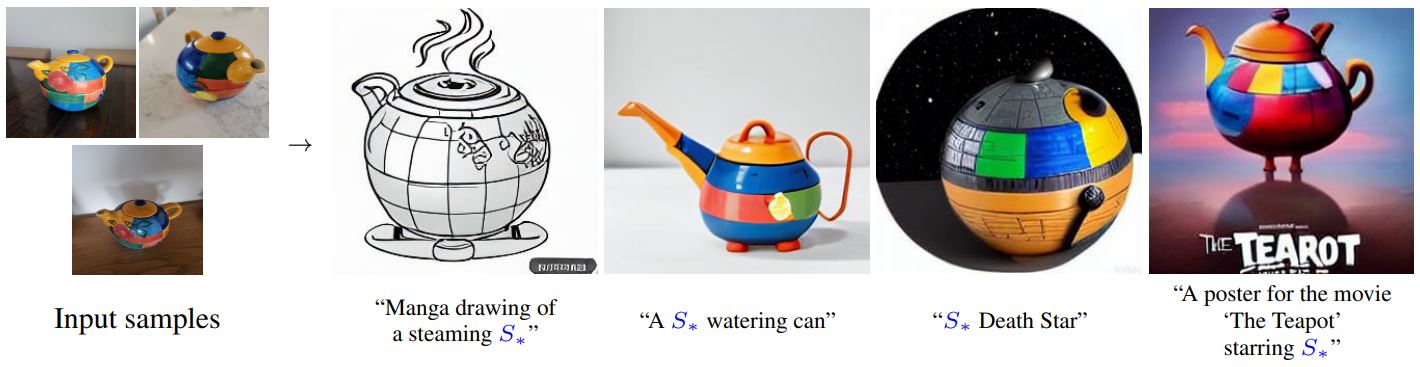
|
||||
<small>By using just 3-5 images you can teach new concepts to a model such as Stable Diffusion for personalized image generation <a href="https://github.com/rinongal/textual_inversion">(image source)</a>.</small>
|
||||
|
||||
이 가이드에서는 textual-inversion으로 [`runwayml/stable-diffusion-v1-5`](https://huggingface.co/runwayml/stable-diffusion-v1-5) 모델을 학습하는 방법을 설명합니다. 이 가이드에서 사용된 모든 textual-inversion 학습 스크립트는 [여기](https://github.com/huggingface/diffusers/tree/main/examples/textual_inversion)에서 확인할 수 있습니다. 내부적으로 어떻게 작동하는지 자세히 살펴보고 싶으시다면 해당 링크를 참조해주시기 바랍니다.
|
||||
이 가이드에서는 textual-inversion으로 [`stable-diffusion-v1-5/stable-diffusion-v1-5`](https://huggingface.co/stable-diffusion-v1-5/stable-diffusion-v1-5) 모델을 학습하는 방법을 설명합니다. 이 가이드에서 사용된 모든 textual-inversion 학습 스크립트는 [여기](https://github.com/huggingface/diffusers/tree/main/examples/textual_inversion)에서 확인할 수 있습니다. 내부적으로 어떻게 작동하는지 자세히 살펴보고 싶으시다면 해당 링크를 참조해주시기 바랍니다.
|
||||
|
||||
<Tip>
|
||||
|
||||
@@ -109,7 +109,7 @@ snapshot_download(
|
||||
<frameworkcontent>
|
||||
<pt>
|
||||
```bash
|
||||
export MODEL_NAME="runwayml/stable-diffusion-v1-5"
|
||||
export MODEL_NAME="stable-diffusion-v1-5/stable-diffusion-v1-5"
|
||||
export DATA_DIR="./cat"
|
||||
|
||||
accelerate launch textual_inversion.py \
|
||||
@@ -199,13 +199,13 @@ textual-inversion 스크립트는 기본적으로 textual-inversion을 통해
|
||||
|
||||
</Tip>
|
||||
|
||||
textual-inversion 임베딩 벡터을 불러오기 위해서는, 먼저 해당 임베딩 벡터를 학습할 때 사용한 모델을 불러와야 합니다. 여기서는 [`runwayml/stable-diffusion-v1-5`](https://huggingface.co/docs/diffusers/training/runwayml/stable-diffusion-v1-5) 모델이 사용되었다고 가정하고 불러오겠습니다.
|
||||
textual-inversion 임베딩 벡터을 불러오기 위해서는, 먼저 해당 임베딩 벡터를 학습할 때 사용한 모델을 불러와야 합니다. 여기서는 [`stable-diffusion-v1-5/stable-diffusion-v1-5`](https://huggingface.co/docs/diffusers/training/stable-diffusion-v1-5/stable-diffusion-v1-5) 모델이 사용되었다고 가정하고 불러오겠습니다.
|
||||
|
||||
```python
|
||||
from diffusers import StableDiffusionPipeline
|
||||
import torch
|
||||
|
||||
model_id = "runwayml/stable-diffusion-v1-5"
|
||||
model_id = "stable-diffusion-v1-5/stable-diffusion-v1-5"
|
||||
pipe = StableDiffusionPipeline.from_pretrained(model_id, torch_dtype=torch.float16).to("cuda")
|
||||
```
|
||||
|
||||
|
||||
@@ -46,7 +46,7 @@ feature_extractor = CLIPImageProcessor.from_pretrained(clip_model_id)
|
||||
clip_model = CLIPModel.from_pretrained(clip_model_id)
|
||||
|
||||
pipeline = DiffusionPipeline.from_pretrained(
|
||||
"runwayml/stable-diffusion-v1-5",
|
||||
"stable-diffusion-v1-5/stable-diffusion-v1-5",
|
||||
custom_pipeline="clip_guided_stable_diffusion",
|
||||
clip_model=clip_model,
|
||||
feature_extractor=feature_extractor,
|
||||
|
||||
@@ -41,7 +41,7 @@ diffusion 모델의 훈련과 추론에 필요한 모든 것은 [`DiffusionPipel
|
||||
```python
|
||||
from diffusers import DiffusionPipeline
|
||||
|
||||
repo_id = "runwayml/stable-diffusion-v1-5"
|
||||
repo_id = "stable-diffusion-v1-5/stable-diffusion-v1-5"
|
||||
pipe = DiffusionPipeline.from_pretrained(repo_id)
|
||||
```
|
||||
|
||||
@@ -50,16 +50,16 @@ pipe = DiffusionPipeline.from_pretrained(repo_id)
|
||||
```python
|
||||
from diffusers import StableDiffusionPipeline
|
||||
|
||||
repo_id = "runwayml/stable-diffusion-v1-5"
|
||||
repo_id = "stable-diffusion-v1-5/stable-diffusion-v1-5"
|
||||
pipe = StableDiffusionPipeline.from_pretrained(repo_id)
|
||||
```
|
||||
|
||||
[CompVis/stable-diffusion-v1-4](https://huggingface.co/CompVis/stable-diffusion-v1-4)이나 [runwayml/stable-diffusion-v1-5](https://huggingface.co/runwayml/stable-diffusion-v1-5) 같은 체크포인트들의 경우, 하나 이상의 다양한 태스크에 활용될 수 있습니다. (예를 들어 위의 두 체크포인트의 경우, text-to-image와 image-to-image에 모두 활용될 수 있습니다.) 만약 이러한 체크포인트들을 기본 설정 태스크가 아닌 다른 태스크에 활용하고자 한다면, 해당 태스크에 대응되는 파이프라인(task-specific pipeline)을 사용해야 합니다.
|
||||
[CompVis/stable-diffusion-v1-4](https://huggingface.co/CompVis/stable-diffusion-v1-4)이나 [stable-diffusion-v1-5/stable-diffusion-v1-5](https://huggingface.co/stable-diffusion-v1-5/stable-diffusion-v1-5) 같은 체크포인트들의 경우, 하나 이상의 다양한 태스크에 활용될 수 있습니다. (예를 들어 위의 두 체크포인트의 경우, text-to-image와 image-to-image에 모두 활용될 수 있습니다.) 만약 이러한 체크포인트들을 기본 설정 태스크가 아닌 다른 태스크에 활용하고자 한다면, 해당 태스크에 대응되는 파이프라인(task-specific pipeline)을 사용해야 합니다.
|
||||
|
||||
```python
|
||||
from diffusers import StableDiffusionImg2ImgPipeline
|
||||
|
||||
repo_id = "runwayml/stable-diffusion-v1-5"
|
||||
repo_id = "stable-diffusion-v1-5/stable-diffusion-v1-5"
|
||||
pipe = StableDiffusionImg2ImgPipeline.from_pretrained(repo_id)
|
||||
```
|
||||
|
||||
@@ -71,7 +71,7 @@ pipe = StableDiffusionImg2ImgPipeline.from_pretrained(repo_id)
|
||||
|
||||
```bash
|
||||
git lfs install
|
||||
git clone https://huggingface.co/runwayml/stable-diffusion-v1-5
|
||||
git clone https://huggingface.co/stable-diffusion-v1-5/stable-diffusion-v1-5
|
||||
```
|
||||
|
||||
그런 다음 해당 로컬 경로를 [`~DiffusionPipeline.from_pretrained`] 메서드에 전달합니다.
|
||||
@@ -100,19 +100,19 @@ stable_diffusion = DiffusionPipeline.from_pretrained(repo_id)
|
||||
```python
|
||||
from diffusers import DiffusionPipeline
|
||||
|
||||
repo_id = "runwayml/stable-diffusion-v1-5"
|
||||
repo_id = "stable-diffusion-v1-5/stable-diffusion-v1-5"
|
||||
stable_diffusion = DiffusionPipeline.from_pretrained(repo_id)
|
||||
stable_diffusion.scheduler.compatibles
|
||||
```
|
||||
|
||||
이번에는 [`SchedulerMixin.from_pretrained`] 메서드를 사용해서, 기존 기본 스케줄러였던 [`PNDMScheduler`]를 보다 우수한 성능의 [`EulerDiscreteScheduler`]로 바꿔봅시다. 스케줄러를 로드할 때는 `subfolder` 인자를 통해, 해당 파이프라인의 리포지토리에서 [스케줄러에 관한 하위폴더](https://huggingface.co/runwayml/stable-diffusion-v1-5/tree/main/scheduler)를 명시해주어야 합니다.
|
||||
이번에는 [`SchedulerMixin.from_pretrained`] 메서드를 사용해서, 기존 기본 스케줄러였던 [`PNDMScheduler`]를 보다 우수한 성능의 [`EulerDiscreteScheduler`]로 바꿔봅시다. 스케줄러를 로드할 때는 `subfolder` 인자를 통해, 해당 파이프라인의 리포지토리에서 [스케줄러에 관한 하위폴더](https://huggingface.co/stable-diffusion-v1-5/stable-diffusion-v1-5/tree/main/scheduler)를 명시해주어야 합니다.
|
||||
|
||||
그 다음 새롭게 생성한 [`EulerDiscreteScheduler`] 인스턴스를 [`DiffusionPipeline`]의 `scheduler` 인자에 전달합니다.
|
||||
|
||||
```python
|
||||
from diffusers import DiffusionPipeline, EulerDiscreteScheduler, DPMSolverMultistepScheduler
|
||||
|
||||
repo_id = "runwayml/stable-diffusion-v1-5"
|
||||
repo_id = "stable-diffusion-v1-5/stable-diffusion-v1-5"
|
||||
|
||||
scheduler = EulerDiscreteScheduler.from_pretrained(repo_id, subfolder="scheduler")
|
||||
|
||||
@@ -126,7 +126,7 @@ stable_diffusion = DiffusionPipeline.from_pretrained(repo_id, scheduler=schedule
|
||||
```python
|
||||
from diffusers import DiffusionPipeline
|
||||
|
||||
repo_id = "runwayml/stable-diffusion-v1-5"
|
||||
repo_id = "stable-diffusion-v1-5/stable-diffusion-v1-5"
|
||||
stable_diffusion = DiffusionPipeline.from_pretrained(repo_id, safety_checker=None)
|
||||
```
|
||||
|
||||
@@ -137,7 +137,7 @@ stable_diffusion = DiffusionPipeline.from_pretrained(repo_id, safety_checker=Non
|
||||
```python
|
||||
from diffusers import StableDiffusionPipeline, StableDiffusionImg2ImgPipeline
|
||||
|
||||
model_id = "runwayml/stable-diffusion-v1-5"
|
||||
model_id = "stable-diffusion-v1-5/stable-diffusion-v1-5"
|
||||
stable_diffusion_txt2img = StableDiffusionPipeline.from_pretrained(model_id)
|
||||
|
||||
components = stable_diffusion_txt2img.components
|
||||
@@ -154,7 +154,7 @@ stable_diffusion_img2img = StableDiffusionImg2ImgPipeline(**components)
|
||||
```python
|
||||
from diffusers import StableDiffusionPipeline, StableDiffusionImg2ImgPipeline
|
||||
|
||||
model_id = "runwayml/stable-diffusion-v1-5"
|
||||
model_id = "stable-diffusion-v1-5/stable-diffusion-v1-5"
|
||||
stable_diffusion_txt2img = StableDiffusionPipeline.from_pretrained(model_id)
|
||||
stable_diffusion_img2img = StableDiffusionImg2ImgPipeline(
|
||||
vae=stable_diffusion_txt2img.vae,
|
||||
@@ -197,10 +197,10 @@ from diffusers import DiffusionPipeline
|
||||
|
||||
# load fp16 variant
|
||||
stable_diffusion = DiffusionPipeline.from_pretrained(
|
||||
"runwayml/stable-diffusion-v1-5", variant="fp16", torch_dtype=torch.float16
|
||||
"stable-diffusion-v1-5/stable-diffusion-v1-5", variant="fp16", torch_dtype=torch.float16
|
||||
)
|
||||
# load non_ema variant
|
||||
stable_diffusion = DiffusionPipeline.from_pretrained("runwayml/stable-diffusion-v1-5", variant="non_ema")
|
||||
stable_diffusion = DiffusionPipeline.from_pretrained("stable-diffusion-v1-5/stable-diffusion-v1-5", variant="non_ema")
|
||||
```
|
||||
|
||||
다른 부동소수점 타입의 가중치 혹은 non-EMA 가중치를 사용하는 체크포인트를 저장하기 위해서는, [`DiffusionPipeline.save_pretrained`] 메서드를 사용해야 하며, 이 때 `variant` 인자를 명시해줘야 합니다. 원래의 체크포인트와 동일한 폴더에 variant를 저장해야 하며, 이렇게 하면 동일한 폴더에서 오리지널 체크포인트과 variant를 모두 불러올 수 있습니다.
|
||||
@@ -209,9 +209,9 @@ stable_diffusion = DiffusionPipeline.from_pretrained("runwayml/stable-diffusion-
|
||||
from diffusers import DiffusionPipeline
|
||||
|
||||
# save as fp16 variant
|
||||
stable_diffusion.save_pretrained("runwayml/stable-diffusion-v1-5", variant="fp16")
|
||||
stable_diffusion.save_pretrained("stable-diffusion-v1-5/stable-diffusion-v1-5", variant="fp16")
|
||||
# save as non-ema variant
|
||||
stable_diffusion.save_pretrained("runwayml/stable-diffusion-v1-5", variant="non_ema")
|
||||
stable_diffusion.save_pretrained("stable-diffusion-v1-5/stable-diffusion-v1-5", variant="non_ema")
|
||||
```
|
||||
|
||||
만약 variant를 기존 폴더에 저장하지 않을 경우, `variant` 인자를 반드시 명시해야 합니다. 그렇게 하지 않을 경우 원래의 오리지널 체크포인트를 찾을 수 없게 되기 때문에 에러가 발생합니다.
|
||||
@@ -229,12 +229,12 @@ stable_diffusion = DiffusionPipeline.from_pretrained(
|
||||
|
||||
모델들은 [`ModelMixin.from_pretrained`] 메서드를 통해 불러올 수 있습니다. 해당 메서드는 최신 버전의 모델 가중치 파일과 설정 파일(configurations)을 다운로드하고 캐싱합니다. 만약 이러한 파일들이 최신 버전으로 로컬 캐시에 저장되어 있다면, [`ModelMixin.from_pretrained`]는 굳이 해당 파일들을 다시 다운로드하지 않으며, 그저 캐시에 있는 최신 파일들을 재사용합니다.
|
||||
|
||||
모델은 `subfolder` 인자에 명시된 하위 폴더로부터 로드됩니다. 예를 들어 `runwayml/stable-diffusion-v1-5`의 UNet 모델의 가중치는 [`unet`](https://huggingface.co/runwayml/stable-diffusion-v1-5/tree/main/unet) 폴더에 저장되어 있습니다.
|
||||
모델은 `subfolder` 인자에 명시된 하위 폴더로부터 로드됩니다. 예를 들어 `stable-diffusion-v1-5/stable-diffusion-v1-5`의 UNet 모델의 가중치는 [`unet`](https://huggingface.co/stable-diffusion-v1-5/stable-diffusion-v1-5/tree/main/unet) 폴더에 저장되어 있습니다.
|
||||
|
||||
```python
|
||||
from diffusers import UNet2DConditionModel
|
||||
|
||||
repo_id = "runwayml/stable-diffusion-v1-5"
|
||||
repo_id = "stable-diffusion-v1-5/stable-diffusion-v1-5"
|
||||
model = UNet2DConditionModel.from_pretrained(repo_id, subfolder="unet")
|
||||
```
|
||||
|
||||
@@ -252,7 +252,7 @@ model = UNet2DModel.from_pretrained(repo_id)
|
||||
```python
|
||||
from diffusers import UNet2DConditionModel
|
||||
|
||||
model = UNet2DConditionModel.from_pretrained("runwayml/stable-diffusion-v1-5", subfolder="unet", variant="non-ema")
|
||||
model = UNet2DConditionModel.from_pretrained("stable-diffusion-v1-5/stable-diffusion-v1-5", subfolder="unet", variant="non-ema")
|
||||
model.save_pretrained("./local-unet", variant="non-ema")
|
||||
```
|
||||
|
||||
@@ -274,7 +274,7 @@ from diffusers import (
|
||||
DPMSolverMultistepScheduler,
|
||||
)
|
||||
|
||||
repo_id = "runwayml/stable-diffusion-v1-5"
|
||||
repo_id = "stable-diffusion-v1-5/stable-diffusion-v1-5"
|
||||
|
||||
ddpm = DDPMScheduler.from_pretrained(repo_id, subfolder="scheduler")
|
||||
ddim = DDIMScheduler.from_pretrained(repo_id, subfolder="scheduler")
|
||||
@@ -295,12 +295,12 @@ pipeline = StableDiffusionPipeline.from_pretrained(repo_id, scheduler=dpm)
|
||||
- 첫째로, `from_pretrained` 메서드는 최신 버전의 파이프라인을 다운로드하고, 캐시에 저장합니다. 이미 로컬 캐시에 최신 버전의 파이프라인이 저장되어 있다면, [`DiffusionPipeline.from_pretrained`]은 해당 파일들을 다시 다운로드하지 않고, 로컬 캐시에 저장되어 있는 파이프라인을 불러옵니다.
|
||||
- `model_index.json` 파일을 통해 체크포인트에 대응되는 적합한 파이프라인 클래스로 불러옵니다.
|
||||
|
||||
파이프라인의 폴더 구조는 해당 파이프라인 클래스의 구조와 직접적으로 일치합니다. 예를 들어 [`StableDiffusionPipeline`] 클래스는 [`runwayml/stable-diffusion-v1-5`](https://huggingface.co/runwayml/stable-diffusion-v1-5) 리포지토리와 대응되는 구조를 갖습니다.
|
||||
파이프라인의 폴더 구조는 해당 파이프라인 클래스의 구조와 직접적으로 일치합니다. 예를 들어 [`StableDiffusionPipeline`] 클래스는 [`stable-diffusion-v1-5/stable-diffusion-v1-5`](https://huggingface.co/stable-diffusion-v1-5/stable-diffusion-v1-5) 리포지토리와 대응되는 구조를 갖습니다.
|
||||
|
||||
```python
|
||||
from diffusers import DiffusionPipeline
|
||||
|
||||
repo_id = "runwayml/stable-diffusion-v1-5"
|
||||
repo_id = "stable-diffusion-v1-5/stable-diffusion-v1-5"
|
||||
pipeline = DiffusionPipeline.from_pretrained(repo_id)
|
||||
print(pipeline)
|
||||
```
|
||||
@@ -348,7 +348,7 @@ StableDiffusionPipeline {
|
||||
}
|
||||
```
|
||||
|
||||
파이프라인 인스턴스의 컴포넌트들을 [`runwayml/stable-diffusion-v1-5`](https://huggingface.co/runwayml/stable-diffusion-v1-5)의 폴더 구조와 비교해볼 경우, 각각의 컴포넌트마다 별도의 폴더가 있음을 확인할 수 있습니다.
|
||||
파이프라인 인스턴스의 컴포넌트들을 [`stable-diffusion-v1-5/stable-diffusion-v1-5`](https://huggingface.co/stable-diffusion-v1-5/stable-diffusion-v1-5)의 폴더 구조와 비교해볼 경우, 각각의 컴포넌트마다 별도의 폴더가 있음을 확인할 수 있습니다.
|
||||
|
||||
```
|
||||
.
|
||||
|
||||
@@ -54,7 +54,7 @@ Textual inversion은 임베딩을 생성하기 때문에 DreamBooth처럼 단독
|
||||
from diffusers import AutoPipelineForText2Image
|
||||
import torch
|
||||
|
||||
pipeline = AutoPipelineForText2Image.from_pretrained("runwayml/stable-diffusion-v1-5", torch_dtype=torch.float16).to("cuda")
|
||||
pipeline = AutoPipelineForText2Image.from_pretrained("stable-diffusion-v1-5/stable-diffusion-v1-5", torch_dtype=torch.float16).to("cuda")
|
||||
```
|
||||
|
||||
이제 [`~loaders.TextualInversionLoaderMixin.load_textual_inversion`] 메서드를 사용하여 textual inversion 임베딩을 불러와 이미지를 생성할 수 있습니다. [sd-concepts-library/gta5-artwork](https://huggingface.co/sd-concepts-library/gta5-artwork) 임베딩을 불러와 보겠습니다. 이를 트리거하려면 프롬프트에 특수 단어 `<gta5-artwork>`를 포함시켜야 합니다:
|
||||
@@ -269,7 +269,7 @@ from diffusers import AutoPipelineForText2Image
|
||||
import torch
|
||||
from diffusers.utils import load_image
|
||||
|
||||
pipeline = AutoPipelineForText2Image.from_pretrained("runwayml/stable-diffusion-v1-5", torch_dtype=torch.float16).to("cuda")
|
||||
pipeline = AutoPipelineForText2Image.from_pretrained("stable-diffusion-v1-5/stable-diffusion-v1-5", torch_dtype=torch.float16).to("cuda")
|
||||
```
|
||||
|
||||
그런 다음 IP-Adapter 가중치를 불러와 [`~loaders.IPAdapterMixin.load_ip_adapter`] 메서드를 사용하여 파이프라인에 추가합니다.
|
||||
@@ -350,7 +350,7 @@ image_encoder = CLIPVisionModelWithProjection.from_pretrained(
|
||||
)
|
||||
|
||||
pipeline = AutoPipelineForText2Image.from_pretrained(
|
||||
"runwayml/stable-diffusion-v1-5",
|
||||
"stable-diffusion-v1-5/stable-diffusion-v1-5",
|
||||
image_encoder=image_encoder,
|
||||
torch_dtype=torch.float16
|
||||
).to("cuda")
|
||||
|
||||
@@ -30,7 +30,7 @@ diffusion 파이프라인은 diffusion 모델, 스케줄러 등의 컴포넌트
|
||||
|
||||
## 파이프라인 불러오기
|
||||
|
||||
먼저 스테이블 diffusion 파이프라인을 불러오도록 해보겠습니다. 물론 스테이블 diffusion을 사용하기 위해서는, 허깅페이스 허브에 등록된 사용자여야 하며, 관련 [라이센스](https://huggingface.co/runwayml/stable-diffusion-v1-5)에 동의해야 한다는 점을 잊지 말아주세요.
|
||||
먼저 스테이블 diffusion 파이프라인을 불러오도록 해보겠습니다. 물론 스테이블 diffusion을 사용하기 위해서는, 허깅페이스 허브에 등록된 사용자여야 하며, 관련 [라이센스](https://huggingface.co/stable-diffusion-v1-5/stable-diffusion-v1-5)에 동의해야 한다는 점을 잊지 말아주세요.
|
||||
|
||||
*역자 주: 다만, 현재 신규로 생성한 허깅페이스 계정에 대해서는 라이센스 동의를 요구하지 않는 것으로 보입니다!*
|
||||
|
||||
@@ -43,7 +43,7 @@ import torch
|
||||
login()
|
||||
|
||||
# Now we can download the pipeline
|
||||
pipeline = DiffusionPipeline.from_pretrained("runwayml/stable-diffusion-v1-5", torch_dtype=torch.float16)
|
||||
pipeline = DiffusionPipeline.from_pretrained("stable-diffusion-v1-5/stable-diffusion-v1-5", torch_dtype=torch.float16)
|
||||
```
|
||||
|
||||
다음으로, GPU로 이동합니다.
|
||||
@@ -288,7 +288,7 @@ from flax.training.common_utils import shard
|
||||
|
||||
from diffusers import FlaxStableDiffusionPipeline, FlaxDPMSolverMultistepScheduler
|
||||
|
||||
model_id = "runwayml/stable-diffusion-v1-5"
|
||||
model_id = "stable-diffusion-v1-5/stable-diffusion-v1-5"
|
||||
scheduler, scheduler_state = FlaxDPMSolverMultistepScheduler.from_pretrained(
|
||||
model_id,
|
||||
subfolder="scheduler"
|
||||
|
||||
@@ -42,7 +42,7 @@ def image_grid(imgs, rows, cols):
|
||||
Stable Diffusion과 [Stable Diffusion Conceptualizer](https://huggingface.co/spaces/sd-concepts-library/stable-diffusion-conceptualizer)에서 사전학습된 컨셉을 선택합니다:
|
||||
|
||||
```py
|
||||
pretrained_model_name_or_path = "runwayml/stable-diffusion-v1-5"
|
||||
pretrained_model_name_or_path = "stable-diffusion-v1-5/stable-diffusion-v1-5"
|
||||
repo_id_embeds = "sd-concepts-library/cat-toy"
|
||||
```
|
||||
|
||||
|
||||
Some files were not shown because too many files have changed in this diff Show More
Reference in New Issue
Block a user