mirror of
https://github.com/huggingface/diffusers.git
synced 2025-12-08 13:34:27 +08:00
Compare commits
26 Commits
add-uv-scr
...
group-offl
| Author | SHA1 | Date | |
|---|---|---|---|

|
289c385d73 | ||
|
|
a2dd339a4d | ||
|
|
ebde934317 | ||
|
|
4854309f51 | ||
|
|
a9e9ef5be2 | ||
|
|
b60bf2dacc | ||
|
|
22e6fc180c | ||
|
|
1d38a30001 | ||
|
|
135934893e | ||
|
|
ace698aa96 | ||
|
|
90e546ada1 | ||
|
|
7d2295567f | ||
|
|
da11656af4 | ||
|
|
68f7580656 | ||
|
|
357226327f | ||
|
|
3c69c5ecc0 | ||
|
|
2d3056180a | ||
|
|
a018ee1e70 | ||
|
|
8029cd7ef0 | ||
|
|
4e4842fb0b | ||
|
|
d8179b10d3 | ||
|
|
0bf55a99d3 | ||
|
|
d32a2c6879 | ||
|
|
278cbc2e47 | ||
|
|
49ac665460 | ||
|
|
e0d5079f9c |
41
.github/workflows/benchmark.yml
vendored
41
.github/workflows/benchmark.yml
vendored
@@ -11,18 +11,17 @@ env:
|
||||
HF_HOME: /mnt/cache
|
||||
OMP_NUM_THREADS: 8
|
||||
MKL_NUM_THREADS: 8
|
||||
BASE_PATH: benchmark_outputs
|
||||
|
||||
jobs:
|
||||
torch_models_cuda_benchmark_tests:
|
||||
torch_pipelines_cuda_benchmark_tests:
|
||||
env:
|
||||
SLACK_WEBHOOK_URL: ${{ secrets.SLACK_WEBHOOK_URL_BENCHMARK }}
|
||||
name: Torch Core Models CUDA Benchmarking Tests
|
||||
name: Torch Core Pipelines CUDA Benchmarking Tests
|
||||
strategy:
|
||||
fail-fast: false
|
||||
max-parallel: 1
|
||||
runs-on:
|
||||
group: aws-g6e-4xlarge
|
||||
group: aws-g6-4xlarge-plus
|
||||
container:
|
||||
image: diffusers/diffusers-pytorch-cuda
|
||||
options: --shm-size "16gb" --ipc host --gpus 0
|
||||
@@ -36,47 +35,27 @@ jobs:
|
||||
nvidia-smi
|
||||
- name: Install dependencies
|
||||
run: |
|
||||
apt update
|
||||
apt install -y libpq-dev postgresql-client
|
||||
python -m venv /opt/venv && export PATH="/opt/venv/bin:$PATH"
|
||||
python -m uv pip install -e [quality,test]
|
||||
python -m uv pip install -r benchmarks/requirements.txt
|
||||
python -m uv pip install pandas peft
|
||||
python -m uv pip uninstall transformers && python -m uv pip install transformers==4.48.0
|
||||
- name: Environment
|
||||
run: |
|
||||
python utils/print_env.py
|
||||
- name: Diffusers Benchmarking
|
||||
env:
|
||||
HF_TOKEN: ${{ secrets.DIFFUSERS_HF_HUB_READ_TOKEN }}
|
||||
HF_TOKEN: ${{ secrets.DIFFUSERS_BOT_TOKEN }}
|
||||
BASE_PATH: benchmark_outputs
|
||||
run: |
|
||||
cd benchmarks && python run_all.py
|
||||
|
||||
- name: Push results to the Hub
|
||||
env:
|
||||
HF_TOKEN: ${{ secrets.DIFFUSERS_BOT_TOKEN }}
|
||||
run: |
|
||||
cd benchmarks && python push_results.py
|
||||
mkdir $BASE_PATH && cp *.csv $BASE_PATH
|
||||
export TOTAL_GPU_MEMORY=$(python -c "import torch; print(torch.cuda.get_device_properties(0).total_memory / (1024**3))")
|
||||
cd benchmarks && mkdir ${BASE_PATH} && python run_all.py && python push_results.py
|
||||
|
||||
- name: Test suite reports artifacts
|
||||
if: ${{ always() }}
|
||||
uses: actions/upload-artifact@v4
|
||||
with:
|
||||
name: benchmark_test_reports
|
||||
path: benchmarks/${{ env.BASE_PATH }}
|
||||
|
||||
# TODO: enable this once the connection problem has been resolved.
|
||||
- name: Update benchmarking results to DB
|
||||
env:
|
||||
PGDATABASE: metrics
|
||||
PGHOST: ${{ secrets.DIFFUSERS_BENCHMARKS_PGHOST }}
|
||||
PGUSER: transformers_benchmarks
|
||||
PGPASSWORD: ${{ secrets.DIFFUSERS_BENCHMARKS_PGPASSWORD }}
|
||||
BRANCH_NAME: ${{ github.head_ref || github.ref_name }}
|
||||
run: |
|
||||
git config --global --add safe.directory /__w/diffusers/diffusers
|
||||
commit_id=$GITHUB_SHA
|
||||
commit_msg=$(git show -s --format=%s "$commit_id" | cut -c1-70)
|
||||
cd benchmarks && python populate_into_db.py "$BRANCH_NAME" "$commit_id" "$commit_msg"
|
||||
path: benchmarks/benchmark_outputs
|
||||
|
||||
- name: Report success status
|
||||
if: ${{ success() }}
|
||||
|
||||
4
.github/workflows/build_docker_images.yml
vendored
4
.github/workflows/build_docker_images.yml
vendored
@@ -75,6 +75,10 @@ jobs:
|
||||
- diffusers-pytorch-cuda
|
||||
- diffusers-pytorch-xformers-cuda
|
||||
- diffusers-pytorch-minimum-cuda
|
||||
- diffusers-flax-cpu
|
||||
- diffusers-flax-tpu
|
||||
- diffusers-onnxruntime-cpu
|
||||
- diffusers-onnxruntime-cuda
|
||||
- diffusers-doc-builder
|
||||
|
||||
steps:
|
||||
|
||||
@@ -79,14 +79,14 @@ jobs:
|
||||
|
||||
# Check secret is set
|
||||
- name: whoami
|
||||
run: hf auth whoami
|
||||
run: huggingface-cli whoami
|
||||
env:
|
||||
HF_TOKEN: ${{ secrets.HF_TOKEN_MIRROR_COMMUNITY_PIPELINES }}
|
||||
|
||||
# Push to HF! (under subfolder based on checkout ref)
|
||||
# https://huggingface.co/datasets/diffusers/community-pipelines-mirror
|
||||
- name: Mirror community pipeline to HF
|
||||
run: hf upload diffusers/community-pipelines-mirror ./examples/community ${PATH_IN_REPO} --repo-type dataset
|
||||
run: huggingface-cli upload diffusers/community-pipelines-mirror ./examples/community ${PATH_IN_REPO} --repo-type dataset
|
||||
env:
|
||||
PATH_IN_REPO: ${{ env.PATH_IN_REPO }}
|
||||
HF_TOKEN: ${{ secrets.HF_TOKEN_MIRROR_COMMUNITY_PIPELINES }}
|
||||
|
||||
106
.github/workflows/nightly_tests.yml
vendored
106
.github/workflows/nightly_tests.yml
vendored
@@ -248,7 +248,7 @@ jobs:
|
||||
BIG_GPU_MEMORY: 40
|
||||
run: |
|
||||
python -m pytest -n 1 --max-worker-restart=0 --dist=loadfile \
|
||||
-m "big_accelerator" \
|
||||
-m "big_gpu_with_torch_cuda" \
|
||||
--make-reports=tests_big_gpu_torch_cuda \
|
||||
--report-log=tests_big_gpu_torch_cuda.log \
|
||||
tests/
|
||||
@@ -321,6 +321,55 @@ jobs:
|
||||
name: torch_minimum_version_cuda_test_reports
|
||||
path: reports
|
||||
|
||||
run_nightly_onnx_tests:
|
||||
name: Nightly ONNXRuntime CUDA tests on Ubuntu
|
||||
runs-on:
|
||||
group: aws-g4dn-2xlarge
|
||||
container:
|
||||
image: diffusers/diffusers-onnxruntime-cuda
|
||||
options: --gpus 0 --shm-size "16gb" --ipc host
|
||||
|
||||
steps:
|
||||
- name: Checkout diffusers
|
||||
uses: actions/checkout@v3
|
||||
with:
|
||||
fetch-depth: 2
|
||||
|
||||
- name: NVIDIA-SMI
|
||||
run: nvidia-smi
|
||||
|
||||
- name: Install dependencies
|
||||
run: |
|
||||
python -m venv /opt/venv && export PATH="/opt/venv/bin:$PATH"
|
||||
python -m uv pip install -e [quality,test]
|
||||
pip uninstall accelerate -y && python -m uv pip install -U accelerate@git+https://github.com/huggingface/accelerate.git
|
||||
python -m uv pip install pytest-reportlog
|
||||
- name: Environment
|
||||
run: python utils/print_env.py
|
||||
|
||||
- name: Run Nightly ONNXRuntime CUDA tests
|
||||
env:
|
||||
HF_TOKEN: ${{ secrets.DIFFUSERS_HF_HUB_READ_TOKEN }}
|
||||
run: |
|
||||
python -m pytest -n 1 --max-worker-restart=0 --dist=loadfile \
|
||||
-s -v -k "Onnx" \
|
||||
--make-reports=tests_onnx_cuda \
|
||||
--report-log=tests_onnx_cuda.log \
|
||||
tests/
|
||||
|
||||
- name: Failure short reports
|
||||
if: ${{ failure() }}
|
||||
run: |
|
||||
cat reports/tests_onnx_cuda_stats.txt
|
||||
cat reports/tests_onnx_cuda_failures_short.txt
|
||||
|
||||
- name: Test suite reports artifacts
|
||||
if: ${{ always() }}
|
||||
uses: actions/upload-artifact@v4
|
||||
with:
|
||||
name: tests_onnx_cuda_reports
|
||||
path: reports
|
||||
|
||||
run_nightly_quantization_tests:
|
||||
name: Torch quantization nightly tests
|
||||
strategy:
|
||||
@@ -436,6 +485,57 @@ jobs:
|
||||
name: torch_cuda_pipeline_level_quant_reports
|
||||
path: reports
|
||||
|
||||
run_flax_tpu_tests:
|
||||
name: Nightly Flax TPU Tests
|
||||
runs-on:
|
||||
group: gcp-ct5lp-hightpu-8t
|
||||
if: github.event_name == 'schedule'
|
||||
|
||||
container:
|
||||
image: diffusers/diffusers-flax-tpu
|
||||
options: --shm-size "16gb" --ipc host --privileged ${{ vars.V5_LITEPOD_8_ENV}} -v /mnt/hf_cache:/mnt/hf_cache
|
||||
defaults:
|
||||
run:
|
||||
shell: bash
|
||||
steps:
|
||||
- name: Checkout diffusers
|
||||
uses: actions/checkout@v3
|
||||
with:
|
||||
fetch-depth: 2
|
||||
|
||||
- name: Install dependencies
|
||||
run: |
|
||||
python -m venv /opt/venv && export PATH="/opt/venv/bin:$PATH"
|
||||
python -m uv pip install -e [quality,test]
|
||||
pip uninstall accelerate -y && python -m uv pip install -U accelerate@git+https://github.com/huggingface/accelerate.git
|
||||
python -m uv pip install pytest-reportlog
|
||||
|
||||
- name: Environment
|
||||
run: python utils/print_env.py
|
||||
|
||||
- name: Run nightly Flax TPU tests
|
||||
env:
|
||||
HF_TOKEN: ${{ secrets.DIFFUSERS_HF_HUB_READ_TOKEN }}
|
||||
run: |
|
||||
python -m pytest -n 0 \
|
||||
-s -v -k "Flax" \
|
||||
--make-reports=tests_flax_tpu \
|
||||
--report-log=tests_flax_tpu.log \
|
||||
tests/
|
||||
|
||||
- name: Failure short reports
|
||||
if: ${{ failure() }}
|
||||
run: |
|
||||
cat reports/tests_flax_tpu_stats.txt
|
||||
cat reports/tests_flax_tpu_failures_short.txt
|
||||
|
||||
- name: Test suite reports artifacts
|
||||
if: ${{ always() }}
|
||||
uses: actions/upload-artifact@v4
|
||||
with:
|
||||
name: flax_tpu_test_reports
|
||||
path: reports
|
||||
|
||||
generate_consolidated_report:
|
||||
name: Generate Consolidated Test Report
|
||||
needs: [
|
||||
@@ -445,9 +545,9 @@ jobs:
|
||||
run_big_gpu_torch_tests,
|
||||
run_nightly_quantization_tests,
|
||||
run_nightly_pipeline_level_quantization_tests,
|
||||
# run_nightly_onnx_tests,
|
||||
run_nightly_onnx_tests,
|
||||
torch_minimum_version_cuda_tests,
|
||||
# run_flax_tpu_tests
|
||||
run_flax_tpu_tests
|
||||
]
|
||||
if: always()
|
||||
runs-on:
|
||||
|
||||
14
.github/workflows/pr_tests.yml
vendored
14
.github/workflows/pr_tests.yml
vendored
@@ -87,6 +87,11 @@ jobs:
|
||||
runner: aws-general-8-plus
|
||||
image: diffusers/diffusers-pytorch-cpu
|
||||
report: torch_cpu_models_schedulers
|
||||
- name: Fast Flax CPU tests
|
||||
framework: flax
|
||||
runner: aws-general-8-plus
|
||||
image: diffusers/diffusers-flax-cpu
|
||||
report: flax_cpu
|
||||
- name: PyTorch Example CPU tests
|
||||
framework: pytorch_examples
|
||||
runner: aws-general-8-plus
|
||||
@@ -142,6 +147,15 @@ jobs:
|
||||
--make-reports=tests_${{ matrix.config.report }} \
|
||||
tests/models tests/schedulers tests/others
|
||||
|
||||
- name: Run fast Flax TPU tests
|
||||
if: ${{ matrix.config.framework == 'flax' }}
|
||||
run: |
|
||||
python -m venv /opt/venv && export PATH="/opt/venv/bin:$PATH"
|
||||
python -m pytest -n 4 --max-worker-restart=0 --dist=loadfile \
|
||||
-s -v -k "Flax" \
|
||||
--make-reports=tests_${{ matrix.config.report }} \
|
||||
tests
|
||||
|
||||
- name: Run example PyTorch CPU tests
|
||||
if: ${{ matrix.config.framework == 'pytorch_examples' }}
|
||||
run: |
|
||||
|
||||
3
.github/workflows/pr_tests_gpu.yml
vendored
3
.github/workflows/pr_tests_gpu.yml
vendored
@@ -13,7 +13,6 @@ on:
|
||||
- "src/diffusers/loaders/peft.py"
|
||||
- "tests/pipelines/test_pipelines_common.py"
|
||||
- "tests/models/test_modeling_common.py"
|
||||
- "examples/**/*.py"
|
||||
workflow_dispatch:
|
||||
|
||||
concurrency:
|
||||
@@ -189,7 +188,7 @@ jobs:
|
||||
shell: bash
|
||||
strategy:
|
||||
fail-fast: false
|
||||
max-parallel: 4
|
||||
max-parallel: 2
|
||||
matrix:
|
||||
module: [models, schedulers, lora, others]
|
||||
steps:
|
||||
|
||||
96
.github/workflows/push_tests.yml
vendored
96
.github/workflows/push_tests.yml
vendored
@@ -159,6 +159,102 @@ jobs:
|
||||
name: torch_cuda_test_reports_${{ matrix.module }}
|
||||
path: reports
|
||||
|
||||
flax_tpu_tests:
|
||||
name: Flax TPU Tests
|
||||
runs-on:
|
||||
group: gcp-ct5lp-hightpu-8t
|
||||
container:
|
||||
image: diffusers/diffusers-flax-tpu
|
||||
options: --shm-size "16gb" --ipc host --privileged ${{ vars.V5_LITEPOD_8_ENV}} -v /mnt/hf_cache:/mnt/hf_cache
|
||||
defaults:
|
||||
run:
|
||||
shell: bash
|
||||
steps:
|
||||
- name: Checkout diffusers
|
||||
uses: actions/checkout@v3
|
||||
with:
|
||||
fetch-depth: 2
|
||||
|
||||
- name: Install dependencies
|
||||
run: |
|
||||
python -m venv /opt/venv && export PATH="/opt/venv/bin:$PATH"
|
||||
python -m uv pip install -e [quality,test]
|
||||
pip uninstall accelerate -y && python -m uv pip install -U accelerate@git+https://github.com/huggingface/accelerate.git
|
||||
|
||||
- name: Environment
|
||||
run: |
|
||||
python utils/print_env.py
|
||||
|
||||
- name: Run Flax TPU tests
|
||||
env:
|
||||
HF_TOKEN: ${{ secrets.DIFFUSERS_HF_HUB_READ_TOKEN }}
|
||||
run: |
|
||||
python -m pytest -n 0 \
|
||||
-s -v -k "Flax" \
|
||||
--make-reports=tests_flax_tpu \
|
||||
tests/
|
||||
|
||||
- name: Failure short reports
|
||||
if: ${{ failure() }}
|
||||
run: |
|
||||
cat reports/tests_flax_tpu_stats.txt
|
||||
cat reports/tests_flax_tpu_failures_short.txt
|
||||
|
||||
- name: Test suite reports artifacts
|
||||
if: ${{ always() }}
|
||||
uses: actions/upload-artifact@v4
|
||||
with:
|
||||
name: flax_tpu_test_reports
|
||||
path: reports
|
||||
|
||||
onnx_cuda_tests:
|
||||
name: ONNX CUDA Tests
|
||||
runs-on:
|
||||
group: aws-g4dn-2xlarge
|
||||
container:
|
||||
image: diffusers/diffusers-onnxruntime-cuda
|
||||
options: --shm-size "16gb" --ipc host -v /mnt/cache/.cache/huggingface:/mnt/cache/ --gpus 0
|
||||
defaults:
|
||||
run:
|
||||
shell: bash
|
||||
steps:
|
||||
- name: Checkout diffusers
|
||||
uses: actions/checkout@v3
|
||||
with:
|
||||
fetch-depth: 2
|
||||
|
||||
- name: Install dependencies
|
||||
run: |
|
||||
python -m venv /opt/venv && export PATH="/opt/venv/bin:$PATH"
|
||||
python -m uv pip install -e [quality,test]
|
||||
pip uninstall accelerate -y && python -m uv pip install -U accelerate@git+https://github.com/huggingface/accelerate.git
|
||||
|
||||
- name: Environment
|
||||
run: |
|
||||
python utils/print_env.py
|
||||
|
||||
- name: Run ONNXRuntime CUDA tests
|
||||
env:
|
||||
HF_TOKEN: ${{ secrets.DIFFUSERS_HF_HUB_READ_TOKEN }}
|
||||
run: |
|
||||
python -m pytest -n 1 --max-worker-restart=0 --dist=loadfile \
|
||||
-s -v -k "Onnx" \
|
||||
--make-reports=tests_onnx_cuda \
|
||||
tests/
|
||||
|
||||
- name: Failure short reports
|
||||
if: ${{ failure() }}
|
||||
run: |
|
||||
cat reports/tests_onnx_cuda_stats.txt
|
||||
cat reports/tests_onnx_cuda_failures_short.txt
|
||||
|
||||
- name: Test suite reports artifacts
|
||||
if: ${{ always() }}
|
||||
uses: actions/upload-artifact@v4
|
||||
with:
|
||||
name: onnx_cuda_test_reports
|
||||
path: reports
|
||||
|
||||
run_torch_compile_tests:
|
||||
name: PyTorch Compile CUDA tests
|
||||
|
||||
|
||||
28
.github/workflows/push_tests_fast.yml
vendored
28
.github/workflows/push_tests_fast.yml
vendored
@@ -33,6 +33,16 @@ jobs:
|
||||
runner: aws-general-8-plus
|
||||
image: diffusers/diffusers-pytorch-cpu
|
||||
report: torch_cpu
|
||||
- name: Fast Flax CPU tests on Ubuntu
|
||||
framework: flax
|
||||
runner: aws-general-8-plus
|
||||
image: diffusers/diffusers-flax-cpu
|
||||
report: flax_cpu
|
||||
- name: Fast ONNXRuntime CPU tests on Ubuntu
|
||||
framework: onnxruntime
|
||||
runner: aws-general-8-plus
|
||||
image: diffusers/diffusers-onnxruntime-cpu
|
||||
report: onnx_cpu
|
||||
- name: PyTorch Example CPU tests on Ubuntu
|
||||
framework: pytorch_examples
|
||||
runner: aws-general-8-plus
|
||||
@@ -77,6 +87,24 @@ jobs:
|
||||
--make-reports=tests_${{ matrix.config.report }} \
|
||||
tests/
|
||||
|
||||
- name: Run fast Flax TPU tests
|
||||
if: ${{ matrix.config.framework == 'flax' }}
|
||||
run: |
|
||||
python -m venv /opt/venv && export PATH="/opt/venv/bin:$PATH"
|
||||
python -m pytest -n 4 --max-worker-restart=0 --dist=loadfile \
|
||||
-s -v -k "Flax" \
|
||||
--make-reports=tests_${{ matrix.config.report }} \
|
||||
tests/
|
||||
|
||||
- name: Run fast ONNXRuntime CPU tests
|
||||
if: ${{ matrix.config.framework == 'onnxruntime' }}
|
||||
run: |
|
||||
python -m venv /opt/venv && export PATH="/opt/venv/bin:$PATH"
|
||||
python -m pytest -n 4 --max-worker-restart=0 --dist=loadfile \
|
||||
-s -v -k "Onnx" \
|
||||
--make-reports=tests_${{ matrix.config.report }} \
|
||||
tests/
|
||||
|
||||
- name: Run example PyTorch CPU tests
|
||||
if: ${{ matrix.config.framework == 'pytorch_examples' }}
|
||||
run: |
|
||||
|
||||
7
.github/workflows/push_tests_mps.yml
vendored
7
.github/workflows/push_tests_mps.yml
vendored
@@ -1,7 +1,12 @@
|
||||
name: Fast mps tests on main
|
||||
|
||||
on:
|
||||
workflow_dispatch:
|
||||
push:
|
||||
branches:
|
||||
- main
|
||||
paths:
|
||||
- "src/diffusers/**.py"
|
||||
- "tests/**.py"
|
||||
|
||||
env:
|
||||
DIFFUSERS_IS_CI: yes
|
||||
|
||||
95
.github/workflows/release_tests_fast.yml
vendored
95
.github/workflows/release_tests_fast.yml
vendored
@@ -213,6 +213,101 @@ jobs:
|
||||
with:
|
||||
name: torch_minimum_version_cuda_test_reports
|
||||
path: reports
|
||||
|
||||
flax_tpu_tests:
|
||||
name: Flax TPU Tests
|
||||
runs-on: docker-tpu
|
||||
container:
|
||||
image: diffusers/diffusers-flax-tpu
|
||||
options: --shm-size "16gb" --ipc host -v /mnt/cache/.cache/huggingface:/mnt/cache/ --privileged
|
||||
defaults:
|
||||
run:
|
||||
shell: bash
|
||||
steps:
|
||||
- name: Checkout diffusers
|
||||
uses: actions/checkout@v3
|
||||
with:
|
||||
fetch-depth: 2
|
||||
|
||||
- name: Install dependencies
|
||||
run: |
|
||||
python -m venv /opt/venv && export PATH="/opt/venv/bin:$PATH"
|
||||
python -m uv pip install -e [quality,test]
|
||||
pip uninstall accelerate -y && python -m uv pip install -U accelerate@git+https://github.com/huggingface/accelerate.git
|
||||
|
||||
- name: Environment
|
||||
run: |
|
||||
python utils/print_env.py
|
||||
|
||||
- name: Run slow Flax TPU tests
|
||||
env:
|
||||
HF_TOKEN: ${{ secrets.DIFFUSERS_HF_HUB_READ_TOKEN }}
|
||||
run: |
|
||||
python -m pytest -n 0 \
|
||||
-s -v -k "Flax" \
|
||||
--make-reports=tests_flax_tpu \
|
||||
tests/
|
||||
|
||||
- name: Failure short reports
|
||||
if: ${{ failure() }}
|
||||
run: |
|
||||
cat reports/tests_flax_tpu_stats.txt
|
||||
cat reports/tests_flax_tpu_failures_short.txt
|
||||
|
||||
- name: Test suite reports artifacts
|
||||
if: ${{ always() }}
|
||||
uses: actions/upload-artifact@v4
|
||||
with:
|
||||
name: flax_tpu_test_reports
|
||||
path: reports
|
||||
|
||||
onnx_cuda_tests:
|
||||
name: ONNX CUDA Tests
|
||||
runs-on:
|
||||
group: aws-g4dn-2xlarge
|
||||
container:
|
||||
image: diffusers/diffusers-onnxruntime-cuda
|
||||
options: --shm-size "16gb" --ipc host -v /mnt/cache/.cache/huggingface:/mnt/cache/ --gpus 0
|
||||
defaults:
|
||||
run:
|
||||
shell: bash
|
||||
steps:
|
||||
- name: Checkout diffusers
|
||||
uses: actions/checkout@v3
|
||||
with:
|
||||
fetch-depth: 2
|
||||
|
||||
- name: Install dependencies
|
||||
run: |
|
||||
python -m venv /opt/venv && export PATH="/opt/venv/bin:$PATH"
|
||||
python -m uv pip install -e [quality,test]
|
||||
pip uninstall accelerate -y && python -m uv pip install -U accelerate@git+https://github.com/huggingface/accelerate.git
|
||||
|
||||
- name: Environment
|
||||
run: |
|
||||
python utils/print_env.py
|
||||
|
||||
- name: Run slow ONNXRuntime CUDA tests
|
||||
env:
|
||||
HF_TOKEN: ${{ secrets.DIFFUSERS_HF_HUB_READ_TOKEN }}
|
||||
run: |
|
||||
python -m pytest -n 1 --max-worker-restart=0 --dist=loadfile \
|
||||
-s -v -k "Onnx" \
|
||||
--make-reports=tests_onnx_cuda \
|
||||
tests/
|
||||
|
||||
- name: Failure short reports
|
||||
if: ${{ failure() }}
|
||||
run: |
|
||||
cat reports/tests_onnx_cuda_stats.txt
|
||||
cat reports/tests_onnx_cuda_failures_short.txt
|
||||
|
||||
- name: Test suite reports artifacts
|
||||
if: ${{ always() }}
|
||||
uses: actions/upload-artifact@v4
|
||||
with:
|
||||
name: onnx_cuda_test_reports
|
||||
path: reports
|
||||
|
||||
run_torch_compile_tests:
|
||||
name: PyTorch Compile CUDA tests
|
||||
|
||||
@@ -1,69 +0,0 @@
|
||||
# Diffusers Benchmarks
|
||||
|
||||
Welcome to Diffusers Benchmarks. These benchmarks are use to obtain latency and memory information of the most popular models across different scenarios such as:
|
||||
|
||||
* Base case i.e., when using `torch.bfloat16` and `torch.nn.functional.scaled_dot_product_attention`.
|
||||
* Base + `torch.compile()`
|
||||
* NF4 quantization
|
||||
* Layerwise upcasting
|
||||
|
||||
Instead of full diffusion pipelines, only the forward pass of the respective model classes (such as `FluxTransformer2DModel`) is tested with the real checkpoints (such as `"black-forest-labs/FLUX.1-dev"`).
|
||||
|
||||
The entrypoint to running all the currently available benchmarks is in `run_all.py`. However, one can run the individual benchmarks, too, e.g., `python benchmarking_flux.py`. It should produce a CSV file containing various information about the benchmarks run.
|
||||
|
||||
The benchmarks are run on a weekly basis and the CI is defined in [benchmark.yml](../.github/workflows/benchmark.yml).
|
||||
|
||||
## Running the benchmarks manually
|
||||
|
||||
First set up `torch` and install `diffusers` from the root of the directory:
|
||||
|
||||
```py
|
||||
pip install -e ".[quality,test]"
|
||||
```
|
||||
|
||||
Then make sure the other dependencies are installed:
|
||||
|
||||
```sh
|
||||
cd benchmarks/
|
||||
pip install -r requirements.txt
|
||||
```
|
||||
|
||||
We need to be authenticated to access some of the checkpoints used during benchmarking:
|
||||
|
||||
```sh
|
||||
hf auth login
|
||||
```
|
||||
|
||||
We use an L40 GPU with 128GB RAM to run the benchmark CI. As such, the benchmarks are configured to run on NVIDIA GPUs. So, make sure you have access to a similar machine (or modify the benchmarking scripts accordingly).
|
||||
|
||||
Then you can either launch the entire benchmarking suite by running:
|
||||
|
||||
```sh
|
||||
python run_all.py
|
||||
```
|
||||
|
||||
Or, you can run the individual benchmarks.
|
||||
|
||||
## Customizing the benchmarks
|
||||
|
||||
We define "scenarios" to cover the most common ways in which these models are used. You can
|
||||
define a new scenario, modifying an existing benchmark file:
|
||||
|
||||
```py
|
||||
BenchmarkScenario(
|
||||
name=f"{CKPT_ID}-bnb-8bit",
|
||||
model_cls=FluxTransformer2DModel,
|
||||
model_init_kwargs={
|
||||
"pretrained_model_name_or_path": CKPT_ID,
|
||||
"torch_dtype": torch.bfloat16,
|
||||
"subfolder": "transformer",
|
||||
"quantization_config": BitsAndBytesConfig(load_in_8bit=True),
|
||||
},
|
||||
get_model_input_dict=partial(get_input_dict, device=torch_device, dtype=torch.bfloat16),
|
||||
model_init_fn=model_init_fn,
|
||||
)
|
||||
```
|
||||
|
||||
You can also configure a new model-level benchmark and add it to the existing suite. To do so, just defining a valid benchmarking file like `benchmarking_flux.py` should be enough.
|
||||
|
||||
Happy benchmarking 🧨
|
||||
346
benchmarks/base_classes.py
Normal file
346
benchmarks/base_classes.py
Normal file
@@ -0,0 +1,346 @@
|
||||
import os
|
||||
import sys
|
||||
|
||||
import torch
|
||||
|
||||
from diffusers import (
|
||||
AutoPipelineForImage2Image,
|
||||
AutoPipelineForInpainting,
|
||||
AutoPipelineForText2Image,
|
||||
ControlNetModel,
|
||||
LCMScheduler,
|
||||
StableDiffusionAdapterPipeline,
|
||||
StableDiffusionControlNetPipeline,
|
||||
StableDiffusionXLAdapterPipeline,
|
||||
StableDiffusionXLControlNetPipeline,
|
||||
T2IAdapter,
|
||||
WuerstchenCombinedPipeline,
|
||||
)
|
||||
from diffusers.utils import load_image
|
||||
|
||||
|
||||
sys.path.append(".")
|
||||
|
||||
from utils import ( # noqa: E402
|
||||
BASE_PATH,
|
||||
PROMPT,
|
||||
BenchmarkInfo,
|
||||
benchmark_fn,
|
||||
bytes_to_giga_bytes,
|
||||
flush,
|
||||
generate_csv_dict,
|
||||
write_to_csv,
|
||||
)
|
||||
|
||||
|
||||
RESOLUTION_MAPPING = {
|
||||
"Lykon/DreamShaper": (512, 512),
|
||||
"lllyasviel/sd-controlnet-canny": (512, 512),
|
||||
"diffusers/controlnet-canny-sdxl-1.0": (1024, 1024),
|
||||
"TencentARC/t2iadapter_canny_sd14v1": (512, 512),
|
||||
"TencentARC/t2i-adapter-canny-sdxl-1.0": (1024, 1024),
|
||||
"stabilityai/stable-diffusion-2-1": (768, 768),
|
||||
"stabilityai/stable-diffusion-xl-base-1.0": (1024, 1024),
|
||||
"stabilityai/stable-diffusion-xl-refiner-1.0": (1024, 1024),
|
||||
"stabilityai/sdxl-turbo": (512, 512),
|
||||
}
|
||||
|
||||
|
||||
class BaseBenchmak:
|
||||
pipeline_class = None
|
||||
|
||||
def __init__(self, args):
|
||||
super().__init__()
|
||||
|
||||
def run_inference(self, args):
|
||||
raise NotImplementedError
|
||||
|
||||
def benchmark(self, args):
|
||||
raise NotImplementedError
|
||||
|
||||
def get_result_filepath(self, args):
|
||||
pipeline_class_name = str(self.pipe.__class__.__name__)
|
||||
name = (
|
||||
args.ckpt.replace("/", "_")
|
||||
+ "_"
|
||||
+ pipeline_class_name
|
||||
+ f"-bs@{args.batch_size}-steps@{args.num_inference_steps}-mco@{args.model_cpu_offload}-compile@{args.run_compile}.csv"
|
||||
)
|
||||
filepath = os.path.join(BASE_PATH, name)
|
||||
return filepath
|
||||
|
||||
|
||||
class TextToImageBenchmark(BaseBenchmak):
|
||||
pipeline_class = AutoPipelineForText2Image
|
||||
|
||||
def __init__(self, args):
|
||||
pipe = self.pipeline_class.from_pretrained(args.ckpt, torch_dtype=torch.float16)
|
||||
pipe = pipe.to("cuda")
|
||||
|
||||
if args.run_compile:
|
||||
if not isinstance(pipe, WuerstchenCombinedPipeline):
|
||||
pipe.unet.to(memory_format=torch.channels_last)
|
||||
print("Run torch compile")
|
||||
pipe.unet = torch.compile(pipe.unet, mode="reduce-overhead", fullgraph=True)
|
||||
|
||||
if hasattr(pipe, "movq") and getattr(pipe, "movq", None) is not None:
|
||||
pipe.movq.to(memory_format=torch.channels_last)
|
||||
pipe.movq = torch.compile(pipe.movq, mode="reduce-overhead", fullgraph=True)
|
||||
else:
|
||||
print("Run torch compile")
|
||||
pipe.decoder = torch.compile(pipe.decoder, mode="reduce-overhead", fullgraph=True)
|
||||
pipe.vqgan = torch.compile(pipe.vqgan, mode="reduce-overhead", fullgraph=True)
|
||||
|
||||
pipe.set_progress_bar_config(disable=True)
|
||||
self.pipe = pipe
|
||||
|
||||
def run_inference(self, pipe, args):
|
||||
_ = pipe(
|
||||
prompt=PROMPT,
|
||||
num_inference_steps=args.num_inference_steps,
|
||||
num_images_per_prompt=args.batch_size,
|
||||
)
|
||||
|
||||
def benchmark(self, args):
|
||||
flush()
|
||||
|
||||
print(f"[INFO] {self.pipe.__class__.__name__}: Running benchmark with: {vars(args)}\n")
|
||||
|
||||
time = benchmark_fn(self.run_inference, self.pipe, args) # in seconds.
|
||||
memory = bytes_to_giga_bytes(torch.cuda.max_memory_allocated()) # in GBs.
|
||||
benchmark_info = BenchmarkInfo(time=time, memory=memory)
|
||||
|
||||
pipeline_class_name = str(self.pipe.__class__.__name__)
|
||||
flush()
|
||||
csv_dict = generate_csv_dict(
|
||||
pipeline_cls=pipeline_class_name, ckpt=args.ckpt, args=args, benchmark_info=benchmark_info
|
||||
)
|
||||
filepath = self.get_result_filepath(args)
|
||||
write_to_csv(filepath, csv_dict)
|
||||
print(f"Logs written to: {filepath}")
|
||||
flush()
|
||||
|
||||
|
||||
class TurboTextToImageBenchmark(TextToImageBenchmark):
|
||||
def __init__(self, args):
|
||||
super().__init__(args)
|
||||
|
||||
def run_inference(self, pipe, args):
|
||||
_ = pipe(
|
||||
prompt=PROMPT,
|
||||
num_inference_steps=args.num_inference_steps,
|
||||
num_images_per_prompt=args.batch_size,
|
||||
guidance_scale=0.0,
|
||||
)
|
||||
|
||||
|
||||
class LCMLoRATextToImageBenchmark(TextToImageBenchmark):
|
||||
lora_id = "latent-consistency/lcm-lora-sdxl"
|
||||
|
||||
def __init__(self, args):
|
||||
super().__init__(args)
|
||||
self.pipe.load_lora_weights(self.lora_id)
|
||||
self.pipe.fuse_lora()
|
||||
self.pipe.unload_lora_weights()
|
||||
self.pipe.scheduler = LCMScheduler.from_config(self.pipe.scheduler.config)
|
||||
|
||||
def get_result_filepath(self, args):
|
||||
pipeline_class_name = str(self.pipe.__class__.__name__)
|
||||
name = (
|
||||
self.lora_id.replace("/", "_")
|
||||
+ "_"
|
||||
+ pipeline_class_name
|
||||
+ f"-bs@{args.batch_size}-steps@{args.num_inference_steps}-mco@{args.model_cpu_offload}-compile@{args.run_compile}.csv"
|
||||
)
|
||||
filepath = os.path.join(BASE_PATH, name)
|
||||
return filepath
|
||||
|
||||
def run_inference(self, pipe, args):
|
||||
_ = pipe(
|
||||
prompt=PROMPT,
|
||||
num_inference_steps=args.num_inference_steps,
|
||||
num_images_per_prompt=args.batch_size,
|
||||
guidance_scale=1.0,
|
||||
)
|
||||
|
||||
def benchmark(self, args):
|
||||
flush()
|
||||
|
||||
print(f"[INFO] {self.pipe.__class__.__name__}: Running benchmark with: {vars(args)}\n")
|
||||
|
||||
time = benchmark_fn(self.run_inference, self.pipe, args) # in seconds.
|
||||
memory = bytes_to_giga_bytes(torch.cuda.max_memory_allocated()) # in GBs.
|
||||
benchmark_info = BenchmarkInfo(time=time, memory=memory)
|
||||
|
||||
pipeline_class_name = str(self.pipe.__class__.__name__)
|
||||
flush()
|
||||
csv_dict = generate_csv_dict(
|
||||
pipeline_cls=pipeline_class_name, ckpt=self.lora_id, args=args, benchmark_info=benchmark_info
|
||||
)
|
||||
filepath = self.get_result_filepath(args)
|
||||
write_to_csv(filepath, csv_dict)
|
||||
print(f"Logs written to: {filepath}")
|
||||
flush()
|
||||
|
||||
|
||||
class ImageToImageBenchmark(TextToImageBenchmark):
|
||||
pipeline_class = AutoPipelineForImage2Image
|
||||
url = "https://huggingface.co/datasets/diffusers/docs-images/resolve/main/benchmarking/1665_Girl_with_a_Pearl_Earring.jpg"
|
||||
image = load_image(url).convert("RGB")
|
||||
|
||||
def __init__(self, args):
|
||||
super().__init__(args)
|
||||
self.image = self.image.resize(RESOLUTION_MAPPING[args.ckpt])
|
||||
|
||||
def run_inference(self, pipe, args):
|
||||
_ = pipe(
|
||||
prompt=PROMPT,
|
||||
image=self.image,
|
||||
num_inference_steps=args.num_inference_steps,
|
||||
num_images_per_prompt=args.batch_size,
|
||||
)
|
||||
|
||||
|
||||
class TurboImageToImageBenchmark(ImageToImageBenchmark):
|
||||
def __init__(self, args):
|
||||
super().__init__(args)
|
||||
|
||||
def run_inference(self, pipe, args):
|
||||
_ = pipe(
|
||||
prompt=PROMPT,
|
||||
image=self.image,
|
||||
num_inference_steps=args.num_inference_steps,
|
||||
num_images_per_prompt=args.batch_size,
|
||||
guidance_scale=0.0,
|
||||
strength=0.5,
|
||||
)
|
||||
|
||||
|
||||
class InpaintingBenchmark(ImageToImageBenchmark):
|
||||
pipeline_class = AutoPipelineForInpainting
|
||||
mask_url = "https://huggingface.co/datasets/diffusers/docs-images/resolve/main/benchmarking/overture-creations-5sI6fQgYIuo_mask.png"
|
||||
mask = load_image(mask_url).convert("RGB")
|
||||
|
||||
def __init__(self, args):
|
||||
super().__init__(args)
|
||||
self.image = self.image.resize(RESOLUTION_MAPPING[args.ckpt])
|
||||
self.mask = self.mask.resize(RESOLUTION_MAPPING[args.ckpt])
|
||||
|
||||
def run_inference(self, pipe, args):
|
||||
_ = pipe(
|
||||
prompt=PROMPT,
|
||||
image=self.image,
|
||||
mask_image=self.mask,
|
||||
num_inference_steps=args.num_inference_steps,
|
||||
num_images_per_prompt=args.batch_size,
|
||||
)
|
||||
|
||||
|
||||
class IPAdapterTextToImageBenchmark(TextToImageBenchmark):
|
||||
url = "https://huggingface.co/datasets/huggingface/documentation-images/resolve/main/diffusers/load_neg_embed.png"
|
||||
image = load_image(url)
|
||||
|
||||
def __init__(self, args):
|
||||
pipe = self.pipeline_class.from_pretrained(args.ckpt, torch_dtype=torch.float16).to("cuda")
|
||||
pipe.load_ip_adapter(
|
||||
args.ip_adapter_id[0],
|
||||
subfolder="models" if "sdxl" not in args.ip_adapter_id[1] else "sdxl_models",
|
||||
weight_name=args.ip_adapter_id[1],
|
||||
)
|
||||
|
||||
if args.run_compile:
|
||||
pipe.unet.to(memory_format=torch.channels_last)
|
||||
print("Run torch compile")
|
||||
pipe.unet = torch.compile(pipe.unet, mode="reduce-overhead", fullgraph=True)
|
||||
|
||||
pipe.set_progress_bar_config(disable=True)
|
||||
self.pipe = pipe
|
||||
|
||||
def run_inference(self, pipe, args):
|
||||
_ = pipe(
|
||||
prompt=PROMPT,
|
||||
ip_adapter_image=self.image,
|
||||
num_inference_steps=args.num_inference_steps,
|
||||
num_images_per_prompt=args.batch_size,
|
||||
)
|
||||
|
||||
|
||||
class ControlNetBenchmark(TextToImageBenchmark):
|
||||
pipeline_class = StableDiffusionControlNetPipeline
|
||||
aux_network_class = ControlNetModel
|
||||
root_ckpt = "Lykon/DreamShaper"
|
||||
|
||||
url = "https://huggingface.co/datasets/diffusers/docs-images/resolve/main/benchmarking/canny_image_condition.png"
|
||||
image = load_image(url).convert("RGB")
|
||||
|
||||
def __init__(self, args):
|
||||
aux_network = self.aux_network_class.from_pretrained(args.ckpt, torch_dtype=torch.float16)
|
||||
pipe = self.pipeline_class.from_pretrained(self.root_ckpt, controlnet=aux_network, torch_dtype=torch.float16)
|
||||
pipe = pipe.to("cuda")
|
||||
|
||||
pipe.set_progress_bar_config(disable=True)
|
||||
self.pipe = pipe
|
||||
|
||||
if args.run_compile:
|
||||
pipe.unet.to(memory_format=torch.channels_last)
|
||||
pipe.controlnet.to(memory_format=torch.channels_last)
|
||||
|
||||
print("Run torch compile")
|
||||
pipe.unet = torch.compile(pipe.unet, mode="reduce-overhead", fullgraph=True)
|
||||
pipe.controlnet = torch.compile(pipe.controlnet, mode="reduce-overhead", fullgraph=True)
|
||||
|
||||
self.image = self.image.resize(RESOLUTION_MAPPING[args.ckpt])
|
||||
|
||||
def run_inference(self, pipe, args):
|
||||
_ = pipe(
|
||||
prompt=PROMPT,
|
||||
image=self.image,
|
||||
num_inference_steps=args.num_inference_steps,
|
||||
num_images_per_prompt=args.batch_size,
|
||||
)
|
||||
|
||||
|
||||
class ControlNetSDXLBenchmark(ControlNetBenchmark):
|
||||
pipeline_class = StableDiffusionXLControlNetPipeline
|
||||
root_ckpt = "stabilityai/stable-diffusion-xl-base-1.0"
|
||||
|
||||
def __init__(self, args):
|
||||
super().__init__(args)
|
||||
|
||||
|
||||
class T2IAdapterBenchmark(ControlNetBenchmark):
|
||||
pipeline_class = StableDiffusionAdapterPipeline
|
||||
aux_network_class = T2IAdapter
|
||||
root_ckpt = "Lykon/DreamShaper"
|
||||
|
||||
url = "https://huggingface.co/datasets/diffusers/docs-images/resolve/main/benchmarking/canny_for_adapter.png"
|
||||
image = load_image(url).convert("L")
|
||||
|
||||
def __init__(self, args):
|
||||
aux_network = self.aux_network_class.from_pretrained(args.ckpt, torch_dtype=torch.float16)
|
||||
pipe = self.pipeline_class.from_pretrained(self.root_ckpt, adapter=aux_network, torch_dtype=torch.float16)
|
||||
pipe = pipe.to("cuda")
|
||||
|
||||
pipe.set_progress_bar_config(disable=True)
|
||||
self.pipe = pipe
|
||||
|
||||
if args.run_compile:
|
||||
pipe.unet.to(memory_format=torch.channels_last)
|
||||
pipe.adapter.to(memory_format=torch.channels_last)
|
||||
|
||||
print("Run torch compile")
|
||||
pipe.unet = torch.compile(pipe.unet, mode="reduce-overhead", fullgraph=True)
|
||||
pipe.adapter = torch.compile(pipe.adapter, mode="reduce-overhead", fullgraph=True)
|
||||
|
||||
self.image = self.image.resize(RESOLUTION_MAPPING[args.ckpt])
|
||||
|
||||
|
||||
class T2IAdapterSDXLBenchmark(T2IAdapterBenchmark):
|
||||
pipeline_class = StableDiffusionXLAdapterPipeline
|
||||
root_ckpt = "stabilityai/stable-diffusion-xl-base-1.0"
|
||||
|
||||
url = "https://huggingface.co/datasets/diffusers/docs-images/resolve/main/benchmarking/canny_for_adapter_sdxl.png"
|
||||
image = load_image(url)
|
||||
|
||||
def __init__(self, args):
|
||||
super().__init__(args)
|
||||
26
benchmarks/benchmark_controlnet.py
Normal file
26
benchmarks/benchmark_controlnet.py
Normal file
@@ -0,0 +1,26 @@
|
||||
import argparse
|
||||
import sys
|
||||
|
||||
|
||||
sys.path.append(".")
|
||||
from base_classes import ControlNetBenchmark, ControlNetSDXLBenchmark # noqa: E402
|
||||
|
||||
|
||||
if __name__ == "__main__":
|
||||
parser = argparse.ArgumentParser()
|
||||
parser.add_argument(
|
||||
"--ckpt",
|
||||
type=str,
|
||||
default="lllyasviel/sd-controlnet-canny",
|
||||
choices=["lllyasviel/sd-controlnet-canny", "diffusers/controlnet-canny-sdxl-1.0"],
|
||||
)
|
||||
parser.add_argument("--batch_size", type=int, default=1)
|
||||
parser.add_argument("--num_inference_steps", type=int, default=50)
|
||||
parser.add_argument("--model_cpu_offload", action="store_true")
|
||||
parser.add_argument("--run_compile", action="store_true")
|
||||
args = parser.parse_args()
|
||||
|
||||
benchmark_pipe = (
|
||||
ControlNetBenchmark(args) if args.ckpt == "lllyasviel/sd-controlnet-canny" else ControlNetSDXLBenchmark(args)
|
||||
)
|
||||
benchmark_pipe.benchmark(args)
|
||||
33
benchmarks/benchmark_ip_adapters.py
Normal file
33
benchmarks/benchmark_ip_adapters.py
Normal file
@@ -0,0 +1,33 @@
|
||||
import argparse
|
||||
import sys
|
||||
|
||||
|
||||
sys.path.append(".")
|
||||
from base_classes import IPAdapterTextToImageBenchmark # noqa: E402
|
||||
|
||||
|
||||
IP_ADAPTER_CKPTS = {
|
||||
# because original SD v1.5 has been taken down.
|
||||
"Lykon/DreamShaper": ("h94/IP-Adapter", "ip-adapter_sd15.bin"),
|
||||
"stabilityai/stable-diffusion-xl-base-1.0": ("h94/IP-Adapter", "ip-adapter_sdxl.bin"),
|
||||
}
|
||||
|
||||
|
||||
if __name__ == "__main__":
|
||||
parser = argparse.ArgumentParser()
|
||||
parser.add_argument(
|
||||
"--ckpt",
|
||||
type=str,
|
||||
default="rstabilityai/stable-diffusion-xl-base-1.0",
|
||||
choices=list(IP_ADAPTER_CKPTS.keys()),
|
||||
)
|
||||
parser.add_argument("--batch_size", type=int, default=1)
|
||||
parser.add_argument("--num_inference_steps", type=int, default=50)
|
||||
parser.add_argument("--model_cpu_offload", action="store_true")
|
||||
parser.add_argument("--run_compile", action="store_true")
|
||||
args = parser.parse_args()
|
||||
|
||||
args.ip_adapter_id = IP_ADAPTER_CKPTS[args.ckpt]
|
||||
benchmark_pipe = IPAdapterTextToImageBenchmark(args)
|
||||
args.ckpt = f"{args.ckpt} (IP-Adapter)"
|
||||
benchmark_pipe.benchmark(args)
|
||||
29
benchmarks/benchmark_sd_img.py
Normal file
29
benchmarks/benchmark_sd_img.py
Normal file
@@ -0,0 +1,29 @@
|
||||
import argparse
|
||||
import sys
|
||||
|
||||
|
||||
sys.path.append(".")
|
||||
from base_classes import ImageToImageBenchmark, TurboImageToImageBenchmark # noqa: E402
|
||||
|
||||
|
||||
if __name__ == "__main__":
|
||||
parser = argparse.ArgumentParser()
|
||||
parser.add_argument(
|
||||
"--ckpt",
|
||||
type=str,
|
||||
default="Lykon/DreamShaper",
|
||||
choices=[
|
||||
"Lykon/DreamShaper",
|
||||
"stabilityai/stable-diffusion-2-1",
|
||||
"stabilityai/stable-diffusion-xl-refiner-1.0",
|
||||
"stabilityai/sdxl-turbo",
|
||||
],
|
||||
)
|
||||
parser.add_argument("--batch_size", type=int, default=1)
|
||||
parser.add_argument("--num_inference_steps", type=int, default=50)
|
||||
parser.add_argument("--model_cpu_offload", action="store_true")
|
||||
parser.add_argument("--run_compile", action="store_true")
|
||||
args = parser.parse_args()
|
||||
|
||||
benchmark_pipe = ImageToImageBenchmark(args) if "turbo" not in args.ckpt else TurboImageToImageBenchmark(args)
|
||||
benchmark_pipe.benchmark(args)
|
||||
28
benchmarks/benchmark_sd_inpainting.py
Normal file
28
benchmarks/benchmark_sd_inpainting.py
Normal file
@@ -0,0 +1,28 @@
|
||||
import argparse
|
||||
import sys
|
||||
|
||||
|
||||
sys.path.append(".")
|
||||
from base_classes import InpaintingBenchmark # noqa: E402
|
||||
|
||||
|
||||
if __name__ == "__main__":
|
||||
parser = argparse.ArgumentParser()
|
||||
parser.add_argument(
|
||||
"--ckpt",
|
||||
type=str,
|
||||
default="Lykon/DreamShaper",
|
||||
choices=[
|
||||
"Lykon/DreamShaper",
|
||||
"stabilityai/stable-diffusion-2-1",
|
||||
"stabilityai/stable-diffusion-xl-base-1.0",
|
||||
],
|
||||
)
|
||||
parser.add_argument("--batch_size", type=int, default=1)
|
||||
parser.add_argument("--num_inference_steps", type=int, default=50)
|
||||
parser.add_argument("--model_cpu_offload", action="store_true")
|
||||
parser.add_argument("--run_compile", action="store_true")
|
||||
args = parser.parse_args()
|
||||
|
||||
benchmark_pipe = InpaintingBenchmark(args)
|
||||
benchmark_pipe.benchmark(args)
|
||||
28
benchmarks/benchmark_t2i_adapter.py
Normal file
28
benchmarks/benchmark_t2i_adapter.py
Normal file
@@ -0,0 +1,28 @@
|
||||
import argparse
|
||||
import sys
|
||||
|
||||
|
||||
sys.path.append(".")
|
||||
from base_classes import T2IAdapterBenchmark, T2IAdapterSDXLBenchmark # noqa: E402
|
||||
|
||||
|
||||
if __name__ == "__main__":
|
||||
parser = argparse.ArgumentParser()
|
||||
parser.add_argument(
|
||||
"--ckpt",
|
||||
type=str,
|
||||
default="TencentARC/t2iadapter_canny_sd14v1",
|
||||
choices=["TencentARC/t2iadapter_canny_sd14v1", "TencentARC/t2i-adapter-canny-sdxl-1.0"],
|
||||
)
|
||||
parser.add_argument("--batch_size", type=int, default=1)
|
||||
parser.add_argument("--num_inference_steps", type=int, default=50)
|
||||
parser.add_argument("--model_cpu_offload", action="store_true")
|
||||
parser.add_argument("--run_compile", action="store_true")
|
||||
args = parser.parse_args()
|
||||
|
||||
benchmark_pipe = (
|
||||
T2IAdapterBenchmark(args)
|
||||
if args.ckpt == "TencentARC/t2iadapter_canny_sd14v1"
|
||||
else T2IAdapterSDXLBenchmark(args)
|
||||
)
|
||||
benchmark_pipe.benchmark(args)
|
||||
23
benchmarks/benchmark_t2i_lcm_lora.py
Normal file
23
benchmarks/benchmark_t2i_lcm_lora.py
Normal file
@@ -0,0 +1,23 @@
|
||||
import argparse
|
||||
import sys
|
||||
|
||||
|
||||
sys.path.append(".")
|
||||
from base_classes import LCMLoRATextToImageBenchmark # noqa: E402
|
||||
|
||||
|
||||
if __name__ == "__main__":
|
||||
parser = argparse.ArgumentParser()
|
||||
parser.add_argument(
|
||||
"--ckpt",
|
||||
type=str,
|
||||
default="stabilityai/stable-diffusion-xl-base-1.0",
|
||||
)
|
||||
parser.add_argument("--batch_size", type=int, default=1)
|
||||
parser.add_argument("--num_inference_steps", type=int, default=4)
|
||||
parser.add_argument("--model_cpu_offload", action="store_true")
|
||||
parser.add_argument("--run_compile", action="store_true")
|
||||
args = parser.parse_args()
|
||||
|
||||
benchmark_pipe = LCMLoRATextToImageBenchmark(args)
|
||||
benchmark_pipe.benchmark(args)
|
||||
40
benchmarks/benchmark_text_to_image.py
Normal file
40
benchmarks/benchmark_text_to_image.py
Normal file
@@ -0,0 +1,40 @@
|
||||
import argparse
|
||||
import sys
|
||||
|
||||
|
||||
sys.path.append(".")
|
||||
from base_classes import TextToImageBenchmark, TurboTextToImageBenchmark # noqa: E402
|
||||
|
||||
|
||||
ALL_T2I_CKPTS = [
|
||||
"Lykon/DreamShaper",
|
||||
"segmind/SSD-1B",
|
||||
"stabilityai/stable-diffusion-xl-base-1.0",
|
||||
"kandinsky-community/kandinsky-2-2-decoder",
|
||||
"warp-ai/wuerstchen",
|
||||
"stabilityai/sdxl-turbo",
|
||||
]
|
||||
|
||||
|
||||
if __name__ == "__main__":
|
||||
parser = argparse.ArgumentParser()
|
||||
parser.add_argument(
|
||||
"--ckpt",
|
||||
type=str,
|
||||
default="Lykon/DreamShaper",
|
||||
choices=ALL_T2I_CKPTS,
|
||||
)
|
||||
parser.add_argument("--batch_size", type=int, default=1)
|
||||
parser.add_argument("--num_inference_steps", type=int, default=50)
|
||||
parser.add_argument("--model_cpu_offload", action="store_true")
|
||||
parser.add_argument("--run_compile", action="store_true")
|
||||
args = parser.parse_args()
|
||||
|
||||
benchmark_cls = None
|
||||
if "turbo" in args.ckpt:
|
||||
benchmark_cls = TurboTextToImageBenchmark
|
||||
else:
|
||||
benchmark_cls = TextToImageBenchmark
|
||||
|
||||
benchmark_pipe = benchmark_cls(args)
|
||||
benchmark_pipe.benchmark(args)
|
||||
@@ -1,98 +0,0 @@
|
||||
from functools import partial
|
||||
|
||||
import torch
|
||||
from benchmarking_utils import BenchmarkMixin, BenchmarkScenario, model_init_fn
|
||||
|
||||
from diffusers import BitsAndBytesConfig, FluxTransformer2DModel
|
||||
from diffusers.utils.testing_utils import torch_device
|
||||
|
||||
|
||||
CKPT_ID = "black-forest-labs/FLUX.1-dev"
|
||||
RESULT_FILENAME = "flux.csv"
|
||||
|
||||
|
||||
def get_input_dict(**device_dtype_kwargs):
|
||||
# resolution: 1024x1024
|
||||
# maximum sequence length 512
|
||||
hidden_states = torch.randn(1, 4096, 64, **device_dtype_kwargs)
|
||||
encoder_hidden_states = torch.randn(1, 512, 4096, **device_dtype_kwargs)
|
||||
pooled_prompt_embeds = torch.randn(1, 768, **device_dtype_kwargs)
|
||||
image_ids = torch.ones(512, 3, **device_dtype_kwargs)
|
||||
text_ids = torch.ones(4096, 3, **device_dtype_kwargs)
|
||||
timestep = torch.tensor([1.0], **device_dtype_kwargs)
|
||||
guidance = torch.tensor([1.0], **device_dtype_kwargs)
|
||||
|
||||
return {
|
||||
"hidden_states": hidden_states,
|
||||
"encoder_hidden_states": encoder_hidden_states,
|
||||
"img_ids": image_ids,
|
||||
"txt_ids": text_ids,
|
||||
"pooled_projections": pooled_prompt_embeds,
|
||||
"timestep": timestep,
|
||||
"guidance": guidance,
|
||||
}
|
||||
|
||||
|
||||
if __name__ == "__main__":
|
||||
scenarios = [
|
||||
BenchmarkScenario(
|
||||
name=f"{CKPT_ID}-bf16",
|
||||
model_cls=FluxTransformer2DModel,
|
||||
model_init_kwargs={
|
||||
"pretrained_model_name_or_path": CKPT_ID,
|
||||
"torch_dtype": torch.bfloat16,
|
||||
"subfolder": "transformer",
|
||||
},
|
||||
get_model_input_dict=partial(get_input_dict, device=torch_device, dtype=torch.bfloat16),
|
||||
model_init_fn=model_init_fn,
|
||||
compile_kwargs={"fullgraph": True},
|
||||
),
|
||||
BenchmarkScenario(
|
||||
name=f"{CKPT_ID}-bnb-nf4",
|
||||
model_cls=FluxTransformer2DModel,
|
||||
model_init_kwargs={
|
||||
"pretrained_model_name_or_path": CKPT_ID,
|
||||
"torch_dtype": torch.bfloat16,
|
||||
"subfolder": "transformer",
|
||||
"quantization_config": BitsAndBytesConfig(
|
||||
load_in_4bit=True, bnb_4bit_compute_dtype=torch.bfloat16, bnb_4bit_quant_type="nf4"
|
||||
),
|
||||
},
|
||||
get_model_input_dict=partial(get_input_dict, device=torch_device, dtype=torch.bfloat16),
|
||||
model_init_fn=model_init_fn,
|
||||
),
|
||||
BenchmarkScenario(
|
||||
name=f"{CKPT_ID}-layerwise-upcasting",
|
||||
model_cls=FluxTransformer2DModel,
|
||||
model_init_kwargs={
|
||||
"pretrained_model_name_or_path": CKPT_ID,
|
||||
"torch_dtype": torch.bfloat16,
|
||||
"subfolder": "transformer",
|
||||
},
|
||||
get_model_input_dict=partial(get_input_dict, device=torch_device, dtype=torch.bfloat16),
|
||||
model_init_fn=partial(model_init_fn, layerwise_upcasting=True),
|
||||
),
|
||||
BenchmarkScenario(
|
||||
name=f"{CKPT_ID}-group-offload-leaf",
|
||||
model_cls=FluxTransformer2DModel,
|
||||
model_init_kwargs={
|
||||
"pretrained_model_name_or_path": CKPT_ID,
|
||||
"torch_dtype": torch.bfloat16,
|
||||
"subfolder": "transformer",
|
||||
},
|
||||
get_model_input_dict=partial(get_input_dict, device=torch_device, dtype=torch.bfloat16),
|
||||
model_init_fn=partial(
|
||||
model_init_fn,
|
||||
group_offload_kwargs={
|
||||
"onload_device": torch_device,
|
||||
"offload_device": torch.device("cpu"),
|
||||
"offload_type": "leaf_level",
|
||||
"use_stream": True,
|
||||
"non_blocking": True,
|
||||
},
|
||||
),
|
||||
),
|
||||
]
|
||||
|
||||
runner = BenchmarkMixin()
|
||||
runner.run_bencmarks_and_collate(scenarios, filename=RESULT_FILENAME)
|
||||
@@ -1,80 +0,0 @@
|
||||
from functools import partial
|
||||
|
||||
import torch
|
||||
from benchmarking_utils import BenchmarkMixin, BenchmarkScenario, model_init_fn
|
||||
|
||||
from diffusers import LTXVideoTransformer3DModel
|
||||
from diffusers.utils.testing_utils import torch_device
|
||||
|
||||
|
||||
CKPT_ID = "Lightricks/LTX-Video-0.9.7-dev"
|
||||
RESULT_FILENAME = "ltx.csv"
|
||||
|
||||
|
||||
def get_input_dict(**device_dtype_kwargs):
|
||||
# 512x704 (161 frames)
|
||||
# `max_sequence_length`: 256
|
||||
hidden_states = torch.randn(1, 7392, 128, **device_dtype_kwargs)
|
||||
encoder_hidden_states = torch.randn(1, 256, 4096, **device_dtype_kwargs)
|
||||
encoder_attention_mask = torch.ones(1, 256, **device_dtype_kwargs)
|
||||
timestep = torch.tensor([1.0], **device_dtype_kwargs)
|
||||
video_coords = torch.randn(1, 3, 7392, **device_dtype_kwargs)
|
||||
|
||||
return {
|
||||
"hidden_states": hidden_states,
|
||||
"encoder_hidden_states": encoder_hidden_states,
|
||||
"encoder_attention_mask": encoder_attention_mask,
|
||||
"timestep": timestep,
|
||||
"video_coords": video_coords,
|
||||
}
|
||||
|
||||
|
||||
if __name__ == "__main__":
|
||||
scenarios = [
|
||||
BenchmarkScenario(
|
||||
name=f"{CKPT_ID}-bf16",
|
||||
model_cls=LTXVideoTransformer3DModel,
|
||||
model_init_kwargs={
|
||||
"pretrained_model_name_or_path": CKPT_ID,
|
||||
"torch_dtype": torch.bfloat16,
|
||||
"subfolder": "transformer",
|
||||
},
|
||||
get_model_input_dict=partial(get_input_dict, device=torch_device, dtype=torch.bfloat16),
|
||||
model_init_fn=model_init_fn,
|
||||
compile_kwargs={"fullgraph": True},
|
||||
),
|
||||
BenchmarkScenario(
|
||||
name=f"{CKPT_ID}-layerwise-upcasting",
|
||||
model_cls=LTXVideoTransformer3DModel,
|
||||
model_init_kwargs={
|
||||
"pretrained_model_name_or_path": CKPT_ID,
|
||||
"torch_dtype": torch.bfloat16,
|
||||
"subfolder": "transformer",
|
||||
},
|
||||
get_model_input_dict=partial(get_input_dict, device=torch_device, dtype=torch.bfloat16),
|
||||
model_init_fn=partial(model_init_fn, layerwise_upcasting=True),
|
||||
),
|
||||
BenchmarkScenario(
|
||||
name=f"{CKPT_ID}-group-offload-leaf",
|
||||
model_cls=LTXVideoTransformer3DModel,
|
||||
model_init_kwargs={
|
||||
"pretrained_model_name_or_path": CKPT_ID,
|
||||
"torch_dtype": torch.bfloat16,
|
||||
"subfolder": "transformer",
|
||||
},
|
||||
get_model_input_dict=partial(get_input_dict, device=torch_device, dtype=torch.bfloat16),
|
||||
model_init_fn=partial(
|
||||
model_init_fn,
|
||||
group_offload_kwargs={
|
||||
"onload_device": torch_device,
|
||||
"offload_device": torch.device("cpu"),
|
||||
"offload_type": "leaf_level",
|
||||
"use_stream": True,
|
||||
"non_blocking": True,
|
||||
},
|
||||
),
|
||||
),
|
||||
]
|
||||
|
||||
runner = BenchmarkMixin()
|
||||
runner.run_bencmarks_and_collate(scenarios, filename=RESULT_FILENAME)
|
||||
@@ -1,82 +0,0 @@
|
||||
from functools import partial
|
||||
|
||||
import torch
|
||||
from benchmarking_utils import BenchmarkMixin, BenchmarkScenario, model_init_fn
|
||||
|
||||
from diffusers import UNet2DConditionModel
|
||||
from diffusers.utils.testing_utils import torch_device
|
||||
|
||||
|
||||
CKPT_ID = "stabilityai/stable-diffusion-xl-base-1.0"
|
||||
RESULT_FILENAME = "sdxl.csv"
|
||||
|
||||
|
||||
def get_input_dict(**device_dtype_kwargs):
|
||||
# height: 1024
|
||||
# width: 1024
|
||||
# max_sequence_length: 77
|
||||
hidden_states = torch.randn(1, 4, 128, 128, **device_dtype_kwargs)
|
||||
encoder_hidden_states = torch.randn(1, 77, 2048, **device_dtype_kwargs)
|
||||
timestep = torch.tensor([1.0], **device_dtype_kwargs)
|
||||
added_cond_kwargs = {
|
||||
"text_embeds": torch.randn(1, 1280, **device_dtype_kwargs),
|
||||
"time_ids": torch.ones(1, 6, **device_dtype_kwargs),
|
||||
}
|
||||
|
||||
return {
|
||||
"sample": hidden_states,
|
||||
"encoder_hidden_states": encoder_hidden_states,
|
||||
"timestep": timestep,
|
||||
"added_cond_kwargs": added_cond_kwargs,
|
||||
}
|
||||
|
||||
|
||||
if __name__ == "__main__":
|
||||
scenarios = [
|
||||
BenchmarkScenario(
|
||||
name=f"{CKPT_ID}-bf16",
|
||||
model_cls=UNet2DConditionModel,
|
||||
model_init_kwargs={
|
||||
"pretrained_model_name_or_path": CKPT_ID,
|
||||
"torch_dtype": torch.bfloat16,
|
||||
"subfolder": "unet",
|
||||
},
|
||||
get_model_input_dict=partial(get_input_dict, device=torch_device, dtype=torch.bfloat16),
|
||||
model_init_fn=model_init_fn,
|
||||
compile_kwargs={"fullgraph": True},
|
||||
),
|
||||
BenchmarkScenario(
|
||||
name=f"{CKPT_ID}-layerwise-upcasting",
|
||||
model_cls=UNet2DConditionModel,
|
||||
model_init_kwargs={
|
||||
"pretrained_model_name_or_path": CKPT_ID,
|
||||
"torch_dtype": torch.bfloat16,
|
||||
"subfolder": "unet",
|
||||
},
|
||||
get_model_input_dict=partial(get_input_dict, device=torch_device, dtype=torch.bfloat16),
|
||||
model_init_fn=partial(model_init_fn, layerwise_upcasting=True),
|
||||
),
|
||||
BenchmarkScenario(
|
||||
name=f"{CKPT_ID}-group-offload-leaf",
|
||||
model_cls=UNet2DConditionModel,
|
||||
model_init_kwargs={
|
||||
"pretrained_model_name_or_path": CKPT_ID,
|
||||
"torch_dtype": torch.bfloat16,
|
||||
"subfolder": "unet",
|
||||
},
|
||||
get_model_input_dict=partial(get_input_dict, device=torch_device, dtype=torch.bfloat16),
|
||||
model_init_fn=partial(
|
||||
model_init_fn,
|
||||
group_offload_kwargs={
|
||||
"onload_device": torch_device,
|
||||
"offload_device": torch.device("cpu"),
|
||||
"offload_type": "leaf_level",
|
||||
"use_stream": True,
|
||||
"non_blocking": True,
|
||||
},
|
||||
),
|
||||
),
|
||||
]
|
||||
|
||||
runner = BenchmarkMixin()
|
||||
runner.run_bencmarks_and_collate(scenarios, filename=RESULT_FILENAME)
|
||||
@@ -1,244 +0,0 @@
|
||||
import gc
|
||||
import inspect
|
||||
import logging
|
||||
import os
|
||||
import queue
|
||||
import threading
|
||||
from contextlib import nullcontext
|
||||
from dataclasses import dataclass
|
||||
from typing import Any, Callable, Dict, Optional, Union
|
||||
|
||||
import pandas as pd
|
||||
import torch
|
||||
import torch.utils.benchmark as benchmark
|
||||
|
||||
from diffusers.models.modeling_utils import ModelMixin
|
||||
from diffusers.utils.testing_utils import require_torch_gpu, torch_device
|
||||
|
||||
|
||||
logging.basicConfig(level=logging.INFO, format="%(asctime)s %(levelname)s %(name)s: %(message)s")
|
||||
logger = logging.getLogger(__name__)
|
||||
|
||||
NUM_WARMUP_ROUNDS = 5
|
||||
|
||||
|
||||
def benchmark_fn(f, *args, **kwargs):
|
||||
t0 = benchmark.Timer(
|
||||
stmt="f(*args, **kwargs)",
|
||||
globals={"args": args, "kwargs": kwargs, "f": f},
|
||||
num_threads=1,
|
||||
)
|
||||
return float(f"{(t0.blocked_autorange().mean):.3f}")
|
||||
|
||||
|
||||
def flush():
|
||||
gc.collect()
|
||||
torch.cuda.empty_cache()
|
||||
torch.cuda.reset_max_memory_allocated()
|
||||
torch.cuda.reset_peak_memory_stats()
|
||||
|
||||
|
||||
# Adapted from https://github.com/lucasb-eyer/cnn_vit_benchmarks/blob/15b665ff758e8062131353076153905cae00a71f/main.py
|
||||
def calculate_flops(model, input_dict):
|
||||
try:
|
||||
from torchprofile import profile_macs
|
||||
except ModuleNotFoundError:
|
||||
raise
|
||||
|
||||
# This is a hacky way to convert the kwargs to args as `profile_macs` cries about kwargs.
|
||||
sig = inspect.signature(model.forward)
|
||||
param_names = [
|
||||
p.name
|
||||
for p in sig.parameters.values()
|
||||
if p.kind
|
||||
in (
|
||||
inspect.Parameter.POSITIONAL_ONLY,
|
||||
inspect.Parameter.POSITIONAL_OR_KEYWORD,
|
||||
)
|
||||
and p.name != "self"
|
||||
]
|
||||
bound = sig.bind_partial(**input_dict)
|
||||
bound.apply_defaults()
|
||||
args = tuple(bound.arguments[name] for name in param_names)
|
||||
|
||||
model.eval()
|
||||
with torch.no_grad():
|
||||
macs = profile_macs(model, args)
|
||||
flops = 2 * macs # 1 MAC operation = 2 FLOPs (1 multiplication + 1 addition)
|
||||
return flops
|
||||
|
||||
|
||||
def calculate_params(model):
|
||||
return sum(p.numel() for p in model.parameters())
|
||||
|
||||
|
||||
# Users can define their own in case this doesn't suffice. For most cases,
|
||||
# it should be sufficient.
|
||||
def model_init_fn(model_cls, group_offload_kwargs=None, layerwise_upcasting=False, **init_kwargs):
|
||||
model = model_cls.from_pretrained(**init_kwargs).eval()
|
||||
if group_offload_kwargs and isinstance(group_offload_kwargs, dict):
|
||||
model.enable_group_offload(**group_offload_kwargs)
|
||||
else:
|
||||
model.to(torch_device)
|
||||
if layerwise_upcasting:
|
||||
model.enable_layerwise_casting(
|
||||
storage_dtype=torch.float8_e4m3fn, compute_dtype=init_kwargs.get("torch_dtype", torch.bfloat16)
|
||||
)
|
||||
return model
|
||||
|
||||
|
||||
@dataclass
|
||||
class BenchmarkScenario:
|
||||
name: str
|
||||
model_cls: ModelMixin
|
||||
model_init_kwargs: Dict[str, Any]
|
||||
model_init_fn: Callable
|
||||
get_model_input_dict: Callable
|
||||
compile_kwargs: Optional[Dict[str, Any]] = None
|
||||
|
||||
|
||||
@require_torch_gpu
|
||||
class BenchmarkMixin:
|
||||
def pre_benchmark(self):
|
||||
flush()
|
||||
torch.compiler.reset()
|
||||
|
||||
def post_benchmark(self, model):
|
||||
model.cpu()
|
||||
flush()
|
||||
torch.compiler.reset()
|
||||
|
||||
@torch.no_grad()
|
||||
def run_benchmark(self, scenario: BenchmarkScenario):
|
||||
# 0) Basic stats
|
||||
logger.info(f"Running scenario: {scenario.name}.")
|
||||
try:
|
||||
model = model_init_fn(scenario.model_cls, **scenario.model_init_kwargs)
|
||||
num_params = round(calculate_params(model) / 1e9, 2)
|
||||
try:
|
||||
flops = round(calculate_flops(model, input_dict=scenario.get_model_input_dict()) / 1e9, 2)
|
||||
except Exception as e:
|
||||
logger.info(f"Problem in calculating FLOPs:\n{e}")
|
||||
flops = None
|
||||
model.cpu()
|
||||
del model
|
||||
except Exception as e:
|
||||
logger.info(f"Error while initializing the model and calculating FLOPs:\n{e}")
|
||||
return {}
|
||||
self.pre_benchmark()
|
||||
|
||||
# 1) plain stats
|
||||
results = {}
|
||||
plain = None
|
||||
try:
|
||||
plain = self._run_phase(
|
||||
model_cls=scenario.model_cls,
|
||||
init_fn=scenario.model_init_fn,
|
||||
init_kwargs=scenario.model_init_kwargs,
|
||||
get_input_fn=scenario.get_model_input_dict,
|
||||
compile_kwargs=None,
|
||||
)
|
||||
except Exception as e:
|
||||
logger.info(f"Benchmark could not be run with the following error:\n{e}")
|
||||
return results
|
||||
|
||||
# 2) compiled stats (if any)
|
||||
compiled = {"time": None, "memory": None}
|
||||
if scenario.compile_kwargs:
|
||||
try:
|
||||
compiled = self._run_phase(
|
||||
model_cls=scenario.model_cls,
|
||||
init_fn=scenario.model_init_fn,
|
||||
init_kwargs=scenario.model_init_kwargs,
|
||||
get_input_fn=scenario.get_model_input_dict,
|
||||
compile_kwargs=scenario.compile_kwargs,
|
||||
)
|
||||
except Exception as e:
|
||||
logger.info(f"Compilation benchmark could not be run with the following error\n: {e}")
|
||||
if plain is None:
|
||||
return results
|
||||
|
||||
# 3) merge
|
||||
result = {
|
||||
"scenario": scenario.name,
|
||||
"model_cls": scenario.model_cls.__name__,
|
||||
"num_params_B": num_params,
|
||||
"flops_G": flops,
|
||||
"time_plain_s": plain["time"],
|
||||
"mem_plain_GB": plain["memory"],
|
||||
"time_compile_s": compiled["time"],
|
||||
"mem_compile_GB": compiled["memory"],
|
||||
}
|
||||
if scenario.compile_kwargs:
|
||||
result["fullgraph"] = scenario.compile_kwargs.get("fullgraph", False)
|
||||
result["mode"] = scenario.compile_kwargs.get("mode", "default")
|
||||
else:
|
||||
result["fullgraph"], result["mode"] = None, None
|
||||
return result
|
||||
|
||||
def run_bencmarks_and_collate(self, scenarios: Union[BenchmarkScenario, list[BenchmarkScenario]], filename: str):
|
||||
if not isinstance(scenarios, list):
|
||||
scenarios = [scenarios]
|
||||
record_queue = queue.Queue()
|
||||
stop_signal = object()
|
||||
|
||||
def _writer_thread():
|
||||
while True:
|
||||
item = record_queue.get()
|
||||
if item is stop_signal:
|
||||
break
|
||||
df_row = pd.DataFrame([item])
|
||||
write_header = not os.path.exists(filename)
|
||||
df_row.to_csv(filename, mode="a", header=write_header, index=False)
|
||||
record_queue.task_done()
|
||||
|
||||
record_queue.task_done()
|
||||
|
||||
writer = threading.Thread(target=_writer_thread, daemon=True)
|
||||
writer.start()
|
||||
|
||||
for s in scenarios:
|
||||
try:
|
||||
record = self.run_benchmark(s)
|
||||
if record:
|
||||
record_queue.put(record)
|
||||
else:
|
||||
logger.info(f"Record empty from scenario: {s.name}.")
|
||||
except Exception as e:
|
||||
logger.info(f"Running scenario ({s.name}) led to error:\n{e}")
|
||||
record_queue.put(stop_signal)
|
||||
logger.info(f"Results serialized to {filename=}.")
|
||||
|
||||
def _run_phase(
|
||||
self,
|
||||
*,
|
||||
model_cls: ModelMixin,
|
||||
init_fn: Callable,
|
||||
init_kwargs: Dict[str, Any],
|
||||
get_input_fn: Callable,
|
||||
compile_kwargs: Optional[Dict[str, Any]],
|
||||
) -> Dict[str, float]:
|
||||
# setup
|
||||
self.pre_benchmark()
|
||||
|
||||
# init & (optional) compile
|
||||
model = init_fn(model_cls, **init_kwargs)
|
||||
if compile_kwargs:
|
||||
model.compile(**compile_kwargs)
|
||||
|
||||
# build inputs
|
||||
inp = get_input_fn()
|
||||
|
||||
# measure
|
||||
run_ctx = torch._inductor.utils.fresh_inductor_cache() if compile_kwargs else nullcontext()
|
||||
with run_ctx:
|
||||
for _ in range(NUM_WARMUP_ROUNDS):
|
||||
_ = model(**inp)
|
||||
time_s = benchmark_fn(lambda m, d: m(**d), model, inp)
|
||||
mem_gb = torch.cuda.max_memory_allocated() / (1024**3)
|
||||
mem_gb = round(mem_gb, 2)
|
||||
|
||||
# teardown
|
||||
self.post_benchmark(model)
|
||||
del model
|
||||
return {"time": time_s, "memory": mem_gb}
|
||||
@@ -1,74 +0,0 @@
|
||||
from functools import partial
|
||||
|
||||
import torch
|
||||
from benchmarking_utils import BenchmarkMixin, BenchmarkScenario, model_init_fn
|
||||
|
||||
from diffusers import WanTransformer3DModel
|
||||
from diffusers.utils.testing_utils import torch_device
|
||||
|
||||
|
||||
CKPT_ID = "Wan-AI/Wan2.1-T2V-14B-Diffusers"
|
||||
RESULT_FILENAME = "wan.csv"
|
||||
|
||||
|
||||
def get_input_dict(**device_dtype_kwargs):
|
||||
# height: 480
|
||||
# width: 832
|
||||
# num_frames: 81
|
||||
# max_sequence_length: 512
|
||||
hidden_states = torch.randn(1, 16, 21, 60, 104, **device_dtype_kwargs)
|
||||
encoder_hidden_states = torch.randn(1, 512, 4096, **device_dtype_kwargs)
|
||||
timestep = torch.tensor([1.0], **device_dtype_kwargs)
|
||||
|
||||
return {"hidden_states": hidden_states, "encoder_hidden_states": encoder_hidden_states, "timestep": timestep}
|
||||
|
||||
|
||||
if __name__ == "__main__":
|
||||
scenarios = [
|
||||
BenchmarkScenario(
|
||||
name=f"{CKPT_ID}-bf16",
|
||||
model_cls=WanTransformer3DModel,
|
||||
model_init_kwargs={
|
||||
"pretrained_model_name_or_path": CKPT_ID,
|
||||
"torch_dtype": torch.bfloat16,
|
||||
"subfolder": "transformer",
|
||||
},
|
||||
get_model_input_dict=partial(get_input_dict, device=torch_device, dtype=torch.bfloat16),
|
||||
model_init_fn=model_init_fn,
|
||||
compile_kwargs={"fullgraph": True},
|
||||
),
|
||||
BenchmarkScenario(
|
||||
name=f"{CKPT_ID}-layerwise-upcasting",
|
||||
model_cls=WanTransformer3DModel,
|
||||
model_init_kwargs={
|
||||
"pretrained_model_name_or_path": CKPT_ID,
|
||||
"torch_dtype": torch.bfloat16,
|
||||
"subfolder": "transformer",
|
||||
},
|
||||
get_model_input_dict=partial(get_input_dict, device=torch_device, dtype=torch.bfloat16),
|
||||
model_init_fn=partial(model_init_fn, layerwise_upcasting=True),
|
||||
),
|
||||
BenchmarkScenario(
|
||||
name=f"{CKPT_ID}-group-offload-leaf",
|
||||
model_cls=WanTransformer3DModel,
|
||||
model_init_kwargs={
|
||||
"pretrained_model_name_or_path": CKPT_ID,
|
||||
"torch_dtype": torch.bfloat16,
|
||||
"subfolder": "transformer",
|
||||
},
|
||||
get_model_input_dict=partial(get_input_dict, device=torch_device, dtype=torch.bfloat16),
|
||||
model_init_fn=partial(
|
||||
model_init_fn,
|
||||
group_offload_kwargs={
|
||||
"onload_device": torch_device,
|
||||
"offload_device": torch.device("cpu"),
|
||||
"offload_type": "leaf_level",
|
||||
"use_stream": True,
|
||||
"non_blocking": True,
|
||||
},
|
||||
),
|
||||
),
|
||||
]
|
||||
|
||||
runner = BenchmarkMixin()
|
||||
runner.run_bencmarks_and_collate(scenarios, filename=RESULT_FILENAME)
|
||||
@@ -1,166 +0,0 @@
|
||||
import argparse
|
||||
import os
|
||||
import sys
|
||||
|
||||
import gpustat
|
||||
import pandas as pd
|
||||
import psycopg2
|
||||
import psycopg2.extras
|
||||
from psycopg2.extensions import register_adapter
|
||||
from psycopg2.extras import Json
|
||||
|
||||
|
||||
register_adapter(dict, Json)
|
||||
|
||||
FINAL_CSV_FILENAME = "collated_results.csv"
|
||||
# https://github.com/huggingface/transformers/blob/593e29c5e2a9b17baec010e8dc7c1431fed6e841/benchmark/init_db.sql#L27
|
||||
BENCHMARKS_TABLE_NAME = "benchmarks"
|
||||
MEASUREMENTS_TABLE_NAME = "model_measurements"
|
||||
|
||||
|
||||
def _init_benchmark(conn, branch, commit_id, commit_msg):
|
||||
gpu_stats = gpustat.GPUStatCollection.new_query()
|
||||
metadata = {"gpu_name": gpu_stats[0]["name"]}
|
||||
repository = "huggingface/diffusers"
|
||||
with conn.cursor() as cur:
|
||||
cur.execute(
|
||||
f"INSERT INTO {BENCHMARKS_TABLE_NAME} (repository, branch, commit_id, commit_message, metadata) VALUES (%s, %s, %s, %s, %s) RETURNING benchmark_id",
|
||||
(repository, branch, commit_id, commit_msg, metadata),
|
||||
)
|
||||
benchmark_id = cur.fetchone()[0]
|
||||
print(f"Initialised benchmark #{benchmark_id}")
|
||||
return benchmark_id
|
||||
|
||||
|
||||
def parse_args():
|
||||
parser = argparse.ArgumentParser()
|
||||
parser.add_argument(
|
||||
"branch",
|
||||
type=str,
|
||||
help="The branch name on which the benchmarking is performed.",
|
||||
)
|
||||
|
||||
parser.add_argument(
|
||||
"commit_id",
|
||||
type=str,
|
||||
help="The commit hash on which the benchmarking is performed.",
|
||||
)
|
||||
|
||||
parser.add_argument(
|
||||
"commit_msg",
|
||||
type=str,
|
||||
help="The commit message associated with the commit, truncated to 70 characters.",
|
||||
)
|
||||
args = parser.parse_args()
|
||||
return args
|
||||
|
||||
|
||||
if __name__ == "__main__":
|
||||
args = parse_args()
|
||||
try:
|
||||
conn = psycopg2.connect(
|
||||
host=os.getenv("PGHOST"),
|
||||
database=os.getenv("PGDATABASE"),
|
||||
user=os.getenv("PGUSER"),
|
||||
password=os.getenv("PGPASSWORD"),
|
||||
)
|
||||
print("DB connection established successfully.")
|
||||
except Exception as e:
|
||||
print(f"Problem during DB init: {e}")
|
||||
sys.exit(1)
|
||||
|
||||
try:
|
||||
benchmark_id = _init_benchmark(
|
||||
conn=conn,
|
||||
branch=args.branch,
|
||||
commit_id=args.commit_id,
|
||||
commit_msg=args.commit_msg,
|
||||
)
|
||||
except Exception as e:
|
||||
print(f"Problem during initializing benchmark: {e}")
|
||||
sys.exit(1)
|
||||
|
||||
cur = conn.cursor()
|
||||
|
||||
df = pd.read_csv(FINAL_CSV_FILENAME)
|
||||
|
||||
# Helper to cast values (or None) given a dtype
|
||||
def _cast_value(val, dtype: str):
|
||||
if pd.isna(val):
|
||||
return None
|
||||
|
||||
if dtype == "text":
|
||||
return str(val).strip()
|
||||
|
||||
if dtype == "float":
|
||||
try:
|
||||
return float(val)
|
||||
except ValueError:
|
||||
return None
|
||||
|
||||
if dtype == "bool":
|
||||
s = str(val).strip().lower()
|
||||
if s in ("true", "t", "yes", "1"):
|
||||
return True
|
||||
if s in ("false", "f", "no", "0"):
|
||||
return False
|
||||
if val in (1, 1.0):
|
||||
return True
|
||||
if val in (0, 0.0):
|
||||
return False
|
||||
return None
|
||||
|
||||
return val
|
||||
|
||||
try:
|
||||
rows_to_insert = []
|
||||
for _, row in df.iterrows():
|
||||
scenario = _cast_value(row.get("scenario"), "text")
|
||||
model_cls = _cast_value(row.get("model_cls"), "text")
|
||||
num_params_B = _cast_value(row.get("num_params_B"), "float")
|
||||
flops_G = _cast_value(row.get("flops_G"), "float")
|
||||
time_plain_s = _cast_value(row.get("time_plain_s"), "float")
|
||||
mem_plain_GB = _cast_value(row.get("mem_plain_GB"), "float")
|
||||
time_compile_s = _cast_value(row.get("time_compile_s"), "float")
|
||||
mem_compile_GB = _cast_value(row.get("mem_compile_GB"), "float")
|
||||
fullgraph = _cast_value(row.get("fullgraph"), "bool")
|
||||
mode = _cast_value(row.get("mode"), "text")
|
||||
|
||||
# If "github_sha" column exists in the CSV, cast it; else default to None
|
||||
if "github_sha" in df.columns:
|
||||
github_sha = _cast_value(row.get("github_sha"), "text")
|
||||
else:
|
||||
github_sha = None
|
||||
|
||||
measurements = {
|
||||
"scenario": scenario,
|
||||
"model_cls": model_cls,
|
||||
"num_params_B": num_params_B,
|
||||
"flops_G": flops_G,
|
||||
"time_plain_s": time_plain_s,
|
||||
"mem_plain_GB": mem_plain_GB,
|
||||
"time_compile_s": time_compile_s,
|
||||
"mem_compile_GB": mem_compile_GB,
|
||||
"fullgraph": fullgraph,
|
||||
"mode": mode,
|
||||
"github_sha": github_sha,
|
||||
}
|
||||
rows_to_insert.append((benchmark_id, measurements))
|
||||
|
||||
# Batch-insert all rows
|
||||
insert_sql = f"""
|
||||
INSERT INTO {MEASUREMENTS_TABLE_NAME} (
|
||||
benchmark_id,
|
||||
measurements
|
||||
)
|
||||
VALUES (%s, %s);
|
||||
"""
|
||||
|
||||
psycopg2.extras.execute_batch(cur, insert_sql, rows_to_insert)
|
||||
conn.commit()
|
||||
|
||||
cur.close()
|
||||
conn.close()
|
||||
except Exception as e:
|
||||
print(f"Exception: {e}")
|
||||
sys.exit(1)
|
||||
@@ -1,19 +1,19 @@
|
||||
import os
|
||||
import glob
|
||||
import sys
|
||||
|
||||
import pandas as pd
|
||||
from huggingface_hub import hf_hub_download, upload_file
|
||||
from huggingface_hub.utils import EntryNotFoundError
|
||||
|
||||
|
||||
REPO_ID = "diffusers/benchmarks"
|
||||
sys.path.append(".")
|
||||
from utils import BASE_PATH, FINAL_CSV_FILE, GITHUB_SHA, REPO_ID, collate_csv # noqa: E402
|
||||
|
||||
|
||||
def has_previous_benchmark() -> str:
|
||||
from run_all import FINAL_CSV_FILENAME
|
||||
|
||||
csv_path = None
|
||||
try:
|
||||
csv_path = hf_hub_download(repo_id=REPO_ID, repo_type="dataset", filename=FINAL_CSV_FILENAME)
|
||||
csv_path = hf_hub_download(repo_id=REPO_ID, repo_type="dataset", filename=FINAL_CSV_FILE)
|
||||
except EntryNotFoundError:
|
||||
csv_path = None
|
||||
return csv_path
|
||||
@@ -26,50 +26,46 @@ def filter_float(value):
|
||||
|
||||
|
||||
def push_to_hf_dataset():
|
||||
from run_all import FINAL_CSV_FILENAME, GITHUB_SHA
|
||||
all_csvs = sorted(glob.glob(f"{BASE_PATH}/*.csv"))
|
||||
collate_csv(all_csvs, FINAL_CSV_FILE)
|
||||
|
||||
# If there's an existing benchmark file, we should report the changes.
|
||||
csv_path = has_previous_benchmark()
|
||||
if csv_path is not None:
|
||||
current_results = pd.read_csv(FINAL_CSV_FILENAME)
|
||||
current_results = pd.read_csv(FINAL_CSV_FILE)
|
||||
previous_results = pd.read_csv(csv_path)
|
||||
|
||||
numeric_columns = current_results.select_dtypes(include=["float64", "int64"]).columns
|
||||
numeric_columns = [
|
||||
c for c in numeric_columns if c not in ["batch_size", "num_inference_steps", "actual_gpu_memory (gbs)"]
|
||||
]
|
||||
|
||||
for column in numeric_columns:
|
||||
# get previous values as floats, aligned to current index
|
||||
prev_vals = previous_results[column].map(filter_float).reindex(current_results.index)
|
||||
previous_results[column] = previous_results[column].map(lambda x: filter_float(x))
|
||||
|
||||
# get current values as floats
|
||||
curr_vals = current_results[column].astype(float)
|
||||
# Calculate the percentage change
|
||||
current_results[column] = current_results[column].astype(float)
|
||||
previous_results[column] = previous_results[column].astype(float)
|
||||
percent_change = ((current_results[column] - previous_results[column]) / previous_results[column]) * 100
|
||||
|
||||
# stringify the current values
|
||||
curr_str = curr_vals.map(str)
|
||||
|
||||
# build an appendage only when prev exists and differs
|
||||
append_str = prev_vals.where(prev_vals.notnull() & (prev_vals != curr_vals), other=pd.NA).map(
|
||||
lambda x: f" ({x})" if pd.notnull(x) else ""
|
||||
# Format the values with '+' or '-' sign and append to original values
|
||||
current_results[column] = current_results[column].map(str) + percent_change.map(
|
||||
lambda x: f" ({'+' if x > 0 else ''}{x:.2f}%)"
|
||||
)
|
||||
# There might be newly added rows. So, filter out the NaNs.
|
||||
current_results[column] = current_results[column].map(lambda x: x.replace(" (nan%)", ""))
|
||||
|
||||
# combine
|
||||
current_results[column] = curr_str + append_str
|
||||
os.remove(FINAL_CSV_FILENAME)
|
||||
current_results.to_csv(FINAL_CSV_FILENAME, index=False)
|
||||
# Overwrite the current result file.
|
||||
current_results.to_csv(FINAL_CSV_FILE, index=False)
|
||||
|
||||
commit_message = f"upload from sha: {GITHUB_SHA}" if GITHUB_SHA is not None else "upload benchmark results"
|
||||
upload_file(
|
||||
repo_id=REPO_ID,
|
||||
path_in_repo=FINAL_CSV_FILENAME,
|
||||
path_or_fileobj=FINAL_CSV_FILENAME,
|
||||
path_in_repo=FINAL_CSV_FILE,
|
||||
path_or_fileobj=FINAL_CSV_FILE,
|
||||
repo_type="dataset",
|
||||
commit_message=commit_message,
|
||||
)
|
||||
upload_file(
|
||||
repo_id="diffusers/benchmark-analyzer",
|
||||
path_in_repo=FINAL_CSV_FILENAME,
|
||||
path_or_fileobj=FINAL_CSV_FILENAME,
|
||||
repo_type="space",
|
||||
commit_message=commit_message,
|
||||
)
|
||||
|
||||
|
||||
if __name__ == "__main__":
|
||||
|
||||
@@ -1,6 +0,0 @@
|
||||
pandas
|
||||
psutil
|
||||
gpustat
|
||||
torchprofile
|
||||
bitsandbytes
|
||||
psycopg2==2.9.9
|
||||
@@ -1,84 +1,101 @@
|
||||
import glob
|
||||
import logging
|
||||
import os
|
||||
import subprocess
|
||||
|
||||
import pandas as pd
|
||||
import sys
|
||||
from typing import List
|
||||
|
||||
|
||||
logging.basicConfig(level=logging.INFO, format="%(asctime)s %(levelname)s %(name)s: %(message)s")
|
||||
logger = logging.getLogger(__name__)
|
||||
sys.path.append(".")
|
||||
from benchmark_text_to_image import ALL_T2I_CKPTS # noqa: E402
|
||||
|
||||
PATTERN = "benchmarking_*.py"
|
||||
FINAL_CSV_FILENAME = "collated_results.csv"
|
||||
GITHUB_SHA = os.getenv("GITHUB_SHA", None)
|
||||
|
||||
PATTERN = "benchmark_*.py"
|
||||
|
||||
|
||||
class SubprocessCallException(Exception):
|
||||
pass
|
||||
|
||||
|
||||
def run_command(command: list[str], return_stdout=False):
|
||||
# Taken from `test_examples_utils.py`
|
||||
def run_command(command: List[str], return_stdout=False):
|
||||
"""
|
||||
Runs `command` with `subprocess.check_output` and will potentially return the `stdout`. Will also properly capture
|
||||
if an error occurred while running `command`
|
||||
"""
|
||||
try:
|
||||
output = subprocess.check_output(command, stderr=subprocess.STDOUT)
|
||||
if return_stdout and hasattr(output, "decode"):
|
||||
return output.decode("utf-8")
|
||||
if return_stdout:
|
||||
if hasattr(output, "decode"):
|
||||
output = output.decode("utf-8")
|
||||
return output
|
||||
except subprocess.CalledProcessError as e:
|
||||
raise SubprocessCallException(f"Command `{' '.join(command)}` failed with:\n{e.output.decode()}") from e
|
||||
raise SubprocessCallException(
|
||||
f"Command `{' '.join(command)}` failed with the following error:\n\n{e.output.decode()}"
|
||||
) from e
|
||||
|
||||
|
||||
def merge_csvs(final_csv: str = "collated_results.csv"):
|
||||
all_csvs = glob.glob("*.csv")
|
||||
all_csvs = [f for f in all_csvs if f != final_csv]
|
||||
if not all_csvs:
|
||||
logger.info("No result CSVs found to merge.")
|
||||
return
|
||||
|
||||
df_list = []
|
||||
for f in all_csvs:
|
||||
try:
|
||||
d = pd.read_csv(f)
|
||||
except pd.errors.EmptyDataError:
|
||||
# If a file existed but was zero‐bytes or corrupted, skip it
|
||||
continue
|
||||
df_list.append(d)
|
||||
|
||||
if not df_list:
|
||||
logger.info("All result CSVs were empty or invalid; nothing to merge.")
|
||||
return
|
||||
|
||||
final_df = pd.concat(df_list, ignore_index=True)
|
||||
if GITHUB_SHA is not None:
|
||||
final_df["github_sha"] = GITHUB_SHA
|
||||
final_df.to_csv(final_csv, index=False)
|
||||
logger.info(f"Merged {len(all_csvs)} partial CSVs → {final_csv}.")
|
||||
|
||||
|
||||
def run_scripts():
|
||||
python_files = sorted(glob.glob(PATTERN))
|
||||
python_files = [f for f in python_files if f != "benchmarking_utils.py"]
|
||||
def main():
|
||||
python_files = glob.glob(PATTERN)
|
||||
|
||||
for file in python_files:
|
||||
script_name = file.split(".py")[0].split("_")[-1] # example: benchmarking_foo.py -> foo
|
||||
logger.info(f"\n****** Running file: {file} ******")
|
||||
print(f"****** Running file: {file} ******")
|
||||
|
||||
partial_csv = f"{script_name}.csv"
|
||||
if os.path.exists(partial_csv):
|
||||
logger.info(f"Found {partial_csv}. Removing for safer numbers and duplication.")
|
||||
os.remove(partial_csv)
|
||||
# Run with canonical settings.
|
||||
if file != "benchmark_text_to_image.py" and file != "benchmark_ip_adapters.py":
|
||||
command = f"python {file}"
|
||||
run_command(command.split())
|
||||
|
||||
command = ["python", file]
|
||||
try:
|
||||
run_command(command)
|
||||
logger.info(f"→ {file} finished normally.")
|
||||
except SubprocessCallException as e:
|
||||
logger.info(f"Error running {file}:\n{e}")
|
||||
finally:
|
||||
logger.info(f"→ Merging partial CSVs after {file} …")
|
||||
merge_csvs(final_csv=FINAL_CSV_FILENAME)
|
||||
command += " --run_compile"
|
||||
run_command(command.split())
|
||||
|
||||
logger.info(f"\nAll scripts attempted. Final collated CSV: {FINAL_CSV_FILENAME}")
|
||||
# Run variants.
|
||||
for file in python_files:
|
||||
# See: https://github.com/pytorch/pytorch/issues/129637
|
||||
if file == "benchmark_ip_adapters.py":
|
||||
continue
|
||||
|
||||
if file == "benchmark_text_to_image.py":
|
||||
for ckpt in ALL_T2I_CKPTS:
|
||||
command = f"python {file} --ckpt {ckpt}"
|
||||
|
||||
if "turbo" in ckpt:
|
||||
command += " --num_inference_steps 1"
|
||||
|
||||
run_command(command.split())
|
||||
|
||||
command += " --run_compile"
|
||||
run_command(command.split())
|
||||
|
||||
elif file == "benchmark_sd_img.py":
|
||||
for ckpt in ["stabilityai/stable-diffusion-xl-refiner-1.0", "stabilityai/sdxl-turbo"]:
|
||||
command = f"python {file} --ckpt {ckpt}"
|
||||
|
||||
if ckpt == "stabilityai/sdxl-turbo":
|
||||
command += " --num_inference_steps 2"
|
||||
|
||||
run_command(command.split())
|
||||
command += " --run_compile"
|
||||
run_command(command.split())
|
||||
|
||||
elif file in ["benchmark_sd_inpainting.py", "benchmark_ip_adapters.py"]:
|
||||
sdxl_ckpt = "stabilityai/stable-diffusion-xl-base-1.0"
|
||||
command = f"python {file} --ckpt {sdxl_ckpt}"
|
||||
run_command(command.split())
|
||||
|
||||
command += " --run_compile"
|
||||
run_command(command.split())
|
||||
|
||||
elif file in ["benchmark_controlnet.py", "benchmark_t2i_adapter.py"]:
|
||||
sdxl_ckpt = (
|
||||
"diffusers/controlnet-canny-sdxl-1.0"
|
||||
if "controlnet" in file
|
||||
else "TencentARC/t2i-adapter-canny-sdxl-1.0"
|
||||
)
|
||||
command = f"python {file} --ckpt {sdxl_ckpt}"
|
||||
run_command(command.split())
|
||||
|
||||
command += " --run_compile"
|
||||
run_command(command.split())
|
||||
|
||||
|
||||
if __name__ == "__main__":
|
||||
run_scripts()
|
||||
main()
|
||||
|
||||
98
benchmarks/utils.py
Normal file
98
benchmarks/utils.py
Normal file
@@ -0,0 +1,98 @@
|
||||
import argparse
|
||||
import csv
|
||||
import gc
|
||||
import os
|
||||
from dataclasses import dataclass
|
||||
from typing import Dict, List, Union
|
||||
|
||||
import torch
|
||||
import torch.utils.benchmark as benchmark
|
||||
|
||||
|
||||
GITHUB_SHA = os.getenv("GITHUB_SHA", None)
|
||||
BENCHMARK_FIELDS = [
|
||||
"pipeline_cls",
|
||||
"ckpt_id",
|
||||
"batch_size",
|
||||
"num_inference_steps",
|
||||
"model_cpu_offload",
|
||||
"run_compile",
|
||||
"time (secs)",
|
||||
"memory (gbs)",
|
||||
"actual_gpu_memory (gbs)",
|
||||
"github_sha",
|
||||
]
|
||||
|
||||
PROMPT = "ghibli style, a fantasy landscape with castles"
|
||||
BASE_PATH = os.getenv("BASE_PATH", ".")
|
||||
TOTAL_GPU_MEMORY = float(os.getenv("TOTAL_GPU_MEMORY", torch.cuda.get_device_properties(0).total_memory / (1024**3)))
|
||||
|
||||
REPO_ID = "diffusers/benchmarks"
|
||||
FINAL_CSV_FILE = "collated_results.csv"
|
||||
|
||||
|
||||
@dataclass
|
||||
class BenchmarkInfo:
|
||||
time: float
|
||||
memory: float
|
||||
|
||||
|
||||
def flush():
|
||||
"""Wipes off memory."""
|
||||
gc.collect()
|
||||
torch.cuda.empty_cache()
|
||||
torch.cuda.reset_max_memory_allocated()
|
||||
torch.cuda.reset_peak_memory_stats()
|
||||
|
||||
|
||||
def bytes_to_giga_bytes(bytes):
|
||||
return f"{(bytes / 1024 / 1024 / 1024):.3f}"
|
||||
|
||||
|
||||
def benchmark_fn(f, *args, **kwargs):
|
||||
t0 = benchmark.Timer(
|
||||
stmt="f(*args, **kwargs)",
|
||||
globals={"args": args, "kwargs": kwargs, "f": f},
|
||||
num_threads=torch.get_num_threads(),
|
||||
)
|
||||
return f"{(t0.blocked_autorange().mean):.3f}"
|
||||
|
||||
|
||||
def generate_csv_dict(
|
||||
pipeline_cls: str, ckpt: str, args: argparse.Namespace, benchmark_info: BenchmarkInfo
|
||||
) -> Dict[str, Union[str, bool, float]]:
|
||||
"""Packs benchmarking data into a dictionary for latter serialization."""
|
||||
data_dict = {
|
||||
"pipeline_cls": pipeline_cls,
|
||||
"ckpt_id": ckpt,
|
||||
"batch_size": args.batch_size,
|
||||
"num_inference_steps": args.num_inference_steps,
|
||||
"model_cpu_offload": args.model_cpu_offload,
|
||||
"run_compile": args.run_compile,
|
||||
"time (secs)": benchmark_info.time,
|
||||
"memory (gbs)": benchmark_info.memory,
|
||||
"actual_gpu_memory (gbs)": f"{(TOTAL_GPU_MEMORY):.3f}",
|
||||
"github_sha": GITHUB_SHA,
|
||||
}
|
||||
return data_dict
|
||||
|
||||
|
||||
def write_to_csv(file_name: str, data_dict: Dict[str, Union[str, bool, float]]):
|
||||
"""Serializes a dictionary into a CSV file."""
|
||||
with open(file_name, mode="w", newline="") as csvfile:
|
||||
writer = csv.DictWriter(csvfile, fieldnames=BENCHMARK_FIELDS)
|
||||
writer.writeheader()
|
||||
writer.writerow(data_dict)
|
||||
|
||||
|
||||
def collate_csv(input_files: List[str], output_file: str):
|
||||
"""Collates multiple identically structured CSVs into a single CSV file."""
|
||||
with open(output_file, mode="w", newline="") as outfile:
|
||||
writer = csv.DictWriter(outfile, fieldnames=BENCHMARK_FIELDS)
|
||||
writer.writeheader()
|
||||
|
||||
for file in input_files:
|
||||
with open(file, mode="r") as infile:
|
||||
reader = csv.DictReader(infile)
|
||||
for row in reader:
|
||||
writer.writerow(row)
|
||||
@@ -47,10 +47,6 @@ RUN python3.10 -m pip install --no-cache-dir --upgrade pip uv==0.1.11 && \
|
||||
tensorboard \
|
||||
transformers \
|
||||
matplotlib \
|
||||
setuptools==69.5.1 \
|
||||
bitsandbytes \
|
||||
torchao \
|
||||
gguf \
|
||||
optimum-quanto
|
||||
setuptools==69.5.1
|
||||
|
||||
CMD ["/bin/bash"]
|
||||
|
||||
50
docker/diffusers-pytorch-compile-cuda/Dockerfile
Normal file
50
docker/diffusers-pytorch-compile-cuda/Dockerfile
Normal file
@@ -0,0 +1,50 @@
|
||||
FROM nvidia/cuda:12.1.0-runtime-ubuntu20.04
|
||||
LABEL maintainer="Hugging Face"
|
||||
LABEL repository="diffusers"
|
||||
|
||||
ENV DEBIAN_FRONTEND=noninteractive
|
||||
|
||||
RUN apt-get -y update \
|
||||
&& apt-get install -y software-properties-common \
|
||||
&& add-apt-repository ppa:deadsnakes/ppa
|
||||
|
||||
RUN apt install -y bash \
|
||||
build-essential \
|
||||
git \
|
||||
git-lfs \
|
||||
curl \
|
||||
ca-certificates \
|
||||
libsndfile1-dev \
|
||||
libgl1 \
|
||||
python3.10 \
|
||||
python3.10-dev \
|
||||
python3-pip \
|
||||
python3.10-venv && \
|
||||
rm -rf /var/lib/apt/lists
|
||||
|
||||
# make sure to use venv
|
||||
RUN python3.10 -m venv /opt/venv
|
||||
ENV PATH="/opt/venv/bin:$PATH"
|
||||
|
||||
# pre-install the heavy dependencies (these can later be overridden by the deps from setup.py)
|
||||
RUN python3.10 -m pip install --no-cache-dir --upgrade pip uv==0.1.11 && \
|
||||
python3.10 -m uv pip install --no-cache-dir \
|
||||
torch \
|
||||
torchvision \
|
||||
torchaudio \
|
||||
invisible_watermark && \
|
||||
python3.10 -m pip install --no-cache-dir \
|
||||
accelerate \
|
||||
datasets \
|
||||
hf-doc-builder \
|
||||
huggingface-hub \
|
||||
hf_transfer \
|
||||
Jinja2 \
|
||||
librosa \
|
||||
numpy==1.26.4 \
|
||||
scipy \
|
||||
tensorboard \
|
||||
transformers \
|
||||
hf_transfer
|
||||
|
||||
CMD ["/bin/bash"]
|
||||
@@ -1,39 +1,36 @@
|
||||
- title: Get started
|
||||
sections:
|
||||
- sections:
|
||||
- local: index
|
||||
title: Diffusers
|
||||
- local: installation
|
||||
title: Installation
|
||||
title: 🧨 Diffusers
|
||||
- local: quicktour
|
||||
title: Quicktour
|
||||
- local: stable_diffusion
|
||||
title: Effective and efficient diffusion
|
||||
|
||||
- title: DiffusionPipeline
|
||||
isExpanded: false
|
||||
sections:
|
||||
- local: using-diffusers/loading
|
||||
title: Load pipelines
|
||||
- local: installation
|
||||
title: Installation
|
||||
title: Get started
|
||||
- sections:
|
||||
- local: tutorials/tutorial_overview
|
||||
title: Overview
|
||||
- local: using-diffusers/write_own_pipeline
|
||||
title: Understanding pipelines, models and schedulers
|
||||
- local: tutorials/autopipeline
|
||||
title: AutoPipeline
|
||||
- local: tutorials/basic_training
|
||||
title: Train a diffusion model
|
||||
title: Tutorials
|
||||
- sections:
|
||||
- local: using-diffusers/loading
|
||||
title: Load pipelines
|
||||
- local: using-diffusers/custom_pipeline_overview
|
||||
title: Load community pipelines and components
|
||||
- local: using-diffusers/callback
|
||||
title: Pipeline callbacks
|
||||
- local: using-diffusers/reusing_seeds
|
||||
title: Reproducible pipelines
|
||||
- local: using-diffusers/schedulers
|
||||
title: Load schedulers and models
|
||||
- local: using-diffusers/scheduler_features
|
||||
title: Scheduler features
|
||||
- local: using-diffusers/other-formats
|
||||
title: Model files and layouts
|
||||
- local: using-diffusers/push_to_hub
|
||||
title: Push files to the Hub
|
||||
|
||||
- title: Adapters
|
||||
isExpanded: false
|
||||
sections:
|
||||
title: Load pipelines and adapters
|
||||
- sections:
|
||||
- local: tutorials/using_peft_for_inference
|
||||
title: LoRA
|
||||
- local: using-diffusers/ip_adapter
|
||||
@@ -46,16 +43,27 @@
|
||||
title: DreamBooth
|
||||
- local: using-diffusers/textual_inversion_inference
|
||||
title: Textual inversion
|
||||
|
||||
- title: Inference
|
||||
title: Adapters
|
||||
isExpanded: false
|
||||
sections:
|
||||
- local: using-diffusers/weighted_prompts
|
||||
title: Prompt techniques
|
||||
- sections:
|
||||
- local: using-diffusers/unconditional_image_generation
|
||||
title: Unconditional image generation
|
||||
- local: using-diffusers/conditional_image_generation
|
||||
title: Text-to-image
|
||||
- local: using-diffusers/img2img
|
||||
title: Image-to-image
|
||||
- local: using-diffusers/inpaint
|
||||
title: Inpainting
|
||||
- local: using-diffusers/text-img2vid
|
||||
title: Video generation
|
||||
- local: using-diffusers/depth2img
|
||||
title: Depth-to-image
|
||||
title: Generative tasks
|
||||
- sections:
|
||||
- local: using-diffusers/overview_techniques
|
||||
title: Overview
|
||||
- local: using-diffusers/create_a_server
|
||||
title: Create a server
|
||||
- local: using-diffusers/batched_inference
|
||||
title: Batch inference
|
||||
- local: training/distributed_inference
|
||||
title: Distributed inference
|
||||
- local: using-diffusers/scheduler_features
|
||||
@@ -66,38 +74,14 @@
|
||||
title: Reproducible pipelines
|
||||
- local: using-diffusers/image_quality
|
||||
title: Controlling image quality
|
||||
|
||||
- title: Inference optimization
|
||||
isExpanded: false
|
||||
sections:
|
||||
- local: optimization/fp16
|
||||
title: Accelerate inference
|
||||
- local: optimization/cache
|
||||
title: Caching
|
||||
- local: optimization/memory
|
||||
title: Reduce memory usage
|
||||
- local: optimization/speed-memory-optims
|
||||
title: Compile and offloading quantized models
|
||||
- title: Community optimizations
|
||||
sections:
|
||||
- local: optimization/pruna
|
||||
title: Pruna
|
||||
- local: optimization/xformers
|
||||
title: xFormers
|
||||
- local: optimization/tome
|
||||
title: Token merging
|
||||
- local: optimization/deepcache
|
||||
title: DeepCache
|
||||
- local: optimization/tgate
|
||||
title: TGATE
|
||||
- local: optimization/xdit
|
||||
title: xDiT
|
||||
- local: optimization/para_attn
|
||||
title: ParaAttention
|
||||
|
||||
- title: Hybrid Inference
|
||||
isExpanded: false
|
||||
sections:
|
||||
- local: using-diffusers/weighted_prompts
|
||||
title: Prompt techniques
|
||||
title: Inference techniques
|
||||
- sections:
|
||||
- local: advanced_inference/outpaint
|
||||
title: Outpainting
|
||||
title: Advanced inference
|
||||
- sections:
|
||||
- local: hybrid_inference/overview
|
||||
title: Overview
|
||||
- local: hybrid_inference/vae_decode
|
||||
@@ -106,110 +90,8 @@
|
||||
title: VAE Encode
|
||||
- local: hybrid_inference/api_reference
|
||||
title: API Reference
|
||||
|
||||
- title: Modular Diffusers
|
||||
isExpanded: false
|
||||
sections:
|
||||
- local: modular_diffusers/overview
|
||||
title: Overview
|
||||
- local: modular_diffusers/modular_pipeline
|
||||
title: Modular Pipeline
|
||||
- local: modular_diffusers/components_manager
|
||||
title: Components Manager
|
||||
- local: modular_diffusers/modular_diffusers_states
|
||||
title: Modular Diffusers States
|
||||
- local: modular_diffusers/pipeline_block
|
||||
title: Pipeline Block
|
||||
- local: modular_diffusers/sequential_pipeline_blocks
|
||||
title: Sequential Pipeline Blocks
|
||||
- local: modular_diffusers/loop_sequential_pipeline_blocks
|
||||
title: Loop Sequential Pipeline Blocks
|
||||
- local: modular_diffusers/auto_pipeline_blocks
|
||||
title: Auto Pipeline Blocks
|
||||
- local: modular_diffusers/end_to_end_guide
|
||||
title: End-to-End Example
|
||||
|
||||
- title: Training
|
||||
isExpanded: false
|
||||
sections:
|
||||
- local: training/overview
|
||||
title: Overview
|
||||
- local: training/create_dataset
|
||||
title: Create a dataset for training
|
||||
- local: training/adapt_a_model
|
||||
title: Adapt a model to a new task
|
||||
- local: tutorials/basic_training
|
||||
title: Train a diffusion model
|
||||
- title: Models
|
||||
sections:
|
||||
- local: training/unconditional_training
|
||||
title: Unconditional image generation
|
||||
- local: training/text2image
|
||||
title: Text-to-image
|
||||
- local: training/sdxl
|
||||
title: Stable Diffusion XL
|
||||
- local: training/kandinsky
|
||||
title: Kandinsky 2.2
|
||||
- local: training/wuerstchen
|
||||
title: Wuerstchen
|
||||
- local: training/controlnet
|
||||
title: ControlNet
|
||||
- local: training/t2i_adapters
|
||||
title: T2I-Adapters
|
||||
- local: training/instructpix2pix
|
||||
title: InstructPix2Pix
|
||||
- local: training/cogvideox
|
||||
title: CogVideoX
|
||||
- title: Methods
|
||||
sections:
|
||||
- local: training/text_inversion
|
||||
title: Textual Inversion
|
||||
- local: training/dreambooth
|
||||
title: DreamBooth
|
||||
- local: training/lora
|
||||
title: LoRA
|
||||
- local: training/custom_diffusion
|
||||
title: Custom Diffusion
|
||||
- local: training/lcm_distill
|
||||
title: Latent Consistency Distillation
|
||||
- local: training/ddpo
|
||||
title: Reinforcement learning training with DDPO
|
||||
|
||||
- title: Quantization
|
||||
isExpanded: false
|
||||
sections:
|
||||
- local: quantization/overview
|
||||
title: Getting started
|
||||
- local: quantization/bitsandbytes
|
||||
title: bitsandbytes
|
||||
- local: quantization/gguf
|
||||
title: gguf
|
||||
- local: quantization/torchao
|
||||
title: torchao
|
||||
- local: quantization/quanto
|
||||
title: quanto
|
||||
|
||||
- title: Model accelerators and hardware
|
||||
isExpanded: false
|
||||
sections:
|
||||
- local: using-diffusers/stable_diffusion_jax_how_to
|
||||
title: JAX/Flax
|
||||
- local: optimization/onnx
|
||||
title: ONNX
|
||||
- local: optimization/open_vino
|
||||
title: OpenVINO
|
||||
- local: optimization/coreml
|
||||
title: Core ML
|
||||
- local: optimization/mps
|
||||
title: Metal Performance Shaders (MPS)
|
||||
- local: optimization/habana
|
||||
title: Intel Gaudi
|
||||
- local: optimization/neuron
|
||||
title: AWS Neuron
|
||||
|
||||
- title: Specific pipeline examples
|
||||
isExpanded: false
|
||||
sections:
|
||||
title: Hybrid Inference
|
||||
- sections:
|
||||
- local: using-diffusers/consisid
|
||||
title: ConsisID
|
||||
- local: using-diffusers/sdxl
|
||||
@@ -234,30 +116,104 @@
|
||||
title: Stable Video Diffusion
|
||||
- local: using-diffusers/marigold_usage
|
||||
title: Marigold Computer Vision
|
||||
|
||||
- title: Resources
|
||||
isExpanded: false
|
||||
sections:
|
||||
- title: Task recipes
|
||||
title: Specific pipeline examples
|
||||
- sections:
|
||||
- local: training/overview
|
||||
title: Overview
|
||||
- local: training/create_dataset
|
||||
title: Create a dataset for training
|
||||
- local: training/adapt_a_model
|
||||
title: Adapt a model to a new task
|
||||
- isExpanded: false
|
||||
sections:
|
||||
- local: using-diffusers/unconditional_image_generation
|
||||
- local: training/unconditional_training
|
||||
title: Unconditional image generation
|
||||
- local: using-diffusers/conditional_image_generation
|
||||
- local: training/text2image
|
||||
title: Text-to-image
|
||||
- local: using-diffusers/img2img
|
||||
title: Image-to-image
|
||||
- local: using-diffusers/inpaint
|
||||
title: Inpainting
|
||||
- local: advanced_inference/outpaint
|
||||
title: Outpainting
|
||||
- local: using-diffusers/text-img2vid
|
||||
title: Video generation
|
||||
- local: using-diffusers/depth2img
|
||||
title: Depth-to-image
|
||||
- local: using-diffusers/write_own_pipeline
|
||||
title: Understanding pipelines, models and schedulers
|
||||
- local: community_projects
|
||||
title: Projects built with Diffusers
|
||||
- local: training/sdxl
|
||||
title: Stable Diffusion XL
|
||||
- local: training/kandinsky
|
||||
title: Kandinsky 2.2
|
||||
- local: training/wuerstchen
|
||||
title: Wuerstchen
|
||||
- local: training/controlnet
|
||||
title: ControlNet
|
||||
- local: training/t2i_adapters
|
||||
title: T2I-Adapters
|
||||
- local: training/instructpix2pix
|
||||
title: InstructPix2Pix
|
||||
- local: training/cogvideox
|
||||
title: CogVideoX
|
||||
title: Models
|
||||
- isExpanded: false
|
||||
sections:
|
||||
- local: training/text_inversion
|
||||
title: Textual Inversion
|
||||
- local: training/dreambooth
|
||||
title: DreamBooth
|
||||
- local: training/lora
|
||||
title: LoRA
|
||||
- local: training/custom_diffusion
|
||||
title: Custom Diffusion
|
||||
- local: training/lcm_distill
|
||||
title: Latent Consistency Distillation
|
||||
- local: training/ddpo
|
||||
title: Reinforcement learning training with DDPO
|
||||
title: Methods
|
||||
title: Training
|
||||
- sections:
|
||||
- local: quantization/overview
|
||||
title: Getting Started
|
||||
- local: quantization/bitsandbytes
|
||||
title: bitsandbytes
|
||||
- local: quantization/gguf
|
||||
title: gguf
|
||||
- local: quantization/torchao
|
||||
title: torchao
|
||||
- local: quantization/quanto
|
||||
title: quanto
|
||||
title: Quantization Methods
|
||||
- sections:
|
||||
- local: optimization/fp16
|
||||
title: Accelerate inference
|
||||
- local: optimization/cache
|
||||
title: Caching
|
||||
- local: optimization/memory
|
||||
title: Reduce memory usage
|
||||
- local: optimization/pruna
|
||||
title: Pruna
|
||||
- local: optimization/xformers
|
||||
title: xFormers
|
||||
- local: optimization/tome
|
||||
title: Token merging
|
||||
- local: optimization/deepcache
|
||||
title: DeepCache
|
||||
- local: optimization/tgate
|
||||
title: TGATE
|
||||
- local: optimization/xdit
|
||||
title: xDiT
|
||||
- local: optimization/para_attn
|
||||
title: ParaAttention
|
||||
- sections:
|
||||
- local: using-diffusers/stable_diffusion_jax_how_to
|
||||
title: JAX/Flax
|
||||
- local: optimization/onnx
|
||||
title: ONNX
|
||||
- local: optimization/open_vino
|
||||
title: OpenVINO
|
||||
- local: optimization/coreml
|
||||
title: Core ML
|
||||
title: Optimized model formats
|
||||
- sections:
|
||||
- local: optimization/mps
|
||||
title: Metal Performance Shaders (MPS)
|
||||
- local: optimization/habana
|
||||
title: Intel Gaudi
|
||||
- local: optimization/neuron
|
||||
title: AWS Neuron
|
||||
title: Optimized hardware
|
||||
title: Accelerate inference and reduce memory
|
||||
- sections:
|
||||
- local: conceptual/philosophy
|
||||
title: Philosophy
|
||||
- local: using-diffusers/controlling_generation
|
||||
@@ -268,11 +224,13 @@
|
||||
title: Diffusers' Ethical Guidelines
|
||||
- local: conceptual/evaluation
|
||||
title: Evaluating Diffusion Models
|
||||
|
||||
- title: API
|
||||
isExpanded: false
|
||||
sections:
|
||||
- title: Main Classes
|
||||
title: Conceptual Guides
|
||||
- sections:
|
||||
- local: community_projects
|
||||
title: Projects built with Diffusers
|
||||
title: Community Projects
|
||||
- sections:
|
||||
- isExpanded: false
|
||||
sections:
|
||||
- local: api/configuration
|
||||
title: Configuration
|
||||
@@ -282,7 +240,8 @@
|
||||
title: Outputs
|
||||
- local: api/quantization
|
||||
title: Quantization
|
||||
- title: Loaders
|
||||
title: Main Classes
|
||||
- isExpanded: false
|
||||
sections:
|
||||
- local: api/loaders/ip_adapter
|
||||
title: IP-Adapter
|
||||
@@ -298,14 +257,14 @@
|
||||
title: SD3Transformer2D
|
||||
- local: api/loaders/peft
|
||||
title: PEFT
|
||||
- title: Models
|
||||
title: Loaders
|
||||
- isExpanded: false
|
||||
sections:
|
||||
- local: api/models/overview
|
||||
title: Overview
|
||||
- local: api/models/auto_model
|
||||
title: AutoModel
|
||||
- title: ControlNets
|
||||
sections:
|
||||
- sections:
|
||||
- local: api/models/controlnet
|
||||
title: ControlNetModel
|
||||
- local: api/models/controlnet_union
|
||||
@@ -320,8 +279,8 @@
|
||||
title: SD3ControlNetModel
|
||||
- local: api/models/controlnet_sparsectrl
|
||||
title: SparseControlNetModel
|
||||
- title: Transformers
|
||||
sections:
|
||||
title: ControlNets
|
||||
- sections:
|
||||
- local: api/models/allegro_transformer3d
|
||||
title: AllegroTransformer3DModel
|
||||
- local: api/models/aura_flow_transformer2d
|
||||
@@ -370,8 +329,6 @@
|
||||
title: SanaTransformer2DModel
|
||||
- local: api/models/sd3_transformer2d
|
||||
title: SD3Transformer2DModel
|
||||
- local: api/models/skyreels_v2_transformer_3d
|
||||
title: SkyReelsV2Transformer3DModel
|
||||
- local: api/models/stable_audio_transformer
|
||||
title: StableAudioDiTModel
|
||||
- local: api/models/transformer2d
|
||||
@@ -380,8 +337,8 @@
|
||||
title: TransformerTemporalModel
|
||||
- local: api/models/wan_transformer_3d
|
||||
title: WanTransformer3DModel
|
||||
- title: UNets
|
||||
sections:
|
||||
title: Transformers
|
||||
- sections:
|
||||
- local: api/models/stable_cascade_unet
|
||||
title: StableCascadeUNet
|
||||
- local: api/models/unet
|
||||
@@ -396,8 +353,8 @@
|
||||
title: UNetMotionModel
|
||||
- local: api/models/uvit2d
|
||||
title: UViT2DModel
|
||||
- title: VAEs
|
||||
sections:
|
||||
title: UNets
|
||||
- sections:
|
||||
- local: api/models/asymmetricautoencoderkl
|
||||
title: AsymmetricAutoencoderKL
|
||||
- local: api/models/autoencoder_dc
|
||||
@@ -428,7 +385,9 @@
|
||||
title: Tiny AutoEncoder
|
||||
- local: api/models/vq
|
||||
title: VQModel
|
||||
- title: Pipelines
|
||||
title: VAEs
|
||||
title: Models
|
||||
- isExpanded: false
|
||||
sections:
|
||||
- local: api/pipelines/overview
|
||||
title: Overview
|
||||
@@ -564,14 +523,11 @@
|
||||
title: Semantic Guidance
|
||||
- local: api/pipelines/shap_e
|
||||
title: Shap-E
|
||||
- local: api/pipelines/skyreels_v2
|
||||
title: SkyReels-V2
|
||||
- local: api/pipelines/stable_audio
|
||||
title: Stable Audio
|
||||
- local: api/pipelines/stable_cascade
|
||||
title: Stable Cascade
|
||||
- title: Stable Diffusion
|
||||
sections:
|
||||
- sections:
|
||||
- local: api/pipelines/stable_diffusion/overview
|
||||
title: Overview
|
||||
- local: api/pipelines/stable_diffusion/depth2img
|
||||
@@ -608,6 +564,7 @@
|
||||
title: T2I-Adapter
|
||||
- local: api/pipelines/stable_diffusion/text2img
|
||||
title: Text-to-image
|
||||
title: Stable Diffusion
|
||||
- local: api/pipelines/stable_unclip
|
||||
title: Stable unCLIP
|
||||
- local: api/pipelines/text_to_video
|
||||
@@ -626,7 +583,8 @@
|
||||
title: Wan
|
||||
- local: api/pipelines/wuerstchen
|
||||
title: Wuerstchen
|
||||
- title: Schedulers
|
||||
title: Pipelines
|
||||
- isExpanded: false
|
||||
sections:
|
||||
- local: api/schedulers/overview
|
||||
title: Overview
|
||||
@@ -696,7 +654,8 @@
|
||||
title: UniPCMultistepScheduler
|
||||
- local: api/schedulers/vq_diffusion
|
||||
title: VQDiffusionScheduler
|
||||
- title: Internal classes
|
||||
title: Schedulers
|
||||
- isExpanded: false
|
||||
sections:
|
||||
- local: api/internal_classes_overview
|
||||
title: Overview
|
||||
@@ -714,3 +673,5 @@
|
||||
title: VAE Image Processor
|
||||
- local: api/video_processor
|
||||
title: Video Processor
|
||||
title: Internal classes
|
||||
title: API
|
||||
|
||||
@@ -28,9 +28,3 @@ Cache methods speedup diffusion transformers by storing and reusing intermediate
|
||||
[[autodoc]] FasterCacheConfig
|
||||
|
||||
[[autodoc]] apply_faster_cache
|
||||
|
||||
### FirstBlockCacheConfig
|
||||
|
||||
[[autodoc]] FirstBlockCacheConfig
|
||||
|
||||
[[autodoc]] apply_first_block_cache
|
||||
|
||||
@@ -16,7 +16,7 @@ Schedulers from [`~schedulers.scheduling_utils.SchedulerMixin`] and models from
|
||||
|
||||
<Tip>
|
||||
|
||||
To use private or [gated](https://huggingface.co/docs/hub/models-gated#gated-models) models, log-in with `hf auth login`.
|
||||
To use private or [gated](https://huggingface.co/docs/hub/models-gated#gated-models) models, log-in with `huggingface-cli login`.
|
||||
|
||||
</Tip>
|
||||
|
||||
|
||||
@@ -26,7 +26,6 @@ LoRA is a fast and lightweight training method that inserts and trains a signifi
|
||||
- [`HunyuanVideoLoraLoaderMixin`] provides similar functions for [HunyuanVideo](https://huggingface.co/docs/diffusers/main/en/api/pipelines/hunyuan_video).
|
||||
- [`Lumina2LoraLoaderMixin`] provides similar functions for [Lumina2](https://huggingface.co/docs/diffusers/main/en/api/pipelines/lumina2).
|
||||
- [`WanLoraLoaderMixin`] provides similar functions for [Wan](https://huggingface.co/docs/diffusers/main/en/api/pipelines/wan).
|
||||
- [`SkyReelsV2LoraLoaderMixin`] provides similar functions for [SkyReels-V2](https://huggingface.co/docs/diffusers/main/en/api/pipelines/skyreels_v2).
|
||||
- [`CogView4LoraLoaderMixin`] provides similar functions for [CogView4](https://huggingface.co/docs/diffusers/main/en/api/pipelines/cogview4).
|
||||
- [`AmusedLoraLoaderMixin`] is for the [`AmusedPipeline`].
|
||||
- [`HiDreamImageLoraLoaderMixin`] provides similar functions for [HiDream Image](https://huggingface.co/docs/diffusers/main/en/api/pipelines/hidream)
|
||||
@@ -38,10 +37,6 @@ To learn more about how to load LoRA weights, see the [LoRA](../../using-diffuse
|
||||
|
||||
</Tip>
|
||||
|
||||
## LoraBaseMixin
|
||||
|
||||
[[autodoc]] loaders.lora_base.LoraBaseMixin
|
||||
|
||||
## StableDiffusionLoraLoaderMixin
|
||||
|
||||
[[autodoc]] loaders.lora_pipeline.StableDiffusionLoraLoaderMixin
|
||||
@@ -93,10 +88,6 @@ To learn more about how to load LoRA weights, see the [LoRA](../../using-diffuse
|
||||
|
||||
[[autodoc]] loaders.lora_pipeline.WanLoraLoaderMixin
|
||||
|
||||
## SkyReelsV2LoraLoaderMixin
|
||||
|
||||
[[autodoc]] loaders.lora_pipeline.SkyReelsV2LoraLoaderMixin
|
||||
|
||||
## AmusedLoraLoaderMixin
|
||||
|
||||
[[autodoc]] loaders.lora_pipeline.AmusedLoraLoaderMixin
|
||||
@@ -107,4 +98,8 @@ To learn more about how to load LoRA weights, see the [LoRA](../../using-diffuse
|
||||
|
||||
## LoraBaseMixin
|
||||
|
||||
[[autodoc]] loaders.lora_base.LoraBaseMixin
|
||||
[[autodoc]] loaders.lora_base.LoraBaseMixin
|
||||
|
||||
## WanLoraLoaderMixin
|
||||
|
||||
[[autodoc]] loaders.lora_pipeline.WanLoraLoaderMixin
|
||||
@@ -1,30 +0,0 @@
|
||||
<!-- Copyright 2024 The HuggingFace Team. All rights reserved.
|
||||
|
||||
Licensed under the Apache License, Version 2.0 (the "License"); you may not use this file except in compliance with
|
||||
the License. You may obtain a copy of the License at
|
||||
|
||||
http://www.apache.org/licenses/LICENSE-2.0
|
||||
|
||||
Unless required by applicable law or agreed to in writing, software distributed under the License is distributed on
|
||||
an "AS IS" BASIS, WITHOUT WARRANTIES OR CONDITIONS OF ANY KIND, either express or implied. See the License for the
|
||||
specific language governing permissions and limitations under the License. -->
|
||||
|
||||
# SkyReelsV2Transformer3DModel
|
||||
|
||||
A Diffusion Transformer model for 3D video-like data was introduced in [SkyReels-V2](https://github.com/SkyworkAI/SkyReels-V2) by the Skywork AI.
|
||||
|
||||
The model can be loaded with the following code snippet.
|
||||
|
||||
```python
|
||||
from diffusers import SkyReelsV2Transformer3DModel
|
||||
|
||||
transformer = SkyReelsV2Transformer3DModel.from_pretrained("Skywork/SkyReels-V2-DF-1.3B-540P-Diffusers", subfolder="transformer", torch_dtype=torch.bfloat16)
|
||||
```
|
||||
|
||||
## SkyReelsV2Transformer3DModel
|
||||
|
||||
[[autodoc]] SkyReelsV2Transformer3DModel
|
||||
|
||||
## Transformer2DModelOutput
|
||||
|
||||
[[autodoc]] models.modeling_outputs.Transformer2DModelOutput
|
||||
@@ -10,9 +10,6 @@ an "AS IS" BASIS, WITHOUT WARRANTIES OR CONDITIONS OF ANY KIND, either express o
|
||||
specific language governing permissions and limitations under the License.
|
||||
-->
|
||||
|
||||
> [!WARNING]
|
||||
> This pipeline is deprecated but it can still be used. However, we won't test the pipeline anymore and won't accept any changes to it. If you run into any issues, reinstall the last Diffusers version that supported this model.
|
||||
|
||||
# aMUSEd
|
||||
|
||||
aMUSEd was introduced in [aMUSEd: An Open MUSE Reproduction](https://huggingface.co/papers/2401.01808) by Suraj Patil, William Berman, Robin Rombach, and Patrick von Platen.
|
||||
|
||||
@@ -10,9 +10,6 @@ an "AS IS" BASIS, WITHOUT WARRANTIES OR CONDITIONS OF ANY KIND, either express o
|
||||
specific language governing permissions and limitations under the License.
|
||||
-->
|
||||
|
||||
> [!WARNING]
|
||||
> This pipeline is deprecated but it can still be used. However, we won't test the pipeline anymore and won't accept any changes to it. If you run into any issues, reinstall the last Diffusers version that supported this model.
|
||||
|
||||
# Attend-and-Excite
|
||||
|
||||
Attend-and-Excite for Stable Diffusion was proposed in [Attend-and-Excite: Attention-Based Semantic Guidance for Text-to-Image Diffusion Models](https://attendandexcite.github.io/Attend-and-Excite/) and provides textual attention control over image generation.
|
||||
|
||||
@@ -10,9 +10,6 @@ an "AS IS" BASIS, WITHOUT WARRANTIES OR CONDITIONS OF ANY KIND, either express o
|
||||
specific language governing permissions and limitations under the License.
|
||||
-->
|
||||
|
||||
> [!WARNING]
|
||||
> This pipeline is deprecated but it can still be used. However, we won't test the pipeline anymore and won't accept any changes to it. If you run into any issues, reinstall the last Diffusers version that supported this model.
|
||||
|
||||
# AudioLDM
|
||||
|
||||
AudioLDM was proposed in [AudioLDM: Text-to-Audio Generation with Latent Diffusion Models](https://huggingface.co/papers/2301.12503) by Haohe Liu et al. Inspired by [Stable Diffusion](https://huggingface.co/docs/diffusers/api/pipelines/stable_diffusion/overview), AudioLDM
|
||||
|
||||
@@ -10,9 +10,6 @@ an "AS IS" BASIS, WITHOUT WARRANTIES OR CONDITIONS OF ANY KIND, either express o
|
||||
specific language governing permissions and limitations under the License.
|
||||
-->
|
||||
|
||||
> [!WARNING]
|
||||
> This pipeline is deprecated but it can still be used. However, we won't test the pipeline anymore and won't accept any changes to it. If you run into any issues, reinstall the last Diffusers version that supported this model.
|
||||
|
||||
# BLIP-Diffusion
|
||||
|
||||
BLIP-Diffusion was proposed in [BLIP-Diffusion: Pre-trained Subject Representation for Controllable Text-to-Image Generation and Editing](https://huggingface.co/papers/2305.14720). It enables zero-shot subject-driven generation and control-guided zero-shot generation.
|
||||
|
||||
@@ -27,36 +27,9 @@ Chroma can use all the same optimizations as Flux.
|
||||
|
||||
</Tip>
|
||||
|
||||
## Inference
|
||||
## Inference (Single File)
|
||||
|
||||
The Diffusers version of Chroma is based on the [`unlocked-v37`](https://huggingface.co/lodestones/Chroma/blob/main/chroma-unlocked-v37.safetensors) version of the original model, which is available in the [Chroma repository](https://huggingface.co/lodestones/Chroma).
|
||||
|
||||
```python
|
||||
import torch
|
||||
from diffusers import ChromaPipeline
|
||||
|
||||
pipe = ChromaPipeline.from_pretrained("lodestones/Chroma", torch_dtype=torch.bfloat16)
|
||||
pipe.enable_model_cpu_offload()
|
||||
|
||||
prompt = [
|
||||
"A high-fashion close-up portrait of a blonde woman in clear sunglasses. The image uses a bold teal and red color split for dramatic lighting. The background is a simple teal-green. The photo is sharp and well-composed, and is designed for viewing with anaglyph 3D glasses for optimal effect. It looks professionally done."
|
||||
]
|
||||
negative_prompt = ["low quality, ugly, unfinished, out of focus, deformed, disfigure, blurry, smudged, restricted palette, flat colors"]
|
||||
|
||||
image = pipe(
|
||||
prompt=prompt,
|
||||
negative_prompt=negative_prompt,
|
||||
generator=torch.Generator("cpu").manual_seed(433),
|
||||
num_inference_steps=40,
|
||||
guidance_scale=3.0,
|
||||
num_images_per_prompt=1,
|
||||
).images[0]
|
||||
image.save("chroma.png")
|
||||
```
|
||||
|
||||
## Loading from a single file
|
||||
|
||||
To use updated model checkpoints that are not in the Diffusers format, you can use the `ChromaTransformer2DModel` class to load the model from a single file in the original format. This is also useful when trying to load finetunes or quantized versions of the models that have been published by the community.
|
||||
The `ChromaTransformer2DModel` supports loading checkpoints in the original format. This is also useful when trying to load finetunes or quantized versions of the models that have been published by the community.
|
||||
|
||||
The following example demonstrates how to run Chroma from a single file.
|
||||
|
||||
@@ -65,29 +38,30 @@ Then run the following example
|
||||
```python
|
||||
import torch
|
||||
from diffusers import ChromaTransformer2DModel, ChromaPipeline
|
||||
from transformers import T5EncoderModel
|
||||
|
||||
model_id = "lodestones/Chroma"
|
||||
bfl_repo = "black-forest-labs/FLUX.1-dev"
|
||||
dtype = torch.bfloat16
|
||||
|
||||
transformer = ChromaTransformer2DModel.from_single_file("https://huggingface.co/lodestones/Chroma/blob/main/chroma-unlocked-v37.safetensors", torch_dtype=dtype)
|
||||
transformer = ChromaTransformer2DModel.from_single_file("https://huggingface.co/lodestones/Chroma/blob/main/chroma-unlocked-v35.safetensors", torch_dtype=dtype)
|
||||
|
||||
text_encoder = T5EncoderModel.from_pretrained(bfl_repo, subfolder="text_encoder_2", torch_dtype=dtype)
|
||||
tokenizer = T5Tokenizer.from_pretrained(bfl_repo, subfolder="tokenizer_2", torch_dtype=dtype)
|
||||
|
||||
pipe = ChromaPipeline.from_pretrained(bfl_repo, transformer=transformer, text_encoder=text_encoder, tokenizer=tokenizer, torch_dtype=dtype)
|
||||
|
||||
pipe = ChromaPipeline.from_pretrained(model_id, transformer=transformer, torch_dtype=dtype)
|
||||
pipe.enable_model_cpu_offload()
|
||||
|
||||
prompt = [
|
||||
"A high-fashion close-up portrait of a blonde woman in clear sunglasses. The image uses a bold teal and red color split for dramatic lighting. The background is a simple teal-green. The photo is sharp and well-composed, and is designed for viewing with anaglyph 3D glasses for optimal effect. It looks professionally done."
|
||||
]
|
||||
negative_prompt = ["low quality, ugly, unfinished, out of focus, deformed, disfigure, blurry, smudged, restricted palette, flat colors"]
|
||||
|
||||
prompt = "A cat holding a sign that says hello world"
|
||||
image = pipe(
|
||||
prompt=prompt,
|
||||
negative_prompt=negative_prompt,
|
||||
generator=torch.Generator("cpu").manual_seed(433),
|
||||
num_inference_steps=40,
|
||||
guidance_scale=3.0,
|
||||
prompt,
|
||||
guidance_scale=4.0,
|
||||
output_type="pil",
|
||||
num_inference_steps=26,
|
||||
generator=torch.Generator("cpu").manual_seed(0)
|
||||
).images[0]
|
||||
|
||||
image.save("chroma-single-file.png")
|
||||
image.save("image.png")
|
||||
```
|
||||
|
||||
## ChromaPipeline
|
||||
@@ -95,9 +69,3 @@ image.save("chroma-single-file.png")
|
||||
[[autodoc]] ChromaPipeline
|
||||
- all
|
||||
- __call__
|
||||
|
||||
## ChromaImg2ImgPipeline
|
||||
|
||||
[[autodoc]] ChromaImg2ImgPipeline
|
||||
- all
|
||||
- __call__
|
||||
|
||||
@@ -10,9 +10,6 @@ an "AS IS" BASIS, WITHOUT WARRANTIES OR CONDITIONS OF ANY KIND, either express o
|
||||
specific language governing permissions and limitations under the License.
|
||||
-->
|
||||
|
||||
> [!WARNING]
|
||||
> This pipeline is deprecated but it can still be used. However, we won't test the pipeline anymore and won't accept any changes to it. If you run into any issues, reinstall the last Diffusers version that supported this model.
|
||||
|
||||
# ControlNet-XS
|
||||
|
||||
<div class="flex flex-wrap space-x-1">
|
||||
|
||||
@@ -10,9 +10,6 @@ an "AS IS" BASIS, WITHOUT WARRANTIES OR CONDITIONS OF ANY KIND, either express o
|
||||
specific language governing permissions and limitations under the License.
|
||||
-->
|
||||
|
||||
> [!WARNING]
|
||||
> This pipeline is deprecated but it can still be used. However, we won't test the pipeline anymore and won't accept any changes to it. If you run into any issues, reinstall the last Diffusers version that supported this model.
|
||||
|
||||
# ControlNet-XS with Stable Diffusion XL
|
||||
|
||||
ControlNet-XS was introduced in [ControlNet-XS](https://vislearn.github.io/ControlNet-XS/) by Denis Zavadski and Carsten Rother. It is based on the observation that the control model in the [original ControlNet](https://huggingface.co/papers/2302.05543) can be made much smaller and still produce good results.
|
||||
|
||||
@@ -24,31 +24,6 @@ Make sure to check out the Schedulers [guide](../../using-diffusers/schedulers)
|
||||
|
||||
</Tip>
|
||||
|
||||
## Loading original format checkpoints
|
||||
|
||||
Original format checkpoints that have not been converted to diffusers-expected format can be loaded using the `from_single_file` method.
|
||||
|
||||
```python
|
||||
import torch
|
||||
from diffusers import Cosmos2TextToImagePipeline, CosmosTransformer3DModel
|
||||
|
||||
model_id = "nvidia/Cosmos-Predict2-2B-Text2Image"
|
||||
transformer = CosmosTransformer3DModel.from_single_file(
|
||||
"https://huggingface.co/nvidia/Cosmos-Predict2-2B-Text2Image/blob/main/model.pt",
|
||||
torch_dtype=torch.bfloat16,
|
||||
).to("cuda")
|
||||
pipe = Cosmos2TextToImagePipeline.from_pretrained(model_id, transformer=transformer, torch_dtype=torch.bfloat16)
|
||||
pipe.to("cuda")
|
||||
|
||||
prompt = "A close-up shot captures a vibrant yellow scrubber vigorously working on a grimy plate, its bristles moving in circular motions to lift stubborn grease and food residue. The dish, once covered in remnants of a hearty meal, gradually reveals its original glossy surface. Suds form and bubble around the scrubber, creating a satisfying visual of cleanliness in progress. The sound of scrubbing fills the air, accompanied by the gentle clinking of the dish against the sink. As the scrubber continues its task, the dish transforms, gleaming under the bright kitchen lights, symbolizing the triumph of cleanliness over mess."
|
||||
negative_prompt = "The video captures a series of frames showing ugly scenes, static with no motion, motion blur, over-saturation, shaky footage, low resolution, grainy texture, pixelated images, poorly lit areas, underexposed and overexposed scenes, poor color balance, washed out colors, choppy sequences, jerky movements, low frame rate, artifacting, color banding, unnatural transitions, outdated special effects, fake elements, unconvincing visuals, poorly edited content, jump cuts, visual noise, and flickering. Overall, the video is of poor quality."
|
||||
|
||||
output = pipe(
|
||||
prompt=prompt, negative_prompt=negative_prompt, generator=torch.Generator().manual_seed(1)
|
||||
).images[0]
|
||||
output.save("output.png")
|
||||
```
|
||||
|
||||
## CosmosTextToWorldPipeline
|
||||
|
||||
[[autodoc]] CosmosTextToWorldPipeline
|
||||
|
||||
@@ -10,9 +10,6 @@ an "AS IS" BASIS, WITHOUT WARRANTIES OR CONDITIONS OF ANY KIND, either express o
|
||||
specific language governing permissions and limitations under the License.
|
||||
-->
|
||||
|
||||
> [!WARNING]
|
||||
> This pipeline is deprecated but it can still be used. However, we won't test the pipeline anymore and won't accept any changes to it. If you run into any issues, reinstall the last Diffusers version that supported this model.
|
||||
|
||||
# Dance Diffusion
|
||||
|
||||
[Dance Diffusion](https://github.com/Harmonai-org/sample-generator) is by Zach Evans.
|
||||
|
||||
@@ -10,9 +10,6 @@ an "AS IS" BASIS, WITHOUT WARRANTIES OR CONDITIONS OF ANY KIND, either express o
|
||||
specific language governing permissions and limitations under the License.
|
||||
-->
|
||||
|
||||
> [!WARNING]
|
||||
> This pipeline is deprecated but it can still be used. However, we won't test the pipeline anymore and won't accept any changes to it. If you run into any issues, reinstall the last Diffusers version that supported this model.
|
||||
|
||||
# DiffEdit
|
||||
|
||||
[DiffEdit: Diffusion-based semantic image editing with mask guidance](https://huggingface.co/papers/2210.11427) is by Guillaume Couairon, Jakob Verbeek, Holger Schwenk, and Matthieu Cord.
|
||||
|
||||
@@ -39,7 +39,6 @@ Flux comes in the following variants:
|
||||
| Canny Control (LoRA) | [`black-forest-labs/FLUX.1-Canny-dev-lora`](https://huggingface.co/black-forest-labs/FLUX.1-Canny-dev-lora) |
|
||||
| Depth Control (LoRA) | [`black-forest-labs/FLUX.1-Depth-dev-lora`](https://huggingface.co/black-forest-labs/FLUX.1-Depth-dev-lora) |
|
||||
| Redux (Adapter) | [`black-forest-labs/FLUX.1-Redux-dev`](https://huggingface.co/black-forest-labs/FLUX.1-Redux-dev) |
|
||||
| Kontext | [`black-forest-labs/FLUX.1-kontext`](https://huggingface.co/black-forest-labs/FLUX.1-Kontext-dev) |
|
||||
|
||||
All checkpoints have different usage which we detail below.
|
||||
|
||||
@@ -274,46 +273,6 @@ images = pipe(
|
||||
images[0].save("flux-redux.png")
|
||||
```
|
||||
|
||||
### Kontext
|
||||
|
||||
Flux Kontext is a model that allows in-context control of the image generation process, allowing for editing, refinement, relighting, style transfer, character customization, and more.
|
||||
|
||||
```python
|
||||
import torch
|
||||
from diffusers import FluxKontextPipeline
|
||||
from diffusers.utils import load_image
|
||||
|
||||
pipe = FluxKontextPipeline.from_pretrained(
|
||||
"black-forest-labs/FLUX.1-Kontext-dev", torch_dtype=torch.bfloat16
|
||||
)
|
||||
pipe.to("cuda")
|
||||
|
||||
image = load_image("https://huggingface.co/datasets/huggingface/documentation-images/resolve/main/diffusers/yarn-art-pikachu.png").convert("RGB")
|
||||
prompt = "Make Pikachu hold a sign that says 'Black Forest Labs is awesome', yarn art style, detailed, vibrant colors"
|
||||
image = pipe(
|
||||
image=image,
|
||||
prompt=prompt,
|
||||
guidance_scale=2.5,
|
||||
generator=torch.Generator().manual_seed(42),
|
||||
).images[0]
|
||||
image.save("flux-kontext.png")
|
||||
```
|
||||
|
||||
Flux Kontext comes with an integrity safety checker, which should be run after the image generation step. To run the safety checker, install the official repository from [black-forest-labs/flux](https://github.com/black-forest-labs/flux) and add the following code:
|
||||
|
||||
```python
|
||||
from flux.content_filters import PixtralContentFilter
|
||||
|
||||
# ... pipeline invocation to generate images
|
||||
|
||||
integrity_checker = PixtralContentFilter(torch.device("cuda"))
|
||||
image_ = np.array(image) / 255.0
|
||||
image_ = 2 * image_ - 1
|
||||
image_ = torch.from_numpy(image_).to("cuda", dtype=torch.float32).unsqueeze(0).permute(0, 3, 1, 2)
|
||||
if integrity_checker.test_image(image_):
|
||||
raise ValueError("Your image has been flagged. Choose another prompt/image or try again.")
|
||||
```
|
||||
|
||||
## Combining Flux Turbo LoRAs with Flux Control, Fill, and Redux
|
||||
|
||||
We can combine Flux Turbo LoRAs with Flux Control and other pipelines like Fill and Redux to enable few-steps' inference. The example below shows how to do that for Flux Control LoRA for depth and turbo LoRA from [`ByteDance/Hyper-SD`](https://hf.co/ByteDance/Hyper-SD).
|
||||
|
||||
@@ -10,9 +10,6 @@ an "AS IS" BASIS, WITHOUT WARRANTIES OR CONDITIONS OF ANY KIND, either express o
|
||||
specific language governing permissions and limitations under the License.
|
||||
-->
|
||||
|
||||
> [!WARNING]
|
||||
> This pipeline is deprecated but it can still be used. However, we won't test the pipeline anymore and won't accept any changes to it. If you run into any issues, reinstall the last Diffusers version that supported this model.
|
||||
|
||||
# I2VGen-XL
|
||||
|
||||
[I2VGen-XL: High-Quality Image-to-Video Synthesis via Cascaded Diffusion Models](https://hf.co/papers/2311.04145.pdf) by Shiwei Zhang, Jiayu Wang, Yingya Zhang, Kang Zhao, Hangjie Yuan, Zhiwu Qin, Xiang Wang, Deli Zhao, and Jingren Zhou.
|
||||
|
||||
@@ -10,9 +10,6 @@ an "AS IS" BASIS, WITHOUT WARRANTIES OR CONDITIONS OF ANY KIND, either express o
|
||||
specific language governing permissions and limitations under the License.
|
||||
-->
|
||||
|
||||
> [!WARNING]
|
||||
> This pipeline is deprecated but it can still be used. However, we won't test the pipeline anymore and won't accept any changes to it. If you run into any issues, reinstall the last Diffusers version that supported this model.
|
||||
|
||||
# MusicLDM
|
||||
|
||||
MusicLDM was proposed in [MusicLDM: Enhancing Novelty in Text-to-Music Generation Using Beat-Synchronous Mixup Strategies](https://huggingface.co/papers/2308.01546) by Ke Chen, Yusong Wu, Haohe Liu, Marianna Nezhurina, Taylor Berg-Kirkpatrick, Shlomo Dubnov.
|
||||
|
||||
@@ -10,9 +10,6 @@ an "AS IS" BASIS, WITHOUT WARRANTIES OR CONDITIONS OF ANY KIND, either express o
|
||||
specific language governing permissions and limitations under the License.
|
||||
-->
|
||||
|
||||
> [!WARNING]
|
||||
> This pipeline is deprecated but it can still be used. However, we won't test the pipeline anymore and won't accept any changes to it. If you run into any issues, reinstall the last Diffusers version that supported this model.
|
||||
|
||||
# Paint by Example
|
||||
|
||||
[Paint by Example: Exemplar-based Image Editing with Diffusion Models](https://huggingface.co/papers/2211.13227) is by Binxin Yang, Shuyang Gu, Bo Zhang, Ting Zhang, Xuejin Chen, Xiaoyan Sun, Dong Chen, Fang Wen.
|
||||
|
||||
@@ -10,9 +10,6 @@ an "AS IS" BASIS, WITHOUT WARRANTIES OR CONDITIONS OF ANY KIND, either express o
|
||||
specific language governing permissions and limitations under the License.
|
||||
-->
|
||||
|
||||
> [!WARNING]
|
||||
> This pipeline is deprecated but it can still be used. However, we won't test the pipeline anymore and won't accept any changes to it. If you run into any issues, reinstall the last Diffusers version that supported this model.
|
||||
|
||||
# MultiDiffusion
|
||||
|
||||
<div class="flex flex-wrap space-x-1">
|
||||
|
||||
@@ -10,9 +10,6 @@ an "AS IS" BASIS, WITHOUT WARRANTIES OR CONDITIONS OF ANY KIND, either express o
|
||||
specific language governing permissions and limitations under the License.
|
||||
-->
|
||||
|
||||
> [!WARNING]
|
||||
> This pipeline is deprecated but it can still be used. However, we won't test the pipeline anymore and won't accept any changes to it. If you run into any issues, reinstall the last Diffusers version that supported this model.
|
||||
|
||||
# Image-to-Video Generation with PIA (Personalized Image Animator)
|
||||
|
||||
<div class="flex flex-wrap space-x-1">
|
||||
|
||||
@@ -10,9 +10,6 @@ an "AS IS" BASIS, WITHOUT WARRANTIES OR CONDITIONS OF ANY KIND, either express o
|
||||
specific language governing permissions and limitations under the License.
|
||||
-->
|
||||
|
||||
> [!WARNING]
|
||||
> This pipeline is deprecated but it can still be used. However, we won't test the pipeline anymore and won't accept any changes to it. If you run into any issues, reinstall the last Diffusers version that supported this model.
|
||||
|
||||
# Self-Attention Guidance
|
||||
|
||||
[Improving Sample Quality of Diffusion Models Using Self-Attention Guidance](https://huggingface.co/papers/2210.00939) is by Susung Hong et al.
|
||||
|
||||
@@ -10,9 +10,6 @@ an "AS IS" BASIS, WITHOUT WARRANTIES OR CONDITIONS OF ANY KIND, either express o
|
||||
specific language governing permissions and limitations under the License.
|
||||
-->
|
||||
|
||||
> [!WARNING]
|
||||
> This pipeline is deprecated but it can still be used. However, we won't test the pipeline anymore and won't accept any changes to it. If you run into any issues, reinstall the last Diffusers version that supported this model.
|
||||
|
||||
# Semantic Guidance
|
||||
|
||||
Semantic Guidance for Diffusion Models was proposed in [SEGA: Instructing Text-to-Image Models using Semantic Guidance](https://huggingface.co/papers/2301.12247) and provides strong semantic control over image generation.
|
||||
|
||||
@@ -1,367 +0,0 @@
|
||||
<!-- Copyright 2024 The HuggingFace Team. All rights reserved.
|
||||
#
|
||||
# Licensed under the Apache License, Version 2.0 (the "License");
|
||||
# you may not use this file except in compliance with the License.
|
||||
# You may obtain a copy of the License at
|
||||
#
|
||||
# http://www.apache.org/licenses/LICENSE-2.0
|
||||
#
|
||||
# Unless required by applicable law or agreed to in writing, software
|
||||
# distributed under the License is distributed on an "AS IS" BASIS,
|
||||
# WITHOUT WARRANTIES OR CONDITIONS OF ANY KIND, either express or implied.
|
||||
# See the License for the specific language governing permissions and
|
||||
# limitations under the License. -->
|
||||
|
||||
<div style="float: right;">
|
||||
<div class="flex flex-wrap space-x-1">
|
||||
<a href="https://huggingface.co/docs/diffusers/main/en/tutorials/using_peft_for_inference" target="_blank" rel="noopener">
|
||||
<img alt="LoRA" src="https://img.shields.io/badge/LoRA-d8b4fe?style=flat"/>
|
||||
</a>
|
||||
</div>
|
||||
</div>
|
||||
|
||||
# SkyReels-V2: Infinite-length Film Generative model
|
||||
|
||||
[SkyReels-V2](https://huggingface.co/papers/2504.13074) by the SkyReels Team.
|
||||
|
||||
*Recent advances in video generation have been driven by diffusion models and autoregressive frameworks, yet critical challenges persist in harmonizing prompt adherence, visual quality, motion dynamics, and duration: compromises in motion dynamics to enhance temporal visual quality, constrained video duration (5-10 seconds) to prioritize resolution, and inadequate shot-aware generation stemming from general-purpose MLLMs' inability to interpret cinematic grammar, such as shot composition, actor expressions, and camera motions. These intertwined limitations hinder realistic long-form synthesis and professional film-style generation. To address these limitations, we propose SkyReels-V2, an Infinite-length Film Generative Model, that synergizes Multi-modal Large Language Model (MLLM), Multi-stage Pretraining, Reinforcement Learning, and Diffusion Forcing Framework. Firstly, we design a comprehensive structural representation of video that combines the general descriptions by the Multi-modal LLM and the detailed shot language by sub-expert models. Aided with human annotation, we then train a unified Video Captioner, named SkyCaptioner-V1, to efficiently label the video data. Secondly, we establish progressive-resolution pretraining for the fundamental video generation, followed by a four-stage post-training enhancement: Initial concept-balanced Supervised Fine-Tuning (SFT) improves baseline quality; Motion-specific Reinforcement Learning (RL) training with human-annotated and synthetic distortion data addresses dynamic artifacts; Our diffusion forcing framework with non-decreasing noise schedules enables long-video synthesis in an efficient search space; Final high-quality SFT refines visual fidelity. All the code and models are available at [this https URL](https://github.com/SkyworkAI/SkyReels-V2).*
|
||||
|
||||
You can find all the original SkyReels-V2 checkpoints under the [Skywork](https://huggingface.co/collections/Skywork/skyreels-v2-6801b1b93df627d441d0d0d9) organization.
|
||||
|
||||
The following SkyReels-V2 models are supported in Diffusers:
|
||||
- [SkyReels-V2 DF 1.3B - 540P](https://huggingface.co/Skywork/SkyReels-V2-DF-1.3B-540P-Diffusers)
|
||||
- [SkyReels-V2 DF 14B - 540P](https://huggingface.co/Skywork/SkyReels-V2-DF-14B-540P-Diffusers)
|
||||
- [SkyReels-V2 DF 14B - 720P](https://huggingface.co/Skywork/SkyReels-V2-DF-14B-720P-Diffusers)
|
||||
- [SkyReels-V2 T2V 14B - 540P](https://huggingface.co/Skywork/SkyReels-V2-T2V-14B-540P-Diffusers)
|
||||
- [SkyReels-V2 T2V 14B - 720P](https://huggingface.co/Skywork/SkyReels-V2-T2V-14B-720P-Diffusers)
|
||||
- [SkyReels-V2 I2V 1.3B - 540P](https://huggingface.co/Skywork/SkyReels-V2-I2V-1.3B-540P-Diffusers)
|
||||
- [SkyReels-V2 I2V 14B - 540P](https://huggingface.co/Skywork/SkyReels-V2-I2V-14B-540P-Diffusers)
|
||||
- [SkyReels-V2 I2V 14B - 720P](https://huggingface.co/Skywork/SkyReels-V2-I2V-14B-720P-Diffusers)
|
||||
- [SkyReels-V2 FLF2V 1.3B - 540P](https://huggingface.co/Skywork/SkyReels-V2-FLF2V-1.3B-540P-Diffusers)
|
||||
|
||||
> [!TIP]
|
||||
> Click on the SkyReels-V2 models in the right sidebar for more examples of video generation.
|
||||
|
||||
### A _Visual_ Demonstration
|
||||
|
||||
An example with these parameters:
|
||||
base_num_frames=97, num_frames=97, num_inference_steps=30, ar_step=5, causal_block_size=5
|
||||
|
||||
vae_scale_factor_temporal -> 4
|
||||
num_latent_frames: (97-1)//vae_scale_factor_temporal+1 = 25 frames -> 5 blocks of 5 frames each
|
||||
|
||||
base_num_latent_frames = (97-1)//vae_scale_factor_temporal+1 = 25 → blocks = 25//5 = 5 blocks
|
||||
This 5 blocks means the maximum context length of the model is 25 frames in the latent space.
|
||||
|
||||
Asynchronous Processing Timeline:
|
||||
┌─────────────────────────────────────────────────────────────────┐
|
||||
│ Steps: 1 6 11 16 21 26 31 36 41 46 50 │
|
||||
│ Block 1: [■■■■■■■■■■■■■■■■■■■■■■■■■■■■■■] │
|
||||
│ Block 2: [■■■■■■■■■■■■■■■■■■■■■■■■■■■■■■] │
|
||||
│ Block 3: [■■■■■■■■■■■■■■■■■■■■■■■■■■■■■■] │
|
||||
│ Block 4: [■■■■■■■■■■■■■■■■■■■■■■■■■■■■■■] │
|
||||
│ Block 5: [■■■■■■■■■■■■■■■■■■■■■■■■■■■■■■] │
|
||||
└─────────────────────────────────────────────────────────────────┘
|
||||
|
||||
For Long Videos (num_frames > base_num_frames):
|
||||
base_num_frames acts as the "sliding window size" for processing long videos.
|
||||
|
||||
Example: 257-frame video with base_num_frames=97, overlap_history=17
|
||||
┌──── Iteration 1 (frames 1-97) ────┐
|
||||
│ Processing window: 97 frames │ → 5 blocks, async processing
|
||||
│ Generates: frames 1-97 │
|
||||
└───────────────────────────────────┘
|
||||
┌────── Iteration 2 (frames 81-177) ──────┐
|
||||
│ Processing window: 97 frames │
|
||||
│ Overlap: 17 frames (81-97) from prev │ → 5 blocks, async processing
|
||||
│ Generates: frames 98-177 │
|
||||
└─────────────────────────────────────────┘
|
||||
┌────── Iteration 3 (frames 161-257) ──────┐
|
||||
│ Processing window: 97 frames │
|
||||
│ Overlap: 17 frames (161-177) from prev │ → 5 blocks, async processing
|
||||
│ Generates: frames 178-257 │
|
||||
└──────────────────────────────────────────┘
|
||||
|
||||
Each iteration independently runs the asynchronous processing with its own 5 blocks.
|
||||
base_num_frames controls:
|
||||
1. Memory usage (larger window = more VRAM)
|
||||
2. Model context length (must match training constraints)
|
||||
3. Number of blocks per iteration (base_num_latent_frames // causal_block_size)
|
||||
|
||||
Each block takes 30 steps to complete denoising.
|
||||
Block N starts at step: 1 + (N-1) x ar_step
|
||||
Total steps: 30 + (5-1) x 5 = 50 steps
|
||||
|
||||
|
||||
Synchronous mode (ar_step=0) would process all blocks/frames simultaneously:
|
||||
┌──────────────────────────────────────────────┐
|
||||
│ Steps: 1 ... 30 │
|
||||
│ All blocks: [■■■■■■■■■■■■■■■■■■■■■■■■■■■■■■] │
|
||||
└──────────────────────────────────────────────┘
|
||||
Total steps: 30 steps
|
||||
|
||||
|
||||
An example on how the step matrix is constructed for asynchronous processing:
|
||||
Given the parameters: (num_inference_steps=30, flow_shift=8, num_frames=97, ar_step=5, causal_block_size=5)
|
||||
- num_latent_frames = (97 frames - 1) // (4 temporal downsampling) + 1 = 25
|
||||
- step_template = [999, 995, 991, 986, 980, 975, 969, 963, 956, 948,
|
||||
941, 932, 922, 912, 901, 888, 874, 859, 841, 822,
|
||||
799, 773, 743, 708, 666, 615, 551, 470, 363, 216]
|
||||
|
||||
The algorithm creates a 50x25 step_matrix where:
|
||||
- Row 1: [999, 999, 999, 999, 999, 999, 999, 999, 999, 999, 999, 999, 999, 999, 999, 999, 999, 999, 999, 999, 999, 999, 999, 999, 999]
|
||||
- Row 2: [995, 995, 995, 995, 995, 999, 999, 999, 999, 999, 999, 999, 999, 999, 999, 999, 999, 999, 999, 999, 999, 999, 999, 999, 999]
|
||||
- Row 3: [991, 991, 991, 991, 991, 999, 999, 999, 999, 999, 999, 999, 999, 999, 999, 999, 999, 999, 999, 999, 999, 999, 999, 999, 999]
|
||||
- ...
|
||||
- Row 7: [969, 969, 969, 969, 969, 995, 995, 995, 995, 995, 999, 999, 999, 999, 999, 999, 999, 999, 999, 999, 999, 999, 999, 999, 999]
|
||||
- ...
|
||||
- Row 21: [799, 799, 799, 799, 799, 888, 888, 888, 888, 888, 941, 941, 941, 941, 941, 975, 975, 975, 975, 975, 999, 999, 999, 999, 999]
|
||||
- ...
|
||||
- Row 35: [ 0, 0, 0, 0, 0, 216, 216, 216, 216, 216, 666, 666, 666, 666, 666, 822, 822, 822, 822, 822, 901, 901, 901, 901, 901]
|
||||
- ...
|
||||
- Row 42: [ 0, 0, 0, 0, 0, 0, 0, 0, 0, 0, 0, 0, 0, 0, 0, 551, 551, 551, 551, 551, 773, 773, 773, 773, 773]
|
||||
- ...
|
||||
- Row 50: [ 0, 0, 0, 0, 0, 0, 0, 0, 0, 0, 0, 0, 0, 0, 0, 0, 0, 0, 0, 0, 216, 216, 216, 216, 216]
|
||||
|
||||
Detailed Row 6 Analysis:
|
||||
- step_matrix[5]: [ 975, 975, 975, 975, 975, 999, 999, 999, 999, 999, 999, ..., 999]
|
||||
- step_index[5]: [ 6, 6, 6, 6, 6, 1, 1, 1, 1, 1, 0, ..., 0]
|
||||
- step_update_mask[5]: [True,True,True,True,True,True,True,True,True,True,False, ...,False]
|
||||
- valid_interval[5]: (0, 25)
|
||||
|
||||
Key Pattern: Block i lags behind Block i-1 by exactly ar_step=5 timesteps, creating the
|
||||
staggered "diffusion forcing" effect where later blocks condition on cleaner earlier blocks.
|
||||
|
||||
### Text-to-Video Generation
|
||||
|
||||
The example below demonstrates how to generate a video from text.
|
||||
|
||||
<hfoptions id="T2V usage">
|
||||
<hfoption id="T2V memory">
|
||||
|
||||
Refer to the [Reduce memory usage](../../optimization/memory) guide for more details about the various memory saving techniques.
|
||||
|
||||
From the original repo:
|
||||
>You can use --ar_step 5 to enable asynchronous inference. When asynchronous inference, --causal_block_size 5 is recommended while it is not supposed to be set for synchronous generation... Asynchronous inference will take more steps to diffuse the whole sequence which means it will be SLOWER than synchronous mode. In our experiments, asynchronous inference may improve the instruction following and visual consistent performance.
|
||||
|
||||
```py
|
||||
# pip install ftfy
|
||||
import torch
|
||||
from diffusers import AutoModel, SkyReelsV2DiffusionForcingPipeline, UniPCMultistepScheduler
|
||||
from diffusers.utils import export_to_video
|
||||
|
||||
vae = AutoModel.from_pretrained("Skywork/SkyReels-V2-DF-14B-540P-Diffusers", subfolder="vae", torch_dtype=torch.float32)
|
||||
transformer = AutoModel.from_pretrained("Skywork/SkyReels-V2-DF-14B-540P-Diffusers", subfolder="transformer", torch_dtype=torch.bfloat16)
|
||||
|
||||
pipeline = SkyReelsV2DiffusionForcingPipeline.from_pretrained(
|
||||
"Skywork/SkyReels-V2-DF-14B-540P-Diffusers",
|
||||
vae=vae,
|
||||
transformer=transformer,
|
||||
torch_dtype=torch.bfloat16
|
||||
)
|
||||
flow_shift = 8.0 # 8.0 for T2V, 5.0 for I2V
|
||||
pipeline.scheduler = UniPCMultistepScheduler.from_config(pipeline.scheduler.config, flow_shift=flow_shift)
|
||||
pipeline = pipeline.to("cuda")
|
||||
|
||||
prompt = "A cat and a dog baking a cake together in a kitchen. The cat is carefully measuring flour, while the dog is stirring the batter with a wooden spoon. The kitchen is cozy, with sunlight streaming through the window."
|
||||
|
||||
output = pipeline(
|
||||
prompt=prompt,
|
||||
num_inference_steps=30,
|
||||
height=544, # 720 for 720P
|
||||
width=960, # 1280 for 720P
|
||||
num_frames=97,
|
||||
base_num_frames=97, # 121 for 720P
|
||||
ar_step=5, # Controls asynchronous inference (0 for synchronous mode)
|
||||
causal_block_size=5, # Number of frames in each block for asynchronous processing
|
||||
overlap_history=None, # Number of frames to overlap for smooth transitions in long videos; 17 for long video generations
|
||||
addnoise_condition=20, # Improves consistency in long video generation
|
||||
).frames[0]
|
||||
export_to_video(output, "T2V.mp4", fps=24, quality=8)
|
||||
```
|
||||
|
||||
</hfoption>
|
||||
</hfoptions>
|
||||
|
||||
### First-Last-Frame-to-Video Generation
|
||||
|
||||
The example below demonstrates how to use the image-to-video pipeline to generate a video using a text description, a starting frame, and an ending frame.
|
||||
|
||||
<hfoptions id="FLF2V usage">
|
||||
<hfoption id="usage">
|
||||
|
||||
```python
|
||||
import numpy as np
|
||||
import torch
|
||||
import torchvision.transforms.functional as TF
|
||||
from diffusers import AutoencoderKLWan, SkyReelsV2DiffusionForcingImageToVideoPipeline, UniPCMultistepScheduler
|
||||
from diffusers.utils import export_to_video, load_image
|
||||
|
||||
|
||||
model_id = "Skywork/SkyReels-V2-DF-14B-720P-Diffusers"
|
||||
vae = AutoencoderKLWan.from_pretrained(model_id, subfolder="vae", torch_dtype=torch.float32)
|
||||
pipeline = SkyReelsV2DiffusionForcingImageToVideoPipeline.from_pretrained(
|
||||
model_id, vae=vae, torch_dtype=torch.bfloat16
|
||||
)
|
||||
flow_shift = 5.0 # 8.0 for T2V, 5.0 for I2V
|
||||
pipeline.scheduler = UniPCMultistepScheduler.from_config(pipeline.scheduler.config, flow_shift=flow_shift)
|
||||
pipeline.to("cuda")
|
||||
|
||||
first_frame = load_image("https://huggingface.co/datasets/huggingface/documentation-images/resolve/main/diffusers/flf2v_input_first_frame.png")
|
||||
last_frame = load_image("https://huggingface.co/datasets/huggingface/documentation-images/resolve/main/diffusers/flf2v_input_last_frame.png")
|
||||
|
||||
def aspect_ratio_resize(image, pipeline, max_area=720 * 1280):
|
||||
aspect_ratio = image.height / image.width
|
||||
mod_value = pipeline.vae_scale_factor_spatial * pipeline.transformer.config.patch_size[1]
|
||||
height = round(np.sqrt(max_area * aspect_ratio)) // mod_value * mod_value
|
||||
width = round(np.sqrt(max_area / aspect_ratio)) // mod_value * mod_value
|
||||
image = image.resize((width, height))
|
||||
return image, height, width
|
||||
|
||||
def center_crop_resize(image, height, width):
|
||||
# Calculate resize ratio to match first frame dimensions
|
||||
resize_ratio = max(width / image.width, height / image.height)
|
||||
|
||||
# Resize the image
|
||||
width = round(image.width * resize_ratio)
|
||||
height = round(image.height * resize_ratio)
|
||||
size = [width, height]
|
||||
image = TF.center_crop(image, size)
|
||||
|
||||
return image, height, width
|
||||
|
||||
first_frame, height, width = aspect_ratio_resize(first_frame, pipeline)
|
||||
if last_frame.size != first_frame.size:
|
||||
last_frame, _, _ = center_crop_resize(last_frame, height, width)
|
||||
|
||||
prompt = "CG animation style, a small blue bird takes off from the ground, flapping its wings. The bird's feathers are delicate, with a unique pattern on its chest. The background shows a blue sky with white clouds under bright sunshine. The camera follows the bird upward, capturing its flight and the vastness of the sky from a close-up, low-angle perspective."
|
||||
|
||||
output = pipeline(
|
||||
image=first_frame, last_image=last_frame, prompt=prompt, height=height, width=width, guidance_scale=5.0
|
||||
).frames[0]
|
||||
export_to_video(output, "output.mp4", fps=24, quality=8)
|
||||
```
|
||||
|
||||
</hfoption>
|
||||
</hfoptions>
|
||||
|
||||
|
||||
### Video-to-Video Generation
|
||||
|
||||
<hfoptions id="V2V usage">
|
||||
<hfoption id="usage">
|
||||
|
||||
`SkyReelsV2DiffusionForcingVideoToVideoPipeline` extends a given video.
|
||||
|
||||
```python
|
||||
import numpy as np
|
||||
import torch
|
||||
import torchvision.transforms.functional as TF
|
||||
from diffusers import AutoencoderKLWan, SkyReelsV2DiffusionForcingVideoToVideoPipeline, UniPCMultistepScheduler
|
||||
from diffusers.utils import export_to_video, load_video
|
||||
|
||||
|
||||
model_id = "Skywork/SkyReels-V2-DF-14B-540P-Diffusers"
|
||||
vae = AutoencoderKLWan.from_pretrained(model_id, subfolder="vae", torch_dtype=torch.float32)
|
||||
pipeline = SkyReelsV2DiffusionForcingVideoToVideoPipeline.from_pretrained(
|
||||
model_id, vae=vae, torch_dtype=torch.bfloat16
|
||||
)
|
||||
flow_shift = 5.0 # 8.0 for T2V, 5.0 for I2V
|
||||
pipeline.scheduler = UniPCMultistepScheduler.from_config(pipeline.scheduler.config, flow_shift=flow_shift)
|
||||
pipeline.to("cuda")
|
||||
|
||||
video = load_video("input_video.mp4")
|
||||
|
||||
prompt = "CG animation style, a small blue bird takes off from the ground, flapping its wings. The bird's feathers are delicate, with a unique pattern on its chest. The background shows a blue sky with white clouds under bright sunshine. The camera follows the bird upward, capturing its flight and the vastness of the sky from a close-up, low-angle perspective."
|
||||
|
||||
output = pipeline(
|
||||
video=video, prompt=prompt, height=544, width=960, guidance_scale=5.0,
|
||||
num_inference_steps=30, num_frames=257, base_num_frames=97#, ar_step=5, causal_block_size=5,
|
||||
).frames[0]
|
||||
export_to_video(output, "output.mp4", fps=24, quality=8)
|
||||
# Total frames will be the number of frames of given video + 257
|
||||
```
|
||||
|
||||
</hfoption>
|
||||
</hfoptions>
|
||||
|
||||
|
||||
## Notes
|
||||
|
||||
- SkyReels-V2 supports LoRAs with [`~loaders.SkyReelsV2LoraLoaderMixin.load_lora_weights`].
|
||||
|
||||
<details>
|
||||
<summary>Show example code</summary>
|
||||
|
||||
```py
|
||||
# pip install ftfy
|
||||
import torch
|
||||
from diffusers import AutoModel, SkyReelsV2DiffusionForcingPipeline
|
||||
from diffusers.utils import export_to_video
|
||||
|
||||
vae = AutoModel.from_pretrained(
|
||||
"Skywork/SkyReels-V2-DF-1.3B-540P-Diffusers", subfolder="vae", torch_dtype=torch.float32
|
||||
)
|
||||
pipeline = SkyReelsV2DiffusionForcingPipeline.from_pretrained(
|
||||
"Skywork/SkyReels-V2-DF-1.3B-540P-Diffusers", vae=vae, torch_dtype=torch.bfloat16
|
||||
)
|
||||
pipeline.to("cuda")
|
||||
|
||||
pipeline.load_lora_weights("benjamin-paine/steamboat-willie-1.3b", adapter_name="steamboat-willie")
|
||||
pipeline.set_adapters("steamboat-willie")
|
||||
|
||||
pipeline.enable_model_cpu_offload()
|
||||
|
||||
# use "steamboat willie style" to trigger the LoRA
|
||||
prompt = """
|
||||
steamboat willie style, golden era animation, The camera rushes from far to near in a low-angle shot,
|
||||
revealing a white ferret on a log. It plays, leaps into the water, and emerges, as the camera zooms in
|
||||
for a close-up. Water splashes berry bushes nearby, while moss, snow, and leaves blanket the ground.
|
||||
Birch trees and a light blue sky frame the scene, with ferns in the foreground. Side lighting casts dynamic
|
||||
shadows and warm highlights. Medium composition, front view, low angle, with depth of field.
|
||||
"""
|
||||
|
||||
output = pipeline(
|
||||
prompt=prompt,
|
||||
num_frames=97,
|
||||
guidance_scale=6.0,
|
||||
).frames[0]
|
||||
export_to_video(output, "output.mp4", fps=24)
|
||||
```
|
||||
|
||||
</details>
|
||||
|
||||
|
||||
## SkyReelsV2DiffusionForcingPipeline
|
||||
|
||||
[[autodoc]] SkyReelsV2DiffusionForcingPipeline
|
||||
- all
|
||||
- __call__
|
||||
|
||||
## SkyReelsV2DiffusionForcingImageToVideoPipeline
|
||||
|
||||
[[autodoc]] SkyReelsV2DiffusionForcingImageToVideoPipeline
|
||||
- all
|
||||
- __call__
|
||||
|
||||
## SkyReelsV2DiffusionForcingVideoToVideoPipeline
|
||||
|
||||
[[autodoc]] SkyReelsV2DiffusionForcingVideoToVideoPipeline
|
||||
- all
|
||||
- __call__
|
||||
|
||||
## SkyReelsV2Pipeline
|
||||
|
||||
[[autodoc]] SkyReelsV2Pipeline
|
||||
- all
|
||||
- __call__
|
||||
|
||||
## SkyReelsV2ImageToVideoPipeline
|
||||
|
||||
[[autodoc]] SkyReelsV2ImageToVideoPipeline
|
||||
- all
|
||||
- __call__
|
||||
|
||||
## SkyReelsV2PipelineOutput
|
||||
|
||||
[[autodoc]] pipelines.skyreels_v2.pipeline_output.SkyReelsV2PipelineOutput
|
||||
@@ -10,9 +10,6 @@ an "AS IS" BASIS, WITHOUT WARRANTIES OR CONDITIONS OF ANY KIND, either express o
|
||||
specific language governing permissions and limitations under the License.
|
||||
-->
|
||||
|
||||
> [!WARNING]
|
||||
> This pipeline is deprecated but it can still be used. However, we won't test the pipeline anymore and won't accept any changes to it. If you run into any issues, reinstall the last Diffusers version that supported this model.
|
||||
|
||||
# GLIGEN (Grounded Language-to-Image Generation)
|
||||
|
||||
The GLIGEN model was created by researchers and engineers from [University of Wisconsin-Madison, Columbia University, and Microsoft](https://github.com/gligen/GLIGEN). The [`StableDiffusionGLIGENPipeline`] and [`StableDiffusionGLIGENTextImagePipeline`] can generate photorealistic images conditioned on grounding inputs. Along with text and bounding boxes with [`StableDiffusionGLIGENPipeline`], if input images are given, [`StableDiffusionGLIGENTextImagePipeline`] can insert objects described by text at the region defined by bounding boxes. Otherwise, it'll generate an image described by the caption/prompt and insert objects described by text at the region defined by bounding boxes. It's trained on COCO2014D and COCO2014CD datasets, and the model uses a frozen CLIP ViT-L/14 text encoder to condition itself on grounding inputs.
|
||||
|
||||
@@ -10,9 +10,6 @@ an "AS IS" BASIS, WITHOUT WARRANTIES OR CONDITIONS OF ANY KIND, either express o
|
||||
specific language governing permissions and limitations under the License.
|
||||
-->
|
||||
|
||||
> [!WARNING]
|
||||
> This pipeline is deprecated but it can still be used. However, we won't test the pipeline anymore and won't accept any changes to it. If you run into any issues, reinstall the last Diffusers version that supported this model.
|
||||
|
||||
# K-Diffusion
|
||||
|
||||
[k-diffusion](https://github.com/crowsonkb/k-diffusion) is a popular library created by [Katherine Crowson](https://github.com/crowsonkb/). We provide `StableDiffusionKDiffusionPipeline` and `StableDiffusionXLKDiffusionPipeline` that allow you to run Stable DIffusion with samplers from k-diffusion.
|
||||
|
||||
@@ -10,9 +10,6 @@ an "AS IS" BASIS, WITHOUT WARRANTIES OR CONDITIONS OF ANY KIND, either express o
|
||||
specific language governing permissions and limitations under the License.
|
||||
-->
|
||||
|
||||
> [!WARNING]
|
||||
> This pipeline is deprecated but it can still be used. However, we won't test the pipeline anymore and won't accept any changes to it. If you run into any issues, reinstall the last Diffusers version that supported this model.
|
||||
|
||||
# Text-to-(RGB, depth)
|
||||
|
||||
<div class="flex flex-wrap space-x-1">
|
||||
|
||||
@@ -31,7 +31,7 @@ _As the model is gated, before using it with diffusers you first need to go to t
|
||||
Use the command below to log in:
|
||||
|
||||
```bash
|
||||
hf auth login
|
||||
huggingface-cli login
|
||||
```
|
||||
|
||||
<Tip>
|
||||
|
||||
@@ -10,9 +10,6 @@ an "AS IS" BASIS, WITHOUT WARRANTIES OR CONDITIONS OF ANY KIND, either express o
|
||||
specific language governing permissions and limitations under the License.
|
||||
-->
|
||||
|
||||
> [!WARNING]
|
||||
> This pipeline is deprecated but it can still be used. However, we won't test the pipeline anymore and won't accept any changes to it. If you run into any issues, reinstall the last Diffusers version that supported this model.
|
||||
|
||||
# Safe Stable Diffusion
|
||||
|
||||
Safe Stable Diffusion was proposed in [Safe Latent Diffusion: Mitigating Inappropriate Degeneration in Diffusion Models](https://huggingface.co/papers/2211.05105) and mitigates inappropriate degeneration from Stable Diffusion models because they're trained on unfiltered web-crawled datasets. For instance Stable Diffusion may unexpectedly generate nudity, violence, images depicting self-harm, and otherwise offensive content. Safe Stable Diffusion is an extension of Stable Diffusion that drastically reduces this type of content.
|
||||
|
||||
@@ -10,8 +10,11 @@ an "AS IS" BASIS, WITHOUT WARRANTIES OR CONDITIONS OF ANY KIND, either express o
|
||||
specific language governing permissions and limitations under the License.
|
||||
-->
|
||||
|
||||
> [!WARNING]
|
||||
> This pipeline is deprecated but it can still be used. However, we won't test the pipeline anymore and won't accept any changes to it. If you run into any issues, reinstall the last Diffusers version that supported this model.
|
||||
<Tip warning={true}>
|
||||
|
||||
🧪 This pipeline is for research purposes only.
|
||||
|
||||
</Tip>
|
||||
|
||||
# Text-to-video
|
||||
|
||||
|
||||
@@ -10,9 +10,6 @@ an "AS IS" BASIS, WITHOUT WARRANTIES OR CONDITIONS OF ANY KIND, either express o
|
||||
specific language governing permissions and limitations under the License.
|
||||
-->
|
||||
|
||||
> [!WARNING]
|
||||
> This pipeline is deprecated but it can still be used. However, we won't test the pipeline anymore and won't accept any changes to it. If you run into any issues, reinstall the last Diffusers version that supported this model.
|
||||
|
||||
# Text2Video-Zero
|
||||
|
||||
<div class="flex flex-wrap space-x-1">
|
||||
|
||||
@@ -7,9 +7,6 @@ an "AS IS" BASIS, WITHOUT WARRANTIES OR CONDITIONS OF ANY KIND, either express o
|
||||
specific language governing permissions and limitations under the License.
|
||||
-->
|
||||
|
||||
> [!WARNING]
|
||||
> This pipeline is deprecated but it can still be used. However, we won't test the pipeline anymore and won't accept any changes to it. If you run into any issues, reinstall the last Diffusers version that supported this model.
|
||||
|
||||
# unCLIP
|
||||
|
||||
[Hierarchical Text-Conditional Image Generation with CLIP Latents](https://huggingface.co/papers/2204.06125) is by Aditya Ramesh, Prafulla Dhariwal, Alex Nichol, Casey Chu, Mark Chen. The unCLIP model in 🤗 Diffusers comes from kakaobrain's [karlo](https://github.com/kakaobrain/karlo).
|
||||
|
||||
@@ -10,9 +10,6 @@ an "AS IS" BASIS, WITHOUT WARRANTIES OR CONDITIONS OF ANY KIND, either express o
|
||||
specific language governing permissions and limitations under the License.
|
||||
-->
|
||||
|
||||
> [!WARNING]
|
||||
> This pipeline is deprecated but it can still be used. However, we won't test the pipeline anymore and won't accept any changes to it. If you run into any issues, reinstall the last Diffusers version that supported this model.
|
||||
|
||||
# UniDiffuser
|
||||
|
||||
<div class="flex flex-wrap space-x-1">
|
||||
|
||||
@@ -302,12 +302,12 @@ The general rule of thumb to keep in mind when preparing inputs for the VACE pip
|
||||
```py
|
||||
# pip install ftfy
|
||||
import torch
|
||||
from diffusers import WanPipeline, WanTransformer3DModel, AutoencoderKLWan
|
||||
from diffusers import WanPipeline, AutoModel
|
||||
|
||||
vae = AutoencoderKLWan.from_single_file(
|
||||
vae = AutoModel.from_single_file(
|
||||
"https://huggingface.co/Comfy-Org/Wan_2.1_ComfyUI_repackaged/blob/main/split_files/vae/wan_2.1_vae.safetensors"
|
||||
)
|
||||
transformer = WanTransformer3DModel.from_single_file(
|
||||
transformer = AutoModel.from_single_file(
|
||||
"https://huggingface.co/Comfy-Org/Wan_2.1_ComfyUI_repackaged/blob/main/split_files/diffusion_models/wan2.1_t2v_1.3B_bf16.safetensors",
|
||||
torch_dtype=torch.bfloat16
|
||||
)
|
||||
|
||||
@@ -12,9 +12,6 @@ specific language governing permissions and limitations under the License.
|
||||
|
||||
# Würstchen
|
||||
|
||||
> [!WARNING]
|
||||
> This pipeline is deprecated but it can still be used. However, we won't test the pipeline anymore and won't accept any changes to it. If you run into any issues, reinstall the last Diffusers version that supported this model.
|
||||
|
||||
<div class="flex flex-wrap space-x-1">
|
||||
<img alt="LoRA" src="https://img.shields.io/badge/LoRA-d8b4fe?style=flat"/>
|
||||
</div>
|
||||
|
||||
@@ -27,19 +27,19 @@ Learn how to quantize models in the [Quantization](../quantization/overview) gui
|
||||
|
||||
## BitsAndBytesConfig
|
||||
|
||||
[[autodoc]] quantizers.quantization_config.BitsAndBytesConfig
|
||||
[[autodoc]] BitsAndBytesConfig
|
||||
|
||||
## GGUFQuantizationConfig
|
||||
|
||||
[[autodoc]] quantizers.quantization_config.GGUFQuantizationConfig
|
||||
[[autodoc]] GGUFQuantizationConfig
|
||||
|
||||
## QuantoConfig
|
||||
|
||||
[[autodoc]] quantizers.quantization_config.QuantoConfig
|
||||
[[autodoc]] QuantoConfig
|
||||
|
||||
## TorchAoConfig
|
||||
|
||||
[[autodoc]] quantizers.quantization_config.TorchAoConfig
|
||||
[[autodoc]] TorchAoConfig
|
||||
|
||||
## DiffusersQuantizer
|
||||
|
||||
|
||||
@@ -12,24 +12,37 @@ specific language governing permissions and limitations under the License.
|
||||
|
||||
<p align="center">
|
||||
<br>
|
||||
<img src="https://raw.githubusercontent.com/huggingface/diffusers/77aadfee6a891ab9fcfb780f87c693f7a5beeb8e/docs/source/imgs/diffusers_library.jpg" width="400" style="border: none;"/>
|
||||
<img src="https://raw.githubusercontent.com/huggingface/diffusers/77aadfee6a891ab9fcfb780f87c693f7a5beeb8e/docs/source/imgs/diffusers_library.jpg" width="400"/>
|
||||
<br>
|
||||
</p>
|
||||
|
||||
# Diffusers
|
||||
|
||||
Diffusers is a library of state-of-the-art pretrained diffusion models for generating videos, images, and audio.
|
||||
🤗 Diffusers is the go-to library for state-of-the-art pretrained diffusion models for generating images, audio, and even 3D structures of molecules. Whether you're looking for a simple inference solution or want to train your own diffusion model, 🤗 Diffusers is a modular toolbox that supports both. Our library is designed with a focus on [usability over performance](conceptual/philosophy#usability-over-performance), [simple over easy](conceptual/philosophy#simple-over-easy), and [customizability over abstractions](conceptual/philosophy#tweakable-contributorfriendly-over-abstraction).
|
||||
|
||||
The library revolves around the [`DiffusionPipeline`], an API designed for:
|
||||
The library has three main components:
|
||||
|
||||
- easy inference with only a few lines of code
|
||||
- flexibility to mix-and-match pipeline components (models, schedulers)
|
||||
- loading and using adapters like LoRA
|
||||
- State-of-the-art diffusion pipelines for inference with just a few lines of code. There are many pipelines in 🤗 Diffusers, check out the table in the pipeline [overview](api/pipelines/overview) for a complete list of available pipelines and the task they solve.
|
||||
- Interchangeable [noise schedulers](api/schedulers/overview) for balancing trade-offs between generation speed and quality.
|
||||
- Pretrained [models](api/models) that can be used as building blocks, and combined with schedulers, for creating your own end-to-end diffusion systems.
|
||||
|
||||
Diffusers also comes with optimizations - such as offloading and quantization - to ensure even the largest models are accessible on memory-constrained devices. If memory is not an issue, Diffusers supports torch.compile to boost inference speed.
|
||||
|
||||
Get started right away with a Diffusers model on the [Hub](https://huggingface.co/models?library=diffusers&sort=trending) today!
|
||||
|
||||
## Learn
|
||||
|
||||
If you're a beginner, we recommend starting with the [Hugging Face Diffusion Models Course](https://huggingface.co/learn/diffusion-course/unit0/1). You'll learn the theory behind diffusion models, and learn how to use the Diffusers library to generate images, fine-tune your own models, and more.
|
||||
<div class="mt-10">
|
||||
<div class="w-full flex flex-col space-y-4 md:space-y-0 md:grid md:grid-cols-2 md:gap-y-4 md:gap-x-5">
|
||||
<a class="!no-underline border dark:border-gray-700 p-5 rounded-lg shadow hover:shadow-lg" href="./tutorials/tutorial_overview"
|
||||
><div class="w-full text-center bg-gradient-to-br from-blue-400 to-blue-500 rounded-lg py-1.5 font-semibold mb-5 text-white text-lg leading-relaxed">Tutorials</div>
|
||||
<p class="text-gray-700">Learn the fundamental skills you need to start generating outputs, build your own diffusion system, and train a diffusion model. We recommend starting here if you're using 🤗 Diffusers for the first time!</p>
|
||||
</a>
|
||||
<a class="!no-underline border dark:border-gray-700 p-5 rounded-lg shadow hover:shadow-lg" href="./using-diffusers/loading_overview"
|
||||
><div class="w-full text-center bg-gradient-to-br from-indigo-400 to-indigo-500 rounded-lg py-1.5 font-semibold mb-5 text-white text-lg leading-relaxed">How-to guides</div>
|
||||
<p class="text-gray-700">Practical guides for helping you load pipelines, models, and schedulers. You'll also learn how to use pipelines for specific tasks, control how outputs are generated, optimize for inference speed, and different training techniques.</p>
|
||||
</a>
|
||||
<a class="!no-underline border dark:border-gray-700 p-5 rounded-lg shadow hover:shadow-lg" href="./conceptual/philosophy"
|
||||
><div class="w-full text-center bg-gradient-to-br from-pink-400 to-pink-500 rounded-lg py-1.5 font-semibold mb-5 text-white text-lg leading-relaxed">Conceptual guides</div>
|
||||
<p class="text-gray-700">Understand why the library was designed the way it was, and learn more about the ethical guidelines and safety implementations for using the library.</p>
|
||||
</a>
|
||||
<a class="!no-underline border dark:border-gray-700 p-5 rounded-lg shadow hover:shadow-lg" href="./api/models/overview"
|
||||
><div class="w-full text-center bg-gradient-to-br from-purple-400 to-purple-500 rounded-lg py-1.5 font-semibold mb-5 text-white text-lg leading-relaxed">Reference</div>
|
||||
<p class="text-gray-700">Technical descriptions of how 🤗 Diffusers classes and methods work.</p>
|
||||
</a>
|
||||
</div>
|
||||
</div>
|
||||
|
||||
@@ -1,316 +0,0 @@
|
||||
<!--Copyright 2025 The HuggingFace Team. All rights reserved.
|
||||
|
||||
Licensed under the Apache License, Version 2.0 (the "License"); you may not use this file except in compliance with
|
||||
the License. You may obtain a copy of the License at
|
||||
|
||||
http://www.apache.org/licenses/LICENSE-2.0
|
||||
|
||||
Unless required by applicable law or agreed to in writing, software distributed under the License is distributed on
|
||||
an "AS IS" BASIS, WITHOUT WARRANTIES OR CONDITIONS OF ANY KIND, either express or implied. See the License for the
|
||||
specific language governing permissions and limitations under the License.
|
||||
-->
|
||||
|
||||
# AutoPipelineBlocks
|
||||
|
||||
<Tip warning={true}>
|
||||
|
||||
🧪 **Experimental Feature**: Modular Diffusers is an experimental feature we are actively developing. The API may be subject to breaking changes.
|
||||
|
||||
</Tip>
|
||||
|
||||
`AutoPipelineBlocks` is a subclass of `ModularPipelineBlocks`. It is a multi-block that automatically selects which sub-blocks to run based on the inputs provided at runtime, creating conditional workflows that adapt to different scenarios. The main purpose is convenience and portability - for developers, you can package everything into one workflow, making it easier to share and use.
|
||||
|
||||
In this tutorial, we will show you how to create an `AutoPipelineBlocks` and learn more about how the conditional selection works.
|
||||
|
||||
<Tip>
|
||||
|
||||
Other types of multi-blocks include [SequentialPipelineBlocks](sequential_pipeline_blocks.md) (for linear workflows) and [LoopSequentialPipelineBlocks](loop_sequential_pipeline_blocks.md) (for iterative workflows). For information on creating individual blocks, see the [PipelineBlock guide](pipeline_block.md).
|
||||
|
||||
Additionally, like all `ModularPipelineBlocks`, `AutoPipelineBlocks` are definitions/specifications, not runnable pipelines. You need to convert them into a `ModularPipeline` to actually execute them. For information on creating and running pipelines, see the [Modular Pipeline guide](modular_pipeline.md).
|
||||
|
||||
</Tip>
|
||||
|
||||
For example, you might want to support text-to-image and image-to-image tasks. Instead of creating two separate pipelines, you can create an `AutoPipelineBlocks` that automatically chooses the workflow based on whether an `image` input is provided.
|
||||
|
||||
Let's see an example. We'll use the helper function from the [PipelineBlock guide](./pipeline_block.md) to create our blocks:
|
||||
|
||||
**Helper Function**
|
||||
|
||||
```py
|
||||
from diffusers.modular_pipelines import PipelineBlock, InputParam, OutputParam
|
||||
import torch
|
||||
|
||||
def make_block(inputs=[], intermediate_inputs=[], intermediate_outputs=[], block_fn=None, description=None):
|
||||
class TestBlock(PipelineBlock):
|
||||
model_name = "test"
|
||||
|
||||
@property
|
||||
def inputs(self):
|
||||
return inputs
|
||||
|
||||
@property
|
||||
def intermediate_inputs(self):
|
||||
return intermediate_inputs
|
||||
|
||||
@property
|
||||
def intermediate_outputs(self):
|
||||
return intermediate_outputs
|
||||
|
||||
@property
|
||||
def description(self):
|
||||
return description if description is not None else ""
|
||||
|
||||
def __call__(self, components, state):
|
||||
block_state = self.get_block_state(state)
|
||||
if block_fn is not None:
|
||||
block_state = block_fn(block_state, state)
|
||||
self.set_block_state(state, block_state)
|
||||
return components, state
|
||||
|
||||
return TestBlock
|
||||
```
|
||||
|
||||
Now let's create a dummy `AutoPipelineBlocks` that includes dummy text-to-image, image-to-image, and inpaint pipelines.
|
||||
|
||||
|
||||
```py
|
||||
from diffusers.modular_pipelines import AutoPipelineBlocks
|
||||
|
||||
# These are dummy blocks and we only focus on "inputs" for our purpose
|
||||
inputs = [InputParam(name="prompt")]
|
||||
# block_fn prints out which workflow is running so we can see the execution order at runtime
|
||||
block_fn = lambda x, y: print("running the text-to-image workflow")
|
||||
block_t2i_cls = make_block(inputs=inputs, block_fn=block_fn, description="I'm a text-to-image workflow!")
|
||||
|
||||
inputs = [InputParam(name="prompt"), InputParam(name="image")]
|
||||
block_fn = lambda x, y: print("running the image-to-image workflow")
|
||||
block_i2i_cls = make_block(inputs=inputs, block_fn=block_fn, description="I'm a image-to-image workflow!")
|
||||
|
||||
inputs = [InputParam(name="prompt"), InputParam(name="image"), InputParam(name="mask")]
|
||||
block_fn = lambda x, y: print("running the inpaint workflow")
|
||||
block_inpaint_cls = make_block(inputs=inputs, block_fn=block_fn, description="I'm a inpaint workflow!")
|
||||
|
||||
class AutoImageBlocks(AutoPipelineBlocks):
|
||||
# List of sub-block classes to choose from
|
||||
block_classes = [block_inpaint_cls, block_i2i_cls, block_t2i_cls]
|
||||
# Names for each block in the same order
|
||||
block_names = ["inpaint", "img2img", "text2img"]
|
||||
# Trigger inputs that determine which block to run
|
||||
# - "mask" triggers inpaint workflow
|
||||
# - "image" triggers img2img workflow (but only if mask is not provided)
|
||||
# - if none of above, runs the text2img workflow (default)
|
||||
block_trigger_inputs = ["mask", "image", None]
|
||||
# Description is extremely important for AutoPipelineBlocks
|
||||
@property
|
||||
def description(self):
|
||||
return (
|
||||
"Pipeline generates images given different types of conditions!\n"
|
||||
+ "This is an auto pipeline block that works for text2img, img2img and inpainting tasks.\n"
|
||||
+ " - inpaint workflow is run when `mask` is provided.\n"
|
||||
+ " - img2img workflow is run when `image` is provided (but only when `mask` is not provided).\n"
|
||||
+ " - text2img workflow is run when neither `image` nor `mask` is provided.\n"
|
||||
)
|
||||
|
||||
# Create the blocks
|
||||
auto_blocks = AutoImageBlocks()
|
||||
# convert to pipeline
|
||||
auto_pipeline = auto_blocks.init_pipeline()
|
||||
```
|
||||
|
||||
Now we have created an `AutoPipelineBlocks` that contains 3 sub-blocks. Notice the warning message at the top - this automatically appears in every `ModularPipelineBlocks` that contains `AutoPipelineBlocks` to remind end users that dynamic block selection happens at runtime.
|
||||
|
||||
```py
|
||||
AutoImageBlocks(
|
||||
Class: AutoPipelineBlocks
|
||||
|
||||
====================================================================================================
|
||||
This pipeline contains blocks that are selected at runtime based on inputs.
|
||||
Trigger Inputs: ['mask', 'image']
|
||||
====================================================================================================
|
||||
|
||||
|
||||
Description: Pipeline generates images given different types of conditions!
|
||||
This is an auto pipeline block that works for text2img, img2img and inpainting tasks.
|
||||
- inpaint workflow is run when `mask` is provided.
|
||||
- img2img workflow is run when `image` is provided (but only when `mask` is not provided).
|
||||
- text2img workflow is run when neither `image` nor `mask` is provided.
|
||||
|
||||
|
||||
|
||||
Sub-Blocks:
|
||||
• inpaint [trigger: mask] (TestBlock)
|
||||
Description: I'm a inpaint workflow!
|
||||
|
||||
• img2img [trigger: image] (TestBlock)
|
||||
Description: I'm a image-to-image workflow!
|
||||
|
||||
• text2img [default] (TestBlock)
|
||||
Description: I'm a text-to-image workflow!
|
||||
|
||||
)
|
||||
```
|
||||
|
||||
Check out the documentation with `print(auto_pipeline.doc)`:
|
||||
|
||||
```py
|
||||
>>> print(auto_pipeline.doc)
|
||||
class AutoImageBlocks
|
||||
|
||||
Pipeline generates images given different types of conditions!
|
||||
This is an auto pipeline block that works for text2img, img2img and inpainting tasks.
|
||||
- inpaint workflow is run when `mask` is provided.
|
||||
- img2img workflow is run when `image` is provided (but only when `mask` is not provided).
|
||||
- text2img workflow is run when neither `image` nor `mask` is provided.
|
||||
|
||||
Inputs:
|
||||
|
||||
prompt (`None`, *optional*):
|
||||
|
||||
image (`None`, *optional*):
|
||||
|
||||
mask (`None`, *optional*):
|
||||
```
|
||||
|
||||
There is a fundamental trade-off of AutoPipelineBlocks: it trades clarity for convenience. While it is really easy for packaging multiple workflows, it can become confusing without proper documentation. e.g. if we just throw a pipeline at you and tell you that it contains 3 sub-blocks and takes 3 inputs `prompt`, `image` and `mask`, and ask you to run an image-to-image workflow: if you don't have any prior knowledge on how these pipelines work, you would be pretty clueless, right?
|
||||
|
||||
This pipeline we just made though, has a docstring that shows all available inputs and workflows and explains how to use each with different inputs. So it's really helpful for users. For example, it's clear that you need to pass `image` to run img2img. This is why the description field is absolutely critical for AutoPipelineBlocks. We highly recommend you to explain the conditional logic very well for each `AutoPipelineBlocks` you would make. We also recommend to always test individual pipelines first before packaging them into AutoPipelineBlocks.
|
||||
|
||||
Let's run this auto pipeline with different inputs to see if the conditional logic works as described. Remember that we have added `print` in each `PipelineBlock`'s `__call__` method to print out its workflow name, so it should be easy to tell which one is running:
|
||||
|
||||
```py
|
||||
>>> _ = auto_pipeline(image="image", mask="mask")
|
||||
running the inpaint workflow
|
||||
>>> _ = auto_pipeline(image="image")
|
||||
running the image-to-image workflow
|
||||
>>> _ = auto_pipeline(prompt="prompt")
|
||||
running the text-to-image workflow
|
||||
>>> _ = auto_pipeline(image="prompt", mask="mask")
|
||||
running the inpaint workflow
|
||||
```
|
||||
|
||||
However, even with documentation, it can become very confusing when AutoPipelineBlocks are combined with other blocks. The complexity grows quickly when you have nested AutoPipelineBlocks or use them as sub-blocks in larger pipelines.
|
||||
|
||||
Let's make another `AutoPipelineBlocks` - this one only contains one block, and it does not include `None` in its `block_trigger_inputs` (which corresponds to the default block to run when none of the trigger inputs are provided). This means this block will be skipped if the trigger input (`ip_adapter_image`) is not provided at runtime.
|
||||
|
||||
```py
|
||||
from diffusers.modular_pipelines import SequentialPipelineBlocks, InsertableDict
|
||||
inputs = [InputParam(name="ip_adapter_image")]
|
||||
block_fn = lambda x, y: print("running the ip-adapter workflow")
|
||||
block_ipa_cls = make_block(inputs=inputs, block_fn=block_fn, description="I'm a IP-adapter workflow!")
|
||||
|
||||
class AutoIPAdapter(AutoPipelineBlocks):
|
||||
block_classes = [block_ipa_cls]
|
||||
block_names = ["ip-adapter"]
|
||||
block_trigger_inputs = ["ip_adapter_image"]
|
||||
@property
|
||||
def description(self):
|
||||
return "Run IP Adapter step if `ip_adapter_image` is provided."
|
||||
```
|
||||
|
||||
Now let's combine these 2 auto blocks together into a `SequentialPipelineBlocks`:
|
||||
|
||||
```py
|
||||
auto_ipa_blocks = AutoIPAdapter()
|
||||
blocks_dict = InsertableDict()
|
||||
blocks_dict["ip-adapter"] = auto_ipa_blocks
|
||||
blocks_dict["image-generation"] = auto_blocks
|
||||
all_blocks = SequentialPipelineBlocks.from_blocks_dict(blocks_dict)
|
||||
pipeline = all_blocks.init_pipeline()
|
||||
```
|
||||
|
||||
Let's take a look: now things get more confusing. In this particular example, you could still try to explain the conditional logic in the `description` field here - there are only 4 possible execution paths so it's doable. However, since this is a `SequentialPipelineBlocks` that could contain many more blocks, the complexity can quickly get out of hand as the number of blocks increases.
|
||||
|
||||
```py
|
||||
>>> all_blocks
|
||||
SequentialPipelineBlocks(
|
||||
Class: ModularPipelineBlocks
|
||||
|
||||
====================================================================================================
|
||||
This pipeline contains blocks that are selected at runtime based on inputs.
|
||||
Trigger Inputs: ['image', 'mask', 'ip_adapter_image']
|
||||
Use `get_execution_blocks()` with input names to see selected blocks (e.g. `get_execution_blocks('image')`).
|
||||
====================================================================================================
|
||||
|
||||
|
||||
Description:
|
||||
|
||||
|
||||
Sub-Blocks:
|
||||
[0] ip-adapter (AutoIPAdapter)
|
||||
Description: Run IP Adapter step if `ip_adapter_image` is provided.
|
||||
|
||||
|
||||
[1] image-generation (AutoImageBlocks)
|
||||
Description: Pipeline generates images given different types of conditions!
|
||||
This is an auto pipeline block that works for text2img, img2img and inpainting tasks.
|
||||
- inpaint workflow is run when `mask` is provided.
|
||||
- img2img workflow is run when `image` is provided (but only when `mask` is not provided).
|
||||
- text2img workflow is run when neither `image` nor `mask` is provided.
|
||||
|
||||
|
||||
)
|
||||
|
||||
```
|
||||
|
||||
This is when the `get_execution_blocks()` method comes in handy - it basically extracts a `SequentialPipelineBlocks` that only contains the blocks that are actually run based on your inputs.
|
||||
|
||||
Let's try some examples:
|
||||
|
||||
`mask`: we expect it to skip the first ip-adapter since `ip_adapter_image` is not provided, and then run the inpaint for the second block.
|
||||
|
||||
```py
|
||||
>>> all_blocks.get_execution_blocks('mask')
|
||||
SequentialPipelineBlocks(
|
||||
Class: ModularPipelineBlocks
|
||||
|
||||
Description:
|
||||
|
||||
|
||||
Sub-Blocks:
|
||||
[0] image-generation (TestBlock)
|
||||
Description: I'm a inpaint workflow!
|
||||
|
||||
)
|
||||
```
|
||||
|
||||
Let's also actually run the pipeline to confirm:
|
||||
|
||||
```py
|
||||
>>> _ = pipeline(mask="mask")
|
||||
skipping auto block: AutoIPAdapter
|
||||
running the inpaint workflow
|
||||
```
|
||||
|
||||
Try a few more:
|
||||
|
||||
```py
|
||||
print(f"inputs: ip_adapter_image:")
|
||||
blocks_select = all_blocks.get_execution_blocks('ip_adapter_image')
|
||||
print(f"expected_execution_blocks: {blocks_select}")
|
||||
print(f"actual execution blocks:")
|
||||
_ = pipeline(ip_adapter_image="ip_adapter_image", prompt="prompt")
|
||||
# expect to see ip-adapter + text2img
|
||||
|
||||
print(f"inputs: image:")
|
||||
blocks_select = all_blocks.get_execution_blocks('image')
|
||||
print(f"expected_execution_blocks: {blocks_select}")
|
||||
print(f"actual execution blocks:")
|
||||
_ = pipeline(image="image", prompt="prompt")
|
||||
# expect to see img2img
|
||||
|
||||
print(f"inputs: prompt:")
|
||||
blocks_select = all_blocks.get_execution_blocks('prompt')
|
||||
print(f"expected_execution_blocks: {blocks_select}")
|
||||
print(f"actual execution blocks:")
|
||||
_ = pipeline(prompt="prompt")
|
||||
# expect to see text2img (prompt is not a trigger input so fallback to default)
|
||||
|
||||
print(f"inputs: mask + ip_adapter_image:")
|
||||
blocks_select = all_blocks.get_execution_blocks('mask','ip_adapter_image')
|
||||
print(f"expected_execution_blocks: {blocks_select}")
|
||||
print(f"actual execution blocks:")
|
||||
_ = pipeline(mask="mask", ip_adapter_image="ip_adapter_image")
|
||||
# expect to see ip-adapter + inpaint
|
||||
```
|
||||
|
||||
In summary, `AutoPipelineBlocks` is a good tool for packaging multiple workflows into a single, convenient interface and it can greatly simplify the user experience. However, always provide clear descriptions explaining the conditional logic, test individual pipelines first before combining them, and use `get_execution_blocks()` to understand runtime behavior in complex compositions.
|
||||
@@ -1,514 +0,0 @@
|
||||
<!--Copyright 2025 The HuggingFace Team. All rights reserved.
|
||||
|
||||
Licensed under the Apache License, Version 2.0 (the "License"); you may not use this file except in compliance with
|
||||
the License. You may obtain a copy of the License at
|
||||
|
||||
http://www.apache.org/licenses/LICENSE-2.0
|
||||
|
||||
Unless required by applicable law or agreed to in writing, software distributed under the License is distributed on
|
||||
an "AS IS" BASIS, WITHOUT WARRANTIES OR CONDITIONS OF ANY KIND, either express or implied. See the License for the
|
||||
specific language governing permissions and limitations under the License.
|
||||
-->
|
||||
|
||||
# Components Manager
|
||||
|
||||
<Tip warning={true}>
|
||||
|
||||
🧪 **Experimental Feature**: This is an experimental feature we are actively developing. The API may be subject to breaking changes.
|
||||
|
||||
</Tip>
|
||||
|
||||
The Components Manager is a central model registry and management system in diffusers. It lets you add models then reuse them across multiple pipelines and workflows. It tracks all models in one place with useful metadata such as model size, device placement and loaded adapters (LoRA, IP-Adapter). It has mechanisms in place to prevent duplicate model instances, enables memory-efficient sharing. Most significantly, it offers offloading that works across pipelines — unlike regular DiffusionPipeline offloading (i.e. `enable_model_cpu_offload` and `enable_sequential_cpu_offload`) which is limited to one pipeline with predefined sequences, the Components Manager automatically manages your device memory across all your models and workflows.
|
||||
|
||||
|
||||
## Basic Operations
|
||||
|
||||
Let's start with the most basic operations. First, create a Components Manager:
|
||||
|
||||
```py
|
||||
from diffusers import ComponentsManager
|
||||
comp = ComponentsManager()
|
||||
```
|
||||
|
||||
Use the `add(name, component)` method to register a component. It returns a unique ID that combines the component name with the object's unique identifier (using Python's `id()` function):
|
||||
|
||||
```py
|
||||
from diffusers import AutoModel
|
||||
text_encoder = AutoModel.from_pretrained("stabilityai/stable-diffusion-xl-base-1.0", subfolder="text_encoder")
|
||||
# Returns component_id like 'text_encoder_139917733042864'
|
||||
component_id = comp.add("text_encoder", text_encoder)
|
||||
```
|
||||
|
||||
You can view all registered components and their metadata:
|
||||
|
||||
```py
|
||||
>>> comp
|
||||
Components:
|
||||
===============================================================================================================================================
|
||||
Models:
|
||||
-----------------------------------------------------------------------------------------------------------------------------------------------
|
||||
Name_ID | Class | Device: act(exec) | Dtype | Size (GB) | Load ID | Collection
|
||||
-----------------------------------------------------------------------------------------------------------------------------------------------
|
||||
text_encoder_139917733042864 | CLIPTextModel | cpu | torch.float32 | 0.46 | N/A | N/A
|
||||
-----------------------------------------------------------------------------------------------------------------------------------------------
|
||||
|
||||
Additional Component Info:
|
||||
==================================================
|
||||
```
|
||||
|
||||
And remove components using their unique ID:
|
||||
|
||||
```py
|
||||
comp.remove("text_encoder_139917733042864")
|
||||
```
|
||||
|
||||
## Duplicate Detection
|
||||
|
||||
The Components Manager automatically detects and prevents duplicate model instances to save memory and avoid confusion. Let's walk through how this works in practice.
|
||||
|
||||
When you try to add the same object twice, the manager will warn you and return the existing ID:
|
||||
|
||||
```py
|
||||
>>> comp.add("text_encoder", text_encoder)
|
||||
'text_encoder_139917733042864'
|
||||
>>> comp.add("text_encoder", text_encoder)
|
||||
ComponentsManager: component 'text_encoder' already exists as 'text_encoder_139917733042864'
|
||||
'text_encoder_139917733042864'
|
||||
```
|
||||
|
||||
Even if you add the same object under a different name, it will still be detected as a duplicate:
|
||||
|
||||
```py
|
||||
>>> comp.add("clip", text_encoder)
|
||||
ComponentsManager: adding component 'clip' as 'clip_139917733042864', but it is duplicate of 'text_encoder_139917733042864'
|
||||
To remove a duplicate, call `components_manager.remove('<component_id>')`.
|
||||
'clip_139917733042864'
|
||||
```
|
||||
|
||||
However, there's a more subtle case where duplicate detection becomes tricky. When you load the same model into different objects, the manager can't detect duplicates unless you use `ComponentSpec`. For example:
|
||||
|
||||
```py
|
||||
>>> text_encoder_2 = AutoModel.from_pretrained("stabilityai/stable-diffusion-xl-base-1.0", subfolder="text_encoder")
|
||||
>>> comp.add("text_encoder", text_encoder_2)
|
||||
'text_encoder_139917732983664'
|
||||
```
|
||||
|
||||
This creates a problem - you now have two copies of the same model consuming double the memory:
|
||||
|
||||
```py
|
||||
>>> comp
|
||||
Components:
|
||||
===============================================================================================================================================
|
||||
Models:
|
||||
-----------------------------------------------------------------------------------------------------------------------------------------------
|
||||
Name_ID | Class | Device: act(exec) | Dtype | Size (GB) | Load ID | Collection
|
||||
-----------------------------------------------------------------------------------------------------------------------------------------------
|
||||
text_encoder_139917733042864 | CLIPTextModel | cpu | torch.float32 | 0.46 | N/A | N/A
|
||||
clip_139917733042864 | CLIPTextModel | cpu | torch.float32 | 0.46 | N/A | N/A
|
||||
text_encoder_139917732983664 | CLIPTextModel | cpu | torch.float32 | 0.46 | N/A | N/A
|
||||
-----------------------------------------------------------------------------------------------------------------------------------------------
|
||||
|
||||
Additional Component Info:
|
||||
==================================================
|
||||
```
|
||||
|
||||
We recommend using `ComponentSpec` to load your models. Models loaded with `ComponentSpec` get tagged with a unique ID that encodes their loading parameters, allowing the Components Manager to detect when different objects represent the same underlying checkpoint:
|
||||
|
||||
```py
|
||||
from diffusers import ComponentSpec, ComponentsManager
|
||||
from transformers import CLIPTextModel
|
||||
comp = ComponentsManager()
|
||||
|
||||
# Create ComponentSpec for the first text encoder
|
||||
spec = ComponentSpec(name="text_encoder", repo="stabilityai/stable-diffusion-xl-base-1.0", subfolder="text_encoder", type_hint=AutoModel)
|
||||
# Create ComponentSpec for a duplicate text encoder (it is same checkpoint, from same repo/subfolder)
|
||||
spec_duplicated = ComponentSpec(name="text_encoder_duplicated", repo="stabilityai/stable-diffusion-xl-base-1.0", subfolder="text_encoder", type_hint=CLIPTextModel)
|
||||
|
||||
# Load and add both components - the manager will detect they're the same model
|
||||
comp.add("text_encoder", spec.load())
|
||||
comp.add("text_encoder_duplicated", spec_duplicated.load())
|
||||
```
|
||||
|
||||
Now the manager detects the duplicate and warns you:
|
||||
|
||||
```out
|
||||
ComponentsManager: adding component 'text_encoder_duplicated_139917580682672', but it has duplicate load_id 'stabilityai/stable-diffusion-xl-base-1.0|text_encoder|null|null' with existing components: text_encoder_139918506246832. To remove a duplicate, call `components_manager.remove('<component_id>')`.
|
||||
'text_encoder_duplicated_139917580682672'
|
||||
```
|
||||
|
||||
Both models now show the same `load_id`, making it clear they're the same model:
|
||||
|
||||
```py
|
||||
>>> comp
|
||||
Components:
|
||||
======================================================================================================================================================================================================
|
||||
Models:
|
||||
------------------------------------------------------------------------------------------------------------------------------------------------------------------------------------------------------
|
||||
Name_ID | Class | Device: act(exec) | Dtype | Size (GB) | Load ID | Collection
|
||||
------------------------------------------------------------------------------------------------------------------------------------------------------------------------------------------------------
|
||||
text_encoder_139918506246832 | CLIPTextModel | cpu | torch.float32 | 0.46 | stabilityai/stable-diffusion-xl-base-1.0|text_encoder|null|null | N/A
|
||||
text_encoder_duplicated_139917580682672 | CLIPTextModel | cpu | torch.float32 | 0.46 | stabilityai/stable-diffusion-xl-base-1.0|text_encoder|null|null | N/A
|
||||
------------------------------------------------------------------------------------------------------------------------------------------------------------------------------------------------------
|
||||
|
||||
Additional Component Info:
|
||||
==================================================
|
||||
```
|
||||
|
||||
## Collections
|
||||
|
||||
Collections are labels you can assign to components for better organization and management. You add a component under a collection by passing the `collection=` parameter when you add the component to the manager, i.e. `add(name, component, collection=...)`. Within each collection, only one component per name is allowed - if you add a second component with the same name, the first one is automatically removed.
|
||||
|
||||
Here's how collections work in practice:
|
||||
|
||||
```py
|
||||
comp = ComponentsManager()
|
||||
# Create ComponentSpec for the first UNet (SDXL base)
|
||||
spec = ComponentSpec(name="unet", repo="stabilityai/stable-diffusion-xl-base-1.0", subfolder="unet", type_hint=AutoModel)
|
||||
# Create ComponentSpec for a different UNet (Juggernaut-XL)
|
||||
spec2 = ComponentSpec(name="unet", repo="RunDiffusion/Juggernaut-XL-v9", subfolder="unet", type_hint=AutoModel, variant="fp16")
|
||||
|
||||
# Add both UNets to the same collection - the second one will replace the first
|
||||
comp.add("unet", spec.load(), collection="sdxl")
|
||||
comp.add("unet", spec2.load(), collection="sdxl")
|
||||
```
|
||||
|
||||
The manager automatically removes the old UNet and adds the new one:
|
||||
|
||||
```out
|
||||
ComponentsManager: removing existing unet from collection 'sdxl': unet_139917723891888
|
||||
'unet_139917723893136'
|
||||
```
|
||||
|
||||
Only one UNet remains in the collection:
|
||||
|
||||
```py
|
||||
>>> comp
|
||||
Components:
|
||||
====================================================================================================================================================================
|
||||
Models:
|
||||
--------------------------------------------------------------------------------------------------------------------------------------------------------------------
|
||||
Name_ID | Class | Device: act(exec) | Dtype | Size (GB) | Load ID | Collection
|
||||
--------------------------------------------------------------------------------------------------------------------------------------------------------------------
|
||||
unet_139917723893136 | UNet2DConditionModel | cpu | torch.float32 | 9.56 | RunDiffusion/Juggernaut-XL-v9|unet|fp16|null | sdxl
|
||||
--------------------------------------------------------------------------------------------------------------------------------------------------------------------
|
||||
|
||||
Additional Component Info:
|
||||
==================================================
|
||||
```
|
||||
|
||||
For example, in node-based systems, you can mark all models loaded from one node with the same collection label, automatically replace models when user loads new checkpoints under same name, batch delete all models in a collection when a node is removed.
|
||||
|
||||
## Retrieving Components
|
||||
|
||||
The Components Manager provides several methods to retrieve registered components.
|
||||
|
||||
The `get_one()` method returns a single component and supports pattern matching for the `name` parameter. You can use:
|
||||
- exact matches like `comp.get_one(name="unet")`
|
||||
- wildcards like `comp.get_one(name="unet*")` for components starting with "unet"
|
||||
- exclusion patterns like `comp.get_one(name="!unet")` to exclude components named "unet"
|
||||
- OR patterns like `comp.get_one(name="unet|vae")` to match either "unet" OR "vae".
|
||||
|
||||
Optionally, You can add collection and load_id as filters e.g. `comp.get_one(name="unet", collection="sdxl")`. If multiple components match, `get_one()` throws an error.
|
||||
|
||||
Another useful method is `get_components_by_names()`, which takes a list of names and returns a dictionary mapping names to components. This is particularly helpful with modular pipelines since they provide lists of required component names, and the returned dictionary can be directly passed to `pipeline.update_components()`.
|
||||
|
||||
```py
|
||||
# Get components by name list
|
||||
component_dict = comp.get_components_by_names(names=["text_encoder", "unet", "vae"])
|
||||
# Returns: {"text_encoder": component1, "unet": component2, "vae": component3}
|
||||
```
|
||||
|
||||
## Using Components Manager with Modular Pipelines
|
||||
|
||||
The Components Manager integrates seamlessly with Modular Pipelines. All you need to do is pass a Components Manager instance to `from_pretrained()` or `init_pipeline()` with an optional `collection` parameter:
|
||||
|
||||
```py
|
||||
from diffusers import ModularPipeline, ComponentsManager
|
||||
comp = ComponentsManager()
|
||||
pipe = ModularPipeline.from_pretrained("YiYiXu/modular-demo-auto", components_manager=comp, collection="test1")
|
||||
```
|
||||
|
||||
By default, modular pipelines don't load components immediately, so both the pipeline and Components Manager start empty:
|
||||
|
||||
```py
|
||||
>>> comp
|
||||
Components:
|
||||
==================================================
|
||||
No components registered.
|
||||
==================================================
|
||||
```
|
||||
|
||||
When you load components on the pipeline, they are automatically registered in the Components Manager:
|
||||
|
||||
```py
|
||||
>>> pipe.load_components(names="unet")
|
||||
>>> comp
|
||||
Components:
|
||||
==============================================================================================================================================================
|
||||
Models:
|
||||
--------------------------------------------------------------------------------------------------------------------------------------------------------------
|
||||
Name_ID | Class | Device: act(exec) | Dtype | Size (GB) | Load ID | Collection
|
||||
--------------------------------------------------------------------------------------------------------------------------------------------------------------
|
||||
unet_139917726686304 | UNet2DConditionModel | cpu | torch.float32 | 9.56 | SG161222/RealVisXL_V4.0|unet|null|null | test1
|
||||
--------------------------------------------------------------------------------------------------------------------------------------------------------------
|
||||
|
||||
Additional Component Info:
|
||||
==================================================
|
||||
```
|
||||
|
||||
Now let's load all default components and then create a second pipeline that reuses all components from the first one. We pass the same Components Manager to the second pipeline but with a different collection:
|
||||
|
||||
```py
|
||||
# Load all default components
|
||||
>>> pipe.load_default_components()
|
||||
|
||||
# Create a second pipeline using the same Components Manager but with a different collection
|
||||
>>> pipe2 = ModularPipeline.from_pretrained("YiYiXu/modular-demo-auto", components_manager=comp, collection="test2")
|
||||
```
|
||||
|
||||
As mentioned earlier, `ModularPipeline` has a property `null_component_names` that returns a list of component names it needs to load. We can conveniently use this list with the `get_components_by_names` method on the Components Manager:
|
||||
|
||||
```py
|
||||
# Get the list of components that pipe2 needs to load
|
||||
>>> pipe2.null_component_names
|
||||
['text_encoder', 'text_encoder_2', 'tokenizer', 'tokenizer_2', 'image_encoder', 'unet', 'vae', 'scheduler', 'controlnet']
|
||||
|
||||
# Retrieve all required components from the Components Manager
|
||||
>>> comp_dict = comp.get_components_by_names(names=pipe2.null_component_names)
|
||||
|
||||
# Update the pipeline with the retrieved components
|
||||
>>> pipe2.update_components(**comp_dict)
|
||||
```
|
||||
|
||||
The warnings that follow are expected and indicate that the Components Manager is correctly identifying that these components already exist and will be reused rather than creating duplicates:
|
||||
|
||||
```out
|
||||
ComponentsManager: component 'text_encoder' already exists as 'text_encoder_139917586016400'
|
||||
ComponentsManager: component 'text_encoder_2' already exists as 'text_encoder_2_139917699973424'
|
||||
ComponentsManager: component 'tokenizer' already exists as 'tokenizer_139917580599504'
|
||||
ComponentsManager: component 'tokenizer_2' already exists as 'tokenizer_2_139915763443904'
|
||||
ComponentsManager: component 'image_encoder' already exists as 'image_encoder_139917722468304'
|
||||
ComponentsManager: component 'unet' already exists as 'unet_139917580609632'
|
||||
ComponentsManager: component 'vae' already exists as 'vae_139917722459040'
|
||||
ComponentsManager: component 'scheduler' already exists as 'scheduler_139916266559408'
|
||||
ComponentsManager: component 'controlnet' already exists as 'controlnet_139917722454432'
|
||||
```
|
||||
|
||||
|
||||
The pipeline is now fully loaded:
|
||||
|
||||
```py
|
||||
# null_component_names return empty list, meaning everything are loaded
|
||||
>>> pipe2.null_component_names
|
||||
[]
|
||||
```
|
||||
|
||||
No new components were added to the Components Manager - we're reusing everything. All models are now associated with both `test1` and `test2` collections, showing that these components are shared across multiple pipelines:
|
||||
```py
|
||||
>>> comp
|
||||
Components:
|
||||
========================================================================================================================================================================================
|
||||
Models:
|
||||
----------------------------------------------------------------------------------------------------------------------------------------------------------------------------------------
|
||||
Name_ID | Class | Device: act(exec) | Dtype | Size (GB) | Load ID | Collection
|
||||
----------------------------------------------------------------------------------------------------------------------------------------------------------------------------------------
|
||||
text_encoder_139917586016400 | CLIPTextModel | cpu | torch.float32 | 0.46 | SG161222/RealVisXL_V4.0|text_encoder|null|null | test1
|
||||
| | | | | | test2
|
||||
text_encoder_2_139917699973424 | CLIPTextModelWithProjection | cpu | torch.float32 | 2.59 | SG161222/RealVisXL_V4.0|text_encoder_2|null|null | test1
|
||||
| | | | | | test2
|
||||
unet_139917580609632 | UNet2DConditionModel | cpu | torch.float32 | 9.56 | SG161222/RealVisXL_V4.0|unet|null|null | test1
|
||||
| | | | | | test2
|
||||
controlnet_139917722454432 | ControlNetModel | cpu | torch.float32 | 4.66 | diffusers/controlnet-canny-sdxl-1.0|null|null|null | test1
|
||||
| | | | | | test2
|
||||
vae_139917722459040 | AutoencoderKL | cpu | torch.float32 | 0.31 | SG161222/RealVisXL_V4.0|vae|null|null | test1
|
||||
| | | | | | test2
|
||||
image_encoder_139917722468304 | CLIPVisionModelWithProjection | cpu | torch.float32 | 6.87 | h94/IP-Adapter|sdxl_models/image_encoder|null|null | test1
|
||||
| | | | | | test2
|
||||
----------------------------------------------------------------------------------------------------------------------------------------------------------------------------------------
|
||||
|
||||
Other Components:
|
||||
----------------------------------------------------------------------------------------------------------------------------------------------------------------------------------------
|
||||
ID | Class | Collection
|
||||
----------------------------------------------------------------------------------------------------------------------------------------------------------------------------------------
|
||||
tokenizer_139917580599504 | CLIPTokenizer | test1
|
||||
| | test2
|
||||
scheduler_139916266559408 | EulerDiscreteScheduler | test1
|
||||
| | test2
|
||||
tokenizer_2_139915763443904 | CLIPTokenizer | test1
|
||||
| | test2
|
||||
----------------------------------------------------------------------------------------------------------------------------------------------------------------------------------------
|
||||
|
||||
Additional Component Info:
|
||||
==================================================
|
||||
```
|
||||
|
||||
|
||||
## Automatic Memory Management
|
||||
|
||||
The Components Manager provides a global offloading strategy across all models, regardless of which pipeline is using them:
|
||||
|
||||
```py
|
||||
comp.enable_auto_cpu_offload(device="cuda")
|
||||
```
|
||||
|
||||
When enabled, all models start on CPU. The manager moves models to the device right before they're used and moves other models back to CPU when GPU memory runs low. You can set your own rules for which models to offload first. This works smoothly as you add or remove components. Once it's on, you don't need to worry about device placement - you can focus on your workflow.
|
||||
|
||||
|
||||
|
||||
## Practical Example: Building Modular Workflows with Component Reuse
|
||||
|
||||
Now that we've covered the basics of the Components Manager, let's walk through a practical example that shows how to build workflows in a modular setting and use the Components Manager to reuse components across multiple pipelines. This example demonstrates the true power of Modular Diffusers by working with multiple pipelines that can share components.
|
||||
|
||||
In this example, we'll generate latents from a text-to-image pipeline, then refine them with an image-to-image pipeline.
|
||||
|
||||
Let's create a modular text-to-image workflow by separating it into three workflows: `text_blocks` for encoding prompts, `t2i_blocks` for generating latents, and `decoder_blocks` for creating final images.
|
||||
|
||||
```py
|
||||
import torch
|
||||
from diffusers.modular_pipelines import SequentialPipelineBlocks
|
||||
from diffusers.modular_pipelines.stable_diffusion_xl import ALL_BLOCKS
|
||||
|
||||
# Create modular blocks and separate text encoding and decoding steps
|
||||
t2i_blocks = SequentialPipelineBlocks.from_blocks_dict(ALL_BLOCKS["text2img"])
|
||||
text_blocks = t2i_blocks.sub_blocks.pop("text_encoder")
|
||||
decoder_blocks = t2i_blocks.sub_blocks.pop("decode")
|
||||
```
|
||||
|
||||
Now we will convert them into runnalbe pipelines and set up the Components Manager with auto offloading and organize components under a "t2i" collection
|
||||
|
||||
Since we now have 3 different workflows that share components, we create a separate pipeline that serves as a dedicated loader to load all the components, register them to the component manager, and then reuse them across different workflows.
|
||||
|
||||
```py
|
||||
from diffusers import ComponentsManager, ModularPipeline
|
||||
|
||||
# Set up Components Manager with auto offloading
|
||||
components = ComponentsManager()
|
||||
components.enable_auto_cpu_offload(device="cuda")
|
||||
|
||||
# Create a new pipeline to load the components
|
||||
t2i_repo = "YiYiXu/modular-demo-auto"
|
||||
t2i_loader_pipe = ModularPipeline.from_pretrained(t2i_repo, components_manager=components, collection="t2i")
|
||||
|
||||
# convert the 3 blocks into pipelines and attach the same components manager to all 3
|
||||
text_node = text_blocks.init_pipeline(t2i_repo, components_manager=components)
|
||||
decoder_node = decoder_blocks.init_pipeline(t2i_repo, components_manager=components)
|
||||
t2i_pipe = t2i_blocks.init_pipeline(t2i_repo, components_manager=components)
|
||||
```
|
||||
|
||||
Load all components into the loader pipeline, they should all be automatically registered to Components Manager under the "t2i" collection:
|
||||
|
||||
```py
|
||||
# Load all components (including IP-Adapter and ControlNet for later use)
|
||||
t2i_loader_pipe.load_default_components(torch_dtype=torch.float16)
|
||||
```
|
||||
|
||||
Now distribute the loaded components to each pipeline:
|
||||
|
||||
```py
|
||||
# Get VAE for decoder (using get_one since there's only one)
|
||||
vae = components.get_one(load_id="SG161222/RealVisXL_V4.0|vae|null|null")
|
||||
decoder_node.update_components(vae=vae)
|
||||
|
||||
# Get text components for text node (using get_components_by_names for multiple components)
|
||||
text_components = components.get_components_by_names(text_node.null_component_names)
|
||||
text_node.update_components(**text_components)
|
||||
|
||||
# Get remaining components for t2i pipeline
|
||||
t2i_components = components.get_components_by_names(t2i_pipe.null_component_names)
|
||||
t2i_pipe.update_components(**t2i_components)
|
||||
```
|
||||
|
||||
Now we can generate images using our modular workflow:
|
||||
|
||||
```py
|
||||
# Generate text embeddings
|
||||
prompt = "an astronaut"
|
||||
text_embeddings = text_node(prompt=prompt, output=["prompt_embeds","negative_prompt_embeds", "pooled_prompt_embeds", "negative_pooled_prompt_embeds"])
|
||||
|
||||
# Generate latents and decode to image
|
||||
generator = torch.Generator(device="cuda").manual_seed(0)
|
||||
latents_t2i = t2i_pipe(**text_embeddings, num_inference_steps=25, generator=generator, output="latents")
|
||||
image = decoder_node(latents=latents_t2i, output="images")[0]
|
||||
image.save("modular_part2_t2i.png")
|
||||
```
|
||||
|
||||
Let's add a LoRA:
|
||||
|
||||
```py
|
||||
# Load LoRA weights
|
||||
>>> t2i_loader_pipe.load_lora_weights("CiroN2022/toy-face", weight_name="toy_face_sdxl.safetensors", adapter_name="toy_face")
|
||||
>>> components
|
||||
Components:
|
||||
============================================================================================================================================================
|
||||
...
|
||||
Additional Component Info:
|
||||
==================================================
|
||||
|
||||
unet:
|
||||
Adapters: ['toy_face']
|
||||
```
|
||||
|
||||
You can see that the Components Manager tracks adapters metadata for all models it manages, and in our case, only Unet has lora loaded. This means we can reuse existing text embeddings.
|
||||
|
||||
```py
|
||||
# Generate with LoRA (reusing existing text embeddings)
|
||||
generator = torch.Generator(device="cuda").manual_seed(0)
|
||||
latents_lora = t2i_pipe(**text_embeddings, num_inference_steps=25, generator=generator, output="latents")
|
||||
image = decoder_node(latents=latents_lora, output="images")[0]
|
||||
image.save("modular_part2_lora.png")
|
||||
```
|
||||
|
||||
|
||||
Now let's create a refiner pipeline that reuses components from our text-to-image workflow:
|
||||
|
||||
```py
|
||||
# Create refiner blocks (removing image_encoder and decode since we work with latents)
|
||||
refiner_blocks = SequentialPipelineBlocks.from_blocks_dict(ALL_BLOCKS["img2img"])
|
||||
refiner_blocks.sub_blocks.pop("image_encoder")
|
||||
refiner_blocks.sub_blocks.pop("decode")
|
||||
|
||||
# Create refiner pipeline with different repo and collection,
|
||||
# Attach the same component manager to it
|
||||
refiner_repo = "YiYiXu/modular_refiner"
|
||||
refiner_pipe = refiner_blocks.init_pipeline(refiner_repo, components_manager=components, collection="refiner")
|
||||
```
|
||||
|
||||
We pass the **same Components Manager** (`components`) to the refiner pipeline, but with a **different collection** (`"refiner"`). This allows the refiner to access and reuse components from the "t2i" collection while organizing its own components (like the refiner UNet) under the "refiner" collection.
|
||||
|
||||
```py
|
||||
# Load only the refiner UNet (different from t2i UNet)
|
||||
refiner_pipe.load_components(names="unet", torch_dtype=torch.float16)
|
||||
|
||||
# Reuse components from t2i pipeline using pattern matching
|
||||
reuse_components = components.search_components("text_encoder_2|scheduler|vae|tokenizer_2")
|
||||
refiner_pipe.update_components(**reuse_components)
|
||||
```
|
||||
|
||||
When we reuse components from the "t2i" collection, they automatically get added to the "refiner" collection as well. You can verify this by checking the Components Manager - you'll see components like `vae`, `scheduler`, etc. listed under both collections, indicating they're shared between workflows.
|
||||
|
||||
Now we can refine any of our generated latents:
|
||||
|
||||
```py
|
||||
# Refine all our different latents
|
||||
refined_latents = refiner_pipe(image_latents=latents_t2i, prompt=prompt, num_inference_steps=10, output="latents")
|
||||
refined_image = decoder_node(latents=refined_latents, output="images")[0]
|
||||
refined_image.save("modular_part2_t2i_refine_out.png")
|
||||
|
||||
refined_latents = refiner_pipe(image_latents=latents_lora, prompt=prompt, num_inference_steps=10, output="latents")
|
||||
refined_image = decoder_node(latents=refined_latents, output="images")[0]
|
||||
refined_image.save("modular_part2_lora_refine_out.png")
|
||||
```
|
||||
|
||||
|
||||
Here are the results from our modular pipeline examples.
|
||||
|
||||
#### Base Text-to-Image Generation
|
||||
| Base Text-to-Image | Base Text-to-Image (Refined) |
|
||||
|-------------------|------------------------------|
|
||||
|  |  |
|
||||
|
||||
#### LoRA
|
||||
| LoRA | LoRA (Refined) |
|
||||
|-------------------|------------------------------|
|
||||
|  |  |
|
||||
|
||||
@@ -1,648 +0,0 @@
|
||||
<!--Copyright 2025 The HuggingFace Team. All rights reserved.
|
||||
|
||||
Licensed under the Apache License, Version 2.0 (the "License"); you may not use this file except in compliance with
|
||||
the License. You may obtain a copy of the License at
|
||||
|
||||
http://www.apache.org/licenses/LICENSE-2.0
|
||||
|
||||
Unless required by applicable law or agreed to in writing, software distributed under the License is distributed on
|
||||
an "AS IS" BASIS, WITHOUT WARRANTIES OR CONDITIONS OF ANY KIND, either express or implied. See the License for the
|
||||
specific language governing permissions and limitations under the License.
|
||||
-->
|
||||
|
||||
# End-to-End Developer Guide: Building with Modular Diffusers
|
||||
|
||||
<Tip warning={true}>
|
||||
|
||||
🧪 **Experimental Feature**: Modular Diffusers is an experimental feature we are actively developing. The API may be subject to breaking changes.
|
||||
|
||||
</Tip>
|
||||
|
||||
|
||||
In this tutorial we will walk through the process of adding a new pipeline to the modular framework using differential diffusion as our example. We'll cover the complete workflow from implementation to deployment: implementing the new pipeline, ensuring compatibility with existing tools, sharing the code on Hugging Face Hub, and deploying it as a UI node.
|
||||
|
||||
We'll also demonstrate the 4-step framework process we use for implementing new basic pipelines in the modular system.
|
||||
|
||||
1. **Start with an existing pipeline as a base**
|
||||
- Identify which existing pipeline is most similar to the one you want to implement
|
||||
- Determine what part of the pipeline needs modification
|
||||
|
||||
2. **Build a working pipeline structure first**
|
||||
- Assemble the complete pipeline structure
|
||||
- Use existing blocks wherever possible
|
||||
- For new blocks, create placeholders (e.g. you can copy from similar blocks and change the name) without implementing custom logic just yet
|
||||
|
||||
3. **Set up an example**
|
||||
- Create a simple inference script with expected inputs/outputs
|
||||
|
||||
4. **Implement your custom logic and test incrementally**
|
||||
- Add the custom logics the blocks you want to change
|
||||
- Test incrementally, and inspect pipeline states and debug as needed
|
||||
|
||||
Let's see how this works with the Differential Diffusion example.
|
||||
|
||||
|
||||
## Differential Diffusion Pipeline
|
||||
|
||||
### Start with an existing pipeline
|
||||
|
||||
Differential diffusion (https://differential-diffusion.github.io/) is an image-to-image workflow, so it makes sense for us to start with the preset of pipeline blocks used to build img2img pipeline (`IMAGE2IMAGE_BLOCKS`) and see how we can build this new pipeline with them.
|
||||
|
||||
```py
|
||||
>>> from diffusers.modular_pipelines.stable_diffusion_xl import IMAGE2IMAGE_BLOCKS
|
||||
>>> IMAGE2IMAGE_BLOCKS = InsertableDict([
|
||||
... ("text_encoder", StableDiffusionXLTextEncoderStep),
|
||||
... ("image_encoder", StableDiffusionXLVaeEncoderStep),
|
||||
... ("input", StableDiffusionXLInputStep),
|
||||
... ("set_timesteps", StableDiffusionXLImg2ImgSetTimestepsStep),
|
||||
... ("prepare_latents", StableDiffusionXLImg2ImgPrepareLatentsStep),
|
||||
... ("prepare_add_cond", StableDiffusionXLImg2ImgPrepareAdditionalConditioningStep),
|
||||
... ("denoise", StableDiffusionXLDenoiseStep),
|
||||
... ("decode", StableDiffusionXLDecodeStep)
|
||||
... ])
|
||||
```
|
||||
|
||||
Note that "denoise" (`StableDiffusionXLDenoiseStep`) is a `LoopSequentialPipelineBlocks` that contains 3 loop blocks (more on LoopSequentialPipelineBlocks [here](https://huggingface.co/docs/diffusers/modular_diffusers/write_own_pipeline_block#loopsequentialpipelineblocks))
|
||||
|
||||
```py
|
||||
>>> denoise_blocks = IMAGE2IMAGE_BLOCKS["denoise"]()
|
||||
>>> print(denoise_blocks)
|
||||
```
|
||||
|
||||
```out
|
||||
StableDiffusionXLDenoiseStep(
|
||||
Class: StableDiffusionXLDenoiseLoopWrapper
|
||||
|
||||
Description: Denoise step that iteratively denoise the latents.
|
||||
Its loop logic is defined in `StableDiffusionXLDenoiseLoopWrapper.__call__` method
|
||||
At each iteration, it runs blocks defined in `sub_blocks` sequencially:
|
||||
- `StableDiffusionXLLoopBeforeDenoiser`
|
||||
- `StableDiffusionXLLoopDenoiser`
|
||||
- `StableDiffusionXLLoopAfterDenoiser`
|
||||
This block supports both text2img and img2img tasks.
|
||||
|
||||
|
||||
Components:
|
||||
scheduler (`EulerDiscreteScheduler`)
|
||||
guider (`ClassifierFreeGuidance`)
|
||||
unet (`UNet2DConditionModel`)
|
||||
|
||||
Sub-Blocks:
|
||||
[0] before_denoiser (StableDiffusionXLLoopBeforeDenoiser)
|
||||
Description: step within the denoising loop that prepare the latent input for the denoiser. This block should be used to compose the `sub_blocks` attribute of a `LoopSequentialPipelineBlocks` object (e.g. `StableDiffusionXLDenoiseLoopWrapper`)
|
||||
|
||||
[1] denoiser (StableDiffusionXLLoopDenoiser)
|
||||
Description: Step within the denoising loop that denoise the latents with guidance. This block should be used to compose the `sub_blocks` attribute of a `LoopSequentialPipelineBlocks` object (e.g. `StableDiffusionXLDenoiseLoopWrapper`)
|
||||
|
||||
[2] after_denoiser (StableDiffusionXLLoopAfterDenoiser)
|
||||
Description: step within the denoising loop that update the latents. This block should be used to compose the `sub_blocks` attribute of a `LoopSequentialPipelineBlocks` object (e.g. `StableDiffusionXLDenoiseLoopWrapper`)
|
||||
|
||||
)
|
||||
```
|
||||
|
||||
Let's compare standard image-to-image and differential diffusion! The key difference in algorithm is that standard image-to-image diffusion applies uniform noise across all pixels based on a single `strength` parameter, but differential diffusion uses a change map where each pixel value determines when that region starts denoising. Regions with lower values get "frozen" earlier by replacing them with noised original latents, preserving more of the original image.
|
||||
|
||||
Therefore, the key differences when it comes to pipeline implementation would be:
|
||||
1. The `prepare_latents` step (which prepares the change map and pre-computes noised latents for all timesteps)
|
||||
2. The `denoise` step (which selectively applies denoising based on the change map)
|
||||
3. Since differential diffusion doesn't use the `strength` parameter, we'll use the text-to-image `set_timesteps` step instead of the image-to-image version
|
||||
|
||||
To implement differntial diffusion, we can reuse most blocks from image-to-image and text-to-image workflows, only modifying the `prepare_latents` step and the first part of the `denoise` step (i.e. `before_denoiser (StableDiffusionXLLoopBeforeDenoiser)`).
|
||||
|
||||
Here's a flowchart showing the pipeline structure and the changes we need to make:
|
||||
|
||||
|
||||
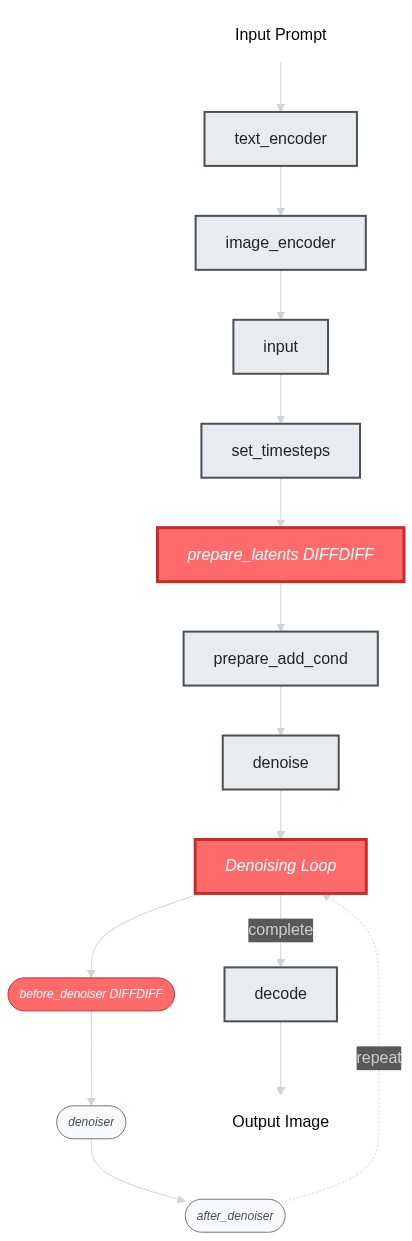
|
||||
|
||||
|
||||
### Build a Working Pipeline Structure
|
||||
|
||||
ok now we've identified the blocks to modify, let's build the pipeline skeleton first - at this stage, our goal is to get the pipeline struture working end-to-end (even though it's just doing the img2img behavior). I would simply create placeholder blocks by copying from existing ones:
|
||||
|
||||
```py
|
||||
>>> # Copy existing blocks as placeholders
|
||||
>>> class SDXLDiffDiffPrepareLatentsStep(PipelineBlock):
|
||||
... """Copied from StableDiffusionXLImg2ImgPrepareLatentsStep - will modify later"""
|
||||
... # ... same implementation as StableDiffusionXLImg2ImgPrepareLatentsStep
|
||||
...
|
||||
>>> class SDXLDiffDiffLoopBeforeDenoiser(PipelineBlock):
|
||||
... """Copied from StableDiffusionXLLoopBeforeDenoiser - will modify later"""
|
||||
... # ... same implementation as StableDiffusionXLLoopBeforeDenoiser
|
||||
```
|
||||
|
||||
`SDXLDiffDiffLoopBeforeDenoiser` is the be part of the denoise loop we need to change. Let's use it to assemble a `SDXLDiffDiffDenoiseStep`.
|
||||
|
||||
```py
|
||||
>>> class SDXLDiffDiffDenoiseStep(StableDiffusionXLDenoiseLoopWrapper):
|
||||
... block_classes = [SDXLDiffDiffLoopBeforeDenoiser, StableDiffusionXLLoopDenoiser, StableDiffusionXLLoopAfterDenoiser]
|
||||
... block_names = ["before_denoiser", "denoiser", "after_denoiser"]
|
||||
```
|
||||
|
||||
Now we can put together our differential diffusion pipeline.
|
||||
|
||||
```py
|
||||
>>> DIFFDIFF_BLOCKS = IMAGE2IMAGE_BLOCKS.copy()
|
||||
>>> DIFFDIFF_BLOCKS["set_timesteps"] = TEXT2IMAGE_BLOCKS["set_timesteps"]
|
||||
>>> DIFFDIFF_BLOCKS["prepare_latents"] = SDXLDiffDiffPrepareLatentsStep
|
||||
>>> DIFFDIFF_BLOCKS["denoise"] = SDXLDiffDiffDenoiseStep
|
||||
>>>
|
||||
>>> dd_blocks = SequentialPipelineBlocks.from_blocks_dict(DIFFDIFF_BLOCKS)
|
||||
>>> print(dd_blocks)
|
||||
>>> # At this point, the pipeline works exactly like img2img since our blocks are just copies
|
||||
```
|
||||
|
||||
### Set up an example
|
||||
|
||||
ok, so now our blocks should be able to compile without an error, we can move on to the next step. Let's setup a simple example so we can run the pipeline as we build it. diff-diff use same model checkpoints as SDXL so we can fetch the models from a regular SDXL repo.
|
||||
|
||||
```py
|
||||
>>> dd_pipeline = dd_blocks.init_pipeline("YiYiXu/modular-demo-auto", collection="diffdiff")
|
||||
>>> dd_pipeline.load_default_componenets(torch_dtype=torch.float16)
|
||||
>>> dd_pipeline.to("cuda")
|
||||
```
|
||||
|
||||
We will use this example script:
|
||||
|
||||
```py
|
||||
>>> image = load_image("https://huggingface.co/datasets/OzzyGT/testing-resources/resolve/main/differential/20240329211129_4024911930.png?download=true")
|
||||
>>> mask = load_image("https://huggingface.co/datasets/OzzyGT/testing-resources/resolve/main/differential/gradient_mask.png?download=true")
|
||||
>>>
|
||||
>>> prompt = "a green pear"
|
||||
>>> negative_prompt = "blurry"
|
||||
>>>
|
||||
>>> image = dd_pipeline(
|
||||
... prompt=prompt,
|
||||
... negative_prompt=negative_prompt,
|
||||
... num_inference_steps=25,
|
||||
... diffdiff_map=mask,
|
||||
... image=image,
|
||||
... output="images"
|
||||
... )[0]
|
||||
>>>
|
||||
>>> image.save("diffdiff_out.png")
|
||||
```
|
||||
|
||||
If you run the script right now, you will get a complaint about unexpected input `diffdiff_map`.
|
||||
and you would get the same result as the original img2img pipeline.
|
||||
|
||||
### implement your custom logic and test incrementally
|
||||
|
||||
Let's modify the pipeline so that we can get expected result with this example script.
|
||||
|
||||
We'll start with the `prepare_latents` step. The main changes are:
|
||||
- Requires a new user input `diffdiff_map`
|
||||
- Requires new component `mask_processor` to process the `diffdiff_map`
|
||||
- Requires new intermediate inputs:
|
||||
- Need `timestep` instead of `latent_timestep` to precompute all the latents
|
||||
- Need `num_inference_steps` to create the `diffdiff_masks`
|
||||
- create a new output `diffdiff_masks` and `original_latents`
|
||||
|
||||
<Tip>
|
||||
|
||||
💡 use `print(dd_pipeline.doc)` to check compiled inputs and outputs of the built piepline.
|
||||
|
||||
e.g. after we added `diffdiff_map` as an input in this step, we can run `print(dd_pipeline.doc)` to verify that it shows up in the docstring as a user input.
|
||||
|
||||
</Tip>
|
||||
|
||||
Once we make sure all the variables we need are available in the block state, we can implement the diff-diff logic inside `__call__`. We created 2 new variables: the change map `diffdiff_mask` and the pre-computed noised latents for all timesteps `original_latents`.
|
||||
|
||||
<Tip>
|
||||
|
||||
💡 Implement incrementally! Run the example script as you go, and insert `print(state)` and `print(block_state)` everywhere inside the `__call__` method to inspect the intermediate results. This helps you understand what's going on and what each line you just added does.
|
||||
|
||||
</Tip>
|
||||
|
||||
Here are the key changes we made to implement differential diffusion:
|
||||
|
||||
**1. Modified `prepare_latents` step:**
|
||||
```diff
|
||||
class SDXLDiffDiffPrepareLatentsStep(PipelineBlock):
|
||||
@property
|
||||
def expected_components(self) -> List[ComponentSpec]:
|
||||
return [
|
||||
ComponentSpec("vae", AutoencoderKL),
|
||||
ComponentSpec("scheduler", EulerDiscreteScheduler),
|
||||
+ ComponentSpec("mask_processor", VaeImageProcessor, config=FrozenDict({"do_normalize": False, "do_convert_grayscale": True}))
|
||||
]
|
||||
|
||||
@property
|
||||
def inputs(self) -> List[Tuple[str, Any]]:
|
||||
return [
|
||||
+ InputParam("diffdiff_map", required=True),
|
||||
]
|
||||
|
||||
@property
|
||||
def intermediate_inputs(self) -> List[InputParam]:
|
||||
return [
|
||||
InputParam("generator"),
|
||||
- InputParam("latent_timestep", required=True, type_hint=torch.Tensor),
|
||||
+ InputParam("timesteps", type_hint=torch.Tensor),
|
||||
+ InputParam("num_inference_steps", type_hint=int),
|
||||
]
|
||||
|
||||
@property
|
||||
def intermediate_outputs(self) -> List[OutputParam]:
|
||||
return [
|
||||
+ OutputParam("original_latents", type_hint=torch.Tensor),
|
||||
+ OutputParam("diffdiff_masks", type_hint=torch.Tensor),
|
||||
]
|
||||
|
||||
def __call__(self, components, state: PipelineState):
|
||||
# ... existing logic ...
|
||||
+ # Process change map and create masks
|
||||
+ diffdiff_map = components.mask_processor.preprocess(block_state.diffdiff_map, height=latent_height, width=latent_width)
|
||||
+ thresholds = torch.arange(block_state.num_inference_steps, dtype=diffdiff_map.dtype) / block_state.num_inference_steps
|
||||
+ block_state.diffdiff_masks = diffdiff_map > (thresholds + (block_state.denoising_start or 0))
|
||||
+ block_state.original_latents = block_state.latents
|
||||
```
|
||||
|
||||
**2. Modified `before_denoiser` step:**
|
||||
```diff
|
||||
class SDXLDiffDiffLoopBeforeDenoiser(PipelineBlock):
|
||||
@property
|
||||
def description(self) -> str:
|
||||
return (
|
||||
"Step within the denoising loop for differential diffusion that prepare the latent input for the denoiser"
|
||||
)
|
||||
|
||||
+ @property
|
||||
+ def inputs(self) -> List[Tuple[str, Any]]:
|
||||
+ return [
|
||||
+ InputParam("denoising_start"),
|
||||
+ ]
|
||||
|
||||
@property
|
||||
def intermediate_inputs(self) -> List[str]:
|
||||
return [
|
||||
InputParam("latents", required=True, type_hint=torch.Tensor),
|
||||
+ InputParam("original_latents", type_hint=torch.Tensor),
|
||||
+ InputParam("diffdiff_masks", type_hint=torch.Tensor),
|
||||
]
|
||||
|
||||
def __call__(self, components, block_state, i, t):
|
||||
+ # Apply differential diffusion logic
|
||||
+ if i == 0 and block_state.denoising_start is None:
|
||||
+ block_state.latents = block_state.original_latents[:1]
|
||||
+ else:
|
||||
+ block_state.mask = block_state.diffdiff_masks[i].unsqueeze(0).unsqueeze(1)
|
||||
+ block_state.latents = block_state.original_latents[i] * block_state.mask + block_state.latents * (1 - block_state.mask)
|
||||
|
||||
# ... rest of existing logic ...
|
||||
```
|
||||
|
||||
That's all there is to it! We've just created a simple sequential pipeline by mix-and-match some existing and new pipeline blocks.
|
||||
|
||||
Now we use the process we've prepred in step2 to build the pipeline and inspect it.
|
||||
|
||||
|
||||
```py
|
||||
>> dd_pipeline
|
||||
SequentialPipelineBlocks(
|
||||
Class: ModularPipelineBlocks
|
||||
|
||||
Description:
|
||||
|
||||
|
||||
Components:
|
||||
text_encoder (`CLIPTextModel`)
|
||||
text_encoder_2 (`CLIPTextModelWithProjection`)
|
||||
tokenizer (`CLIPTokenizer`)
|
||||
tokenizer_2 (`CLIPTokenizer`)
|
||||
guider (`ClassifierFreeGuidance`)
|
||||
vae (`AutoencoderKL`)
|
||||
image_processor (`VaeImageProcessor`)
|
||||
scheduler (`EulerDiscreteScheduler`)
|
||||
mask_processor (`VaeImageProcessor`)
|
||||
unet (`UNet2DConditionModel`)
|
||||
|
||||
Configs:
|
||||
force_zeros_for_empty_prompt (default: True)
|
||||
requires_aesthetics_score (default: False)
|
||||
|
||||
Blocks:
|
||||
[0] text_encoder (StableDiffusionXLTextEncoderStep)
|
||||
Description: Text Encoder step that generate text_embeddings to guide the image generation
|
||||
|
||||
[1] image_encoder (StableDiffusionXLVaeEncoderStep)
|
||||
Description: Vae Encoder step that encode the input image into a latent representation
|
||||
|
||||
[2] input (StableDiffusionXLInputStep)
|
||||
Description: Input processing step that:
|
||||
1. Determines `batch_size` and `dtype` based on `prompt_embeds`
|
||||
2. Adjusts input tensor shapes based on `batch_size` (number of prompts) and `num_images_per_prompt`
|
||||
|
||||
All input tensors are expected to have either batch_size=1 or match the batch_size
|
||||
of prompt_embeds. The tensors will be duplicated across the batch dimension to
|
||||
have a final batch_size of batch_size * num_images_per_prompt.
|
||||
|
||||
[3] set_timesteps (StableDiffusionXLSetTimestepsStep)
|
||||
Description: Step that sets the scheduler's timesteps for inference
|
||||
|
||||
[4] prepare_latents (SDXLDiffDiffPrepareLatentsStep)
|
||||
Description: Step that prepares the latents for the differential diffusion generation process
|
||||
|
||||
[5] prepare_add_cond (StableDiffusionXLImg2ImgPrepareAdditionalConditioningStep)
|
||||
Description: Step that prepares the additional conditioning for the image-to-image/inpainting generation process
|
||||
|
||||
[6] denoise (SDXLDiffDiffDenoiseStep)
|
||||
Description: Pipeline block that iteratively denoise the latents over `timesteps`. The specific steps with each iteration can be customized with `sub_blocks` attributes
|
||||
|
||||
[7] decode (StableDiffusionXLDecodeStep)
|
||||
Description: Step that decodes the denoised latents into images
|
||||
|
||||
)
|
||||
```
|
||||
|
||||
Run the example now, you should see an apple with its right half transformed into a green pear.
|
||||
|
||||

|
||||
|
||||
|
||||
## Adding IP-adapter
|
||||
|
||||
We provide an auto IP-adapter block that you can plug-and-play into your modular workflow. It's an `AutoPipelineBlocks`, so it will only run when the user passes an IP adapter image. In this tutorial, we'll focus on how to package it into your differential diffusion workflow. To learn more about `AutoPipelineBlocks`, see [here](./auto_pipeline_blocks.md)
|
||||
|
||||
We talked about how to add IP-adapter into your workflow in the [Modular Pipeline Guide](./modular_pipeline.md). Let's just go ahead to create the IP-adapter block.
|
||||
|
||||
```py
|
||||
>>> from diffusers.modular_pipelines.stable_diffusion_xl.encoders import StableDiffusionXLAutoIPAdapterStep
|
||||
>>> ip_adapter_block = StableDiffusionXLAutoIPAdapterStep()
|
||||
```
|
||||
|
||||
We can directly add the ip-adapter block instance to the `diffdiff_blocks` that we created before. The `sub_blocks` attribute is a `InsertableDict`, so we're able to insert the it at specific position (index `0` here).
|
||||
|
||||
```py
|
||||
>>> dd_blocks.sub_blocks.insert("ip_adapter", ip_adapter_block, 0)
|
||||
```
|
||||
|
||||
Take a look at the new diff-diff pipeline with ip-adapter!
|
||||
|
||||
```py
|
||||
>>> print(dd_blocks)
|
||||
```
|
||||
|
||||
The pipeline now lists ip-adapter as its first block, and tells you that it will run only if `ip_adapter_image` is provided. It also includes the two new components from ip-adpater: `image_encoder` and `feature_extractor`
|
||||
|
||||
```out
|
||||
SequentialPipelineBlocks(
|
||||
Class: ModularPipelineBlocks
|
||||
|
||||
====================================================================================================
|
||||
This pipeline contains blocks that are selected at runtime based on inputs.
|
||||
Trigger Inputs: {'ip_adapter_image'}
|
||||
Use `get_execution_blocks()` with input names to see selected blocks (e.g. `get_execution_blocks('ip_adapter_image')`).
|
||||
====================================================================================================
|
||||
|
||||
|
||||
Description:
|
||||
|
||||
|
||||
Components:
|
||||
image_encoder (`CLIPVisionModelWithProjection`)
|
||||
feature_extractor (`CLIPImageProcessor`)
|
||||
unet (`UNet2DConditionModel`)
|
||||
guider (`ClassifierFreeGuidance`)
|
||||
text_encoder (`CLIPTextModel`)
|
||||
text_encoder_2 (`CLIPTextModelWithProjection`)
|
||||
tokenizer (`CLIPTokenizer`)
|
||||
tokenizer_2 (`CLIPTokenizer`)
|
||||
vae (`AutoencoderKL`)
|
||||
image_processor (`VaeImageProcessor`)
|
||||
scheduler (`EulerDiscreteScheduler`)
|
||||
mask_processor (`VaeImageProcessor`)
|
||||
|
||||
Configs:
|
||||
force_zeros_for_empty_prompt (default: True)
|
||||
requires_aesthetics_score (default: False)
|
||||
|
||||
Blocks:
|
||||
[0] ip_adapter (StableDiffusionXLAutoIPAdapterStep)
|
||||
Description: Run IP Adapter step if `ip_adapter_image` is provided.
|
||||
|
||||
[1] text_encoder (StableDiffusionXLTextEncoderStep)
|
||||
Description: Text Encoder step that generate text_embeddings to guide the image generation
|
||||
|
||||
[2] image_encoder (StableDiffusionXLVaeEncoderStep)
|
||||
Description: Vae Encoder step that encode the input image into a latent representation
|
||||
|
||||
[3] input (StableDiffusionXLInputStep)
|
||||
Description: Input processing step that:
|
||||
1. Determines `batch_size` and `dtype` based on `prompt_embeds`
|
||||
2. Adjusts input tensor shapes based on `batch_size` (number of prompts) and `num_images_per_prompt`
|
||||
|
||||
All input tensors are expected to have either batch_size=1 or match the batch_size
|
||||
of prompt_embeds. The tensors will be duplicated across the batch dimension to
|
||||
have a final batch_size of batch_size * num_images_per_prompt.
|
||||
|
||||
[4] set_timesteps (StableDiffusionXLSetTimestepsStep)
|
||||
Description: Step that sets the scheduler's timesteps for inference
|
||||
|
||||
[5] prepare_latents (SDXLDiffDiffPrepareLatentsStep)
|
||||
Description: Step that prepares the latents for the differential diffusion generation process
|
||||
|
||||
[6] prepare_add_cond (StableDiffusionXLImg2ImgPrepareAdditionalConditioningStep)
|
||||
Description: Step that prepares the additional conditioning for the image-to-image/inpainting generation process
|
||||
|
||||
[7] denoise (SDXLDiffDiffDenoiseStep)
|
||||
Description: Pipeline block that iteratively denoise the latents over `timesteps`. The specific steps with each iteration can be customized with `sub_blocks` attributes
|
||||
|
||||
[8] decode (StableDiffusionXLDecodeStep)
|
||||
Description: Step that decodes the denoised latents into images
|
||||
|
||||
)
|
||||
```
|
||||
|
||||
Let's test it out. We used an orange image to condition the generation via ip-addapter and we can see a slight orange color and texture in the final output.
|
||||
|
||||
|
||||
```py
|
||||
>>> ip_adapter_block = StableDiffusionXLAutoIPAdapterStep()
|
||||
>>> dd_blocks.sub_blocks.insert("ip_adapter", ip_adapter_block, 0)
|
||||
>>>
|
||||
>>> dd_pipeline = dd_blocks.init_pipeline("YiYiXu/modular-demo-auto", collection="diffdiff")
|
||||
>>> dd_pipeline.load_default_components(torch_dtype=torch.float16)
|
||||
>>> dd_pipeline.loader.load_ip_adapter("h94/IP-Adapter", subfolder="sdxl_models", weight_name="ip-adapter_sdxl.bin")
|
||||
>>> dd_pipeline.loader.set_ip_adapter_scale(0.6)
|
||||
>>> dd_pipeline = dd_pipeline.to(device)
|
||||
>>>
|
||||
>>> ip_adapter_image = load_image("https://huggingface.co/datasets/YiYiXu/testing-images/resolve/main/diffdiff_orange.jpeg")
|
||||
>>> image = load_image("https://huggingface.co/datasets/OzzyGT/testing-resources/resolve/main/differential/20240329211129_4024911930.png?download=true")
|
||||
>>> mask = load_image("https://huggingface.co/datasets/OzzyGT/testing-resources/resolve/main/differential/gradient_mask.png?download=true")
|
||||
>>>
|
||||
>>> prompt = "a green pear"
|
||||
>>> negative_prompt = "blurry"
|
||||
>>> generator = torch.Generator(device=device).manual_seed(42)
|
||||
>>>
|
||||
>>> image = dd_pipeline(
|
||||
... prompt=prompt,
|
||||
... negative_prompt=negative_prompt,
|
||||
... num_inference_steps=25,
|
||||
... generator=generator,
|
||||
... ip_adapter_image=ip_adapter_image,
|
||||
... diffdiff_map=mask,
|
||||
... image=image,
|
||||
... output="images"
|
||||
... )[0]
|
||||
```
|
||||
|
||||
## Working with ControlNets
|
||||
|
||||
What about controlnet? Can differential diffusion work with controlnet? The key differences between a regular pipeline and a ControlNet pipeline are:
|
||||
1. A ControlNet input step that prepares the control condition
|
||||
2. Inside the denoising loop, a modified denoiser step where the control image is first processed through ControlNet, then control information is injected into the UNet
|
||||
|
||||
From looking at the code workflow: differential diffusion only modifies the "before denoiser" step, while ControlNet operates within the "denoiser" itself. Since they intervene at different points in the pipeline, they should work together without conflicts.
|
||||
|
||||
Intuitively, these two techniques are orthogonal and should combine naturally: differential diffusion controls how much the inference process can deviate from the original in each region, while ControlNet controls in what direction that change occurs.
|
||||
|
||||
With this understanding, let's assemble the diffdiff-controlnet loop by combining the diffdiff before-denoiser step and controlnet denoiser step.
|
||||
|
||||
```py
|
||||
>>> class SDXLDiffDiffControlNetDenoiseStep(StableDiffusionXLDenoiseLoopWrapper):
|
||||
... block_classes = [SDXLDiffDiffLoopBeforeDenoiser, StableDiffusionXLControlNetLoopDenoiser, StableDiffusionXLDenoiseLoopAfterDenoiser]
|
||||
... block_names = ["before_denoiser", "denoiser", "after_denoiser"]
|
||||
>>>
|
||||
>>> controlnet_denoise_block = SDXLDiffDiffControlNetDenoiseStep()
|
||||
>>> # print(controlnet_denoise)
|
||||
```
|
||||
|
||||
We provide a auto controlnet input block that you can directly put into your workflow to proceess the `control_image`: similar to auto ip-adapter block, this step will only run if `control_image` input is passed from user. It work with both controlnet and controlnet union.
|
||||
|
||||
|
||||
```py
|
||||
>>> from diffusers.modular_pipelines.stable_diffusion_xl.modular_blocks import StableDiffusionXLAutoControlNetInputStep
|
||||
>>> control_input_block = StableDiffusionXLAutoControlNetInputStep()
|
||||
>>> print(control_input_block)
|
||||
```
|
||||
|
||||
```out
|
||||
StableDiffusionXLAutoControlNetInputStep(
|
||||
Class: AutoPipelineBlocks
|
||||
|
||||
====================================================================================================
|
||||
This pipeline contains blocks that are selected at runtime based on inputs.
|
||||
Trigger Inputs: ['control_image', 'control_mode']
|
||||
====================================================================================================
|
||||
|
||||
|
||||
Description: Controlnet Input step that prepare the controlnet input.
|
||||
This is an auto pipeline block that works for both controlnet and controlnet_union.
|
||||
(it should be called right before the denoise step) - `StableDiffusionXLControlNetUnionInputStep` is called to prepare the controlnet input when `control_mode` and `control_image` are provided.
|
||||
- `StableDiffusionXLControlNetInputStep` is called to prepare the controlnet input when `control_image` is provided. - if neither `control_mode` nor `control_image` is provided, step will be skipped.
|
||||
|
||||
|
||||
Components:
|
||||
controlnet (`ControlNetUnionModel`)
|
||||
control_image_processor (`VaeImageProcessor`)
|
||||
|
||||
Sub-Blocks:
|
||||
• controlnet_union [trigger: control_mode] (StableDiffusionXLControlNetUnionInputStep)
|
||||
Description: step that prepares inputs for the ControlNetUnion model
|
||||
|
||||
• controlnet [trigger: control_image] (StableDiffusionXLControlNetInputStep)
|
||||
Description: step that prepare inputs for controlnet
|
||||
|
||||
)
|
||||
|
||||
```
|
||||
|
||||
Let's assemble the blocks and run an example using controlnet + differential diffusion. We used a tomato as `control_image`, so you can see that in the output, the right half that transformed into a pear had a tomato-like shape.
|
||||
|
||||
```py
|
||||
>>> dd_blocks.sub_blocks.insert("controlnet_input", control_input_block, 7)
|
||||
>>> dd_blocks.sub_blocks["denoise"] = controlnet_denoise_block
|
||||
>>>
|
||||
>>> dd_pipeline = dd_blocks.init_pipeline("YiYiXu/modular-demo-auto", collection="diffdiff")
|
||||
>>> dd_pipeline.load_default_components(torch_dtype=torch.float16)
|
||||
>>> dd_pipeline = dd_pipeline.to(device)
|
||||
>>>
|
||||
>>> control_image = load_image("https://huggingface.co/datasets/YiYiXu/testing-images/resolve/main/diffdiff_tomato_canny.jpeg")
|
||||
>>> image = load_image("https://huggingface.co/datasets/OzzyGT/testing-resources/resolve/main/differential/20240329211129_4024911930.png?download=true")
|
||||
>>> mask = load_image("https://huggingface.co/datasets/OzzyGT/testing-resources/resolve/main/differential/gradient_mask.png?download=true")
|
||||
>>>
|
||||
>>> prompt = "a green pear"
|
||||
>>> negative_prompt = "blurry"
|
||||
>>> generator = torch.Generator(device=device).manual_seed(42)
|
||||
>>>
|
||||
>>> image = dd_pipeline(
|
||||
... prompt=prompt,
|
||||
... negative_prompt=negative_prompt,
|
||||
... num_inference_steps=25,
|
||||
... generator=generator,
|
||||
... control_image=control_image,
|
||||
... controlnet_conditioning_scale=0.5,
|
||||
... diffdiff_map=mask,
|
||||
... image=image,
|
||||
... output="images"
|
||||
... )[0]
|
||||
```
|
||||
|
||||
Optionally, We can combine `SDXLDiffDiffControlNetDenoiseStep` and `SDXLDiffDiffDenoiseStep` into a `AutoPipelineBlocks` so that same workflow can work with or without controlnet.
|
||||
|
||||
|
||||
```py
|
||||
>>> class SDXLDiffDiffAutoDenoiseStep(AutoPipelineBlocks):
|
||||
... block_classes = [SDXLDiffDiffControlNetDenoiseStep, SDXLDiffDiffDenoiseStep]
|
||||
... block_names = ["controlnet_denoise", "denoise"]
|
||||
... block_trigger_inputs = ["controlnet_cond", None]
|
||||
```
|
||||
|
||||
`SDXLDiffDiffAutoDenoiseStep` will run the ControlNet denoise step if `control_image` input is provided, otherwise it will run the regular denoise step.
|
||||
|
||||
<Tip>
|
||||
|
||||
Note that it's perfectly fine not to use `AutoPipelineBlocks`. In fact, we recommend only using `AutoPipelineBlocks` to package your workflow at the end once you've verified all your pipelines work as expected.
|
||||
|
||||
</Tip>
|
||||
|
||||
Now you can create the differential diffusion preset that works with ip-adapter & controlnet.
|
||||
|
||||
```py
|
||||
>>> DIFFDIFF_AUTO_BLOCKS = IMAGE2IMAGE_BLOCKS.copy()
|
||||
>>> DIFFDIFF_AUTO_BLOCKS["prepare_latents"] = SDXLDiffDiffPrepareLatentsStep
|
||||
>>> DIFFDIFF_AUTO_BLOCKS["set_timesteps"] = TEXT2IMAGE_BLOCKS["set_timesteps"]
|
||||
>>> DIFFDIFF_AUTO_BLOCKS["denoise"] = SDXLDiffDiffAutoDenoiseStep
|
||||
>>> DIFFDIFF_AUTO_BLOCKS.insert("ip_adapter", StableDiffusionXLAutoIPAdapterStep, 0)
|
||||
>>> DIFFDIFF_AUTO_BLOCKS.insert("controlnet_input",StableDiffusionXLControlNetAutoInput, 7)
|
||||
>>>
|
||||
>>> print(DIFFDIFF_AUTO_BLOCKS)
|
||||
```
|
||||
|
||||
to use
|
||||
|
||||
```py
|
||||
>>> dd_auto_blocks = SequentialPipelineBlocks.from_blocks_dict(DIFFDIFF_AUTO_BLOCKS)
|
||||
>>> dd_pipeline = dd_auto_blocks.init_pipeline(...)
|
||||
```
|
||||
## Creating a Modular Repo
|
||||
|
||||
You can easily share your differential diffusion workflow on the Hub by creating a modular repo. This is one created using the code we just wrote together: https://huggingface.co/YiYiXu/modular-diffdiff
|
||||
|
||||
To create a Modular Repo and share on hub, you just need to run `save_pretrained()` along with the `push_to_hub=True` flag. Note that if your pipeline contains custom block, you need to manually upload the code to the hub. But we are working on a command line tool to help you upload it very easily.
|
||||
|
||||
```py
|
||||
dd_pipeline.save_pretrained("YiYiXu/test_modular_doc", push_to_hub=True)
|
||||
```
|
||||
|
||||
With a modular repo, it is very easy for the community to use the workflow you just created! Here is an example to use the differential-diffusion pipeline we just created and shared.
|
||||
|
||||
```py
|
||||
>>> from diffusers.modular_pipelines import ModularPipeline, ComponentsManager
|
||||
>>> import torch
|
||||
>>> from diffusers.utils import load_image
|
||||
>>>
|
||||
>>> repo_id = "YiYiXu/modular-diffdiff-0704"
|
||||
>>>
|
||||
>>> components = ComponentsManager()
|
||||
>>>
|
||||
>>> diffdiff_pipeline = ModularPipeline.from_pretrained(repo_id, trust_remote_code=True, components_manager=components, collection="diffdiff")
|
||||
>>> diffdiff_pipeline.load_default_components(torch_dtype=torch.float16)
|
||||
>>> components.enable_auto_cpu_offload()
|
||||
```
|
||||
|
||||
see more usage example on model card.
|
||||
|
||||
## deploy a mellon node
|
||||
|
||||
[YIYI TODO: for now, here is an example of mellon node https://huggingface.co/YiYiXu/diff-diff-mellon]
|
||||
@@ -1,194 +0,0 @@
|
||||
<!--Copyright 2025 The HuggingFace Team. All rights reserved.
|
||||
|
||||
Licensed under the Apache License, Version 2.0 (the "License"); you may not use this file except in compliance with
|
||||
the License. You may obtain a copy of the License at
|
||||
|
||||
http://www.apache.org/licenses/LICENSE-2.0
|
||||
|
||||
Unless required by applicable law or agreed to in writing, software distributed under the License is distributed on
|
||||
an "AS IS" BASIS, WITHOUT WARRANTIES OR CONDITIONS OF ANY KIND, either express or implied. See the License for the
|
||||
specific language governing permissions and limitations under the License.
|
||||
-->
|
||||
|
||||
# LoopSequentialPipelineBlocks
|
||||
|
||||
<Tip warning={true}>
|
||||
|
||||
🧪 **Experimental Feature**: Modular Diffusers is an experimental feature we are actively developing. The API may be subject to breaking changes.
|
||||
|
||||
</Tip>
|
||||
|
||||
`LoopSequentialPipelineBlocks` is a subclass of `ModularPipelineBlocks`. It is a multi-block that composes other blocks together in a loop, creating iterative workflows where blocks run multiple times with evolving state. It's particularly useful for denoising loops requiring repeated execution of the same blocks.
|
||||
|
||||
<Tip>
|
||||
|
||||
Other types of multi-blocks include [SequentialPipelineBlocks](./sequential_pipeline_blocks.md) (for linear workflows) and [AutoPipelineBlocks](./auto_pipeline_blocks.md) (for conditional block selection). For information on creating individual blocks, see the [PipelineBlock guide](./pipeline_block.md).
|
||||
|
||||
Additionally, like all `ModularPipelineBlocks`, `LoopSequentialPipelineBlocks` are definitions/specifications, not runnable pipelines. You need to convert them into a `ModularPipeline` to actually execute them. For information on creating and running pipelines, see the [Modular Pipeline guide](modular_pipeline.md).
|
||||
|
||||
</Tip>
|
||||
|
||||
You could create a loop using `PipelineBlock` like this:
|
||||
|
||||
```python
|
||||
class DenoiseLoop(PipelineBlock):
|
||||
def __call__(self, components, state):
|
||||
block_state = self.get_block_state(state)
|
||||
for t in range(block_state.num_inference_steps):
|
||||
# ... loop logic here
|
||||
pass
|
||||
self.set_block_state(state, block_state)
|
||||
return components, state
|
||||
```
|
||||
|
||||
But in this tutorial, we will focus on how to use `LoopSequentialPipelineBlocks` to create a "composable" denoising loop where you can add or remove blocks within the loop or reuse the same loop structure with different block combinations.
|
||||
|
||||
It involves two parts: a **loop wrapper** and **loop blocks**
|
||||
|
||||
* The **loop wrapper** (`LoopSequentialPipelineBlocks`) defines the loop structure, e.g. it defines the iteration variables, and loop configurations such as progress bar.
|
||||
|
||||
* The **loop blocks** are basically standard pipeline blocks you add to the loop wrapper.
|
||||
- they run sequentially for each iteration of the loop
|
||||
- they receive the current iteration index as an additional parameter
|
||||
- they share the same block_state throughout the entire loop
|
||||
|
||||
Unlike regular `SequentialPipelineBlocks` where each block gets its own state, loop blocks share a single state that persists and evolves across iterations.
|
||||
|
||||
We will build a simple loop block to demonstrate these concepts. Creating a loop block involves three steps:
|
||||
1. defining the loop wrapper class
|
||||
2. creating the loop blocks
|
||||
3. adding the loop blocks to the loop wrapper class to create the loop wrapper instance
|
||||
|
||||
**Step 1: Define the Loop Wrapper**
|
||||
|
||||
To create a `LoopSequentialPipelineBlocks` class, you need to define:
|
||||
|
||||
* `loop_inputs`: User input variables (equivalent to `PipelineBlock.inputs`)
|
||||
* `loop_intermediate_inputs`: Intermediate variables needed from the mutable pipeline state (equivalent to `PipelineBlock.intermediates_inputs`)
|
||||
* `loop_intermediate_outputs`: New intermediate variables this block will add to the mutable pipeline state (equivalent to `PipelineBlock.intermediates_outputs`)
|
||||
* `__call__` method: Defines the loop structure and iteration logic
|
||||
|
||||
Here is an example of a loop wrapper:
|
||||
|
||||
```py
|
||||
import torch
|
||||
from diffusers.modular_pipelines import LoopSequentialPipelineBlocks, PipelineBlock, InputParam, OutputParam
|
||||
|
||||
class LoopWrapper(LoopSequentialPipelineBlocks):
|
||||
model_name = "test"
|
||||
@property
|
||||
def description(self):
|
||||
return "I'm a loop!!"
|
||||
@property
|
||||
def loop_inputs(self):
|
||||
return [InputParam(name="num_steps")]
|
||||
@torch.no_grad()
|
||||
def __call__(self, components, state):
|
||||
block_state = self.get_block_state(state)
|
||||
# Loop structure - can be customized to your needs
|
||||
for i in range(block_state.num_steps):
|
||||
# loop_step executes all registered blocks in sequence
|
||||
components, block_state = self.loop_step(components, block_state, i=i)
|
||||
self.set_block_state(state, block_state)
|
||||
return components, state
|
||||
```
|
||||
|
||||
**Step 2: Create Loop Blocks**
|
||||
|
||||
Loop blocks are standard `PipelineBlock`s, but their `__call__` method works differently:
|
||||
* It receives the iteration variable (e.g., `i`) passed by the loop wrapper
|
||||
* It works directly with `block_state` instead of pipeline state
|
||||
* No need to call `self.get_block_state()` or `self.set_block_state()`
|
||||
|
||||
```py
|
||||
class LoopBlock(PipelineBlock):
|
||||
# this is used to identify the model family, we won't worry about it in this example
|
||||
model_name = "test"
|
||||
@property
|
||||
def inputs(self):
|
||||
return [InputParam(name="x")]
|
||||
@property
|
||||
def intermediate_outputs(self):
|
||||
# outputs produced by this block
|
||||
return [OutputParam(name="x")]
|
||||
@property
|
||||
def description(self):
|
||||
return "I'm a block used inside the `LoopWrapper` class"
|
||||
def __call__(self, components, block_state, i: int):
|
||||
block_state.x += 1
|
||||
return components, block_state
|
||||
```
|
||||
|
||||
**Step 3: Combine Everything**
|
||||
|
||||
Finally, assemble your loop by adding the block(s) to the wrapper:
|
||||
|
||||
```py
|
||||
loop = LoopWrapper.from_blocks_dict({"block1": LoopBlock})
|
||||
```
|
||||
|
||||
Now you've created a loop with one step:
|
||||
|
||||
```py
|
||||
>>> loop
|
||||
LoopWrapper(
|
||||
Class: LoopSequentialPipelineBlocks
|
||||
|
||||
Description: I'm a loop!!
|
||||
|
||||
Sub-Blocks:
|
||||
[0] block1 (LoopBlock)
|
||||
Description: I'm a block used inside the `LoopWrapper` class
|
||||
|
||||
)
|
||||
```
|
||||
|
||||
It has two inputs: `x` (used at each step within the loop) and `num_steps` used to define the loop.
|
||||
|
||||
```py
|
||||
>>> print(loop.doc)
|
||||
class LoopWrapper
|
||||
|
||||
I'm a loop!!
|
||||
|
||||
Inputs:
|
||||
|
||||
x (`None`, *optional*):
|
||||
|
||||
num_steps (`None`, *optional*):
|
||||
|
||||
Outputs:
|
||||
|
||||
x (`None`):
|
||||
```
|
||||
|
||||
**Running the Loop:**
|
||||
|
||||
```py
|
||||
# run the loop
|
||||
loop_pipeline = loop.init_pipeline()
|
||||
x = loop_pipeline(num_steps=10, x=0, output="x")
|
||||
assert x == 10
|
||||
```
|
||||
|
||||
**Adding Multiple Blocks:**
|
||||
|
||||
We can add multiple blocks to run within each iteration. Let's run the loop block twice within each iteration:
|
||||
|
||||
```py
|
||||
loop = LoopWrapper.from_blocks_dict({"block1": LoopBlock(), "block2": LoopBlock})
|
||||
loop_pipeline = loop.init_pipeline()
|
||||
x = loop_pipeline(num_steps=10, x=0, output="x")
|
||||
assert x == 20 # Each iteration runs 2 blocks, so 10 iterations * 2 = 20
|
||||
```
|
||||
|
||||
**Key Differences from SequentialPipelineBlocks:**
|
||||
|
||||
The main difference is that loop blocks share the same `block_state` across all iterations, allowing values to accumulate and evolve throughout the loop. Loop blocks could receive additional arguments (like the current iteration index) depending on the loop wrapper's implementation, since the wrapper defines how loop blocks are called. You can easily add, remove, or reorder blocks within the loop without changing the loop logic itself.
|
||||
|
||||
The officially supported denoising loops in Modular Diffusers are implemented using `LoopSequentialPipelineBlocks`. You can explore the actual implementation to see how these concepts work in practice:
|
||||
|
||||
```py
|
||||
from diffusers.modular_pipelines.stable_diffusion_xl.denoise import StableDiffusionXLDenoiseStep
|
||||
StableDiffusionXLDenoiseStep()
|
||||
```
|
||||
@@ -1,59 +0,0 @@
|
||||
<!--Copyright 2025 The HuggingFace Team. All rights reserved.
|
||||
|
||||
Licensed under the Apache License, Version 2.0 (the "License"); you may not use this file except in compliance with
|
||||
the License. You may obtain a copy of the License at
|
||||
|
||||
http://www.apache.org/licenses/LICENSE-2.0
|
||||
|
||||
Unless required by applicable law or agreed to in writing, software distributed under the License is distributed on
|
||||
an "AS IS" BASIS, WITHOUT WARRANTIES OR CONDITIONS OF ANY KIND, either express or implied. See the License for the
|
||||
specific language governing permissions and limitations under the License.
|
||||
-->
|
||||
|
||||
# PipelineState and BlockState
|
||||
|
||||
<Tip warning={true}>
|
||||
|
||||
🧪 **Experimental Feature**: Modular Diffusers is an experimental feature we are actively developing. The API may be subject to breaking changes.
|
||||
|
||||
</Tip>
|
||||
|
||||
In Modular Diffusers, `PipelineState` and `BlockState` are the core data structures that enable blocks to communicate and share data. The concept is fundamental to understand how blocks interact with each other and the pipeline system.
|
||||
|
||||
In the modular diffusers system, `PipelineState` acts as the global state container that all pipeline blocks operate on. It maintains the complete runtime state of the pipeline and provides a structured way for blocks to read from and write to shared data.
|
||||
|
||||
A `PipelineState` consists of two distinct states:
|
||||
|
||||
- **The immutable state** (i.e. the `inputs` dict) contains a copy of values provided by users. Once a value is added to the immutable state, it cannot be changed. Blocks can read from the immutable state but cannot write to it.
|
||||
|
||||
- **The mutable state** (i.e. the `intermediates` dict) contains variables that are passed between blocks and can be modified by them.
|
||||
|
||||
Here's an example of what a `PipelineState` looks like:
|
||||
|
||||
```py
|
||||
PipelineState(
|
||||
inputs={
|
||||
'prompt': 'a cat'
|
||||
'guidance_scale': 7.0
|
||||
'num_inference_steps': 25
|
||||
},
|
||||
intermediates={
|
||||
'prompt_embeds': Tensor(dtype=torch.float32, shape=torch.Size([1, 1, 1, 1]))
|
||||
'negative_prompt_embeds': None
|
||||
},
|
||||
)
|
||||
```
|
||||
|
||||
Each pipeline blocks define what parts of that state they can read from and write to through their `inputs`, `intermediate_inputs`, and `intermediate_outputs` properties. At run time, they gets a local view (`BlockState`) of the relevant variables it needs from `PipelineState`, performs its operations, and then updates `PipelineState` with any changes.
|
||||
|
||||
For example, if a block defines an input `image`, inside the block's `__call__` method, the `BlockState` would contain:
|
||||
|
||||
```py
|
||||
BlockState(
|
||||
image: <PIL.Image.Image image mode=RGB size=512x512 at 0x7F3ECC494640>
|
||||
)
|
||||
```
|
||||
|
||||
You can access the variables directly as attributes: `block_state.image`.
|
||||
|
||||
We will explore more on how blocks interact with pipeline state through their `inputs`, `intermediate_inputs`, and `intermediate_outputs` properties, see the [PipelineBlock guide](./pipeline_block.md).
|
||||
File diff suppressed because it is too large
Load Diff
@@ -1,42 +0,0 @@
|
||||
<!--Copyright 2025 The HuggingFace Team. All rights reserved.
|
||||
|
||||
Licensed under the Apache License, Version 2.0 (the "License"); you may not use this file except in compliance with
|
||||
the License. You may obtain a copy of the License at
|
||||
|
||||
http://www.apache.org/licenses/LICENSE-2.0
|
||||
|
||||
Unless required by applicable law or agreed to in writing, software distributed under the License is distributed on
|
||||
an "AS IS" BASIS, WITHOUT WARRANTIES OR CONDITIONS OF ANY KIND, either express or implied. See the License for the
|
||||
specific language governing permissions and limitations under the License.
|
||||
-->
|
||||
|
||||
# Getting Started with Modular Diffusers
|
||||
|
||||
<Tip warning={true}>
|
||||
|
||||
🧪 **Experimental Feature**: Modular Diffusers is an experimental feature we are actively developing. The API may be subject to breaking changes.
|
||||
|
||||
</Tip>
|
||||
|
||||
With Modular Diffusers, we introduce a unified pipeline system that simplifies how you work with diffusion models. Instead of creating separate pipelines for each task, Modular Diffusers lets you:
|
||||
|
||||
**Write Only What's New**: You won't need to write an entire pipeline from scratch every time you have a new use case. You can create pipeline blocks just for your new workflow's unique aspects and reuse existing blocks for existing functionalities.
|
||||
|
||||
**Assemble Like LEGO®**: You can mix and match between blocks in flexible ways. This allows you to write dedicated blocks unique to specific workflows, and then assemble different blocks into a pipeline that can be used more conveniently for multiple workflows.
|
||||
|
||||
|
||||
Here's how our guides are organized to help you navigate the Modular Diffusers documentation:
|
||||
|
||||
### 🚀 Running Pipelines
|
||||
- **[Modular Pipeline Guide](./modular_pipeline.md)** - How to use predefined blocks to build a pipeline and run it
|
||||
- **[Components Manager Guide](./components_manager.md)** - How to manage and reuse components across multiple pipelines
|
||||
|
||||
### 📚 Creating PipelineBlocks
|
||||
- **[Pipeline and Block States](./modular_diffusers_states.md)** - Understanding PipelineState and BlockState
|
||||
- **[Pipeline Block](./pipeline_block.md)** - How to write custom PipelineBlocks
|
||||
- **[SequentialPipelineBlocks](sequential_pipeline_blocks.md)** - Connecting blocks in sequence
|
||||
- **[LoopSequentialPipelineBlocks](./loop_sequential_pipeline_blocks.md)** - Creating iterative workflows
|
||||
- **[AutoPipelineBlocks](./auto_pipeline_blocks.md)** - Conditional block selection
|
||||
|
||||
### 🎯 Practical Examples
|
||||
- **[End-to-End Example](./end_to_end_guide.md)** - Complete end-to-end examples including sharing your workflow in huggingface hub and deplying UI nodes
|
||||
@@ -1,292 +0,0 @@
|
||||
<!--Copyright 2025 The HuggingFace Team. All rights reserved.
|
||||
|
||||
Licensed under the Apache License, Version 2.0 (the "License"); you may not use this file except in compliance with
|
||||
the License. You may obtain a copy of the License at
|
||||
|
||||
http://www.apache.org/licenses/LICENSE-2.0
|
||||
|
||||
Unless required by applicable law or agreed to in writing, software distributed under the License is distributed on
|
||||
an "AS IS" BASIS, WITHOUT WARRANTIES OR CONDITIONS OF ANY KIND, either express or implied. See the License for the
|
||||
specific language governing permissions and limitations under the License.
|
||||
-->
|
||||
|
||||
# PipelineBlock
|
||||
|
||||
<Tip warning={true}>
|
||||
|
||||
🧪 **Experimental Feature**: Modular Diffusers is an experimental feature we are actively developing. The API may be subject to breaking changes.
|
||||
|
||||
</Tip>
|
||||
|
||||
In Modular Diffusers, you build your workflow using `ModularPipelineBlocks`. We support 4 different types of blocks: `PipelineBlock`, `SequentialPipelineBlocks`, `LoopSequentialPipelineBlocks`, and `AutoPipelineBlocks`. Among them, `PipelineBlock` is the most fundamental building block of the whole system - it's like a brick in a Lego system. These blocks are designed to easily connect with each other, allowing for modular construction of creative and potentially very complex workflows.
|
||||
|
||||
<Tip>
|
||||
|
||||
**Important**: `PipelineBlock`s are definitions/specifications, not runnable pipelines. They define what a block should do and what data it needs, but you need to convert them into a `ModularPipeline` to actually execute them. For information on creating and running pipelines, see the [Modular Pipeline guide](./modular_pipeline.md).
|
||||
|
||||
</Tip>
|
||||
|
||||
In this tutorial, we will focus on how to write a basic `PipelineBlock` and how it interacts with the pipeline state.
|
||||
|
||||
## PipelineState
|
||||
|
||||
Before we dive into creating `PipelineBlock`s, make sure you have a basic understanding of `PipelineState`. It acts as the global state container that all blocks operate on - each block gets a local view (`BlockState`) of the relevant variables it needs from `PipelineState`, performs its operations, and then updates `PipelineState` with any changes. See the [PipelineState and BlockState guide](./modular_diffusers_states.md) for more details.
|
||||
|
||||
## Define a `PipelineBlock`
|
||||
|
||||
To write a `PipelineBlock` class, you need to define a few properties that determine how your block interacts with the pipeline state. Understanding these properties is crucial - they define what data your block can access and what it can produce.
|
||||
|
||||
The three main properties you need to define are:
|
||||
- `inputs`: Immutable values from the user that cannot be modified
|
||||
- `intermediate_inputs`: Mutable values from previous blocks that can be read and modified
|
||||
- `intermediate_outputs`: New values your block creates for subsequent blocks and user access
|
||||
|
||||
Let's explore each one and understand how they work with the pipeline state.
|
||||
|
||||
**Inputs: Immutable User Values**
|
||||
|
||||
Inputs are variables your block needs from the immutable pipeline state - these are user-provided values that cannot be modified by any block. You define them using `InputParam`:
|
||||
|
||||
```py
|
||||
user_inputs = [
|
||||
InputParam(name="image", type_hint="PIL.Image", description="raw input image to process")
|
||||
]
|
||||
```
|
||||
|
||||
When you list something as an input, you're saying "I need this value directly from the end user, and I will talk to them directly, telling them what I need in the 'description' field. They will provide it and it will come to me unchanged."
|
||||
|
||||
This is especially useful for raw values that serve as the "source of truth" in your workflow. For example, with a raw image, many workflows require preprocessing steps like resizing that a previous block might have performed. But in many cases, you also want the raw PIL image. In some inpainting workflows, you need the original image to overlay with the generated result for better control and consistency.
|
||||
|
||||
**Intermediate Inputs: Mutable Values from Previous Blocks, or Users**
|
||||
|
||||
Intermediate inputs are variables your block needs from the mutable pipeline state - these are values that can be read and modified. They're typically created by previous blocks, but could also be directly provided by the user if not the case:
|
||||
|
||||
```py
|
||||
user_intermediate_inputs = [
|
||||
InputParam(name="processed_image", type_hint="torch.Tensor", description="image that has been preprocessed and normalized"),
|
||||
]
|
||||
```
|
||||
|
||||
When you list something as an intermediate input, you're saying "I need this value, but I want to work with a different block that has already created it. I already know for sure that I can get it from this other block, but it's okay if other developers want use something different."
|
||||
|
||||
**Intermediate Outputs: New Values for Subsequent Blocks and User Access**
|
||||
|
||||
Intermediate outputs are new variables your block creates and adds to the mutable pipeline state. They serve two purposes:
|
||||
|
||||
1. **For subsequent blocks**: They can be used as intermediate inputs by other blocks in the pipeline
|
||||
2. **For users**: They become available as final outputs that users can access when running the pipeline
|
||||
|
||||
```py
|
||||
user_intermediate_outputs = [
|
||||
OutputParam(name="image_latents", description="latents representing the image")
|
||||
]
|
||||
```
|
||||
|
||||
Intermediate inputs and intermediate outputs work together like Lego studs and anti-studs - they're the connection points that make blocks modular. When one block produces an intermediate output, it becomes available as an intermediate input for subsequent blocks. This is where the "modular" nature of the system really shines - blocks can be connected and reconnected in different ways as long as their inputs and outputs match.
|
||||
|
||||
Additionally, all intermediate outputs are accessible to users when they run the pipeline, typically you would only need the final images, but they are also able to access intermediate results like latents, embeddings, or other processing steps.
|
||||
|
||||
**The `__call__` Method Structure**
|
||||
|
||||
Your `PipelineBlock`'s `__call__` method should follow this structure:
|
||||
|
||||
```py
|
||||
def __call__(self, components, state):
|
||||
# Get a local view of the state variables this block needs
|
||||
block_state = self.get_block_state(state)
|
||||
|
||||
# Your computation logic here
|
||||
# block_state contains all your inputs and intermediate_inputs
|
||||
# You can access them like: block_state.image, block_state.processed_image
|
||||
|
||||
# Update the pipeline state with your updated block_states
|
||||
self.set_block_state(state, block_state)
|
||||
return components, state
|
||||
```
|
||||
|
||||
The `block_state` object contains all the variables you defined in `inputs` and `intermediate_inputs`, making them easily accessible for your computation.
|
||||
|
||||
**Components and Configs**
|
||||
|
||||
You can define the components and pipeline-level configs your block needs using `ComponentSpec` and `ConfigSpec`:
|
||||
|
||||
```py
|
||||
from diffusers import ComponentSpec, ConfigSpec
|
||||
|
||||
# Define components your block needs
|
||||
expected_components = [
|
||||
ComponentSpec(name="unet", type_hint=UNet2DConditionModel),
|
||||
ComponentSpec(name="scheduler", type_hint=EulerDiscreteScheduler)
|
||||
]
|
||||
|
||||
# Define pipeline-level configs
|
||||
expected_config = [
|
||||
ConfigSpec("force_zeros_for_empty_prompt", True)
|
||||
]
|
||||
```
|
||||
|
||||
**Components**: In the `ComponentSpec`, you must provide a `name` and ideally a `type_hint`. You can also specify a `default_creation_method` to indicate whether the component should be loaded from a pretrained model or created with default configurations. The actual loading details (`repo`, `subfolder`, `variant` and `revision` fields) are typically specified when creating the pipeline, as we covered in the [Modular Pipeline Guide](./modular_pipeline.md).
|
||||
|
||||
**Configs**: Pipeline-level settings that control behavior across all blocks.
|
||||
|
||||
When you convert your blocks into a pipeline using `blocks.init_pipeline()`, the pipeline collects all component requirements from the blocks and fetches the loading specs from the modular repository. The components are then made available to your block as the first argument of the `__call__` method. You can access any component you need using dot notation:
|
||||
|
||||
```py
|
||||
def __call__(self, components, state):
|
||||
# Access components using dot notation
|
||||
unet = components.unet
|
||||
vae = components.vae
|
||||
scheduler = components.scheduler
|
||||
```
|
||||
|
||||
That's all you need to define in order to create a `PipelineBlock`. There is no hidden complexity. In fact we are going to create a helper function that take exactly these variables as input and return a pipeline block. We will use this helper function through out the tutorial to create test blocks
|
||||
|
||||
Note that for `__call__` method, the only part you should implement differently is the part between `self.get_block_state()` and `self.set_block_state()`, which can be abstracted into a simple function that takes `block_state` and returns the updated state. Our helper function accepts a `block_fn` that does exactly that.
|
||||
|
||||
**Helper Function**
|
||||
|
||||
```py
|
||||
from diffusers.modular_pipelines import PipelineBlock, InputParam, OutputParam
|
||||
import torch
|
||||
|
||||
def make_block(inputs=[], intermediate_inputs=[], intermediate_outputs=[], block_fn=None, description=None):
|
||||
class TestBlock(PipelineBlock):
|
||||
model_name = "test"
|
||||
|
||||
@property
|
||||
def inputs(self):
|
||||
return inputs
|
||||
|
||||
@property
|
||||
def intermediate_inputs(self):
|
||||
return intermediate_inputs
|
||||
|
||||
@property
|
||||
def intermediate_outputs(self):
|
||||
return intermediate_outputs
|
||||
|
||||
@property
|
||||
def description(self):
|
||||
return description if description is not None else ""
|
||||
|
||||
def __call__(self, components, state):
|
||||
block_state = self.get_block_state(state)
|
||||
if block_fn is not None:
|
||||
block_state = block_fn(block_state, state)
|
||||
self.set_block_state(state, block_state)
|
||||
return components, state
|
||||
|
||||
return TestBlock
|
||||
```
|
||||
|
||||
## Example: Creating a Simple Pipeline Block
|
||||
|
||||
Let's create a simple block to see how these definitions interact with the pipeline state. To better understand what's happening, we'll print out the states before and after updates to inspect them:
|
||||
|
||||
```py
|
||||
inputs = [
|
||||
InputParam(name="image", type_hint="PIL.Image", description="raw input image to process")
|
||||
]
|
||||
|
||||
intermediate_inputs = [InputParam(name="batch_size", type_hint=int)]
|
||||
|
||||
intermediate_outputs = [
|
||||
OutputParam(name="image_latents", description="latents representing the image")
|
||||
]
|
||||
|
||||
def image_encoder_block_fn(block_state, pipeline_state):
|
||||
print(f"pipeline_state (before update): {pipeline_state}")
|
||||
print(f"block_state (before update): {block_state}")
|
||||
|
||||
# Simulate processing the image
|
||||
block_state.image = torch.randn(1, 3, 512, 512)
|
||||
block_state.batch_size = block_state.batch_size * 2
|
||||
block_state.processed_image = [torch.randn(1, 3, 512, 512)] * block_state.batch_size
|
||||
block_state.image_latents = torch.randn(1, 4, 64, 64)
|
||||
|
||||
print(f"block_state (after update): {block_state}")
|
||||
return block_state
|
||||
|
||||
# Create a block with our definitions
|
||||
image_encoder_block_cls = make_block(
|
||||
inputs=inputs,
|
||||
intermediate_inputs=intermediate_inputs,
|
||||
intermediate_outputs=intermediate_outputs,
|
||||
block_fn=image_encoder_block_fn,
|
||||
description="Encode raw image into its latent presentation"
|
||||
)
|
||||
image_encoder_block = image_encoder_block_cls()
|
||||
pipe = image_encoder_block.init_pipeline()
|
||||
```
|
||||
|
||||
Let's check the pipeline's docstring to see what inputs it expects:
|
||||
```py
|
||||
>>> print(pipe.doc)
|
||||
class TestBlock
|
||||
|
||||
Encode raw image into its latent presentation
|
||||
|
||||
Inputs:
|
||||
|
||||
image (`PIL.Image`, *optional*):
|
||||
raw input image to process
|
||||
|
||||
batch_size (`int`, *optional*):
|
||||
|
||||
Outputs:
|
||||
|
||||
image_latents (`None`):
|
||||
latents representing the image
|
||||
```
|
||||
|
||||
Notice that `batch_size` appears as an input even though we defined it as an intermediate input. This happens because no previous block provided it, so the pipeline makes it available as a user input. However, unlike regular inputs, this value goes directly into the mutable intermediate state.
|
||||
|
||||
Now let's run the pipeline:
|
||||
|
||||
```py
|
||||
from diffusers.utils import load_image
|
||||
|
||||
image = load_image("https://huggingface.co/datasets/huggingface/documentation-images/resolve/main/image_of_squirrel_painting.png")
|
||||
state = pipe(image=image, batch_size=2)
|
||||
print(f"pipeline_state (after update): {state}")
|
||||
```
|
||||
```out
|
||||
pipeline_state (before update): PipelineState(
|
||||
inputs={
|
||||
image: <PIL.Image.Image image mode=RGB size=512x512 at 0x7F3ECC494550>
|
||||
},
|
||||
intermediates={
|
||||
batch_size: 2
|
||||
},
|
||||
)
|
||||
block_state (before update): BlockState(
|
||||
image: <PIL.Image.Image image mode=RGB size=512x512 at 0x7F3ECC494640>
|
||||
batch_size: 2
|
||||
)
|
||||
|
||||
block_state (after update): BlockState(
|
||||
image: Tensor(dtype=torch.float32, shape=torch.Size([1, 3, 512, 512]))
|
||||
batch_size: 4
|
||||
processed_image: List[4] of Tensors with shapes [torch.Size([1, 3, 512, 512]), torch.Size([1, 3, 512, 512]), torch.Size([1, 3, 512, 512]), torch.Size([1, 3, 512, 512])]
|
||||
image_latents: Tensor(dtype=torch.float32, shape=torch.Size([1, 4, 64, 64]))
|
||||
)
|
||||
pipeline_state (after update): PipelineState(
|
||||
inputs={
|
||||
image: <PIL.Image.Image image mode=RGB size=512x512 at 0x7F3ECC494550>
|
||||
},
|
||||
intermediates={
|
||||
batch_size: 4
|
||||
image_latents: Tensor(dtype=torch.float32, shape=torch.Size([1, 4, 64, 64]))
|
||||
},
|
||||
)
|
||||
```
|
||||
|
||||
**Key Observations:**
|
||||
|
||||
1. **Before the update**: `image` (the input) goes to the immutable inputs dict, while `batch_size` (the intermediate_input) goes to the mutable intermediates dict, and both are available in `block_state`.
|
||||
|
||||
2. **After the update**:
|
||||
- **`image` (inputs)** changed in `block_state` but not in `pipeline_state` - this change is local to the block only.
|
||||
- **`batch_size (intermediate_inputs)`** was updated in both `block_state` and `pipeline_state` - this change affects subsequent blocks (we didn't need to declare it as an intermediate output since it was already in the intermediates dict)
|
||||
- **`image_latents (intermediate_outputs)`** was added to `pipeline_state` because it was declared as an intermediate output
|
||||
- **`processed_image`** was not added to `pipeline_state` because it wasn't declared as an intermediate output
|
||||
@@ -1,189 +0,0 @@
|
||||
<!--Copyright 2025 The HuggingFace Team. All rights reserved.
|
||||
|
||||
Licensed under the Apache License, Version 2.0 (the "License"); you may not use this file except in compliance with
|
||||
the License. You may obtain a copy of the License at
|
||||
|
||||
http://www.apache.org/licenses/LICENSE-2.0
|
||||
|
||||
Unless required by applicable law or agreed to in writing, software distributed under the License is distributed on
|
||||
an "AS IS" BASIS, WITHOUT WARRANTIES OR CONDITIONS OF ANY KIND, either express or implied. See the License for the
|
||||
specific language governing permissions and limitations under the License.
|
||||
-->
|
||||
|
||||
# SequentialPipelineBlocks
|
||||
|
||||
<Tip warning={true}>
|
||||
|
||||
🧪 **Experimental Feature**: Modular Diffusers is an experimental feature we are actively developing. The API may be subject to breaking changes.
|
||||
|
||||
</Tip>
|
||||
|
||||
`SequentialPipelineBlocks` is a subclass of `ModularPipelineBlocks`. Unlike `PipelineBlock`, it is a multi-block that composes other blocks together in sequence, creating modular workflows where data flows from one block to the next. It's one of the most common ways to build complex pipelines by combining simpler building blocks.
|
||||
|
||||
<Tip>
|
||||
|
||||
Other types of multi-blocks include [AutoPipelineBlocks](auto_pipeline_blocks.md) (for conditional block selection) and [LoopSequentialPipelineBlocks](loop_sequential_pipeline_blocks.md) (for iterative workflows). For information on creating individual blocks, see the [PipelineBlock guide](pipeline_block.md).
|
||||
|
||||
Additionally, like all `ModularPipelineBlocks`, `SequentialPipelineBlocks` are definitions/specifications, not runnable pipelines. You need to convert them into a `ModularPipeline` to actually execute them. For information on creating and running pipelines, see the [Modular Pipeline guide](modular_pipeline.md).
|
||||
|
||||
</Tip>
|
||||
|
||||
In this tutorial, we will focus on how to create `SequentialPipelineBlocks` and how blocks connect and work together.
|
||||
|
||||
The key insight is that blocks connect through their intermediate inputs and outputs - the "studs and anti-studs" we discussed in the [PipelineBlock guide](pipeline_block.md). When one block produces an intermediate output, it becomes available as an intermediate input for subsequent blocks.
|
||||
|
||||
Let's explore this through an example. We will use the same helper function from the PipelineBlock guide to create blocks.
|
||||
|
||||
```py
|
||||
from diffusers.modular_pipelines import PipelineBlock, InputParam, OutputParam
|
||||
import torch
|
||||
|
||||
def make_block(inputs=[], intermediate_inputs=[], intermediate_outputs=[], block_fn=None, description=None):
|
||||
class TestBlock(PipelineBlock):
|
||||
model_name = "test"
|
||||
|
||||
@property
|
||||
def inputs(self):
|
||||
return inputs
|
||||
|
||||
@property
|
||||
def intermediate_inputs(self):
|
||||
return intermediate_inputs
|
||||
|
||||
@property
|
||||
def intermediate_outputs(self):
|
||||
return intermediate_outputs
|
||||
|
||||
@property
|
||||
def description(self):
|
||||
return description if description is not None else ""
|
||||
|
||||
def __call__(self, components, state):
|
||||
block_state = self.get_block_state(state)
|
||||
if block_fn is not None:
|
||||
block_state = block_fn(block_state, state)
|
||||
self.set_block_state(state, block_state)
|
||||
return components, state
|
||||
|
||||
return TestBlock
|
||||
```
|
||||
|
||||
Let's create a block that produces `batch_size`, which we'll call "input_block":
|
||||
|
||||
```py
|
||||
def input_block_fn(block_state, pipeline_state):
|
||||
|
||||
batch_size = len(block_state.prompt)
|
||||
block_state.batch_size = batch_size * block_state.num_images_per_prompt
|
||||
|
||||
return block_state
|
||||
|
||||
input_block_cls = make_block(
|
||||
inputs=[
|
||||
InputParam(name="prompt", type_hint=list, description="list of text prompts"),
|
||||
InputParam(name="num_images_per_prompt", type_hint=int, description="number of images per prompt")
|
||||
],
|
||||
intermediate_outputs=[
|
||||
OutputParam(name="batch_size", description="calculated batch size")
|
||||
],
|
||||
block_fn=input_block_fn,
|
||||
description="A block that determines batch_size based on the number of prompts and num_images_per_prompt argument."
|
||||
)
|
||||
input_block = input_block_cls()
|
||||
```
|
||||
|
||||
Now let's create a second block that uses the `batch_size` from the first block:
|
||||
|
||||
```py
|
||||
def image_encoder_block_fn(block_state, pipeline_state):
|
||||
# Simulate processing the image
|
||||
block_state.image = torch.randn(1, 3, 512, 512)
|
||||
block_state.batch_size = block_state.batch_size * 2
|
||||
block_state.image_latents = torch.randn(1, 4, 64, 64)
|
||||
return block_state
|
||||
|
||||
image_encoder_block_cls = make_block(
|
||||
inputs=[
|
||||
InputParam(name="image", type_hint="PIL.Image", description="raw input image to process")
|
||||
],
|
||||
intermediate_inputs=[
|
||||
InputParam(name="batch_size", type_hint=int)
|
||||
],
|
||||
intermediate_outputs=[
|
||||
OutputParam(name="image_latents", description="latents representing the image")
|
||||
],
|
||||
block_fn=image_encoder_block_fn,
|
||||
description="Encode raw image into its latent presentation"
|
||||
)
|
||||
image_encoder_block = image_encoder_block_cls()
|
||||
```
|
||||
|
||||
Now let's connect these blocks to create a `SequentialPipelineBlocks`:
|
||||
|
||||
```py
|
||||
from diffusers.modular_pipelines import SequentialPipelineBlocks, InsertableDict
|
||||
|
||||
# Define a dict mapping block names to block instances
|
||||
blocks_dict = InsertableDict()
|
||||
blocks_dict["input"] = input_block
|
||||
blocks_dict["image_encoder"] = image_encoder_block
|
||||
|
||||
# Create the SequentialPipelineBlocks
|
||||
blocks = SequentialPipelineBlocks.from_blocks_dict(blocks_dict)
|
||||
```
|
||||
|
||||
Now you have a `SequentialPipelineBlocks` with 2 blocks:
|
||||
|
||||
```py
|
||||
>>> blocks
|
||||
SequentialPipelineBlocks(
|
||||
Class: ModularPipelineBlocks
|
||||
|
||||
Description:
|
||||
|
||||
|
||||
Sub-Blocks:
|
||||
[0] input (TestBlock)
|
||||
Description: A block that determines batch_size based on the number of prompts and num_images_per_prompt argument.
|
||||
|
||||
[1] image_encoder (TestBlock)
|
||||
Description: Encode raw image into its latent presentation
|
||||
|
||||
)
|
||||
```
|
||||
|
||||
When you inspect `blocks.doc`, you can see that `batch_size` is not listed as an input. The pipeline automatically detects that the `input_block` can produce `batch_size` for the `image_encoder_block`, so it doesn't ask the user to provide it.
|
||||
|
||||
```py
|
||||
>>> print(blocks.doc)
|
||||
class SequentialPipelineBlocks
|
||||
|
||||
Inputs:
|
||||
|
||||
prompt (`None`, *optional*):
|
||||
|
||||
num_images_per_prompt (`None`, *optional*):
|
||||
|
||||
image (`PIL.Image`, *optional*):
|
||||
raw input image to process
|
||||
|
||||
Outputs:
|
||||
|
||||
batch_size (`None`):
|
||||
|
||||
image_latents (`None`):
|
||||
latents representing the image
|
||||
```
|
||||
|
||||
At runtime, you have data flow like this:
|
||||
|
||||

|
||||
|
||||
**How SequentialPipelineBlocks Works:**
|
||||
|
||||
1. Blocks are executed in the order they're registered in the `blocks_dict`
|
||||
2. Outputs from one block become available as intermediate inputs to all subsequent blocks
|
||||
3. The pipeline automatically figures out which values need to be provided by the user and which will be generated by previous blocks
|
||||
4. Each block maintains its own behavior and operates through its defined interface, while collectively these interfaces determine what the entire pipeline accepts and produces
|
||||
|
||||
What happens within each block follows the same pattern we described earlier: each block gets its own `block_state` with the relevant inputs and intermediate inputs, performs its computation, and updates the pipeline state with its intermediate outputs.
|
||||
@@ -150,60 +150,11 @@ pipeline(prompt, num_inference_steps=30).images[0]
|
||||
|
||||
Compilation is slow the first time, but once compiled, it is significantly faster. Try to only use the compiled pipeline on the same type of inference operations. Calling the compiled pipeline on a different image size retriggers compilation which is slow and inefficient.
|
||||
|
||||
### Dynamic shape compilation
|
||||
|
||||
> [!TIP]
|
||||
> Make sure to always use the nightly version of PyTorch for better support.
|
||||
|
||||
`torch.compile` keeps track of input shapes and conditions, and if these are different, it recompiles the model. For example, if a model is compiled on a 1024x1024 resolution image and used on an image with a different resolution, it triggers recompilation.
|
||||
|
||||
To avoid recompilation, add `dynamic=True` to try and generate a more dynamic kernel to avoid recompilation when conditions change.
|
||||
|
||||
```diff
|
||||
+ torch.fx.experimental._config.use_duck_shape = False
|
||||
+ pipeline.unet = torch.compile(
|
||||
pipeline.unet, fullgraph=True, dynamic=True
|
||||
)
|
||||
```
|
||||
|
||||
Specifying `use_duck_shape=False` instructs the compiler if it should use the same symbolic variable to represent input sizes that are the same. For more details, check out this [comment](https://github.com/huggingface/diffusers/pull/11327#discussion_r2047659790).
|
||||
|
||||
Not all models may benefit from dynamic compilation out of the box and may require changes. Refer to this [PR](https://github.com/huggingface/diffusers/pull/11297/) that improved the [`AuraFlowPipeline`] implementation to benefit from dynamic compilation.
|
||||
|
||||
Feel free to open an issue if dynamic compilation doesn't work as expected for a Diffusers model.
|
||||
|
||||
### Regional compilation
|
||||
|
||||
[Regional compilation](https://docs.pytorch.org/tutorials/recipes/regional_compilation.html) trims cold-start latency by only compiling the *small and frequently-repeated block(s)* of a model - typically a transformer layer - and enables reusing compiled artifacts for every subsequent occurrence.
|
||||
For many diffusion architectures, this delivers the same runtime speedups as full-graph compilation and reduces compile time by 8–10x.
|
||||
[Regional compilation](https://docs.pytorch.org/tutorials/recipes/regional_compilation.html) reduces the cold start compilation time by only compiling a specific repeated region (or block) of the model instead of the entire model. The compiler reuses the cached and compiled code for the other blocks.
|
||||
|
||||
Use the [`~ModelMixin.compile_repeated_blocks`] method, a helper that wraps `torch.compile`, on any component such as the transformer model as shown below.
|
||||
|
||||
```py
|
||||
# pip install -U diffusers
|
||||
import torch
|
||||
from diffusers import StableDiffusionXLPipeline
|
||||
|
||||
pipeline = StableDiffusionXLPipeline.from_pretrained(
|
||||
"stabilityai/stable-diffusion-xl-base-1.0",
|
||||
torch_dtype=torch.float16,
|
||||
).to("cuda")
|
||||
|
||||
# compile only the repeated transformer layers inside the UNet
|
||||
pipeline.unet.compile_repeated_blocks(fullgraph=True)
|
||||
```
|
||||
|
||||
To enable regional compilation for a new model, add a `_repeated_blocks` attribute to a model class containing the class names (as strings) of the blocks you want to compile.
|
||||
|
||||
```py
|
||||
class MyUNet(ModelMixin):
|
||||
_repeated_blocks = ("Transformer2DModel",) # ← compiled by default
|
||||
```
|
||||
|
||||
> [!TIP]
|
||||
> For more regional compilation examples, see the reference [PR](https://github.com/huggingface/diffusers/pull/11705).
|
||||
|
||||
There is also a [compile_regions](https://github.com/huggingface/accelerate/blob/273799c85d849a1954a4f2e65767216eb37fa089/src/accelerate/utils/other.py#L78) method in [Accelerate](https://huggingface.co/docs/accelerate/index) that automatically selects candidate blocks in a model to compile. The remaining graph is compiled separately. This is useful for quick experiments because there aren't as many options for you to set which blocks to compile or adjust compilation flags.
|
||||
[Accelerate](https://huggingface.co/docs/accelerate/index) provides the [compile_regions](https://github.com/huggingface/accelerate/blob/273799c85d849a1954a4f2e65767216eb37fa089/src/accelerate/utils/other.py#L78) method for automatically compiling the repeated blocks of a `nn.Module` sequentially. The rest of the model is compiled separately.
|
||||
|
||||
```py
|
||||
# pip install -U accelerate
|
||||
@@ -217,8 +168,6 @@ pipeline = StableDiffusionXLPipeline.from_pretrained(
|
||||
pipeline.unet = compile_regions(pipeline.unet, mode="reduce-overhead", fullgraph=True)
|
||||
```
|
||||
|
||||
[`~ModelMixin.compile_repeated_blocks`] is intentionally explicit. List the blocks to repeat in `_repeated_blocks` and the helper only compiles those blocks. It offers predictable behavior and easy reasoning about cache reuse in one line of code.
|
||||
|
||||
### Graph breaks
|
||||
|
||||
It is important to specify `fullgraph=True` in torch.compile to ensure there are no graph breaks in the underlying model. This allows you to take advantage of torch.compile without any performance degradation. For the UNet and VAE, this changes how you access the return variables.
|
||||
@@ -239,12 +188,6 @@ The `step()` function is [called](https://github.com/huggingface/diffusers/blob/
|
||||
|
||||
In general, the `sigmas` should [stay on the CPU](https://github.com/huggingface/diffusers/blob/35a969d297cba69110d175ee79c59312b9f49e1e/src/diffusers/schedulers/scheduling_euler_discrete.py#L240) to avoid the communication sync and latency.
|
||||
|
||||
<Tip>
|
||||
|
||||
Refer to the [torch.compile and Diffusers: A Hands-On Guide to Peak Performance](https://pytorch.org/blog/torch-compile-and-diffusers-a-hands-on-guide-to-peak-performance/) blog post for maximizing performance with `torch.compile` for diffusion models.
|
||||
|
||||
</Tip>
|
||||
|
||||
### Benchmarks
|
||||
|
||||
Refer to the [diffusers/benchmarks](https://huggingface.co/datasets/diffusers/benchmarks) dataset to see inference latency and memory usage data for compiled pipelines.
|
||||
@@ -298,12 +241,4 @@ An input is projected into three subspaces, represented by the projection matric
|
||||
|
||||
```py
|
||||
pipeline.fuse_qkv_projections()
|
||||
```
|
||||
|
||||
## Resources
|
||||
|
||||
- Read the [Presenting Flux Fast: Making Flux go brrr on H100s](https://pytorch.org/blog/presenting-flux-fast-making-flux-go-brrr-on-h100s/) blog post to learn more about how you can combine all of these optimizations with [TorchInductor](https://docs.pytorch.org/docs/stable/torch.compiler.html) and [AOTInductor](https://docs.pytorch.org/docs/stable/torch.compiler_aot_inductor.html) for a ~2.5x speedup using recipes from [flux-fast](https://github.com/huggingface/flux-fast).
|
||||
|
||||
These recipes support AMD hardware and [Flux.1 Kontext Dev](https://huggingface.co/black-forest-labs/FLUX.1-Kontext-dev).
|
||||
- Read the [torch.compile and Diffusers: A Hands-On Guide to Peak Performance](https://pytorch.org/blog/torch-compile-and-diffusers-a-hands-on-guide-to-peak-performance/) blog post
|
||||
to maximize performance when using `torch.compile`.
|
||||
```
|
||||
@@ -17,7 +17,7 @@ Modern diffusion models like [Flux](../api/pipelines/flux) and [Wan](../api/pipe
|
||||
This guide will show you how to reduce your memory usage.
|
||||
|
||||
> [!TIP]
|
||||
> Keep in mind these techniques may need to be adjusted depending on the model. For example, a transformer-based diffusion model may not benefit equally from these memory optimizations as a UNet-based model.
|
||||
> Keep in mind these techniques may need to be adjusted depending on the model! For example, a transformer-based diffusion model may not benefit equally from these inference speed optimizations as a UNet-based model.
|
||||
|
||||
## Multiple GPUs
|
||||
|
||||
@@ -63,12 +63,7 @@ pipeline = StableDiffusionXLPipeline.from_pretrained(
|
||||
> [!WARNING]
|
||||
> Device placement is an experimental feature and the API may change. Only the `balanced` strategy is supported at the moment. We plan to support additional mapping strategies in the future.
|
||||
|
||||
The `device_map` parameter controls how the model components in a pipeline or the layers in an individual model are distributed across devices.
|
||||
|
||||
<hfoptions id="device-map">
|
||||
<hfoption id="pipeline level">
|
||||
|
||||
The `balanced` device placement strategy evenly splits the pipeline across all available devices.
|
||||
The `device_map` parameter controls how the model components in a pipeline are distributed across devices. The `balanced` device placement strategy evenly splits the pipeline across all available devices.
|
||||
|
||||
```py
|
||||
import torch
|
||||
@@ -88,10 +83,7 @@ print(pipeline.hf_device_map)
|
||||
{'unet': 1, 'vae': 1, 'safety_checker': 0, 'text_encoder': 0}
|
||||
```
|
||||
|
||||
</hfoption>
|
||||
<hfoption id="model level">
|
||||
|
||||
The `device_map` is useful for loading large models, such as the Flux diffusion transformer which has 12.5B parameters. Set it to `"auto"` to automatically distribute a model across the fastest device first before moving to slower devices. Refer to the [Model sharding](../training/distributed_inference#model-sharding) docs for more details.
|
||||
The `device_map` parameter also works on the model-level. This is useful for loading large models, such as the Flux diffusion transformer which has 12.5B parameters. Instead of `balanced`, set it to `"auto"` to automatically distribute a model across the fastest device first before moving to slower devices. Refer to the [Model sharding](../training/distributed_inference#model-sharding) docs for more details.
|
||||
|
||||
```py
|
||||
import torch
|
||||
@@ -105,43 +97,7 @@ transformer = AutoModel.from_pretrained(
|
||||
)
|
||||
```
|
||||
|
||||
You can inspect a model's device map with `hf_device_map`.
|
||||
|
||||
```py
|
||||
print(transformer.hf_device_map)
|
||||
```
|
||||
|
||||
</hfoption>
|
||||
</hfoptions>
|
||||
|
||||
When designing your own `device_map`, it should be a dictionary of a model's specific module name or layer and a device identifier (an integer for GPUs, `cpu` for CPUs, and `disk` for disk).
|
||||
|
||||
Call `hf_device_map` on a model to see how model layers are distributed and then design your own.
|
||||
|
||||
```py
|
||||
print(transformer.hf_device_map)
|
||||
{'pos_embed': 0, 'time_text_embed': 0, 'context_embedder': 0, 'x_embedder': 0, 'transformer_blocks': 0, 'single_transformer_blocks.0': 0, 'single_transformer_blocks.1': 0, 'single_transformer_blocks.2': 0, 'single_transformer_blocks.3': 0, 'single_transformer_blocks.4': 0, 'single_transformer_blocks.5': 0, 'single_transformer_blocks.6': 0, 'single_transformer_blocks.7': 0, 'single_transformer_blocks.8': 0, 'single_transformer_blocks.9': 0, 'single_transformer_blocks.10': 'cpu', 'single_transformer_blocks.11': 'cpu', 'single_transformer_blocks.12': 'cpu', 'single_transformer_blocks.13': 'cpu', 'single_transformer_blocks.14': 'cpu', 'single_transformer_blocks.15': 'cpu', 'single_transformer_blocks.16': 'cpu', 'single_transformer_blocks.17': 'cpu', 'single_transformer_blocks.18': 'cpu', 'single_transformer_blocks.19': 'cpu', 'single_transformer_blocks.20': 'cpu', 'single_transformer_blocks.21': 'cpu', 'single_transformer_blocks.22': 'cpu', 'single_transformer_blocks.23': 'cpu', 'single_transformer_blocks.24': 'cpu', 'single_transformer_blocks.25': 'cpu', 'single_transformer_blocks.26': 'cpu', 'single_transformer_blocks.27': 'cpu', 'single_transformer_blocks.28': 'cpu', 'single_transformer_blocks.29': 'cpu', 'single_transformer_blocks.30': 'cpu', 'single_transformer_blocks.31': 'cpu', 'single_transformer_blocks.32': 'cpu', 'single_transformer_blocks.33': 'cpu', 'single_transformer_blocks.34': 'cpu', 'single_transformer_blocks.35': 'cpu', 'single_transformer_blocks.36': 'cpu', 'single_transformer_blocks.37': 'cpu', 'norm_out': 'cpu', 'proj_out': 'cpu'}
|
||||
```
|
||||
|
||||
For example, the `device_map` below places `single_transformer_blocks.10` through `single_transformer_blocks.20` on a second GPU (`1`).
|
||||
|
||||
```py
|
||||
import torch
|
||||
from diffusers import AutoModel
|
||||
|
||||
device_map = {
|
||||
'pos_embed': 0, 'time_text_embed': 0, 'context_embedder': 0, 'x_embedder': 0, 'transformer_blocks': 0, 'single_transformer_blocks.0': 0, 'single_transformer_blocks.1': 0, 'single_transformer_blocks.2': 0, 'single_transformer_blocks.3': 0, 'single_transformer_blocks.4': 0, 'single_transformer_blocks.5': 0, 'single_transformer_blocks.6': 0, 'single_transformer_blocks.7': 0, 'single_transformer_blocks.8': 0, 'single_transformer_blocks.9': 0, 'single_transformer_blocks.10': 1, 'single_transformer_blocks.11': 1, 'single_transformer_blocks.12': 1, 'single_transformer_blocks.13': 1, 'single_transformer_blocks.14': 1, 'single_transformer_blocks.15': 1, 'single_transformer_blocks.16': 1, 'single_transformer_blocks.17': 1, 'single_transformer_blocks.18': 1, 'single_transformer_blocks.19': 1, 'single_transformer_blocks.20': 1, 'single_transformer_blocks.21': 'cpu', 'single_transformer_blocks.22': 'cpu', 'single_transformer_blocks.23': 'cpu', 'single_transformer_blocks.24': 'cpu', 'single_transformer_blocks.25': 'cpu', 'single_transformer_blocks.26': 'cpu', 'single_transformer_blocks.27': 'cpu', 'single_transformer_blocks.28': 'cpu', 'single_transformer_blocks.29': 'cpu', 'single_transformer_blocks.30': 'cpu', 'single_transformer_blocks.31': 'cpu', 'single_transformer_blocks.32': 'cpu', 'single_transformer_blocks.33': 'cpu', 'single_transformer_blocks.34': 'cpu', 'single_transformer_blocks.35': 'cpu', 'single_transformer_blocks.36': 'cpu', 'single_transformer_blocks.37': 'cpu', 'norm_out': 'cpu', 'proj_out': 'cpu'
|
||||
}
|
||||
|
||||
transformer = AutoModel.from_pretrained(
|
||||
"black-forest-labs/FLUX.1-dev",
|
||||
subfolder="transformer",
|
||||
device_map=device_map,
|
||||
torch_dtype=torch.bfloat16
|
||||
)
|
||||
```
|
||||
|
||||
Pass a dictionary mapping maximum memory usage to each device to enforce a limit. If a device is not in `max_memory`, it is ignored and pipeline components won't be distributed to it.
|
||||
For more fine-grained control, pass a dictionary to enforce the maximum GPU memory to use on each device. If a device is not in `max_memory`, it is ignored and pipeline components won't be distributed to it.
|
||||
|
||||
```py
|
||||
import torch
|
||||
@@ -189,7 +145,7 @@ print(f"Max memory reserved: {torch.cuda.max_memory_allocated() / 1024**3:.2f} G
|
||||
```
|
||||
|
||||
> [!WARNING]
|
||||
> The [`AutoencoderKLWan`] and [`AsymmetricAutoencoderKL`] classes don't support slicing.
|
||||
> [`AutoencoderKLWan`] and [`AsymmetricAutoencoderKL`] don't support slicing.
|
||||
|
||||
## VAE tiling
|
||||
|
||||
@@ -216,13 +172,7 @@ print(f"Max memory reserved: {torch.cuda.max_memory_allocated() / 1024**3:.2f} G
|
||||
> [!WARNING]
|
||||
> [`AutoencoderKLWan`] and [`AsymmetricAutoencoderKL`] don't support tiling.
|
||||
|
||||
## Offloading
|
||||
|
||||
Offloading strategies move not currently active layers or models to the CPU to avoid increasing GPU memory. These strategies can be combined with quantization and torch.compile to balance inference speed and memory usage.
|
||||
|
||||
Refer to the [Compile and offloading quantized models](./speed-memory-optims) guide for more details.
|
||||
|
||||
### CPU offloading
|
||||
## CPU offloading
|
||||
|
||||
CPU offloading selectively moves weights from the GPU to the CPU. When a component is required, it is transferred to the GPU and when it isn't required, it is moved to the CPU. This method works on submodules rather than whole models. It saves memory by avoiding storing the entire model on the GPU.
|
||||
|
||||
@@ -253,7 +203,7 @@ pipeline(
|
||||
print(f"Max memory reserved: {torch.cuda.max_memory_allocated() / 1024**3:.2f} GB")
|
||||
```
|
||||
|
||||
### Model offloading
|
||||
## Model offloading
|
||||
|
||||
Model offloading moves entire models to the GPU instead of selectively moving *some* layers or model components. One of the main pipeline models, usually the text encoder, UNet, and VAE, is placed on the GPU while the other components are held on the CPU. Components like the UNet that run multiple times stays on the GPU until its completely finished and no longer needed. This eliminates the communication overhead of [CPU offloading](#cpu-offloading) and makes model offloading a faster alternative. The tradeoff is memory savings won't be as large.
|
||||
|
||||
@@ -269,7 +219,7 @@ from diffusers import DiffusionPipeline
|
||||
pipeline = DiffusionPipeline.from_pretrained(
|
||||
"black-forest-labs/FLUX.1-schnell", torch_dtype=torch.bfloat16
|
||||
)
|
||||
pipeline.enable_model_cpu_offload()
|
||||
pipline.enable_model_cpu_offload()
|
||||
|
||||
pipeline(
|
||||
prompt="An astronaut riding a horse on Mars",
|
||||
@@ -284,7 +234,7 @@ print(f"Max memory reserved: {torch.cuda.max_memory_allocated() / 1024**3:.2f} G
|
||||
|
||||
[`~DiffusionPipeline.enable_model_cpu_offload`] also helps when you're using the [`~StableDiffusionXLPipeline.encode_prompt`] method on its own to generate the text encoders hidden state.
|
||||
|
||||
### Group offloading
|
||||
## Group offloading
|
||||
|
||||
Group offloading moves groups of internal layers ([torch.nn.ModuleList](https://pytorch.org/docs/stable/generated/torch.nn.ModuleList.html) or [torch.nn.Sequential](https://pytorch.org/docs/stable/generated/torch.nn.Sequential.html)) to the CPU. It uses less memory than [model offloading](#model-offloading) and it is faster than [CPU offloading](#cpu-offloading) because it reduces communication overhead.
|
||||
|
||||
@@ -328,7 +278,7 @@ print(f"Max memory reserved: {torch.cuda.max_memory_allocated() / 1024**3:.2f} G
|
||||
export_to_video(video, "output.mp4", fps=8)
|
||||
```
|
||||
|
||||
#### CUDA stream
|
||||
### CUDA stream
|
||||
|
||||
The `use_stream` parameter can be activated for CUDA devices that support asynchronous data transfer streams to reduce overall execution time compared to [CPU offloading](#cpu-offloading). It overlaps data transfer and computation by using layer prefetching. The next layer to be executed is loaded onto the GPU while the current layer is still being executed. It can increase CPU memory significantly so ensure you have 2x the amount of memory as the model size.
|
||||
|
||||
@@ -345,25 +295,22 @@ pipeline.transformer.enable_group_offload(onload_device=onload_device, offload_d
|
||||
|
||||
The `low_cpu_mem_usage` parameter can be set to `True` to reduce CPU memory usage when using streams during group offloading. It is best for `leaf_level` offloading and when CPU memory is bottlenecked. Memory is saved by creating pinned tensors on the fly instead of pre-pinning them. However, this may increase overall execution time.
|
||||
|
||||
#### Offloading to disk
|
||||
<Tip>
|
||||
|
||||
Group offloading can consume significant system memory depending on the model size. On systems with limited memory, try group offloading onto the disk as a secondary memory.
|
||||
The offloading strategies can be combined with [quantization](../quantization/overview.md) to enable further memory savings. For image generation, combining [quantization and model offloading](#model-offloading) can often give the best trade-off between quality, speed, and memory. However, for video generation, as the models are more
|
||||
compute-bound, [group-offloading](#group-offloading) tends to be better. Group offloading provides considerable benefits when weight transfers can be overlapped with computation (must use streams). When applying group offloading with quantization on image generation models at typical resolutions (1024x1024, for example), it is usually not possible to *fully* overlap weight transfers if the compute kernel finishes faster, making it communication bound between CPU/GPU (due to device synchronizations).
|
||||
|
||||
Set the `offload_to_disk_path` argument in either [`~ModelMixin.enable_group_offload`] or [`~hooks.apply_group_offloading`] to offload the model to the disk.
|
||||
</Tip>
|
||||
|
||||
```py
|
||||
pipeline.transformer.enable_group_offload(onload_device=onload_device, offload_device=offload_device, offload_type="leaf_level", offload_to_disk_path="path/to/disk")
|
||||
### Offloading to disk
|
||||
|
||||
apply_group_offloading(pipeline.text_encoder, onload_device=onload_device, offload_type="block_level", num_blocks_per_group=2, offload_to_disk_path="path/to/disk")
|
||||
```
|
||||
|
||||
Refer to these [two](https://github.com/huggingface/diffusers/pull/11682#issue-3129365363) [tables](https://github.com/huggingface/diffusers/pull/11682#issuecomment-2955715126) to compare the speed and memory trade-offs.
|
||||
Group offloading can consume significant system RAM depending on the model size. In limited RAM environments,
|
||||
it can be useful to offload to the second memory, instead. You can do this by setting the `offload_to_disk_path`
|
||||
argument in either of [`~ModelMixin.enable_group_offload`] or [`~hooks.apply_group_offloading`]. Refer [here](https://github.com/huggingface/diffusers/pull/11682#issue-3129365363) and
|
||||
[here](https://github.com/huggingface/diffusers/pull/11682#issuecomment-2955715126) for the expected speed-memory trade-offs with this option enabled.
|
||||
|
||||
## Layerwise casting
|
||||
|
||||
> [!TIP]
|
||||
> Combine layerwise casting with [group offloading](#group-offloading) for even more memory savings.
|
||||
|
||||
Layerwise casting stores weights in a smaller data format (for example, `torch.float8_e4m3fn` and `torch.float8_e5m2`) to use less memory and upcasts those weights to a higher precision like `torch.float16` or `torch.bfloat16` for computation. Certain layers (normalization and modulation related weights) are skipped because storing them in fp8 can degrade generation quality.
|
||||
|
||||
> [!WARNING]
|
||||
@@ -553,7 +500,7 @@ with torch.inference_mode():
|
||||
## Memory-efficient attention
|
||||
|
||||
> [!TIP]
|
||||
> Memory-efficient attention optimizes for memory usage *and* [inference speed](./fp16#scaled-dot-product-attention)!
|
||||
> Memory-efficient attention optimizes for memory usage *and* [inference speed](./fp16#scaled-dot-product-attention!
|
||||
|
||||
The Transformers attention mechanism is memory-intensive, especially for long sequences, so you can try using different and more memory-efficient attention types.
|
||||
|
||||
|
||||
@@ -1,202 +0,0 @@
|
||||
<!--Copyright 2024 The HuggingFace Team. All rights reserved.
|
||||
|
||||
Licensed under the Apache License, Version 2.0 (the "License"); you may not use this file except in compliance with
|
||||
the License. You may obtain a copy of the License at
|
||||
|
||||
http://www.apache.org/licenses/LICENSE-2.0
|
||||
|
||||
Unless required by applicable law or agreed to in writing, software distributed under the License is distributed on
|
||||
an "AS IS" BASIS, WITHOUT WARRANTIES OR CONDITIONS OF ANY KIND, either express or implied. See the License for the
|
||||
specific language governing permissions and limitations under the License.
|
||||
-->
|
||||
|
||||
# Compile and offloading quantized models
|
||||
|
||||
Optimizing models often involves trade-offs between [inference speed](./fp16) and [memory-usage](./memory). For instance, while [caching](./cache) can boost inference speed, it also increases memory consumption since it needs to store the outputs of intermediate attention layers. A more balanced optimization strategy combines quantizing a model, [torch.compile](./fp16#torchcompile) and various [offloading methods](./memory#offloading).
|
||||
|
||||
> [!TIP]
|
||||
> Check the [torch.compile](./fp16#torchcompile) guide to learn more about compilation and how they can be applied here. For example, regional compilation can significantly reduce compilation time without giving up any speedups.
|
||||
|
||||
For image generation, combining quantization and [model offloading](./memory#model-offloading) can often give the best trade-off between quality, speed, and memory. Group offloading is not as effective for image generation because it is usually not possible to *fully* overlap data transfer if the compute kernel finishes faster. This results in some communication overhead between the CPU and GPU.
|
||||
|
||||
For video generation, combining quantization and [group-offloading](./memory#group-offloading) tends to be better because video models are more compute-bound.
|
||||
|
||||
The table below provides a comparison of optimization strategy combinations and their impact on latency and memory-usage for Flux.
|
||||
|
||||
| combination | latency (s) | memory-usage (GB) |
|
||||
|---|---|---|
|
||||
| quantization | 32.602 | 14.9453 |
|
||||
| quantization, torch.compile | 25.847 | 14.9448 |
|
||||
| quantization, torch.compile, model CPU offloading | 32.312 | 12.2369 |
|
||||
<small>These results are benchmarked on Flux with a RTX 4090. The transformer and text_encoder components are quantized. Refer to the [benchmarking script](https://gist.github.com/sayakpaul/0db9d8eeeb3d2a0e5ed7cf0d9ca19b7d) if you're interested in evaluating your own model.</small>
|
||||
|
||||
This guide will show you how to compile and offload a quantized model with [bitsandbytes](../quantization/bitsandbytes#torchcompile). Make sure you are using [PyTorch nightly](https://pytorch.org/get-started/locally/) and the latest version of bitsandbytes.
|
||||
|
||||
```bash
|
||||
pip install -U bitsandbytes
|
||||
```
|
||||
|
||||
## Quantization and torch.compile
|
||||
|
||||
Start by [quantizing](../quantization/overview) a model to reduce the memory required for storage and [compiling](./fp16#torchcompile) it to accelerate inference.
|
||||
|
||||
Configure the [Dynamo](https://docs.pytorch.org/docs/stable/torch.compiler_dynamo_overview.html) `capture_dynamic_output_shape_ops = True` to handle dynamic outputs when compiling bitsandbytes models.
|
||||
|
||||
```py
|
||||
import torch
|
||||
from diffusers import DiffusionPipeline
|
||||
from diffusers.quantizers import PipelineQuantizationConfig
|
||||
|
||||
torch._dynamo.config.capture_dynamic_output_shape_ops = True
|
||||
|
||||
# quantize
|
||||
pipeline_quant_config = PipelineQuantizationConfig(
|
||||
quant_backend="bitsandbytes_4bit",
|
||||
quant_kwargs={"load_in_4bit": True, "bnb_4bit_quant_type": "nf4", "bnb_4bit_compute_dtype": torch.bfloat16},
|
||||
components_to_quantize=["transformer", "text_encoder_2"],
|
||||
)
|
||||
pipeline = DiffusionPipeline.from_pretrained(
|
||||
"black-forest-labs/FLUX.1-dev",
|
||||
quantization_config=pipeline_quant_config,
|
||||
torch_dtype=torch.bfloat16,
|
||||
).to("cuda")
|
||||
|
||||
# compile
|
||||
pipeline.transformer.to(memory_format=torch.channels_last)
|
||||
pipeline.transformer.compile(mode="max-autotune", fullgraph=True)
|
||||
pipeline("""
|
||||
cinematic film still of a cat sipping a margarita in a pool in Palm Springs, California
|
||||
highly detailed, high budget hollywood movie, cinemascope, moody, epic, gorgeous, film grain
|
||||
"""
|
||||
).images[0]
|
||||
```
|
||||
|
||||
## Quantization, torch.compile, and offloading
|
||||
|
||||
In addition to quantization and torch.compile, try offloading if you need to reduce memory-usage further. Offloading moves various layers or model components from the CPU to the GPU as needed for computations.
|
||||
|
||||
Configure the [Dynamo](https://docs.pytorch.org/docs/stable/torch.compiler_dynamo_overview.html) `cache_size_limit` during offloading to avoid excessive recompilation and set `capture_dynamic_output_shape_ops = True` to handle dynamic outputs when compiling bitsandbytes models.
|
||||
|
||||
<hfoptions id="offloading">
|
||||
<hfoption id="model CPU offloading">
|
||||
|
||||
[Model CPU offloading](./memory#model-offloading) moves an individual pipeline component, like the transformer model, to the GPU when it is needed for computation. Otherwise, it is offloaded to the CPU.
|
||||
|
||||
```py
|
||||
import torch
|
||||
from diffusers import DiffusionPipeline
|
||||
from diffusers.quantizers import PipelineQuantizationConfig
|
||||
|
||||
torch._dynamo.config.cache_size_limit = 1000
|
||||
torch._dynamo.config.capture_dynamic_output_shape_ops = True
|
||||
|
||||
# quantize
|
||||
pipeline_quant_config = PipelineQuantizationConfig(
|
||||
quant_backend="bitsandbytes_4bit",
|
||||
quant_kwargs={"load_in_4bit": True, "bnb_4bit_quant_type": "nf4", "bnb_4bit_compute_dtype": torch.bfloat16},
|
||||
components_to_quantize=["transformer", "text_encoder_2"],
|
||||
)
|
||||
pipeline = DiffusionPipeline.from_pretrained(
|
||||
"black-forest-labs/FLUX.1-dev",
|
||||
quantization_config=pipeline_quant_config,
|
||||
torch_dtype=torch.bfloat16,
|
||||
).to("cuda")
|
||||
|
||||
# model CPU offloading
|
||||
pipeline.enable_model_cpu_offload()
|
||||
|
||||
# compile
|
||||
pipeline.transformer.compile()
|
||||
pipeline(
|
||||
"cinematic film still of a cat sipping a margarita in a pool in Palm Springs, California, highly detailed, high budget hollywood movie, cinemascope, moody, epic, gorgeous, film grain"
|
||||
).images[0]
|
||||
```
|
||||
|
||||
</hfoption>
|
||||
<hfoption id="group offloading">
|
||||
|
||||
[Group offloading](./memory#group-offloading) moves the internal layers of an individual pipeline component, like the transformer model, to the GPU for computation and offloads it when it's not required. At the same time, it uses the [CUDA stream](./memory#cuda-stream) feature to prefetch the next layer for execution.
|
||||
|
||||
By overlapping computation and data transfer, it is faster than model CPU offloading while also saving memory.
|
||||
|
||||
```py
|
||||
# pip install ftfy
|
||||
import torch
|
||||
from diffusers import AutoModel, DiffusionPipeline
|
||||
from diffusers.hooks import apply_group_offloading
|
||||
from diffusers.utils import export_to_video
|
||||
from diffusers.quantizers import PipelineQuantizationConfig
|
||||
from transformers import UMT5EncoderModel
|
||||
|
||||
torch._dynamo.config.cache_size_limit = 1000
|
||||
torch._dynamo.config.capture_dynamic_output_shape_ops = True
|
||||
|
||||
# quantize
|
||||
pipeline_quant_config = PipelineQuantizationConfig(
|
||||
quant_backend="bitsandbytes_4bit",
|
||||
quant_kwargs={"load_in_4bit": True, "bnb_4bit_quant_type": "nf4", "bnb_4bit_compute_dtype": torch.bfloat16},
|
||||
components_to_quantize=["transformer", "text_encoder"],
|
||||
)
|
||||
|
||||
text_encoder = UMT5EncoderModel.from_pretrained(
|
||||
"Wan-AI/Wan2.1-T2V-14B-Diffusers", subfolder="text_encoder", torch_dtype=torch.bfloat16
|
||||
)
|
||||
pipeline = DiffusionPipeline.from_pretrained(
|
||||
"Wan-AI/Wan2.1-T2V-14B-Diffusers",
|
||||
quantization_config=pipeline_quant_config,
|
||||
torch_dtype=torch.bfloat16,
|
||||
).to("cuda")
|
||||
|
||||
# group offloading
|
||||
onload_device = torch.device("cuda")
|
||||
offload_device = torch.device("cpu")
|
||||
|
||||
pipeline.transformer.enable_group_offload(
|
||||
onload_device=onload_device,
|
||||
offload_device=offload_device,
|
||||
offload_type="leaf_level",
|
||||
use_stream=True,
|
||||
non_blocking=True
|
||||
)
|
||||
pipeline.vae.enable_group_offload(
|
||||
onload_device=onload_device,
|
||||
offload_device=offload_device,
|
||||
offload_type="leaf_level",
|
||||
use_stream=True,
|
||||
non_blocking=True
|
||||
)
|
||||
apply_group_offloading(
|
||||
pipeline.text_encoder,
|
||||
onload_device=onload_device,
|
||||
offload_type="leaf_level",
|
||||
use_stream=True,
|
||||
non_blocking=True
|
||||
)
|
||||
|
||||
# compile
|
||||
pipeline.transformer.compile()
|
||||
|
||||
prompt = """
|
||||
The camera rushes from far to near in a low-angle shot,
|
||||
revealing a white ferret on a log. It plays, leaps into the water, and emerges, as the camera zooms in
|
||||
for a close-up. Water splashes berry bushes nearby, while moss, snow, and leaves blanket the ground.
|
||||
Birch trees and a light blue sky frame the scene, with ferns in the foreground. Side lighting casts dynamic
|
||||
shadows and warm highlights. Medium composition, front view, low angle, with depth of field.
|
||||
"""
|
||||
negative_prompt = """
|
||||
Bright tones, overexposed, static, blurred details, subtitles, style, works, paintings, images, static, overall gray, worst quality,
|
||||
low quality, JPEG compression residue, ugly, incomplete, extra fingers, poorly drawn hands, poorly drawn faces, deformed, disfigured,
|
||||
misshapen limbs, fused fingers, still picture, messy background, three legs, many people in the background, walking backwards
|
||||
"""
|
||||
|
||||
output = pipeline(
|
||||
prompt=prompt,
|
||||
negative_prompt=negative_prompt,
|
||||
num_frames=81,
|
||||
guidance_scale=5.0,
|
||||
).frames[0]
|
||||
export_to_video(output, "output.mp4", fps=16)
|
||||
```
|
||||
|
||||
</hfoption>
|
||||
</hfoptions>
|
||||
421
docs/source/en/optimization/torch2.0.md
Normal file
421
docs/source/en/optimization/torch2.0.md
Normal file
@@ -0,0 +1,421 @@
|
||||
<!--Copyright 2024 The HuggingFace Team. All rights reserved.
|
||||
|
||||
Licensed under the Apache License, Version 2.0 (the "License"); you may not use this file except in compliance with
|
||||
the License. You may obtain a copy of the License at
|
||||
|
||||
http://www.apache.org/licenses/LICENSE-2.0
|
||||
|
||||
Unless required by applicable law or agreed to in writing, software distributed under the License is distributed on
|
||||
an "AS IS" BASIS, WITHOUT WARRANTIES OR CONDITIONS OF ANY KIND, either express or implied. See the License for the
|
||||
specific language governing permissions and limitations under the License.
|
||||
-->
|
||||
|
||||
# PyTorch 2.0
|
||||
|
||||
🤗 Diffusers supports the latest optimizations from [PyTorch 2.0](https://pytorch.org/get-started/pytorch-2.0/) which include:
|
||||
|
||||
1. A memory-efficient attention implementation, scaled dot product attention, without requiring any extra dependencies such as xFormers.
|
||||
2. [`torch.compile`](https://pytorch.org/tutorials/intermediate/torch_compile_tutorial.html), a just-in-time (JIT) compiler to provide an extra performance boost when individual models are compiled.
|
||||
|
||||
Both of these optimizations require PyTorch 2.0 or later and 🤗 Diffusers > 0.13.0.
|
||||
|
||||
```bash
|
||||
pip install --upgrade torch diffusers
|
||||
```
|
||||
|
||||
## Scaled dot product attention
|
||||
|
||||
[`torch.nn.functional.scaled_dot_product_attention`](https://pytorch.org/docs/master/generated/torch.nn.functional.scaled_dot_product_attention) (SDPA) is an optimized and memory-efficient attention (similar to xFormers) that automatically enables several other optimizations depending on the model inputs and GPU type. SDPA is enabled by default if you're using PyTorch 2.0 and the latest version of 🤗 Diffusers, so you don't need to add anything to your code.
|
||||
|
||||
However, if you want to explicitly enable it, you can set a [`DiffusionPipeline`] to use [`~models.attention_processor.AttnProcessor2_0`]:
|
||||
|
||||
```diff
|
||||
import torch
|
||||
from diffusers import DiffusionPipeline
|
||||
+ from diffusers.models.attention_processor import AttnProcessor2_0
|
||||
|
||||
pipe = DiffusionPipeline.from_pretrained("stable-diffusion-v1-5/stable-diffusion-v1-5", torch_dtype=torch.float16, use_safetensors=True).to("cuda")
|
||||
+ pipe.unet.set_attn_processor(AttnProcessor2_0())
|
||||
|
||||
prompt = "a photo of an astronaut riding a horse on mars"
|
||||
image = pipe(prompt).images[0]
|
||||
```
|
||||
|
||||
SDPA should be as fast and memory efficient as `xFormers`; check the [benchmark](#benchmark) for more details.
|
||||
|
||||
In some cases - such as making the pipeline more deterministic or converting it to other formats - it may be helpful to use the vanilla attention processor, [`~models.attention_processor.AttnProcessor`]. To revert to [`~models.attention_processor.AttnProcessor`], call the [`~UNet2DConditionModel.set_default_attn_processor`] function on the pipeline:
|
||||
|
||||
```diff
|
||||
import torch
|
||||
from diffusers import DiffusionPipeline
|
||||
|
||||
pipe = DiffusionPipeline.from_pretrained("stable-diffusion-v1-5/stable-diffusion-v1-5", torch_dtype=torch.float16, use_safetensors=True).to("cuda")
|
||||
+ pipe.unet.set_default_attn_processor()
|
||||
|
||||
prompt = "a photo of an astronaut riding a horse on mars"
|
||||
image = pipe(prompt).images[0]
|
||||
```
|
||||
|
||||
## torch.compile
|
||||
|
||||
The `torch.compile` function can often provide an additional speed-up to your PyTorch code. In 🤗 Diffusers, it is usually best to wrap the UNet with `torch.compile` because it does most of the heavy lifting in the pipeline.
|
||||
|
||||
```python
|
||||
from diffusers import DiffusionPipeline
|
||||
import torch
|
||||
|
||||
pipe = DiffusionPipeline.from_pretrained("stable-diffusion-v1-5/stable-diffusion-v1-5", torch_dtype=torch.float16, use_safetensors=True).to("cuda")
|
||||
pipe.unet = torch.compile(pipe.unet, mode="reduce-overhead", fullgraph=True)
|
||||
images = pipe(prompt, num_inference_steps=steps, num_images_per_prompt=batch_size).images[0]
|
||||
```
|
||||
|
||||
Depending on GPU type, `torch.compile` can provide an *additional speed-up* of **5-300x** on top of SDPA! If you're using more recent GPU architectures such as Ampere (A100, 3090), Ada (4090), and Hopper (H100), `torch.compile` is able to squeeze even more performance out of these GPUs.
|
||||
|
||||
Compilation requires some time to complete, so it is best suited for situations where you prepare your pipeline once and then perform the same type of inference operations multiple times. For example, calling the compiled pipeline on a different image size triggers compilation again which can be expensive.
|
||||
|
||||
For more information and different options about `torch.compile`, refer to the [`torch_compile`](https://pytorch.org/tutorials/intermediate/torch_compile_tutorial.html) tutorial.
|
||||
|
||||
> [!TIP]
|
||||
> Learn more about other ways PyTorch 2.0 can help optimize your model in the [Accelerate inference of text-to-image diffusion models](../tutorials/fast_diffusion) tutorial.
|
||||
|
||||
## Benchmark
|
||||
|
||||
We conducted a comprehensive benchmark with PyTorch 2.0's efficient attention implementation and `torch.compile` across different GPUs and batch sizes for five of our most used pipelines. The code is benchmarked on 🤗 Diffusers v0.17.0.dev0 to optimize `torch.compile` usage (see [here](https://github.com/huggingface/diffusers/pull/3313) for more details).
|
||||
|
||||
Expand the dropdown below to find the code used to benchmark each pipeline:
|
||||
|
||||
<details>
|
||||
|
||||
### Stable Diffusion text-to-image
|
||||
|
||||
```python
|
||||
from diffusers import DiffusionPipeline
|
||||
import torch
|
||||
|
||||
path = "stable-diffusion-v1-5/stable-diffusion-v1-5"
|
||||
|
||||
run_compile = True # Set True / False
|
||||
|
||||
pipe = DiffusionPipeline.from_pretrained(path, torch_dtype=torch.float16, use_safetensors=True)
|
||||
pipe = pipe.to("cuda")
|
||||
pipe.unet.to(memory_format=torch.channels_last)
|
||||
|
||||
if run_compile:
|
||||
print("Run torch compile")
|
||||
pipe.unet = torch.compile(pipe.unet, mode="reduce-overhead", fullgraph=True)
|
||||
|
||||
prompt = "ghibli style, a fantasy landscape with castles"
|
||||
|
||||
for _ in range(3):
|
||||
images = pipe(prompt=prompt).images
|
||||
```
|
||||
|
||||
### Stable Diffusion image-to-image
|
||||
|
||||
```python
|
||||
from diffusers import StableDiffusionImg2ImgPipeline
|
||||
from diffusers.utils import load_image
|
||||
import torch
|
||||
|
||||
url = "https://raw.githubusercontent.com/CompVis/stable-diffusion/main/assets/stable-samples/img2img/sketch-mountains-input.jpg"
|
||||
|
||||
init_image = load_image(url)
|
||||
init_image = init_image.resize((512, 512))
|
||||
|
||||
path = "stable-diffusion-v1-5/stable-diffusion-v1-5"
|
||||
|
||||
run_compile = True # Set True / False
|
||||
|
||||
pipe = StableDiffusionImg2ImgPipeline.from_pretrained(path, torch_dtype=torch.float16, use_safetensors=True)
|
||||
pipe = pipe.to("cuda")
|
||||
pipe.unet.to(memory_format=torch.channels_last)
|
||||
|
||||
if run_compile:
|
||||
print("Run torch compile")
|
||||
pipe.unet = torch.compile(pipe.unet, mode="reduce-overhead", fullgraph=True)
|
||||
|
||||
prompt = "ghibli style, a fantasy landscape with castles"
|
||||
|
||||
for _ in range(3):
|
||||
image = pipe(prompt=prompt, image=init_image).images[0]
|
||||
```
|
||||
|
||||
### Stable Diffusion inpainting
|
||||
|
||||
```python
|
||||
from diffusers import StableDiffusionInpaintPipeline
|
||||
from diffusers.utils import load_image
|
||||
import torch
|
||||
|
||||
img_url = "https://raw.githubusercontent.com/CompVis/latent-diffusion/main/data/inpainting_examples/overture-creations-5sI6fQgYIuo.png"
|
||||
mask_url = "https://raw.githubusercontent.com/CompVis/latent-diffusion/main/data/inpainting_examples/overture-creations-5sI6fQgYIuo_mask.png"
|
||||
|
||||
init_image = load_image(img_url).resize((512, 512))
|
||||
mask_image = load_image(mask_url).resize((512, 512))
|
||||
|
||||
path = "runwayml/stable-diffusion-inpainting"
|
||||
|
||||
run_compile = True # Set True / False
|
||||
|
||||
pipe = StableDiffusionInpaintPipeline.from_pretrained(path, torch_dtype=torch.float16, use_safetensors=True)
|
||||
pipe = pipe.to("cuda")
|
||||
pipe.unet.to(memory_format=torch.channels_last)
|
||||
|
||||
if run_compile:
|
||||
print("Run torch compile")
|
||||
pipe.unet = torch.compile(pipe.unet, mode="reduce-overhead", fullgraph=True)
|
||||
|
||||
prompt = "ghibli style, a fantasy landscape with castles"
|
||||
|
||||
for _ in range(3):
|
||||
image = pipe(prompt=prompt, image=init_image, mask_image=mask_image).images[0]
|
||||
```
|
||||
|
||||
### ControlNet
|
||||
|
||||
```python
|
||||
from diffusers import StableDiffusionControlNetPipeline, ControlNetModel
|
||||
from diffusers.utils import load_image
|
||||
import torch
|
||||
|
||||
url = "https://raw.githubusercontent.com/CompVis/stable-diffusion/main/assets/stable-samples/img2img/sketch-mountains-input.jpg"
|
||||
|
||||
init_image = load_image(url)
|
||||
init_image = init_image.resize((512, 512))
|
||||
|
||||
path = "stable-diffusion-v1-5/stable-diffusion-v1-5"
|
||||
|
||||
run_compile = True # Set True / False
|
||||
controlnet = ControlNetModel.from_pretrained("lllyasviel/sd-controlnet-canny", torch_dtype=torch.float16, use_safetensors=True)
|
||||
pipe = StableDiffusionControlNetPipeline.from_pretrained(
|
||||
path, controlnet=controlnet, torch_dtype=torch.float16, use_safetensors=True
|
||||
)
|
||||
|
||||
pipe = pipe.to("cuda")
|
||||
pipe.unet.to(memory_format=torch.channels_last)
|
||||
pipe.controlnet.to(memory_format=torch.channels_last)
|
||||
|
||||
if run_compile:
|
||||
print("Run torch compile")
|
||||
pipe.unet = torch.compile(pipe.unet, mode="reduce-overhead", fullgraph=True)
|
||||
pipe.controlnet = torch.compile(pipe.controlnet, mode="reduce-overhead", fullgraph=True)
|
||||
|
||||
prompt = "ghibli style, a fantasy landscape with castles"
|
||||
|
||||
for _ in range(3):
|
||||
image = pipe(prompt=prompt, image=init_image).images[0]
|
||||
```
|
||||
|
||||
### DeepFloyd IF text-to-image + upscaling
|
||||
|
||||
```python
|
||||
from diffusers import DiffusionPipeline
|
||||
import torch
|
||||
|
||||
run_compile = True # Set True / False
|
||||
|
||||
pipe_1 = DiffusionPipeline.from_pretrained("DeepFloyd/IF-I-M-v1.0", variant="fp16", text_encoder=None, torch_dtype=torch.float16, use_safetensors=True)
|
||||
pipe_1.to("cuda")
|
||||
pipe_2 = DiffusionPipeline.from_pretrained("DeepFloyd/IF-II-M-v1.0", variant="fp16", text_encoder=None, torch_dtype=torch.float16, use_safetensors=True)
|
||||
pipe_2.to("cuda")
|
||||
pipe_3 = DiffusionPipeline.from_pretrained("stabilityai/stable-diffusion-x4-upscaler", torch_dtype=torch.float16, use_safetensors=True)
|
||||
pipe_3.to("cuda")
|
||||
|
||||
|
||||
pipe_1.unet.to(memory_format=torch.channels_last)
|
||||
pipe_2.unet.to(memory_format=torch.channels_last)
|
||||
pipe_3.unet.to(memory_format=torch.channels_last)
|
||||
|
||||
if run_compile:
|
||||
pipe_1.unet = torch.compile(pipe_1.unet, mode="reduce-overhead", fullgraph=True)
|
||||
pipe_2.unet = torch.compile(pipe_2.unet, mode="reduce-overhead", fullgraph=True)
|
||||
pipe_3.unet = torch.compile(pipe_3.unet, mode="reduce-overhead", fullgraph=True)
|
||||
|
||||
prompt = "the blue hulk"
|
||||
|
||||
prompt_embeds = torch.randn((1, 2, 4096), dtype=torch.float16)
|
||||
neg_prompt_embeds = torch.randn((1, 2, 4096), dtype=torch.float16)
|
||||
|
||||
for _ in range(3):
|
||||
image_1 = pipe_1(prompt_embeds=prompt_embeds, negative_prompt_embeds=neg_prompt_embeds, output_type="pt").images
|
||||
image_2 = pipe_2(image=image_1, prompt_embeds=prompt_embeds, negative_prompt_embeds=neg_prompt_embeds, output_type="pt").images
|
||||
image_3 = pipe_3(prompt=prompt, image=image_1, noise_level=100).images
|
||||
```
|
||||
</details>
|
||||
|
||||
The graph below highlights the relative speed-ups for the [`StableDiffusionPipeline`] across five GPU families with PyTorch 2.0 and `torch.compile` enabled. The benchmarks for the following graphs are measured in *number of iterations/second*.
|
||||
|
||||
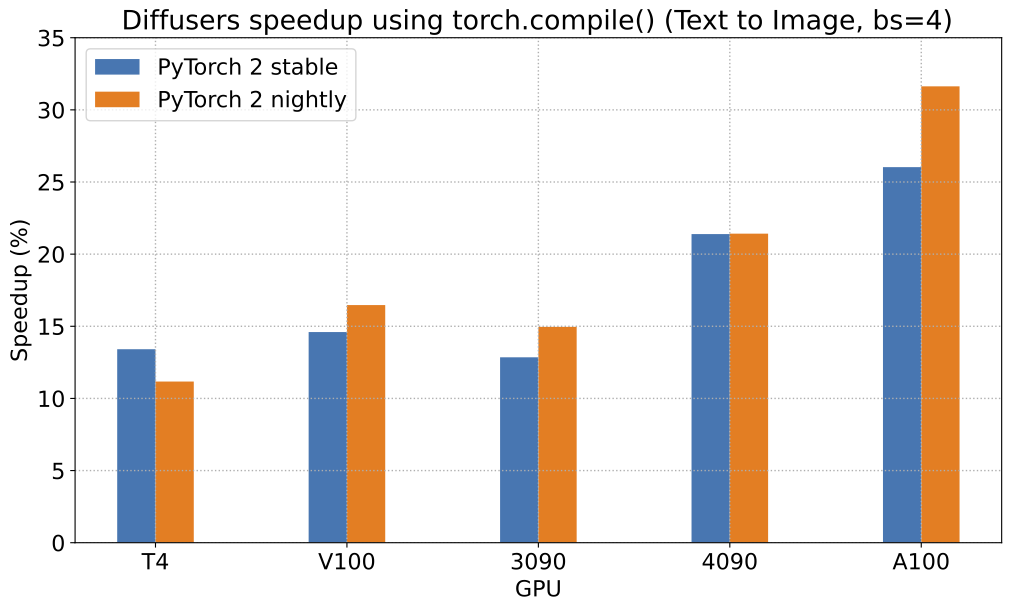
|
||||
|
||||
To give you an even better idea of how this speed-up holds for the other pipelines, consider the following
|
||||
graph for an A100 with PyTorch 2.0 and `torch.compile`:
|
||||
|
||||
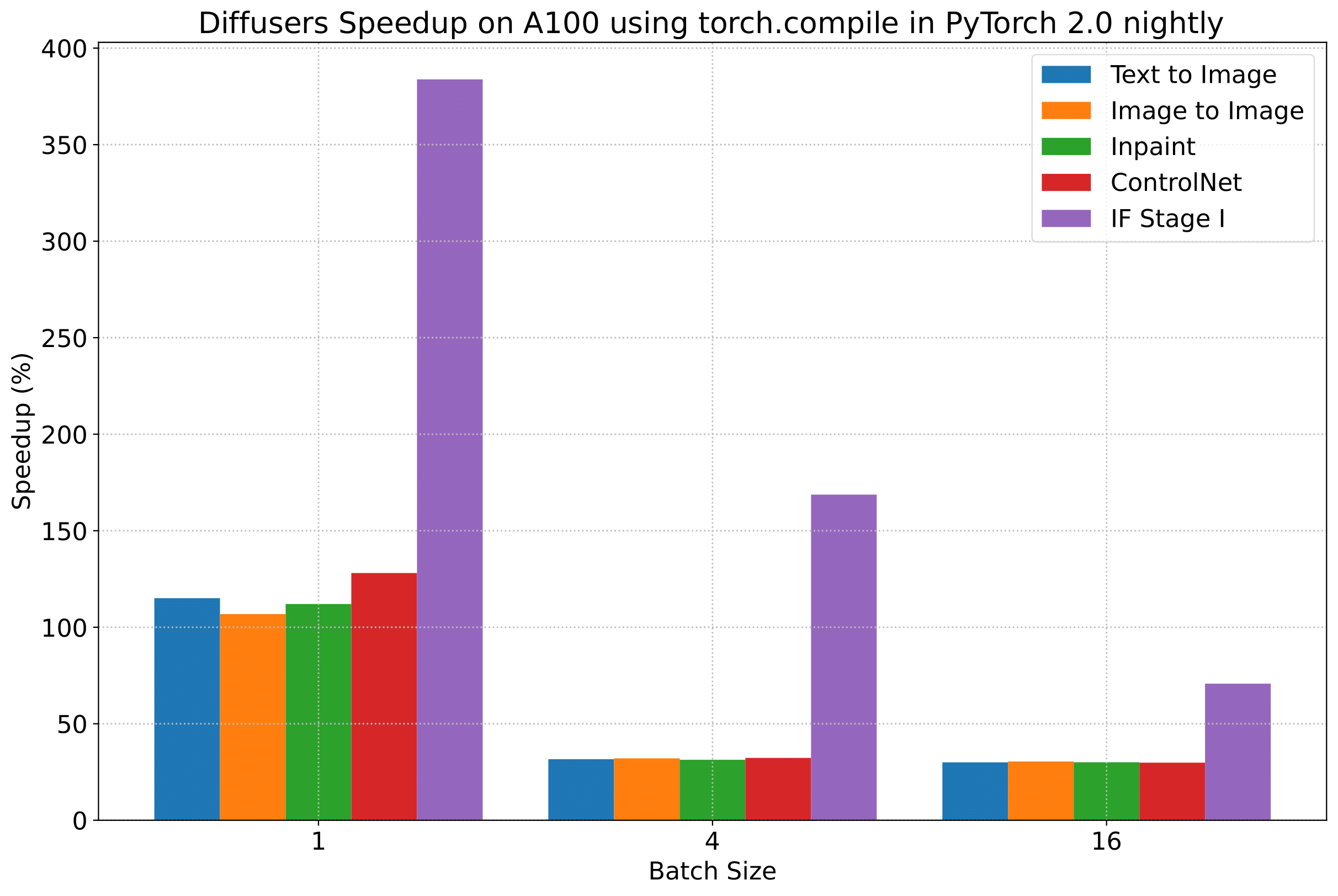
|
||||
|
||||
In the following tables, we report our findings in terms of the *number of iterations/second*.
|
||||
|
||||
### A100 (batch size: 1)
|
||||
|
||||
| **Pipeline** | **torch 2.0 - <br>no compile** | **torch nightly - <br>no compile** | **torch 2.0 - <br>compile** | **torch nightly - <br>compile** |
|
||||
|:---:|:---:|:---:|:---:|:---:|
|
||||
| SD - txt2img | 21.66 | 23.13 | 44.03 | 49.74 |
|
||||
| SD - img2img | 21.81 | 22.40 | 43.92 | 46.32 |
|
||||
| SD - inpaint | 22.24 | 23.23 | 43.76 | 49.25 |
|
||||
| SD - controlnet | 15.02 | 15.82 | 32.13 | 36.08 |
|
||||
| IF | 20.21 / <br>13.84 / <br>24.00 | 20.12 / <br>13.70 / <br>24.03 | ❌ | 97.34 / <br>27.23 / <br>111.66 |
|
||||
| SDXL - txt2img | 8.64 | 9.9 | - | - |
|
||||
|
||||
### A100 (batch size: 4)
|
||||
|
||||
| **Pipeline** | **torch 2.0 - <br>no compile** | **torch nightly - <br>no compile** | **torch 2.0 - <br>compile** | **torch nightly - <br>compile** |
|
||||
|:---:|:---:|:---:|:---:|:---:|
|
||||
| SD - txt2img | 11.6 | 13.12 | 14.62 | 17.27 |
|
||||
| SD - img2img | 11.47 | 13.06 | 14.66 | 17.25 |
|
||||
| SD - inpaint | 11.67 | 13.31 | 14.88 | 17.48 |
|
||||
| SD - controlnet | 8.28 | 9.38 | 10.51 | 12.41 |
|
||||
| IF | 25.02 | 18.04 | ❌ | 48.47 |
|
||||
| SDXL - txt2img | 2.44 | 2.74 | - | - |
|
||||
|
||||
### A100 (batch size: 16)
|
||||
|
||||
| **Pipeline** | **torch 2.0 - <br>no compile** | **torch nightly - <br>no compile** | **torch 2.0 - <br>compile** | **torch nightly - <br>compile** |
|
||||
|:---:|:---:|:---:|:---:|:---:|
|
||||
| SD - txt2img | 3.04 | 3.6 | 3.83 | 4.68 |
|
||||
| SD - img2img | 2.98 | 3.58 | 3.83 | 4.67 |
|
||||
| SD - inpaint | 3.04 | 3.66 | 3.9 | 4.76 |
|
||||
| SD - controlnet | 2.15 | 2.58 | 2.74 | 3.35 |
|
||||
| IF | 8.78 | 9.82 | ❌ | 16.77 |
|
||||
| SDXL - txt2img | 0.64 | 0.72 | - | - |
|
||||
|
||||
### V100 (batch size: 1)
|
||||
|
||||
| **Pipeline** | **torch 2.0 - <br>no compile** | **torch nightly - <br>no compile** | **torch 2.0 - <br>compile** | **torch nightly - <br>compile** |
|
||||
|:---:|:---:|:---:|:---:|:---:|
|
||||
| SD - txt2img | 18.99 | 19.14 | 20.95 | 22.17 |
|
||||
| SD - img2img | 18.56 | 19.18 | 20.95 | 22.11 |
|
||||
| SD - inpaint | 19.14 | 19.06 | 21.08 | 22.20 |
|
||||
| SD - controlnet | 13.48 | 13.93 | 15.18 | 15.88 |
|
||||
| IF | 20.01 / <br>9.08 / <br>23.34 | 19.79 / <br>8.98 / <br>24.10 | ❌ | 55.75 / <br>11.57 / <br>57.67 |
|
||||
|
||||
### V100 (batch size: 4)
|
||||
|
||||
| **Pipeline** | **torch 2.0 - <br>no compile** | **torch nightly - <br>no compile** | **torch 2.0 - <br>compile** | **torch nightly - <br>compile** |
|
||||
|:---:|:---:|:---:|:---:|:---:|
|
||||
| SD - txt2img | 5.96 | 5.89 | 6.83 | 6.86 |
|
||||
| SD - img2img | 5.90 | 5.91 | 6.81 | 6.82 |
|
||||
| SD - inpaint | 5.99 | 6.03 | 6.93 | 6.95 |
|
||||
| SD - controlnet | 4.26 | 4.29 | 4.92 | 4.93 |
|
||||
| IF | 15.41 | 14.76 | ❌ | 22.95 |
|
||||
|
||||
### V100 (batch size: 16)
|
||||
|
||||
| **Pipeline** | **torch 2.0 - <br>no compile** | **torch nightly - <br>no compile** | **torch 2.0 - <br>compile** | **torch nightly - <br>compile** |
|
||||
|:---:|:---:|:---:|:---:|:---:|
|
||||
| SD - txt2img | 1.66 | 1.66 | 1.92 | 1.90 |
|
||||
| SD - img2img | 1.65 | 1.65 | 1.91 | 1.89 |
|
||||
| SD - inpaint | 1.69 | 1.69 | 1.95 | 1.93 |
|
||||
| SD - controlnet | 1.19 | 1.19 | OOM after warmup | 1.36 |
|
||||
| IF | 5.43 | 5.29 | ❌ | 7.06 |
|
||||
|
||||
### T4 (batch size: 1)
|
||||
|
||||
| **Pipeline** | **torch 2.0 - <br>no compile** | **torch nightly - <br>no compile** | **torch 2.0 - <br>compile** | **torch nightly - <br>compile** |
|
||||
|:---:|:---:|:---:|:---:|:---:|
|
||||
| SD - txt2img | 6.9 | 6.95 | 7.3 | 7.56 |
|
||||
| SD - img2img | 6.84 | 6.99 | 7.04 | 7.55 |
|
||||
| SD - inpaint | 6.91 | 6.7 | 7.01 | 7.37 |
|
||||
| SD - controlnet | 4.89 | 4.86 | 5.35 | 5.48 |
|
||||
| IF | 17.42 / <br>2.47 / <br>18.52 | 16.96 / <br>2.45 / <br>18.69 | ❌ | 24.63 / <br>2.47 / <br>23.39 |
|
||||
| SDXL - txt2img | 1.15 | 1.16 | - | - |
|
||||
|
||||
### T4 (batch size: 4)
|
||||
|
||||
| **Pipeline** | **torch 2.0 - <br>no compile** | **torch nightly - <br>no compile** | **torch 2.0 - <br>compile** | **torch nightly - <br>compile** |
|
||||
|:---:|:---:|:---:|:---:|:---:|
|
||||
| SD - txt2img | 1.79 | 1.79 | 2.03 | 1.99 |
|
||||
| SD - img2img | 1.77 | 1.77 | 2.05 | 2.04 |
|
||||
| SD - inpaint | 1.81 | 1.82 | 2.09 | 2.09 |
|
||||
| SD - controlnet | 1.34 | 1.27 | 1.47 | 1.46 |
|
||||
| IF | 5.79 | 5.61 | ❌ | 7.39 |
|
||||
| SDXL - txt2img | 0.288 | 0.289 | - | - |
|
||||
|
||||
### T4 (batch size: 16)
|
||||
|
||||
| **Pipeline** | **torch 2.0 - <br>no compile** | **torch nightly - <br>no compile** | **torch 2.0 - <br>compile** | **torch nightly - <br>compile** |
|
||||
|:---:|:---:|:---:|:---:|:---:|
|
||||
| SD - txt2img | 2.34s | 2.30s | OOM after 2nd iteration | 1.99s |
|
||||
| SD - img2img | 2.35s | 2.31s | OOM after warmup | 2.00s |
|
||||
| SD - inpaint | 2.30s | 2.26s | OOM after 2nd iteration | 1.95s |
|
||||
| SD - controlnet | OOM after 2nd iteration | OOM after 2nd iteration | OOM after warmup | OOM after warmup |
|
||||
| IF * | 1.44 | 1.44 | ❌ | 1.94 |
|
||||
| SDXL - txt2img | OOM | OOM | - | - |
|
||||
|
||||
### RTX 3090 (batch size: 1)
|
||||
|
||||
| **Pipeline** | **torch 2.0 - <br>no compile** | **torch nightly - <br>no compile** | **torch 2.0 - <br>compile** | **torch nightly - <br>compile** |
|
||||
|:---:|:---:|:---:|:---:|:---:|
|
||||
| SD - txt2img | 22.56 | 22.84 | 23.84 | 25.69 |
|
||||
| SD - img2img | 22.25 | 22.61 | 24.1 | 25.83 |
|
||||
| SD - inpaint | 22.22 | 22.54 | 24.26 | 26.02 |
|
||||
| SD - controlnet | 16.03 | 16.33 | 17.38 | 18.56 |
|
||||
| IF | 27.08 / <br>9.07 / <br>31.23 | 26.75 / <br>8.92 / <br>31.47 | ❌ | 68.08 / <br>11.16 / <br>65.29 |
|
||||
|
||||
### RTX 3090 (batch size: 4)
|
||||
|
||||
| **Pipeline** | **torch 2.0 - <br>no compile** | **torch nightly - <br>no compile** | **torch 2.0 - <br>compile** | **torch nightly - <br>compile** |
|
||||
|:---:|:---:|:---:|:---:|:---:|
|
||||
| SD - txt2img | 6.46 | 6.35 | 7.29 | 7.3 |
|
||||
| SD - img2img | 6.33 | 6.27 | 7.31 | 7.26 |
|
||||
| SD - inpaint | 6.47 | 6.4 | 7.44 | 7.39 |
|
||||
| SD - controlnet | 4.59 | 4.54 | 5.27 | 5.26 |
|
||||
| IF | 16.81 | 16.62 | ❌ | 21.57 |
|
||||
|
||||
### RTX 3090 (batch size: 16)
|
||||
|
||||
| **Pipeline** | **torch 2.0 - <br>no compile** | **torch nightly - <br>no compile** | **torch 2.0 - <br>compile** | **torch nightly - <br>compile** |
|
||||
|:---:|:---:|:---:|:---:|:---:|
|
||||
| SD - txt2img | 1.7 | 1.69 | 1.93 | 1.91 |
|
||||
| SD - img2img | 1.68 | 1.67 | 1.93 | 1.9 |
|
||||
| SD - inpaint | 1.72 | 1.71 | 1.97 | 1.94 |
|
||||
| SD - controlnet | 1.23 | 1.22 | 1.4 | 1.38 |
|
||||
| IF | 5.01 | 5.00 | ❌ | 6.33 |
|
||||
|
||||
### RTX 4090 (batch size: 1)
|
||||
|
||||
| **Pipeline** | **torch 2.0 - <br>no compile** | **torch nightly - <br>no compile** | **torch 2.0 - <br>compile** | **torch nightly - <br>compile** |
|
||||
|:---:|:---:|:---:|:---:|:---:|
|
||||
| SD - txt2img | 40.5 | 41.89 | 44.65 | 49.81 |
|
||||
| SD - img2img | 40.39 | 41.95 | 44.46 | 49.8 |
|
||||
| SD - inpaint | 40.51 | 41.88 | 44.58 | 49.72 |
|
||||
| SD - controlnet | 29.27 | 30.29 | 32.26 | 36.03 |
|
||||
| IF | 69.71 / <br>18.78 / <br>85.49 | 69.13 / <br>18.80 / <br>85.56 | ❌ | 124.60 / <br>26.37 / <br>138.79 |
|
||||
| SDXL - txt2img | 6.8 | 8.18 | - | - |
|
||||
|
||||
### RTX 4090 (batch size: 4)
|
||||
|
||||
| **Pipeline** | **torch 2.0 - <br>no compile** | **torch nightly - <br>no compile** | **torch 2.0 - <br>compile** | **torch nightly - <br>compile** |
|
||||
|:---:|:---:|:---:|:---:|:---:|
|
||||
| SD - txt2img | 12.62 | 12.84 | 15.32 | 15.59 |
|
||||
| SD - img2img | 12.61 | 12,.79 | 15.35 | 15.66 |
|
||||
| SD - inpaint | 12.65 | 12.81 | 15.3 | 15.58 |
|
||||
| SD - controlnet | 9.1 | 9.25 | 11.03 | 11.22 |
|
||||
| IF | 31.88 | 31.14 | ❌ | 43.92 |
|
||||
| SDXL - txt2img | 2.19 | 2.35 | - | - |
|
||||
|
||||
### RTX 4090 (batch size: 16)
|
||||
|
||||
| **Pipeline** | **torch 2.0 - <br>no compile** | **torch nightly - <br>no compile** | **torch 2.0 - <br>compile** | **torch nightly - <br>compile** |
|
||||
|:---:|:---:|:---:|:---:|:---:|
|
||||
| SD - txt2img | 3.17 | 3.2 | 3.84 | 3.85 |
|
||||
| SD - img2img | 3.16 | 3.2 | 3.84 | 3.85 |
|
||||
| SD - inpaint | 3.17 | 3.2 | 3.85 | 3.85 |
|
||||
| SD - controlnet | 2.23 | 2.3 | 2.7 | 2.75 |
|
||||
| IF | 9.26 | 9.2 | ❌ | 13.31 |
|
||||
| SDXL - txt2img | 0.52 | 0.53 | - | - |
|
||||
|
||||
## Notes
|
||||
|
||||
* Follow this [PR](https://github.com/huggingface/diffusers/pull/3313) for more details on the environment used for conducting the benchmarks.
|
||||
* For the DeepFloyd IF pipeline where batch sizes > 1, we only used a batch size of > 1 in the first IF pipeline for text-to-image generation and NOT for upscaling. That means the two upscaling pipelines received a batch size of 1.
|
||||
|
||||
*Thanks to [Horace He](https://github.com/Chillee) from the PyTorch team for their support in improving our support of `torch.compile()` in Diffusers.*
|
||||
@@ -11,7 +11,7 @@ specific language governing permissions and limitations under the License.
|
||||
|
||||
-->
|
||||
|
||||
# Getting started
|
||||
# Quantization
|
||||
|
||||
Quantization focuses on representing data with fewer bits while also trying to preserve the precision of the original data. This often means converting a data type to represent the same information with fewer bits. For example, if your model weights are stored as 32-bit floating points and they're quantized to 16-bit floating points, this halves the model size which makes it easier to store and reduces memory usage. Lower precision can also speedup inference because it takes less time to perform calculations with fewer bits.
|
||||
|
||||
@@ -19,25 +19,19 @@ Diffusers supports multiple quantization backends to make large diffusion models
|
||||
|
||||
## Pipeline-level quantization
|
||||
|
||||
There are two ways to use [`~quantizers.PipelineQuantizationConfig`] depending on how much customization you want to apply to the quantization configuration.
|
||||
There are two ways you can use [`~quantizers.PipelineQuantizationConfig`] depending on the level of control you want over the quantization specifications of each model in the pipeline.
|
||||
|
||||
- for basic use cases, define the `quant_backend`, `quant_kwargs`, and `components_to_quantize` arguments
|
||||
- for granular quantization control, define a `quant_mapping` that provides the quantization configuration for individual model components
|
||||
- for more basic and simple use cases, you only need to define the `quant_backend`, `quant_kwargs`, and `components_to_quantize`
|
||||
- for more granular quantization control, provide a `quant_mapping` that provides the quantization specifications for the individual model components
|
||||
|
||||
### Basic quantization
|
||||
### Simple quantization
|
||||
|
||||
Initialize [`~quantizers.PipelineQuantizationConfig`] with the following parameters.
|
||||
|
||||
- `quant_backend` specifies which quantization backend to use. Currently supported backends include: `bitsandbytes_4bit`, `bitsandbytes_8bit`, `gguf`, `quanto`, and `torchao`.
|
||||
- `quant_kwargs` specifies the quantization arguments to use.
|
||||
|
||||
> [!TIP]
|
||||
> These `quant_kwargs` arguments are different for each backend. Refer to the [Quantization API](../api/quantization) docs to view the arguments for each backend.
|
||||
|
||||
- `quant_kwargs` contains the specific quantization arguments to use.
|
||||
- `components_to_quantize` specifies which components of the pipeline to quantize. Typically, you should quantize the most compute intensive components like the transformer. The text encoder is another component to consider quantizing if a pipeline has more than one such as [`FluxPipeline`]. The example below quantizes the T5 text encoder in [`FluxPipeline`] while keeping the CLIP model intact.
|
||||
|
||||
The example below loads the bitsandbytes backend with the following arguments from [`~quantizers.quantization_config.BitsAndBytesConfig`], `load_in_4bit`, `bnb_4bit_quant_type`, and `bnb_4bit_compute_dtype`.
|
||||
|
||||
```py
|
||||
import torch
|
||||
from diffusers import DiffusionPipeline
|
||||
@@ -62,13 +56,13 @@ pipe = DiffusionPipeline.from_pretrained(
|
||||
image = pipe("photo of a cute dog").images[0]
|
||||
```
|
||||
|
||||
### Advanced quantization
|
||||
### quant_mapping
|
||||
|
||||
The `quant_mapping` argument provides more options for how to quantize each individual component in a pipeline, like combining different quantization backends.
|
||||
The `quant_mapping` argument provides more flexible options for how to quantize each individual component in a pipeline, like combining different quantization backends.
|
||||
|
||||
Initialize [`~quantizers.PipelineQuantizationConfig`] and pass a `quant_mapping` to it. The `quant_mapping` allows you to specify the quantization options for each component in the pipeline such as the transformer and text encoder.
|
||||
|
||||
The example below uses two quantization backends, [`~quantizers.quantization_config.QuantoConfig`] and [`transformers.BitsAndBytesConfig`], for the transformer and text encoder.
|
||||
The example below uses two quantization backends, [`~quantizers.QuantoConfig`] and [`transformers.BitsAndBytesConfig`], for the transformer and text encoder.
|
||||
|
||||
```py
|
||||
import torch
|
||||
@@ -91,7 +85,7 @@ pipeline_quant_config = PipelineQuantizationConfig(
|
||||
There is a separate bitsandbytes backend in [Transformers](https://huggingface.co/docs/transformers/main_classes/quantization#transformers.BitsAndBytesConfig). You need to import and use [`transformers.BitsAndBytesConfig`] for components that come from Transformers. For example, `text_encoder_2` in [`FluxPipeline`] is a [`~transformers.T5EncoderModel`] from Transformers so you need to use [`transformers.BitsAndBytesConfig`] instead of [`diffusers.BitsAndBytesConfig`].
|
||||
|
||||
> [!TIP]
|
||||
> Use the [basic quantization](#basic-quantization) method above if you don't want to manage these distinct imports or aren't sure where each pipeline component comes from.
|
||||
> Use the [simple quantization](#simple-quantization) method above if you don't want to manage these distinct imports or aren't sure where each pipeline component comes from.
|
||||
|
||||
```py
|
||||
import torch
|
||||
@@ -135,4 +129,4 @@ Check out the resources below to learn more about quantization.
|
||||
|
||||
- The Transformers quantization [Overview](https://huggingface.co/docs/transformers/quantization/overview#when-to-use-what) provides an overview of the pros and cons of different quantization backends.
|
||||
|
||||
- Read the [Exploring Quantization Backends in Diffusers](https://huggingface.co/blog/diffusers-quantization) blog post for a brief introduction to each quantization backend, how to choose a backend, and combining quantization with other memory optimizations.
|
||||
- Read the [Exploring Quantization Backends in Diffusers](https://huggingface.co/blog/diffusers-quantization) blog post for a brief introduction to each quantization backend, how to choose a backend, and combining quantization with other memory optimizations.
|
||||
@@ -145,10 +145,10 @@ When running `accelerate config`, if you use torch.compile, there can be dramati
|
||||
If you would like to push your model to the Hub after training is completed with a neat model card, make sure you're logged in:
|
||||
|
||||
```bash
|
||||
hf auth login
|
||||
huggingface-cli login
|
||||
|
||||
# Alternatively, you could upload your model manually using:
|
||||
# hf upload my-cool-account-name/my-cool-lora-name /path/to/awesome/lora
|
||||
# huggingface-cli upload my-cool-account-name/my-cool-lora-name /path/to/awesome/lora
|
||||
```
|
||||
|
||||
Make sure your data is prepared as described in [Data Preparation](#data-preparation). When ready, you can begin training!
|
||||
|
||||
@@ -67,7 +67,7 @@ dataset = load_dataset(
|
||||
Then use the [`~datasets.Dataset.push_to_hub`] method to upload the dataset to the Hub:
|
||||
|
||||
```python
|
||||
# assuming you have ran the hf auth login command in a terminal
|
||||
# assuming you have ran the huggingface-cli login command in a terminal
|
||||
dataset.push_to_hub("name_of_your_dataset")
|
||||
|
||||
# if you want to push to a private repo, simply pass private=True:
|
||||
|
||||
@@ -42,7 +42,7 @@ We encourage you to share your model with the community, and in order to do that
|
||||
Or login in from the terminal:
|
||||
|
||||
```bash
|
||||
hf auth login
|
||||
huggingface-cli login
|
||||
```
|
||||
|
||||
Since the model checkpoints are quite large, install [Git-LFS](https://git-lfs.com/) to version these large files:
|
||||
|
||||
322
docs/source/en/tutorials/fast_diffusion.md
Normal file
322
docs/source/en/tutorials/fast_diffusion.md
Normal file
@@ -0,0 +1,322 @@
|
||||
<!--Copyright 2024 The HuggingFace Team. All rights reserved.
|
||||
|
||||
Licensed under the Apache License, Version 2.0 (the "License"); you may not use this file except in compliance with
|
||||
the License. You may obtain a copy of the License at
|
||||
|
||||
http://www.apache.org/licenses/LICENSE-2.0
|
||||
|
||||
Unless required by applicable law or agreed to in writing, software distributed under the License is distributed on
|
||||
an "AS IS" BASIS, WITHOUT WARRANTIES OR CONDITIONS OF ANY KIND, either express or implied. See the License for the
|
||||
specific language governing permissions and limitations under the License.
|
||||
-->
|
||||
|
||||
# Accelerate inference of text-to-image diffusion models
|
||||
|
||||
Diffusion models are slower than their GAN counterparts because of the iterative and sequential reverse diffusion process. There are several techniques that can address this limitation such as progressive timestep distillation ([LCM LoRA](../using-diffusers/inference_with_lcm_lora)), model compression ([SSD-1B](https://huggingface.co/segmind/SSD-1B)), and reusing adjacent features of the denoiser ([DeepCache](../optimization/deepcache)).
|
||||
|
||||
However, you don't necessarily need to use these techniques to speed up inference. With PyTorch 2 alone, you can accelerate the inference latency of text-to-image diffusion pipelines by up to 3x. This tutorial will show you how to progressively apply the optimizations found in PyTorch 2 to reduce inference latency. You'll use the [Stable Diffusion XL (SDXL)](../using-diffusers/sdxl) pipeline in this tutorial, but these techniques are applicable to other text-to-image diffusion pipelines too.
|
||||
|
||||
Make sure you're using the latest version of Diffusers:
|
||||
|
||||
```bash
|
||||
pip install -U diffusers
|
||||
```
|
||||
|
||||
Then upgrade the other required libraries too:
|
||||
|
||||
```bash
|
||||
pip install -U transformers accelerate peft
|
||||
```
|
||||
|
||||
Install [PyTorch nightly](https://pytorch.org/) to benefit from the latest and fastest kernels:
|
||||
|
||||
```bash
|
||||
pip3 install --pre torch --index-url https://download.pytorch.org/whl/nightly/cu121
|
||||
```
|
||||
|
||||
> [!TIP]
|
||||
> The results reported below are from a 80GB 400W A100 with its clock rate set to the maximum.
|
||||
> If you're interested in the full benchmarking code, take a look at [huggingface/diffusion-fast](https://github.com/huggingface/diffusion-fast).
|
||||
|
||||
|
||||
## Baseline
|
||||
|
||||
Let's start with a baseline. Disable reduced precision and the [`scaled_dot_product_attention` (SDPA)](../optimization/torch2.0#scaled-dot-product-attention) function which is automatically used by Diffusers:
|
||||
|
||||
```python
|
||||
from diffusers import StableDiffusionXLPipeline
|
||||
|
||||
# Load the pipeline in full-precision and place its model components on CUDA.
|
||||
pipe = StableDiffusionXLPipeline.from_pretrained(
|
||||
"stabilityai/stable-diffusion-xl-base-1.0"
|
||||
).to("cuda")
|
||||
|
||||
# Run the attention ops without SDPA.
|
||||
pipe.unet.set_default_attn_processor()
|
||||
pipe.vae.set_default_attn_processor()
|
||||
|
||||
prompt = "Astronaut in a jungle, cold color palette, muted colors, detailed, 8k"
|
||||
image = pipe(prompt, num_inference_steps=30).images[0]
|
||||
```
|
||||
|
||||
This default setup takes 7.36 seconds.
|
||||
|
||||
<div class="flex justify-center">
|
||||
<img src="https://huggingface.co/datasets/sayakpaul/sample-datasets/resolve/main/progressive-acceleration-sdxl/SDXL%2C_Batch_Size%3A_1%2C_Steps%3A_30_0.png" width=500>
|
||||
</div>
|
||||
|
||||
## bfloat16
|
||||
|
||||
Enable the first optimization, reduced precision or more specifically bfloat16. There are several benefits of using reduced precision:
|
||||
|
||||
* Using a reduced numerical precision (such as float16 or bfloat16) for inference doesn’t affect the generation quality but significantly improves latency.
|
||||
* The benefits of using bfloat16 compared to float16 are hardware dependent, but modern GPUs tend to favor bfloat16.
|
||||
* bfloat16 is much more resilient when used with quantization compared to float16, but more recent versions of the quantization library ([torchao](https://github.com/pytorch-labs/ao)) we used don't have numerical issues with float16.
|
||||
|
||||
```python
|
||||
from diffusers import StableDiffusionXLPipeline
|
||||
import torch
|
||||
|
||||
pipe = StableDiffusionXLPipeline.from_pretrained(
|
||||
"stabilityai/stable-diffusion-xl-base-1.0", torch_dtype=torch.bfloat16
|
||||
).to("cuda")
|
||||
|
||||
# Run the attention ops without SDPA.
|
||||
pipe.unet.set_default_attn_processor()
|
||||
pipe.vae.set_default_attn_processor()
|
||||
|
||||
prompt = "Astronaut in a jungle, cold color palette, muted colors, detailed, 8k"
|
||||
image = pipe(prompt, num_inference_steps=30).images[0]
|
||||
```
|
||||
|
||||
bfloat16 reduces the latency from 7.36 seconds to 4.63 seconds.
|
||||
|
||||
<div class="flex justify-center">
|
||||
<img src="https://huggingface.co/datasets/sayakpaul/sample-datasets/resolve/main/progressive-acceleration-sdxl/SDXL%2C_Batch_Size%3A_1%2C_Steps%3A_30_1.png" width=500>
|
||||
</div>
|
||||
|
||||
<Tip>
|
||||
|
||||
In our later experiments with float16, recent versions of torchao do not incur numerical problems from float16.
|
||||
|
||||
</Tip>
|
||||
|
||||
Take a look at the [Speed up inference](../optimization/fp16) guide to learn more about running inference with reduced precision.
|
||||
|
||||
## SDPA
|
||||
|
||||
Attention blocks are intensive to run. But with PyTorch's [`scaled_dot_product_attention`](../optimization/torch2.0#scaled-dot-product-attention) function, it is a lot more efficient. This function is used by default in Diffusers so you don't need to make any changes to the code.
|
||||
|
||||
```python
|
||||
from diffusers import StableDiffusionXLPipeline
|
||||
import torch
|
||||
|
||||
pipe = StableDiffusionXLPipeline.from_pretrained(
|
||||
"stabilityai/stable-diffusion-xl-base-1.0", torch_dtype=torch.bfloat16
|
||||
).to("cuda")
|
||||
|
||||
prompt = "Astronaut in a jungle, cold color palette, muted colors, detailed, 8k"
|
||||
image = pipe(prompt, num_inference_steps=30).images[0]
|
||||
```
|
||||
|
||||
Scaled dot product attention improves the latency from 4.63 seconds to 3.31 seconds.
|
||||
|
||||
<div class="flex justify-center">
|
||||
<img src="https://huggingface.co/datasets/sayakpaul/sample-datasets/resolve/main/progressive-acceleration-sdxl/SDXL%2C_Batch_Size%3A_1%2C_Steps%3A_30_2.png" width=500>
|
||||
</div>
|
||||
|
||||
## torch.compile
|
||||
|
||||
PyTorch 2 includes `torch.compile` which uses fast and optimized kernels. In Diffusers, the UNet and VAE are usually compiled because these are the most compute-intensive modules. First, configure a few compiler flags (refer to the [full list](https://github.com/pytorch/pytorch/blob/main/torch/_inductor/config.py) for more options):
|
||||
|
||||
```python
|
||||
from diffusers import StableDiffusionXLPipeline
|
||||
import torch
|
||||
|
||||
torch._inductor.config.conv_1x1_as_mm = True
|
||||
torch._inductor.config.coordinate_descent_tuning = True
|
||||
torch._inductor.config.epilogue_fusion = False
|
||||
torch._inductor.config.coordinate_descent_check_all_directions = True
|
||||
```
|
||||
|
||||
It is also important to change the UNet and VAE's memory layout to "channels_last" when compiling them to ensure maximum speed.
|
||||
|
||||
```python
|
||||
pipe.unet.to(memory_format=torch.channels_last)
|
||||
pipe.vae.to(memory_format=torch.channels_last)
|
||||
```
|
||||
|
||||
Now compile and perform inference:
|
||||
|
||||
```python
|
||||
# Compile the UNet and VAE.
|
||||
pipe.unet = torch.compile(pipe.unet, mode="max-autotune", fullgraph=True)
|
||||
pipe.vae.decode = torch.compile(pipe.vae.decode, mode="max-autotune", fullgraph=True)
|
||||
|
||||
prompt = "Astronaut in a jungle, cold color palette, muted colors, detailed, 8k"
|
||||
|
||||
# First call to `pipe` is slow, subsequent ones are faster.
|
||||
image = pipe(prompt, num_inference_steps=30).images[0]
|
||||
```
|
||||
|
||||
`torch.compile` offers different backends and modes. For maximum inference speed, use "max-autotune" for the inductor backend. “max-autotune” uses CUDA graphs and optimizes the compilation graph specifically for latency. CUDA graphs greatly reduces the overhead of launching GPU operations by using a mechanism to launch multiple GPU operations through a single CPU operation.
|
||||
|
||||
Using SDPA attention and compiling both the UNet and VAE cuts the latency from 3.31 seconds to 2.54 seconds.
|
||||
|
||||
<div class="flex justify-center">
|
||||
<img src="https://huggingface.co/datasets/sayakpaul/sample-datasets/resolve/main/progressive-acceleration-sdxl/SDXL%2C_Batch_Size%3A_1%2C_Steps%3A_30_3.png" width=500>
|
||||
</div>
|
||||
|
||||
> [!TIP]
|
||||
> From PyTorch 2.3.1, you can control the caching behavior of `torch.compile()`. This is particularly beneficial for compilation modes like `"max-autotune"` which performs a grid-search over several compilation flags to find the optimal configuration. Learn more in the [Compile Time Caching in torch.compile](https://pytorch.org/tutorials/recipes/torch_compile_caching_tutorial.html) tutorial.
|
||||
|
||||
### Prevent graph breaks
|
||||
|
||||
Specifying `fullgraph=True` ensures there are no graph breaks in the underlying model to take full advantage of `torch.compile` without any performance degradation. For the UNet and VAE, this means changing how you access the return variables.
|
||||
|
||||
```diff
|
||||
- latents = unet(
|
||||
- latents, timestep=timestep, encoder_hidden_states=prompt_embeds
|
||||
-).sample
|
||||
|
||||
+ latents = unet(
|
||||
+ latents, timestep=timestep, encoder_hidden_states=prompt_embeds, return_dict=False
|
||||
+)[0]
|
||||
```
|
||||
|
||||
### Remove GPU sync after compilation
|
||||
|
||||
During the iterative reverse diffusion process, the `step()` function is [called](https://github.com/huggingface/diffusers/blob/1d686bac8146037e97f3fd8c56e4063230f71751/src/diffusers/pipelines/stable_diffusion_xl/pipeline_stable_diffusion_xl.py#L1228) on the scheduler each time after the denoiser predicts the less noisy latent embeddings. Inside `step()`, the `sigmas` variable is [indexed](https://github.com/huggingface/diffusers/blob/1d686bac8146037e97f3fd8c56e4063230f71751/src/diffusers/schedulers/scheduling_euler_discrete.py#L476) which when placed on the GPU, causes a communication sync between the CPU and GPU. This introduces latency and it becomes more evident when the denoiser has already been compiled.
|
||||
|
||||
But if the `sigmas` array always [stays on the CPU](https://github.com/huggingface/diffusers/blob/35a969d297cba69110d175ee79c59312b9f49e1e/src/diffusers/schedulers/scheduling_euler_discrete.py#L240), the CPU and GPU sync doesn’t occur and you don't get any latency. In general, any CPU and GPU communication sync should be none or be kept to a bare minimum because it can impact inference latency.
|
||||
|
||||
## Combine the attention block's projection matrices
|
||||
|
||||
The UNet and VAE in SDXL use Transformer-like blocks which consists of attention blocks and feed-forward blocks.
|
||||
|
||||
In an attention block, the input is projected into three sub-spaces using three different projection matrices – Q, K, and V. These projections are performed separately on the input. But we can horizontally combine the projection matrices into a single matrix and perform the projection in one step. This increases the size of the matrix multiplications of the input projections and improves the impact of quantization.
|
||||
|
||||
You can combine the projection matrices with just a single line of code:
|
||||
|
||||
```python
|
||||
pipe.fuse_qkv_projections()
|
||||
```
|
||||
|
||||
This provides a minor improvement from 2.54 seconds to 2.52 seconds.
|
||||
|
||||
<div class="flex justify-center">
|
||||
<img src="https://huggingface.co/datasets/sayakpaul/sample-datasets/resolve/main/progressive-acceleration-sdxl/SDXL%2C_Batch_Size%3A_1%2C_Steps%3A_30_4.png" width=500>
|
||||
</div>
|
||||
|
||||
<Tip warning={true}>
|
||||
|
||||
Support for [`~StableDiffusionXLPipeline.fuse_qkv_projections`] is limited and experimental. It's not available for many non-Stable Diffusion pipelines such as [Kandinsky](../using-diffusers/kandinsky). You can refer to this [PR](https://github.com/huggingface/diffusers/pull/6179) to get an idea about how to enable this for the other pipelines.
|
||||
|
||||
</Tip>
|
||||
|
||||
## Dynamic quantization
|
||||
|
||||
You can also use the ultra-lightweight PyTorch quantization library, [torchao](https://github.com/pytorch-labs/ao) (commit SHA `54bcd5a10d0abbe7b0c045052029257099f83fd9`), to apply [dynamic int8 quantization](https://pytorch.org/tutorials/recipes/recipes/dynamic_quantization.html) to the UNet and VAE. Quantization adds additional conversion overhead to the model that is hopefully made up for by faster matmuls (dynamic quantization). If the matmuls are too small, these techniques may degrade performance.
|
||||
|
||||
First, configure all the compiler tags:
|
||||
|
||||
```python
|
||||
from diffusers import StableDiffusionXLPipeline
|
||||
import torch
|
||||
|
||||
# Notice the two new flags at the end.
|
||||
torch._inductor.config.conv_1x1_as_mm = True
|
||||
torch._inductor.config.coordinate_descent_tuning = True
|
||||
torch._inductor.config.epilogue_fusion = False
|
||||
torch._inductor.config.coordinate_descent_check_all_directions = True
|
||||
torch._inductor.config.force_fuse_int_mm_with_mul = True
|
||||
torch._inductor.config.use_mixed_mm = True
|
||||
```
|
||||
|
||||
Certain linear layers in the UNet and VAE don’t benefit from dynamic int8 quantization. You can filter out those layers with the [`dynamic_quant_filter_fn`](https://github.com/huggingface/diffusion-fast/blob/0f169640b1db106fe6a479f78c1ed3bfaeba3386/utils/pipeline_utils.py#L16) shown below.
|
||||
|
||||
```python
|
||||
def dynamic_quant_filter_fn(mod, *args):
|
||||
return (
|
||||
isinstance(mod, torch.nn.Linear)
|
||||
and mod.in_features > 16
|
||||
and (mod.in_features, mod.out_features)
|
||||
not in [
|
||||
(1280, 640),
|
||||
(1920, 1280),
|
||||
(1920, 640),
|
||||
(2048, 1280),
|
||||
(2048, 2560),
|
||||
(2560, 1280),
|
||||
(256, 128),
|
||||
(2816, 1280),
|
||||
(320, 640),
|
||||
(512, 1536),
|
||||
(512, 256),
|
||||
(512, 512),
|
||||
(640, 1280),
|
||||
(640, 1920),
|
||||
(640, 320),
|
||||
(640, 5120),
|
||||
(640, 640),
|
||||
(960, 320),
|
||||
(960, 640),
|
||||
]
|
||||
)
|
||||
|
||||
|
||||
def conv_filter_fn(mod, *args):
|
||||
return (
|
||||
isinstance(mod, torch.nn.Conv2d) and mod.kernel_size == (1, 1) and 128 in [mod.in_channels, mod.out_channels]
|
||||
)
|
||||
```
|
||||
|
||||
Finally, apply all the optimizations discussed so far:
|
||||
|
||||
```python
|
||||
# SDPA + bfloat16.
|
||||
pipe = StableDiffusionXLPipeline.from_pretrained(
|
||||
"stabilityai/stable-diffusion-xl-base-1.0", torch_dtype=torch.bfloat16
|
||||
).to("cuda")
|
||||
|
||||
# Combine attention projection matrices.
|
||||
pipe.fuse_qkv_projections()
|
||||
|
||||
# Change the memory layout.
|
||||
pipe.unet.to(memory_format=torch.channels_last)
|
||||
pipe.vae.to(memory_format=torch.channels_last)
|
||||
```
|
||||
|
||||
Since dynamic quantization is only limited to the linear layers, convert the appropriate pointwise convolution layers into linear layers to maximize its benefit.
|
||||
|
||||
```python
|
||||
from torchao import swap_conv2d_1x1_to_linear
|
||||
|
||||
swap_conv2d_1x1_to_linear(pipe.unet, conv_filter_fn)
|
||||
swap_conv2d_1x1_to_linear(pipe.vae, conv_filter_fn)
|
||||
```
|
||||
|
||||
Apply dynamic quantization:
|
||||
|
||||
```python
|
||||
from torchao import apply_dynamic_quant
|
||||
|
||||
apply_dynamic_quant(pipe.unet, dynamic_quant_filter_fn)
|
||||
apply_dynamic_quant(pipe.vae, dynamic_quant_filter_fn)
|
||||
```
|
||||
|
||||
Finally, compile and perform inference:
|
||||
|
||||
```python
|
||||
pipe.unet = torch.compile(pipe.unet, mode="max-autotune", fullgraph=True)
|
||||
pipe.vae.decode = torch.compile(pipe.vae.decode, mode="max-autotune", fullgraph=True)
|
||||
|
||||
prompt = "Astronaut in a jungle, cold color palette, muted colors, detailed, 8k"
|
||||
image = pipe(prompt, num_inference_steps=30).images[0]
|
||||
```
|
||||
|
||||
Applying dynamic quantization improves the latency from 2.52 seconds to 2.43 seconds.
|
||||
|
||||
<div class="flex justify-center">
|
||||
<img src="https://huggingface.co/datasets/sayakpaul/sample-datasets/resolve/main/progressive-acceleration-sdxl/SDXL%2C_Batch_Size%3A_1%2C_Steps%3A_30_5.png" width=500>
|
||||
</div>
|
||||
139
docs/source/en/tutorials/inference_with_big_models.md
Normal file
139
docs/source/en/tutorials/inference_with_big_models.md
Normal file
@@ -0,0 +1,139 @@
|
||||
<!--Copyright 2024 The HuggingFace Team. All rights reserved.
|
||||
|
||||
Licensed under the Apache License, Version 2.0 (the "License"); you may not use this file except in compliance with
|
||||
the License. You may obtain a copy of the License at
|
||||
|
||||
http://www.apache.org/licenses/LICENSE-2.0
|
||||
|
||||
Unless required by applicable law or agreed to in writing, software distributed under the License is distributed on
|
||||
an "AS IS" BASIS, WITHOUT WARRANTIES OR CONDITIONS OF ANY KIND, either express or implied. See the License for the
|
||||
specific language governing permissions and limitations under the License.
|
||||
-->
|
||||
|
||||
# Working with big models
|
||||
|
||||
A modern diffusion model, like [Stable Diffusion XL (SDXL)](../using-diffusers/sdxl), is not just a single model, but a collection of multiple models. SDXL has four different model-level components:
|
||||
|
||||
* A variational autoencoder (VAE)
|
||||
* Two text encoders
|
||||
* A UNet for denoising
|
||||
|
||||
Usually, the text encoders and the denoiser are much larger compared to the VAE.
|
||||
|
||||
As models get bigger and better, it’s possible your model is so big that even a single copy won’t fit in memory. But that doesn’t mean it can’t be loaded. If you have more than one GPU, there is more memory available to store your model. In this case, it’s better to split your model checkpoint into several smaller *checkpoint shards*.
|
||||
|
||||
When a text encoder checkpoint has multiple shards, like [T5-xxl for SD3](https://huggingface.co/stabilityai/stable-diffusion-3-medium-diffusers/tree/main/text_encoder_3), it is automatically handled by the [Transformers](https://huggingface.co/docs/transformers/index) library as it is a required dependency of Diffusers when using the [`StableDiffusion3Pipeline`]. More specifically, Transformers will automatically handle the loading of multiple shards within the requested model class and get it ready so that inference can be performed.
|
||||
|
||||
The denoiser checkpoint can also have multiple shards and supports inference thanks to the [Accelerate](https://huggingface.co/docs/accelerate/index) library.
|
||||
|
||||
> [!TIP]
|
||||
> Refer to the [Handling big models for inference](https://huggingface.co/docs/accelerate/main/en/concept_guides/big_model_inference) guide for general guidance when working with big models that are hard to fit into memory.
|
||||
|
||||
For example, let's save a sharded checkpoint for the [SDXL UNet](https://huggingface.co/stabilityai/stable-diffusion-xl-base-1.0/tree/main/unet):
|
||||
|
||||
```python
|
||||
from diffusers import UNet2DConditionModel
|
||||
|
||||
unet = UNet2DConditionModel.from_pretrained(
|
||||
"stabilityai/stable-diffusion-xl-base-1.0", subfolder="unet"
|
||||
)
|
||||
unet.save_pretrained("sdxl-unet-sharded", max_shard_size="5GB")
|
||||
```
|
||||
|
||||
The size of the fp32 variant of the SDXL UNet checkpoint is ~10.4GB. Set the `max_shard_size` parameter to 5GB to create 3 shards. After saving, you can load them in [`StableDiffusionXLPipeline`]:
|
||||
|
||||
```python
|
||||
from diffusers import UNet2DConditionModel, StableDiffusionXLPipeline
|
||||
import torch
|
||||
|
||||
unet = UNet2DConditionModel.from_pretrained(
|
||||
"sayakpaul/sdxl-unet-sharded", torch_dtype=torch.float16
|
||||
)
|
||||
pipeline = StableDiffusionXLPipeline.from_pretrained(
|
||||
"stabilityai/stable-diffusion-xl-base-1.0", unet=unet, torch_dtype=torch.float16
|
||||
).to("cuda")
|
||||
|
||||
image = pipeline("a cute dog running on the grass", num_inference_steps=30).images[0]
|
||||
image.save("dog.png")
|
||||
```
|
||||
|
||||
If placing all the model-level components on the GPU at once is not feasible, use [`~DiffusionPipeline.enable_model_cpu_offload`] to help you:
|
||||
|
||||
```diff
|
||||
- pipeline.to("cuda")
|
||||
+ pipeline.enable_model_cpu_offload()
|
||||
```
|
||||
|
||||
In general, we recommend sharding when a checkpoint is more than 5GB (in fp32).
|
||||
|
||||
## Device placement
|
||||
|
||||
On distributed setups, you can run inference across multiple GPUs with Accelerate.
|
||||
|
||||
> [!WARNING]
|
||||
> This feature is experimental and its APIs might change in the future.
|
||||
|
||||
With Accelerate, you can use the `device_map` to determine how to distribute the models of a pipeline across multiple devices. This is useful in situations where you have more than one GPU.
|
||||
|
||||
For example, if you have two 8GB GPUs, then using [`~DiffusionPipeline.enable_model_cpu_offload`] may not work so well because:
|
||||
|
||||
* it only works on a single GPU
|
||||
* a single model might not fit on a single GPU ([`~DiffusionPipeline.enable_sequential_cpu_offload`] might work but it will be extremely slow and it is also limited to a single GPU)
|
||||
|
||||
To make use of both GPUs, you can use the "balanced" device placement strategy which splits the models across all available GPUs.
|
||||
|
||||
> [!WARNING]
|
||||
> Only the "balanced" strategy is supported at the moment, and we plan to support additional mapping strategies in the future.
|
||||
|
||||
```diff
|
||||
from diffusers import DiffusionPipeline
|
||||
import torch
|
||||
|
||||
pipeline = DiffusionPipeline.from_pretrained(
|
||||
- "stable-diffusion-v1-5/stable-diffusion-v1-5", torch_dtype=torch.float16, use_safetensors=True,
|
||||
+ "stable-diffusion-v1-5/stable-diffusion-v1-5", torch_dtype=torch.float16, use_safetensors=True, device_map="balanced"
|
||||
)
|
||||
image = pipeline("a dog").images[0]
|
||||
image
|
||||
```
|
||||
|
||||
You can also pass a dictionary to enforce the maximum GPU memory that can be used on each device:
|
||||
|
||||
```diff
|
||||
from diffusers import DiffusionPipeline
|
||||
import torch
|
||||
|
||||
max_memory = {0:"1GB", 1:"1GB"}
|
||||
pipeline = DiffusionPipeline.from_pretrained(
|
||||
"stable-diffusion-v1-5/stable-diffusion-v1-5",
|
||||
torch_dtype=torch.float16,
|
||||
use_safetensors=True,
|
||||
device_map="balanced",
|
||||
+ max_memory=max_memory
|
||||
)
|
||||
image = pipeline("a dog").images[0]
|
||||
image
|
||||
```
|
||||
|
||||
If a device is not present in `max_memory`, then it will be completely ignored and will not participate in the device placement.
|
||||
|
||||
By default, Diffusers uses the maximum memory of all devices. If the models don't fit on the GPUs, they are offloaded to the CPU. If the CPU doesn't have enough memory, then you might see an error. In that case, you could defer to using [`~DiffusionPipeline.enable_sequential_cpu_offload`] and [`~DiffusionPipeline.enable_model_cpu_offload`].
|
||||
|
||||
Call [`~DiffusionPipeline.reset_device_map`] to reset the `device_map` of a pipeline. This is also necessary if you want to use methods like `to()`, [`~DiffusionPipeline.enable_sequential_cpu_offload`], and [`~DiffusionPipeline.enable_model_cpu_offload`] on a pipeline that was device-mapped.
|
||||
|
||||
```py
|
||||
pipeline.reset_device_map()
|
||||
```
|
||||
|
||||
Once a pipeline has been device-mapped, you can also access its device map via `hf_device_map`:
|
||||
|
||||
```py
|
||||
print(pipeline.hf_device_map)
|
||||
```
|
||||
|
||||
An example device map would look like so:
|
||||
|
||||
|
||||
```bash
|
||||
{'unet': 1, 'vae': 1, 'safety_checker': 0, 'text_encoder': 0}
|
||||
```
|
||||
23
docs/source/en/tutorials/tutorial_overview.md
Normal file
23
docs/source/en/tutorials/tutorial_overview.md
Normal file
@@ -0,0 +1,23 @@
|
||||
<!--Copyright 2025 The HuggingFace Team. All rights reserved.
|
||||
|
||||
Licensed under the Apache License, Version 2.0 (the "License"); you may not use this file except in compliance with
|
||||
the License. You may obtain a copy of the License at
|
||||
|
||||
http://www.apache.org/licenses/LICENSE-2.0
|
||||
|
||||
Unless required by applicable law or agreed to in writing, software distributed under the License is distributed on
|
||||
an "AS IS" BASIS, WITHOUT WARRANTIES OR CONDITIONS OF ANY KIND, either express or implied. See the License for the
|
||||
specific language governing permissions and limitations under the License.
|
||||
-->
|
||||
|
||||
# Overview
|
||||
|
||||
Welcome to 🧨 Diffusers! If you're new to diffusion models and generative AI, and want to learn more, then you've come to the right place. These beginner-friendly tutorials are designed to provide a gentle introduction to diffusion models and help you understand the library fundamentals - the core components and how 🧨 Diffusers is meant to be used.
|
||||
|
||||
You'll learn how to use a pipeline for inference to rapidly generate things, and then deconstruct that pipeline to really understand how to use the library as a modular toolbox for building your own diffusion systems. In the next lesson, you'll learn how to train your own diffusion model to generate what you want.
|
||||
|
||||
After completing the tutorials, you'll have gained the necessary skills to start exploring the library on your own and see how to use it for your own projects and applications.
|
||||
|
||||
Feel free to join our community on [Discord](https://discord.com/invite/JfAtkvEtRb) or the [forums](https://discuss.huggingface.co/c/discussion-related-to-httpsgithubcomhuggingfacediffusers/63) to connect and collaborate with other users and developers!
|
||||
|
||||
Let's start diffusing! 🧨
|
||||
@@ -203,46 +203,6 @@ pipeline("bears, pizza bites").images[0]
|
||||
</hfoption>
|
||||
</hfoptions>
|
||||
|
||||
### Scale scheduling
|
||||
|
||||
Dynamically adjusting the LoRA scale during sampling gives you better control over the overall composition and layout because certain steps may benefit more from an increased or reduced scale.
|
||||
|
||||
The [character LoRA](https://huggingface.co/alvarobartt/ghibli-characters-flux-lora) in the example below starts with a higher scale that gradually decays over the first 20 steps to establish the character generation. In the later steps, only a scale of 0.2 is applied to avoid adding too much of the LoRA features to other parts of the image the LoRA wasn't trained on.
|
||||
|
||||
```py
|
||||
import torch
|
||||
from diffusers import FluxPipeline
|
||||
|
||||
pipeline = FluxPipeline.from_pretrained(
|
||||
"black-forest-labs/FLUX.1-dev", torch_dtype=torch.bfloat16
|
||||
).to("cuda")
|
||||
|
||||
pipelne.load_lora_weights("alvarobartt/ghibli-characters-flux-lora", "lora")
|
||||
|
||||
num_inference_steps = 30
|
||||
lora_steps = 20
|
||||
lora_scales = torch.linspace(1.5, 0.7, lora_steps).tolist()
|
||||
lora_scales += [0.2] * (num_inference_steps - lora_steps + 1)
|
||||
|
||||
pipeline.set_adapters("lora", lora_scales[0])
|
||||
|
||||
def callback(pipeline: FluxPipeline, step: int, timestep: torch.LongTensor, callback_kwargs: dict):
|
||||
pipeline.set_adapters("lora", lora_scales[step + 1])
|
||||
return callback_kwargs
|
||||
|
||||
prompt = """
|
||||
Ghibli style The Grinch, a mischievous green creature with a sly grin, peeking out from behind a snow-covered tree while plotting his antics,
|
||||
in a quaint snowy village decorated for the holidays, warm light glowing from cozy homes, with playful snowflakes dancing in the air
|
||||
"""
|
||||
pipeline(
|
||||
prompt=prompt,
|
||||
guidance_scale=3.0,
|
||||
num_inference_steps=num_inference_steps,
|
||||
generator=torch.Generator().manual_seed(42),
|
||||
callback_on_step_end=callback,
|
||||
).images[0]
|
||||
```
|
||||
|
||||
## Hotswapping
|
||||
|
||||
Hotswapping LoRAs is an efficient way to work with multiple LoRAs while avoiding accumulating memory from multiple calls to [`~loaders.StableDiffusionLoraLoaderMixin.load_lora_weights`] and in some cases, recompilation, if a model is compiled. This workflow requires a loaded LoRA because the new LoRA weights are swapped in place for the existing loaded LoRA.
|
||||
@@ -315,23 +275,8 @@ pipeline.load_lora_weights(
|
||||
> [!TIP]
|
||||
> Move your code inside the `with torch._dynamo.config.patch(error_on_recompile=True)` context manager to detect if a model was recompiled. If a model is recompiled despite following all the steps above, please open an [issue](https://github.com/huggingface/diffusers/issues) with a reproducible example.
|
||||
|
||||
If you expect to varied resolutions during inference with this feature, then make sure set `dynamic=True` during compilation. Refer to [this document](../optimization/fp16#dynamic-shape-compilation) for more details.
|
||||
|
||||
There are still scenarios where recompulation is unavoidable, such as when the hotswapped LoRA targets more layers than the initial adapter. Try to load the LoRA that targets the most layers *first*. For more details about this limitation, refer to the PEFT [hotswapping](https://huggingface.co/docs/peft/main/en/package_reference/hotswap#peft.utils.hotswap.hotswap_adapter) docs.
|
||||
|
||||
<details>
|
||||
<summary>Technical details of hotswapping</summary>
|
||||
|
||||
The [`~loaders.lora_base.LoraBaseMixin.enable_lora_hotswap`] method converts the LoRA scaling factor from floats to torch.tensors and pads the shape of the weights to the largest required shape to avoid reassigning the whole attribute when the data in the weights are replaced.
|
||||
|
||||
This is why the `max_rank` argument is important. The results are unchanged even when the values are padded with zeros. Computation may be slower though depending on the padding size.
|
||||
|
||||
Since no new LoRA attributes are added, each subsequent LoRA is only allowed to target the same layers, or subset of layers, the first LoRA targets. Choosing the LoRA loading order is important because if the LoRAs target disjoint layers, you may end up creating a dummy LoRA that targets the union of all target layers.
|
||||
|
||||
For more implementation details, take a look at the [`hotswap.py`](https://github.com/huggingface/peft/blob/92d65cafa51c829484ad3d95cf71d09de57ff066/src/peft/utils/hotswap.py) file.
|
||||
|
||||
</details>
|
||||
|
||||
## Merge
|
||||
|
||||
The weights from each LoRA can be merged together to produce a blend of multiple existing styles. There are several methods for merging LoRAs, each of which differ in *how* the weights are merged (may affect generation quality).
|
||||
@@ -686,6 +631,4 @@ Browse the [LoRA Studio](https://lorastudio.co/models) for different LoRAs to us
|
||||
height="450"
|
||||
></iframe>
|
||||
|
||||
You can find additional LoRAs in the [FLUX LoRA the Explorer](https://huggingface.co/spaces/multimodalart/flux-lora-the-explorer) and [LoRA the Explorer](https://huggingface.co/spaces/multimodalart/LoraTheExplorer) Spaces.
|
||||
|
||||
Check out the [Fast LoRA inference for Flux with Diffusers and PEFT](https://huggingface.co/blog/lora-fast) blog post to learn how to optimize LoRA inference with methods like FlashAttention-3 and fp8 quantization.
|
||||
You can find additional LoRAs in the [FLUX LoRA the Explorer](https://huggingface.co/spaces/multimodalart/flux-lora-the-explorer) and [LoRA the Explorer](https://huggingface.co/spaces/multimodalart/LoraTheExplorer) Spaces.
|
||||
@@ -1,264 +0,0 @@
|
||||
<!--Copyright 2025 The HuggingFace Team. All rights reserved.
|
||||
|
||||
Licensed under the Apache License, Version 2.0 (the "License"); you may not use this file except in compliance with
|
||||
the License. You may obtain a copy of the License at
|
||||
|
||||
http://www.apache.org/licenses/LICENSE-2.0
|
||||
|
||||
Unless required by applicable law or agreed to in writing, software distributed under the License is distributed on
|
||||
an "AS IS" BASIS, WITHOUT WARRANTIES OR CONDITIONS OF ANY KIND, either express or implied. See the License for the
|
||||
specific language governing permissions and limitations under the License.
|
||||
-->
|
||||
|
||||
# Batch inference
|
||||
|
||||
Batch inference processes multiple prompts at a time to increase throughput. It is more efficient because processing multiple prompts at once maximizes GPU usage versus processing a single prompt and underutilizing the GPU.
|
||||
|
||||
The downside is increased latency because you must wait for the entire batch to complete, and more GPU memory is required for large batches.
|
||||
|
||||
<hfoptions id="usage">
|
||||
<hfoption id="text-to-image">
|
||||
|
||||
For text-to-image, pass a list of prompts to the pipeline.
|
||||
|
||||
```py
|
||||
import torch
|
||||
from diffusers import DiffusionPipeline
|
||||
|
||||
pipeline = DiffusionPipeline.from_pretrained(
|
||||
"stabilityai/stable-diffusion-xl-base-1.0",
|
||||
torch_dtype=torch.float16
|
||||
).to("cuda")
|
||||
|
||||
prompts = [
|
||||
"cinematic photo of A beautiful sunset over mountains, 35mm photograph, film, professional, 4k, highly detailed",
|
||||
"cinematic film still of a cat basking in the sun on a roof in Turkey, highly detailed, high budget hollywood movie, cinemascope, moody, epic, gorgeous, film grain",
|
||||
"pixel-art a cozy coffee shop interior, low-res, blocky, pixel art style, 8-bit graphics"
|
||||
]
|
||||
|
||||
images = pipeline(
|
||||
prompt=prompts,
|
||||
).images
|
||||
|
||||
fig, axes = plt.subplots(2, 2, figsize=(12, 12))
|
||||
axes = axes.flatten()
|
||||
|
||||
for i, image in enumerate(images):
|
||||
axes[i].imshow(image)
|
||||
axes[i].set_title(f"Image {i+1}")
|
||||
axes[i].axis('off')
|
||||
|
||||
plt.tight_layout()
|
||||
plt.show()
|
||||
```
|
||||
|
||||
To generate multiple variations of one prompt, use the `num_images_per_prompt` argument.
|
||||
|
||||
```py
|
||||
import torch
|
||||
import matplotlib.pyplot as plt
|
||||
from diffusers import DiffusionPipeline
|
||||
|
||||
pipeline = DiffusionPipeline.from_pretrained(
|
||||
"stabilityai/stable-diffusion-xl-base-1.0",
|
||||
torch_dtype=torch.float16
|
||||
).to("cuda")
|
||||
|
||||
images = pipeline(
|
||||
prompt="pixel-art a cozy coffee shop interior, low-res, blocky, pixel art style, 8-bit graphics",
|
||||
num_images_per_prompt=4
|
||||
).images
|
||||
|
||||
fig, axes = plt.subplots(2, 2, figsize=(12, 12))
|
||||
axes = axes.flatten()
|
||||
|
||||
for i, image in enumerate(images):
|
||||
axes[i].imshow(image)
|
||||
axes[i].set_title(f"Image {i+1}")
|
||||
axes[i].axis('off')
|
||||
|
||||
plt.tight_layout()
|
||||
plt.show()
|
||||
```
|
||||
|
||||
Combine both approaches to generate different variations of different prompts.
|
||||
|
||||
```py
|
||||
images = pipeline(
|
||||
prompt=prompts,
|
||||
num_images_per_prompt=2,
|
||||
).images
|
||||
|
||||
fig, axes = plt.subplots(2, 2, figsize=(12, 12))
|
||||
axes = axes.flatten()
|
||||
|
||||
for i, image in enumerate(images):
|
||||
axes[i].imshow(image)
|
||||
axes[i].set_title(f"Image {i+1}")
|
||||
axes[i].axis('off')
|
||||
|
||||
plt.tight_layout()
|
||||
plt.show()
|
||||
```
|
||||
|
||||
</hfoption>
|
||||
<hfoption id="image-to-image">
|
||||
|
||||
For image-to-image, pass a list of input images and prompts to the pipeline.
|
||||
|
||||
```py
|
||||
import torch
|
||||
from diffusers.utils import load_image
|
||||
from diffusers import DiffusionPipeline
|
||||
|
||||
pipeline = DiffusionPipeline.from_pretrained(
|
||||
"stabilityai/stable-diffusion-xl-base-1.0",
|
||||
torch_dtype=torch.float16
|
||||
).to("cuda")
|
||||
|
||||
input_images = [
|
||||
load_image("https://huggingface.co/datasets/huggingface/documentation-images/resolve/main/diffusers/inpaint.png"),
|
||||
load_image("https://huggingface.co/datasets/huggingface/documentation-images/resolve/main/diffusers/cat.png"),
|
||||
load_image("https://huggingface.co/datasets/huggingface/documentation-images/resolve/main/diffusers/detail-prompt.png")
|
||||
]
|
||||
|
||||
prompts = [
|
||||
"cinematic photo of a beautiful sunset over mountains, 35mm photograph, film, professional, 4k, highly detailed",
|
||||
"cinematic film still of a cat basking in the sun on a roof in Turkey, highly detailed, high budget hollywood movie, cinemascope, moody, epic, gorgeous, film grain",
|
||||
"pixel-art a cozy coffee shop interior, low-res, blocky, pixel art style, 8-bit graphics"
|
||||
]
|
||||
|
||||
images = pipeline(
|
||||
prompt=prompts,
|
||||
image=input_images,
|
||||
guidance_scale=8.0,
|
||||
strength=0.5
|
||||
).images
|
||||
|
||||
fig, axes = plt.subplots(2, 2, figsize=(12, 12))
|
||||
axes = axes.flatten()
|
||||
|
||||
for i, image in enumerate(images):
|
||||
axes[i].imshow(image)
|
||||
axes[i].set_title(f"Image {i+1}")
|
||||
axes[i].axis('off')
|
||||
|
||||
plt.tight_layout()
|
||||
plt.show()
|
||||
```
|
||||
|
||||
To generate multiple variations of one prompt, use the `num_images_per_prompt` argument.
|
||||
|
||||
```py
|
||||
import torch
|
||||
import matplotlib.pyplot as plt
|
||||
from diffusers.utils import load_image
|
||||
from diffusers import DiffusionPipeline
|
||||
|
||||
pipeline = DiffusionPipeline.from_pretrained(
|
||||
"stabilityai/stable-diffusion-xl-base-1.0",
|
||||
torch_dtype=torch.float16
|
||||
).to("cuda")
|
||||
|
||||
input_image = load_image("https://huggingface.co/datasets/huggingface/documentation-images/resolve/main/diffusers/detail-prompt.png")
|
||||
|
||||
images = pipeline(
|
||||
prompt="pixel-art a cozy coffee shop interior, low-res, blocky, pixel art style, 8-bit graphics",
|
||||
image=input_image,
|
||||
num_images_per_prompt=4
|
||||
).images
|
||||
|
||||
fig, axes = plt.subplots(2, 2, figsize=(12, 12))
|
||||
axes = axes.flatten()
|
||||
|
||||
for i, image in enumerate(images):
|
||||
axes[i].imshow(image)
|
||||
axes[i].set_title(f"Image {i+1}")
|
||||
axes[i].axis('off')
|
||||
|
||||
plt.tight_layout()
|
||||
plt.show()
|
||||
```
|
||||
|
||||
Combine both approaches to generate different variations of different prompts.
|
||||
|
||||
```py
|
||||
input_images = [
|
||||
load_image("https://huggingface.co/datasets/huggingface/documentation-images/resolve/main/diffusers/cat.png"),
|
||||
load_image("https://huggingface.co/datasets/huggingface/documentation-images/resolve/main/diffusers/detail-prompt.png")
|
||||
]
|
||||
|
||||
prompts = [
|
||||
"cinematic film still of a cat basking in the sun on a roof in Turkey, highly detailed, high budget hollywood movie, cinemascope, moody, epic, gorgeous, film grain",
|
||||
"pixel-art a cozy coffee shop interior, low-res, blocky, pixel art style, 8-bit graphics"
|
||||
]
|
||||
|
||||
images = pipeline(
|
||||
prompt=prompts,
|
||||
image=input_images,
|
||||
num_images_per_prompt=2,
|
||||
).images
|
||||
|
||||
fig, axes = plt.subplots(2, 2, figsize=(12, 12))
|
||||
axes = axes.flatten()
|
||||
|
||||
for i, image in enumerate(images):
|
||||
axes[i].imshow(image)
|
||||
axes[i].set_title(f"Image {i+1}")
|
||||
axes[i].axis('off')
|
||||
|
||||
plt.tight_layout()
|
||||
plt.show()
|
||||
```
|
||||
|
||||
</hfoption>
|
||||
</hfoptions>
|
||||
|
||||
## Deterministic generation
|
||||
|
||||
Enable reproducible batch generation by passing a list of [Generator’s](https://pytorch.org/docs/stable/generated/torch.Generator.html) to the pipeline and tie each `Generator` to a seed to reuse it.
|
||||
|
||||
Use a list comprehension to iterate over the batch size specified in `range()` to create a unique `Generator` object for each image in the batch.
|
||||
|
||||
Don't multiply the `Generator` by the batch size because that only creates one `Generator` object that is used sequentially for each image in the batch.
|
||||
|
||||
```py
|
||||
generator = [torch.Generator(device="cuda").manual_seed(0)] * 3
|
||||
```
|
||||
|
||||
Pass the `generator` to the pipeline.
|
||||
|
||||
```py
|
||||
import torch
|
||||
from diffusers import DiffusionPipeline
|
||||
|
||||
pipeline = DiffusionPipeline.from_pretrained(
|
||||
"stabilityai/stable-diffusion-xl-base-1.0",
|
||||
torch_dtype=torch.float16
|
||||
).to("cuda")
|
||||
|
||||
generator = [torch.Generator(device="cuda").manual_seed(i) for i in range(3)]
|
||||
prompts = [
|
||||
"cinematic photo of A beautiful sunset over mountains, 35mm photograph, film, professional, 4k, highly detailed",
|
||||
"cinematic film still of a cat basking in the sun on a roof in Turkey, highly detailed, high budget hollywood movie, cinemascope, moody, epic, gorgeous, film grain",
|
||||
"pixel-art a cozy coffee shop interior, low-res, blocky, pixel art style, 8-bit graphics"
|
||||
]
|
||||
|
||||
images = pipeline(
|
||||
prompt=prompts,
|
||||
generator=generator
|
||||
).images
|
||||
|
||||
fig, axes = plt.subplots(2, 2, figsize=(12, 12))
|
||||
axes = axes.flatten()
|
||||
|
||||
for i, image in enumerate(images):
|
||||
axes[i].imshow(image)
|
||||
axes[i].set_title(f"Image {i+1}")
|
||||
axes[i].axis('off')
|
||||
|
||||
plt.tight_layout()
|
||||
plt.show()
|
||||
```
|
||||
|
||||
You can use this to iteratively select an image associated with a seed and then improve on it by crafting a more detailed prompt.
|
||||
120
docs/source/en/using-diffusers/cogvideox.md
Normal file
120
docs/source/en/using-diffusers/cogvideox.md
Normal file
@@ -0,0 +1,120 @@
|
||||
<!--Copyright 2024 The HuggingFace Team. All rights reserved.
|
||||
|
||||
Licensed under the Apache License, Version 2.0 (the "License"); you may not use this file except in compliance with
|
||||
the License. You may obtain a copy of the License at
|
||||
|
||||
http://www.apache.org/licenses/LICENSE-2.0
|
||||
|
||||
Unless required by applicable law or agreed to in writing, software distributed under the License is distributed on
|
||||
an "AS IS" BASIS, WITHOUT WARRANTIES OR CONDITIONS OF ANY KIND, either express or implied. See the License for the
|
||||
specific language governing permissions and limitations under the License.
|
||||
-->
|
||||
# CogVideoX
|
||||
|
||||
CogVideoX is a text-to-video generation model focused on creating more coherent videos aligned with a prompt. It achieves this using several methods.
|
||||
|
||||
- a 3D variational autoencoder that compresses videos spatially and temporally, improving compression rate and video accuracy.
|
||||
|
||||
- an expert transformer block to help align text and video, and a 3D full attention module for capturing and creating spatially and temporally accurate videos.
|
||||
|
||||
|
||||
|
||||
## Load model checkpoints
|
||||
Model weights may be stored in separate subfolders on the Hub or locally, in which case, you should use the [`~DiffusionPipeline.from_pretrained`] method.
|
||||
|
||||
|
||||
```py
|
||||
from diffusers import CogVideoXPipeline, CogVideoXImageToVideoPipeline
|
||||
pipe = CogVideoXPipeline.from_pretrained(
|
||||
"THUDM/CogVideoX-2b",
|
||||
torch_dtype=torch.float16
|
||||
)
|
||||
|
||||
pipe = CogVideoXImageToVideoPipeline.from_pretrained(
|
||||
"THUDM/CogVideoX-5b-I2V",
|
||||
torch_dtype=torch.bfloat16
|
||||
)
|
||||
|
||||
```
|
||||
|
||||
## Text-to-Video
|
||||
For text-to-video, pass a text prompt. By default, CogVideoX generates a 720x480 video for the best results.
|
||||
|
||||
```py
|
||||
import torch
|
||||
from diffusers import CogVideoXPipeline
|
||||
from diffusers.utils import export_to_video
|
||||
|
||||
prompt = "An elderly gentleman, with a serene expression, sits at the water's edge, a steaming cup of tea by his side. He is engrossed in his artwork, brush in hand, as he renders an oil painting on a canvas that's propped up against a small, weathered table. The sea breeze whispers through his silver hair, gently billowing his loose-fitting white shirt, while the salty air adds an intangible element to his masterpiece in progress. The scene is one of tranquility and inspiration, with the artist's canvas capturing the vibrant hues of the setting sun reflecting off the tranquil sea."
|
||||
|
||||
pipe = CogVideoXPipeline.from_pretrained(
|
||||
"THUDM/CogVideoX-5b",
|
||||
torch_dtype=torch.bfloat16
|
||||
)
|
||||
|
||||
pipe.enable_model_cpu_offload()
|
||||
pipe.vae.enable_tiling()
|
||||
|
||||
video = pipe(
|
||||
prompt=prompt,
|
||||
num_videos_per_prompt=1,
|
||||
num_inference_steps=50,
|
||||
num_frames=49,
|
||||
guidance_scale=6,
|
||||
generator=torch.Generator(device="cuda").manual_seed(42),
|
||||
).frames[0]
|
||||
|
||||
export_to_video(video, "output.mp4", fps=8)
|
||||
|
||||
```
|
||||
|
||||
|
||||
<div class="flex justify-center">
|
||||
<img src="https://huggingface.co/datasets/huggingface/documentation-images/resolve/main/diffusers/cogvideox/cogvideox_out.gif" alt="generated image of an astronaut in a jungle"/>
|
||||
</div>
|
||||
|
||||
|
||||
## Image-to-Video
|
||||
|
||||
|
||||
You'll use the [THUDM/CogVideoX-5b-I2V](https://huggingface.co/THUDM/CogVideoX-5b-I2V) checkpoint for this guide.
|
||||
|
||||
```py
|
||||
import torch
|
||||
from diffusers import CogVideoXImageToVideoPipeline
|
||||
from diffusers.utils import export_to_video, load_image
|
||||
|
||||
prompt = "A vast, shimmering ocean flows gracefully under a twilight sky, its waves undulating in a mesmerizing dance of blues and greens. The surface glints with the last rays of the setting sun, casting golden highlights that ripple across the water. Seagulls soar above, their cries blending with the gentle roar of the waves. The horizon stretches infinitely, where the ocean meets the sky in a seamless blend of hues. Close-ups reveal the intricate patterns of the waves, capturing the fluidity and dynamic beauty of the sea in motion."
|
||||
image = load_image(image="cogvideox_rocket.png")
|
||||
pipe = CogVideoXImageToVideoPipeline.from_pretrained(
|
||||
"THUDM/CogVideoX-5b-I2V",
|
||||
torch_dtype=torch.bfloat16
|
||||
)
|
||||
|
||||
pipe.vae.enable_tiling()
|
||||
pipe.vae.enable_slicing()
|
||||
|
||||
video = pipe(
|
||||
prompt=prompt,
|
||||
image=image,
|
||||
num_videos_per_prompt=1,
|
||||
num_inference_steps=50,
|
||||
num_frames=49,
|
||||
guidance_scale=6,
|
||||
generator=torch.Generator(device="cuda").manual_seed(42),
|
||||
).frames[0]
|
||||
|
||||
export_to_video(video, "output.mp4", fps=8)
|
||||
```
|
||||
|
||||
<div class="flex gap-4">
|
||||
<div>
|
||||
<img class="rounded-xl" src="https://huggingface.co/datasets/huggingface/documentation-images/resolve/main/diffusers/cogvideox/cogvideox_rocket.png"/>
|
||||
<figcaption class="mt-2 text-center text-sm text-gray-500">initial image</figcaption>
|
||||
</div>
|
||||
<div>
|
||||
<img class="rounded-xl" src="https://huggingface.co/datasets/huggingface/documentation-images/resolve/main/diffusers/cogvideox/cogvideox_outrocket.gif"/>
|
||||
<figcaption class="mt-2 text-center text-sm text-gray-500">generated video</figcaption>
|
||||
</div>
|
||||
</div>
|
||||
|
||||
363
docs/source/en/using-diffusers/loading_adapters.md
Normal file
363
docs/source/en/using-diffusers/loading_adapters.md
Normal file
@@ -0,0 +1,363 @@
|
||||
<!--Copyright 2024 The HuggingFace Team. All rights reserved.
|
||||
|
||||
Licensed under the Apache License, Version 2.0 (the "License"); you may not use this file except in compliance with
|
||||
the License. You may obtain a copy of the License at
|
||||
|
||||
http://www.apache.org/licenses/LICENSE-2.0
|
||||
|
||||
Unless required by applicable law or agreed to in writing, software distributed under the License is distributed on
|
||||
an "AS IS" BASIS, WITHOUT WARRANTIES OR CONDITIONS OF ANY KIND, either express or implied. See the License for the
|
||||
specific language governing permissions and limitations under the License.
|
||||
-->
|
||||
|
||||
# Load adapters
|
||||
|
||||
[[open-in-colab]]
|
||||
|
||||
There are several [training](../training/overview) techniques for personalizing diffusion models to generate images of a specific subject or images in certain styles. Each of these training methods produces a different type of adapter. Some of the adapters generate an entirely new model, while other adapters only modify a smaller set of embeddings or weights. This means the loading process for each adapter is also different.
|
||||
|
||||
This guide will show you how to load DreamBooth, textual inversion, and LoRA weights.
|
||||
|
||||
<Tip>
|
||||
|
||||
Feel free to browse the [Stable Diffusion Conceptualizer](https://huggingface.co/spaces/sd-concepts-library/stable-diffusion-conceptualizer), [LoRA the Explorer](https://huggingface.co/spaces/multimodalart/LoraTheExplorer), and the [Diffusers Models Gallery](https://huggingface.co/spaces/huggingface-projects/diffusers-gallery) for checkpoints and embeddings to use.
|
||||
|
||||
</Tip>
|
||||
|
||||
## DreamBooth
|
||||
|
||||
[DreamBooth](https://dreambooth.github.io/) finetunes an *entire diffusion model* on just several images of a subject to generate images of that subject in new styles and settings. This method works by using a special word in the prompt that the model learns to associate with the subject image. Of all the training methods, DreamBooth produces the largest file size (usually a few GBs) because it is a full checkpoint model.
|
||||
|
||||
Let's load the [herge_style](https://huggingface.co/sd-dreambooth-library/herge-style) checkpoint, which is trained on just 10 images drawn by Hergé, to generate images in that style. For it to work, you need to include the special word `herge_style` in your prompt to trigger the checkpoint:
|
||||
|
||||
```py
|
||||
from diffusers import AutoPipelineForText2Image
|
||||
import torch
|
||||
|
||||
pipeline = AutoPipelineForText2Image.from_pretrained("sd-dreambooth-library/herge-style", torch_dtype=torch.float16).to("cuda")
|
||||
prompt = "A cute herge_style brown bear eating a slice of pizza, stunning color scheme, masterpiece, illustration"
|
||||
image = pipeline(prompt).images[0]
|
||||
image
|
||||
```
|
||||
|
||||
<div class="flex justify-center">
|
||||
<img src="https://huggingface.co/datasets/huggingface/documentation-images/resolve/main/diffusers/load_dreambooth.png" />
|
||||
</div>
|
||||
|
||||
## Textual inversion
|
||||
|
||||
[Textual inversion](https://textual-inversion.github.io/) is very similar to DreamBooth and it can also personalize a diffusion model to generate certain concepts (styles, objects) from just a few images. This method works by training and finding new embeddings that represent the images you provide with a special word in the prompt. As a result, the diffusion model weights stay the same and the training process produces a relatively tiny (a few KBs) file.
|
||||
|
||||
Because textual inversion creates embeddings, it cannot be used on its own like DreamBooth and requires another model.
|
||||
|
||||
```py
|
||||
from diffusers import AutoPipelineForText2Image
|
||||
import torch
|
||||
|
||||
pipeline = AutoPipelineForText2Image.from_pretrained("stable-diffusion-v1-5/stable-diffusion-v1-5", torch_dtype=torch.float16).to("cuda")
|
||||
```
|
||||
|
||||
Now you can load the textual inversion embeddings with the [`~loaders.TextualInversionLoaderMixin.load_textual_inversion`] method and generate some images. Let's load the [sd-concepts-library/gta5-artwork](https://huggingface.co/sd-concepts-library/gta5-artwork) embeddings and you'll need to include the special word `<gta5-artwork>` in your prompt to trigger it:
|
||||
|
||||
```py
|
||||
pipeline.load_textual_inversion("sd-concepts-library/gta5-artwork")
|
||||
prompt = "A cute brown bear eating a slice of pizza, stunning color scheme, masterpiece, illustration, <gta5-artwork> style"
|
||||
image = pipeline(prompt).images[0]
|
||||
image
|
||||
```
|
||||
|
||||
<div class="flex justify-center">
|
||||
<img src="https://huggingface.co/datasets/huggingface/documentation-images/resolve/main/diffusers/load_txt_embed.png" />
|
||||
</div>
|
||||
|
||||
Textual inversion can also be trained on undesirable things to create *negative embeddings* to discourage a model from generating images with those undesirable things like blurry images or extra fingers on a hand. This can be an easy way to quickly improve your prompt. You'll also load the embeddings with [`~loaders.TextualInversionLoaderMixin.load_textual_inversion`], but this time, you'll need two more parameters:
|
||||
|
||||
- `weight_name`: specifies the weight file to load if the file was saved in the 🤗 Diffusers format with a specific name or if the file is stored in the A1111 format
|
||||
- `token`: specifies the special word to use in the prompt to trigger the embeddings
|
||||
|
||||
Let's load the [sayakpaul/EasyNegative-test](https://huggingface.co/sayakpaul/EasyNegative-test) embeddings:
|
||||
|
||||
```py
|
||||
pipeline.load_textual_inversion(
|
||||
"sayakpaul/EasyNegative-test", weight_name="EasyNegative.safetensors", token="EasyNegative"
|
||||
)
|
||||
```
|
||||
|
||||
Now you can use the `token` to generate an image with the negative embeddings:
|
||||
|
||||
```py
|
||||
prompt = "A cute brown bear eating a slice of pizza, stunning color scheme, masterpiece, illustration, EasyNegative"
|
||||
negative_prompt = "EasyNegative"
|
||||
|
||||
image = pipeline(prompt, negative_prompt=negative_prompt, num_inference_steps=50).images[0]
|
||||
image
|
||||
```
|
||||
|
||||
<div class="flex justify-center">
|
||||
<img src="https://huggingface.co/datasets/huggingface/documentation-images/resolve/main/diffusers/load_neg_embed.png" />
|
||||
</div>
|
||||
|
||||
## LoRA
|
||||
|
||||
[Low-Rank Adaptation (LoRA)](https://huggingface.co/papers/2106.09685) is a popular training technique because it is fast and generates smaller file sizes (a couple hundred MBs). Like the other methods in this guide, LoRA can train a model to learn new styles from just a few images. It works by inserting new weights into the diffusion model and then only the new weights are trained instead of the entire model. This makes LoRAs faster to train and easier to store.
|
||||
|
||||
<Tip>
|
||||
|
||||
LoRA is a very general training technique that can be used with other training methods. For example, it is common to train a model with DreamBooth and LoRA. It is also increasingly common to load and merge multiple LoRAs to create new and unique images. You can learn more about it in the in-depth [Merge LoRAs](merge_loras) guide since merging is outside the scope of this loading guide.
|
||||
|
||||
</Tip>
|
||||
|
||||
LoRAs also need to be used with another model:
|
||||
|
||||
```py
|
||||
from diffusers import AutoPipelineForText2Image
|
||||
import torch
|
||||
|
||||
pipeline = AutoPipelineForText2Image.from_pretrained("stabilityai/stable-diffusion-xl-base-1.0", torch_dtype=torch.float16).to("cuda")
|
||||
```
|
||||
|
||||
Then use the [`~loaders.StableDiffusionLoraLoaderMixin.load_lora_weights`] method to load the [ostris/super-cereal-sdxl-lora](https://huggingface.co/ostris/super-cereal-sdxl-lora) weights and specify the weights filename from the repository:
|
||||
|
||||
```py
|
||||
pipeline.load_lora_weights("ostris/super-cereal-sdxl-lora", weight_name="cereal_box_sdxl_v1.safetensors")
|
||||
prompt = "bears, pizza bites"
|
||||
image = pipeline(prompt).images[0]
|
||||
image
|
||||
```
|
||||
|
||||
<div class="flex justify-center">
|
||||
<img src="https://huggingface.co/datasets/huggingface/documentation-images/resolve/main/diffusers/load_lora.png" />
|
||||
</div>
|
||||
|
||||
The [`~loaders.StableDiffusionLoraLoaderMixin.load_lora_weights`] method loads LoRA weights into both the UNet and text encoder. It is the preferred way for loading LoRAs because it can handle cases where:
|
||||
|
||||
- the LoRA weights don't have separate identifiers for the UNet and text encoder
|
||||
- the LoRA weights have separate identifiers for the UNet and text encoder
|
||||
|
||||
To directly load (and save) a LoRA adapter at the *model-level*, use [`~PeftAdapterMixin.load_lora_adapter`], which builds and prepares the necessary model configuration for the adapter. Like [`~loaders.StableDiffusionLoraLoaderMixin.load_lora_weights`], [`PeftAdapterMixin.load_lora_adapter`] can load LoRAs for both the UNet and text encoder. For example, if you're loading a LoRA for the UNet, [`PeftAdapterMixin.load_lora_adapter`] ignores the keys for the text encoder.
|
||||
|
||||
Use the `weight_name` parameter to specify the specific weight file and the `prefix` parameter to filter for the appropriate state dicts (`"unet"` in this case) to load.
|
||||
|
||||
```py
|
||||
from diffusers import AutoPipelineForText2Image
|
||||
import torch
|
||||
|
||||
pipeline = AutoPipelineForText2Image.from_pretrained("stabilityai/stable-diffusion-xl-base-1.0", torch_dtype=torch.float16).to("cuda")
|
||||
pipeline.unet.load_lora_adapter("jbilcke-hf/sdxl-cinematic-1", weight_name="pytorch_lora_weights.safetensors", prefix="unet")
|
||||
|
||||
# use cnmt in the prompt to trigger the LoRA
|
||||
prompt = "A cute cnmt eating a slice of pizza, stunning color scheme, masterpiece, illustration"
|
||||
image = pipeline(prompt).images[0]
|
||||
image
|
||||
```
|
||||
|
||||
<div class="flex justify-center">
|
||||
<img src="https://huggingface.co/datasets/huggingface/documentation-images/resolve/main/diffusers/load_attn_proc.png" />
|
||||
</div>
|
||||
|
||||
Save an adapter with [`~PeftAdapterMixin.save_lora_adapter`].
|
||||
|
||||
To unload the LoRA weights, use the [`~loaders.StableDiffusionLoraLoaderMixin.unload_lora_weights`] method to discard the LoRA weights and restore the model to its original weights:
|
||||
|
||||
```py
|
||||
pipeline.unload_lora_weights()
|
||||
```
|
||||
|
||||
### Adjust LoRA weight scale
|
||||
|
||||
For both [`~loaders.StableDiffusionLoraLoaderMixin.load_lora_weights`] and [`~loaders.UNet2DConditionLoadersMixin.load_attn_procs`], you can pass the `cross_attention_kwargs={"scale": 0.5}` parameter to adjust how much of the LoRA weights to use. A value of `0` is the same as only using the base model weights, and a value of `1` is equivalent to using the fully finetuned LoRA.
|
||||
|
||||
For more granular control on the amount of LoRA weights used per layer, you can use [`~loaders.StableDiffusionLoraLoaderMixin.set_adapters`] and pass a dictionary specifying by how much to scale the weights in each layer by.
|
||||
```python
|
||||
pipe = ... # create pipeline
|
||||
pipe.load_lora_weights(..., adapter_name="my_adapter")
|
||||
scales = {
|
||||
"text_encoder": 0.5,
|
||||
"text_encoder_2": 0.5, # only usable if pipe has a 2nd text encoder
|
||||
"unet": {
|
||||
"down": 0.9, # all transformers in the down-part will use scale 0.9
|
||||
# "mid" # in this example "mid" is not given, therefore all transformers in the mid part will use the default scale 1.0
|
||||
"up": {
|
||||
"block_0": 0.6, # all 3 transformers in the 0th block in the up-part will use scale 0.6
|
||||
"block_1": [0.4, 0.8, 1.0], # the 3 transformers in the 1st block in the up-part will use scales 0.4, 0.8 and 1.0 respectively
|
||||
}
|
||||
}
|
||||
}
|
||||
pipe.set_adapters("my_adapter", scales)
|
||||
```
|
||||
|
||||
This also works with multiple adapters - see [this guide](https://huggingface.co/docs/diffusers/tutorials/using_peft_for_inference#customize-adapters-strength) for how to do it.
|
||||
|
||||
<Tip warning={true}>
|
||||
|
||||
Currently, [`~loaders.StableDiffusionLoraLoaderMixin.set_adapters`] only supports scaling attention weights. If a LoRA has other parts (e.g., resnets or down-/upsamplers), they will keep a scale of 1.0.
|
||||
|
||||
</Tip>
|
||||
|
||||
### Kohya and TheLastBen
|
||||
|
||||
Other popular LoRA trainers from the community include those by [Kohya](https://github.com/kohya-ss/sd-scripts/) and [TheLastBen](https://github.com/TheLastBen/fast-stable-diffusion). These trainers create different LoRA checkpoints than those trained by 🤗 Diffusers, but they can still be loaded in the same way.
|
||||
|
||||
<hfoptions id="other-trainers">
|
||||
<hfoption id="Kohya">
|
||||
|
||||
To load a Kohya LoRA, let's download the [Blueprintify SD XL 1.0](https://civitai.com/models/150986/blueprintify-sd-xl-10) checkpoint from [Civitai](https://civitai.com/) as an example:
|
||||
|
||||
```sh
|
||||
!wget https://civitai.com/api/download/models/168776 -O blueprintify-sd-xl-10.safetensors
|
||||
```
|
||||
|
||||
Load the LoRA checkpoint with the [`~loaders.StableDiffusionLoraLoaderMixin.load_lora_weights`] method, and specify the filename in the `weight_name` parameter:
|
||||
|
||||
```py
|
||||
from diffusers import AutoPipelineForText2Image
|
||||
import torch
|
||||
|
||||
pipeline = AutoPipelineForText2Image.from_pretrained("stabilityai/stable-diffusion-xl-base-1.0", torch_dtype=torch.float16).to("cuda")
|
||||
pipeline.load_lora_weights("path/to/weights", weight_name="blueprintify-sd-xl-10.safetensors")
|
||||
```
|
||||
|
||||
Generate an image:
|
||||
|
||||
```py
|
||||
# use bl3uprint in the prompt to trigger the LoRA
|
||||
prompt = "bl3uprint, a highly detailed blueprint of the eiffel tower, explaining how to build all parts, many txt, blueprint grid backdrop"
|
||||
image = pipeline(prompt).images[0]
|
||||
image
|
||||
```
|
||||
|
||||
<Tip warning={true}>
|
||||
|
||||
Some limitations of using Kohya LoRAs with 🤗 Diffusers include:
|
||||
|
||||
- Images may not look like those generated by UIs - like ComfyUI - for multiple reasons, which are explained [here](https://github.com/huggingface/diffusers/pull/4287/#issuecomment-1655110736).
|
||||
- [LyCORIS checkpoints](https://github.com/KohakuBlueleaf/LyCORIS) aren't fully supported. The [`~loaders.StableDiffusionLoraLoaderMixin.load_lora_weights`] method loads LyCORIS checkpoints with LoRA and LoCon modules, but Hada and LoKR are not supported.
|
||||
|
||||
</Tip>
|
||||
|
||||
</hfoption>
|
||||
<hfoption id="TheLastBen">
|
||||
|
||||
Loading a checkpoint from TheLastBen is very similar. For example, to load the [TheLastBen/William_Eggleston_Style_SDXL](https://huggingface.co/TheLastBen/William_Eggleston_Style_SDXL) checkpoint:
|
||||
|
||||
```py
|
||||
from diffusers import AutoPipelineForText2Image
|
||||
import torch
|
||||
|
||||
pipeline = AutoPipelineForText2Image.from_pretrained("stabilityai/stable-diffusion-xl-base-1.0", torch_dtype=torch.float16).to("cuda")
|
||||
pipeline.load_lora_weights("TheLastBen/William_Eggleston_Style_SDXL", weight_name="wegg.safetensors")
|
||||
|
||||
# use by william eggleston in the prompt to trigger the LoRA
|
||||
prompt = "a house by william eggleston, sunrays, beautiful, sunlight, sunrays, beautiful"
|
||||
image = pipeline(prompt=prompt).images[0]
|
||||
image
|
||||
```
|
||||
|
||||
</hfoption>
|
||||
</hfoptions>
|
||||
|
||||
## IP-Adapter
|
||||
|
||||
[IP-Adapter](https://ip-adapter.github.io/) is a lightweight adapter that enables image prompting for any diffusion model. This adapter works by decoupling the cross-attention layers of the image and text features. All the other model components are frozen and only the embedded image features in the UNet are trained. As a result, IP-Adapter files are typically only ~100MBs.
|
||||
|
||||
You can learn more about how to use IP-Adapter for different tasks and specific use cases in the [IP-Adapter](../using-diffusers/ip_adapter) guide.
|
||||
|
||||
> [!TIP]
|
||||
> Diffusers currently only supports IP-Adapter for some of the most popular pipelines. Feel free to open a feature request if you have a cool use case and want to integrate IP-Adapter with an unsupported pipeline!
|
||||
> Official IP-Adapter checkpoints are available from [h94/IP-Adapter](https://huggingface.co/h94/IP-Adapter).
|
||||
|
||||
To start, load a Stable Diffusion checkpoint.
|
||||
|
||||
```py
|
||||
from diffusers import AutoPipelineForText2Image
|
||||
import torch
|
||||
from diffusers.utils import load_image
|
||||
|
||||
pipeline = AutoPipelineForText2Image.from_pretrained("stable-diffusion-v1-5/stable-diffusion-v1-5", torch_dtype=torch.float16).to("cuda")
|
||||
```
|
||||
|
||||
Then load the IP-Adapter weights and add it to the pipeline with the [`~loaders.IPAdapterMixin.load_ip_adapter`] method.
|
||||
|
||||
```py
|
||||
pipeline.load_ip_adapter("h94/IP-Adapter", subfolder="models", weight_name="ip-adapter_sd15.bin")
|
||||
```
|
||||
|
||||
Once loaded, you can use the pipeline with an image and text prompt to guide the image generation process.
|
||||
|
||||
```py
|
||||
image = load_image("https://huggingface.co/datasets/huggingface/documentation-images/resolve/main/diffusers/load_neg_embed.png")
|
||||
generator = torch.Generator(device="cpu").manual_seed(33)
|
||||
images = pipeline(
|
||||
prompt='best quality, high quality, wearing sunglasses',
|
||||
ip_adapter_image=image,
|
||||
negative_prompt="monochrome, lowres, bad anatomy, worst quality, low quality",
|
||||
num_inference_steps=50,
|
||||
generator=generator,
|
||||
).images[0]
|
||||
images
|
||||
```
|
||||
|
||||
<div class="flex justify-center">
|
||||
<img src="https://huggingface.co/datasets/YiYiXu/testing-images/resolve/main/ip-bear.png" />
|
||||
</div>
|
||||
|
||||
### IP-Adapter Plus
|
||||
|
||||
IP-Adapter relies on an image encoder to generate image features. If the IP-Adapter repository contains an `image_encoder` subfolder, the image encoder is automatically loaded and registered to the pipeline. Otherwise, you'll need to explicitly load the image encoder with a [`~transformers.CLIPVisionModelWithProjection`] model and pass it to the pipeline.
|
||||
|
||||
This is the case for *IP-Adapter Plus* checkpoints which use the ViT-H image encoder.
|
||||
|
||||
```py
|
||||
from transformers import CLIPVisionModelWithProjection
|
||||
|
||||
image_encoder = CLIPVisionModelWithProjection.from_pretrained(
|
||||
"h94/IP-Adapter",
|
||||
subfolder="models/image_encoder",
|
||||
torch_dtype=torch.float16
|
||||
)
|
||||
|
||||
pipeline = AutoPipelineForText2Image.from_pretrained(
|
||||
"stabilityai/stable-diffusion-xl-base-1.0",
|
||||
image_encoder=image_encoder,
|
||||
torch_dtype=torch.float16
|
||||
).to("cuda")
|
||||
|
||||
pipeline.load_ip_adapter("h94/IP-Adapter", subfolder="sdxl_models", weight_name="ip-adapter-plus_sdxl_vit-h.safetensors")
|
||||
```
|
||||
|
||||
### IP-Adapter Face ID models
|
||||
|
||||
The IP-Adapter FaceID models are experimental IP Adapters that use image embeddings generated by `insightface` instead of CLIP image embeddings. Some of these models also use LoRA to improve ID consistency.
|
||||
You need to install `insightface` and all its requirements to use these models.
|
||||
|
||||
<Tip warning={true}>
|
||||
As InsightFace pretrained models are available for non-commercial research purposes, IP-Adapter-FaceID models are released exclusively for research purposes and are not intended for commercial use.
|
||||
</Tip>
|
||||
|
||||
```py
|
||||
pipeline = AutoPipelineForText2Image.from_pretrained(
|
||||
"stabilityai/stable-diffusion-xl-base-1.0",
|
||||
torch_dtype=torch.float16
|
||||
).to("cuda")
|
||||
|
||||
pipeline.load_ip_adapter("h94/IP-Adapter-FaceID", subfolder=None, weight_name="ip-adapter-faceid_sdxl.bin", image_encoder_folder=None)
|
||||
```
|
||||
|
||||
If you want to use one of the two IP-Adapter FaceID Plus models, you must also load the CLIP image encoder, as this models use both `insightface` and CLIP image embeddings to achieve better photorealism.
|
||||
|
||||
```py
|
||||
from transformers import CLIPVisionModelWithProjection
|
||||
|
||||
image_encoder = CLIPVisionModelWithProjection.from_pretrained(
|
||||
"laion/CLIP-ViT-H-14-laion2B-s32B-b79K",
|
||||
torch_dtype=torch.float16,
|
||||
)
|
||||
|
||||
pipeline = AutoPipelineForText2Image.from_pretrained(
|
||||
"stable-diffusion-v1-5/stable-diffusion-v1-5",
|
||||
image_encoder=image_encoder,
|
||||
torch_dtype=torch.float16
|
||||
).to("cuda")
|
||||
|
||||
pipeline.load_ip_adapter("h94/IP-Adapter-FaceID", subfolder=None, weight_name="ip-adapter-faceid-plus_sd15.bin")
|
||||
```
|
||||
266
docs/source/en/using-diffusers/merge_loras.md
Normal file
266
docs/source/en/using-diffusers/merge_loras.md
Normal file
@@ -0,0 +1,266 @@
|
||||
<!--Copyright 2024 The HuggingFace Team. All rights reserved.
|
||||
|
||||
Licensed under the Apache License, Version 2.0 (the "License"); you may not use this file except in compliance with
|
||||
the License. You may obtain a copy of the License at
|
||||
|
||||
http://www.apache.org/licenses/LICENSE-2.0
|
||||
|
||||
Unless required by applicable law or agreed to in writing, software distributed under the License is distributed on
|
||||
an "AS IS" BASIS, WITHOUT WARRANTIES OR CONDITIONS OF ANY KIND, either express or implied. See the License for the
|
||||
specific language governing permissions and limitations under the License.
|
||||
-->
|
||||
|
||||
# Merge LoRAs
|
||||
|
||||
It can be fun and creative to use multiple [LoRAs]((https://huggingface.co/docs/peft/conceptual_guides/adapter#low-rank-adaptation-lora)) together to generate something entirely new and unique. This works by merging multiple LoRA weights together to produce images that are a blend of different styles. Diffusers provides a few methods to merge LoRAs depending on *how* you want to merge their weights, which can affect image quality.
|
||||
|
||||
This guide will show you how to merge LoRAs using the [`~loaders.PeftAdapterMixin.set_adapters`] and [add_weighted_adapter](https://huggingface.co/docs/peft/package_reference/lora#peft.LoraModel.add_weighted_adapter) methods. To improve inference speed and reduce memory-usage of merged LoRAs, you'll also see how to use the [`~loaders.StableDiffusionLoraLoaderMixin.fuse_lora`] method to fuse the LoRA weights with the original weights of the underlying model.
|
||||
|
||||
For this guide, load a Stable Diffusion XL (SDXL) checkpoint and the [KappaNeuro/studio-ghibli-style](https://huggingface.co/KappaNeuro/studio-ghibli-style) and [Norod78/sdxl-chalkboarddrawing-lora](https://huggingface.co/Norod78/sdxl-chalkboarddrawing-lora) LoRAs with the [`~loaders.StableDiffusionLoraLoaderMixin.load_lora_weights`] method. You'll need to assign each LoRA an `adapter_name` to combine them later.
|
||||
|
||||
```py
|
||||
from diffusers import DiffusionPipeline
|
||||
import torch
|
||||
|
||||
pipeline = DiffusionPipeline.from_pretrained("stabilityai/stable-diffusion-xl-base-1.0", torch_dtype=torch.float16).to("cuda")
|
||||
pipeline.load_lora_weights("ostris/ikea-instructions-lora-sdxl", weight_name="ikea_instructions_xl_v1_5.safetensors", adapter_name="ikea")
|
||||
pipeline.load_lora_weights("lordjia/by-feng-zikai", weight_name="fengzikai_v1.0_XL.safetensors", adapter_name="feng")
|
||||
```
|
||||
|
||||
## set_adapters
|
||||
|
||||
The [`~loaders.PeftAdapterMixin.set_adapters`] method merges LoRA adapters by concatenating their weighted matrices. Use the adapter name to specify which LoRAs to merge, and the `adapter_weights` parameter to control the scaling for each LoRA. For example, if `adapter_weights=[0.5, 0.5]`, then the merged LoRA output is an average of both LoRAs. Try adjusting the adapter weights to see how it affects the generated image!
|
||||
|
||||
```py
|
||||
pipeline.set_adapters(["ikea", "feng"], adapter_weights=[0.7, 0.8])
|
||||
|
||||
generator = torch.manual_seed(0)
|
||||
prompt = "A bowl of ramen shaped like a cute kawaii bear, by Feng Zikai"
|
||||
image = pipeline(prompt, generator=generator, cross_attention_kwargs={"scale": 1.0}).images[0]
|
||||
image
|
||||
```
|
||||
|
||||
<div class="flex justify-center">
|
||||
<img src="https://huggingface.co/datasets/huggingface/documentation-images/resolve/main/diffusers/lora_merge_set_adapters.png"/>
|
||||
</div>
|
||||
|
||||
## add_weighted_adapter
|
||||
|
||||
> [!WARNING]
|
||||
> This is an experimental method that adds PEFTs [add_weighted_adapter](https://huggingface.co/docs/peft/package_reference/lora#peft.LoraModel.add_weighted_adapter) method to Diffusers to enable more efficient merging methods. Check out this [issue](https://github.com/huggingface/diffusers/issues/6892) if you're interested in learning more about the motivation and design behind this integration.
|
||||
|
||||
The [add_weighted_adapter](https://huggingface.co/docs/peft/package_reference/lora#peft.LoraModel.add_weighted_adapter) method provides access to more efficient merging method such as [TIES and DARE](https://huggingface.co/docs/peft/developer_guides/model_merging). To use these merging methods, make sure you have the latest stable version of Diffusers and PEFT installed.
|
||||
|
||||
```bash
|
||||
pip install -U diffusers peft
|
||||
```
|
||||
|
||||
There are three steps to merge LoRAs with the [add_weighted_adapter](https://huggingface.co/docs/peft/package_reference/lora#peft.LoraModel.add_weighted_adapter) method:
|
||||
|
||||
1. Create a [PeftModel](https://huggingface.co/docs/peft/package_reference/peft_model#peft.PeftModel) from the underlying model and LoRA checkpoint.
|
||||
2. Load a base UNet model and the LoRA adapters.
|
||||
3. Merge the adapters using the [add_weighted_adapter](https://huggingface.co/docs/peft/package_reference/lora#peft.LoraModel.add_weighted_adapter) method and the merging method of your choice.
|
||||
|
||||
Let's dive deeper into what these steps entail.
|
||||
|
||||
1. Load a UNet that corresponds to the UNet in the LoRA checkpoint. In this case, both LoRAs use the SDXL UNet as their base model.
|
||||
|
||||
```python
|
||||
from diffusers import UNet2DConditionModel
|
||||
import torch
|
||||
|
||||
unet = UNet2DConditionModel.from_pretrained(
|
||||
"stabilityai/stable-diffusion-xl-base-1.0",
|
||||
torch_dtype=torch.float16,
|
||||
use_safetensors=True,
|
||||
variant="fp16",
|
||||
subfolder="unet",
|
||||
).to("cuda")
|
||||
```
|
||||
|
||||
Load the SDXL pipeline and the LoRA checkpoints, starting with the [ostris/ikea-instructions-lora-sdxl](https://huggingface.co/ostris/ikea-instructions-lora-sdxl) LoRA.
|
||||
|
||||
```python
|
||||
from diffusers import DiffusionPipeline
|
||||
|
||||
pipeline = DiffusionPipeline.from_pretrained(
|
||||
"stabilityai/stable-diffusion-xl-base-1.0",
|
||||
variant="fp16",
|
||||
torch_dtype=torch.float16,
|
||||
unet=unet
|
||||
).to("cuda")
|
||||
pipeline.load_lora_weights("ostris/ikea-instructions-lora-sdxl", weight_name="ikea_instructions_xl_v1_5.safetensors", adapter_name="ikea")
|
||||
```
|
||||
|
||||
Now you'll create a [PeftModel](https://huggingface.co/docs/peft/package_reference/peft_model#peft.PeftModel) from the loaded LoRA checkpoint by combining the SDXL UNet and the LoRA UNet from the pipeline.
|
||||
|
||||
```python
|
||||
from peft import get_peft_model, LoraConfig
|
||||
import copy
|
||||
|
||||
sdxl_unet = copy.deepcopy(unet)
|
||||
ikea_peft_model = get_peft_model(
|
||||
sdxl_unet,
|
||||
pipeline.unet.peft_config["ikea"],
|
||||
adapter_name="ikea"
|
||||
)
|
||||
|
||||
original_state_dict = {f"base_model.model.{k}": v for k, v in pipeline.unet.state_dict().items()}
|
||||
ikea_peft_model.load_state_dict(original_state_dict, strict=True)
|
||||
```
|
||||
|
||||
> [!TIP]
|
||||
> You can optionally push the ikea_peft_model to the Hub by calling `ikea_peft_model.push_to_hub("ikea_peft_model", token=TOKEN)`.
|
||||
|
||||
Repeat this process to create a [PeftModel](https://huggingface.co/docs/peft/package_reference/peft_model#peft.PeftModel) from the [lordjia/by-feng-zikai](https://huggingface.co/lordjia/by-feng-zikai) LoRA.
|
||||
|
||||
```python
|
||||
pipeline.delete_adapters("ikea")
|
||||
sdxl_unet.delete_adapters("ikea")
|
||||
|
||||
pipeline.load_lora_weights("lordjia/by-feng-zikai", weight_name="fengzikai_v1.0_XL.safetensors", adapter_name="feng")
|
||||
pipeline.set_adapters(adapter_names="feng")
|
||||
|
||||
feng_peft_model = get_peft_model(
|
||||
sdxl_unet,
|
||||
pipeline.unet.peft_config["feng"],
|
||||
adapter_name="feng"
|
||||
)
|
||||
|
||||
original_state_dict = {f"base_model.model.{k}": v for k, v in pipe.unet.state_dict().items()}
|
||||
feng_peft_model.load_state_dict(original_state_dict, strict=True)
|
||||
```
|
||||
|
||||
2. Load a base UNet model and then load the adapters onto it.
|
||||
|
||||
```python
|
||||
from peft import PeftModel
|
||||
|
||||
base_unet = UNet2DConditionModel.from_pretrained(
|
||||
"stabilityai/stable-diffusion-xl-base-1.0",
|
||||
torch_dtype=torch.float16,
|
||||
use_safetensors=True,
|
||||
variant="fp16",
|
||||
subfolder="unet",
|
||||
).to("cuda")
|
||||
|
||||
model = PeftModel.from_pretrained(base_unet, "stevhliu/ikea_peft_model", use_safetensors=True, subfolder="ikea", adapter_name="ikea")
|
||||
model.load_adapter("stevhliu/feng_peft_model", use_safetensors=True, subfolder="feng", adapter_name="feng")
|
||||
```
|
||||
|
||||
3. Merge the adapters using the [add_weighted_adapter](https://huggingface.co/docs/peft/package_reference/lora#peft.LoraModel.add_weighted_adapter) method and the merging method of your choice (learn more about other merging methods in this [blog post](https://huggingface.co/blog/peft_merging)). For this example, let's use the `"dare_linear"` method to merge the LoRAs.
|
||||
|
||||
> [!WARNING]
|
||||
> Keep in mind the LoRAs need to have the same rank to be merged!
|
||||
|
||||
```python
|
||||
model.add_weighted_adapter(
|
||||
adapters=["ikea", "feng"],
|
||||
weights=[1.0, 1.0],
|
||||
combination_type="dare_linear",
|
||||
adapter_name="ikea-feng"
|
||||
)
|
||||
model.set_adapters("ikea-feng")
|
||||
```
|
||||
|
||||
Now you can generate an image with the merged LoRA.
|
||||
|
||||
```python
|
||||
model = model.to(dtype=torch.float16, device="cuda")
|
||||
|
||||
pipeline = DiffusionPipeline.from_pretrained(
|
||||
"stabilityai/stable-diffusion-xl-base-1.0", unet=model, variant="fp16", torch_dtype=torch.float16,
|
||||
).to("cuda")
|
||||
|
||||
image = pipeline("A bowl of ramen shaped like a cute kawaii bear, by Feng Zikai", generator=torch.manual_seed(0)).images[0]
|
||||
image
|
||||
```
|
||||
|
||||
<div class="flex justify-center">
|
||||
<img src="https://huggingface.co/datasets/huggingface/documentation-images/resolve/main/diffusers/ikea-feng-dare-linear.png"/>
|
||||
</div>
|
||||
|
||||
## fuse_lora
|
||||
|
||||
Both the [`~loaders.PeftAdapterMixin.set_adapters`] and [add_weighted_adapter](https://huggingface.co/docs/peft/package_reference/lora#peft.LoraModel.add_weighted_adapter) methods require loading the base model and the LoRA adapters separately which incurs some overhead. The [`~loaders.lora_base.LoraBaseMixin.fuse_lora`] method allows you to fuse the LoRA weights directly with the original weights of the underlying model. This way, you're only loading the model once which can increase inference and lower memory-usage.
|
||||
|
||||
You can use PEFT to easily fuse/unfuse multiple adapters directly into the model weights (both UNet and text encoder) using the [`~loaders.lora_base.LoraBaseMixin.fuse_lora`] method, which can lead to a speed-up in inference and lower VRAM usage.
|
||||
|
||||
For example, if you have a base model and adapters loaded and set as active with the following adapter weights:
|
||||
|
||||
```py
|
||||
from diffusers import DiffusionPipeline
|
||||
import torch
|
||||
|
||||
pipeline = DiffusionPipeline.from_pretrained("stabilityai/stable-diffusion-xl-base-1.0", torch_dtype=torch.float16).to("cuda")
|
||||
pipeline.load_lora_weights("ostris/ikea-instructions-lora-sdxl", weight_name="ikea_instructions_xl_v1_5.safetensors", adapter_name="ikea")
|
||||
pipeline.load_lora_weights("lordjia/by-feng-zikai", weight_name="fengzikai_v1.0_XL.safetensors", adapter_name="feng")
|
||||
|
||||
pipeline.set_adapters(["ikea", "feng"], adapter_weights=[0.7, 0.8])
|
||||
```
|
||||
|
||||
Fuse these LoRAs into the UNet with the [`~loaders.lora_base.LoraBaseMixin.fuse_lora`] method. The `lora_scale` parameter controls how much to scale the output by with the LoRA weights. It is important to make the `lora_scale` adjustments in the [`~loaders.lora_base.LoraBaseMixin.fuse_lora`] method because it won’t work if you try to pass `scale` to the `cross_attention_kwargs` in the pipeline.
|
||||
|
||||
```py
|
||||
pipeline.fuse_lora(adapter_names=["ikea", "feng"], lora_scale=1.0)
|
||||
```
|
||||
|
||||
Then you should use [`~loaders.StableDiffusionLoraLoaderMixin.unload_lora_weights`] to unload the LoRA weights since they've already been fused with the underlying base model. Finally, call [`~DiffusionPipeline.save_pretrained`] to save the fused pipeline locally or you could call [`~DiffusionPipeline.push_to_hub`] to push the fused pipeline to the Hub.
|
||||
|
||||
```py
|
||||
pipeline.unload_lora_weights()
|
||||
# save locally
|
||||
pipeline.save_pretrained("path/to/fused-pipeline")
|
||||
# save to the Hub
|
||||
pipeline.push_to_hub("fused-ikea-feng")
|
||||
```
|
||||
|
||||
Now you can quickly load the fused pipeline and use it for inference without needing to separately load the LoRA adapters.
|
||||
|
||||
```py
|
||||
pipeline = DiffusionPipeline.from_pretrained(
|
||||
"username/fused-ikea-feng", torch_dtype=torch.float16,
|
||||
).to("cuda")
|
||||
|
||||
image = pipeline("A bowl of ramen shaped like a cute kawaii bear, by Feng Zikai", generator=torch.manual_seed(0)).images[0]
|
||||
image
|
||||
```
|
||||
|
||||
You can call [`~~loaders.lora_base.LoraBaseMixin.unfuse_lora`] to restore the original model's weights (for example, if you want to use a different `lora_scale` value). However, this only works if you've only fused one LoRA adapter to the original model. If you've fused multiple LoRAs, you'll need to reload the model.
|
||||
|
||||
```py
|
||||
pipeline.unfuse_lora()
|
||||
```
|
||||
|
||||
### torch.compile
|
||||
|
||||
[torch.compile](../optimization/torch2.0#torchcompile) can speed up your pipeline even more, but the LoRA weights must be fused first and then unloaded. Typically, the UNet is compiled because it is such a computationally intensive component of the pipeline.
|
||||
|
||||
```py
|
||||
from diffusers import DiffusionPipeline
|
||||
import torch
|
||||
|
||||
# load base model and LoRAs
|
||||
pipeline = DiffusionPipeline.from_pretrained("stabilityai/stable-diffusion-xl-base-1.0", torch_dtype=torch.float16).to("cuda")
|
||||
pipeline.load_lora_weights("ostris/ikea-instructions-lora-sdxl", weight_name="ikea_instructions_xl_v1_5.safetensors", adapter_name="ikea")
|
||||
pipeline.load_lora_weights("lordjia/by-feng-zikai", weight_name="fengzikai_v1.0_XL.safetensors", adapter_name="feng")
|
||||
|
||||
# activate both LoRAs and set adapter weights
|
||||
pipeline.set_adapters(["ikea", "feng"], adapter_weights=[0.7, 0.8])
|
||||
|
||||
# fuse LoRAs and unload weights
|
||||
pipeline.fuse_lora(adapter_names=["ikea", "feng"], lora_scale=1.0)
|
||||
pipeline.unload_lora_weights()
|
||||
|
||||
# torch.compile
|
||||
pipeline.unet.to(memory_format=torch.channels_last)
|
||||
pipeline.unet = torch.compile(pipeline.unet, mode="reduce-overhead", fullgraph=True)
|
||||
|
||||
image = pipeline("A bowl of ramen shaped like a cute kawaii bear, by Feng Zikai", generator=torch.manual_seed(0)).images[0]
|
||||
```
|
||||
|
||||
Learn more about torch.compile in the [Accelerate inference of text-to-image diffusion models](../tutorials/fast_diffusion#torchcompile) guide.
|
||||
|
||||
## Next steps
|
||||
|
||||
For more conceptual details about how each merging method works, take a look at the [🤗 PEFT welcomes new merging methods](https://huggingface.co/blog/peft_merging#concatenation-cat) blog post!
|
||||
@@ -70,32 +70,41 @@ pipeline = StableDiffusionPipeline.from_single_file(
|
||||
</hfoption>
|
||||
</hfoptions>
|
||||
|
||||
#### LoRAs
|
||||
#### LoRA files
|
||||
|
||||
[LoRAs](../tutorials/using_peft_for_inference) are lightweight checkpoints fine-tuned to generate images or video in a specific style. If you are using a checkpoint trained with a Diffusers training script, the LoRA configuration is automatically saved as metadata in a safetensors file. When the safetensors file is loaded, the metadata is parsed to correctly configure the LoRA and avoids missing or incorrect LoRA configurations.
|
||||
[LoRA](https://hf.co/docs/peft/conceptual_guides/adapter#low-rank-adaptation-lora) is a lightweight adapter that is fast and easy to train, making them especially popular for generating images in a certain way or style. These adapters are commonly stored in a safetensors file, and are widely popular on model sharing platforms like [civitai](https://civitai.com/).
|
||||
|
||||
The easiest way to inspect the metadata, if available, is by clicking on the Safetensors logo next to the weights.
|
||||
|
||||
<div class="flex justify-center">
|
||||
<img src="https://huggingface.co/datasets/huggingface/documentation-images/resolve/main/diffusers/safetensors_lora.png"/>
|
||||
</div>
|
||||
|
||||
For LoRAs that aren't trained with Diffusers, you can still save metadata with the `transformer_lora_adapter_metadata` and `text_encoder_lora_adapter_metadata` arguments in [`~loaders.FluxLoraLoaderMixin.save_lora_weights`] as long as it is a safetensors file.
|
||||
LoRAs are loaded into a base model with the [`~loaders.StableDiffusionLoraLoaderMixin.load_lora_weights`] method.
|
||||
|
||||
```py
|
||||
from diffusers import StableDiffusionXLPipeline
|
||||
import torch
|
||||
from diffusers import FluxPipeline
|
||||
|
||||
pipeline = FluxPipeline.from_pretrained(
|
||||
"black-forest-labs/FLUX.1-dev", torch_dtype=torch.bfloat16
|
||||
# base model
|
||||
pipeline = StableDiffusionXLPipeline.from_pretrained(
|
||||
"Lykon/dreamshaper-xl-1-0", torch_dtype=torch.float16, variant="fp16"
|
||||
).to("cuda")
|
||||
pipeline.load_lora_weights("linoyts/yarn_art_Flux_LoRA")
|
||||
pipeline.save_lora_weights(
|
||||
transformer_lora_adapter_metadata={"r": 16, "lora_alpha": 16},
|
||||
text_encoder_lora_adapter_metadata={"r": 8, "lora_alpha": 8}
|
||||
)
|
||||
|
||||
# download LoRA weights
|
||||
!wget https://civitai.com/api/download/models/168776 -O blueprintify.safetensors
|
||||
|
||||
# load LoRA weights
|
||||
pipeline.load_lora_weights(".", weight_name="blueprintify.safetensors")
|
||||
prompt = "bl3uprint, a highly detailed blueprint of the empire state building, explaining how to build all parts, many txt, blueprint grid backdrop"
|
||||
negative_prompt = "lowres, cropped, worst quality, low quality, normal quality, artifacts, signature, watermark, username, blurry, more than one bridge, bad architecture"
|
||||
|
||||
image = pipeline(
|
||||
prompt=prompt,
|
||||
negative_prompt=negative_prompt,
|
||||
generator=torch.manual_seed(0),
|
||||
).images[0]
|
||||
image
|
||||
```
|
||||
|
||||
<div class="flex justify-center">
|
||||
<img src="https://huggingface.co/datasets/huggingface/documentation-images/resolve/main/diffusers/blueprint-lora.png"/>
|
||||
</div>
|
||||
|
||||
### ckpt
|
||||
|
||||
> [!WARNING]
|
||||
|
||||
18
docs/source/en/using-diffusers/overview_techniques.md
Normal file
18
docs/source/en/using-diffusers/overview_techniques.md
Normal file
@@ -0,0 +1,18 @@
|
||||
<!--Copyright 2025 The HuggingFace Team. All rights reserved.
|
||||
|
||||
Licensed under the Apache License, Version 2.0 (the "License"); you may not use this file except in compliance with
|
||||
the License. You may obtain a copy of the License at
|
||||
|
||||
http://www.apache.org/licenses/LICENSE-2.0
|
||||
|
||||
Unless required by applicable law or agreed to in writing, software distributed under the License is distributed on
|
||||
an "AS IS" BASIS, WITHOUT WARRANTIES OR CONDITIONS OF ANY KIND, either express or implied. See the License for the
|
||||
specific language governing permissions and limitations under the License.
|
||||
-->
|
||||
|
||||
# Overview
|
||||
|
||||
The inference pipeline supports and enables a wide range of techniques that are divided into two categories:
|
||||
|
||||
* Pipeline functionality: these techniques modify the pipeline or extend it for other applications. For example, pipeline callbacks add new features to a pipeline and a pipeline can also be extended for distributed inference.
|
||||
* Improve inference quality: these techniques increase the visual quality of the generated images. For example, you can enhance your prompts with GPT2 to create better images with lower effort.
|
||||
@@ -136,3 +136,53 @@ result2 = pipe(prompt=prompt, num_inference_steps=50, generator=g, output_type="
|
||||
print("L_inf dist =", abs(result1 - result2).max())
|
||||
"L_inf dist = tensor(0., device='cuda:0')"
|
||||
```
|
||||
|
||||
## Deterministic batch generation
|
||||
|
||||
A practical application of creating reproducible pipelines is *deterministic batch generation*. You generate a batch of images and select one image to improve with a more detailed prompt. The main idea is to pass a list of [Generator's](https://pytorch.org/docs/stable/generated/torch.Generator.html) to the pipeline and tie each `Generator` to a seed so you can reuse it.
|
||||
|
||||
Let's use the [stable-diffusion-v1-5/stable-diffusion-v1-5](https://huggingface.co/stable-diffusion-v1-5/stable-diffusion-v1-5) checkpoint and generate a batch of images.
|
||||
|
||||
```py
|
||||
import torch
|
||||
from diffusers import DiffusionPipeline
|
||||
from diffusers.utils import make_image_grid
|
||||
|
||||
pipeline = DiffusionPipeline.from_pretrained(
|
||||
"stable-diffusion-v1-5/stable-diffusion-v1-5", torch_dtype=torch.float16, use_safetensors=True
|
||||
)
|
||||
pipeline = pipeline.to("cuda")
|
||||
```
|
||||
|
||||
Define four different `Generator`s and assign each `Generator` a seed (`0` to `3`). Then generate a batch of images and pick one to iterate on.
|
||||
|
||||
> [!WARNING]
|
||||
> Use a list comprehension that iterates over the batch size specified in `range()` to create a unique `Generator` object for each image in the batch. If you multiply the `Generator` by the batch size integer, it only creates *one* `Generator` object that is used sequentially for each image in the batch.
|
||||
>
|
||||
> ```py
|
||||
> [torch.Generator().manual_seed(seed)] * 4
|
||||
> ```
|
||||
|
||||
```python
|
||||
generator = [torch.Generator(device="cuda").manual_seed(i) for i in range(4)]
|
||||
prompt = "Labrador in the style of Vermeer"
|
||||
images = pipeline(prompt, generator=generator, num_images_per_prompt=4).images[0]
|
||||
make_image_grid(images, rows=2, cols=2)
|
||||
```
|
||||
|
||||
<div class="flex justify-center">
|
||||
<img src="https://huggingface.co/datasets/diffusers/diffusers-images-docs/resolve/main/reusabe_seeds.jpg"/>
|
||||
</div>
|
||||
|
||||
Let's improve the first image (you can choose any image you want) which corresponds to the `Generator` with seed `0`. Add some additional text to your prompt and then make sure you reuse the same `Generator` with seed `0`. All the generated images should resemble the first image.
|
||||
|
||||
```python
|
||||
prompt = [prompt + t for t in [", highly realistic", ", artsy", ", trending", ", colorful"]]
|
||||
generator = [torch.Generator(device="cuda").manual_seed(0) for i in range(4)]
|
||||
images = pipeline(prompt, generator=generator).images
|
||||
make_image_grid(images, rows=2, cols=2)
|
||||
```
|
||||
|
||||
<div class="flex justify-center">
|
||||
<img src="https://huggingface.co/datasets/diffusers/diffusers-images-docs/resolve/main/reusabe_seeds_2.jpg"/>
|
||||
</div>
|
||||
|
||||
@@ -242,15 +242,3 @@ unet = UNet2DConditionModel.from_pretrained(
|
||||
)
|
||||
unet.save_pretrained("./local-unet", variant="non_ema")
|
||||
```
|
||||
|
||||
Use the `torch_dtype` argument in [`~ModelMixin.from_pretrained`] to specify the dtype to load a model in.
|
||||
|
||||
```py
|
||||
from diffusers import AutoModel
|
||||
|
||||
unet = AutoModel.from_pretrained(
|
||||
"stabilityai/stable-diffusion-xl-base-1.0", subfolder="unet", torch_dtype=torch.float16
|
||||
)
|
||||
```
|
||||
|
||||
You can also use the [torch.Tensor.to](https://docs.pytorch.org/docs/stable/generated/torch.Tensor.to.html) method to convert to the specified dtype on the fly. It converts *all* weights unlike the `torch_dtype` argument that respects the `_keep_in_fp32_modules`. This is important for models whose layers must remain in fp32 for numerical stability and best generation quality (see example [here](https://github.com/huggingface/diffusers/blob/f864a9a352fa4a220d860bfdd1782e3e5af96382/src/diffusers/models/transformers/transformer_wan.py#L374)).
|
||||
|
||||
@@ -37,7 +37,7 @@ Diffusers는 Stable Diffusion 추론을 위해 PyTorch `mps`를 사용해 Apple
|
||||
|
||||
|
||||
```python
|
||||
# `hf auth login`에 로그인되어 있음을 확인
|
||||
# `huggingface-cli login`에 로그인되어 있음을 확인
|
||||
from diffusers import DiffusionPipeline
|
||||
|
||||
pipe = DiffusionPipeline.from_pretrained("stable-diffusion-v1-5/stable-diffusion-v1-5")
|
||||
|
||||
@@ -75,7 +75,7 @@ dataset = load_dataset(
|
||||
[push_to_hub(https://huggingface.co/docs/datasets/v2.13.1/en/package_reference/main_classes#datasets.Dataset.push_to_hub) 을 사용해서 Hub에 데이터셋을 업로드 합니다:
|
||||
|
||||
```python
|
||||
# 터미널에서 hf auth login 커맨드를 이미 실행했다고 가정합니다
|
||||
# 터미널에서 huggingface-cli login 커맨드를 이미 실행했다고 가정합니다
|
||||
dataset.push_to_hub("name_of_your_dataset")
|
||||
|
||||
# 개인 repo로 push 하고 싶다면, `private=True` 을 추가하세요:
|
||||
|
||||
@@ -39,7 +39,7 @@ specific language governing permissions and limitations under the License.
|
||||
모델을 저장하거나 커뮤니티와 공유하려면 Hugging Face 계정에 로그인하세요(아직 계정이 없는 경우 [생성](https://huggingface.co/join)하세요):
|
||||
|
||||
```bash
|
||||
hf auth login
|
||||
huggingface-cli login
|
||||
```
|
||||
|
||||
## Text-to-image
|
||||
|
||||
Some files were not shown because too many files have changed in this diff Show More
Reference in New Issue
Block a user