 fb54499614
* [WIP][LoRA] Implement hot-swapping of LoRA

This PR adds the possibility to hot-swap LoRA adapters. It is WIP.

Description

As of now, users can already load multiple LoRA adapters. They can
offload existing adapters or they can unload them (i.e. delete them).
However, they cannot "hotswap" adapters yet, i.e. substitute the weights
from one LoRA adapter with the weights of another, without the need to
create a separate LoRA adapter.

Generally, hot-swapping may not appear not super useful but when the
model is compiled, it is necessary to prevent recompilation. See #9279
for more context.

Caveats

To hot-swap a LoRA adapter for another, these two adapters should target
exactly the same layers and the "hyper-parameters" of the two adapters
should be identical. For instance, the LoRA alpha has to be the same:
Given that we keep the alpha from the first adapter, the LoRA scaling
would be incorrect for the second adapter otherwise.

Theoretically, we could override the scaling dict with the alpha values
derived from the second adapter's config, but changing the dict will
trigger a guard for recompilation, defeating the main purpose of the
feature.

I also found that compilation flags can have an impact on whether this
works or not. E.g. when passing "reduce-overhead", there will be errors
of the type:

> input name: arg861_1. data pointer changed from 139647332027392 to
139647331054592

I don't know enough about compilation to determine whether this is
problematic or not.

Current state

This is obviously WIP right now to collect feedback and discuss which
direction to take this. If this PR turns out to be useful, the
hot-swapping functions will be added to PEFT itself and can be imported
here (or there is a separate copy in diffusers to avoid the need for a
min PEFT version to use this feature).

Moreover, more tests need to be added to better cover this feature,
although we don't necessarily need tests for the hot-swapping
functionality itself, since those tests will be added to PEFT.

Furthermore, as of now, this is only implemented for the unet. Other
pipeline components have yet to implement this feature.

Finally, it should be properly documented.

I would like to collect feedback on the current state of the PR before
putting more time into finalizing it.

* Reviewer feedback

* Reviewer feedback, adjust test

* Fix, doc

* Make fix

* Fix for possible g++ error

* Add test for recompilation w/o hotswapping

* Make hotswap work

Requires https://github.com/huggingface/peft/pull/2366

More changes to make hotswapping work. Together with the mentioned PEFT
PR, the tests pass for me locally.

List of changes:

- docstring for hotswap
- remove code copied from PEFT, import from PEFT now
- adjustments to PeftAdapterMixin.load_lora_adapter (unfortunately, some
  state dict renaming was necessary, LMK if there is a better solution)
- adjustments to UNet2DConditionLoadersMixin._process_lora: LMK if this
  is even necessary or not, I'm unsure what the overall relationship is
  between this and PeftAdapterMixin.load_lora_adapter
- also in UNet2DConditionLoadersMixin._process_lora, I saw that there is
  no LoRA unloading when loading the adapter fails, so I added it
  there (in line with what happens in PeftAdapterMixin.load_lora_adapter)
- rewritten tests to avoid shelling out, make the test more precise by
  making sure that the outputs align, parametrize it
- also checked the pipeline code mentioned in this comment:
  https://github.com/huggingface/diffusers/pull/9453#issuecomment-2418508871;
  when running this inside the with
  torch._dynamo.config.patch(error_on_recompile=True) context, there is
  no error, so I think hotswapping is now working with pipelines.

* Address reviewer feedback:

- Revert deprecated method
- Fix PEFT doc link to main
- Don't use private function
- Clarify magic numbers
- Add pipeline test

Moreover:
- Extend docstrings
- Extend existing test for outputs != 0
- Extend existing test for wrong adapter name

* Change order of test decorators

parameterized.expand seems to ignore skip decorators if added in last
place (i.e. innermost decorator).

* Split model and pipeline tests

Also increase test coverage by also targeting conv2d layers (support of
which was added recently on the PEFT PR).

* Reviewer feedback: Move decorator to test classes

... instead of having them on each test method.

* Apply suggestions from code review

Co-authored-by: hlky <hlky@hlky.ac>

* Reviewer feedback: version check, TODO comment

* Add enable_lora_hotswap method

* Reviewer feedback: check _lora_loadable_modules

* Revert changes in unet.py

* Add possibility to ignore enabled at wrong time

* Fix docstrings

* Log possible PEFT error, test

* Raise helpful error if hotswap not supported

I.e. for the text encoder

* Formatting

* More linter

* More ruff

* Doc-builder complaint

* Update docstring:

- mention no text encoder support yet
- make it clear that LoRA is meant
- mention that same adapter name should be passed

* Fix error in docstring

* Update more methods with hotswap argument

- SDXL
- SD3
- Flux

No changes were made to load_lora_into_transformer.

* Add hotswap argument to load_lora_into_transformer

For SD3 and Flux. Use shorter docstring for brevity.

* Extend docstrings

* Add version guards to tests

* Formatting

* Fix LoRA loading call to add prefix=None

See:
https://github.com/huggingface/diffusers/pull/10187#issuecomment-2717571064

* Run make fix-copies

* Add hot swap documentation to the docs

* Apply suggestions from code review

Co-authored-by: Steven Liu <59462357+stevhliu@users.noreply.github.com>

---------

Co-authored-by: Sayak Paul <spsayakpaul@gmail.com>
Co-authored-by: hlky <hlky@hlky.ac>
Co-authored-by: YiYi Xu <yixu310@gmail.com>
Co-authored-by: Steven Liu <59462357+stevhliu@users.noreply.github.com>
22 KiB
Load adapters
There are several training techniques for personalizing diffusion models to generate images of a specific subject or images in certain styles. Each of these training methods produces a different type of adapter. Some of the adapters generate an entirely new model, while other adapters only modify a smaller set of embeddings or weights. This means the loading process for each adapter is also different.
This guide will show you how to load DreamBooth, textual inversion, and LoRA weights.
Feel free to browse the Stable Diffusion Conceptualizer, LoRA the Explorer, and the Diffusers Models Gallery for checkpoints and embeddings to use.
DreamBooth
DreamBooth finetunes an entire diffusion model on just several images of a subject to generate images of that subject in new styles and settings. This method works by using a special word in the prompt that the model learns to associate with the subject image. Of all the training methods, DreamBooth produces the largest file size (usually a few GBs) because it is a full checkpoint model.
Let's load the herge_style checkpoint, which is trained on just 10 images drawn by Hergé, to generate images in that style. For it to work, you need to include the special word herge_style in your prompt to trigger the checkpoint:
from diffusers import AutoPipelineForText2Image
import torch

pipeline = AutoPipelineForText2Image.from_pretrained("sd-dreambooth-library/herge-style", torch_dtype=torch.float16).to("cuda")
prompt = "A cute herge_style brown bear eating a slice of pizza, stunning color scheme, masterpiece, illustration"
image = pipeline(prompt).images[0]
image

Textual inversion
Textual inversion is very similar to DreamBooth and it can also personalize a diffusion model to generate certain concepts (styles, objects) from just a few images. This method works by training and finding new embeddings that represent the images you provide with a special word in the prompt. As a result, the diffusion model weights stay the same and the training process produces a relatively tiny (a few KBs) file.
Because textual inversion creates embeddings, it cannot be used on its own like DreamBooth and requires another model.
from diffusers import AutoPipelineForText2Image
import torch

pipeline = AutoPipelineForText2Image.from_pretrained("stable-diffusion-v1-5/stable-diffusion-v1-5", torch_dtype=torch.float16).to("cuda")
Now you can load the textual inversion embeddings with the [~loaders.TextualInversionLoaderMixin.load_textual_inversion] method and generate some images. Let's load the sd-concepts-library/gta5-artwork embeddings and you'll need to include the special word <gta5-artwork> in your prompt to trigger it:
pipeline.load_textual_inversion("sd-concepts-library/gta5-artwork")
prompt = "A cute brown bear eating a slice of pizza, stunning color scheme, masterpiece, illustration, <gta5-artwork> style"
image = pipeline(prompt).images[0]
image

Textual inversion can also be trained on undesirable things to create negative embeddings to discourage a model from generating images with those undesirable things like blurry images or extra fingers on a hand. This can be an easy way to quickly improve your prompt. You'll also load the embeddings with [~loaders.TextualInversionLoaderMixin.load_textual_inversion], but this time, you'll need two more parameters:
weight_name: specifies the weight file to load if the file was saved in the 🤗 Diffusers format with a specific name or if the file is stored in the A1111 formattoken: specifies the special word to use in the prompt to trigger the embeddings
Let's load the sayakpaul/EasyNegative-test embeddings:
pipeline.load_textual_inversion(
    "sayakpaul/EasyNegative-test", weight_name="EasyNegative.safetensors", token="EasyNegative"
)
Now you can use the token to generate an image with the negative embeddings:
prompt = "A cute brown bear eating a slice of pizza, stunning color scheme, masterpiece, illustration, EasyNegative"
negative_prompt = "EasyNegative"

image = pipeline(prompt, negative_prompt=negative_prompt, num_inference_steps=50).images[0]
image

LoRA
Low-Rank Adaptation (LoRA) is a popular training technique because it is fast and generates smaller file sizes (a couple hundred MBs). Like the other methods in this guide, LoRA can train a model to learn new styles from just a few images. It works by inserting new weights into the diffusion model and then only the new weights are trained instead of the entire model. This makes LoRAs faster to train and easier to store.
LoRA is a very general training technique that can be used with other training methods. For example, it is common to train a model with DreamBooth and LoRA. It is also increasingly common to load and merge multiple LoRAs to create new and unique images. You can learn more about it in the in-depth Merge LoRAs guide since merging is outside the scope of this loading guide.
LoRAs also need to be used with another model:
from diffusers import AutoPipelineForText2Image
import torch

pipeline = AutoPipelineForText2Image.from_pretrained("stabilityai/stable-diffusion-xl-base-1.0", torch_dtype=torch.float16).to("cuda")
Then use the [~loaders.StableDiffusionLoraLoaderMixin.load_lora_weights] method to load the ostris/super-cereal-sdxl-lora weights and specify the weights filename from the repository:
pipeline.load_lora_weights("ostris/super-cereal-sdxl-lora", weight_name="cereal_box_sdxl_v1.safetensors")
prompt = "bears, pizza bites"
image = pipeline(prompt).images[0]
image

The [~loaders.StableDiffusionLoraLoaderMixin.load_lora_weights] method loads LoRA weights into both the UNet and text encoder. It is the preferred way for loading LoRAs because it can handle cases where:
- the LoRA weights don't have separate identifiers for the UNet and text encoder
- the LoRA weights have separate identifiers for the UNet and text encoder
To directly load (and save) a LoRA adapter at the model-level, use [~PeftAdapterMixin.load_lora_adapter], which builds and prepares the necessary model configuration for the adapter. Like [~loaders.StableDiffusionLoraLoaderMixin.load_lora_weights], [PeftAdapterMixin.load_lora_adapter] can load LoRAs for both the UNet and text encoder. For example, if you're loading a LoRA for the UNet, [PeftAdapterMixin.load_lora_adapter] ignores the keys for the text encoder.
Use the weight_name parameter to specify the specific weight file and the prefix parameter to filter for the appropriate state dicts ("unet" in this case) to load.
from diffusers import AutoPipelineForText2Image
import torch

pipeline = AutoPipelineForText2Image.from_pretrained("stabilityai/stable-diffusion-xl-base-1.0", torch_dtype=torch.float16).to("cuda")
pipeline.unet.load_lora_adapter("jbilcke-hf/sdxl-cinematic-1", weight_name="pytorch_lora_weights.safetensors", prefix="unet")

# use cnmt in the prompt to trigger the LoRA
prompt = "A cute cnmt eating a slice of pizza, stunning color scheme, masterpiece, illustration"
image = pipeline(prompt).images[0]
image

Save an adapter with [~PeftAdapterMixin.save_lora_adapter].
To unload the LoRA weights, use the [~loaders.StableDiffusionLoraLoaderMixin.unload_lora_weights] method to discard the LoRA weights and restore the model to its original weights:
pipeline.unload_lora_weights()
Adjust LoRA weight scale
For both [~loaders.StableDiffusionLoraLoaderMixin.load_lora_weights] and [~loaders.UNet2DConditionLoadersMixin.load_attn_procs], you can pass the cross_attention_kwargs={"scale": 0.5} parameter to adjust how much of the LoRA weights to use. A value of 0 is the same as only using the base model weights, and a value of 1 is equivalent to using the fully finetuned LoRA.
For more granular control on the amount of LoRA weights used per layer, you can use [~loaders.StableDiffusionLoraLoaderMixin.set_adapters] and pass a dictionary specifying by how much to scale the weights in each layer by.
pipe = ... # create pipeline
pipe.load_lora_weights(..., adapter_name="my_adapter")
scales = {
    "text_encoder": 0.5,
    "text_encoder_2": 0.5,  # only usable if pipe has a 2nd text encoder
    "unet": {
        "down": 0.9,  # all transformers in the down-part will use scale 0.9
        # "mid"  # in this example "mid" is not given, therefore all transformers in the mid part will use the default scale 1.0
        "up": {
            "block_0": 0.6,  # all 3 transformers in the 0th block in the up-part will use scale 0.6
            "block_1": [0.4, 0.8, 1.0],  # the 3 transformers in the 1st block in the up-part will use scales 0.4, 0.8 and 1.0 respectively
        }
    }
}
pipe.set_adapters("my_adapter", scales)
This also works with multiple adapters - see this guide for how to do it.
Currently, [~loaders.StableDiffusionLoraLoaderMixin.set_adapters] only supports scaling attention weights. If a LoRA has other parts (e.g., resnets or down-/upsamplers), they will keep a scale of 1.0.
Hotswapping LoRA adapters
A common use case when serving multiple adapters is to load one adapter first, generate images, load another adapter, generate more images, load another adapter, etc. This workflow normally requires calling [~loaders.StableDiffusionLoraLoaderMixin.load_lora_weights], [~loaders.StableDiffusionLoraLoaderMixin.set_adapters], and possibly [~loaders.peft.PeftAdapterMixin.delete_adapters] to save memory. Moreover, if the model is compiled using torch.compile, performing these steps requires recompilation, which takes time.
To better support this common workflow, you can "hotswap" a LoRA adapter, to avoid accumulating memory and in some cases, recompilation. It requires an adapter to already be loaded, and the new adapter weights are swapped in-place for the existing adapter.
Pass hotswap=True when loading a LoRA adapter to enable this feature. It is important to indicate the name of the existing adapter, (default_0 is the default adapter name), to be swapped. If you loaded the first adapter with a different name, use that name instead.
pipe = ...
# load adapter 1 as normal
pipeline.load_lora_weights(file_name_adapter_1)
# generate some images with adapter 1
...
# now hot swap the 2nd adapter
pipeline.load_lora_weights(file_name_adapter_2, hotswap=True, adapter_name="default_0")
# generate images with adapter 2
Hotswapping is not currently supported for LoRA adapters that target the text encoder.
For compiled models, it is often (though not always if the second adapter targets identical LoRA ranks and scales) necessary to call [~loaders.lora_base.LoraBaseMixin.enable_lora_hotswap] to avoid recompilation. Use [~loaders.lora_base.LoraBaseMixin.enable_lora_hotswap] before loading the first adapter, and torch.compile should be called after loading the first adapter.
pipe = ...
# call this extra method
pipe.enable_lora_hotswap(target_rank=max_rank)
# now load adapter 1
pipe.load_lora_weights(file_name_adapter_1)
# now compile the unet of the pipeline
pipe.unet = torch.compile(pipeline.unet, ...)
# generate some images with adapter 1
...
# now hot swap adapter 2
pipeline.load_lora_weights(file_name_adapter_2, hotswap=True, adapter_name="default_0")
# generate images with adapter 2
The target_rank=max_rank argument is important for setting the maximum rank among all LoRA adapters that will be loaded. If you have one adapter with rank 8 and another with rank 16, pass target_rank=16. You should use a higher value if in doubt. By default, this value is 128.
However, there can be situations where recompilation is unavoidable. For example, if the hotswapped adapter targets more layers than the initial adapter, then recompilation is triggered. Try to load the adapter that targets the most layers first. Refer to the PEFT docs on hotswapping for more details about the limitations of this feature.
Move your code inside the with torch._dynamo.config.patch(error_on_recompile=True) context manager to detect if a model was recompiled. If you detect recompilation despite following all the steps above, please open an issue with Diffusers with a reproducible example.
Kohya and TheLastBen
Other popular LoRA trainers from the community include those by Kohya and TheLastBen. These trainers create different LoRA checkpoints than those trained by 🤗 Diffusers, but they can still be loaded in the same way.
To load a Kohya LoRA, let's download the Blueprintify SD XL 1.0 checkpoint from Civitai as an example:
!wget https://civitai.com/api/download/models/168776 -O blueprintify-sd-xl-10.safetensors
Load the LoRA checkpoint with the [~loaders.StableDiffusionLoraLoaderMixin.load_lora_weights] method, and specify the filename in the weight_name parameter:
from diffusers import AutoPipelineForText2Image
import torch

pipeline = AutoPipelineForText2Image.from_pretrained("stabilityai/stable-diffusion-xl-base-1.0", torch_dtype=torch.float16).to("cuda")
pipeline.load_lora_weights("path/to/weights", weight_name="blueprintify-sd-xl-10.safetensors")
Generate an image:
# use bl3uprint in the prompt to trigger the LoRA
prompt = "bl3uprint, a highly detailed blueprint of the eiffel tower, explaining how to build all parts, many txt, blueprint grid backdrop"
image = pipeline(prompt).images[0]
image
Some limitations of using Kohya LoRAs with 🤗 Diffusers include:
- Images may not look like those generated by UIs - like ComfyUI - for multiple reasons, which are explained here.
- LyCORIS checkpoints aren't fully supported. The [
~loaders.StableDiffusionLoraLoaderMixin.load_lora_weights] method loads LyCORIS checkpoints with LoRA and LoCon modules, but Hada and LoKR are not supported.
Loading a checkpoint from TheLastBen is very similar. For example, to load the TheLastBen/William_Eggleston_Style_SDXL checkpoint:
from diffusers import AutoPipelineForText2Image
import torch

pipeline = AutoPipelineForText2Image.from_pretrained("stabilityai/stable-diffusion-xl-base-1.0", torch_dtype=torch.float16).to("cuda")
pipeline.load_lora_weights("TheLastBen/William_Eggleston_Style_SDXL", weight_name="wegg.safetensors")

# use by william eggleston in the prompt to trigger the LoRA
prompt = "a house by william eggleston, sunrays, beautiful, sunlight, sunrays, beautiful"
image = pipeline(prompt=prompt).images[0]
image
IP-Adapter
IP-Adapter is a lightweight adapter that enables image prompting for any diffusion model. This adapter works by decoupling the cross-attention layers of the image and text features. All the other model components are frozen and only the embedded image features in the UNet are trained. As a result, IP-Adapter files are typically only ~100MBs.
You can learn more about how to use IP-Adapter for different tasks and specific use cases in the IP-Adapter guide.
Tip
Diffusers currently only supports IP-Adapter for some of the most popular pipelines. Feel free to open a feature request if you have a cool use case and want to integrate IP-Adapter with an unsupported pipeline! Official IP-Adapter checkpoints are available from h94/IP-Adapter.
To start, load a Stable Diffusion checkpoint.
from diffusers import AutoPipelineForText2Image
import torch
from diffusers.utils import load_image

pipeline = AutoPipelineForText2Image.from_pretrained("stable-diffusion-v1-5/stable-diffusion-v1-5", torch_dtype=torch.float16).to("cuda")
Then load the IP-Adapter weights and add it to the pipeline with the [~loaders.IPAdapterMixin.load_ip_adapter] method.
pipeline.load_ip_adapter("h94/IP-Adapter", subfolder="models", weight_name="ip-adapter_sd15.bin")
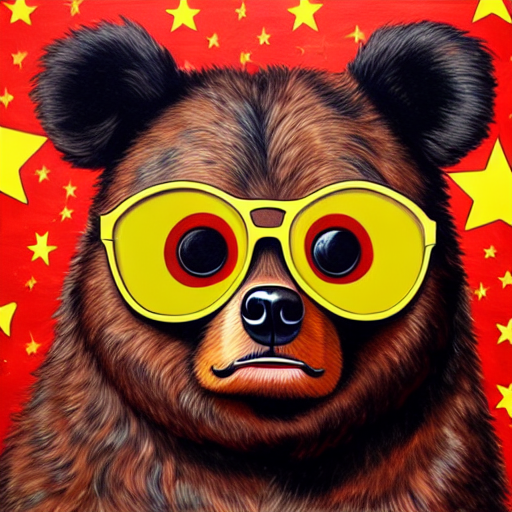
Once loaded, you can use the pipeline with an image and text prompt to guide the image generation process.
image = load_image("https://huggingface.co/datasets/huggingface/documentation-images/resolve/main/diffusers/load_neg_embed.png")
generator = torch.Generator(device="cpu").manual_seed(33)
images = pipeline(
    prompt='best quality, high quality, wearing sunglasses',
    ip_adapter_image=image,
    negative_prompt="monochrome, lowres, bad anatomy, worst quality, low quality",
    num_inference_steps=50,
    generator=generator,
).images[0]
images
IP-Adapter Plus
IP-Adapter relies on an image encoder to generate image features. If the IP-Adapter repository contains an image_encoder subfolder, the image encoder is automatically loaded and registered to the pipeline. Otherwise, you'll need to explicitly load the image encoder with a [~transformers.CLIPVisionModelWithProjection] model and pass it to the pipeline.
This is the case for IP-Adapter Plus checkpoints which use the ViT-H image encoder.
from transformers import CLIPVisionModelWithProjection

image_encoder = CLIPVisionModelWithProjection.from_pretrained(
    "h94/IP-Adapter",
    subfolder="models/image_encoder",
    torch_dtype=torch.float16
)

pipeline = AutoPipelineForText2Image.from_pretrained(
    "stabilityai/stable-diffusion-xl-base-1.0",
    image_encoder=image_encoder,
    torch_dtype=torch.float16
).to("cuda")

pipeline.load_ip_adapter("h94/IP-Adapter", subfolder="sdxl_models", weight_name="ip-adapter-plus_sdxl_vit-h.safetensors")
IP-Adapter Face ID models
The IP-Adapter FaceID models are experimental IP Adapters that use image embeddings generated by insightface instead of CLIP image embeddings. Some of these models also use LoRA to improve ID consistency.
You need to install insightface and all its requirements to use these models.
pipeline = AutoPipelineForText2Image.from_pretrained(
    "stabilityai/stable-diffusion-xl-base-1.0",
    torch_dtype=torch.float16
).to("cuda")

pipeline.load_ip_adapter("h94/IP-Adapter-FaceID", subfolder=None, weight_name="ip-adapter-faceid_sdxl.bin", image_encoder_folder=None)
If you want to use one of the two IP-Adapter FaceID Plus models, you must also load the CLIP image encoder, as this models use both insightface and CLIP image embeddings to achieve better photorealism.
from transformers import CLIPVisionModelWithProjection

image_encoder = CLIPVisionModelWithProjection.from_pretrained(
    "laion/CLIP-ViT-H-14-laion2B-s32B-b79K",
    torch_dtype=torch.float16,
)

pipeline = AutoPipelineForText2Image.from_pretrained(
    "stable-diffusion-v1-5/stable-diffusion-v1-5",
    image_encoder=image_encoder,
    torch_dtype=torch.float16
).to("cuda")

pipeline.load_ip_adapter("h94/IP-Adapter-FaceID", subfolder=None, weight_name="ip-adapter-faceid-plus_sd15.bin")