mirror of
https://github.com/huggingface/diffusers.git
synced 2026-01-18 01:26:02 +08:00
 0c775544dd
* Docs kr update 3

controlnet, reproducibility 업로드

generator 그대로 사용
seamless multi-GPU 그대로 사용

create_dataset 번역 1차

stable_diffusion_jax

new translation

Add coreml, tome

kr docs minor fix

translate training/instructpix2pix

fix training/instructpix2pix.mdx

using-diffusers/weighting_prompts 번역 1차

add SDXL docs

Translate using-diffuers/loading_overview.md

translate using-diffusers/textual_inversion_inference.md

Conditional image generation (#37)

* stable_diffusion_jax

* index_update

* index_update

* condition_image_generation

---------

Co-authored-by: Seongsu Park <tjdtnsu@gmail.com>

jihwan/stable_diffusion.mdx

custom_diffusion 작업 완료

quicktour 작업 완료

distributed inference & control brightness (#40)

* distributed_inference.mdx

* control_brightness

---------

Co-authored-by: idra79haza <idra79haza@github.com>
Co-authored-by: Seongsu Park <tjdtnsu@gmail.com>

using_safetensors (#41)

* distributed_inference.mdx

* control_brightness

* using_safetensors.mdx

---------

Co-authored-by: idra79haza <idra79haza@github.com>
Co-authored-by: Seongsu Park <tjdtnsu@gmail.com>

delete safetensor short

* Repace mdx to md

* toctree update

* Add controlling_generation

* toctree fix

* colab link, minor fix

* docs name typo fix

* frontmatter fix

* translation fix
2.3 KiB
2.3 KiB
이미지 밝기 조절하기
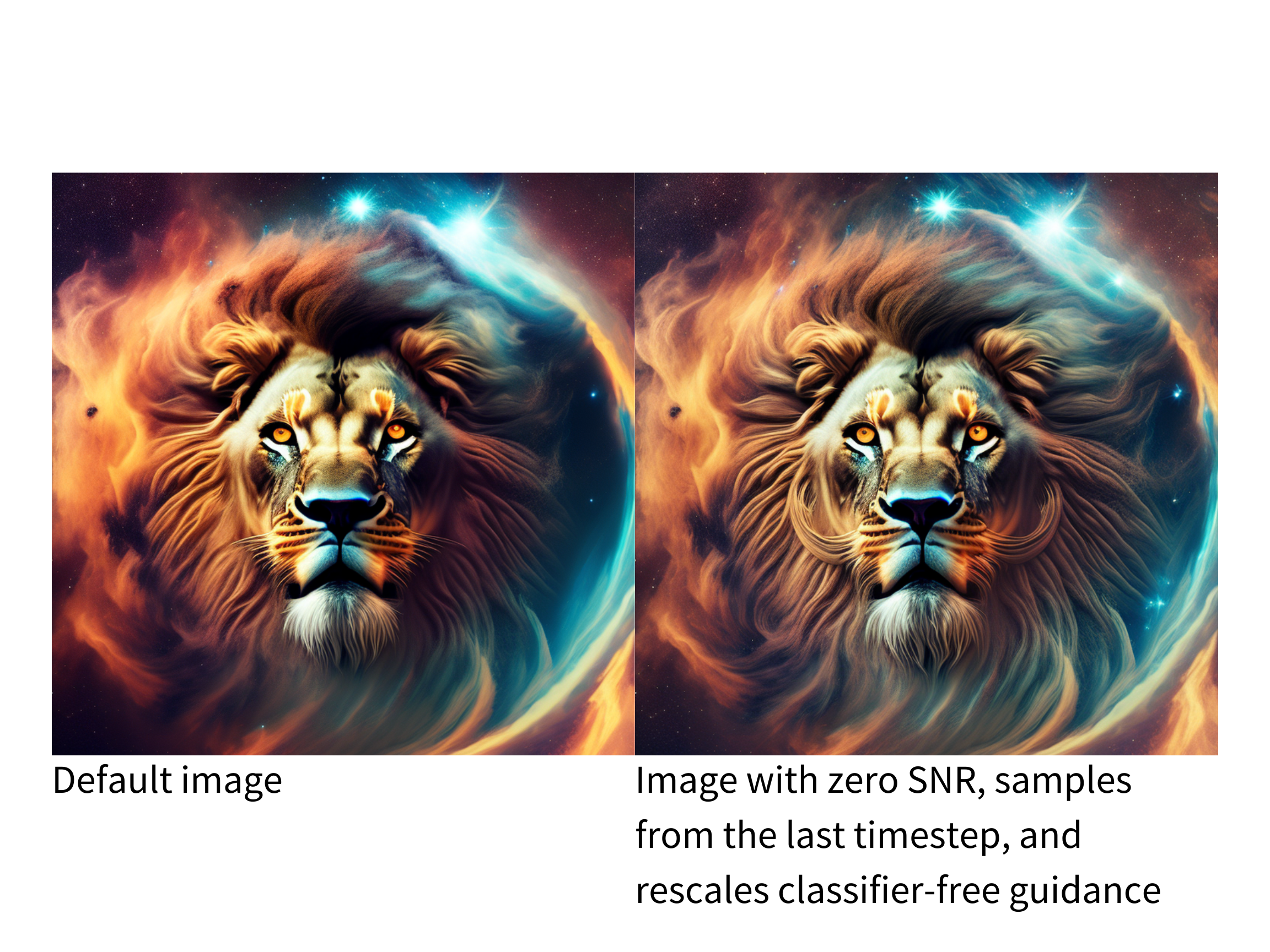
Stable Diffusion 파이프라인은 일반적인 디퓨전 노이즈 스케줄과 샘플 단계에 결함이 있음 논문에서 설명한 것처럼 매우 밝거나 어두운 이미지를 생성하는 데는 성능이 평범합니다. 이 논문에서 제안한 솔루션은 현재 [DDIMScheduler]에 구현되어 있으며 이미지의 밝기를 개선하는 데 사용할 수 있습니다.
💡 제안된 솔루션에 대한 자세한 내용은 위에 링크된 논문을 참고하세요!
해결책 중 하나는 v 예측값과 v 로스로 모델을 훈련하는 것입니다. 다음 flag를 train_text_to_image.py 또는 train_text_to_image_lora.py 스크립트에 추가하여 v_prediction을 활성화합니다:
--prediction_type="v_prediction"
예를 들어, v_prediction으로 미세 조정된 ptx0/pseudo-journey-v2 체크포인트를 사용해 보겠습니다.
다음으로 [DDIMScheduler]에서 다음 파라미터를 설정합니다:
- rescale_betas_zero_snr=True`, 노이즈 스케줄을 제로 터미널 신호 대 잡음비(SNR)로 재조정합니다.
timestep_spacing="trailing", 마지막 타임스텝부터 샘플링 시작
>>> from diffusers import DiffusionPipeline, DDIMScheduler

>>> pipeline = DiffusionPipeline.from_pretrained("ptx0/pseudo-journey-v2")
# switch the scheduler in the pipeline to use the DDIMScheduler

>>> pipeline.scheduler = DDIMScheduler.from_config(
...     pipeline.scheduler.config, rescale_betas_zero_snr=True, timestep_spacing="trailing"
... )
>>> pipeline.to("cuda")
마지막으로 파이프라인에 대한 호출에서 guidance_rescale을 설정하여 과다 노출을 방지합니다:
prompt = "A lion in galaxies, spirals, nebulae, stars, smoke, iridescent, intricate detail, octane render, 8k"
image = pipeline(prompt, guidance_rescale=0.7).images[0]