mirror of
https://github.com/huggingface/diffusers.git
synced 2025-12-07 21:14:44 +08:00
Compare commits
27 Commits
v0.20.0-re
...
temp/debug
| Author | SHA1 | Date | |
|---|---|---|---|

|
fe6c903373 | ||
|
|
7ba7c65700 | ||
|
|
af7d5a6914 | ||
|
|
aa58d7a570 | ||
|
|
1a60865487 | ||
|
|
a1eb20c577 | ||
|
|
eada18a8c2 | ||
|
|
66d38f6eaa | ||
|
|
bc6b677a6a | ||
|
|
641e94da44 | ||
|
|
a86aa73aa1 | ||
|
|
893ef35bf1 | ||
|
|
1d813f6ebe | ||
|
|
ce4e6edefc | ||
|
|
a202bb1fca | ||
|
|
74483b9f14 | ||
|
|
dc42933feb | ||
|
|
eba1df08fb | ||
|
|
8e76e1269d | ||
|
|
a559b33eda | ||
|
|
3872e12d99 | ||
|
|
c83935a716 | ||
|
|
fe2501e540 | ||
|
|
5c3601b7a8 | ||
|
|
9658b24834 | ||
|
|
a1b6e29288 | ||
|
|
9bd4fda920 |
29
.github/ISSUE_TEMPLATE/bug-report.yml
vendored
29
.github/ISSUE_TEMPLATE/bug-report.yml
vendored
@@ -49,32 +49,3 @@ body:
|
||||
placeholder: diffusers version, platform, python version, ...
|
||||
validations:
|
||||
required: true
|
||||
- type: textarea
|
||||
id: who-can-help
|
||||
attributes:
|
||||
label: Who can help?
|
||||
description: |
|
||||
Your issue will be replied to more quickly if you can figure out the right person to tag with @
|
||||
If you know how to use git blame, that is the easiest way, otherwise, here is a rough guide of **who to tag**.
|
||||
|
||||
All issues are read by one of the core maintainers, so if you don't know who to tag, just leave this blank and
|
||||
a core maintainer will ping the right person.
|
||||
|
||||
Please tag fewer than 3 people.
|
||||
|
||||
General library related questions: @patrickvonplaten and @sayakpaul
|
||||
|
||||
Questions on the training examples: @williamberman, @sayakpaul, @yiyixuxu
|
||||
|
||||
Questions on memory optimizations, LoRA, float16, etc.: @williamberman, @patrickvonplaten, and @sayakpaul
|
||||
|
||||
Questions on schedulers: @patrickvonplaten and @williamberman
|
||||
|
||||
Questions on models and pipelines: @patrickvonplaten, @sayakpaul, and @williamberman
|
||||
|
||||
Questions on JAX- and MPS-related things: @pcuenca
|
||||
|
||||
Questions on audio pipelines: @patrickvonplaten, @kashif, and @sanchit-gandhi
|
||||
|
||||
Documentation: @stevhliu and @yiyixuxu
|
||||
placeholder: "@Username ..."
|
||||
|
||||
60
.github/PULL_REQUEST_TEMPLATE.md
vendored
60
.github/PULL_REQUEST_TEMPLATE.md
vendored
@@ -1,60 +0,0 @@
|
||||
# What does this PR do?
|
||||
|
||||
<!--
|
||||
Congratulations! You've made it this far! You're not quite done yet though.
|
||||
|
||||
Once merged, your PR is going to appear in the release notes with the title you set, so make sure it's a great title that fully reflects the extent of your awesome contribution.
|
||||
|
||||
Then, please replace this with a description of the change and which issue is fixed (if applicable). Please also include relevant motivation and context. List any dependencies (if any) that are required for this change.
|
||||
|
||||
Once you're done, someone will review your PR shortly (see the section "Who can review?" below to tag some potential reviewers). They may suggest changes to make the code even better. If no one reviewed your PR after a week has passed, don't hesitate to post a new comment @-mentioning the same persons---sometimes notifications get lost.
|
||||
-->
|
||||
|
||||
<!-- Remove if not applicable -->
|
||||
|
||||
Fixes # (issue)
|
||||
|
||||
|
||||
## Before submitting
|
||||
- [ ] This PR fixes a typo or improves the docs (you can dismiss the other checks if that's the case).
|
||||
- [ ] Did you read the [contributor guideline](https://github.com/huggingface/diffusers/blob/main/CONTRIBUTING.md)?
|
||||
- [ ] Did you read our [philosophy doc](https://github.com/huggingface/diffusers/blob/main/PHILOSOPHY.md) (important for complex PRs)?
|
||||
- [ ] Was this discussed/approved via a Github issue or the [forum](https://discuss.huggingface.co/)? Please add a link to it if that's the case.
|
||||
- [ ] Did you make sure to update the documentation with your changes? Here are the
|
||||
[documentation guidelines](https://github.com/huggingface/diffusers/tree/main/docs), and
|
||||
[here are tips on formatting docstrings](https://github.com/huggingface/transformers/tree/main/docs#writing-source-documentation).
|
||||
- [ ] Did you write any new necessary tests?
|
||||
|
||||
|
||||
## Who can review?
|
||||
|
||||
Anyone in the community is free to review the PR once the tests have passed. Feel free to tag
|
||||
members/contributors who may be interested in your PR.
|
||||
|
||||
<!-- Your PR will be replied to more quickly if you can figure out the right person to tag with @
|
||||
|
||||
If you know how to use git blame, that is the easiest way, otherwise, here is a rough guide of **who to tag**.
|
||||
Please tag fewer than 3 people.
|
||||
|
||||
Core library:
|
||||
|
||||
- Schedulers: @williamberman and @patrickvonplaten
|
||||
- Pipelines: @patrickvonplaten and @sayakpaul
|
||||
- Training examples: @sayakpaul and @patrickvonplaten
|
||||
- Docs: @stevenliu and @yiyixu
|
||||
- JAX and MPS: @pcuenca
|
||||
- Audio: @sanchit-gandhi
|
||||
- General functionalities: @patrickvonplaten and @sayakpaul
|
||||
|
||||
Integrations:
|
||||
|
||||
- deepspeed: HF Trainer/Accelerate: @pacman100
|
||||
|
||||
HF projects:
|
||||
|
||||
- accelerate: [different repo](https://github.com/huggingface/accelerate)
|
||||
- datasets: [different repo](https://github.com/huggingface/datasets)
|
||||
- transformers: [different repo](https://github.com/huggingface/transformers)
|
||||
- safetensors: [different repo](https://github.com/huggingface/safetensors)
|
||||
|
||||
-->
|
||||
8
.github/workflows/build_documentation.yml
vendored
8
.github/workflows/build_documentation.yml
vendored
@@ -5,19 +5,15 @@ on:
|
||||
branches:
|
||||
- main
|
||||
- doc-builder*
|
||||
- v*-release
|
||||
- v*-patch
|
||||
|
||||
jobs:
|
||||
build:
|
||||
build:
|
||||
uses: huggingface/doc-builder/.github/workflows/build_main_documentation.yml@main
|
||||
with:
|
||||
commit_sha: ${{ github.sha }}
|
||||
install_libgl1: true
|
||||
package: diffusers
|
||||
notebook_folder: diffusers_doc
|
||||
languages: en ko zh
|
||||
|
||||
languages: en ko
|
||||
secrets:
|
||||
token: ${{ secrets.HUGGINGFACE_PUSH }}
|
||||
hf_token: ${{ secrets.HF_DOC_BUILD_PUSH }}
|
||||
|
||||
3
.github/workflows/build_pr_documentation.yml
vendored
3
.github/workflows/build_pr_documentation.yml
vendored
@@ -13,6 +13,5 @@ jobs:
|
||||
with:
|
||||
commit_sha: ${{ github.event.pull_request.head.sha }}
|
||||
pr_number: ${{ github.event.number }}
|
||||
install_libgl1: true
|
||||
package: diffusers
|
||||
languages: en ko zh
|
||||
languages: en ko
|
||||
|
||||
13
.github/workflows/delete_doc_comment.yml
vendored
13
.github/workflows/delete_doc_comment.yml
vendored
@@ -1,14 +1,13 @@
|
||||
name: Delete doc comment
|
||||
name: Delete dev documentation
|
||||
|
||||
on:
|
||||
workflow_run:
|
||||
workflows: ["Delete doc comment trigger"]
|
||||
types:
|
||||
- completed
|
||||
pull_request:
|
||||
types: [ closed ]
|
||||
|
||||
|
||||
jobs:
|
||||
delete:
|
||||
uses: huggingface/doc-builder/.github/workflows/delete_doc_comment.yml@main
|
||||
secrets:
|
||||
comment_bot_token: ${{ secrets.COMMENT_BOT_TOKEN }}
|
||||
with:
|
||||
pr_number: ${{ github.event.number }}
|
||||
package: diffusers
|
||||
|
||||
12
.github/workflows/delete_doc_comment_trigger.yml
vendored
12
.github/workflows/delete_doc_comment_trigger.yml
vendored
@@ -1,12 +0,0 @@
|
||||
name: Delete doc comment trigger
|
||||
|
||||
on:
|
||||
pull_request:
|
||||
types: [ closed ]
|
||||
|
||||
|
||||
jobs:
|
||||
delete:
|
||||
uses: huggingface/doc-builder/.github/workflows/delete_doc_comment_trigger.yml@main
|
||||
with:
|
||||
pr_number: ${{ github.event.number }}
|
||||
32
.github/workflows/pr_dependency_test.yml
vendored
32
.github/workflows/pr_dependency_test.yml
vendored
@@ -1,32 +0,0 @@
|
||||
name: Run dependency tests
|
||||
|
||||
on:
|
||||
pull_request:
|
||||
branches:
|
||||
- main
|
||||
push:
|
||||
branches:
|
||||
- main
|
||||
|
||||
concurrency:
|
||||
group: ${{ github.workflow }}-${{ github.head_ref || github.run_id }}
|
||||
cancel-in-progress: true
|
||||
|
||||
jobs:
|
||||
check_dependencies:
|
||||
runs-on: ubuntu-latest
|
||||
steps:
|
||||
- uses: actions/checkout@v3
|
||||
- name: Set up Python
|
||||
uses: actions/setup-python@v4
|
||||
with:
|
||||
python-version: "3.7"
|
||||
- name: Install dependencies
|
||||
run: |
|
||||
python -m pip install --upgrade pip
|
||||
pip install -e .
|
||||
pip install pytest
|
||||
- name: Check for soft dependencies
|
||||
run: |
|
||||
pytest tests/others/test_dependencies.py
|
||||
|
||||
64
.github/workflows/pr_tests.yml
vendored
64
.github/workflows/pr_tests.yml
vendored
@@ -4,9 +4,6 @@ on:
|
||||
pull_request:
|
||||
branches:
|
||||
- main
|
||||
push:
|
||||
branches:
|
||||
- ci-*
|
||||
|
||||
concurrency:
|
||||
group: ${{ github.workflow }}-${{ github.head_ref || github.run_id }}
|
||||
@@ -65,7 +62,7 @@ jobs:
|
||||
|
||||
- name: Install dependencies
|
||||
run: |
|
||||
apt-get update && apt-get install libsndfile1-dev libgl1 -y
|
||||
apt-get update && apt-get install libsndfile1-dev -y
|
||||
python -m pip install -e .[quality,test]
|
||||
|
||||
- name: Environment
|
||||
@@ -84,7 +81,7 @@ jobs:
|
||||
if: ${{ matrix.config.framework == 'pytorch_models' }}
|
||||
run: |
|
||||
python -m pytest -n 2 --max-worker-restart=0 --dist=loadfile \
|
||||
-s -v -k "not Flax and not Onnx and not Dependency" \
|
||||
-s -v -k "not Flax and not Onnx" \
|
||||
--make-reports=tests_${{ matrix.config.report }} \
|
||||
tests/models tests/schedulers tests/others
|
||||
|
||||
@@ -113,60 +110,3 @@ jobs:
|
||||
with:
|
||||
name: pr_${{ matrix.config.report }}_test_reports
|
||||
path: reports
|
||||
|
||||
run_staging_tests:
|
||||
strategy:
|
||||
fail-fast: false
|
||||
matrix:
|
||||
config:
|
||||
- name: Hub tests for models, schedulers, and pipelines
|
||||
framework: hub_tests_pytorch
|
||||
runner: docker-cpu
|
||||
image: diffusers/diffusers-pytorch-cpu
|
||||
report: torch_hub
|
||||
|
||||
name: ${{ matrix.config.name }}
|
||||
|
||||
runs-on: ${{ matrix.config.runner }}
|
||||
|
||||
container:
|
||||
image: ${{ matrix.config.image }}
|
||||
options: --shm-size "16gb" --ipc host -v /mnt/hf_cache:/mnt/cache/
|
||||
|
||||
defaults:
|
||||
run:
|
||||
shell: bash
|
||||
|
||||
steps:
|
||||
- name: Checkout diffusers
|
||||
uses: actions/checkout@v3
|
||||
with:
|
||||
fetch-depth: 2
|
||||
|
||||
- name: Install dependencies
|
||||
run: |
|
||||
apt-get update && apt-get install libsndfile1-dev libgl1 -y
|
||||
python -m pip install -e .[quality,test]
|
||||
|
||||
- name: Environment
|
||||
run: |
|
||||
python utils/print_env.py
|
||||
|
||||
- name: Run Hub tests for models, schedulers, and pipelines on a staging env
|
||||
if: ${{ matrix.config.framework == 'hub_tests_pytorch' }}
|
||||
run: |
|
||||
HUGGINGFACE_CO_STAGING=true python -m pytest \
|
||||
-m "is_staging_test" \
|
||||
--make-reports=tests_${{ matrix.config.report }} \
|
||||
tests
|
||||
|
||||
- name: Failure short reports
|
||||
if: ${{ failure() }}
|
||||
run: cat reports/tests_${{ matrix.config.report }}_failures_short.txt
|
||||
|
||||
- name: Test suite reports artifacts
|
||||
if: ${{ always() }}
|
||||
uses: actions/upload-artifact@v2
|
||||
with:
|
||||
name: pr_${{ matrix.config.report }}_test_reports
|
||||
path: reports
|
||||
2
.github/workflows/push_tests.yml
vendored
2
.github/workflows/push_tests.yml
vendored
@@ -17,7 +17,6 @@ jobs:
|
||||
run_slow_tests:
|
||||
strategy:
|
||||
fail-fast: false
|
||||
max-parallel: 1
|
||||
matrix:
|
||||
config:
|
||||
- name: Slow PyTorch CUDA tests on Ubuntu
|
||||
@@ -61,7 +60,6 @@ jobs:
|
||||
|
||||
- name: Install dependencies
|
||||
run: |
|
||||
apt-get update && apt-get install libsndfile1-dev libgl1 -y
|
||||
python -m pip install -e .[quality,test]
|
||||
|
||||
- name: Environment
|
||||
|
||||
2
.github/workflows/push_tests_fast.yml
vendored
2
.github/workflows/push_tests_fast.yml
vendored
@@ -60,7 +60,7 @@ jobs:
|
||||
|
||||
- name: Install dependencies
|
||||
run: |
|
||||
apt-get update && apt-get install libsndfile1-dev libgl1 -y
|
||||
apt-get update && apt-get install libsndfile1-dev -y
|
||||
python -m pip install -e .[quality,test]
|
||||
|
||||
- name: Environment
|
||||
|
||||
16
.github/workflows/upload_pr_documentation.yml
vendored
16
.github/workflows/upload_pr_documentation.yml
vendored
@@ -1,16 +0,0 @@
|
||||
name: Upload PR Documentation
|
||||
|
||||
on:
|
||||
workflow_run:
|
||||
workflows: ["Build PR Documentation"]
|
||||
types:
|
||||
- completed
|
||||
|
||||
jobs:
|
||||
build:
|
||||
uses: huggingface/doc-builder/.github/workflows/upload_pr_documentation.yml@main
|
||||
with:
|
||||
package_name: diffusers
|
||||
secrets:
|
||||
hf_token: ${{ secrets.HF_DOC_BUILD_PUSH }}
|
||||
comment_bot_token: ${{ secrets.COMMENT_BOT_TOKEN }}
|
||||
@@ -125,14 +125,14 @@ Awesome! Tell us what problem it solved for you.
|
||||
|
||||
You can open a feature request [here](https://github.com/huggingface/diffusers/issues/new?assignees=&labels=&template=feature_request.md&title=).
|
||||
|
||||
#### 2.3 Feedback.
|
||||
#### 2.3 Feedback.
|
||||
|
||||
Feedback about the library design and why it is good or not good helps the core maintainers immensely to build a user-friendly library. To understand the philosophy behind the current design philosophy, please have a look [here](https://huggingface.co/docs/diffusers/conceptual/philosophy). If you feel like a certain design choice does not fit with the current design philosophy, please explain why and how it should be changed. If a certain design choice follows the design philosophy too much, hence restricting use cases, explain why and how it should be changed.
|
||||
If a certain design choice is very useful for you, please also leave a note as this is great feedback for future design decisions.
|
||||
|
||||
You can open an issue about feedback [here](https://github.com/huggingface/diffusers/issues/new?assignees=&labels=&template=feedback.md&title=).
|
||||
|
||||
#### 2.4 Technical questions.
|
||||
#### 2.4 Technical questions.
|
||||
|
||||
Technical questions are mainly about why certain code of the library was written in a certain way, or what a certain part of the code does. Please make sure to link to the code in question and please provide detail on
|
||||
why this part of the code is difficult to understand.
|
||||
@@ -297,7 +297,7 @@ if you don't know yet what specific component you would like to add:
|
||||
- [Model or pipeline](https://github.com/huggingface/diffusers/issues?q=is%3Aopen+is%3Aissue+label%3A%22New+pipeline%2Fmodel%22)
|
||||
- [Scheduler](https://github.com/huggingface/diffusers/issues?q=is%3Aopen+is%3Aissue+label%3A%22New+scheduler%22)
|
||||
|
||||
Before adding any of the three components, it is strongly recommended that you give the [Philosophy guide](https://github.com/huggingface/diffusers/blob/main/PHILOSOPHY.md) a read to better understand the design of any of the three components. Please be aware that
|
||||
Before adding any of the three components, it is strongly recommended that you give the [Philosophy guide](https://github.com/huggingface/diffusers/issues?q=is%3Aopen+is%3Aissue+label%3A%22Good+second+issue%22) a read to better understand the design of any of the three components. Please be aware that
|
||||
we cannot merge model, scheduler, or pipeline additions that strongly diverge from our design philosophy
|
||||
as it will lead to API inconsistencies. If you fundamentally disagree with a design choice, please
|
||||
open a [Feedback issue](https://github.com/huggingface/diffusers/issues/new?assignees=&labels=&template=feedback.md&title=) instead so that it can be discussed whether a certain design
|
||||
@@ -394,8 +394,8 @@ passes. You should run the tests impacted by your changes like this:
|
||||
```bash
|
||||
$ pytest tests/<TEST_TO_RUN>.py
|
||||
```
|
||||
|
||||
Before you run the tests, please make sure you install the dependencies required for testing. You can do so
|
||||
|
||||
Before you run the tests, please make sure you install the dependencies required for testing. You can do so
|
||||
with this command:
|
||||
|
||||
```bash
|
||||
|
||||
2
Makefile
2
Makefile
@@ -78,7 +78,7 @@ test:
|
||||
# Run tests for examples
|
||||
|
||||
test-examples:
|
||||
python -m pytest -n auto --dist=loadfile -s -v ./examples/
|
||||
python -m pytest -n auto --dist=loadfile -s -v ./examples/pytorch/
|
||||
|
||||
|
||||
# Release stuff
|
||||
|
||||
@@ -27,18 +27,18 @@ In a nutshell, Diffusers is built to be a natural extension of PyTorch. Therefor
|
||||
|
||||
## Simple over easy
|
||||
|
||||
As PyTorch states, **explicit is better than implicit** and **simple is better than complex**. This design philosophy is reflected in multiple parts of the library:
|
||||
As PyTorch states, **explicit is better than implicit** and **simple is better than complex**. This design philosophy is reflected in multiple parts of the library:
|
||||
- We follow PyTorch's API with methods like [`DiffusionPipeline.to`](https://huggingface.co/docs/diffusers/main/en/api/diffusion_pipeline#diffusers.DiffusionPipeline.to) to let the user handle device management.
|
||||
- Raising concise error messages is preferred to silently correct erroneous input. Diffusers aims at teaching the user, rather than making the library as easy to use as possible.
|
||||
- Complex model vs. scheduler logic is exposed instead of magically handled inside. Schedulers/Samplers are separated from diffusion models with minimal dependencies on each other. This forces the user to write the unrolled denoising loop. However, the separation allows for easier debugging and gives the user more control over adapting the denoising process or switching out diffusion models or schedulers.
|
||||
- Separately trained components of the diffusion pipeline, *e.g.* the text encoder, the unet, and the variational autoencoder, each have their own model class. This forces the user to handle the interaction between the different model components, and the serialization format separates the model components into different files. However, this allows for easier debugging and customization. Dreambooth or textual inversion training
|
||||
- Separately trained components of the diffusion pipeline, *e.g.* the text encoder, the unet, and the variational autoencoder, each have their own model class. This forces the user to handle the interaction between the different model components, and the serialization format separates the model components into different files. However, this allows for easier debugging and customization. Dreambooth or textual inversion training
|
||||
is very simple thanks to diffusers' ability to separate single components of the diffusion pipeline.
|
||||
|
||||
## Tweakable, contributor-friendly over abstraction
|
||||
|
||||
For large parts of the library, Diffusers adopts an important design principle of the [Transformers library](https://github.com/huggingface/transformers), which is to prefer copy-pasted code over hasty abstractions. This design principle is very opinionated and stands in stark contrast to popular design principles such as [Don't repeat yourself (DRY)](https://en.wikipedia.org/wiki/Don%27t_repeat_yourself).
|
||||
For large parts of the library, Diffusers adopts an important design principle of the [Transformers library](https://github.com/huggingface/transformers), which is to prefer copy-pasted code over hasty abstractions. This design principle is very opinionated and stands in stark contrast to popular design principles such as [Don't repeat yourself (DRY)](https://en.wikipedia.org/wiki/Don%27t_repeat_yourself).
|
||||
In short, just like Transformers does for modeling files, diffusers prefers to keep an extremely low level of abstraction and very self-contained code for pipelines and schedulers.
|
||||
Functions, long code blocks, and even classes can be copied across multiple files which at first can look like a bad, sloppy design choice that makes the library unmaintainable.
|
||||
Functions, long code blocks, and even classes can be copied across multiple files which at first can look like a bad, sloppy design choice that makes the library unmaintainable.
|
||||
**However**, this design has proven to be extremely successful for Transformers and makes a lot of sense for community-driven, open-source machine learning libraries because:
|
||||
- Machine Learning is an extremely fast-moving field in which paradigms, model architectures, and algorithms are changing rapidly, which therefore makes it very difficult to define long-lasting code abstractions.
|
||||
- Machine Learning practitioners like to be able to quickly tweak existing code for ideation and research and therefore prefer self-contained code over one that contains many abstractions.
|
||||
@@ -47,10 +47,10 @@ Functions, long code blocks, and even classes can be copied across multiple file
|
||||
At Hugging Face, we call this design the **single-file policy** which means that almost all of the code of a certain class should be written in a single, self-contained file. To read more about the philosophy, you can have a look
|
||||
at [this blog post](https://huggingface.co/blog/transformers-design-philosophy).
|
||||
|
||||
In diffusers, we follow this philosophy for both pipelines and schedulers, but only partly for diffusion models. The reason we don't follow this design fully for diffusion models is because almost all diffusion pipelines, such
|
||||
In diffusers, we follow this philosophy for both pipelines and schedulers, but only partly for diffusion models. The reason we don't follow this design fully for diffusion models is because almost all diffusion pipelines, such
|
||||
as [DDPM](https://huggingface.co/docs/diffusers/v0.12.0/en/api/pipelines/ddpm), [Stable Diffusion](https://huggingface.co/docs/diffusers/v0.12.0/en/api/pipelines/stable_diffusion/overview#stable-diffusion-pipelines), [UnCLIP (Dalle-2)](https://huggingface.co/docs/diffusers/v0.12.0/en/api/pipelines/unclip#overview) and [Imagen](https://imagen.research.google/) all rely on the same diffusion model, the [UNet](https://huggingface.co/docs/diffusers/api/models#diffusers.UNet2DConditionModel).
|
||||
|
||||
Great, now you should have generally understood why 🧨 Diffusers is designed the way it is 🤗.
|
||||
Great, now you should have generally understood why 🧨 Diffusers is designed the way it is 🤗.
|
||||
We try to apply these design principles consistently across the library. Nevertheless, there are some minor exceptions to the philosophy or some unlucky design choices. If you have feedback regarding the design, we would ❤️ to hear it [directly on GitHub](https://github.com/huggingface/diffusers/issues/new?assignees=&labels=&template=feedback.md&title=).
|
||||
|
||||
## Design Philosophy in Details
|
||||
@@ -89,20 +89,20 @@ The following design principles are followed:
|
||||
- Models should by default have the highest precision and lowest performance setting.
|
||||
- To integrate new model checkpoints whose general architecture can be classified as an architecture that already exists in Diffusers, the existing model architecture shall be adapted to make it work with the new checkpoint. One should only create a new file if the model architecture is fundamentally different.
|
||||
- Models should be designed to be easily extendable to future changes. This can be achieved by limiting public function arguments, configuration arguments, and "foreseeing" future changes, *e.g.* it is usually better to add `string` "...type" arguments that can easily be extended to new future types instead of boolean `is_..._type` arguments. Only the minimum amount of changes shall be made to existing architectures to make a new model checkpoint work.
|
||||
- The model design is a difficult trade-off between keeping code readable and concise and supporting many model checkpoints. For most parts of the modeling code, classes shall be adapted for new model checkpoints, while there are some exceptions where it is preferred to add new classes to make sure the code is kept concise and
|
||||
readable longterm, such as [UNet blocks](https://github.com/huggingface/diffusers/blob/main/src/diffusers/models/unet_2d_blocks.py) and [Attention processors](https://github.com/huggingface/diffusers/blob/main/src/diffusers/models/attention_processor.py).
|
||||
- The model design is a difficult trade-off between keeping code readable and concise and supporting many model checkpoints. For most parts of the modeling code, classes shall be adapted for new model checkpoints, while there are some exceptions where it is preferred to add new classes to make sure the code is kept concise and
|
||||
readable longterm, such as [UNet blocks](https://github.com/huggingface/diffusers/blob/main/src/diffusers/models/unet_2d_blocks.py) and [Attention processors](https://github.com/huggingface/diffusers/blob/main/src/diffusers/models/cross_attention.py).
|
||||
|
||||
### Schedulers
|
||||
|
||||
Schedulers are responsible to guide the denoising process for inference as well as to define a noise schedule for training. They are designed as individual classes with loadable configuration files and strongly follow the **single-file policy**.
|
||||
|
||||
The following design principles are followed:
|
||||
- All schedulers are found in [`src/diffusers/schedulers`](https://github.com/huggingface/diffusers/tree/main/src/diffusers/schedulers).
|
||||
- Schedulers are **not** allowed to import from large utils files and shall be kept very self-contained.
|
||||
- One scheduler python file corresponds to one scheduler algorithm (as might be defined in a paper).
|
||||
- All schedulers are found in [`src/diffusers/schedulers`](https://github.com/huggingface/diffusers/tree/main/src/diffusers/schedulers).
|
||||
- Schedulers are **not** allowed to import from large utils files and shall be kept very self-contained.
|
||||
- One scheduler python file corresponds to one scheduler algorithm (as might be defined in a paper).
|
||||
- If schedulers share similar functionalities, we can make use of the `#Copied from` mechanism.
|
||||
- Schedulers all inherit from `SchedulerMixin` and `ConfigMixin`.
|
||||
- Schedulers can be easily swapped out with the [`ConfigMixin.from_config`](https://huggingface.co/docs/diffusers/main/en/api/configuration#diffusers.ConfigMixin.from_config) method as explained in detail [here](./using-diffusers/schedulers.md).
|
||||
- Schedulers can be easily swapped out with the [`ConfigMixin.from_config`](https://huggingface.co/docs/diffusers/main/en/api/configuration#diffusers.ConfigMixin.from_config) method as explained in detail [here](./using-diffusers/schedulers.mdx).
|
||||
- Every scheduler has to have a `set_num_inference_steps`, and a `step` function. `set_num_inference_steps(...)` has to be called before every denoising process, *i.e.* before `step(...)` is called.
|
||||
- Every scheduler exposes the timesteps to be "looped over" via a `timesteps` attribute, which is an array of timesteps the model will be called upon
|
||||
- The `step(...)` function takes a predicted model output and the "current" sample (x_t) and returns the "previous", slightly more denoised sample (x_t-1).
|
||||
|
||||
47
README.md
47
README.md
@@ -1,6 +1,6 @@
|
||||
<p align="center">
|
||||
<br>
|
||||
<img src="https://raw.githubusercontent.com/huggingface/diffusers/main/docs/source/en/imgs/diffusers_library.jpg" width="400"/>
|
||||
<img src="./docs/source/en/imgs/diffusers_library.jpg" width="400"/>
|
||||
<br>
|
||||
<p>
|
||||
<p align="center">
|
||||
@@ -25,12 +25,12 @@
|
||||
|
||||
## Installation
|
||||
|
||||
We recommend installing 🤗 Diffusers in a virtual environment from PyPi or Conda. For more details about installing [PyTorch](https://pytorch.org/get-started/locally/) and [Flax](https://flax.readthedocs.io/en/latest/#installation), please refer to their official documentation.
|
||||
We recommend installing 🤗 Diffusers in a virtual environment from PyPi or Conda. For more details about installing [PyTorch](https://pytorch.org/get-started/locally/) and [Flax](https://flax.readthedocs.io/en/latest/installation.html), please refer to their official documentation.
|
||||
|
||||
### PyTorch
|
||||
|
||||
With `pip` (official package):
|
||||
|
||||
|
||||
```bash
|
||||
pip install --upgrade diffusers[torch]
|
||||
```
|
||||
@@ -107,7 +107,7 @@ Check out the [Quickstart](https://huggingface.co/docs/diffusers/quicktour) to l
|
||||
| [Training](https://huggingface.co/docs/diffusers/training/overview) | Guides for how to train a diffusion model for different tasks with different training techniques. |
|
||||
## Contribution
|
||||
|
||||
We ❤️ contributions from the open-source community!
|
||||
We ❤️ contributions from the open-source community!
|
||||
If you want to contribute to this library, please check out our [Contribution guide](https://github.com/huggingface/diffusers/blob/main/CONTRIBUTING.md).
|
||||
You can look out for [issues](https://github.com/huggingface/diffusers/issues) you'd like to tackle to contribute to the library.
|
||||
- See [Good first issues](https://github.com/huggingface/diffusers/issues?q=is%3Aopen+is%3Aissue+label%3A%22good+first+issue%22) for general opportunities to contribute
|
||||
@@ -128,75 +128,70 @@ just hang out ☕.
|
||||
</tr>
|
||||
<tr style="border-top: 2px solid black">
|
||||
<td>Unconditional Image Generation</td>
|
||||
<td><a href="https://huggingface.co/docs/diffusers/api/pipelines/ddpm"> DDPM </a></td>
|
||||
<td><a href="./api/pipelines/ddpm"> DDPM </a></td>
|
||||
<td><a href="https://huggingface.co/google/ddpm-ema-church-256"> google/ddpm-ema-church-256 </a></td>
|
||||
</tr>
|
||||
<tr style="border-top: 2px solid black">
|
||||
<td>Text-to-Image</td>
|
||||
<td><a href="https://huggingface.co/docs/diffusers/api/pipelines/stable_diffusion/text2img">Stable Diffusion Text-to-Image</a></td>
|
||||
<td><a href="./api/pipelines/stable_diffusion/text2img">Stable Diffusion Text-to-Image</a></td>
|
||||
<td><a href="https://huggingface.co/runwayml/stable-diffusion-v1-5"> runwayml/stable-diffusion-v1-5 </a></td>
|
||||
</tr>
|
||||
<tr>
|
||||
<td>Text-to-Image</td>
|
||||
<td><a href="https://huggingface.co/docs/diffusers/api/pipelines/unclip">unclip</a></td>
|
||||
<td><a href="./api/pipelines/unclip">unclip</a></td>
|
||||
<td><a href="https://huggingface.co/kakaobrain/karlo-v1-alpha"> kakaobrain/karlo-v1-alpha </a></td>
|
||||
</tr>
|
||||
<tr>
|
||||
<td>Text-to-Image</td>
|
||||
<td><a href="https://huggingface.co/docs/diffusers/api/pipelines/if">DeepFloyd IF</a></td>
|
||||
<td><a href="./api/pipelines/if">if</a></td>
|
||||
<td><a href="https://huggingface.co/DeepFloyd/IF-I-XL-v1.0"> DeepFloyd/IF-I-XL-v1.0 </a></td>
|
||||
</tr>
|
||||
<tr>
|
||||
<td>Text-to-Image</td>
|
||||
<td><a href="https://huggingface.co/docs/diffusers/api/pipelines/kandinsky">Kandinsky</a></td>
|
||||
<td><a href="https://huggingface.co/kandinsky-community/kandinsky-2-2-decoder"> kandinsky-community/kandinsky-2-2-decoder </a></td>
|
||||
</tr>
|
||||
<tr style="border-top: 2px solid black">
|
||||
<td>Text-guided Image-to-Image</td>
|
||||
<td><a href="https://huggingface.co/docs/diffusers/api/pipelines/stable_diffusion/controlnet">Controlnet</a></td>
|
||||
<td><a href="./api/pipelines/stable_diffusion/controlnet">Controlnet</a></td>
|
||||
<td><a href="https://huggingface.co/lllyasviel/sd-controlnet-canny"> lllyasviel/sd-controlnet-canny </a></td>
|
||||
</tr>
|
||||
<tr>
|
||||
<td>Text-guided Image-to-Image</td>
|
||||
<td><a href="https://huggingface.co/docs/diffusers/api/pipelines/pix2pix">Instruct Pix2Pix</a></td>
|
||||
<td><a href="./api/pipelines/stable_diffusion/pix2pix">Instruct Pix2Pix</a></td>
|
||||
<td><a href="https://huggingface.co/timbrooks/instruct-pix2pix"> timbrooks/instruct-pix2pix </a></td>
|
||||
</tr>
|
||||
<tr>
|
||||
<td>Text-guided Image-to-Image</td>
|
||||
<td><a href="https://huggingface.co/docs/diffusers/api/pipelines/stable_diffusion/img2img">Stable Diffusion Image-to-Image</a></td>
|
||||
<td><a href="./api/pipelines/stable_diffusion/img2img">Stable Diffusion Image-to-Image</a></td>
|
||||
<td><a href="https://huggingface.co/runwayml/stable-diffusion-v1-5"> runwayml/stable-diffusion-v1-5 </a></td>
|
||||
</tr>
|
||||
<tr style="border-top: 2px solid black">
|
||||
<td>Text-guided Image Inpainting</td>
|
||||
<td><a href="https://huggingface.co/docs/diffusers/api/pipelines/stable_diffusion/inpaint">Stable Diffusion Inpaint</a></td>
|
||||
<td><a href="./api/pipelines/stable_diffusion/inpaint">Stable Diffusion Inpaint</a></td>
|
||||
<td><a href="https://huggingface.co/runwayml/stable-diffusion-inpainting"> runwayml/stable-diffusion-inpainting </a></td>
|
||||
</tr>
|
||||
<tr style="border-top: 2px solid black">
|
||||
<td>Image Variation</td>
|
||||
<td><a href="https://huggingface.co/docs/diffusers/api/pipelines/stable_diffusion/image_variation">Stable Diffusion Image Variation</a></td>
|
||||
<td><a href="./stable_diffusion/image_variation">Stable Diffusion Image Variation</a></td>
|
||||
<td><a href="https://huggingface.co/lambdalabs/sd-image-variations-diffusers"> lambdalabs/sd-image-variations-diffusers </a></td>
|
||||
</tr>
|
||||
<tr style="border-top: 2px solid black">
|
||||
<td>Super Resolution</td>
|
||||
<td><a href="https://huggingface.co/docs/diffusers/api/pipelines/stable_diffusion/upscale">Stable Diffusion Upscale</a></td>
|
||||
<td><a href="./stable_diffusion/stable_diffusion/upscale">Stable Diffusion Upscale</a></td>
|
||||
<td><a href="https://huggingface.co/stabilityai/stable-diffusion-x4-upscaler"> stabilityai/stable-diffusion-x4-upscaler </a></td>
|
||||
</tr>
|
||||
<tr>
|
||||
<td>Super Resolution</td>
|
||||
<td><a href="https://huggingface.co/docs/diffusers/api/pipelines/stable_diffusion/latent_upscale">Stable Diffusion Latent Upscale</a></td>
|
||||
<td><a href="./stable_diffusion/latent_upscale">Stable Diffusion Latent Upscale</a></td>
|
||||
<td><a href="https://huggingface.co/stabilityai/sd-x2-latent-upscaler"> stabilityai/sd-x2-latent-upscaler </a></td>
|
||||
</tr>
|
||||
</table>
|
||||
|
||||
## Popular libraries using 🧨 Diffusers
|
||||
|
||||
- https://github.com/microsoft/TaskMatrix
|
||||
- https://github.com/invoke-ai/InvokeAI
|
||||
- https://github.com/apple/ml-stable-diffusion
|
||||
- https://github.com/Sanster/lama-cleaner
|
||||
- https://github.com/microsoft/TaskMatrix
|
||||
- https://github.com/invoke-ai/InvokeAI
|
||||
- https://github.com/apple/ml-stable-diffusion
|
||||
- https://github.com/Sanster/lama-cleaner
|
||||
- https://github.com/IDEA-Research/Grounded-Segment-Anything
|
||||
- https://github.com/ashawkey/stable-dreamfusion
|
||||
- https://github.com/deep-floyd/IF
|
||||
- https://github.com/ashawkey/stable-dreamfusion
|
||||
- https://github.com/deep-floyd/IF
|
||||
- https://github.com/bentoml/BentoML
|
||||
- https://github.com/bmaltais/kohya_ss
|
||||
- +3000 other amazing GitHub repositories 💪
|
||||
|
||||
@@ -14,7 +14,6 @@ RUN apt update && \
|
||||
libsndfile1-dev \
|
||||
python3.8 \
|
||||
python3-pip \
|
||||
libgl1 \
|
||||
python3.8-venv && \
|
||||
rm -rf /var/lib/apt/lists
|
||||
|
||||
@@ -28,7 +27,6 @@ RUN python3 -m pip install --no-cache-dir --upgrade pip && \
|
||||
torch \
|
||||
torchvision \
|
||||
torchaudio \
|
||||
invisible_watermark \
|
||||
--extra-index-url https://download.pytorch.org/whl/cpu && \
|
||||
python3 -m pip install --no-cache-dir \
|
||||
accelerate \
|
||||
@@ -42,4 +40,4 @@ RUN python3 -m pip install --no-cache-dir --upgrade pip && \
|
||||
tensorboard \
|
||||
transformers
|
||||
|
||||
CMD ["/bin/bash"]
|
||||
CMD ["/bin/bash"]
|
||||
@@ -12,7 +12,6 @@ RUN apt update && \
|
||||
curl \
|
||||
ca-certificates \
|
||||
libsndfile1-dev \
|
||||
libgl1 \
|
||||
python3.8 \
|
||||
python3-pip \
|
||||
python3.8-venv && \
|
||||
@@ -27,8 +26,7 @@ RUN python3 -m pip install --no-cache-dir --upgrade pip && \
|
||||
python3 -m pip install --no-cache-dir \
|
||||
torch \
|
||||
torchvision \
|
||||
torchaudio \
|
||||
invisible_watermark && \
|
||||
torchaudio && \
|
||||
python3 -m pip install --no-cache-dir \
|
||||
accelerate \
|
||||
datasets \
|
||||
@@ -40,8 +38,6 @@ RUN python3 -m pip install --no-cache-dir --upgrade pip && \
|
||||
scipy \
|
||||
tensorboard \
|
||||
transformers \
|
||||
omegaconf \
|
||||
pytorch-lightning \
|
||||
xformers
|
||||
omegaconf
|
||||
|
||||
CMD ["/bin/bash"]
|
||||
|
||||
@@ -68,7 +68,7 @@ The `preview` command only works with existing doc files. When you add a complet
|
||||
|
||||
## Adding a new element to the navigation bar
|
||||
|
||||
Accepted files are Markdown (.md).
|
||||
Accepted files are Markdown (.md or .mdx).
|
||||
|
||||
Create a file with its extension and put it in the source directory. You can then link it to the toc-tree by putting
|
||||
the filename without the extension in the [`_toctree.yml`](https://github.com/huggingface/diffusers/blob/main/docs/source/_toctree.yml) file.
|
||||
@@ -96,7 +96,7 @@ Sections that were moved:
|
||||
|
||||
Use the relative style to link to the new file so that the versioned docs continue to work.
|
||||
|
||||
For an example of a rich moved section set please see the very end of [the transformers Trainer doc](https://github.com/huggingface/transformers/blob/main/docs/source/en/main_classes/trainer.md).
|
||||
For an example of a rich moved section set please see the very end of [the transformers Trainer doc](https://github.com/huggingface/transformers/blob/main/docs/source/en/main_classes/trainer.mdx).
|
||||
|
||||
|
||||
## Writing Documentation - Specification
|
||||
@@ -119,8 +119,8 @@ depending on the intended targets (beginners, more advanced users, or researcher
|
||||
|
||||
When adding a new pipeline:
|
||||
|
||||
- create a file `xxx.md` under `docs/source/api/pipelines` (don't hesitate to copy an existing file as template).
|
||||
- Link that file in (*Diffusers Summary*) section in `docs/source/api/pipelines/overview.md`, along with the link to the paper, and a colab notebook (if available).
|
||||
- create a file `xxx.mdx` under `docs/source/api/pipelines` (don't hesitate to copy an existing file as template).
|
||||
- Link that file in (*Diffusers Summary*) section in `docs/source/api/pipelines/overview.mdx`, along with the link to the paper, and a colab notebook (if available).
|
||||
- Write a short overview of the diffusion model:
|
||||
- Overview with paper & authors
|
||||
- Paper abstract
|
||||
|
||||
@@ -6,4 +6,4 @@ INSTALL_CONTENT = """
|
||||
# ! pip install git+https://github.com/huggingface/diffusers.git
|
||||
"""
|
||||
|
||||
notebook_first_cells = [{"type": "code", "content": INSTALL_CONTENT}]
|
||||
notebook_first_cells = [{"type": "code", "content": INSTALL_CONTENT}]
|
||||
@@ -13,8 +13,6 @@
|
||||
title: Overview
|
||||
- local: using-diffusers/write_own_pipeline
|
||||
title: Understanding models and schedulers
|
||||
- local: tutorials/autopipeline
|
||||
title: AutoPipeline
|
||||
- local: tutorials/basic_training
|
||||
title: Train a diffusion model
|
||||
title: Tutorials
|
||||
@@ -30,10 +28,8 @@
|
||||
title: Load community pipelines
|
||||
- local: using-diffusers/using_safetensors
|
||||
title: Load safetensors
|
||||
- local: using-diffusers/other-formats
|
||||
title: Load different Stable Diffusion formats
|
||||
- local: using-diffusers/push_to_hub
|
||||
title: Push files to the Hub
|
||||
- local: using-diffusers/kerascv
|
||||
title: Load KerasCV Stable Diffusion checkpoints
|
||||
title: Loading & Hub
|
||||
- sections:
|
||||
- local: using-diffusers/pipeline_overview
|
||||
@@ -52,12 +48,8 @@
|
||||
title: Textual inversion
|
||||
- local: training/distributed_inference
|
||||
title: Distributed inference with multiple GPUs
|
||||
- local: using-diffusers/distilled_sd
|
||||
title: Distilled Stable Diffusion inference
|
||||
- local: using-diffusers/reusing_seeds
|
||||
title: Improve image quality with deterministic generation
|
||||
- local: using-diffusers/control_brightness
|
||||
title: Control image brightness
|
||||
- local: using-diffusers/reproducibility
|
||||
title: Create reproducible pipelines
|
||||
- local: using-diffusers/custom_pipeline_examples
|
||||
@@ -67,7 +59,7 @@
|
||||
- local: using-diffusers/stable_diffusion_jax_how_to
|
||||
title: Stable Diffusion in JAX/Flax
|
||||
- local: using-diffusers/weighted_prompts
|
||||
title: Prompt weighting
|
||||
title: Weighting Prompts
|
||||
title: Pipelines for Inference
|
||||
- sections:
|
||||
- local: training/overview
|
||||
@@ -94,6 +86,10 @@
|
||||
title: Custom Diffusion
|
||||
title: Training
|
||||
- sections:
|
||||
- local: using-diffusers/rl
|
||||
title: Reinforcement Learning
|
||||
- local: using-diffusers/audio
|
||||
title: Audio
|
||||
- local: using-diffusers/other-modalities
|
||||
title: Other Modalities
|
||||
title: Taking Diffusers Beyond Images
|
||||
@@ -134,8 +130,8 @@
|
||||
title: Conceptual Guides
|
||||
- sections:
|
||||
- sections:
|
||||
- local: api/attnprocessor
|
||||
title: Attention Processor
|
||||
- local: api/models
|
||||
title: Models
|
||||
- local: api/diffusion_pipeline
|
||||
title: Diffusion Pipeline
|
||||
- local: api/logging
|
||||
@@ -146,58 +142,18 @@
|
||||
title: Outputs
|
||||
- local: api/loaders
|
||||
title: Loaders
|
||||
- local: api/utilities
|
||||
title: Utilities
|
||||
- local: api/image_processor
|
||||
title: VAE Image Processor
|
||||
title: Main Classes
|
||||
- sections:
|
||||
- local: api/models/overview
|
||||
title: Overview
|
||||
- local: api/models/unet
|
||||
title: UNet1DModel
|
||||
- local: api/models/unet2d
|
||||
title: UNet2DModel
|
||||
- local: api/models/unet2d-cond
|
||||
title: UNet2DConditionModel
|
||||
- local: api/models/unet3d-cond
|
||||
title: UNet3DConditionModel
|
||||
- local: api/models/vq
|
||||
title: VQModel
|
||||
- local: api/models/autoencoderkl
|
||||
title: AutoencoderKL
|
||||
- local: api/models/asymmetricautoencoderkl
|
||||
title: AsymmetricAutoencoderKL
|
||||
- local: api/models/autoencoder_tiny
|
||||
title: Tiny AutoEncoder
|
||||
- local: api/models/transformer2d
|
||||
title: Transformer2D
|
||||
- local: api/models/transformer_temporal
|
||||
title: Transformer Temporal
|
||||
- local: api/models/prior_transformer
|
||||
title: Prior Transformer
|
||||
- local: api/models/controlnet
|
||||
title: ControlNet
|
||||
title: Models
|
||||
- sections:
|
||||
- local: api/pipelines/overview
|
||||
title: Overview
|
||||
- local: api/pipelines/alt_diffusion
|
||||
title: AltDiffusion
|
||||
- local: api/pipelines/attend_and_excite
|
||||
title: Attend-and-Excite
|
||||
- local: api/pipelines/audio_diffusion
|
||||
title: Audio Diffusion
|
||||
- local: api/pipelines/audioldm
|
||||
title: AudioLDM
|
||||
- local: api/pipelines/auto_pipeline
|
||||
title: AutoPipeline
|
||||
- local: api/pipelines/consistency_models
|
||||
title: Consistency Models
|
||||
- local: api/pipelines/controlnet
|
||||
title: ControlNet
|
||||
- local: api/pipelines/controlnet_sdxl
|
||||
title: ControlNet with Stable Diffusion XL
|
||||
- local: api/pipelines/cycle_diffusion
|
||||
title: Cycle Diffusion
|
||||
- local: api/pipelines/dance_diffusion
|
||||
@@ -206,90 +162,72 @@
|
||||
title: DDIM
|
||||
- local: api/pipelines/ddpm
|
||||
title: DDPM
|
||||
- local: api/pipelines/deepfloyd_if
|
||||
title: DeepFloyd IF
|
||||
- local: api/pipelines/diffedit
|
||||
title: DiffEdit
|
||||
- local: api/pipelines/dit
|
||||
title: DiT
|
||||
- local: api/pipelines/pix2pix
|
||||
title: InstructPix2Pix
|
||||
- local: api/pipelines/kandinsky
|
||||
title: Kandinsky
|
||||
- local: api/pipelines/kandinsky_v22
|
||||
title: Kandinsky 2.2
|
||||
- local: api/pipelines/if
|
||||
title: IF
|
||||
- local: api/pipelines/latent_diffusion
|
||||
title: Latent Diffusion
|
||||
- local: api/pipelines/panorama
|
||||
title: MultiDiffusion
|
||||
- local: api/pipelines/paint_by_example
|
||||
title: PaintByExample
|
||||
- local: api/pipelines/paradigms
|
||||
title: Parallel Sampling of Diffusion Models
|
||||
- local: api/pipelines/pix2pix_zero
|
||||
title: Pix2Pix Zero
|
||||
- local: api/pipelines/pndm
|
||||
title: PNDM
|
||||
- local: api/pipelines/repaint
|
||||
title: RePaint
|
||||
- local: api/pipelines/stable_diffusion_safe
|
||||
title: Safe Stable Diffusion
|
||||
- local: api/pipelines/score_sde_ve
|
||||
title: Score SDE VE
|
||||
- local: api/pipelines/self_attention_guidance
|
||||
title: Self-Attention Guidance
|
||||
- local: api/pipelines/semantic_stable_diffusion
|
||||
title: Semantic Guidance
|
||||
- local: api/pipelines/shap_e
|
||||
title: Shap-E
|
||||
- local: api/pipelines/spectrogram_diffusion
|
||||
title: Spectrogram Diffusion
|
||||
- sections:
|
||||
- local: api/pipelines/stable_diffusion/overview
|
||||
title: Overview
|
||||
- local: api/pipelines/stable_diffusion/text2img
|
||||
title: Text-to-image
|
||||
title: Text-to-Image
|
||||
- local: api/pipelines/stable_diffusion/img2img
|
||||
title: Image-to-image
|
||||
title: Image-to-Image
|
||||
- local: api/pipelines/stable_diffusion/inpaint
|
||||
title: Inpainting
|
||||
title: Inpaint
|
||||
- local: api/pipelines/stable_diffusion/depth2img
|
||||
title: Depth-to-image
|
||||
title: Depth-to-Image
|
||||
- local: api/pipelines/stable_diffusion/image_variation
|
||||
title: Image variation
|
||||
- local: api/pipelines/stable_diffusion/stable_diffusion_safe
|
||||
title: Safe Stable Diffusion
|
||||
- local: api/pipelines/stable_diffusion/stable_diffusion_2
|
||||
title: Stable Diffusion 2
|
||||
- local: api/pipelines/stable_diffusion/stable_diffusion_xl
|
||||
title: Stable Diffusion XL
|
||||
- local: api/pipelines/stable_diffusion/latent_upscale
|
||||
title: Latent upscaler
|
||||
title: Image-Variation
|
||||
- local: api/pipelines/stable_diffusion/upscale
|
||||
title: Super-resolution
|
||||
- local: api/pipelines/stable_diffusion/ldm3d_diffusion
|
||||
title: LDM3D Text-to-(RGB, Depth)
|
||||
- local: api/pipelines/stable_diffusion/adapter
|
||||
title: Stable Diffusion T2I-adapter
|
||||
- local: api/pipelines/stable_diffusion/gligen
|
||||
title: GLIGEN (Grounded Language-to-Image Generation)
|
||||
title: Super-Resolution
|
||||
- local: api/pipelines/stable_diffusion/latent_upscale
|
||||
title: Stable-Diffusion-Latent-Upscaler
|
||||
- local: api/pipelines/stable_diffusion/pix2pix
|
||||
title: InstructPix2Pix
|
||||
- local: api/pipelines/stable_diffusion/attend_and_excite
|
||||
title: Attend and Excite
|
||||
- local: api/pipelines/stable_diffusion/pix2pix_zero
|
||||
title: Pix2Pix Zero
|
||||
- local: api/pipelines/stable_diffusion/self_attention_guidance
|
||||
title: Self-Attention Guidance
|
||||
- local: api/pipelines/stable_diffusion/panorama
|
||||
title: MultiDiffusion Panorama
|
||||
- local: api/pipelines/stable_diffusion/model_editing
|
||||
title: Text-to-Image Model Editing
|
||||
- local: api/pipelines/stable_diffusion/diffedit
|
||||
title: DiffEdit
|
||||
title: Stable Diffusion
|
||||
- local: api/pipelines/stable_diffusion_2
|
||||
title: Stable Diffusion 2
|
||||
- local: api/pipelines/stable_unclip
|
||||
title: Stable unCLIP
|
||||
- local: api/pipelines/stochastic_karras_ve
|
||||
title: Stochastic Karras VE
|
||||
- local: api/pipelines/model_editing
|
||||
title: Text-to-image model editing
|
||||
- local: api/pipelines/text_to_video
|
||||
title: Text-to-video
|
||||
title: Text-to-Video
|
||||
- local: api/pipelines/text_to_video_zero
|
||||
title: Text2Video-Zero
|
||||
title: Text-to-Video Zero
|
||||
- local: api/pipelines/unclip
|
||||
title: UnCLIP
|
||||
- local: api/pipelines/latent_diffusion_uncond
|
||||
title: Unconditional Latent Diffusion
|
||||
- local: api/pipelines/unidiffuser
|
||||
title: UniDiffuser
|
||||
- local: api/pipelines/value_guided_sampling
|
||||
title: Value-guided sampling
|
||||
- local: api/pipelines/versatile_diffusion
|
||||
title: Versatile Diffusion
|
||||
- local: api/pipelines/vq_diffusion
|
||||
@@ -298,51 +236,53 @@
|
||||
- sections:
|
||||
- local: api/schedulers/overview
|
||||
title: Overview
|
||||
- local: api/schedulers/cm_stochastic_iterative
|
||||
title: CMStochasticIterativeScheduler
|
||||
- local: api/schedulers/ddim_inverse
|
||||
title: DDIMInverseScheduler
|
||||
- local: api/schedulers/ddim
|
||||
title: DDIMScheduler
|
||||
title: DDIM
|
||||
- local: api/schedulers/ddim_inverse
|
||||
title: DDIMInverse
|
||||
- local: api/schedulers/ddpm
|
||||
title: DDPMScheduler
|
||||
title: DDPM
|
||||
- local: api/schedulers/deis
|
||||
title: DEISMultistepScheduler
|
||||
- local: api/schedulers/multistep_dpm_solver_inverse
|
||||
title: DPMSolverMultistepInverse
|
||||
- local: api/schedulers/multistep_dpm_solver
|
||||
title: DPMSolverMultistepScheduler
|
||||
title: DEIS
|
||||
- local: api/schedulers/dpm_discrete
|
||||
title: DPM Discrete Scheduler
|
||||
- local: api/schedulers/dpm_discrete_ancestral
|
||||
title: DPM Discrete Scheduler with ancestral sampling
|
||||
- local: api/schedulers/dpm_sde
|
||||
title: DPMSolverSDEScheduler
|
||||
- local: api/schedulers/singlestep_dpm_solver
|
||||
title: DPMSolverSinglestepScheduler
|
||||
- local: api/schedulers/euler_ancestral
|
||||
title: EulerAncestralDiscreteScheduler
|
||||
title: Euler Ancestral Scheduler
|
||||
- local: api/schedulers/euler
|
||||
title: EulerDiscreteScheduler
|
||||
title: Euler scheduler
|
||||
- local: api/schedulers/heun
|
||||
title: HeunDiscreteScheduler
|
||||
title: Heun Scheduler
|
||||
- local: api/schedulers/multistep_dpm_solver_inverse
|
||||
title: Inverse Multistep DPM-Solver
|
||||
- local: api/schedulers/ipndm
|
||||
title: IPNDMScheduler
|
||||
- local: api/schedulers/stochastic_karras_ve
|
||||
title: KarrasVeScheduler
|
||||
- local: api/schedulers/dpm_discrete_ancestral
|
||||
title: KDPM2AncestralDiscreteScheduler
|
||||
- local: api/schedulers/dpm_discrete
|
||||
title: KDPM2DiscreteScheduler
|
||||
title: IPNDM
|
||||
- local: api/schedulers/lms_discrete
|
||||
title: LMSDiscreteScheduler
|
||||
title: Linear Multistep
|
||||
- local: api/schedulers/multistep_dpm_solver
|
||||
title: Multistep DPM-Solver
|
||||
- local: api/schedulers/pndm
|
||||
title: PNDMScheduler
|
||||
title: PNDM
|
||||
- local: api/schedulers/repaint
|
||||
title: RePaintScheduler
|
||||
- local: api/schedulers/score_sde_ve
|
||||
title: ScoreSdeVeScheduler
|
||||
- local: api/schedulers/score_sde_vp
|
||||
title: ScoreSdeVpScheduler
|
||||
title: RePaint Scheduler
|
||||
- local: api/schedulers/singlestep_dpm_solver
|
||||
title: Singlestep DPM-Solver
|
||||
- local: api/schedulers/stochastic_karras_ve
|
||||
title: Stochastic Kerras VE
|
||||
- local: api/schedulers/unipc
|
||||
title: UniPCMultistepScheduler
|
||||
- local: api/schedulers/score_sde_ve
|
||||
title: VE-SDE
|
||||
- local: api/schedulers/score_sde_vp
|
||||
title: VP-SDE
|
||||
- local: api/schedulers/vq_diffusion
|
||||
title: VQDiffusionScheduler
|
||||
title: Schedulers
|
||||
- sections:
|
||||
- local: api/experimental/rl
|
||||
title: RL Planning
|
||||
title: Experimental Features
|
||||
title: API
|
||||
|
||||
@@ -1,42 +0,0 @@
|
||||
# Attention Processor
|
||||
|
||||
An attention processor is a class for applying different types of attention mechanisms.
|
||||
|
||||
## AttnProcessor
|
||||
[[autodoc]] models.attention_processor.AttnProcessor
|
||||
|
||||
## AttnProcessor2_0
|
||||
[[autodoc]] models.attention_processor.AttnProcessor2_0
|
||||
|
||||
## LoRAAttnProcessor
|
||||
[[autodoc]] models.attention_processor.LoRAAttnProcessor
|
||||
|
||||
## LoRAAttnProcessor2_0
|
||||
[[autodoc]] models.attention_processor.LoRAAttnProcessor2_0
|
||||
|
||||
## CustomDiffusionAttnProcessor
|
||||
[[autodoc]] models.attention_processor.CustomDiffusionAttnProcessor
|
||||
|
||||
## AttnAddedKVProcessor
|
||||
[[autodoc]] models.attention_processor.AttnAddedKVProcessor
|
||||
|
||||
## AttnAddedKVProcessor2_0
|
||||
[[autodoc]] models.attention_processor.AttnAddedKVProcessor2_0
|
||||
|
||||
## LoRAAttnAddedKVProcessor
|
||||
[[autodoc]] models.attention_processor.LoRAAttnAddedKVProcessor
|
||||
|
||||
## XFormersAttnProcessor
|
||||
[[autodoc]] models.attention_processor.XFormersAttnProcessor
|
||||
|
||||
## LoRAXFormersAttnProcessor
|
||||
[[autodoc]] models.attention_processor.LoRAXFormersAttnProcessor
|
||||
|
||||
## CustomDiffusionXFormersAttnProcessor
|
||||
[[autodoc]] models.attention_processor.CustomDiffusionXFormersAttnProcessor
|
||||
|
||||
## SlicedAttnProcessor
|
||||
[[autodoc]] models.attention_processor.SlicedAttnProcessor
|
||||
|
||||
## SlicedAttnAddedKVProcessor
|
||||
[[autodoc]] models.attention_processor.SlicedAttnAddedKVProcessor
|
||||
@@ -12,13 +12,8 @@ specific language governing permissions and limitations under the License.
|
||||
|
||||
# Configuration
|
||||
|
||||
Schedulers from [`~schedulers.scheduling_utils.SchedulerMixin`] and models from [`ModelMixin`] inherit from [`ConfigMixin`] which stores all the parameters that are passed to their respective `__init__` methods in a JSON-configuration file.
|
||||
|
||||
<Tip>
|
||||
|
||||
To use private or [gated](https://huggingface.co/docs/hub/models-gated#gated-models) models, log-in with `huggingface-cli login`.
|
||||
|
||||
</Tip>
|
||||
Schedulers from [`~schedulers.scheduling_utils.SchedulerMixin`] and models from [`ModelMixin`] inherit from [`ConfigMixin`] which conveniently takes care of storing all the parameters that are
|
||||
passed to their respective `__init__` methods in a JSON-configuration file.
|
||||
|
||||
## ConfigMixin
|
||||
|
||||
@@ -1,36 +0,0 @@
|
||||
<!--Copyright 2023 The HuggingFace Team. All rights reserved.
|
||||
|
||||
Licensed under the Apache License, Version 2.0 (the "License"); you may not use this file except in compliance with
|
||||
the License. You may obtain a copy of the License at
|
||||
|
||||
http://www.apache.org/licenses/LICENSE-2.0
|
||||
|
||||
Unless required by applicable law or agreed to in writing, software distributed under the License is distributed on
|
||||
an "AS IS" BASIS, WITHOUT WARRANTIES OR CONDITIONS OF ANY KIND, either express or implied. See the License for the
|
||||
specific language governing permissions and limitations under the License.
|
||||
-->
|
||||
|
||||
# Pipelines
|
||||
|
||||
The [`DiffusionPipeline`] is the quickest way to load any pretrained diffusion pipeline from the [Hub](https://huggingface.co/models?library=diffusers) for inference.
|
||||
|
||||
<Tip>
|
||||
|
||||
You shouldn't use the [`DiffusionPipeline`] class for training or finetuning a diffusion model. Individual
|
||||
components (for example, [`UNet2DModel`] and [`UNet2DConditionModel`]) of diffusion pipelines are usually trained individually, so we suggest directly working with them instead.
|
||||
|
||||
</Tip>
|
||||
|
||||
The pipeline type (for example [`StableDiffusionPipeline`]) of any diffusion pipeline loaded with [`~DiffusionPipeline.from_pretrained`] is automatically
|
||||
detected and pipeline components are loaded and passed to the `__init__` function of the pipeline.
|
||||
|
||||
Any pipeline object can be saved locally with [`~DiffusionPipeline.save_pretrained`].
|
||||
|
||||
## DiffusionPipeline
|
||||
|
||||
[[autodoc]] DiffusionPipeline
|
||||
- all
|
||||
- __call__
|
||||
- device
|
||||
- to
|
||||
- components
|
||||
47
docs/source/en/api/diffusion_pipeline.mdx
Normal file
47
docs/source/en/api/diffusion_pipeline.mdx
Normal file
@@ -0,0 +1,47 @@
|
||||
<!--Copyright 2023 The HuggingFace Team. All rights reserved.
|
||||
|
||||
Licensed under the Apache License, Version 2.0 (the "License"); you may not use this file except in compliance with
|
||||
the License. You may obtain a copy of the License at
|
||||
|
||||
http://www.apache.org/licenses/LICENSE-2.0
|
||||
|
||||
Unless required by applicable law or agreed to in writing, software distributed under the License is distributed on
|
||||
an "AS IS" BASIS, WITHOUT WARRANTIES OR CONDITIONS OF ANY KIND, either express or implied. See the License for the
|
||||
specific language governing permissions and limitations under the License.
|
||||
-->
|
||||
|
||||
# Pipelines
|
||||
|
||||
The [`DiffusionPipeline`] is the easiest way to load any pretrained diffusion pipeline from the [Hub](https://huggingface.co/models?library=diffusers) and to use it in inference.
|
||||
|
||||
<Tip>
|
||||
|
||||
One should not use the Diffusion Pipeline class for training or fine-tuning a diffusion model. Individual
|
||||
components of diffusion pipelines are usually trained individually, so we suggest to directly work
|
||||
with [`UNetModel`] and [`UNetConditionModel`].
|
||||
|
||||
</Tip>
|
||||
|
||||
Any diffusion pipeline that is loaded with [`~DiffusionPipeline.from_pretrained`] will automatically
|
||||
detect the pipeline type, *e.g.* [`StableDiffusionPipeline`] and consequently load each component of the
|
||||
pipeline and pass them into the `__init__` function of the pipeline, *e.g.* [`~StableDiffusionPipeline.__init__`].
|
||||
|
||||
Any pipeline object can be saved locally with [`~DiffusionPipeline.save_pretrained`].
|
||||
|
||||
## DiffusionPipeline
|
||||
[[autodoc]] DiffusionPipeline
|
||||
- all
|
||||
- __call__
|
||||
- device
|
||||
- to
|
||||
- components
|
||||
|
||||
## ImagePipelineOutput
|
||||
By default diffusion pipelines return an object of class
|
||||
|
||||
[[autodoc]] pipelines.ImagePipelineOutput
|
||||
|
||||
## AudioPipelineOutput
|
||||
By default diffusion pipelines return an object of class
|
||||
|
||||
[[autodoc]] pipelines.AudioPipelineOutput
|
||||
15
docs/source/en/api/experimental/rl.mdx
Normal file
15
docs/source/en/api/experimental/rl.mdx
Normal file
@@ -0,0 +1,15 @@
|
||||
<!--Copyright 2023 The HuggingFace Team. All rights reserved.
|
||||
|
||||
Licensed under the Apache License, Version 2.0 (the "License"); you may not use this file except in compliance with
|
||||
the License. You may obtain a copy of the License at
|
||||
|
||||
http://www.apache.org/licenses/LICENSE-2.0
|
||||
|
||||
Unless required by applicable law or agreed to in writing, software distributed under the License is distributed on
|
||||
an "AS IS" BASIS, WITHOUT WARRANTIES OR CONDITIONS OF ANY KIND, either express or implied. See the License for the
|
||||
specific language governing permissions and limitations under the License.
|
||||
-->
|
||||
|
||||
# TODO
|
||||
|
||||
Coming soon!
|
||||
@@ -1,27 +0,0 @@
|
||||
<!--Copyright 2023 The HuggingFace Team. All rights reserved.
|
||||
|
||||
Licensed under the Apache License, Version 2.0 (the "License"); you may not use this file except in compliance with
|
||||
the License. You may obtain a copy of the License at
|
||||
|
||||
http://www.apache.org/licenses/LICENSE-2.0
|
||||
|
||||
Unless required by applicable law or agreed to in writing, software distributed under the License is distributed on
|
||||
an "AS IS" BASIS, WITHOUT WARRANTIES OR CONDITIONS OF ANY KIND, either express or implied. See the License for the
|
||||
specific language governing permissions and limitations under the License.
|
||||
-->
|
||||
|
||||
# VAE Image Processor
|
||||
|
||||
The [`VaeImageProcessor`] provides a unified API for [`StableDiffusionPipeline`]'s to prepare image inputs for VAE encoding and post-processing outputs once they're decoded. This includes transformations such as resizing, normalization, and conversion between PIL Image, PyTorch, and NumPy arrays.
|
||||
|
||||
All pipelines with [`VaeImageProcessor`] accepts PIL Image, PyTorch tensor, or NumPy arrays as image inputs and returns outputs based on the `output_type` argument by the user. You can pass encoded image latents directly to the pipeline and return latents from the pipeline as a specific output with the `output_type` argument (for example `output_type="pt"`). This allows you to take the generated latents from one pipeline and pass it to another pipeline as input without leaving the latent space. It also makes it much easier to use multiple pipelines together by passing PyTorch tensors directly between different pipelines.
|
||||
|
||||
## VaeImageProcessor
|
||||
|
||||
[[autodoc]] image_processor.VaeImageProcessor
|
||||
|
||||
## VaeImageProcessorLDM3D
|
||||
|
||||
The [`VaeImageProcessorLDM3D`] accepts RGB and depth inputs and returns RGB and depth outputs.
|
||||
|
||||
[[autodoc]] image_processor.VaeImageProcessorLDM3D
|
||||
@@ -1,45 +0,0 @@
|
||||
<!--Copyright 2023 The HuggingFace Team. All rights reserved.
|
||||
|
||||
Licensed under the Apache License, Version 2.0 (the "License"); you may not use this file except in compliance with
|
||||
the License. You may obtain a copy of the License at
|
||||
|
||||
http://www.apache.org/licenses/LICENSE-2.0
|
||||
|
||||
Unless required by applicable law or agreed to in writing, software distributed under the License is distributed on
|
||||
an "AS IS" BASIS, WITHOUT WARRANTIES OR CONDITIONS OF ANY KIND, either express or implied. See the License for the
|
||||
specific language governing permissions and limitations under the License.
|
||||
-->
|
||||
|
||||
# Loaders
|
||||
|
||||
Adapters (textual inversion, LoRA, hypernetworks) allow you to modify a diffusion model to generate images in a specific style without training or finetuning the entire model. The adapter weights are typically only a tiny fraction of the pretrained model's which making them very portable. 🤗 Diffusers provides an easy-to-use `LoaderMixin` API to load adapter weights.
|
||||
|
||||
<Tip warning={true}>
|
||||
|
||||
🧪 The `LoaderMixins` are highly experimental and prone to future changes. To use private or [gated](https://huggingface.co/docs/hub/models-gated#gated-models) models, log-in with `huggingface-cli login`.
|
||||
|
||||
</Tip>
|
||||
|
||||
## UNet2DConditionLoadersMixin
|
||||
|
||||
[[autodoc]] loaders.UNet2DConditionLoadersMixin
|
||||
|
||||
## TextualInversionLoaderMixin
|
||||
|
||||
[[autodoc]] loaders.TextualInversionLoaderMixin
|
||||
|
||||
## LoraLoaderMixin
|
||||
|
||||
[[autodoc]] loaders.LoraLoaderMixin
|
||||
|
||||
## FromSingleFileMixin
|
||||
|
||||
[[autodoc]] loaders.FromSingleFileMixin
|
||||
|
||||
## FromOriginalControlnetMixin
|
||||
|
||||
[[autodoc]] loaders.FromOriginalControlnetMixin
|
||||
|
||||
## FromOriginalVAEMixin
|
||||
|
||||
[[autodoc]] loaders.FromOriginalVAEMixin
|
||||
42
docs/source/en/api/loaders.mdx
Normal file
42
docs/source/en/api/loaders.mdx
Normal file
@@ -0,0 +1,42 @@
|
||||
<!--Copyright 2023 The HuggingFace Team. All rights reserved.
|
||||
|
||||
Licensed under the Apache License, Version 2.0 (the "License"); you may not use this file except in compliance with
|
||||
the License. You may obtain a copy of the License at
|
||||
|
||||
http://www.apache.org/licenses/LICENSE-2.0
|
||||
|
||||
Unless required by applicable law or agreed to in writing, software distributed under the License is distributed on
|
||||
an "AS IS" BASIS, WITHOUT WARRANTIES OR CONDITIONS OF ANY KIND, either express or implied. See the License for the
|
||||
specific language governing permissions and limitations under the License.
|
||||
-->
|
||||
|
||||
# Loaders
|
||||
|
||||
There are many ways to train adapter neural networks for diffusion models, such as
|
||||
- [Textual Inversion](./training/text_inversion.mdx)
|
||||
- [LoRA](https://github.com/cloneofsimo/lora)
|
||||
- [Hypernetworks](https://arxiv.org/abs/1609.09106)
|
||||
|
||||
Such adapter neural networks often only consist of a fraction of the number of weights compared
|
||||
to the pretrained model and as such are very portable. The Diffusers library offers an easy-to-use
|
||||
API to load such adapter neural networks via the [`loaders.py` module](https://github.com/huggingface/diffusers/blob/main/src/diffusers/loaders.py).
|
||||
|
||||
**Note**: This module is still highly experimental and prone to future changes.
|
||||
|
||||
## LoaderMixins
|
||||
|
||||
### UNet2DConditionLoadersMixin
|
||||
|
||||
[[autodoc]] loaders.UNet2DConditionLoadersMixin
|
||||
|
||||
### TextualInversionLoaderMixin
|
||||
|
||||
[[autodoc]] loaders.TextualInversionLoaderMixin
|
||||
|
||||
### LoraLoaderMixin
|
||||
|
||||
[[autodoc]] loaders.LoraLoaderMixin
|
||||
|
||||
### FromCkptMixin
|
||||
|
||||
[[autodoc]] loaders.FromCkptMixin
|
||||
@@ -12,9 +12,12 @@ specific language governing permissions and limitations under the License.
|
||||
|
||||
# Logging
|
||||
|
||||
🤗 Diffusers has a centralized logging system to easily manage the verbosity of the library. The default verbosity is set to `WARNING`.
|
||||
🧨 Diffusers has a centralized logging system, so that you can setup the verbosity of the library easily.
|
||||
|
||||
To change the verbosity level, use one of the direct setters. For instance, to change the verbosity to the `INFO` level.
|
||||
Currently the default verbosity of the library is `WARNING`.
|
||||
|
||||
To change the level of verbosity, just use one of the direct setters. For instance, here is how to change the verbosity
|
||||
to the INFO level.
|
||||
|
||||
```python
|
||||
import diffusers
|
||||
@@ -30,7 +33,7 @@ DIFFUSERS_VERBOSITY=error ./myprogram.py
|
||||
```
|
||||
|
||||
Additionally, some `warnings` can be disabled by setting the environment variable
|
||||
`DIFFUSERS_NO_ADVISORY_WARNINGS` to a true value, like `1`. This disables any warning logged by
|
||||
`DIFFUSERS_NO_ADVISORY_WARNINGS` to a true value, like *1*. This will disable any warning that is logged using
|
||||
[`logger.warning_advice`]. For example:
|
||||
|
||||
```bash
|
||||
@@ -49,21 +52,20 @@ logger.warning("WARN")
|
||||
```
|
||||
|
||||
|
||||
All methods of the logging module are documented below. The main methods are
|
||||
All the methods of this logging module are documented below, the main ones are
|
||||
[`logging.get_verbosity`] to get the current level of verbosity in the logger and
|
||||
[`logging.set_verbosity`] to set the verbosity to the level of your choice.
|
||||
[`logging.set_verbosity`] to set the verbosity to the level of your choice. In order (from the least
|
||||
verbose to the most verbose), those levels (with their corresponding int values in parenthesis) are:
|
||||
|
||||
In order from the least verbose to the most verbose:
|
||||
- `diffusers.logging.CRITICAL` or `diffusers.logging.FATAL` (int value, 50): only report the most
|
||||
critical errors.
|
||||
- `diffusers.logging.ERROR` (int value, 40): only report errors.
|
||||
- `diffusers.logging.WARNING` or `diffusers.logging.WARN` (int value, 30): only reports error and
|
||||
warnings. This is the default level used by the library.
|
||||
- `diffusers.logging.INFO` (int value, 20): reports error, warnings and basic information.
|
||||
- `diffusers.logging.DEBUG` (int value, 10): report all information.
|
||||
|
||||
| Method | Integer value | Description |
|
||||
|----------------------------------------------------------:|--------------:|----------------------------------------------------:|
|
||||
| `diffusers.logging.CRITICAL` or `diffusers.logging.FATAL` | 50 | only report the most critical errors |
|
||||
| `diffusers.logging.ERROR` | 40 | only report errors |
|
||||
| `diffusers.logging.WARNING` or `diffusers.logging.WARN` | 30 | only report errors and warnings (default) |
|
||||
| `diffusers.logging.INFO` | 20 | only report errors, warnings, and basic information |
|
||||
| `diffusers.logging.DEBUG` | 10 | report all information |
|
||||
|
||||
By default, `tqdm` progress bars are displayed during model download. [`logging.disable_progress_bar`] and [`logging.enable_progress_bar`] are used to enable or disable this behavior.
|
||||
By default, `tqdm` progress bars will be displayed during model download. [`logging.disable_progress_bar`] and [`logging.enable_progress_bar`] can be used to suppress or unsuppress this behavior.
|
||||
|
||||
## Base setters
|
||||
|
||||
107
docs/source/en/api/models.mdx
Normal file
107
docs/source/en/api/models.mdx
Normal file
@@ -0,0 +1,107 @@
|
||||
<!--Copyright 2023 The HuggingFace Team. All rights reserved.
|
||||
|
||||
Licensed under the Apache License, Version 2.0 (the "License"); you may not use this file except in compliance with
|
||||
the License. You may obtain a copy of the License at
|
||||
|
||||
http://www.apache.org/licenses/LICENSE-2.0
|
||||
|
||||
Unless required by applicable law or agreed to in writing, software distributed under the License is distributed on
|
||||
an "AS IS" BASIS, WITHOUT WARRANTIES OR CONDITIONS OF ANY KIND, either express or implied. See the License for the
|
||||
specific language governing permissions and limitations under the License.
|
||||
-->
|
||||
|
||||
# Models
|
||||
|
||||
Diffusers contains pretrained models for popular algorithms and modules for creating the next set of diffusion models.
|
||||
The primary function of these models is to denoise an input sample, by modeling the distribution $p_\theta(\mathbf{x}_{t-1}|\mathbf{x}_t)$.
|
||||
The models are built on the base class ['ModelMixin'] that is a `torch.nn.module` with basic functionality for saving and loading models both locally and from the HuggingFace hub.
|
||||
|
||||
## ModelMixin
|
||||
[[autodoc]] ModelMixin
|
||||
|
||||
## UNet2DOutput
|
||||
[[autodoc]] models.unet_2d.UNet2DOutput
|
||||
|
||||
## UNet2DModel
|
||||
[[autodoc]] UNet2DModel
|
||||
|
||||
## UNet1DOutput
|
||||
[[autodoc]] models.unet_1d.UNet1DOutput
|
||||
|
||||
## UNet1DModel
|
||||
[[autodoc]] UNet1DModel
|
||||
|
||||
## UNet2DConditionOutput
|
||||
[[autodoc]] models.unet_2d_condition.UNet2DConditionOutput
|
||||
|
||||
## UNet2DConditionModel
|
||||
[[autodoc]] UNet2DConditionModel
|
||||
|
||||
## UNet3DConditionOutput
|
||||
[[autodoc]] models.unet_3d_condition.UNet3DConditionOutput
|
||||
|
||||
## UNet3DConditionModel
|
||||
[[autodoc]] UNet3DConditionModel
|
||||
|
||||
## DecoderOutput
|
||||
[[autodoc]] models.vae.DecoderOutput
|
||||
|
||||
## VQEncoderOutput
|
||||
[[autodoc]] models.vq_model.VQEncoderOutput
|
||||
|
||||
## VQModel
|
||||
[[autodoc]] VQModel
|
||||
|
||||
## AutoencoderKLOutput
|
||||
[[autodoc]] models.autoencoder_kl.AutoencoderKLOutput
|
||||
|
||||
## AutoencoderKL
|
||||
[[autodoc]] AutoencoderKL
|
||||
|
||||
## Transformer2DModel
|
||||
[[autodoc]] Transformer2DModel
|
||||
|
||||
## Transformer2DModelOutput
|
||||
[[autodoc]] models.transformer_2d.Transformer2DModelOutput
|
||||
|
||||
## TransformerTemporalModel
|
||||
[[autodoc]] models.transformer_temporal.TransformerTemporalModel
|
||||
|
||||
## Transformer2DModelOutput
|
||||
[[autodoc]] models.transformer_temporal.TransformerTemporalModelOutput
|
||||
|
||||
## PriorTransformer
|
||||
[[autodoc]] models.prior_transformer.PriorTransformer
|
||||
|
||||
## PriorTransformerOutput
|
||||
[[autodoc]] models.prior_transformer.PriorTransformerOutput
|
||||
|
||||
## ControlNetOutput
|
||||
[[autodoc]] models.controlnet.ControlNetOutput
|
||||
|
||||
## ControlNetModel
|
||||
[[autodoc]] ControlNetModel
|
||||
|
||||
## FlaxModelMixin
|
||||
[[autodoc]] FlaxModelMixin
|
||||
|
||||
## FlaxUNet2DConditionOutput
|
||||
[[autodoc]] models.unet_2d_condition_flax.FlaxUNet2DConditionOutput
|
||||
|
||||
## FlaxUNet2DConditionModel
|
||||
[[autodoc]] FlaxUNet2DConditionModel
|
||||
|
||||
## FlaxDecoderOutput
|
||||
[[autodoc]] models.vae_flax.FlaxDecoderOutput
|
||||
|
||||
## FlaxAutoencoderKLOutput
|
||||
[[autodoc]] models.vae_flax.FlaxAutoencoderKLOutput
|
||||
|
||||
## FlaxAutoencoderKL
|
||||
[[autodoc]] FlaxAutoencoderKL
|
||||
|
||||
## FlaxControlNetOutput
|
||||
[[autodoc]] models.controlnet_flax.FlaxControlNetOutput
|
||||
|
||||
## FlaxControlNetModel
|
||||
[[autodoc]] FlaxControlNetModel
|
||||
@@ -1,55 +0,0 @@
|
||||
# AsymmetricAutoencoderKL
|
||||
|
||||
Improved larger variational autoencoder (VAE) model with KL loss for inpainting task: [Designing a Better Asymmetric VQGAN for StableDiffusion](https://arxiv.org/abs/2306.04632) by Zixin Zhu, Xuelu Feng, Dongdong Chen, Jianmin Bao, Le Wang, Yinpeng Chen, Lu Yuan, Gang Hua.
|
||||
|
||||
The abstract from the paper is:
|
||||
|
||||
*StableDiffusion is a revolutionary text-to-image generator that is causing a stir in the world of image generation and editing. Unlike traditional methods that learn a diffusion model in pixel space, StableDiffusion learns a diffusion model in the latent space via a VQGAN, ensuring both efficiency and quality. It not only supports image generation tasks, but also enables image editing for real images, such as image inpainting and local editing. However, we have observed that the vanilla VQGAN used in StableDiffusion leads to significant information loss, causing distortion artifacts even in non-edited image regions. To this end, we propose a new asymmetric VQGAN with two simple designs. Firstly, in addition to the input from the encoder, the decoder contains a conditional branch that incorporates information from task-specific priors, such as the unmasked image region in inpainting. Secondly, the decoder is much heavier than the encoder, allowing for more detailed recovery while only slightly increasing the total inference cost. The training cost of our asymmetric VQGAN is cheap, and we only need to retrain a new asymmetric decoder while keeping the vanilla VQGAN encoder and StableDiffusion unchanged. Our asymmetric VQGAN can be widely used in StableDiffusion-based inpainting and local editing methods. Extensive experiments demonstrate that it can significantly improve the inpainting and editing performance, while maintaining the original text-to-image capability. The code is available at https://github.com/buxiangzhiren/Asymmetric_VQGAN*
|
||||
|
||||
Evaluation results can be found in section 4.1 of the original paper.
|
||||
|
||||
## Available checkpoints
|
||||
|
||||
* [https://huggingface.co/cross-attention/asymmetric-autoencoder-kl-x-1-5](https://huggingface.co/cross-attention/asymmetric-autoencoder-kl-x-1-5)
|
||||
* [https://huggingface.co/cross-attention/asymmetric-autoencoder-kl-x-2](https://huggingface.co/cross-attention/asymmetric-autoencoder-kl-x-2)
|
||||
|
||||
## Example Usage
|
||||
|
||||
```python
|
||||
from io import BytesIO
|
||||
from PIL import Image
|
||||
import requests
|
||||
from diffusers import AsymmetricAutoencoderKL, StableDiffusionInpaintPipeline
|
||||
|
||||
|
||||
def download_image(url: str) -> Image.Image:
|
||||
response = requests.get(url)
|
||||
return Image.open(BytesIO(response.content)).convert("RGB")
|
||||
|
||||
|
||||
prompt = "a photo of a person"
|
||||
img_url = "https://huggingface.co/datasets/hf-internal-testing/diffusers-images/resolve/main/repaint/celeba_hq_256.png"
|
||||
mask_url = "https://huggingface.co/datasets/hf-internal-testing/diffusers-images/resolve/main/repaint/mask_256.png"
|
||||
|
||||
image = download_image(img_url).resize((256, 256))
|
||||
mask_image = download_image(mask_url).resize((256, 256))
|
||||
|
||||
pipe = StableDiffusionInpaintPipeline.from_pretrained("runwayml/stable-diffusion-inpainting")
|
||||
pipe.vae = AsymmetricAutoencoderKL.from_pretrained("cross-attention/asymmetric-autoencoder-kl-x-1-5")
|
||||
pipe.to("cuda")
|
||||
|
||||
image = pipe(prompt=prompt, image=image, mask_image=mask_image).images[0]
|
||||
image.save("image.jpeg")
|
||||
```
|
||||
|
||||
## AsymmetricAutoencoderKL
|
||||
|
||||
[[autodoc]] models.autoencoder_asym_kl.AsymmetricAutoencoderKL
|
||||
|
||||
## AutoencoderKLOutput
|
||||
|
||||
[[autodoc]] models.autoencoder_kl.AutoencoderKLOutput
|
||||
|
||||
## DecoderOutput
|
||||
|
||||
[[autodoc]] models.vae.DecoderOutput
|
||||
@@ -1,45 +0,0 @@
|
||||
# Tiny AutoEncoder
|
||||
|
||||
Tiny AutoEncoder for Stable Diffusion (TAESD) was introduced in [madebyollin/taesd](https://github.com/madebyollin/taesd) by Ollin Boer Bohan. It is a tiny distilled version of Stable Diffusion's VAE that can quickly decode the latents in a [`StableDiffusionPipeline`] or [`StableDiffusionXLPipeline`] almost instantly.
|
||||
|
||||
To use with Stable Diffusion v-2.1:
|
||||
|
||||
```python
|
||||
import torch
|
||||
from diffusers import DiffusionPipeline, AutoencoderTiny
|
||||
|
||||
pipe = DiffusionPipeline.from_pretrained(
|
||||
"stabilityai/stable-diffusion-2-1-base", torch_dtype=torch.float16
|
||||
)
|
||||
pipe.vae = AutoencoderTiny.from_pretrained("madebyollin/taesd", torch_dtype=torch.float16)
|
||||
pipe = pipe.to("cuda")
|
||||
|
||||
prompt = "slice of delicious New York-style berry cheesecake"
|
||||
image = pipe(prompt, num_inference_steps=25).images[0]
|
||||
image.save("cheesecake.png")
|
||||
```
|
||||
|
||||
To use with Stable Diffusion XL 1.0
|
||||
|
||||
```python
|
||||
import torch
|
||||
from diffusers import DiffusionPipeline, AutoencoderTiny
|
||||
|
||||
pipe = DiffusionPipeline.from_pretrained(
|
||||
"stabilityai/stable-diffusion-xl-base-1.0", torch_dtype=torch.float16
|
||||
)
|
||||
pipe.vae = AutoencoderTiny.from_pretrained("madebyollin/taesdxl", torch_dtype=torch.float16)
|
||||
pipe = pipe.to("cuda")
|
||||
|
||||
prompt = "slice of delicious New York-style berry cheesecake"
|
||||
image = pipe(prompt, num_inference_steps=25).images[0]
|
||||
image.save("cheesecake_sdxl.png")
|
||||
```
|
||||
|
||||
## AutoencoderTiny
|
||||
|
||||
[[autodoc]] AutoencoderTiny
|
||||
|
||||
## AutoencoderTinyOutput
|
||||
|
||||
[[autodoc]] models.autoencoder_tiny.AutoencoderTinyOutput
|
||||
@@ -1,43 +0,0 @@
|
||||
# AutoencoderKL
|
||||
|
||||
The variational autoencoder (VAE) model with KL loss was introduced in [Auto-Encoding Variational Bayes](https://arxiv.org/abs/1312.6114v11) by Diederik P. Kingma and Max Welling. The model is used in 🤗 Diffusers to encode images into latents and to decode latent representations into images.
|
||||
|
||||
The abstract from the paper is:
|
||||
|
||||
*How can we perform efficient inference and learning in directed probabilistic models, in the presence of continuous latent variables with intractable posterior distributions, and large datasets? We introduce a stochastic variational inference and learning algorithm that scales to large datasets and, under some mild differentiability conditions, even works in the intractable case. Our contributions are two-fold. First, we show that a reparameterization of the variational lower bound yields a lower bound estimator that can be straightforwardly optimized using standard stochastic gradient methods. Second, we show that for i.i.d. datasets with continuous latent variables per datapoint, posterior inference can be made especially efficient by fitting an approximate inference model (also called a recognition model) to the intractable posterior using the proposed lower bound estimator. Theoretical advantages are reflected in experimental results.*
|
||||
|
||||
## Loading from the original format
|
||||
|
||||
By default the [`AutoencoderKL`] should be loaded with [`~ModelMixin.from_pretrained`], but it can also be loaded
|
||||
from the original format using [`FromOriginalVAEMixin.from_single_file`] as follows:
|
||||
|
||||
```py
|
||||
from diffusers import AutoencoderKL
|
||||
|
||||
url = "https://huggingface.co/stabilityai/sd-vae-ft-mse-original/blob/main/vae-ft-mse-840000-ema-pruned.safetensors" # can also be local file
|
||||
model = AutoencoderKL.from_single_file(url)
|
||||
```
|
||||
|
||||
## AutoencoderKL
|
||||
|
||||
[[autodoc]] AutoencoderKL
|
||||
|
||||
## AutoencoderKLOutput
|
||||
|
||||
[[autodoc]] models.autoencoder_kl.AutoencoderKLOutput
|
||||
|
||||
## DecoderOutput
|
||||
|
||||
[[autodoc]] models.vae.DecoderOutput
|
||||
|
||||
## FlaxAutoencoderKL
|
||||
|
||||
[[autodoc]] FlaxAutoencoderKL
|
||||
|
||||
## FlaxAutoencoderKLOutput
|
||||
|
||||
[[autodoc]] models.vae_flax.FlaxAutoencoderKLOutput
|
||||
|
||||
## FlaxDecoderOutput
|
||||
|
||||
[[autodoc]] models.vae_flax.FlaxDecoderOutput
|
||||
@@ -1,38 +0,0 @@
|
||||
# ControlNet
|
||||
|
||||
The ControlNet model was introduced in [Adding Conditional Control to Text-to-Image Diffusion Models](https://huggingface.co/papers/2302.05543) by Lvmin Zhang and Maneesh Agrawala. It provides a greater degree of control over text-to-image generation by conditioning the model on additional inputs such as edge maps, depth maps, segmentation maps, and keypoints for pose detection.
|
||||
|
||||
The abstract from the paper is:
|
||||
|
||||
*We present a neural network structure, ControlNet, to control pretrained large diffusion models to support additional input conditions. The ControlNet learns task-specific conditions in an end-to-end way, and the learning is robust even when the training dataset is small (< 50k). Moreover, training a ControlNet is as fast as fine-tuning a diffusion model, and the model can be trained on a personal devices. Alternatively, if powerful computation clusters are available, the model can scale to large amounts (millions to billions) of data. We report that large diffusion models like Stable Diffusion can be augmented with ControlNets to enable conditional inputs like edge maps, segmentation maps, keypoints, etc. This may enrich the methods to control large diffusion models and further facilitate related applications.*
|
||||
|
||||
## Loading from the original format
|
||||
|
||||
By default the [`ControlNetModel`] should be loaded with [`~ModelMixin.from_pretrained`], but it can also be loaded
|
||||
from the original format using [`FromOriginalControlnetMixin.from_single_file`] as follows:
|
||||
|
||||
```py
|
||||
from diffusers import StableDiffusionControlnetPipeline, ControlNetModel
|
||||
|
||||
url = "https://huggingface.co/lllyasviel/ControlNet-v1-1/blob/main/control_v11p_sd15_canny.pth" # can also be a local path
|
||||
controlnet = ControlNetModel.from_single_file(url)
|
||||
|
||||
url = "https://huggingface.co/runwayml/stable-diffusion-v1-5/blob/main/v1-5-pruned.safetensors" # can also be a local path
|
||||
pipe = StableDiffusionControlnetPipeline.from_single_file(url, controlnet=controlnet)
|
||||
```
|
||||
|
||||
## ControlNetModel
|
||||
|
||||
[[autodoc]] ControlNetModel
|
||||
|
||||
## ControlNetOutput
|
||||
|
||||
[[autodoc]] models.controlnet.ControlNetOutput
|
||||
|
||||
## FlaxControlNetModel
|
||||
|
||||
[[autodoc]] FlaxControlNetModel
|
||||
|
||||
## FlaxControlNetOutput
|
||||
|
||||
[[autodoc]] models.controlnet_flax.FlaxControlNetOutput
|
||||
@@ -1,16 +0,0 @@
|
||||
# Models
|
||||
|
||||
🤗 Diffusers provides pretrained models for popular algorithms and modules to create custom diffusion systems. The primary function of models is to denoise an input sample as modeled by the distribution \\(p_{\theta}(x_{t-1}|x_{t})\\).
|
||||
|
||||
All models are built from the base [`ModelMixin`] class which is a [`torch.nn.module`](https://pytorch.org/docs/stable/generated/torch.nn.Module.html) providing basic functionality for saving and loading models, locally and from the Hugging Face Hub.
|
||||
|
||||
## ModelMixin
|
||||
[[autodoc]] ModelMixin
|
||||
|
||||
## FlaxModelMixin
|
||||
|
||||
[[autodoc]] FlaxModelMixin
|
||||
|
||||
## PushToHubMixin
|
||||
|
||||
[[autodoc]] utils.PushToHubMixin
|
||||
@@ -1,16 +0,0 @@
|
||||
# Prior Transformer
|
||||
|
||||
The Prior Transformer was originally introduced in [Hierarchical Text-Conditional Image Generation with CLIP Latents
|
||||
](https://huggingface.co/papers/2204.06125) by Ramesh et al. It is used to predict CLIP image embeddings from CLIP text embeddings; image embeddings are predicted through a denoising diffusion process.
|
||||
|
||||
The abstract from the paper is:
|
||||
|
||||
*Contrastive models like CLIP have been shown to learn robust representations of images that capture both semantics and style. To leverage these representations for image generation, we propose a two-stage model: a prior that generates a CLIP image embedding given a text caption, and a decoder that generates an image conditioned on the image embedding. We show that explicitly generating image representations improves image diversity with minimal loss in photorealism and caption similarity. Our decoders conditioned on image representations can also produce variations of an image that preserve both its semantics and style, while varying the non-essential details absent from the image representation. Moreover, the joint embedding space of CLIP enables language-guided image manipulations in a zero-shot fashion. We use diffusion models for the decoder and experiment with both autoregressive and diffusion models for the prior, finding that the latter are computationally more efficient and produce higher-quality samples.*
|
||||
|
||||
## PriorTransformer
|
||||
|
||||
[[autodoc]] PriorTransformer
|
||||
|
||||
## PriorTransformerOutput
|
||||
|
||||
[[autodoc]] models.prior_transformer.PriorTransformerOutput
|
||||
@@ -1,29 +0,0 @@
|
||||
# Transformer2D
|
||||
|
||||
A Transformer model for image-like data from [CompVis](https://huggingface.co/CompVis) that is based on the [Vision Transformer](https://huggingface.co/papers/2010.11929) introduced by Dosovitskiy et al. The [`Transformer2DModel`] accepts discrete (classes of vector embeddings) or continuous (actual embeddings) inputs.
|
||||
|
||||
When the input is **continuous**:
|
||||
|
||||
1. Project the input and reshape it to `(batch_size, sequence_length, feature_dimension)`.
|
||||
2. Apply the Transformer blocks in the standard way.
|
||||
3. Reshape to image.
|
||||
|
||||
When the input is **discrete**:
|
||||
|
||||
<Tip>
|
||||
|
||||
It is assumed one of the input classes is the masked latent pixel. The predicted classes of the unnoised image don't contain a prediction for the masked pixel because the unnoised image cannot be masked.
|
||||
|
||||
</Tip>
|
||||
|
||||
1. Convert input (classes of latent pixels) to embeddings and apply positional embeddings.
|
||||
2. Apply the Transformer blocks in the standard way.
|
||||
3. Predict classes of unnoised image.
|
||||
|
||||
## Transformer2DModel
|
||||
|
||||
[[autodoc]] Transformer2DModel
|
||||
|
||||
## Transformer2DModelOutput
|
||||
|
||||
[[autodoc]] models.transformer_2d.Transformer2DModelOutput
|
||||
@@ -1,11 +0,0 @@
|
||||
# Transformer Temporal
|
||||
|
||||
A Transformer model for video-like data.
|
||||
|
||||
## TransformerTemporalModel
|
||||
|
||||
[[autodoc]] models.transformer_temporal.TransformerTemporalModel
|
||||
|
||||
## TransformerTemporalModelOutput
|
||||
|
||||
[[autodoc]] models.transformer_temporal.TransformerTemporalModelOutput
|
||||
@@ -1,13 +0,0 @@
|
||||
# UNet1DModel
|
||||
|
||||
The [UNet](https://huggingface.co/papers/1505.04597) model was originally introduced by Ronneberger et al for biomedical image segmentation, but it is also commonly used in 🤗 Diffusers because it outputs images that are the same size as the input. It is one of the most important components of a diffusion system because it facilitates the actual diffusion process. There are several variants of the UNet model in 🤗 Diffusers, depending on it's number of dimensions and whether it is a conditional model or not. This is a 1D UNet model.
|
||||
|
||||
The abstract from the paper is:
|
||||
|
||||
*There is large consent that successful training of deep networks requires many thousand annotated training samples. In this paper, we present a network and training strategy that relies on the strong use of data augmentation to use the available annotated samples more efficiently. The architecture consists of a contracting path to capture context and a symmetric expanding path that enables precise localization. We show that such a network can be trained end-to-end from very few images and outperforms the prior best method (a sliding-window convolutional network) on the ISBI challenge for segmentation of neuronal structures in electron microscopic stacks. Using the same network trained on transmitted light microscopy images (phase contrast and DIC) we won the ISBI cell tracking challenge 2015 in these categories by a large margin. Moreover, the network is fast. Segmentation of a 512x512 image takes less than a second on a recent GPU. The full implementation (based on Caffe) and the trained networks are available at http://lmb.informatik.uni-freiburg.de/people/ronneber/u-net.*
|
||||
|
||||
## UNet1DModel
|
||||
[[autodoc]] UNet1DModel
|
||||
|
||||
## UNet1DOutput
|
||||
[[autodoc]] models.unet_1d.UNet1DOutput
|
||||
@@ -1,19 +0,0 @@
|
||||
# UNet2DConditionModel
|
||||
|
||||
The [UNet](https://huggingface.co/papers/1505.04597) model was originally introduced by Ronneberger et al for biomedical image segmentation, but it is also commonly used in 🤗 Diffusers because it outputs images that are the same size as the input. It is one of the most important components of a diffusion system because it facilitates the actual diffusion process. There are several variants of the UNet model in 🤗 Diffusers, depending on it's number of dimensions and whether it is a conditional model or not. This is a 2D UNet conditional model.
|
||||
|
||||
The abstract from the paper is:
|
||||
|
||||
*There is large consent that successful training of deep networks requires many thousand annotated training samples. In this paper, we present a network and training strategy that relies on the strong use of data augmentation to use the available annotated samples more efficiently. The architecture consists of a contracting path to capture context and a symmetric expanding path that enables precise localization. We show that such a network can be trained end-to-end from very few images and outperforms the prior best method (a sliding-window convolutional network) on the ISBI challenge for segmentation of neuronal structures in electron microscopic stacks. Using the same network trained on transmitted light microscopy images (phase contrast and DIC) we won the ISBI cell tracking challenge 2015 in these categories by a large margin. Moreover, the network is fast. Segmentation of a 512x512 image takes less than a second on a recent GPU. The full implementation (based on Caffe) and the trained networks are available at http://lmb.informatik.uni-freiburg.de/people/ronneber/u-net.*
|
||||
|
||||
## UNet2DConditionModel
|
||||
[[autodoc]] UNet2DConditionModel
|
||||
|
||||
## UNet2DConditionOutput
|
||||
[[autodoc]] models.unet_2d_condition.UNet2DConditionOutput
|
||||
|
||||
## FlaxUNet2DConditionModel
|
||||
[[autodoc]] models.unet_2d_condition_flax.FlaxUNet2DConditionModel
|
||||
|
||||
## FlaxUNet2DConditionOutput
|
||||
[[autodoc]] models.unet_2d_condition_flax.FlaxUNet2DConditionOutput
|
||||
@@ -1,13 +0,0 @@
|
||||
# UNet2DModel
|
||||
|
||||
The [UNet](https://huggingface.co/papers/1505.04597) model was originally introduced by Ronneberger et al for biomedical image segmentation, but it is also commonly used in 🤗 Diffusers because it outputs images that are the same size as the input. It is one of the most important components of a diffusion system because it facilitates the actual diffusion process. There are several variants of the UNet model in 🤗 Diffusers, depending on it's number of dimensions and whether it is a conditional model or not. This is a 2D UNet model.
|
||||
|
||||
The abstract from the paper is:
|
||||
|
||||
*There is large consent that successful training of deep networks requires many thousand annotated training samples. In this paper, we present a network and training strategy that relies on the strong use of data augmentation to use the available annotated samples more efficiently. The architecture consists of a contracting path to capture context and a symmetric expanding path that enables precise localization. We show that such a network can be trained end-to-end from very few images and outperforms the prior best method (a sliding-window convolutional network) on the ISBI challenge for segmentation of neuronal structures in electron microscopic stacks. Using the same network trained on transmitted light microscopy images (phase contrast and DIC) we won the ISBI cell tracking challenge 2015 in these categories by a large margin. Moreover, the network is fast. Segmentation of a 512x512 image takes less than a second on a recent GPU. The full implementation (based on Caffe) and the trained networks are available at http://lmb.informatik.uni-freiburg.de/people/ronneber/u-net.*
|
||||
|
||||
## UNet2DModel
|
||||
[[autodoc]] UNet2DModel
|
||||
|
||||
## UNet2DOutput
|
||||
[[autodoc]] models.unet_2d.UNet2DOutput
|
||||
@@ -1,13 +0,0 @@
|
||||
# UNet3DConditionModel
|
||||
|
||||
The [UNet](https://huggingface.co/papers/1505.04597) model was originally introduced by Ronneberger et al for biomedical image segmentation, but it is also commonly used in 🤗 Diffusers because it outputs images that are the same size as the input. It is one of the most important components of a diffusion system because it facilitates the actual diffusion process. There are several variants of the UNet model in 🤗 Diffusers, depending on it's number of dimensions and whether it is a conditional model or not. This is a 3D UNet conditional model.
|
||||
|
||||
The abstract from the paper is:
|
||||
|
||||
*There is large consent that successful training of deep networks requires many thousand annotated training samples. In this paper, we present a network and training strategy that relies on the strong use of data augmentation to use the available annotated samples more efficiently. The architecture consists of a contracting path to capture context and a symmetric expanding path that enables precise localization. We show that such a network can be trained end-to-end from very few images and outperforms the prior best method (a sliding-window convolutional network) on the ISBI challenge for segmentation of neuronal structures in electron microscopic stacks. Using the same network trained on transmitted light microscopy images (phase contrast and DIC) we won the ISBI cell tracking challenge 2015 in these categories by a large margin. Moreover, the network is fast. Segmentation of a 512x512 image takes less than a second on a recent GPU. The full implementation (based on Caffe) and the trained networks are available at http://lmb.informatik.uni-freiburg.de/people/ronneber/u-net.*
|
||||
|
||||
## UNet3DConditionModel
|
||||
[[autodoc]] UNet3DConditionModel
|
||||
|
||||
## UNet3DConditionOutput
|
||||
[[autodoc]] models.unet_3d_condition.UNet3DConditionOutput
|
||||
@@ -1,15 +0,0 @@
|
||||
# VQModel
|
||||
|
||||
The VQ-VAE model was introduced in [Neural Discrete Representation Learning](https://huggingface.co/papers/1711.00937) by Aaron van den Oord, Oriol Vinyals and Koray Kavukcuoglu. The model is used in 🤗 Diffusers to decode latent representations into images. Unlike [`AutoencoderKL`], the [`VQModel`] works in a quantized latent space.
|
||||
|
||||
The abstract from the paper is:
|
||||
|
||||
*Learning useful representations without supervision remains a key challenge in machine learning. In this paper, we propose a simple yet powerful generative model that learns such discrete representations. Our model, the Vector Quantised-Variational AutoEncoder (VQ-VAE), differs from VAEs in two key ways: the encoder network outputs discrete, rather than continuous, codes; and the prior is learnt rather than static. In order to learn a discrete latent representation, we incorporate ideas from vector quantisation (VQ). Using the VQ method allows the model to circumvent issues of "posterior collapse" -- where the latents are ignored when they are paired with a powerful autoregressive decoder -- typically observed in the VAE framework. Pairing these representations with an autoregressive prior, the model can generate high quality images, videos, and speech as well as doing high quality speaker conversion and unsupervised learning of phonemes, providing further evidence of the utility of the learnt representations.*
|
||||
|
||||
## VQModel
|
||||
|
||||
[[autodoc]] VQModel
|
||||
|
||||
## VQEncoderOutput
|
||||
|
||||
[[autodoc]] models.vq_model.VQEncoderOutput
|
||||
@@ -1,67 +0,0 @@
|
||||
<!--Copyright 2023 The HuggingFace Team. All rights reserved.
|
||||
|
||||
Licensed under the Apache License, Version 2.0 (the "License"); you may not use this file except in compliance with
|
||||
the License. You may obtain a copy of the License at
|
||||
|
||||
http://www.apache.org/licenses/LICENSE-2.0
|
||||
|
||||
Unless required by applicable law or agreed to in writing, software distributed under the License is distributed on
|
||||
an "AS IS" BASIS, WITHOUT WARRANTIES OR CONDITIONS OF ANY KIND, either express or implied. See the License for the
|
||||
specific language governing permissions and limitations under the License.
|
||||
-->
|
||||
|
||||
# Outputs
|
||||
|
||||
All models outputs are subclasses of [`~utils.BaseOutput`], data structures containing all the information returned by the model. The outputs can also be used as tuples or dictionaries.
|
||||
|
||||
For example:
|
||||
|
||||
```python
|
||||
from diffusers import DDIMPipeline
|
||||
|
||||
pipeline = DDIMPipeline.from_pretrained("google/ddpm-cifar10-32")
|
||||
outputs = pipeline()
|
||||
```
|
||||
|
||||
The `outputs` object is a [`~pipelines.ImagePipelineOutput`] which means it has an image attribute.
|
||||
|
||||
You can access each attribute as you normally would or with a keyword lookup, and if that attribute is not returned by the model, you will get `None`:
|
||||
|
||||
```python
|
||||
outputs.images
|
||||
outputs["images"]
|
||||
```
|
||||
|
||||
When considering the `outputs` object as a tuple, it only considers the attributes that don't have `None` values.
|
||||
For instance, retrieving an image by indexing into it returns the tuple `(outputs.images)`:
|
||||
|
||||
```python
|
||||
outputs[:1]
|
||||
```
|
||||
|
||||
<Tip>
|
||||
|
||||
To check a specific pipeline or model output, refer to its corresponding API documentation.
|
||||
|
||||
</Tip>
|
||||
|
||||
## BaseOutput
|
||||
|
||||
[[autodoc]] utils.BaseOutput
|
||||
- to_tuple
|
||||
|
||||
## ImagePipelineOutput
|
||||
|
||||
[[autodoc]] pipelines.ImagePipelineOutput
|
||||
|
||||
## FlaxImagePipelineOutput
|
||||
|
||||
[[autodoc]] pipelines.pipeline_flax_utils.FlaxImagePipelineOutput
|
||||
|
||||
## AudioPipelineOutput
|
||||
|
||||
[[autodoc]] pipelines.AudioPipelineOutput
|
||||
|
||||
## ImageTextPipelineOutput
|
||||
|
||||
[[autodoc]] ImageTextPipelineOutput
|
||||
55
docs/source/en/api/outputs.mdx
Normal file
55
docs/source/en/api/outputs.mdx
Normal file
@@ -0,0 +1,55 @@
|
||||
<!--Copyright 2023 The HuggingFace Team. All rights reserved.
|
||||
|
||||
Licensed under the Apache License, Version 2.0 (the "License"); you may not use this file except in compliance with
|
||||
the License. You may obtain a copy of the License at
|
||||
|
||||
http://www.apache.org/licenses/LICENSE-2.0
|
||||
|
||||
Unless required by applicable law or agreed to in writing, software distributed under the License is distributed on
|
||||
an "AS IS" BASIS, WITHOUT WARRANTIES OR CONDITIONS OF ANY KIND, either express or implied. See the License for the
|
||||
specific language governing permissions and limitations under the License.
|
||||
-->
|
||||
|
||||
# BaseOutputs
|
||||
|
||||
All models have outputs that are instances of subclasses of [`~utils.BaseOutput`]. Those are
|
||||
data structures containing all the information returned by the model, but that can also be used as tuples or
|
||||
dictionaries.
|
||||
|
||||
Let's see how this looks in an example:
|
||||
|
||||
```python
|
||||
from diffusers import DDIMPipeline
|
||||
|
||||
pipeline = DDIMPipeline.from_pretrained("google/ddpm-cifar10-32")
|
||||
outputs = pipeline()
|
||||
```
|
||||
|
||||
The `outputs` object is a [`~pipelines.ImagePipelineOutput`], as we can see in the
|
||||
documentation of that class below, it means it has an image attribute.
|
||||
|
||||
You can access each attribute as you would usually do, and if that attribute has not been returned by the model, you will get `None`:
|
||||
|
||||
```python
|
||||
outputs.images
|
||||
```
|
||||
|
||||
or via keyword lookup
|
||||
|
||||
```python
|
||||
outputs["images"]
|
||||
```
|
||||
|
||||
When considering our `outputs` object as tuple, it only considers the attributes that don't have `None` values.
|
||||
Here for instance, we could retrieve images via indexing:
|
||||
|
||||
```python
|
||||
outputs[:1]
|
||||
```
|
||||
|
||||
which will return the tuple `(outputs.images)` for instance.
|
||||
|
||||
## BaseOutput
|
||||
|
||||
[[autodoc]] utils.BaseOutput
|
||||
- to_tuple
|
||||
@@ -1,47 +0,0 @@
|
||||
<!--Copyright 2023 The HuggingFace Team. All rights reserved.
|
||||
|
||||
Licensed under the Apache License, Version 2.0 (the "License"); you may not use this file except in compliance with
|
||||
the License. You may obtain a copy of the License at
|
||||
|
||||
http://www.apache.org/licenses/LICENSE-2.0
|
||||
|
||||
Unless required by applicable law or agreed to in writing, software distributed under the License is distributed on
|
||||
an "AS IS" BASIS, WITHOUT WARRANTIES OR CONDITIONS OF ANY KIND, either express or implied. See the License for the
|
||||
specific language governing permissions and limitations under the License.
|
||||
-->
|
||||
|
||||
# AltDiffusion
|
||||
|
||||
AltDiffusion was proposed in [AltCLIP: Altering the Language Encoder in CLIP for Extended Language Capabilities](https://huggingface.co/papers/2211.06679) by Zhongzhi Chen, Guang Liu, Bo-Wen Zhang, Fulong Ye, Qinghong Yang, Ledell Wu.
|
||||
|
||||
The abstract from the paper is:
|
||||
|
||||
*In this work, we present a conceptually simple and effective method to train a strong bilingual multimodal representation model. Starting from the pretrained multimodal representation model CLIP released by OpenAI, we switched its text encoder with a pretrained multilingual text encoder XLM-R, and aligned both languages and image representations by a two-stage training schema consisting of teacher learning and contrastive learning. We validate our method through evaluations of a wide range of tasks. We set new state-of-the-art performances on a bunch of tasks including ImageNet-CN, Flicker30k- CN, and COCO-CN. Further, we obtain very close performances with CLIP on almost all tasks, suggesting that one can simply alter the text encoder in CLIP for extended capabilities such as multilingual understanding.*
|
||||
|
||||
## Tips
|
||||
|
||||
`AltDiffusion` is conceptually the same as [Stable Diffusion](./stable_diffusion/overview).
|
||||
|
||||
<Tip>
|
||||
|
||||
Make sure to check out the Schedulers [guide](/using-diffusers/schedulers) to learn how to explore the tradeoff between scheduler speed and quality, and see the [reuse components across pipelines](/using-diffusers/loading#reuse-components-across-pipelines) section to learn how to efficiently load the same components into multiple pipelines.
|
||||
|
||||
</Tip>
|
||||
|
||||
## AltDiffusionPipeline
|
||||
|
||||
[[autodoc]] AltDiffusionPipeline
|
||||
- all
|
||||
- __call__
|
||||
|
||||
## AltDiffusionImg2ImgPipeline
|
||||
|
||||
[[autodoc]] AltDiffusionImg2ImgPipeline
|
||||
- all
|
||||
- __call__
|
||||
|
||||
## AltDiffusionPipelineOutput
|
||||
|
||||
[[autodoc]] pipelines.alt_diffusion.AltDiffusionPipelineOutput
|
||||
- all
|
||||
- __call__
|
||||
83
docs/source/en/api/pipelines/alt_diffusion.mdx
Normal file
83
docs/source/en/api/pipelines/alt_diffusion.mdx
Normal file
@@ -0,0 +1,83 @@
|
||||
<!--Copyright 2023 The HuggingFace Team. All rights reserved.
|
||||
|
||||
Licensed under the Apache License, Version 2.0 (the "License"); you may not use this file except in compliance with
|
||||
the License. You may obtain a copy of the License at
|
||||
|
||||
http://www.apache.org/licenses/LICENSE-2.0
|
||||
|
||||
Unless required by applicable law or agreed to in writing, software distributed under the License is distributed on
|
||||
an "AS IS" BASIS, WITHOUT WARRANTIES OR CONDITIONS OF ANY KIND, either express or implied. See the License for the
|
||||
specific language governing permissions and limitations under the License.
|
||||
-->
|
||||
|
||||
# AltDiffusion
|
||||
|
||||
AltDiffusion was proposed in [AltCLIP: Altering the Language Encoder in CLIP for Extended Language Capabilities](https://arxiv.org/abs/2211.06679) by Zhongzhi Chen, Guang Liu, Bo-Wen Zhang, Fulong Ye, Qinghong Yang, Ledell Wu.
|
||||
|
||||
The abstract of the paper is the following:
|
||||
|
||||
*In this work, we present a conceptually simple and effective method to train a strong bilingual multimodal representation model. Starting from the pretrained multimodal representation model CLIP released by OpenAI, we switched its text encoder with a pretrained multilingual text encoder XLM-R, and aligned both languages and image representations by a two-stage training schema consisting of teacher learning and contrastive learning. We validate our method through evaluations of a wide range of tasks. We set new state-of-the-art performances on a bunch of tasks including ImageNet-CN, Flicker30k- CN, and COCO-CN. Further, we obtain very close performances with CLIP on almost all tasks, suggesting that one can simply alter the text encoder in CLIP for extended capabilities such as multilingual understanding.*
|
||||
|
||||
|
||||
*Overview*:
|
||||
|
||||
| Pipeline | Tasks | Colab | Demo
|
||||
|---|---|:---:|:---:|
|
||||
| [pipeline_alt_diffusion.py](https://github.com/huggingface/diffusers/blob/main/src/diffusers/pipelines/alt_diffusion/pipeline_alt_diffusion.py) | *Text-to-Image Generation* | - | -
|
||||
| [pipeline_alt_diffusion_img2img.py](https://github.com/huggingface/diffusers/blob/main/src/diffusers/pipelines/alt_diffusion/pipeline_alt_diffusion_img2img.py) | *Image-to-Image Text-Guided Generation* | - |-
|
||||
|
||||
## Tips
|
||||
|
||||
- AltDiffusion is conceptually exactly the same as [Stable Diffusion](./stable_diffusion/overview).
|
||||
|
||||
- *Run AltDiffusion*
|
||||
|
||||
AltDiffusion can be tested very easily with the [`AltDiffusionPipeline`], [`AltDiffusionImg2ImgPipeline`] and the `"BAAI/AltDiffusion-m9"` checkpoint exactly in the same way it is shown in the [Conditional Image Generation Guide](../../using-diffusers/conditional_image_generation) and the [Image-to-Image Generation Guide](../../using-diffusers/img2img).
|
||||
|
||||
- *How to load and use different schedulers.*
|
||||
|
||||
The alt diffusion pipeline uses [`DDIMScheduler`] scheduler by default. But `diffusers` provides many other schedulers that can be used with the alt diffusion pipeline such as [`PNDMScheduler`], [`LMSDiscreteScheduler`], [`EulerDiscreteScheduler`], [`EulerAncestralDiscreteScheduler`] etc.
|
||||
To use a different scheduler, you can either change it via the [`ConfigMixin.from_config`] method or pass the `scheduler` argument to the `from_pretrained` method of the pipeline. For example, to use the [`EulerDiscreteScheduler`], you can do the following:
|
||||
|
||||
```python
|
||||
>>> from diffusers import AltDiffusionPipeline, EulerDiscreteScheduler
|
||||
|
||||
>>> pipeline = AltDiffusionPipeline.from_pretrained("BAAI/AltDiffusion-m9")
|
||||
>>> pipeline.scheduler = EulerDiscreteScheduler.from_config(pipeline.scheduler.config)
|
||||
|
||||
>>> # or
|
||||
>>> euler_scheduler = EulerDiscreteScheduler.from_pretrained("BAAI/AltDiffusion-m9", subfolder="scheduler")
|
||||
>>> pipeline = AltDiffusionPipeline.from_pretrained("BAAI/AltDiffusion-m9", scheduler=euler_scheduler)
|
||||
```
|
||||
|
||||
|
||||
- *How to convert all use cases with multiple or single pipeline*
|
||||
|
||||
If you want to use all possible use cases in a single `DiffusionPipeline` we recommend using the `components` functionality to instantiate all components in the most memory-efficient way:
|
||||
|
||||
```python
|
||||
>>> from diffusers import (
|
||||
... AltDiffusionPipeline,
|
||||
... AltDiffusionImg2ImgPipeline,
|
||||
... )
|
||||
|
||||
>>> text2img = AltDiffusionPipeline.from_pretrained("BAAI/AltDiffusion-m9")
|
||||
>>> img2img = AltDiffusionImg2ImgPipeline(**text2img.components)
|
||||
|
||||
>>> # now you can use text2img(...) and img2img(...) just like the call methods of each respective pipeline
|
||||
```
|
||||
|
||||
## AltDiffusionPipelineOutput
|
||||
[[autodoc]] pipelines.alt_diffusion.AltDiffusionPipelineOutput
|
||||
- all
|
||||
- __call__
|
||||
|
||||
## AltDiffusionPipeline
|
||||
[[autodoc]] AltDiffusionPipeline
|
||||
- all
|
||||
- __call__
|
||||
|
||||
## AltDiffusionImg2ImgPipeline
|
||||
[[autodoc]] AltDiffusionImg2ImgPipeline
|
||||
- all
|
||||
- __call__
|
||||
@@ -1,37 +0,0 @@
|
||||
<!--Copyright 2023 The HuggingFace Team. All rights reserved.
|
||||
|
||||
Licensed under the Apache License, Version 2.0 (the "License"); you may not use this file except in compliance with
|
||||
the License. You may obtain a copy of the License at
|
||||
|
||||
http://www.apache.org/licenses/LICENSE-2.0
|
||||
|
||||
Unless required by applicable law or agreed to in writing, software distributed under the License is distributed on
|
||||
an "AS IS" BASIS, WITHOUT WARRANTIES OR CONDITIONS OF ANY KIND, either express or implied. See the License for the
|
||||
specific language governing permissions and limitations under the License.
|
||||
-->
|
||||
|
||||
# Attend-and-Excite
|
||||
|
||||
Attend-and-Excite for Stable Diffusion was proposed in [Attend-and-Excite: Attention-Based Semantic Guidance for Text-to-Image Diffusion Models](https://attendandexcite.github.io/Attend-and-Excite/) and provides textual attention control over image generation.
|
||||
|
||||
The abstract from the paper is:
|
||||
|
||||
*Text-to-image diffusion models have recently received a lot of interest for their astonishing ability to produce high-fidelity images from text only. However, achieving one-shot generation that aligns with the user's intent is nearly impossible, yet small changes to the input prompt often result in very different images. This leaves the user with little semantic control. To put the user in control, we show how to interact with the diffusion process to flexibly steer it along semantic directions. This semantic guidance (SEGA) allows for subtle and extensive edits, changes in composition and style, as well as optimizing the overall artistic conception. We demonstrate SEGA's effectiveness on a variety of tasks and provide evidence for its versatility and flexibility.*
|
||||
|
||||
You can find additional information about Attend-and-Excite on the [project page](https://attendandexcite.github.io/Attend-and-Excite/), the [original codebase](https://github.com/AttendAndExcite/Attend-and-Excite), or try it out in a [demo](https://huggingface.co/spaces/AttendAndExcite/Attend-and-Excite).
|
||||
|
||||
<Tip>
|
||||
|
||||
Make sure to check out the Schedulers [guide](/using-diffusers/schedulers) to learn how to explore the tradeoff between scheduler speed and quality, and see the [reuse components across pipelines](/using-diffusers/loading#reuse-components-across-pipelines) section to learn how to efficiently load the same components into multiple pipelines.
|
||||
|
||||
</Tip>
|
||||
|
||||
## StableDiffusionAttendAndExcitePipeline
|
||||
|
||||
[[autodoc]] StableDiffusionAttendAndExcitePipeline
|
||||
- all
|
||||
- __call__
|
||||
|
||||
## StableDiffusionPipelineOutput
|
||||
|
||||
[[autodoc]] pipelines.stable_diffusion.StableDiffusionPipelineOutput
|
||||
@@ -1,37 +0,0 @@
|
||||
<!--Copyright 2023 The HuggingFace Team. All rights reserved.
|
||||
|
||||
Licensed under the Apache License, Version 2.0 (the "License"); you may not use this file except in compliance with
|
||||
the License. You may obtain a copy of the License at
|
||||
|
||||
http://www.apache.org/licenses/LICENSE-2.0
|
||||
|
||||
Unless required by applicable law or agreed to in writing, software distributed under the License is distributed on
|
||||
an "AS IS" BASIS, WITHOUT WARRANTIES OR CONDITIONS OF ANY KIND, either express or implied. See the License for the
|
||||
specific language governing permissions and limitations under the License.
|
||||
-->
|
||||
|
||||
# Audio Diffusion
|
||||
|
||||
[Audio Diffusion](https://github.com/teticio/audio-diffusion) is by Robert Dargavel Smith, and it leverages the recent advances in image generation from diffusion models by converting audio samples to and from Mel spectrogram images.
|
||||
|
||||
The original codebase, training scripts and example notebooks can be found at [teticio/audio-diffusion](https://github.com/teticio/audio-diffusion).
|
||||
|
||||
<Tip>
|
||||
|
||||
Make sure to check out the Schedulers [guide](/using-diffusers/schedulers) to learn how to explore the tradeoff between scheduler speed and quality, and see the [reuse components across pipelines](/using-diffusers/loading#reuse-components-across-pipelines) section to learn how to efficiently load the same components into multiple pipelines.
|
||||
|
||||
</Tip>
|
||||
|
||||
## AudioDiffusionPipeline
|
||||
[[autodoc]] AudioDiffusionPipeline
|
||||
- all
|
||||
- __call__
|
||||
|
||||
## AudioPipelineOutput
|
||||
[[autodoc]] pipelines.AudioPipelineOutput
|
||||
|
||||
## ImagePipelineOutput
|
||||
[[autodoc]] pipelines.ImagePipelineOutput
|
||||
|
||||
## Mel
|
||||
[[autodoc]] Mel
|
||||
98
docs/source/en/api/pipelines/audio_diffusion.mdx
Normal file
98
docs/source/en/api/pipelines/audio_diffusion.mdx
Normal file
@@ -0,0 +1,98 @@
|
||||
<!--Copyright 2023 The HuggingFace Team. All rights reserved.
|
||||
|
||||
Licensed under the Apache License, Version 2.0 (the "License"); you may not use this file except in compliance with
|
||||
the License. You may obtain a copy of the License at
|
||||
|
||||
http://www.apache.org/licenses/LICENSE-2.0
|
||||
|
||||
Unless required by applicable law or agreed to in writing, software distributed under the License is distributed on
|
||||
an "AS IS" BASIS, WITHOUT WARRANTIES OR CONDITIONS OF ANY KIND, either express or implied. See the License for the
|
||||
specific language governing permissions and limitations under the License.
|
||||
-->
|
||||
|
||||
# Audio Diffusion
|
||||
|
||||
## Overview
|
||||
|
||||
[Audio Diffusion](https://github.com/teticio/audio-diffusion) by Robert Dargavel Smith.
|
||||
|
||||
Audio Diffusion leverages the recent advances in image generation using diffusion models by converting audio samples to
|
||||
and from mel spectrogram images.
|
||||
|
||||
The original codebase of this implementation can be found [here](https://github.com/teticio/audio-diffusion), including
|
||||
training scripts and example notebooks.
|
||||
|
||||
## Available Pipelines:
|
||||
|
||||
| Pipeline | Tasks | Colab
|
||||
|---|---|:---:|
|
||||
| [pipeline_audio_diffusion.py](https://github.com/huggingface/diffusers/blob/main/src/diffusers/pipelines/audio_diffusion/pipeline_audio_diffusion.py) | *Unconditional Audio Generation* | [](https://colab.research.google.com/github/teticio/audio-diffusion/blob/master/notebooks/audio_diffusion_pipeline.ipynb) |
|
||||
|
||||
|
||||
## Examples:
|
||||
|
||||
### Audio Diffusion
|
||||
|
||||
```python
|
||||
import torch
|
||||
from IPython.display import Audio
|
||||
from diffusers import DiffusionPipeline
|
||||
|
||||
device = "cuda" if torch.cuda.is_available() else "cpu"
|
||||
pipe = DiffusionPipeline.from_pretrained("teticio/audio-diffusion-256").to(device)
|
||||
|
||||
output = pipe()
|
||||
display(output.images[0])
|
||||
display(Audio(output.audios[0], rate=mel.get_sample_rate()))
|
||||
```
|
||||
|
||||
### Latent Audio Diffusion
|
||||
|
||||
```python
|
||||
import torch
|
||||
from IPython.display import Audio
|
||||
from diffusers import DiffusionPipeline
|
||||
|
||||
device = "cuda" if torch.cuda.is_available() else "cpu"
|
||||
pipe = DiffusionPipeline.from_pretrained("teticio/latent-audio-diffusion-256").to(device)
|
||||
|
||||
output = pipe()
|
||||
display(output.images[0])
|
||||
display(Audio(output.audios[0], rate=pipe.mel.get_sample_rate()))
|
||||
```
|
||||
|
||||
### Audio Diffusion with DDIM (faster)
|
||||
|
||||
```python
|
||||
import torch
|
||||
from IPython.display import Audio
|
||||
from diffusers import DiffusionPipeline
|
||||
|
||||
device = "cuda" if torch.cuda.is_available() else "cpu"
|
||||
pipe = DiffusionPipeline.from_pretrained("teticio/audio-diffusion-ddim-256").to(device)
|
||||
|
||||
output = pipe()
|
||||
display(output.images[0])
|
||||
display(Audio(output.audios[0], rate=pipe.mel.get_sample_rate()))
|
||||
```
|
||||
|
||||
### Variations, in-painting, out-painting etc.
|
||||
|
||||
```python
|
||||
output = pipe(
|
||||
raw_audio=output.audios[0, 0],
|
||||
start_step=int(pipe.get_default_steps() / 2),
|
||||
mask_start_secs=1,
|
||||
mask_end_secs=1,
|
||||
)
|
||||
display(output.images[0])
|
||||
display(Audio(output.audios[0], rate=pipe.mel.get_sample_rate()))
|
||||
```
|
||||
|
||||
## AudioDiffusionPipeline
|
||||
[[autodoc]] AudioDiffusionPipeline
|
||||
- all
|
||||
- __call__
|
||||
|
||||
## Mel
|
||||
[[autodoc]] Mel
|
||||
@@ -1,51 +0,0 @@
|
||||
<!--Copyright 2023 The HuggingFace Team. All rights reserved.
|
||||
|
||||
Licensed under the Apache License, Version 2.0 (the "License"); you may not use this file except in compliance with
|
||||
the License. You may obtain a copy of the License at
|
||||
|
||||
http://www.apache.org/licenses/LICENSE-2.0
|
||||
|
||||
Unless required by applicable law or agreed to in writing, software distributed under the License is distributed on
|
||||
an "AS IS" BASIS, WITHOUT WARRANTIES OR CONDITIONS OF ANY KIND, either express or implied. See the License for the
|
||||
specific language governing permissions and limitations under the License.
|
||||
-->
|
||||
|
||||
# AudioLDM
|
||||
|
||||
AudioLDM was proposed in [AudioLDM: Text-to-Audio Generation with Latent Diffusion Models](https://huggingface.co/papers/2301.12503) by Haohe Liu et al. Inspired by [Stable Diffusion](https://huggingface.co/docs/diffusers/api/pipelines/stable_diffusion/overview), AudioLDM
|
||||
is a text-to-audio _latent diffusion model (LDM)_ that learns continuous audio representations from [CLAP](https://huggingface.co/docs/transformers/main/model_doc/clap)
|
||||
latents. AudioLDM takes a text prompt as input and predicts the corresponding audio. It can generate text-conditional
|
||||
sound effects, human speech and music.
|
||||
|
||||
The abstract from the paper is:
|
||||
|
||||
*Text-to-audio (TTA) system has recently gained attention for its ability to synthesize general audio based on text descriptions. However, previous studies in TTA have limited generation quality with high computational costs. In this study, we propose AudioLDM, a TTA system that is built on a latent space to learn the continuous audio representations from contrastive language-audio pretraining (CLAP) latents. The pretrained CLAP models enable us to train LDMs with audio embedding while providing text embedding as a condition during sampling. By learning the latent representations of audio signals and their compositions without modeling the cross-modal relationship, AudioLDM is advantageous in both generation quality and computational efficiency. Trained on AudioCaps with a single GPU, AudioLDM achieves state-of-the-art TTA performance measured by both objective and subjective metrics (e.g., frechet distance). Moreover, AudioLDM is the first TTA system that enables various text-guided audio manipulations (e.g., style transfer) in a zero-shot fashion. Our implementation and demos are available at https://audioldm.github.io.*
|
||||
|
||||
The original codebase can be found at [haoheliu/AudioLDM](https://github.com/haoheliu/AudioLDM).
|
||||
|
||||
## Tips
|
||||
|
||||
When constructing a prompt, keep in mind:
|
||||
|
||||
* Descriptive prompt inputs work best; you can use adjectives to describe the sound (for example, "high quality" or "clear") and make the prompt context specific (for example, "water stream in a forest" instead of "stream").
|
||||
* It's best to use general terms like "cat" or "dog" instead of specific names or abstract objects the model may not be familiar with.
|
||||
|
||||
During inference:
|
||||
|
||||
* The _quality_ of the predicted audio sample can be controlled by the `num_inference_steps` argument; higher steps give higher quality audio at the expense of slower inference.
|
||||
* The _length_ of the predicted audio sample can be controlled by varying the `audio_length_in_s` argument.
|
||||
|
||||
<Tip>
|
||||
|
||||
Make sure to check out the Schedulers [guide](/using-diffusers/schedulers) to learn how to explore the tradeoff between scheduler speed and quality, and see the [reuse components across pipelines](/using-diffusers/loading#reuse-components-across-pipelines) section to learn how to efficiently load the same components into multiple pipelines.
|
||||
|
||||
</Tip>
|
||||
|
||||
## AudioLDMPipeline
|
||||
[[autodoc]] AudioLDMPipeline
|
||||
- all
|
||||
- __call__
|
||||
|
||||
## StableDiffusionPipelineOutput
|
||||
|
||||
[[autodoc]] pipelines.stable_diffusion.StableDiffusionPipelineOutput
|
||||
84
docs/source/en/api/pipelines/audioldm.mdx
Normal file
84
docs/source/en/api/pipelines/audioldm.mdx
Normal file
@@ -0,0 +1,84 @@
|
||||
<!--Copyright 2023 The HuggingFace Team. All rights reserved.
|
||||
|
||||
Licensed under the Apache License, Version 2.0 (the "License"); you may not use this file except in compliance with
|
||||
the License. You may obtain a copy of the License at
|
||||
|
||||
http://www.apache.org/licenses/LICENSE-2.0
|
||||
|
||||
Unless required by applicable law or agreed to in writing, software distributed under the License is distributed on
|
||||
an "AS IS" BASIS, WITHOUT WARRANTIES OR CONDITIONS OF ANY KIND, either express or implied. See the License for the
|
||||
specific language governing permissions and limitations under the License.
|
||||
-->
|
||||
|
||||
# AudioLDM
|
||||
|
||||
## Overview
|
||||
|
||||
AudioLDM was proposed in [AudioLDM: Text-to-Audio Generation with Latent Diffusion Models](https://arxiv.org/abs/2301.12503) by Haohe Liu et al.
|
||||
|
||||
Inspired by [Stable Diffusion](https://huggingface.co/docs/diffusers/api/pipelines/stable_diffusion/overview), AudioLDM
|
||||
is a text-to-audio _latent diffusion model (LDM)_ that learns continuous audio representations from [CLAP](https://huggingface.co/docs/transformers/main/model_doc/clap)
|
||||
latents. AudioLDM takes a text prompt as input and predicts the corresponding audio. It can generate text-conditional
|
||||
sound effects, human speech and music.
|
||||
|
||||
This pipeline was contributed by [sanchit-gandhi](https://huggingface.co/sanchit-gandhi). The original codebase can be found [here](https://github.com/haoheliu/AudioLDM).
|
||||
|
||||
## Text-to-Audio
|
||||
|
||||
The [`AudioLDMPipeline`] can be used to load pre-trained weights from [cvssp/audioldm-s-full-v2](https://huggingface.co/cvssp/audioldm-s-full-v2) and generate text-conditional audio outputs:
|
||||
|
||||
```python
|
||||
from diffusers import AudioLDMPipeline
|
||||
import torch
|
||||
import scipy
|
||||
|
||||
repo_id = "cvssp/audioldm-s-full-v2"
|
||||
pipe = AudioLDMPipeline.from_pretrained(repo_id, torch_dtype=torch.float16)
|
||||
pipe = pipe.to("cuda")
|
||||
|
||||
prompt = "Techno music with a strong, upbeat tempo and high melodic riffs"
|
||||
audio = pipe(prompt, num_inference_steps=10, audio_length_in_s=5.0).audios[0]
|
||||
|
||||
# save the audio sample as a .wav file
|
||||
scipy.io.wavfile.write("techno.wav", rate=16000, data=audio)
|
||||
```
|
||||
|
||||
### Tips
|
||||
|
||||
Prompts:
|
||||
* Descriptive prompt inputs work best: you can use adjectives to describe the sound (e.g. "high quality" or "clear") and make the prompt context specific (e.g., "water stream in a forest" instead of "stream").
|
||||
* It's best to use general terms like 'cat' or 'dog' instead of specific names or abstract objects that the model may not be familiar with.
|
||||
|
||||
Inference:
|
||||
* The _quality_ of the predicted audio sample can be controlled by the `num_inference_steps` argument: higher steps give higher quality audio at the expense of slower inference.
|
||||
* The _length_ of the predicted audio sample can be controlled by varying the `audio_length_in_s` argument.
|
||||
|
||||
### How to load and use different schedulers
|
||||
|
||||
The AudioLDM pipeline uses [`DDIMScheduler`] scheduler by default. But `diffusers` provides many other schedulers
|
||||
that can be used with the AudioLDM pipeline such as [`PNDMScheduler`], [`LMSDiscreteScheduler`], [`EulerDiscreteScheduler`],
|
||||
[`EulerAncestralDiscreteScheduler`] etc. We recommend using the [`DPMSolverMultistepScheduler`] as it's currently the fastest
|
||||
scheduler there is.
|
||||
|
||||
To use a different scheduler, you can either change it via the [`ConfigMixin.from_config`]
|
||||
method, or pass the `scheduler` argument to the `from_pretrained` method of the pipeline. For example, to use the
|
||||
[`DPMSolverMultistepScheduler`], you can do the following:
|
||||
|
||||
```python
|
||||
>>> from diffusers import AudioLDMPipeline, DPMSolverMultistepScheduler
|
||||
>>> import torch
|
||||
|
||||
>>> pipeline = AudioLDMPipeline.from_pretrained("cvssp/audioldm-s-full-v2", torch_dtype=torch.float16)
|
||||
>>> pipeline.scheduler = DPMSolverMultistepScheduler.from_config(pipeline.scheduler.config)
|
||||
|
||||
>>> # or
|
||||
>>> dpm_scheduler = DPMSolverMultistepScheduler.from_pretrained("cvssp/audioldm-s-full-v2", subfolder="scheduler")
|
||||
>>> pipeline = AudioLDMPipeline.from_pretrained(
|
||||
... "cvssp/audioldm-s-full-v2", scheduler=dpm_scheduler, torch_dtype=torch.float16
|
||||
... )
|
||||
```
|
||||
|
||||
## AudioLDMPipeline
|
||||
[[autodoc]] AudioLDMPipeline
|
||||
- all
|
||||
- __call__
|
||||
@@ -1,74 +0,0 @@
|
||||
<!--Copyright 2023 The HuggingFace Team. All rights reserved.
|
||||
|
||||
Licensed under the Apache License, Version 2.0 (the "License"); you may not use this file except in compliance with
|
||||
the License. You may obtain a copy of the License at
|
||||
|
||||
http://www.apache.org/licenses/LICENSE-2.0
|
||||
|
||||
Unless required by applicable law or agreed to in writing, software distributed under the License is distributed on
|
||||
an "AS IS" BASIS, WITHOUT WARRANTIES OR CONDITIONS OF ANY KIND, either express or implied. See the License for the
|
||||
specific language governing permissions and limitations under the License.
|
||||
-->
|
||||
|
||||
# AutoPipeline
|
||||
|
||||
`AutoPipeline` is designed to:
|
||||
|
||||
1. make it easy for you to load a checkpoint for a task without knowing the specific pipeline class to use
|
||||
2. use multiple pipelines in your workflow
|
||||
|
||||
Based on the task, the `AutoPipeline` class automatically retrieves the relevant pipeline given the name or path to the pretrained weights with the `from_pretrained()` method.
|
||||
|
||||
To seamlessly switch between tasks with the same checkpoint without reallocating additional memory, use the `from_pipe()` method to transfer the components from the original pipeline to the new one.
|
||||
|
||||
```py
|
||||
from diffusers import AutoPipelineForText2Image
|
||||
import torch
|
||||
|
||||
pipeline = AutoPipelineForText2Image.from_pretrained(
|
||||
"runwayml/stable-diffusion-v1-5", torch_dtype=torch.float16, use_safetensors=True
|
||||
).to("cuda")
|
||||
prompt = "Astronaut in a jungle, cold color palette, muted colors, detailed, 8k"
|
||||
|
||||
image = pipeline(prompt, num_inference_steps=25).images[0]
|
||||
```
|
||||
|
||||
<Tip>
|
||||
|
||||
Check out the [AutoPipeline](/tutorials/autopipeline) tutorial to learn how to use this API!
|
||||
|
||||
</Tip>
|
||||
|
||||
`AutoPipeline` supports text-to-image, image-to-image, and inpainting for the following diffusion models:
|
||||
|
||||
- [Stable Diffusion](./stable_diffusion)
|
||||
- [ControlNet](./api/pipelines/controlnet)
|
||||
- [Stable Diffusion XL (SDXL)](./stable_diffusion/stable_diffusion_xl)
|
||||
- [DeepFloyd IF](./if)
|
||||
- [Kandinsky](./kandinsky)
|
||||
- [Kandinsky 2.2](./kandinsky#kandinsky-22)
|
||||
|
||||
|
||||
## AutoPipelineForText2Image
|
||||
|
||||
[[autodoc]] AutoPipelineForText2Image
|
||||
- all
|
||||
- from_pretrained
|
||||
- from_pipe
|
||||
|
||||
|
||||
## AutoPipelineForImage2Image
|
||||
|
||||
[[autodoc]] AutoPipelineForImage2Image
|
||||
- all
|
||||
- from_pretrained
|
||||
- from_pipe
|
||||
|
||||
## AutoPipelineForInpainting
|
||||
|
||||
[[autodoc]] AutoPipelineForInpainting
|
||||
- all
|
||||
- from_pretrained
|
||||
- from_pipe
|
||||
|
||||
|
||||
@@ -1,43 +0,0 @@
|
||||
# Consistency Models
|
||||
|
||||
Consistency Models were proposed in [Consistency Models](https://huggingface.co/papers/2303.01469) by Yang Song, Prafulla Dhariwal, Mark Chen, and Ilya Sutskever.
|
||||
|
||||
The abstract from the paper is:
|
||||
|
||||
*Diffusion models have significantly advanced the fields of image, audio, and video generation, but they depend on an iterative sampling process that causes slow generation. To overcome this limitation, we propose consistency models, a new family of models that generate high quality samples by directly mapping noise to data. They support fast one-step generation by design, while still allowing multistep sampling to trade compute for sample quality. They also support zero-shot data editing, such as image inpainting, colorization, and super-resolution, without requiring explicit training on these tasks. Consistency models can be trained either by distilling pre-trained diffusion models, or as standalone generative models altogether. Through extensive experiments, we demonstrate that they outperform existing distillation techniques for diffusion models in one- and few-step sampling, achieving the new state-of-the-art FID of 3.55 on CIFAR-10 and 6.20 on ImageNet 64x64 for one-step generation. When trained in isolation, consistency models become a new family of generative models that can outperform existing one-step, non-adversarial generative models on standard benchmarks such as CIFAR-10, ImageNet 64x64 and LSUN 256x256. *
|
||||
|
||||
The original codebase can be found at [openai/consistency_models](https://github.com/openai/consistency_models), and additional checkpoints are available at [openai](https://huggingface.co/openai).
|
||||
|
||||
The pipeline was contributed by [dg845](https://github.com/dg845) and [ayushtues](https://huggingface.co/ayushtues). ❤️
|
||||
|
||||
## Tips
|
||||
|
||||
For an additional speed-up, use `torch.compile` to generate multiple images in <1 second:
|
||||
|
||||
```diff
|
||||
import torch
|
||||
from diffusers import ConsistencyModelPipeline
|
||||
|
||||
device = "cuda"
|
||||
# Load the cd_bedroom256_lpips checkpoint.
|
||||
model_id_or_path = "openai/diffusers-cd_bedroom256_lpips"
|
||||
pipe = ConsistencyModelPipeline.from_pretrained(model_id_or_path, torch_dtype=torch.float16)
|
||||
pipe.to(device)
|
||||
|
||||
+ pipe.unet = torch.compile(pipe.unet, mode="reduce-overhead", fullgraph=True)
|
||||
|
||||
# Multistep sampling
|
||||
# Timesteps can be explicitly specified; the particular timesteps below are from the original Github repo:
|
||||
# https://github.com/openai/consistency_models/blob/main/scripts/launch.sh#L83
|
||||
for _ in range(10):
|
||||
image = pipe(timesteps=[17, 0]).images[0]
|
||||
image.show()
|
||||
```
|
||||
|
||||
## ConsistencyModelPipeline
|
||||
[[autodoc]] ConsistencyModelPipeline
|
||||
- all
|
||||
- __call__
|
||||
|
||||
## ImagePipelineOutput
|
||||
[[autodoc]] pipelines.ImagePipelineOutput
|
||||
@@ -10,19 +10,32 @@ an "AS IS" BASIS, WITHOUT WARRANTIES OR CONDITIONS OF ANY KIND, either express o
|
||||
specific language governing permissions and limitations under the License.
|
||||
-->
|
||||
|
||||
# ControlNet
|
||||
# Text-to-Image Generation with ControlNet Conditioning
|
||||
|
||||
[Adding Conditional Control to Text-to-Image Diffusion Models](https://huggingface.co/papers/2302.05543) by Lvmin Zhang and Maneesh Agrawala.
|
||||
## Overview
|
||||
|
||||
Using a pretrained model, we can provide control images (for example, a depth map) to control Stable Diffusion text-to-image generation so that it follows the structure of the depth image and fills in the details.
|
||||
[Adding Conditional Control to Text-to-Image Diffusion Models](https://arxiv.org/abs/2302.05543) by Lvmin Zhang and Maneesh Agrawala.
|
||||
|
||||
The abstract from the paper is:
|
||||
Using the pretrained models we can provide control images (for example, a depth map) to control Stable Diffusion text-to-image generation so that it follows the structure of the depth image and fills in the details.
|
||||
|
||||
The abstract of the paper is the following:
|
||||
|
||||
*We present a neural network structure, ControlNet, to control pretrained large diffusion models to support additional input conditions. The ControlNet learns task-specific conditions in an end-to-end way, and the learning is robust even when the training dataset is small (< 50k). Moreover, training a ControlNet is as fast as fine-tuning a diffusion model, and the model can be trained on a personal devices. Alternatively, if powerful computation clusters are available, the model can scale to large amounts (millions to billions) of data. We report that large diffusion models like Stable Diffusion can be augmented with ControlNets to enable conditional inputs like edge maps, segmentation maps, keypoints, etc. This may enrich the methods to control large diffusion models and further facilitate related applications.*
|
||||
|
||||
This model was contributed by [takuma104](https://huggingface.co/takuma104). ❤️
|
||||
This model was contributed by the community contributor [takuma104](https://huggingface.co/takuma104) ❤️ .
|
||||
|
||||
The original codebase can be found at [lllyasviel/ControlNet](https://github.com/lllyasviel/ControlNet).
|
||||
Resources:
|
||||
|
||||
* [Paper](https://arxiv.org/abs/2302.05543)
|
||||
* [Original Code](https://github.com/lllyasviel/ControlNet)
|
||||
|
||||
## Available Pipelines:
|
||||
|
||||
| Pipeline | Tasks | Demo
|
||||
|---|---|:---:|
|
||||
| [StableDiffusionControlNetPipeline](https://github.com/huggingface/diffusers/blob/main/src/diffusers/pipelines/controlnet/pipeline_controlnet.py) | *Text-to-Image Generation with ControlNet Conditioning* | [Colab Example](https://colab.research.google.com/github/huggingface/notebooks/blob/main/diffusers/controlnet.ipynb)
|
||||
| [StableDiffusionControlNetImg2ImgPipeline](https://github.com/huggingface/diffusers/blob/main/src/diffusers/pipelines/controlnet/pipeline_controlnet_img2img.py) | *Image-to-Image Generation with ControlNet Conditioning* |
|
||||
| [StableDiffusionControlNetInpaintPipeline](https://github.com/huggingface/diffusers/blob/main/src/diffusers/pipelines/stable_diffusion/pipeline_controlnet_inpaint.py) | *Inpainting Generation with ControlNet Conditioning* |
|
||||
|
||||
## Usage example
|
||||
|
||||
@@ -1,162 +0,0 @@
|
||||
<!--Copyright 2023 The HuggingFace Team. All rights reserved.
|
||||
|
||||
Licensed under the Apache License, Version 2.0 (the "License"); you may not use this file except in compliance with
|
||||
the License. You may obtain a copy of the License at
|
||||
|
||||
http://www.apache.org/licenses/LICENSE-2.0
|
||||
|
||||
Unless required by applicable law or agreed to in writing, software distributed under the License is distributed on
|
||||
an "AS IS" BASIS, WITHOUT WARRANTIES OR CONDITIONS OF ANY KIND, either express or implied. See the License for the
|
||||
specific language governing permissions and limitations under the License.
|
||||
-->
|
||||
|
||||
# ControlNet with Stable Diffusion XL
|
||||
|
||||
[Adding Conditional Control to Text-to-Image Diffusion Models](https://huggingface.co/papers/2302.05543) by Lvmin Zhang and Maneesh Agrawala.
|
||||
|
||||
Using a pretrained model, we can provide control images (for example, a depth map) to control Stable Diffusion text-to-image generation so that it follows the structure of the depth image and fills in the details.
|
||||
|
||||
The abstract from the paper is:
|
||||
|
||||
*We present a neural network structure, ControlNet, to control pretrained large diffusion models to support additional input conditions. The ControlNet learns task-specific conditions in an end-to-end way, and the learning is robust even when the training dataset is small (< 50k). Moreover, training a ControlNet is as fast as fine-tuning a diffusion model, and the model can be trained on a personal devices. Alternatively, if powerful computation clusters are available, the model can scale to large amounts (millions to billions) of data. We report that large diffusion models like Stable Diffusion can be augmented with ControlNets to enable conditional inputs like edge maps, segmentation maps, keypoints, etc. This may enrich the methods to control large diffusion models and further facilitate related applications.*
|
||||
|
||||
We provide support using ControlNets with [Stable Diffusion XL](./stable_diffusion/stable_diffusion_xl.md) (SDXL).
|
||||
|
||||
You can find numerous SDXL ControlNet checkpoints from [this link](https://huggingface.co/models?other=stable-diffusion-xl&other=controlnet). There are some smaller ControlNet checkpoints too:
|
||||
|
||||
* [controlnet-canny-sdxl-1.0-small](https://huggingface.co/diffusers/controlnet-canny-sdxl-1.0-small)
|
||||
* [controlnet-canny-sdxl-1.0-mid](https://huggingface.co/diffusers/controlnet-canny-sdxl-1.0-mid)
|
||||
* [controlnet-depth-sdxl-1.0-small](https://huggingface.co/diffusers/controlnet-depth-sdxl-1.0-small)
|
||||
* [controlnet-depth-sdxl-1.0-mid](https://huggingface.co/diffusers/controlnet-depth-sdxl-1.0-mid)
|
||||
|
||||
We also encourage you to train custom ControlNets; we provide a [training script](https://github.com/huggingface/diffusers/blob/main/examples/controlnet/README_sdxl.md) for this.
|
||||
|
||||
You can find some results below:
|
||||
|
||||
<img src="https://huggingface.co/datasets/diffusers/docs-images/resolve/main/sd_xl/sdxl_controlnet_canny_grid.png" width=600/>
|
||||
|
||||
🚨 At the time of this writing, many of these SDXL ControlNet checkpoints are experimental and there is a lot of room for improvement. We encourage our users to provide feedback. 🚨
|
||||
|
||||
## MultiControlNet
|
||||
|
||||
You can compose multiple ControlNet conditionings from different image inputs to create a *MultiControlNet*. To get better results, it is often helpful to:
|
||||
|
||||
1. mask conditionings such that they don't overlap (for example, mask the area of a canny image where the pose conditioning is located)
|
||||
2. experiment with the [`controlnet_conditioning_scale`](https://huggingface.co/docs/diffusers/main/en/api/pipelines/controlnet#diffusers.StableDiffusionControlNetPipeline.__call__.controlnet_conditioning_scale) parameter to determine how much weight to assign to each conditioning input
|
||||
|
||||
In this example, you'll combine a canny image and a human pose estimation image to generate a new image.
|
||||
|
||||
Prepare the canny image conditioning:
|
||||
|
||||
```py
|
||||
from diffusers.utils import load_image
|
||||
from PIL import Image
|
||||
import numpy as np
|
||||
import cv2
|
||||
|
||||
canny_image = load_image(
|
||||
"https://huggingface.co/datasets/huggingface/documentation-images/resolve/main/diffusers/landscape.png"
|
||||
)
|
||||
canny_image = np.array(canny_image)
|
||||
|
||||
low_threshold = 100
|
||||
high_threshold = 200
|
||||
|
||||
canny_image = cv2.Canny(canny_image, low_threshold, high_threshold)
|
||||
|
||||
# zero out middle columns of image where pose will be overlayed
|
||||
zero_start = canny_image.shape[1] // 4
|
||||
zero_end = zero_start + canny_image.shape[1] // 2
|
||||
canny_image[:, zero_start:zero_end] = 0
|
||||
|
||||
canny_image = canny_image[:, :, None]
|
||||
canny_image = np.concatenate([canny_image, canny_image, canny_image], axis=2)
|
||||
canny_image = Image.fromarray(canny_image).resize((1024, 1024))
|
||||
```
|
||||
|
||||
<div class="flex gap-4">
|
||||
<div>
|
||||
<img class="rounded-xl" src="https://huggingface.co/datasets/huggingface/documentation-images/resolve/main/diffusers/landscape.png"/>
|
||||
<figcaption class="mt-2 text-center text-sm text-gray-500">original image</figcaption>
|
||||
</div>
|
||||
<div>
|
||||
<img class="rounded-xl" src="https://huggingface.co/datasets/huggingface/documentation-images/resolve/main/blog/controlnet/landscape_canny_masked.png"/>
|
||||
<figcaption class="mt-2 text-center text-sm text-gray-500">canny image</figcaption>
|
||||
</div>
|
||||
</div>
|
||||
|
||||
Prepare the human pose estimation conditioning:
|
||||
|
||||
```py
|
||||
from controlnet_aux import OpenposeDetector
|
||||
from diffusers.utils import load_image
|
||||
|
||||
openpose = OpenposeDetector.from_pretrained("lllyasviel/ControlNet")
|
||||
|
||||
openpose_image = load_image(
|
||||
"https://huggingface.co/datasets/huggingface/documentation-images/resolve/main/diffusers/person.png"
|
||||
)
|
||||
openpose_image = openpose(openpose_image).resize((1024, 1024))
|
||||
```
|
||||
|
||||
<div class="flex gap-4">
|
||||
<div>
|
||||
<img class="rounded-xl" src="https://huggingface.co/datasets/huggingface/documentation-images/resolve/main/diffusers/person.png"/>
|
||||
<figcaption class="mt-2 text-center text-sm text-gray-500">original image</figcaption>
|
||||
</div>
|
||||
<div>
|
||||
<img class="rounded-xl" src="https://huggingface.co/datasets/huggingface/documentation-images/resolve/main/blog/controlnet/person_pose.png"/>
|
||||
<figcaption class="mt-2 text-center text-sm text-gray-500">human pose image</figcaption>
|
||||
</div>
|
||||
</div>
|
||||
|
||||
Load a list of ControlNet models that correspond to each conditioning, and pass them to the [`StableDiffusionXLControlNetPipeline`]. Use the faster [`UniPCMultistepScheduler`] and nable model offloading to reduce memory usage.
|
||||
|
||||
```py
|
||||
from diffusers import StableDiffusionXLControlNetPipeline, ControlNetModel, AutoencoderKL, UniPCMultistepScheduler
|
||||
import torch
|
||||
|
||||
controlnets = [
|
||||
ControlNetModel.from_pretrained(
|
||||
"thibaud/controlnet-openpose-sdxl-1.0", torch_dtype=torch.float16, use_safetensors=True
|
||||
),
|
||||
ControlNetModel.from_pretrained("diffusers/controlnet-canny-sdxl-1.0", torch_dtype=torch.float16, use_safetensors=True),
|
||||
]
|
||||
|
||||
vae = AutoencoderKL.from_pretrained("madebyollin/sdxl-vae-fp16-fix", torch_dtype=torch.float16, use_safetensors=True)
|
||||
pipe = StableDiffusionXLControlNetPipeline.from_pretrained(
|
||||
"stabilityai/stable-diffusion-xl-base-1.0", controlnet=controlnets, vae=vae, torch_dtype=torch.float16, use_safetensors=True
|
||||
)
|
||||
pipe.scheduler = UniPCMultistepScheduler.from_config(pipe.scheduler.config)
|
||||
pipe.enable_model_cpu_offload()
|
||||
```
|
||||
|
||||
Now you can pass your prompt (an optional negative prompt if you're using one), canny image, and pose image to the pipeline:
|
||||
|
||||
```py
|
||||
prompt = "a giant standing in a fantasy landscape, best quality"
|
||||
negative_prompt = "monochrome, lowres, bad anatomy, worst quality, low quality"
|
||||
|
||||
generator = torch.manual_seed(1)
|
||||
|
||||
images = [openpose_image, canny_image]
|
||||
|
||||
images = pipe(
|
||||
prompt,
|
||||
image=images,
|
||||
num_inference_steps=25,
|
||||
generator=generator,
|
||||
negative_prompt=negative_prompt,
|
||||
num_images_per_prompt=3,
|
||||
controlnet_conditioning_scale=[1.0, 0.8],
|
||||
).images[0]
|
||||
```
|
||||
|
||||
<div class="flex justify-center">
|
||||
<img class="rounded-xl" src="https://huggingface.co/datasets/huggingface/documentation-images/resolve/main/diffusers/multicontrolnet.png"/>
|
||||
</div>
|
||||
|
||||
## StableDiffusionXLControlNetPipeline
|
||||
[[autodoc]] StableDiffusionXLControlNetPipeline
|
||||
- all
|
||||
- __call__
|
||||
@@ -1,33 +0,0 @@
|
||||
<!--Copyright 2023 The HuggingFace Team. All rights reserved.
|
||||
|
||||
Licensed under the Apache License, Version 2.0 (the "License"); you may not use this file except in compliance with
|
||||
the License. You may obtain a copy of the License at
|
||||
|
||||
http://www.apache.org/licenses/LICENSE-2.0
|
||||
|
||||
Unless required by applicable law or agreed to in writing, software distributed under the License is distributed on
|
||||
an "AS IS" BASIS, WITHOUT WARRANTIES OR CONDITIONS OF ANY KIND, either express or implied. See the License for the
|
||||
specific language governing permissions and limitations under the License.
|
||||
-->
|
||||
|
||||
# Cycle Diffusion
|
||||
|
||||
Cycle Diffusion is a text guided image-to-image generation model proposed in [Unifying Diffusion Models' Latent Space, with Applications to CycleDiffusion and Guidance](https://huggingface.co/papers/2210.05559) by Chen Henry Wu, Fernando De la Torre.
|
||||
|
||||
The abstract from the paper is:
|
||||
|
||||
*Diffusion models have achieved unprecedented performance in generative modeling. The commonly-adopted formulation of the latent code of diffusion models is a sequence of gradually denoised samples, as opposed to the simpler (e.g., Gaussian) latent space of GANs, VAEs, and normalizing flows. This paper provides an alternative, Gaussian formulation of the latent space of various diffusion models, as well as an invertible DPM-Encoder that maps images into the latent space. While our formulation is purely based on the definition of diffusion models, we demonstrate several intriguing consequences. (1) Empirically, we observe that a common latent space emerges from two diffusion models trained independently on related domains. In light of this finding, we propose CycleDiffusion, which uses DPM-Encoder for unpaired image-to-image translation. Furthermore, applying CycleDiffusion to text-to-image diffusion models, we show that large-scale text-to-image diffusion models can be used as zero-shot image-to-image editors. (2) One can guide pre-trained diffusion models and GANs by controlling the latent codes in a unified, plug-and-play formulation based on energy-based models. Using the CLIP model and a face recognition model as guidance, we demonstrate that diffusion models have better coverage of low-density sub-populations and individuals than GANs.*
|
||||
|
||||
<Tip>
|
||||
|
||||
Make sure to check out the Schedulers [guide](/using-diffusers/schedulers) to learn how to explore the tradeoff between scheduler speed and quality, and see the [reuse components across pipelines](/using-diffusers/loading#reuse-components-across-pipelines) section to learn how to efficiently load the same components into multiple pipelines.
|
||||
|
||||
</Tip>
|
||||
|
||||
## CycleDiffusionPipeline
|
||||
[[autodoc]] CycleDiffusionPipeline
|
||||
- all
|
||||
- __call__
|
||||
|
||||
## StableDiffusionPiplineOutput
|
||||
[[autodoc]] pipelines.stable_diffusion.StableDiffusionPipelineOutput
|
||||
100
docs/source/en/api/pipelines/cycle_diffusion.mdx
Normal file
100
docs/source/en/api/pipelines/cycle_diffusion.mdx
Normal file
@@ -0,0 +1,100 @@
|
||||
<!--Copyright 2023 The HuggingFace Team. All rights reserved.
|
||||
|
||||
Licensed under the Apache License, Version 2.0 (the "License"); you may not use this file except in compliance with
|
||||
the License. You may obtain a copy of the License at
|
||||
|
||||
http://www.apache.org/licenses/LICENSE-2.0
|
||||
|
||||
Unless required by applicable law or agreed to in writing, software distributed under the License is distributed on
|
||||
an "AS IS" BASIS, WITHOUT WARRANTIES OR CONDITIONS OF ANY KIND, either express or implied. See the License for the
|
||||
specific language governing permissions and limitations under the License.
|
||||
-->
|
||||
|
||||
# Cycle Diffusion
|
||||
|
||||
## Overview
|
||||
|
||||
Cycle Diffusion is a Text-Guided Image-to-Image Generation model proposed in [Unifying Diffusion Models' Latent Space, with Applications to CycleDiffusion and Guidance](https://arxiv.org/abs/2210.05559) by Chen Henry Wu, Fernando De la Torre.
|
||||
|
||||
The abstract of the paper is the following:
|
||||
|
||||
*Diffusion models have achieved unprecedented performance in generative modeling. The commonly-adopted formulation of the latent code of diffusion models is a sequence of gradually denoised samples, as opposed to the simpler (e.g., Gaussian) latent space of GANs, VAEs, and normalizing flows. This paper provides an alternative, Gaussian formulation of the latent space of various diffusion models, as well as an invertible DPM-Encoder that maps images into the latent space. While our formulation is purely based on the definition of diffusion models, we demonstrate several intriguing consequences. (1) Empirically, we observe that a common latent space emerges from two diffusion models trained independently on related domains. In light of this finding, we propose CycleDiffusion, which uses DPM-Encoder for unpaired image-to-image translation. Furthermore, applying CycleDiffusion to text-to-image diffusion models, we show that large-scale text-to-image diffusion models can be used as zero-shot image-to-image editors. (2) One can guide pre-trained diffusion models and GANs by controlling the latent codes in a unified, plug-and-play formulation based on energy-based models. Using the CLIP model and a face recognition model as guidance, we demonstrate that diffusion models have better coverage of low-density sub-populations and individuals than GANs.*
|
||||
|
||||
*Tips*:
|
||||
- The Cycle Diffusion pipeline is fully compatible with any [Stable Diffusion](./stable_diffusion) checkpoints
|
||||
- Currently Cycle Diffusion only works with the [`DDIMScheduler`].
|
||||
|
||||
*Example*:
|
||||
|
||||
In the following we should how to best use the [`CycleDiffusionPipeline`]
|
||||
|
||||
```python
|
||||
import requests
|
||||
import torch
|
||||
from PIL import Image
|
||||
from io import BytesIO
|
||||
|
||||
from diffusers import CycleDiffusionPipeline, DDIMScheduler
|
||||
|
||||
# load the pipeline
|
||||
# make sure you're logged in with `huggingface-cli login`
|
||||
model_id_or_path = "CompVis/stable-diffusion-v1-4"
|
||||
scheduler = DDIMScheduler.from_pretrained(model_id_or_path, subfolder="scheduler")
|
||||
pipe = CycleDiffusionPipeline.from_pretrained(model_id_or_path, scheduler=scheduler).to("cuda")
|
||||
|
||||
# let's download an initial image
|
||||
url = "https://raw.githubusercontent.com/ChenWu98/cycle-diffusion/main/data/dalle2/An%20astronaut%20riding%20a%20horse.png"
|
||||
response = requests.get(url)
|
||||
init_image = Image.open(BytesIO(response.content)).convert("RGB")
|
||||
init_image = init_image.resize((512, 512))
|
||||
init_image.save("horse.png")
|
||||
|
||||
# let's specify a prompt
|
||||
source_prompt = "An astronaut riding a horse"
|
||||
prompt = "An astronaut riding an elephant"
|
||||
|
||||
# call the pipeline
|
||||
image = pipe(
|
||||
prompt=prompt,
|
||||
source_prompt=source_prompt,
|
||||
image=init_image,
|
||||
num_inference_steps=100,
|
||||
eta=0.1,
|
||||
strength=0.8,
|
||||
guidance_scale=2,
|
||||
source_guidance_scale=1,
|
||||
).images[0]
|
||||
|
||||
image.save("horse_to_elephant.png")
|
||||
|
||||
# let's try another example
|
||||
# See more samples at the original repo: https://github.com/ChenWu98/cycle-diffusion
|
||||
url = "https://raw.githubusercontent.com/ChenWu98/cycle-diffusion/main/data/dalle2/A%20black%20colored%20car.png"
|
||||
response = requests.get(url)
|
||||
init_image = Image.open(BytesIO(response.content)).convert("RGB")
|
||||
init_image = init_image.resize((512, 512))
|
||||
init_image.save("black.png")
|
||||
|
||||
source_prompt = "A black colored car"
|
||||
prompt = "A blue colored car"
|
||||
|
||||
# call the pipeline
|
||||
torch.manual_seed(0)
|
||||
image = pipe(
|
||||
prompt=prompt,
|
||||
source_prompt=source_prompt,
|
||||
image=init_image,
|
||||
num_inference_steps=100,
|
||||
eta=0.1,
|
||||
strength=0.85,
|
||||
guidance_scale=3,
|
||||
source_guidance_scale=1,
|
||||
).images[0]
|
||||
|
||||
image.save("black_to_blue.png")
|
||||
```
|
||||
|
||||
## CycleDiffusionPipeline
|
||||
[[autodoc]] CycleDiffusionPipeline
|
||||
- all
|
||||
- __call__
|
||||
@@ -12,22 +12,23 @@ specific language governing permissions and limitations under the License.
|
||||
|
||||
# Dance Diffusion
|
||||
|
||||
[Dance Diffusion](https://github.com/Harmonai-org/sample-generator) is by Zach Evans.
|
||||
## Overview
|
||||
|
||||
Dance Diffusion is the first in a suite of generative audio tools for producers and musicians released by [Harmonai](https://github.com/Harmonai-org).
|
||||
[Dance Diffusion](https://github.com/Harmonai-org/sample-generator) by Zach Evans.
|
||||
|
||||
The original codebase of this implementation can be found at [Harmonai-org](https://github.com/Harmonai-org/sample-generator).
|
||||
Dance Diffusion is the first in a suite of generative audio tools for producers and musicians to be released by Harmonai.
|
||||
For more info or to get involved in the development of these tools, please visit https://harmonai.org and fill out the form on the front page.
|
||||
|
||||
<Tip>
|
||||
The original codebase of this implementation can be found [here](https://github.com/Harmonai-org/sample-generator).
|
||||
|
||||
Make sure to check out the Schedulers [guide](/using-diffusers/schedulers) to learn how to explore the tradeoff between scheduler speed and quality, and see the [reuse components across pipelines](/using-diffusers/loading#reuse-components-across-pipelines) section to learn how to efficiently load the same components into multiple pipelines.
|
||||
## Available Pipelines:
|
||||
|
||||
| Pipeline | Tasks | Colab
|
||||
|---|---|:---:|
|
||||
| [pipeline_dance_diffusion.py](https://github.com/huggingface/diffusers/blob/main/src/diffusers/pipelines/dance_diffusion/pipeline_dance_diffusion.py) | *Unconditional Audio Generation* | - |
|
||||
|
||||
</Tip>
|
||||
|
||||
## DanceDiffusionPipeline
|
||||
[[autodoc]] DanceDiffusionPipeline
|
||||
- all
|
||||
- __call__
|
||||
|
||||
## AudioPipelineOutput
|
||||
[[autodoc]] pipelines.AudioPipelineOutput
|
||||
@@ -1,29 +0,0 @@
|
||||
<!--Copyright 2023 The HuggingFace Team. All rights reserved.
|
||||
|
||||
Licensed under the Apache License, Version 2.0 (the "License"); you may not use this file except in compliance with
|
||||
the License. You may obtain a copy of the License at
|
||||
|
||||
http://www.apache.org/licenses/LICENSE-2.0
|
||||
|
||||
Unless required by applicable law or agreed to in writing, software distributed under the License is distributed on
|
||||
an "AS IS" BASIS, WITHOUT WARRANTIES OR CONDITIONS OF ANY KIND, either express or implied. See the License for the
|
||||
specific language governing permissions and limitations under the License.
|
||||
-->
|
||||
|
||||
# DDIM
|
||||
|
||||
[Denoising Diffusion Implicit Models](https://huggingface.co/papers/2010.02502) (DDIM) by Jiaming Song, Chenlin Meng and Stefano Ermon.
|
||||
|
||||
The abstract from the paper is:
|
||||
|
||||
*Denoising diffusion probabilistic models (DDPMs) have achieved high quality image generation without adversarial training, yet they require simulating a Markov chain for many steps to produce a sample. To accelerate sampling, we present denoising diffusion implicit models (DDIMs), a more efficient class of iterative implicit probabilistic models with the same training procedure as DDPMs. In DDPMs, the generative process is defined as the reverse of a Markovian diffusion process. We construct a class of non-Markovian diffusion processes that lead to the same training objective, but whose reverse process can be much faster to sample from. We empirically demonstrate that DDIMs can produce high quality samples 10× to 50× faster in terms of wall-clock time compared to DDPMs, allow us to trade off computation for sample quality, and can perform semantically meaningful image interpolation directly in the latent space.*
|
||||
|
||||
The original codebase can be found at [ermongroup/ddim](https://github.com/ermongroup/ddim).
|
||||
|
||||
## DDIMPipeline
|
||||
[[autodoc]] DDIMPipeline
|
||||
- all
|
||||
- __call__
|
||||
|
||||
## ImagePipelineOutput
|
||||
[[autodoc]] pipelines.ImagePipelineOutput
|
||||
36
docs/source/en/api/pipelines/ddim.mdx
Normal file
36
docs/source/en/api/pipelines/ddim.mdx
Normal file
@@ -0,0 +1,36 @@
|
||||
<!--Copyright 2023 The HuggingFace Team. All rights reserved.
|
||||
|
||||
Licensed under the Apache License, Version 2.0 (the "License"); you may not use this file except in compliance with
|
||||
the License. You may obtain a copy of the License at
|
||||
|
||||
http://www.apache.org/licenses/LICENSE-2.0
|
||||
|
||||
Unless required by applicable law or agreed to in writing, software distributed under the License is distributed on
|
||||
an "AS IS" BASIS, WITHOUT WARRANTIES OR CONDITIONS OF ANY KIND, either express or implied. See the License for the
|
||||
specific language governing permissions and limitations under the License.
|
||||
-->
|
||||
|
||||
# DDIM
|
||||
|
||||
## Overview
|
||||
|
||||
[Denoising Diffusion Implicit Models](https://arxiv.org/abs/2010.02502) (DDIM) by Jiaming Song, Chenlin Meng and Stefano Ermon.
|
||||
|
||||
The abstract of the paper is the following:
|
||||
|
||||
Denoising diffusion probabilistic models (DDPMs) have achieved high quality image generation without adversarial training, yet they require simulating a Markov chain for many steps to produce a sample. To accelerate sampling, we present denoising diffusion implicit models (DDIMs), a more efficient class of iterative implicit probabilistic models with the same training procedure as DDPMs. In DDPMs, the generative process is defined as the reverse of a Markovian diffusion process. We construct a class of non-Markovian diffusion processes that lead to the same training objective, but whose reverse process can be much faster to sample from. We empirically demonstrate that DDIMs can produce high quality samples 10× to 50× faster in terms of wall-clock time compared to DDPMs, allow us to trade off computation for sample quality, and can perform semantically meaningful image interpolation directly in the latent space.
|
||||
|
||||
The original codebase of this paper can be found here: [ermongroup/ddim](https://github.com/ermongroup/ddim).
|
||||
For questions, feel free to contact the author on [tsong.me](https://tsong.me/).
|
||||
|
||||
## Available Pipelines:
|
||||
|
||||
| Pipeline | Tasks | Colab
|
||||
|---|---|:---:|
|
||||
| [pipeline_ddim.py](https://github.com/huggingface/diffusers/blob/main/src/diffusers/pipelines/ddim/pipeline_ddim.py) | *Unconditional Image Generation* | - |
|
||||
|
||||
|
||||
## DDIMPipeline
|
||||
[[autodoc]] DDIMPipeline
|
||||
- all
|
||||
- __call__
|
||||
@@ -1,35 +0,0 @@
|
||||
<!--Copyright 2023 The HuggingFace Team. All rights reserved.
|
||||
|
||||
Licensed under the Apache License, Version 2.0 (the "License"); you may not use this file except in compliance with
|
||||
the License. You may obtain a copy of the License at
|
||||
|
||||
http://www.apache.org/licenses/LICENSE-2.0
|
||||
|
||||
Unless required by applicable law or agreed to in writing, software distributed under the License is distributed on
|
||||
an "AS IS" BASIS, WITHOUT WARRANTIES OR CONDITIONS OF ANY KIND, either express or implied. See the License for the
|
||||
specific language governing permissions and limitations under the License.
|
||||
-->
|
||||
|
||||
# DDPM
|
||||
|
||||
[Denoising Diffusion Probabilistic Models](https://huggingface.co/papers/2006.11239) (DDPM) by Jonathan Ho, Ajay Jain and Pieter Abbeel proposes a diffusion based model of the same name. In the 🤗 Diffusers library, DDPM refers to the *discrete denoising scheduler* from the paper as well as the pipeline.
|
||||
|
||||
The abstract from the paper is:
|
||||
|
||||
*We present high quality image synthesis results using diffusion probabilistic models, a class of latent variable models inspired by considerations from nonequilibrium thermodynamics. Our best results are obtained by training on a weighted variational bound designed according to a novel connection between diffusion probabilistic models and denoising score matching with Langevin dynamics, and our models naturally admit a progressive lossy decompression scheme that can be interpreted as a generalization of autoregressive decoding. On the unconditional CIFAR10 dataset, we obtain an Inception score of 9.46 and a state-of-the-art FID score of 3.17. On 256x256 LSUN, we obtain sample quality similar to ProgressiveGAN.*
|
||||
|
||||
The original codebase can be found at [hohonathanho/diffusion](https://github.com/hojonathanho/diffusion).
|
||||
|
||||
<Tip>
|
||||
|
||||
Make sure to check out the Schedulers [guide](/using-diffusers/schedulers) to learn how to explore the tradeoff between scheduler speed and quality, and see the [reuse components across pipelines](/using-diffusers/loading#reuse-components-across-pipelines) section to learn how to efficiently load the same components into multiple pipelines.
|
||||
|
||||
</Tip>
|
||||
|
||||
# DDPMPipeline
|
||||
[[autodoc]] DDPMPipeline
|
||||
- all
|
||||
- __call__
|
||||
|
||||
## ImagePipelineOutput
|
||||
[[autodoc]] pipelines.ImagePipelineOutput
|
||||
37
docs/source/en/api/pipelines/ddpm.mdx
Normal file
37
docs/source/en/api/pipelines/ddpm.mdx
Normal file
@@ -0,0 +1,37 @@
|
||||
<!--Copyright 2023 The HuggingFace Team. All rights reserved.
|
||||
|
||||
Licensed under the Apache License, Version 2.0 (the "License"); you may not use this file except in compliance with
|
||||
the License. You may obtain a copy of the License at
|
||||
|
||||
http://www.apache.org/licenses/LICENSE-2.0
|
||||
|
||||
Unless required by applicable law or agreed to in writing, software distributed under the License is distributed on
|
||||
an "AS IS" BASIS, WITHOUT WARRANTIES OR CONDITIONS OF ANY KIND, either express or implied. See the License for the
|
||||
specific language governing permissions and limitations under the License.
|
||||
-->
|
||||
|
||||
# DDPM
|
||||
|
||||
## Overview
|
||||
|
||||
[Denoising Diffusion Probabilistic Models](https://arxiv.org/abs/2006.11239)
|
||||
(DDPM) by Jonathan Ho, Ajay Jain and Pieter Abbeel proposes the diffusion based model of the same name, but in the context of the 🤗 Diffusers library, DDPM refers to the discrete denoising scheduler from the paper as well as the pipeline.
|
||||
|
||||
The abstract of the paper is the following:
|
||||
|
||||
We present high quality image synthesis results using diffusion probabilistic models, a class of latent variable models inspired by considerations from nonequilibrium thermodynamics. Our best results are obtained by training on a weighted variational bound designed according to a novel connection between diffusion probabilistic models and denoising score matching with Langevin dynamics, and our models naturally admit a progressive lossy decompression scheme that can be interpreted as a generalization of autoregressive decoding. On the unconditional CIFAR10 dataset, we obtain an Inception score of 9.46 and a state-of-the-art FID score of 3.17. On 256x256 LSUN, we obtain sample quality similar to ProgressiveGAN.
|
||||
|
||||
The original codebase of this paper can be found [here](https://github.com/hojonathanho/diffusion).
|
||||
|
||||
|
||||
## Available Pipelines:
|
||||
|
||||
| Pipeline | Tasks | Colab
|
||||
|---|---|:---:|
|
||||
| [pipeline_ddpm.py](https://github.com/huggingface/diffusers/blob/main/src/diffusers/pipelines/ddpm/pipeline_ddpm.py) | *Unconditional Image Generation* | - |
|
||||
|
||||
|
||||
# DDPMPipeline
|
||||
[[autodoc]] DDPMPipeline
|
||||
- all
|
||||
- __call__
|
||||
@@ -10,26 +10,50 @@ an "AS IS" BASIS, WITHOUT WARRANTIES OR CONDITIONS OF ANY KIND, either express o
|
||||
specific language governing permissions and limitations under the License.
|
||||
-->
|
||||
|
||||
# DiT
|
||||
# Scalable Diffusion Models with Transformers (DiT)
|
||||
|
||||
[Scalable Diffusion Models with Transformers](https://huggingface.co/papers/2212.09748) (DiT) is by William Peebles and Saining Xie.
|
||||
## Overview
|
||||
|
||||
The abstract from the paper is:
|
||||
[Scalable Diffusion Models with Transformers](https://arxiv.org/abs/2212.09748) (DiT) by William Peebles and Saining Xie.
|
||||
|
||||
The abstract of the paper is the following:
|
||||
|
||||
*We explore a new class of diffusion models based on the transformer architecture. We train latent diffusion models of images, replacing the commonly-used U-Net backbone with a transformer that operates on latent patches. We analyze the scalability of our Diffusion Transformers (DiTs) through the lens of forward pass complexity as measured by Gflops. We find that DiTs with higher Gflops -- through increased transformer depth/width or increased number of input tokens -- consistently have lower FID. In addition to possessing good scalability properties, our largest DiT-XL/2 models outperform all prior diffusion models on the class-conditional ImageNet 512x512 and 256x256 benchmarks, achieving a state-of-the-art FID of 2.27 on the latter.*
|
||||
|
||||
The original codebase can be found at [facebookresearch/dit](https://github.com/facebookresearch/dit).
|
||||
The original codebase of this paper can be found here: [facebookresearch/dit](https://github.com/facebookresearch/dit).
|
||||
|
||||
<Tip>
|
||||
## Available Pipelines:
|
||||
|
||||
Make sure to check out the Schedulers [guide](/using-diffusers/schedulers) to learn how to explore the tradeoff between scheduler speed and quality, and see the [reuse components across pipelines](/using-diffusers/loading#reuse-components-across-pipelines) section to learn how to efficiently load the same components into multiple pipelines.
|
||||
| Pipeline | Tasks | Colab
|
||||
|---|---|:---:|
|
||||
| [pipeline_dit.py](https://github.com/huggingface/diffusers/blob/main/src/diffusers/pipelines/dit/pipeline_dit.py) | *Conditional Image Generation* | - |
|
||||
|
||||
</Tip>
|
||||
|
||||
## Usage example
|
||||
|
||||
```python
|
||||
from diffusers import DiTPipeline, DPMSolverMultistepScheduler
|
||||
import torch
|
||||
|
||||
pipe = DiTPipeline.from_pretrained("facebook/DiT-XL-2-256", torch_dtype=torch.float16)
|
||||
pipe.scheduler = DPMSolverMultistepScheduler.from_config(pipe.scheduler.config)
|
||||
pipe = pipe.to("cuda")
|
||||
|
||||
# pick words from Imagenet class labels
|
||||
pipe.labels # to print all available words
|
||||
|
||||
# pick words that exist in ImageNet
|
||||
words = ["white shark", "umbrella"]
|
||||
|
||||
class_ids = pipe.get_label_ids(words)
|
||||
|
||||
generator = torch.manual_seed(33)
|
||||
output = pipe(class_labels=class_ids, num_inference_steps=25, generator=generator)
|
||||
|
||||
image = output.images[0] # label 'white shark'
|
||||
```
|
||||
|
||||
## DiTPipeline
|
||||
[[autodoc]] DiTPipeline
|
||||
- all
|
||||
- __call__
|
||||
|
||||
## ImagePipelineOutput
|
||||
[[autodoc]] pipelines.ImagePipelineOutput
|
||||
@@ -10,7 +10,7 @@ an "AS IS" BASIS, WITHOUT WARRANTIES OR CONDITIONS OF ANY KIND, either express o
|
||||
specific language governing permissions and limitations under the License.
|
||||
-->
|
||||
|
||||
# DeepFloyd IF
|
||||
# IF
|
||||
|
||||
## Overview
|
||||
|
||||
@@ -1,469 +0,0 @@
|
||||
<!--Copyright 2023 The HuggingFace Team. All rights reserved.
|
||||
Licensed under the Apache License, Version 2.0 (the "License"); you may not use this file except in compliance with
|
||||
the License. You may obtain a copy of the License at
|
||||
http://www.apache.org/licenses/LICENSE-2.0
|
||||
Unless required by applicable law or agreed to in writing, software distributed under the License is distributed on
|
||||
an "AS IS" BASIS, WITHOUT WARRANTIES OR CONDITIONS OF ANY KIND, either express or implied. See the License for the
|
||||
specific language governing permissions and limitations under the License.
|
||||
-->
|
||||
|
||||
# Kandinsky
|
||||
|
||||
## Overview
|
||||
|
||||
Kandinsky inherits best practices from [DALL-E 2](https://huggingface.co/papers/2204.06125) and [Latent Diffusion](https://huggingface.co/docs/diffusers/api/pipelines/latent_diffusion), while introducing some new ideas.
|
||||
|
||||
It uses [CLIP](https://huggingface.co/docs/transformers/model_doc/clip) for encoding images and text, and a diffusion image prior (mapping) between latent spaces of CLIP modalities. This approach enhances the visual performance of the model and unveils new horizons in blending images and text-guided image manipulation.
|
||||
|
||||
The Kandinsky model is created by [Arseniy Shakhmatov](https://github.com/cene555), [Anton Razzhigaev](https://github.com/razzant), [Aleksandr Nikolich](https://github.com/AlexWortega), [Igor Pavlov](https://github.com/boomb0om), [Andrey Kuznetsov](https://github.com/kuznetsoffandrey) and [Denis Dimitrov](https://github.com/denndimitrov). The original codebase can be found [here](https://github.com/ai-forever/Kandinsky-2)
|
||||
|
||||
|
||||
## Usage example
|
||||
|
||||
In the following, we will walk you through some examples of how to use the Kandinsky pipelines to create some visually aesthetic artwork.
|
||||
|
||||
### Text-to-Image Generation
|
||||
|
||||
For text-to-image generation, we need to use both [`KandinskyPriorPipeline`] and [`KandinskyPipeline`].
|
||||
The first step is to encode text prompts with CLIP and then diffuse the CLIP text embeddings to CLIP image embeddings,
|
||||
as first proposed in [DALL-E 2](https://cdn.openai.com/papers/dall-e-2.pdf).
|
||||
Let's throw a fun prompt at Kandinsky to see what it comes up with.
|
||||
|
||||
```py
|
||||
prompt = "A alien cheeseburger creature eating itself, claymation, cinematic, moody lighting"
|
||||
```
|
||||
|
||||
First, let's instantiate the prior pipeline and the text-to-image pipeline. Both
|
||||
pipelines are diffusion models.
|
||||
|
||||
|
||||
```py
|
||||
from diffusers import DiffusionPipeline
|
||||
import torch
|
||||
|
||||
pipe_prior = DiffusionPipeline.from_pretrained("kandinsky-community/kandinsky-2-1-prior", torch_dtype=torch.float16)
|
||||
pipe_prior.to("cuda")
|
||||
|
||||
t2i_pipe = DiffusionPipeline.from_pretrained("kandinsky-community/kandinsky-2-1", torch_dtype=torch.float16)
|
||||
t2i_pipe.to("cuda")
|
||||
```
|
||||
|
||||
<Tip warning={true}>
|
||||
|
||||
By default, the text-to-image pipeline use [`DDIMScheduler`], you can change the scheduler to [`DDPMScheduler`]
|
||||
|
||||
```py
|
||||
scheduler = DDPMScheduler.from_pretrained("kandinsky-community/kandinsky-2-1", subfolder="ddpm_scheduler")
|
||||
t2i_pipe = DiffusionPipeline.from_pretrained(
|
||||
"kandinsky-community/kandinsky-2-1", scheduler=scheduler, torch_dtype=torch.float16
|
||||
)
|
||||
t2i_pipe.to("cuda")
|
||||
```
|
||||
|
||||
</Tip>
|
||||
|
||||
Now we pass the prompt through the prior to generate image embeddings. The prior
|
||||
returns both the image embeddings corresponding to the prompt and negative/unconditional image
|
||||
embeddings corresponding to an empty string.
|
||||
|
||||
```py
|
||||
image_embeds, negative_image_embeds = pipe_prior(prompt, guidance_scale=1.0).to_tuple()
|
||||
```
|
||||
|
||||
<Tip warning={true}>
|
||||
|
||||
The text-to-image pipeline expects both `image_embeds`, `negative_image_embeds` and the original
|
||||
`prompt` as the text-to-image pipeline uses another text encoder to better guide the second diffusion
|
||||
process of `t2i_pipe`.
|
||||
|
||||
By default, the prior returns unconditioned negative image embeddings corresponding to the negative prompt of `""`.
|
||||
For better results, you can also pass a `negative_prompt` to the prior. This will increase the effective batch size
|
||||
of the prior by a factor of 2.
|
||||
|
||||
```py
|
||||
prompt = "A alien cheeseburger creature eating itself, claymation, cinematic, moody lighting"
|
||||
negative_prompt = "low quality, bad quality"
|
||||
|
||||
image_embeds, negative_image_embeds = pipe_prior(prompt, negative_prompt, guidance_scale=1.0).to_tuple()
|
||||
```
|
||||
|
||||
</Tip>
|
||||
|
||||
|
||||
Next, we can pass the embeddings as well as the prompt to the text-to-image pipeline. Remember that
|
||||
in case you are using a customized negative prompt, that you should pass this one also to the text-to-image pipelines
|
||||
with `negative_prompt=negative_prompt`:
|
||||
|
||||
```py
|
||||
image = t2i_pipe(
|
||||
prompt, image_embeds=image_embeds, negative_image_embeds=negative_image_embeds, height=768, width=768
|
||||
).images[0]
|
||||
image.save("cheeseburger_monster.png")
|
||||
```
|
||||
|
||||
One cheeseburger monster coming up! Enjoy!
|
||||
|
||||
|
||||
|
||||
<Tip>
|
||||
|
||||
We also provide an end-to-end Kandinsky pipeline [`KandinskyCombinedPipeline`], which combines both the prior pipeline and text-to-image pipeline, and lets you perform inference in a single step. You can create the combined pipeline with the [`~AutoPipelineForText2Image.from_pretrained`] method
|
||||
|
||||
```python
|
||||
from diffusers import AutoPipelineForText2Image
|
||||
import torch
|
||||
|
||||
pipe = AutoPipelineForText2Image.from_pretrained(
|
||||
"kandinsky-community/kandinsky-2-1", torch_dtype=torch.float16
|
||||
)
|
||||
pipe.enable_model_cpu_offload()
|
||||
```
|
||||
|
||||
Under the hood, it will automatically load both [`KandinskyPriorPipeline`] and [`KandinskyPipeline`]. To generate images, you no longer need to call both pipelines and pass the outputs from one to another. You only need to call the combined pipeline once. You can set different `guidance_scale` and `num_inference_steps` for the prior pipeline with the `prior_guidance_scale` and `prior_num_inference_steps` arguments.
|
||||
|
||||
```python
|
||||
prompt = "A alien cheeseburger creature eating itself, claymation, cinematic, moody lighting"
|
||||
negative_prompt = "low quality, bad quality"
|
||||
|
||||
image = pipe(prompt=prompt, negative_prompt=negative_prompt, prior_guidance_scale =1.0, guidance_scacle = 4.0, height=768, width=768).images[0]
|
||||
```
|
||||
</Tip>
|
||||
|
||||
The Kandinsky model works extremely well with creative prompts. Here is some of the amazing art that can be created using the exact same process but with different prompts.
|
||||
|
||||
```python
|
||||
prompt = "bird eye view shot of a full body woman with cyan light orange magenta makeup, digital art, long braided hair her face separated by makeup in the style of yin Yang surrealism, symmetrical face, real image, contrasting tone, pastel gradient background"
|
||||
```
|
||||
|
||||
|
||||
```python
|
||||
prompt = "A car exploding into colorful dust"
|
||||
```
|
||||

|
||||
|
||||
```python
|
||||
prompt = "editorial photography of an organic, almost liquid smoke style armchair"
|
||||
```
|
||||
|
||||
|
||||
```python
|
||||
prompt = "birds eye view of a quilted paper style alien planet landscape, vibrant colours, Cinematic lighting"
|
||||
```
|
||||
|
||||
|
||||
|
||||
|
||||
### Text Guided Image-to-Image Generation
|
||||
|
||||
The same Kandinsky model weights can be used for text-guided image-to-image translation. In this case, just make sure to load the weights using the [`KandinskyImg2ImgPipeline`] pipeline.
|
||||
|
||||
**Note**: You can also directly move the weights of the text-to-image pipelines to the image-to-image pipelines
|
||||
without loading them twice by making use of the [`~DiffusionPipeline.components`] function as explained [here](#converting-between-different-pipelines).
|
||||
|
||||
Let's download an image.
|
||||
|
||||
```python
|
||||
from PIL import Image
|
||||
import requests
|
||||
from io import BytesIO
|
||||
|
||||
# download image
|
||||
url = "https://raw.githubusercontent.com/CompVis/stable-diffusion/main/assets/stable-samples/img2img/sketch-mountains-input.jpg"
|
||||
response = requests.get(url)
|
||||
original_image = Image.open(BytesIO(response.content)).convert("RGB")
|
||||
original_image = original_image.resize((768, 512))
|
||||
```
|
||||
|
||||
|
||||
|
||||
```python
|
||||
import torch
|
||||
from diffusers import KandinskyImg2ImgPipeline, KandinskyPriorPipeline
|
||||
|
||||
# create prior
|
||||
pipe_prior = KandinskyPriorPipeline.from_pretrained(
|
||||
"kandinsky-community/kandinsky-2-1-prior", torch_dtype=torch.float16
|
||||
)
|
||||
pipe_prior.to("cuda")
|
||||
|
||||
# create img2img pipeline
|
||||
pipe = KandinskyImg2ImgPipeline.from_pretrained("kandinsky-community/kandinsky-2-1", torch_dtype=torch.float16)
|
||||
pipe.to("cuda")
|
||||
|
||||
prompt = "A fantasy landscape, Cinematic lighting"
|
||||
negative_prompt = "low quality, bad quality"
|
||||
|
||||
image_embeds, negative_image_embeds = pipe_prior(prompt, negative_prompt).to_tuple()
|
||||
|
||||
out = pipe(
|
||||
prompt,
|
||||
image=original_image,
|
||||
image_embeds=image_embeds,
|
||||
negative_image_embeds=negative_image_embeds,
|
||||
height=768,
|
||||
width=768,
|
||||
strength=0.3,
|
||||
)
|
||||
|
||||
out.images[0].save("fantasy_land.png")
|
||||
```
|
||||
|
||||

|
||||
|
||||
|
||||
<Tip>
|
||||
|
||||
You can also use the [`KandinskyImg2ImgCombinedPipeline`] for end-to-end image-to-image generation with Kandinsky 2.1
|
||||
|
||||
```python
|
||||
from diffusers import AutoPipelineForImage2Image
|
||||
import torch
|
||||
import requests
|
||||
from io import BytesIO
|
||||
from PIL import Image
|
||||
import os
|
||||
|
||||
pipe = AutoPipelineForImage2Image.from_pretrained("kandinsky-community/kandinsky-2-1", torch_dtype=torch.float16)
|
||||
pipe.enable_model_cpu_offload()
|
||||
|
||||
prompt = "A fantasy landscape, Cinematic lighting"
|
||||
negative_prompt = "low quality, bad quality"
|
||||
|
||||
url = "https://raw.githubusercontent.com/CompVis/stable-diffusion/main/assets/stable-samples/img2img/sketch-mountains-input.jpg"
|
||||
|
||||
response = requests.get(url)
|
||||
original_image = Image.open(BytesIO(response.content)).convert("RGB")
|
||||
original_image.thumbnail((768, 768))
|
||||
|
||||
image = pipe(prompt=prompt, image=original_image, strength=0.3).images[0]
|
||||
```
|
||||
</Tip>
|
||||
|
||||
### Text Guided Inpainting Generation
|
||||
|
||||
You can use [`KandinskyInpaintPipeline`] to edit images. In this example, we will add a hat to the portrait of a cat.
|
||||
|
||||
```py
|
||||
from diffusers import KandinskyInpaintPipeline, KandinskyPriorPipeline
|
||||
from diffusers.utils import load_image
|
||||
import torch
|
||||
import numpy as np
|
||||
|
||||
pipe_prior = KandinskyPriorPipeline.from_pretrained(
|
||||
"kandinsky-community/kandinsky-2-1-prior", torch_dtype=torch.float16
|
||||
)
|
||||
pipe_prior.to("cuda")
|
||||
|
||||
prompt = "a hat"
|
||||
prior_output = pipe_prior(prompt)
|
||||
|
||||
pipe = KandinskyInpaintPipeline.from_pretrained("kandinsky-community/kandinsky-2-1-inpaint", torch_dtype=torch.float16)
|
||||
pipe.to("cuda")
|
||||
|
||||
init_image = load_image(
|
||||
"https://huggingface.co/datasets/hf-internal-testing/diffusers-images/resolve/main" "/kandinsky/cat.png"
|
||||
)
|
||||
|
||||
mask = np.zeros((768, 768), dtype=np.float32)
|
||||
# Let's mask out an area above the cat's head
|
||||
mask[:250, 250:-250] = 1
|
||||
|
||||
out = pipe(
|
||||
prompt,
|
||||
image=init_image,
|
||||
mask_image=mask,
|
||||
**prior_output,
|
||||
height=768,
|
||||
width=768,
|
||||
num_inference_steps=150,
|
||||
)
|
||||
|
||||
image = out.images[0]
|
||||
image.save("cat_with_hat.png")
|
||||
```
|
||||
|
||||
|
||||
<Tip>
|
||||
|
||||
To use the [`KandinskyInpaintCombinedPipeline`] to perform end-to-end image inpainting generation, you can run below code instead
|
||||
|
||||
```python
|
||||
from diffusers import AutoPipelineForInpainting
|
||||
|
||||
pipe = AutoPipelineForInpainting.from_pretrained("kandinsky-community/kandinsky-2-1-inpaint", torch_dtype=torch.float16)
|
||||
pipe.enable_model_cpu_offload()
|
||||
image = pipe(prompt=prompt, image=original_image, mask_image=mask).images[0]
|
||||
```
|
||||
</Tip>
|
||||
|
||||
🚨🚨🚨 __Breaking change for Kandinsky Mask Inpainting__ 🚨🚨🚨
|
||||
|
||||
We introduced a breaking change for Kandinsky inpainting pipeline in the following pull request: https://github.com/huggingface/diffusers/pull/4207. Previously we accepted a mask format where black pixels represent the masked-out area. This is inconsistent with all other pipelines in diffusers. We have changed the mask format in Knaindsky and now using white pixels instead.
|
||||
Please upgrade your inpainting code to follow the above. If you are using Kandinsky Inpaint in production. You now need to change the mask to:
|
||||
|
||||
```python
|
||||
# For PIL input
|
||||
import PIL.ImageOps
|
||||
mask = PIL.ImageOps.invert(mask)
|
||||
|
||||
# For PyTorch and Numpy input
|
||||
mask = 1 - mask
|
||||
```
|
||||
|
||||
### Interpolate
|
||||
|
||||
The [`KandinskyPriorPipeline`] also comes with a cool utility function that will allow you to interpolate the latent space of different images and texts super easily. Here is an example of how you can create an Impressionist-style portrait for your pet based on "The Starry Night".
|
||||
|
||||
Note that you can interpolate between texts and images - in the below example, we passed a text prompt "a cat" and two images to the `interplate` function, along with a `weights` variable containing the corresponding weights for each condition we interplate.
|
||||
|
||||
```python
|
||||
from diffusers import KandinskyPriorPipeline, KandinskyPipeline
|
||||
from diffusers.utils import load_image
|
||||
import PIL
|
||||
|
||||
import torch
|
||||
|
||||
pipe_prior = KandinskyPriorPipeline.from_pretrained(
|
||||
"kandinsky-community/kandinsky-2-1-prior", torch_dtype=torch.float16
|
||||
)
|
||||
pipe_prior.to("cuda")
|
||||
|
||||
img1 = load_image(
|
||||
"https://huggingface.co/datasets/hf-internal-testing/diffusers-images/resolve/main" "/kandinsky/cat.png"
|
||||
)
|
||||
|
||||
img2 = load_image(
|
||||
"https://huggingface.co/datasets/hf-internal-testing/diffusers-images/resolve/main" "/kandinsky/starry_night.jpeg"
|
||||
)
|
||||
|
||||
# add all the conditions we want to interpolate, can be either text or image
|
||||
images_texts = ["a cat", img1, img2]
|
||||
|
||||
# specify the weights for each condition in images_texts
|
||||
weights = [0.3, 0.3, 0.4]
|
||||
|
||||
# We can leave the prompt empty
|
||||
prompt = ""
|
||||
prior_out = pipe_prior.interpolate(images_texts, weights)
|
||||
|
||||
pipe = KandinskyPipeline.from_pretrained("kandinsky-community/kandinsky-2-1", torch_dtype=torch.float16)
|
||||
pipe.to("cuda")
|
||||
|
||||
image = pipe(prompt, **prior_out, height=768, width=768).images[0]
|
||||
|
||||
image.save("starry_cat.png")
|
||||
```
|
||||
|
||||
|
||||
## Optimization
|
||||
|
||||
Running Kandinsky in inference requires running both a first prior pipeline: [`KandinskyPriorPipeline`]
|
||||
and a second image decoding pipeline which is one of [`KandinskyPipeline`], [`KandinskyImg2ImgPipeline`], or [`KandinskyInpaintPipeline`].
|
||||
|
||||
The bulk of the computation time will always be the second image decoding pipeline, so when looking
|
||||
into optimizing the model, one should look into the second image decoding pipeline.
|
||||
|
||||
When running with PyTorch < 2.0, we strongly recommend making use of [`xformers`](https://github.com/facebookresearch/xformers)
|
||||
to speed-up the optimization. This can be done by simply running:
|
||||
|
||||
```py
|
||||
from diffusers import DiffusionPipeline
|
||||
import torch
|
||||
|
||||
t2i_pipe = DiffusionPipeline.from_pretrained("kandinsky-community/kandinsky-2-1", torch_dtype=torch.float16)
|
||||
t2i_pipe.enable_xformers_memory_efficient_attention()
|
||||
```
|
||||
|
||||
When running on PyTorch >= 2.0, PyTorch's SDPA attention will automatically be used. For more information on
|
||||
PyTorch's SDPA, feel free to have a look at [this blog post](https://pytorch.org/blog/accelerated-diffusers-pt-20/).
|
||||
|
||||
To have explicit control , you can also manually set the pipeline to use PyTorch's 2.0 efficient attention:
|
||||
|
||||
```py
|
||||
from diffusers.models.attention_processor import AttnAddedKVProcessor2_0
|
||||
|
||||
t2i_pipe.unet.set_attn_processor(AttnAddedKVProcessor2_0())
|
||||
```
|
||||
|
||||
The slowest and most memory intense attention processor is the default `AttnAddedKVProcessor` processor.
|
||||
We do **not** recommend using it except for testing purposes or cases where very high determistic behaviour is desired.
|
||||
You can set it with:
|
||||
|
||||
```py
|
||||
from diffusers.models.attention_processor import AttnAddedKVProcessor
|
||||
|
||||
t2i_pipe.unet.set_attn_processor(AttnAddedKVProcessor())
|
||||
```
|
||||
|
||||
With PyTorch >= 2.0, you can also use Kandinsky with `torch.compile` which depending
|
||||
on your hardware can signficantly speed-up your inference time once the model is compiled.
|
||||
To use Kandinsksy with `torch.compile`, you can do:
|
||||
|
||||
```py
|
||||
t2i_pipe.unet.to(memory_format=torch.channels_last)
|
||||
t2i_pipe.unet = torch.compile(t2i_pipe.unet, mode="reduce-overhead", fullgraph=True)
|
||||
```
|
||||
|
||||
After compilation you should see a very fast inference time. For more information,
|
||||
feel free to have a look at [Our PyTorch 2.0 benchmark](https://huggingface.co/docs/diffusers/main/en/optimization/torch2.0).
|
||||
|
||||
<Tip>
|
||||
|
||||
To generate images directly from a single pipeline, you can use [`KandinskyCombinedPipeline`], [`KandinskyImg2ImgCombinedPipeline`], [`KandinskyInpaintCombinedPipeline`].
|
||||
These combined pipelines wrap the [`KandinskyPriorPipeline`] and [`KandinskyPipeline`], [`KandinskyImg2ImgPipeline`], [`KandinskyInpaintPipeline`] respectively into a single
|
||||
pipeline for a simpler user experience
|
||||
|
||||
</Tip>
|
||||
|
||||
## Available Pipelines:
|
||||
|
||||
| Pipeline | Tasks |
|
||||
|---|---|
|
||||
| [pipeline_kandinsky.py](https://github.com/huggingface/diffusers/blob/main/src/diffusers/pipelines/kandinsky/pipeline_kandinsky.py) | *Text-to-Image Generation* |
|
||||
| [pipeline_kandinsky_combined.py](https://github.com/huggingface/diffusers/blob/main/src/diffusers/pipelines/kandinsky2_2/pipeline_kandinsky_combined.py) | *End-to-end Text-to-Image, image-to-image, Inpainting Generation* |
|
||||
| [pipeline_kandinsky_inpaint.py](https://github.com/huggingface/diffusers/blob/main/src/diffusers/pipelines/kandinsky/pipeline_kandinsky_inpaint.py) | *Image-Guided Image Generation* |
|
||||
| [pipeline_kandinsky_img2img.py](https://github.com/huggingface/diffusers/blob/main/src/diffusers/pipelines/kandinsky/pipeline_kandinsky_img2img.py) | *Image-Guided Image Generation* |
|
||||
|
||||
|
||||
### KandinskyPriorPipeline
|
||||
|
||||
[[autodoc]] KandinskyPriorPipeline
|
||||
- all
|
||||
- __call__
|
||||
- interpolate
|
||||
|
||||
### KandinskyPipeline
|
||||
|
||||
[[autodoc]] KandinskyPipeline
|
||||
- all
|
||||
- __call__
|
||||
|
||||
### KandinskyImg2ImgPipeline
|
||||
|
||||
[[autodoc]] KandinskyImg2ImgPipeline
|
||||
- all
|
||||
- __call__
|
||||
|
||||
### KandinskyInpaintPipeline
|
||||
|
||||
[[autodoc]] KandinskyInpaintPipeline
|
||||
- all
|
||||
- __call__
|
||||
|
||||
### KandinskyCombinedPipeline
|
||||
|
||||
[[autodoc]] KandinskyCombinedPipeline
|
||||
- all
|
||||
- __call__
|
||||
|
||||
### KandinskyImg2ImgCombinedPipeline
|
||||
|
||||
[[autodoc]] KandinskyImg2ImgCombinedPipeline
|
||||
- all
|
||||
- __call__
|
||||
|
||||
### KandinskyInpaintCombinedPipeline
|
||||
|
||||
[[autodoc]] KandinskyInpaintCombinedPipeline
|
||||
- all
|
||||
- __call__
|
||||
@@ -1,357 +0,0 @@
|
||||
<!--Copyright 2023 The HuggingFace Team. All rights reserved.
|
||||
Licensed under the Apache License, Version 2.0 (the "License"); you may not use this file except in compliance with
|
||||
the License. You may obtain a copy of the License at
|
||||
http://www.apache.org/licenses/LICENSE-2.0
|
||||
Unless required by applicable law or agreed to in writing, software distributed under the License is distributed on
|
||||
an "AS IS" BASIS, WITHOUT WARRANTIES OR CONDITIONS OF ANY KIND, either express or implied. See the License for the
|
||||
specific language governing permissions and limitations under the License.
|
||||
-->
|
||||
|
||||
# Kandinsky 2.2
|
||||
|
||||
The Kandinsky 2.2 release includes robust new text-to-image models that support text-to-image generation, image-to-image generation, image interpolation, and text-guided image inpainting. The general workflow to perform these tasks using Kandinsky 2.2 is the same as in Kandinsky 2.1. First, you will need to use a prior pipeline to generate image embeddings based on your text prompt, and then use one of the image decoding pipelines to generate the output image. The only difference is that in Kandinsky 2.2, all of the decoding pipelines no longer accept the `prompt` input, and the image generation process is conditioned with only `image_embeds` and `negative_image_embeds`.
|
||||
|
||||
Same as with Kandinsky 2.1, the easiest way to perform text-to-image generation is to use the combined Kandinsky pipeline. This process is exactly the same as Kandinsky 2.1. All you need to do is to replace the Kandinsky 2.1 checkpoint with 2.2.
|
||||
|
||||
```python
|
||||
from diffusers import AutoPipelineForText2Image
|
||||
import torch
|
||||
|
||||
pipe = AutoPipelineForText2Image.from_pretrained("kandinsky-community/kandinsky-2-2-decoder", torch_dtype=torch.float16)
|
||||
pipe.enable_model_cpu_offload()
|
||||
|
||||
prompt = "A alien cheeseburger creature eating itself, claymation, cinematic, moody lighting"
|
||||
negative_prompt = "low quality, bad quality"
|
||||
|
||||
image = pipe(prompt=prompt, negative_prompt=negative_prompt, prior_guidance_scale =1.0, height=768, width=768).images[0]
|
||||
```
|
||||
|
||||
Now, let's look at an example where we take separate steps to run the prior pipeline and text-to-image pipeline. This way, we can understand what's happening under the hood and how Kandinsky 2.2 differs from Kandinsky 2.1.
|
||||
|
||||
First, let's create the prior pipeline and text-to-image pipeline with Kandinsky 2.2 checkpoints.
|
||||
|
||||
```python
|
||||
from diffusers import DiffusionPipeline
|
||||
import torch
|
||||
|
||||
pipe_prior = DiffusionPipeline.from_pretrained("kandinsky-community/kandinsky-2-2-prior", torch_dtype=torch.float16)
|
||||
pipe_prior.to("cuda")
|
||||
|
||||
t2i_pipe = DiffusionPipeline.from_pretrained("kandinsky-community/kandinsky-2-2-decoder", torch_dtype=torch.float16)
|
||||
t2i_pipe.to("cuda")
|
||||
```
|
||||
|
||||
You can then use `pipe_prior` to generate image embeddings.
|
||||
|
||||
```python
|
||||
prompt = "portrait of a women, blue eyes, cinematic"
|
||||
negative_prompt = "low quality, bad quality"
|
||||
|
||||
image_embeds, negative_image_embeds = pipe_prior(prompt, guidance_scale=1.0).to_tuple()
|
||||
```
|
||||
|
||||
Now you can pass these embeddings to the text-to-image pipeline. When using Kandinsky 2.2 you don't need to pass the `prompt` (but you do with the previous version, Kandinsky 2.1).
|
||||
|
||||
```
|
||||
image = t2i_pipe(image_embeds=image_embeds, negative_image_embeds=negative_image_embeds, height=768, width=768).images[
|
||||
0
|
||||
]
|
||||
image.save("portrait.png")
|
||||
```
|
||||
|
||||
|
||||
We used the text-to-image pipeline as an example, but the same process applies to all decoding pipelines in Kandinsky 2.2. For more information, please refer to our API section for each pipeline.
|
||||
|
||||
### Text-to-Image Generation with ControlNet Conditioning
|
||||
|
||||
In the following, we give a simple example of how to use [`KandinskyV22ControlnetPipeline`] to add control to the text-to-image generation with a depth image.
|
||||
|
||||
First, let's take an image and extract its depth map.
|
||||
|
||||
```python
|
||||
from diffusers.utils import load_image
|
||||
|
||||
img = load_image(
|
||||
"https://huggingface.co/datasets/hf-internal-testing/diffusers-images/resolve/main/kandinskyv22/cat.png"
|
||||
).resize((768, 768))
|
||||
```
|
||||
|
||||
|
||||
We can use the `depth-estimation` pipeline from transformers to process the image and retrieve its depth map.
|
||||
|
||||
```python
|
||||
import torch
|
||||
import numpy as np
|
||||
|
||||
from transformers import pipeline
|
||||
from diffusers.utils import load_image
|
||||
|
||||
|
||||
def make_hint(image, depth_estimator):
|
||||
image = depth_estimator(image)["depth"]
|
||||
image = np.array(image)
|
||||
image = image[:, :, None]
|
||||
image = np.concatenate([image, image, image], axis=2)
|
||||
detected_map = torch.from_numpy(image).float() / 255.0
|
||||
hint = detected_map.permute(2, 0, 1)
|
||||
return hint
|
||||
|
||||
|
||||
depth_estimator = pipeline("depth-estimation")
|
||||
hint = make_hint(img, depth_estimator).unsqueeze(0).half().to("cuda")
|
||||
```
|
||||
Now, we load the prior pipeline and the text-to-image controlnet pipeline
|
||||
|
||||
```python
|
||||
from diffusers import KandinskyV22PriorPipeline, KandinskyV22ControlnetPipeline
|
||||
|
||||
pipe_prior = KandinskyV22PriorPipeline.from_pretrained(
|
||||
"kandinsky-community/kandinsky-2-2-prior", torch_dtype=torch.float16
|
||||
)
|
||||
pipe_prior = pipe_prior.to("cuda")
|
||||
|
||||
pipe = KandinskyV22ControlnetPipeline.from_pretrained(
|
||||
"kandinsky-community/kandinsky-2-2-controlnet-depth", torch_dtype=torch.float16
|
||||
)
|
||||
pipe = pipe.to("cuda")
|
||||
```
|
||||
|
||||
We pass the prompt and negative prompt through the prior to generate image embeddings
|
||||
|
||||
```python
|
||||
prompt = "A robot, 4k photo"
|
||||
|
||||
negative_prior_prompt = "lowres, text, error, cropped, worst quality, low quality, jpeg artifacts, ugly, duplicate, morbid, mutilated, out of frame, extra fingers, mutated hands, poorly drawn hands, poorly drawn face, mutation, deformed, blurry, dehydrated, bad anatomy, bad proportions, extra limbs, cloned face, disfigured, gross proportions, malformed limbs, missing arms, missing legs, extra arms, extra legs, fused fingers, too many fingers, long neck, username, watermark, signature"
|
||||
|
||||
generator = torch.Generator(device="cuda").manual_seed(43)
|
||||
image_emb, zero_image_emb = pipe_prior(
|
||||
prompt=prompt, negative_prompt=negative_prior_prompt, generator=generator
|
||||
).to_tuple()
|
||||
```
|
||||
|
||||
Now we can pass the image embeddings and the depth image we extracted to the controlnet pipeline. With Kandinsky 2.2, only prior pipelines accept `prompt` input. You do not need to pass the prompt to the controlnet pipeline.
|
||||
|
||||
```python
|
||||
images = pipe(
|
||||
image_embeds=image_emb,
|
||||
negative_image_embeds=zero_image_emb,
|
||||
hint=hint,
|
||||
num_inference_steps=50,
|
||||
generator=generator,
|
||||
height=768,
|
||||
width=768,
|
||||
).images
|
||||
|
||||
images[0].save("robot_cat.png")
|
||||
```
|
||||
|
||||
The output image looks as follow:
|
||||
|
||||
|
||||
### Image-to-Image Generation with ControlNet Conditioning
|
||||
|
||||
Kandinsky 2.2 also includes a [`KandinskyV22ControlnetImg2ImgPipeline`] that will allow you to add control to the image generation process with both the image and its depth map. This pipeline works really well with [`KandinskyV22PriorEmb2EmbPipeline`], which generates image embeddings based on both a text prompt and an image.
|
||||
|
||||
For our robot cat example, we will pass the prompt and cat image together to the prior pipeline to generate an image embedding. We will then use that image embedding and the depth map of the cat to further control the image generation process.
|
||||
|
||||
We can use the same cat image and its depth map from the last example.
|
||||
|
||||
```python
|
||||
import torch
|
||||
import numpy as np
|
||||
|
||||
from diffusers import KandinskyV22PriorEmb2EmbPipeline, KandinskyV22ControlnetImg2ImgPipeline
|
||||
from diffusers.utils import load_image
|
||||
from transformers import pipeline
|
||||
|
||||
img = load_image(
|
||||
"https://huggingface.co/datasets/hf-internal-testing/diffusers-images/resolve/main" "/kandinskyv22/cat.png"
|
||||
).resize((768, 768))
|
||||
|
||||
|
||||
def make_hint(image, depth_estimator):
|
||||
image = depth_estimator(image)["depth"]
|
||||
image = np.array(image)
|
||||
image = image[:, :, None]
|
||||
image = np.concatenate([image, image, image], axis=2)
|
||||
detected_map = torch.from_numpy(image).float() / 255.0
|
||||
hint = detected_map.permute(2, 0, 1)
|
||||
return hint
|
||||
|
||||
|
||||
depth_estimator = pipeline("depth-estimation")
|
||||
hint = make_hint(img, depth_estimator).unsqueeze(0).half().to("cuda")
|
||||
|
||||
pipe_prior = KandinskyV22PriorEmb2EmbPipeline.from_pretrained(
|
||||
"kandinsky-community/kandinsky-2-2-prior", torch_dtype=torch.float16
|
||||
)
|
||||
pipe_prior = pipe_prior.to("cuda")
|
||||
|
||||
pipe = KandinskyV22ControlnetImg2ImgPipeline.from_pretrained(
|
||||
"kandinsky-community/kandinsky-2-2-controlnet-depth", torch_dtype=torch.float16
|
||||
)
|
||||
pipe = pipe.to("cuda")
|
||||
|
||||
prompt = "A robot, 4k photo"
|
||||
negative_prior_prompt = "lowres, text, error, cropped, worst quality, low quality, jpeg artifacts, ugly, duplicate, morbid, mutilated, out of frame, extra fingers, mutated hands, poorly drawn hands, poorly drawn face, mutation, deformed, blurry, dehydrated, bad anatomy, bad proportions, extra limbs, cloned face, disfigured, gross proportions, malformed limbs, missing arms, missing legs, extra arms, extra legs, fused fingers, too many fingers, long neck, username, watermark, signature"
|
||||
|
||||
generator = torch.Generator(device="cuda").manual_seed(43)
|
||||
|
||||
# run prior pipeline
|
||||
|
||||
img_emb = pipe_prior(prompt=prompt, image=img, strength=0.85, generator=generator)
|
||||
negative_emb = pipe_prior(prompt=negative_prior_prompt, image=img, strength=1, generator=generator)
|
||||
|
||||
# run controlnet img2img pipeline
|
||||
images = pipe(
|
||||
image=img,
|
||||
strength=0.5,
|
||||
image_embeds=img_emb.image_embeds,
|
||||
negative_image_embeds=negative_emb.image_embeds,
|
||||
hint=hint,
|
||||
num_inference_steps=50,
|
||||
generator=generator,
|
||||
height=768,
|
||||
width=768,
|
||||
).images
|
||||
|
||||
images[0].save("robot_cat.png")
|
||||
```
|
||||
|
||||
Here is the output. Compared with the output from our text-to-image controlnet example, it kept a lot more cat facial details from the original image and worked into the robot style we asked for.
|
||||
|
||||
|
||||
|
||||
## Optimization
|
||||
|
||||
Running Kandinsky in inference requires running both a first prior pipeline: [`KandinskyPriorPipeline`]
|
||||
and a second image decoding pipeline which is one of [`KandinskyPipeline`], [`KandinskyImg2ImgPipeline`], or [`KandinskyInpaintPipeline`].
|
||||
|
||||
The bulk of the computation time will always be the second image decoding pipeline, so when looking
|
||||
into optimizing the model, one should look into the second image decoding pipeline.
|
||||
|
||||
When running with PyTorch < 2.0, we strongly recommend making use of [`xformers`](https://github.com/facebookresearch/xformers)
|
||||
to speed-up the optimization. This can be done by simply running:
|
||||
|
||||
```py
|
||||
from diffusers import DiffusionPipeline
|
||||
import torch
|
||||
|
||||
t2i_pipe = DiffusionPipeline.from_pretrained("kandinsky-community/kandinsky-2-1", torch_dtype=torch.float16)
|
||||
t2i_pipe.enable_xformers_memory_efficient_attention()
|
||||
```
|
||||
|
||||
When running on PyTorch >= 2.0, PyTorch's SDPA attention will automatically be used. For more information on
|
||||
PyTorch's SDPA, feel free to have a look at [this blog post](https://pytorch.org/blog/accelerated-diffusers-pt-20/).
|
||||
|
||||
To have explicit control , you can also manually set the pipeline to use PyTorch's 2.0 efficient attention:
|
||||
|
||||
```py
|
||||
from diffusers.models.attention_processor import AttnAddedKVProcessor2_0
|
||||
|
||||
t2i_pipe.unet.set_attn_processor(AttnAddedKVProcessor2_0())
|
||||
```
|
||||
|
||||
The slowest and most memory intense attention processor is the default `AttnAddedKVProcessor` processor.
|
||||
We do **not** recommend using it except for testing purposes or cases where very high determistic behaviour is desired.
|
||||
You can set it with:
|
||||
|
||||
```py
|
||||
from diffusers.models.attention_processor import AttnAddedKVProcessor
|
||||
|
||||
t2i_pipe.unet.set_attn_processor(AttnAddedKVProcessor())
|
||||
```
|
||||
|
||||
With PyTorch >= 2.0, you can also use Kandinsky with `torch.compile` which depending
|
||||
on your hardware can signficantly speed-up your inference time once the model is compiled.
|
||||
To use Kandinsksy with `torch.compile`, you can do:
|
||||
|
||||
```py
|
||||
t2i_pipe.unet.to(memory_format=torch.channels_last)
|
||||
t2i_pipe.unet = torch.compile(t2i_pipe.unet, mode="reduce-overhead", fullgraph=True)
|
||||
```
|
||||
|
||||
After compilation you should see a very fast inference time. For more information,
|
||||
feel free to have a look at [Our PyTorch 2.0 benchmark](https://huggingface.co/docs/diffusers/main/en/optimization/torch2.0).
|
||||
|
||||
<Tip>
|
||||
|
||||
To generate images directly from a single pipeline, you can use [`KandinskyV22CombinedPipeline`], [`KandinskyV22Img2ImgCombinedPipeline`], [`KandinskyV22InpaintCombinedPipeline`].
|
||||
These combined pipelines wrap the [`KandinskyV22PriorPipeline`] and [`KandinskyV22Pipeline`], [`KandinskyV22Img2ImgPipeline`], [`KandinskyV22InpaintPipeline`] respectively into a single
|
||||
pipeline for a simpler user experience
|
||||
|
||||
</Tip>
|
||||
|
||||
## Available Pipelines:
|
||||
|
||||
| Pipeline | Tasks |
|
||||
|---|---|
|
||||
| [pipeline_kandinsky2_2.py](https://github.com/huggingface/diffusers/blob/main/src/diffusers/pipelines/kandinsky2_2/pipeline_kandinsky2_2.py) | *Text-to-Image Generation* |
|
||||
| [pipeline_kandinsky2_2_combined.py](https://github.com/huggingface/diffusers/blob/main/src/diffusers/pipelines/kandinsky2_2/pipeline_kandinsky2_2_combined.py) | *End-to-end Text-to-Image, image-to-image, Inpainting Generation* |
|
||||
| [pipeline_kandinsky2_2_inpaint.py](https://github.com/huggingface/diffusers/blob/main/src/diffusers/pipelines/kandinsky2_2/pipeline_kandinsky2_2_inpaint.py) | *Image-Guided Image Generation* |
|
||||
| [pipeline_kandinsky2_2_img2img.py](https://github.com/huggingface/diffusers/blob/main/src/diffusers/pipelines/kandinsky2_2/pipeline_kandinsky2_2_img2img.py) | *Image-Guided Image Generation* |
|
||||
| [pipeline_kandinsky2_2_controlnet.py](https://github.com/huggingface/diffusers/blob/main/src/diffusers/pipelines/kandinsky2_2/pipeline_kandinsky2_2_controlnet.py) | *Image-Guided Image Generation* |
|
||||
| [pipeline_kandinsky2_2_controlnet_img2img.py](https://github.com/huggingface/diffusers/blob/main/src/diffusers/pipelines/kandinsky2_2/pipeline_kandinsky2_2_controlnet_img2img.py) | *Image-Guided Image Generation* |
|
||||
|
||||
|
||||
### KandinskyV22Pipeline
|
||||
|
||||
[[autodoc]] KandinskyV22Pipeline
|
||||
- all
|
||||
- __call__
|
||||
|
||||
### KandinskyV22ControlnetPipeline
|
||||
|
||||
[[autodoc]] KandinskyV22ControlnetPipeline
|
||||
- all
|
||||
- __call__
|
||||
|
||||
### KandinskyV22ControlnetImg2ImgPipeline
|
||||
|
||||
[[autodoc]] KandinskyV22ControlnetImg2ImgPipeline
|
||||
- all
|
||||
- __call__
|
||||
|
||||
### KandinskyV22Img2ImgPipeline
|
||||
|
||||
[[autodoc]] KandinskyV22Img2ImgPipeline
|
||||
- all
|
||||
- __call__
|
||||
|
||||
### KandinskyV22InpaintPipeline
|
||||
|
||||
[[autodoc]] KandinskyV22InpaintPipeline
|
||||
- all
|
||||
- __call__
|
||||
|
||||
### KandinskyV22PriorPipeline
|
||||
|
||||
[[autodoc]] KandinskyV22PriorPipeline
|
||||
- all
|
||||
- __call__
|
||||
- interpolate
|
||||
|
||||
### KandinskyV22PriorEmb2EmbPipeline
|
||||
|
||||
[[autodoc]] KandinskyV22PriorEmb2EmbPipeline
|
||||
- all
|
||||
- __call__
|
||||
- interpolate
|
||||
|
||||
### KandinskyV22CombinedPipeline
|
||||
|
||||
[[autodoc]] KandinskyV22CombinedPipeline
|
||||
- all
|
||||
- __call__
|
||||
|
||||
### KandinskyV22Img2ImgCombinedPipeline
|
||||
|
||||
[[autodoc]] KandinskyV22Img2ImgCombinedPipeline
|
||||
- all
|
||||
- __call__
|
||||
|
||||
### KandinskyV22InpaintCombinedPipeline
|
||||
|
||||
[[autodoc]] KandinskyV22InpaintCombinedPipeline
|
||||
- all
|
||||
- __call__
|
||||
@@ -12,19 +12,31 @@ specific language governing permissions and limitations under the License.
|
||||
|
||||
# Latent Diffusion
|
||||
|
||||
Latent Diffusion was proposed in [High-Resolution Image Synthesis with Latent Diffusion Models](https://huggingface.co/papers/2112.10752) by Robin Rombach, Andreas Blattmann, Dominik Lorenz, Patrick Esser, Björn Ommer.
|
||||
## Overview
|
||||
|
||||
The abstract from the paper is:
|
||||
Latent Diffusion was proposed in [High-Resolution Image Synthesis with Latent Diffusion Models](https://arxiv.org/abs/2112.10752) by Robin Rombach, Andreas Blattmann, Dominik Lorenz, Patrick Esser, Björn Ommer.
|
||||
|
||||
The abstract of the paper is the following:
|
||||
|
||||
*By decomposing the image formation process into a sequential application of denoising autoencoders, diffusion models (DMs) achieve state-of-the-art synthesis results on image data and beyond. Additionally, their formulation allows for a guiding mechanism to control the image generation process without retraining. However, since these models typically operate directly in pixel space, optimization of powerful DMs often consumes hundreds of GPU days and inference is expensive due to sequential evaluations. To enable DM training on limited computational resources while retaining their quality and flexibility, we apply them in the latent space of powerful pretrained autoencoders. In contrast to previous work, training diffusion models on such a representation allows for the first time to reach a near-optimal point between complexity reduction and detail preservation, greatly boosting visual fidelity. By introducing cross-attention layers into the model architecture, we turn diffusion models into powerful and flexible generators for general conditioning inputs such as text or bounding boxes and high-resolution synthesis becomes possible in a convolutional manner. Our latent diffusion models (LDMs) achieve a new state of the art for image inpainting and highly competitive performance on various tasks, including unconditional image generation, semantic scene synthesis, and super-resolution, while significantly reducing computational requirements compared to pixel-based DMs.*
|
||||
|
||||
The original codebase can be found at [Compvis/latent-diffusion](https://github.com/CompVis/latent-diffusion).
|
||||
The original codebase can be found [here](https://github.com/CompVis/latent-diffusion).
|
||||
|
||||
<Tip>
|
||||
## Tips:
|
||||
|
||||
Make sure to check out the Schedulers [guide](/using-diffusers/schedulers) to learn how to explore the tradeoff between scheduler speed and quality, and see the [reuse components across pipelines](/using-diffusers/loading#reuse-components-across-pipelines) section to learn how to efficiently load the same components into multiple pipelines.
|
||||
-
|
||||
-
|
||||
-
|
||||
|
||||
## Available Pipelines:
|
||||
|
||||
| Pipeline | Tasks | Colab
|
||||
|---|---|:---:|
|
||||
| [pipeline_latent_diffusion.py](https://github.com/huggingface/diffusers/blob/main/src/diffusers/pipelines/latent_diffusion/pipeline_latent_diffusion.py) | *Text-to-Image Generation* | - |
|
||||
| [pipeline_latent_diffusion_superresolution.py](https://github.com/huggingface/diffusers/blob/main/src/diffusers/pipelines/latent_diffusion/pipeline_latent_diffusion_superresolution.py) | *Super Resolution* | - |
|
||||
|
||||
## Examples:
|
||||
|
||||
</Tip>
|
||||
|
||||
## LDMTextToImagePipeline
|
||||
[[autodoc]] LDMTextToImagePipeline
|
||||
@@ -35,6 +47,3 @@ Make sure to check out the Schedulers [guide](/using-diffusers/schedulers) to le
|
||||
[[autodoc]] LDMSuperResolutionPipeline
|
||||
- all
|
||||
- __call__
|
||||
|
||||
## ImagePipelineOutput
|
||||
[[autodoc]] pipelines.ImagePipelineOutput
|
||||
@@ -12,24 +12,31 @@ specific language governing permissions and limitations under the License.
|
||||
|
||||
# Unconditional Latent Diffusion
|
||||
|
||||
Unconditional Latent Diffusion was proposed in [High-Resolution Image Synthesis with Latent Diffusion Models](https://huggingface.co/papers/2112.10752) by Robin Rombach, Andreas Blattmann, Dominik Lorenz, Patrick Esser, Björn Ommer.
|
||||
## Overview
|
||||
|
||||
The abstract from the paper is:
|
||||
Unconditional Latent Diffusion was proposed in [High-Resolution Image Synthesis with Latent Diffusion Models](https://arxiv.org/abs/2112.10752) by Robin Rombach, Andreas Blattmann, Dominik Lorenz, Patrick Esser, Björn Ommer.
|
||||
|
||||
The abstract of the paper is the following:
|
||||
|
||||
*By decomposing the image formation process into a sequential application of denoising autoencoders, diffusion models (DMs) achieve state-of-the-art synthesis results on image data and beyond. Additionally, their formulation allows for a guiding mechanism to control the image generation process without retraining. However, since these models typically operate directly in pixel space, optimization of powerful DMs often consumes hundreds of GPU days and inference is expensive due to sequential evaluations. To enable DM training on limited computational resources while retaining their quality and flexibility, we apply them in the latent space of powerful pretrained autoencoders. In contrast to previous work, training diffusion models on such a representation allows for the first time to reach a near-optimal point between complexity reduction and detail preservation, greatly boosting visual fidelity. By introducing cross-attention layers into the model architecture, we turn diffusion models into powerful and flexible generators for general conditioning inputs such as text or bounding boxes and high-resolution synthesis becomes possible in a convolutional manner. Our latent diffusion models (LDMs) achieve a new state of the art for image inpainting and highly competitive performance on various tasks, including unconditional image generation, semantic scene synthesis, and super-resolution, while significantly reducing computational requirements compared to pixel-based DMs.*
|
||||
|
||||
The original codebase can be found at [CompVis/latent-diffusion](https://github.com/CompVis/latent-diffusion).
|
||||
The original codebase can be found [here](https://github.com/CompVis/latent-diffusion).
|
||||
|
||||
<Tip>
|
||||
## Tips:
|
||||
|
||||
Make sure to check out the Schedulers [guide](/using-diffusers/schedulers) to learn how to explore the tradeoff between scheduler speed and quality, and see the [reuse components across pipelines](/using-diffusers/loading#reuse-components-across-pipelines) section to learn how to efficiently load the same components into multiple pipelines.
|
||||
-
|
||||
-
|
||||
-
|
||||
|
||||
</Tip>
|
||||
## Available Pipelines:
|
||||
|
||||
| Pipeline | Tasks | Colab
|
||||
|---|---|:---:|
|
||||
| [pipeline_latent_diffusion_uncond.py](https://github.com/huggingface/diffusers/blob/main/src/diffusers/pipelines/latent_diffusion_uncond/pipeline_latent_diffusion_uncond.py) | *Unconditional Image Generation* | - |
|
||||
|
||||
## Examples:
|
||||
|
||||
## LDMPipeline
|
||||
[[autodoc]] LDMPipeline
|
||||
- all
|
||||
- __call__
|
||||
|
||||
## ImagePipelineOutput
|
||||
[[autodoc]] pipelines.ImagePipelineOutput
|
||||
@@ -1,40 +0,0 @@
|
||||
<!--Copyright 2023 The HuggingFace Team. All rights reserved.
|
||||
|
||||
Licensed under the Apache License, Version 2.0 (the "License"); you may not use this file except in compliance with
|
||||
the License. You may obtain a copy of the License at
|
||||
|
||||
http://www.apache.org/licenses/LICENSE-2.0
|
||||
|
||||
Unless required by applicable law or agreed to in writing, software distributed under the License is distributed on
|
||||
an "AS IS" BASIS, WITHOUT WARRANTIES OR CONDITIONS OF ANY KIND, either express or implied. See the License for the
|
||||
specific language governing permissions and limitations under the License.
|
||||
-->
|
||||
|
||||
# Pipelines
|
||||
|
||||
Pipelines provide a simple way to run state-of-the-art diffusion models in inference by bundling all of the necessary components (multiple independently-trained models, schedulers, and processors) into a single end-to-end class. Pipelines are flexible and they can be adapted to use different scheduler or even model components.
|
||||
|
||||
All pipelines are built from the base [`DiffusionPipeline`] class which provides basic functionality for loading, downloading, and saving all the components.
|
||||
|
||||
<Tip warning={true}>
|
||||
|
||||
Pipelines do not offer any training functionality. You'll notice PyTorch's autograd is disabled by decorating the [`~DiffusionPipeline.__call__`] method with a [`torch.no_grad`](https://pytorch.org/docs/stable/generated/torch.no_grad.html) decorator because pipelines should not be used for training. If you're interested in training, please take a look at the [Training](../traininig/overview) guides instead!
|
||||
|
||||
</Tip>
|
||||
|
||||
## DiffusionPipeline
|
||||
|
||||
[[autodoc]] DiffusionPipeline
|
||||
- all
|
||||
- __call__
|
||||
- device
|
||||
- to
|
||||
- components
|
||||
|
||||
## FlaxDiffusionPipeline
|
||||
|
||||
[[autodoc]] pipelines.pipeline_flax_utils.FlaxDiffusionPipeline
|
||||
|
||||
## PushToHubMixin
|
||||
|
||||
[[autodoc]] utils.PushToHubMixin
|
||||
217
docs/source/en/api/pipelines/overview.mdx
Normal file
217
docs/source/en/api/pipelines/overview.mdx
Normal file
@@ -0,0 +1,217 @@
|
||||
<!--Copyright 2023 The HuggingFace Team. All rights reserved.
|
||||
|
||||
Licensed under the Apache License, Version 2.0 (the "License"); you may not use this file except in compliance with
|
||||
the License. You may obtain a copy of the License at
|
||||
|
||||
http://www.apache.org/licenses/LICENSE-2.0
|
||||
|
||||
Unless required by applicable law or agreed to in writing, software distributed under the License is distributed on
|
||||
an "AS IS" BASIS, WITHOUT WARRANTIES OR CONDITIONS OF ANY KIND, either express or implied. See the License for the
|
||||
specific language governing permissions and limitations under the License.
|
||||
-->
|
||||
|
||||
# Pipelines
|
||||
|
||||
Pipelines provide a simple way to run state-of-the-art diffusion models in inference.
|
||||
Most diffusion systems consist of multiple independently-trained models and highly adaptable scheduler
|
||||
components - all of which are needed to have a functioning end-to-end diffusion system.
|
||||
|
||||
As an example, [Stable Diffusion](https://huggingface.co/blog/stable_diffusion) has three independently trained models:
|
||||
- [Autoencoder](./api/models#vae)
|
||||
- [Conditional Unet](./api/models#UNet2DConditionModel)
|
||||
- [CLIP text encoder](https://huggingface.co/docs/transformers/v4.27.1/en/model_doc/clip#transformers.CLIPTextModel)
|
||||
- a scheduler component, [scheduler](./api/scheduler#pndm),
|
||||
- a [CLIPImageProcessor](https://huggingface.co/docs/transformers/v4.27.1/en/model_doc/clip#transformers.CLIPImageProcessor),
|
||||
- as well as a [safety checker](./stable_diffusion#safety_checker).
|
||||
All of these components are necessary to run stable diffusion in inference even though they were trained
|
||||
or created independently from each other.
|
||||
|
||||
To that end, we strive to offer all open-sourced, state-of-the-art diffusion system under a unified API.
|
||||
More specifically, we strive to provide pipelines that
|
||||
- 1. can load the officially published weights and yield 1-to-1 the same outputs as the original implementation according to the corresponding paper (*e.g.* [LDMTextToImagePipeline](https://github.com/huggingface/diffusers/tree/main/src/diffusers/pipelines/latent_diffusion), uses the officially released weights of [High-Resolution Image Synthesis with Latent Diffusion Models](https://arxiv.org/abs/2112.10752)),
|
||||
- 2. have a simple user interface to run the model in inference (see the [Pipelines API](#pipelines-api) section),
|
||||
- 3. are easy to understand with code that is self-explanatory and can be read along-side the official paper (see [Pipelines summary](#pipelines-summary)),
|
||||
- 4. can easily be contributed by the community (see the [Contribution](#contribution) section).
|
||||
|
||||
**Note** that pipelines do not (and should not) offer any training functionality.
|
||||
If you are looking for *official* training examples, please have a look at [examples](https://github.com/huggingface/diffusers/tree/main/examples).
|
||||
|
||||
## 🧨 Diffusers Summary
|
||||
|
||||
The following table summarizes all officially supported pipelines, their corresponding paper, and if
|
||||
available a colab notebook to directly try them out.
|
||||
|
||||
|
||||
| Pipeline | Paper | Tasks | Colab
|
||||
|---|---|:---:|:---:|
|
||||
| [alt_diffusion](./alt_diffusion) | [**AltDiffusion**](https://arxiv.org/abs/2211.06679) | Image-to-Image Text-Guided Generation | -
|
||||
| [audio_diffusion](./audio_diffusion) | [**Audio Diffusion**](https://github.com/teticio/audio_diffusion.git) | Unconditional Audio Generation |
|
||||
| [controlnet](./api/pipelines/controlnet) | [**ControlNet with Stable Diffusion**](https://arxiv.org/abs/2302.05543) | Image-to-Image Text-Guided Generation | [](https://colab.research.google.com/github/huggingface/notebooks/blob/main/diffusers/controlnet.ipynb)
|
||||
| [cycle_diffusion](./cycle_diffusion) | [**Cycle Diffusion**](https://arxiv.org/abs/2210.05559) | Image-to-Image Text-Guided Generation |
|
||||
| [dance_diffusion](./dance_diffusion) | [**Dance Diffusion**](https://github.com/williamberman/diffusers.git) | Unconditional Audio Generation |
|
||||
| [ddpm](./ddpm) | [**Denoising Diffusion Probabilistic Models**](https://arxiv.org/abs/2006.11239) | Unconditional Image Generation |
|
||||
| [ddim](./ddim) | [**Denoising Diffusion Implicit Models**](https://arxiv.org/abs/2010.02502) | Unconditional Image Generation |
|
||||
| [if](./if) | [**IF**](https://github.com/deep-floyd/IF) | Image Generation | [](https://colab.research.google.com/github/huggingface/notebooks/blob/main/diffusers/deepfloyd_if_free_tier_google_colab.ipynb)
|
||||
| [if_img2img](./if) | [**IF**](https://github.com/deep-floyd/IF) | Image-to-Image Generation | [](https://colab.research.google.com/github/huggingface/notebooks/blob/main/diffusers/deepfloyd_if_free_tier_google_colab.ipynb)
|
||||
| [if_inpainting](./if) | [**IF**](https://github.com/deep-floyd/IF) | Image-to-Image Generation | [](https://colab.research.google.com/github/huggingface/notebooks/blob/main/diffusers/deepfloyd_if_free_tier_google_colab.ipynb)
|
||||
| [latent_diffusion](./latent_diffusion) | [**High-Resolution Image Synthesis with Latent Diffusion Models**](https://arxiv.org/abs/2112.10752)| Text-to-Image Generation |
|
||||
| [latent_diffusion](./latent_diffusion) | [**High-Resolution Image Synthesis with Latent Diffusion Models**](https://arxiv.org/abs/2112.10752)| Super Resolution Image-to-Image |
|
||||
| [latent_diffusion_uncond](./latent_diffusion_uncond) | [**High-Resolution Image Synthesis with Latent Diffusion Models**](https://arxiv.org/abs/2112.10752) | Unconditional Image Generation |
|
||||
| [paint_by_example](./paint_by_example) | [**Paint by Example: Exemplar-based Image Editing with Diffusion Models**](https://arxiv.org/abs/2211.13227) | Image-Guided Image Inpainting |
|
||||
| [pndm](./pndm) | [**Pseudo Numerical Methods for Diffusion Models on Manifolds**](https://arxiv.org/abs/2202.09778) | Unconditional Image Generation |
|
||||
| [score_sde_ve](./score_sde_ve) | [**Score-Based Generative Modeling through Stochastic Differential Equations**](https://openreview.net/forum?id=PxTIG12RRHS) | Unconditional Image Generation |
|
||||
| [score_sde_vp](./score_sde_vp) | [**Score-Based Generative Modeling through Stochastic Differential Equations**](https://openreview.net/forum?id=PxTIG12RRHS) | Unconditional Image Generation |
|
||||
| [semantic_stable_diffusion](./semantic_stable_diffusion) | [**SEGA: Instructing Diffusion using Semantic Dimensions**](https://arxiv.org/abs/2301.12247) | Text-to-Image Generation |
|
||||
| [stable_diffusion_text2img](./stable_diffusion/text2img) | [**Stable Diffusion**](https://stability.ai/blog/stable-diffusion-public-release) | Text-to-Image Generation | [](https://colab.research.google.com/github/huggingface/notebooks/blob/main/diffusers/training_example.ipynb)
|
||||
| [stable_diffusion_img2img](./stable_diffusion/img2img) | [**Stable Diffusion**](https://stability.ai/blog/stable-diffusion-public-release) | Image-to-Image Text-Guided Generation | [](https://colab.research.google.com/github/huggingface/notebooks/blob/main/diffusers/image_2_image_using_diffusers.ipynb)
|
||||
| [stable_diffusion_inpaint](./stable_diffusion/inpaint) | [**Stable Diffusion**](https://stability.ai/blog/stable-diffusion-public-release) | Text-Guided Image Inpainting | [](https://colab.research.google.com/github/huggingface/notebooks/blob/main/diffusers/in_painting_with_stable_diffusion_using_diffusers.ipynb)
|
||||
| [stable_diffusion_panorama](./stable_diffusion/panorama) | [**MultiDiffusion: Fusing Diffusion Paths for Controlled Image Generation**](https://arxiv.org/abs/2302.08113) | Text-Guided Panorama View Generation |
|
||||
| [stable_diffusion_pix2pix](./stable_diffusion/pix2pix) | [**InstructPix2Pix: Learning to Follow Image Editing Instructions**](https://arxiv.org/abs/2211.09800) | Text-Based Image Editing |
|
||||
| [stable_diffusion_pix2pix_zero](./stable_diffusion/pix2pix_zero) | [**Zero-shot Image-to-Image Translation**](https://arxiv.org/abs/2302.03027) | Text-Based Image Editing |
|
||||
| [stable_diffusion_attend_and_excite](./stable_diffusion/attend_and_excite) | [**Attend and Excite: Attention-Based Semantic Guidance for Text-to-Image Diffusion Models**](https://arxiv.org/abs/2301.13826) | Text-to-Image Generation |
|
||||
| [stable_diffusion_self_attention_guidance](./stable_diffusion/self_attention_guidance) | [**Self-Attention Guidance**](https://arxiv.org/abs/2210.00939) | Text-to-Image Generation |
|
||||
| [stable_diffusion_image_variation](./stable_diffusion/image_variation) | [**Stable Diffusion Image Variations**](https://github.com/LambdaLabsML/lambda-diffusers#stable-diffusion-image-variations) | Image-to-Image Generation |
|
||||
| [stable_diffusion_latent_upscale](./stable_diffusion/latent_upscale) | [**Stable Diffusion Latent Upscaler**](https://twitter.com/StabilityAI/status/1590531958815064065) | Text-Guided Super Resolution Image-to-Image |
|
||||
| [stable_diffusion_2](./stable_diffusion_2/) | [**Stable Diffusion 2**](https://stability.ai/blog/stable-diffusion-v2-release) | Text-to-Image Generation |
|
||||
| [stable_diffusion_2](./stable_diffusion_2) | [**Stable Diffusion 2**](https://stability.ai/blog/stable-diffusion-v2-release) | Text-Guided Image Inpainting |
|
||||
| [stable_diffusion_2](./stable_diffusion_2) | [**Stable Diffusion 2**](https://stability.ai/blog/stable-diffusion-v2-release) | Depth-to-Image Text-Guided Generation |
|
||||
| [stable_diffusion_2](./stable_diffusion_2) | [**Stable Diffusion 2**](https://stability.ai/blog/stable-diffusion-v2-release) | Text-Guided Super Resolution Image-to-Image |
|
||||
| [stable_diffusion_safe](./stable_diffusion_safe) | [**Safe Stable Diffusion**](https://arxiv.org/abs/2211.05105) | Text-Guided Generation | [](https://colab.research.google.com/github/ml-research/safe-latent-diffusion/blob/main/examples/Safe%20Latent%20Diffusion.ipynb)
|
||||
| [stable_unclip](./stable_unclip) | **Stable unCLIP** | Text-to-Image Generation |
|
||||
| [stable_unclip](./stable_unclip) | **Stable unCLIP** | Image-to-Image Text-Guided Generation |
|
||||
| [stochastic_karras_ve](./stochastic_karras_ve) | [**Elucidating the Design Space of Diffusion-Based Generative Models**](https://arxiv.org/abs/2206.00364) | Unconditional Image Generation |
|
||||
| [text_to_video_sd](./api/pipelines/text_to_video) | [Modelscope's Text-to-video-synthesis Model in Open Domain](https://modelscope.cn/models/damo/text-to-video-synthesis/summary) | Text-to-Video Generation |
|
||||
| [unclip](./unclip) | [Hierarchical Text-Conditional Image Generation with CLIP Latents](https://arxiv.org/abs/2204.06125) | Text-to-Image Generation |
|
||||
| [versatile_diffusion](./versatile_diffusion) | [Versatile Diffusion: Text, Images and Variations All in One Diffusion Model](https://arxiv.org/abs/2211.08332) | Text-to-Image Generation |
|
||||
| [versatile_diffusion](./versatile_diffusion) | [Versatile Diffusion: Text, Images and Variations All in One Diffusion Model](https://arxiv.org/abs/2211.08332) | Image Variations Generation |
|
||||
| [versatile_diffusion](./versatile_diffusion) | [Versatile Diffusion: Text, Images and Variations All in One Diffusion Model](https://arxiv.org/abs/2211.08332) | Dual Image and Text Guided Generation |
|
||||
| [vq_diffusion](./vq_diffusion) | [Vector Quantized Diffusion Model for Text-to-Image Synthesis](https://arxiv.org/abs/2111.14822) | Text-to-Image Generation |
|
||||
| [text_to_video_zero](./text_to_video_zero) | [Text2Video-Zero: Text-to-Image Diffusion Models are Zero-Shot Video Generators](https://arxiv.org/abs/2303.13439) | Text-to-Video Generation |
|
||||
|
||||
|
||||
**Note**: Pipelines are simple examples of how to play around with the diffusion systems as described in the corresponding papers.
|
||||
|
||||
However, most of them can be adapted to use different scheduler components or even different model components. Some pipeline examples are shown in the [Examples](#examples) below.
|
||||
|
||||
## Pipelines API
|
||||
|
||||
Diffusion models often consist of multiple independently-trained models or other previously existing components.
|
||||
|
||||
|
||||
Each model has been trained independently on a different task and the scheduler can easily be swapped out and replaced with a different one.
|
||||
During inference, we however want to be able to easily load all components and use them in inference - even if one component, *e.g.* CLIP's text encoder, originates from a different library, such as [Transformers](https://github.com/huggingface/transformers). To that end, all pipelines provide the following functionality:
|
||||
|
||||
- [`from_pretrained` method](../diffusion_pipeline) that accepts a Hugging Face Hub repository id, *e.g.* [runwayml/stable-diffusion-v1-5](https://huggingface.co/runwayml/stable-diffusion-v1-5) or a path to a local directory, *e.g.*
|
||||
"./stable-diffusion". To correctly retrieve which models and components should be loaded, one has to provide a `model_index.json` file, *e.g.* [runwayml/stable-diffusion-v1-5/model_index.json](https://huggingface.co/runwayml/stable-diffusion-v1-5/blob/main/model_index.json), which defines all components that should be
|
||||
loaded into the pipelines. More specifically, for each model/component one needs to define the format `<name>: ["<library>", "<class name>"]`. `<name>` is the attribute name given to the loaded instance of `<class name>` which can be found in the library or pipeline folder called `"<library>"`.
|
||||
- [`save_pretrained`](../diffusion_pipeline) that accepts a local path, *e.g.* `./stable-diffusion` under which all models/components of the pipeline will be saved. For each component/model a folder is created inside the local path that is named after the given attribute name, *e.g.* `./stable_diffusion/unet`.
|
||||
In addition, a `model_index.json` file is created at the root of the local path, *e.g.* `./stable_diffusion/model_index.json` so that the complete pipeline can again be instantiated
|
||||
from the local path.
|
||||
- [`to`](../diffusion_pipeline) which accepts a `string` or `torch.device` to move all models that are of type `torch.nn.Module` to the passed device. The behavior is fully analogous to [PyTorch's `to` method](https://pytorch.org/docs/stable/generated/torch.nn.Module.html#torch.nn.Module.to).
|
||||
- [`__call__`] method to use the pipeline in inference. `__call__` defines inference logic of the pipeline and should ideally encompass all aspects of it, from pre-processing to forwarding tensors to the different models and schedulers, as well as post-processing. The API of the `__call__` method can strongly vary from pipeline to pipeline. *E.g.* a text-to-image pipeline, such as [`StableDiffusionPipeline`](./stable_diffusion) should accept among other things the text prompt to generate the image. A pure image generation pipeline, such as [DDPMPipeline](https://github.com/huggingface/diffusers/tree/main/src/diffusers/pipelines/ddpm) on the other hand can be run without providing any inputs. To better understand what inputs can be adapted for
|
||||
each pipeline, one should look directly into the respective pipeline.
|
||||
|
||||
**Note**: All pipelines have PyTorch's autograd disabled by decorating the `__call__` method with a [`torch.no_grad`](https://pytorch.org/docs/stable/generated/torch.no_grad.html) decorator because pipelines should
|
||||
not be used for training. If you want to store the gradients during the forward pass, we recommend writing your own pipeline, see also our [community-examples](https://github.com/huggingface/diffusers/tree/main/examples/community).
|
||||
|
||||
## Contribution
|
||||
|
||||
We are more than happy about any contribution to the officially supported pipelines 🤗. We aspire
|
||||
all of our pipelines to be **self-contained**, **easy-to-tweak**, **beginner-friendly** and for **one-purpose-only**.
|
||||
|
||||
- **Self-contained**: A pipeline shall be as self-contained as possible. More specifically, this means that all functionality should be either directly defined in the pipeline file itself, should be inherited from (and only from) the [`DiffusionPipeline` class](.../diffusion_pipeline) or be directly attached to the model and scheduler components of the pipeline.
|
||||
- **Easy-to-use**: Pipelines should be extremely easy to use - one should be able to load the pipeline and
|
||||
use it for its designated task, *e.g.* text-to-image generation, in just a couple of lines of code. Most
|
||||
logic including pre-processing, an unrolled diffusion loop, and post-processing should all happen inside the `__call__` method.
|
||||
- **Easy-to-tweak**: Certain pipelines will not be able to handle all use cases and tasks that you might like them to. If you want to use a certain pipeline for a specific use case that is not yet supported, you might have to copy the pipeline file and tweak the code to your needs. We try to make the pipeline code as readable as possible so that each part –from pre-processing to diffusing to post-processing– can easily be adapted. If you would like the community to benefit from your customized pipeline, we would love to see a contribution to our [community-examples](https://github.com/huggingface/diffusers/tree/main/examples/community). If you feel that an important pipeline should be part of the official pipelines but isn't, a contribution to the [official pipelines](./overview) would be even better.
|
||||
- **One-purpose-only**: Pipelines should be used for one task and one task only. Even if two tasks are very similar from a modeling point of view, *e.g.* image2image translation and in-painting, pipelines shall be used for one task only to keep them *easy-to-tweak* and *readable*.
|
||||
|
||||
## Examples
|
||||
|
||||
### Text-to-Image generation with Stable Diffusion
|
||||
|
||||
```python
|
||||
# make sure you're logged in with `huggingface-cli login`
|
||||
from diffusers import StableDiffusionPipeline, LMSDiscreteScheduler
|
||||
|
||||
pipe = StableDiffusionPipeline.from_pretrained("runwayml/stable-diffusion-v1-5")
|
||||
pipe = pipe.to("cuda")
|
||||
|
||||
prompt = "a photo of an astronaut riding a horse on mars"
|
||||
image = pipe(prompt).images[0]
|
||||
|
||||
image.save("astronaut_rides_horse.png")
|
||||
```
|
||||
|
||||
### Image-to-Image text-guided generation with Stable Diffusion
|
||||
|
||||
The `StableDiffusionImg2ImgPipeline` lets you pass a text prompt and an initial image to condition the generation of new images.
|
||||
|
||||
```python
|
||||
import requests
|
||||
from PIL import Image
|
||||
from io import BytesIO
|
||||
|
||||
from diffusers import StableDiffusionImg2ImgPipeline
|
||||
|
||||
# load the pipeline
|
||||
device = "cuda"
|
||||
pipe = StableDiffusionImg2ImgPipeline.from_pretrained("runwayml/stable-diffusion-v1-5", torch_dtype=torch.float16).to(
|
||||
device
|
||||
)
|
||||
|
||||
# let's download an initial image
|
||||
url = "https://raw.githubusercontent.com/CompVis/stable-diffusion/main/assets/stable-samples/img2img/sketch-mountains-input.jpg"
|
||||
|
||||
response = requests.get(url)
|
||||
init_image = Image.open(BytesIO(response.content)).convert("RGB")
|
||||
init_image = init_image.resize((768, 512))
|
||||
|
||||
prompt = "A fantasy landscape, trending on artstation"
|
||||
|
||||
images = pipe(prompt=prompt, image=init_image, strength=0.75, guidance_scale=7.5).images
|
||||
|
||||
images[0].save("fantasy_landscape.png")
|
||||
```
|
||||
You can also run this example on colab [](https://colab.research.google.com/github/huggingface/notebooks/blob/main/diffusers/image_2_image_using_diffusers.ipynb)
|
||||
|
||||
### Tweak prompts reusing seeds and latents
|
||||
|
||||
You can generate your own latents to reproduce results, or tweak your prompt on a specific result you liked. [This notebook](https://github.com/pcuenca/diffusers-examples/blob/main/notebooks/stable-diffusion-seeds.ipynb) shows how to do it step by step. You can also run it in Google Colab [](https://colab.research.google.com/github/pcuenca/diffusers-examples/blob/main/notebooks/stable-diffusion-seeds.ipynb)
|
||||
|
||||
|
||||
### In-painting using Stable Diffusion
|
||||
|
||||
The `StableDiffusionInpaintPipeline` lets you edit specific parts of an image by providing a mask and text prompt.
|
||||
|
||||
```python
|
||||
import PIL
|
||||
import requests
|
||||
import torch
|
||||
from io import BytesIO
|
||||
|
||||
from diffusers import StableDiffusionInpaintPipeline
|
||||
|
||||
|
||||
def download_image(url):
|
||||
response = requests.get(url)
|
||||
return PIL.Image.open(BytesIO(response.content)).convert("RGB")
|
||||
|
||||
|
||||
img_url = "https://raw.githubusercontent.com/CompVis/latent-diffusion/main/data/inpainting_examples/overture-creations-5sI6fQgYIuo.png"
|
||||
mask_url = "https://raw.githubusercontent.com/CompVis/latent-diffusion/main/data/inpainting_examples/overture-creations-5sI6fQgYIuo_mask.png"
|
||||
|
||||
init_image = download_image(img_url).resize((512, 512))
|
||||
mask_image = download_image(mask_url).resize((512, 512))
|
||||
|
||||
pipe = StableDiffusionInpaintPipeline.from_pretrained(
|
||||
"runwayml/stable-diffusion-inpainting",
|
||||
torch_dtype=torch.float16,
|
||||
)
|
||||
pipe = pipe.to("cuda")
|
||||
|
||||
prompt = "Face of a yellow cat, high resolution, sitting on a park bench"
|
||||
image = pipe(prompt=prompt, image=init_image, mask_image=mask_image).images[0]
|
||||
```
|
||||
|
||||
You can also run this example on colab [](https://colab.research.google.com/github/huggingface/notebooks/blob/main/diffusers/in_painting_with_stable_diffusion_using_diffusers.ipynb)
|
||||
@@ -1,39 +0,0 @@
|
||||
<!--Copyright 2023 The HuggingFace Team. All rights reserved.
|
||||
|
||||
Licensed under the Apache License, Version 2.0 (the "License"); you may not use this file except in compliance with
|
||||
the License. You may obtain a copy of the License at
|
||||
|
||||
http://www.apache.org/licenses/LICENSE-2.0
|
||||
|
||||
Unless required by applicable law or agreed to in writing, software distributed under the License is distributed on
|
||||
an "AS IS" BASIS, WITHOUT WARRANTIES OR CONDITIONS OF ANY KIND, either express or implied. See the License for the
|
||||
specific language governing permissions and limitations under the License.
|
||||
-->
|
||||
|
||||
# PaintByExample
|
||||
|
||||
[Paint by Example: Exemplar-based Image Editing with Diffusion Models](https://huggingface.co/papers/2211.13227) is by Binxin Yang, Shuyang Gu, Bo Zhang, Ting Zhang, Xuejin Chen, Xiaoyan Sun, Dong Chen, Fang Wen.
|
||||
|
||||
The abstract from the paper is:
|
||||
|
||||
*Language-guided image editing has achieved great success recently. In this paper, for the first time, we investigate exemplar-guided image editing for more precise control. We achieve this goal by leveraging self-supervised training to disentangle and re-organize the source image and the exemplar. However, the naive approach will cause obvious fusing artifacts. We carefully analyze it and propose an information bottleneck and strong augmentations to avoid the trivial solution of directly copying and pasting the exemplar image. Meanwhile, to ensure the controllability of the editing process, we design an arbitrary shape mask for the exemplar image and leverage the classifier-free guidance to increase the similarity to the exemplar image. The whole framework involves a single forward of the diffusion model without any iterative optimization. We demonstrate that our method achieves an impressive performance and enables controllable editing on in-the-wild images with high fidelity.*
|
||||
|
||||
The original codebase can be found at [Fantasy-Studio/Paint-by-Example](https://github.com/Fantasy-Studio/Paint-by-Example), and you can try it out in a [demo](https://huggingface.co/spaces/Fantasy-Studio/Paint-by-Example).
|
||||
|
||||
## Tips
|
||||
|
||||
PaintByExample is supported by the official [Fantasy-Studio/Paint-by-Example](https://huggingface.co/Fantasy-Studio/Paint-by-Example) checkpoint. The checkpoint is warm-started from [CompVis/stable-diffusion-v1-4](https://huggingface.co/CompVis/stable-diffusion-v1-4) to inpaint partly masked images conditioned on example and reference images.
|
||||
|
||||
<Tip>
|
||||
|
||||
Make sure to check out the Schedulers [guide](/using-diffusers/schedulers) to learn how to explore the tradeoff between scheduler speed and quality, and see the [reuse components across pipelines](/using-diffusers/loading#reuse-components-across-pipelines) section to learn how to efficiently load the same components into multiple pipelines.
|
||||
|
||||
</Tip>
|
||||
|
||||
## PaintByExamplePipeline
|
||||
[[autodoc]] PaintByExamplePipeline
|
||||
- all
|
||||
- __call__
|
||||
|
||||
## StableDiffusionPipelineOutput
|
||||
[[autodoc]] pipelines.stable_diffusion.StableDiffusionPipelineOutput
|
||||
74
docs/source/en/api/pipelines/paint_by_example.mdx
Normal file
74
docs/source/en/api/pipelines/paint_by_example.mdx
Normal file
@@ -0,0 +1,74 @@
|
||||
<!--Copyright 2023 The HuggingFace Team. All rights reserved.
|
||||
|
||||
Licensed under the Apache License, Version 2.0 (the "License"); you may not use this file except in compliance with
|
||||
the License. You may obtain a copy of the License at
|
||||
|
||||
http://www.apache.org/licenses/LICENSE-2.0
|
||||
|
||||
Unless required by applicable law or agreed to in writing, software distributed under the License is distributed on
|
||||
an "AS IS" BASIS, WITHOUT WARRANTIES OR CONDITIONS OF ANY KIND, either express or implied. See the License for the
|
||||
specific language governing permissions and limitations under the License.
|
||||
-->
|
||||
|
||||
# PaintByExample
|
||||
|
||||
## Overview
|
||||
|
||||
[Paint by Example: Exemplar-based Image Editing with Diffusion Models](https://arxiv.org/abs/2211.13227) by Binxin Yang, Shuyang Gu, Bo Zhang, Ting Zhang, Xuejin Chen, Xiaoyan Sun, Dong Chen, Fang Wen.
|
||||
|
||||
The abstract of the paper is the following:
|
||||
|
||||
*Language-guided image editing has achieved great success recently. In this paper, for the first time, we investigate exemplar-guided image editing for more precise control. We achieve this goal by leveraging self-supervised training to disentangle and re-organize the source image and the exemplar. However, the naive approach will cause obvious fusing artifacts. We carefully analyze it and propose an information bottleneck and strong augmentations to avoid the trivial solution of directly copying and pasting the exemplar image. Meanwhile, to ensure the controllability of the editing process, we design an arbitrary shape mask for the exemplar image and leverage the classifier-free guidance to increase the similarity to the exemplar image. The whole framework involves a single forward of the diffusion model without any iterative optimization. We demonstrate that our method achieves an impressive performance and enables controllable editing on in-the-wild images with high fidelity.*
|
||||
|
||||
The original codebase can be found [here](https://github.com/Fantasy-Studio/Paint-by-Example).
|
||||
|
||||
## Available Pipelines:
|
||||
|
||||
| Pipeline | Tasks | Colab
|
||||
|---|---|:---:|
|
||||
| [pipeline_paint_by_example.py](https://github.com/huggingface/diffusers/blob/main/src/diffusers/pipelines/paint_by_example/pipeline_paint_by_example.py) | *Image-Guided Image Painting* | - |
|
||||
|
||||
## Tips
|
||||
|
||||
- PaintByExample is supported by the official [Fantasy-Studio/Paint-by-Example](https://huggingface.co/Fantasy-Studio/Paint-by-Example) checkpoint. The checkpoint has been warm-started from the [CompVis/stable-diffusion-v1-4](https://huggingface.co/CompVis/stable-diffusion-v1-4) and with the objective to inpaint partly masked images conditioned on example / reference images
|
||||
- To quickly demo *PaintByExample*, please have a look at [this demo](https://huggingface.co/spaces/Fantasy-Studio/Paint-by-Example)
|
||||
- You can run the following code snippet as an example:
|
||||
|
||||
|
||||
```python
|
||||
# !pip install diffusers transformers
|
||||
|
||||
import PIL
|
||||
import requests
|
||||
import torch
|
||||
from io import BytesIO
|
||||
from diffusers import DiffusionPipeline
|
||||
|
||||
|
||||
def download_image(url):
|
||||
response = requests.get(url)
|
||||
return PIL.Image.open(BytesIO(response.content)).convert("RGB")
|
||||
|
||||
|
||||
img_url = "https://raw.githubusercontent.com/Fantasy-Studio/Paint-by-Example/main/examples/image/example_1.png"
|
||||
mask_url = "https://raw.githubusercontent.com/Fantasy-Studio/Paint-by-Example/main/examples/mask/example_1.png"
|
||||
example_url = "https://raw.githubusercontent.com/Fantasy-Studio/Paint-by-Example/main/examples/reference/example_1.jpg"
|
||||
|
||||
init_image = download_image(img_url).resize((512, 512))
|
||||
mask_image = download_image(mask_url).resize((512, 512))
|
||||
example_image = download_image(example_url).resize((512, 512))
|
||||
|
||||
pipe = DiffusionPipeline.from_pretrained(
|
||||
"Fantasy-Studio/Paint-by-Example",
|
||||
torch_dtype=torch.float16,
|
||||
)
|
||||
pipe = pipe.to("cuda")
|
||||
|
||||
image = pipe(image=init_image, mask_image=mask_image, example_image=example_image).images[0]
|
||||
image
|
||||
```
|
||||
|
||||
## PaintByExamplePipeline
|
||||
[[autodoc]] PaintByExamplePipeline
|
||||
- all
|
||||
- __call__
|
||||
@@ -1,57 +0,0 @@
|
||||
<!--Copyright 2023 The HuggingFace Team. All rights reserved.
|
||||
|
||||
Licensed under the Apache License, Version 2.0 (the "License"); you may not use this file except in compliance with
|
||||
the License. You may obtain a copy of the License at
|
||||
|
||||
http://www.apache.org/licenses/LICENSE-2.0
|
||||
|
||||
Unless required by applicable law or agreed to in writing, software distributed under the License is distributed on
|
||||
an "AS IS" BASIS, WITHOUT WARRANTIES OR CONDITIONS OF ANY KIND, either express or implied. See the License for the
|
||||
specific language governing permissions and limitations under the License.
|
||||
-->
|
||||
|
||||
# MultiDiffusion
|
||||
|
||||
[MultiDiffusion: Fusing Diffusion Paths for Controlled Image Generation](https://huggingface.co/papers/2302.08113) is by Omer Bar-Tal, Lior Yariv, Yaron Lipman, and Tali Dekel.
|
||||
|
||||
The abstract from the paper is:
|
||||
|
||||
*Recent advances in text-to-image generation with diffusion models present transformative capabilities in image quality. However, user controllability of the generated image, and fast adaptation to new tasks still remains an open challenge, currently mostly addressed by costly and long re-training and fine-tuning or ad-hoc adaptations to specific image generation tasks. In this work, we present MultiDiffusion, a unified framework that enables versatile and controllable image generation, using a pre-trained text-to-image diffusion model, without any further training or finetuning. At the center of our approach is a new generation process, based on an optimization task that binds together multiple diffusion generation processes with a shared set of parameters or constraints. We show that MultiDiffusion can be readily applied to generate high quality and diverse images that adhere to user-provided controls, such as desired aspect ratio (e.g., panorama), and spatial guiding signals, ranging from tight segmentation masks to bounding boxes.*
|
||||
|
||||
You can find additional information about MultiDiffusion on the [project page](https://multidiffusion.github.io/), [original codebase](https://github.com/omerbt/MultiDiffusion), and try it out in a [demo](https://huggingface.co/spaces/weizmannscience/MultiDiffusion).
|
||||
|
||||
## Tips
|
||||
|
||||
While calling [`StableDiffusionPanoramaPipeline`], it's possible to specify the `view_batch_size` parameter to be > 1.
|
||||
For some GPUs with high performance, this can speedup the generation process and increase VRAM usage.
|
||||
|
||||
To generate panorama-like images make sure you pass the width parameter accordingly. We recommend a width value of 2048 which is the default.
|
||||
|
||||
Circular padding is applied to ensure there are no stitching artifacts when working with
|
||||
panoramas to ensure a seamless transition from the rightmost part to the leftmost part.
|
||||
By enabling circular padding (set `circular_padding=True`), the operation applies additional
|
||||
crops after the rightmost point of the image, allowing the model to "see” the transition
|
||||
from the rightmost part to the leftmost part. This helps maintain visual consistency in
|
||||
a 360-degree sense and creates a proper “panorama” that can be viewed using 360-degree
|
||||
panorama viewers. When decoding latents in Stable Diffusion, circular padding is applied
|
||||
to ensure that the decoded latents match in the RGB space.
|
||||
|
||||
For example, without circular padding, there is a stitching artifact (default):
|
||||
|
||||
|
||||
But with circular padding, the right and the left parts are matching (`circular_padding=True`):
|
||||
|
||||
|
||||
<Tip>
|
||||
|
||||
Make sure to check out the Schedulers [guide](/using-diffusers/schedulers) to learn how to explore the tradeoff between scheduler speed and quality, and see the [reuse components across pipelines](/using-diffusers/loading#reuse-components-across-pipelines) section to learn how to efficiently load the same components into multiple pipelines.
|
||||
|
||||
</Tip>
|
||||
|
||||
## StableDiffusionPanoramaPipeline
|
||||
[[autodoc]] StableDiffusionPanoramaPipeline
|
||||
- __call__
|
||||
- all
|
||||
|
||||
## StableDiffusionPipelineOutput
|
||||
[[autodoc]] pipelines.stable_diffusion.StableDiffusionPipelineOutput
|
||||
@@ -1,54 +0,0 @@
|
||||
<!--Copyright 2023 ParaDiGMS authors and The HuggingFace Team. All rights reserved.
|
||||
|
||||
Licensed under the Apache License, Version 2.0 (the "License"); you may not use this file except in compliance with
|
||||
the License. You may obtain a copy of the License at
|
||||
|
||||
http://www.apache.org/licenses/LICENSE-2.0
|
||||
|
||||
Unless required by applicable law or agreed to in writing, software distributed under the License is distributed on
|
||||
an "AS IS" BASIS, WITHOUT WARRANTIES OR CONDITIONS OF ANY KIND, either express or implied. See the License for the
|
||||
specific language governing permissions and limitations under the License.
|
||||
-->
|
||||
|
||||
# Parallel Sampling of Diffusion Models
|
||||
|
||||
[Parallel Sampling of Diffusion Models](https://huggingface.co/papers/2305.16317) is by Andy Shih, Suneel Belkhale, Stefano Ermon, Dorsa Sadigh, Nima Anari.
|
||||
|
||||
The abstract from the paper is:
|
||||
|
||||
*Diffusion models are powerful generative models but suffer from slow sampling, often taking 1000 sequential denoising steps for one sample. As a result, considerable efforts have been directed toward reducing the number of denoising steps, but these methods hurt sample quality. Instead of reducing the number of denoising steps (trading quality for speed), in this paper we explore an orthogonal approach: can we run the denoising steps in parallel (trading compute for speed)? In spite of the sequential nature of the denoising steps, we show that surprisingly it is possible to parallelize sampling via Picard iterations, by guessing the solution of future denoising steps and iteratively refining until convergence. With this insight, we present ParaDiGMS, a novel method to accelerate the sampling of pretrained diffusion models by denoising multiple steps in parallel. ParaDiGMS is the first diffusion sampling method that enables trading compute for speed and is even compatible with existing fast sampling techniques such as DDIM and DPMSolver. Using ParaDiGMS, we improve sampling speed by 2-4x across a range of robotics and image generation models, giving state-of-the-art sampling speeds of 0.2s on 100-step DiffusionPolicy and 16s on 1000-step StableDiffusion-v2 with no measurable degradation of task reward, FID score, or CLIP score.*
|
||||
|
||||
The original codebase can be found at [AndyShih12/paradigms](https://github.com/AndyShih12/paradigms), and the pipeline was contributed by [AndyShih12](https://github.com/AndyShih12). ❤️
|
||||
|
||||
## Tips
|
||||
|
||||
This pipeline improves sampling speed by running denoising steps in parallel, at the cost of increased total FLOPs.
|
||||
Therefore, it is better to call this pipeline when running on multiple GPUs. Otherwise, without enough GPU bandwidth
|
||||
sampling may be even slower than sequential sampling.
|
||||
|
||||
The two parameters to play with are `parallel` (batch size) and `tolerance`.
|
||||
- If it fits in memory, for a 1000-step DDPM you can aim for a batch size of around 100
|
||||
(for example, 8 GPUs and `batch_per_device=12` to get `parallel=96`). A higher batch size
|
||||
may not fit in memory, and lower batch size gives less parallelism.
|
||||
- For tolerance, using a higher tolerance may get better speedups but can risk sample quality degradation.
|
||||
If there is quality degradation with the default tolerance, then use a lower tolerance like `0.001`.
|
||||
|
||||
For a 1000-step DDPM on 8 A100 GPUs, you can expect around a 3x speedup from [`StableDiffusionParadigmsPipeline`] compared to the [`StableDiffusionPipeline`]
|
||||
by setting `parallel=80` and `tolerance=0.1`.
|
||||
|
||||
🤗 Diffusers offers [distributed inference support](../training/distributed_inference) for generating multiple prompts
|
||||
in parallel on multiple GPUs. But [`StableDiffusionParadigmsPipeline`] is designed for speeding up sampling of a single prompt by using multiple GPUs.
|
||||
|
||||
<Tip>
|
||||
|
||||
Make sure to check out the Schedulers [guide](/using-diffusers/schedulers) to learn how to explore the tradeoff between scheduler speed and quality, and see the [reuse components across pipelines](/using-diffusers/loading#reuse-components-across-pipelines) section to learn how to efficiently load the same components into multiple pipelines.
|
||||
|
||||
</Tip>
|
||||
|
||||
## StableDiffusionParadigmsPipeline
|
||||
[[autodoc]] StableDiffusionParadigmsPipeline
|
||||
- __call__
|
||||
- all
|
||||
|
||||
## StableDiffusionPipelineOutput
|
||||
[[autodoc]] pipelines.stable_diffusion.StableDiffusionPipelineOutput
|
||||
@@ -1,35 +0,0 @@
|
||||
<!--Copyright 2023 The HuggingFace Team. All rights reserved.
|
||||
|
||||
Licensed under the Apache License, Version 2.0 (the "License"); you may not use this file except in compliance with
|
||||
the License. You may obtain a copy of the License at
|
||||
|
||||
http://www.apache.org/licenses/LICENSE-2.0
|
||||
|
||||
Unless required by applicable law or agreed to in writing, software distributed under the License is distributed on
|
||||
an "AS IS" BASIS, WITHOUT WARRANTIES OR CONDITIONS OF ANY KIND, either express or implied. See the License for the
|
||||
specific language governing permissions and limitations under the License.
|
||||
-->
|
||||
|
||||
# PNDM
|
||||
|
||||
[Pseudo Numerical methods for Diffusion Models on manifolds](https://huggingface.co/papers/2202.09778) (PNDM) is by Luping Liu, Yi Ren, Zhijie Lin and Zhou Zhao.
|
||||
|
||||
The abstract from the paper is:
|
||||
|
||||
*Denoising Diffusion Probabilistic Models (DDPMs) can generate high-quality samples such as image and audio samples. However, DDPMs require hundreds to thousands of iterations to produce final samples. Several prior works have successfully accelerated DDPMs through adjusting the variance schedule (e.g., Improved Denoising Diffusion Probabilistic Models) or the denoising equation (e.g., Denoising Diffusion Implicit Models (DDIMs)). However, these acceleration methods cannot maintain the quality of samples and even introduce new noise at a high speedup rate, which limit their practicability. To accelerate the inference process while keeping the sample quality, we provide a fresh perspective that DDPMs should be treated as solving differential equations on manifolds. Under such a perspective, we propose pseudo numerical methods for diffusion models (PNDMs). Specifically, we figure out how to solve differential equations on manifolds and show that DDIMs are simple cases of pseudo numerical methods. We change several classical numerical methods to corresponding pseudo numerical methods and find that the pseudo linear multi-step method is the best in most situations. According to our experiments, by directly using pre-trained models on Cifar10, CelebA and LSUN, PNDMs can generate higher quality synthetic images with only 50 steps compared with 1000-step DDIMs (20x speedup), significantly outperform DDIMs with 250 steps (by around 0.4 in FID) and have good generalization on different variance schedules.*
|
||||
|
||||
The original codebase can be found at [luping-liu/PNDM](https://github.com/luping-liu/PNDM).
|
||||
|
||||
<Tip>
|
||||
|
||||
Make sure to check out the Schedulers [guide](/using-diffusers/schedulers) to learn how to explore the tradeoff between scheduler speed and quality, and see the [reuse components across pipelines](/using-diffusers/loading#reuse-components-across-pipelines) section to learn how to efficiently load the same components into multiple pipelines.
|
||||
|
||||
</Tip>
|
||||
|
||||
## PNDMPipeline
|
||||
[[autodoc]] PNDMPipeline
|
||||
- all
|
||||
- __call__
|
||||
|
||||
## ImagePipelineOutput
|
||||
[[autodoc]] pipelines.ImagePipelineOutput
|
||||
35
docs/source/en/api/pipelines/pndm.mdx
Normal file
35
docs/source/en/api/pipelines/pndm.mdx
Normal file
@@ -0,0 +1,35 @@
|
||||
<!--Copyright 2023 The HuggingFace Team. All rights reserved.
|
||||
|
||||
Licensed under the Apache License, Version 2.0 (the "License"); you may not use this file except in compliance with
|
||||
the License. You may obtain a copy of the License at
|
||||
|
||||
http://www.apache.org/licenses/LICENSE-2.0
|
||||
|
||||
Unless required by applicable law or agreed to in writing, software distributed under the License is distributed on
|
||||
an "AS IS" BASIS, WITHOUT WARRANTIES OR CONDITIONS OF ANY KIND, either express or implied. See the License for the
|
||||
specific language governing permissions and limitations under the License.
|
||||
-->
|
||||
|
||||
# PNDM
|
||||
|
||||
## Overview
|
||||
|
||||
[Pseudo Numerical methods for Diffusion Models on manifolds](https://arxiv.org/abs/2202.09778) (PNDM) by Luping Liu, Yi Ren, Zhijie Lin and Zhou Zhao.
|
||||
|
||||
The abstract of the paper is the following:
|
||||
|
||||
Denoising Diffusion Probabilistic Models (DDPMs) can generate high-quality samples such as image and audio samples. However, DDPMs require hundreds to thousands of iterations to produce final samples. Several prior works have successfully accelerated DDPMs through adjusting the variance schedule (e.g., Improved Denoising Diffusion Probabilistic Models) or the denoising equation (e.g., Denoising Diffusion Implicit Models (DDIMs)). However, these acceleration methods cannot maintain the quality of samples and even introduce new noise at a high speedup rate, which limit their practicability. To accelerate the inference process while keeping the sample quality, we provide a fresh perspective that DDPMs should be treated as solving differential equations on manifolds. Under such a perspective, we propose pseudo numerical methods for diffusion models (PNDMs). Specifically, we figure out how to solve differential equations on manifolds and show that DDIMs are simple cases of pseudo numerical methods. We change several classical numerical methods to corresponding pseudo numerical methods and find that the pseudo linear multi-step method is the best in most situations. According to our experiments, by directly using pre-trained models on Cifar10, CelebA and LSUN, PNDMs can generate higher quality synthetic images with only 50 steps compared with 1000-step DDIMs (20x speedup), significantly outperform DDIMs with 250 steps (by around 0.4 in FID) and have good generalization on different variance schedules.
|
||||
|
||||
The original codebase can be found [here](https://github.com/luping-liu/PNDM).
|
||||
|
||||
## Available Pipelines:
|
||||
|
||||
| Pipeline | Tasks | Colab
|
||||
|---|---|:---:|
|
||||
| [pipeline_pndm.py](https://github.com/huggingface/diffusers/blob/main/src/diffusers/pipelines/pndm/pipeline_pndm.py) | *Unconditional Image Generation* | - |
|
||||
|
||||
|
||||
## PNDMPipeline
|
||||
[[autodoc]] PNDMPipeline
|
||||
- all
|
||||
- __call__
|
||||
@@ -1,37 +0,0 @@
|
||||
<!--Copyright 2023 The HuggingFace Team. All rights reserved.
|
||||
|
||||
Licensed under the Apache License, Version 2.0 (the "License"); you may not use this file except in compliance with
|
||||
the License. You may obtain a copy of the License at
|
||||
|
||||
http://www.apache.org/licenses/LICENSE-2.0
|
||||
|
||||
Unless required by applicable law or agreed to in writing, software distributed under the License is distributed on
|
||||
an "AS IS" BASIS, WITHOUT WARRANTIES OR CONDITIONS OF ANY KIND, either express or implied. See the License for the
|
||||
specific language governing permissions and limitations under the License.
|
||||
-->
|
||||
|
||||
# RePaint
|
||||
|
||||
[RePaint: Inpainting using Denoising Diffusion Probabilistic Models](https://huggingface.co/papers/2201.09865) is by Andreas Lugmayr, Martin Danelljan, Andres Romero, Fisher Yu, Radu Timofte, Luc Van Gool.
|
||||
|
||||
The abstract from the paper is:
|
||||
|
||||
*Free-form inpainting is the task of adding new content to an image in the regions specified by an arbitrary binary mask. Most existing approaches train for a certain distribution of masks, which limits their generalization capabilities to unseen mask types. Furthermore, training with pixel-wise and perceptual losses often leads to simple textural extensions towards the missing areas instead of semantically meaningful generation. In this work, we propose RePaint: A Denoising Diffusion Probabilistic Model (DDPM) based inpainting approach that is applicable to even extreme masks. We employ a pretrained unconditional DDPM as the generative prior. To condition the generation process, we only alter the reverse diffusion iterations by sampling the unmasked regions using the given image information. Since this technique does not modify or condition the original DDPM network itself, the model produces high-quality and diverse output images for any inpainting form. We validate our method for both faces and general-purpose image inpainting using standard and extreme masks.
|
||||
RePaint outperforms state-of-the-art Autoregressive, and GAN approaches for at least five out of six mask distributions.*
|
||||
|
||||
The original codebase can be found at [andreas128/RePaint](https://github.com/andreas128/RePaint).
|
||||
|
||||
<Tip>
|
||||
|
||||
Make sure to check out the Schedulers [guide](/using-diffusers/schedulers) to learn how to explore the tradeoff between scheduler speed and quality, and see the [reuse components across pipelines](/using-diffusers/loading#reuse-components-across-pipelines) section to learn how to efficiently load the same components into multiple pipelines.
|
||||
|
||||
</Tip>
|
||||
|
||||
|
||||
## RePaintPipeline
|
||||
[[autodoc]] RePaintPipeline
|
||||
- all
|
||||
- __call__
|
||||
|
||||
## ImagePipelineOutput
|
||||
[[autodoc]] pipelines.ImagePipelineOutput
|
||||
77
docs/source/en/api/pipelines/repaint.mdx
Normal file
77
docs/source/en/api/pipelines/repaint.mdx
Normal file
@@ -0,0 +1,77 @@
|
||||
<!--Copyright 2023 The HuggingFace Team. All rights reserved.
|
||||
|
||||
Licensed under the Apache License, Version 2.0 (the "License"); you may not use this file except in compliance with
|
||||
the License. You may obtain a copy of the License at
|
||||
|
||||
http://www.apache.org/licenses/LICENSE-2.0
|
||||
|
||||
Unless required by applicable law or agreed to in writing, software distributed under the License is distributed on
|
||||
an "AS IS" BASIS, WITHOUT WARRANTIES OR CONDITIONS OF ANY KIND, either express or implied. See the License for the
|
||||
specific language governing permissions and limitations under the License.
|
||||
-->
|
||||
|
||||
# RePaint
|
||||
|
||||
## Overview
|
||||
|
||||
[RePaint: Inpainting using Denoising Diffusion Probabilistic Models](https://arxiv.org/abs/2201.09865) (PNDM) by Andreas Lugmayr, Martin Danelljan, Andres Romero, Fisher Yu, Radu Timofte, Luc Van Gool.
|
||||
|
||||
The abstract of the paper is the following:
|
||||
|
||||
Free-form inpainting is the task of adding new content to an image in the regions specified by an arbitrary binary mask. Most existing approaches train for a certain distribution of masks, which limits their generalization capabilities to unseen mask types. Furthermore, training with pixel-wise and perceptual losses often leads to simple textural extensions towards the missing areas instead of semantically meaningful generation. In this work, we propose RePaint: A Denoising Diffusion Probabilistic Model (DDPM) based inpainting approach that is applicable to even extreme masks. We employ a pretrained unconditional DDPM as the generative prior. To condition the generation process, we only alter the reverse diffusion iterations by sampling the unmasked regions using the given image information. Since this technique does not modify or condition the original DDPM network itself, the model produces high-quality and diverse output images for any inpainting form. We validate our method for both faces and general-purpose image inpainting using standard and extreme masks.
|
||||
RePaint outperforms state-of-the-art Autoregressive, and GAN approaches for at least five out of six mask distributions.
|
||||
|
||||
The original codebase can be found [here](https://github.com/andreas128/RePaint).
|
||||
|
||||
## Available Pipelines:
|
||||
|
||||
| Pipeline | Tasks | Colab
|
||||
|-------------------------------------------------------------------------------------------------------------------------------|--------------------|:---:|
|
||||
| [pipeline_repaint.py](https://github.com/huggingface/diffusers/blob/main/src/diffusers/pipelines/repaint/pipeline_repaint.py) | *Image Inpainting* | - |
|
||||
|
||||
## Usage example
|
||||
|
||||
```python
|
||||
from io import BytesIO
|
||||
|
||||
import torch
|
||||
|
||||
import PIL
|
||||
import requests
|
||||
from diffusers import RePaintPipeline, RePaintScheduler
|
||||
|
||||
|
||||
def download_image(url):
|
||||
response = requests.get(url)
|
||||
return PIL.Image.open(BytesIO(response.content)).convert("RGB")
|
||||
|
||||
|
||||
img_url = "https://huggingface.co/datasets/hf-internal-testing/diffusers-images/resolve/main/repaint/celeba_hq_256.png"
|
||||
mask_url = "https://huggingface.co/datasets/hf-internal-testing/diffusers-images/resolve/main/repaint/mask_256.png"
|
||||
|
||||
# Load the original image and the mask as PIL images
|
||||
original_image = download_image(img_url).resize((256, 256))
|
||||
mask_image = download_image(mask_url).resize((256, 256))
|
||||
|
||||
# Load the RePaint scheduler and pipeline based on a pretrained DDPM model
|
||||
scheduler = RePaintScheduler.from_pretrained("google/ddpm-ema-celebahq-256")
|
||||
pipe = RePaintPipeline.from_pretrained("google/ddpm-ema-celebahq-256", scheduler=scheduler)
|
||||
pipe = pipe.to("cuda")
|
||||
|
||||
generator = torch.Generator(device="cuda").manual_seed(0)
|
||||
output = pipe(
|
||||
image=original_image,
|
||||
mask_image=mask_image,
|
||||
num_inference_steps=250,
|
||||
eta=0.0,
|
||||
jump_length=10,
|
||||
jump_n_sample=10,
|
||||
generator=generator,
|
||||
)
|
||||
inpainted_image = output.images[0]
|
||||
```
|
||||
|
||||
## RePaintPipeline
|
||||
[[autodoc]] RePaintPipeline
|
||||
- all
|
||||
- __call__
|
||||
@@ -1,35 +0,0 @@
|
||||
<!--Copyright 2023 The HuggingFace Team. All rights reserved.
|
||||
|
||||
Licensed under the Apache License, Version 2.0 (the "License"); you may not use this file except in compliance with
|
||||
the License. You may obtain a copy of the License at
|
||||
|
||||
http://www.apache.org/licenses/LICENSE-2.0
|
||||
|
||||
Unless required by applicable law or agreed to in writing, software distributed under the License is distributed on
|
||||
an "AS IS" BASIS, WITHOUT WARRANTIES OR CONDITIONS OF ANY KIND, either express or implied. See the License for the
|
||||
specific language governing permissions and limitations under the License.
|
||||
-->
|
||||
|
||||
# Score SDE VE
|
||||
|
||||
[Score-Based Generative Modeling through Stochastic Differential Equations](https://huggingface.co/papers/2011.13456) (Score SDE) is by Yang Song, Jascha Sohl-Dickstein, Diederik P. Kingma, Abhishek Kumar, Stefano Ermon and Ben Poole. This pipeline implements the variance expanding (VE) variant of the stochastic differential equation method.
|
||||
|
||||
The abstract from the paper is:
|
||||
|
||||
*Creating noise from data is easy; creating data from noise is generative modeling. We present a stochastic differential equation (SDE) that smoothly transforms a complex data distribution to a known prior distribution by slowly injecting noise, and a corresponding reverse-time SDE that transforms the prior distribution back into the data distribution by slowly removing the noise. Crucially, the reverse-time SDE depends only on the time-dependent gradient field (\aka, score) of the perturbed data distribution. By leveraging advances in score-based generative modeling, we can accurately estimate these scores with neural networks, and use numerical SDE solvers to generate samples. We show that this framework encapsulates previous approaches in score-based generative modeling and diffusion probabilistic modeling, allowing for new sampling procedures and new modeling capabilities. In particular, we introduce a predictor-corrector framework to correct errors in the evolution of the discretized reverse-time SDE. We also derive an equivalent neural ODE that samples from the same distribution as the SDE, but additionally enables exact likelihood computation, and improved sampling efficiency. In addition, we provide a new way to solve inverse problems with score-based models, as demonstrated with experiments on class-conditional generation, image inpainting, and colorization. Combined with multiple architectural improvements, we achieve record-breaking performance for unconditional image generation on CIFAR-10 with an Inception score of 9.89 and FID of 2.20, a competitive likelihood of 2.99 bits/dim, and demonstrate high fidelity generation of 1024 x 1024 images for the first time from a score-based generative model.*
|
||||
|
||||
The original codebase can be found at [yang-song/score_sde_pytorch](https://github.com/yang-song/score_sde_pytorch).
|
||||
|
||||
<Tip>
|
||||
|
||||
Make sure to check out the Schedulers [guide](/using-diffusers/schedulers) to learn how to explore the tradeoff between scheduler speed and quality, and see the [reuse components across pipelines](/using-diffusers/loading#reuse-components-across-pipelines) section to learn how to efficiently load the same components into multiple pipelines.
|
||||
|
||||
</Tip>
|
||||
|
||||
## ScoreSdeVePipeline
|
||||
[[autodoc]] ScoreSdeVePipeline
|
||||
- all
|
||||
- __call__
|
||||
|
||||
## ImagePipelineOutput
|
||||
[[autodoc]] pipelines.ImagePipelineOutput
|
||||
36
docs/source/en/api/pipelines/score_sde_ve.mdx
Normal file
36
docs/source/en/api/pipelines/score_sde_ve.mdx
Normal file
@@ -0,0 +1,36 @@
|
||||
<!--Copyright 2023 The HuggingFace Team. All rights reserved.
|
||||
|
||||
Licensed under the Apache License, Version 2.0 (the "License"); you may not use this file except in compliance with
|
||||
the License. You may obtain a copy of the License at
|
||||
|
||||
http://www.apache.org/licenses/LICENSE-2.0
|
||||
|
||||
Unless required by applicable law or agreed to in writing, software distributed under the License is distributed on
|
||||
an "AS IS" BASIS, WITHOUT WARRANTIES OR CONDITIONS OF ANY KIND, either express or implied. See the License for the
|
||||
specific language governing permissions and limitations under the License.
|
||||
-->
|
||||
|
||||
# Score SDE VE
|
||||
|
||||
## Overview
|
||||
|
||||
[Score-Based Generative Modeling through Stochastic Differential Equations](https://arxiv.org/abs/2011.13456) (Score SDE) by Yang Song, Jascha Sohl-Dickstein, Diederik P. Kingma, Abhishek Kumar, Stefano Ermon and Ben Poole.
|
||||
|
||||
The abstract of the paper is the following:
|
||||
|
||||
Creating noise from data is easy; creating data from noise is generative modeling. We present a stochastic differential equation (SDE) that smoothly transforms a complex data distribution to a known prior distribution by slowly injecting noise, and a corresponding reverse-time SDE that transforms the prior distribution back into the data distribution by slowly removing the noise. Crucially, the reverse-time SDE depends only on the time-dependent gradient field (\aka, score) of the perturbed data distribution. By leveraging advances in score-based generative modeling, we can accurately estimate these scores with neural networks, and use numerical SDE solvers to generate samples. We show that this framework encapsulates previous approaches in score-based generative modeling and diffusion probabilistic modeling, allowing for new sampling procedures and new modeling capabilities. In particular, we introduce a predictor-corrector framework to correct errors in the evolution of the discretized reverse-time SDE. We also derive an equivalent neural ODE that samples from the same distribution as the SDE, but additionally enables exact likelihood computation, and improved sampling efficiency. In addition, we provide a new way to solve inverse problems with score-based models, as demonstrated with experiments on class-conditional generation, image inpainting, and colorization. Combined with multiple architectural improvements, we achieve record-breaking performance for unconditional image generation on CIFAR-10 with an Inception score of 9.89 and FID of 2.20, a competitive likelihood of 2.99 bits/dim, and demonstrate high fidelity generation of 1024 x 1024 images for the first time from a score-based generative model.
|
||||
|
||||
The original codebase can be found [here](https://github.com/yang-song/score_sde_pytorch).
|
||||
|
||||
This pipeline implements the Variance Expanding (VE) variant of the method.
|
||||
|
||||
## Available Pipelines:
|
||||
|
||||
| Pipeline | Tasks | Colab
|
||||
|---|---|:---:|
|
||||
| [pipeline_score_sde_ve.py](https://github.com/huggingface/diffusers/blob/main/src/diffusers/pipelines/score_sde_ve/pipeline_score_sde_ve.py) | *Unconditional Image Generation* | - |
|
||||
|
||||
## ScoreSdeVePipeline
|
||||
[[autodoc]] ScoreSdeVePipeline
|
||||
- all
|
||||
- __call__
|
||||
@@ -1,35 +0,0 @@
|
||||
<!--Copyright 2023 The HuggingFace Team. All rights reserved.
|
||||
|
||||
Licensed under the Apache License, Version 2.0 (the "License"); you may not use this file except in compliance with
|
||||
the License. You may obtain a copy of the License at
|
||||
|
||||
http://www.apache.org/licenses/LICENSE-2.0
|
||||
|
||||
Unless required by applicable law or agreed to in writing, software distributed under the License is distributed on
|
||||
an "AS IS" BASIS, WITHOUT WARRANTIES OR CONDITIONS OF ANY KIND, either express or implied. See the License for the
|
||||
specific language governing permissions and limitations under the License.
|
||||
-->
|
||||
|
||||
# Semantic Guidance
|
||||
|
||||
Semantic Guidance for Diffusion Models was proposed in [SEGA: Instructing Diffusion using Semantic Dimensions](https://huggingface.co/papers/2301.12247) and provides strong semantic control over image generation.
|
||||
Small changes to the text prompt usually result in entirely different output images. However, with SEGA a variety of changes to the image are enabled that can be controlled easily and intuitively, while staying true to the original image composition.
|
||||
|
||||
The abstract from the paper is:
|
||||
|
||||
*Text-to-image diffusion models have recently received a lot of interest for their astonishing ability to produce high-fidelity images from text only. However, achieving one-shot generation that aligns with the user's intent is nearly impossible, yet small changes to the input prompt often result in very different images. This leaves the user with little semantic control. To put the user in control, we show how to interact with the diffusion process to flexibly steer it along semantic directions. This semantic guidance (SEGA) allows for subtle and extensive edits, changes in composition and style, as well as optimizing the overall artistic conception. We demonstrate SEGA's effectiveness on a variety of tasks and provide evidence for its versatility and flexibility.*
|
||||
|
||||
<Tip>
|
||||
|
||||
Make sure to check out the Schedulers [guide](/using-diffusers/schedulers) to learn how to explore the tradeoff between scheduler speed and quality, and see the [reuse components across pipelines](/using-diffusers/loading#reuse-components-across-pipelines) section to learn how to efficiently load the same components into multiple pipelines.
|
||||
|
||||
</Tip>
|
||||
|
||||
## SemanticStableDiffusionPipeline
|
||||
[[autodoc]] SemanticStableDiffusionPipeline
|
||||
- all
|
||||
- __call__
|
||||
|
||||
## StableDiffusionSafePipelineOutput
|
||||
[[autodoc]] pipelines.semantic_stable_diffusion.SemanticStableDiffusionPipelineOutput
|
||||
- all
|
||||
79
docs/source/en/api/pipelines/semantic_stable_diffusion.mdx
Normal file
79
docs/source/en/api/pipelines/semantic_stable_diffusion.mdx
Normal file
@@ -0,0 +1,79 @@
|
||||
<!--Copyright 2023 The HuggingFace Team. All rights reserved.
|
||||
|
||||
Licensed under the Apache License, Version 2.0 (the "License"); you may not use this file except in compliance with
|
||||
the License. You may obtain a copy of the License at
|
||||
|
||||
http://www.apache.org/licenses/LICENSE-2.0
|
||||
|
||||
Unless required by applicable law or agreed to in writing, software distributed under the License is distributed on
|
||||
an "AS IS" BASIS, WITHOUT WARRANTIES OR CONDITIONS OF ANY KIND, either express or implied. See the License for the
|
||||
specific language governing permissions and limitations under the License.
|
||||
-->
|
||||
|
||||
# Semantic Guidance
|
||||
|
||||
Semantic Guidance for Diffusion Models was proposed in [SEGA: Instructing Diffusion using Semantic Dimensions](https://arxiv.org/abs/2301.12247) and provides strong semantic control over the image generation.
|
||||
Small changes to the text prompt usually result in entirely different output images. However, with SEGA a variety of changes to the image are enabled that can be controlled easily and intuitively, and stay true to the original image composition.
|
||||
|
||||
The abstract of the paper is the following:
|
||||
|
||||
*Text-to-image diffusion models have recently received a lot of interest for their astonishing ability to produce high-fidelity images from text only. However, achieving one-shot generation that aligns with the user's intent is nearly impossible, yet small changes to the input prompt often result in very different images. This leaves the user with little semantic control. To put the user in control, we show how to interact with the diffusion process to flexibly steer it along semantic directions. This semantic guidance (SEGA) allows for subtle and extensive edits, changes in composition and style, as well as optimizing the overall artistic conception. We demonstrate SEGA's effectiveness on a variety of tasks and provide evidence for its versatility and flexibility.*
|
||||
|
||||
|
||||
*Overview*:
|
||||
|
||||
| Pipeline | Tasks | Colab | Demo
|
||||
|---|---|:---:|:---:|
|
||||
| [pipeline_semantic_stable_diffusion.py](https://github.com/huggingface/diffusers/blob/main/src/diffusers/pipelines/semantic_stable_diffusion/pipeline_semantic_stable_diffusion.py) | *Text-to-Image Generation* | [](https://colab.research.google.com/github/ml-research/semantic-image-editing/blob/main/examples/SemanticGuidance.ipynb) | [Coming Soon](https://huggingface.co/AIML-TUDA)
|
||||
|
||||
## Tips
|
||||
|
||||
- The Semantic Guidance pipeline can be used with any [Stable Diffusion](./stable_diffusion/text2img) checkpoint.
|
||||
|
||||
### Run Semantic Guidance
|
||||
|
||||
The interface of [`SemanticStableDiffusionPipeline`] provides several additional parameters to influence the image generation.
|
||||
Exemplary usage may look like this:
|
||||
|
||||
```python
|
||||
import torch
|
||||
from diffusers import SemanticStableDiffusionPipeline
|
||||
|
||||
pipe = SemanticStableDiffusionPipeline.from_pretrained("runwayml/stable-diffusion-v1-5", torch_dtype=torch.float16)
|
||||
pipe = pipe.to("cuda")
|
||||
|
||||
out = pipe(
|
||||
prompt="a photo of the face of a woman",
|
||||
num_images_per_prompt=1,
|
||||
guidance_scale=7,
|
||||
editing_prompt=[
|
||||
"smiling, smile", # Concepts to apply
|
||||
"glasses, wearing glasses",
|
||||
"curls, wavy hair, curly hair",
|
||||
"beard, full beard, mustache",
|
||||
],
|
||||
reverse_editing_direction=[False, False, False, False], # Direction of guidance i.e. increase all concepts
|
||||
edit_warmup_steps=[10, 10, 10, 10], # Warmup period for each concept
|
||||
edit_guidance_scale=[4, 5, 5, 5.4], # Guidance scale for each concept
|
||||
edit_threshold=[
|
||||
0.99,
|
||||
0.975,
|
||||
0.925,
|
||||
0.96,
|
||||
], # Threshold for each concept. Threshold equals the percentile of the latent space that will be discarded. I.e. threshold=0.99 uses 1% of the latent dimensions
|
||||
edit_momentum_scale=0.3, # Momentum scale that will be added to the latent guidance
|
||||
edit_mom_beta=0.6, # Momentum beta
|
||||
edit_weights=[1, 1, 1, 1, 1], # Weights of the individual concepts against each other
|
||||
)
|
||||
```
|
||||
|
||||
For more examples check the Colab notebook.
|
||||
|
||||
## StableDiffusionSafePipelineOutput
|
||||
[[autodoc]] pipelines.semantic_stable_diffusion.SemanticStableDiffusionPipelineOutput
|
||||
- all
|
||||
|
||||
## SemanticStableDiffusionPipeline
|
||||
[[autodoc]] SemanticStableDiffusionPipeline
|
||||
- all
|
||||
- __call__
|
||||
@@ -1,190 +0,0 @@
|
||||
<!--Copyright 2023 The HuggingFace Team. All rights reserved.
|
||||
Licensed under the Apache License, Version 2.0 (the "License"); you may not use this file except in compliance with
|
||||
the License. You may obtain a copy of the License at
|
||||
http://www.apache.org/licenses/LICENSE-2.0
|
||||
Unless required by applicable law or agreed to in writing, software distributed under the License is distributed on
|
||||
an "AS IS" BASIS, WITHOUT WARRANTIES OR CONDITIONS OF ANY KIND, either express or implied. See the License for the
|
||||
specific language governing permissions and limitations under the License.
|
||||
-->
|
||||
|
||||
# Shap-E
|
||||
|
||||
The Shap-E model was proposed in [Shap-E: Generating Conditional 3D Implicit Functions](https://huggingface.co/papers/2305.02463) by Alex Nichol and Heewon Jun from [OpenAI](https://github.com/openai).
|
||||
|
||||
The abstract from the paper is:
|
||||
|
||||
*We present Shap-E, a conditional generative model for 3D assets. Unlike recent work on 3D generative models which produce a single output representation, Shap-E directly generates the parameters of implicit functions that can be rendered as both textured meshes and neural radiance fields. We train Shap-E in two stages: first, we train an encoder that deterministically maps 3D assets into the parameters of an implicit function; second, we train a conditional diffusion model on outputs of the encoder. When trained on a large dataset of paired 3D and text data, our resulting models are capable of generating complex and diverse 3D assets in a matter of seconds. When compared to Point-E, an explicit generative model over point clouds, Shap-E converges faster and reaches comparable or better sample quality despite modeling a higher-dimensional, multi-representation output space.*
|
||||
|
||||
The original codebase can be found at [openai/shap-e](https://github.com/openai/shap-e).
|
||||
|
||||
<Tip>
|
||||
|
||||
Make sure to check out the Schedulers [guide](/using-diffusers/schedulers) to learn how to explore the tradeoff between scheduler speed and quality, and see the [reuse components across pipelines](/using-diffusers/loading#reuse-components-across-pipelines) section to learn how to efficiently load the same components into multiple pipelines.
|
||||
|
||||
</Tip>
|
||||
|
||||
## Usage Examples
|
||||
|
||||
In the following, we will walk you through some examples of how to use Shap-E pipelines to create 3D objects in gif format.
|
||||
|
||||
### Text-to-3D image generation
|
||||
|
||||
We can use [`ShapEPipeline`] to create 3D object based on a text prompt. In this example, we will make a birthday cupcake for :firecracker: diffusers library's 1 year birthday. The workflow to use the Shap-E text-to-image pipeline is same as how you would use other text-to-image pipelines in diffusers.
|
||||
|
||||
```python
|
||||
import torch
|
||||
|
||||
from diffusers import DiffusionPipeline
|
||||
|
||||
device = torch.device("cuda" if torch.cuda.is_available() else "cpu")
|
||||
|
||||
repo = "openai/shap-e"
|
||||
pipe = DiffusionPipeline.from_pretrained(repo, torch_dtype=torch.float16)
|
||||
pipe = pipe.to(device)
|
||||
|
||||
guidance_scale = 15.0
|
||||
prompt = ["A firecracker", "A birthday cupcake"]
|
||||
|
||||
images = pipe(
|
||||
prompt,
|
||||
guidance_scale=guidance_scale,
|
||||
num_inference_steps=64,
|
||||
frame_size=256,
|
||||
).images
|
||||
```
|
||||
|
||||
The output of [`ShapEPipeline`] is a list of lists of images frames. Each list of frames can be used to create a 3D object. Let's use the `export_to_gif` utility function in diffusers to make a 3D cupcake!
|
||||
|
||||
```python
|
||||
from diffusers.utils import export_to_gif
|
||||
|
||||
export_to_gif(images[0], "firecracker_3d.gif")
|
||||
export_to_gif(images[1], "cake_3d.gif")
|
||||
```
|
||||
|
||||
|
||||
|
||||
|
||||
### Image-to-Image generation
|
||||
|
||||
You can use [`ShapEImg2ImgPipeline`] along with other text-to-image pipelines in diffusers and turn your 2D generation into 3D.
|
||||
|
||||
In this example, We will first genrate a cheeseburger with a simple prompt "A cheeseburger, white background"
|
||||
|
||||
```python
|
||||
from diffusers import DiffusionPipeline
|
||||
import torch
|
||||
|
||||
pipe_prior = DiffusionPipeline.from_pretrained("kandinsky-community/kandinsky-2-1-prior", torch_dtype=torch.float16)
|
||||
pipe_prior.to("cuda")
|
||||
|
||||
t2i_pipe = DiffusionPipeline.from_pretrained("kandinsky-community/kandinsky-2-1", torch_dtype=torch.float16)
|
||||
t2i_pipe.to("cuda")
|
||||
|
||||
prompt = "A cheeseburger, white background"
|
||||
|
||||
image_embeds, negative_image_embeds = pipe_prior(prompt, guidance_scale=1.0).to_tuple()
|
||||
image = t2i_pipe(
|
||||
prompt,
|
||||
image_embeds=image_embeds,
|
||||
negative_image_embeds=negative_image_embeds,
|
||||
).images[0]
|
||||
|
||||
image.save("burger.png")
|
||||
```
|
||||
|
||||
|
||||
|
||||
we will then use the Shap-E image-to-image pipeline to turn it into a 3D cheeseburger :)
|
||||
|
||||
```python
|
||||
from PIL import Image
|
||||
from diffusers.utils import export_to_gif
|
||||
|
||||
repo = "openai/shap-e-img2img"
|
||||
pipe = DiffusionPipeline.from_pretrained(repo, torch_dtype=torch.float16)
|
||||
pipe = pipe.to("cuda")
|
||||
|
||||
guidance_scale = 3.0
|
||||
image = Image.open("burger.png").resize((256, 256))
|
||||
|
||||
images = pipe(
|
||||
image,
|
||||
guidance_scale=guidance_scale,
|
||||
num_inference_steps=64,
|
||||
frame_size=256,
|
||||
).images
|
||||
|
||||
gif_path = export_to_gif(images[0], "burger_3d.gif")
|
||||
```
|
||||
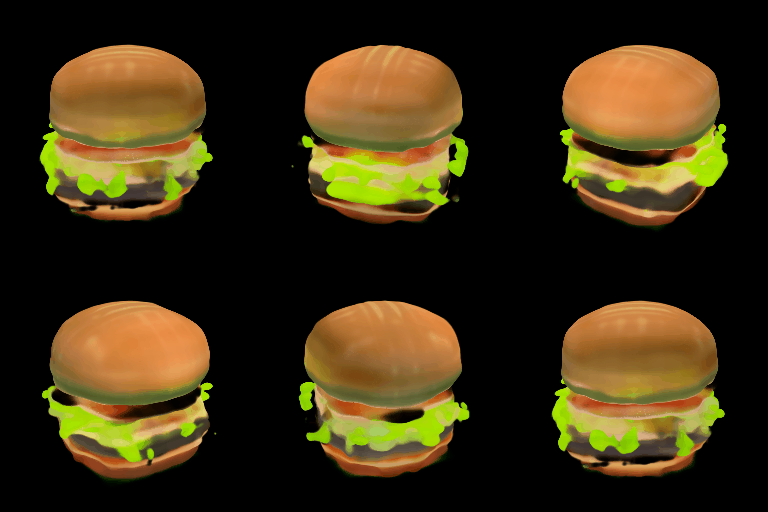
|
||||
|
||||
### Generate mesh
|
||||
|
||||
For both [`ShapEPipeline`] and [`ShapEImg2ImgPipeline`], you can generate mesh output by passing `output_type` as `mesh` to the pipeline, and then use the [`ShapEPipeline.export_to_ply`] utility function to save the output as a `ply` file. We also provide a [`ShapEPipeline.export_to_obj`] function that you can use to save mesh outputs as `obj` files.
|
||||
|
||||
```python
|
||||
import torch
|
||||
|
||||
from diffusers import DiffusionPipeline
|
||||
from diffusers.utils import export_to_ply
|
||||
|
||||
device = torch.device("cuda" if torch.cuda.is_available() else "cpu")
|
||||
|
||||
repo = "openai/shap-e"
|
||||
pipe = DiffusionPipeline.from_pretrained(repo, torch_dtype=torch.float16, variant="fp16")
|
||||
pipe = pipe.to(device)
|
||||
|
||||
guidance_scale = 15.0
|
||||
prompt = "A birthday cupcake"
|
||||
|
||||
images = pipe(prompt, guidance_scale=guidance_scale, num_inference_steps=64, frame_size=256, output_type="mesh").images
|
||||
|
||||
ply_path = export_to_ply(images[0], "3d_cake.ply")
|
||||
print(f"saved to folder: {ply_path}")
|
||||
```
|
||||
|
||||
Huggingface Datasets supports mesh visualization for mesh files in `glb` format. Below we will show you how to convert your mesh file into `glb` format so that you can use the Dataset viewer to render 3D objects.
|
||||
|
||||
We need to install `trimesh` library.
|
||||
|
||||
```
|
||||
pip install trimesh
|
||||
```
|
||||
|
||||
To convert the mesh file into `glb` format,
|
||||
|
||||
```python
|
||||
import trimesh
|
||||
|
||||
mesh = trimesh.load("3d_cake.ply")
|
||||
mesh.export("3d_cake.glb", file_type="glb")
|
||||
```
|
||||
|
||||
By default, the mesh output of Shap-E is from the bottom viewpoint; you can change the default viewpoint by applying a rotation transformation
|
||||
|
||||
```python
|
||||
import trimesh
|
||||
import numpy as np
|
||||
|
||||
mesh = trimesh.load("3d_cake.ply")
|
||||
rot = trimesh.transformations.rotation_matrix(-np.pi / 2, [1, 0, 0])
|
||||
mesh = mesh.apply_transform(rot)
|
||||
mesh.export("3d_cake.glb", file_type="glb")
|
||||
```
|
||||
|
||||
Now you can upload your mesh file to your dataset and visualize it! Here is the link to the 3D cake we just generated
|
||||
https://huggingface.co/datasets/hf-internal-testing/diffusers-images/blob/main/shap_e/3d_cake.glb
|
||||
|
||||
## ShapEPipeline
|
||||
[[autodoc]] ShapEPipeline
|
||||
- all
|
||||
- __call__
|
||||
|
||||
## ShapEImg2ImgPipeline
|
||||
[[autodoc]] ShapEImg2ImgPipeline
|
||||
- all
|
||||
- __call__
|
||||
|
||||
## ShapEPipelineOutput
|
||||
[[autodoc]] pipelines.shap_e.pipeline_shap_e.ShapEPipelineOutput
|
||||
@@ -1,37 +0,0 @@
|
||||
<!--Copyright 2023 The HuggingFace Team. All rights reserved.
|
||||
|
||||
Licensed under the Apache License, Version 2.0 (the "License"); you may not use this file except in compliance with
|
||||
the License. You may obtain a copy of the License at
|
||||
|
||||
http://www.apache.org/licenses/LICENSE-2.0
|
||||
|
||||
Unless required by applicable law or agreed to in writing, software distributed under the License is distributed on
|
||||
an "AS IS" BASIS, WITHOUT WARRANTIES OR CONDITIONS OF ANY KIND, either express or implied. See the License for the
|
||||
specific language governing permissions and limitations under the License.
|
||||
-->
|
||||
|
||||
# Spectrogram Diffusion
|
||||
|
||||
[Spectrogram Diffusion](https://huggingface.co/papers/2206.05408) is by Curtis Hawthorne, Ian Simon, Adam Roberts, Neil Zeghidour, Josh Gardner, Ethan Manilow, and Jesse Engel.
|
||||
|
||||
*An ideal music synthesizer should be both interactive and expressive, generating high-fidelity audio in realtime for arbitrary combinations of instruments and notes. Recent neural synthesizers have exhibited a tradeoff between domain-specific models that offer detailed control of only specific instruments, or raw waveform models that can train on any music but with minimal control and slow generation. In this work, we focus on a middle ground of neural synthesizers that can generate audio from MIDI sequences with arbitrary combinations of instruments in realtime. This enables training on a wide range of transcription datasets with a single model, which in turn offers note-level control of composition and instrumentation across a wide range of instruments. We use a simple two-stage process: MIDI to spectrograms with an encoder-decoder Transformer, then spectrograms to audio with a generative adversarial network (GAN) spectrogram inverter. We compare training the decoder as an autoregressive model and as a Denoising Diffusion Probabilistic Model (DDPM) and find that the DDPM approach is superior both qualitatively and as measured by audio reconstruction and Fréchet distance metrics. Given the interactivity and generality of this approach, we find this to be a promising first step towards interactive and expressive neural synthesis for arbitrary combinations of instruments and notes.*
|
||||
|
||||
The original codebase can be found at [magenta/music-spectrogram-diffusion](https://github.com/magenta/music-spectrogram-diffusion).
|
||||
|
||||
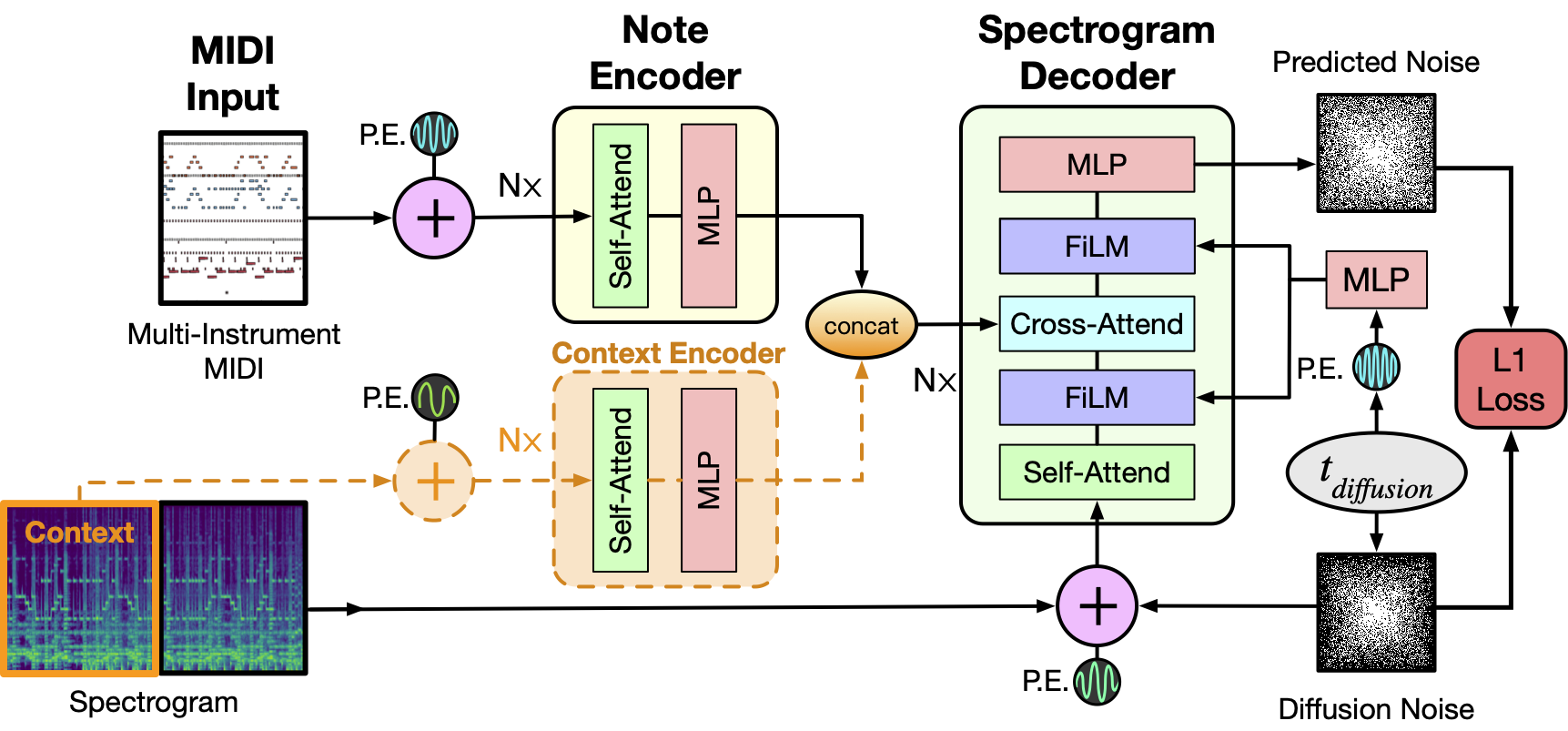
|
||||
|
||||
As depicted above the model takes as input a MIDI file and tokenizes it into a sequence of 5 second intervals. Each tokenized interval then together with positional encodings is passed through the Note Encoder and its representation is concatenated with the previous window's generated spectrogram representation obtained via the Context Encoder. For the initial 5 second window this is set to zero. The resulting context is then used as conditioning to sample the denoised Spectrogram from the MIDI window and we concatenate this spectrogram to the final output as well as use it for the context of the next MIDI window. The process repeats till we have gone over all the MIDI inputs. Finally a MelGAN decoder converts the potentially long spectrogram to audio which is the final result of this pipeline.
|
||||
|
||||
<Tip>
|
||||
|
||||
Make sure to check out the Schedulers [guide](/using-diffusers/schedulers) to learn how to explore the tradeoff between scheduler speed and quality, and see the [reuse components across pipelines](/using-diffusers/loading#reuse-components-across-pipelines) section to learn how to efficiently load the same components into multiple pipelines.
|
||||
|
||||
</Tip>
|
||||
|
||||
## SpectrogramDiffusionPipeline
|
||||
[[autodoc]] SpectrogramDiffusionPipeline
|
||||
- all
|
||||
- __call__
|
||||
|
||||
## AudioPipelineOutput
|
||||
[[autodoc]] pipelines.AudioPipelineOutput
|
||||
54
docs/source/en/api/pipelines/spectrogram_diffusion.mdx
Normal file
54
docs/source/en/api/pipelines/spectrogram_diffusion.mdx
Normal file
@@ -0,0 +1,54 @@
|
||||
<!--Copyright 2023 The HuggingFace Team. All rights reserved.
|
||||
|
||||
Licensed under the Apache License, Version 2.0 (the "License"); you may not use this file except in compliance with
|
||||
the License. You may obtain a copy of the License at
|
||||
|
||||
http://www.apache.org/licenses/LICENSE-2.0
|
||||
|
||||
Unless required by applicable law or agreed to in writing, software distributed under the License is distributed on
|
||||
an "AS IS" BASIS, WITHOUT WARRANTIES OR CONDITIONS OF ANY KIND, either express or implied. See the License for the
|
||||
specific language governing permissions and limitations under the License.
|
||||
-->
|
||||
|
||||
# Multi-instrument Music Synthesis with Spectrogram Diffusion
|
||||
|
||||
## Overview
|
||||
|
||||
[Spectrogram Diffusion](https://arxiv.org/abs/2206.05408) by Curtis Hawthorne, Ian Simon, Adam Roberts, Neil Zeghidour, Josh Gardner, Ethan Manilow, and Jesse Engel.
|
||||
|
||||
An ideal music synthesizer should be both interactive and expressive, generating high-fidelity audio in realtime for arbitrary combinations of instruments and notes. Recent neural synthesizers have exhibited a tradeoff between domain-specific models that offer detailed control of only specific instruments, or raw waveform models that can train on any music but with minimal control and slow generation. In this work, we focus on a middle ground of neural synthesizers that can generate audio from MIDI sequences with arbitrary combinations of instruments in realtime. This enables training on a wide range of transcription datasets with a single model, which in turn offers note-level control of composition and instrumentation across a wide range of instruments. We use a simple two-stage process: MIDI to spectrograms with an encoder-decoder Transformer, then spectrograms to audio with a generative adversarial network (GAN) spectrogram inverter. We compare training the decoder as an autoregressive model and as a Denoising Diffusion Probabilistic Model (DDPM) and find that the DDPM approach is superior both qualitatively and as measured by audio reconstruction and Fréchet distance metrics. Given the interactivity and generality of this approach, we find this to be a promising first step towards interactive and expressive neural synthesis for arbitrary combinations of instruments and notes.
|
||||
|
||||
The original codebase of this implementation can be found at [magenta/music-spectrogram-diffusion](https://github.com/magenta/music-spectrogram-diffusion).
|
||||
|
||||
## Model
|
||||
|
||||

|
||||
|
||||
As depicted above the model takes as input a MIDI file and tokenizes it into a sequence of 5 second intervals. Each tokenized interval then together with positional encodings is passed through the Note Encoder and its representation is concatenated with the previous window's generated spectrogram representation obtained via the Context Encoder. For the initial 5 second window this is set to zero. The resulting context is then used as conditioning to sample the denoised Spectrogram from the MIDI window and we concatenate this spectrogram to the final output as well as use it for the context of the next MIDI window. The process repeats till we have gone over all the MIDI inputs. Finally a MelGAN decoder converts the potentially long spectrogram to audio which is the final result of this pipeline.
|
||||
|
||||
## Available Pipelines:
|
||||
|
||||
| Pipeline | Tasks | Colab
|
||||
|---|---|:---:|
|
||||
| [pipeline_spectrogram_diffusion.py](https://github.com/huggingface/diffusers/blob/main/src/diffusers/pipelines/spectrogram_diffusion/pipeline_spectrogram_diffusion.py) | *Unconditional Audio Generation* | - |
|
||||
|
||||
|
||||
## Example usage
|
||||
|
||||
```python
|
||||
from diffusers import SpectrogramDiffusionPipeline, MidiProcessor
|
||||
|
||||
pipe = SpectrogramDiffusionPipeline.from_pretrained("google/music-spectrogram-diffusion")
|
||||
pipe = pipe.to("cuda")
|
||||
processor = MidiProcessor()
|
||||
|
||||
# Download MIDI from: wget http://www.piano-midi.de/midis/beethoven/beethoven_hammerklavier_2.mid
|
||||
output = pipe(processor("beethoven_hammerklavier_2.mid"))
|
||||
|
||||
audio = output.audios[0]
|
||||
```
|
||||
|
||||
## SpectrogramDiffusionPipeline
|
||||
[[autodoc]] SpectrogramDiffusionPipeline
|
||||
- all
|
||||
- __call__
|
||||
@@ -1,187 +0,0 @@
|
||||
<!--Copyright 2023 The HuggingFace Team. All rights reserved.
|
||||
|
||||
Licensed under the Apache License, Version 2.0 (the "License"); you may not use this file except in compliance with
|
||||
the License. You may obtain a copy of the License at
|
||||
|
||||
http://www.apache.org/licenses/LICENSE-2.0
|
||||
|
||||
Unless required by applicable law or agreed to in writing, software distributed under the License is distributed on
|
||||
an "AS IS" BASIS, WITHOUT WARRANTIES OR CONDITIONS OF ANY KIND, either express or implied. See the License for the
|
||||
specific language governing permissions and limitations under the License.
|
||||
-->
|
||||
|
||||
# Text-to-Image Generation with Adapter Conditioning
|
||||
|
||||
## Overview
|
||||
|
||||
[T2I-Adapter: Learning Adapters to Dig out More Controllable Ability for Text-to-Image Diffusion Models](https://arxiv.org/abs/2302.08453) by Chong Mou, Xintao Wang, Liangbin Xie, Jian Zhang, Zhongang Qi, Ying Shan, Xiaohu Qie.
|
||||
|
||||
Using the pretrained models we can provide control images (for example, a depth map) to control Stable Diffusion text-to-image generation so that it follows the structure of the depth image and fills in the details.
|
||||
|
||||
The abstract of the paper is the following:
|
||||
|
||||
*The incredible generative ability of large-scale text-to-image (T2I) models has demonstrated strong power of learning complex structures and meaningful semantics. However, relying solely on text prompts cannot fully take advantage of the knowledge learned by the model, especially when flexible and accurate structure control is needed. In this paper, we aim to ``dig out" the capabilities that T2I models have implicitly learned, and then explicitly use them to control the generation more granularly. Specifically, we propose to learn simple and small T2I-Adapters to align internal knowledge in T2I models with external control signals, while freezing the original large T2I models. In this way, we can train various adapters according to different conditions, and achieve rich control and editing effects. Further, the proposed T2I-Adapters have attractive properties of practical value, such as composability and generalization ability. Extensive experiments demonstrate that our T2I-Adapter has promising generation quality and a wide range of applications.*
|
||||
|
||||
This model was contributed by the community contributor [HimariO](https://github.com/HimariO) ❤️ .
|
||||
|
||||
## Available Pipelines:
|
||||
|
||||
| Pipeline | Tasks | Demo
|
||||
|---|---|:---:|
|
||||
| [StableDiffusionAdapterPipeline](https://github.com/huggingface/diffusers/blob/main/src/diffusers/pipelines/stable_diffusion/pipeline_stable_diffusion_adapter.py) | *Text-to-Image Generation with T2I-Adapter Conditioning* | -
|
||||
|
||||
## Usage example
|
||||
|
||||
In the following we give a simple example of how to use a *T2IAdapter* checkpoint with Diffusers for inference.
|
||||
All adapters use the same pipeline.
|
||||
|
||||
1. Images are first converted into the appropriate *control image* format.
|
||||
2. The *control image* and *prompt* are passed to the [`StableDiffusionAdapterPipeline`].
|
||||
|
||||
Let's have a look at a simple example using the [Color Adapter](https://huggingface.co/TencentARC/t2iadapter_color_sd14v1).
|
||||
|
||||
```python
|
||||
from diffusers.utils import load_image
|
||||
|
||||
image = load_image("https://huggingface.co/datasets/diffusers/docs-images/resolve/main/t2i-adapter/color_ref.png")
|
||||
```
|
||||
|
||||
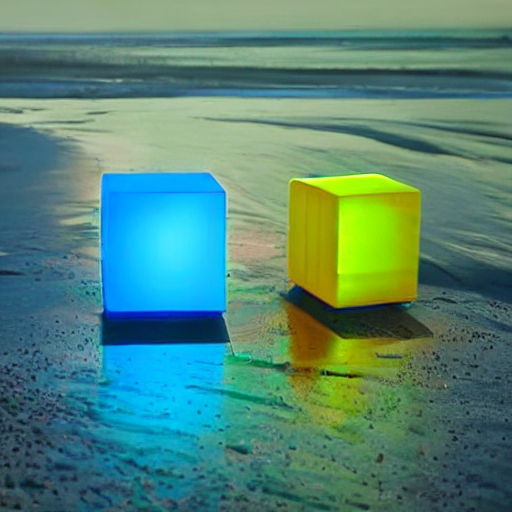
|
||||
|
||||
|
||||
Then we can create our color palette by simply resizing it to 8 by 8 pixels and then scaling it back to original size.
|
||||
|
||||
```python
|
||||
from PIL import Image
|
||||
|
||||
color_palette = image.resize((8, 8))
|
||||
color_palette = color_palette.resize((512, 512), resample=Image.Resampling.NEAREST)
|
||||
```
|
||||
|
||||
Let's take a look at the processed image.
|
||||
|
||||

|
||||
|
||||
|
||||
Next, create the adapter pipeline
|
||||
|
||||
```py
|
||||
import torch
|
||||
from diffusers import StableDiffusionAdapterPipeline, T2IAdapter
|
||||
|
||||
adapter = T2IAdapter.from_pretrained("TencentARC/t2iadapter_color_sd14v1", torch_dtype=torch.float16)
|
||||
pipe = StableDiffusionAdapterPipeline.from_pretrained(
|
||||
"CompVis/stable-diffusion-v1-4",
|
||||
adapter=adapter,
|
||||
torch_dtype=torch.float16,
|
||||
)
|
||||
pipe.to("cuda")
|
||||
```
|
||||
|
||||
Finally, pass the prompt and control image to the pipeline
|
||||
|
||||
```py
|
||||
# fix the random seed, so you will get the same result as the example
|
||||
generator = torch.manual_seed(7)
|
||||
|
||||
out_image = pipe(
|
||||
"At night, glowing cubes in front of the beach",
|
||||
image=color_palette,
|
||||
generator=generator,
|
||||
).images[0]
|
||||
```
|
||||
|
||||
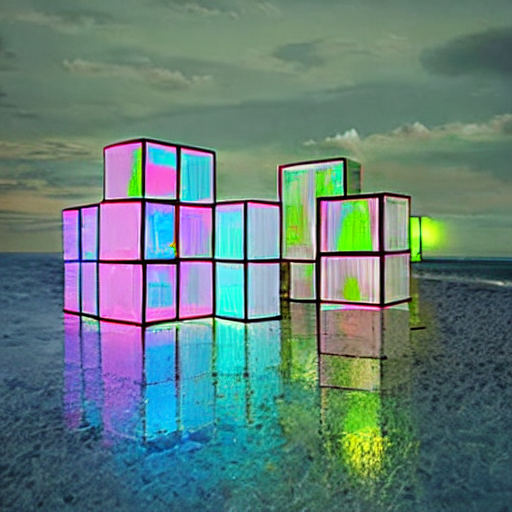
|
||||
|
||||
|
||||
## Available checkpoints
|
||||
|
||||
Non-diffusers checkpoints can be found under [TencentARC/T2I-Adapter](https://huggingface.co/TencentARC/T2I-Adapter/tree/main/models).
|
||||
|
||||
### T2I-Adapter with Stable Diffusion 1.4
|
||||
|
||||
| Model Name | Control Image Overview| Control Image Example | Generated Image Example |
|
||||
|---|---|---|---|
|
||||
|[TencentARC/t2iadapter_color_sd14v1](https://huggingface.co/TencentARC/t2iadapter_color_sd14v1)<br/> *Trained with spatial color palette* | A image with 8x8 color palette.|<a href="https://huggingface.co/datasets/diffusers/docs-images/resolve/main/t2i-adapter/color_sample_input.png"><img width="64" style="margin:0;padding:0;" src="https://huggingface.co/datasets/diffusers/docs-images/resolve/main/t2i-adapter/color_sample_input.png"/></a>|<a href="https://huggingface.co/datasets/diffusers/docs-images/resolve/main/t2i-adapter/color_sample_output.png"><img width="64" src="https://huggingface.co/datasets/diffusers/docs-images/resolve/main/t2i-adapter/color_sample_output.png"/></a>|
|
||||
|[TencentARC/t2iadapter_canny_sd14v1](https://huggingface.co/TencentARC/t2iadapter_canny_sd14v1)<br/> *Trained with canny edge detection* | A monochrome image with white edges on a black background.|<a href="https://huggingface.co/datasets/diffusers/docs-images/resolve/main/t2i-adapter/canny_sample_input.png"><img width="64" style="margin:0;padding:0;" src="https://huggingface.co/datasets/diffusers/docs-images/resolve/main/t2i-adapter/canny_sample_input.png"/></a>|<a href="https://huggingface.co/datasets/diffusers/docs-images/resolve/main/t2i-adapter/canny_sample_output.png"><img width="64" src="https://huggingface.co/datasets/diffusers/docs-images/resolve/main/t2i-adapter/canny_sample_output.png"/></a>|
|
||||
|[TencentARC/t2iadapter_sketch_sd14v1](https://huggingface.co/TencentARC/t2iadapter_sketch_sd14v1)<br/> *Trained with [PidiNet](https://github.com/zhuoinoulu/pidinet) edge detection* | A hand-drawn monochrome image with white outlines on a black background.|<a href="https://huggingface.co/datasets/diffusers/docs-images/resolve/main/t2i-adapter/sketch_sample_input.png"><img width="64" style="margin:0;padding:0;" src="https://huggingface.co/datasets/diffusers/docs-images/resolve/main/t2i-adapter/sketch_sample_input.png"/></a>|<a href="https://huggingface.co/datasets/diffusers/docs-images/resolve/main/t2i-adapter/sketch_sample_output.png"><img width="64" src="https://huggingface.co/datasets/diffusers/docs-images/resolve/main/t2i-adapter/sketch_sample_output.png"/></a>|
|
||||
|[TencentARC/t2iadapter_depth_sd14v1](https://huggingface.co/TencentARC/t2iadapter_depth_sd14v1)<br/> *Trained with Midas depth estimation* | A grayscale image with black representing deep areas and white representing shallow areas.|<a href="https://huggingface.co/datasets/diffusers/docs-images/resolve/main/t2i-adapter/depth_sample_input.png"><img width="64" src="https://huggingface.co/datasets/diffusers/docs-images/resolve/main/t2i-adapter/depth_sample_input.png"/></a>|<a href="https://huggingface.co/datasets/diffusers/docs-images/resolve/main/t2i-adapter/depth_sample_output.png"><img width="64" src="https://huggingface.co/datasets/diffusers/docs-images/resolve/main/t2i-adapter/depth_sample_output.png"/></a>|
|
||||
|[TencentARC/t2iadapter_openpose_sd14v1](https://huggingface.co/TencentARC/t2iadapter_openpose_sd14v1)<br/> *Trained with OpenPose bone image* | A [OpenPose bone](https://github.com/CMU-Perceptual-Computing-Lab/openpose) image.|<a href="https://huggingface.co/datasets/diffusers/docs-images/resolve/main/t2i-adapter/openpose_sample_input.png"><img width="64" src="https://huggingface.co/datasets/diffusers/docs-images/resolve/main/t2i-adapter/openpose_sample_input.png"/></a>|<a href="https://huggingface.co/datasets/diffusers/docs-images/resolve/main/t2i-adapter/openpose_sample_output.png"><img width="64" src="https://huggingface.co/datasets/diffusers/docs-images/resolve/main/t2i-adapter/openpose_sample_output.png"/></a>|
|
||||
|[TencentARC/t2iadapter_keypose_sd14v1](https://huggingface.co/TencentARC/t2iadapter_keypose_sd14v1)<br/> *Trained with mmpose skeleton image* | A [mmpose skeleton](https://github.com/open-mmlab/mmpose) image.|<a href="https://huggingface.co/datasets/diffusers/docs-images/resolve/main/t2i-adapter/keypose_sample_input.png"><img width="64" src="https://huggingface.co/datasets/diffusers/docs-images/resolve/main/t2i-adapter/keypose_sample_input.png"/></a>|<a href="https://huggingface.co/datasets/diffusers/docs-images/resolve/main/t2i-adapter/keypose_sample_output.png"><img width="64" src="https://huggingface.co/datasets/diffusers/docs-images/resolve/main/t2i-adapter/keypose_sample_output.png"/></a>|
|
||||
|[TencentARC/t2iadapter_seg_sd14v1](https://huggingface.co/TencentARC/t2iadapter_seg_sd14v1)<br/>*Trained with semantic segmentation* | An [custom](https://github.com/TencentARC/T2I-Adapter/discussions/25) segmentation protocol image.|<a href="https://huggingface.co/datasets/diffusers/docs-images/resolve/main/t2i-adapter/seg_sample_input.png"><img width="64" src="https://huggingface.co/datasets/diffusers/docs-images/resolve/main/t2i-adapter/seg_sample_input.png"/></a>|<a href="https://huggingface.co/datasets/diffusers/docs-images/resolve/main/t2i-adapter/seg_sample_output.png"><img width="64" src="https://huggingface.co/datasets/diffusers/docs-images/resolve/main/t2i-adapter/seg_sample_output.png"/></a> |
|
||||
|[TencentARC/t2iadapter_canny_sd15v2](https://huggingface.co/TencentARC/t2iadapter_canny_sd15v2)||
|
||||
|[TencentARC/t2iadapter_depth_sd15v2](https://huggingface.co/TencentARC/t2iadapter_depth_sd15v2)||
|
||||
|[TencentARC/t2iadapter_sketch_sd15v2](https://huggingface.co/TencentARC/t2iadapter_sketch_sd15v2)||
|
||||
|[TencentARC/t2iadapter_zoedepth_sd15v1](https://huggingface.co/TencentARC/t2iadapter_zoedepth_sd15v1)||
|
||||
|
||||
## Combining multiple adapters
|
||||
|
||||
[`MultiAdapter`] can be used for applying multiple conditionings at once.
|
||||
|
||||
Here we use the keypose adapter for the character posture and the depth adapter for creating the scene.
|
||||
|
||||
```py
|
||||
import torch
|
||||
from PIL import Image
|
||||
from diffusers.utils import load_image
|
||||
|
||||
cond_keypose = load_image(
|
||||
"https://huggingface.co/datasets/diffusers/docs-images/resolve/main/t2i-adapter/keypose_sample_input.png"
|
||||
)
|
||||
cond_depth = load_image(
|
||||
"https://huggingface.co/datasets/diffusers/docs-images/resolve/main/t2i-adapter/depth_sample_input.png"
|
||||
)
|
||||
cond = [[cond_keypose, cond_depth]]
|
||||
|
||||
prompt = ["A man walking in an office room with a nice view"]
|
||||
```
|
||||
|
||||
The two control images look as such:
|
||||
|
||||
|
||||
|
||||
|
||||
|
||||
`MultiAdapter` combines keypose and depth adapters.
|
||||
|
||||
`adapter_conditioning_scale` balances the relative influence of the different adapters.
|
||||
|
||||
```py
|
||||
from diffusers import StableDiffusionAdapterPipeline, MultiAdapter
|
||||
|
||||
adapters = MultiAdapter(
|
||||
[
|
||||
T2IAdapter.from_pretrained("TencentARC/t2iadapter_keypose_sd14v1"),
|
||||
T2IAdapter.from_pretrained("TencentARC/t2iadapter_depth_sd14v1"),
|
||||
]
|
||||
)
|
||||
adapters = adapters.to(torch.float16)
|
||||
|
||||
pipe = StableDiffusionAdapterPipeline.from_pretrained(
|
||||
"CompVis/stable-diffusion-v1-4",
|
||||
torch_dtype=torch.float16,
|
||||
adapter=adapters,
|
||||
)
|
||||
|
||||
images = pipe(prompt, cond, adapter_conditioning_scale=[0.8, 0.8])
|
||||
```
|
||||
|
||||

|
||||
|
||||
|
||||
## T2I Adapter vs ControlNet
|
||||
|
||||
T2I-Adapter is similar to [ControlNet](https://huggingface.co/docs/diffusers/main/en/api/pipelines/controlnet).
|
||||
T2i-Adapter uses a smaller auxiliary network which is only run once for the entire diffusion process.
|
||||
However, T2I-Adapter performs slightly worse than ControlNet.
|
||||
|
||||
## StableDiffusionAdapterPipeline
|
||||
[[autodoc]] StableDiffusionAdapterPipeline
|
||||
- all
|
||||
- __call__
|
||||
- enable_attention_slicing
|
||||
- disable_attention_slicing
|
||||
- enable_vae_slicing
|
||||
- disable_vae_slicing
|
||||
- enable_xformers_memory_efficient_attention
|
||||
- disable_xformers_memory_efficient_attention
|
||||
@@ -0,0 +1,75 @@
|
||||
<!--Copyright 2023 The HuggingFace Team. All rights reserved.
|
||||
|
||||
Licensed under the Apache License, Version 2.0 (the "License"); you may not use this file except in compliance with
|
||||
the License. You may obtain a copy of the License at
|
||||
|
||||
http://www.apache.org/licenses/LICENSE-2.0
|
||||
|
||||
Unless required by applicable law or agreed to in writing, software distributed under the License is distributed on
|
||||
an "AS IS" BASIS, WITHOUT WARRANTIES OR CONDITIONS OF ANY KIND, either express or implied. See the License for the
|
||||
specific language governing permissions and limitations under the License.
|
||||
-->
|
||||
|
||||
# Attend and Excite: Attention-Based Semantic Guidance for Text-to-Image Diffusion Models
|
||||
|
||||
## Overview
|
||||
|
||||
Attend and Excite for Stable Diffusion was proposed in [Attend-and-Excite: Attention-Based Semantic Guidance for Text-to-Image Diffusion Models](https://attendandexcite.github.io/Attend-and-Excite/) and provides textual attention control over the image generation.
|
||||
|
||||
The abstract of the paper is the following:
|
||||
|
||||
*Text-to-image diffusion models have recently received a lot of interest for their astonishing ability to produce high-fidelity images from text only. However, achieving one-shot generation that aligns with the user's intent is nearly impossible, yet small changes to the input prompt often result in very different images. This leaves the user with little semantic control. To put the user in control, we show how to interact with the diffusion process to flexibly steer it along semantic directions. This semantic guidance (SEGA) allows for subtle and extensive edits, changes in composition and style, as well as optimizing the overall artistic conception. We demonstrate SEGA's effectiveness on a variety of tasks and provide evidence for its versatility and flexibility.*
|
||||
|
||||
Resources
|
||||
|
||||
* [Project Page](https://attendandexcite.github.io/Attend-and-Excite/)
|
||||
* [Paper](https://arxiv.org/abs/2301.13826)
|
||||
* [Original Code](https://github.com/AttendAndExcite/Attend-and-Excite)
|
||||
* [Demo](https://huggingface.co/spaces/AttendAndExcite/Attend-and-Excite)
|
||||
|
||||
|
||||
## Available Pipelines:
|
||||
|
||||
| Pipeline | Tasks | Colab | Demo
|
||||
|---|---|:---:|:---:|
|
||||
| [pipeline_semantic_stable_diffusion_attend_and_excite.py](https://github.com/huggingface/diffusers/blob/main/src/diffusers/pipelines/stable_diffusion/pipeline_semantic_stable_diffusion_attend_and_excite) | *Text-to-Image Generation* | - | https://huggingface.co/spaces/AttendAndExcite/Attend-and-Excite
|
||||
|
||||
|
||||
### Usage example
|
||||
|
||||
|
||||
```python
|
||||
import torch
|
||||
from diffusers import StableDiffusionAttendAndExcitePipeline
|
||||
|
||||
model_id = "CompVis/stable-diffusion-v1-4"
|
||||
pipe = StableDiffusionAttendAndExcitePipeline.from_pretrained(model_id, torch_dtype=torch.float16).to("cuda")
|
||||
pipe = pipe.to("cuda")
|
||||
|
||||
prompt = "a cat and a frog"
|
||||
|
||||
# use get_indices function to find out indices of the tokens you want to alter
|
||||
pipe.get_indices(prompt)
|
||||
|
||||
token_indices = [2, 5]
|
||||
seed = 6141
|
||||
generator = torch.Generator("cuda").manual_seed(seed)
|
||||
|
||||
images = pipe(
|
||||
prompt=prompt,
|
||||
token_indices=token_indices,
|
||||
guidance_scale=7.5,
|
||||
generator=generator,
|
||||
num_inference_steps=50,
|
||||
max_iter_to_alter=25,
|
||||
).images
|
||||
|
||||
image = images[0]
|
||||
image.save(f"../images/{prompt}_{seed}.png")
|
||||
```
|
||||
|
||||
|
||||
## StableDiffusionAttendAndExcitePipeline
|
||||
[[autodoc]] StableDiffusionAttendAndExcitePipeline
|
||||
- all
|
||||
- __call__
|
||||
@@ -10,20 +10,20 @@ an "AS IS" BASIS, WITHOUT WARRANTIES OR CONDITIONS OF ANY KIND, either express o
|
||||
specific language governing permissions and limitations under the License.
|
||||
-->
|
||||
|
||||
# Depth-to-image
|
||||
|
||||
The Stable Diffusion model can also infer depth based on an image using [MiDas](https://github.com/isl-org/MiDaS). This allows you to pass a text prompt and an initial image to condition the generation of new images as well as a `depth_map` to preserve the image structure.
|
||||
|
||||
<Tip>
|
||||
|
||||
Make sure to check out the Stable Diffusion [Tips](overview#tips) section to learn how to explore the tradeoff between scheduler speed and quality, and how to reuse pipeline components efficiently!
|
||||
|
||||
If you're interested in using one of the official checkpoints for a task, explore the [CompVis](https://huggingface.co/CompVis), [Runway](https://huggingface.co/runwayml), and [Stability AI](https://huggingface.co/stabilityai) Hub organizations!
|
||||
|
||||
</Tip>
|
||||
# Depth-to-Image Generation
|
||||
|
||||
## StableDiffusionDepth2ImgPipeline
|
||||
|
||||
The depth-guided stable diffusion model was created by the researchers and engineers from [CompVis](https://github.com/CompVis), [Stability AI](https://stability.ai/), and [LAION](https://laion.ai/), as part of Stable Diffusion 2.0. It uses [MiDas](https://github.com/isl-org/MiDaS) to infer depth based on an image.
|
||||
|
||||
[`StableDiffusionDepth2ImgPipeline`] lets you pass a text prompt and an initial image to condition the generation of new images as well as a `depth_map` to preserve the images’ structure.
|
||||
|
||||
The original codebase can be found here:
|
||||
- *Stable Diffusion v2*: [Stability-AI/stablediffusion](https://github.com/Stability-AI/stablediffusion#depth-conditional-stable-diffusion)
|
||||
|
||||
Available Checkpoints are:
|
||||
- *stable-diffusion-2-depth*: [stabilityai/stable-diffusion-2-depth](https://huggingface.co/stabilityai/stable-diffusion-2-depth)
|
||||
|
||||
[[autodoc]] StableDiffusionDepth2ImgPipeline
|
||||
- all
|
||||
- __call__
|
||||
@@ -34,7 +34,3 @@ If you're interested in using one of the official checkpoints for a task, explor
|
||||
- load_textual_inversion
|
||||
- load_lora_weights
|
||||
- save_lora_weights
|
||||
|
||||
## StableDiffusionPipelineOutput
|
||||
|
||||
[[autodoc]] pipelines.stable_diffusion.StableDiffusionPipelineOutput
|
||||
@@ -10,17 +10,21 @@ an "AS IS" BASIS, WITHOUT WARRANTIES OR CONDITIONS OF ANY KIND, either express o
|
||||
specific language governing permissions and limitations under the License.
|
||||
-->
|
||||
|
||||
# DiffEdit
|
||||
# Zero-shot Diffusion-based Semantic Image Editing with Mask Guidance
|
||||
|
||||
[DiffEdit: Diffusion-based semantic image editing with mask guidance](https://huggingface.co/papers/2210.11427) is by Guillaume Couairon, Jakob Verbeek, Holger Schwenk, and Matthieu Cord.
|
||||
## Overview
|
||||
|
||||
The abstract from the paper is:
|
||||
[DiffEdit: Diffusion-based semantic image editing with mask guidance](https://arxiv.org/abs/2210.11427) by Guillaume Couairon, Jakob Verbeek, Holger Schwenk, and Matthieu Cord.
|
||||
|
||||
The abstract of the paper is the following:
|
||||
|
||||
*Image generation has recently seen tremendous advances, with diffusion models allowing to synthesize convincing images for a large variety of text prompts. In this article, we propose DiffEdit, a method to take advantage of text-conditioned diffusion models for the task of semantic image editing, where the goal is to edit an image based on a text query. Semantic image editing is an extension of image generation, with the additional constraint that the generated image should be as similar as possible to a given input image. Current editing methods based on diffusion models usually require to provide a mask, making the task much easier by treating it as a conditional inpainting task. In contrast, our main contribution is able to automatically generate a mask highlighting regions of the input image that need to be edited, by contrasting predictions of a diffusion model conditioned on different text prompts. Moreover, we rely on latent inference to preserve content in those regions of interest and show excellent synergies with mask-based diffusion. DiffEdit achieves state-of-the-art editing performance on ImageNet. In addition, we evaluate semantic image editing in more challenging settings, using images from the COCO dataset as well as text-based generated images.*
|
||||
|
||||
The original codebase can be found at [Xiang-cd/DiffEdit-stable-diffusion](https://github.com/Xiang-cd/DiffEdit-stable-diffusion), and you can try it out in this [demo](https://blog.problemsolversguild.com/technical/research/2022/11/02/DiffEdit-Implementation.html).
|
||||
Resources:
|
||||
|
||||
This pipeline was contributed by [clarencechen](https://github.com/clarencechen). ❤️
|
||||
* [Paper](https://arxiv.org/abs/2210.11427).
|
||||
* [Blog Post with Demo](https://blog.problemsolversguild.com/technical/research/2022/11/02/DiffEdit-Implementation.html).
|
||||
* [Implementation on Github](https://github.com/Xiang-cd/DiffEdit-stable-diffusion/).
|
||||
|
||||
## Tips
|
||||
|
||||
@@ -47,6 +51,14 @@ below for more details.
|
||||
* Swap the `prompt` and `negative_prompt` in the arguments to call the pipeline to generate the final edited image.
|
||||
* Note that the source and target prompts, or their corresponding embeddings, can also be automatically generated. Please, refer to [this discussion](#generating-source-and-target-embeddings) for more details.
|
||||
|
||||
## Available Pipelines:
|
||||
|
||||
| Pipeline | Tasks
|
||||
|---|---|
|
||||
| [StableDiffusionDiffEditPipeline](https://github.com/huggingface/diffusers/blob/main/src/diffusers/pipelines/stable_diffusion/pipeline_stable_diffusion_diffedit.py) | *Text-Based Image Editing*
|
||||
|
||||
<!-- TODO: add Colab -->
|
||||
|
||||
## Usage example
|
||||
|
||||
### Based on an input image with a caption
|
||||
@@ -59,7 +71,7 @@ First, let's load our pipeline:
|
||||
|
||||
```py
|
||||
import torch
|
||||
from diffusers import DDIMScheduler, DDIMInverseScheduler, StableDiffusionDiffEditPipeline
|
||||
from diffusers import DDIMScheduler, DDIMInverseScheduler, StableDiffusionPix2PixZeroPipeline
|
||||
|
||||
sd_model_ckpt = "stabilityai/stable-diffusion-2-1"
|
||||
pipeline = StableDiffusionDiffEditPipeline.from_pretrained(
|
||||
@@ -345,4 +357,4 @@ images[0].save("edited_image.png")
|
||||
- all
|
||||
- generate_mask
|
||||
- invert
|
||||
- __call__
|
||||
- __call__
|
||||
@@ -1,46 +0,0 @@
|
||||
<!--Copyright 2023 The GLIGEN Authors and The HuggingFace Team. All rights reserved.
|
||||
|
||||
Licensed under the Apache License, Version 2.0 (the "License"); you may not use this file except in compliance with
|
||||
the License. You may obtain a copy of the License at
|
||||
|
||||
http://www.apache.org/licenses/LICENSE-2.0
|
||||
|
||||
Unless required by applicable law or agreed to in writing, software distributed under the License is distributed on
|
||||
an "AS IS" BASIS, WITHOUT WARRANTIES OR CONDITIONS OF ANY KIND, either express or implied. See the License for the
|
||||
specific language governing permissions and limitations under the License.
|
||||
-->
|
||||
|
||||
# GLIGEN (Grounded Language-to-Image Generation)
|
||||
|
||||
The GLIGEN model was created by researchers and engineers from [University of Wisconsin-Madison, Columbia University, and Microsoft](https://github.com/gligen/GLIGEN). The [`StableDiffusionGLIGENPipeline`] can generate photorealistic images conditioned on grounding inputs. Along with text and bounding boxes, if input images are given, this pipeline can insert objects described by text at the region defined by bounding boxes. Otherwise, it'll generate an image described by the caption/prompt and insert objects described by text at the region defined by bounding boxes. It's trained on COCO2014D and COCO2014CD datasets, and the model uses a frozen CLIP ViT-L/14 text encoder to condition itself on grounding inputs.
|
||||
|
||||
The abstract from the [paper](https://huggingface.co/papers/2301.07093) is:
|
||||
|
||||
*Large-scale text-to-image diffusion models have made amazing advances. However, the status quo is to use text input alone, which can impede controllability. In this work, we propose GLIGEN, Grounded-Language-to-Image Generation, a novel approach that builds upon and extends the functionality of existing pre-trained text-to-image diffusion models by enabling them to also be conditioned on grounding inputs. To preserve the vast concept knowledge of the pre-trained model, we freeze all of its weights and inject the grounding information into new trainable layers via a gated mechanism. Our model achieves open-world grounded text2img generation with caption and bounding box condition inputs, and the grounding ability generalizes well to novel spatial configurations and concepts. GLIGEN’s zeroshot performance on COCO and LVIS outperforms existing supervised layout-to-image baselines by a large margin.*
|
||||
|
||||
<Tip>
|
||||
|
||||
Make sure to check out the Stable Diffusion [Tips](https://huggingface.co/docs/diffusers/en/api/pipelines/stable_diffusion/overview#tips) section to learn how to explore the tradeoff between scheduler speed and quality and how to reuse pipeline components efficiently!
|
||||
|
||||
If you want to use one of the official checkpoints for a task, explore the [gligen](https://huggingface.co/gligen) Hub organizations!
|
||||
|
||||
</Tip>
|
||||
|
||||
This pipeline was contributed by [Nikhil Gajendrakumar](https://github.com/nikhil-masterful).
|
||||
|
||||
## StableDiffusionGLIGENPipeline
|
||||
|
||||
[[autodoc]] StableDiffusionGLIGENPipeline
|
||||
- all
|
||||
- __call__
|
||||
- enable_vae_slicing
|
||||
- disable_vae_slicing
|
||||
- enable_vae_tiling
|
||||
- disable_vae_tiling
|
||||
- enable_model_cpu_offload
|
||||
- prepare_latents
|
||||
- enable_fuser
|
||||
|
||||
## StableDiffusionPipelineOutput
|
||||
|
||||
[[autodoc]] pipelines.stable_diffusion.StableDiffusionPipelineOutput
|
||||
@@ -1,37 +0,0 @@
|
||||
<!--Copyright 2023 The HuggingFace Team. All rights reserved.
|
||||
|
||||
Licensed under the Apache License, Version 2.0 (the "License"); you may not use this file except in compliance with
|
||||
the License. You may obtain a copy of the License at
|
||||
|
||||
http://www.apache.org/licenses/LICENSE-2.0
|
||||
|
||||
Unless required by applicable law or agreed to in writing, software distributed under the License is distributed on
|
||||
an "AS IS" BASIS, WITHOUT WARRANTIES OR CONDITIONS OF ANY KIND, either express or implied. See the License for the
|
||||
specific language governing permissions and limitations under the License.
|
||||
-->
|
||||
|
||||
# Image variation
|
||||
|
||||
The Stable Diffusion model can also generate variations from an input image. It uses a fine-tuned version of a Stable Diffusion model by [Justin Pinkney](https://www.justinpinkney.com/) from [Lambda](https://lambdalabs.com/).
|
||||
|
||||
The original codebase can be found at [LambdaLabsML/lambda-diffusers](https://github.com/LambdaLabsML/lambda-diffusers#stable-diffusion-image-variations) and additional official checkpoints for image variation can be found at [lambdalabs/sd-image-variations-diffusers](https://huggingface.co/lambdalabs/sd-image-variations-diffusers).
|
||||
|
||||
<Tip>
|
||||
|
||||
Make sure to check out the Stable Diffusion [Tips](./overview#tips) section to learn how to explore the tradeoff between scheduler speed and quality, and how to reuse pipeline components efficiently!
|
||||
|
||||
</Tip>
|
||||
|
||||
## StableDiffusionImageVariationPipeline
|
||||
|
||||
[[autodoc]] StableDiffusionImageVariationPipeline
|
||||
- all
|
||||
- __call__
|
||||
- enable_attention_slicing
|
||||
- disable_attention_slicing
|
||||
- enable_xformers_memory_efficient_attention
|
||||
- disable_xformers_memory_efficient_attention
|
||||
|
||||
## StableDiffusionPipelineOutput
|
||||
|
||||
[[autodoc]] pipelines.stable_diffusion.StableDiffusionPipelineOutput
|
||||
@@ -0,0 +1,31 @@
|
||||
<!--Copyright 2023 The HuggingFace Team. All rights reserved.
|
||||
|
||||
Licensed under the Apache License, Version 2.0 (the "License"); you may not use this file except in compliance with
|
||||
the License. You may obtain a copy of the License at
|
||||
|
||||
http://www.apache.org/licenses/LICENSE-2.0
|
||||
|
||||
Unless required by applicable law or agreed to in writing, software distributed under the License is distributed on
|
||||
an "AS IS" BASIS, WITHOUT WARRANTIES OR CONDITIONS OF ANY KIND, either express or implied. See the License for the
|
||||
specific language governing permissions and limitations under the License.
|
||||
-->
|
||||
|
||||
# Image Variation
|
||||
|
||||
## StableDiffusionImageVariationPipeline
|
||||
|
||||
[`StableDiffusionImageVariationPipeline`] lets you generate variations from an input image using Stable Diffusion. It uses a fine-tuned version of Stable Diffusion model, trained by [Justin Pinkney](https://www.justinpinkney.com/) (@Buntworthy) at [Lambda](https://lambdalabs.com/).
|
||||
|
||||
The original codebase can be found here:
|
||||
[Stable Diffusion Image Variations](https://github.com/LambdaLabsML/lambda-diffusers#stable-diffusion-image-variations)
|
||||
|
||||
Available Checkpoints are:
|
||||
- *sd-image-variations-diffusers*: [lambdalabs/sd-image-variations-diffusers](https://huggingface.co/lambdalabs/sd-image-variations-diffusers)
|
||||
|
||||
[[autodoc]] StableDiffusionImageVariationPipeline
|
||||
- all
|
||||
- __call__
|
||||
- enable_attention_slicing
|
||||
- disable_attention_slicing
|
||||
- enable_xformers_memory_efficient_attention
|
||||
- disable_xformers_memory_efficient_attention
|
||||
@@ -1,55 +0,0 @@
|
||||
<!--Copyright 2023 The HuggingFace Team. All rights reserved.
|
||||
|
||||
Licensed under the Apache License, Version 2.0 (the "License"); you may not use this file except in compliance with
|
||||
the License. You may obtain a copy of the License at
|
||||
|
||||
http://www.apache.org/licenses/LICENSE-2.0
|
||||
|
||||
Unless required by applicable law or agreed to in writing, software distributed under the License is distributed on
|
||||
an "AS IS" BASIS, WITHOUT WARRANTIES OR CONDITIONS OF ANY KIND, either express or implied. See the License for the
|
||||
specific language governing permissions and limitations under the License.
|
||||
-->
|
||||
|
||||
# Image-to-image
|
||||
|
||||
The Stable Diffusion model can also be applied to image-to-image generation by passing a text prompt and an initial image to condition the generation of new images.
|
||||
|
||||
The [`StableDiffusionImg2ImgPipeline`] uses the diffusion-denoising mechanism proposed in [SDEdit: Guided Image Synthesis and Editing with Stochastic Differential Equations](https://huggingface.co/papers/2108.01073) by Chenlin Meng, Yutong He, Yang Song, Jiaming Song, Jiajun Wu, Jun-Yan Zhu, Stefano Ermon.
|
||||
|
||||
The abstract from the paper is:
|
||||
|
||||
*Guided image synthesis enables everyday users to create and edit photo-realistic images with minimum effort. The key challenge is balancing faithfulness to the user input (e.g., hand-drawn colored strokes) and realism of the synthesized image. Existing GAN-based methods attempt to achieve such balance using either conditional GANs or GAN inversions, which are challenging and often require additional training data or loss functions for individual applications. To address these issues, we introduce a new image synthesis and editing method, Stochastic Differential Editing (SDEdit), based on a diffusion model generative prior, which synthesizes realistic images by iteratively denoising through a stochastic differential equation (SDE). Given an input image with user guide of any type, SDEdit first adds noise to the input, then subsequently denoises the resulting image through the SDE prior to increase its realism. SDEdit does not require task-specific training or inversions and can naturally achieve the balance between realism and faithfulness. SDEdit significantly outperforms state-of-the-art GAN-based methods by up to 98.09% on realism and 91.72% on overall satisfaction scores, according to a human perception study, on multiple tasks, including stroke-based image synthesis and editing as well as image compositing.*
|
||||
|
||||
<Tip>
|
||||
|
||||
Make sure to check out the Stable Diffusion [Tips](overview#tips) section to learn how to explore the tradeoff between scheduler speed and quality, and how to reuse pipeline components efficiently!
|
||||
|
||||
</Tip>
|
||||
|
||||
## StableDiffusionImg2ImgPipeline
|
||||
|
||||
[[autodoc]] StableDiffusionImg2ImgPipeline
|
||||
- all
|
||||
- __call__
|
||||
- enable_attention_slicing
|
||||
- disable_attention_slicing
|
||||
- enable_xformers_memory_efficient_attention
|
||||
- disable_xformers_memory_efficient_attention
|
||||
- load_textual_inversion
|
||||
- from_single_file
|
||||
- load_lora_weights
|
||||
- save_lora_weights
|
||||
|
||||
## StableDiffusionPipelineOutput
|
||||
|
||||
[[autodoc]] pipelines.stable_diffusion.StableDiffusionPipelineOutput
|
||||
|
||||
## FlaxStableDiffusionImg2ImgPipeline
|
||||
|
||||
[[autodoc]] FlaxStableDiffusionImg2ImgPipeline
|
||||
- all
|
||||
- __call__
|
||||
|
||||
## FlaxStableDiffusionPipelineOutput
|
||||
|
||||
[[autodoc]] pipelines.stable_diffusion.FlaxStableDiffusionPipelineOutput
|
||||
40
docs/source/en/api/pipelines/stable_diffusion/img2img.mdx
Normal file
40
docs/source/en/api/pipelines/stable_diffusion/img2img.mdx
Normal file
@@ -0,0 +1,40 @@
|
||||
<!--Copyright 2023 The HuggingFace Team. All rights reserved.
|
||||
|
||||
Licensed under the Apache License, Version 2.0 (the "License"); you may not use this file except in compliance with
|
||||
the License. You may obtain a copy of the License at
|
||||
|
||||
http://www.apache.org/licenses/LICENSE-2.0
|
||||
|
||||
Unless required by applicable law or agreed to in writing, software distributed under the License is distributed on
|
||||
an "AS IS" BASIS, WITHOUT WARRANTIES OR CONDITIONS OF ANY KIND, either express or implied. See the License for the
|
||||
specific language governing permissions and limitations under the License.
|
||||
-->
|
||||
|
||||
# Image-to-Image Generation
|
||||
|
||||
## StableDiffusionImg2ImgPipeline
|
||||
|
||||
The Stable Diffusion model was created by the researchers and engineers from [CompVis](https://github.com/CompVis), [Stability AI](https://stability.ai/), [runway](https://github.com/runwayml), and [LAION](https://laion.ai/). The [`StableDiffusionImg2ImgPipeline`] lets you pass a text prompt and an initial image to condition the generation of new images using Stable Diffusion.
|
||||
|
||||
The original codebase can be found here: [CampVis/stable-diffusion](https://github.com/CompVis/stable-diffusion/blob/main/scripts/img2img.py)
|
||||
|
||||
[`StableDiffusionImg2ImgPipeline`] is compatible with all Stable Diffusion checkpoints for [Text-to-Image](./text2img)
|
||||
|
||||
The pipeline uses the diffusion-denoising mechanism proposed by SDEdit ([SDEdit: Guided Image Synthesis and Editing with Stochastic Differential Equations](https://arxiv.org/abs/2108.01073)
|
||||
proposed by Chenlin Meng, Yutong He, Yang Song, Jiaming Song, Jiajun Wu, Jun-Yan Zhu, Stefano Ermon).
|
||||
|
||||
[[autodoc]] StableDiffusionImg2ImgPipeline
|
||||
- all
|
||||
- __call__
|
||||
- enable_attention_slicing
|
||||
- disable_attention_slicing
|
||||
- enable_xformers_memory_efficient_attention
|
||||
- disable_xformers_memory_efficient_attention
|
||||
- load_textual_inversion
|
||||
- from_ckpt
|
||||
- load_lora_weights
|
||||
- save_lora_weights
|
||||
|
||||
[[autodoc]] FlaxStableDiffusionImg2ImgPipeline
|
||||
- all
|
||||
- __call__
|
||||
@@ -1,57 +0,0 @@
|
||||
<!--Copyright 2023 The HuggingFace Team. All rights reserved.
|
||||
|
||||
Licensed under the Apache License, Version 2.0 (the "License"); you may not use this file except in compliance with
|
||||
the License. You may obtain a copy of the License at
|
||||
|
||||
http://www.apache.org/licenses/LICENSE-2.0
|
||||
|
||||
Unless required by applicable law or agreed to in writing, software distributed under the License is distributed on
|
||||
an "AS IS" BASIS, WITHOUT WARRANTIES OR CONDITIONS OF ANY KIND, either express or implied. See the License for the
|
||||
specific language governing permissions and limitations under the License.
|
||||
-->
|
||||
|
||||
# Inpainting
|
||||
|
||||
The Stable Diffusion model can also be applied to inpainting which lets you edit specific parts of an image by providing a mask and a text prompt using Stable Diffusion.
|
||||
|
||||
## Tips
|
||||
|
||||
It is recommended to use this pipeline with checkpoints that have been specifically fine-tuned for inpainting, such
|
||||
as [runwayml/stable-diffusion-inpainting](https://huggingface.co/runwayml/stable-diffusion-inpainting). Default
|
||||
text-to-image Stable Diffusion checkpoints, such as
|
||||
[runwayml/stable-diffusion-v1-5](https://huggingface.co/runwayml/stable-diffusion-v1-5) are also compatible but they might be less performant.
|
||||
|
||||
<Tip>
|
||||
|
||||
Make sure to check out the Stable Diffusion [Tips](overview#tips) section to learn how to explore the tradeoff between scheduler speed and quality, and how to reuse pipeline components efficiently!
|
||||
|
||||
If you're interested in using one of the official checkpoints for a task, explore the [CompVis](https://huggingface.co/CompVis), [Runway](https://huggingface.co/runwayml), and [Stability AI](https://huggingface.co/stabilityai) Hub organizations!
|
||||
|
||||
</Tip>
|
||||
|
||||
## StableDiffusionInpaintPipeline
|
||||
|
||||
[[autodoc]] StableDiffusionInpaintPipeline
|
||||
- all
|
||||
- __call__
|
||||
- enable_attention_slicing
|
||||
- disable_attention_slicing
|
||||
- enable_xformers_memory_efficient_attention
|
||||
- disable_xformers_memory_efficient_attention
|
||||
- load_textual_inversion
|
||||
- load_lora_weights
|
||||
- save_lora_weights
|
||||
|
||||
## StableDiffusionPipelineOutput
|
||||
|
||||
[[autodoc]] pipelines.stable_diffusion.StableDiffusionPipelineOutput
|
||||
|
||||
## FlaxStableDiffusionInpaintPipeline
|
||||
|
||||
[[autodoc]] FlaxStableDiffusionInpaintPipeline
|
||||
- all
|
||||
- __call__
|
||||
|
||||
## FlaxStableDiffusionPipelineOutput
|
||||
|
||||
[[autodoc]] pipelines.stable_diffusion.FlaxStableDiffusionPipelineOutput
|
||||
40
docs/source/en/api/pipelines/stable_diffusion/inpaint.mdx
Normal file
40
docs/source/en/api/pipelines/stable_diffusion/inpaint.mdx
Normal file
@@ -0,0 +1,40 @@
|
||||
<!--Copyright 2023 The HuggingFace Team. All rights reserved.
|
||||
|
||||
Licensed under the Apache License, Version 2.0 (the "License"); you may not use this file except in compliance with
|
||||
the License. You may obtain a copy of the License at
|
||||
|
||||
http://www.apache.org/licenses/LICENSE-2.0
|
||||
|
||||
Unless required by applicable law or agreed to in writing, software distributed under the License is distributed on
|
||||
an "AS IS" BASIS, WITHOUT WARRANTIES OR CONDITIONS OF ANY KIND, either express or implied. See the License for the
|
||||
specific language governing permissions and limitations under the License.
|
||||
-->
|
||||
|
||||
# Text-Guided Image Inpainting
|
||||
|
||||
## StableDiffusionInpaintPipeline
|
||||
|
||||
The Stable Diffusion model was created by the researchers and engineers from [CompVis](https://github.com/CompVis), [Stability AI](https://stability.ai/), [runway](https://github.com/runwayml), and [LAION](https://laion.ai/). The [`StableDiffusionInpaintPipeline`] lets you edit specific parts of an image by providing a mask and a text prompt using Stable Diffusion.
|
||||
|
||||
The original codebase can be found here:
|
||||
- *Stable Diffusion V1*: [CampVis/stable-diffusion](https://github.com/runwayml/stable-diffusion#inpainting-with-stable-diffusion)
|
||||
- *Stable Diffusion V2*: [Stability-AI/stablediffusion](https://github.com/Stability-AI/stablediffusion#image-inpainting-with-stable-diffusion)
|
||||
|
||||
Available checkpoints are:
|
||||
- *stable-diffusion-inpainting (512x512 resolution)*: [runwayml/stable-diffusion-inpainting](https://huggingface.co/runwayml/stable-diffusion-inpainting)
|
||||
- *stable-diffusion-2-inpainting (512x512 resolution)*: [stabilityai/stable-diffusion-2-inpainting](https://huggingface.co/stabilityai/stable-diffusion-2-inpainting)
|
||||
|
||||
[[autodoc]] StableDiffusionInpaintPipeline
|
||||
- all
|
||||
- __call__
|
||||
- enable_attention_slicing
|
||||
- disable_attention_slicing
|
||||
- enable_xformers_memory_efficient_attention
|
||||
- disable_xformers_memory_efficient_attention
|
||||
- load_textual_inversion
|
||||
- load_lora_weights
|
||||
- save_lora_weights
|
||||
|
||||
[[autodoc]] FlaxStableDiffusionInpaintPipeline
|
||||
- all
|
||||
- __call__
|
||||
@@ -1,38 +0,0 @@
|
||||
<!--Copyright 2023 The HuggingFace Team. All rights reserved.
|
||||
|
||||
Licensed under the Apache License, Version 2.0 (the "License"); you may not use this file except in compliance with
|
||||
the License. You may obtain a copy of the License at
|
||||
|
||||
http://www.apache.org/licenses/LICENSE-2.0
|
||||
|
||||
Unless required by applicable law or agreed to in writing, software distributed under the License is distributed on
|
||||
an "AS IS" BASIS, WITHOUT WARRANTIES OR CONDITIONS OF ANY KIND, either express or implied. See the License for the
|
||||
specific language governing permissions and limitations under the License.
|
||||
-->
|
||||
|
||||
# Latent upscaler
|
||||
|
||||
The Stable Diffusion latent upscaler model was created by [Katherine Crowson](https://github.com/crowsonkb/k-diffusion) in collaboration with [Stability AI](https://stability.ai/). It is used to enhance the output image resolution by a factor of 2 (see this demo [notebook](https://colab.research.google.com/drive/1o1qYJcFeywzCIdkfKJy7cTpgZTCM2EI4) for a demonstration of the original implementation).
|
||||
|
||||
<Tip>
|
||||
|
||||
Make sure to check out the Stable Diffusion [Tips](overview#tips) section to learn how to explore the tradeoff between scheduler speed and quality, and how to reuse pipeline components efficiently!
|
||||
|
||||
If you're interested in using one of the official checkpoints for a task, explore the [CompVis](https://huggingface.co/CompVis), [Runway](https://huggingface.co/runwayml), and [Stability AI](https://huggingface.co/stabilityai) Hub organizations!
|
||||
|
||||
</Tip>
|
||||
|
||||
## StableDiffusionLatentUpscalePipeline
|
||||
|
||||
[[autodoc]] StableDiffusionLatentUpscalePipeline
|
||||
- all
|
||||
- __call__
|
||||
- enable_sequential_cpu_offload
|
||||
- enable_attention_slicing
|
||||
- disable_attention_slicing
|
||||
- enable_xformers_memory_efficient_attention
|
||||
- disable_xformers_memory_efficient_attention
|
||||
|
||||
## StableDiffusionPipelineOutput
|
||||
|
||||
[[autodoc]] pipelines.stable_diffusion.StableDiffusionPipelineOutput
|
||||
@@ -0,0 +1,33 @@
|
||||
<!--Copyright 2023 The HuggingFace Team. All rights reserved.
|
||||
|
||||
Licensed under the Apache License, Version 2.0 (the "License"); you may not use this file except in compliance with
|
||||
the License. You may obtain a copy of the License at
|
||||
|
||||
http://www.apache.org/licenses/LICENSE-2.0
|
||||
|
||||
Unless required by applicable law or agreed to in writing, software distributed under the License is distributed on
|
||||
an "AS IS" BASIS, WITHOUT WARRANTIES OR CONDITIONS OF ANY KIND, either express or implied. See the License for the
|
||||
specific language governing permissions and limitations under the License.
|
||||
-->
|
||||
|
||||
# Stable Diffusion Latent Upscaler
|
||||
|
||||
## StableDiffusionLatentUpscalePipeline
|
||||
|
||||
The Stable Diffusion Latent Upscaler model was created by [Katherine Crowson](https://github.com/crowsonkb/k-diffusion) in collaboration with [Stability AI](https://stability.ai/). It can be used on top of any [`StableDiffusionUpscalePipeline`] checkpoint to enhance its output image resolution by a factor of 2.
|
||||
|
||||
A notebook that demonstrates the original implementation can be found here:
|
||||
- [Stable Diffusion Upscaler Demo](https://colab.research.google.com/drive/1o1qYJcFeywzCIdkfKJy7cTpgZTCM2EI4)
|
||||
|
||||
Available Checkpoints are:
|
||||
- *stabilityai/latent-upscaler*: [stabilityai/sd-x2-latent-upscaler](https://huggingface.co/stabilityai/sd-x2-latent-upscaler)
|
||||
|
||||
|
||||
[[autodoc]] StableDiffusionLatentUpscalePipeline
|
||||
- all
|
||||
- __call__
|
||||
- enable_sequential_cpu_offload
|
||||
- enable_attention_slicing
|
||||
- disable_attention_slicing
|
||||
- enable_xformers_memory_efficient_attention
|
||||
- disable_xformers_memory_efficient_attention
|
||||
@@ -1,37 +0,0 @@
|
||||
<!--Copyright 2023 The Intel Labs Team Authors and HuggingFace Team. All rights reserved.
|
||||
|
||||
Licensed under the Apache License, Version 2.0 (the "License"); you may not use this file except in compliance with
|
||||
the License. You may obtain a copy of the License at
|
||||
|
||||
http://www.apache.org/licenses/LICENSE-2.0
|
||||
|
||||
Unless required by applicable law or agreed to in writing, software distributed under the License is distributed on
|
||||
an "AS IS" BASIS, WITHOUT WARRANTIES OR CONDITIONS OF ANY KIND, either express or implied. See the License for the
|
||||
specific language governing permissions and limitations under the License.
|
||||
-->
|
||||
|
||||
# Text-to-(RGB, depth)
|
||||
|
||||
LDM3D was proposed in [LDM3D: Latent Diffusion Model for 3D](https://huggingface.co/papers/2305.10853) by Gabriela Ben Melech Stan, Diana Wofk, Scottie Fox, Alex Redden, Will Saxton, Jean Yu, Estelle Aflalo, Shao-Yen Tseng, Fabio Nonato, Matthias Muller, and Vasudev Lal. LDM3D generates an image and a depth map from a given text prompt unlike the existing text-to-image diffusion models such as [Stable Diffusion](./stable_diffusion/overview) which only generates an image. With almost the same number of parameters, LDM3D achieves to create a latent space that can compress both the RGB images and the depth maps.
|
||||
|
||||
The abstract from the paper is:
|
||||
|
||||
*This research paper proposes a Latent Diffusion Model for 3D (LDM3D) that generates both image and depth map data from a given text prompt, allowing users to generate RGBD images from text prompts. The LDM3D model is fine-tuned on a dataset of tuples containing an RGB image, depth map and caption, and validated through extensive experiments. We also develop an application called DepthFusion, which uses the generated RGB images and depth maps to create immersive and interactive 360-degree-view experiences using TouchDesigner. This technology has the potential to transform a wide range of industries, from entertainment and gaming to architecture and design. Overall, this paper presents a significant contribution to the field of generative AI and computer vision, and showcases the potential of LDM3D and DepthFusion to revolutionize content creation and digital experiences. A short video summarizing the approach can be found at [this url](https://t.ly/tdi2).*
|
||||
|
||||
<Tip>
|
||||
|
||||
Make sure to check out the Stable Diffusion [Tips](overview#tips) section to learn how to explore the tradeoff between scheduler speed and quality, and how to reuse pipeline components efficiently!
|
||||
|
||||
</Tip>
|
||||
|
||||
## StableDiffusionLDM3DPipeline
|
||||
|
||||
[[autodoc]] StableDiffusionLDM3DPipeline
|
||||
- all
|
||||
- __call__
|
||||
|
||||
## LDM3DPipelineOutput
|
||||
|
||||
[[autodoc]] pipelines.stable_diffusion.pipeline_stable_diffusion_ldm3d.LDM3DPipelineOutput
|
||||
- all
|
||||
- __call__
|
||||
Some files were not shown because too many files have changed in this diff Show More
Reference in New Issue
Block a user