mirror of
https://github.com/huggingface/diffusers.git
synced 2025-12-09 05:54:24 +08:00
Compare commits
3 Commits
fix_svd_co
...
fast-pr-pi
| Author | SHA1 | Date | |
|---|---|---|---|

|
919858ebaf | ||
|
|
35c9e5289e | ||
|
|
891d5bfa2e |
52
.github/workflows/benchmark.yml
vendored
52
.github/workflows/benchmark.yml
vendored
@@ -1,52 +0,0 @@
|
||||
name: Benchmarking tests
|
||||
|
||||
on:
|
||||
schedule:
|
||||
- cron: "30 1 1,15 * *" # every 2 weeks on the 1st and the 15th of every month at 1:30 AM
|
||||
|
||||
env:
|
||||
DIFFUSERS_IS_CI: yes
|
||||
HF_HOME: /mnt/cache
|
||||
OMP_NUM_THREADS: 8
|
||||
MKL_NUM_THREADS: 8
|
||||
|
||||
jobs:
|
||||
torch_pipelines_cuda_benchmark_tests:
|
||||
name: Torch Core Pipelines CUDA Benchmarking Tests
|
||||
strategy:
|
||||
fail-fast: false
|
||||
max-parallel: 1
|
||||
runs-on: [single-gpu, nvidia-gpu, a10, ci]
|
||||
container:
|
||||
image: diffusers/diffusers-pytorch-cuda
|
||||
options: --shm-size "16gb" --ipc host -v /mnt/hf_cache:/mnt/cache/ --gpus 0
|
||||
steps:
|
||||
- name: Checkout diffusers
|
||||
uses: actions/checkout@v3
|
||||
with:
|
||||
fetch-depth: 2
|
||||
- name: NVIDIA-SMI
|
||||
run: |
|
||||
nvidia-smi
|
||||
- name: Install dependencies
|
||||
run: |
|
||||
apt-get update && apt-get install libsndfile1-dev libgl1 -y
|
||||
python -m pip install -e .[quality,test]
|
||||
python -m pip install pandas
|
||||
- name: Environment
|
||||
run: |
|
||||
python utils/print_env.py
|
||||
- name: Diffusers Benchmarking
|
||||
env:
|
||||
HUGGING_FACE_HUB_TOKEN: ${{ secrets.DIFFUSERS_BOT_TOKEN }}
|
||||
BASE_PATH: benchmark_outputs
|
||||
run: |
|
||||
export TOTAL_GPU_MEMORY=$(python -c "import torch; print(torch.cuda.get_device_properties(0).total_memory / (1024**3))")
|
||||
cd benchmarks && mkdir ${BASE_PATH} && python run_all.py && python push_results.py
|
||||
|
||||
- name: Test suite reports artifacts
|
||||
if: ${{ always() }}
|
||||
uses: actions/upload-artifact@v2
|
||||
with:
|
||||
name: benchmark_test_reports
|
||||
path: benchmarks/benchmark_outputs
|
||||
5
.github/workflows/pr_quality.yml
vendored
5
.github/workflows/pr_quality.yml
vendored
@@ -27,8 +27,9 @@ jobs:
|
||||
pip install .[quality]
|
||||
- name: Check quality
|
||||
run: |
|
||||
ruff check examples tests src utils scripts
|
||||
ruff format examples tests src utils scripts --check
|
||||
black --check examples tests src utils scripts
|
||||
ruff examples tests src utils scripts
|
||||
doc-builder style src/diffusers docs/source --max_len 119 --check_only --path_to_docs docs/source
|
||||
|
||||
check_repository_consistency:
|
||||
runs-on: ubuntu-latest
|
||||
|
||||
170
.github/workflows/pr_test_fetcher.yml
vendored
170
.github/workflows/pr_test_fetcher.yml
vendored
@@ -1,170 +0,0 @@
|
||||
name: Fast tests for PRs - Test Fetcher
|
||||
|
||||
on: workflow_dispatch
|
||||
|
||||
env:
|
||||
DIFFUSERS_IS_CI: yes
|
||||
OMP_NUM_THREADS: 4
|
||||
MKL_NUM_THREADS: 4
|
||||
PYTEST_TIMEOUT: 60
|
||||
|
||||
concurrency:
|
||||
group: ${{ github.workflow }}-${{ github.head_ref || github.run_id }}
|
||||
cancel-in-progress: true
|
||||
|
||||
jobs:
|
||||
setup_pr_tests:
|
||||
name: Setup PR Tests
|
||||
runs-on: docker-cpu
|
||||
container:
|
||||
image: diffusers/diffusers-pytorch-cpu
|
||||
options: --shm-size "16gb" --ipc host -v /mnt/hf_cache:/mnt/cache/
|
||||
defaults:
|
||||
run:
|
||||
shell: bash
|
||||
outputs:
|
||||
matrix: ${{ steps.set_matrix.outputs.matrix }}
|
||||
test_map: ${{ steps.set_matrix.outputs.test_map }}
|
||||
steps:
|
||||
- name: Checkout diffusers
|
||||
uses: actions/checkout@v3
|
||||
with:
|
||||
fetch-depth: 0
|
||||
- name: Install dependencies
|
||||
run: |
|
||||
apt-get update && apt-get install libsndfile1-dev libgl1 -y
|
||||
python -m pip install -e .[quality,test]
|
||||
- name: Environment
|
||||
run: |
|
||||
python utils/print_env.py
|
||||
echo $(git --version)
|
||||
- name: Fetch Tests
|
||||
run: |
|
||||
python utils/tests_fetcher.py | tee test_preparation.txt
|
||||
- name: Report fetched tests
|
||||
uses: actions/upload-artifact@v3
|
||||
with:
|
||||
name: test_fetched
|
||||
path: test_preparation.txt
|
||||
- id: set_matrix
|
||||
name: Create Test Matrix
|
||||
# The `keys` is used as GitHub actions matrix for jobs, i.e. `models`, `pipelines`, etc.
|
||||
# The `test_map` is used to get the actual identified test files under each key.
|
||||
# If no test to run (so no `test_map.json` file), create a dummy map (empty matrix will fail)
|
||||
run: |
|
||||
if [ -f test_map.json ]; then
|
||||
keys=$(python3 -c 'import json; fp = open("test_map.json"); test_map = json.load(fp); fp.close(); d = list(test_map.keys()); print(json.dumps(d))')
|
||||
test_map=$(python3 -c 'import json; fp = open("test_map.json"); test_map = json.load(fp); fp.close(); print(json.dumps(test_map))')
|
||||
else
|
||||
keys=$(python3 -c 'keys = ["dummy"]; print(keys)')
|
||||
test_map=$(python3 -c 'test_map = {"dummy": []}; print(test_map)')
|
||||
fi
|
||||
echo $keys
|
||||
echo $test_map
|
||||
echo "matrix=$keys" >> $GITHUB_OUTPUT
|
||||
echo "test_map=$test_map" >> $GITHUB_OUTPUT
|
||||
|
||||
run_pr_tests:
|
||||
name: Run PR Tests
|
||||
needs: setup_pr_tests
|
||||
if: contains(fromJson(needs.setup_pr_tests.outputs.matrix), 'dummy') != true
|
||||
strategy:
|
||||
fail-fast: false
|
||||
max-parallel: 2
|
||||
matrix:
|
||||
modules: ${{ fromJson(needs.setup_pr_tests.outputs.matrix) }}
|
||||
runs-on: docker-cpu
|
||||
container:
|
||||
image: diffusers/diffusers-pytorch-cpu
|
||||
options: --shm-size "16gb" --ipc host -v /mnt/hf_cache:/mnt/cache/
|
||||
defaults:
|
||||
run:
|
||||
shell: bash
|
||||
steps:
|
||||
- name: Checkout diffusers
|
||||
uses: actions/checkout@v3
|
||||
with:
|
||||
fetch-depth: 2
|
||||
|
||||
- name: Install dependencies
|
||||
run: |
|
||||
apt-get update && apt-get install libsndfile1-dev libgl1 -y
|
||||
python -m pip install -e .[quality,test]
|
||||
python -m pip install accelerate
|
||||
|
||||
- name: Environment
|
||||
run: |
|
||||
python utils/print_env.py
|
||||
|
||||
- name: Run all selected tests on CPU
|
||||
run: |
|
||||
python -m pytest -n 2 --dist=loadfile -v --make-reports=${{ matrix.modules }}_tests_cpu ${{ fromJson(needs.setup_pr_tests.outputs.test_map)[matrix.modules] }}
|
||||
|
||||
- name: Failure short reports
|
||||
if: ${{ failure() }}
|
||||
continue-on-error: true
|
||||
run: |
|
||||
cat reports/${{ matrix.modules }}_tests_cpu_stats.txt
|
||||
cat reports/${{ matrix.modules }}_tests_cpu_failures_short.txt
|
||||
|
||||
- name: Test suite reports artifacts
|
||||
if: ${{ always() }}
|
||||
uses: actions/upload-artifact@v3
|
||||
with:
|
||||
name: ${{ matrix.modules }}_test_reports
|
||||
path: reports
|
||||
|
||||
run_staging_tests:
|
||||
strategy:
|
||||
fail-fast: false
|
||||
matrix:
|
||||
config:
|
||||
- name: Hub tests for models, schedulers, and pipelines
|
||||
framework: hub_tests_pytorch
|
||||
runner: docker-cpu
|
||||
image: diffusers/diffusers-pytorch-cpu
|
||||
report: torch_hub
|
||||
|
||||
name: ${{ matrix.config.name }}
|
||||
runs-on: ${{ matrix.config.runner }}
|
||||
container:
|
||||
image: ${{ matrix.config.image }}
|
||||
options: --shm-size "16gb" --ipc host -v /mnt/hf_cache:/mnt/cache/
|
||||
|
||||
defaults:
|
||||
run:
|
||||
shell: bash
|
||||
|
||||
steps:
|
||||
- name: Checkout diffusers
|
||||
uses: actions/checkout@v3
|
||||
with:
|
||||
fetch-depth: 2
|
||||
|
||||
- name: Install dependencies
|
||||
run: |
|
||||
apt-get update && apt-get install libsndfile1-dev libgl1 -y
|
||||
python -m pip install -e .[quality,test]
|
||||
|
||||
- name: Environment
|
||||
run: |
|
||||
python utils/print_env.py
|
||||
|
||||
- name: Run Hub tests for models, schedulers, and pipelines on a staging env
|
||||
if: ${{ matrix.config.framework == 'hub_tests_pytorch' }}
|
||||
run: |
|
||||
HUGGINGFACE_CO_STAGING=true python -m pytest \
|
||||
-m "is_staging_test" \
|
||||
--make-reports=tests_${{ matrix.config.report }} \
|
||||
tests
|
||||
|
||||
- name: Failure short reports
|
||||
if: ${{ failure() }}
|
||||
run: cat reports/tests_${{ matrix.config.report }}_failures_short.txt
|
||||
|
||||
- name: Test suite reports artifacts
|
||||
if: ${{ always() }}
|
||||
uses: actions/upload-artifact@v2
|
||||
with:
|
||||
name: pr_${{ matrix.config.report }}_test_reports
|
||||
path: reports
|
||||
26
.github/workflows/pr_test_peft_backend.yml
vendored
26
.github/workflows/pr_test_peft_backend.yml
vendored
@@ -20,15 +20,20 @@ jobs:
|
||||
strategy:
|
||||
fail-fast: false
|
||||
matrix:
|
||||
lib-versions: ["main", "latest"]
|
||||
config:
|
||||
- name: LoRA
|
||||
framework: lora
|
||||
runner: docker-cpu
|
||||
image: diffusers/diffusers-pytorch-cpu
|
||||
report: torch_cpu_lora
|
||||
|
||||
|
||||
name: LoRA - ${{ matrix.lib-versions }}
|
||||
name: ${{ matrix.config.name }}
|
||||
|
||||
runs-on: docker-cpu
|
||||
runs-on: ${{ matrix.config.runner }}
|
||||
|
||||
container:
|
||||
image: diffusers/diffusers-pytorch-cpu
|
||||
image: ${{ matrix.config.image }}
|
||||
options: --shm-size "16gb" --ipc host -v /mnt/hf_cache:/mnt/cache/
|
||||
|
||||
defaults:
|
||||
@@ -45,21 +50,18 @@ jobs:
|
||||
run: |
|
||||
apt-get update && apt-get install libsndfile1-dev libgl1 -y
|
||||
python -m pip install -e .[quality,test]
|
||||
if [ "${{ matrix.lib-versions }}" == "main" ]; then
|
||||
python -m pip install -U git+https://github.com/huggingface/peft.git
|
||||
python -m pip install -U git+https://github.com/huggingface/transformers.git
|
||||
python -m pip install -U git+https://github.com/huggingface/accelerate.git
|
||||
else
|
||||
python -m pip install -U peft transformers accelerate
|
||||
fi
|
||||
python -m pip install git+https://github.com/huggingface/accelerate.git
|
||||
python -m pip install -U git+https://github.com/huggingface/transformers.git
|
||||
python -m pip install -U git+https://github.com/huggingface/peft.git
|
||||
|
||||
- name: Environment
|
||||
run: |
|
||||
python utils/print_env.py
|
||||
|
||||
- name: Run fast PyTorch LoRA CPU tests with PEFT backend
|
||||
if: ${{ matrix.config.framework == 'lora' }}
|
||||
run: |
|
||||
python -m pytest -n 2 --max-worker-restart=0 --dist=loadfile \
|
||||
-s -v \
|
||||
--make-reports=tests_${{ matrix.config.report }} \
|
||||
tests/lora/test_lora_layers_peft.py
|
||||
tests/lora/test_lora_layers_peft.py
|
||||
102
.github/workflows/pr_tests.yml
vendored
102
.github/workflows/pr_tests.yml
vendored
@@ -19,16 +19,97 @@ env:
|
||||
PYTEST_TIMEOUT: 60
|
||||
|
||||
jobs:
|
||||
setup_torch_cpu_pipeline_matrix:
|
||||
name: Setup Torch Pipelines CPU Fast Tests Matrix
|
||||
runs-on: docker-cpu
|
||||
container:
|
||||
image: diffusers/diffusers-pytorch-cpu # this is a CPU image, but we need it to fetch the matrix
|
||||
options: --shm-size "16gb" --ipc host
|
||||
outputs:
|
||||
pipeline_test_matrix: ${{ steps.fetch_pipeline_matrix.outputs.pipeline_test_matrix }}
|
||||
steps:
|
||||
- name: Checkout diffusers
|
||||
uses: actions/checkout@v3
|
||||
with:
|
||||
fetch-depth: 2
|
||||
- name: Install dependencies
|
||||
run: |
|
||||
apt-get update && apt-get install libsndfile1-dev libgl1 -y
|
||||
python -m pip install -e .[quality,test]
|
||||
python -m pip install git+https://github.com/huggingface/accelerate.git
|
||||
|
||||
- name: Environment
|
||||
run: |
|
||||
python utils/print_env.py
|
||||
|
||||
- name: Fetch Pipeline Matrix
|
||||
id: fetch_pipeline_matrix
|
||||
run: |
|
||||
matrix=$(python utils/fetch_torch_cuda_pipeline_test_matrix.py)
|
||||
echo $matrix
|
||||
echo "pipeline_test_matrix=$matrix" >> $GITHUB_OUTPUT
|
||||
|
||||
- name: Pipeline Tests Artifacts
|
||||
if: ${{ always() }}
|
||||
uses: actions/upload-artifact@v2
|
||||
with:
|
||||
name: test-pipelines.json
|
||||
path: reports
|
||||
run_fast_pipeline_tests:
|
||||
name: Torch Pipelines CPU Fast Tests
|
||||
needs: setup_torch_cpu_pipeline_matrix
|
||||
strategy:
|
||||
fail-fast: false
|
||||
max-parallel: 1
|
||||
matrix:
|
||||
module: ${{ fromJson(needs.setup_torch_cpu_pipeline_matrix.outputs.pipeline_test_matrix) }}
|
||||
runs-on: docker-cpu
|
||||
container:
|
||||
image: diffusers/diffusers-pytorch-cpu
|
||||
options: --shm-size "16gb" --ipc host -v /mnt/hf_cache:/mnt/cache/
|
||||
steps:
|
||||
- name: Checkout diffusers
|
||||
uses: actions/checkout@v3
|
||||
with:
|
||||
fetch-depth: 2
|
||||
- name: NVIDIA-SMI
|
||||
run: |
|
||||
nvidia-smi
|
||||
- name: Install dependencies
|
||||
run: |
|
||||
apt-get update && apt-get install libsndfile1-dev libgl1 -y
|
||||
python -m pip install -e .[quality,test]
|
||||
python -m pip install git+https://github.com/huggingface/accelerate.git
|
||||
- name: Environment
|
||||
run: |
|
||||
python utils/print_env.py
|
||||
- name: Slow PyTorch CUDA checkpoint tests on Ubuntu
|
||||
env:
|
||||
HUGGING_FACE_HUB_TOKEN: ${{ secrets.HUGGING_FACE_HUB_TOKEN }}
|
||||
# https://pytorch.org/docs/stable/notes/randomness.html#avoiding-nondeterministic-algorithms
|
||||
CUBLAS_WORKSPACE_CONFIG: :16:8
|
||||
run: |
|
||||
python -m pytest -n 2 --max-worker-restart=0 --dist=loadfile \
|
||||
-s -v -k "not Flax and not Onnx" \
|
||||
--make-reports=tests_pipeline_${{ matrix.module }}_cpu \
|
||||
tests/pipelines/${{ matrix.module }}
|
||||
- name: Failure short reports
|
||||
if: ${{ failure() }}
|
||||
run: |
|
||||
cat reports/tests_pipeline_${{ matrix.module }}_cpu_stats.txt
|
||||
cat reports/tests_pipeline_${{ matrix.module }}_cpu_failures_short.txt
|
||||
- name: Test suite reports artifacts
|
||||
if: ${{ always() }}
|
||||
uses: actions/upload-artifact@v2
|
||||
with:
|
||||
name: pipeline_${{ matrix.module }}_test_reports
|
||||
path: reports
|
||||
|
||||
run_fast_tests:
|
||||
strategy:
|
||||
fail-fast: false
|
||||
matrix:
|
||||
config:
|
||||
- name: Fast PyTorch Pipeline CPU tests
|
||||
framework: pytorch_pipelines
|
||||
runner: docker-cpu
|
||||
image: diffusers/diffusers-pytorch-cpu
|
||||
report: torch_cpu_pipelines
|
||||
- name: Fast PyTorch Models & Schedulers CPU tests
|
||||
framework: pytorch_models
|
||||
runner: docker-cpu
|
||||
@@ -78,14 +159,6 @@ jobs:
|
||||
run: |
|
||||
python utils/print_env.py
|
||||
|
||||
- name: Run fast PyTorch Pipeline CPU tests
|
||||
if: ${{ matrix.config.framework == 'pytorch_pipelines' }}
|
||||
run: |
|
||||
python -m pytest -n 2 --max-worker-restart=0 --dist=loadfile \
|
||||
-s -v -k "not Flax and not Onnx" \
|
||||
--make-reports=tests_${{ matrix.config.report }} \
|
||||
tests/pipelines
|
||||
|
||||
- name: Run fast PyTorch Model Scheduler CPU tests
|
||||
if: ${{ matrix.config.framework == 'pytorch_models' }}
|
||||
run: |
|
||||
@@ -113,10 +186,9 @@ jobs:
|
||||
- name: Run example PyTorch CPU tests
|
||||
if: ${{ matrix.config.framework == 'pytorch_examples' }}
|
||||
run: |
|
||||
python -m pip install peft
|
||||
python -m pytest -n 2 --max-worker-restart=0 --dist=loadfile \
|
||||
--make-reports=tests_${{ matrix.config.report }} \
|
||||
examples
|
||||
examples/test_examples.py
|
||||
|
||||
- name: Failure short reports
|
||||
if: ${{ failure() }}
|
||||
|
||||
6
.github/workflows/push_tests_fast.yml
vendored
6
.github/workflows/push_tests_fast.yml
vendored
@@ -5,10 +5,6 @@ on:
|
||||
branches:
|
||||
- main
|
||||
|
||||
concurrency:
|
||||
group: ${{ github.workflow }}-${{ github.head_ref || github.run_id }}
|
||||
cancel-in-progress: true
|
||||
|
||||
env:
|
||||
DIFFUSERS_IS_CI: yes
|
||||
HF_HOME: /mnt/cache
|
||||
@@ -100,7 +96,7 @@ jobs:
|
||||
run: |
|
||||
python -m pytest -n 2 --max-worker-restart=0 --dist=loadfile \
|
||||
--make-reports=tests_${{ matrix.config.report }} \
|
||||
examples
|
||||
examples/test_examples.py
|
||||
|
||||
- name: Failure short reports
|
||||
if: ${{ failure() }}
|
||||
|
||||
4
.github/workflows/push_tests_mps.yml
vendored
4
.github/workflows/push_tests_mps.yml
vendored
@@ -13,10 +13,6 @@ env:
|
||||
PYTEST_TIMEOUT: 600
|
||||
RUN_SLOW: no
|
||||
|
||||
concurrency:
|
||||
group: ${{ github.workflow }}-${{ github.head_ref || github.run_id }}
|
||||
cancel-in-progress: true
|
||||
|
||||
jobs:
|
||||
run_fast_tests_apple_m1:
|
||||
name: Fast PyTorch MPS tests on MacOS
|
||||
|
||||
@@ -355,7 +355,7 @@ You will need basic `git` proficiency to be able to contribute to
|
||||
manual. Type `git --help` in a shell and enjoy. If you prefer books, [Pro
|
||||
Git](https://git-scm.com/book/en/v2) is a very good reference.
|
||||
|
||||
Follow these steps to start contributing ([supported Python versions](https://github.com/huggingface/diffusers/blob/main/setup.py#L265)):
|
||||
Follow these steps to start contributing ([supported Python versions](https://github.com/huggingface/diffusers/blob/main/setup.py#L244)):
|
||||
|
||||
1. Fork the [repository](https://github.com/huggingface/diffusers) by
|
||||
clicking on the 'Fork' button on the repository's page. This creates a copy of the code
|
||||
@@ -410,7 +410,7 @@ Diffusers has grown a lot. Here is the command for it:
|
||||
$ make test
|
||||
```
|
||||
|
||||
🧨 Diffusers relies on `ruff` and `isort` to format its source code
|
||||
🧨 Diffusers relies on `black` and `isort` to format its source code
|
||||
consistently. After you make changes, apply automatic style corrections and code verifications
|
||||
that can't be automated in one go with:
|
||||
|
||||
|
||||
16
Makefile
16
Makefile
@@ -3,14 +3,14 @@
|
||||
# make sure to test the local checkout in scripts and not the pre-installed one (don't use quotes!)
|
||||
export PYTHONPATH = src
|
||||
|
||||
check_dirs := examples scripts src tests utils benchmarks
|
||||
check_dirs := examples scripts src tests utils
|
||||
|
||||
modified_only_fixup:
|
||||
$(eval modified_py_files := $(shell python utils/get_modified_files.py $(check_dirs)))
|
||||
@if test -n "$(modified_py_files)"; then \
|
||||
echo "Checking/fixing $(modified_py_files)"; \
|
||||
ruff check $(modified_py_files) --fix; \
|
||||
ruff format $(modified_py_files);\
|
||||
black $(modified_py_files); \
|
||||
ruff $(modified_py_files); \
|
||||
else \
|
||||
echo "No library .py files were modified"; \
|
||||
fi
|
||||
@@ -40,21 +40,23 @@ repo-consistency:
|
||||
# this target runs checks on all files
|
||||
|
||||
quality:
|
||||
ruff check $(check_dirs) setup.py
|
||||
ruff format --check $(check_dirs) setup.py
|
||||
black --check $(check_dirs)
|
||||
ruff $(check_dirs)
|
||||
doc-builder style src/diffusers docs/source --max_len 119 --check_only --path_to_docs docs/source
|
||||
python utils/check_doc_toc.py
|
||||
|
||||
# Format source code automatically and check is there are any problems left that need manual fixing
|
||||
|
||||
extra_style_checks:
|
||||
python utils/custom_init_isort.py
|
||||
doc-builder style src/diffusers docs/source --max_len 119 --path_to_docs docs/source
|
||||
python utils/check_doc_toc.py --fix_and_overwrite
|
||||
|
||||
# this target runs checks on all files and potentially modifies some of them
|
||||
|
||||
style:
|
||||
ruff check $(check_dirs) setup.py --fix
|
||||
ruff format $(check_dirs) setup.py
|
||||
black $(check_dirs)
|
||||
ruff $(check_dirs) --fix
|
||||
${MAKE} autogenerate_code
|
||||
${MAKE} extra_style_checks
|
||||
|
||||
|
||||
@@ -82,7 +82,7 @@ Models are designed as configurable toolboxes that are natural extensions of [Py
|
||||
The following design principles are followed:
|
||||
- Models correspond to **a type of model architecture**. *E.g.* the [`UNet2DConditionModel`] class is used for all UNet variations that expect 2D image inputs and are conditioned on some context.
|
||||
- All models can be found in [`src/diffusers/models`](https://github.com/huggingface/diffusers/tree/main/src/diffusers/models) and every model architecture shall be defined in its file, e.g. [`unet_2d_condition.py`](https://github.com/huggingface/diffusers/blob/main/src/diffusers/models/unet_2d_condition.py), [`transformer_2d.py`](https://github.com/huggingface/diffusers/blob/main/src/diffusers/models/transformer_2d.py), etc...
|
||||
- Models **do not** follow the single-file policy and should make use of smaller model building blocks, such as [`attention.py`](https://github.com/huggingface/diffusers/blob/main/src/diffusers/models/attention.py), [`resnet.py`](https://github.com/huggingface/diffusers/blob/main/src/diffusers/models/resnet.py), [`embeddings.py`](https://github.com/huggingface/diffusers/blob/main/src/diffusers/models/embeddings.py), etc... **Note**: This is in stark contrast to Transformers' modeling files and shows that models do not really follow the single-file policy.
|
||||
- Models **do not** follow the single-file policy and should make use of smaller model building blocks, such as [`attention.py`](https://github.com/huggingface/diffusers/blob/main/src/diffusers/models/attention.py), [`resnet.py`](https://github.com/huggingface/diffusers/blob/main/src/diffusers/models/resnet.py), [`embeddings.py`](https://github.com/huggingface/diffusers/blob/main/src/diffusers/models/embeddings.py), etc... **Note**: This is in stark contrast to Transformers' modelling files and shows that models do not really follow the single-file policy.
|
||||
- Models intend to expose complexity, just like PyTorch's `Module` class, and give clear error messages.
|
||||
- Models all inherit from `ModelMixin` and `ConfigMixin`.
|
||||
- Models can be optimized for performance when it doesn’t demand major code changes, keep backward compatibility, and give significant memory or compute gain.
|
||||
|
||||
12
README.md
12
README.md
@@ -47,7 +47,7 @@ limitations under the License.
|
||||
|
||||
## Installation
|
||||
|
||||
We recommend installing 🤗 Diffusers in a virtual environment from PyPI or Conda. For more details about installing [PyTorch](https://pytorch.org/get-started/locally/) and [Flax](https://flax.readthedocs.io/en/latest/#installation), please refer to their official documentation.
|
||||
We recommend installing 🤗 Diffusers in a virtual environment from PyPi or Conda. For more details about installing [PyTorch](https://pytorch.org/get-started/locally/) and [Flax](https://flax.readthedocs.io/en/latest/#installation), please refer to their official documentation.
|
||||
|
||||
### PyTorch
|
||||
|
||||
@@ -77,7 +77,7 @@ Please refer to the [How to use Stable Diffusion in Apple Silicon](https://huggi
|
||||
|
||||
## Quickstart
|
||||
|
||||
Generating outputs is super easy with 🤗 Diffusers. To generate an image from text, use the `from_pretrained` method to load any pretrained diffusion model (browse the [Hub](https://huggingface.co/models?library=diffusers&sort=downloads) for 16000+ checkpoints):
|
||||
Generating outputs is super easy with 🤗 Diffusers. To generate an image from text, use the `from_pretrained` method to load any pretrained diffusion model (browse the [Hub](https://huggingface.co/models?library=diffusers&sort=downloads) for 14000+ checkpoints):
|
||||
|
||||
```python
|
||||
from diffusers import DiffusionPipeline
|
||||
@@ -94,13 +94,14 @@ You can also dig into the models and schedulers toolbox to build your own diffus
|
||||
from diffusers import DDPMScheduler, UNet2DModel
|
||||
from PIL import Image
|
||||
import torch
|
||||
import numpy as np
|
||||
|
||||
scheduler = DDPMScheduler.from_pretrained("google/ddpm-cat-256")
|
||||
model = UNet2DModel.from_pretrained("google/ddpm-cat-256").to("cuda")
|
||||
scheduler.set_timesteps(50)
|
||||
|
||||
sample_size = model.config.sample_size
|
||||
noise = torch.randn((1, 3, sample_size, sample_size), device="cuda")
|
||||
noise = torch.randn((1, 3, sample_size, sample_size)).to("cuda")
|
||||
input = noise
|
||||
|
||||
for t in scheduler.timesteps:
|
||||
@@ -135,7 +136,8 @@ You can look out for [issues](https://github.com/huggingface/diffusers/issues) y
|
||||
- See [New model/pipeline](https://github.com/huggingface/diffusers/issues?q=is%3Aopen+is%3Aissue+label%3A%22New+pipeline%2Fmodel%22) to contribute exciting new diffusion models / diffusion pipelines
|
||||
- See [New scheduler](https://github.com/huggingface/diffusers/issues?q=is%3Aopen+is%3Aissue+label%3A%22New+scheduler%22)
|
||||
|
||||
Also, say 👋 in our public Discord channel <a href="https://discord.gg/G7tWnz98XR"><img alt="Join us on Discord" src="https://img.shields.io/discord/823813159592001537?color=5865F2&logo=discord&logoColor=white"></a>. We discuss the hottest trends about diffusion models, help each other with contributions, personal projects or just hang out ☕.
|
||||
Also, say 👋 in our public Discord channel <a href="https://discord.gg/G7tWnz98XR"><img alt="Join us on Discord" src="https://img.shields.io/discord/823813159592001537?color=5865F2&logo=discord&logoColor=white"></a>. We discuss the hottest trends about diffusion models, help each other with contributions, personal projects or
|
||||
just hang out ☕.
|
||||
|
||||
|
||||
## Popular Tasks & Pipelines
|
||||
@@ -219,7 +221,7 @@ Also, say 👋 in our public Discord channel <a href="https://discord.gg/G7tWnz9
|
||||
- https://github.com/deep-floyd/IF
|
||||
- https://github.com/bentoml/BentoML
|
||||
- https://github.com/bmaltais/kohya_ss
|
||||
- +7000 other amazing GitHub repositories 💪
|
||||
- +6000 other amazing GitHub repositories 💪
|
||||
|
||||
Thank you for using us ❤️.
|
||||
|
||||
|
||||
@@ -1,316 +0,0 @@
|
||||
import os
|
||||
import sys
|
||||
|
||||
import torch
|
||||
|
||||
from diffusers import (
|
||||
AutoPipelineForImage2Image,
|
||||
AutoPipelineForInpainting,
|
||||
AutoPipelineForText2Image,
|
||||
ControlNetModel,
|
||||
LCMScheduler,
|
||||
StableDiffusionAdapterPipeline,
|
||||
StableDiffusionControlNetPipeline,
|
||||
StableDiffusionXLAdapterPipeline,
|
||||
StableDiffusionXLControlNetPipeline,
|
||||
T2IAdapter,
|
||||
WuerstchenCombinedPipeline,
|
||||
)
|
||||
from diffusers.utils import load_image
|
||||
|
||||
|
||||
sys.path.append(".")
|
||||
|
||||
from utils import ( # noqa: E402
|
||||
BASE_PATH,
|
||||
PROMPT,
|
||||
BenchmarkInfo,
|
||||
benchmark_fn,
|
||||
bytes_to_giga_bytes,
|
||||
flush,
|
||||
generate_csv_dict,
|
||||
write_to_csv,
|
||||
)
|
||||
|
||||
|
||||
RESOLUTION_MAPPING = {
|
||||
"runwayml/stable-diffusion-v1-5": (512, 512),
|
||||
"lllyasviel/sd-controlnet-canny": (512, 512),
|
||||
"diffusers/controlnet-canny-sdxl-1.0": (1024, 1024),
|
||||
"TencentARC/t2iadapter_canny_sd14v1": (512, 512),
|
||||
"TencentARC/t2i-adapter-canny-sdxl-1.0": (1024, 1024),
|
||||
"stabilityai/stable-diffusion-2-1": (768, 768),
|
||||
"stabilityai/stable-diffusion-xl-base-1.0": (1024, 1024),
|
||||
"stabilityai/stable-diffusion-xl-refiner-1.0": (1024, 1024),
|
||||
"stabilityai/sdxl-turbo": (512, 512),
|
||||
}
|
||||
|
||||
|
||||
class BaseBenchmak:
|
||||
pipeline_class = None
|
||||
|
||||
def __init__(self, args):
|
||||
super().__init__()
|
||||
|
||||
def run_inference(self, args):
|
||||
raise NotImplementedError
|
||||
|
||||
def benchmark(self, args):
|
||||
raise NotImplementedError
|
||||
|
||||
def get_result_filepath(self, args):
|
||||
pipeline_class_name = str(self.pipe.__class__.__name__)
|
||||
name = (
|
||||
args.ckpt.replace("/", "_")
|
||||
+ "_"
|
||||
+ pipeline_class_name
|
||||
+ f"-bs@{args.batch_size}-steps@{args.num_inference_steps}-mco@{args.model_cpu_offload}-compile@{args.run_compile}.csv"
|
||||
)
|
||||
filepath = os.path.join(BASE_PATH, name)
|
||||
return filepath
|
||||
|
||||
|
||||
class TextToImageBenchmark(BaseBenchmak):
|
||||
pipeline_class = AutoPipelineForText2Image
|
||||
|
||||
def __init__(self, args):
|
||||
pipe = self.pipeline_class.from_pretrained(args.ckpt, torch_dtype=torch.float16)
|
||||
pipe = pipe.to("cuda")
|
||||
|
||||
if args.run_compile:
|
||||
if not isinstance(pipe, WuerstchenCombinedPipeline):
|
||||
pipe.unet.to(memory_format=torch.channels_last)
|
||||
print("Run torch compile")
|
||||
pipe.unet = torch.compile(pipe.unet, mode="reduce-overhead", fullgraph=True)
|
||||
|
||||
if hasattr(pipe, "movq") and getattr(pipe, "movq", None) is not None:
|
||||
pipe.movq.to(memory_format=torch.channels_last)
|
||||
pipe.movq = torch.compile(pipe.movq, mode="reduce-overhead", fullgraph=True)
|
||||
else:
|
||||
print("Run torch compile")
|
||||
pipe.decoder = torch.compile(pipe.decoder, mode="reduce-overhead", fullgraph=True)
|
||||
pipe.vqgan = torch.compile(pipe.vqgan, mode="reduce-overhead", fullgraph=True)
|
||||
|
||||
pipe.set_progress_bar_config(disable=True)
|
||||
self.pipe = pipe
|
||||
|
||||
def run_inference(self, pipe, args):
|
||||
_ = pipe(
|
||||
prompt=PROMPT,
|
||||
num_inference_steps=args.num_inference_steps,
|
||||
num_images_per_prompt=args.batch_size,
|
||||
)
|
||||
|
||||
def benchmark(self, args):
|
||||
flush()
|
||||
|
||||
print(f"[INFO] {self.pipe.__class__.__name__}: Running benchmark with: {vars(args)}\n")
|
||||
|
||||
time = benchmark_fn(self.run_inference, self.pipe, args) # in seconds.
|
||||
memory = bytes_to_giga_bytes(torch.cuda.max_memory_allocated()) # in GBs.
|
||||
benchmark_info = BenchmarkInfo(time=time, memory=memory)
|
||||
|
||||
pipeline_class_name = str(self.pipe.__class__.__name__)
|
||||
flush()
|
||||
csv_dict = generate_csv_dict(
|
||||
pipeline_cls=pipeline_class_name, ckpt=args.ckpt, args=args, benchmark_info=benchmark_info
|
||||
)
|
||||
filepath = self.get_result_filepath(args)
|
||||
write_to_csv(filepath, csv_dict)
|
||||
print(f"Logs written to: {filepath}")
|
||||
flush()
|
||||
|
||||
|
||||
class TurboTextToImageBenchmark(TextToImageBenchmark):
|
||||
def __init__(self, args):
|
||||
super().__init__(args)
|
||||
|
||||
def run_inference(self, pipe, args):
|
||||
_ = pipe(
|
||||
prompt=PROMPT,
|
||||
num_inference_steps=args.num_inference_steps,
|
||||
num_images_per_prompt=args.batch_size,
|
||||
guidance_scale=0.0,
|
||||
)
|
||||
|
||||
|
||||
class LCMLoRATextToImageBenchmark(TextToImageBenchmark):
|
||||
lora_id = "latent-consistency/lcm-lora-sdxl"
|
||||
|
||||
def __init__(self, args):
|
||||
super().__init__(args)
|
||||
self.pipe.load_lora_weights(self.lora_id)
|
||||
self.pipe.fuse_lora()
|
||||
self.pipe.scheduler = LCMScheduler.from_config(self.pipe.scheduler.config)
|
||||
|
||||
def get_result_filepath(self, args):
|
||||
pipeline_class_name = str(self.pipe.__class__.__name__)
|
||||
name = (
|
||||
self.lora_id.replace("/", "_")
|
||||
+ "_"
|
||||
+ pipeline_class_name
|
||||
+ f"-bs@{args.batch_size}-steps@{args.num_inference_steps}-mco@{args.model_cpu_offload}-compile@{args.run_compile}.csv"
|
||||
)
|
||||
filepath = os.path.join(BASE_PATH, name)
|
||||
return filepath
|
||||
|
||||
def run_inference(self, pipe, args):
|
||||
_ = pipe(
|
||||
prompt=PROMPT,
|
||||
num_inference_steps=args.num_inference_steps,
|
||||
num_images_per_prompt=args.batch_size,
|
||||
guidance_scale=1.0,
|
||||
)
|
||||
|
||||
def benchmark(self, args):
|
||||
flush()
|
||||
|
||||
print(f"[INFO] {self.pipe.__class__.__name__}: Running benchmark with: {vars(args)}\n")
|
||||
|
||||
time = benchmark_fn(self.run_inference, self.pipe, args) # in seconds.
|
||||
memory = bytes_to_giga_bytes(torch.cuda.max_memory_allocated()) # in GBs.
|
||||
benchmark_info = BenchmarkInfo(time=time, memory=memory)
|
||||
|
||||
pipeline_class_name = str(self.pipe.__class__.__name__)
|
||||
flush()
|
||||
csv_dict = generate_csv_dict(
|
||||
pipeline_cls=pipeline_class_name, ckpt=self.lora_id, args=args, benchmark_info=benchmark_info
|
||||
)
|
||||
filepath = self.get_result_filepath(args)
|
||||
write_to_csv(filepath, csv_dict)
|
||||
print(f"Logs written to: {filepath}")
|
||||
flush()
|
||||
|
||||
|
||||
class ImageToImageBenchmark(TextToImageBenchmark):
|
||||
pipeline_class = AutoPipelineForImage2Image
|
||||
url = "https://huggingface.co/datasets/diffusers/docs-images/resolve/main/benchmarking/1665_Girl_with_a_Pearl_Earring.jpg"
|
||||
image = load_image(url).convert("RGB")
|
||||
|
||||
def __init__(self, args):
|
||||
super().__init__(args)
|
||||
self.image = self.image.resize(RESOLUTION_MAPPING[args.ckpt])
|
||||
|
||||
def run_inference(self, pipe, args):
|
||||
_ = pipe(
|
||||
prompt=PROMPT,
|
||||
image=self.image,
|
||||
num_inference_steps=args.num_inference_steps,
|
||||
num_images_per_prompt=args.batch_size,
|
||||
)
|
||||
|
||||
|
||||
class TurboImageToImageBenchmark(ImageToImageBenchmark):
|
||||
def __init__(self, args):
|
||||
super().__init__(args)
|
||||
|
||||
def run_inference(self, pipe, args):
|
||||
_ = pipe(
|
||||
prompt=PROMPT,
|
||||
image=self.image,
|
||||
num_inference_steps=args.num_inference_steps,
|
||||
num_images_per_prompt=args.batch_size,
|
||||
guidance_scale=0.0,
|
||||
strength=0.5,
|
||||
)
|
||||
|
||||
|
||||
class InpaintingBenchmark(ImageToImageBenchmark):
|
||||
pipeline_class = AutoPipelineForInpainting
|
||||
mask_url = "https://huggingface.co/datasets/diffusers/docs-images/resolve/main/benchmarking/overture-creations-5sI6fQgYIuo_mask.png"
|
||||
mask = load_image(mask_url).convert("RGB")
|
||||
|
||||
def __init__(self, args):
|
||||
super().__init__(args)
|
||||
self.image = self.image.resize(RESOLUTION_MAPPING[args.ckpt])
|
||||
self.mask = self.mask.resize(RESOLUTION_MAPPING[args.ckpt])
|
||||
|
||||
def run_inference(self, pipe, args):
|
||||
_ = pipe(
|
||||
prompt=PROMPT,
|
||||
image=self.image,
|
||||
mask_image=self.mask,
|
||||
num_inference_steps=args.num_inference_steps,
|
||||
num_images_per_prompt=args.batch_size,
|
||||
)
|
||||
|
||||
|
||||
class ControlNetBenchmark(TextToImageBenchmark):
|
||||
pipeline_class = StableDiffusionControlNetPipeline
|
||||
aux_network_class = ControlNetModel
|
||||
root_ckpt = "runwayml/stable-diffusion-v1-5"
|
||||
|
||||
url = "https://huggingface.co/datasets/diffusers/docs-images/resolve/main/benchmarking/canny_image_condition.png"
|
||||
image = load_image(url).convert("RGB")
|
||||
|
||||
def __init__(self, args):
|
||||
aux_network = self.aux_network_class.from_pretrained(args.ckpt, torch_dtype=torch.float16)
|
||||
pipe = self.pipeline_class.from_pretrained(self.root_ckpt, controlnet=aux_network, torch_dtype=torch.float16)
|
||||
pipe = pipe.to("cuda")
|
||||
|
||||
pipe.set_progress_bar_config(disable=True)
|
||||
self.pipe = pipe
|
||||
|
||||
if args.run_compile:
|
||||
pipe.unet.to(memory_format=torch.channels_last)
|
||||
pipe.controlnet.to(memory_format=torch.channels_last)
|
||||
|
||||
print("Run torch compile")
|
||||
pipe.unet = torch.compile(pipe.unet, mode="reduce-overhead", fullgraph=True)
|
||||
pipe.controlnet = torch.compile(pipe.controlnet, mode="reduce-overhead", fullgraph=True)
|
||||
|
||||
self.image = self.image.resize(RESOLUTION_MAPPING[args.ckpt])
|
||||
|
||||
def run_inference(self, pipe, args):
|
||||
_ = pipe(
|
||||
prompt=PROMPT,
|
||||
image=self.image,
|
||||
num_inference_steps=args.num_inference_steps,
|
||||
num_images_per_prompt=args.batch_size,
|
||||
)
|
||||
|
||||
|
||||
class ControlNetSDXLBenchmark(ControlNetBenchmark):
|
||||
pipeline_class = StableDiffusionXLControlNetPipeline
|
||||
root_ckpt = "stabilityai/stable-diffusion-xl-base-1.0"
|
||||
|
||||
def __init__(self, args):
|
||||
super().__init__(args)
|
||||
|
||||
|
||||
class T2IAdapterBenchmark(ControlNetBenchmark):
|
||||
pipeline_class = StableDiffusionAdapterPipeline
|
||||
aux_network_class = T2IAdapter
|
||||
root_ckpt = "CompVis/stable-diffusion-v1-4"
|
||||
|
||||
url = "https://huggingface.co/datasets/diffusers/docs-images/resolve/main/benchmarking/canny_for_adapter.png"
|
||||
image = load_image(url).convert("L")
|
||||
|
||||
def __init__(self, args):
|
||||
aux_network = self.aux_network_class.from_pretrained(args.ckpt, torch_dtype=torch.float16)
|
||||
pipe = self.pipeline_class.from_pretrained(self.root_ckpt, adapter=aux_network, torch_dtype=torch.float16)
|
||||
pipe = pipe.to("cuda")
|
||||
|
||||
pipe.set_progress_bar_config(disable=True)
|
||||
self.pipe = pipe
|
||||
|
||||
if args.run_compile:
|
||||
pipe.unet.to(memory_format=torch.channels_last)
|
||||
pipe.adapter.to(memory_format=torch.channels_last)
|
||||
|
||||
print("Run torch compile")
|
||||
pipe.unet = torch.compile(pipe.unet, mode="reduce-overhead", fullgraph=True)
|
||||
pipe.adapter = torch.compile(pipe.adapter, mode="reduce-overhead", fullgraph=True)
|
||||
|
||||
self.image = self.image.resize(RESOLUTION_MAPPING[args.ckpt])
|
||||
|
||||
|
||||
class T2IAdapterSDXLBenchmark(T2IAdapterBenchmark):
|
||||
pipeline_class = StableDiffusionXLAdapterPipeline
|
||||
root_ckpt = "stabilityai/stable-diffusion-xl-base-1.0"
|
||||
|
||||
url = "https://huggingface.co/datasets/diffusers/docs-images/resolve/main/benchmarking/canny_for_adapter_sdxl.png"
|
||||
image = load_image(url)
|
||||
|
||||
def __init__(self, args):
|
||||
super().__init__(args)
|
||||
@@ -1,26 +0,0 @@
|
||||
import argparse
|
||||
import sys
|
||||
|
||||
|
||||
sys.path.append(".")
|
||||
from base_classes import ControlNetBenchmark, ControlNetSDXLBenchmark # noqa: E402
|
||||
|
||||
|
||||
if __name__ == "__main__":
|
||||
parser = argparse.ArgumentParser()
|
||||
parser.add_argument(
|
||||
"--ckpt",
|
||||
type=str,
|
||||
default="lllyasviel/sd-controlnet-canny",
|
||||
choices=["lllyasviel/sd-controlnet-canny", "diffusers/controlnet-canny-sdxl-1.0"],
|
||||
)
|
||||
parser.add_argument("--batch_size", type=int, default=1)
|
||||
parser.add_argument("--num_inference_steps", type=int, default=50)
|
||||
parser.add_argument("--model_cpu_offload", action="store_true")
|
||||
parser.add_argument("--run_compile", action="store_true")
|
||||
args = parser.parse_args()
|
||||
|
||||
benchmark_pipe = (
|
||||
ControlNetBenchmark(args) if args.ckpt == "lllyasviel/sd-controlnet-canny" else ControlNetSDXLBenchmark(args)
|
||||
)
|
||||
benchmark_pipe.benchmark(args)
|
||||
@@ -1,29 +0,0 @@
|
||||
import argparse
|
||||
import sys
|
||||
|
||||
|
||||
sys.path.append(".")
|
||||
from base_classes import ImageToImageBenchmark, TurboImageToImageBenchmark # noqa: E402
|
||||
|
||||
|
||||
if __name__ == "__main__":
|
||||
parser = argparse.ArgumentParser()
|
||||
parser.add_argument(
|
||||
"--ckpt",
|
||||
type=str,
|
||||
default="runwayml/stable-diffusion-v1-5",
|
||||
choices=[
|
||||
"runwayml/stable-diffusion-v1-5",
|
||||
"stabilityai/stable-diffusion-2-1",
|
||||
"stabilityai/stable-diffusion-xl-refiner-1.0",
|
||||
"stabilityai/sdxl-turbo",
|
||||
],
|
||||
)
|
||||
parser.add_argument("--batch_size", type=int, default=1)
|
||||
parser.add_argument("--num_inference_steps", type=int, default=50)
|
||||
parser.add_argument("--model_cpu_offload", action="store_true")
|
||||
parser.add_argument("--run_compile", action="store_true")
|
||||
args = parser.parse_args()
|
||||
|
||||
benchmark_pipe = ImageToImageBenchmark(args) if "turbo" not in args.ckpt else TurboImageToImageBenchmark(args)
|
||||
benchmark_pipe.benchmark(args)
|
||||
@@ -1,28 +0,0 @@
|
||||
import argparse
|
||||
import sys
|
||||
|
||||
|
||||
sys.path.append(".")
|
||||
from base_classes import InpaintingBenchmark # noqa: E402
|
||||
|
||||
|
||||
if __name__ == "__main__":
|
||||
parser = argparse.ArgumentParser()
|
||||
parser.add_argument(
|
||||
"--ckpt",
|
||||
type=str,
|
||||
default="runwayml/stable-diffusion-v1-5",
|
||||
choices=[
|
||||
"runwayml/stable-diffusion-v1-5",
|
||||
"stabilityai/stable-diffusion-2-1",
|
||||
"stabilityai/stable-diffusion-xl-base-1.0",
|
||||
],
|
||||
)
|
||||
parser.add_argument("--batch_size", type=int, default=1)
|
||||
parser.add_argument("--num_inference_steps", type=int, default=50)
|
||||
parser.add_argument("--model_cpu_offload", action="store_true")
|
||||
parser.add_argument("--run_compile", action="store_true")
|
||||
args = parser.parse_args()
|
||||
|
||||
benchmark_pipe = InpaintingBenchmark(args)
|
||||
benchmark_pipe.benchmark(args)
|
||||
@@ -1,28 +0,0 @@
|
||||
import argparse
|
||||
import sys
|
||||
|
||||
|
||||
sys.path.append(".")
|
||||
from base_classes import T2IAdapterBenchmark, T2IAdapterSDXLBenchmark # noqa: E402
|
||||
|
||||
|
||||
if __name__ == "__main__":
|
||||
parser = argparse.ArgumentParser()
|
||||
parser.add_argument(
|
||||
"--ckpt",
|
||||
type=str,
|
||||
default="TencentARC/t2iadapter_canny_sd14v1",
|
||||
choices=["TencentARC/t2iadapter_canny_sd14v1", "TencentARC/t2i-adapter-canny-sdxl-1.0"],
|
||||
)
|
||||
parser.add_argument("--batch_size", type=int, default=1)
|
||||
parser.add_argument("--num_inference_steps", type=int, default=50)
|
||||
parser.add_argument("--model_cpu_offload", action="store_true")
|
||||
parser.add_argument("--run_compile", action="store_true")
|
||||
args = parser.parse_args()
|
||||
|
||||
benchmark_pipe = (
|
||||
T2IAdapterBenchmark(args)
|
||||
if args.ckpt == "TencentARC/t2iadapter_canny_sd14v1"
|
||||
else T2IAdapterSDXLBenchmark(args)
|
||||
)
|
||||
benchmark_pipe.benchmark(args)
|
||||
@@ -1,23 +0,0 @@
|
||||
import argparse
|
||||
import sys
|
||||
|
||||
|
||||
sys.path.append(".")
|
||||
from base_classes import LCMLoRATextToImageBenchmark # noqa: E402
|
||||
|
||||
|
||||
if __name__ == "__main__":
|
||||
parser = argparse.ArgumentParser()
|
||||
parser.add_argument(
|
||||
"--ckpt",
|
||||
type=str,
|
||||
default="stabilityai/stable-diffusion-xl-base-1.0",
|
||||
)
|
||||
parser.add_argument("--batch_size", type=int, default=1)
|
||||
parser.add_argument("--num_inference_steps", type=int, default=4)
|
||||
parser.add_argument("--model_cpu_offload", action="store_true")
|
||||
parser.add_argument("--run_compile", action="store_true")
|
||||
args = parser.parse_args()
|
||||
|
||||
benchmark_pipe = LCMLoRATextToImageBenchmark(args)
|
||||
benchmark_pipe.benchmark(args)
|
||||
@@ -1,40 +0,0 @@
|
||||
import argparse
|
||||
import sys
|
||||
|
||||
|
||||
sys.path.append(".")
|
||||
from base_classes import TextToImageBenchmark, TurboTextToImageBenchmark # noqa: E402
|
||||
|
||||
|
||||
ALL_T2I_CKPTS = [
|
||||
"runwayml/stable-diffusion-v1-5",
|
||||
"segmind/SSD-1B",
|
||||
"stabilityai/stable-diffusion-xl-base-1.0",
|
||||
"kandinsky-community/kandinsky-2-2-decoder",
|
||||
"warp-ai/wuerstchen",
|
||||
"stabilityai/sdxl-turbo",
|
||||
]
|
||||
|
||||
|
||||
if __name__ == "__main__":
|
||||
parser = argparse.ArgumentParser()
|
||||
parser.add_argument(
|
||||
"--ckpt",
|
||||
type=str,
|
||||
default="runwayml/stable-diffusion-v1-5",
|
||||
choices=ALL_T2I_CKPTS,
|
||||
)
|
||||
parser.add_argument("--batch_size", type=int, default=1)
|
||||
parser.add_argument("--num_inference_steps", type=int, default=50)
|
||||
parser.add_argument("--model_cpu_offload", action="store_true")
|
||||
parser.add_argument("--run_compile", action="store_true")
|
||||
args = parser.parse_args()
|
||||
|
||||
benchmark_cls = None
|
||||
if "turbo" in args.ckpt:
|
||||
benchmark_cls = TurboTextToImageBenchmark
|
||||
else:
|
||||
benchmark_cls = TextToImageBenchmark
|
||||
|
||||
benchmark_pipe = benchmark_cls(args)
|
||||
benchmark_pipe.benchmark(args)
|
||||
@@ -1,72 +0,0 @@
|
||||
import glob
|
||||
import sys
|
||||
|
||||
import pandas as pd
|
||||
from huggingface_hub import hf_hub_download, upload_file
|
||||
from huggingface_hub.utils._errors import EntryNotFoundError
|
||||
|
||||
|
||||
sys.path.append(".")
|
||||
from utils import BASE_PATH, FINAL_CSV_FILE, GITHUB_SHA, REPO_ID, collate_csv # noqa: E402
|
||||
|
||||
|
||||
def has_previous_benchmark() -> str:
|
||||
csv_path = None
|
||||
try:
|
||||
csv_path = hf_hub_download(repo_id=REPO_ID, repo_type="dataset", filename=FINAL_CSV_FILE)
|
||||
except EntryNotFoundError:
|
||||
csv_path = None
|
||||
return csv_path
|
||||
|
||||
|
||||
def filter_float(value):
|
||||
if isinstance(value, str):
|
||||
return float(value.split()[0])
|
||||
return value
|
||||
|
||||
|
||||
def push_to_hf_dataset():
|
||||
all_csvs = sorted(glob.glob(f"{BASE_PATH}/*.csv"))
|
||||
collate_csv(all_csvs, FINAL_CSV_FILE)
|
||||
|
||||
# If there's an existing benchmark file, we should report the changes.
|
||||
csv_path = has_previous_benchmark()
|
||||
if csv_path is not None:
|
||||
current_results = pd.read_csv(FINAL_CSV_FILE)
|
||||
previous_results = pd.read_csv(csv_path)
|
||||
|
||||
numeric_columns = current_results.select_dtypes(include=["float64", "int64"]).columns
|
||||
numeric_columns = [
|
||||
c for c in numeric_columns if c not in ["batch_size", "num_inference_steps", "actual_gpu_memory (gbs)"]
|
||||
]
|
||||
|
||||
for column in numeric_columns:
|
||||
previous_results[column] = previous_results[column].map(lambda x: filter_float(x))
|
||||
|
||||
# Calculate the percentage change
|
||||
current_results[column] = current_results[column].astype(float)
|
||||
previous_results[column] = previous_results[column].astype(float)
|
||||
percent_change = ((current_results[column] - previous_results[column]) / previous_results[column]) * 100
|
||||
|
||||
# Format the values with '+' or '-' sign and append to original values
|
||||
current_results[column] = current_results[column].map(str) + percent_change.map(
|
||||
lambda x: f" ({'+' if x > 0 else ''}{x:.2f}%)"
|
||||
)
|
||||
# There might be newly added rows. So, filter out the NaNs.
|
||||
current_results[column] = current_results[column].map(lambda x: x.replace(" (nan%)", ""))
|
||||
|
||||
# Overwrite the current result file.
|
||||
current_results.to_csv(FINAL_CSV_FILE, index=False)
|
||||
|
||||
commit_message = f"upload from sha: {GITHUB_SHA}" if GITHUB_SHA is not None else "upload benchmark results"
|
||||
upload_file(
|
||||
repo_id=REPO_ID,
|
||||
path_in_repo=FINAL_CSV_FILE,
|
||||
path_or_fileobj=FINAL_CSV_FILE,
|
||||
repo_type="dataset",
|
||||
commit_message=commit_message,
|
||||
)
|
||||
|
||||
|
||||
if __name__ == "__main__":
|
||||
push_to_hf_dataset()
|
||||
@@ -1,97 +0,0 @@
|
||||
import glob
|
||||
import subprocess
|
||||
import sys
|
||||
from typing import List
|
||||
|
||||
|
||||
sys.path.append(".")
|
||||
from benchmark_text_to_image import ALL_T2I_CKPTS # noqa: E402
|
||||
|
||||
|
||||
PATTERN = "benchmark_*.py"
|
||||
|
||||
|
||||
class SubprocessCallException(Exception):
|
||||
pass
|
||||
|
||||
|
||||
# Taken from `test_examples_utils.py`
|
||||
def run_command(command: List[str], return_stdout=False):
|
||||
"""
|
||||
Runs `command` with `subprocess.check_output` and will potentially return the `stdout`. Will also properly capture
|
||||
if an error occurred while running `command`
|
||||
"""
|
||||
try:
|
||||
output = subprocess.check_output(command, stderr=subprocess.STDOUT)
|
||||
if return_stdout:
|
||||
if hasattr(output, "decode"):
|
||||
output = output.decode("utf-8")
|
||||
return output
|
||||
except subprocess.CalledProcessError as e:
|
||||
raise SubprocessCallException(
|
||||
f"Command `{' '.join(command)}` failed with the following error:\n\n{e.output.decode()}"
|
||||
) from e
|
||||
|
||||
|
||||
def main():
|
||||
python_files = glob.glob(PATTERN)
|
||||
|
||||
for file in python_files:
|
||||
print(f"****** Running file: {file} ******")
|
||||
|
||||
# Run with canonical settings.
|
||||
if file != "benchmark_text_to_image.py":
|
||||
command = f"python {file}"
|
||||
run_command(command.split())
|
||||
|
||||
command += " --run_compile"
|
||||
run_command(command.split())
|
||||
|
||||
# Run variants.
|
||||
for file in python_files:
|
||||
if file == "benchmark_text_to_image.py":
|
||||
for ckpt in ALL_T2I_CKPTS:
|
||||
command = f"python {file} --ckpt {ckpt}"
|
||||
|
||||
if "turbo" in ckpt:
|
||||
command += " --num_inference_steps 1"
|
||||
|
||||
run_command(command.split())
|
||||
|
||||
command += " --run_compile"
|
||||
run_command(command.split())
|
||||
|
||||
elif file == "benchmark_sd_img.py":
|
||||
for ckpt in ["stabilityai/stable-diffusion-xl-refiner-1.0", "stabilityai/sdxl-turbo"]:
|
||||
command = f"python {file} --ckpt {ckpt}"
|
||||
|
||||
if ckpt == "stabilityai/sdxl-turbo":
|
||||
command += " --num_inference_steps 2"
|
||||
|
||||
run_command(command.split())
|
||||
command += " --run_compile"
|
||||
run_command(command.split())
|
||||
|
||||
elif file == "benchmark_sd_inpainting.py":
|
||||
sdxl_ckpt = "stabilityai/stable-diffusion-xl-base-1.0"
|
||||
command = f"python {file} --ckpt {sdxl_ckpt}"
|
||||
run_command(command.split())
|
||||
|
||||
command += " --run_compile"
|
||||
run_command(command.split())
|
||||
|
||||
elif file in ["benchmark_controlnet.py", "benchmark_t2i_adapter.py"]:
|
||||
sdxl_ckpt = (
|
||||
"diffusers/controlnet-canny-sdxl-1.0"
|
||||
if "controlnet" in file
|
||||
else "TencentARC/t2i-adapter-canny-sdxl-1.0"
|
||||
)
|
||||
command = f"python {file} --ckpt {sdxl_ckpt}"
|
||||
run_command(command.split())
|
||||
|
||||
command += " --run_compile"
|
||||
run_command(command.split())
|
||||
|
||||
|
||||
if __name__ == "__main__":
|
||||
main()
|
||||
@@ -1,98 +0,0 @@
|
||||
import argparse
|
||||
import csv
|
||||
import gc
|
||||
import os
|
||||
from dataclasses import dataclass
|
||||
from typing import Dict, List, Union
|
||||
|
||||
import torch
|
||||
import torch.utils.benchmark as benchmark
|
||||
|
||||
|
||||
GITHUB_SHA = os.getenv("GITHUB_SHA", None)
|
||||
BENCHMARK_FIELDS = [
|
||||
"pipeline_cls",
|
||||
"ckpt_id",
|
||||
"batch_size",
|
||||
"num_inference_steps",
|
||||
"model_cpu_offload",
|
||||
"run_compile",
|
||||
"time (secs)",
|
||||
"memory (gbs)",
|
||||
"actual_gpu_memory (gbs)",
|
||||
"github_sha",
|
||||
]
|
||||
|
||||
PROMPT = "ghibli style, a fantasy landscape with castles"
|
||||
BASE_PATH = os.getenv("BASE_PATH", ".")
|
||||
TOTAL_GPU_MEMORY = float(os.getenv("TOTAL_GPU_MEMORY", torch.cuda.get_device_properties(0).total_memory / (1024**3)))
|
||||
|
||||
REPO_ID = "diffusers/benchmarks"
|
||||
FINAL_CSV_FILE = "collated_results.csv"
|
||||
|
||||
|
||||
@dataclass
|
||||
class BenchmarkInfo:
|
||||
time: float
|
||||
memory: float
|
||||
|
||||
|
||||
def flush():
|
||||
"""Wipes off memory."""
|
||||
gc.collect()
|
||||
torch.cuda.empty_cache()
|
||||
torch.cuda.reset_max_memory_allocated()
|
||||
torch.cuda.reset_peak_memory_stats()
|
||||
|
||||
|
||||
def bytes_to_giga_bytes(bytes):
|
||||
return f"{(bytes / 1024 / 1024 / 1024):.3f}"
|
||||
|
||||
|
||||
def benchmark_fn(f, *args, **kwargs):
|
||||
t0 = benchmark.Timer(
|
||||
stmt="f(*args, **kwargs)",
|
||||
globals={"args": args, "kwargs": kwargs, "f": f},
|
||||
num_threads=torch.get_num_threads(),
|
||||
)
|
||||
return f"{(t0.blocked_autorange().mean):.3f}"
|
||||
|
||||
|
||||
def generate_csv_dict(
|
||||
pipeline_cls: str, ckpt: str, args: argparse.Namespace, benchmark_info: BenchmarkInfo
|
||||
) -> Dict[str, Union[str, bool, float]]:
|
||||
"""Packs benchmarking data into a dictionary for latter serialization."""
|
||||
data_dict = {
|
||||
"pipeline_cls": pipeline_cls,
|
||||
"ckpt_id": ckpt,
|
||||
"batch_size": args.batch_size,
|
||||
"num_inference_steps": args.num_inference_steps,
|
||||
"model_cpu_offload": args.model_cpu_offload,
|
||||
"run_compile": args.run_compile,
|
||||
"time (secs)": benchmark_info.time,
|
||||
"memory (gbs)": benchmark_info.memory,
|
||||
"actual_gpu_memory (gbs)": f"{(TOTAL_GPU_MEMORY):.3f}",
|
||||
"github_sha": GITHUB_SHA,
|
||||
}
|
||||
return data_dict
|
||||
|
||||
|
||||
def write_to_csv(file_name: str, data_dict: Dict[str, Union[str, bool, float]]):
|
||||
"""Serializes a dictionary into a CSV file."""
|
||||
with open(file_name, mode="w", newline="") as csvfile:
|
||||
writer = csv.DictWriter(csvfile, fieldnames=BENCHMARK_FIELDS)
|
||||
writer.writeheader()
|
||||
writer.writerow(data_dict)
|
||||
|
||||
|
||||
def collate_csv(input_files: List[str], output_file: str):
|
||||
"""Collates multiple identically structured CSVs into a single CSV file."""
|
||||
with open(output_file, mode="w", newline="") as outfile:
|
||||
writer = csv.DictWriter(outfile, fieldnames=BENCHMARK_FIELDS)
|
||||
writer.writeheader()
|
||||
|
||||
for file in input_files:
|
||||
with open(file, mode="r") as infile:
|
||||
reader = csv.DictReader(infile)
|
||||
for row in reader:
|
||||
writer.writerow(row)
|
||||
@@ -72,8 +72,8 @@
|
||||
title: Overview
|
||||
- local: using-diffusers/sdxl
|
||||
title: Stable Diffusion XL
|
||||
- local: using-diffusers/sdxl_turbo
|
||||
title: SDXL Turbo
|
||||
- local: using-diffusers/lcm
|
||||
title: Latent Consistency Models
|
||||
- local: using-diffusers/kandinsky
|
||||
title: Kandinsky
|
||||
- local: using-diffusers/controlnet
|
||||
@@ -92,12 +92,6 @@
|
||||
title: Community pipelines
|
||||
- local: using-diffusers/contribute_pipeline
|
||||
title: Contribute a community pipeline
|
||||
- local: using-diffusers/inference_with_lcm_lora
|
||||
title: Latent Consistency Model-LoRA
|
||||
- local: using-diffusers/inference_with_lcm
|
||||
title: Latent Consistency Model
|
||||
- local: using-diffusers/svd
|
||||
title: Stable Video Diffusion
|
||||
title: Specific pipeline examples
|
||||
- sections:
|
||||
- local: training/overview
|
||||
@@ -133,8 +127,6 @@
|
||||
title: LoRA
|
||||
- local: training/custom_diffusion
|
||||
title: Custom Diffusion
|
||||
- local: training/lcm_distill
|
||||
title: Latent Consistency Distillation
|
||||
- local: training/ddpo
|
||||
title: Reinforcement learning training with DDPO
|
||||
title: Methods
|
||||
@@ -192,23 +184,13 @@
|
||||
- sections:
|
||||
- local: api/configuration
|
||||
title: Configuration
|
||||
- local: api/loaders
|
||||
title: Loaders
|
||||
- local: api/logging
|
||||
title: Logging
|
||||
- local: api/outputs
|
||||
title: Outputs
|
||||
title: Main Classes
|
||||
- sections:
|
||||
- local: api/loaders/ip_adapter
|
||||
title: IP-Adapter
|
||||
- local: api/loaders/lora
|
||||
title: LoRA
|
||||
- local: api/loaders/single_file
|
||||
title: Single files
|
||||
- local: api/loaders/textual_inversion
|
||||
title: Textual Inversion
|
||||
- local: api/loaders/unet
|
||||
title: UNet
|
||||
title: Loaders
|
||||
- sections:
|
||||
- local: api/models/overview
|
||||
title: Overview
|
||||
@@ -266,10 +248,6 @@
|
||||
title: ControlNet
|
||||
- local: api/pipelines/controlnet_sdxl
|
||||
title: ControlNet with Stable Diffusion XL
|
||||
- local: api/pipelines/controlnetxs
|
||||
title: ControlNet-XS
|
||||
- local: api/pipelines/controlnetxs_sdxl
|
||||
title: ControlNet-XS with Stable Diffusion XL
|
||||
- local: api/pipelines/cycle_diffusion
|
||||
title: Cycle Diffusion
|
||||
- local: api/pipelines/dance_diffusion
|
||||
@@ -290,8 +268,6 @@
|
||||
title: Kandinsky 2.1
|
||||
- local: api/pipelines/kandinsky_v22
|
||||
title: Kandinsky 2.2
|
||||
- local: api/pipelines/kandinsky3
|
||||
title: Kandinsky 3
|
||||
- local: api/pipelines/latent_consistency_models
|
||||
title: Latent Consistency Models
|
||||
- local: api/pipelines/latent_diffusion
|
||||
@@ -341,14 +317,12 @@
|
||||
title: Stable Diffusion 2
|
||||
- local: api/pipelines/stable_diffusion/stable_diffusion_xl
|
||||
title: Stable Diffusion XL
|
||||
- local: api/pipelines/stable_diffusion/sdxl_turbo
|
||||
title: SDXL Turbo
|
||||
- local: api/pipelines/stable_diffusion/latent_upscale
|
||||
title: Latent upscaler
|
||||
- local: api/pipelines/stable_diffusion/upscale
|
||||
title: Super-resolution
|
||||
- local: api/pipelines/stable_diffusion/ldm3d_diffusion
|
||||
title: LDM3D Text-to-(RGB, Depth), Text-to-(RGB-pano, Depth-pano), LDM3D Upscaler
|
||||
title: LDM3D Text-to-(RGB, Depth)
|
||||
- local: api/pipelines/stable_diffusion/adapter
|
||||
title: Stable Diffusion T2I-Adapter
|
||||
- local: api/pipelines/stable_diffusion/gligen
|
||||
|
||||
@@ -20,9 +20,6 @@ An attention processor is a class for applying different types of attention mech
|
||||
## AttnProcessor2_0
|
||||
[[autodoc]] models.attention_processor.AttnProcessor2_0
|
||||
|
||||
## FusedAttnProcessor2_0
|
||||
[[autodoc]] models.attention_processor.FusedAttnProcessor2_0
|
||||
|
||||
## LoRAAttnProcessor
|
||||
[[autodoc]] models.attention_processor.LoRAAttnProcessor
|
||||
|
||||
|
||||
49
docs/source/en/api/loaders.md
Normal file
49
docs/source/en/api/loaders.md
Normal file
@@ -0,0 +1,49 @@
|
||||
<!--Copyright 2023 The HuggingFace Team. All rights reserved.
|
||||
|
||||
Licensed under the Apache License, Version 2.0 (the "License"); you may not use this file except in compliance with
|
||||
the License. You may obtain a copy of the License at
|
||||
|
||||
http://www.apache.org/licenses/LICENSE-2.0
|
||||
|
||||
Unless required by applicable law or agreed to in writing, software distributed under the License is distributed on
|
||||
an "AS IS" BASIS, WITHOUT WARRANTIES OR CONDITIONS OF ANY KIND, either express or implied. See the License for the
|
||||
specific language governing permissions and limitations under the License.
|
||||
-->
|
||||
|
||||
# Loaders
|
||||
|
||||
Adapters (textual inversion, LoRA, hypernetworks) allow you to modify a diffusion model to generate images in a specific style without training or finetuning the entire model. The adapter weights are very portable because they're typically only a tiny fraction of the pretrained model weights. 🤗 Diffusers provides an easy-to-use `LoaderMixin` API to load adapter weights.
|
||||
|
||||
<Tip warning={true}>
|
||||
|
||||
🧪 The `LoaderMixin`s are highly experimental and prone to future changes. To use private or [gated](https://huggingface.co/docs/hub/models-gated#gated-models) models, log-in with `huggingface-cli login`.
|
||||
|
||||
</Tip>
|
||||
|
||||
## UNet2DConditionLoadersMixin
|
||||
|
||||
[[autodoc]] loaders.UNet2DConditionLoadersMixin
|
||||
|
||||
## TextualInversionLoaderMixin
|
||||
|
||||
[[autodoc]] loaders.TextualInversionLoaderMixin
|
||||
|
||||
## StableDiffusionXLLoraLoaderMixin
|
||||
|
||||
[[autodoc]] loaders.StableDiffusionXLLoraLoaderMixin
|
||||
|
||||
## LoraLoaderMixin
|
||||
|
||||
[[autodoc]] loaders.LoraLoaderMixin
|
||||
|
||||
## FromSingleFileMixin
|
||||
|
||||
[[autodoc]] loaders.FromSingleFileMixin
|
||||
|
||||
## FromOriginalControlnetMixin
|
||||
|
||||
[[autodoc]] loaders.FromOriginalControlnetMixin
|
||||
|
||||
## FromOriginalVAEMixin
|
||||
|
||||
[[autodoc]] loaders.FromOriginalVAEMixin
|
||||
@@ -1,25 +0,0 @@
|
||||
<!--Copyright 2023 The HuggingFace Team. All rights reserved.
|
||||
|
||||
Licensed under the Apache License, Version 2.0 (the "License"); you may not use this file except in compliance with
|
||||
the License. You may obtain a copy of the License at
|
||||
|
||||
http://www.apache.org/licenses/LICENSE-2.0
|
||||
|
||||
Unless required by applicable law or agreed to in writing, software distributed under the License is distributed on
|
||||
an "AS IS" BASIS, WITHOUT WARRANTIES OR CONDITIONS OF ANY KIND, either express or implied. See the License for the
|
||||
specific language governing permissions and limitations under the License.
|
||||
-->
|
||||
|
||||
# IP-Adapter
|
||||
|
||||
[IP-Adapter](https://hf.co/papers/2308.06721) is a lightweight adapter that enables prompting a diffusion model with an image. This method decouples the cross-attention layers of the image and text features. The image features are generated from an image encoder. Files generated from IP-Adapter are only ~100MBs.
|
||||
|
||||
<Tip>
|
||||
|
||||
Learn how to load an IP-Adapter checkpoint and image in the [IP-Adapter](../../using-diffusers/loading_adapters#ip-adapter) loading guide.
|
||||
|
||||
</Tip>
|
||||
|
||||
## IPAdapterMixin
|
||||
|
||||
[[autodoc]] loaders.ip_adapter.IPAdapterMixin
|
||||
@@ -1,32 +0,0 @@
|
||||
<!--Copyright 2023 The HuggingFace Team. All rights reserved.
|
||||
|
||||
Licensed under the Apache License, Version 2.0 (the "License"); you may not use this file except in compliance with
|
||||
the License. You may obtain a copy of the License at
|
||||
|
||||
http://www.apache.org/licenses/LICENSE-2.0
|
||||
|
||||
Unless required by applicable law or agreed to in writing, software distributed under the License is distributed on
|
||||
an "AS IS" BASIS, WITHOUT WARRANTIES OR CONDITIONS OF ANY KIND, either express or implied. See the License for the
|
||||
specific language governing permissions and limitations under the License.
|
||||
-->
|
||||
|
||||
# LoRA
|
||||
|
||||
LoRA is a fast and lightweight training method that inserts and trains a significantly smaller number of parameters instead of all the model parameters. This produces a smaller file (~100 MBs) and makes it easier to quickly train a model to learn a new concept. LoRA weights are typically loaded into the UNet, text encoder or both. There are two classes for loading LoRA weights:
|
||||
|
||||
- [`LoraLoaderMixin`] provides functions for loading and unloading, fusing and unfusing, enabling and disabling, and more functions for managing LoRA weights. This class can be used with any model.
|
||||
- [`StableDiffusionXLLoraLoaderMixin`] is a [Stable Diffusion (SDXL)](../../api/pipelines/stable_diffusion/stable_diffusion_xl) version of the [`LoraLoaderMixin`] class for loading and saving LoRA weights. It can only be used with the SDXL model.
|
||||
|
||||
<Tip>
|
||||
|
||||
To learn more about how to load LoRA weights, see the [LoRA](../../using-diffusers/loading_adapters#lora) loading guide.
|
||||
|
||||
</Tip>
|
||||
|
||||
## LoraLoaderMixin
|
||||
|
||||
[[autodoc]] loaders.lora.LoraLoaderMixin
|
||||
|
||||
## StableDiffusionXLLoraLoaderMixin
|
||||
|
||||
[[autodoc]] loaders.lora.StableDiffusionXLLoraLoaderMixin
|
||||
@@ -1,37 +0,0 @@
|
||||
<!--Copyright 2023 The HuggingFace Team. All rights reserved.
|
||||
|
||||
Licensed under the Apache License, Version 2.0 (the "License"); you may not use this file except in compliance with
|
||||
the License. You may obtain a copy of the License at
|
||||
|
||||
http://www.apache.org/licenses/LICENSE-2.0
|
||||
|
||||
Unless required by applicable law or agreed to in writing, software distributed under the License is distributed on
|
||||
an "AS IS" BASIS, WITHOUT WARRANTIES OR CONDITIONS OF ANY KIND, either express or implied. See the License for the
|
||||
specific language governing permissions and limitations under the License.
|
||||
-->
|
||||
|
||||
# Single files
|
||||
|
||||
Diffusers supports loading pretrained pipeline (or model) weights stored in a single file, such as a `ckpt` or `safetensors` file. These single file types are typically produced from community trained models. There are three classes for loading single file weights:
|
||||
|
||||
- [`FromSingleFileMixin`] supports loading pretrained pipeline weights stored in a single file, which can either be a `ckpt` or `safetensors` file.
|
||||
- [`FromOriginalVAEMixin`] supports loading a pretrained [`AutoencoderKL`] from pretrained ControlNet weights stored in a single file, which can either be a `ckpt` or `safetensors` file.
|
||||
- [`FromOriginalControlnetMixin`] supports loading pretrained ControlNet weights stored in a single file, which can either be a `ckpt` or `safetensors` file.
|
||||
|
||||
<Tip>
|
||||
|
||||
To learn more about how to load single file weights, see the [Load different Stable Diffusion formats](../../using-diffusers/other-formats) loading guide.
|
||||
|
||||
</Tip>
|
||||
|
||||
## FromSingleFileMixin
|
||||
|
||||
[[autodoc]] loaders.single_file.FromSingleFileMixin
|
||||
|
||||
## FromOriginalVAEMixin
|
||||
|
||||
[[autodoc]] loaders.single_file.FromOriginalVAEMixin
|
||||
|
||||
## FromOriginalControlnetMixin
|
||||
|
||||
[[autodoc]] loaders.single_file.FromOriginalControlnetMixin
|
||||
@@ -1,27 +0,0 @@
|
||||
<!--Copyright 2023 The HuggingFace Team. All rights reserved.
|
||||
|
||||
Licensed under the Apache License, Version 2.0 (the "License"); you may not use this file except in compliance with
|
||||
the License. You may obtain a copy of the License at
|
||||
|
||||
http://www.apache.org/licenses/LICENSE-2.0
|
||||
|
||||
Unless required by applicable law or agreed to in writing, software distributed under the License is distributed on
|
||||
an "AS IS" BASIS, WITHOUT WARRANTIES OR CONDITIONS OF ANY KIND, either express or implied. See the License for the
|
||||
specific language governing permissions and limitations under the License.
|
||||
-->
|
||||
|
||||
# Textual Inversion
|
||||
|
||||
Textual Inversion is a training method for personalizing models by learning new text embeddings from a few example images. The file produced from training is extremely small (a few KBs) and the new embeddings can be loaded into the text encoder.
|
||||
|
||||
[`TextualInversionLoaderMixin`] provides a function for loading Textual Inversion embeddings from Diffusers and Automatic1111 into the text encoder and loading a special token to activate the embeddings.
|
||||
|
||||
<Tip>
|
||||
|
||||
To learn more about how to load Textual Inversion embeddings, see the [Textual Inversion](../../using-diffusers/loading_adapters#textual-inversion) loading guide.
|
||||
|
||||
</Tip>
|
||||
|
||||
## TextualInversionLoaderMixin
|
||||
|
||||
[[autodoc]] loaders.textual_inversion.TextualInversionLoaderMixin
|
||||
@@ -1,27 +0,0 @@
|
||||
<!--Copyright 2023 The HuggingFace Team. All rights reserved.
|
||||
|
||||
Licensed under the Apache License, Version 2.0 (the "License"); you may not use this file except in compliance with
|
||||
the License. You may obtain a copy of the License at
|
||||
|
||||
http://www.apache.org/licenses/LICENSE-2.0
|
||||
|
||||
Unless required by applicable law or agreed to in writing, software distributed under the License is distributed on
|
||||
an "AS IS" BASIS, WITHOUT WARRANTIES OR CONDITIONS OF ANY KIND, either express or implied. See the License for the
|
||||
specific language governing permissions and limitations under the License.
|
||||
-->
|
||||
|
||||
# UNet
|
||||
|
||||
Some training methods - like LoRA and Custom Diffusion - typically target the UNet's attention layers, but these training methods can also target other non-attention layers. Instead of training all of a model's parameters, only a subset of the parameters are trained, which is faster and more efficient. This class is useful if you're *only* loading weights into a UNet. If you need to load weights into the text encoder or a text encoder and UNet, try using the [`~loaders.LoraLoaderMixin.load_lora_weights`] function instead.
|
||||
|
||||
The [`UNet2DConditionLoadersMixin`] class provides functions for loading and saving weights, fusing and unfusing LoRAs, disabling and enabling LoRAs, and setting and deleting adapters.
|
||||
|
||||
<Tip>
|
||||
|
||||
To learn more about how to load LoRA weights, see the [LoRA](../../using-diffusers/loading_adapters#lora) loading guide.
|
||||
|
||||
</Tip>
|
||||
|
||||
## UNet2DConditionLoadersMixin
|
||||
|
||||
[[autodoc]] loaders.unet.UNet2DConditionLoadersMixin
|
||||
@@ -49,12 +49,12 @@ make_image_grid([original_image, mask_image, image], rows=1, cols=3)
|
||||
|
||||
## AsymmetricAutoencoderKL
|
||||
|
||||
[[autodoc]] models.autoencoders.autoencoder_asym_kl.AsymmetricAutoencoderKL
|
||||
[[autodoc]] models.autoencoder_asym_kl.AsymmetricAutoencoderKL
|
||||
|
||||
## AutoencoderKLOutput
|
||||
|
||||
[[autodoc]] models.autoencoders.autoencoder_kl.AutoencoderKLOutput
|
||||
[[autodoc]] models.autoencoder_kl.AutoencoderKLOutput
|
||||
|
||||
## DecoderOutput
|
||||
|
||||
[[autodoc]] models.autoencoders.vae.DecoderOutput
|
||||
[[autodoc]] models.vae.DecoderOutput
|
||||
|
||||
@@ -54,4 +54,4 @@ image
|
||||
|
||||
## AutoencoderTinyOutput
|
||||
|
||||
[[autodoc]] models.autoencoders.autoencoder_tiny.AutoencoderTinyOutput
|
||||
[[autodoc]] models.autoencoder_tiny.AutoencoderTinyOutput
|
||||
|
||||
@@ -36,11 +36,11 @@ model = AutoencoderKL.from_single_file(url)
|
||||
|
||||
## AutoencoderKLOutput
|
||||
|
||||
[[autodoc]] models.autoencoders.autoencoder_kl.AutoencoderKLOutput
|
||||
[[autodoc]] models.autoencoder_kl.AutoencoderKLOutput
|
||||
|
||||
## DecoderOutput
|
||||
|
||||
[[autodoc]] models.autoencoders.vae.DecoderOutput
|
||||
[[autodoc]] models.vae.DecoderOutput
|
||||
|
||||
## FlaxAutoencoderKL
|
||||
|
||||
|
||||
@@ -1,39 +0,0 @@
|
||||
<!--Copyright 2023 The HuggingFace Team. All rights reserved.
|
||||
|
||||
Licensed under the Apache License, Version 2.0 (the "License"); you may not use this file except in compliance with
|
||||
the License. You may obtain a copy of the License at
|
||||
|
||||
http://www.apache.org/licenses/LICENSE-2.0
|
||||
|
||||
Unless required by applicable law or agreed to in writing, software distributed under the License is distributed on
|
||||
an "AS IS" BASIS, WITHOUT WARRANTIES OR CONDITIONS OF ANY KIND, either express or implied. See the License for the
|
||||
specific language governing permissions and limitations under the License.
|
||||
-->
|
||||
|
||||
# ControlNet-XS
|
||||
|
||||
ControlNet-XS was introduced in [ControlNet-XS](https://vislearn.github.io/ControlNet-XS/) by Denis Zavadski and Carsten Rother. It is based on the observation that the control model in the [original ControlNet](https://huggingface.co/papers/2302.05543) can be made much smaller and still produce good results.
|
||||
|
||||
Like the original ControlNet model, you can provide an additional control image to condition and control Stable Diffusion generation. For example, if you provide a depth map, the ControlNet model generates an image that'll preserve the spatial information from the depth map. It is a more flexible and accurate way to control the image generation process.
|
||||
|
||||
ControlNet-XS generates images with comparable quality to a regular ControlNet, but it is 20-25% faster ([see benchmark](https://github.com/UmerHA/controlnet-xs-benchmark/blob/main/Speed%20Benchmark.ipynb) with StableDiffusion-XL) and uses ~45% less memory.
|
||||
|
||||
Here's the overview from the [project page](https://vislearn.github.io/ControlNet-XS/):
|
||||
|
||||
*With increasing computing capabilities, current model architectures appear to follow the trend of simply upscaling all components without validating the necessity for doing so. In this project we investigate the size and architectural design of ControlNet [Zhang et al., 2023] for controlling the image generation process with stable diffusion-based models. We show that a new architecture with as little as 1% of the parameters of the base model achieves state-of-the art results, considerably better than ControlNet in terms of FID score. Hence we call it ControlNet-XS. We provide the code for controlling StableDiffusion-XL [Podell et al., 2023] (Model B, 48M Parameters) and StableDiffusion 2.1 [Rombach et al. 2022] (Model B, 14M Parameters), all under openrail license.*
|
||||
|
||||
This model was contributed by [UmerHA](https://twitter.com/UmerHAdil). ❤️
|
||||
|
||||
<Tip>
|
||||
|
||||
Make sure to check out the Schedulers [guide](../../using-diffusers/schedulers) to learn how to explore the tradeoff between scheduler speed and quality, and see the [reuse components across pipelines](../../using-diffusers/loading#reuse-components-across-pipelines) section to learn how to efficiently load the same components into multiple pipelines.
|
||||
|
||||
</Tip>
|
||||
|
||||
## StableDiffusionControlNetXSPipeline
|
||||
[[autodoc]] StableDiffusionControlNetXSPipeline
|
||||
- all
|
||||
- __call__
|
||||
|
||||
## StableDiffusionPipelineOutput
|
||||
[[autodoc]] pipelines.stable_diffusion.StableDiffusionPipelineOutput
|
||||
@@ -1,45 +0,0 @@
|
||||
<!--Copyright 2023 The HuggingFace Team. All rights reserved.
|
||||
|
||||
Licensed under the Apache License, Version 2.0 (the "License"); you may not use this file except in compliance with
|
||||
the License. You may obtain a copy of the License at
|
||||
|
||||
http://www.apache.org/licenses/LICENSE-2.0
|
||||
|
||||
Unless required by applicable law or agreed to in writing, software distributed under the License is distributed on
|
||||
an "AS IS" BASIS, WITHOUT WARRANTIES OR CONDITIONS OF ANY KIND, either express or implied. See the License for the
|
||||
specific language governing permissions and limitations under the License.
|
||||
-->
|
||||
|
||||
# ControlNet-XS with Stable Diffusion XL
|
||||
|
||||
ControlNet-XS was introduced in [ControlNet-XS](https://vislearn.github.io/ControlNet-XS/) by Denis Zavadski and Carsten Rother. It is based on the observation that the control model in the [original ControlNet](https://huggingface.co/papers/2302.05543) can be made much smaller and still produce good results.
|
||||
|
||||
Like the original ControlNet model, you can provide an additional control image to condition and control Stable Diffusion generation. For example, if you provide a depth map, the ControlNet model generates an image that'll preserve the spatial information from the depth map. It is a more flexible and accurate way to control the image generation process.
|
||||
|
||||
ControlNet-XS generates images with comparable quality to a regular ControlNet, but it is 20-25% faster ([see benchmark](https://github.com/UmerHA/controlnet-xs-benchmark/blob/main/Speed%20Benchmark.ipynb)) and uses ~45% less memory.
|
||||
|
||||
Here's the overview from the [project page](https://vislearn.github.io/ControlNet-XS/):
|
||||
|
||||
*With increasing computing capabilities, current model architectures appear to follow the trend of simply upscaling all components without validating the necessity for doing so. In this project we investigate the size and architectural design of ControlNet [Zhang et al., 2023] for controlling the image generation process with stable diffusion-based models. We show that a new architecture with as little as 1% of the parameters of the base model achieves state-of-the art results, considerably better than ControlNet in terms of FID score. Hence we call it ControlNet-XS. We provide the code for controlling StableDiffusion-XL [Podell et al., 2023] (Model B, 48M Parameters) and StableDiffusion 2.1 [Rombach et al. 2022] (Model B, 14M Parameters), all under openrail license.*
|
||||
|
||||
This model was contributed by [UmerHA](https://twitter.com/UmerHAdil). ❤️
|
||||
|
||||
<Tip warning={true}>
|
||||
|
||||
🧪 Many of the SDXL ControlNet checkpoints are experimental, and there is a lot of room for improvement. Feel free to open an [Issue](https://github.com/huggingface/diffusers/issues/new/choose) and leave us feedback on how we can improve!
|
||||
|
||||
</Tip>
|
||||
|
||||
<Tip>
|
||||
|
||||
Make sure to check out the Schedulers [guide](../../using-diffusers/schedulers) to learn how to explore the tradeoff between scheduler speed and quality, and see the [reuse components across pipelines](../../using-diffusers/loading#reuse-components-across-pipelines) section to learn how to efficiently load the same components into multiple pipelines.
|
||||
|
||||
</Tip>
|
||||
|
||||
## StableDiffusionXLControlNetXSPipeline
|
||||
[[autodoc]] StableDiffusionXLControlNetXSPipeline
|
||||
- all
|
||||
- __call__
|
||||
|
||||
## StableDiffusionPipelineOutput
|
||||
[[autodoc]] pipelines.stable_diffusion.StableDiffusionPipelineOutput
|
||||
@@ -1,49 +0,0 @@
|
||||
<!--Copyright 2023 The HuggingFace Team. All rights reserved.
|
||||
Licensed under the Apache License, Version 2.0 (the "License"); you may not use this file except in compliance with
|
||||
the License. You may obtain a copy of the License at
|
||||
http://www.apache.org/licenses/LICENSE-2.0
|
||||
Unless required by applicable law or agreed to in writing, software distributed under the License is distributed on
|
||||
an "AS IS" BASIS, WITHOUT WARRANTIES OR CONDITIONS OF ANY KIND, either express or implied. See the License for the
|
||||
specific language governing permissions and limitations under the License.
|
||||
-->
|
||||
|
||||
# Kandinsky 3
|
||||
|
||||
Kandinsky 3 is created by [Vladimir Arkhipkin](https://github.com/oriBetelgeuse),[Anastasia Maltseva](https://github.com/NastyaMittseva),[Igor Pavlov](https://github.com/boomb0om),[Andrei Filatov](https://github.com/anvilarth),[Arseniy Shakhmatov](https://github.com/cene555),[Andrey Kuznetsov](https://github.com/kuznetsoffandrey),[Denis Dimitrov](https://github.com/denndimitrov), [Zein Shaheen](https://github.com/zeinsh)
|
||||
|
||||
The description from it's Github page:
|
||||
|
||||
*Kandinsky 3.0 is an open-source text-to-image diffusion model built upon the Kandinsky2-x model family. In comparison to its predecessors, enhancements have been made to the text understanding and visual quality of the model, achieved by increasing the size of the text encoder and Diffusion U-Net models, respectively.*
|
||||
|
||||
Its architecture includes 3 main components:
|
||||
1. [FLAN-UL2](https://huggingface.co/google/flan-ul2), which is an encoder decoder model based on the T5 architecture.
|
||||
2. New U-Net architecture featuring BigGAN-deep blocks doubles depth while maintaining the same number of parameters.
|
||||
3. Sber-MoVQGAN is a decoder proven to have superior results in image restoration.
|
||||
|
||||
|
||||
|
||||
The original codebase can be found at [ai-forever/Kandinsky-3](https://github.com/ai-forever/Kandinsky-3).
|
||||
|
||||
<Tip>
|
||||
|
||||
Check out the [Kandinsky Community](https://huggingface.co/kandinsky-community) organization on the Hub for the official model checkpoints for tasks like text-to-image, image-to-image, and inpainting.
|
||||
|
||||
</Tip>
|
||||
|
||||
<Tip>
|
||||
|
||||
Make sure to check out the schedulers [guide](../../using-diffusers/schedulers) to learn how to explore the tradeoff between scheduler speed and quality, and see the [reuse components across pipelines](../../using-diffusers/loading#reuse-components-across-pipelines) section to learn how to efficiently load the same components into multiple pipelines.
|
||||
|
||||
</Tip>
|
||||
|
||||
## Kandinsky3Pipeline
|
||||
|
||||
[[autodoc]] Kandinsky3Pipeline
|
||||
- all
|
||||
- __call__
|
||||
|
||||
## Kandinsky3Img2ImgPipeline
|
||||
|
||||
[[autodoc]] Kandinsky3Img2ImgPipeline
|
||||
- all
|
||||
- __call__
|
||||
@@ -40,8 +40,6 @@ The table below lists all the pipelines currently available in 🤗 Diffusers an
|
||||
| [Consistency Models](consistency_models) | unconditional image generation |
|
||||
| [ControlNet](controlnet) | text2image, image2image, inpainting |
|
||||
| [ControlNet with Stable Diffusion XL](controlnet_sdxl) | text2image |
|
||||
| [ControlNet-XS](controlnetxs) | text2image |
|
||||
| [ControlNet-XS with Stable Diffusion XL](controlnetxs_sdxl) | text2image |
|
||||
| [Cycle Diffusion](cycle_diffusion) | image2image |
|
||||
| [Dance Diffusion](dance_diffusion) | unconditional audio generation |
|
||||
| [DDIM](ddim) | unconditional image generation |
|
||||
@@ -53,10 +51,9 @@ The table below lists all the pipelines currently available in 🤗 Diffusers an
|
||||
| [InstructPix2Pix](pix2pix) | image editing |
|
||||
| [Kandinsky 2.1](kandinsky) | text2image, image2image, inpainting, interpolation |
|
||||
| [Kandinsky 2.2](kandinsky_v22) | text2image, image2image, inpainting |
|
||||
| [Kandinsky 3](kandinsky3) | text2image, image2image |
|
||||
| [Latent Consistency Models](latent_consistency_models) | text2image |
|
||||
| [Latent Diffusion](latent_diffusion) | text2image, super-resolution |
|
||||
| [LDM3D](stable_diffusion/ldm3d_diffusion) | text2image, text-to-3D, text-to-pano, upscaling |
|
||||
| [LDM3D](stable_diffusion/ldm3d_diffusion) | text2image, text-to-3D |
|
||||
| [MultiDiffusion](panorama) | text2image |
|
||||
| [MusicLDM](musicldm) | text2audio |
|
||||
| [Paint by Example](paint_by_example) | inpainting |
|
||||
@@ -73,7 +70,6 @@ The table below lists all the pipelines currently available in 🤗 Diffusers an
|
||||
| [Stable Diffusion](stable_diffusion/overview) | text2image, image2image, depth2image, inpainting, image variation, latent upscaler, super-resolution |
|
||||
| [Stable Diffusion Model Editing](model_editing) | model editing |
|
||||
| [Stable Diffusion XL](stable_diffusion/stable_diffusion_xl) | text2image, image2image, inpainting |
|
||||
| [Stable Diffusion XL Turbo](stable_diffusion/sdxl_turbo) | text2image, image2image, inpainting |
|
||||
| [Stable unCLIP](stable_unclip) | text2image, image variation |
|
||||
| [Stochastic Karras VE](stochastic_karras_ve) | unconditional image generation |
|
||||
| [T2I-Adapter](stable_diffusion/adapter) | text2image |
|
||||
|
||||
@@ -16,7 +16,7 @@ specific language governing permissions and limitations under the License.
|
||||
|
||||
The abstract from the paper is:
|
||||
|
||||
*Diffusion models are powerful generative models but suffer from slow sampling, often taking 1000 sequential denoising steps for one sample. As a result, considerable efforts have been directed toward reducing the number of denoising steps, but these methods hurt sample quality. Instead of reducing the number of denoising steps (trading quality for speed), in this paper we explore an orthogonal approach: can we run the denoising steps in parallel (trading compute for speed)? In spite of the sequential nature of the denoising steps, we show that surprisingly it is possible to parallelize sampling via Picard iterations, by guessing the solution of future denoising steps and iteratively refining until convergence. With this insight, we present ParaDiGMS, a novel method to accelerate the sampling of pretrained diffusion models by denoising multiple steps in parallel. ParaDiGMS is the first diffusion sampling method that enables trading compute for speed and is even compatible with existing fast sampling techniques such as DDIM and DPMSolver. Using ParaDiGMS, we improve sampling speed by 2-4x across a range of robotics and image generation models, giving state-of-the-art sampling speeds of 0.2s on 100-step DiffusionPolicy and 14.6s on 1000-step StableDiffusion-v2 with no measurable degradation of task reward, FID score, or CLIP score.*
|
||||
*Diffusion models are powerful generative models but suffer from slow sampling, often taking 1000 sequential denoising steps for one sample. As a result, considerable efforts have been directed toward reducing the number of denoising steps, but these methods hurt sample quality. Instead of reducing the number of denoising steps (trading quality for speed), in this paper we explore an orthogonal approach: can we run the denoising steps in parallel (trading compute for speed)? In spite of the sequential nature of the denoising steps, we show that surprisingly it is possible to parallelize sampling via Picard iterations, by guessing the solution of future denoising steps and iteratively refining until convergence. With this insight, we present ParaDiGMS, a novel method to accelerate the sampling of pretrained diffusion models by denoising multiple steps in parallel. ParaDiGMS is the first diffusion sampling method that enables trading compute for speed and is even compatible with existing fast sampling techniques such as DDIM and DPMSolver. Using ParaDiGMS, we improve sampling speed by 2-4x across a range of robotics and image generation models, giving state-of-the-art sampling speeds of 0.2s on 100-step DiffusionPolicy and 16s on 1000-step StableDiffusion-v2 with no measurable degradation of task reward, FID score, or CLIP score.*
|
||||
|
||||
The original codebase can be found at [AndyShih12/paradigms](https://github.com/AndyShih12/paradigms), and the pipeline was contributed by [AndyShih12](https://github.com/AndyShih12). ❤️
|
||||
|
||||
@@ -26,14 +26,17 @@ This pipeline improves sampling speed by running denoising steps in parallel, at
|
||||
Therefore, it is better to call this pipeline when running on multiple GPUs. Otherwise, without enough GPU bandwidth
|
||||
sampling may be even slower than sequential sampling.
|
||||
|
||||
The two parameters to play with are `parallel` (batch size) and `tolerance`.
|
||||
- If it fits in memory, for a 1000-step DDPM you can aim for a batch size of around 100 (for example, 8 GPUs and `batch_per_device=12` to get `parallel=96`). A higher batch size may not fit in memory, and lower batch size gives less parallelism.
|
||||
- For tolerance, using a higher tolerance may get better speedups but can risk sample quality degradation. If there is quality degradation with the default tolerance, then use a lower tolerance like `0.001`.
|
||||
The two parameters to play with are `parallel` (batch size) and `tolerance`.
|
||||
- If it fits in memory, for a 1000-step DDPM you can aim for a batch size of around 100
|
||||
(for example, 8 GPUs and `batch_per_device=12` to get `parallel=96`). A higher batch size
|
||||
may not fit in memory, and lower batch size gives less parallelism.
|
||||
- For tolerance, using a higher tolerance may get better speedups but can risk sample quality degradation.
|
||||
If there is quality degradation with the default tolerance, then use a lower tolerance like `0.001`.
|
||||
|
||||
For a 1000-step DDPM on 8 A100 GPUs, you can expect around a 3x speedup from [`StableDiffusionParadigmsPipeline`] compared to the [`StableDiffusionPipeline`]
|
||||
by setting `parallel=80` and `tolerance=0.1`.
|
||||
|
||||
🤗 Diffusers offers [distributed inference support](../../training/distributed_inference) for generating multiple prompts
|
||||
🤗 Diffusers offers [distributed inference support](../training/distributed_inference) for generating multiple prompts
|
||||
in parallel on multiple GPUs. But [`StableDiffusionParadigmsPipeline`] is designed for speeding up sampling of a single prompt by using multiple GPUs.
|
||||
|
||||
<Tip>
|
||||
|
||||
@@ -20,7 +20,7 @@ The abstract from the paper is:
|
||||
|
||||
You can find additional information about Pix2Pix Zero on the [project page](https://pix2pixzero.github.io/), [original codebase](https://github.com/pix2pixzero/pix2pix-zero), and try it out in a [demo](https://huggingface.co/spaces/pix2pix-zero-library/pix2pix-zero-demo).
|
||||
|
||||
## Tips
|
||||
## Tips
|
||||
|
||||
* The pipeline can be conditioned on real input images. Check out the code examples below to know more.
|
||||
* The pipeline exposes two arguments namely `source_embeds` and `target_embeds`
|
||||
@@ -29,11 +29,12 @@ you wanted to translate from "cat" to "dog". In this case, the edit direction wi
|
||||
this in the pipeline, you simply have to set the embeddings related to the phrases including "cat" to
|
||||
`source_embeds` and "dog" to `target_embeds`. Refer to the code example below for more details.
|
||||
* When you're using this pipeline from a prompt, specify the _source_ concept in the prompt. Taking
|
||||
the above example, a valid input prompt would be: "a high resolution painting of a **cat** in the style of van gogh".
|
||||
the above example, a valid input prompt would be: "a high resolution painting of a **cat** in the style of van gough".
|
||||
* If you wanted to reverse the direction in the example above, i.e., "dog -> cat", then it's recommended to:
|
||||
* Swap the `source_embeds` and `target_embeds`.
|
||||
* Change the input prompt to include "dog".
|
||||
* To learn more about how the source and target embeddings are generated, refer to the [original paper](https://arxiv.org/abs/2302.03027). Below, we also provide some directions on how to generate the embeddings.
|
||||
* Change the input prompt to include "dog".
|
||||
* To learn more about how the source and target embeddings are generated, refer to the [original
|
||||
paper](https://arxiv.org/abs/2302.03027). Below, we also provide some directions on how to generate the embeddings.
|
||||
* Note that the quality of the outputs generated with this pipeline is dependent on how good the `source_embeds` and `target_embeds` are. Please, refer to [this discussion](#generating-source-and-target-embeddings) for some suggestions on the topic.
|
||||
|
||||
## Available Pipelines:
|
||||
@@ -78,22 +79,23 @@ for url in [src_embs_url, target_embs_url]:
|
||||
src_embeds = torch.load(src_embs_url.split("/")[-1])
|
||||
target_embeds = torch.load(target_embs_url.split("/")[-1])
|
||||
|
||||
image = pipeline(
|
||||
images = pipeline(
|
||||
prompt,
|
||||
source_embeds=src_embeds,
|
||||
target_embeds=target_embeds,
|
||||
num_inference_steps=50,
|
||||
cross_attention_guidance_amount=0.15,
|
||||
).images[0]
|
||||
image
|
||||
).images
|
||||
images[0].save("edited_image_dog.png")
|
||||
```
|
||||
|
||||
### Based on an input image
|
||||
|
||||
When the pipeline is conditioned on an input image, we first obtain an inverted
|
||||
noise from it using a `DDIMInverseScheduler` with the help of a generated caption. Then the inverted noise is used to start the generation process.
|
||||
noise from it using a `DDIMInverseScheduler` with the help of a generated caption. Then
|
||||
the inverted noise is used to start the generation process.
|
||||
|
||||
First, let's load our pipeline:
|
||||
First, let's load our pipeline:
|
||||
|
||||
```py
|
||||
import torch
|
||||
@@ -117,25 +119,25 @@ pipeline.inverse_scheduler = DDIMInverseScheduler.from_config(pipeline.scheduler
|
||||
pipeline.enable_model_cpu_offload()
|
||||
```
|
||||
|
||||
Then, we load an input image for conditioning and obtain a suitable caption for it:
|
||||
Then, we load an input image for conditioning and obtain a suitable caption for it:
|
||||
|
||||
```py
|
||||
from diffusers.utils import load_image
|
||||
import requests
|
||||
from PIL import Image
|
||||
|
||||
img_url = "https://github.com/pix2pixzero/pix2pix-zero/raw/main/assets/test_images/cats/cat_6.png"
|
||||
raw_image = load_image(url).resize((512, 512))
|
||||
raw_image = Image.open(requests.get(img_url, stream=True).raw).convert("RGB").resize((512, 512))
|
||||
caption = pipeline.generate_caption(raw_image)
|
||||
caption
|
||||
```
|
||||
|
||||
Then we employ the generated caption and the input image to get the inverted noise:
|
||||
Then we employ the generated caption and the input image to get the inverted noise:
|
||||
|
||||
```py
|
||||
```py
|
||||
generator = torch.manual_seed(0)
|
||||
inv_latents = pipeline.invert(caption, image=raw_image, generator=generator).latents
|
||||
```
|
||||
|
||||
Now, generate the image with edit directions:
|
||||
Now, generate the image with edit directions:
|
||||
|
||||
```py
|
||||
# See the "Generating source and target embeddings" section below to
|
||||
@@ -157,16 +159,16 @@ image = pipeline(
|
||||
latents=inv_latents,
|
||||
negative_prompt=caption,
|
||||
).images[0]
|
||||
image
|
||||
image.save("edited_image.png")
|
||||
```
|
||||
|
||||
## Generating source and target embeddings
|
||||
## Generating source and target embeddings
|
||||
|
||||
The authors originally used the [GPT-3 API](https://openai.com/api/) to generate the source and target captions for discovering
|
||||
edit directions. However, we can also leverage open source and public models for the same purpose.
|
||||
Below, we provide an end-to-end example with the [Flan-T5](https://huggingface.co/docs/transformers/model_doc/flan-t5) model
|
||||
for generating captions and [CLIP](https://huggingface.co/docs/transformers/model_doc/clip) for
|
||||
computing embeddings on the generated captions.
|
||||
computing embeddings on the generated captions.
|
||||
|
||||
**1. Load the generation model**:
|
||||
|
||||
@@ -178,7 +180,7 @@ tokenizer = AutoTokenizer.from_pretrained("google/flan-t5-xl")
|
||||
model = T5ForConditionalGeneration.from_pretrained("google/flan-t5-xl", device_map="auto", torch_dtype=torch.float16)
|
||||
```
|
||||
|
||||
**2. Construct a starting prompt**:
|
||||
**2. Construct a starting prompt**:
|
||||
|
||||
```py
|
||||
source_concept = "cat"
|
||||
@@ -191,11 +193,11 @@ target_text = f"Provide a caption for images containing a {target_concept}. "
|
||||
"The captions should be in English and should be no longer than 150 characters."
|
||||
```
|
||||
|
||||
Here, we're interested in the "cat -> dog" direction.
|
||||
Here, we're interested in the "cat -> dog" direction.
|
||||
|
||||
**3. Generate captions**:
|
||||
|
||||
We can use a utility like so for this purpose.
|
||||
We can use a utility like so for this purpose.
|
||||
|
||||
```py
|
||||
def generate_captions(input_prompt):
|
||||
@@ -212,18 +214,17 @@ And then we just call it to generate our captions:
|
||||
```py
|
||||
source_captions = generate_captions(source_text)
|
||||
target_captions = generate_captions(target_concept)
|
||||
print(source_captions, target_captions, sep='\n')
|
||||
```
|
||||
|
||||
We encourage you to play around with the different parameters supported by the
|
||||
`generate()` method ([documentation](https://huggingface.co/docs/transformers/main/en/main_classes/text_generation#transformers.generation_tf_utils.TFGenerationMixin.generate)) for the generation quality you are looking for.
|
||||
|
||||
**4. Load the embedding model**:
|
||||
**4. Load the embedding model**:
|
||||
|
||||
Here, we need to use the same text encoder model used by the subsequent Stable Diffusion model.
|
||||
|
||||
```py
|
||||
from diffusers import StableDiffusionPix2PixZeroPipeline
|
||||
```py
|
||||
from diffusers import StableDiffusionPix2PixZeroPipeline
|
||||
|
||||
pipeline = StableDiffusionPix2PixZeroPipeline.from_pretrained(
|
||||
"CompVis/stable-diffusion-v1-4", torch_dtype=torch.float16
|
||||
@@ -235,8 +236,8 @@ text_encoder = pipeline.text_encoder
|
||||
|
||||
**5. Compute embeddings**:
|
||||
|
||||
```py
|
||||
import torch
|
||||
```py
|
||||
import torch
|
||||
|
||||
def embed_captions(sentences, tokenizer, text_encoder, device="cuda"):
|
||||
with torch.no_grad():
|
||||
@@ -260,29 +261,23 @@ target_embeddings = embed_captions(target_captions, tokenizer, text_encoder)
|
||||
|
||||
And you're done! [Here](https://colab.research.google.com/drive/1tz2C1EdfZYAPlzXXbTnf-5PRBiR8_R1F?usp=sharing) is a Colab Notebook that you can use to interact with the entire process.
|
||||
|
||||
Now, you can use these embeddings directly while calling the pipeline:
|
||||
Now, you can use these embeddings directly while calling the pipeline:
|
||||
|
||||
```py
|
||||
from diffusers import DDIMScheduler
|
||||
|
||||
pipeline.scheduler = DDIMScheduler.from_config(pipeline.scheduler.config)
|
||||
|
||||
image = pipeline(
|
||||
images = pipeline(
|
||||
prompt,
|
||||
source_embeds=source_embeddings,
|
||||
target_embeds=target_embeddings,
|
||||
num_inference_steps=50,
|
||||
cross_attention_guidance_amount=0.15,
|
||||
).images[0]
|
||||
image
|
||||
).images
|
||||
images[0].save("edited_image_dog.png")
|
||||
```
|
||||
|
||||
<Tip>
|
||||
|
||||
Make sure to check out the Schedulers [guide](../../using-diffusers/schedulers) to learn how to explore the tradeoff between scheduler speed and quality, and see the [reuse components across pipelines](../../using-diffusers/loading#reuse-components-across-pipelines) section to learn how to efficiently load the same components into multiple pipelines.
|
||||
|
||||
</Tip>
|
||||
|
||||
## StableDiffusionPix2PixZeroPipeline
|
||||
[[autodoc]] StableDiffusionPix2PixZeroPipeline
|
||||
- __call__
|
||||
|
||||
@@ -10,7 +10,7 @@ an "AS IS" BASIS, WITHOUT WARRANTIES OR CONDITIONS OF ANY KIND, either express o
|
||||
specific language governing permissions and limitations under the License.
|
||||
-->
|
||||
|
||||
# PixArt-α
|
||||
# PixArt
|
||||
|
||||
|
||||
|
||||
@@ -24,126 +24,13 @@ You can find the original codebase at [PixArt-alpha/PixArt-alpha](https://github
|
||||
|
||||
Some notes about this pipeline:
|
||||
|
||||
* It uses a Transformer backbone (instead of a UNet) for denoising. As such it has a similar architecture as [DiT](./dit).
|
||||
* It was trained using text conditions computed from T5. This aspect makes the pipeline better at following complex text prompts with intricate details.
|
||||
* It uses a Transformer backbone (instead of a UNet) for denoising. As such it has a similar architecture as [DiT](./dit.md).
|
||||
* It was trained using text conditions computed from T5. This aspect makes the pipeline better at following complex text prompts with intricate details.
|
||||
* It is good at producing high-resolution images at different aspect ratios. To get the best results, the authors recommend some size brackets which can be found [here](https://github.com/PixArt-alpha/PixArt-alpha/blob/08fbbd281ec96866109bdd2cdb75f2f58fb17610/diffusion/data/datasets/utils.py).
|
||||
* It rivals the quality of state-of-the-art text-to-image generation systems (as of this writing) such as Stable Diffusion XL, Imagen, and DALL-E 2, while being more efficient than them.
|
||||
|
||||
<Tip>
|
||||
|
||||
Make sure to check out the Schedulers [guide](../../using-diffusers/schedulers) to learn how to explore the tradeoff between scheduler speed and quality, and see the [reuse components across pipelines](../../using-diffusers/loading#reuse-components-across-pipelines) section to learn how to efficiently load the same components into multiple pipelines.
|
||||
|
||||
</Tip>
|
||||
|
||||
## Inference with under 8GB GPU VRAM
|
||||
|
||||
Run the [`PixArtAlphaPipeline`] with under 8GB GPU VRAM by loading the text encoder in 8-bit precision. Let's walk through a full-fledged example.
|
||||
|
||||
First, install the [bitsandbytes](https://github.com/TimDettmers/bitsandbytes) library:
|
||||
|
||||
```bash
|
||||
pip install -U bitsandbytes
|
||||
```
|
||||
|
||||
Then load the text encoder in 8-bit:
|
||||
|
||||
```python
|
||||
from transformers import T5EncoderModel
|
||||
from diffusers import PixArtAlphaPipeline
|
||||
import torch
|
||||
|
||||
text_encoder = T5EncoderModel.from_pretrained(
|
||||
"PixArt-alpha/PixArt-XL-2-1024-MS",
|
||||
subfolder="text_encoder",
|
||||
load_in_8bit=True,
|
||||
device_map="auto",
|
||||
|
||||
)
|
||||
pipe = PixArtAlphaPipeline.from_pretrained(
|
||||
"PixArt-alpha/PixArt-XL-2-1024-MS",
|
||||
text_encoder=text_encoder,
|
||||
transformer=None,
|
||||
device_map="auto"
|
||||
)
|
||||
```
|
||||
|
||||
Now, use the `pipe` to encode a prompt:
|
||||
|
||||
```python
|
||||
with torch.no_grad():
|
||||
prompt = "cute cat"
|
||||
prompt_embeds, prompt_attention_mask, negative_embeds, negative_prompt_attention_mask = pipe.encode_prompt(prompt)
|
||||
```
|
||||
|
||||
Since text embeddings have been computed, remove the `text_encoder` and `pipe` from the memory, and free up som GPU VRAM:
|
||||
|
||||
```python
|
||||
import gc
|
||||
|
||||
def flush():
|
||||
gc.collect()
|
||||
torch.cuda.empty_cache()
|
||||
|
||||
del text_encoder
|
||||
del pipe
|
||||
flush()
|
||||
```
|
||||
|
||||
Then compute the latents with the prompt embeddings as inputs:
|
||||
|
||||
```python
|
||||
pipe = PixArtAlphaPipeline.from_pretrained(
|
||||
"PixArt-alpha/PixArt-XL-2-1024-MS",
|
||||
text_encoder=None,
|
||||
torch_dtype=torch.float16,
|
||||
).to("cuda")
|
||||
|
||||
latents = pipe(
|
||||
negative_prompt=None,
|
||||
prompt_embeds=prompt_embeds,
|
||||
negative_prompt_embeds=negative_embeds,
|
||||
prompt_attention_mask=prompt_attention_mask,
|
||||
negative_prompt_attention_mask=negative_prompt_attention_mask,
|
||||
num_images_per_prompt=1,
|
||||
output_type="latent",
|
||||
).images
|
||||
|
||||
del pipe.transformer
|
||||
flush()
|
||||
```
|
||||
|
||||
<Tip>
|
||||
|
||||
Notice that while initializing `pipe`, you're setting `text_encoder` to `None` so that it's not loaded.
|
||||
|
||||
</Tip>
|
||||
|
||||
Once the latents are computed, pass it off to the VAE to decode into a real image:
|
||||
|
||||
```python
|
||||
with torch.no_grad():
|
||||
image = pipe.vae.decode(latents / pipe.vae.config.scaling_factor, return_dict=False)[0]
|
||||
image = pipe.image_processor.postprocess(image, output_type="pil")[0]
|
||||
image.save("cat.png")
|
||||
```
|
||||
|
||||
By deleting components you aren't using and flushing the GPU VRAM, you should be able to run [`PixArtAlphaPipeline`] with under 8GB GPU VRAM.
|
||||
|
||||

|
||||
|
||||
If you want a report of your memory-usage, run this [script](https://gist.github.com/sayakpaul/3ae0f847001d342af27018a96f467e4e).
|
||||
|
||||
<Tip warning={true}>
|
||||
|
||||
Text embeddings computed in 8-bit can impact the quality of the generated images because of the information loss in the representation space caused by the reduced precision. It's recommended to compare the outputs with and without 8-bit.
|
||||
|
||||
</Tip>
|
||||
|
||||
While loading the `text_encoder`, you set `load_in_8bit` to `True`. You could also specify `load_in_4bit` to bring your memory requirements down even further to under 7GB.
|
||||
|
||||
## PixArtAlphaPipeline
|
||||
|
||||
[[autodoc]] PixArtAlphaPipeline
|
||||
- all
|
||||
- __call__
|
||||
|
||||
- __call__
|
||||
@@ -12,7 +12,7 @@ specific language governing permissions and limitations under the License.
|
||||
|
||||
# PNDM
|
||||
|
||||
[Pseudo Numerical Methods for Diffusion Models on Manifolds](https://huggingface.co/papers/2202.09778) (PNDM) is by Luping Liu, Yi Ren, Zhijie Lin and Zhou Zhao.
|
||||
[Pseudo Numerical methods for Diffusion Models on manifolds](https://huggingface.co/papers/2202.09778) (PNDM) is by Luping Liu, Yi Ren, Zhijie Lin and Zhou Zhao.
|
||||
|
||||
The abstract from the paper is:
|
||||
|
||||
@@ -32,4 +32,4 @@ Make sure to check out the Schedulers [guide](../../using-diffusers/schedulers)
|
||||
- __call__
|
||||
|
||||
## ImagePipelineOutput
|
||||
[[autodoc]] pipelines.ImagePipelineOutput
|
||||
[[autodoc]] pipelines.ImagePipelineOutput
|
||||
@@ -32,4 +32,4 @@ Make sure to check out the Schedulers [guide](../../using-diffusers/schedulers)
|
||||
- __call__
|
||||
|
||||
## ImagePipelineOutput
|
||||
[[autodoc]] pipelines.ImagePipelineOutput
|
||||
[[autodoc]] pipelines.ImagePipelineOutput
|
||||
@@ -32,4 +32,4 @@ Make sure to check out the Schedulers [guide](../../using-diffusers/schedulers)
|
||||
- all
|
||||
|
||||
## StableDiffusionOutput
|
||||
[[autodoc]] pipelines.stable_diffusion.StableDiffusionPipelineOutput
|
||||
[[autodoc]] pipelines.stable_diffusion.StableDiffusionPipelineOutput
|
||||
@@ -12,12 +12,12 @@ specific language governing permissions and limitations under the License.
|
||||
|
||||
# Semantic Guidance
|
||||
|
||||
Semantic Guidance for Diffusion Models was proposed in [SEGA: Instructing Text-to-Image Models using Semantic Guidance](https://huggingface.co/papers/2301.12247) and provides strong semantic control over image generation.
|
||||
Semantic Guidance for Diffusion Models was proposed in [SEGA: Instructing Diffusion using Semantic Dimensions](https://huggingface.co/papers/2301.12247) and provides strong semantic control over image generation.
|
||||
Small changes to the text prompt usually result in entirely different output images. However, with SEGA a variety of changes to the image are enabled that can be controlled easily and intuitively, while staying true to the original image composition.
|
||||
|
||||
The abstract from the paper is:
|
||||
|
||||
*Text-to-image diffusion models have recently received a lot of interest for their astonishing ability to produce high-fidelity images from text only. However, achieving one-shot generation that aligns with the user's intent is nearly impossible, yet small changes to the input prompt often result in very different images. This leaves the user with little semantic control. To put the user in control, we show how to interact with the diffusion process to flexibly steer it along semantic directions. This semantic guidance (SEGA) generalizes to any generative architecture using classifier-free guidance. More importantly, it allows for subtle and extensive edits, changes in composition and style, as well as optimizing the overall artistic conception. We demonstrate SEGA's effectiveness on both latent and pixel-based diffusion models such as Stable Diffusion, Paella, and DeepFloyd-IF using a variety of tasks, thus providing strong evidence for its versatility, flexibility, and improvements over existing methods.*
|
||||
*Text-to-image diffusion models have recently received a lot of interest for their astonishing ability to produce high-fidelity images from text only. However, achieving one-shot generation that aligns with the user's intent is nearly impossible, yet small changes to the input prompt often result in very different images. This leaves the user with little semantic control. To put the user in control, we show how to interact with the diffusion process to flexibly steer it along semantic directions. This semantic guidance (SEGA) allows for subtle and extensive edits, changes in composition and style, as well as optimizing the overall artistic conception. We demonstrate SEGA's effectiveness on a variety of tasks and provide evidence for its versatility and flexibility.*
|
||||
|
||||
<Tip>
|
||||
|
||||
|
||||
@@ -9,7 +9,7 @@ specific language governing permissions and limitations under the License.
|
||||
|
||||
# Shap-E
|
||||
|
||||
The Shap-E model was proposed in [Shap-E: Generating Conditional 3D Implicit Functions](https://huggingface.co/papers/2305.02463) by Alex Nichol and Heewoo Jun from [OpenAI](https://github.com/openai).
|
||||
The Shap-E model was proposed in [Shap-E: Generating Conditional 3D Implicit Functions](https://huggingface.co/papers/2305.02463) by Alex Nichol and Heewon Jun from [OpenAI](https://github.com/openai).
|
||||
|
||||
The abstract from the paper is:
|
||||
|
||||
@@ -34,4 +34,4 @@ See the [reuse components across pipelines](../../using-diffusers/loading#reuse-
|
||||
- __call__
|
||||
|
||||
## ShapEPipelineOutput
|
||||
[[autodoc]] pipelines.shap_e.pipeline_shap_e.ShapEPipelineOutput
|
||||
[[autodoc]] pipelines.shap_e.pipeline_shap_e.ShapEPipelineOutput
|
||||
@@ -34,4 +34,4 @@ Make sure to check out the Schedulers [guide](../../using-diffusers/schedulers)
|
||||
- __call__
|
||||
|
||||
## AudioPipelineOutput
|
||||
[[autodoc]] pipelines.AudioPipelineOutput
|
||||
[[autodoc]] pipelines.AudioPipelineOutput
|
||||
@@ -20,7 +20,7 @@ Using the pretrained models we can provide control images (for example, a depth
|
||||
|
||||
The abstract of the paper is the following:
|
||||
|
||||
*The incredible generative ability of large-scale text-to-image (T2I) models has demonstrated strong power of learning complex structures and meaningful semantics. However, relying solely on text prompts cannot fully take advantage of the knowledge learned by the model, especially when flexible and accurate controlling (e.g., color and structure) is needed. In this paper, we aim to ``dig out" the capabilities that T2I models have implicitly learned, and then explicitly use them to control the generation more granularly. Specifically, we propose to learn simple and lightweight T2I-Adapters to align internal knowledge in T2I models with external control signals, while freezing the original large T2I models. In this way, we can train various adapters according to different conditions, achieving rich control and editing effects in the color and structure of the generation results. Further, the proposed T2I-Adapters have attractive properties of practical value, such as composability and generalization ability. Extensive experiments demonstrate that our T2I-Adapter has promising generation quality and a wide range of applications.*
|
||||
*The incredible generative ability of large-scale text-to-image (T2I) models has demonstrated strong power of learning complex structures and meaningful semantics. However, relying solely on text prompts cannot fully take advantage of the knowledge learned by the model, especially when flexible and accurate structure control is needed. In this paper, we aim to ``dig out" the capabilities that T2I models have implicitly learned, and then explicitly use them to control the generation more granularly. Specifically, we propose to learn simple and small T2I-Adapters to align internal knowledge in T2I models with external control signals, while freezing the original large T2I models. In this way, we can train various adapters according to different conditions, and achieve rich control and editing effects. Further, the proposed T2I-Adapters have attractive properties of practical value, such as composability and generalization ability. Extensive experiments demonstrate that our T2I-Adapter has promising generation quality and a wide range of applications.*
|
||||
|
||||
This model was contributed by the community contributor [HimariO](https://github.com/HimariO) ❤️ .
|
||||
|
||||
@@ -33,7 +33,7 @@ This model was contributed by the community contributor [HimariO](https://github
|
||||
|
||||
## Usage example with the base model of StableDiffusion-1.4/1.5
|
||||
|
||||
In the following we give a simple example of how to use a *T2I-Adapter* checkpoint with Diffusers for inference based on StableDiffusion-1.4/1.5.
|
||||
In the following we give a simple example of how to use a *T2IAdapter* checkpoint with Diffusers for inference based on StableDiffusion-1.4/1.5.
|
||||
All adapters use the same pipeline.
|
||||
|
||||
1. Images are first converted into the appropriate *control image* format.
|
||||
@@ -42,7 +42,7 @@ All adapters use the same pipeline.
|
||||
Let's have a look at a simple example using the [Color Adapter](https://huggingface.co/TencentARC/t2iadapter_color_sd14v1).
|
||||
|
||||
```python
|
||||
from diffusers.utils import load_image, make_image_grid
|
||||
from diffusers.utils import load_image
|
||||
|
||||
image = load_image("https://huggingface.co/datasets/diffusers/docs-images/resolve/main/t2i-adapter/color_ref.png")
|
||||
```
|
||||
@@ -83,21 +83,20 @@ Finally, pass the prompt and control image to the pipeline
|
||||
|
||||
```py
|
||||
# fix the random seed, so you will get the same result as the example
|
||||
generator = torch.Generator("cuda").manual_seed(7)
|
||||
generator = torch.manual_seed(7)
|
||||
|
||||
out_image = pipe(
|
||||
"At night, glowing cubes in front of the beach",
|
||||
image=color_palette,
|
||||
generator=generator,
|
||||
).images[0]
|
||||
make_image_grid([image, color_palette, out_image], rows=1, cols=3)
|
||||
```
|
||||
|
||||
|
||||
|
||||
## Usage example with the base model of StableDiffusion-XL
|
||||
|
||||
In the following we give a simple example of how to use a *T2I-Adapter* checkpoint with Diffusers for inference based on StableDiffusion-XL.
|
||||
In the following we give a simple example of how to use a *T2IAdapter* checkpoint with Diffusers for inference based on StableDiffusion-XL.
|
||||
All adapters use the same pipeline.
|
||||
|
||||
1. Images are first downloaded into the appropriate *control image* format.
|
||||
@@ -106,7 +105,7 @@ All adapters use the same pipeline.
|
||||
Let's have a look at a simple example using the [Sketch Adapter](https://huggingface.co/Adapter/t2iadapter/tree/main/sketch_sdxl_1.0).
|
||||
|
||||
```python
|
||||
from diffusers.utils import load_image, make_image_grid
|
||||
from diffusers.utils import load_image
|
||||
|
||||
sketch_image = load_image("https://huggingface.co/Adapter/t2iadapter/resolve/main/sketch.png").convert("L")
|
||||
```
|
||||
@@ -122,9 +121,10 @@ from diffusers import (
|
||||
StableDiffusionXLAdapterPipeline,
|
||||
DDPMScheduler
|
||||
)
|
||||
from diffusers.models.unet_2d_condition import UNet2DConditionModel
|
||||
|
||||
model_id = "stabilityai/stable-diffusion-xl-base-1.0"
|
||||
adapter = T2IAdapter.from_pretrained("Adapter/t2iadapter", subfolder="sketch_sdxl_1.0", torch_dtype=torch.float16, adapter_type="full_adapter_xl")
|
||||
adapter = T2IAdapter.from_pretrained("Adapter/t2iadapter", subfolder="sketch_sdxl_1.0",torch_dtype=torch.float16, adapter_type="full_adapter_xl")
|
||||
scheduler = DDPMScheduler.from_pretrained(model_id, subfolder="scheduler")
|
||||
|
||||
pipe = StableDiffusionXLAdapterPipeline.from_pretrained(
|
||||
@@ -141,13 +141,12 @@ Finally, pass the prompt and control image to the pipeline
|
||||
generator = torch.Generator().manual_seed(42)
|
||||
|
||||
sketch_image_out = pipe(
|
||||
prompt="a photo of a dog in real world, high quality",
|
||||
negative_prompt="extra digit, fewer digits, cropped, worst quality, low quality",
|
||||
image=sketch_image,
|
||||
generator=generator,
|
||||
prompt="a photo of a dog in real world, high quality",
|
||||
negative_prompt="extra digit, fewer digits, cropped, worst quality, low quality",
|
||||
image=sketch_image,
|
||||
generator=generator,
|
||||
guidance_scale=7.5
|
||||
).images[0]
|
||||
make_image_grid([sketch_image, sketch_image_out], rows=1, cols=2)
|
||||
```
|
||||
|
||||
|
||||
@@ -160,7 +159,7 @@ Non-diffusers checkpoints can be found under [TencentARC/T2I-Adapter](https://hu
|
||||
|
||||
| Model Name | Control Image Overview| Control Image Example | Generated Image Example |
|
||||
|---|---|---|---|
|
||||
|[TencentARC/t2iadapter_color_sd14v1](https://huggingface.co/TencentARC/t2iadapter_color_sd14v1)<br/> *Trained with spatial color palette* | An image with 8x8 color palette.|<a href="https://huggingface.co/datasets/diffusers/docs-images/resolve/main/t2i-adapter/color_sample_input.png"><img width="64" style="margin:0;padding:0;" src="https://huggingface.co/datasets/diffusers/docs-images/resolve/main/t2i-adapter/color_sample_input.png"/></a>|<a href="https://huggingface.co/datasets/diffusers/docs-images/resolve/main/t2i-adapter/color_sample_output.png"><img width="64" src="https://huggingface.co/datasets/diffusers/docs-images/resolve/main/t2i-adapter/color_sample_output.png"/></a>|
|
||||
|[TencentARC/t2iadapter_color_sd14v1](https://huggingface.co/TencentARC/t2iadapter_color_sd14v1)<br/> *Trained with spatial color palette* | A image with 8x8 color palette.|<a href="https://huggingface.co/datasets/diffusers/docs-images/resolve/main/t2i-adapter/color_sample_input.png"><img width="64" style="margin:0;padding:0;" src="https://huggingface.co/datasets/diffusers/docs-images/resolve/main/t2i-adapter/color_sample_input.png"/></a>|<a href="https://huggingface.co/datasets/diffusers/docs-images/resolve/main/t2i-adapter/color_sample_output.png"><img width="64" src="https://huggingface.co/datasets/diffusers/docs-images/resolve/main/t2i-adapter/color_sample_output.png"/></a>|
|
||||
|[TencentARC/t2iadapter_canny_sd14v1](https://huggingface.co/TencentARC/t2iadapter_canny_sd14v1)<br/> *Trained with canny edge detection* | A monochrome image with white edges on a black background.|<a href="https://huggingface.co/datasets/diffusers/docs-images/resolve/main/t2i-adapter/canny_sample_input.png"><img width="64" style="margin:0;padding:0;" src="https://huggingface.co/datasets/diffusers/docs-images/resolve/main/t2i-adapter/canny_sample_input.png"/></a>|<a href="https://huggingface.co/datasets/diffusers/docs-images/resolve/main/t2i-adapter/canny_sample_output.png"><img width="64" src="https://huggingface.co/datasets/diffusers/docs-images/resolve/main/t2i-adapter/canny_sample_output.png"/></a>|
|
||||
|[TencentARC/t2iadapter_sketch_sd14v1](https://huggingface.co/TencentARC/t2iadapter_sketch_sd14v1)<br/> *Trained with [PidiNet](https://github.com/zhuoinoulu/pidinet) edge detection* | A hand-drawn monochrome image with white outlines on a black background.|<a href="https://huggingface.co/datasets/diffusers/docs-images/resolve/main/t2i-adapter/sketch_sample_input.png"><img width="64" style="margin:0;padding:0;" src="https://huggingface.co/datasets/diffusers/docs-images/resolve/main/t2i-adapter/sketch_sample_input.png"/></a>|<a href="https://huggingface.co/datasets/diffusers/docs-images/resolve/main/t2i-adapter/sketch_sample_output.png"><img width="64" src="https://huggingface.co/datasets/diffusers/docs-images/resolve/main/t2i-adapter/sketch_sample_output.png"/></a>|
|
||||
|[TencentARC/t2iadapter_depth_sd14v1](https://huggingface.co/TencentARC/t2iadapter_depth_sd14v1)<br/> *Trained with Midas depth estimation* | A grayscale image with black representing deep areas and white representing shallow areas.|<a href="https://huggingface.co/datasets/diffusers/docs-images/resolve/main/t2i-adapter/depth_sample_input.png"><img width="64" src="https://huggingface.co/datasets/diffusers/docs-images/resolve/main/t2i-adapter/depth_sample_input.png"/></a>|<a href="https://huggingface.co/datasets/diffusers/docs-images/resolve/main/t2i-adapter/depth_sample_output.png"><img width="64" src="https://huggingface.co/datasets/diffusers/docs-images/resolve/main/t2i-adapter/depth_sample_output.png"/></a>|
|
||||
@@ -182,7 +181,9 @@ Non-diffusers checkpoints can be found under [TencentARC/T2I-Adapter](https://hu
|
||||
Here we use the keypose adapter for the character posture and the depth adapter for creating the scene.
|
||||
|
||||
```py
|
||||
from diffusers.utils import load_image, make_image_grid
|
||||
import torch
|
||||
from PIL import Image
|
||||
from diffusers.utils import load_image
|
||||
|
||||
cond_keypose = load_image(
|
||||
"https://huggingface.co/datasets/diffusers/docs-images/resolve/main/t2i-adapter/keypose_sample_input.png"
|
||||
@@ -190,7 +191,7 @@ cond_keypose = load_image(
|
||||
cond_depth = load_image(
|
||||
"https://huggingface.co/datasets/diffusers/docs-images/resolve/main/t2i-adapter/depth_sample_input.png"
|
||||
)
|
||||
cond = [cond_keypose, cond_depth]
|
||||
cond = [[cond_keypose, cond_depth]]
|
||||
|
||||
prompt = ["A man walking in an office room with a nice view"]
|
||||
```
|
||||
@@ -201,13 +202,12 @@ The two control images look as such:
|
||||
|
||||
|
||||
|
||||
`MultiAdapter` combines keypose and depth adapters.
|
||||
`MultiAdapter` combines keypose and depth adapters.
|
||||
|
||||
`adapter_conditioning_scale` balances the relative influence of the different adapters.
|
||||
|
||||
```py
|
||||
import torch
|
||||
from diffusers import StableDiffusionAdapterPipeline, MultiAdapter, T2IAdapter
|
||||
from diffusers import StableDiffusionAdapterPipeline, MultiAdapter
|
||||
|
||||
adapters = MultiAdapter(
|
||||
[
|
||||
@@ -221,20 +221,19 @@ pipe = StableDiffusionAdapterPipeline.from_pretrained(
|
||||
"CompVis/stable-diffusion-v1-4",
|
||||
torch_dtype=torch.float16,
|
||||
adapter=adapters,
|
||||
).to("cuda")
|
||||
)
|
||||
|
||||
image = pipe(prompt, cond, adapter_conditioning_scale=[0.8, 0.8]).images[0]
|
||||
make_image_grid([cond_keypose, cond_depth, image], rows=1, cols=3)
|
||||
images = pipe(prompt, cond, adapter_conditioning_scale=[0.8, 0.8])
|
||||
```
|
||||
|
||||

|
||||
|
||||
|
||||
## T2I-Adapter vs ControlNet
|
||||
## T2I Adapter vs ControlNet
|
||||
|
||||
T2I-Adapter is similar to [ControlNet](https://huggingface.co/docs/diffusers/main/en/api/pipelines/controlnet).
|
||||
T2I-Adapter uses a smaller auxiliary network which is only run once for the entire diffusion process.
|
||||
However, T2I-Adapter performs slightly worse than ControlNet.
|
||||
T2I-Adapter is similar to [ControlNet](https://huggingface.co/docs/diffusers/main/en/api/pipelines/controlnet).
|
||||
T2i-Adapter uses a smaller auxiliary network which is only run once for the entire diffusion process.
|
||||
However, T2I-Adapter performs slightly worse than ControlNet.
|
||||
|
||||
## StableDiffusionAdapterPipeline
|
||||
[[autodoc]] StableDiffusionAdapterPipeline
|
||||
|
||||
@@ -12,11 +12,11 @@ specific language governing permissions and limitations under the License.
|
||||
|
||||
# Depth-to-image
|
||||
|
||||
The Stable Diffusion model can also infer depth based on an image using [MiDaS](https://github.com/isl-org/MiDaS). This allows you to pass a text prompt and an initial image to condition the generation of new images as well as a `depth_map` to preserve the image structure.
|
||||
The Stable Diffusion model can also infer depth based on an image using [MiDas](https://github.com/isl-org/MiDaS). This allows you to pass a text prompt and an initial image to condition the generation of new images as well as a `depth_map` to preserve the image structure.
|
||||
|
||||
<Tip>
|
||||
|
||||
Make sure to check out the Stable Diffusion [Tips](overview#tips) section to learn how to explore the tradeoff between scheduler speed and quality, and how to reuse pipeline components efficiently!
|
||||
Make sure to check out the Stable Diffusion [Tips](overview#tips) section to learn how to explore the tradeoff between scheduler speed and quality, and how to reuse pipeline components efficiently!
|
||||
|
||||
If you're interested in using one of the official checkpoints for a task, explore the [CompVis](https://huggingface.co/CompVis), [Runway](https://huggingface.co/runwayml), and [Stability AI](https://huggingface.co/stabilityai) Hub organizations!
|
||||
|
||||
@@ -37,4 +37,4 @@ If you're interested in using one of the official checkpoints for a task, explor
|
||||
|
||||
## StableDiffusionPipelineOutput
|
||||
|
||||
[[autodoc]] pipelines.stable_diffusion.StableDiffusionPipelineOutput
|
||||
[[autodoc]] pipelines.stable_diffusion.StableDiffusionPipelineOutput
|
||||
@@ -23,7 +23,7 @@ text-to-image Stable Diffusion checkpoints, such as
|
||||
|
||||
<Tip>
|
||||
|
||||
Make sure to check out the Stable Diffusion [Tips](overview#tips) section to learn how to explore the tradeoff between scheduler speed and quality, and how to reuse pipeline components efficiently!
|
||||
Make sure to check out the Stable Diffusion [Tips](overview#tips) section to learn how to explore the tradeoff between scheduler speed and quality, and how to reuse pipeline components efficiently!
|
||||
|
||||
If you're interested in using one of the official checkpoints for a task, explore the [CompVis](https://huggingface.co/CompVis), [Runway](https://huggingface.co/runwayml), and [Stability AI](https://huggingface.co/stabilityai) Hub organizations!
|
||||
|
||||
@@ -54,4 +54,4 @@ If you're interested in using one of the official checkpoints for a task, explor
|
||||
|
||||
## FlaxStableDiffusionPipelineOutput
|
||||
|
||||
[[autodoc]] pipelines.stable_diffusion.FlaxStableDiffusionPipelineOutput
|
||||
[[autodoc]] pipelines.stable_diffusion.FlaxStableDiffusionPipelineOutput
|
||||
@@ -16,7 +16,7 @@ The Stable Diffusion latent upscaler model was created by [Katherine Crowson](ht
|
||||
|
||||
<Tip>
|
||||
|
||||
Make sure to check out the Stable Diffusion [Tips](overview#tips) section to learn how to explore the tradeoff between scheduler speed and quality, and how to reuse pipeline components efficiently!
|
||||
Make sure to check out the Stable Diffusion [Tips](overview#tips) section to learn how to explore the tradeoff between scheduler speed and quality, and how to reuse pipeline components efficiently!
|
||||
|
||||
If you're interested in using one of the official checkpoints for a task, explore the [CompVis](https://huggingface.co/CompVis), [Runway](https://huggingface.co/runwayml), and [Stability AI](https://huggingface.co/stabilityai) Hub organizations!
|
||||
|
||||
@@ -35,4 +35,4 @@ If you're interested in using one of the official checkpoints for a task, explor
|
||||
|
||||
## StableDiffusionPipelineOutput
|
||||
|
||||
[[autodoc]] pipelines.stable_diffusion.StableDiffusionPipelineOutput
|
||||
[[autodoc]] pipelines.stable_diffusion.StableDiffusionPipelineOutput
|
||||
@@ -14,11 +14,6 @@ specific language governing permissions and limitations under the License.
|
||||
|
||||
LDM3D was proposed in [LDM3D: Latent Diffusion Model for 3D](https://huggingface.co/papers/2305.10853) by Gabriela Ben Melech Stan, Diana Wofk, Scottie Fox, Alex Redden, Will Saxton, Jean Yu, Estelle Aflalo, Shao-Yen Tseng, Fabio Nonato, Matthias Muller, and Vasudev Lal. LDM3D generates an image and a depth map from a given text prompt unlike the existing text-to-image diffusion models such as [Stable Diffusion](./overview) which only generates an image. With almost the same number of parameters, LDM3D achieves to create a latent space that can compress both the RGB images and the depth maps.
|
||||
|
||||
Two checkpoints are available for use:
|
||||
- [ldm3d-original](https://huggingface.co/Intel/ldm3d). The original checkpoint used in the [paper](https://arxiv.org/pdf/2305.10853.pdf)
|
||||
- [ldm3d-4c](https://huggingface.co/Intel/ldm3d-4c). The new version of LDM3D using 4 channels inputs instead of 6-channels inputs and finetuned on higher resolution images.
|
||||
|
||||
|
||||
The abstract from the paper is:
|
||||
|
||||
*This research paper proposes a Latent Diffusion Model for 3D (LDM3D) that generates both image and depth map data from a given text prompt, allowing users to generate RGBD images from text prompts. The LDM3D model is fine-tuned on a dataset of tuples containing an RGB image, depth map and caption, and validated through extensive experiments. We also develop an application called DepthFusion, which uses the generated RGB images and depth maps to create immersive and interactive 360-degree-view experiences using TouchDesigner. This technology has the potential to transform a wide range of industries, from entertainment and gaming to architecture and design. Overall, this paper presents a significant contribution to the field of generative AI and computer vision, and showcases the potential of LDM3D and DepthFusion to revolutionize content creation and digital experiences. A short video summarizing the approach can be found at [this url](https://t.ly/tdi2).*
|
||||
@@ -31,25 +26,12 @@ Make sure to check out the Stable Diffusion [Tips](overview#tips) section to lea
|
||||
|
||||
## StableDiffusionLDM3DPipeline
|
||||
|
||||
[[autodoc]] pipelines.stable_diffusion.pipeline_stable_diffusion_ldm3d.StableDiffusionLDM3DPipeline
|
||||
[[autodoc]] StableDiffusionLDM3DPipeline
|
||||
- all
|
||||
- __call__
|
||||
|
||||
|
||||
## LDM3DPipelineOutput
|
||||
|
||||
[[autodoc]] pipelines.stable_diffusion.pipeline_stable_diffusion_ldm3d.LDM3DPipelineOutput
|
||||
- all
|
||||
- __call__
|
||||
|
||||
# Upscaler
|
||||
|
||||
[LDM3D-VR](https://arxiv.org/pdf/2311.03226.pdf) is an extended version of LDM3D.
|
||||
|
||||
The abstract from the paper is:
|
||||
*Latent diffusion models have proven to be state-of-the-art in the creation and manipulation of visual outputs. However, as far as we know, the generation of depth maps jointly with RGB is still limited. We introduce LDM3D-VR, a suite of diffusion models targeting virtual reality development that includes LDM3D-pano and LDM3D-SR. These models enable the generation of panoramic RGBD based on textual prompts and the upscaling of low-resolution inputs to high-resolution RGBD, respectively. Our models are fine-tuned from existing pretrained models on datasets containing panoramic/high-resolution RGB images, depth maps and captions. Both models are evaluated in comparison to existing related methods*
|
||||
|
||||
Two checkpoints are available for use:
|
||||
- [ldm3d-pano](https://huggingface.co/Intel/ldm3d-pano). This checkpoint enables the generation of panoramic images and requires the StableDiffusionLDM3DPipeline pipeline to be used.
|
||||
- [ldm3d-sr](https://huggingface.co/Intel/ldm3d-sr). This checkpoint enables the upscaling of RGB and depth images. Can be used in cascade after the original LDM3D pipeline using the StableDiffusionUpscaleLDM3DPipeline from communauty pipeline.
|
||||
|
||||
|
||||
@@ -34,7 +34,7 @@ The table below summarizes the available Stable Diffusion pipelines, their suppo
|
||||
Supported tasks
|
||||
</th>
|
||||
<th class="px-4 py-2 font-medium text-gray-900 text-left">
|
||||
🤗 Space
|
||||
Space
|
||||
</th>
|
||||
</tr>
|
||||
</thead>
|
||||
@@ -121,16 +121,10 @@ The table below summarizes the available Stable Diffusion pipelines, their suppo
|
||||
<td class="px-4 py-2 text-gray-700">
|
||||
<a href="./ldm3d_diffusion">StableDiffusionLDM3D</a>
|
||||
</td>
|
||||
<td class="px-4 py-2 text-gray-700">text-to-rgb, text-to-depth, text-to-pano</td>
|
||||
<td class="px-4 py-2 text-gray-700">text-to-rgb, text-to-depth</td>
|
||||
<td class="px-4 py-2"><a href="https://huggingface.co/spaces/r23/ldm3d-space"><img src="https://img.shields.io/badge/%F0%9F%A4%97%20Hugging%20Face-Spaces-blue"/></a>
|
||||
</td>
|
||||
</tr>
|
||||
<tr>
|
||||
<td class="px-4 py-2 text-gray-700">
|
||||
<a href="./ldm3d_diffusion">StableDiffusionUpscaleLDM3D</a>
|
||||
</td>
|
||||
<td class="px-4 py-2 text-gray-700">ldm3d super-resolution</td>
|
||||
</tr>
|
||||
</tbody>
|
||||
</table>
|
||||
</div>
|
||||
@@ -171,4 +165,4 @@ img2img = StableDiffusionImg2ImgPipeline(**text2img.components)
|
||||
inpaint = StableDiffusionInpaintPipeline(**text2img.components)
|
||||
|
||||
# now you can use text2img(...), img2img(...), inpaint(...) just like the call methods of each respective pipeline
|
||||
```
|
||||
```
|
||||
@@ -1,35 +0,0 @@
|
||||
<!--Copyright 2023 The HuggingFace Team. All rights reserved.
|
||||
|
||||
Licensed under the Apache License, Version 2.0 (the "License"); you may not use this file except in compliance with
|
||||
the License. You may obtain a copy of the License at
|
||||
|
||||
http://www.apache.org/licenses/LICENSE-2.0
|
||||
|
||||
Unless required by applicable law or agreed to in writing, software distributed under the License is distributed on
|
||||
an "AS IS" BASIS, WITHOUT WARRANTIES OR CONDITIONS OF ANY KIND, either express or implied. See the License for the
|
||||
specific language governing permissions and limitations under the License.
|
||||
-->
|
||||
|
||||
# SDXL Turbo
|
||||
|
||||
Stable Diffusion XL (SDXL) Turbo was proposed in [Adversarial Diffusion Distillation](https://stability.ai/research/adversarial-diffusion-distillation) by Axel Sauer, Dominik Lorenz, Andreas Blattmann, and Robin Rombach.
|
||||
|
||||
The abstract from the paper is:
|
||||
|
||||
*We introduce Adversarial Diffusion Distillation (ADD), a novel training approach that efficiently samples large-scale foundational image diffusion models in just 1–4 steps while maintaining high image quality. We use score distillation to leverage large-scale off-the-shelf image diffusion models as a teacher signal in combination with an adversarial loss to ensure high image fidelity even in the low-step regime of one or two sampling steps. Our analyses show that our model clearly outperforms existing few-step methods (GANs,Latent Consistency Models) in a single step and reaches the performance of state-of-the-art diffusion models (SDXL) in only four steps. ADD is the first method to unlock single-step, real-time image synthesis with foundation models.*
|
||||
|
||||
## Tips
|
||||
|
||||
- SDXL Turbo uses the exact same architecture as [SDXL](./stable_diffusion_xl), which means it also has the same API. Please refer to the [SDXL](./stable_diffusion_xl) API reference for more details.
|
||||
- SDXL Turbo should disable guidance scale by setting `guidance_scale=0.0`
|
||||
- SDXL Turbo should use `timestep_spacing='trailing'` for the scheduler and use between 1 and 4 steps.
|
||||
- SDXL Turbo has been trained to generate images of size 512x512.
|
||||
- SDXL Turbo is open-access, but not open-source meaning that one might have to buy a model license in order to use it for commercial applications. Make sure to read the [official model card](https://huggingface.co/stabilityai/sdxl-turbo) to learn more.
|
||||
|
||||
<Tip>
|
||||
|
||||
To learn how to use SDXL Turbo for various tasks, how to optimize performance, and other usage examples, take a look at the [SDXL Turbo](../../../using-diffusers/sdxl_turbo) guide.
|
||||
|
||||
Check out the [Stability AI](https://huggingface.co/stabilityai) Hub organization for the official base and refiner model checkpoints!
|
||||
|
||||
</Tip>
|
||||
@@ -14,12 +14,12 @@ specific language governing permissions and limitations under the License.
|
||||
|
||||
Stable Diffusion 2 is a text-to-image _latent diffusion_ model built upon the work of the original [Stable Diffusion](https://stability.ai/blog/stable-diffusion-public-release), and it was led by Robin Rombach and Katherine Crowson from [Stability AI](https://stability.ai/) and [LAION](https://laion.ai/).
|
||||
|
||||
*The Stable Diffusion 2.0 release includes robust text-to-image models trained using a brand new text encoder (OpenCLIP), developed by LAION with support from Stability AI, which greatly improves the quality of the generated images compared to earlier V1 releases. The text-to-image models in this release can generate images with default resolutions of both 512x512 pixels and 768x768 pixels.
|
||||
*The Stable Diffusion 2.0 release includes robust text-to-image models trained using a brand new text encoder (OpenCLIP), developed by LAION with support from Stability AI, which greatly improves the quality of the generated images compared to earlier V1 releases. The text-to-image models in this release can generate images with default resolutions of both 512x512 pixels and 768x768 pixels.
|
||||
These models are trained on an aesthetic subset of the [LAION-5B dataset](https://laion.ai/blog/laion-5b/) created by the DeepFloyd team at Stability AI, which is then further filtered to remove adult content using [LAION’s NSFW filter](https://openreview.net/forum?id=M3Y74vmsMcY).*
|
||||
|
||||
For more details about how Stable Diffusion 2 works and how it differs from the original Stable Diffusion, please refer to the official [announcement post](https://stability.ai/blog/stable-diffusion-v2-release).
|
||||
|
||||
The architecture of Stable Diffusion 2 is more or less identical to the original [Stable Diffusion model](./text2img) so check out it's API documentation for how to use Stable Diffusion 2. We recommend using the [`DPMSolverMultistepScheduler`] as it gives a reasonable speed/quality trade-off and can be run with as little as 20 steps.
|
||||
The architecture of Stable Diffusion 2 is more or less identical to the original [Stable Diffusion model](./text2img) so check out it's API documentation for how to use Stable Diffusion 2. We recommend using the [`DPMSolverMultistepScheduler`] as it's currently the fastest scheduler.
|
||||
|
||||
Stable Diffusion 2 is available for tasks like text-to-image, inpainting, super-resolution, and depth-to-image:
|
||||
|
||||
@@ -35,7 +35,7 @@ Here are some examples for how to use Stable Diffusion 2 for each task:
|
||||
|
||||
<Tip>
|
||||
|
||||
Make sure to check out the Stable Diffusion [Tips](overview#tips) section to learn how to explore the tradeoff between scheduler speed and quality, and how to reuse pipeline components efficiently!
|
||||
Make sure to check out the Stable Diffusion [Tips](overview#tips) section to learn how to explore the tradeoff between scheduler speed and quality, and how to reuse pipeline components efficiently!
|
||||
|
||||
If you're interested in using one of the official checkpoints for a task, explore the [CompVis](https://huggingface.co/CompVis), [Runway](https://huggingface.co/runwayml), and [Stability AI](https://huggingface.co/stabilityai) Hub organizations!
|
||||
|
||||
@@ -55,21 +55,30 @@ pipe = pipe.to("cuda")
|
||||
|
||||
prompt = "High quality photo of an astronaut riding a horse in space"
|
||||
image = pipe(prompt, num_inference_steps=25).images[0]
|
||||
image
|
||||
image.save("astronaut.png")
|
||||
```
|
||||
|
||||
## Inpainting
|
||||
|
||||
```py
|
||||
import PIL
|
||||
import requests
|
||||
import torch
|
||||
from io import BytesIO
|
||||
|
||||
from diffusers import DiffusionPipeline, DPMSolverMultistepScheduler
|
||||
from diffusers.utils import load_image, make_image_grid
|
||||
|
||||
|
||||
def download_image(url):
|
||||
response = requests.get(url)
|
||||
return PIL.Image.open(BytesIO(response.content)).convert("RGB")
|
||||
|
||||
|
||||
img_url = "https://raw.githubusercontent.com/CompVis/latent-diffusion/main/data/inpainting_examples/overture-creations-5sI6fQgYIuo.png"
|
||||
mask_url = "https://raw.githubusercontent.com/CompVis/latent-diffusion/main/data/inpainting_examples/overture-creations-5sI6fQgYIuo_mask.png"
|
||||
|
||||
init_image = load_image(img_url).resize((512, 512))
|
||||
mask_image = load_image(mask_url).resize((512, 512))
|
||||
init_image = download_image(img_url).resize((512, 512))
|
||||
mask_image = download_image(mask_url).resize((512, 512))
|
||||
|
||||
repo_id = "stabilityai/stable-diffusion-2-inpainting"
|
||||
pipe = DiffusionPipeline.from_pretrained(repo_id, torch_dtype=torch.float16, revision="fp16")
|
||||
@@ -79,14 +88,17 @@ pipe = pipe.to("cuda")
|
||||
|
||||
prompt = "Face of a yellow cat, high resolution, sitting on a park bench"
|
||||
image = pipe(prompt=prompt, image=init_image, mask_image=mask_image, num_inference_steps=25).images[0]
|
||||
make_image_grid([init_image, mask_image, image], rows=1, cols=3)
|
||||
|
||||
image.save("yellow_cat.png")
|
||||
```
|
||||
|
||||
## Super-resolution
|
||||
|
||||
```py
|
||||
import requests
|
||||
from PIL import Image
|
||||
from io import BytesIO
|
||||
from diffusers import StableDiffusionUpscalePipeline
|
||||
from diffusers.utils import load_image, make_image_grid
|
||||
import torch
|
||||
|
||||
# load model and scheduler
|
||||
@@ -96,19 +108,22 @@ pipeline = pipeline.to("cuda")
|
||||
|
||||
# let's download an image
|
||||
url = "https://huggingface.co/datasets/hf-internal-testing/diffusers-images/resolve/main/sd2-upscale/low_res_cat.png"
|
||||
low_res_img = load_image(url)
|
||||
response = requests.get(url)
|
||||
low_res_img = Image.open(BytesIO(response.content)).convert("RGB")
|
||||
low_res_img = low_res_img.resize((128, 128))
|
||||
prompt = "a white cat"
|
||||
upscaled_image = pipeline(prompt=prompt, image=low_res_img).images[0]
|
||||
make_image_grid([low_res_img.resize((512, 512)), upscaled_image.resize((512, 512))], rows=1, cols=2)
|
||||
upscaled_image.save("upsampled_cat.png")
|
||||
```
|
||||
|
||||
## Depth-to-image
|
||||
|
||||
```py
|
||||
import torch
|
||||
import requests
|
||||
from PIL import Image
|
||||
|
||||
from diffusers import StableDiffusionDepth2ImgPipeline
|
||||
from diffusers.utils import load_image, make_image_grid
|
||||
|
||||
pipe = StableDiffusionDepth2ImgPipeline.from_pretrained(
|
||||
"stabilityai/stable-diffusion-2-depth",
|
||||
@@ -117,9 +132,8 @@ pipe = StableDiffusionDepth2ImgPipeline.from_pretrained(
|
||||
|
||||
|
||||
url = "http://images.cocodataset.org/val2017/000000039769.jpg"
|
||||
init_image = load_image(url)
|
||||
init_image = Image.open(requests.get(url, stream=True).raw)
|
||||
prompt = "two tigers"
|
||||
negative_prompt = "bad, deformed, ugly, bad anotomy"
|
||||
image = pipe(prompt=prompt, image=init_image, negative_prompt=negative_prompt, strength=0.7).images[0]
|
||||
make_image_grid([init_image, image], rows=1, cols=2)
|
||||
```
|
||||
n_propmt = "bad, deformed, ugly, bad anotomy"
|
||||
image = pipe(prompt=prompt, image=init_image, negative_prompt=n_propmt, strength=0.7).images[0]
|
||||
```
|
||||
@@ -23,7 +23,7 @@ The abstract from the paper is:
|
||||
- Using SDXL with a DPM++ scheduler for less than 50 steps is known to produce [visual artifacts](https://github.com/huggingface/diffusers/issues/5433) because the solver becomes numerically unstable. To fix this issue, take a look at this [PR](https://github.com/huggingface/diffusers/pull/5541) which recommends for ODE/SDE solvers:
|
||||
- set `use_karras_sigmas=True` or `lu_lambdas=True` to improve image quality
|
||||
- set `euler_at_final=True` if you're using a solver with uniform step sizes (DPM++2M or DPM++2M SDE)
|
||||
- Most SDXL checkpoints work best with an image size of 1024x1024. Image sizes of 768x768 and 512x512 are also supported, but the results aren't as good. Anything below 512x512 is not recommended and likely won't be for default checkpoints like [stabilityai/stable-diffusion-xl-base-1.0](https://huggingface.co/stabilityai/stable-diffusion-xl-base-1.0).
|
||||
- Most SDXL checkpoints work best with an image size of 1024x1024. Image sizes of 768x768 and 512x512 are also supported, but the results aren't as good. Anything below 512x512 is not recommended and likely won't for for default checkpoints like [stabilityai/stable-diffusion-xl-base-1.0](https://huggingface.co/stabilityai/stable-diffusion-xl-base-1.0).
|
||||
- SDXL can pass a different prompt for each of the text encoders it was trained on. We can even pass different parts of the same prompt to the text encoders.
|
||||
- SDXL output images can be improved by making use of a refiner model in an image-to-image setting.
|
||||
- SDXL offers `negative_original_size`, `negative_crops_coords_top_left`, and `negative_target_size` to negatively condition the model on image resolution and cropping parameters.
|
||||
@@ -32,7 +32,7 @@ The abstract from the paper is:
|
||||
|
||||
To learn how to use SDXL for various tasks, how to optimize performance, and other usage examples, take a look at the [Stable Diffusion XL](../../../using-diffusers/sdxl) guide.
|
||||
|
||||
Check out the [Stability AI](https://huggingface.co/stabilityai) Hub organization for the official base and refiner model checkpoints!
|
||||
Check out the [Stability AI](https://huggingface.co/stabilityai) Hub organization for the official base and refiner model checkpoints!
|
||||
|
||||
</Tip>
|
||||
|
||||
|
||||
@@ -20,7 +20,7 @@ The abstract from the paper is:
|
||||
|
||||
<Tip>
|
||||
|
||||
Make sure to check out the Stable Diffusion [Tips](overview#tips) section to learn how to explore the tradeoff between scheduler speed and quality, and how to reuse pipeline components efficiently!
|
||||
Make sure to check out the Stable Diffusion [Tips](overview#tips) section to learn how to explore the tradeoff between scheduler speed and quality, and how to reuse pipeline components efficiently!
|
||||
|
||||
If you're interested in using one of the official checkpoints for a task, explore the [CompVis](https://huggingface.co/CompVis), [Runway](https://huggingface.co/runwayml), and [Stability AI](https://huggingface.co/stabilityai) Hub organizations!
|
||||
|
||||
@@ -56,4 +56,4 @@ If you're interested in using one of the official checkpoints for a task, explor
|
||||
|
||||
## FlaxStableDiffusionPipelineOutput
|
||||
|
||||
[[autodoc]] pipelines.stable_diffusion.FlaxStableDiffusionPipelineOutput
|
||||
[[autodoc]] pipelines.stable_diffusion.FlaxStableDiffusionPipelineOutput
|
||||
@@ -16,7 +16,7 @@ The Stable Diffusion upscaler diffusion model was created by the researchers and
|
||||
|
||||
<Tip>
|
||||
|
||||
Make sure to check out the Stable Diffusion [Tips](overview#tips) section to learn how to explore the tradeoff between scheduler speed and quality, and how to reuse pipeline components efficiently!
|
||||
Make sure to check out the Stable Diffusion [Tips](overview#tips) section to learn how to explore the tradeoff between scheduler speed and quality, and how to reuse pipeline components efficiently!
|
||||
|
||||
If you're interested in using one of the official checkpoints for a task, explore the [CompVis](https://huggingface.co/CompVis), [Runway](https://huggingface.co/runwayml), and [Stability AI](https://huggingface.co/stabilityai) Hub organizations!
|
||||
|
||||
@@ -34,4 +34,4 @@ If you're interested in using one of the official checkpoints for a task, explor
|
||||
|
||||
## StableDiffusionPipelineOutput
|
||||
|
||||
[[autodoc]] pipelines.stable_diffusion.StableDiffusionPipelineOutput
|
||||
[[autodoc]] pipelines.stable_diffusion.StableDiffusionPipelineOutput
|
||||
@@ -22,10 +22,12 @@ The abstract from the paper is:
|
||||
|
||||
## Tips
|
||||
|
||||
Stable unCLIP takes `noise_level` as input during inference which determines how much noise is added to the image embeddings. A higher `noise_level` increases variation in the final un-noised images. By default, we do not add any additional noise to the image embeddings (`noise_level = 0`).
|
||||
Stable unCLIP takes `noise_level` as input during inference which determines how much noise is added
|
||||
to the image embeddings. A higher `noise_level` increases variation in the final un-noised images. By default,
|
||||
we do not add any additional noise to the image embeddings (`noise_level = 0`).
|
||||
|
||||
### Text-to-Image Generation
|
||||
Stable unCLIP can be leveraged for text-to-image generation by pipelining it with the prior model of KakaoBrain's open source DALL-E 2 replication [Karlo](https://huggingface.co/kakaobrain/karlo-v1-alpha):
|
||||
Stable unCLIP can be leveraged for text-to-image generation by pipelining it with the prior model of KakaoBrain's open source DALL-E 2 replication [Karlo](https://huggingface.co/kakaobrain/karlo-v1-alpha)
|
||||
|
||||
```python
|
||||
import torch
|
||||
@@ -58,12 +60,12 @@ pipe = StableUnCLIPPipeline.from_pretrained(
|
||||
pipe = pipe.to("cuda")
|
||||
wave_prompt = "dramatic wave, the Oceans roar, Strong wave spiral across the oceans as the waves unfurl into roaring crests; perfect wave form; perfect wave shape; dramatic wave shape; wave shape unbelievable; wave; wave shape spectacular"
|
||||
|
||||
image = pipe(prompt=wave_prompt).images[0]
|
||||
image
|
||||
images = pipe(prompt=wave_prompt).images
|
||||
images[0].save("waves.png")
|
||||
```
|
||||
<Tip warning={true}>
|
||||
|
||||
For text-to-image we use `stabilityai/stable-diffusion-2-1-unclip-small` as it was trained on CLIP ViT-L/14 embedding, the same as the Karlo model prior. [stabilityai/stable-diffusion-2-1-unclip](https://hf.co/stabilityai/stable-diffusion-2-1-unclip) was trained on OpenCLIP ViT-H, so we don't recommend its use.
|
||||
For text-to-image we use `stabilityai/stable-diffusion-2-1-unclip-small` as it was trained on CLIP ViT-L/14 embedding, the same as the Karlo model prior. [stabilityai/stable-diffusion-2-1-unclip](https://hf.co/stabilityai/stable-diffusion-2-1-unclip) was trained on OpenCLIP ViT-H, so we don't recommend its use.
|
||||
|
||||
</Tip>
|
||||
|
||||
@@ -88,19 +90,12 @@ images[0].save("variation_image.png")
|
||||
|
||||
Optionally, you can also pass a prompt to `pipe` such as:
|
||||
|
||||
```python
|
||||
```python
|
||||
prompt = "A fantasy landscape, trending on artstation"
|
||||
|
||||
image = pipe(init_image, prompt=prompt).images[0]
|
||||
image
|
||||
images = pipe(init_image, prompt=prompt).images
|
||||
images[0].save("variation_image_two.png")
|
||||
```
|
||||
|
||||
<Tip>
|
||||
|
||||
Make sure to check out the Schedulers [guide](../../using-diffusers/schedulers) to learn how to explore the tradeoff between scheduler speed and quality, and see the [reuse components across pipelines](../../using-diffusers/loading#reuse-components-across-pipelines) section to learn how to efficiently load the same components into multiple pipelines.
|
||||
|
||||
</Tip>
|
||||
|
||||
## StableUnCLIPPipeline
|
||||
|
||||
[[autodoc]] StableUnCLIPPipeline
|
||||
@@ -113,6 +108,7 @@ Make sure to check out the Schedulers [guide](../../using-diffusers/schedulers)
|
||||
- enable_xformers_memory_efficient_attention
|
||||
- disable_xformers_memory_efficient_attention
|
||||
|
||||
|
||||
## StableUnCLIPImg2ImgPipeline
|
||||
|
||||
[[autodoc]] StableUnCLIPImg2ImgPipeline
|
||||
@@ -124,6 +120,6 @@ Make sure to check out the Schedulers [guide](../../using-diffusers/schedulers)
|
||||
- disable_vae_slicing
|
||||
- enable_xformers_memory_efficient_attention
|
||||
- disable_xformers_memory_efficient_attention
|
||||
|
||||
|
||||
## ImagePipelineOutput
|
||||
[[autodoc]] pipelines.ImagePipelineOutput
|
||||
[[autodoc]] pipelines.ImagePipelineOutput
|
||||
@@ -16,7 +16,7 @@ specific language governing permissions and limitations under the License.
|
||||
|
||||
The abstract from the paper:
|
||||
|
||||
*We argue that the theory and practice of diffusion-based generative models are currently unnecessarily convoluted and seek to remedy the situation by presenting a design space that clearly separates the concrete design choices. This lets us identify several changes to both the sampling and training processes, as well as preconditioning of the score networks. Together, our improvements yield new state-of-the-art FID of 1.79 for CIFAR-10 in a class-conditional setting and 1.97 in an unconditional setting, with much faster sampling (35 network evaluations per image) than prior designs. To further demonstrate their modular nature, we show that our design changes dramatically improve both the efficiency and quality obtainable with pre-trained score networks from previous work, including improving the FID of a previously trained ImageNet-64 model from 2.07 to near-SOTA 1.55, and after re-training with our proposed improvements to a new SOTA of 1.36.*
|
||||
*We argue that the theory and practice of diffusion-based generative models are currently unnecessarily convoluted and seek to remedy the situation by presenting a design space that clearly separates the concrete design choices. This lets us identify several changes to both the sampling and training processes, as well as preconditioning of the score networks. Together, our improvements yield new state-of-the-art FID of 1.79 for CIFAR-10 in a class-conditional setting and 1.97 in an unconditional setting, with much faster sampling (35 network evaluations per image) than prior designs. To further demonstrate their modular nature, we show that our design changes dramatically improve both the efficiency and quality obtainable with pre-trained score networks from previous work, including improving the FID of an existing ImageNet-64 model from 2.07 to near-SOTA 1.55.*
|
||||
|
||||
<Tip>
|
||||
|
||||
@@ -30,4 +30,4 @@ Make sure to check out the Schedulers [guide](../../using-diffusers/schedulers)
|
||||
- __call__
|
||||
|
||||
## ImagePipelineOutput
|
||||
[[autodoc]] pipelines.ImagePipelineOutput
|
||||
[[autodoc]] pipelines.ImagePipelineOutput
|
||||
@@ -12,7 +12,7 @@ specific language governing permissions and limitations under the License.
|
||||
|
||||
<Tip warning={true}>
|
||||
|
||||
🧪 This pipeline is for research purposes only.
|
||||
🧪 This pipeline is for research purposes only.
|
||||
|
||||
</Tip>
|
||||
|
||||
@@ -26,13 +26,13 @@ The abstract from the paper is:
|
||||
|
||||
You can find additional information about Text-to-Video on the [project page](https://modelscope.cn/models/damo/text-to-video-synthesis/summary), [original codebase](https://github.com/modelscope/modelscope/), and try it out in a [demo](https://huggingface.co/spaces/damo-vilab/modelscope-text-to-video-synthesis). Official checkpoints can be found at [damo-vilab](https://huggingface.co/damo-vilab) and [cerspense](https://huggingface.co/cerspense).
|
||||
|
||||
## Usage example
|
||||
## Usage example
|
||||
|
||||
### `text-to-video-ms-1.7b`
|
||||
|
||||
Let's start by generating a short video with the default length of 16 frames (2s at 8 fps):
|
||||
|
||||
```python
|
||||
```python
|
||||
import torch
|
||||
from diffusers import DiffusionPipeline
|
||||
from diffusers.utils import export_to_video
|
||||
@@ -88,7 +88,7 @@ video_path = export_to_video(video_frames)
|
||||
video_path
|
||||
```
|
||||
|
||||
Here are some sample outputs:
|
||||
Here are some sample outputs:
|
||||
|
||||
<table>
|
||||
<tr>
|
||||
@@ -118,9 +118,8 @@ which can then be upscaled using [`VideoToVideoSDPipeline`] and [`cerspense/zero
|
||||
|
||||
```py
|
||||
import torch
|
||||
from diffusers import DiffusionPipeline, DPMSolverMultistepScheduler
|
||||
from diffusers import DiffusionPipeline
|
||||
from diffusers.utils import export_to_video
|
||||
from PIL import Image
|
||||
|
||||
pipe = DiffusionPipeline.from_pretrained("cerspense/zeroscope_v2_576w", torch_dtype=torch.float16)
|
||||
pipe.enable_model_cpu_offload()
|
||||
@@ -153,7 +152,7 @@ video_path = export_to_video(video_frames)
|
||||
video_path
|
||||
```
|
||||
|
||||
Here are some sample outputs:
|
||||
Here are some sample outputs:
|
||||
|
||||
<table>
|
||||
<tr>
|
||||
@@ -167,12 +166,6 @@ Here are some sample outputs:
|
||||
</tr>
|
||||
</table>
|
||||
|
||||
<Tip>
|
||||
|
||||
Make sure to check out the Schedulers [guide](../../using-diffusers/schedulers) to learn how to explore the tradeoff between scheduler speed and quality, and see the [reuse components across pipelines](../../using-diffusers/loading#reuse-components-across-pipelines) section to learn how to efficiently load the same components into multiple pipelines.
|
||||
|
||||
</Tip>
|
||||
|
||||
## TextToVideoSDPipeline
|
||||
[[autodoc]] TextToVideoSDPipeline
|
||||
- all
|
||||
|
||||
@@ -12,7 +12,12 @@ specific language governing permissions and limitations under the License.
|
||||
|
||||
# Text2Video-Zero
|
||||
|
||||
[Text2Video-Zero: Text-to-Image Diffusion Models are Zero-Shot Video Generators](https://huggingface.co/papers/2303.13439) is by Levon Khachatryan, Andranik Movsisyan, Vahram Tadevosyan, Roberto Henschel, [Zhangyang Wang](https://www.ece.utexas.edu/people/faculty/atlas-wang), Shant Navasardyan, [Humphrey Shi](https://www.humphreyshi.com).
|
||||
[Text2Video-Zero: Text-to-Image Diffusion Models are Zero-Shot Video Generators](https://huggingface.co/papers/2303.13439) is by
|
||||
Levon Khachatryan,
|
||||
Andranik Movsisyan,
|
||||
Vahram Tadevosyan,
|
||||
Roberto Henschel,
|
||||
[Zhangyang Wang](https://www.ece.utexas.edu/people/faculty/atlas-wang), Shant Navasardyan, [Humphrey Shi](https://www.humphreyshi.com).
|
||||
|
||||
Text2Video-Zero enables zero-shot video generation using either:
|
||||
1. A textual prompt
|
||||
@@ -30,15 +35,16 @@ Our key modifications include (i) enriching the latent codes of the generated fr
|
||||
Experiments show that this leads to low overhead, yet high-quality and remarkably consistent video generation. Moreover, our approach is not limited to text-to-video synthesis but is also applicable to other tasks such as conditional and content-specialized video generation, and Video Instruct-Pix2Pix, i.e., instruction-guided video editing.
|
||||
As experiments show, our method performs comparably or sometimes better than recent approaches, despite not being trained on additional video data.*
|
||||
|
||||
You can find additional information about Text2Video-Zero on the [project page](https://text2video-zero.github.io/), [paper](https://arxiv.org/abs/2303.13439), and [original codebase](https://github.com/Picsart-AI-Research/Text2Video-Zero).
|
||||
You can find additional information about Text-to-Video Zero on the [project page](https://text2video-zero.github.io/), [paper](https://arxiv.org/abs/2303.13439), and [original codebase](https://github.com/Picsart-AI-Research/Text2Video-Zero).
|
||||
|
||||
## Usage example
|
||||
|
||||
### Text-To-Video
|
||||
|
||||
To generate a video from prompt, run the following Python code:
|
||||
To generate a video from prompt, run the following python command
|
||||
```python
|
||||
import torch
|
||||
import imageio
|
||||
from diffusers import TextToVideoZeroPipeline
|
||||
|
||||
model_id = "runwayml/stable-diffusion-v1-5"
|
||||
@@ -57,17 +63,18 @@ You can change these parameters in the pipeline call:
|
||||
* Video length:
|
||||
* `video_length`, the number of frames video_length to be generated. Default: `video_length=8`
|
||||
|
||||
We can also generate longer videos by doing the processing in a chunk-by-chunk manner:
|
||||
We an also generate longer videos by doing the processing in a chunk-by-chunk manner:
|
||||
```python
|
||||
import torch
|
||||
import imageio
|
||||
from diffusers import TextToVideoZeroPipeline
|
||||
import numpy as np
|
||||
|
||||
model_id = "runwayml/stable-diffusion-v1-5"
|
||||
pipe = TextToVideoZeroPipeline.from_pretrained(model_id, torch_dtype=torch.float16).to("cuda")
|
||||
seed = 0
|
||||
video_length = 24 #24 ÷ 4fps = 6 seconds
|
||||
chunk_size = 8
|
||||
video_length = 8
|
||||
chunk_size = 4
|
||||
prompt = "A panda is playing guitar on times square"
|
||||
|
||||
# Generate the video chunk-by-chunk
|
||||
@@ -92,19 +99,6 @@ imageio.mimsave("video.mp4", result, fps=4)
|
||||
```
|
||||
|
||||
|
||||
- #### SDXL Support
|
||||
In order to use the SDXL model when generating a video from prompt, use the `TextToVideoZeroSDXLPipeline` pipeline:
|
||||
|
||||
```python
|
||||
import torch
|
||||
from diffusers import TextToVideoZeroSDXLPipeline
|
||||
|
||||
model_id = "stabilityai/stable-diffusion-xl-base-1.0"
|
||||
pipe = TextToVideoZeroSDXLPipeline.from_pretrained(
|
||||
model_id, torch_dtype=torch.float16, variant="fp16", use_safetensors=True
|
||||
).to("cuda")
|
||||
```
|
||||
|
||||
### Text-To-Video with Pose Control
|
||||
To generate a video from prompt with additional pose control
|
||||
|
||||
@@ -128,7 +122,7 @@ To generate a video from prompt with additional pose control
|
||||
frame_count = 8
|
||||
pose_images = [Image.fromarray(reader.get_data(i)) for i in range(frame_count)]
|
||||
```
|
||||
To extract pose from actual video, read [ControlNet documentation](controlnet).
|
||||
To extract pose from actual video, read [ControlNet documentation](./stable_diffusion/controlnet).
|
||||
|
||||
3. Run `StableDiffusionControlNetPipeline` with our custom attention processor
|
||||
|
||||
@@ -154,42 +148,17 @@ To generate a video from prompt with additional pose control
|
||||
result = pipe(prompt=[prompt] * len(pose_images), image=pose_images, latents=latents).images
|
||||
imageio.mimsave("video.mp4", result, fps=4)
|
||||
```
|
||||
- #### SDXL Support
|
||||
|
||||
Since our attention processor also works with SDXL, it can be utilized to generate a video from prompt using ControlNet models powered by SDXL:
|
||||
```python
|
||||
import torch
|
||||
from diffusers import StableDiffusionXLControlNetPipeline, ControlNetModel
|
||||
from diffusers.pipelines.text_to_video_synthesis.pipeline_text_to_video_zero import CrossFrameAttnProcessor
|
||||
|
||||
controlnet_model_id = 'thibaud/controlnet-openpose-sdxl-1.0'
|
||||
model_id = 'stabilityai/stable-diffusion-xl-base-1.0'
|
||||
|
||||
controlnet = ControlNetModel.from_pretrained(controlnet_model_id, torch_dtype=torch.float16)
|
||||
pipe = StableDiffusionControlNetPipeline.from_pretrained(
|
||||
model_id, controlnet=controlnet, torch_dtype=torch.float16
|
||||
).to('cuda')
|
||||
|
||||
# Set the attention processor
|
||||
pipe.unet.set_attn_processor(CrossFrameAttnProcessor(batch_size=2))
|
||||
pipe.controlnet.set_attn_processor(CrossFrameAttnProcessor(batch_size=2))
|
||||
|
||||
# fix latents for all frames
|
||||
latents = torch.randn((1, 4, 128, 128), device="cuda", dtype=torch.float16).repeat(len(pose_images), 1, 1, 1)
|
||||
|
||||
prompt = "Darth Vader dancing in a desert"
|
||||
result = pipe(prompt=[prompt] * len(pose_images), image=pose_images, latents=latents).images
|
||||
imageio.mimsave("video.mp4", result, fps=4)
|
||||
```
|
||||
|
||||
|
||||
### Text-To-Video with Edge Control
|
||||
|
||||
To generate a video from prompt with additional Canny edge control, follow the same steps described above for pose-guided generation using [Canny edge ControlNet model](https://huggingface.co/lllyasviel/sd-controlnet-canny).
|
||||
To generate a video from prompt with additional pose control,
|
||||
follow the steps described above for pose-guided generation using [Canny edge ControlNet model](https://huggingface.co/lllyasviel/sd-controlnet-canny).
|
||||
|
||||
|
||||
### Video Instruct-Pix2Pix
|
||||
|
||||
To perform text-guided video editing (with [InstructPix2Pix](pix2pix)):
|
||||
To perform text-guided video editing (with [InstructPix2Pix](./stable_diffusion/pix2pix)):
|
||||
|
||||
1. Download a demo video
|
||||
|
||||
@@ -227,12 +196,12 @@ To perform text-guided video editing (with [InstructPix2Pix](pix2pix)):
|
||||
```
|
||||
|
||||
|
||||
### DreamBooth specialization
|
||||
### DreamBooth specialization
|
||||
|
||||
Methods **Text-To-Video**, **Text-To-Video with Pose Control** and **Text-To-Video with Edge Control**
|
||||
can run with custom [DreamBooth](../../training/dreambooth) models, as shown below for
|
||||
can run with custom [DreamBooth](../training/dreambooth) models, as shown below for
|
||||
[Canny edge ControlNet model](https://huggingface.co/lllyasviel/sd-controlnet-canny) and
|
||||
[Avatar style DreamBooth](https://huggingface.co/PAIR/text2video-zero-controlnet-canny-avatar) model:
|
||||
[Avatar style DreamBooth](https://huggingface.co/PAIR/text2video-zero-controlnet-canny-avatar) model
|
||||
|
||||
1. Download a demo video
|
||||
|
||||
@@ -281,21 +250,11 @@ can run with custom [DreamBooth](../../training/dreambooth) models, as shown bel
|
||||
|
||||
You can filter out some available DreamBooth-trained models with [this link](https://huggingface.co/models?search=dreambooth).
|
||||
|
||||
<Tip>
|
||||
|
||||
Make sure to check out the Schedulers [guide](../../using-diffusers/schedulers) to learn how to explore the tradeoff between scheduler speed and quality, and see the [reuse components across pipelines](../../using-diffusers/loading#reuse-components-across-pipelines) section to learn how to efficiently load the same components into multiple pipelines.
|
||||
|
||||
</Tip>
|
||||
|
||||
## TextToVideoZeroPipeline
|
||||
[[autodoc]] TextToVideoZeroPipeline
|
||||
- all
|
||||
- __call__
|
||||
|
||||
## TextToVideoZeroSDXLPipeline
|
||||
[[autodoc]] TextToVideoZeroSDXLPipeline
|
||||
- all
|
||||
- __call__
|
||||
|
||||
## TextToVideoPipelineOutput
|
||||
[[autodoc]] pipelines.text_to_video_synthesis.pipeline_text_to_video_zero.TextToVideoPipelineOutput
|
||||
[[autodoc]] pipelines.text_to_video_synthesis.pipeline_text_to_video_zero.TextToVideoPipelineOutput
|
||||
@@ -9,13 +9,13 @@ specific language governing permissions and limitations under the License.
|
||||
|
||||
# unCLIP
|
||||
|
||||
[Hierarchical Text-Conditional Image Generation with CLIP Latents](https://huggingface.co/papers/2204.06125) is by Aditya Ramesh, Prafulla Dhariwal, Alex Nichol, Casey Chu, Mark Chen. The unCLIP model in 🤗 Diffusers comes from kakaobrain's [karlo](https://github.com/kakaobrain/karlo).
|
||||
[Hierarchical Text-Conditional Image Generation with CLIP Latents](https://huggingface.co/papers/2204.06125) is by Aditya Ramesh, Prafulla Dhariwal, Alex Nichol, Casey Chu, Mark Chen. The unCLIP model in 🤗 Diffusers comes from kakaobrain's [karlo]((https://github.com/kakaobrain/karlo)).
|
||||
|
||||
The abstract from the paper is following:
|
||||
|
||||
*Contrastive models like CLIP have been shown to learn robust representations of images that capture both semantics and style. To leverage these representations for image generation, we propose a two-stage model: a prior that generates a CLIP image embedding given a text caption, and a decoder that generates an image conditioned on the image embedding. We show that explicitly generating image representations improves image diversity with minimal loss in photorealism and caption similarity. Our decoders conditioned on image representations can also produce variations of an image that preserve both its semantics and style, while varying the non-essential details absent from the image representation. Moreover, the joint embedding space of CLIP enables language-guided image manipulations in a zero-shot fashion. We use diffusion models for the decoder and experiment with both autoregressive and diffusion models for the prior, finding that the latter are computationally more efficient and produce higher-quality samples.*
|
||||
|
||||
You can find lucidrains' DALL-E 2 recreation at [lucidrains/DALLE2-pytorch](https://github.com/lucidrains/DALLE2-pytorch).
|
||||
You can find lucidrains DALL-E 2 recreation at [lucidrains/DALLE2-pytorch](https://github.com/lucidrains/DALLE2-pytorch).
|
||||
|
||||
<Tip>
|
||||
|
||||
|
||||
@@ -14,7 +14,7 @@ specific language governing permissions and limitations under the License.
|
||||
|
||||
The UniDiffuser model was proposed in [One Transformer Fits All Distributions in Multi-Modal Diffusion at Scale](https://huggingface.co/papers/2303.06555) by Fan Bao, Shen Nie, Kaiwen Xue, Chongxuan Li, Shi Pu, Yaole Wang, Gang Yue, Yue Cao, Hang Su, Jun Zhu.
|
||||
|
||||
The abstract from the paper is:
|
||||
The abstract from the [paper](https://arxiv.org/abs/2303.06555) is:
|
||||
|
||||
*This paper proposes a unified diffusion framework (dubbed UniDiffuser) to fit all distributions relevant to a set of multi-modal data in one model. Our key insight is -- learning diffusion models for marginal, conditional, and joint distributions can be unified as predicting the noise in the perturbed data, where the perturbation levels (i.e. timesteps) can be different for different modalities. Inspired by the unified view, UniDiffuser learns all distributions simultaneously with a minimal modification to the original diffusion model -- perturbs data in all modalities instead of a single modality, inputs individual timesteps in different modalities, and predicts the noise of all modalities instead of a single modality. UniDiffuser is parameterized by a transformer for diffusion models to handle input types of different modalities. Implemented on large-scale paired image-text data, UniDiffuser is able to perform image, text, text-to-image, image-to-text, and image-text pair generation by setting proper timesteps without additional overhead. In particular, UniDiffuser is able to produce perceptually realistic samples in all tasks and its quantitative results (e.g., the FID and CLIP score) are not only superior to existing general-purpose models but also comparable to the bespoken models (e.g., Stable Diffusion and DALL-E 2) in representative tasks (e.g., text-to-image generation).*
|
||||
|
||||
@@ -54,7 +54,7 @@ image.save("unidiffuser_joint_sample_image.png")
|
||||
print(text)
|
||||
```
|
||||
|
||||
This is also called "joint" generation in the UniDiffuser paper, since we are sampling from the joint image-text distribution.
|
||||
This is also called "joint" generation in the UniDiffusers paper, since we are sampling from the joint image-text distribution.
|
||||
|
||||
Note that the generation task is inferred from the inputs used when calling the pipeline.
|
||||
It is also possible to manually specify the unconditional generation task ("mode") manually with [`UniDiffuserPipeline.set_joint_mode`]:
|
||||
@@ -65,7 +65,7 @@ pipe.set_joint_mode()
|
||||
sample = pipe(num_inference_steps=20, guidance_scale=8.0)
|
||||
```
|
||||
|
||||
When the mode is set manually, subsequent calls to the pipeline will use the set mode without attempting to infer the mode.
|
||||
When the mode is set manually, subsequent calls to the pipeline will use the set mode without attempting the infer the mode.
|
||||
You can reset the mode with [`UniDiffuserPipeline.reset_mode`], after which the pipeline will once again infer the mode.
|
||||
|
||||
You can also generate only an image or only text (which the UniDiffuser paper calls "marginal" generation since we sample from the marginal distribution of images and text, respectively):
|
||||
@@ -100,7 +100,7 @@ prompt = "an elephant under the sea"
|
||||
|
||||
sample = pipe(prompt=prompt, num_inference_steps=20, guidance_scale=8.0)
|
||||
t2i_image = sample.images[0]
|
||||
t2i_image
|
||||
t2i_image.save("unidiffuser_text2img_sample_image.png")
|
||||
```
|
||||
|
||||
The `text2img` mode requires that either an input `prompt` or `prompt_embeds` be supplied. You can set the `text2img` mode manually with [`UniDiffuserPipeline.set_text_to_image_mode`].
|
||||
@@ -133,7 +133,7 @@ The `img2text` mode requires that an input `image` be supplied. You can set the
|
||||
|
||||
### Image Variation
|
||||
|
||||
The UniDiffuser authors suggest performing image variation through a "round-trip" generation method, where given an input image, we first perform an image-to-text generation, and then perform a text-to-image generation on the outputs of the first generation.
|
||||
The UniDiffuser authors suggest performing image variation through a "round-trip" generation method, where given an input image, we first perform an image-to-text generation, and the perform a text-to-image generation on the outputs of the first generation.
|
||||
This produces a new image which is semantically similar to the input image:
|
||||
|
||||
```python
|
||||
@@ -147,7 +147,7 @@ model_id_or_path = "thu-ml/unidiffuser-v1"
|
||||
pipe = UniDiffuserPipeline.from_pretrained(model_id_or_path, torch_dtype=torch.float16)
|
||||
pipe.to(device)
|
||||
|
||||
# Image variation can be performed with an image-to-text generation followed by a text-to-image generation:
|
||||
# Image variation can be performed with a image-to-text generation followed by a text-to-image generation:
|
||||
# 1. Image-to-text generation
|
||||
image_url = "https://huggingface.co/datasets/hf-internal-testing/diffusers-images/resolve/main/unidiffuser/unidiffuser_example_image.jpg"
|
||||
init_image = load_image(image_url).resize((512, 512))
|
||||
@@ -164,6 +164,7 @@ final_image.save("unidiffuser_image_variation_sample.png")
|
||||
|
||||
### Text Variation
|
||||
|
||||
|
||||
Similarly, text variation can be performed on an input prompt with a text-to-image generation followed by a image-to-text generation:
|
||||
|
||||
```python
|
||||
@@ -190,16 +191,10 @@ final_prompt = sample.text[0]
|
||||
print(final_prompt)
|
||||
```
|
||||
|
||||
<Tip>
|
||||
|
||||
Make sure to check out the Schedulers [guide](../../using-diffusers/schedulers) to learn how to explore the tradeoff between scheduler speed and quality, and see the [reuse components across pipelines](../../using-diffusers/loading#reuse-components-across-pipelines) section to learn how to efficiently load the same components into multiple pipelines.
|
||||
|
||||
</Tip>
|
||||
|
||||
## UniDiffuserPipeline
|
||||
[[autodoc]] UniDiffuserPipeline
|
||||
- all
|
||||
- __call__
|
||||
|
||||
## ImageTextPipelineOutput
|
||||
[[autodoc]] pipelines.ImageTextPipelineOutput
|
||||
[[autodoc]] pipelines.ImageTextPipelineOutput
|
||||
@@ -22,17 +22,11 @@ This pipeline is based on the [Planning with Diffusion for Flexible Behavior Syn
|
||||
|
||||
The abstract from the paper is:
|
||||
|
||||
*Model-based reinforcement learning methods often use learning only for the purpose of estimating an approximate dynamics model, offloading the rest of the decision-making work to classical trajectory optimizers. While conceptually simple, this combination has a number of empirical shortcomings, suggesting that learned models may not be well-suited to standard trajectory optimization. In this paper, we consider what it would look like to fold as much of the trajectory optimization pipeline as possible into the modeling problem, such that sampling from the model and planning with it become nearly identical. The core of our technical approach lies in a diffusion probabilistic model that plans by iteratively denoising trajectories. We show how classifier-guided sampling and image inpainting can be reinterpreted as coherent planning strategies, explore the unusual and useful properties of diffusion-based planning methods, and demonstrate the effectiveness of our framework in control settings that emphasize long-horizon decision-making and test-time flexibility.*
|
||||
*Model-based reinforcement learning methods often use learning only for the purpose of estimating an approximate dynamics model, offloading the rest of the decision-making work to classical trajectory optimizers. While conceptually simple, this combination has a number of empirical shortcomings, suggesting that learned models may not be well-suited to standard trajectory optimization. In this paper, we consider what it would look like to fold as much of the trajectory optimization pipeline as possible into the modeling problem, such that sampling from the model and planning with it become nearly identical. The core of our technical approach lies in a diffusion probabilistic model that plans by iteratively denoising trajectories. We show how classifier-guided sampling and image inpainting can be reinterpreted as coherent planning strategies, explore the unusual and useful properties of diffusion-based planning methods, and demonstrate the effectiveness of our framework in control settings that emphasize long-horizon decision-making and test-time flexibility*.
|
||||
|
||||
You can find additional information about the model on the [project page](https://diffusion-planning.github.io/), the [original codebase](https://github.com/jannerm/diffuser), or try it out in a demo [notebook](https://colab.research.google.com/drive/1rXm8CX4ZdN5qivjJ2lhwhkOmt_m0CvU0#scrollTo=6HXJvhyqcITc&uniqifier=1).
|
||||
You can find additional information about the model on the [project page](https://diffusion-planning.github.io/), the [original codebase](https://github.com/jannerm/diffuser), or try it out in a demo [notebook](https://colab.research.google.com/github/huggingface/notebooks/blob/main/diffusers/reinforcement_learning_with_diffusers.ipynb).
|
||||
|
||||
The script to run the model is available [here](https://github.com/huggingface/diffusers/tree/main/examples/reinforcement_learning).
|
||||
|
||||
<Tip>
|
||||
|
||||
Make sure to check out the Schedulers [guide](../../using-diffusers/schedulers) to learn how to explore the tradeoff between scheduler speed and quality, and see the [reuse components across pipelines](../../using-diffusers/loading#reuse-components-across-pipelines) section to learn how to efficiently load the same components into multiple pipelines.
|
||||
|
||||
</Tip>
|
||||
|
||||
## ValueGuidedRLPipeline
|
||||
[[autodoc]] diffusers.experimental.ValueGuidedRLPipeline
|
||||
[[autodoc]] diffusers.experimental.ValueGuidedRLPipeline
|
||||
@@ -12,11 +12,11 @@ specific language governing permissions and limitations under the License.
|
||||
|
||||
# Versatile Diffusion
|
||||
|
||||
Versatile Diffusion was proposed in [Versatile Diffusion: Text, Images and Variations All in One Diffusion Model](https://huggingface.co/papers/2211.08332) by Xingqian Xu, Zhangyang Wang, Eric Zhang, Kai Wang, Humphrey Shi.
|
||||
Versatile Diffusion was proposed in [Versatile Diffusion: Text, Images and Variations All in One Diffusion Model](https://huggingface.co/papers/2211.08332) by Xingqian Xu, Zhangyang Wang, Eric Zhang, Kai Wang, Humphrey Shi .
|
||||
|
||||
The abstract from the paper is:
|
||||
|
||||
*Recent advances in diffusion models have set an impressive milestone in many generation tasks, and trending works such as DALL-E2, Imagen, and Stable Diffusion have attracted great interest. Despite the rapid landscape changes, recent new approaches focus on extensions and performance rather than capacity, thus requiring separate models for separate tasks. In this work, we expand the existing single-flow diffusion pipeline into a multi-task multimodal network, dubbed Versatile Diffusion (VD), that handles multiple flows of text-to-image, image-to-text, and variations in one unified model. The pipeline design of VD instantiates a unified multi-flow diffusion framework, consisting of sharable and swappable layer modules that enable the crossmodal generality beyond images and text. Through extensive experiments, we demonstrate that VD successfully achieves the following: a) VD outperforms the baseline approaches and handles all its base tasks with competitive quality; b) VD enables novel extensions such as disentanglement of style and semantics, dual- and multi-context blending, etc.; c) The success of our multi-flow multimodal framework over images and text may inspire further diffusion-based universal AI research.*
|
||||
*The recent advances in diffusion models have set an impressive milestone in many generation tasks. Trending works such as DALL-E2, Imagen, and Stable Diffusion have attracted great interest in academia and industry. Despite the rapid landscape changes, recent new approaches focus on extensions and performance rather than capacity, thus requiring separate models for separate tasks. In this work, we expand the existing single-flow diffusion pipeline into a multi-flow network, dubbed Versatile Diffusion (VD), that handles text-to-image, image-to-text, image-variation, and text-variation in one unified model. Moreover, we generalize VD to a unified multi-flow multimodal diffusion framework with grouped layers, swappable streams, and other propositions that can process modalities beyond images and text. Through our experiments, we demonstrate that VD and its underlying framework have the following merits: a) VD handles all subtasks with competitive quality; b) VD initiates novel extensions and applications such as disentanglement of style and semantic, image-text dual-guided generation, etc.; c) Through these experiments and applications, VD provides more semantic insights of the generated outputs.*
|
||||
|
||||
## Tips
|
||||
|
||||
|
||||
@@ -1,27 +1,15 @@
|
||||
<!--Copyright 2023 The HuggingFace Team. All rights reserved.
|
||||
|
||||
Licensed under the Apache License, Version 2.0 (the "License"); you may not use this file except in compliance with
|
||||
the License. You may obtain a copy of the License at
|
||||
|
||||
http://www.apache.org/licenses/LICENSE-2.0
|
||||
|
||||
Unless required by applicable law or agreed to in writing, software distributed under the License is distributed on
|
||||
an "AS IS" BASIS, WITHOUT WARRANTIES OR CONDITIONS OF ANY KIND, either express or implied. See the License for the
|
||||
specific language governing permissions and limitations under the License.
|
||||
-->
|
||||
|
||||
# Würstchen
|
||||
|
||||
<img src="https://github.com/dome272/Wuerstchen/assets/61938694/0617c863-165a-43ee-9303-2a17299a0cf9">
|
||||
|
||||
[Wuerstchen: An Efficient Architecture for Large-Scale Text-to-Image Diffusion Models](https://huggingface.co/papers/2306.00637) is by Pablo Pernias, Dominic Rampas, Mats L. Richter and Christopher Pal and Marc Aubreville.
|
||||
[Würstchen: Efficient Pretraining of Text-to-Image Models](https://huggingface.co/papers/2306.00637) is by Pablo Pernias, Dominic Rampas, Mats L. Richter and Christopher Pal and Marc Aubreville.
|
||||
|
||||
The abstract from the paper is:
|
||||
|
||||
*We introduce Würstchen, a novel architecture for text-to-image synthesis that combines competitive performance with unprecedented cost-effectiveness for large-scale text-to-image diffusion models. A key contribution of our work is to develop a latent diffusion technique in which we learn a detailed but extremely compact semantic image representation used to guide the diffusion process. This highly compressed representation of an image provides much more detailed guidance compared to latent representations of language and this significantly reduces the computational requirements to achieve state-of-the-art results. Our approach also improves the quality of text-conditioned image generation based on our user preference study. The training requirements of our approach consists of 24,602 A100-GPU hours - compared to Stable Diffusion 2.1's 200,000 GPU hours. Our approach also requires less training data to achieve these results. Furthermore, our compact latent representations allows us to perform inference over twice as fast, slashing the usual costs and carbon footprint of a state-of-the-art (SOTA) diffusion model significantly, without compromising the end performance. In a broader comparison against SOTA models our approach is substantially more efficient and compares favorably in terms of image quality. We believe that this work motivates more emphasis on the prioritization of both performance and computational accessibility.*
|
||||
*We introduce Würstchen, a novel technique for text-to-image synthesis that unites competitive performance with unprecedented cost-effectiveness and ease of training on constrained hardware. Building on recent advancements in machine learning, our approach, which utilizes latent diffusion strategies at strong latent image compression rates, significantly reduces the computational burden, typically associated with state-of-the-art models, while preserving, if not enhancing, the quality of generated images. Wuerstchen achieves notable speed improvements at inference time, thereby rendering real-time applications more viable. One of the key advantages of our method lies in its modest training requirements of only 9,200 GPU hours, slashing the usual costs significantly without compromising the end performance. In a comparison against the state-of-the-art, we found the approach to yield strong competitiveness. This paper opens the door to a new line of research that prioritizes both performance and computational accessibility, hence democratizing the use of sophisticated AI technologies. Through Wuerstchen, we demonstrate a compelling stride forward in the realm of text-to-image synthesis, offering an innovative path to explore in future research.*
|
||||
|
||||
## Würstchen Overview
|
||||
Würstchen is a diffusion model, whose text-conditional model works in a highly compressed latent space of images. Why is this important? Compressing data can reduce computational costs for both training and inference by magnitudes. Training on 1024x1024 images is way more expensive than training on 32x32. Usually, other works make use of a relatively small compression, in the range of 4x - 8x spatial compression. Würstchen takes this to an extreme. Through its novel design, we achieve a 42x spatial compression. This was unseen before because common methods fail to faithfully reconstruct detailed images after 16x spatial compression. Würstchen employs a two-stage compression, what we call Stage A and Stage B. Stage A is a VQGAN, and Stage B is a Diffusion Autoencoder (more details can be found in the [paper](https://huggingface.co/papers/2306.00637)). A third model, Stage C, is learned in that highly compressed latent space. This training requires fractions of the compute used for current top-performing models, while also allowing cheaper and faster inference.
|
||||
Würstchen is a diffusion model, whose text-conditional model works in a highly compressed latent space of images. Why is this important? Compressing data can reduce computational costs for both training and inference by magnitudes. Training on 1024x1024 images is way more expensive than training on 32x32. Usually, other works make use of a relatively small compression, in the range of 4x - 8x spatial compression. Würstchen takes this to an extreme. Through its novel design, we achieve a 42x spatial compression. This was unseen before because common methods fail to faithfully reconstruct detailed images after 16x spatial compression. Würstchen employs a two-stage compression, what we call Stage A and Stage B. Stage A is a VQGAN, and Stage B is a Diffusion Autoencoder (more details can be found in the [paper](https://huggingface.co/papers/2306.00637) ). A third model, Stage C, is learned in that highly compressed latent space. This training requires fractions of the compute used for current top-performing models, while also allowing cheaper and faster inference.
|
||||
|
||||
## Würstchen v2 comes to Diffusers
|
||||
|
||||
@@ -33,7 +21,7 @@ After the initial paper release, we have improved numerous things in the archite
|
||||
- Better quality
|
||||
|
||||
|
||||
We are releasing 3 checkpoints for the text-conditional image generation model (Stage C). Those are:
|
||||
We are releasing 3 checkpoints for the text-conditional image generation model (Stage C). Those are:
|
||||
|
||||
- v2-base
|
||||
- v2-aesthetic
|
||||
@@ -57,7 +45,7 @@ pipe = AutoPipelineForText2Image.from_pretrained("warp-ai/wuerstchen", torch_dty
|
||||
|
||||
caption = "Anthropomorphic cat dressed as a fire fighter"
|
||||
images = pipe(
|
||||
caption,
|
||||
caption,
|
||||
width=1024,
|
||||
height=1536,
|
||||
prior_timesteps=DEFAULT_STAGE_C_TIMESTEPS,
|
||||
@@ -102,8 +90,7 @@ decoder_output = decoder_pipeline(
|
||||
negative_prompt=negative_prompt,
|
||||
guidance_scale=0.0,
|
||||
output_type="pil",
|
||||
).images[0]
|
||||
decoder_output
|
||||
).images
|
||||
```
|
||||
|
||||
## Speed-Up Inference
|
||||
@@ -126,7 +113,6 @@ after 1024x1024 is 1152x1152
|
||||
|
||||
The original codebase, as well as experimental ideas, can be found at [dome272/Wuerstchen](https://github.com/dome272/Wuerstchen).
|
||||
|
||||
|
||||
## WuerstchenCombinedPipeline
|
||||
|
||||
[[autodoc]] WuerstchenCombinedPipeline
|
||||
@@ -153,8 +139,8 @@ The original codebase, as well as experimental ideas, can be found at [dome272/W
|
||||
|
||||
```bibtex
|
||||
@misc{pernias2023wuerstchen,
|
||||
title={Wuerstchen: An Efficient Architecture for Large-Scale Text-to-Image Diffusion Models},
|
||||
author={Pablo Pernias and Dominic Rampas and Mats L. Richter and Christopher J. Pal and Marc Aubreville},
|
||||
title={Wuerstchen: Efficient Pretraining of Text-to-Image Models},
|
||||
author={Pablo Pernias and Dominic Rampas and Mats L. Richter and Christopher Pal and Marc Aubreville},
|
||||
year={2023},
|
||||
eprint={2306.00637},
|
||||
archivePrefix={arXiv},
|
||||
|
||||
@@ -25,4 +25,4 @@ The abstract from the paper is:
|
||||
</Tip>
|
||||
|
||||
## ScoreSdeVpScheduler
|
||||
[[autodoc]] schedulers.deprecated.scheduling_sde_vp.ScoreSdeVpScheduler
|
||||
[[autodoc]] schedulers.scheduling_sde_vp.ScoreSdeVpScheduler
|
||||
|
||||
@@ -18,4 +18,4 @@ specific language governing permissions and limitations under the License.
|
||||
[[autodoc]] KarrasVeScheduler
|
||||
|
||||
## KarrasVeOutput
|
||||
[[autodoc]] schedulers.deprecated.scheduling_karras_ve.KarrasVeOutput
|
||||
[[autodoc]] schedulers.scheduling_karras_ve.KarrasVeOutput
|
||||
|
||||
@@ -297,37 +297,17 @@ if you don't know yet what specific component you would like to add:
|
||||
- [Model or pipeline](https://github.com/huggingface/diffusers/issues?q=is%3Aopen+is%3Aissue+label%3A%22New+pipeline%2Fmodel%22)
|
||||
- [Scheduler](https://github.com/huggingface/diffusers/issues?q=is%3Aopen+is%3Aissue+label%3A%22New+scheduler%22)
|
||||
|
||||
Before adding any of the three components, it is strongly recommended that you give the [Philosophy guide](philosophy) a read to better understand the design of any of the three components. Please be aware that we cannot merge model, scheduler, or pipeline additions that strongly diverge from our design philosophy
|
||||
as it will lead to API inconsistencies. If you fundamentally disagree with a design choice, please open a [Feedback issue](https://github.com/huggingface/diffusers/issues/new?assignees=&labels=&template=feedback.md&title=) instead so that it can be discussed whether a certain design pattern/design choice shall be changed everywhere in the library and whether we shall update our design philosophy. Consistency across the library is very important for us.
|
||||
Before adding any of the three components, it is strongly recommended that you give the [Philosophy guide](philosophy) a read to better understand the design of any of the three components. Please be aware that
|
||||
we cannot merge model, scheduler, or pipeline additions that strongly diverge from our design philosophy
|
||||
as it will lead to API inconsistencies. If you fundamentally disagree with a design choice, please
|
||||
open a [Feedback issue](https://github.com/huggingface/diffusers/issues/new?assignees=&labels=&template=feedback.md&title=) instead so that it can be discussed whether a certain design
|
||||
pattern/design choice shall be changed everywhere in the library and whether we shall update our design philosophy. Consistency across the library is very important for us.
|
||||
|
||||
Please make sure to add links to the original codebase/paper to the PR and ideally also ping the original author directly on the PR so that they can follow the progress and potentially help with questions.
|
||||
Please make sure to add links to the original codebase/paper to the PR and ideally also ping the
|
||||
original author directly on the PR so that they can follow the progress and potentially help with questions.
|
||||
|
||||
If you are unsure or stuck in the PR, don't hesitate to leave a message to ask for a first review or help.
|
||||
|
||||
#### Copied from mechanism
|
||||
|
||||
A unique and important feature to understand when adding any pipeline, model or scheduler code is the `# Copied from` mechanism. You'll see this all over the Diffusers codebase, and the reason we use it is to keep the codebase easy to understand and maintain. Marking code with the `# Copied from` mechanism forces the marked code to be identical to the code it was copied from. This makes it easy to update and propagate changes across many files whenever you run `make fix-copies`.
|
||||
|
||||
For example, in the code example below, [`~diffusers.pipelines.stable_diffusion.StableDiffusionPipelineOutput`] is the original code and `AltDiffusionPipelineOutput` uses the `# Copied from` mechanism to copy it. The only difference is changing the class prefix from `Stable` to `Alt`.
|
||||
|
||||
```py
|
||||
# Copied from diffusers.pipelines.stable_diffusion.pipeline_output.StableDiffusionPipelineOutput with Stable->Alt
|
||||
class AltDiffusionPipelineOutput(BaseOutput):
|
||||
"""
|
||||
Output class for Alt Diffusion pipelines.
|
||||
|
||||
Args:
|
||||
images (`List[PIL.Image.Image]` or `np.ndarray`)
|
||||
List of denoised PIL images of length `batch_size` or NumPy array of shape `(batch_size, height, width,
|
||||
num_channels)`.
|
||||
nsfw_content_detected (`List[bool]`)
|
||||
List indicating whether the corresponding generated image contains "not-safe-for-work" (nsfw) content or
|
||||
`None` if safety checking could not be performed.
|
||||
"""
|
||||
```
|
||||
|
||||
To learn more, read this section of the [~Don't~ Repeat Yourself*](https://huggingface.co/blog/transformers-design-philosophy#4-machine-learning-models-are-static) blog post.
|
||||
|
||||
## How to write a good issue
|
||||
|
||||
**The better your issue is written, the higher the chances that it will be quickly resolved.**
|
||||
|
||||
@@ -194,9 +194,9 @@ unet_runs_per_experiment = 50
|
||||
|
||||
# load inputs
|
||||
def generate_inputs():
|
||||
sample = torch.randn((2, 4, 64, 64), device="cuda", dtype=torch.float16)
|
||||
timestep = torch.rand(1, device="cuda", dtype=torch.float16) * 999
|
||||
encoder_hidden_states = torch.randn((2, 77, 768), device="cuda", dtype=torch.float16)
|
||||
sample = torch.randn(2, 4, 64, 64).half().cuda()
|
||||
timestep = torch.rand(1).half().cuda() * 999
|
||||
encoder_hidden_states = torch.randn(2, 77, 768).half().cuda()
|
||||
return sample, timestep, encoder_hidden_states
|
||||
|
||||
|
||||
|
||||
@@ -1,255 +0,0 @@
|
||||
<!--Copyright 2023 The HuggingFace Team. All rights reserved.
|
||||
|
||||
Licensed under the Apache License, Version 2.0 (the "License"); you may not use this file except in compliance with
|
||||
the License. You may obtain a copy of the License at
|
||||
|
||||
http://www.apache.org/licenses/LICENSE-2.0
|
||||
|
||||
Unless required by applicable law or agreed to in writing, software distributed under the License is distributed on
|
||||
an "AS IS" BASIS, WITHOUT WARRANTIES OR CONDITIONS OF ANY KIND, either express or implied. See the License for the
|
||||
specific language governing permissions and limitations under the License.
|
||||
-->
|
||||
|
||||
# Latent Consistency Distillation
|
||||
|
||||
[Latent Consistency Models (LCMs)](https://hf.co/papers/2310.04378) are able to generate high-quality images in just a few steps, representing a big leap forward because many pipelines require at least 25+ steps. LCMs are produced by applying the latent consistency distillation method to any Stable Diffusion model. This method works by applying *one-stage guided distillation* to the latent space, and incorporating a *skipping-step* method to consistently skip timesteps to accelerate the distillation process (refer to section 4.1, 4.2, and 4.3 of the paper for more details).
|
||||
|
||||
If you're training on a GPU with limited vRAM, try enabling `gradient_checkpointing`, `gradient_accumulation_steps`, and `mixed_precision` to reduce memory-usage and speedup training. You can reduce your memory-usage even more by enabling memory-efficient attention with [xFormers](../optimization/xformers) and [bitsandbytes'](https://github.com/TimDettmers/bitsandbytes) 8-bit optimizer.
|
||||
|
||||
This guide will explore the [train_lcm_distill_sd_wds.py](https://github.com/huggingface/diffusers/blob/main/examples/consistency_distillation/train_lcm_distill_sd_wds.py) script to help you become more familiar with it, and how you can adapt it for your own use-case.
|
||||
|
||||
Before running the script, make sure you install the library from source:
|
||||
|
||||
```bash
|
||||
git clone https://github.com/huggingface/diffusers
|
||||
cd diffusers
|
||||
pip install .
|
||||
```
|
||||
|
||||
Then navigate to the example folder containing the training script and install the required dependencies for the script you're using:
|
||||
|
||||
```bash
|
||||
cd examples/consistency_distillation
|
||||
pip install -r requirements.txt
|
||||
```
|
||||
|
||||
<Tip>
|
||||
|
||||
🤗 Accelerate is a library for helping you train on multiple GPUs/TPUs or with mixed-precision. It'll automatically configure your training setup based on your hardware and environment. Take a look at the 🤗 Accelerate [Quick tour](https://huggingface.co/docs/accelerate/quicktour) to learn more.
|
||||
|
||||
</Tip>
|
||||
|
||||
Initialize an 🤗 Accelerate environment (try enabling `torch.compile` to significantly speedup training):
|
||||
|
||||
```bash
|
||||
accelerate config
|
||||
```
|
||||
|
||||
To setup a default 🤗 Accelerate environment without choosing any configurations:
|
||||
|
||||
```bash
|
||||
accelerate config default
|
||||
```
|
||||
|
||||
Or if your environment doesn't support an interactive shell, like a notebook, you can use:
|
||||
|
||||
```bash
|
||||
from accelerate.utils import write_basic_config
|
||||
|
||||
write_basic_config()
|
||||
```
|
||||
|
||||
Lastly, if you want to train a model on your own dataset, take a look at the [Create a dataset for training](create_dataset) guide to learn how to create a dataset that works with the training script.
|
||||
|
||||
## Script parameters
|
||||
|
||||
<Tip>
|
||||
|
||||
The following sections highlight parts of the training script that are important for understanding how to modify it, but it doesn't cover every aspect of the script in detail. If you're interested in learning more, feel free to read through the [script](https://github.com/huggingface/diffusers/blob/main/examples/consistency_distillation/train_lcm_distill_sd_wds.py) and let us know if you have any questions or concerns.
|
||||
|
||||
</Tip>
|
||||
|
||||
The training script provides many parameters to help you customize your training run. All of the parameters and their descriptions are found in the [`parse_args()`](https://github.com/huggingface/diffusers/blob/3b37488fa3280aed6a95de044d7a42ffdcb565ef/examples/consistency_distillation/train_lcm_distill_sd_wds.py#L419) function. This function provides default values for each parameter, such as the training batch size and learning rate, but you can also set your own values in the training command if you'd like.
|
||||
|
||||
For example, to speedup training with mixed precision using the fp16 format, add the `--mixed_precision` parameter to the training command:
|
||||
|
||||
```bash
|
||||
accelerate launch train_lcm_distill_sd_wds.py \
|
||||
--mixed_precision="fp16"
|
||||
```
|
||||
|
||||
Most of the parameters are identical to the parameters in the [Text-to-image](text2image#script-parameters) training guide, so you'll focus on the parameters that are relevant to latent consistency distillation in this guide.
|
||||
|
||||
- `--pretrained_teacher_model`: the path to a pretrained latent diffusion model to use as the teacher model
|
||||
- `--pretrained_vae_model_name_or_path`: path to a pretrained VAE; the SDXL VAE is known to suffer from numerical instability, so this parameter allows you to specify an alternative VAE (like this [VAE]((https://huggingface.co/madebyollin/sdxl-vae-fp16-fix)) by madebyollin which works in fp16)
|
||||
- `--w_min` and `--w_max`: the minimum and maximum guidance scale values for guidance scale sampling
|
||||
- `--num_ddim_timesteps`: the number of timesteps for DDIM sampling
|
||||
- `--loss_type`: the type of loss (L2 or Huber) to calculate for latent consistency distillation; Huber loss is generally preferred because it's more robust to outliers
|
||||
- `--huber_c`: the Huber loss parameter
|
||||
|
||||
## Training script
|
||||
|
||||
The training script starts by creating a dataset class - [`Text2ImageDataset`](https://github.com/huggingface/diffusers/blob/3b37488fa3280aed6a95de044d7a42ffdcb565ef/examples/consistency_distillation/train_lcm_distill_sd_wds.py#L141) - for preprocessing the images and creating a training dataset.
|
||||
|
||||
```py
|
||||
def transform(example):
|
||||
image = example["image"]
|
||||
image = TF.resize(image, resolution, interpolation=transforms.InterpolationMode.BILINEAR)
|
||||
|
||||
c_top, c_left, _, _ = transforms.RandomCrop.get_params(image, output_size=(resolution, resolution))
|
||||
image = TF.crop(image, c_top, c_left, resolution, resolution)
|
||||
image = TF.to_tensor(image)
|
||||
image = TF.normalize(image, [0.5], [0.5])
|
||||
|
||||
example["image"] = image
|
||||
return example
|
||||
```
|
||||
|
||||
For improved performance on reading and writing large datasets stored in the cloud, this script uses the [WebDataset](https://github.com/webdataset/webdataset) format to create a preprocessing pipeline to apply transforms and create a dataset and dataloader for training. Images are processed and fed to the training loop without having to download the full dataset first.
|
||||
|
||||
```py
|
||||
processing_pipeline = [
|
||||
wds.decode("pil", handler=wds.ignore_and_continue),
|
||||
wds.rename(image="jpg;png;jpeg;webp", text="text;txt;caption", handler=wds.warn_and_continue),
|
||||
wds.map(filter_keys({"image", "text"})),
|
||||
wds.map(transform),
|
||||
wds.to_tuple("image", "text"),
|
||||
]
|
||||
```
|
||||
|
||||
In the [`main()`](https://github.com/huggingface/diffusers/blob/3b37488fa3280aed6a95de044d7a42ffdcb565ef/examples/consistency_distillation/train_lcm_distill_sd_wds.py#L768) function, all the necessary components like the noise scheduler, tokenizers, text encoders, and VAE are loaded. The teacher UNet is also loaded here and then you can create a student UNet from the teacher UNet. The student UNet is updated by the optimizer during training.
|
||||
|
||||
```py
|
||||
teacher_unet = UNet2DConditionModel.from_pretrained(
|
||||
args.pretrained_teacher_model, subfolder="unet", revision=args.teacher_revision
|
||||
)
|
||||
|
||||
unet = UNet2DConditionModel(**teacher_unet.config)
|
||||
unet.load_state_dict(teacher_unet.state_dict(), strict=False)
|
||||
unet.train()
|
||||
```
|
||||
|
||||
Now you can create the [optimizer](https://github.com/huggingface/diffusers/blob/3b37488fa3280aed6a95de044d7a42ffdcb565ef/examples/consistency_distillation/train_lcm_distill_sd_wds.py#L979) to update the UNet parameters:
|
||||
|
||||
```py
|
||||
optimizer = optimizer_class(
|
||||
unet.parameters(),
|
||||
lr=args.learning_rate,
|
||||
betas=(args.adam_beta1, args.adam_beta2),
|
||||
weight_decay=args.adam_weight_decay,
|
||||
eps=args.adam_epsilon,
|
||||
)
|
||||
```
|
||||
|
||||
Create the [dataset](https://github.com/huggingface/diffusers/blob/3b37488fa3280aed6a95de044d7a42ffdcb565ef/examples/consistency_distillation/train_lcm_distill_sd_wds.py#L994):
|
||||
|
||||
```py
|
||||
dataset = Text2ImageDataset(
|
||||
train_shards_path_or_url=args.train_shards_path_or_url,
|
||||
num_train_examples=args.max_train_samples,
|
||||
per_gpu_batch_size=args.train_batch_size,
|
||||
global_batch_size=args.train_batch_size * accelerator.num_processes,
|
||||
num_workers=args.dataloader_num_workers,
|
||||
resolution=args.resolution,
|
||||
shuffle_buffer_size=1000,
|
||||
pin_memory=True,
|
||||
persistent_workers=True,
|
||||
)
|
||||
train_dataloader = dataset.train_dataloader
|
||||
```
|
||||
|
||||
Next, you're ready to setup the [training loop](https://github.com/huggingface/diffusers/blob/3b37488fa3280aed6a95de044d7a42ffdcb565ef/examples/consistency_distillation/train_lcm_distill_sd_wds.py#L1049) and implement the latent consistency distillation method (see Algorithm 1 in the paper for more details). This section of the script takes care of adding noise to the latents, sampling and creating a guidance scale embedding, and predicting the original image from the noise.
|
||||
|
||||
```py
|
||||
pred_x_0 = predicted_origin(
|
||||
noise_pred,
|
||||
start_timesteps,
|
||||
noisy_model_input,
|
||||
noise_scheduler.config.prediction_type,
|
||||
alpha_schedule,
|
||||
sigma_schedule,
|
||||
)
|
||||
|
||||
model_pred = c_skip_start * noisy_model_input + c_out_start * pred_x_0
|
||||
```
|
||||
|
||||
It gets the [teacher model predictions](https://github.com/huggingface/diffusers/blob/3b37488fa3280aed6a95de044d7a42ffdcb565ef/examples/consistency_distillation/train_lcm_distill_sd_wds.py#L1172) and the [LCM predictions](https://github.com/huggingface/diffusers/blob/3b37488fa3280aed6a95de044d7a42ffdcb565ef/examples/consistency_distillation/train_lcm_distill_sd_wds.py#L1209) next, calculates the loss, and then backpropagates it to the LCM.
|
||||
|
||||
```py
|
||||
if args.loss_type == "l2":
|
||||
loss = F.mse_loss(model_pred.float(), target.float(), reduction="mean")
|
||||
elif args.loss_type == "huber":
|
||||
loss = torch.mean(
|
||||
torch.sqrt((model_pred.float() - target.float()) ** 2 + args.huber_c**2) - args.huber_c
|
||||
)
|
||||
```
|
||||
|
||||
If you want to learn more about how the training loop works, check out the [Understanding pipelines, models and schedulers tutorial](../using-diffusers/write_own_pipeline) which breaks down the basic pattern of the denoising process.
|
||||
|
||||
## Launch the script
|
||||
|
||||
Now you're ready to launch the training script and start distilling!
|
||||
|
||||
For this guide, you'll use the `--train_shards_path_or_url` to specify the path to the [Conceptual Captions 12M](https://github.com/google-research-datasets/conceptual-12m) dataset stored on the Hub [here](https://huggingface.co/datasets/laion/conceptual-captions-12m-webdataset). Set the `MODEL_DIR` environment variable to the name of the teacher model and `OUTPUT_DIR` to where you want to save the model.
|
||||
|
||||
```bash
|
||||
export MODEL_DIR="runwayml/stable-diffusion-v1-5"
|
||||
export OUTPUT_DIR="path/to/saved/model"
|
||||
|
||||
accelerate launch train_lcm_distill_sd_wds.py \
|
||||
--pretrained_teacher_model=$MODEL_DIR \
|
||||
--output_dir=$OUTPUT_DIR \
|
||||
--mixed_precision=fp16 \
|
||||
--resolution=512 \
|
||||
--learning_rate=1e-6 --loss_type="huber" --ema_decay=0.95 --adam_weight_decay=0.0 \
|
||||
--max_train_steps=1000 \
|
||||
--max_train_samples=4000000 \
|
||||
--dataloader_num_workers=8 \
|
||||
--train_shards_path_or_url="pipe:curl -L -s https://huggingface.co/datasets/laion/conceptual-captions-12m-webdataset/resolve/main/data/{00000..01099}.tar?download=true" \
|
||||
--validation_steps=200 \
|
||||
--checkpointing_steps=200 --checkpoints_total_limit=10 \
|
||||
--train_batch_size=12 \
|
||||
--gradient_checkpointing --enable_xformers_memory_efficient_attention \
|
||||
--gradient_accumulation_steps=1 \
|
||||
--use_8bit_adam \
|
||||
--resume_from_checkpoint=latest \
|
||||
--report_to=wandb \
|
||||
--seed=453645634 \
|
||||
--push_to_hub
|
||||
```
|
||||
|
||||
Once training is complete, you can use your new LCM for inference.
|
||||
|
||||
```py
|
||||
from diffusers import UNet2DConditionModel, DiffusionPipeline, LCMScheduler
|
||||
import torch
|
||||
|
||||
unet = UNet2DConditionModel.from_pretrained("your-username/your-model", torch_dtype=torch.float16, variant="fp16")
|
||||
pipeline = DiffusionPipeline.from_pretrained("runwayml/stable-diffusion-v1-5", unet=unet, torch_dtype=torch.float16, variant="fp16")
|
||||
|
||||
pipeline.scheduler = LCMScheduler.from_config(pipe.scheduler.config)
|
||||
pipeline.to("cuda")
|
||||
|
||||
prompt = "sushi rolls in the form of panda heads, sushi platter"
|
||||
|
||||
image = pipeline(prompt, num_inference_steps=4, guidance_scale=1.0).images[0]
|
||||
```
|
||||
|
||||
## LoRA
|
||||
|
||||
LoRA is a training technique for significantly reducing the number of trainable parameters. As a result, training is faster and it is easier to store the resulting weights because they are a lot smaller (~100MBs). Use the [train_lcm_distill_lora_sd_wds.py](https://github.com/huggingface/diffusers/blob/main/examples/consistency_distillation/train_lcm_distill_lora_sd_wds.py) or [train_lcm_distill_lora_sdxl.wds.py](https://github.com/huggingface/diffusers/blob/main/examples/consistency_distillation/train_lcm_distill_lora_sdxl_wds.py) script to train with LoRA.
|
||||
|
||||
The LoRA training script is discussed in more detail in the [LoRA training](lora) guide.
|
||||
|
||||
## Stable Diffusion XL
|
||||
|
||||
Stable Diffusion XL (SDXL) is a powerful text-to-image model that generates high-resolution images, and it adds a second text-encoder to its architecture. Use the [train_lcm_distill_sdxl_wds.py](https://github.com/huggingface/diffusers/blob/main/examples/consistency_distillation/train_lcm_distill_sdxl_wds.py) script to train a SDXL model with LoRA.
|
||||
|
||||
The SDXL training script is discussed in more detail in the [SDXL training](sdxl) guide.
|
||||
|
||||
## Next steps
|
||||
|
||||
Congratulations on distilling a LCM model! To learn more about LCM, the following may be helpful:
|
||||
|
||||
- Learn how to use [LCMs for inference](../using-diffusers/lcm) for text-to-image, image-to-image, and with LoRA checkpoints.
|
||||
- Read the [SDXL in 4 steps with Latent Consistency LoRAs](https://huggingface.co/blog/lcm_lora) blog post to learn more about SDXL LCM-LoRA's for super fast inference, quality comparisons, benchmarks, and more.
|
||||
@@ -179,7 +179,7 @@ accelerate launch --mixed_precision="fp16" train_text_to_image_lora.py \
|
||||
--pretrained_model_name_or_path=$MODEL_NAME \
|
||||
--dataset_name=$DATASET_NAME \
|
||||
--dataloader_num_workers=8 \
|
||||
--resolution=512 \
|
||||
--resolution=512
|
||||
--center_crop \
|
||||
--random_flip \
|
||||
--train_batch_size=1 \
|
||||
@@ -214,4 +214,4 @@ image = pipeline("A pokemon with blue eyes").images[0]
|
||||
Congratulations on training a new model with LoRA! To learn more about how to use your new model, the following guides may be helpful:
|
||||
|
||||
- Learn how to [load different LoRA formats](../using-diffusers/loading_adapters#LoRA) trained using community trainers like Kohya and TheLastBen.
|
||||
- Learn how to use and [combine multiple LoRA's](../tutorials/using_peft_for_inference) with PEFT for inference.
|
||||
- Learn how to use and [combine multiple LoRA's](../tutorials/using_peft_for_inference) with PEFT for inference.
|
||||
@@ -186,7 +186,7 @@ accelerate launch train_unconditional.py \
|
||||
If you're training with more than one GPU, add the `--multi_gpu` parameter to the training command:
|
||||
|
||||
```bash
|
||||
accelerate launch --multi_gpu train_unconditional.py \
|
||||
accelerate launch --mixed_precision="fp16" --multi_gpu train_unconditional.py \
|
||||
--dataset_name="huggan/flowers-102-categories" \
|
||||
--output_dir="ddpm-ema-flowers-64" \
|
||||
--mixed_precision="fp16" \
|
||||
|
||||
@@ -321,14 +321,13 @@ Now you can wrap all these components together in a training loop with 🤗 Acce
|
||||
... for step, batch in enumerate(train_dataloader):
|
||||
... clean_images = batch["images"]
|
||||
... # Sample noise to add to the images
|
||||
... noise = torch.randn(clean_images.shape, device=clean_images.device)
|
||||
... noise = torch.randn(clean_images.shape).to(clean_images.device)
|
||||
... bs = clean_images.shape[0]
|
||||
|
||||
... # Sample a random timestep for each image
|
||||
... timesteps = torch.randint(
|
||||
... 0, noise_scheduler.config.num_train_timesteps, (bs,), device=clean_images.device,
|
||||
... dtype=torch.int64
|
||||
... )
|
||||
... 0, noise_scheduler.config.num_train_timesteps, (bs,), device=clean_images.device
|
||||
... ).long()
|
||||
|
||||
... # Add noise to the clean images according to the noise magnitude at each timestep
|
||||
... # (this is the forward diffusion process)
|
||||
|
||||
@@ -30,6 +30,7 @@ You should start by creating a `one_step_unet.py` file for your community pipeli
|
||||
from diffusers import DiffusionPipeline
|
||||
import torch
|
||||
|
||||
|
||||
class UnetSchedulerOneForwardPipeline(DiffusionPipeline):
|
||||
def __init__(self, unet, scheduler):
|
||||
super().__init__()
|
||||
@@ -58,6 +59,7 @@ In the forward pass, which we recommend defining as `__call__`, you have complet
|
||||
from diffusers import DiffusionPipeline
|
||||
import torch
|
||||
|
||||
|
||||
class UnetSchedulerOneForwardPipeline(DiffusionPipeline):
|
||||
def __init__(self, unet, scheduler):
|
||||
super().__init__()
|
||||
@@ -148,12 +150,12 @@ Sometimes you can't load all the pipeline components weights from an official re
|
||||
|
||||
```python
|
||||
from diffusers import DiffusionPipeline
|
||||
from transformers import CLIPImageProcessor, CLIPModel
|
||||
from transformers import CLIPFeatureExtractor, CLIPModel
|
||||
|
||||
model_id = "CompVis/stable-diffusion-v1-4"
|
||||
clip_model_id = "laion/CLIP-ViT-B-32-laion2B-s34B-b79K"
|
||||
|
||||
feature_extractor = CLIPImageProcessor.from_pretrained(clip_model_id)
|
||||
feature_extractor = CLIPFeatureExtractor.from_pretrained(clip_model_id)
|
||||
clip_model = CLIPModel.from_pretrained(clip_model_id, torch_dtype=torch.float16)
|
||||
|
||||
pipeline = DiffusionPipeline.from_pretrained(
|
||||
@@ -170,7 +172,7 @@ pipeline = DiffusionPipeline.from_pretrained(
|
||||
The magic behind community pipelines is contained in the following code. It allows the community pipeline to be loaded from GitHub or the Hub, and it'll be available to all 🧨 Diffusers packages.
|
||||
|
||||
```python
|
||||
# 2. Load the pipeline class, if using custom module then load it from the Hub
|
||||
# 2. Load the pipeline class, if using custom module then load it from the hub
|
||||
# if we load from explicit class, let's use it
|
||||
if custom_pipeline is not None:
|
||||
pipeline_class = get_class_from_dynamic_module(
|
||||
|
||||
@@ -16,7 +16,7 @@ ControlNet is a type of model for controlling image diffusion models by conditio
|
||||
|
||||
<Tip>
|
||||
|
||||
Check out Section 3.5 of the [ControlNet](https://huggingface.co/papers/2302.05543) paper v1 for a list of ControlNet implementations on various conditioning inputs. You can find the official Stable Diffusion ControlNet conditioned models on [lllyasviel](https://huggingface.co/lllyasviel)'s Hub profile, and more [community-trained](https://huggingface.co/models?other=stable-diffusion&other=controlnet) ones on the Hub.
|
||||
Check out Section 3.5 of the [ControlNet](https://huggingface.co/papers/2302.05543) paper for a list of ControlNet implementations on various conditioning inputs. You can find the official Stable Diffusion ControlNet conditioned models on [lllyasviel](https://huggingface.co/lllyasviel)'s Hub profile, and more [community-trained](https://huggingface.co/models?other=stable-diffusion&other=controlnet) ones on the Hub.
|
||||
|
||||
For Stable Diffusion XL (SDXL) ControlNet models, you can find them on the 🤗 [Diffusers](https://huggingface.co/diffusers) Hub organization, or you can browse [community-trained](https://huggingface.co/models?other=stable-diffusion-xl&other=controlnet) ones on the Hub.
|
||||
|
||||
@@ -35,7 +35,7 @@ Before you begin, make sure you have the following libraries installed:
|
||||
|
||||
```py
|
||||
# uncomment to install the necessary libraries in Colab
|
||||
#!pip install -q diffusers transformers accelerate opencv-python
|
||||
#!pip install diffusers transformers accelerate safetensors opencv-python
|
||||
```
|
||||
|
||||
## Text-to-image
|
||||
@@ -45,16 +45,17 @@ For text-to-image, you normally pass a text prompt to the model. But with Contro
|
||||
Load an image and use the [opencv-python](https://github.com/opencv/opencv-python) library to extract the canny image:
|
||||
|
||||
```py
|
||||
from diffusers.utils import load_image, make_image_grid
|
||||
from diffusers import StableDiffusionControlNetPipeline
|
||||
from diffusers.utils import load_image
|
||||
from PIL import Image
|
||||
import cv2
|
||||
import numpy as np
|
||||
|
||||
original_image = load_image(
|
||||
image = load_image(
|
||||
"https://hf.co/datasets/huggingface/documentation-images/resolve/main/diffusers/input_image_vermeer.png"
|
||||
)
|
||||
|
||||
image = np.array(original_image)
|
||||
image = np.array(image)
|
||||
|
||||
low_threshold = 100
|
||||
high_threshold = 200
|
||||
@@ -97,7 +98,6 @@ Now pass your prompt and canny image to the pipeline:
|
||||
output = pipe(
|
||||
"the mona lisa", image=canny_image
|
||||
).images[0]
|
||||
make_image_grid([original_image, canny_image, output], rows=1, cols=3)
|
||||
```
|
||||
|
||||
<div class="flex justify-center">
|
||||
@@ -117,11 +117,12 @@ import torch
|
||||
import numpy as np
|
||||
|
||||
from transformers import pipeline
|
||||
from diffusers.utils import load_image, make_image_grid
|
||||
from diffusers.utils import load_image
|
||||
|
||||
image = load_image(
|
||||
"https://huggingface.co/datasets/huggingface/documentation-images/resolve/main/diffusers/controlnet-img2img.jpg"
|
||||
)
|
||||
).resize((768, 768))
|
||||
|
||||
|
||||
def get_depth_map(image, depth_estimator):
|
||||
image = depth_estimator(image)["depth"]
|
||||
@@ -157,7 +158,6 @@ Now pass your prompt, initial image, and depth map to the pipeline:
|
||||
output = pipe(
|
||||
"lego batman and robin", image=image, control_image=depth_map,
|
||||
).images[0]
|
||||
make_image_grid([image, output], rows=1, cols=2)
|
||||
```
|
||||
|
||||
<div class="flex gap-4">
|
||||
@@ -171,14 +171,18 @@ make_image_grid([image, output], rows=1, cols=2)
|
||||
</div>
|
||||
</div>
|
||||
|
||||
|
||||
## Inpainting
|
||||
|
||||
For inpainting, you need an initial image, a mask image, and a prompt describing what to replace the mask with. ControlNet models allow you to add another control image to condition a model with. Let’s condition the model with an inpainting mask. This way, the ControlNet can use the inpainting mask as a control to guide the model to generate an image within the mask area.
|
||||
For inpainting, you need an initial image, a mask image, and a prompt describing what to replace the mask with. ControlNet models allow you to add another control image to condition a model with. Let’s condition the model with a canny image, a white outline of an image on a black background. This way, the ControlNet can use the canny image as a control to guide the model to generate an image with the same outline.
|
||||
|
||||
Load an initial image and a mask image:
|
||||
|
||||
```py
|
||||
from diffusers.utils import load_image, make_image_grid
|
||||
from diffusers import StableDiffusionControlNetInpaintPipeline, ControlNetModel, UniPCMultistepScheduler
|
||||
from diffusers.utils import load_image
|
||||
import numpy as np
|
||||
import torch
|
||||
|
||||
init_image = load_image(
|
||||
"https://huggingface.co/datasets/huggingface/documentation-images/resolve/main/diffusers/controlnet-inpaint.jpg"
|
||||
@@ -189,15 +193,11 @@ mask_image = load_image(
|
||||
"https://huggingface.co/datasets/huggingface/documentation-images/resolve/main/diffusers/controlnet-inpaint-mask.jpg"
|
||||
)
|
||||
mask_image = mask_image.resize((512, 512))
|
||||
make_image_grid([init_image, mask_image], rows=1, cols=2)
|
||||
```
|
||||
|
||||
Create a function to prepare the control image from the initial and mask images. This'll create a tensor to mark the pixels in `init_image` as masked if the corresponding pixel in `mask_image` is over a certain threshold.
|
||||
|
||||
```py
|
||||
import numpy as np
|
||||
import torch
|
||||
|
||||
def make_inpaint_condition(image, image_mask):
|
||||
image = np.array(image.convert("RGB")).astype(np.float32) / 255.0
|
||||
image_mask = np.array(image_mask.convert("L")).astype(np.float32) / 255.0
|
||||
@@ -226,6 +226,7 @@ Load a ControlNet model conditioned on inpainting and pass it to the [`StableDif
|
||||
|
||||
```py
|
||||
from diffusers import StableDiffusionControlNetInpaintPipeline, ControlNetModel, UniPCMultistepScheduler
|
||||
import torch
|
||||
|
||||
controlnet = ControlNetModel.from_pretrained("lllyasviel/control_v11p_sd15_inpaint", torch_dtype=torch.float16, use_safetensors=True)
|
||||
pipe = StableDiffusionControlNetInpaintPipeline.from_pretrained(
|
||||
@@ -247,7 +248,6 @@ output = pipe(
|
||||
mask_image=mask_image,
|
||||
control_image=control_image,
|
||||
).images[0]
|
||||
make_image_grid([init_image, mask_image, output], rows=1, cols=3)
|
||||
```
|
||||
|
||||
<div class="flex justify-center">
|
||||
@@ -270,29 +270,14 @@ Set `guess_mode=True` in the pipeline, and it is [recommended](https://github.co
|
||||
|
||||
```py
|
||||
from diffusers import StableDiffusionControlNetPipeline, ControlNetModel
|
||||
from diffusers.utils import load_image, make_image_grid
|
||||
import numpy as np
|
||||
import torch
|
||||
from PIL import Image
|
||||
import cv2
|
||||
|
||||
controlnet = ControlNetModel.from_pretrained("lllyasviel/sd-controlnet-canny", use_safetensors=True)
|
||||
pipe = StableDiffusionControlNetPipeline.from_pretrained("runwayml/stable-diffusion-v1-5", controlnet=controlnet, use_safetensors=True).to("cuda")
|
||||
|
||||
original_image = load_image("https://huggingface.co/takuma104/controlnet_dev/resolve/main/bird_512x512.png")
|
||||
|
||||
image = np.array(original_image)
|
||||
|
||||
low_threshold = 100
|
||||
high_threshold = 200
|
||||
|
||||
image = cv2.Canny(image, low_threshold, high_threshold)
|
||||
image = image[:, :, None]
|
||||
image = np.concatenate([image, image, image], axis=2)
|
||||
canny_image = Image.fromarray(image)
|
||||
|
||||
pipe = StableDiffusionControlNetPipeline.from_pretrained("runwayml/stable-diffusion-v1-5", controlnet=controlnet, use_safetensors=True).to(
|
||||
"cuda"
|
||||
)
|
||||
image = pipe("", image=canny_image, guess_mode=True, guidance_scale=3.0).images[0]
|
||||
make_image_grid([original_image, canny_image, image], rows=1, cols=3)
|
||||
image
|
||||
```
|
||||
|
||||
<div class="flex gap-4">
|
||||
@@ -308,23 +293,22 @@ make_image_grid([original_image, canny_image, image], rows=1, cols=3)
|
||||
|
||||
## ControlNet with Stable Diffusion XL
|
||||
|
||||
There aren't too many ControlNet models compatible with Stable Diffusion XL (SDXL) at the moment, but we've trained two full-sized ControlNet models for SDXL conditioned on canny edge detection and depth maps. We're also experimenting with creating smaller versions of these SDXL-compatible ControlNet models so it is easier to run on resource-constrained hardware. You can find these checkpoints on the [🤗 Diffusers Hub organization](https://huggingface.co/diffusers)!
|
||||
There aren't too many ControlNet models compatible with Stable Diffusion XL (SDXL) at the moment, but we've trained two full-sized ControlNet models for SDXL conditioned on canny edge detection and depth maps. We're also experimenting with creating smaller versions of these SDXL-compatible ControlNet models so it is easier to run on resource-constrained hardware. You can find these checkpoints on the 🤗 [Diffusers](https://huggingface.co/diffusers) Hub organization!
|
||||
|
||||
Let's use a SDXL ControlNet conditioned on canny images to generate an image. Start by loading an image and prepare the canny image:
|
||||
|
||||
```py
|
||||
from diffusers import StableDiffusionXLControlNetPipeline, ControlNetModel, AutoencoderKL
|
||||
from diffusers.utils import load_image, make_image_grid
|
||||
from diffusers.utils import load_image
|
||||
from PIL import Image
|
||||
import cv2
|
||||
import numpy as np
|
||||
import torch
|
||||
|
||||
original_image = load_image(
|
||||
image = load_image(
|
||||
"https://huggingface.co/datasets/hf-internal-testing/diffusers-images/resolve/main/sd_controlnet/hf-logo.png"
|
||||
)
|
||||
|
||||
image = np.array(original_image)
|
||||
image = np.array(image)
|
||||
|
||||
low_threshold = 100
|
||||
high_threshold = 200
|
||||
@@ -333,7 +317,7 @@ image = cv2.Canny(image, low_threshold, high_threshold)
|
||||
image = image[:, :, None]
|
||||
image = np.concatenate([image, image, image], axis=2)
|
||||
canny_image = Image.fromarray(image)
|
||||
make_image_grid([original_image, canny_image], rows=1, cols=2)
|
||||
canny_image
|
||||
```
|
||||
|
||||
<div class="flex gap-4">
|
||||
@@ -378,13 +362,13 @@ The [`controlnet_conditioning_scale`](https://huggingface.co/docs/diffusers/main
|
||||
prompt = "aerial view, a futuristic research complex in a bright foggy jungle, hard lighting"
|
||||
negative_prompt = 'low quality, bad quality, sketches'
|
||||
|
||||
image = pipe(
|
||||
images = pipe(
|
||||
prompt,
|
||||
negative_prompt=negative_prompt,
|
||||
image=canny_image,
|
||||
controlnet_conditioning_scale=0.5,
|
||||
).images[0]
|
||||
make_image_grid([original_image, canny_image, image], rows=1, cols=3)
|
||||
images
|
||||
```
|
||||
|
||||
<div class="flex justify-center">
|
||||
@@ -395,16 +379,17 @@ You can use [`StableDiffusionXLControlNetPipeline`] in guess mode as well by set
|
||||
|
||||
```py
|
||||
from diffusers import StableDiffusionXLControlNetPipeline, ControlNetModel, AutoencoderKL
|
||||
from diffusers.utils import load_image, make_image_grid
|
||||
from diffusers.utils import load_image
|
||||
import numpy as np
|
||||
import torch
|
||||
|
||||
import cv2
|
||||
from PIL import Image
|
||||
|
||||
prompt = "aerial view, a futuristic research complex in a bright foggy jungle, hard lighting"
|
||||
negative_prompt = "low quality, bad quality, sketches"
|
||||
|
||||
original_image = load_image(
|
||||
image = load_image(
|
||||
"https://hf.co/datasets/hf-internal-testing/diffusers-images/resolve/main/sd_controlnet/hf-logo.png"
|
||||
)
|
||||
|
||||
@@ -417,16 +402,15 @@ pipe = StableDiffusionXLControlNetPipeline.from_pretrained(
|
||||
)
|
||||
pipe.enable_model_cpu_offload()
|
||||
|
||||
image = np.array(original_image)
|
||||
image = np.array(image)
|
||||
image = cv2.Canny(image, 100, 200)
|
||||
image = image[:, :, None]
|
||||
image = np.concatenate([image, image, image], axis=2)
|
||||
canny_image = Image.fromarray(image)
|
||||
|
||||
image = pipe(
|
||||
prompt, negative_prompt=negative_prompt, controlnet_conditioning_scale=0.5, image=canny_image, guess_mode=True,
|
||||
prompt, controlnet_conditioning_scale=0.5, image=canny_image, guess_mode=True,
|
||||
).images[0]
|
||||
make_image_grid([original_image, canny_image, image], rows=1, cols=3)
|
||||
```
|
||||
|
||||
### MultiControlNet
|
||||
@@ -447,30 +431,29 @@ In this example, you'll combine a canny image and a human pose estimation image
|
||||
Prepare the canny image conditioning:
|
||||
|
||||
```py
|
||||
from diffusers.utils import load_image, make_image_grid
|
||||
from diffusers.utils import load_image
|
||||
from PIL import Image
|
||||
import numpy as np
|
||||
import cv2
|
||||
|
||||
original_image = load_image(
|
||||
canny_image = load_image(
|
||||
"https://huggingface.co/datasets/huggingface/documentation-images/resolve/main/diffusers/landscape.png"
|
||||
)
|
||||
image = np.array(original_image)
|
||||
canny_image = np.array(canny_image)
|
||||
|
||||
low_threshold = 100
|
||||
high_threshold = 200
|
||||
|
||||
image = cv2.Canny(image, low_threshold, high_threshold)
|
||||
canny_image = cv2.Canny(canny_image, low_threshold, high_threshold)
|
||||
|
||||
# zero out middle columns of image where pose will be overlaid
|
||||
zero_start = image.shape[1] // 4
|
||||
zero_end = zero_start + image.shape[1] // 2
|
||||
image[:, zero_start:zero_end] = 0
|
||||
zero_start = canny_image.shape[1] // 4
|
||||
zero_end = zero_start + canny_image.shape[1] // 2
|
||||
canny_image[:, zero_start:zero_end] = 0
|
||||
|
||||
image = image[:, :, None]
|
||||
image = np.concatenate([image, image, image], axis=2)
|
||||
canny_image = Image.fromarray(image)
|
||||
make_image_grid([original_image, canny_image], rows=1, cols=2)
|
||||
canny_image = canny_image[:, :, None]
|
||||
canny_image = np.concatenate([canny_image, canny_image, canny_image], axis=2)
|
||||
canny_image = Image.fromarray(canny_image).resize((1024, 1024))
|
||||
```
|
||||
|
||||
<div class="flex gap-4">
|
||||
@@ -484,24 +467,18 @@ make_image_grid([original_image, canny_image], rows=1, cols=2)
|
||||
</div>
|
||||
</div>
|
||||
|
||||
For human pose estimation, install [controlnet_aux](https://github.com/patrickvonplaten/controlnet_aux):
|
||||
|
||||
```py
|
||||
# uncomment to install the necessary library in Colab
|
||||
#!pip install -q controlnet-aux
|
||||
```
|
||||
|
||||
Prepare the human pose estimation conditioning:
|
||||
|
||||
```py
|
||||
from controlnet_aux import OpenposeDetector
|
||||
from diffusers.utils import load_image
|
||||
|
||||
openpose = OpenposeDetector.from_pretrained("lllyasviel/ControlNet")
|
||||
original_image = load_image(
|
||||
|
||||
openpose_image = load_image(
|
||||
"https://huggingface.co/datasets/huggingface/documentation-images/resolve/main/diffusers/person.png"
|
||||
)
|
||||
openpose_image = openpose(original_image)
|
||||
make_image_grid([original_image, openpose_image], rows=1, cols=2)
|
||||
openpose_image = openpose(openpose_image).resize((1024, 1024))
|
||||
```
|
||||
|
||||
<div class="flex gap-4">
|
||||
@@ -523,7 +500,7 @@ import torch
|
||||
|
||||
controlnets = [
|
||||
ControlNetModel.from_pretrained(
|
||||
"thibaud/controlnet-openpose-sdxl-1.0", torch_dtype=torch.float16
|
||||
"thibaud/controlnet-openpose-sdxl-1.0", torch_dtype=torch.float16, use_safetensors=True
|
||||
),
|
||||
ControlNetModel.from_pretrained(
|
||||
"diffusers/controlnet-canny-sdxl-1.0", torch_dtype=torch.float16, use_safetensors=True
|
||||
@@ -546,7 +523,7 @@ negative_prompt = "monochrome, lowres, bad anatomy, worst quality, low quality"
|
||||
|
||||
generator = torch.manual_seed(1)
|
||||
|
||||
images = [openpose_image.resize((1024, 1024)), canny_image.resize((1024, 1024))]
|
||||
images = [openpose_image, canny_image]
|
||||
|
||||
images = pipe(
|
||||
prompt,
|
||||
@@ -556,11 +533,9 @@ images = pipe(
|
||||
negative_prompt=negative_prompt,
|
||||
num_images_per_prompt=3,
|
||||
controlnet_conditioning_scale=[1.0, 0.8],
|
||||
).images
|
||||
make_image_grid([original_image, canny_image, openpose_image,
|
||||
images[0].resize((512, 512)), images[1].resize((512, 512)), images[2].resize((512, 512))], rows=2, cols=3)
|
||||
).images[0]
|
||||
```
|
||||
|
||||
<div class="flex justify-center">
|
||||
<img class="rounded-xl" src="https://huggingface.co/datasets/huggingface/documentation-images/resolve/main/diffusers/multicontrolnet.png"/>
|
||||
</div>
|
||||
</div>
|
||||
@@ -25,8 +25,6 @@ Community pipelines allow you to get creative and build your own unique pipeline
|
||||
To load a community pipeline, use the `custom_pipeline` argument in [`DiffusionPipeline`] to specify one of the files in [diffusers/examples/community](https://github.com/huggingface/diffusers/tree/main/examples/community):
|
||||
|
||||
```py
|
||||
from diffusers import DiffusionPipeline
|
||||
|
||||
pipe = DiffusionPipeline.from_pretrained(
|
||||
"CompVis/stable-diffusion-v1-4", custom_pipeline="filename_in_the_community_folder", use_safetensors=True
|
||||
)
|
||||
@@ -41,6 +39,7 @@ You can learn more about community pipelines in the how to [load community pipel
|
||||
The multilingual Stable Diffusion pipeline uses a pretrained [XLM-RoBERTa](https://huggingface.co/papluca/xlm-roberta-base-language-detection) to identify a language and the [mBART-large-50](https://huggingface.co/facebook/mbart-large-50-many-to-one-mmt) model to handle the translation. This allows you to generate images from text in 20 languages.
|
||||
|
||||
```py
|
||||
from PIL import Image
|
||||
import torch
|
||||
from diffusers import DiffusionPipeline
|
||||
from diffusers.utils import make_image_grid
|
||||
@@ -60,15 +59,15 @@ language_detection_pipeline = pipeline("text-classification",
|
||||
device=device_dict[device])
|
||||
|
||||
# add model for language translation
|
||||
translation_tokenizer = MBart50TokenizerFast.from_pretrained("facebook/mbart-large-50-many-to-one-mmt")
|
||||
translation_model = MBartForConditionalGeneration.from_pretrained("facebook/mbart-large-50-many-to-one-mmt").to(device)
|
||||
trans_tokenizer = MBart50TokenizerFast.from_pretrained("facebook/mbart-large-50-many-to-one-mmt")
|
||||
trans_model = MBartForConditionalGeneration.from_pretrained("facebook/mbart-large-50-many-to-one-mmt").to(device)
|
||||
|
||||
diffuser_pipeline = DiffusionPipeline.from_pretrained(
|
||||
"CompVis/stable-diffusion-v1-4",
|
||||
custom_pipeline="multilingual_stable_diffusion",
|
||||
detection_pipeline=language_detection_pipeline,
|
||||
translation_model=translation_model,
|
||||
translation_tokenizer=translation_tokenizer,
|
||||
translation_model=trans_model,
|
||||
translation_tokenizer=trans_tokenizer,
|
||||
torch_dtype=torch.float16,
|
||||
)
|
||||
|
||||
@@ -81,7 +80,8 @@ prompt = ["a photograph of an astronaut riding a horse",
|
||||
"Un restaurant parisien"]
|
||||
|
||||
images = diffuser_pipeline(prompt).images
|
||||
make_image_grid(images, rows=2, cols=2)
|
||||
grid = make_image_grid(images, rows=2, cols=2)
|
||||
grid
|
||||
```
|
||||
|
||||
<div class="flex justify-center">
|
||||
@@ -94,26 +94,26 @@ make_image_grid(images, rows=2, cols=2)
|
||||
|
||||
```py
|
||||
from diffusers import DiffusionPipeline, DDIMScheduler
|
||||
from diffusers.utils import load_image, make_image_grid
|
||||
from diffusers.utils import load_image
|
||||
|
||||
pipeline = DiffusionPipeline.from_pretrained(
|
||||
"CompVis/stable-diffusion-v1-4",
|
||||
custom_pipeline="magic_mix",
|
||||
scheduler=DDIMScheduler.from_pretrained("CompVis/stable-diffusion-v1-4", subfolder="scheduler"),
|
||||
scheduler = DDIMScheduler.from_pretrained("CompVis/stable-diffusion-v1-4", subfolder="scheduler"),
|
||||
).to('cuda')
|
||||
|
||||
img = load_image("https://user-images.githubusercontent.com/59410571/209578593-141467c7-d831-4792-8b9a-b17dc5e47816.jpg")
|
||||
mix_img = pipeline(img, prompt="bed", kmin=0.3, kmax=0.5, mix_factor=0.5)
|
||||
make_image_grid([img, mix_img], rows=1, cols=2)
|
||||
mix_img = pipeline(img, prompt="bed", kmin = 0.3, kmax = 0.5, mix_factor = 0.5)
|
||||
mix_img
|
||||
```
|
||||
|
||||
<div class="flex gap-4">
|
||||
<div>
|
||||
<img class="rounded-xl" src="https://user-images.githubusercontent.com/59410571/209578593-141467c7-d831-4792-8b9a-b17dc5e47816.jpg" />
|
||||
<figcaption class="mt-2 text-center text-sm text-gray-500">original image</figcaption>
|
||||
<figcaption class="mt-2 text-center text-sm text-gray-500">image prompt</figcaption>
|
||||
</div>
|
||||
<div>
|
||||
<img class="rounded-xl" src="https://user-images.githubusercontent.com/59410571/209578602-70f323fa-05b7-4dd6-b055-e40683e37914.jpg" />
|
||||
<figcaption class="mt-2 text-center text-sm text-gray-500">image and text prompt mix</figcaption>
|
||||
</div>
|
||||
</div>
|
||||
</div>
|
||||
@@ -165,25 +165,4 @@ video_frames = pipeline(
|
||||
guidance_scale=9.0,
|
||||
output_type="pt"
|
||||
).frames
|
||||
```
|
||||
|
||||
As an additional reference example, you can refer to the repository structure of [stabilityai/japanese-stable-diffusion-xl](https://huggingface.co/stabilityai/japanese-stable-diffusion-xl/), that makes use of the `trust_remote_code` feature:
|
||||
|
||||
```python
|
||||
|
||||
from diffusers import DiffusionPipeline
|
||||
import torch
|
||||
|
||||
pipeline = DiffusionPipeline.from_pretrained(
|
||||
"stabilityai/japanese-stable-diffusion-xl", trust_remote_code=True
|
||||
)
|
||||
pipeline.to("cuda")
|
||||
|
||||
# if using torch < 2.0
|
||||
# pipeline.enable_xformers_memory_efficient_attention()
|
||||
|
||||
prompt = "柴犬、カラフルアート"
|
||||
|
||||
image = pipeline(prompt=prompt).images[0]
|
||||
|
||||
```
|
||||
@@ -26,7 +26,7 @@ Before you begin, make sure you have the following libraries installed:
|
||||
|
||||
```py
|
||||
# uncomment to install the necessary libraries in Colab
|
||||
#!pip install -q diffusers transformers accelerate
|
||||
#!pip install diffusers transformers accelerate safetensors
|
||||
```
|
||||
|
||||
The [`StableDiffusionDiffEditPipeline`] requires an image mask and a set of partially inverted latents. The image mask is generated from the [`~StableDiffusionDiffEditPipeline.generate_mask`] function, and includes two parameters, `source_prompt` and `target_prompt`. These parameters determine what to edit in the image. For example, if you want to change a bowl of *fruits* to a bowl of *pears*, then:
|
||||
@@ -59,18 +59,15 @@ pipeline.enable_vae_slicing()
|
||||
Load the image to edit:
|
||||
|
||||
```py
|
||||
from diffusers.utils import load_image, make_image_grid
|
||||
from diffusers.utils import load_image
|
||||
|
||||
img_url = "https://github.com/Xiang-cd/DiffEdit-stable-diffusion/raw/main/assets/origin.png"
|
||||
raw_image = load_image(img_url).resize((768, 768))
|
||||
raw_image
|
||||
raw_image = load_image(img_url).convert("RGB").resize((768, 768))
|
||||
```
|
||||
|
||||
Use the [`~StableDiffusionDiffEditPipeline.generate_mask`] function to generate the image mask. You'll need to pass it the `source_prompt` and `target_prompt` to specify what to edit in the image:
|
||||
|
||||
```py
|
||||
from PIL import Image
|
||||
|
||||
source_prompt = "a bowl of fruits"
|
||||
target_prompt = "a basket of pears"
|
||||
mask_image = pipeline.generate_mask(
|
||||
@@ -78,7 +75,6 @@ mask_image = pipeline.generate_mask(
|
||||
source_prompt=source_prompt,
|
||||
target_prompt=target_prompt,
|
||||
)
|
||||
Image.fromarray((mask_image.squeeze()*255).astype("uint8"), "L").resize((768, 768))
|
||||
```
|
||||
|
||||
Next, create the inverted latents and pass it a caption describing the image:
|
||||
@@ -90,14 +86,13 @@ inv_latents = pipeline.invert(prompt=source_prompt, image=raw_image).latents
|
||||
Finally, pass the image mask and inverted latents to the pipeline. The `target_prompt` becomes the `prompt` now, and the `source_prompt` is used as the `negative_prompt`:
|
||||
|
||||
```py
|
||||
output_image = pipeline(
|
||||
image = pipeline(
|
||||
prompt=target_prompt,
|
||||
mask_image=mask_image,
|
||||
image_latents=inv_latents,
|
||||
negative_prompt=source_prompt,
|
||||
).images[0]
|
||||
mask_image = Image.fromarray((mask_image.squeeze()*255).astype("uint8"), "L").resize((768, 768))
|
||||
make_image_grid([raw_image, mask_image, output_image], rows=1, cols=3)
|
||||
image.save("edited_image.png")
|
||||
```
|
||||
|
||||
<div class="flex gap-4">
|
||||
@@ -121,8 +116,8 @@ Load the Flan-T5 model and tokenizer from the 🤗 Transformers library:
|
||||
import torch
|
||||
from transformers import AutoTokenizer, T5ForConditionalGeneration
|
||||
|
||||
tokenizer = AutoTokenizer.from_pretrained("google/flan-t5-large")
|
||||
model = T5ForConditionalGeneration.from_pretrained("google/flan-t5-large", device_map="auto", torch_dtype=torch.float16)
|
||||
tokenizer = AutoTokenizer.from_pretrained("google/flan-t5-xl")
|
||||
model = T5ForConditionalGeneration.from_pretrained("google/flan-t5-xl", device_map="auto", torch_dtype=torch.float16)
|
||||
```
|
||||
|
||||
Provide some initial text to prompt the model to generate the source and target prompts.
|
||||
@@ -141,7 +136,7 @@ target_text = f"Provide a caption for images containing a {target_concept}. "
|
||||
Next, create a utility function to generate the prompts:
|
||||
|
||||
```py
|
||||
@torch.no_grad()
|
||||
@torch.no_grad
|
||||
def generate_prompts(input_prompt):
|
||||
input_ids = tokenizer(input_prompt, return_tensors="pt").input_ids.to("cuda")
|
||||
|
||||
@@ -198,39 +193,33 @@ Finally, pass the embeddings to the [`~StableDiffusionDiffEditPipeline.generate_
|
||||
|
||||
```diff
|
||||
from diffusers import DDIMInverseScheduler, DDIMScheduler
|
||||
from diffusers.utils import load_image, make_image_grid
|
||||
from PIL import Image
|
||||
from diffusers.utils import load_image
|
||||
|
||||
pipeline.scheduler = DDIMScheduler.from_config(pipeline.scheduler.config)
|
||||
pipeline.inverse_scheduler = DDIMInverseScheduler.from_config(pipeline.scheduler.config)
|
||||
|
||||
img_url = "https://github.com/Xiang-cd/DiffEdit-stable-diffusion/raw/main/assets/origin.png"
|
||||
raw_image = load_image(img_url).resize((768, 768))
|
||||
raw_image = load_image(img_url).convert("RGB").resize((768, 768))
|
||||
|
||||
|
||||
mask_image = pipeline.generate_mask(
|
||||
image=raw_image,
|
||||
- source_prompt=source_prompt,
|
||||
- target_prompt=target_prompt,
|
||||
+ source_prompt_embeds=source_embeds,
|
||||
+ target_prompt_embeds=target_embeds,
|
||||
)
|
||||
|
||||
inv_latents = pipeline.invert(
|
||||
- prompt=source_prompt,
|
||||
+ prompt_embeds=source_embeds,
|
||||
image=raw_image,
|
||||
).latents
|
||||
|
||||
output_image = pipeline(
|
||||
images = pipeline(
|
||||
mask_image=mask_image,
|
||||
image_latents=inv_latents,
|
||||
- prompt=target_prompt,
|
||||
- negative_prompt=source_prompt,
|
||||
+ prompt_embeds=target_embeds,
|
||||
+ negative_prompt_embeds=source_embeds,
|
||||
).images[0]
|
||||
mask_image = Image.fromarray((mask_image.squeeze()*255).astype("uint8"), "L")
|
||||
make_image_grid([raw_image, mask_image, output_image], rows=1, cols=3)
|
||||
).images
|
||||
images[0].save("edited_image.png")
|
||||
```
|
||||
|
||||
## Generate a caption for inversion
|
||||
@@ -271,7 +260,7 @@ Load an input image and generate a caption for it using the `generate_caption` f
|
||||
from diffusers.utils import load_image
|
||||
|
||||
img_url = "https://github.com/Xiang-cd/DiffEdit-stable-diffusion/raw/main/assets/origin.png"
|
||||
raw_image = load_image(img_url).resize((768, 768))
|
||||
raw_image = load_image(img_url).convert("RGB").resize((768, 768))
|
||||
caption = generate_caption(raw_image, model, processor)
|
||||
```
|
||||
|
||||
@@ -282,4 +271,4 @@ caption = generate_caption(raw_image, model, processor)
|
||||
</figure>
|
||||
</div>
|
||||
|
||||
Now you can drop the caption into the [`~StableDiffusionDiffEditPipeline.invert`] function to generate the partially inverted latents!
|
||||
Now you can drop the caption into the [`~StableDiffusionDiffEditPipeline.invert`] function to generate the partially inverted latents!
|
||||
@@ -1,274 +0,0 @@
|
||||
<!--Copyright 2023 The HuggingFace Team. All rights reserved.
|
||||
|
||||
Licensed under the Apache License, Version 2.0 (the "License"); you may not use this file except in compliance with
|
||||
the License. You may obtain a copy of the License at
|
||||
|
||||
http://www.apache.org/licenses/LICENSE-2.0
|
||||
|
||||
Unless required by applicable law or agreed to in writing, software distributed under the License is distributed on
|
||||
an "AS IS" BASIS, WITHOUT WARRANTIES OR CONDITIONS OF ANY KIND, either express or implied. See the License for the
|
||||
specific language governing permissions and limitations under the License.
|
||||
-->
|
||||
|
||||
[[open-in-colab]]
|
||||
|
||||
# Latent Consistency Model
|
||||
|
||||
Latent Consistency Models (LCM) enable quality image generation in typically 2-4 steps making it possible to use diffusion models in almost real-time settings.
|
||||
|
||||
From the [official website](https://latent-consistency-models.github.io/):
|
||||
|
||||
> LCMs can be distilled from any pre-trained Stable Diffusion (SD) in only 4,000 training steps (~32 A100 GPU Hours) for generating high quality 768 x 768 resolution images in 2~4 steps or even one step, significantly accelerating text-to-image generation. We employ LCM to distill the Dreamshaper-V7 version of SD in just 4,000 training iterations.
|
||||
|
||||
For a more technical overview of LCMs, refer to [the paper](https://huggingface.co/papers/2310.04378).
|
||||
|
||||
LCM distilled models are available for [stable-diffusion-v1-5](https://huggingface.co/runwayml/stable-diffusion-v1-5), [stable-diffusion-xl-base-1.0](https://huggingface.co/stabilityai/stable-diffusion-xl-base-1.0), and the [SSD-1B](https://huggingface.co/segmind/SSD-1B) model. All the checkpoints can be found in this [collection](https://huggingface.co/collections/latent-consistency/latent-consistency-models-weights-654ce61a95edd6dffccef6a8).
|
||||
|
||||
This guide shows how to perform inference with LCMs for
|
||||
- text-to-image
|
||||
- image-to-image
|
||||
- combined with style LoRAs
|
||||
- ControlNet/T2I-Adapter
|
||||
|
||||
## Text-to-image
|
||||
|
||||
You'll use the [`StableDiffusionXLPipeline`] pipeline with the [`LCMScheduler`] and then load the LCM-LoRA. Together with the LCM-LoRA and the scheduler, the pipeline enables a fast inference workflow, overcoming the slow iterative nature of diffusion models.
|
||||
|
||||
```python
|
||||
from diffusers import StableDiffusionXLPipeline, UNet2DConditionModel, LCMScheduler
|
||||
import torch
|
||||
|
||||
unet = UNet2DConditionModel.from_pretrained(
|
||||
"latent-consistency/lcm-sdxl",
|
||||
torch_dtype=torch.float16,
|
||||
variant="fp16",
|
||||
)
|
||||
pipe = StableDiffusionXLPipeline.from_pretrained(
|
||||
"stabilityai/stable-diffusion-xl-base-1.0", unet=unet, torch_dtype=torch.float16, variant="fp16",
|
||||
).to("cuda")
|
||||
pipe.scheduler = LCMScheduler.from_config(pipe.scheduler.config)
|
||||
|
||||
prompt = "Self-portrait oil painting, a beautiful cyborg with golden hair, 8k"
|
||||
|
||||
generator = torch.manual_seed(0)
|
||||
image = pipe(
|
||||
prompt=prompt, num_inference_steps=4, generator=generator, guidance_scale=8.0
|
||||
).images[0]
|
||||
```
|
||||
|
||||
|
||||
|
||||
Notice that we use only 4 steps for generation which is way less than what's typically used for standard SDXL.
|
||||
|
||||
Some details to keep in mind:
|
||||
|
||||
* To perform classifier-free guidance, batch size is usually doubled inside the pipeline. LCM, however, applies guidance using guidance embeddings, so the batch size does not have to be doubled in this case. This leads to a faster inference time, with the drawback that negative prompts don't have any effect on the denoising process.
|
||||
* The UNet was trained using the [3., 13.] guidance scale range. So, that is the ideal range for `guidance_scale`. However, disabling `guidance_scale` using a value of 1.0 is also effective in most cases.
|
||||
|
||||
|
||||
## Image-to-image
|
||||
|
||||
LCMs can be applied to image-to-image tasks too. For this example, we'll use the [LCM_Dreamshaper_v7](https://huggingface.co/SimianLuo/LCM_Dreamshaper_v7) model, but the same steps can be applied to other LCM models as well.
|
||||
|
||||
```python
|
||||
import torch
|
||||
from diffusers import AutoPipelineForImage2Image, UNet2DConditionModel, LCMScheduler
|
||||
from diffusers.utils import make_image_grid, load_image
|
||||
|
||||
unet = UNet2DConditionModel.from_pretrained(
|
||||
"SimianLuo/LCM_Dreamshaper_v7",
|
||||
subfolder="unet",
|
||||
torch_dtype=torch.float16,
|
||||
)
|
||||
|
||||
pipe = AutoPipelineForImage2Image.from_pretrained(
|
||||
"Lykon/dreamshaper-7",
|
||||
unet=unet,
|
||||
torch_dtype=torch.float16,
|
||||
variant="fp16",
|
||||
).to("cuda")
|
||||
pipe.scheduler = LCMScheduler.from_config(pipe.scheduler.config)
|
||||
|
||||
# prepare image
|
||||
url = "https://huggingface.co/datasets/huggingface/documentation-images/resolve/main/diffusers/img2img-init.png"
|
||||
init_image = load_image(url)
|
||||
prompt = "Astronauts in a jungle, cold color palette, muted colors, detailed, 8k"
|
||||
|
||||
# pass prompt and image to pipeline
|
||||
generator = torch.manual_seed(0)
|
||||
image = pipe(
|
||||
prompt,
|
||||
image=init_image,
|
||||
num_inference_steps=4,
|
||||
guidance_scale=7.5,
|
||||
strength=0.5,
|
||||
generator=generator
|
||||
).images[0]
|
||||
make_image_grid([init_image, image], rows=1, cols=2)
|
||||
```
|
||||
|
||||
|
||||
|
||||
|
||||
<Tip>
|
||||
|
||||
You can get different results based on your prompt and the image you provide. To get the best results, we recommend trying different values for `num_inference_steps`, `strength`, and `guidance_scale` parameters and choose the best one.
|
||||
|
||||
</Tip>
|
||||
|
||||
|
||||
## Combine with style LoRAs
|
||||
|
||||
LCMs can be used with other styled LoRAs to generate styled-images in very few steps (4-8). In the following example, we'll use the [papercut LoRA](TheLastBen/Papercut_SDXL).
|
||||
|
||||
```python
|
||||
from diffusers import StableDiffusionXLPipeline, UNet2DConditionModel, LCMScheduler
|
||||
import torch
|
||||
|
||||
unet = UNet2DConditionModel.from_pretrained(
|
||||
"latent-consistency/lcm-sdxl",
|
||||
torch_dtype=torch.float16,
|
||||
variant="fp16",
|
||||
)
|
||||
pipe = StableDiffusionXLPipeline.from_pretrained(
|
||||
"stabilityai/stable-diffusion-xl-base-1.0", unet=unet, torch_dtype=torch.float16, variant="fp16",
|
||||
).to("cuda")
|
||||
pipe.scheduler = LCMScheduler.from_config(pipe.scheduler.config)
|
||||
|
||||
pipe.load_lora_weights("TheLastBen/Papercut_SDXL", weight_name="papercut.safetensors", adapter_name="papercut")
|
||||
|
||||
prompt = "papercut, a cute fox"
|
||||
|
||||
generator = torch.manual_seed(0)
|
||||
image = pipe(
|
||||
prompt=prompt, num_inference_steps=4, generator=generator, guidance_scale=8.0
|
||||
).images[0]
|
||||
image
|
||||
```
|
||||
|
||||
|
||||
|
||||
|
||||
## ControlNet/T2I-Adapter
|
||||
|
||||
Let's look at how we can perform inference with ControlNet/T2I-Adapter and a LCM.
|
||||
|
||||
### ControlNet
|
||||
For this example, we'll use the [LCM_Dreamshaper_v7](https://huggingface.co/SimianLuo/LCM_Dreamshaper_v7) model with canny ControlNet, but the same steps can be applied to other LCM models as well.
|
||||
|
||||
```python
|
||||
import torch
|
||||
import cv2
|
||||
import numpy as np
|
||||
from PIL import Image
|
||||
|
||||
from diffusers import StableDiffusionControlNetPipeline, ControlNetModel, LCMScheduler
|
||||
from diffusers.utils import load_image, make_image_grid
|
||||
|
||||
image = load_image(
|
||||
"https://hf.co/datasets/huggingface/documentation-images/resolve/main/diffusers/input_image_vermeer.png"
|
||||
).resize((512, 512))
|
||||
|
||||
image = np.array(image)
|
||||
|
||||
low_threshold = 100
|
||||
high_threshold = 200
|
||||
|
||||
image = cv2.Canny(image, low_threshold, high_threshold)
|
||||
image = image[:, :, None]
|
||||
image = np.concatenate([image, image, image], axis=2)
|
||||
canny_image = Image.fromarray(image)
|
||||
|
||||
controlnet = ControlNetModel.from_pretrained("lllyasviel/sd-controlnet-canny", torch_dtype=torch.float16)
|
||||
pipe = StableDiffusionControlNetPipeline.from_pretrained(
|
||||
"SimianLuo/LCM_Dreamshaper_v7",
|
||||
controlnet=controlnet,
|
||||
torch_dtype=torch.float16,
|
||||
safety_checker=None,
|
||||
).to("cuda")
|
||||
|
||||
# set scheduler
|
||||
pipe.scheduler = LCMScheduler.from_config(pipe.scheduler.config)
|
||||
|
||||
generator = torch.manual_seed(0)
|
||||
image = pipe(
|
||||
"the mona lisa",
|
||||
image=canny_image,
|
||||
num_inference_steps=4,
|
||||
generator=generator,
|
||||
).images[0]
|
||||
make_image_grid([canny_image, image], rows=1, cols=2)
|
||||
```
|
||||
|
||||
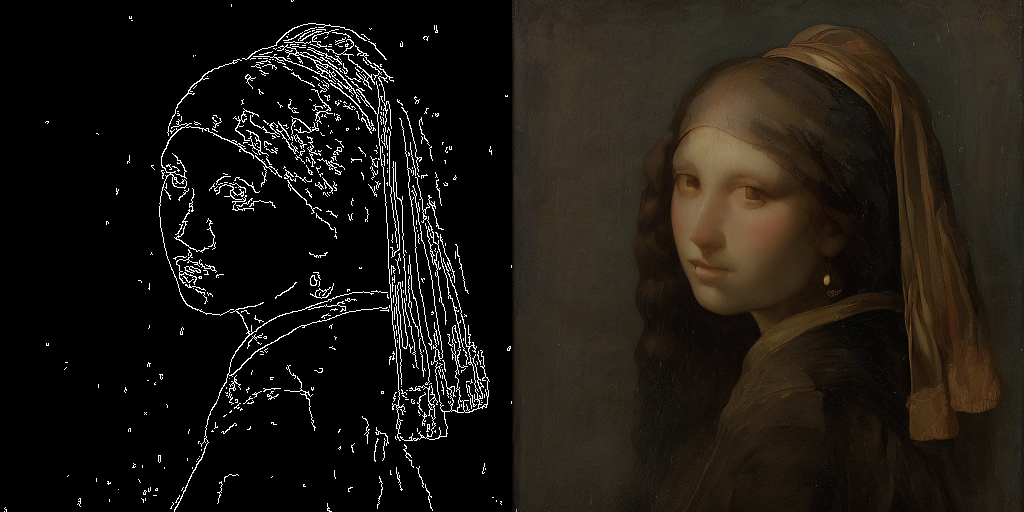
|
||||
|
||||
|
||||
<Tip>
|
||||
The inference parameters in this example might not work for all examples, so we recommend trying different values for the `num_inference_steps`, `guidance_scale`, `controlnet_conditioning_scale`, and `cross_attention_kwargs` parameters and choosing the best one.
|
||||
</Tip>
|
||||
|
||||
### T2I-Adapter
|
||||
|
||||
This example shows how to use the `lcm-sdxl` with the [Canny T2I-Adapter](TencentARC/t2i-adapter-canny-sdxl-1.0).
|
||||
|
||||
```python
|
||||
import torch
|
||||
import cv2
|
||||
import numpy as np
|
||||
from PIL import Image
|
||||
|
||||
from diffusers import StableDiffusionXLAdapterPipeline, UNet2DConditionModel, T2IAdapter, LCMScheduler
|
||||
from diffusers.utils import load_image, make_image_grid
|
||||
|
||||
# Prepare image
|
||||
# Detect the canny map in low resolution to avoid high-frequency details
|
||||
image = load_image(
|
||||
"https://huggingface.co/Adapter/t2iadapter/resolve/main/figs_SDXLV1.0/org_canny.jpg"
|
||||
).resize((384, 384))
|
||||
|
||||
image = np.array(image)
|
||||
|
||||
low_threshold = 100
|
||||
high_threshold = 200
|
||||
|
||||
image = cv2.Canny(image, low_threshold, high_threshold)
|
||||
image = image[:, :, None]
|
||||
image = np.concatenate([image, image, image], axis=2)
|
||||
canny_image = Image.fromarray(image).resize((1024, 1216))
|
||||
|
||||
# load adapter
|
||||
adapter = T2IAdapter.from_pretrained("TencentARC/t2i-adapter-canny-sdxl-1.0", torch_dtype=torch.float16, varient="fp16").to("cuda")
|
||||
|
||||
unet = UNet2DConditionModel.from_pretrained(
|
||||
"latent-consistency/lcm-sdxl",
|
||||
torch_dtype=torch.float16,
|
||||
variant="fp16",
|
||||
)
|
||||
pipe = StableDiffusionXLAdapterPipeline.from_pretrained(
|
||||
"stabilityai/stable-diffusion-xl-base-1.0",
|
||||
unet=unet,
|
||||
adapter=adapter,
|
||||
torch_dtype=torch.float16,
|
||||
variant="fp16",
|
||||
).to("cuda")
|
||||
|
||||
pipe.scheduler = LCMScheduler.from_config(pipe.scheduler.config)
|
||||
|
||||
prompt = "Mystical fairy in real, magic, 4k picture, high quality"
|
||||
negative_prompt = "extra digit, fewer digits, cropped, worst quality, low quality, glitch, deformed, mutated, ugly, disfigured"
|
||||
|
||||
generator = torch.manual_seed(0)
|
||||
image = pipe(
|
||||
prompt=prompt,
|
||||
negative_prompt=negative_prompt,
|
||||
image=canny_image,
|
||||
num_inference_steps=4,
|
||||
guidance_scale=5,
|
||||
adapter_conditioning_scale=0.8,
|
||||
adapter_conditioning_factor=1,
|
||||
generator=generator,
|
||||
).images[0]
|
||||
grid = make_image_grid([canny_image, image], rows=1, cols=2)
|
||||
```
|
||||
|
||||
|
||||
@@ -1,422 +0,0 @@
|
||||
<!--Copyright 2023 The HuggingFace Team. All rights reserved.
|
||||
|
||||
Licensed under the Apache License, Version 2.0 (the "License"); you may not use this file except in compliance with
|
||||
the License. You may obtain a copy of the License at
|
||||
|
||||
http://www.apache.org/licenses/LICENSE-2.0
|
||||
|
||||
Unless required by applicable law or agreed to in writing, software distributed under the License is distributed on
|
||||
an "AS IS" BASIS, WITHOUT WARRANTIES OR CONDITIONS OF ANY KIND, either express or implied. See the License for the
|
||||
specific language governing permissions and limitations under the License.
|
||||
-->
|
||||
|
||||
[[open-in-colab]]
|
||||
|
||||
# Performing inference with LCM-LoRA
|
||||
|
||||
Latent Consistency Models (LCM) enable quality image generation in typically 2-4 steps making it possible to use diffusion models in almost real-time settings.
|
||||
|
||||
From the [official website](https://latent-consistency-models.github.io/):
|
||||
|
||||
> LCMs can be distilled from any pre-trained Stable Diffusion (SD) in only 4,000 training steps (~32 A100 GPU Hours) for generating high quality 768 x 768 resolution images in 2~4 steps or even one step, significantly accelerating text-to-image generation. We employ LCM to distill the Dreamshaper-V7 version of SD in just 4,000 training iterations.
|
||||
|
||||
For a more technical overview of LCMs, refer to [the paper](https://huggingface.co/papers/2310.04378).
|
||||
|
||||
However, each model needs to be distilled separately for latent consistency distillation. The core idea with LCM-LoRA is to train just a few adapter layers, the adapter being LoRA in this case.
|
||||
This way, we don't have to train the full model and keep the number of trainable parameters manageable. The resulting LoRAs can then be applied to any fine-tuned version of the model without distilling them separately.
|
||||
Additionally, the LoRAs can be applied to image-to-image, ControlNet/T2I-Adapter, inpainting, AnimateDiff etc.
|
||||
The LCM-LoRA can also be combined with other LoRAs to generate styled images in very few steps (4-8).
|
||||
|
||||
LCM-LoRAs are available for [stable-diffusion-v1-5](https://huggingface.co/runwayml/stable-diffusion-v1-5), [stable-diffusion-xl-base-1.0](https://huggingface.co/stabilityai/stable-diffusion-xl-base-1.0), and the [SSD-1B](https://huggingface.co/segmind/SSD-1B) model. All the checkpoints can be found in this [collection](https://huggingface.co/collections/latent-consistency/latent-consistency-models-loras-654cdd24e111e16f0865fba6).
|
||||
|
||||
For more details about LCM-LoRA, refer to [the technical report](https://huggingface.co/papers/2311.05556).
|
||||
|
||||
This guide shows how to perform inference with LCM-LoRAs for
|
||||
- text-to-image
|
||||
- image-to-image
|
||||
- combined with styled LoRAs
|
||||
- ControlNet/T2I-Adapter
|
||||
- inpainting
|
||||
- AnimateDiff
|
||||
|
||||
Before going through this guide, we'll take a look at the general workflow for performing inference with LCM-LoRAs.
|
||||
LCM-LoRAs are similar to other Stable Diffusion LoRAs so they can be used with any [`DiffusionPipeline`] that supports LoRAs.
|
||||
|
||||
- Load the task specific pipeline and model.
|
||||
- Set the scheduler to [`LCMScheduler`].
|
||||
- Load the LCM-LoRA weights for the model.
|
||||
- Reduce the `guidance_scale` between `[1.0, 2.0]` and set the `num_inference_steps` between [4, 8].
|
||||
- Perform inference with the pipeline with the usual parameters.
|
||||
|
||||
Let's look at how we can perform inference with LCM-LoRAs for different tasks.
|
||||
|
||||
First, make sure you have [peft](https://github.com/huggingface/peft) installed, for better LoRA support.
|
||||
|
||||
```bash
|
||||
pip install -U peft
|
||||
```
|
||||
|
||||
## Text-to-image
|
||||
|
||||
You'll use the [`StableDiffusionXLPipeline`] with the scheduler: [`LCMScheduler`] and then load the LCM-LoRA. Together with the LCM-LoRA and the scheduler, the pipeline enables a fast inference workflow overcoming the slow iterative nature of diffusion models.
|
||||
|
||||
```python
|
||||
import torch
|
||||
from diffusers import DiffusionPipeline, LCMScheduler
|
||||
|
||||
pipe = DiffusionPipeline.from_pretrained(
|
||||
"stabilityai/stable-diffusion-xl-base-1.0",
|
||||
variant="fp16",
|
||||
torch_dtype=torch.float16
|
||||
).to("cuda")
|
||||
|
||||
# set scheduler
|
||||
pipe.scheduler = LCMScheduler.from_config(pipe.scheduler.config)
|
||||
|
||||
# load LCM-LoRA
|
||||
pipe.load_lora_weights("latent-consistency/lcm-lora-sdxl")
|
||||
|
||||
prompt = "Self-portrait oil painting, a beautiful cyborg with golden hair, 8k"
|
||||
|
||||
generator = torch.manual_seed(42)
|
||||
image = pipe(
|
||||
prompt=prompt, num_inference_steps=4, generator=generator, guidance_scale=1.0
|
||||
).images[0]
|
||||
```
|
||||
|
||||
|
||||
|
||||
Notice that we use only 4 steps for generation which is way less than what's typically used for standard SDXL.
|
||||
|
||||
<Tip>
|
||||
|
||||
You may have noticed that we set `guidance_scale=1.0`, which disables classifer-free-guidance. This is because the LCM-LoRA is trained with guidance, so the batch size does not have to be doubled in this case. This leads to a faster inference time, with the drawback that negative prompts don't have any effect on the denoising process.
|
||||
|
||||
You can also use guidance with LCM-LoRA, but due to the nature of training the model is very sensitve to the `guidance_scale` values, high values can lead to artifacts in the generated images. In our experiments, we found that the best values are in the range of [1.0, 2.0].
|
||||
|
||||
</Tip>
|
||||
|
||||
### Inference with a fine-tuned model
|
||||
|
||||
As mentioned above, the LCM-LoRA can be applied to any fine-tuned version of the model without having to distill them separately. Let's look at how we can perform inference with a fine-tuned model. In this example, we'll use the [animagine-xl](https://huggingface.co/Linaqruf/animagine-xl) model, which is a fine-tuned version of the SDXL model for generating anime.
|
||||
|
||||
```python
|
||||
from diffusers import DiffusionPipeline, LCMScheduler
|
||||
|
||||
pipe = DiffusionPipeline.from_pretrained(
|
||||
"Linaqruf/animagine-xl",
|
||||
variant="fp16",
|
||||
torch_dtype=torch.float16
|
||||
).to("cuda")
|
||||
|
||||
# set scheduler
|
||||
pipe.scheduler = LCMScheduler.from_config(pipe.scheduler.config)
|
||||
|
||||
# load LCM-LoRA
|
||||
pipe.load_lora_weights("latent-consistency/lcm-lora-sdxl")
|
||||
|
||||
prompt = "face focus, cute, masterpiece, best quality, 1girl, green hair, sweater, looking at viewer, upper body, beanie, outdoors, night, turtleneck"
|
||||
|
||||
generator = torch.manual_seed(0)
|
||||
image = pipe(
|
||||
prompt=prompt, num_inference_steps=4, generator=generator, guidance_scale=1.0
|
||||
).images[0]
|
||||
```
|
||||
|
||||

|
||||
|
||||
|
||||
## Image-to-image
|
||||
|
||||
LCM-LoRA can be applied to image-to-image tasks too. Let's look at how we can perform image-to-image generation with LCMs. For this example we'll use the [dreamshaper-7](https://huggingface.co/Lykon/dreamshaper-7) model and the LCM-LoRA for `stable-diffusion-v1-5 `.
|
||||
|
||||
```python
|
||||
import torch
|
||||
from diffusers import AutoPipelineForImage2Image, LCMScheduler
|
||||
from diffusers.utils import make_image_grid, load_image
|
||||
|
||||
pipe = AutoPipelineForImage2Image.from_pretrained(
|
||||
"Lykon/dreamshaper-7",
|
||||
torch_dtype=torch.float16,
|
||||
variant="fp16",
|
||||
).to("cuda")
|
||||
|
||||
# set scheduler
|
||||
pipe.scheduler = LCMScheduler.from_config(pipe.scheduler.config)
|
||||
|
||||
# load LCM-LoRA
|
||||
pipe.load_lora_weights("latent-consistency/lcm-lora-sdv1-5")
|
||||
|
||||
# prepare image
|
||||
url = "https://huggingface.co/datasets/huggingface/documentation-images/resolve/main/diffusers/img2img-init.png"
|
||||
init_image = load_image(url)
|
||||
prompt = "Astronauts in a jungle, cold color palette, muted colors, detailed, 8k"
|
||||
|
||||
# pass prompt and image to pipeline
|
||||
generator = torch.manual_seed(0)
|
||||
image = pipe(
|
||||
prompt,
|
||||
image=init_image,
|
||||
num_inference_steps=4,
|
||||
guidance_scale=1,
|
||||
strength=0.6,
|
||||
generator=generator
|
||||
).images[0]
|
||||
make_image_grid([init_image, image], rows=1, cols=2)
|
||||
```
|
||||
|
||||
|
||||
|
||||
|
||||
<Tip>
|
||||
|
||||
You can get different results based on your prompt and the image you provide. To get the best results, we recommend trying different values for `num_inference_steps`, `strength`, and `guidance_scale` parameters and choose the best one.
|
||||
|
||||
</Tip>
|
||||
|
||||
|
||||
## Combine with styled LoRAs
|
||||
|
||||
LCM-LoRA can be combined with other LoRAs to generate styled-images in very few steps (4-8). In the following example, we'll use the LCM-LoRA with the [papercut LoRA](TheLastBen/Papercut_SDXL).
|
||||
To learn more about how to combine LoRAs, refer to [this guide](https://huggingface.co/docs/diffusers/tutorials/using_peft_for_inference#combine-multiple-adapters).
|
||||
|
||||
```python
|
||||
import torch
|
||||
from diffusers import DiffusionPipeline, LCMScheduler
|
||||
|
||||
pipe = DiffusionPipeline.from_pretrained(
|
||||
"stabilityai/stable-diffusion-xl-base-1.0",
|
||||
variant="fp16",
|
||||
torch_dtype=torch.float16
|
||||
).to("cuda")
|
||||
|
||||
# set scheduler
|
||||
pipe.scheduler = LCMScheduler.from_config(pipe.scheduler.config)
|
||||
|
||||
# load LoRAs
|
||||
pipe.load_lora_weights("latent-consistency/lcm-lora-sdxl", adapter_name="lcm")
|
||||
pipe.load_lora_weights("TheLastBen/Papercut_SDXL", weight_name="papercut.safetensors", adapter_name="papercut")
|
||||
|
||||
# Combine LoRAs
|
||||
pipe.set_adapters(["lcm", "papercut"], adapter_weights=[1.0, 0.8])
|
||||
|
||||
prompt = "papercut, a cute fox"
|
||||
generator = torch.manual_seed(0)
|
||||
image = pipe(prompt, num_inference_steps=4, guidance_scale=1, generator=generator).images[0]
|
||||
image
|
||||
```
|
||||
|
||||
|
||||
|
||||
|
||||
## ControlNet/T2I-Adapter
|
||||
|
||||
Let's look at how we can perform inference with ControlNet/T2I-Adapter and LCM-LoRA.
|
||||
|
||||
### ControlNet
|
||||
For this example, we'll use the SD-v1-5 model and the LCM-LoRA for SD-v1-5 with canny ControlNet.
|
||||
|
||||
```python
|
||||
import torch
|
||||
import cv2
|
||||
import numpy as np
|
||||
from PIL import Image
|
||||
|
||||
from diffusers import StableDiffusionControlNetPipeline, ControlNetModel, LCMScheduler
|
||||
from diffusers.utils import load_image
|
||||
|
||||
image = load_image(
|
||||
"https://hf.co/datasets/huggingface/documentation-images/resolve/main/diffusers/input_image_vermeer.png"
|
||||
).resize((512, 512))
|
||||
|
||||
image = np.array(image)
|
||||
|
||||
low_threshold = 100
|
||||
high_threshold = 200
|
||||
|
||||
image = cv2.Canny(image, low_threshold, high_threshold)
|
||||
image = image[:, :, None]
|
||||
image = np.concatenate([image, image, image], axis=2)
|
||||
canny_image = Image.fromarray(image)
|
||||
|
||||
controlnet = ControlNetModel.from_pretrained("lllyasviel/sd-controlnet-canny", torch_dtype=torch.float16)
|
||||
pipe = StableDiffusionControlNetPipeline.from_pretrained(
|
||||
"runwayml/stable-diffusion-v1-5",
|
||||
controlnet=controlnet,
|
||||
torch_dtype=torch.float16,
|
||||
safety_checker=None,
|
||||
variant="fp16"
|
||||
).to("cuda")
|
||||
|
||||
# set scheduler
|
||||
pipe.scheduler = LCMScheduler.from_config(pipe.scheduler.config)
|
||||
|
||||
# load LCM-LoRA
|
||||
pipe.load_lora_weights("latent-consistency/lcm-lora-sdv1-5")
|
||||
|
||||
generator = torch.manual_seed(0)
|
||||
image = pipe(
|
||||
"the mona lisa",
|
||||
image=canny_image,
|
||||
num_inference_steps=4,
|
||||
guidance_scale=1.5,
|
||||
controlnet_conditioning_scale=0.8,
|
||||
cross_attention_kwargs={"scale": 1},
|
||||
generator=generator,
|
||||
).images[0]
|
||||
make_image_grid([canny_image, image], rows=1, cols=2)
|
||||
```
|
||||
|
||||
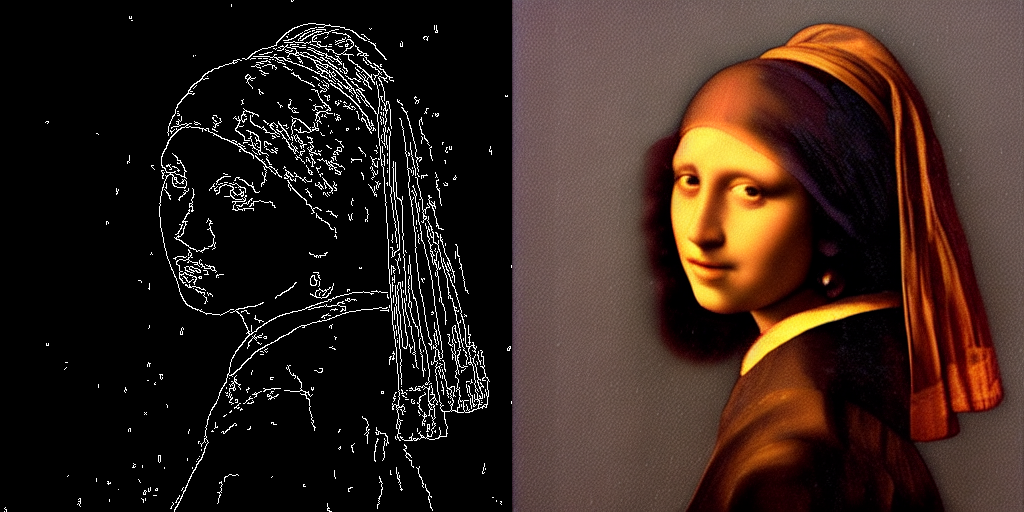
|
||||
|
||||
|
||||
<Tip>
|
||||
The inference parameters in this example might not work for all examples, so we recommend you to try different values for `num_inference_steps`, `guidance_scale`, `controlnet_conditioning_scale` and `cross_attention_kwargs` parameters and choose the best one.
|
||||
</Tip>
|
||||
|
||||
### T2I-Adapter
|
||||
|
||||
This example shows how to use the LCM-LoRA with the [Canny T2I-Adapter](TencentARC/t2i-adapter-canny-sdxl-1.0) and SDXL.
|
||||
|
||||
```python
|
||||
import torch
|
||||
import cv2
|
||||
import numpy as np
|
||||
from PIL import Image
|
||||
|
||||
from diffusers import StableDiffusionXLAdapterPipeline, T2IAdapter, LCMScheduler
|
||||
from diffusers.utils import load_image, make_image_grid
|
||||
|
||||
# Prepare image
|
||||
# Detect the canny map in low resolution to avoid high-frequency details
|
||||
image = load_image(
|
||||
"https://huggingface.co/Adapter/t2iadapter/resolve/main/figs_SDXLV1.0/org_canny.jpg"
|
||||
).resize((384, 384))
|
||||
|
||||
image = np.array(image)
|
||||
|
||||
low_threshold = 100
|
||||
high_threshold = 200
|
||||
|
||||
image = cv2.Canny(image, low_threshold, high_threshold)
|
||||
image = image[:, :, None]
|
||||
image = np.concatenate([image, image, image], axis=2)
|
||||
canny_image = Image.fromarray(image).resize((1024, 1024))
|
||||
|
||||
# load adapter
|
||||
adapter = T2IAdapter.from_pretrained("TencentARC/t2i-adapter-canny-sdxl-1.0", torch_dtype=torch.float16, varient="fp16").to("cuda")
|
||||
|
||||
pipe = StableDiffusionXLAdapterPipeline.from_pretrained(
|
||||
"stabilityai/stable-diffusion-xl-base-1.0",
|
||||
adapter=adapter,
|
||||
torch_dtype=torch.float16,
|
||||
variant="fp16",
|
||||
).to("cuda")
|
||||
|
||||
# set scheduler
|
||||
pipe.scheduler = LCMScheduler.from_config(pipe.scheduler.config)
|
||||
|
||||
# load LCM-LoRA
|
||||
pipe.load_lora_weights("latent-consistency/lcm-lora-sdxl")
|
||||
|
||||
prompt = "Mystical fairy in real, magic, 4k picture, high quality"
|
||||
negative_prompt = "extra digit, fewer digits, cropped, worst quality, low quality, glitch, deformed, mutated, ugly, disfigured"
|
||||
|
||||
generator = torch.manual_seed(0)
|
||||
image = pipe(
|
||||
prompt=prompt,
|
||||
negative_prompt=negative_prompt,
|
||||
image=canny_image,
|
||||
num_inference_steps=4,
|
||||
guidance_scale=1.5,
|
||||
adapter_conditioning_scale=0.8,
|
||||
adapter_conditioning_factor=1,
|
||||
generator=generator,
|
||||
).images[0]
|
||||
make_image_grid([canny_image, image], rows=1, cols=2)
|
||||
```
|
||||
|
||||
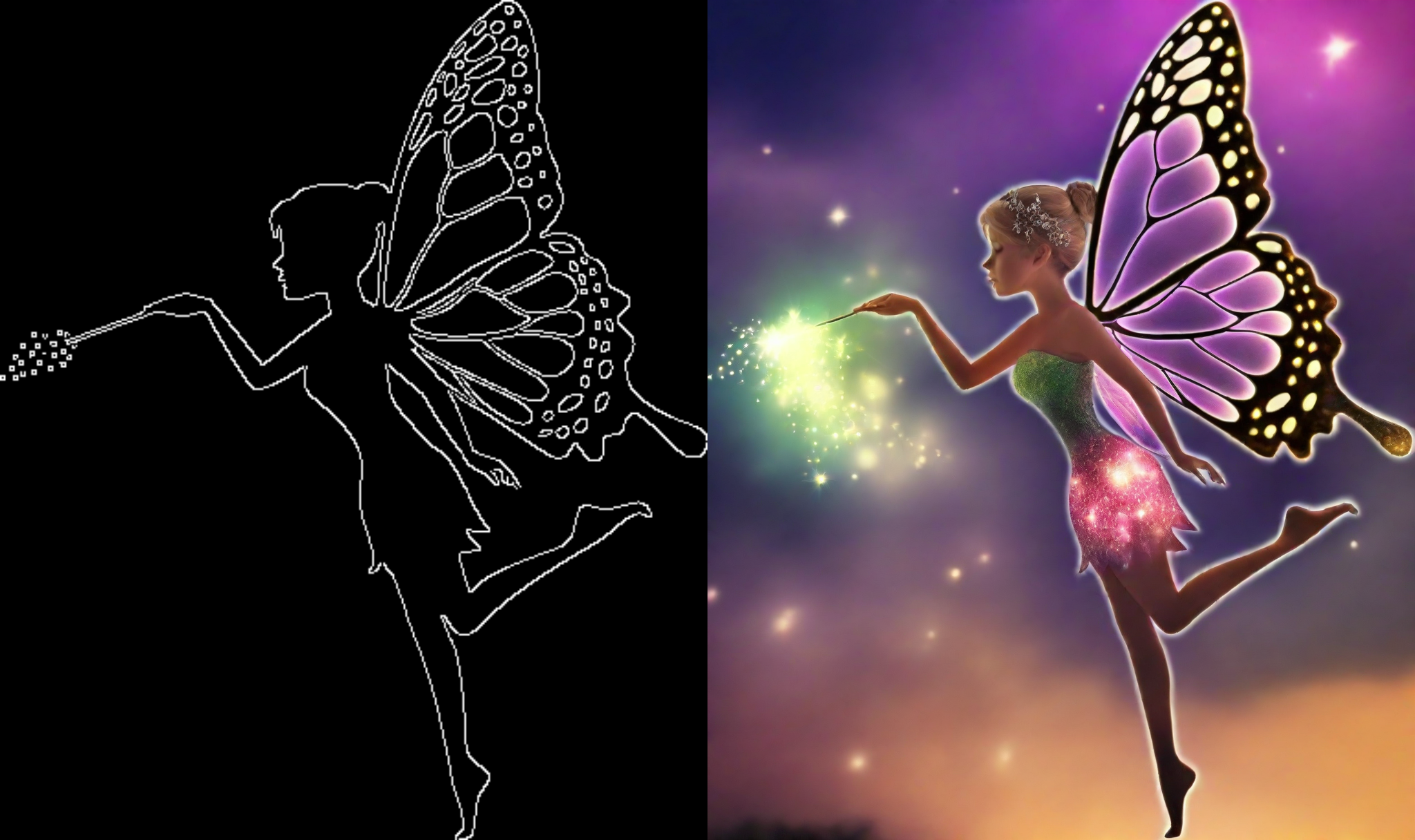
|
||||
|
||||
|
||||
## Inpainting
|
||||
|
||||
LCM-LoRA can be used for inpainting as well.
|
||||
|
||||
```python
|
||||
import torch
|
||||
from diffusers import AutoPipelineForInpainting, LCMScheduler
|
||||
from diffusers.utils import load_image, make_image_grid
|
||||
|
||||
pipe = AutoPipelineForInpainting.from_pretrained(
|
||||
"runwayml/stable-diffusion-inpainting",
|
||||
torch_dtype=torch.float16,
|
||||
variant="fp16",
|
||||
).to("cuda")
|
||||
|
||||
# set scheduler
|
||||
pipe.scheduler = LCMScheduler.from_config(pipe.scheduler.config)
|
||||
|
||||
# load LCM-LoRA
|
||||
pipe.load_lora_weights("latent-consistency/lcm-lora-sdv1-5")
|
||||
|
||||
# load base and mask image
|
||||
init_image = load_image("https://huggingface.co/datasets/huggingface/documentation-images/resolve/main/diffusers/inpaint.png")
|
||||
mask_image = load_image("https://huggingface.co/datasets/huggingface/documentation-images/resolve/main/diffusers/inpaint_mask.png")
|
||||
|
||||
# generator = torch.Generator("cuda").manual_seed(92)
|
||||
prompt = "concept art digital painting of an elven castle, inspired by lord of the rings, highly detailed, 8k"
|
||||
generator = torch.manual_seed(0)
|
||||
image = pipe(
|
||||
prompt=prompt,
|
||||
image=init_image,
|
||||
mask_image=mask_image,
|
||||
generator=generator,
|
||||
num_inference_steps=4,
|
||||
guidance_scale=4,
|
||||
).images[0]
|
||||
make_image_grid([init_image, mask_image, image], rows=1, cols=3)
|
||||
```
|
||||
|
||||
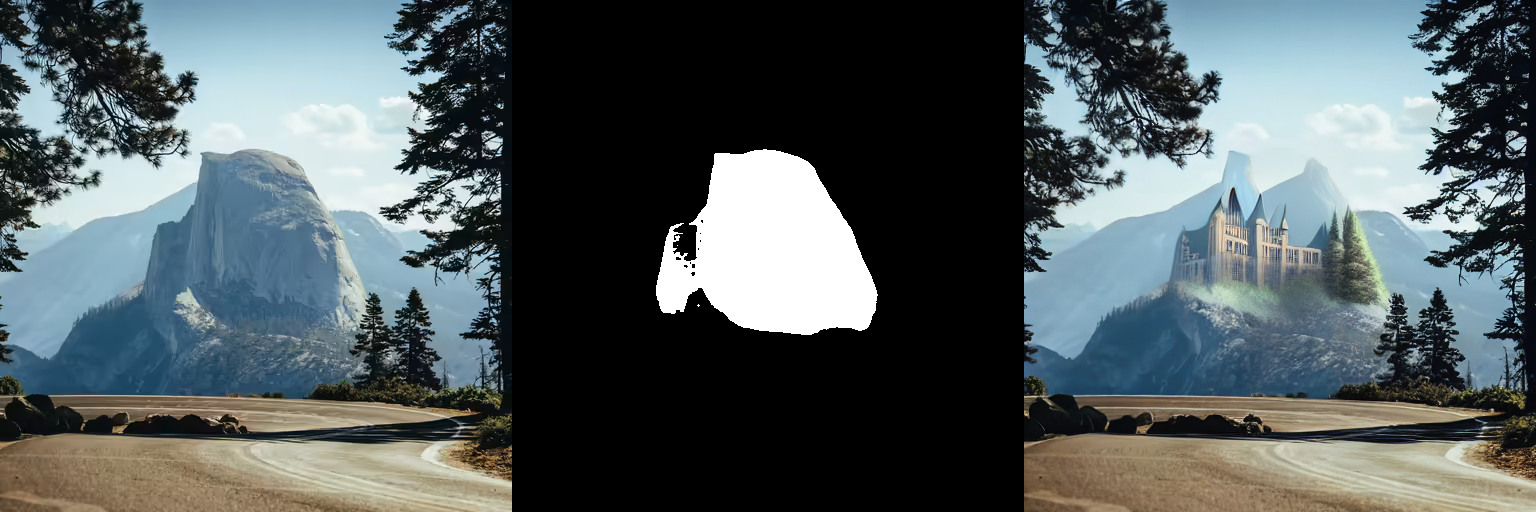
|
||||
|
||||
|
||||
## AnimateDiff
|
||||
|
||||
[`AnimateDiff`] allows you to animate images using Stable Diffusion models. To get good results, we need to generate multiple frames (16-24), and doing this with standard SD models can be very slow.
|
||||
LCM-LoRA can be used to speed up the process significantly, as you just need to do 4-8 steps for each frame. Let's look at how we can perform animation with LCM-LoRA and AnimateDiff.
|
||||
|
||||
```python
|
||||
import torch
|
||||
from diffusers import MotionAdapter, AnimateDiffPipeline, DDIMScheduler, LCMScheduler
|
||||
from diffusers.utils import export_to_gif
|
||||
|
||||
adapter = MotionAdapter.from_pretrained("diffusers/animatediff-motion-adapter-v1-5")
|
||||
pipe = AnimateDiffPipeline.from_pretrained(
|
||||
"frankjoshua/toonyou_beta6",
|
||||
motion_adapter=adapter,
|
||||
).to("cuda")
|
||||
|
||||
# set scheduler
|
||||
pipe.scheduler = LCMScheduler.from_config(pipe.scheduler.config)
|
||||
|
||||
# load LCM-LoRA
|
||||
pipe.load_lora_weights("latent-consistency/lcm-lora-sdv1-5", adapter_name="lcm")
|
||||
pipe.load_lora_weights("guoyww/animatediff-motion-lora-zoom-in", weight_name="diffusion_pytorch_model.safetensors", adapter_name="motion-lora")
|
||||
|
||||
pipe.set_adapters(["lcm", "motion-lora"], adapter_weights=[0.55, 1.2])
|
||||
|
||||
prompt = "best quality, masterpiece, 1girl, looking at viewer, blurry background, upper body, contemporary, dress"
|
||||
generator = torch.manual_seed(0)
|
||||
frames = pipe(
|
||||
prompt=prompt,
|
||||
num_inference_steps=5,
|
||||
guidance_scale=1.25,
|
||||
cross_attention_kwargs={"scale": 1},
|
||||
num_frames=24,
|
||||
generator=generator
|
||||
).frames[0]
|
||||
export_to_gif(frames, "animation.gif")
|
||||
```
|
||||
|
||||
|
||||
@@ -20,25 +20,19 @@ The Kandinsky models are a series of multilingual text-to-image generation model
|
||||
|
||||
[Kandinsky 2.2](../api/pipelines/kandinsky_v22) improves on the previous model by replacing the image encoder of the image prior model with a larger CLIP-ViT-G model to improve quality. The image prior model was also retrained on images with different resolutions and aspect ratios to generate higher-resolution images and different image sizes.
|
||||
|
||||
[Kandinsky 3](../api/pipelines/kandinsky3) simplifies the architecture and shifts away from the two-stage generation process involving the prior model and diffusion model. Instead, Kandinsky 3 uses [Flan-UL2](https://huggingface.co/google/flan-ul2) to encode text, a UNet with [BigGan-deep](https://hf.co/papers/1809.11096) blocks, and [Sber-MoVQGAN](https://github.com/ai-forever/MoVQGAN) to decode the latents into images. Text understanding and generated image quality are primarily achieved by using a larger text encoder and UNet.
|
||||
|
||||
This guide will show you how to use the Kandinsky models for text-to-image, image-to-image, inpainting, interpolation, and more.
|
||||
|
||||
Before you begin, make sure you have the following libraries installed:
|
||||
|
||||
```py
|
||||
# uncomment to install the necessary libraries in Colab
|
||||
#!pip install -q diffusers transformers accelerate
|
||||
#!pip install transformers accelerate safetensors
|
||||
```
|
||||
|
||||
<Tip warning={true}>
|
||||
|
||||
Kandinsky 2.1 and 2.2 usage is very similar! The only difference is Kandinsky 2.2 doesn't accept `prompt` as an input when decoding the latents. Instead, Kandinsky 2.2 only accepts `image_embeds` during decoding.
|
||||
|
||||
<br>
|
||||
|
||||
Kandinsky 3 has a more concise architecture and it doesn't require a prior model. This means it's usage is identical to other diffusion models like [Stable Diffusion XL](sdxl).
|
||||
|
||||
</Tip>
|
||||
|
||||
## Text-to-image
|
||||
@@ -64,7 +58,6 @@ Now pass all the prompts and embeddings to the [`KandinskyPipeline`] to generate
|
||||
|
||||
```py
|
||||
image = pipeline(prompt, image_embeds=image_embeds, negative_prompt=negative_prompt, negative_image_embeds=negative_image_embeds, height=768, width=768).images[0]
|
||||
image
|
||||
```
|
||||
|
||||
<div class="flex justify-center">
|
||||
@@ -90,30 +83,12 @@ Pass the `image_embeds` and `negative_image_embeds` to the [`KandinskyV22Pipelin
|
||||
|
||||
```py
|
||||
image = pipeline(image_embeds=image_embeds, negative_image_embeds=negative_image_embeds, height=768, width=768).images[0]
|
||||
image
|
||||
```
|
||||
|
||||
<div class="flex justify-center">
|
||||
<img class="rounded-xl" src="https://huggingface.co/datasets/huggingface/documentation-images/resolve/main/diffusers/kandinsky-text-to-image.png"/>
|
||||
</div>
|
||||
|
||||
</hfoption>
|
||||
<hfoption id="Kandinsky 3">
|
||||
|
||||
Kandinsky 3 doesn't require a prior model so you can directly load the [`Kandinsky3Pipeline`] and pass a prompt to generate an image:
|
||||
|
||||
```py
|
||||
from diffusers import Kandinsky3Pipeline
|
||||
import torch
|
||||
|
||||
pipeline = Kandinsky3Pipeline.from_pretrained("kandinsky-community/kandinsky-3", variant="fp16", torch_dtype=torch.float16)
|
||||
pipeline.enable_model_cpu_offload()
|
||||
|
||||
prompt = "A alien cheeseburger creature eating itself, claymation, cinematic, moody lighting"
|
||||
image = pipeline(prompt).images[0]
|
||||
image
|
||||
```
|
||||
|
||||
</hfoption>
|
||||
</hfoptions>
|
||||
|
||||
@@ -134,8 +109,7 @@ pipeline.enable_model_cpu_offload()
|
||||
prompt = "A alien cheeseburger creature eating itself, claymation, cinematic, moody lighting"
|
||||
negative_prompt = "low quality, bad quality"
|
||||
|
||||
image = pipeline(prompt=prompt, negative_prompt=negative_prompt, prior_guidance_scale=1.0, guidance_scale=4.0, height=768, width=768).images[0]
|
||||
image
|
||||
image = pipeline(prompt=prompt, negative_prompt=negative_prompt, prior_guidance_scale=1.0, guidance_scale = 4.0, height=768, width=768).images[0]
|
||||
```
|
||||
|
||||
</hfoption>
|
||||
@@ -151,8 +125,7 @@ pipeline.enable_model_cpu_offload()
|
||||
prompt = "A alien cheeseburger creature eating itself, claymation, cinematic, moody lighting"
|
||||
negative_prompt = "low quality, bad quality"
|
||||
|
||||
image = pipeline(prompt=prompt, negative_prompt=negative_prompt, prior_guidance_scale=1.0, guidance_scale=4.0, height=768, width=768).images[0]
|
||||
image
|
||||
image = pipeline(prompt=prompt, negative_prompt=negative_prompt, prior_guidance_scale=1.0, guidance_scale = 4.0, height=768, width=768).images[0]
|
||||
```
|
||||
|
||||
</hfoption>
|
||||
@@ -160,7 +133,7 @@ image
|
||||
|
||||
## Image-to-image
|
||||
|
||||
For image-to-image, pass the initial image and text prompt to condition the image to the pipeline. Start by loading the prior pipeline:
|
||||
For image-to-image, pass the initial image and text prompt to condition the image with to the pipeline. Start by loading the prior pipeline:
|
||||
|
||||
<hfoptions id="image-to-image">
|
||||
<hfoption id="Kandinsky 2.1">
|
||||
@@ -184,31 +157,20 @@ prior_pipeline = KandinskyPriorPipeline.from_pretrained("kandinsky-community/kan
|
||||
pipeline = KandinskyV22Img2ImgPipeline.from_pretrained("kandinsky-community/kandinsky-2-2-decoder", torch_dtype=torch.float16, use_safetensors=True).to("cuda")
|
||||
```
|
||||
|
||||
</hfoption>
|
||||
<hfoption id="Kandinsky 3">
|
||||
|
||||
Kandinsky 3 doesn't require a prior model so you can directly load the image-to-image pipeline:
|
||||
|
||||
```py
|
||||
from diffusers import Kandinsky3Img2ImgPipeline
|
||||
from diffusers.utils import load_image
|
||||
import torch
|
||||
|
||||
pipeline = Kandinsky3Img2ImgPipeline.from_pretrained("kandinsky-community/kandinsky-3", variant="fp16", torch_dtype=torch.float16)
|
||||
pipeline.enable_model_cpu_offload()
|
||||
```
|
||||
|
||||
</hfoption>
|
||||
</hfoptions>
|
||||
|
||||
Download an image to condition on:
|
||||
|
||||
```py
|
||||
from diffusers.utils import load_image
|
||||
from PIL import Image
|
||||
import requests
|
||||
from io import BytesIO
|
||||
|
||||
# download image
|
||||
url = "https://raw.githubusercontent.com/CompVis/stable-diffusion/main/assets/stable-samples/img2img/sketch-mountains-input.jpg"
|
||||
original_image = load_image(url)
|
||||
response = requests.get(url)
|
||||
original_image = Image.open(BytesIO(response.content)).convert("RGB")
|
||||
original_image = original_image.resize((768, 512))
|
||||
```
|
||||
|
||||
@@ -231,10 +193,7 @@ Now pass the original image, and all the prompts and embeddings to the pipeline
|
||||
<hfoption id="Kandinsky 2.1">
|
||||
|
||||
```py
|
||||
from diffusers.utils import make_image_grid
|
||||
|
||||
image = pipeline(prompt, negative_prompt=negative_prompt, image=original_image, image_embeds=image_embeds, negative_image_embeds=negative_image_embeds, height=768, width=768, strength=0.3).images[0]
|
||||
make_image_grid([original_image.resize((512, 512)), image.resize((512, 512))], rows=1, cols=2)
|
||||
image = pipeline(prompt, negative_prompt=negative_prompt, image=original_image, image_embeds=image_emebds, negative_image_embeds=negative_image_embeds, height=768, width=768, strength=0.3).images[0]
|
||||
```
|
||||
|
||||
<div class="flex justify-center">
|
||||
@@ -245,24 +204,13 @@ make_image_grid([original_image.resize((512, 512)), image.resize((512, 512))], r
|
||||
<hfoption id="Kandinsky 2.2">
|
||||
|
||||
```py
|
||||
from diffusers.utils import make_image_grid
|
||||
|
||||
image = pipeline(image=original_image, image_embeds=image_embeds, negative_image_embeds=negative_image_embeds, height=768, width=768, strength=0.3).images[0]
|
||||
make_image_grid([original_image.resize((512, 512)), image.resize((512, 512))], rows=1, cols=2)
|
||||
image = pipeline(image=original_image, image_embeds=image_emebds, negative_image_embeds=negative_image_embeds, height=768, width=768, strength=0.3).images[0]
|
||||
```
|
||||
|
||||
<div class="flex justify-center">
|
||||
<img class="rounded-xl" src="https://huggingface.co/datasets/huggingface/documentation-images/resolve/main/diffusers/kandinsky-image-to-image.png"/>
|
||||
</div>
|
||||
|
||||
</hfoption>
|
||||
<hfoption id="Kandinsky 3">
|
||||
|
||||
```py
|
||||
image = pipeline(prompt, negative_prompt=negative_prompt, image=image, strength=0.75, num_inference_steps=25).images[0]
|
||||
image
|
||||
```
|
||||
|
||||
</hfoption>
|
||||
</hfoptions>
|
||||
|
||||
@@ -275,8 +223,11 @@ Use the [`AutoPipelineForImage2Image`] to automatically call the combined pipeli
|
||||
|
||||
```py
|
||||
from diffusers import AutoPipelineForImage2Image
|
||||
from diffusers.utils import make_image_grid, load_image
|
||||
import torch
|
||||
import requests
|
||||
from io import BytesIO
|
||||
from PIL import Image
|
||||
import os
|
||||
|
||||
pipeline = AutoPipelineForImage2Image.from_pretrained("kandinsky-community/kandinsky-2-1", torch_dtype=torch.float16, use_safetensors=True)
|
||||
pipeline.enable_model_cpu_offload()
|
||||
@@ -285,12 +236,12 @@ prompt = "A fantasy landscape, Cinematic lighting"
|
||||
negative_prompt = "low quality, bad quality"
|
||||
|
||||
url = "https://raw.githubusercontent.com/CompVis/stable-diffusion/main/assets/stable-samples/img2img/sketch-mountains-input.jpg"
|
||||
original_image = load_image(url)
|
||||
|
||||
response = requests.get(url)
|
||||
original_image = Image.open(BytesIO(response.content)).convert("RGB")
|
||||
original_image.thumbnail((768, 768))
|
||||
|
||||
image = pipeline(prompt=prompt, negative_prompt=negative_prompt, image=original_image, strength=0.3).images[0]
|
||||
make_image_grid([original_image.resize((512, 512)), image.resize((512, 512))], rows=1, cols=2)
|
||||
image = pipeline(prompt=prompt, image=original_image, strength=0.3).images[0]
|
||||
```
|
||||
|
||||
</hfoption>
|
||||
@@ -298,8 +249,11 @@ make_image_grid([original_image.resize((512, 512)), image.resize((512, 512))], r
|
||||
|
||||
```py
|
||||
from diffusers import AutoPipelineForImage2Image
|
||||
from diffusers.utils import make_image_grid, load_image
|
||||
import torch
|
||||
import requests
|
||||
from io import BytesIO
|
||||
from PIL import Image
|
||||
import os
|
||||
|
||||
pipeline = AutoPipelineForImage2Image.from_pretrained("kandinsky-community/kandinsky-2-2-decoder", torch_dtype=torch.float16)
|
||||
pipeline.enable_model_cpu_offload()
|
||||
@@ -308,12 +262,12 @@ prompt = "A fantasy landscape, Cinematic lighting"
|
||||
negative_prompt = "low quality, bad quality"
|
||||
|
||||
url = "https://raw.githubusercontent.com/CompVis/stable-diffusion/main/assets/stable-samples/img2img/sketch-mountains-input.jpg"
|
||||
original_image = load_image(url)
|
||||
|
||||
response = requests.get(url)
|
||||
original_image = Image.open(BytesIO(response.content)).convert("RGB")
|
||||
original_image.thumbnail((768, 768))
|
||||
|
||||
image = pipeline(prompt=prompt, negative_prompt=negative_prompt, image=original_image, strength=0.3).images[0]
|
||||
make_image_grid([original_image.resize((512, 512)), image.resize((512, 512))], rows=1, cols=2)
|
||||
image = pipeline(prompt=prompt, image=original_image, strength=0.3).images[0]
|
||||
```
|
||||
|
||||
</hfoption>
|
||||
@@ -323,7 +277,7 @@ make_image_grid([original_image.resize((512, 512)), image.resize((512, 512))], r
|
||||
|
||||
<Tip warning={true}>
|
||||
|
||||
⚠️ The Kandinsky models use ⬜️ **white pixels** to represent the masked area now instead of black pixels. If you are using [`KandinskyInpaintPipeline`] in production, you need to change the mask to use white pixels:
|
||||
⚠️ The Kandinsky models uses ⬜️ **white pixels** to represent the masked area now instead of black pixels. If you are using [`KandinskyInpaintPipeline`] in production, you need to change the mask to use white pixels:
|
||||
|
||||
```py
|
||||
# For PIL input
|
||||
@@ -343,10 +297,9 @@ For inpainting, you'll need the original image, a mask of the area to replace in
|
||||
|
||||
```py
|
||||
from diffusers import KandinskyInpaintPipeline, KandinskyPriorPipeline
|
||||
from diffusers.utils import load_image, make_image_grid
|
||||
from diffusers.utils import load_image
|
||||
import torch
|
||||
import numpy as np
|
||||
from PIL import Image
|
||||
|
||||
prior_pipeline = KandinskyPriorPipeline.from_pretrained("kandinsky-community/kandinsky-2-1-prior", torch_dtype=torch.float16, use_safetensors=True).to("cuda")
|
||||
pipeline = KandinskyInpaintPipeline.from_pretrained("kandinsky-community/kandinsky-2-1-inpaint", torch_dtype=torch.float16, use_safetensors=True).to("cuda")
|
||||
@@ -357,10 +310,9 @@ pipeline = KandinskyInpaintPipeline.from_pretrained("kandinsky-community/kandins
|
||||
|
||||
```py
|
||||
from diffusers import KandinskyV22InpaintPipeline, KandinskyV22PriorPipeline
|
||||
from diffusers.utils import load_image, make_image_grid
|
||||
from diffusers.utils import load_image
|
||||
import torch
|
||||
import numpy as np
|
||||
from PIL import Image
|
||||
|
||||
prior_pipeline = KandinskyV22PriorPipeline.from_pretrained("kandinsky-community/kandinsky-2-2-prior", torch_dtype=torch.float16, use_safetensors=True).to("cuda")
|
||||
pipeline = KandinskyV22InpaintPipeline.from_pretrained("kandinsky-community/kandinsky-2-2-decoder-inpaint", torch_dtype=torch.float16, use_safetensors=True).to("cuda")
|
||||
@@ -391,9 +343,7 @@ Now pass the initial image, mask, and prompt and embeddings to the pipeline to g
|
||||
<hfoption id="Kandinsky 2.1">
|
||||
|
||||
```py
|
||||
output_image = pipeline(prompt, image=init_image, mask_image=mask, **prior_output, height=768, width=768, num_inference_steps=150).images[0]
|
||||
mask = Image.fromarray((mask*255).astype('uint8'), 'L')
|
||||
make_image_grid([init_image, mask, output_image], rows=1, cols=3)
|
||||
image = pipeline(prompt, image=init_image, mask_image=mask, **prior_output, height=768, width=768, num_inference_steps=150).images[0]
|
||||
```
|
||||
|
||||
<div class="flex justify-center">
|
||||
@@ -404,9 +354,7 @@ make_image_grid([init_image, mask, output_image], rows=1, cols=3)
|
||||
<hfoption id="Kandinsky 2.2">
|
||||
|
||||
```py
|
||||
output_image = pipeline(image=init_image, mask_image=mask, **prior_output, height=768, width=768, num_inference_steps=150).images[0]
|
||||
mask = Image.fromarray((mask*255).astype('uint8'), 'L')
|
||||
make_image_grid([init_image, mask, output_image], rows=1, cols=3)
|
||||
image = pipeline(image=init_image, mask_image=mask, **prior_output, height=768, width=768, num_inference_steps=150).images[0]
|
||||
```
|
||||
|
||||
<div class="flex justify-center">
|
||||
@@ -423,23 +371,14 @@ You can also use the end-to-end [`KandinskyInpaintCombinedPipeline`] and [`Kandi
|
||||
|
||||
```py
|
||||
import torch
|
||||
import numpy as np
|
||||
from PIL import Image
|
||||
from diffusers import AutoPipelineForInpainting
|
||||
from diffusers.utils import load_image, make_image_grid
|
||||
|
||||
pipe = AutoPipelineForInpainting.from_pretrained("kandinsky-community/kandinsky-2-1-inpaint", torch_dtype=torch.float16)
|
||||
pipe.enable_model_cpu_offload()
|
||||
|
||||
init_image = load_image("https://huggingface.co/datasets/hf-internal-testing/diffusers-images/resolve/main/kandinsky/cat.png")
|
||||
mask = np.zeros((768, 768), dtype=np.float32)
|
||||
# mask area above cat's head
|
||||
mask[:250, 250:-250] = 1
|
||||
prompt = "a hat"
|
||||
|
||||
output_image = pipe(prompt=prompt, image=init_image, mask_image=mask).images[0]
|
||||
mask = Image.fromarray((mask*255).astype('uint8'), 'L')
|
||||
make_image_grid([init_image, mask, output_image], rows=1, cols=3)
|
||||
image = pipe(prompt=prompt, image=original_image, mask_image=mask).images[0]
|
||||
```
|
||||
|
||||
</hfoption>
|
||||
@@ -447,23 +386,14 @@ make_image_grid([init_image, mask, output_image], rows=1, cols=3)
|
||||
|
||||
```py
|
||||
import torch
|
||||
import numpy as np
|
||||
from PIL import Image
|
||||
from diffusers import AutoPipelineForInpainting
|
||||
from diffusers.utils import load_image, make_image_grid
|
||||
|
||||
pipe = AutoPipelineForInpainting.from_pretrained("kandinsky-community/kandinsky-2-2-decoder-inpaint", torch_dtype=torch.float16)
|
||||
pipe.enable_model_cpu_offload()
|
||||
|
||||
init_image = load_image("https://huggingface.co/datasets/hf-internal-testing/diffusers-images/resolve/main/kandinsky/cat.png")
|
||||
mask = np.zeros((768, 768), dtype=np.float32)
|
||||
# mask area above cat's head
|
||||
mask[:250, 250:-250] = 1
|
||||
prompt = "a hat"
|
||||
|
||||
output_image = pipe(prompt=prompt, image=original_image, mask_image=mask).images[0]
|
||||
mask = Image.fromarray((mask*255).astype('uint8'), 'L')
|
||||
make_image_grid([init_image, mask, output_image], rows=1, cols=3)
|
||||
image = pipe(prompt=prompt, image=original_image, mask_image=mask).images[0]
|
||||
```
|
||||
|
||||
</hfoption>
|
||||
@@ -478,13 +408,13 @@ Interpolation allows you to explore the latent space between the image and text
|
||||
|
||||
```py
|
||||
from diffusers import KandinskyPriorPipeline, KandinskyPipeline
|
||||
from diffusers.utils import load_image, make_image_grid
|
||||
from diffusers.utils import load_image
|
||||
import PIL
|
||||
import torch
|
||||
|
||||
prior_pipeline = KandinskyPriorPipeline.from_pretrained("kandinsky-community/kandinsky-2-1-prior", torch_dtype=torch.float16, use_safetensors=True).to("cuda")
|
||||
img_1 = load_image("https://huggingface.co/datasets/hf-internal-testing/diffusers-images/resolve/main/kandinsky/cat.png")
|
||||
img_2 = load_image("https://huggingface.co/datasets/hf-internal-testing/diffusers-images/resolve/main/kandinsky/starry_night.jpeg")
|
||||
make_image_grid([img_1.resize((512,512)), img_2.resize((512,512))], rows=1, cols=2)
|
||||
```
|
||||
|
||||
</hfoption>
|
||||
@@ -492,13 +422,13 @@ make_image_grid([img_1.resize((512,512)), img_2.resize((512,512))], rows=1, cols
|
||||
|
||||
```py
|
||||
from diffusers import KandinskyV22PriorPipeline, KandinskyV22Pipeline
|
||||
from diffusers.utils import load_image, make_image_grid
|
||||
from diffusers.utils import load_image
|
||||
import PIL
|
||||
import torch
|
||||
|
||||
prior_pipeline = KandinskyV22PriorPipeline.from_pretrained("kandinsky-community/kandinsky-2-2-prior", torch_dtype=torch.float16, use_safetensors=True).to("cuda")
|
||||
img_1 = load_image("https://huggingface.co/datasets/hf-internal-testing/diffusers-images/resolve/main/kandinsky/cat.png")
|
||||
img_2 = load_image("https://huggingface.co/datasets/hf-internal-testing/diffusers-images/resolve/main/kandinsky/starry_night.jpeg")
|
||||
make_image_grid([img_1.resize((512,512)), img_2.resize((512,512))], rows=1, cols=2)
|
||||
```
|
||||
|
||||
</hfoption>
|
||||
@@ -518,7 +448,7 @@ make_image_grid([img_1.resize((512,512)), img_2.resize((512,512))], rows=1, cols
|
||||
Specify the text or images to interpolate, and set the weights for each text or image. Experiment with the weights to see how they affect the interpolation!
|
||||
|
||||
```py
|
||||
images_texts = ["a cat", img_1, img_2]
|
||||
images_texts = ["a cat", img1, img2]
|
||||
weights = [0.3, 0.3, 0.4]
|
||||
```
|
||||
|
||||
@@ -581,7 +511,6 @@ from diffusers.utils import load_image
|
||||
img = load_image(
|
||||
"https://huggingface.co/datasets/hf-internal-testing/diffusers-images/resolve/main/kandinskyv22/cat.png"
|
||||
).resize((768, 768))
|
||||
img
|
||||
```
|
||||
|
||||
<div class="flex justify-center">
|
||||
@@ -595,6 +524,8 @@ import torch
|
||||
import numpy as np
|
||||
|
||||
from transformers import pipeline
|
||||
from diffusers.utils import load_image
|
||||
|
||||
|
||||
def make_hint(image, depth_estimator):
|
||||
image = depth_estimator(image)["depth"]
|
||||
@@ -605,6 +536,7 @@ def make_hint(image, depth_estimator):
|
||||
hint = detected_map.permute(2, 0, 1)
|
||||
return hint
|
||||
|
||||
|
||||
depth_estimator = pipeline("depth-estimation")
|
||||
hint = make_hint(img, depth_estimator).unsqueeze(0).half().to("cuda")
|
||||
```
|
||||
@@ -618,10 +550,10 @@ from diffusers import KandinskyV22PriorPipeline, KandinskyV22ControlnetPipeline
|
||||
|
||||
prior_pipeline = KandinskyV22PriorPipeline.from_pretrained(
|
||||
"kandinsky-community/kandinsky-2-2-prior", torch_dtype=torch.float16, use_safetensors=True
|
||||
).to("cuda")
|
||||
)to("cuda")
|
||||
|
||||
pipeline = KandinskyV22ControlnetPipeline.from_pretrained(
|
||||
"kandinsky-community/kandinsky-2-2-controlnet-depth", torch_dtype=torch.float16
|
||||
"kandinsky-community/kandinsky-2-2-controlnet-depth", torch_dtype=torch.float16, use_safetensors=True
|
||||
).to("cuda")
|
||||
```
|
||||
|
||||
@@ -629,11 +561,11 @@ Generate the image embeddings from a prompt and negative prompt:
|
||||
|
||||
```py
|
||||
prompt = "A robot, 4k photo"
|
||||
|
||||
negative_prior_prompt = "lowres, text, error, cropped, worst quality, low quality, jpeg artifacts, ugly, duplicate, morbid, mutilated, out of frame, extra fingers, mutated hands, poorly drawn hands, poorly drawn face, mutation, deformed, blurry, dehydrated, bad anatomy, bad proportions, extra limbs, cloned face, disfigured, gross proportions, malformed limbs, missing arms, missing legs, extra arms, extra legs, fused fingers, too many fingers, long neck, username, watermark, signature"
|
||||
|
||||
generator = torch.Generator(device="cuda").manual_seed(43)
|
||||
|
||||
image_emb, zero_image_emb = prior_pipeline(
|
||||
image_emb, zero_image_emb = pipe_prior(
|
||||
prompt=prompt, negative_prompt=negative_prior_prompt, generator=generator
|
||||
).to_tuple()
|
||||
```
|
||||
@@ -667,9 +599,10 @@ from diffusers.utils import load_image
|
||||
from transformers import pipeline
|
||||
|
||||
img = load_image(
|
||||
"https://huggingface.co/datasets/hf-internal-testing/diffusers-images/resolve/main/kandinskyv22/cat.png"
|
||||
"https://huggingface.co/datasets/hf-internal-testing/diffusers-images/resolve/main" "/kandinskyv22/cat.png"
|
||||
).resize((768, 768))
|
||||
|
||||
|
||||
def make_hint(image, depth_estimator):
|
||||
image = depth_estimator(image)["depth"]
|
||||
image = np.array(image)
|
||||
@@ -679,6 +612,7 @@ def make_hint(image, depth_estimator):
|
||||
hint = detected_map.permute(2, 0, 1)
|
||||
return hint
|
||||
|
||||
|
||||
depth_estimator = pipeline("depth-estimation")
|
||||
hint = make_hint(img, depth_estimator).unsqueeze(0).half().to("cuda")
|
||||
```
|
||||
@@ -703,15 +637,15 @@ negative_prior_prompt = "lowres, text, error, cropped, worst quality, low qualit
|
||||
|
||||
generator = torch.Generator(device="cuda").manual_seed(43)
|
||||
|
||||
img_emb = prior_pipeline(prompt=prompt, image=img, strength=0.85, generator=generator)
|
||||
negative_emb = prior_pipeline(prompt=negative_prior_prompt, image=img, strength=1, generator=generator)
|
||||
img_emb = pipe_prior(prompt=prompt, image=img, strength=0.85, generator=generator)
|
||||
negative_emb = pipe_prior(prompt=negative_prior_prompt, image=img, strength=1, generator=generator)
|
||||
```
|
||||
|
||||
Now you can run the [`KandinskyV22ControlnetImg2ImgPipeline`] to generate an image from the initial image and the image embeddings:
|
||||
|
||||
```py
|
||||
image = pipeline(image=img, strength=0.5, image_embeds=img_emb.image_embeds, negative_image_embeds=negative_emb.image_embeds, hint=hint, num_inference_steps=50, generator=generator, height=768, width=768).images[0]
|
||||
make_image_grid([img.resize((512, 512)), image.resize((512, 512))], rows=1, cols=2)
|
||||
image
|
||||
```
|
||||
|
||||
<div class="flex justify-center">
|
||||
@@ -722,7 +656,7 @@ make_image_grid([img.resize((512, 512)), image.resize((512, 512))], rows=1, cols
|
||||
|
||||
Kandinsky is unique because it requires a prior pipeline to generate the mappings, and a second pipeline to decode the latents into an image. Optimization efforts should be focused on the second pipeline because that is where the bulk of the computation is done. Here are some tips to improve Kandinsky during inference.
|
||||
|
||||
1. Enable [xFormers](../optimization/xformers) if you're using PyTorch < 2.0:
|
||||
1. Enable [xFormers](https://moon-ci-docs.huggingface.co/optimization/xformers) if you're using PyTorch < 2.0:
|
||||
|
||||
```diff
|
||||
from diffusers import DiffusionPipeline
|
||||
@@ -732,11 +666,14 @@ Kandinsky is unique because it requires a prior pipeline to generate the mapping
|
||||
+ pipe.enable_xformers_memory_efficient_attention()
|
||||
```
|
||||
|
||||
2. Enable `torch.compile` if you're using PyTorch >= 2.0 to automatically use scaled dot-product attention (SDPA):
|
||||
2. Enable `torch.compile` if you're using PyTorch 2.0 to automatically use scaled dot-product attention (SDPA):
|
||||
|
||||
```diff
|
||||
pipe.unet.to(memory_format=torch.channels_last)
|
||||
+ pipe.unet = torch.compile(pipe.unet, mode="reduce-overhead", fullgraph=True)
|
||||
+ pipe.unet = torch.compile(pipe.unet, mode="reduced-overhead", fullgraph=True)
|
||||
|
||||
pipe = DiffusionPipeline.from_pretrained("kandinsky-community/kandinsky-2-1", torch_dtype=torch.float16)
|
||||
+ pipe.enable_xformers_memory_efficient_attention()
|
||||
```
|
||||
|
||||
This is the same as explicitly setting the attention processor to use [`~models.attention_processor.AttnAddedKVProcessor2_0`]:
|
||||
@@ -760,9 +697,8 @@ pipe.unet.set_attn_processor(AttnAddedKVProcessor2_0())
|
||||
4. By default, the text-to-image pipeline uses the [`DDIMScheduler`] but you can replace it with another scheduler like [`DDPMScheduler`] to see how that affects the tradeoff between inference speed and image quality:
|
||||
|
||||
```py
|
||||
from diffusers import DDPMScheduler
|
||||
from diffusers import DiffusionPipeline
|
||||
from diffusers import DDPMSCheduler
|
||||
|
||||
scheduler = DDPMScheduler.from_pretrained("kandinsky-community/kandinsky-2-1", subfolder="ddpm_scheduler")
|
||||
pipe = DiffusionPipeline.from_pretrained("kandinsky-community/kandinsky-2-1", scheduler=scheduler, torch_dtype=torch.float16, use_safetensors=True).to("cuda")
|
||||
```
|
||||
```
|
||||
154
docs/source/en/using-diffusers/lcm.md
Normal file
154
docs/source/en/using-diffusers/lcm.md
Normal file
@@ -0,0 +1,154 @@
|
||||
<!--Copyright 2023 The HuggingFace Team. All rights reserved.
|
||||
|
||||
Licensed under the Apache License, Version 2.0 (the "License"); you may not use this file except in compliance with
|
||||
the License. You may obtain a copy of the License at
|
||||
|
||||
http://www.apache.org/licenses/LICENSE-2.0
|
||||
|
||||
Unless required by applicable law or agreed to in writing, software distributed under the License is distributed on
|
||||
an "AS IS" BASIS, WITHOUT WARRANTIES OR CONDITIONS OF ANY KIND, either express or implied. See the License for the
|
||||
specific language governing permissions and limitations under the License.
|
||||
-->
|
||||
|
||||
# Performing inference with LCM
|
||||
|
||||
Latent Consistency Models (LCM) enable quality image generation in typically 2-4 steps making it possible to use diffusion models in almost real-time settings.
|
||||
|
||||
From the [official website](https://latent-consistency-models.github.io/):
|
||||
|
||||
> LCMs can be distilled from any pre-trained Stable Diffusion (SD) in only 4,000 training steps (~32 A100 GPU Hours) for generating high quality 768 x 768 resolution images in 2~4 steps or even one step, significantly accelerating text-to-image generation. We employ LCM to distill the Dreamshaper-V7 version of SD in just 4,000 training iterations.
|
||||
|
||||
For a more technical overview of LCMs, refer to [the paper](https://huggingface.co/papers/2310.04378).
|
||||
|
||||
This guide shows how to perform inference with LCMs for text-to-image and image-to-image generation tasks. It will also cover performing inference with LoRA checkpoints.
|
||||
|
||||
## Text-to-image
|
||||
|
||||
You'll use the [`StableDiffusionXLPipeline`] here changing the `unet`. The UNet was distilled from the SDXL UNet using the framework introduced in LCM. Another important component is the scheduler: [`LCMScheduler`]. Together with the distilled UNet and the scheduler, LCM enables a fast inference workflow overcoming the slow iterative nature of diffusion models.
|
||||
|
||||
```python
|
||||
from diffusers import DiffusionPipeline, UNet2DConditionModel, LCMScheduler
|
||||
import torch
|
||||
|
||||
unet = UNet2DConditionModel.from_pretrained(
|
||||
"latent-consistency/lcm-sdxl",
|
||||
torch_dtype=torch.float16,
|
||||
variant="fp16",
|
||||
)
|
||||
pipe = DiffusionPipeline.from_pretrained(
|
||||
"stabilityai/stable-diffusion-xl-base-1.0", unet=unet, torch_dtype=torch.float16
|
||||
).to("cuda")
|
||||
pipe.scheduler = LCMScheduler.from_config(pipe.scheduler.config)
|
||||
|
||||
prompt = "Self-portrait oil painting, a beautiful cyborg with golden hair, 8k"
|
||||
|
||||
generator = torch.manual_seed(0)
|
||||
image = pipe(
|
||||
prompt=prompt, num_inference_steps=4, generator=generator, guidance_scale=8.0
|
||||
).images[0]
|
||||
```
|
||||
|
||||
|
||||
|
||||
Notice that we use only 4 steps for generation which is way less than what's typically used for standard SDXL.
|
||||
|
||||
Some details to keep in mind:
|
||||
|
||||
* To perform classifier-free guidance, batch size is usually doubled inside the pipeline. LCM, however, applies guidance using guidance embeddings, so the batch size does not have to be doubled in this case. This leads to a faster inference time, with the drawback that negative prompts don't have any effect on the denoising process.
|
||||
* The UNet was trained using the [3., 13.] guidance scale range. So, that is the ideal range for `guidance_scale`. However, disabling `guidance_scale` using a value of 1.0 is also effective in most cases.
|
||||
|
||||
## Image-to-image
|
||||
|
||||
The findings above apply to image-to-image tasks too. Let's look at how we can perform image-to-image generation with LCMs:
|
||||
|
||||
```python
|
||||
from diffusers import AutoPipelineForImage2Image, UNet2DConditionModel, LCMScheduler
|
||||
from diffusers.utils import load_image
|
||||
import torch
|
||||
|
||||
unet = UNet2DConditionModel.from_pretrained(
|
||||
"latent-consistency/lcm-sdxl",
|
||||
torch_dtype=torch.float16,
|
||||
variant="fp16",
|
||||
)
|
||||
pipe = AutoPipelineForImage2Image.from_pretrained(
|
||||
"stabilityai/stable-diffusion-xl-base-1.0", unet=unet, torch_dtype=torch.float16
|
||||
).to("cuda")
|
||||
pipe.scheduler = LCMScheduler.from_config(pipe.scheduler.config)
|
||||
|
||||
prompt = "High altitude snowy mountains"
|
||||
image = load_image(
|
||||
"https://huggingface.co/datasets/sayakpaul/sample-datasets/resolve/main/snowy_mountains.jpeg"
|
||||
)
|
||||
|
||||
generator = torch.manual_seed(0)
|
||||
image = pipe(
|
||||
prompt=prompt,
|
||||
image=image,
|
||||
num_inference_steps=4,
|
||||
generator=generator,
|
||||
guidance_scale=8.0,
|
||||
).images[0]
|
||||
```
|
||||

|
||||
|
||||
## LoRA
|
||||
|
||||
It is possible to generalize the LCM framework to use with [LoRA](../training/lora.md). It effectively eliminates the need to conduct expensive fine-tuning runs as LoRA training concerns just a few number of parameters compared to full fine-tuning. During inference, the [`LCMScheduler`] comes to the advantage as it enables very few-steps inference without compromising the quality.
|
||||
|
||||
We recommend to disable `guidance_scale` by setting it 0. The model is trained to follow prompts accurately
|
||||
even without using guidance scale. You can however, still use guidance scale in which case we recommend
|
||||
using values between 1.0 and 2.0.
|
||||
|
||||
### Text-to-image
|
||||
|
||||
```python
|
||||
from diffusers import DiffusionPipeline, LCMScheduler
|
||||
import torch
|
||||
|
||||
model_id = "stabilityai/stable-diffusion-xl-base-1.0"
|
||||
lcm_lora_id = "latent-consistency/lcm-lora-sdxl"
|
||||
|
||||
pipe = DiffusionPipeline.from_pretrained(model_id, variant="fp16", torch_dtype=torch.float16).to("cuda")
|
||||
|
||||
pipe.load_lora_weights(lcm_lora_id)
|
||||
pipe.scheduler = LCMScheduler.from_config(pipe.scheduler.config)
|
||||
|
||||
prompt = "close-up photography of old man standing in the rain at night, in a street lit by lamps, leica 35mm summilux"
|
||||
image = pipe(
|
||||
prompt=prompt,
|
||||
num_inference_steps=4,
|
||||
guidance_scale=0, # set guidance scale to 0 to disable it
|
||||
).images[0]
|
||||
```
|
||||
|
||||
|
||||
### Image-to-image
|
||||
|
||||
Extending LCM LoRA to image-to-image is possible:
|
||||
|
||||
```python
|
||||
from diffusers import StableDiffusionXLImg2ImgPipeline, LCMScheduler
|
||||
from diffusers.utils import load_image
|
||||
import torch
|
||||
|
||||
model_id = "stabilityai/stable-diffusion-xl-base-1.0"
|
||||
lcm_lora_id = "latent-consistency/lcm-lora-sdxl"
|
||||
|
||||
pipe = StableDiffusionXLImg2ImgPipeline.from_pretrained(model_id, variant="fp16", torch_dtype=torch.float16).to("cuda")
|
||||
|
||||
pipe.load_lora_weights(lcm_lora_id)
|
||||
pipe.scheduler = LCMScheduler.from_config(pipe.scheduler.config)
|
||||
|
||||
prompt = "close-up photography of old man standing in the rain at night, in a street lit by lamps, leica 35mm summilux"
|
||||
|
||||
image = load_image("https://huggingface.co/datasets/huggingface/documentation-images/resolve/main/diffusers/lcm/lora_lcm.png")
|
||||
|
||||
image = pipe(
|
||||
prompt=prompt,
|
||||
image=image,
|
||||
num_inference_steps=4,
|
||||
guidance_scale=0, # set guidance scale to 0 to disable it
|
||||
).images[0]
|
||||
```
|
||||

|
||||
@@ -307,394 +307,3 @@ prompt = "a house by william eggleston, sunrays, beautiful, sunlight, sunrays, b
|
||||
image = pipeline(prompt=prompt).images[0]
|
||||
image
|
||||
```
|
||||
|
||||
## IP-Adapter
|
||||
|
||||
[IP-Adapter](https://ip-adapter.github.io/) is an effective and lightweight adapter that adds image prompting capabilities to a diffusion model. This adapter works by decoupling the cross-attention layers of the image and text features. All the other model components are frozen and only the embedded image features in the UNet are trained. As a result, IP-Adapter files are typically only ~100MBs.
|
||||
|
||||
IP-Adapter works with most of our pipelines, including Stable Diffusion, Stable Diffusion XL (SDXL), ControlNet, T2I-Adapter, AnimateDiff. And you can use any custom models finetuned from the same base models. It also works with LCM-Lora out of box.
|
||||
|
||||
|
||||
<Tip>
|
||||
|
||||
You can find official IP-Adapter checkpoints in [h94/IP-Adapter](https://huggingface.co/h94/IP-Adapter).
|
||||
|
||||
IP-Adapter was contributed by [okotaku](https://github.com/okotaku).
|
||||
|
||||
</Tip>
|
||||
|
||||
Let's first create a Stable Diffusion Pipeline.
|
||||
|
||||
```py
|
||||
from diffusers import AutoPipelineForText2Image
|
||||
import torch
|
||||
from diffusers.utils import load_image
|
||||
|
||||
|
||||
pipeline = AutoPipelineForText2Image.from_pretrained("runwayml/stable-diffusion-v1-5", torch_dtype=torch.float16).to("cuda")
|
||||
```
|
||||
|
||||
Now load the [h94/IP-Adapter](https://huggingface.co/h94/IP-Adapter) weights with the [`~loaders.IPAdapterMixin.load_ip_adapter`] method.
|
||||
|
||||
```py
|
||||
pipeline.load_ip_adapter("h94/IP-Adapter", subfolder="models", weight_name="ip-adapter_sd15.bin")
|
||||
```
|
||||
|
||||
<Tip>
|
||||
IP-Adapter relies on an image encoder to generate the image features, if your IP-Adapter weights folder contains a "image_encoder" subfolder, the image encoder will be automatically loaded and registered to the pipeline. Otherwise you can so load a [`~transformers.CLIPVisionModelWithProjection`] model and pass it to a Stable Diffusion pipeline when you create it.
|
||||
|
||||
```py
|
||||
from diffusers import AutoPipelineForText2Image, CLIPVisionModelWithProjection
|
||||
import torch
|
||||
|
||||
image_encoder = CLIPVisionModelWithProjection.from_pretrained(
|
||||
"h94/IP-Adapter",
|
||||
subfolder="models/image_encoder",
|
||||
torch_dtype=torch.float16,
|
||||
).to("cuda")
|
||||
|
||||
pipeline = AutoPipelineForText2Image.from_pretrained("runwayml/stable-diffusion-v1-5", image_encoder=image_encoder, torch_dtype=torch.float16).to("cuda")
|
||||
```
|
||||
</Tip>
|
||||
|
||||
IP-Adapter allows you to use both image and text to condition the image generation process. For example, let's use the bear image from the [Textual Inversion](#textual-inversion) section as the image prompt (`ip_adapter_image`) along with a text prompt to add "sunglasses". 😎
|
||||
|
||||
```py
|
||||
pipeline.set_ip_adapter_scale(0.6)
|
||||
image = load_image("https://huggingface.co/datasets/huggingface/documentation-images/resolve/main/diffusers/load_neg_embed.png")
|
||||
generator = torch.Generator(device="cpu").manual_seed(33)
|
||||
images = pipeline(
|
||||
prompt='best quality, high quality, wearing sunglasses',
|
||||
ip_adapter_image=image,
|
||||
negative_prompt="monochrome, lowres, bad anatomy, worst quality, low quality",
|
||||
num_inference_steps=50,
|
||||
generator=generator,
|
||||
).images
|
||||
images[0]
|
||||
```
|
||||
|
||||
<div class="flex justify-center">
|
||||
<img src="https://huggingface.co/datasets/YiYiXu/testing-images/resolve/main/ip-bear.png" />
|
||||
</div>
|
||||
|
||||
<Tip>
|
||||
|
||||
You can use the [`~loaders.IPAdapterMixin.set_ip_adapter_scale`] method to adjust the text prompt and image prompt condition ratio. If you're only using the image prompt, you should set the scale to `1.0`. You can lower the scale to get more generation diversity, but it'll be less aligned with the prompt.
|
||||
`scale=0.5` can achieve good results in most cases when you use both text and image prompts.
|
||||
</Tip>
|
||||
|
||||
IP-Adapter also works great with Image-to-Image and Inpainting pipelines. See below examples of how you can use it with Image-to-Image and Inpaint.
|
||||
|
||||
<hfoptions id="tasks">
|
||||
<hfoption id="image-to-image">
|
||||
|
||||
```py
|
||||
from diffusers import AutoPipelineForImage2Image
|
||||
import torch
|
||||
from diffusers.utils import load_image
|
||||
|
||||
pipeline = AutoPipelineForImage2Image.from_pretrained("runwayml/stable-diffusion-v1-5", torch_dtype=torch.float16).to("cuda")
|
||||
|
||||
image = load_image("https://huggingface.co/datasets/YiYiXu/testing-images/resolve/main/vermeer.jpg")
|
||||
ip_image = load_image("https://huggingface.co/datasets/YiYiXu/testing-images/resolve/main/river.png")
|
||||
|
||||
pipeline.load_ip_adapter("h94/IP-Adapter", subfolder="models", weight_name="ip-adapter_sd15.bin")
|
||||
generator = torch.Generator(device="cpu").manual_seed(33)
|
||||
images = pipeline(
|
||||
prompt='best quality, high quality',
|
||||
image = image,
|
||||
ip_adapter_image=ip_image,
|
||||
num_inference_steps=50,
|
||||
generator=generator,
|
||||
strength=0.6,
|
||||
).images
|
||||
images[0]
|
||||
```
|
||||
|
||||
</hfoption>
|
||||
<hfoption id="inpaint">
|
||||
|
||||
```py
|
||||
from diffusers import AutoPipelineForInpaint
|
||||
import torch
|
||||
from diffusers.utils import load_image
|
||||
|
||||
pipeline = AutoPipelineForInpaint.from_pretrained("runwayml/stable-diffusion-v1-5", torch_dtype=torch.float).to("cuda")
|
||||
|
||||
image = load_image("https://huggingface.co/datasets/YiYiXu/testing-images/resolve/main/inpaint_image.png")
|
||||
mask = load_image("https://huggingface.co/datasets/YiYiXu/testing-images/resolve/main/mask.png")
|
||||
ip_image = load_image("https://huggingface.co/datasets/YiYiXu/testing-images/resolve/main/girl.png")
|
||||
|
||||
image = image.resize((512, 768))
|
||||
mask = mask.resize((512, 768))
|
||||
|
||||
pipeline.load_ip_adapter("h94/IP-Adapter", subfolder="models", weight_name="ip-adapter_sd15.bin")
|
||||
|
||||
generator = torch.Generator(device="cpu").manual_seed(33)
|
||||
images = pipeline(
|
||||
prompt='best quality, high quality',
|
||||
image = image,
|
||||
mask_image = mask,
|
||||
ip_adapter_image=ip_image,
|
||||
negative_prompt="monochrome, lowres, bad anatomy, worst quality, low quality",
|
||||
num_inference_steps=50,
|
||||
generator=generator,
|
||||
strength=0.5,
|
||||
).images
|
||||
images[0]
|
||||
```
|
||||
</hfoption>
|
||||
</hfoptions>
|
||||
|
||||
|
||||
IP-Adapters can also be used with [SDXL](../api/pipelines/stable_diffusion/stable_diffusion_xl.md)
|
||||
|
||||
```python
|
||||
from diffusers import AutoPipelineForText2Image
|
||||
from diffusers.utils import load_image
|
||||
import torch
|
||||
|
||||
pipeline = AutoPipelineForText2Image.from_pretrained(
|
||||
"stabilityai/stable-diffusion-xl-base-1.0",
|
||||
torch_dtype=torch.float16
|
||||
).to("cuda")
|
||||
|
||||
image = load_image("https://huggingface.co/datasets/sayakpaul/sample-datasets/resolve/main/watercolor_painting.jpeg")
|
||||
|
||||
pipeline.load_ip_adapter("h94/IP-Adapter", subfolder="sdxl_models", weight_name="ip-adapter_sdxl.bin")
|
||||
|
||||
generator = torch.Generator(device="cpu").manual_seed(33)
|
||||
image = pipeline(
|
||||
prompt="best quality, high quality",
|
||||
ip_adapter_image=image,
|
||||
negative_prompt="monochrome, lowres, bad anatomy, worst quality, low quality",
|
||||
num_inference_steps=25,
|
||||
generator=generator,
|
||||
).images[0]
|
||||
image.save("sdxl_t2i.png")
|
||||
```
|
||||
|
||||
<div class="flex flex-row gap-4">
|
||||
<div class="flex-1">
|
||||
<img class="rounded-xl" src="https://huggingface.co/datasets/sayakpaul/sample-datasets/resolve/main/watercolor_painting.jpeg"/>
|
||||
<figcaption class="mt-2 text-center text-sm text-gray-500">input image</figcaption>
|
||||
</div>
|
||||
<div class="flex-1">
|
||||
<img class="rounded-xl" src="https://huggingface.co/datasets/sayakpaul/sample-datasets/resolve/main/sdxl_t2i.png"/>
|
||||
<figcaption class="mt-2 text-center text-sm text-gray-500">adapted image</figcaption>
|
||||
</div>
|
||||
</div>
|
||||
|
||||
You can use the IP-Adapter face model to apply specific faces to your images. It is an effective way to maintain consistent characters in your image generations.
|
||||
Weights are loaded with the same method used for the other IP-Adapters.
|
||||
|
||||
```python
|
||||
# Load ip-adapter-full-face_sd15.bin
|
||||
pipeline.load_ip_adapter("h94/IP-Adapter", subfolder="models", weight_name="ip-adapter-full-face_sd15.bin")
|
||||
```
|
||||
|
||||
<Tip>
|
||||
|
||||
It is recommended to use `DDIMScheduler` and `EulerDiscreteScheduler` for face model.
|
||||
|
||||
|
||||
</Tip>
|
||||
|
||||
```python
|
||||
import torch
|
||||
from diffusers import StableDiffusionPipeline, DDIMScheduler
|
||||
from diffusers.utils import load_image
|
||||
|
||||
noise_scheduler = DDIMScheduler(
|
||||
num_train_timesteps=1000,
|
||||
beta_start=0.00085,
|
||||
beta_end=0.012,
|
||||
beta_schedule="scaled_linear",
|
||||
clip_sample=False,
|
||||
set_alpha_to_one=False,
|
||||
steps_offset=1
|
||||
)
|
||||
|
||||
pipeline = StableDiffusionPipeline.from_pretrained(
|
||||
"runwayml/stable-diffusion-v1-5",
|
||||
torch_dtype=torch.float16,
|
||||
scheduler=noise_scheduler,
|
||||
).to("cuda")
|
||||
|
||||
pipeline.load_ip_adapter("h94/IP-Adapter", subfolder="models", weight_name="ip-adapter-full-face_sd15.bin")
|
||||
|
||||
pipeline.set_ip_adapter_scale(0.7)
|
||||
|
||||
image = load_image("https://huggingface.co/datasets/YiYiXu/testing-images/resolve/main/ai_face2.png")
|
||||
|
||||
generator = torch.Generator(device="cpu").manual_seed(33)
|
||||
|
||||
image = pipeline(
|
||||
prompt="A photo of a girl wearing a black dress, holding red roses in hand, upper body, behind is the Eiffel Tower",
|
||||
ip_adapter_image=image,
|
||||
negative_prompt="monochrome, lowres, bad anatomy, worst quality, low quality",
|
||||
num_inference_steps=50, num_images_per_prompt=1, width=512, height=704,
|
||||
generator=generator,
|
||||
).images[0]
|
||||
```
|
||||
|
||||
<div class="flex flex-row gap-4">
|
||||
<div class="flex-1">
|
||||
<img class="rounded-xl" src="https://huggingface.co/datasets/YiYiXu/testing-images/resolve/main/ai_face2.png"/>
|
||||
<figcaption class="mt-2 text-center text-sm text-gray-500">input image</figcaption>
|
||||
</div>
|
||||
<div class="flex-1">
|
||||
<img class="rounded-xl" src="https://huggingface.co/datasets/huggingface/documentation-images/resolve/main/diffusers/ipadapter_full_face_output.png"/>
|
||||
<figcaption class="mt-2 text-center text-sm text-gray-500">output image</figcaption>
|
||||
</div>
|
||||
</div>
|
||||
|
||||
### LCM-Lora
|
||||
|
||||
You can use IP-Adapter with LCM-Lora to achieve "instant fine-tune" with custom images. Note that you need to load IP-Adapter weights before loading the LCM-Lora weights.
|
||||
|
||||
```py
|
||||
from diffusers import DiffusionPipeline, LCMScheduler
|
||||
import torch
|
||||
from diffusers.utils import load_image
|
||||
|
||||
model_id = "sd-dreambooth-library/herge-style"
|
||||
lcm_lora_id = "latent-consistency/lcm-lora-sdv1-5"
|
||||
|
||||
pipe = DiffusionPipeline.from_pretrained(model_id, torch_dtype=torch.float16)
|
||||
|
||||
pipe.load_ip_adapter("h94/IP-Adapter", subfolder="models", weight_name="ip-adapter_sd15.bin")
|
||||
pipe.load_lora_weights(lcm_lora_id)
|
||||
pipe.scheduler = LCMScheduler.from_config(pipe.scheduler.config)
|
||||
pipe.enable_model_cpu_offload()
|
||||
|
||||
prompt = "best quality, high quality"
|
||||
image = load_image("https://user-images.githubusercontent.com/24734142/266492875-2d50d223-8475-44f0-a7c6-08b51cb53572.png")
|
||||
images = pipe(
|
||||
prompt=prompt,
|
||||
ip_adapter_image=image,
|
||||
num_inference_steps=4,
|
||||
guidance_scale=1,
|
||||
).images[0]
|
||||
```
|
||||
|
||||
### Other pipelines
|
||||
|
||||
IP-Adapter is compatible with any pipeline that (1) uses a text prompt and (2) uses Stable Diffusion or Stable Diffusion XL checkpoint. To use IP-Adapter with a different pipeline, all you need to do is to run `load_ip_adapter()` method after you create the pipeline, and then pass your image to the pipeline as `ip_adapter_image`
|
||||
|
||||
<Tip>
|
||||
|
||||
🤗 Diffusers currently only supports using IP-Adapter with some of the most popular pipelines, feel free to open a [feature request](https://github.com/huggingface/diffusers/issues/new/choose) if you have a cool use-case and require integrating IP-adapters with a pipeline that does not support it yet!
|
||||
|
||||
</Tip>
|
||||
|
||||
You can find below examples on how to use IP-Adapter with ControlNet and AnimateDiff.
|
||||
|
||||
<hfoptions id="model">
|
||||
<hfoption id="ControlNet">
|
||||
|
||||
```
|
||||
from diffusers import StableDiffusionControlNetPipeline, ControlNetModel
|
||||
import torch
|
||||
from diffusers.utils import load_image
|
||||
|
||||
controlnet_model_path = "lllyasviel/control_v11f1p_sd15_depth"
|
||||
controlnet = ControlNetModel.from_pretrained(controlnet_model_path, torch_dtype=torch.float16)
|
||||
|
||||
pipeline = StableDiffusionControlNetPipeline.from_pretrained(
|
||||
"runwayml/stable-diffusion-v1-5", controlnet=controlnet, torch_dtype=torch.float16)
|
||||
pipeline.to("cuda")
|
||||
|
||||
image = load_image("https://huggingface.co/datasets/YiYiXu/testing-images/resolve/main/statue.png")
|
||||
depth_map = load_image("https://huggingface.co/datasets/YiYiXu/testing-images/resolve/main/depth.png")
|
||||
|
||||
pipeline.load_ip_adapter("h94/IP-Adapter", subfolder="models", weight_name="ip-adapter_sd15.bin")
|
||||
|
||||
generator = torch.Generator(device="cpu").manual_seed(33)
|
||||
images = pipeline(
|
||||
prompt='best quality, high quality',
|
||||
image=depth_map,
|
||||
ip_adapter_image=image,
|
||||
negative_prompt="monochrome, lowres, bad anatomy, worst quality, low quality",
|
||||
num_inference_steps=50,
|
||||
generator=generator,
|
||||
).images
|
||||
images[0]
|
||||
```
|
||||
<div class="flex flex-row gap-4">
|
||||
<div class="flex-1">
|
||||
<img class="rounded-xl" src="https://huggingface.co/datasets/YiYiXu/testing-images/resolve/main/statue.png"/>
|
||||
<figcaption class="mt-2 text-center text-sm text-gray-500">input image</figcaption>
|
||||
</div>
|
||||
<div class="flex-1">
|
||||
<img class="rounded-xl" src="https://huggingface.co/datasets/YiYiXu/testing-images/resolve/main/ipa-controlnet-out.png"/>
|
||||
<figcaption class="mt-2 text-center text-sm text-gray-500">adapted image</figcaption>
|
||||
</div>
|
||||
</div>
|
||||
|
||||
</hfoption>
|
||||
<hfoption id="AnimateDiff">
|
||||
|
||||
```py
|
||||
# animate diff + ip adapter
|
||||
import torch
|
||||
from diffusers import MotionAdapter, AnimateDiffPipeline, DDIMScheduler
|
||||
from diffusers.utils import export_to_gif, load_image
|
||||
|
||||
# Load the motion adapter
|
||||
adapter = MotionAdapter.from_pretrained("guoyww/animatediff-motion-adapter-v1-5-2", torch_dtype=torch.float16)
|
||||
# load SD 1.5 based finetuned model
|
||||
model_id = "Lykon/DreamShaper"
|
||||
pipe = AnimateDiffPipeline.from_pretrained(model_id, motion_adapter=adapter, torch_dtype=torch.float16)
|
||||
|
||||
# scheduler
|
||||
scheduler = DDIMScheduler(
|
||||
clip_sample=False,
|
||||
beta_start=0.00085,
|
||||
beta_end=0.012,
|
||||
beta_schedule="linear",
|
||||
timestep_spacing="trailing",
|
||||
steps_offset=1
|
||||
)
|
||||
pipe.scheduler = scheduler
|
||||
|
||||
# enable memory savings
|
||||
pipe.enable_vae_slicing()
|
||||
pipe.enable_model_cpu_offload()
|
||||
|
||||
# load ip_adapter
|
||||
pipe.load_ip_adapter("h94/IP-Adapter", subfolder="models", weight_name="ip-adapter_sd15.bin")
|
||||
|
||||
# load motion adapters
|
||||
pipe.load_lora_weights("guoyww/animatediff-motion-lora-zoom-out", adapter_name="zoom-out")
|
||||
pipe.load_lora_weights("guoyww/animatediff-motion-lora-tilt-up", adapter_name="tilt-up")
|
||||
pipe.load_lora_weights("guoyww/animatediff-motion-lora-pan-left", adapter_name="pan-left")
|
||||
|
||||
seed = 42
|
||||
image = load_image("https://user-images.githubusercontent.com/24734142/266492875-2d50d223-8475-44f0-a7c6-08b51cb53572.png")
|
||||
images = [image] * 3
|
||||
prompts = ["best quality, high quality"] * 3
|
||||
negative_prompt = "bad quality, worst quality"
|
||||
adapter_weights = [[0.75, 0.0, 0.0], [0.0, 0.0, 0.75], [0.0, 0.75, 0.75]]
|
||||
|
||||
# generate
|
||||
output_frames = []
|
||||
for prompt, image, adapter_weight in zip(prompts, images, adapter_weights):
|
||||
pipe.set_adapters(["zoom-out", "tilt-up", "pan-left"], adapter_weights=adapter_weight)
|
||||
output = pipe(
|
||||
prompt= prompt,
|
||||
num_frames=16,
|
||||
guidance_scale=7.5,
|
||||
num_inference_steps=30,
|
||||
ip_adapter_image = image,
|
||||
generator=torch.Generator("cpu").manual_seed(seed),
|
||||
)
|
||||
frames = output.frames[0]
|
||||
output_frames.extend(frames)
|
||||
|
||||
export_to_gif(output_frames, "test_out_animation.gif")
|
||||
```
|
||||
|
||||
</hfoption>
|
||||
</hfoptions>
|
||||
|
||||
|
||||
@@ -174,4 +174,10 @@ Set `private=True` in the [`~diffusers.utils.PushToHubMixin.push_to_hub`] functi
|
||||
controlnet.push_to_hub("my-controlnet-model-private", private=True)
|
||||
```
|
||||
|
||||
Private repositories are only visible to you, and other users won't be able to clone the repository and your repository won't appear in search results. Even if a user has the URL to your private repository, they'll receive a `404 - Sorry, we can't find the page you are looking for`. You must be [logged in](https://huggingface.co/docs/huggingface_hub/quick-start#login) to load a model from a private repository.
|
||||
Private repositories are only visible to you, and other users won't be able to clone the repository and your repository won't appear in search results. Even if a user has the URL to your private repository, they'll receive a `404 - Sorry, we can't find the page you are looking for.`
|
||||
|
||||
To load a model, scheduler, or pipeline from private or gated repositories, set `use_auth_token=True`:
|
||||
|
||||
```py
|
||||
model = ControlNetModel.from_pretrained("your-namespace/my-controlnet-model-private", use_auth_token=True)
|
||||
```
|
||||
|
||||
@@ -55,7 +55,7 @@ But if you need to reliably generate the same image, that'll depend on whether y
|
||||
|
||||
### CPU
|
||||
|
||||
To generate reproducible results on a CPU, you'll need to use a PyTorch [`Generator`](https://pytorch.org/docs/stable/generated/torch.Generator.html) and set a seed:
|
||||
To generate reproducible results on a CPU, you'll need to use a PyTorch [`Generator`](https://pytorch.org/docs/stable/generated/torch.randn.html) and set a seed:
|
||||
|
||||
```python
|
||||
import torch
|
||||
@@ -83,7 +83,7 @@ If you run this code example on your specific hardware and PyTorch version, you
|
||||
|
||||
💡 It might be a bit unintuitive at first to pass `Generator` objects to the pipeline instead of
|
||||
just integer values representing the seed, but this is the recommended design when dealing with
|
||||
probabilistic models in PyTorch, as `Generator`s are *random states* that can be
|
||||
probabilistic models in PyTorch as `Generator`'s are *random states* that can be
|
||||
passed to multiple pipelines in a sequence.
|
||||
|
||||
</Tip>
|
||||
@@ -159,7 +159,6 @@ PyTorch typically benchmarks multiple algorithms to select the fastest one, but
|
||||
|
||||
```py
|
||||
import os
|
||||
import torch
|
||||
|
||||
os.environ["CUBLAS_WORKSPACE_CONFIG"] = ":16:8"
|
||||
|
||||
@@ -172,6 +171,7 @@ Now when you run the same pipeline twice, you'll get identical results.
|
||||
```py
|
||||
import torch
|
||||
from diffusers import DDIMScheduler, StableDiffusionPipeline
|
||||
import numpy as np
|
||||
|
||||
model_id = "runwayml/stable-diffusion-v1-5"
|
||||
pipe = StableDiffusionPipeline.from_pretrained(model_id, use_safetensors=True).to("cuda")
|
||||
@@ -186,6 +186,6 @@ result1 = pipe(prompt=prompt, num_inference_steps=50, generator=g, output_type="
|
||||
g.manual_seed(0)
|
||||
result2 = pipe(prompt=prompt, num_inference_steps=50, generator=g, output_type="latent").images
|
||||
|
||||
print("L_inf dist =", abs(result1 - result2).max())
|
||||
"L_inf dist = tensor(0., device='cuda:0')"
|
||||
```
|
||||
print("L_inf dist = ", abs(result1 - result2).max())
|
||||
"L_inf dist = tensor(0., device='cuda:0')"
|
||||
```
|
||||
@@ -26,7 +26,7 @@ Before you begin, make sure you have the following libraries installed:
|
||||
|
||||
```py
|
||||
# uncomment to install the necessary libraries in Colab
|
||||
#!pip install -q diffusers transformers accelerate omegaconf invisible-watermark>=0.2.0
|
||||
#!pip install diffusers transformers accelerate safetensors omegaconf invisible-watermark>=0.2.0
|
||||
```
|
||||
|
||||
<Tip warning={true}>
|
||||
@@ -84,8 +84,7 @@ pipeline_text2image = AutoPipelineForText2Image.from_pretrained(
|
||||
).to("cuda")
|
||||
|
||||
prompt = "Astronaut in a jungle, cold color palette, muted colors, detailed, 8k"
|
||||
image = pipeline_text2image(prompt=prompt).images[0]
|
||||
image
|
||||
image = pipeline(prompt=prompt).images[0]
|
||||
```
|
||||
|
||||
<div class="flex justify-center">
|
||||
@@ -97,17 +96,16 @@ image
|
||||
For image-to-image, SDXL works especially well with image sizes between 768x768 and 1024x1024. Pass an initial image, and a text prompt to condition the image with:
|
||||
|
||||
```py
|
||||
from diffusers import AutoPipelineForImage2Image
|
||||
from diffusers.utils import load_image, make_image_grid
|
||||
from diffusers import AutoPipelineForImg2Img
|
||||
from diffusers.utils import load_image
|
||||
|
||||
# use from_pipe to avoid consuming additional memory when loading a checkpoint
|
||||
pipeline = AutoPipelineForImage2Image.from_pipe(pipeline_text2image).to("cuda")
|
||||
url = "https://huggingface.co/datasets/huggingface/documentation-images/resolve/main/diffusers/sdxl-img2img.png"
|
||||
|
||||
url = "https://huggingface.co/datasets/huggingface/documentation-images/resolve/main/diffusers/sdxl-text2img.png"
|
||||
init_image = load_image(url)
|
||||
init_image = load_image(url).convert("RGB")
|
||||
prompt = "a dog catching a frisbee in the jungle"
|
||||
image = pipeline(prompt, image=init_image, strength=0.8, guidance_scale=10.5).images[0]
|
||||
make_image_grid([init_image, image], rows=1, cols=2)
|
||||
```
|
||||
|
||||
<div class="flex justify-center">
|
||||
@@ -120,7 +118,7 @@ For inpainting, you'll need the original image and a mask of what you want to re
|
||||
|
||||
```py
|
||||
from diffusers import AutoPipelineForInpainting
|
||||
from diffusers.utils import load_image, make_image_grid
|
||||
from diffusers.utils import load_image
|
||||
|
||||
# use from_pipe to avoid consuming additional memory when loading a checkpoint
|
||||
pipeline = AutoPipelineForInpainting.from_pipe(pipeline_text2image).to("cuda")
|
||||
@@ -128,12 +126,11 @@ pipeline = AutoPipelineForInpainting.from_pipe(pipeline_text2image).to("cuda")
|
||||
img_url = "https://huggingface.co/datasets/huggingface/documentation-images/resolve/main/diffusers/sdxl-text2img.png"
|
||||
mask_url = "https://huggingface.co/datasets/huggingface/documentation-images/resolve/main/diffusers/sdxl-inpaint-mask.png"
|
||||
|
||||
init_image = load_image(img_url)
|
||||
mask_image = load_image(mask_url)
|
||||
init_image = load_image(img_url).convert("RGB")
|
||||
mask_image = load_image(mask_url).convert("RGB")
|
||||
|
||||
prompt = "A deep sea diver floating"
|
||||
image = pipeline(prompt=prompt, image=init_image, mask_image=mask_image, strength=0.85, guidance_scale=12.5).images[0]
|
||||
make_image_grid([init_image, mask_image, image], rows=1, cols=3)
|
||||
```
|
||||
|
||||
<div class="flex justify-center">
|
||||
@@ -144,12 +141,12 @@ make_image_grid([init_image, mask_image, image], rows=1, cols=3)
|
||||
|
||||
SDXL includes a [refiner model](https://huggingface.co/stabilityai/stable-diffusion-xl-refiner-1.0) specialized in denoising low-noise stage images to generate higher-quality images from the base model. There are two ways to use the refiner:
|
||||
|
||||
1. use the base and refiner models together to produce a refined image
|
||||
2. use the base model to produce an image, and subsequently use the refiner model to add more details to the image (this is how SDXL was originally trained)
|
||||
1. use the base and refiner model together to produce a refined image
|
||||
2. use the base model to produce an image, and subsequently use the refiner model to add more details to the image (this is how SDXL is originally trained)
|
||||
|
||||
### Base + refiner model
|
||||
|
||||
When you use the base and refiner model together to generate an image, this is known as an [*ensemble of expert denoisers*](https://research.nvidia.com/labs/dir/eDiff-I/). The ensemble of expert denoisers approach requires fewer overall denoising steps versus passing the base model's output to the refiner model, so it should be significantly faster to run. However, you won't be able to inspect the base model's output because it still contains a large amount of noise.
|
||||
When you use the base and refiner model together to generate an image, this is known as an ([*ensemble of expert denoisers*](https://research.nvidia.com/labs/dir/eDiff-I/)). The ensemble of expert denoisers approach requires less overall denoising steps versus passing the base model's output to the refiner model, so it should be significantly faster to run. However, you won't be able to inspect the base model's output because it still contains a large amount of noise.
|
||||
|
||||
As an ensemble of expert denoisers, the base model serves as the expert during the high-noise diffusion stage and the refiner model serves as the expert during the low-noise diffusion stage. Load the base and refiner model:
|
||||
|
||||
@@ -196,13 +193,12 @@ image = refiner(
|
||||
denoising_start=0.8,
|
||||
image=image,
|
||||
).images[0]
|
||||
image
|
||||
```
|
||||
|
||||
<div class="flex gap-4">
|
||||
<div>
|
||||
<img class="rounded-xl" src="https://huggingface.co/datasets/huggingface/documentation-images/resolve/main/diffusers/lion_base.png" alt="generated image of a lion on a rock at night" />
|
||||
<figcaption class="mt-2 text-center text-sm text-gray-500">default base model</figcaption>
|
||||
<figcaption class="mt-2 text-center text-sm text-gray-500">base model</figcaption>
|
||||
</div>
|
||||
<div>
|
||||
<img class="rounded-xl" src="https://huggingface.co/datasets/huggingface/documentation-images/resolve/main/diffusers/lion_refined.png" alt="generated image of a lion on a rock at night in higher quality" />
|
||||
@@ -214,8 +210,7 @@ The refiner model can also be used for inpainting in the [`StableDiffusionXLInpa
|
||||
|
||||
```py
|
||||
from diffusers import StableDiffusionXLInpaintPipeline
|
||||
from diffusers.utils import load_image, make_image_grid
|
||||
import torch
|
||||
from diffusers.utils import load_image
|
||||
|
||||
base = StableDiffusionXLInpaintPipeline.from_pretrained(
|
||||
"stabilityai/stable-diffusion-xl-base-1.0", torch_dtype=torch.float16, variant="fp16", use_safetensors=True
|
||||
@@ -223,8 +218,8 @@ base = StableDiffusionXLInpaintPipeline.from_pretrained(
|
||||
|
||||
refiner = StableDiffusionXLInpaintPipeline.from_pretrained(
|
||||
"stabilityai/stable-diffusion-xl-refiner-1.0",
|
||||
text_encoder_2=base.text_encoder_2,
|
||||
vae=base.vae,
|
||||
text_encoder_2=pipe.text_encoder_2,
|
||||
vae=pipe.vae,
|
||||
torch_dtype=torch.float16,
|
||||
use_safetensors=True,
|
||||
variant="fp16",
|
||||
@@ -233,8 +228,8 @@ refiner = StableDiffusionXLInpaintPipeline.from_pretrained(
|
||||
img_url = "https://raw.githubusercontent.com/CompVis/latent-diffusion/main/data/inpainting_examples/overture-creations-5sI6fQgYIuo.png"
|
||||
mask_url = "https://raw.githubusercontent.com/CompVis/latent-diffusion/main/data/inpainting_examples/overture-creations-5sI6fQgYIuo_mask.png"
|
||||
|
||||
init_image = load_image(img_url)
|
||||
mask_image = load_image(mask_url)
|
||||
init_image = load_image(img_url).convert("RGB")
|
||||
mask_image = load_image(mask_url).convert("RGB")
|
||||
|
||||
prompt = "A majestic tiger sitting on a bench"
|
||||
num_inference_steps = 75
|
||||
@@ -255,7 +250,6 @@ image = refiner(
|
||||
num_inference_steps=num_inference_steps,
|
||||
denoising_start=high_noise_frac,
|
||||
).images[0]
|
||||
make_image_grid([init_image, mask_image, image.resize((512, 512))], rows=1, cols=3)
|
||||
```
|
||||
|
||||
This ensemble of expert denoisers method works well for all available schedulers!
|
||||
@@ -276,8 +270,8 @@ base = DiffusionPipeline.from_pretrained(
|
||||
|
||||
refiner = DiffusionPipeline.from_pretrained(
|
||||
"stabilityai/stable-diffusion-xl-refiner-1.0",
|
||||
text_encoder_2=base.text_encoder_2,
|
||||
vae=base.vae,
|
||||
text_encoder_2=pipe.text_encoder_2,
|
||||
vae=pipe.vae,
|
||||
torch_dtype=torch.float16,
|
||||
use_safetensors=True,
|
||||
variant="fp16",
|
||||
@@ -309,7 +303,7 @@ image = refiner(prompt=prompt, image=image[None, :]).images[0]
|
||||
</div>
|
||||
</div>
|
||||
|
||||
For inpainting, load the base and the refiner model in the [`StableDiffusionXLInpaintPipeline`], remove the `denoising_end` and `denoising_start` parameters, and choose a smaller number of inference steps for the refiner.
|
||||
For inpainting, load the refiner model in the [`StableDiffusionXLInpaintPipeline`], remove the `denoising_end` and `denoising_start` parameters, and choose a smaller number of inference steps for the refiner.
|
||||
|
||||
## Micro-conditioning
|
||||
|
||||
@@ -349,7 +343,7 @@ image = pipe(
|
||||
|
||||
<div class="flex flex-col justify-center">
|
||||
<img src="https://huggingface.co/datasets/diffusers/docs-images/resolve/main/sd_xl/negative_conditions.png"/>
|
||||
<figcaption class="text-center">Images negatively conditioned on image resolutions of (128, 128), (256, 256), and (512, 512).</figcaption>
|
||||
<figcaption class="text-center">Images negative conditioned on image resolutions of (128, 128), (256, 256), and (512, 512).</figcaption>
|
||||
</div>
|
||||
|
||||
### Crop conditioning
|
||||
@@ -360,13 +354,13 @@ Images generated by previous Stable Diffusion models may sometimes appear to be
|
||||
from diffusers import StableDiffusionXLPipeline
|
||||
import torch
|
||||
|
||||
|
||||
pipeline = StableDiffusionXLPipeline.from_pretrained(
|
||||
"stabilityai/stable-diffusion-xl-base-1.0", torch_dtype=torch.float16, variant="fp16", use_safetensors=True
|
||||
).to("cuda")
|
||||
|
||||
prompt = "Astronaut in a jungle, cold color palette, muted colors, detailed, 8k"
|
||||
image = pipeline(prompt=prompt, crops_coords_top_left=(256, 0)).images[0]
|
||||
image
|
||||
image = pipeline(prompt=prompt, crops_coords_top_left=(256,0)).images[0]
|
||||
```
|
||||
|
||||
<div class="flex justify-center">
|
||||
@@ -390,12 +384,11 @@ image = pipe(
|
||||
negative_crops_coords_top_left=(0, 0),
|
||||
negative_target_size=(1024, 1024),
|
||||
).images[0]
|
||||
image
|
||||
```
|
||||
|
||||
## Use a different prompt for each text-encoder
|
||||
|
||||
SDXL uses two text-encoders, so it is possible to pass a different prompt to each text-encoder, which can [improve quality](https://github.com/huggingface/diffusers/issues/4004#issuecomment-1627764201). Pass your original prompt to `prompt` and the second prompt to `prompt_2` (use `negative_prompt` and `negative_prompt_2` if you're using negative prompts):
|
||||
SDXL uses two text-encoders, so it is possible to pass a different prompt to each text-encoder, which can [improve quality](https://github.com/huggingface/diffusers/issues/4004#issuecomment-1627764201). Pass your original prompt to `prompt` and the second prompt to `prompt_2` (use `negative_prompt` and `negative_prompt_2` if you're using a negative prompts):
|
||||
|
||||
```py
|
||||
from diffusers import StableDiffusionXLPipeline
|
||||
@@ -410,14 +403,13 @@ prompt = "Astronaut in a jungle, cold color palette, muted colors, detailed, 8k"
|
||||
# prompt_2 is passed to OpenCLIP-ViT/bigG-14
|
||||
prompt_2 = "Van Gogh painting"
|
||||
image = pipeline(prompt=prompt, prompt_2=prompt_2).images[0]
|
||||
image
|
||||
```
|
||||
|
||||
<div class="flex justify-center">
|
||||
<img src="https://huggingface.co/datasets/huggingface/documentation-images/resolve/main/diffusers/sdxl-double-prompt.png" alt="generated image of an astronaut in a jungle in the style of a van gogh painting"/>
|
||||
</div>
|
||||
|
||||
The dual text-encoders also support textual inversion embeddings that need to be loaded separately as explained in the [SDXL textual inversion](textual_inversion_inference#stable-diffusion-xl) section.
|
||||
The dual text-encoders also support textual inversion embeddings that need to be loaded separately as explained in the [SDXL textual inversion](textual_inversion_inference#stable-diffusion-xl] section.
|
||||
|
||||
## Optimizations
|
||||
|
||||
@@ -428,18 +420,18 @@ SDXL is a large model, and you may need to optimize memory to get it to run on y
|
||||
```diff
|
||||
- base.to("cuda")
|
||||
- refiner.to("cuda")
|
||||
+ base.enable_model_cpu_offload()
|
||||
+ refiner.enable_model_cpu_offload()
|
||||
+ base.enable_model_cpu_offload
|
||||
+ refiner.enable_model_cpu_offload
|
||||
```
|
||||
|
||||
2. Use `torch.compile` for ~20% speed-up (you need `torch>=2.0`):
|
||||
2. Use `torch.compile` for ~20% speed-up (you need `torch>2.0`):
|
||||
|
||||
```diff
|
||||
+ base.unet = torch.compile(base.unet, mode="reduce-overhead", fullgraph=True)
|
||||
+ refiner.unet = torch.compile(refiner.unet, mode="reduce-overhead", fullgraph=True)
|
||||
```
|
||||
|
||||
3. Enable [xFormers](../optimization/xformers) to run SDXL if `torch<2.0`:
|
||||
3. Enable [xFormers](/optimization/xformers) to run SDXL if `torch<2.0`:
|
||||
|
||||
```diff
|
||||
+ base.enable_xformers_memory_efficient_attention()
|
||||
|
||||
@@ -1,116 +0,0 @@
|
||||
<!--Copyright 2023 The HuggingFace Team. All rights reserved.
|
||||
|
||||
Licensed under the Apache License, Version 2.0 (the "License"); you may not use this file except in compliance with
|
||||
the License. You may obtain a copy of the License at
|
||||
|
||||
http://www.apache.org/licenses/LICENSE-2.0
|
||||
|
||||
Unless required by applicable law or agreed to in writing, software distributed under the License is distributed on
|
||||
an "AS IS" BASIS, WITHOUT WARRANTIES OR CONDITIONS OF ANY KIND, either express or implied. See the License for the
|
||||
specific language governing permissions and limitations under the License.
|
||||
-->
|
||||
|
||||
# Stable Diffusion XL Turbo
|
||||
|
||||
[[open-in-colab]]
|
||||
|
||||
SDXL Turbo is an adversarial time-distilled [Stable Diffusion XL](https://huggingface.co/papers/2307.01952) (SDXL) model capable
|
||||
of running inference in as little as 1 step.
|
||||
|
||||
This guide will show you how to use SDXL-Turbo for text-to-image and image-to-image.
|
||||
|
||||
Before you begin, make sure you have the following libraries installed:
|
||||
|
||||
```py
|
||||
# uncomment to install the necessary libraries in Colab
|
||||
#!pip install -q diffusers transformers accelerate omegaconf
|
||||
```
|
||||
|
||||
## Load model checkpoints
|
||||
|
||||
Model weights may be stored in separate subfolders on the Hub or locally, in which case, you should use the [`~StableDiffusionXLPipeline.from_pretrained`] method:
|
||||
|
||||
```py
|
||||
from diffusers import AutoPipelineForText2Image, AutoPipelineForImage2Image
|
||||
import torch
|
||||
|
||||
pipeline = AutoPipelineForText2Image.from_pretrained("stabilityai/sdxl-turbo", torch_dtype=torch.float16, variant="fp16")
|
||||
pipeline = pipeline.to("cuda")
|
||||
```
|
||||
|
||||
You can also use the [`~StableDiffusionXLPipeline.from_single_file`] method to load a model checkpoint stored in a single file format (`.ckpt` or `.safetensors`) from the Hub or locally:
|
||||
|
||||
```py
|
||||
from diffusers import StableDiffusionXLPipeline
|
||||
import torch
|
||||
|
||||
pipeline = StableDiffusionXLPipeline.from_single_file(
|
||||
"https://huggingface.co/stabilityai/sdxl-turbo/blob/main/sd_xl_turbo_1.0_fp16.safetensors", torch_dtype=torch.float16)
|
||||
pipeline = pipeline.to("cuda")
|
||||
```
|
||||
|
||||
## Text-to-image
|
||||
|
||||
For text-to-image, pass a text prompt. By default, SDXL Turbo generates a 512x512 image, and that resolution gives the best results. You can try setting the `height` and `width` parameters to 768x768 or 1024x1024, but you should expect quality degradations when doing so.
|
||||
|
||||
Make sure to set `guidance_scale` to 0.0 to disable, as the model was trained without it. A single inference step is enough to generate high quality images.
|
||||
Increasing the number of steps to 2, 3 or 4 should improve image quality.
|
||||
|
||||
```py
|
||||
from diffusers import AutoPipelineForText2Image
|
||||
import torch
|
||||
|
||||
pipeline_text2image = AutoPipelineForText2Image.from_pretrained("stabilityai/sdxl-turbo", torch_dtype=torch.float16, variant="fp16")
|
||||
pipeline_text2image = pipeline_text2image.to("cuda")
|
||||
|
||||
prompt = "A cinematic shot of a baby racoon wearing an intricate italian priest robe."
|
||||
|
||||
image = pipeline_text2image(prompt=prompt, guidance_scale=0.0, num_inference_steps=1).images[0]
|
||||
image
|
||||
```
|
||||
|
||||
<div class="flex justify-center">
|
||||
<img src="https://huggingface.co/datasets/huggingface/documentation-images/resolve/main/sdxl-turbo-text2img.png" alt="generated image of a racoon in a robe"/>
|
||||
</div>
|
||||
|
||||
## Image-to-image
|
||||
|
||||
For image-to-image generation, make sure that `num_inference_steps * strength` is larger or equal to 1.
|
||||
The image-to-image pipeline will run for `int(num_inference_steps * strength)` steps, e.g. `0.5 * 2.0 = 1` step in
|
||||
our example below.
|
||||
|
||||
```py
|
||||
from diffusers import AutoPipelineForImage2Image
|
||||
from diffusers.utils import load_image, make_image_grid
|
||||
|
||||
# use from_pipe to avoid consuming additional memory when loading a checkpoint
|
||||
pipeline = AutoPipelineForImage2Image.from_pipe(pipeline_text2image).to("cuda")
|
||||
|
||||
init_image = load_image("https://huggingface.co/datasets/huggingface/documentation-images/resolve/main/diffusers/cat.png")
|
||||
init_image = init_image.resize((512, 512))
|
||||
|
||||
prompt = "cat wizard, gandalf, lord of the rings, detailed, fantasy, cute, adorable, Pixar, Disney, 8k"
|
||||
|
||||
image = pipeline(prompt, image=init_image, strength=0.5, guidance_scale=0.0, num_inference_steps=2).images[0]
|
||||
make_image_grid([init_image, image], rows=1, cols=2)
|
||||
```
|
||||
|
||||
<div class="flex justify-center">
|
||||
<img src="https://huggingface.co/datasets/huggingface/documentation-images/resolve/main/sdxl-turbo-img2img.png" alt="Image-to-image generation sample using SDXL Turbo"/>
|
||||
</div>
|
||||
|
||||
## Speed-up SDXL Turbo even more
|
||||
|
||||
- Compile the UNet if you are using PyTorch version 2 or better. The first inference run will be very slow, but subsequent ones will be much faster.
|
||||
|
||||
```py
|
||||
pipe.unet = torch.compile(pipe.unet, mode="reduce-overhead", fullgraph=True)
|
||||
```
|
||||
|
||||
- When using the default VAE, keep it in `float32` to avoid costly `dtype` conversions before and after each generation. You only need to do this one before your first generation:
|
||||
|
||||
```py
|
||||
pipe.upcast_vae()
|
||||
```
|
||||
|
||||
As an alternative, you can also use a [16-bit VAE](https://huggingface.co/madebyollin/sdxl-vae-fp16-fix) created by community member [`@madebyollin`](https://huggingface.co/madebyollin) that does not need to be upcasted to `float32`.
|
||||
@@ -16,7 +16,7 @@ specific language governing permissions and limitations under the License.
|
||||
|
||||
Shap-E is a conditional model for generating 3D assets which could be used for video game development, interior design, and architecture. It is trained on a large dataset of 3D assets, and post-processed to render more views of each object and produce 16K instead of 4K point clouds. The Shap-E model is trained in two steps:
|
||||
|
||||
1. an encoder accepts the point clouds and rendered views of a 3D asset and outputs the parameters of implicit functions that represent the asset
|
||||
1. a encoder accepts the point clouds and rendered views of a 3D asset and outputs the parameters of implicit functions that represent the asset
|
||||
2. a diffusion model is trained on the latents produced by the encoder to generate either neural radiance fields (NeRFs) or a textured 3D mesh, making it easier to render and use the 3D asset in downstream applications
|
||||
|
||||
This guide will show you how to use Shap-E to start generating your own 3D assets!
|
||||
@@ -25,7 +25,7 @@ Before you begin, make sure you have the following libraries installed:
|
||||
|
||||
```py
|
||||
# uncomment to install the necessary libraries in Colab
|
||||
#!pip install -q diffusers transformers accelerate trimesh
|
||||
#!pip install diffusers transformers accelerate safetensors trimesh
|
||||
```
|
||||
|
||||
## Text-to-3D
|
||||
@@ -38,7 +38,7 @@ from diffusers import ShapEPipeline
|
||||
|
||||
device = torch.device("cuda" if torch.cuda.is_available() else "cpu")
|
||||
|
||||
pipe = ShapEPipeline.from_pretrained("openai/shap-e", torch_dtype=torch.float16, variant="fp16")
|
||||
pipe = ShapEPipeline.from_pretrained("openai/shap-e", torch_dtype=torch.float16, variant="fp16", use_safetensors=True)
|
||||
pipe = pipe.to(device)
|
||||
|
||||
guidance_scale = 15.0
|
||||
@@ -64,11 +64,11 @@ export_to_gif(images[1], "cake_3d.gif")
|
||||
<div class="flex gap-4">
|
||||
<div>
|
||||
<img class="rounded-xl" src="https://huggingface.co/datasets/hf-internal-testing/diffusers-images/resolve/main/shap_e/firecracker_out.gif"/>
|
||||
<figcaption class="mt-2 text-center text-sm text-gray-500">prompt = "A firecracker"</figcaption>
|
||||
<figcaption class="mt-2 text-center text-sm text-gray-500">firecracker</figcaption>
|
||||
</div>
|
||||
<div>
|
||||
<img class="rounded-xl" src="https://huggingface.co/datasets/hf-internal-testing/diffusers-images/resolve/main/shap_e/cake_out.gif"/>
|
||||
<figcaption class="mt-2 text-center text-sm text-gray-500">prompt = "A birthday cupcake"</figcaption>
|
||||
<figcaption class="mt-2 text-center text-sm text-gray-500">cupcake</figcaption>
|
||||
</div>
|
||||
</div>
|
||||
|
||||
@@ -99,7 +99,6 @@ Pass the cheeseburger to the [`ShapEImg2ImgPipeline`] to generate a 3D represent
|
||||
|
||||
```py
|
||||
from PIL import Image
|
||||
from diffusers import ShapEImg2ImgPipeline
|
||||
from diffusers.utils import export_to_gif
|
||||
|
||||
pipe = ShapEImg2ImgPipeline.from_pretrained("openai/shap-e-img2img", torch_dtype=torch.float16, variant="fp16").to("cuda")
|
||||
@@ -140,7 +139,7 @@ from diffusers import ShapEPipeline
|
||||
|
||||
device = torch.device("cuda" if torch.cuda.is_available() else "cpu")
|
||||
|
||||
pipe = ShapEPipeline.from_pretrained("openai/shap-e", torch_dtype=torch.float16, variant="fp16")
|
||||
pipe = ShapEPipeline.from_pretrained("openai/shap-e", torch_dtype=torch.float16, variant="fp16", use_safetensors=True)
|
||||
pipe = pipe.to(device)
|
||||
|
||||
guidance_scale = 15.0
|
||||
@@ -161,7 +160,7 @@ You can optionally save the mesh output as an `obj` file with the [`~utils.expor
|
||||
from diffusers.utils import export_to_ply
|
||||
|
||||
ply_path = export_to_ply(images[0], "3d_cake.ply")
|
||||
print(f"Saved to folder: {ply_path}")
|
||||
print(f"saved to folder: {ply_path}")
|
||||
```
|
||||
|
||||
Then you can convert the `ply` file to a `glb` file with the trimesh library:
|
||||
@@ -170,7 +169,7 @@ Then you can convert the `ply` file to a `glb` file with the trimesh library:
|
||||
import trimesh
|
||||
|
||||
mesh = trimesh.load("3d_cake.ply")
|
||||
mesh_export = mesh.export("3d_cake.glb", file_type="glb")
|
||||
mesh.export("3d_cake.glb", file_type="glb")
|
||||
```
|
||||
|
||||
By default, the mesh output is focused from the bottom viewpoint but you can change the default viewpoint by applying a rotation transform:
|
||||
@@ -182,11 +181,11 @@ import numpy as np
|
||||
mesh = trimesh.load("3d_cake.ply")
|
||||
rot = trimesh.transformations.rotation_matrix(-np.pi / 2, [1, 0, 0])
|
||||
mesh = mesh.apply_transform(rot)
|
||||
mesh_export = mesh.export("3d_cake.glb", file_type="glb")
|
||||
mesh.export("3d_cake.glb", file_type="glb")
|
||||
```
|
||||
|
||||
Upload the mesh file to your dataset repository to visualize it with the Dataset viewer!
|
||||
|
||||
<div class="flex justify-center">
|
||||
<img class="rounded-xl" src="https://huggingface.co/datasets/huggingface/documentation-images/resolve/main/diffusers/3D-cake.gif"/>
|
||||
</div>
|
||||
</div>
|
||||
@@ -1,134 +0,0 @@
|
||||
<!--Copyright 2023 The HuggingFace Team. All rights reserved.
|
||||
|
||||
Licensed under the Apache License, Version 2.0 (the "License"); you may not use this file except in compliance with
|
||||
the License. You may obtain a copy of the License at
|
||||
|
||||
http://www.apache.org/licenses/LICENSE-2.0
|
||||
|
||||
Unless required by applicable law or agreed to in writing, software distributed under the License is distributed on
|
||||
an "AS IS" BASIS, WITHOUT WARRANTIES OR CONDITIONS OF ANY KIND, either express or implied. See the License for the
|
||||
specific language governing permissions and limitations under the License.
|
||||
-->
|
||||
|
||||
# Stable Video Diffusion
|
||||
|
||||
[[open-in-colab]]
|
||||
|
||||
[Stable Video Diffusion](https://static1.squarespace.com/static/6213c340453c3f502425776e/t/655ce779b9d47d342a93c890/1700587395994/stable_video_diffusion.pdf) is a powerful image-to-video generation model that can generate high resolution (576x1024) 2-4 second videos conditioned on the input image.
|
||||
|
||||
This guide will show you how to use SVD to short generate videos from images.
|
||||
|
||||
Before you begin, make sure you have the following libraries installed:
|
||||
|
||||
```py
|
||||
!pip install -q -U diffusers transformers accelerate
|
||||
```
|
||||
|
||||
## Image to Video Generation
|
||||
|
||||
The are two variants of SVD. [SVD](https://huggingface.co/stabilityai/stable-video-diffusion-img2vid)
|
||||
and [SVD-XT](https://huggingface.co/stabilityai/stable-video-diffusion-img2vid-xt). The svd checkpoint is trained to generate 14 frames and the svd-xt checkpoint is further
|
||||
finetuned to generate 25 frames.
|
||||
|
||||
We will use the `svd-xt` checkpoint for this guide.
|
||||
|
||||
```python
|
||||
import torch
|
||||
|
||||
from diffusers import StableVideoDiffusionPipeline
|
||||
from diffusers.utils import load_image, export_to_video
|
||||
|
||||
pipe = StableVideoDiffusionPipeline.from_pretrained(
|
||||
"stabilityai/stable-video-diffusion-img2vid-xt", torch_dtype=torch.float16, variant="fp16"
|
||||
)
|
||||
pipe.enable_model_cpu_offload()
|
||||
|
||||
# Load the conditioning image
|
||||
image = load_image("https://huggingface.co/datasets/huggingface/documentation-images/resolve/main/diffusers/svd/rocket.png?download=true")
|
||||
image = image.resize((1024, 576))
|
||||
|
||||
generator = torch.manual_seed(42)
|
||||
frames = pipe(image, decode_chunk_size=8, generator=generator).frames[0]
|
||||
|
||||
export_to_video(frames, "generated.mp4", fps=7)
|
||||
```
|
||||
|
||||
<video controls width="1024" height="576">
|
||||
<source src="https://huggingface.co/datasets/huggingface/documentation-images/resolve/main/diffusers/svd/rocket_generated.webm" type="video/webm" />
|
||||
<source src="https://huggingface.co/datasets/huggingface/documentation-images/resolve/main/diffusers/svd/rocket_generated.mp4" type="video/mp4" />
|
||||
</video>
|
||||
|
||||
<Tip>
|
||||
Since generating videos is more memory intensive we can use the `decode_chunk_size` argument to control how many frames are decoded at once. This will reduce the memory usage. It's recommended to tweak this value based on your GPU memory.
|
||||
Setting `decode_chunk_size=1` will decode one frame at a time and will use the least amount of memory but the video might have some flickering.
|
||||
|
||||
Additionally, we also use [model cpu offloading](../../optimization/memory#model-offloading) to reduce the memory usage.
|
||||
</Tip>
|
||||
|
||||
|
||||
### Torch.compile
|
||||
|
||||
You can achieve a 20-25% speed-up at the expense of slightly increased memory by compiling the UNet as follows:
|
||||
|
||||
```diff
|
||||
- pipe.enable_model_cpu_offload()
|
||||
+ pipe.to("cuda")
|
||||
+ pipe.unet = torch.compile(pipe.unet, mode="reduce-overhead", fullgraph=True)
|
||||
```
|
||||
|
||||
### Low-memory
|
||||
|
||||
Video generation is very memory intensive as we have to essentially generate `num_frames` all at once. The mechanism is very comparable to text-to-image generation with a high batch size. To reduce the memory requirement you have multiple options. The following options trade inference speed against lower memory requirement:
|
||||
- enable model offloading: Each component of the pipeline is offloaded to CPU once it's not needed anymore.
|
||||
- enable feed-forward chunking: The feed-forward layer runs in a loop instead of running with a single huge feed-forward batch size
|
||||
- reduce `decode_chunk_size`: This means that the VAE decodes frames in chunks instead of decoding them all together. **Note**: In addition to leading to a small slowdown, this method also slightly leads to video quality deterioration
|
||||
|
||||
You can enable them as follows:
|
||||
|
||||
```diff
|
||||
-pipe.enable_model_cpu_offload()
|
||||
-frames = pipe(image, decode_chunk_size=8, generator=generator).frames[0]
|
||||
+pipe.enable_model_cpu_offload()
|
||||
+pipe.unet.enable_forward_chunking()
|
||||
+frames = pipe(image, decode_chunk_size=2, generator=generator, num_frames=25).frames[0]
|
||||
```
|
||||
|
||||
|
||||
Including all these tricks should lower the memory requirement to less than 8GB VRAM.
|
||||
|
||||
### Micro-conditioning
|
||||
|
||||
Along with conditioning image Stable Diffusion Video also allows providing micro-conditioning that allows more control over the generated video.
|
||||
It accepts the following arguments:
|
||||
|
||||
- `fps`: The frames per second of the generated video.
|
||||
- `motion_bucket_id`: The motion bucket id to use for the generated video. This can be used to control the motion of the generated video. Increasing the motion bucket id will increase the motion of the generated video.
|
||||
- `noise_aug_strength`: The amount of noise added to the conditioning image. The higher the values the less the video will resemble the conditioning image. Increasing this value will also increase the motion of the generated video.
|
||||
|
||||
Here is an example of using micro-conditioning to generate a video with more motion.
|
||||
|
||||
|
||||
```python
|
||||
import torch
|
||||
|
||||
from diffusers import StableVideoDiffusionPipeline
|
||||
from diffusers.utils import load_image, export_to_video
|
||||
|
||||
pipe = StableVideoDiffusionPipeline.from_pretrained(
|
||||
"stabilityai/stable-video-diffusion-img2vid-xt", torch_dtype=torch.float16, variant="fp16"
|
||||
)
|
||||
pipe.enable_model_cpu_offload()
|
||||
|
||||
# Load the conditioning image
|
||||
image = load_image("https://huggingface.co/datasets/huggingface/documentation-images/resolve/main/diffusers/svd/rocket.png?download=true")
|
||||
image = image.resize((1024, 576))
|
||||
|
||||
generator = torch.manual_seed(42)
|
||||
frames = pipe(image, decode_chunk_size=8, generator=generator, motion_bucket_id=180, noise_aug_strength=0.1).frames[0]
|
||||
export_to_video(frames, "generated.mp4", fps=7)
|
||||
```
|
||||
|
||||
<video width="1024" height="576" controls>
|
||||
<source src="https://huggingface.co/datasets/huggingface/documentation-images/resolve/main/diffusers/svd/rocket_generated_motion.mp4" type="video/mp4">
|
||||
</video>
|
||||
|
||||
@@ -14,41 +14,54 @@ specific language governing permissions and limitations under the License.
|
||||
|
||||
[[open-in-colab]]
|
||||
|
||||
Unconditional image generation generates images that look like a random sample from the training data the model was trained on because the denoising process is not guided by any additional context like text or image.
|
||||
Unconditional image generation is a relatively straightforward task. The model only generates images - without any additional context like text or an image - resembling the training data it was trained on.
|
||||
|
||||
To get started, use the [`DiffusionPipeline`] to load the [anton-l/ddpm-butterflies-128](https://huggingface.co/anton-l/ddpm-butterflies-128) checkpoint to generate images of butterflies. The [`DiffusionPipeline`] downloads and caches all the model components required to generate an image.
|
||||
The [`DiffusionPipeline`] is the easiest way to use a pre-trained diffusion system for inference.
|
||||
|
||||
```py
|
||||
Start by creating an instance of [`DiffusionPipeline`] and specify which pipeline checkpoint you would like to download.
|
||||
You can use any of the 🧨 Diffusers [checkpoints](https://huggingface.co/models?library=diffusers&sort=downloads) from the Hub (the checkpoint you'll use generates images of butterflies).
|
||||
|
||||
<Tip>
|
||||
|
||||
💡 Want to train your own unconditional image generation model? Take a look at the training [guide](../training/unconditional_training) to learn how to generate your own images.
|
||||
|
||||
</Tip>
|
||||
|
||||
In this guide, you'll use [`DiffusionPipeline`] for unconditional image generation with [DDPM](https://arxiv.org/abs/2006.11239):
|
||||
|
||||
```python
|
||||
from diffusers import DiffusionPipeline
|
||||
|
||||
generator = DiffusionPipeline.from_pretrained("anton-l/ddpm-butterflies-128").to("cuda")
|
||||
generator = DiffusionPipeline.from_pretrained("anton-l/ddpm-butterflies-128", use_safetensors=True)
|
||||
```
|
||||
|
||||
The [`DiffusionPipeline`] downloads and caches all modeling, tokenization, and scheduling components.
|
||||
Because the model consists of roughly 1.4 billion parameters, we strongly recommend running it on a GPU.
|
||||
You can move the generator object to a GPU, just like you would in PyTorch:
|
||||
|
||||
```python
|
||||
generator.to("cuda")
|
||||
```
|
||||
|
||||
Now you can use the `generator` to generate an image:
|
||||
|
||||
```python
|
||||
image = generator().images[0]
|
||||
image
|
||||
```
|
||||
|
||||
<Tip>
|
||||
The output is by default wrapped into a [`PIL.Image`](https://pillow.readthedocs.io/en/stable/reference/Image.html?highlight=image#the-image-class) object.
|
||||
|
||||
Want to generate images of something else? Take a look at the training [guide](../training/unconditional_training) to learn how to train a model to generate your own images.
|
||||
You can save the image by calling:
|
||||
|
||||
</Tip>
|
||||
|
||||
The output image is a [`PIL.Image`](https://pillow.readthedocs.io/en/stable/reference/Image.html?highlight=image#the-image-class) object that can be saved:
|
||||
|
||||
```py
|
||||
```python
|
||||
image.save("generated_image.png")
|
||||
```
|
||||
|
||||
You can also try experimenting with the `num_inference_steps` parameter, which controls the number of denoising steps. More denoising steps typically produce higher quality images, but it'll take longer to generate. Feel free to play around with this parameter to see how it affects the image quality.
|
||||
|
||||
```py
|
||||
image = generator(num_inference_steps=100).images[0]
|
||||
image
|
||||
```
|
||||
|
||||
Try out the Space below to generate an image of a butterfly!
|
||||
Try out the Spaces below, and feel free to play around with the inference steps parameter to see how it affects the image quality!
|
||||
|
||||
<iframe
|
||||
src="https://stevhliu-unconditional-image-generation.hf.space"
|
||||
src="https://stevhliu-ddpm-butterflies-128.hf.space"
|
||||
frameborder="0"
|
||||
width="850"
|
||||
height="500"
|
||||
|
||||
@@ -71,7 +71,7 @@ tensor([980, 960, 940, 920, 900, 880, 860, 840, 820, 800, 780, 760, 740, 720,
|
||||
>>> import torch
|
||||
|
||||
>>> sample_size = model.config.sample_size
|
||||
>>> noise = torch.randn((1, 3, sample_size, sample_size), device="cuda")
|
||||
>>> noise = torch.randn((1, 3, sample_size, sample_size)).to("cuda")
|
||||
```
|
||||
|
||||
5. Now write a loop to iterate over the timesteps. At each timestep, the model does a [`UNet2DModel.forward`] pass and returns the noisy residual. The scheduler's [`~DDPMScheduler.step`] method takes the noisy residual, timestep, and input and it predicts the image at the previous timestep. This output becomes the next input to the model in the denoising loop, and it'll repeat until it reaches the end of the `timesteps` array.
|
||||
@@ -216,8 +216,8 @@ Next, generate some initial random noise as a starting point for the diffusion p
|
||||
>>> latents = torch.randn(
|
||||
... (batch_size, unet.config.in_channels, height // 8, width // 8),
|
||||
... generator=generator,
|
||||
... device=torch_device,
|
||||
... )
|
||||
>>> latents = latents.to(torch_device)
|
||||
```
|
||||
|
||||
### Denoise the image
|
||||
|
||||
@@ -96,4 +96,3 @@ specific language governing permissions and limitations under the License.
|
||||
| [versatile_diffusion](./api/pipelines/versatile_diffusion) | [Versatile Diffusion: Text, Images and Variations All in One Diffusion Model](https://arxiv.org/abs/2211.08332) | Dual Image and Text Guided Generation |
|
||||
| [vq_diffusion](./api/pipelines/vq_diffusion) | [Vector Quantized Diffusion Model for Text-to-Image Synthesis](https://arxiv.org/abs/2111.14822) | Text-to-Image Generation |
|
||||
| [stable_diffusion_ldm3d](./api/pipelines/stable_diffusion/ldm3d_diffusion) | [LDM3D: Latent Diffusion Model for 3D](https://arxiv.org/abs/2305.10853) | Text to Image and Depth Generation |
|
||||
| [stable_diffusion_upscaler_ldm3d](./api/pipelines/stable_diffusion/ldm3d_diffusion) | [LDM3D-VR: Latent Diffusion Model for 3D VR](https://arxiv.org/pdf/2311.03226) | Image and Depth Upscaling |
|
||||
|
||||
@@ -273,9 +273,9 @@ unet_runs_per_experiment = 50
|
||||
|
||||
# 입력 불러오기
|
||||
def generate_inputs():
|
||||
sample = torch.randn((2, 4, 64, 64), device="cuda", dtype=torch.float16)
|
||||
timestep = torch.rand(1, device="cuda", dtype=torch.float16) * 999
|
||||
encoder_hidden_states = torch.randn((2, 77, 768), device="cuda", dtype=torch.float16)
|
||||
sample = torch.randn(2, 4, 64, 64).half().cuda()
|
||||
timestep = torch.rand(1).half().cuda() * 999
|
||||
encoder_hidden_states = torch.randn(2, 77, 768).half().cuda()
|
||||
return sample, timestep, encoder_hidden_states
|
||||
|
||||
|
||||
|
||||
@@ -322,14 +322,13 @@ TensorBoard에 로깅, 그래디언트 누적 및 혼합 정밀도 학습을 쉽
|
||||
... for step, batch in enumerate(train_dataloader):
|
||||
... clean_images = batch["images"]
|
||||
... # 이미지에 더할 노이즈를 샘플링합니다.
|
||||
... noise = torch.randn(clean_images.shape, device=clean_images.device)
|
||||
... noise = torch.randn(clean_images.shape).to(clean_images.device)
|
||||
... bs = clean_images.shape[0]
|
||||
|
||||
... # 각 이미지를 위한 랜덤한 타임스텝(timestep)을 샘플링합니다.
|
||||
... timesteps = torch.randint(
|
||||
... 0, noise_scheduler.config.num_train_timesteps, (bs,), device=clean_images.device,
|
||||
... dtype=torch.int64
|
||||
... )
|
||||
... 0, noise_scheduler.config.num_train_timesteps, (bs,), device=clean_images.device
|
||||
... ).long()
|
||||
|
||||
... # 각 타임스텝의 노이즈 크기에 따라 깨끗한 이미지에 노이즈를 추가합니다.
|
||||
... # (이는 foward diffusion 과정입니다.)
|
||||
|
||||
@@ -71,7 +71,7 @@ specific language governing permissions and limitations under the License.
|
||||
>>> import torch
|
||||
|
||||
>>> sample_size = model.config.sample_size
|
||||
>>> noise = torch.randn((1, 3, sample_size, sample_size), device="cuda")
|
||||
>>> noise = torch.randn((1, 3, sample_size, sample_size)).to("cuda")
|
||||
```
|
||||
|
||||
5. 이제 timestep을 반복하는 루프를 작성합니다. 각 timestep에서 모델은 [`UNet2DModel.forward`]를 통해 noisy residual을 반환합니다. 스케줄러의 [`~DDPMScheduler.step`] 메서드는 noisy residual, timestep, 그리고 입력을 받아 이전 timestep에서 이미지를 예측합니다. 이 출력은 노이즈 제거 루프의 모델에 대한 다음 입력이 되며, `timesteps` 배열의 끝에 도달할 때까지 반복됩니다.
|
||||
@@ -212,8 +212,8 @@ Stable Diffusion 은 text-to-image *latent diffusion* 모델입니다. latent di
|
||||
>>> latents = torch.randn(
|
||||
... (batch_size, unet.in_channels, height // 8, width // 8),
|
||||
... generator=generator,
|
||||
... device=torch_device,
|
||||
... )
|
||||
>>> latents = latents.to(torch_device)
|
||||
```
|
||||
|
||||
### 이미지 노이즈 제거
|
||||
|
||||
@@ -18,7 +18,8 @@ limitations under the License.
|
||||
Diffusers examples are a collection of scripts to demonstrate how to effectively use the `diffusers` library
|
||||
for a variety of use cases involving training or fine-tuning.
|
||||
|
||||
**Note**: If you are looking for **official** examples on how to use `diffusers` for inference, please have a look at [src/diffusers/pipelines](https://github.com/huggingface/diffusers/tree/main/src/diffusers/pipelines).
|
||||
**Note**: If you are looking for **official** examples on how to use `diffusers` for inference,
|
||||
please have a look at [src/diffusers/pipelines](https://github.com/huggingface/diffusers/tree/main/src/diffusers/pipelines).
|
||||
|
||||
Our examples aspire to be **self-contained**, **easy-to-tweak**, **beginner-friendly** and for **one-purpose-only**.
|
||||
More specifically, this means:
|
||||
@@ -26,10 +27,11 @@ More specifically, this means:
|
||||
- **Self-contained**: An example script shall only depend on "pip-install-able" Python packages that can be found in a `requirements.txt` file. Example scripts shall **not** depend on any local files. This means that one can simply download an example script, *e.g.* [train_unconditional.py](https://github.com/huggingface/diffusers/blob/main/examples/unconditional_image_generation/train_unconditional.py), install the required dependencies, *e.g.* [requirements.txt](https://github.com/huggingface/diffusers/blob/main/examples/unconditional_image_generation/requirements.txt) and execute the example script.
|
||||
- **Easy-to-tweak**: While we strive to present as many use cases as possible, the example scripts are just that - examples. It is expected that they won't work out-of-the box on your specific problem and that you will be required to change a few lines of code to adapt them to your needs. To help you with that, most of the examples fully expose the preprocessing of the data and the training loop to allow you to tweak and edit them as required.
|
||||
- **Beginner-friendly**: We do not aim for providing state-of-the-art training scripts for the newest models, but rather examples that can be used as a way to better understand diffusion models and how to use them with the `diffusers` library. We often purposefully leave out certain state-of-the-art methods if we consider them too complex for beginners.
|
||||
- **One-purpose-only**: Examples should show one task and one task only. Even if a task is from a modeling point of view very similar, *e.g.* image super-resolution and image modification tend to use the same model and training method, we want examples to showcase only one task to keep them as readable and easy-to-understand as possible.
|
||||
- **One-purpose-only**: Examples should show one task and one task only. Even if a task is from a modeling
|
||||
point of view very similar, *e.g.* image super-resolution and image modification tend to use the same model and training method, we want examples to showcase only one task to keep them as readable and easy-to-understand as possible.
|
||||
|
||||
We provide **official** examples that cover the most popular tasks of diffusion models.
|
||||
*Official* examples are **actively** maintained by the `diffusers` maintainers and we try to rigorously follow our example philosophy as defined above.
|
||||
*Official* examples are **actively** maintained by the `diffusers` maintainers and we try to rigorously follow our example philosophy as defined above.
|
||||
If you feel like another important example should exist, we are more than happy to welcome a [Feature Request](https://github.com/huggingface/diffusers/issues/new?assignees=&labels=&template=feature_request.md&title=) or directly a [Pull Request](https://github.com/huggingface/diffusers/compare) from you!
|
||||
|
||||
Training examples show how to pretrain or fine-tune diffusion models for a variety of tasks. Currently we support:
|
||||
@@ -37,7 +39,7 @@ Training examples show how to pretrain or fine-tune diffusion models for a varie
|
||||
| Task | 🤗 Accelerate | 🤗 Datasets | Colab
|
||||
|---|---|:---:|:---:|
|
||||
| [**Unconditional Image Generation**](./unconditional_image_generation) | ✅ | ✅ | [](https://colab.research.google.com/github/huggingface/notebooks/blob/main/diffusers/training_example.ipynb)
|
||||
| [**Text-to-Image fine-tuning**](./text_to_image) | ✅ | ✅ |
|
||||
| [**Text-to-Image fine-tuning**](./text_to_image) | ✅ | ✅ |
|
||||
| [**Textual Inversion**](./textual_inversion) | ✅ | - | [](https://colab.research.google.com/github/huggingface/notebooks/blob/main/diffusers/sd_textual_inversion_training.ipynb)
|
||||
| [**Dreambooth**](./dreambooth) | ✅ | - | [](https://colab.research.google.com/github/huggingface/notebooks/blob/main/diffusers/sd_dreambooth_training.ipynb)
|
||||
| [**ControlNet**](./controlnet) | ✅ | ✅ | -
|
||||
|
||||
File diff suppressed because it is too large
Load Diff
File diff suppressed because it is too large
Load Diff
@@ -5,11 +5,10 @@ from typing import Dict, List, Union
|
||||
import safetensors.torch
|
||||
import torch
|
||||
from huggingface_hub import snapshot_download
|
||||
from huggingface_hub.utils import validate_hf_hub_args
|
||||
|
||||
from diffusers import DiffusionPipeline, __version__
|
||||
from diffusers.schedulers.scheduling_utils import SCHEDULER_CONFIG_NAME
|
||||
from diffusers.utils import CONFIG_NAME, ONNX_WEIGHTS_NAME, WEIGHTS_NAME
|
||||
from diffusers.utils import CONFIG_NAME, DIFFUSERS_CACHE, ONNX_WEIGHTS_NAME, WEIGHTS_NAME
|
||||
|
||||
|
||||
class CheckpointMergerPipeline(DiffusionPipeline):
|
||||
@@ -58,7 +57,6 @@ class CheckpointMergerPipeline(DiffusionPipeline):
|
||||
return (temp_dict, meta_keys)
|
||||
|
||||
@torch.no_grad()
|
||||
@validate_hf_hub_args
|
||||
def merge(self, pretrained_model_name_or_path_list: List[Union[str, os.PathLike]], **kwargs):
|
||||
"""
|
||||
Returns a new pipeline object of the class 'DiffusionPipeline' with the merged checkpoints(weights) of the models passed
|
||||
@@ -71,7 +69,7 @@ class CheckpointMergerPipeline(DiffusionPipeline):
|
||||
**kwargs:
|
||||
Supports all the default DiffusionPipeline.get_config_dict kwargs viz..
|
||||
|
||||
cache_dir, resume_download, force_download, proxies, local_files_only, token, revision, torch_dtype, device_map.
|
||||
cache_dir, resume_download, force_download, proxies, local_files_only, use_auth_token, revision, torch_dtype, device_map.
|
||||
|
||||
alpha - The interpolation parameter. Ranges from 0 to 1. It affects the ratio in which the checkpoints are merged. A 0.8 alpha
|
||||
would mean that the first model checkpoints would affect the final result far less than an alpha of 0.2
|
||||
@@ -83,12 +81,12 @@ class CheckpointMergerPipeline(DiffusionPipeline):
|
||||
|
||||
"""
|
||||
# Default kwargs from DiffusionPipeline
|
||||
cache_dir = kwargs.pop("cache_dir", None)
|
||||
cache_dir = kwargs.pop("cache_dir", DIFFUSERS_CACHE)
|
||||
resume_download = kwargs.pop("resume_download", False)
|
||||
force_download = kwargs.pop("force_download", False)
|
||||
proxies = kwargs.pop("proxies", None)
|
||||
local_files_only = kwargs.pop("local_files_only", False)
|
||||
token = kwargs.pop("token", None)
|
||||
use_auth_token = kwargs.pop("use_auth_token", None)
|
||||
revision = kwargs.pop("revision", None)
|
||||
torch_dtype = kwargs.pop("torch_dtype", None)
|
||||
device_map = kwargs.pop("device_map", None)
|
||||
@@ -125,7 +123,7 @@ class CheckpointMergerPipeline(DiffusionPipeline):
|
||||
force_download=force_download,
|
||||
proxies=proxies,
|
||||
local_files_only=local_files_only,
|
||||
token=token,
|
||||
use_auth_token=use_auth_token,
|
||||
revision=revision,
|
||||
)
|
||||
config_dicts.append(config_dict)
|
||||
@@ -161,7 +159,7 @@ class CheckpointMergerPipeline(DiffusionPipeline):
|
||||
resume_download=resume_download,
|
||||
proxies=proxies,
|
||||
local_files_only=local_files_only,
|
||||
token=token,
|
||||
use_auth_token=use_auth_token,
|
||||
revision=revision,
|
||||
allow_patterns=allow_patterns,
|
||||
user_agent=user_agent,
|
||||
|
||||
@@ -65,7 +65,6 @@ class ComposableStableDiffusionPipeline(DiffusionPipeline):
|
||||
feature_extractor ([`CLIPImageProcessor`]):
|
||||
Model that extracts features from generated images to be used as inputs for the `safety_checker`.
|
||||
"""
|
||||
|
||||
_optional_components = ["safety_checker", "feature_extractor"]
|
||||
|
||||
def __init__(
|
||||
|
||||
Some files were not shown because too many files have changed in this diff Show More
Reference in New Issue
Block a user